---
title: Store and Retrieve Data on the Bulletin Chain
description: Learn how to store and retrieve an image on the Polkadot Bulletin Chain using the Console UI or PAPI, with step-by-step instructions.
categories:
- Chain Interactions
url: https://docs.polkadot.com/chain-interactions/store-data/bulletin-chain/
word_count: 1898
token_estimate: 3362
version_hash: sha256:7256c63b47506689eb281996845c2613e4fdaba603035dc5c4f4e4dfe0bf7c4c
last_updated: '2026-05-19T14:51:06+00:00'
---
# Store and Retrieve Data on the Bulletin Chain
The [Bulletin Chain](/reference/polkadot-hub/data-storage/) is a specialized storage chain in the Polkadot ecosystem that provides decentralized data storage with IPFS-compatible content addressing. You can use it to store static sites, images, media assets, application data, or any other files that benefit from availability and censorship-resistance.
In this tutorial, you'll walk through a common developer scenario: storing an image using the Bulletin Chain's decentralized storage and obtaining its CID (Content Identifier) so it can be referenced from a dApp, NFT metadata, or any IPFS-compatible system. The same steps apply to any file type — documents, JSON configs, HTML pages, and more.
## Prerequisites
- A Polkadot account (SS58 format) — see [Create an Account](/chain-interactions/accounts/create-account/) if you need one
- A browser wallet extension (Polkadot.js, Talisman, SubWallet, or Fearless)
- An image or file to store (under ~8 MiB per transaction; for larger files, you can chunk your data — see [Size Limits](/reference/polkadot-hub/data-storage/#size-limits))
- Authorization to store data on the Bulletin Chain (covered in the next section)
- For the PAPI method: [Node.js](https://nodejs.org/) v18 or higher
## Get Authorization
The Bulletin Chain has no token balances — you need authorization before you can store data. Authorization grants your account a specific number of transactions and bytes that you can use for storage.
For this tutorial, we're going to use the testnet faucet for authorizations.
=== "Console UI"
1. Navigate to the [Bulletin Chain Console](https://paritytech.github.io/polkadot-bulletin-chain/) and click **Connect** to connect your wallet.
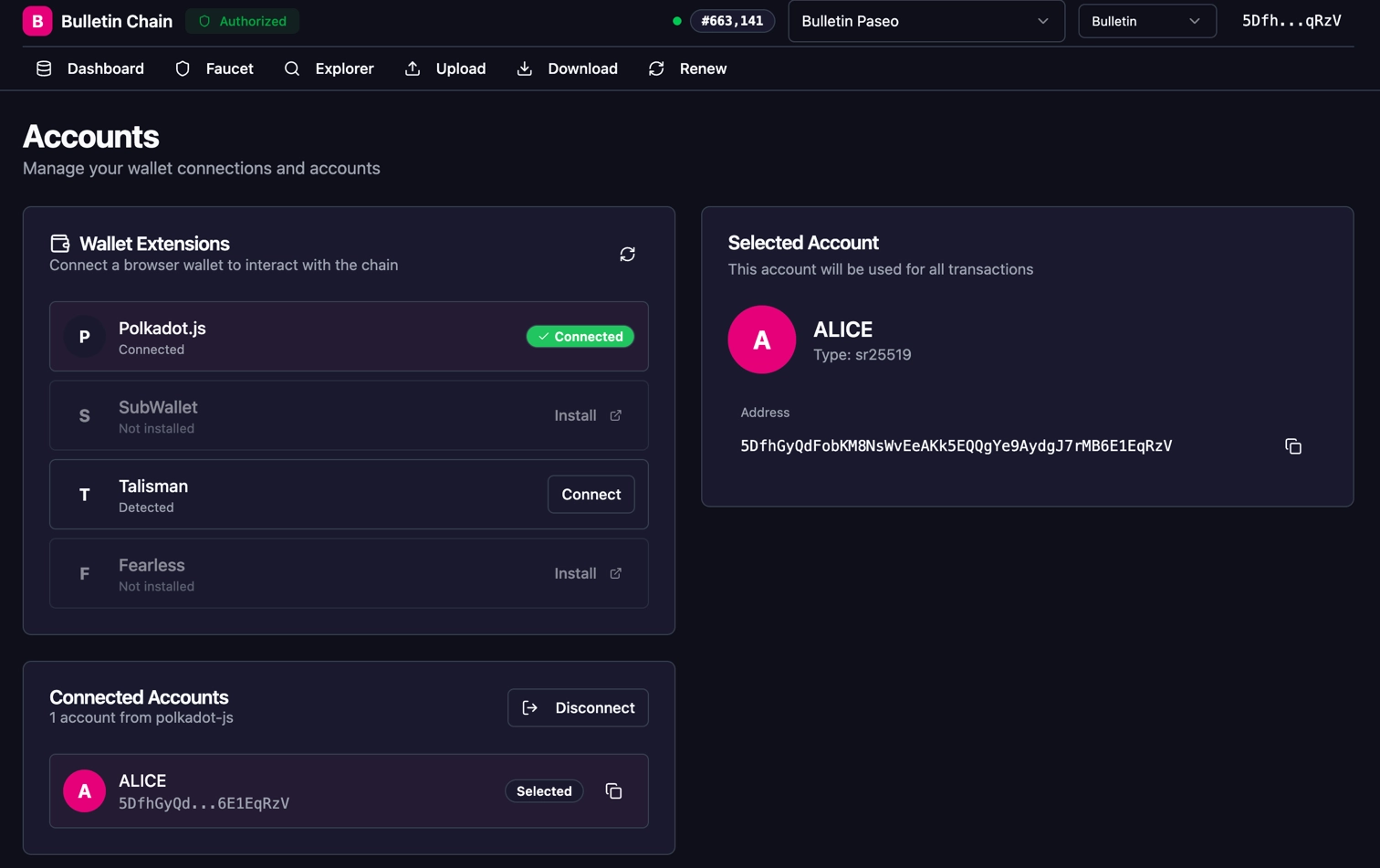
2. Go to the **Faucet** page and select the **Storage Faucet** tab.
3. Under **Authorize Account**, enter the desired number of **Transactions** and **Bytes** for your storage needs, then click **Authorize Account**.
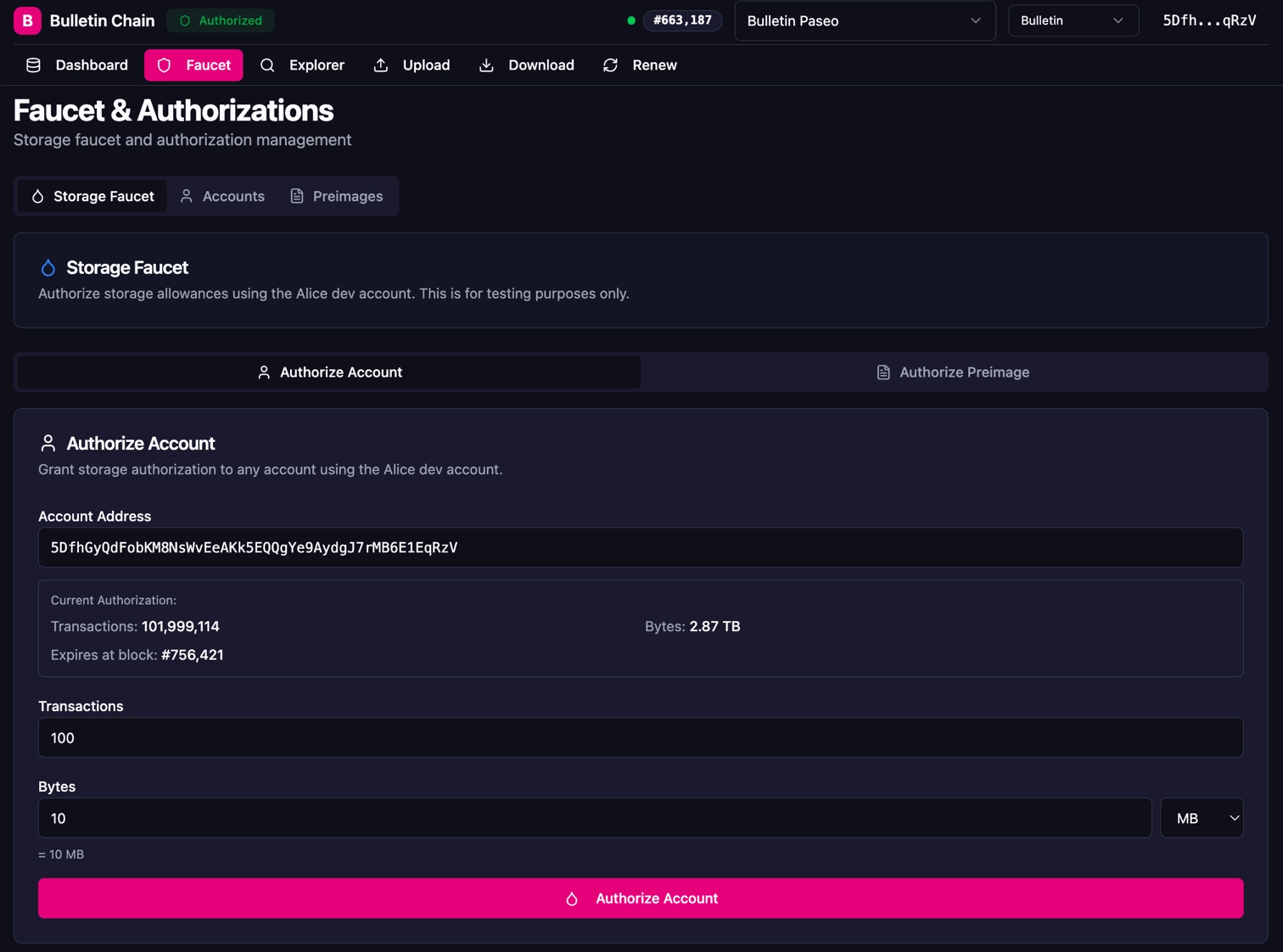
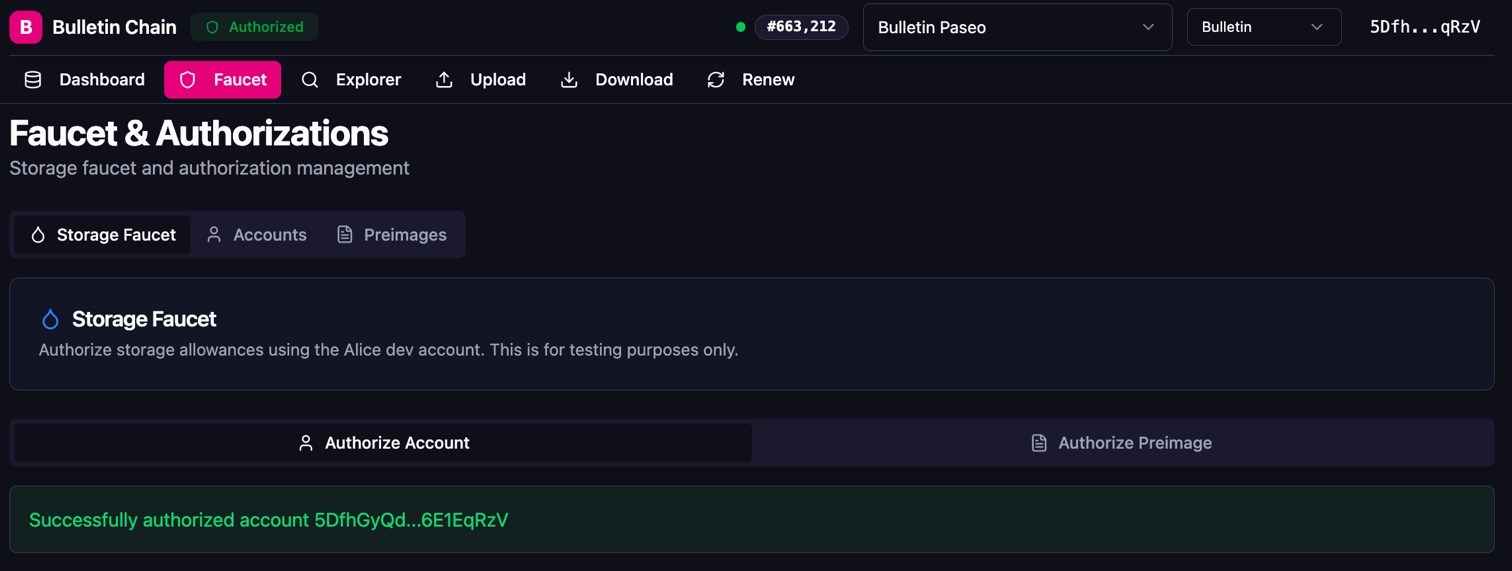
4. Approve the transaction in your wallet extension. You should see a success confirmation.
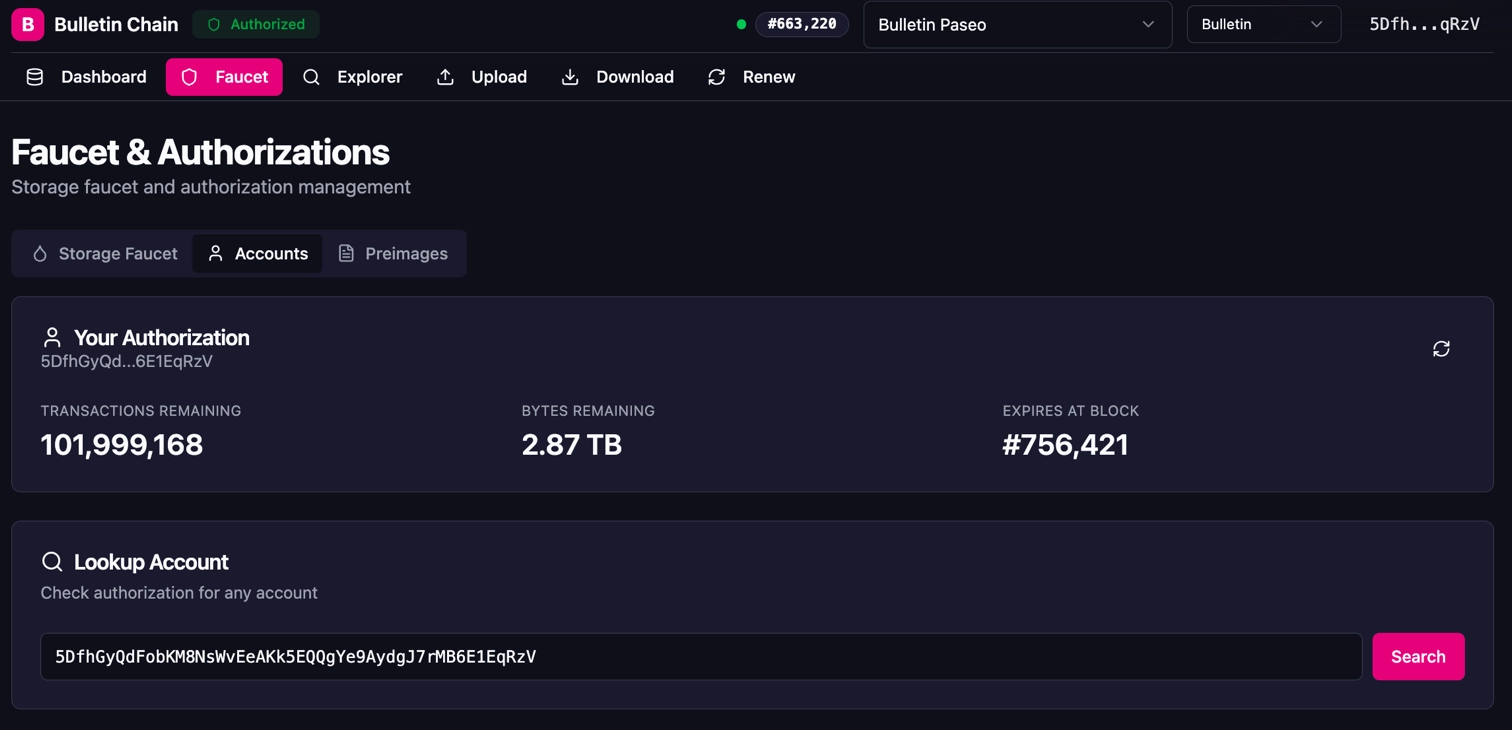
5. To verify your authorization, switch to the **Accounts** tab to view your remaining transactions, bytes, and expiration block.
!!! note
Authorization has an expiration block. Once expired, unused authorization is not refunded — you'll need to request new authorization.
!!! note
The `authorize_account` extrinsic requires Root origin (a privileged account). You cannot self-authorize programmatically — on Polkadot TestNet, use the Console UI faucet to authorize your account before using PAPI to store data.
## Store Your Image
Now that your account is authorized, you can store your image on-chain. Choose the method that best fits your workflow.
!!! note
You can also interact with the Bulletin Chain directly through [Polkadot.js Apps](https://polkadot.js.org/apps/?rpc=wss%3A%2F%2Fpaseo-bulletin-rpc.polkadot.io) or [dev.papi.how](https://dev.papi.how/) by submitting extrinsics from the `transactionStorage` pallet.
=== "Console UI"
1. Navigate to the **Upload** page in the [Bulletin Chain Console](https://paritytech.github.io/polkadot-bulletin-chain/). You can see your account's storage usage and authorization quota on the right side panel.
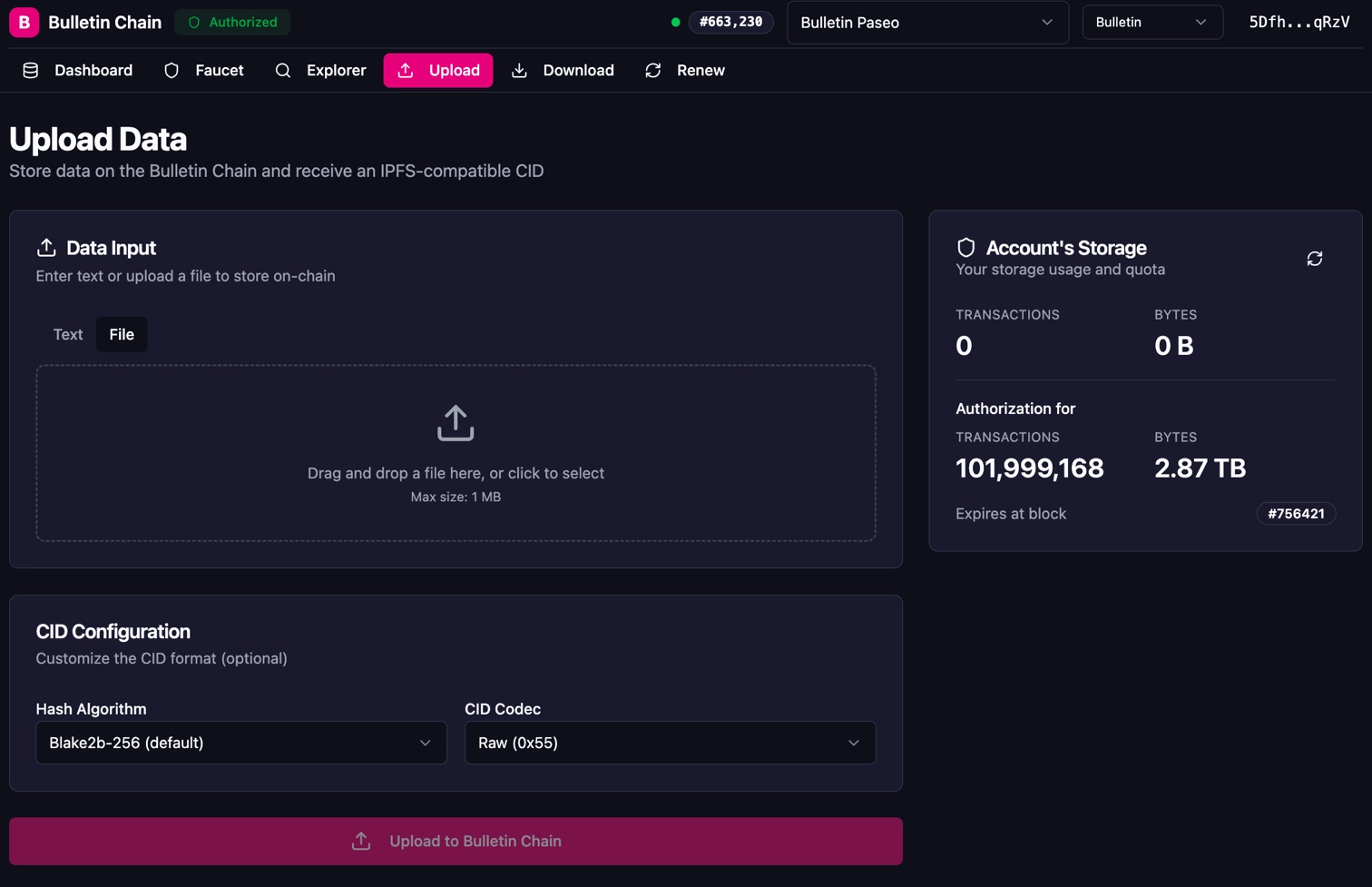
2. Select the **File** tab, then drag and drop your image or click to browse. The UI shows the file name and size.
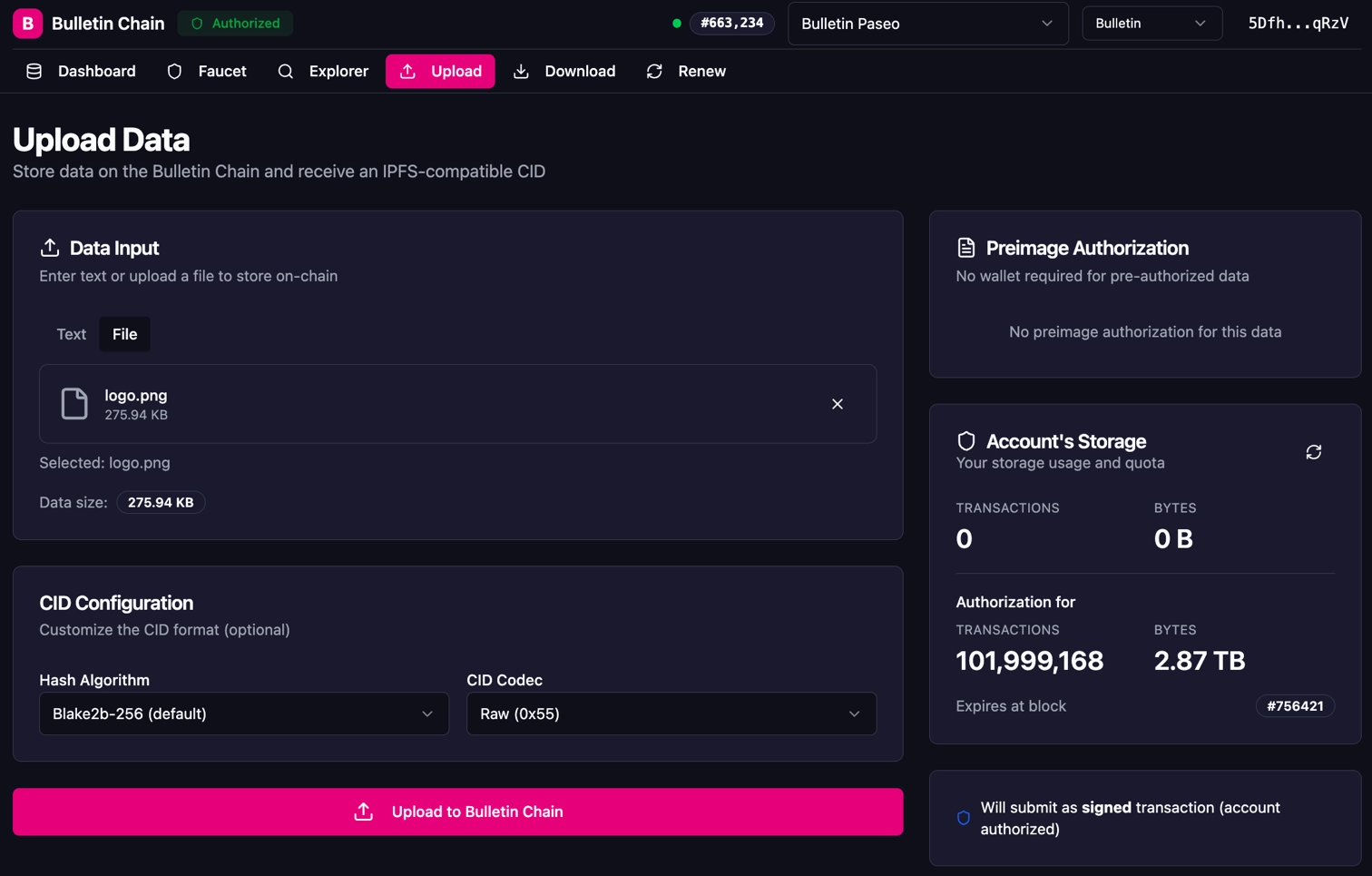
3. Leave the **CID Configuration** at the defaults (Blake2b-256 hash, Raw codec) unless you have specific requirements.
4. Click **Upload to Bulletin Chain** and approve the transaction in your wallet extension.
5. On success, the UI displays your **CID**, **Block Number**, and **Transaction Index**.
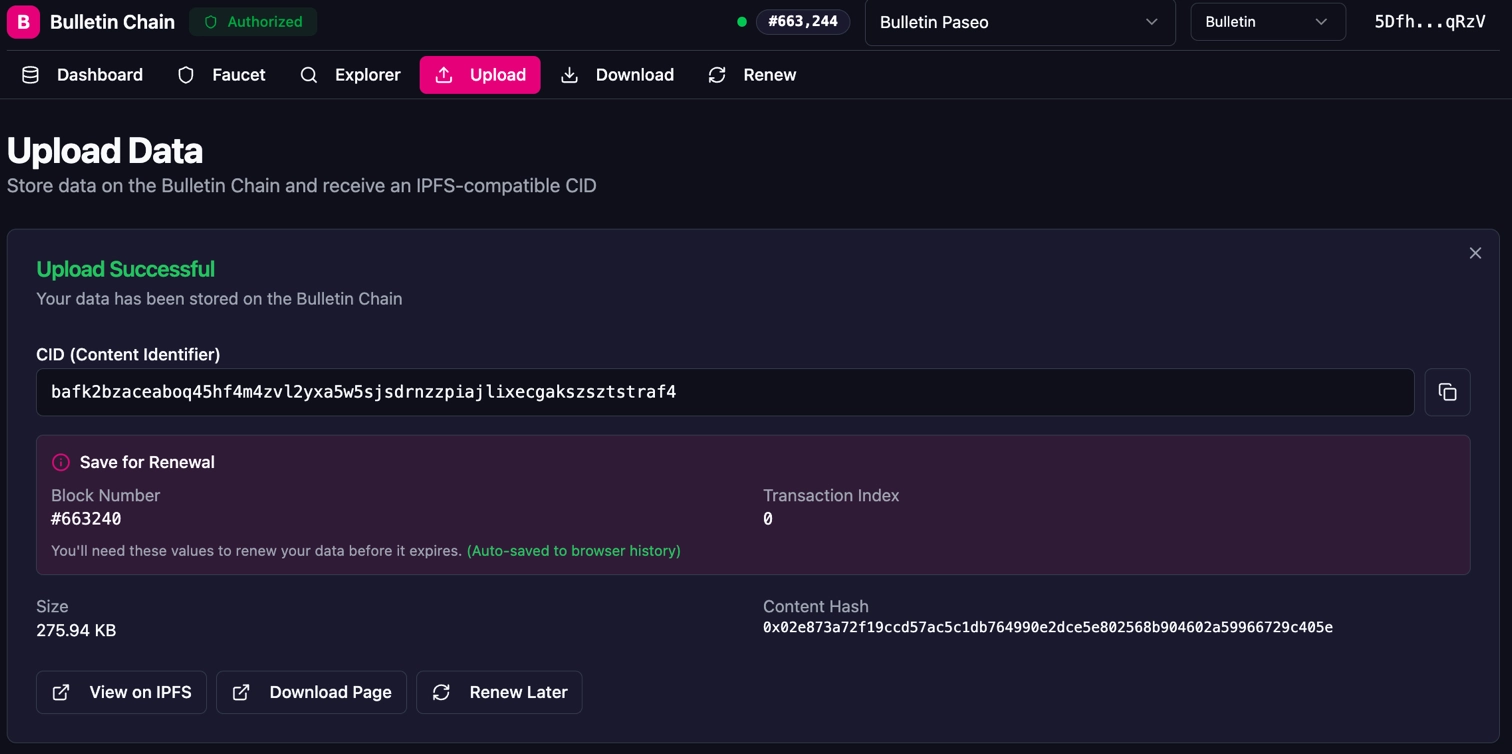
!!! warning
Save the **Block Number** and **Transaction Index** — you'll need these values to renew your data before it expires. The Console UI auto-saves this to your browser history, but you should record it separately as well.
=== "PAPI"
Use the [Polkadot API (PAPI)](https://papi.how/) to store an image programmatically — ideal for integrating into build scripts, CI pipelines, or dApp backends.
**Environment Setup**
1. Create and initialize a new project:
```bash
mkdir bulletin-store-example && cd bulletin-store-example && \
npm init -y && npm pkg set type=module
```
2. Install the required dependencies:
```bash
npm install polkadot-api@2.0.1 @polkadot-labs/hdkd@0.0.28 @polkadot-labs/hdkd-helpers@0.0.29 multiformats
```
3. Fetch the Bulletin Chain metadata and generate typed descriptors:
```bash
npx papi add bulletin -w wss://paseo-bulletin-rpc.polkadot.io
```
This command connects to the Bulletin Chain RPC endpoint, downloads the chain metadata, and generates typed descriptors that provide full type safety for all pallet interactions.
**Store an Image**
Create a file named `store-data.ts` with the following content:
```typescript title="store-data.ts"
import { createClient } from 'polkadot-api';
import { getWsProvider } from 'polkadot-api/ws';
import { bulletin } from '@polkadot-api/descriptors';
import { sr25519CreateDerive } from '@polkadot-labs/hdkd';
import {
DEV_PHRASE,
entropyToMiniSecret,
mnemonicToEntropy,
} from '@polkadot-labs/hdkd-helpers';
import { getPolkadotSigner } from 'polkadot-api/signer';
import { CID } from 'multiformats/cid';
import { readFile } from 'fs/promises';
// Bulletin Chain Polkadot TestNet RPC endpoint
const BULLETIN_RPC = 'wss://paseo-bulletin-rpc.polkadot.io';
// Path to the image you want to store
const FILE_PATH = 'INSERT_IMAGE_PATH';
async function main() (${fileData.length} bytes)`);
// Submit the store transaction
// Note: the signing account must have an active authorization (see Get Authorization section)
console.log('Submitting store transaction...');
const result = await api.tx.TransactionStorage.store({
data: new Uint8Array(fileData),
}).signAndSubmit(signer);
console.log(`Transaction included in block: ${result.block.hash}`);
console.log(`Transaction index: ${result.block.index}`);
// Check events for the Stored event containing the CID
for (const event of result.events)`);
console.log(`CID: ${cid.toString()}`);
console.log(`\nRetrieve via IPFS gateway:`);
console.log(`https://paseo-ipfs.polkadot.io/ipfs/${cid.toString()}`);
}
}
// Disconnect the client
client.destroy();
}
main().catch(console.error);
```
!!! note
Replace `INSERT_IMAGE_PATH` with the path to your image (e.g., `./logo.png`). Ensure the file is under ~8 MiB. For the signer, replace the dev phrase with your own mnemonic for a Polkadot TestNet-authorized account.
Run the script:
```bash
npx tsx store-data.ts
```
You should see output similar to:
npx tsx store-data.ts
Connected to Bulletin Chain (Polkadot TestNet)
Read file: ./logo.png (45312 bytes)
Submitting store transaction...
Transaction included in block: 0x9dfc64f6...f569a658
Transaction index: 2
Image stored successfully!
Index: 0
CID: bafk2bzacea6wlxyalo6gbajlwuubv7w5dvss3vmfqmavlqy63e4vypth2ov6u
Retrieve via IPFS gateway:
https://ipfs.io/ipfs/bafk2bzacea6wlxyalo6gbajlwuubv7w5dvss3vmfqmavlqy63e4vypth2ov6u
## Verify Your Stored Image
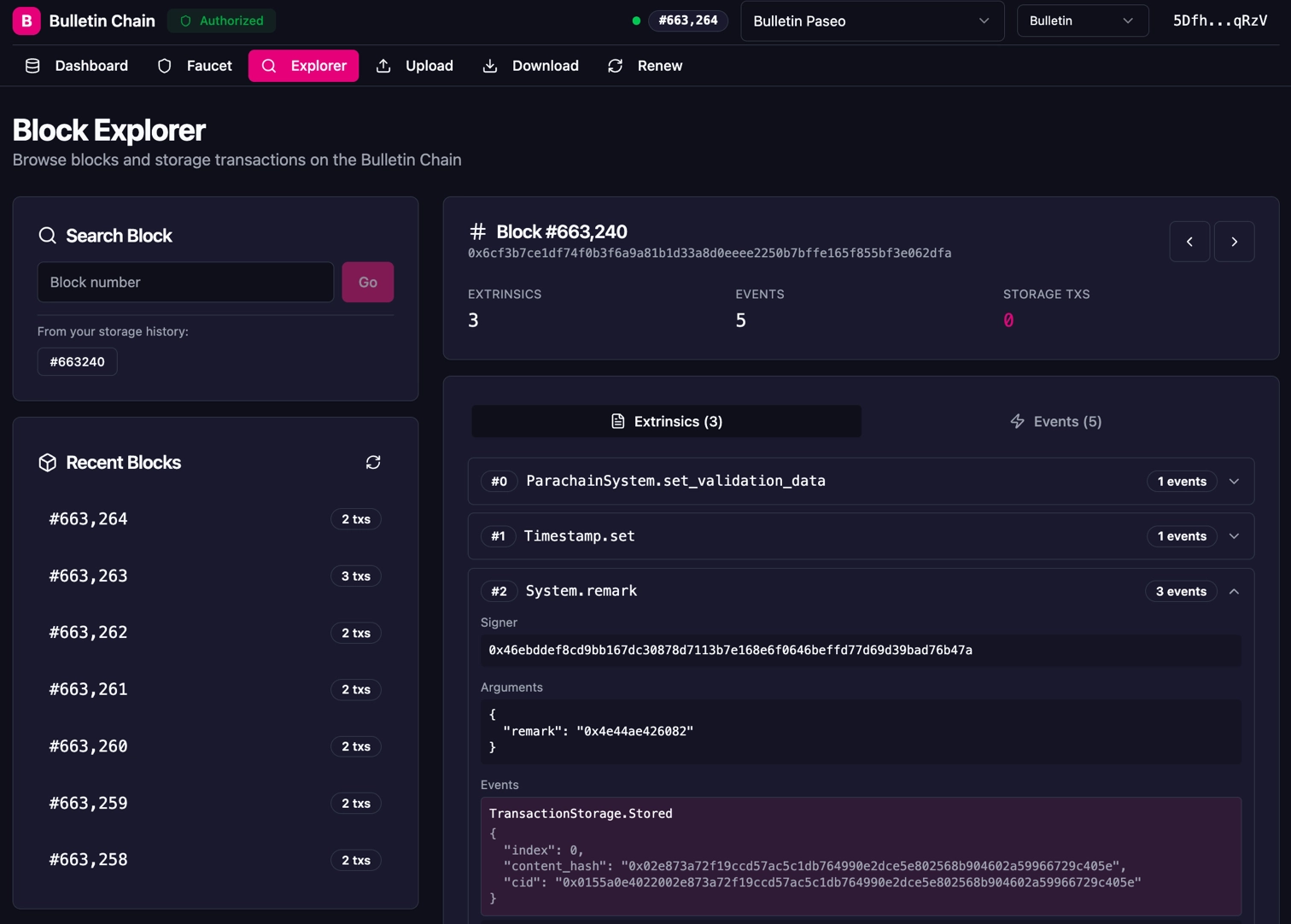
After storing your image, you can verify it was successfully recorded using the **Explorer** in the Console UI. Navigate to the block number from the `Stored` event to see the `TransactionStorage.Stored` event with the content hash and CID.
## Retrieve Your Data
The Bulletin Chain follows a "write-to-chain, read-from-network" architecture — you retrieve data from collator nodes using the CID. For a full overview of retrieval methods, see the [reference page](/reference/polkadot-hub/data-storage/#retrieval-methods).
=== "Console UI"
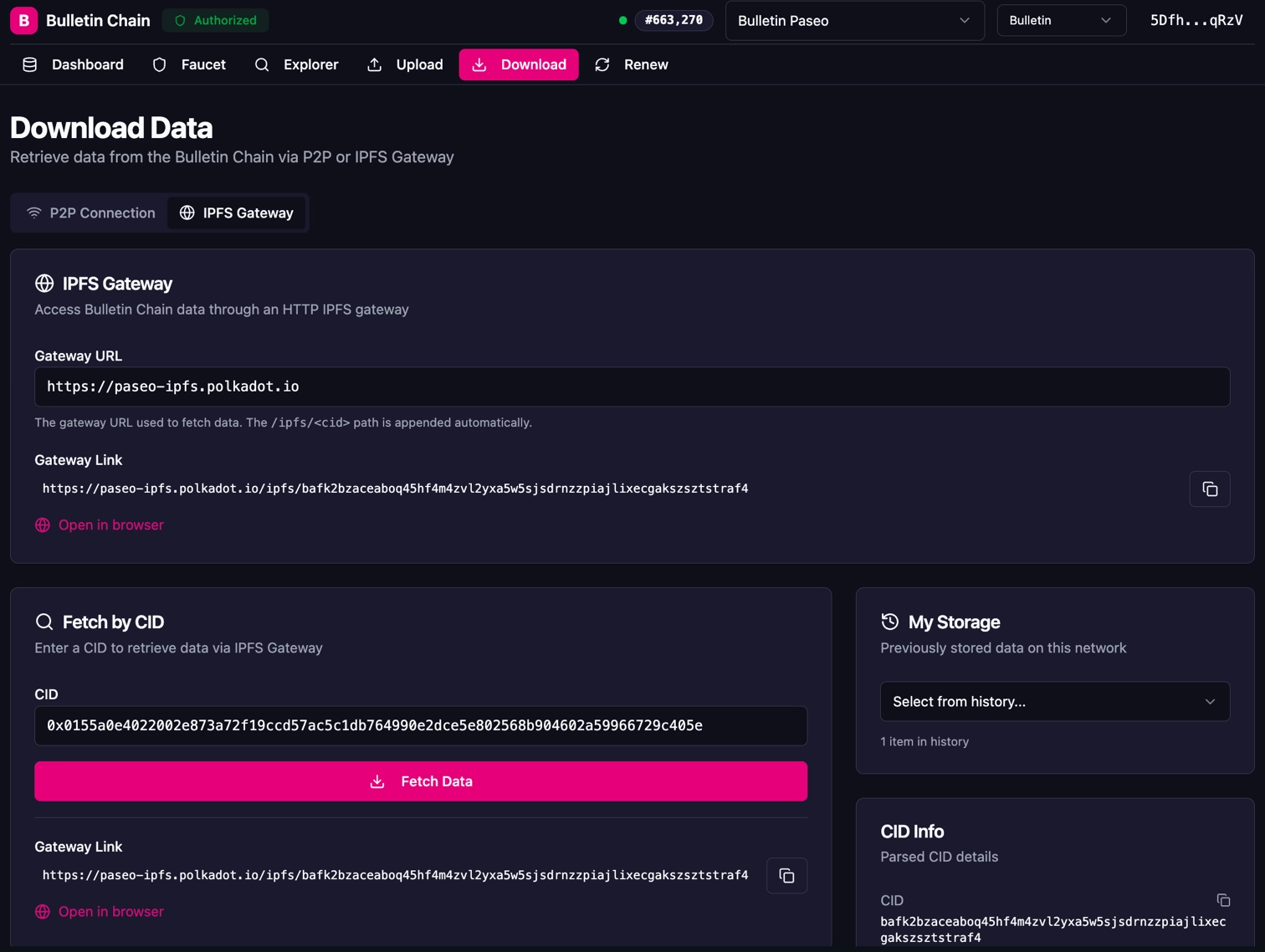
1. Navigate to the **Download** page in the [Bulletin Chain Console](https://paritytech.github.io/polkadot-bulletin-chain/).
2. Choose a retrieval method:
- **P2P Connection**: Connects directly to Bulletin Chain collator nodes (decentralized, recommended).
- **IPFS Gateway**: Uses the Bulletin Chain's IPFS gateway at `https://paseo-ipfs.polkadot.io`.
3. Enter your **CID** in the "Fetch by CID" field — you can use either the `bafk2bzace...` format or the hex-encoded `0x0155a0e4...` format.
4. Click **Fetch Data** to retrieve your content. The UI also generates a direct **Gateway Link** you can open in your browser.
!!! tip
You can also access your data directly in the browser via the Bulletin Chain IPFS gateway:
```text
https://paseo-ipfs.polkadot.io/ipfs/
```
For fully decentralized retrieval, use P2P or the upcoming Smoldot light client.
=== "Programmatic (Gateway)"
You can retrieve data programmatically using the Bulletin Chain's IPFS gateway:
```typescript
const cid = 'INSERT_CID';
const response = await fetch(`https://paseo-ipfs.polkadot.io/ipfs/${cid}`);
const data = await response.arrayBuffer();
console.log(`Retrieved ${data.byteLength} bytes`);
```
!!! note
Replace `INSERT_CID` with the CID string you received when storing your data (e.g., `bafk2bzacea6wlxy...`).
=== "Direct P2P (Helia)"
For production applications, the recommended decentralized approach is to connect directly to Bulletin Chain collator nodes using [Helia](https://helia.io/) (a lean IPFS implementation) and retrieve data via the CID over [libp2p](https://libp2p.io/).
This method requires knowing the public multiaddresses of Bulletin Chain collator nodes. See the [Bulletin Chain repository](https://github.com/paritytech/polkadot-bulletin-chain) for Helia configuration examples and available collator endpoints.
!!! tip
Smoldot light client support for retrieval via the `bitswap_block` RPC is coming soon. This will enable fully trustless, decentralized data retrieval without connecting to a full node.
!!! note
Stored data is only available within the retention period (~2 weeks on Polkadot TestNet). After that, the data is pruned from the chain and is no longer retrievable unless it has been renewed.
## Renew Your Data
Stored data is retained for a limited period (~2 weeks on Polkadot TestNet). If you need your image to remain available beyond the retention period, renew it before it expires.
=== "Console UI"
1. Navigate to the **Renew** page in the [Bulletin Chain Console](https://paritytech.github.io/polkadot-bulletin-chain/).
2. Select your stored transaction from the **Load from History** dropdown, or manually enter the **Block Number** and **Transaction Index**.
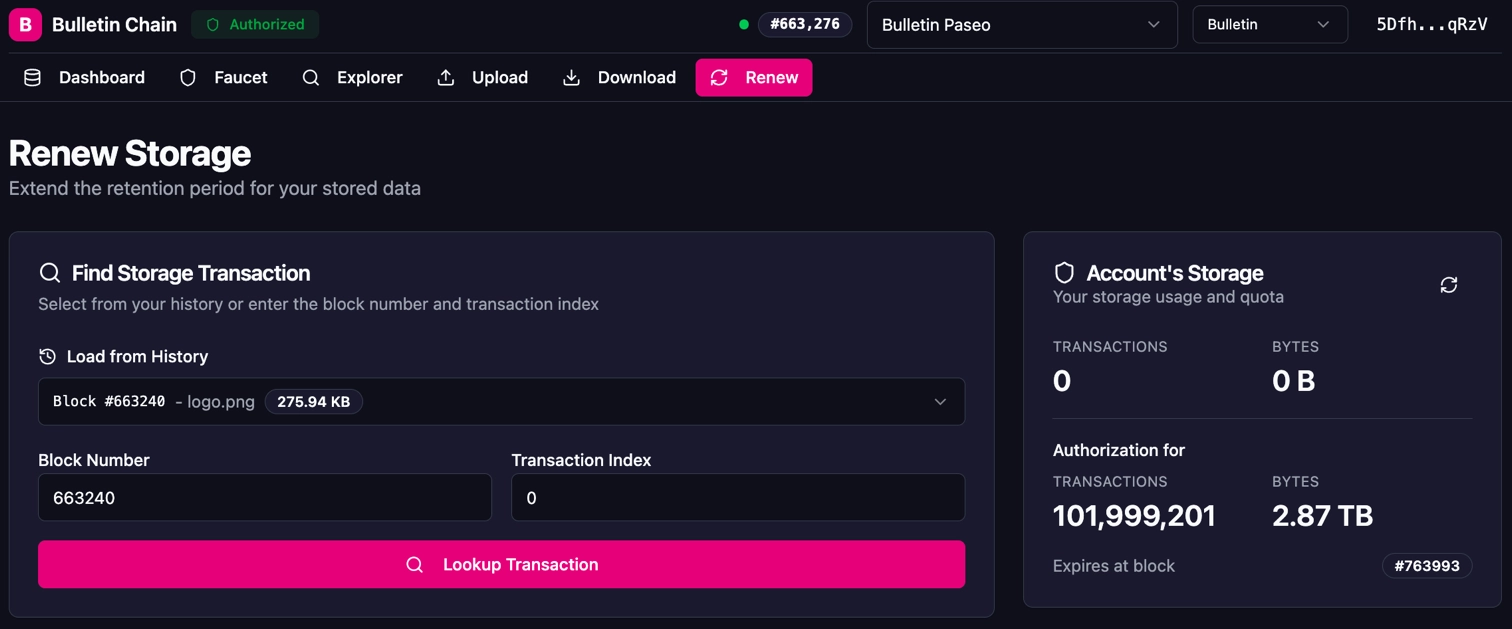
3. Click **Lookup Transaction** to view the transaction details, including the content hash, size, and expiration status.
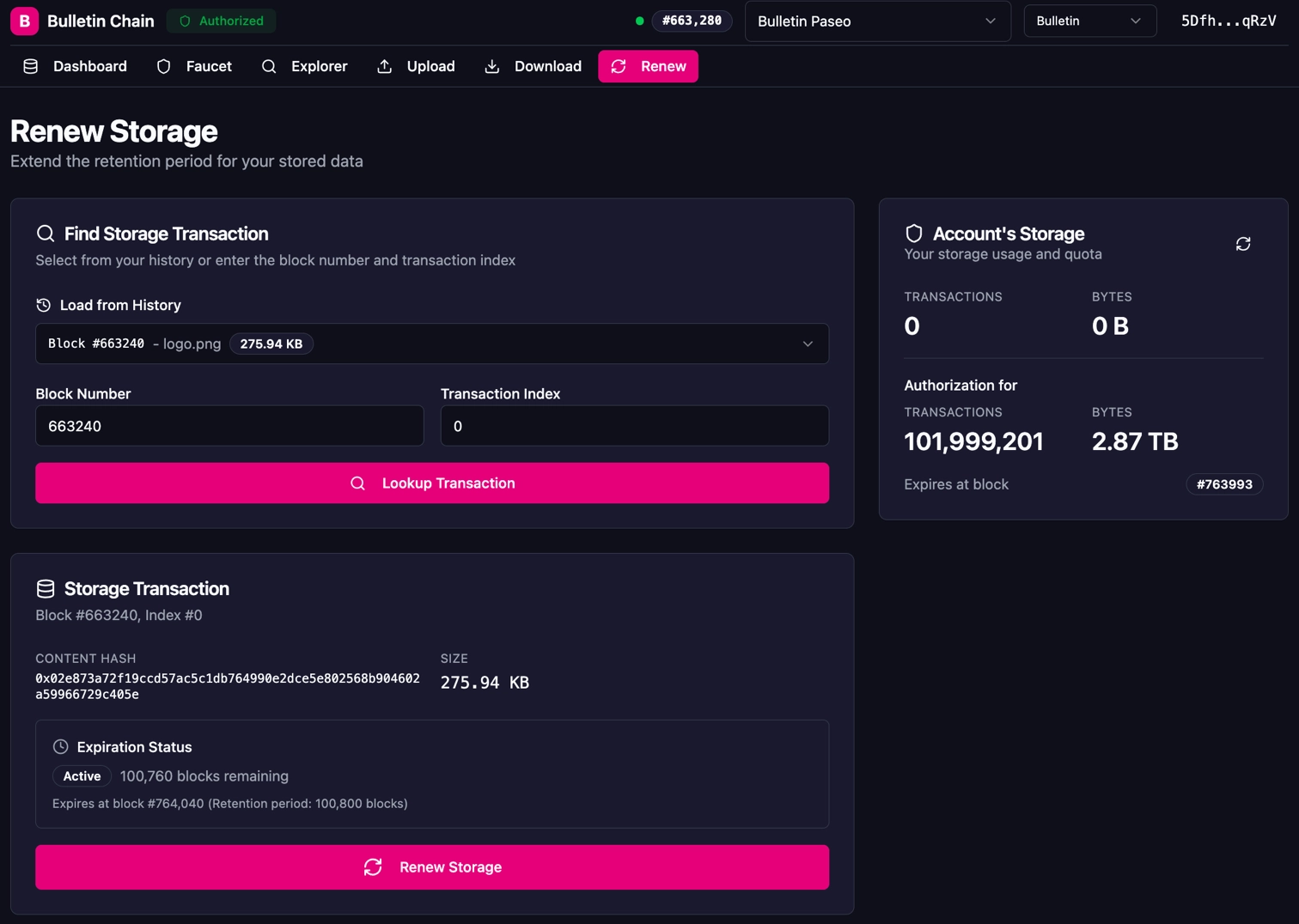
4. Click **Renew Storage** and approve the transaction in your wallet extension.
=== "PAPI"
```typescript
console.log('Renewing stored data...');
const result = await api.tx.TransactionStorage.renew({
block: INSERT_BLOCK_NUMBER,
index: INSERT_INDEX,
}).signAndSubmit(signer);
console.log(`Renewal included in block: ${result.block.hash}`);
```
You should see output similar to:
npx tsx renew-data.ts
Renewing stored data...
Renewal included in block: 0xabcd...5678
Renewal resets the retention timer, keeping your image available for another full retention period.
!!! warning
Each renewal generates a **new block number and index**. You must track the latest `(block, index)` pair from the `Renewed` event for any subsequent renewals. Using the original values after a renewal will fail.
!!! note
In the future, you'll be able to reference all data by CID instead of needing to track block number and index pairs.
## Where to Go Next
- Reference __Data Storage Reference__
---
Explore the full technical reference for the Bulletin Chain, including all extrinsics, storage items, and events.
[:octicons-arrow-right-24: Reference](/reference/polkadot-hub/data-storage/)