{"page_id": "apps-build", "page_title": "Build", "index": 0, "depth": 2, "title": "Set Up Your Project", "anchor": "set-up-your-project", "start_char": 787, "end_char": 2406, "estimated_token_count": 412, "token_estimator": "heuristic-v1", "page_version_hash": "sha256:2b4d6787f6234e90be56cf7c870baaba3b157b0e9bcce8ebfe5156546f4d75c2", "last_updated": "2026-06-16T14:17:44+00:00", "text": "## Set Up Your Project\n\nEvery guide assumes a Product project running locally in [Polkadot Desktop](/apps/get-started/). The steps below apply no matter how you bootstrapped your Product: a [Quick Start](/apps/quick-start/) deploy (RevX or CLI) or a project created from scratch.\n\n1. Scaffold a project. Any framework that serves on `localhost` works; this example uses Next.js:\n\n    ```bash\n    npx create-next-app@latest my-product\n    cd my-product\n    ```\n\n2. Install the [Product SDK](https://github.com/paritytech/product-sdk):\n\n    ```bash\n    npm install @parity/product-sdk\n    ```\n\n3. Start the dev server:\n\n    ```bash\n    npm run dev\n    ```\n\n4. Open Polkadot Desktop and click **Skip (Dev only)**.\n\n    ![Polkadot Desktop showing the \"Skip (Dev only)\" button](/images/apps/build/start-a-local-dev-loop/start-a-local-dev-loop-01.webp)\n\n5. Type `localhost:3000` (or your dev server's port) in the address bar and press **Enter**.\n\n    Desktop recognizes `localhost` as a whitelisted origin, skips `.dot` resolution, and loads your Product directly from the local server.\n\n    ![Polkadot Desktop showing a local Product loaded from localhost:3000](/images/apps/build/start-a-local-dev-loop/start-a-local-dev-loop-02.webp)\n\nYour Product is now running inside the Polkadot Desktop sandbox, served from your local machine. Live reload works through your dev server's hot module replacement: edit, save, and watch the change appear in Desktop. The sandbox and permission prompts apply exactly as they would for a published `.dot` Product, and no Proof of Personhood or funds are needed to load from `localhost`."}
{"page_id": "apps-build", "page_title": "Build", "index": 1, "depth": 2, "title": "Capabilities", "anchor": "capabilities", "start_char": 2406, "end_char": 4293, "estimated_token_count": 492, "token_estimator": "heuristic-v1", "page_version_hash": "sha256:2b4d6787f6234e90be56cf7c870baaba3b157b0e9bcce8ebfe5156546f4d75c2", "last_updated": "2026-06-16T14:17:44+00:00", "text": "## Capabilities\n\n<div class=\"grid cards\" markdown>\n\n-   <span class=\"badge beginner\">Beginner</span> **Read On-Chain Data**\n\n    ---\n\n    Your Product needs to show live balances, storage, and chain state. Reads are unsigned: no account, no tokens, no infrastructure to run.\n\n    [:octicons-arrow-right-24: Read On-Chain Data](/apps/build/read-chain-state/)\n\n-   <span class=\"badge beginner\">Beginner</span> **Sign and Submit Transactions**\n\n    ---\n\n    Your Product needs to act on chain on the user's behalf. Derive a per-user account and request signatures; every approval happens on the user's phone.\n\n    [:octicons-arrow-right-24: Sign and Submit Transactions](/apps/build/sign-and-submit/)\n\n-   <span class=\"badge intermediate\">Intermediate</span> **Store Data on Chain**\n\n    ---\n\n    Your Product needs content that outlives a session: profile photos, published posts, file uploads. Write to the [Bulletin Chain](/reference/apps/infrastructure/bulletin-chain/) and fetch from anywhere by CID.\n\n    [:octicons-arrow-right-24: Store Data on Chain](/apps/build/store-data-on-chain/)\n\n-   <span class=\"badge intermediate\">Intermediate</span> **Publish and Subscribe to Off-Chain Data**\n\n    ---\n\n    Your Product needs real-time state between users: presence, typing indicators, multiplayer cursors. Signed pub/sub via the [Statement Store](/reference/apps/infrastructure/statement-store/), no fees per message.\n\n    [:octicons-arrow-right-24: Publish and Subscribe to Off-Chain Data](/apps/build/pub-sub-off-chain-data/)\n\n-   <span class=\"badge beginner\">Beginner</span> **Persist Data Locally**\n\n    ---\n\n    Your Product needs to remember things on this device: preferences, drafts, cached values. Per-Product key-value storage that works inside a Host or in a plain browser tab.\n\n    [:octicons-arrow-right-24: Persist Data Locally](/apps/build/persist-data-locally/)\n\n</div>"}
{"page_id": "apps-build", "page_title": "Build", "index": 2, "depth": 2, "title": "The product-sdk Packages", "anchor": "the-product-sdk-packages", "start_char": 4293, "end_char": 7614, "estimated_token_count": 920, "token_estimator": "heuristic-v1", "page_version_hash": "sha256:2b4d6787f6234e90be56cf7c870baaba3b157b0e9bcce8ebfe5156546f4d75c2", "last_updated": "2026-06-16T14:17:44+00:00", "text": "## The product-sdk Packages\n\nEach guide is built around one _primary_ package and weaves in _utility_ packages where they are needed. The full source is at [`paritytech/product-sdk`](https://github.com/paritytech/product-sdk). Here is what each package is for:\n\n|      Package      |                                                                                                                    What it does                                                                                                                     |                                     Guide                                      |\n|:-----------------:|:---------------------------------------------------------------------------------------------------------------------------------------------------------------------------------------------------------------------------------------------------:|:------------------------------------------------------------------------------:|\n|  `chain-client`   |                                                A typed, host-routed client for reading on-chain storage, constants, and account state across one or more chains, with no RPC infrastructure to run.                                                 |              [Read On-Chain Data](/apps/build/read-chain-state/)               |\n|     `signer`      |                                             Derives product-scoped accounts and requests signatures, routing every approval to the user's Polkadot App. Your Product signs without ever handling keys.                                              |          [Sign and Submit Transactions](/apps/build/sign-and-submit/)          |\n|  `cloud-storage`  | A high-level client for the [Bulletin Chain](/reference/apps/infrastructure/bulletin-chain/), Polkadot's content-addressed storage. Uploads and retrieves data by CID, with chunking, manifests, and authorization handled for you. |            [Store Data on Chain](/apps/build/store-data-on-chain/)             |\n| `statement-store` | A pub/sub client for the [Statement Store](/reference/apps/infrastructure/statement-store/): publish and subscribe to signed, short-lived statements gossiped peer-to-peer off-chain. Ideal for real-time signaling between users.  | [Publish and Subscribe to Off-Chain Data](/apps/build/pub-sub-off-chain-data/) |\n|  `local-storage`  |                                                       A per-Product, per-device key-value store backed by the Host, for preferences, drafts, and cached values that persist across sessions.                                                        |           [Persist Data Locally](/apps/build/persist-data-locally/)            |\n\nThese five anchor the current recipes because their surfaces are stable. Other packages in the SDK (`contracts`, `keys`, `crypto`, `host`) will get recipes of their own as their surfaces stabilize.\n\nThe guides also use these utility packages where relevant:\n\n- **`tx`**: Builds, signs, and tracks the lifecycle of transactions (used alongside `signer`).\n- **`address`**: Encodes, decodes, and validates SS58 addresses.\n- **`descriptors`**: Provides typed chain metadata for the `chain-client` Bring Your Own Descriptors path.\n- **`host`**: Provides low-level access to the Host API (for example, the preimage manager used for sponsored uploads)."}
{"page_id": "apps-build", "page_title": "Build", "index": 3, "depth": 2, "title": "Umbrella or Individual Packages", "anchor": "umbrella-or-individual-packages", "start_char": 7614, "end_char": 8243, "estimated_token_count": 133, "token_estimator": "heuristic-v1", "page_version_hash": "sha256:2b4d6787f6234e90be56cf7c870baaba3b157b0e9bcce8ebfe5156546f4d75c2", "last_updated": "2026-06-16T14:17:44+00:00", "text": "## Umbrella or Individual Packages\n\nEvery guide works with either install style; choose based on your needs:\n\n- **Umbrella package**: `npm install @parity/product-sdk`. One dependency that re-exports everything. Convenient when your Product uses several capabilities and bundle size is not a concern.\n- **Individual packages**: `npm install @parity/product-sdk-cloud-storage` (and so on). Install only what you use to keep your bundle smaller and your dependencies explicit.\n\nImport paths are identical either way, so you can start with the umbrella package and switch to individual packages later as a bundle-size optimization."}
{"page_id": "apps-build-persist-data-locally", "page_title": "Persist Data Locally", "index": 0, "depth": 2, "title": "Introduction", "anchor": "introduction", "start_char": 24, "end_char": 1296, "estimated_token_count": 304, "token_estimator": "heuristic-v1", "page_version_hash": "sha256:189a14a10d43d49fda2e1e260f7a93e2062695e5c62a4294859197b4b6d913f1", "last_updated": "2026-06-16T14:17:44+00:00", "text": "## Introduction\n\nThis guide covers the `@parity/product-sdk-local-storage` package, which provides a `LocalKvStore` for storing and retrieving key-value data between sessions. Use it for device-local data like saved preferences, unsubmitted drafts, or cached responses. Data is scoped to your Product and device; it does not sync across devices or leak between Products on the same Host.\n\n!!! info \"Storage options for your Product\"\n    `LocalKvStore` is the right tool for device-local, per-Product key-value data. When your data needs to outlive the device or be visible to other users, reach for an on-chain layer instead:\n\n    - **Local KvStore** (this page): Per-Product, per-device key-value. User preferences, drafts, cached values. Not synced across devices.\n    - **Bulletin Chain**: Content-addressed, on-chain, retained ~2 weeks by default and renewable. Content readers fetch later by hash: profile photos, published articles, app bundles. See [Store Data on Chain](/apps/build/store-data-on-chain/).\n    - **Statement Store**: Gossip-distributed, short-lived (default 30s TTL), allowance-gated. Real-time signaling between users: chat messages, presence, typing indicators. See [Publish and Subscribe to Off-Chain Data](/apps/build/pub-sub-off-chain-data/)."}
{"page_id": "apps-build-persist-data-locally", "page_title": "Persist Data Locally", "index": 1, "depth": 2, "title": "Prerequisites", "anchor": "prerequisites", "start_char": 1296, "end_char": 1553, "estimated_token_count": 69, "token_estimator": "heuristic-v1", "page_version_hash": "sha256:189a14a10d43d49fda2e1e260f7a93e2062695e5c62a4294859197b4b6d913f1", "last_updated": "2026-06-16T14:17:44+00:00", "text": "## Prerequisites\n\nBefore getting started, ensure you have:\n\n- A Polkadot Product project running locally (see [Set Up Your Project](/apps/build/#set-up-your-project))\n- Node.js 20 or later with ESM support (`@parity/product-sdk-local-storage` is ESM only)"}
{"page_id": "apps-build-persist-data-locally", "page_title": "Persist Data Locally", "index": 2, "depth": 2, "title": "Install the SDK", "anchor": "install-the-sdk", "start_char": 1553, "end_char": 2558, "estimated_token_count": 226, "token_estimator": "heuristic-v1", "page_version_hash": "sha256:189a14a10d43d49fda2e1e260f7a93e2062695e5c62a4294859197b4b6d913f1", "last_updated": "2026-06-16T14:17:44+00:00", "text": "## Install the SDK\n\nYou have two installation options depending on your needs:\n\n- **Umbrella package** (recommended starting point): Install the full SDK in one command. Convenient when your Product uses several SDK features (local storage, signing, cloud storage, etc.) and bundle size is not a concern.\n\n    ```bash\n    npm install @parity/product-sdk\n    ```\n\n- **Individual package**: Install only what you use. Keeps your bundle smaller and makes dependencies explicit; switch to this later as a bundle-size optimization.\n\n    ```bash\n    npm install @parity/product-sdk-local-storage\n    ```\n\nAll import paths shown in this guide work with both options.\n\n!!! note \"Code examples\"\n    Each snippet in this guide is a standalone file you add to your Product's source tree. The filenames match the `title` shown in the code block header (for example, `initialize.ts`, `set-get-string.ts`). They are not meant to be concatenated; import and use each one independently wherever it fits in your Product."}
{"page_id": "apps-build-persist-data-locally", "page_title": "Persist Data Locally", "index": 3, "depth": 2, "title": "Initialize the Store", "anchor": "initialize-the-store", "start_char": 2558, "end_char": 3350, "estimated_token_count": 176, "token_estimator": "heuristic-v1", "page_version_hash": "sha256:189a14a10d43d49fda2e1e260f7a93e2062695e5c62a4294859197b4b6d913f1", "last_updated": "2026-06-16T14:17:44+00:00", "text": "## Initialize the Store\n\n`createLocalKvStore()` is an async factory. You must `await` it before performing any read or write, because the function connects to the Host storage backend before the store is usable.\n\n```typescript title=\"initialize.ts\"\nimport { createLocalKvStore } from '@parity/product-sdk-local-storage';\nimport type { LocalKvStore } from '@parity/product-sdk-local-storage';\n\n// Connects to the Host storage backend. Must run inside a Polkadot Product;\n// outside a host container this throws \"Host storage unavailable\".\nconst store: LocalKvStore = await createLocalKvStore();\n```\n\n`createLocalKvStore()` accepts an optional `LocalKvStoreOptions` argument. The supported option is `prefix`, which is covered in [Namespace Keys with Prefixes](#namespace-keys-with-prefixes)."}
{"page_id": "apps-build-persist-data-locally", "page_title": "Persist Data Locally", "index": 4, "depth": 2, "title": "Store String Values", "anchor": "store-string-values", "start_char": 3350, "end_char": 3722, "estimated_token_count": 123, "token_estimator": "heuristic-v1", "page_version_hash": "sha256:189a14a10d43d49fda2e1e260f7a93e2062695e5c62a4294859197b4b6d913f1", "last_updated": "2026-06-16T14:17:44+00:00", "text": "## Store String Values\n\nUse `store.set(key, value)` to write a string value for a key. Use `store.get(key)` to read it back. If the key has not been set, `get` returns `null`.\n\n```typescript title=\"set-get-string.ts\"\nawait store.set('network', 'paseo');\n\nconst network = await store.get('network');\n\nif (network === null) else {\n  console.log('Network:', network);\n}\n```"}
{"page_id": "apps-build-persist-data-locally", "page_title": "Persist Data Locally", "index": 5, "depth": 2, "title": "Store JSON Values", "anchor": "store-json-values", "start_char": 3722, "end_char": 4441, "estimated_token_count": 194, "token_estimator": "heuristic-v1", "page_version_hash": "sha256:189a14a10d43d49fda2e1e260f7a93e2062695e5c62a4294859197b4b6d913f1", "last_updated": "2026-06-16T14:17:44+00:00", "text": "## Store JSON Values\n\nUse `store.setJSON(key, value)` to write any JSON-serializable value. The store handles serialization for you. Use `store.getJSON<T>(key)` to read it back; the generic type parameter `T` enables type-safe retrieval. If the key does not exist, `getJSON` returns `null`.\n\n```typescript title=\"set-get-json.ts\"\ninterface UserPreferences {\n  theme: 'light' | 'dark';\n  language: string;\n}\n\nawait store.setJSON('preferences', {\n  theme: 'dark',\n  language: 'en',\n} satisfies UserPreferences);\n\nconst preferences = await store.getJSON<UserPreferences>('preferences');\n\nif (preferences === null) else {\n  console.log('Theme:', preferences.theme);\n  console.log('Language:', preferences.language);\n}\n```"}
{"page_id": "apps-build-persist-data-locally", "page_title": "Persist Data Locally", "index": 6, "depth": 2, "title": "Remove Stored Values", "anchor": "remove-stored-values", "start_char": 4441, "end_char": 4708, "estimated_token_count": 70, "token_estimator": "heuristic-v1", "page_version_hash": "sha256:189a14a10d43d49fda2e1e260f7a93e2062695e5c62a4294859197b4b6d913f1", "last_updated": "2026-06-16T14:17:44+00:00", "text": "## Remove Stored Values\n\nUse `store.remove(key)` to delete a key. The method does not throw if the key does not exist, so you can call it safely without first checking whether the value is present.\n\n```typescript title=\"remove.ts\"\nawait store.remove('network');\n```"}
{"page_id": "apps-build-persist-data-locally", "page_title": "Persist Data Locally", "index": 7, "depth": 2, "title": "Namespace Keys with Prefixes", "anchor": "namespace-keys-with-prefixes", "start_char": 4708, "end_char": 5903, "estimated_token_count": 286, "token_estimator": "heuristic-v1", "page_version_hash": "sha256:189a14a10d43d49fda2e1e260f7a93e2062695e5c62a4294859197b4b6d913f1", "last_updated": "2026-06-16T14:17:44+00:00", "text": "## Namespace Keys with Prefixes\n\nWithin a Product, multiple features may share the same `LocalKvStore`. Prefixes partition the namespace further to avoid key collisions between those features.\n\nPass a `prefix` option to `createLocalKvStore()` to prepend `prefix:` to every key operated on by that store instance. For example, `createLocalKvStore({ prefix: 'feature' })` stores the key `'setting'` internally as `'feature:setting'`.\n\n```typescript title=\"prefixed-store.ts\"\nimport { createLocalKvStore } from '@parity/product-sdk-local-storage';\n\nconst settingsStore = await createLocalKvStore({ prefix: 'settings' });\nconst cacheStore = await createLocalKvStore({ prefix: 'cache' });\n\n// Stored internally as \"settings:theme\"\nawait settingsStore.set('theme', 'dark');\n\n// Stored internally as \"cache:lastBlock\"\nawait cacheStore.set('lastBlock', '21540000');\n```\n\nThe Host-enforced Product-level namespace is separate from any developer-defined prefix. The Host's Product namespace is applied on top of your `prefix`, so a key `'setting'` in a `{ prefix: 'feature' }` store ends up stored as something like `'myproduct.dot:feature:setting'`, without you needing to construct that path yourself."}
{"page_id": "apps-build-persist-data-locally", "page_title": "Persist Data Locally", "index": 8, "depth": 2, "title": "Use React Hooks", "anchor": "use-react-hooks", "start_char": 5903, "end_char": 8270, "estimated_token_count": 591, "token_estimator": "heuristic-v1", "page_version_hash": "sha256:189a14a10d43d49fda2e1e260f7a93e2062695e5c62a4294859197b4b6d913f1", "last_updated": "2026-06-16T14:17:44+00:00", "text": "## Use React Hooks\n\nIf your Product is a React application, `@parity/product-sdk` provides hooks that integrate local storage directly into the React component lifecycle. The hooks read the current value on mount and re-render the component whenever it changes.\n\nWrap your application in `ProductSDKProvider` once at the root, then call the hooks anywhere inside the tree:\n\n```tsx title=\"providers.tsx\"\n'use client';\n\nimport { ProductSDKProvider } from '@parity/product-sdk/react';\nimport type { ReactNode } from 'react';\n\nexport function Providers({ children }: { children: ReactNode })\n    >\n      {children}\n    </ProductSDKProvider>\n  );\n}\n```\n\n`useLocalStorageString` manages a plain string value. `useLocalStorage<T>` manages a JSON-serializable value typed by `T`. Both hooks return a tuple of `[currentValue, setValue, { loading, error }]`:\n\n```tsx title=\"local-storage-hooks.tsx\"\n'use client';\n\nimport {\n  useLocalStorage,\n  useLocalStorageString,\n} from '@parity/product-sdk/react';\n\ninterface UserPreferences {\n  theme: 'light' | 'dark';\n  language: string;\n}\n\nfunction StorageDemo()] =\n    useLocalStorageString('network');\n\n  const [\n    preferences,\n    setPreferences,\n    { loading: prefsLoading, error: prefsError },\n  ] = useLocalStorage<UserPreferences>('preferences');\n\n  return (\n    <div>\n      <p>Network: {networkLoading ? 'loading…' : (network ?? 'not set')}</p>\n      <button onClick={() => setNetwork('paseo')}>Set network</button>\n\n      <p>\n        Theme: {prefsLoading ? 'loading…' : (preferences?.theme ?? 'not set')}\n      </p>\n      <button onClick={() => setPreferences({ theme: 'dark', language: 'en' })}>\n        Set preferences\n      </button>\n\n      {prefsError && <p>Error: {prefsError.message}</p>}\n    </div>\n  );\n}\n```\n\nTo remove a key or clear all storage for your Product, access `app.localStorage` from `useProductSDK()` directly:\n\n```tsx title=\"remove-and-clear.tsx\"\n'use client';\n\nimport { useProductSDK } from '@parity/product-sdk/react';\n\nfunction StorageActions()\n\n  async function handleClear()\n\n  return (\n    <div>\n      <button onClick={handleRemove}>Remove &quot;network&quot;</button>\n      <button onClick={handleClear}>Clear all</button>\n    </div>\n  );\n}\n```\n\n!!! note\n    `app.localStorage.clear()` removes every key scoped to your Product. It is equivalent to calling `remove()` on each key individually."}
{"page_id": "apps-build-persist-data-locally", "page_title": "Persist Data Locally", "index": 9, "depth": 2, "title": "Limitations", "anchor": "limitations", "start_char": 8270, "end_char": 8958, "estimated_token_count": 151, "token_estimator": "heuristic-v1", "page_version_hash": "sha256:189a14a10d43d49fda2e1e260f7a93e2062695e5c62a4294859197b4b6d913f1", "last_updated": "2026-06-16T14:17:44+00:00", "text": "## Limitations\n\n- Storage is not synced across devices. Values written on one Host instance are not visible on another.\n- `app.localStorage.clear()` and `store.remove()` are scoped to your Product. You cannot read or modify another Product's keys.\n- React hooks (`useLocalStorage`, `useLocalStorageString`) are only available via the umbrella package `@parity/product-sdk`. The standalone `@parity/product-sdk-local-storage` package exposes no React hooks.\n- `createLocalKvStore()` requires a Host backend. Running outside a host container, it throws `Host storage unavailable`; there is no browser `localStorage` fallback. Run your Product inside Polkadot Desktop to use local storage."}
{"page_id": "apps-build-persist-data-locally", "page_title": "Persist Data Locally", "index": 10, "depth": 2, "title": "Where to Go Next", "anchor": "where-to-go-next", "start_char": 8958, "end_char": 9805, "estimated_token_count": 242, "token_estimator": "heuristic-v1", "page_version_hash": "sha256:189a14a10d43d49fda2e1e260f7a93e2062695e5c62a4294859197b4b6d913f1", "last_updated": "2026-06-16T14:17:44+00:00", "text": "## Where to Go Next\n\n<div class=\"grid cards\" markdown>\n\n-   <span class=\"badge guide\">Guide</span> **Store Data on Chain**\n\n    ---\n\n    When data must outlive the device and be fetchable by anyone, move it to the Bulletin Chain.\n\n    [:octicons-arrow-right-24: Store Data on Chain](/apps/build/store-data-on-chain/)\n\n-   <span class=\"badge guide\">Guide</span> **Deploy Your Product**\n\n    ---\n\n    You've covered the capabilities; ship your Product to a live `.dot` name with the Quick Start deploy routes.\n\n    [:octicons-arrow-right-24: Quick Start](/apps/quick-start/)\n\n-   <span class=\"badge external\">External</span> **Product SDK API Reference**\n\n    ---\n\n    The full `product-sdk` surface beyond this recipe: every package, class, and method.\n\n    [:octicons-arrow-right-24: Visit Site](https://paritytech.github.io/product-sdk/)\n\n</div>"}
{"page_id": "apps-build-pub-sub-off-chain-data", "page_title": "Publish and Subscribe to Off-Chain Data", "index": 0, "depth": 2, "title": "Introduction", "anchor": "introduction", "start_char": 43, "end_char": 1943, "estimated_token_count": 412, "token_estimator": "heuristic-v1", "page_version_hash": "sha256:82e2010615e1143815e5603cd91c0a791c52b9ac9337686e8d14fdaa1bcc6395", "last_updated": "2026-06-16T14:17:44+00:00", "text": "## Introduction\n\nThis guide covers the [Statement Store](/reference/apps/infrastructure/statement-store/), a pub/sub primitive on Polkadot's People Chain for real-time signaling between users of your Product. Statements are small, signed payloads that propagate peer-to-peer via the node's gossip layer without entering chain storage, making them the right tool for chat messages, presence indicators, multiplayer cursors, and typing indicators. Submissions are allowance-gated (no fees); reading is permissionless. The guide covers four steps: setting up the client, subscribing to incoming statements, publishing a typed statement, and using a channel for last-write-wins state.\n\n!!! info \"Storage options for your Product\"\n    The Statement Store is the right layer for short-lived signaling between users. When your data must outlive a session or stay on-device, reach for a different layer instead:\n\n    - **Local KvStore**: Per-Product, per-device key-value. User preferences, drafts, cached values. Not synced across devices. See [Persist Data Locally](/apps/build/persist-data-locally/).\n    - **Bulletin Chain**: Content-addressed, on-chain, retained ~2 weeks by default and renewable. Content readers fetch later by hash: profile photos, published articles, app bundles. See [Store Data on Chain](/apps/build/store-data-on-chain/).\n    - **Statement Store** (this page): Gossip-distributed, short-lived (default 30s TTL), allowance-gated. Real-time signaling between users: chat messages, presence, typing indicators, multiplayer state.\n\nThe Statement Store and Bulletin Chain compose well: Polkadot App's Chat uses the Statement Store for signaling (who's online, session handshakes) and the Bulletin Chain for the encrypted message content. Many Products follow the same split: Statement Store for ephemeral state, Bulletin Chain for content that needs to survive longer than a session."}
{"page_id": "apps-build-pub-sub-off-chain-data", "page_title": "Publish and Subscribe to Off-Chain Data", "index": 1, "depth": 2, "title": "Prerequisites", "anchor": "prerequisites", "start_char": 1943, "end_char": 2901, "estimated_token_count": 205, "token_estimator": "heuristic-v1", "page_version_hash": "sha256:82e2010615e1143815e5603cd91c0a791c52b9ac9337686e8d14fdaa1bcc6395", "last_updated": "2026-06-16T14:17:44+00:00", "text": "## Prerequisites\n\nBefore starting, ensure you have:\n\n- Completed [Install Desktop and Pair](/apps/get-started/) so you have a paired Polkadot Desktop and a signer for product-scoped accounts\n- A Statement Store allowance for your account; the People Chain's `pallet-statement-store` gates submissions on a per-account allowance (`max_count` live statements and `max_size` total bytes)\n- A Polkadot Product project running locally (see [Set Up Your Project](/apps/build/#set-up-your-project) if you don't have one yet)\n\n!!! warning \"Provisional: obtaining an allowance\"\n    The process for obtaining a Statement Store allowance on TestNet is not yet documented. Ask in the developer community for the current access paths.\n\n!!! note\n    PAS funds are not required for the Statement Store itself; submissions don't pay transaction fees. The allowance is the gating mechanism; PAS is only relevant if your Product later interacts with chains that charge fees."}
{"page_id": "apps-build-pub-sub-off-chain-data", "page_title": "Publish and Subscribe to Off-Chain Data", "index": 2, "depth": 2, "title": "Install the SDK", "anchor": "install-the-sdk", "start_char": 2901, "end_char": 3487, "estimated_token_count": 143, "token_estimator": "heuristic-v1", "page_version_hash": "sha256:82e2010615e1143815e5603cd91c0a791c52b9ac9337686e8d14fdaa1bcc6395", "last_updated": "2026-06-16T14:17:44+00:00", "text": "## Install the SDK\n\nInstall the SDK at pinned versions so the snippets type-check predictably. Lead with the umbrella `@parity/product-sdk` (the recommended starting point), alongside the `statement-store` package the snippets import directly:\n\n```bash\nnpm install @parity/product-sdk@0.8.0 @parity/product-sdk-statement-store@0.4.0\n```\n\nThe umbrella package provides `createApp` and re-exports the rest of the SDK; switch to individual packages later as a bundle-size optimization. See [Umbrella or Individual Packages](/apps/build/#umbrella-or-individual-packages) for the tradeoff."}
{"page_id": "apps-build-pub-sub-off-chain-data", "page_title": "Publish and Subscribe to Off-Chain Data", "index": 3, "depth": 2, "title": "Set Up Your Statement Store Client", "anchor": "set-up-your-statement-store-client", "start_char": 3487, "end_char": 6136, "estimated_token_count": 595, "token_estimator": "heuristic-v1", "page_version_hash": "sha256:82e2010615e1143815e5603cd91c0a791c52b9ac9337686e8d14fdaa1bcc6395", "last_updated": "2026-06-16T14:17:44+00:00", "text": "## Set Up Your Statement Store Client\n\nEvery snippet in this guide is Product code: modules placed inside the Product running at `localhost:3000` (per [Set Up Your Project](/apps/build/#set-up-your-project)), loaded by Polkadot Desktop. Signing requests route through the Host (Polkadot Desktop) to the user's paired Polkadot App on their phone, which holds the signing keys; your Product never derives, sees, or holds keys.\n\n`StatementStoreClient` is the high-level client. It wraps the People Chain node's `statement_submit` and `statement_subscribeStatement` JSON-RPC methods, handles JSON encoding of your payload, requests authentication proofs from the Host, and deduplicates incoming statements. Connect it once at the top of your Product:\n\n```typescript title=\"setup-statement-store.ts\"\nimport { createApp } from '@parity/product-sdk';\nimport { StatementStoreClient } from '@parity/product-sdk-statement-store';\n\nconst app = await createApp({ name: 'my-product' });\nconst { accounts } = await app.wallet.connect();\nif (accounts.length === 0)\n\nexport const client = new StatementStoreClient({ appName: 'my-product' });\nawait client.connect({\n  mode: 'host',\n  accountId: [accounts[0].address, 42], // 42 = generic SS58 prefix\n});\n\nconsole.log('Statement Store connected as', accounts[0].address);\n```\n\n`new StatementStoreClient({ appName })` creates the client. The `appName` is hashed with Blake2b-256 and used as the statement's primary topic; every submission your Product makes carries that topic, and `client.subscribe()` filters on it at the node boundary, so other instances of _your_ Product see your statements while traffic from other Products on the network is dropped before it reaches your subscriber. `client.connect({ mode: 'host', accountId })` wires the client to the Host API transport and delegates proof creation to the Host; Polkadot Desktop routes the proof request to the user's paired Polkadot App, which signs and returns the proof. The `accountId` is a tuple of `[ss58Address, chainPrefix]`; `42` is the generic Substrate SS58 prefix.\n\n!!! note \"Delivery is best-effort\"\n    The Statement Store does not retry, acknowledge, or guarantee ordering; those are network-layer guarantees the gossip protocol doesn't provide. If your Product needs to know a statement reached a peer, the peer publishes an ack statement; reliability is composed at the application layer. If the content needs to outlive the TTL, store it on the Bulletin Chain and publish a CID as the statement payload.\n\n    Polkadot App's Chat is exactly this composition: Statement Store for signaling, Bulletin Chain for the encrypted message content."}
{"page_id": "apps-build-pub-sub-off-chain-data", "page_title": "Publish and Subscribe to Off-Chain Data", "index": 4, "depth": 2, "title": "Subscribe to Incoming Statements", "anchor": "subscribe-to-incoming-statements", "start_char": 6136, "end_char": 8450, "estimated_token_count": 523, "token_estimator": "heuristic-v1", "page_version_hash": "sha256:82e2010615e1143815e5603cd91c0a791c52b9ac9337686e8d14fdaa1bcc6395", "last_updated": "2026-06-16T14:17:44+00:00", "text": "## Subscribe to Incoming Statements\n\n`client.subscribe<T>(callback, options?)` registers a topic filter with the connected node. Internally, the SDK calls `statement_subscribeStatement` with a filter scoped to your Product's `appName` topic; the node returns the current statement pool matching that filter and streams any further submissions that match. The SDK decodes the JSON payload into your typed `T` and dedupes by channel and content hash before invoking your callback:\n\n```typescript title=\"subscribe-statements.ts\"\n// Place this in your Product, after the setup from `setup-statement-store.ts`.\n\nimport type { ReceivedStatement } from '@parity/product-sdk-statement-store';\nimport { client } from './setup-statement-store';\n\n// JSON-serialized when published; decoded back to this type on receive.\ninterface ChatMessage {\n  text: string;\n  from: string;\n  ts: number;\n}\n\nconst subscription = client.subscribe<ChatMessage>(\n  (statement: ReceivedStatement<ChatMessage>) => {\n    console.log(\n      `[${statement.signerHex?.slice(0, 10)}…] ${statement.data.from}: ${statement.data.text}`,\n    );\n  },\n  { topic2: 'room-42' },\n);\n\n// subscription.unsubscribe() when you no longer want updates.\n```\n\nThe optional `topic2` is hashed with Blake2b-256 and added to the filter; scope to a room id, a document id, or any other secondary key within your Product. The returned `Unsubscribable` exposes `unsubscribe()` to tear down the JSON-RPC subscription when you no longer need it.\n\n!!! warning \"A subscription receives every statement on its topic, regardless of payload shape\"\n    The filter matches on topics, not on your TypeScript type. A subscriber on a given `topic2` receives _all_ statements published to that topic, including channel writes (the next section) and any other payload type your Product publishes there. The SDK decodes each one as your declared `T`, so a statement with a different shape arrives with `undefined` fields rather than an error.\n\n    If your Product publishes more than one kind of payload (for example, chat messages _and_ presence updates), either give each kind its own `topic2` (`room-42-chat` vs `room-42-presence`) or include a discriminator field in the payload and branch on it inside the callback. Reusing one `topic2` for distinct shapes will cross-deliver them."}
{"page_id": "apps-build-pub-sub-off-chain-data", "page_title": "Publish and Subscribe to Off-Chain Data", "index": 5, "depth": 2, "title": "Publish a Typed Statement", "anchor": "publish-a-typed-statement", "start_char": 8450, "end_char": 10558, "estimated_token_count": 503, "token_estimator": "heuristic-v1", "page_version_hash": "sha256:82e2010615e1143815e5603cd91c0a791c52b9ac9337686e8d14fdaa1bcc6395", "last_updated": "2026-06-16T14:17:44+00:00", "text": "## Publish a Typed Statement\n\n`client.publish<T>(data, options?)` builds a `Statement`, JSON-encodes the payload, requests a proof through the Host (Polkadot Desktop forwards the request to the user's paired Polkadot App, which signs), and submits via the node's `statement_submit` JSON-RPC. Every instance of your Product subscribed to the matching topic will receive it as the gossip propagates:\n\n```typescript title=\"publish-statement.ts\"\n// Place this in your Product, after the setup from `setup-statement-store.ts`.\n\nimport { client } from './setup-statement-store';\n\ninterface ChatMessage {\n  text: string;\n  from: string;\n  ts: number;\n}\n\nconst accepted = await client.publish<ChatMessage>(\n  {\n    text: 'Hello, room!',\n    from: 'alice',\n    ts: Date.now(),\n  },\n  {\n    topic2: 'room-42', // scope to a specific room, doc, or context\n    ttlSeconds: 60, // override the default 30s TTL\n  },\n);\n\nif (accepted) else {\n  console.warn('Statement rejected by the network');\n}\n```\n\n`publish` returns `Promise<boolean>`: `true` when the node accepted the statement into its pool, `false` when it was rejected by `pallet-statement-store`'s validity check (typically allowance, size, or proof failure). It throws `StatementDataTooLargeError` if the JSON-encoded payload exceeds the per-statement size limit (512 bytes), and `StatementConnectionError` if the client is not connected.\n\nTwo limits worth designing around:\n\n- **512-byte payload limit**: Measured after JSON encoding. For larger content, store it on the Bulletin Chain and publish the CID as a small statement.\n- **30-second default TTL**: The pallet enforces a maximum retention window. The SDK defaults to 30 seconds, and you can shorten or lengthen per-statement via `ttlSeconds` up to that cap. After expiry, the node evicts the statement from its pool.\n\n`PublishOptions` covers the common cases: `topic2` (secondary Blake2b-256 topic for room/doc scoping), `channel` (last-write-wins; see the next section), `ttlSeconds` (override the default), and `decryptionKey` (an opaque hint subscribers can match on to discover encrypted content)."}
{"page_id": "apps-build-pub-sub-off-chain-data", "page_title": "Publish and Subscribe to Off-Chain Data", "index": 6, "depth": 2, "title": "Use a Channel for Last-Write-Wins State", "anchor": "use-a-channel-for-last-write-wins-state", "start_char": 10558, "end_char": 12708, "estimated_token_count": 545, "token_estimator": "heuristic-v1", "page_version_hash": "sha256:82e2010615e1143815e5603cd91c0a791c52b9ac9337686e8d14fdaa1bcc6395", "last_updated": "2026-06-16T14:17:44+00:00", "text": "## Use a Channel for Last-Write-Wins State\n\n`pallet-statement-store` supports an optional `channel` field on every statement: when a new submission carries the same `channel` as an existing live statement from the same account, the pallet replaces the older one in the node's pool. The gossip layer then propagates the replacement, and every subscribed peer drops the old statement in favor of the new one. The SDK abstracts this with `ChannelStore<T>`; each channel name maps to a single live value:\n\n```typescript title=\"channel-presence.ts\"\n// Place this in your Product, after the setup from `setup-statement-store.ts`.\n\nimport { ChannelStore } from '@parity/product-sdk-statement-store';\nimport { client } from './setup-statement-store';\n\ninterface Presence {\n  status: 'online' | 'away' | 'offline';\n  timestamp: number;\n}\n\nconst channels = new ChannelStore<Presence>(client, { topic2: 'room-42' });\n\nawait channels.write('presence/alice', {\n  status: 'online',\n  timestamp: Date.now(),\n});\n\n// A second write on the same channel replaces the first.\nawait channels.write('presence/alice', {\n  status: 'away',\n  timestamp: Date.now(),\n});\n\nchannels.onChange((name, value, previous) => {\n  console.log(`${name}: ${previous?.status ?? '<none>'} → ${value.status}`);\n});\n\nfor (const [name, value] of channels.readAll()): ${value.status}`);\n}\n```\n\n`channels.write(name, value)` hashes the channel name with Blake2b-256 and publishes; `channels.read(name)` returns the latest value seen on that channel; `channels.readAll()` returns the full map; `channels.onChange(callback)` fires on every transition. `ChannelStore` stamps `timestamp` for you if the value omits it. Channel scope is per-account; the pallet's replacement rule only matches statements from the same signer, so one user cannot overwrite another user's channel.\n\n`ChannelStore` is the right primitive for soft state where only the latest version matters: presence indicators, multiplayer cursors, \"now playing\" status. For append-only events such as chat messages, action logs, social-feed posts, keep using `client.publish` directly so each event lives independently until its TTL."}
{"page_id": "apps-build-pub-sub-off-chain-data", "page_title": "Publish and Subscribe to Off-Chain Data", "index": 7, "depth": 2, "title": "Where to Go Next", "anchor": "where-to-go-next", "start_char": 12708, "end_char": 13640, "estimated_token_count": 255, "token_estimator": "heuristic-v1", "page_version_hash": "sha256:82e2010615e1143815e5603cd91c0a791c52b9ac9337686e8d14fdaa1bcc6395", "last_updated": "2026-06-16T14:17:44+00:00", "text": "## Where to Go Next\n\n<div class=\"grid cards\" markdown>\n\n-   <span class=\"badge guide\">Guide</span> **Persist Data Locally**\n\n    ---\n\n    Your Product can sync state between users; next, keep device-local data (preferences, drafts, caches) across sessions.\n\n    [:octicons-arrow-right-24: Persist Data Locally](/apps/build/persist-data-locally/)\n\n-   <span class=\"badge guide\">Guide</span> **Store Data on Chain**\n\n    ---\n\n    For durable, content-addressed payloads, route through the Bulletin Chain. Pair with the Statement Store by publishing the CID as a Statement.\n\n    [:octicons-arrow-right-24: Store Data on Chain](/apps/build/store-data-on-chain/)\n\n-   <span class=\"badge external\">External</span> **Product SDK API Reference**\n\n    ---\n\n    The full `product-sdk` surface beyond this recipe: every package, class, and method.\n\n    [:octicons-arrow-right-24: Visit Site](https://paritytech.github.io/product-sdk/)\n\n</div>"}
{"page_id": "apps-build-read-chain-state", "page_title": "Read On-Chain Data", "index": 0, "depth": 2, "title": "Introduction", "anchor": "introduction", "start_char": 22, "end_char": 495, "estimated_token_count": 101, "token_estimator": "heuristic-v1", "page_version_hash": "sha256:c5afea688d362b7703ffe29467150cd7bc1de2c3567b77f92ddd8eb12b5539a0", "last_updated": "2026-06-16T14:17:44+00:00", "text": "## Introduction\n\nThis guide covers the `@parity/product-sdk-chain-client` package, which gives your Product a typed, host-aware client for reading on-chain state (account balances, storage items, and runtime constants) from inside a Polkadot host container. The SDK ships two connection paths: a zero-config Preset path (`getChainAPI`) and a Bring Your Own Descriptors (BYOD) path (`createChainClient`) for explicit descriptor control. Both produce the same client shape."}
{"page_id": "apps-build-read-chain-state", "page_title": "Read On-Chain Data", "index": 1, "depth": 2, "title": "Prerequisites", "anchor": "prerequisites", "start_char": 495, "end_char": 1017, "estimated_token_count": 127, "token_estimator": "heuristic-v1", "page_version_hash": "sha256:c5afea688d362b7703ffe29467150cd7bc1de2c3567b77f92ddd8eb12b5539a0", "last_updated": "2026-06-16T14:17:44+00:00", "text": "## Prerequisites\n\nBefore starting, ensure you have:\n\n- A Polkadot Product project running locally (see [Set Up Your Project](/apps/build/#set-up-your-project)) with a TypeScript toolchain\n- Node.js 20 or later with ESM support (`@parity/product-sdk-chain-client` is ESM only)\n- Polkadot Desktop to run your Product inside a host container (see [Install Desktop and Pair](/apps/get-started/))\n\n!!! note\n    You do not need funded accounts to read chain state. Reads are unsigned and require only a running host container."}
{"page_id": "apps-build-read-chain-state", "page_title": "Read On-Chain Data", "index": 2, "depth": 2, "title": "Install the SDK", "anchor": "install-the-sdk", "start_char": 1017, "end_char": 2043, "estimated_token_count": 222, "token_estimator": "heuristic-v1", "page_version_hash": "sha256:c5afea688d362b7703ffe29467150cd7bc1de2c3567b77f92ddd8eb12b5539a0", "last_updated": "2026-06-16T14:17:44+00:00", "text": "## Install the SDK\n\nYou have two installation options depending on your needs:\n\n- **Umbrella package** (recommended starting point): Install the full SDK in one command. Convenient when your Product uses several SDK features (chain client, signing, cloud storage, etc.) and bundle size is not a concern.\n\n    ```bash\n    npm install @parity/product-sdk\n    ```\n\n- **Individual packages**: Install only what you use. Keeps your bundle smaller and makes dependencies explicit; switch to this later as a bundle-size optimization.\n\n    ```bash\n    npm install @parity/product-sdk-chain-client\n    ```\n\nAll import paths shown in this guide work with both options.\n\nIf you plan to use the BYOD path, also install the descriptors package regardless of which option above you chose:\n\n```bash\nnpm install @parity/product-sdk-descriptors\n```\n\nThe descriptors package exposes typed `ChainDefinition` objects through subpath imports (for example, `@parity/product-sdk-descriptors/paseo-bulletin`). Each subpath corresponds to one chain."}
{"page_id": "apps-build-read-chain-state", "page_title": "Read On-Chain Data", "index": 3, "depth": 2, "title": "Connect to a Chain", "anchor": "connect-to-a-chain", "start_char": 2043, "end_char": 2393, "estimated_token_count": 66, "token_estimator": "heuristic-v1", "page_version_hash": "sha256:c5afea688d362b7703ffe29467150cd7bc1de2c3567b77f92ddd8eb12b5539a0", "last_updated": "2026-06-16T14:17:44+00:00", "text": "## Connect to a Chain\n\nThe SDK provides two connection paths. The Preset path (`getChainAPI`) is the fastest way to get a working client — it comes preconfigured with descriptors and RPC endpoints for supported environments. Use the BYOD path (`createChainClient`) when you need explicit control over which chains and descriptors your Product uses."}
{"page_id": "apps-build-read-chain-state", "page_title": "Read On-Chain Data", "index": 4, "depth": 3, "title": "Connect Using a Preset", "anchor": "connect-using-a-preset", "start_char": 2393, "end_char": 3310, "estimated_token_count": 227, "token_estimator": "heuristic-v1", "page_version_hash": "sha256:c5afea688d362b7703ffe29467150cd7bc1de2c3567b77f92ddd8eb12b5539a0", "last_updated": "2026-06-16T14:17:44+00:00", "text": "### Connect Using a Preset\n\n`getChainAPI(env)` returns a client preconfigured with the descriptors and RPC endpoints for the requested environment.\n\n```typescript\nimport { getChainAPI } from '@parity/product-sdk-chain-client';\n\nconst client = await getChainAPI('paseo');\n\nconst fee = await client.bulletin.query.TransactionStorage.ByteFee.getValue();\nconst blockNumber = await client.assetHub.query.System.Number.getValue();\n\nclient.destroy();\n```\n\nThe returned client exposes one property per chain in the preset (`assetHub`, `bulletin`, `individuality`), each typed by the underlying [polkadot-api](https://papi.how) (PAPI) descriptor.\n\n!!! warning \"Not every environment is live\"\n    `getChainAPI` accepts the `Environment` values `polkadot`, `kusama`, `paseo`, `summit`, `local`, and `westend`. Only `paseo` and `summit` are wired up at the moment; calling an environment that is not yet live throws at runtime."}
{"page_id": "apps-build-read-chain-state", "page_title": "Read On-Chain Data", "index": 5, "depth": 3, "title": "Connect Using Custom Descriptors (BYOD)", "anchor": "connect-using-custom-descriptors-byod", "start_char": 3310, "end_char": 4523, "estimated_token_count": 276, "token_estimator": "heuristic-v1", "page_version_hash": "sha256:c5afea688d362b7703ffe29467150cd7bc1de2c3567b77f92ddd8eb12b5539a0", "last_updated": "2026-06-16T14:17:44+00:00", "text": "### Connect Using Custom Descriptors (BYOD)\n\nUse `createChainClient` to supply your own descriptors and RPC endpoints, importing the chain descriptor objects you need directly instead of relying on a preset.\n\n```typescript\nimport { createChainClient } from '@parity/product-sdk-chain-client';\nimport {\n  paseo_asset_hub,\n} from '@parity/product-sdk-descriptors/paseo-asset-hub';\nimport {\n  paseo_bulletin,\n} from '@parity/product-sdk-descriptors/paseo-bulletin';\n\nconst client = await createChainClient({\n  chains: {\n    assetHub: paseo_asset_hub,\n    bulletin: paseo_bulletin,\n  },\n});\n\nclient.destroy();\n```\n\nThe keys you choose in `chains` (`assetHub`, `bulletin`) become the property names on the returned client. Pick names that read naturally in your call sites; the rest of the SDK is fully typed against them. Connections are routed through the host at runtime, so you don't supply RPC endpoints yourself.\n\n!!! tip \"Using a different chain\"\n    To connect to a chain other than `paseo_bulletin`, find its descriptor in `@parity/product-sdk-descriptors`, then add it under a new key in `chains`. The client surface (`client.<yourKey>.query.*`) is automatically typed to match the descriptor you supplied."}
{"page_id": "apps-build-read-chain-state", "page_title": "Read On-Chain Data", "index": 6, "depth": 2, "title": "Read Storage and Constants", "anchor": "read-storage-and-constants", "start_char": 4523, "end_char": 5807, "estimated_token_count": 294, "token_estimator": "heuristic-v1", "page_version_hash": "sha256:c5afea688d362b7703ffe29467150cd7bc1de2c3567b77f92ddd8eb12b5539a0", "last_updated": "2026-06-16T14:17:44+00:00", "text": "## Read Storage and Constants\n\nOnce you have a client, every chain you connected exposes a typed PAPI surface under `.query`, `.constants`, and the rest of the PAPI shape. The pattern is:\n\n```text\nclient.<chainName>.query.<Pallet>.<Item>.getValue(...args)\n```\n\nThe following examples show common read operations. Each one maps directly to a pallet storage item and requires no transaction or signature.\n\n??? code \"Byte Fee\"\n    `TransactionStorage.ByteFee` returns the current cost per byte for on-chain storage on the Bulletin chain.\n\n    ```typescript\n    const fee = await client.bulletin.query.TransactionStorage.ByteFee.getValue();\n    console.log(`${fee} planck/byte`);\n    ```\n\n??? code \"Block Number\"\n    `System.Number` returns the current best block number for the chain.\n\n    ```typescript\n    const blockNumber = await client.assetHub.query.System.Number.getValue();\n    ```\n\n??? code \"Account State\"\n    `System.Account` returns the full account record for an address, including nonce and balance buckets.\n\n    ```typescript\n    const address = '5GrwvaEF5zXb26Fz9rcQpDWS57CtERHpNehXCPcNoHGKutQY';\n\n    const account = await client.assetHub.query.System.Account.getValue(address);\n    const {\n      nonce,\n      data: { free, reserved, frozen },\n    } = account;\n    ```"}
{"page_id": "apps-build-read-chain-state", "page_title": "Read On-Chain Data", "index": 7, "depth": 2, "title": "Read Multiple Chains in Parallel", "anchor": "read-multiple-chains-in-parallel", "start_char": 5807, "end_char": 6290, "estimated_token_count": 107, "token_estimator": "heuristic-v1", "page_version_hash": "sha256:c5afea688d362b7703ffe29467150cd7bc1de2c3567b77f92ddd8eb12b5539a0", "last_updated": "2026-06-16T14:17:44+00:00", "text": "## Read Multiple Chains in Parallel\n\nBecause each chain has its own connection internally, reads across chains are independent and can be issued in parallel with `Promise.all`.\n\n```typescript\nconst [fee, blockNumber] = await Promise.all([\n  client.bulletin.query.TransactionStorage.ByteFee.getValue(),\n  client.assetHub.query.System.Number.getValue(),\n]);\n```\n\nThis is the recommended pattern whenever your Product needs to assemble a view from more than one storage item or chain."}
{"page_id": "apps-build-read-chain-state", "page_title": "Read On-Chain Data", "index": 8, "depth": 2, "title": "Access the Raw PAPI Client", "anchor": "access-the-raw-papi-client", "start_char": 6290, "end_char": 7001, "estimated_token_count": 163, "token_estimator": "heuristic-v1", "page_version_hash": "sha256:c5afea688d362b7703ffe29467150cd7bc1de2c3567b77f92ddd8eb12b5539a0", "last_updated": "2026-06-16T14:17:44+00:00", "text": "## Access the Raw PAPI Client\n\nFor advanced flows that the typed surface does not cover, such as raw storage subscriptions, low-level block tracking, or building a `ContractRuntime` for pallet-revive, every chain on the client exposes the underlying `PolkadotClient` under `.raw`.\n\n```typescript\n// Subscribe to every new finalized block on the Bulletin chain\nconst subscription = client.raw.bulletin.finalizedBlock$.subscribe((block) => {\n  console.log(`Finalized block #${block.number}: ${block.hash}`);\n});\n\n// Unsubscribe when done\nsubscription.unsubscribe();\n```\n\nUse the raw client only when you need to step outside the typed query/constants shape. Most reads should go through the typed surface above."}
{"page_id": "apps-build-read-chain-state", "page_title": "Read On-Chain Data", "index": 9, "depth": 2, "title": "Detect Whether You Are Inside a Host", "anchor": "detect-whether-you-are-inside-a-host", "start_char": 7001, "end_char": 7740, "estimated_token_count": 153, "token_estimator": "heuristic-v1", "page_version_hash": "sha256:c5afea688d362b7703ffe29467150cd7bc1de2c3567b77f92ddd8eb12b5539a0", "last_updated": "2026-06-16T14:17:44+00:00", "text": "## Detect Whether You Are Inside a Host\n\nThe SDK re-exports two helpers from `@parity/product-sdk-host` for detecting whether your Product is running inside a host container. Use these when behavior should branch, for example, showing a connection status indicator.\n\n```typescript\nimport {\n  isInsideContainer,\n  isInsideContainerSync,\n} from '@parity/product-sdk-chain-client';\n\nconst inContainer = await isInsideContainer(); // async, canonical\nconst inContainerSync = isInsideContainerSync(); // sync, for top-level guards\n```\n\n!!! note\n    You generally do not need to branch on this. The client routes calls correctly when inside a host container; detection is for cases where your Product itself wants to adapt its UI or telemetry."}
{"page_id": "apps-build-read-chain-state", "page_title": "Read On-Chain Data", "index": 10, "depth": 2, "title": "Clean Up Connections", "anchor": "clean-up-connections", "start_char": 7740, "end_char": 8239, "estimated_token_count": 114, "token_estimator": "heuristic-v1", "page_version_hash": "sha256:c5afea688d362b7703ffe29467150cd7bc1de2c3567b77f92ddd8eb12b5539a0", "last_updated": "2026-06-16T14:17:44+00:00", "text": "## Clean Up Connections\n\nEach client owns one or more connections. Tear them down when your Product no longer needs them, typically on view unmount or process shutdown.\n\n```typescript\nimport { destroyAll } from '@parity/product-sdk-chain-client';\n\n// Close only the connections owned by this client\nclient.destroy();\n\n// Global escape hatch: closes every connection the SDK has open\ndestroyAll();\n```\n\nUse `client.destroy()` for normal cleanup and reserve `destroyAll()` for full-process teardown."}
{"page_id": "apps-build-read-chain-state", "page_title": "Read On-Chain Data", "index": 11, "depth": 2, "title": "Limitations", "anchor": "limitations", "start_char": 8239, "end_char": 8908, "estimated_token_count": 140, "token_estimator": "heuristic-v1", "page_version_hash": "sha256:c5afea688d362b7703ffe29467150cd7bc1de2c3567b77f92ddd8eb12b5539a0", "last_updated": "2026-06-16T14:17:44+00:00", "text": "## Limitations\n\n- The `paseo` and `summit` environments are the only presets wired up today. Other `Environment` values throw at runtime.\n- The package is ESM only; your Product's build pipeline must support ESM imports.\n- Descriptors are imported by subpath (`@parity/product-sdk-descriptors/paseo-bulletin`), not from the package root. Bundlers that do not honor `exports` subpaths will fail to resolve them.\n- Host-routed reads require a host container. Development builds outside a Host can use the direct WebSocket fallback.\n- Reactive subscriptions (watching a storage item over time) are not covered on this page. A dedicated page on subscriptions will follow."}
{"page_id": "apps-build-read-chain-state", "page_title": "Read On-Chain Data", "index": 12, "depth": 2, "title": "Where to Go Next", "anchor": "where-to-go-next", "start_char": 8908, "end_char": 9772, "estimated_token_count": 246, "token_estimator": "heuristic-v1", "page_version_hash": "sha256:c5afea688d362b7703ffe29467150cd7bc1de2c3567b77f92ddd8eb12b5539a0", "last_updated": "2026-06-16T14:17:44+00:00", "text": "## Where to Go Next\n\n<div class=\"grid cards\" markdown>\n\n-   <span class=\"badge guide\">Guide</span> **Sign and Submit Transactions**\n\n    ---\n\n    Your Product can read the chain; next, let it act on the user's behalf, with every approval on their phone.\n\n    [:octicons-arrow-right-24: Sign and Submit Transactions](/apps/build/sign-and-submit/)\n\n-   <span class=\"badge external\">External</span> **polkadot-api Docs**\n\n    ---\n\n    Reference for the typed PAPI surface that `@parity/product-sdk-chain-client` exposes per chain.\n\n    [:octicons-arrow-right-24: Visit Site](https://papi.how)\n\n-   <span class=\"badge external\">External</span> **Product SDK API Reference**\n\n    ---\n\n    The full `product-sdk` surface beyond this recipe: every package, class, and method.\n\n    [:octicons-arrow-right-24: Visit Site](https://paritytech.github.io/product-sdk/)\n\n</div>"}
{"page_id": "apps-build-sign-and-submit", "page_title": "Sign and Submit Transactions", "index": 0, "depth": 2, "title": "Introduction", "anchor": "introduction", "start_char": 32, "end_char": 469, "estimated_token_count": 88, "token_estimator": "heuristic-v1", "page_version_hash": "sha256:c6a7c8849a3ffe31674e20c6aa9025b70c0d8a107d33114a603cc904a337c9fe", "last_updated": "2026-06-16T14:17:44+00:00", "text": "## Introduction\n\nThis guide covers the `@parity/product-sdk-signer` package, which gives your Product a typed, host-aware signing interface for deriving accounts and signing payloads (raw bytes or full transactions) from inside a Polkadot host container. The SDK exposes a single orchestrator, `SignerManager`, that wraps both the production host path (Polkadot Desktop) and a deterministic dev path behind the same `Result`-typed API."}
{"page_id": "apps-build-sign-and-submit", "page_title": "Sign and Submit Transactions", "index": 1, "depth": 2, "title": "Prerequisites", "anchor": "prerequisites", "start_char": 469, "end_char": 1350, "estimated_token_count": 216, "token_estimator": "heuristic-v1", "page_version_hash": "sha256:c6a7c8849a3ffe31674e20c6aa9025b70c0d8a107d33114a603cc904a337c9fe", "last_updated": "2026-06-16T14:17:44+00:00", "text": "## Prerequisites\n\nBefore starting, ensure you have:\n\n- A Polkadot Product project running locally (see [Set Up Your Project](/apps/build/#set-up-your-project)) with a TypeScript toolchain\n- Node.js 20 or later with ESM support (`@parity/product-sdk-signer` is ESM only)\n- Polkadot Desktop to run your Product inside a host container (see [Install Desktop and Pair](/apps/get-started/))\n\n!!! note\n    To test signing without a host container, use `manager.connect('dev')`. This loads the standard Substrate dev accounts (Alice, Bob, and others) locally and does not require Polkadot Desktop. See [Test Without a Host](#test-without-a-host).\n\n!!! note \"Code examples\"\n    The snippets in this guide are standalone; each one illustrates one concept and can be pasted into your Product independently. They are confirmed working with Polkadot Desktop and `@parity/product-sdk` v0.9.0."}
{"page_id": "apps-build-sign-and-submit", "page_title": "Sign and Submit Transactions", "index": 2, "depth": 2, "title": "Install the SDK", "anchor": "install-the-sdk", "start_char": 1350, "end_char": 2005, "estimated_token_count": 141, "token_estimator": "heuristic-v1", "page_version_hash": "sha256:c6a7c8849a3ffe31674e20c6aa9025b70c0d8a107d33114a603cc904a337c9fe", "last_updated": "2026-06-16T14:17:44+00:00", "text": "## Install the SDK\n\nYou have two installation options depending on your needs:\n\n- **Umbrella package** (recommended starting point): Install the full SDK in one command. Convenient when your Product uses several SDK features (signing, chain client, cloud storage, and more) and bundle size is not a concern.\n\n    ```bash\n    npm install @parity/product-sdk\n    ```\n\n- **Individual package**: Install only the signer. Keeps your bundle smaller and makes dependencies explicit; switch to this later as a bundle-size optimization.\n\n    ```bash\n    npm install @parity/product-sdk-signer\n    ```\n\nAll import paths shown in this guide work with both options."}
{"page_id": "apps-build-sign-and-submit", "page_title": "Sign and Submit Transactions", "index": 3, "depth": 2, "title": "How Product Accounts Work", "anchor": "how-product-accounts-work", "start_char": 2005, "end_char": 2894, "estimated_token_count": 187, "token_estimator": "heuristic-v1", "page_version_hash": "sha256:c6a7c8849a3ffe31674e20c6aa9025b70c0d8a107d33114a603cc904a337c9fe", "last_updated": "2026-06-16T14:17:44+00:00", "text": "## How Product Accounts Work\n\nEvery product-scoped account is identified by a `ProductAccountId` tuple:\n\n- **`dotNsIdentifier`**: The dotNS identifier of the Product requesting the account, for example the `.dot` name your Product is loaded under.\n- **`derivationIndex`**: A non-negative integer chosen by the Product. Index `0` is the conventional default; higher indices give you additional sub-accounts within the same Product.\n\nThe same `(dotNsIdentifier, derivationIndex)` pair always yields the same public key, so your Product can reproduce the same address across sessions without persisting it.\n\n!!! note \"Per-Product isolation is a privacy feature\"\n    `app-a.dot` and `app-b.dot` produce different addresses for the same user. This prevents passive on-chain correlation across Products. Sharing an account across Products requires explicit permission; it is never the default."}
{"page_id": "apps-build-sign-and-submit", "page_title": "Sign and Submit Transactions", "index": 4, "depth": 2, "title": "Set Up Signer Manager", "anchor": "set-up-signer-manager", "start_char": 2894, "end_char": 3938, "estimated_token_count": 237, "token_estimator": "heuristic-v1", "page_version_hash": "sha256:c6a7c8849a3ffe31674e20c6aa9025b70c0d8a107d33114a603cc904a337c9fe", "last_updated": "2026-06-16T14:17:44+00:00", "text": "## Set Up Signer Manager\n\nConstruct `SignerManager` once and hold it for the lifetime of your Product. Always set `ss58Prefix` and `dappName` explicitly. Use the `onConnect` callback to request any resources your Product needs immediately after connection; the callback fires exactly once per connect and re-fires automatically after any auto-reconnect.\n\n```typescript\nimport { SignerManager } from '@parity/product-sdk-signer';\n\nconst manager = new SignerManager({\n  ss58Prefix: 0,\n  dappName: 'my-product',\n  onConnect: async (_account, { requestResourceAllocation }) => {\n    await requestResourceAllocation([{ tag: 'AutoSigning', value: undefined }]);\n  },\n});\n```\n\n- **`ss58Prefix`**: The SS58 address-format prefix for the target network. Use `0` for the Polkadot relay chain.\n- **`dappName`**: A human-readable name for your Product, shown in Desktop UI.\n- **`onConnect`**: Fires once per connection transition. Use `ctx.requestResourceAllocation` to request permissions such as `AutoSigning` up front, before any signing call is made."}
{"page_id": "apps-build-sign-and-submit", "page_title": "Sign and Submit Transactions", "index": 5, "depth": 2, "title": "Connect to the Host", "anchor": "connect-to-the-host", "start_char": 3938, "end_char": 4707, "estimated_token_count": 202, "token_estimator": "heuristic-v1", "page_version_hash": "sha256:c6a7c8849a3ffe31674e20c6aa9025b70c0d8a107d33114a603cc904a337c9fe", "last_updated": "2026-06-16T14:17:44+00:00", "text": "## Connect to the Host\n\nCall `connect()` to establish a session with the host and discover available accounts. `connect()`, `selectAccount()`, `getProductAccount()`, and `signRaw()` all return a `Result`; always check `.ok` before accessing `.value`. (`getSigner()` returns a nullable directly, not a `Result`.)\n\n```typescript\nconst connectResult = await manager.connect();\nif (!connectResult.ok)\n\n// Auto-select the first account if none is already selected\nconst accounts = connectResult.value;\nif (accounts.length > 0 && !manager.getState().selectedAccount)\n}\n```\n\n`connect()` defaults to the host provider. Outside a host container it returns `HostUnavailableError`; use `connect('dev')` for local testing instead. See [Test Without a Host](#test-without-a-host)."}
{"page_id": "apps-build-sign-and-submit", "page_title": "Sign and Submit Transactions", "index": 6, "depth": 2, "title": "Get a Product Account", "anchor": "get-a-product-account", "start_char": 4707, "end_char": 5307, "estimated_token_count": 155, "token_estimator": "heuristic-v1", "page_version_hash": "sha256:c6a7c8849a3ffe31674e20c6aa9025b70c0d8a107d33114a603cc904a337c9fe", "last_updated": "2026-06-16T14:17:44+00:00", "text": "## Get a Product Account\n\n`getProductAccount` requests the product-scoped account for a given `dotNsIdentifier` from the host. This is a host-only API; it returns `HostUnavailableError` when the active provider is `'dev'`.\n\n```typescript\nconst accountResult = await manager.getProductAccount('my-product.dot', 0);\nif (!accountResult.ok)\n\nconst { address, publicKey } = accountResult.value;\n```\n\nThe returned `SignerAccount` exposes:\n\n- **`address`**: The SS58-encoded address for the current network.\n- **`publicKey`**: The raw 32-byte public key.\n- **`name`**: An optional display name, or `null`."}
{"page_id": "apps-build-sign-and-submit", "page_title": "Sign and Submit Transactions", "index": 7, "depth": 2, "title": "Sign Arbitrary Bytes", "anchor": "sign-arbitrary-bytes", "start_char": 5307, "end_char": 5943, "estimated_token_count": 151, "token_estimator": "heuristic-v1", "page_version_hash": "sha256:c6a7c8849a3ffe31674e20c6aa9025b70c0d8a107d33114a603cc904a337c9fe", "last_updated": "2026-06-16T14:17:44+00:00", "text": "## Sign Arbitrary Bytes\n\nUse `signRaw` to sign an arbitrary byte payload with the currently selected account. This is useful for off-chain authentication, message proofs, and any use case that does not require a full transaction.\n\n`signRaw` returns a `Result<Uint8Array, SignerError>`; it never throws. Always check `.ok` before accessing `.value`.\n\n```typescript\nconst selectResult = manager.selectAccount(accountResult.value.address);\nif (!selectResult.ok)\n\nconst payload = new TextEncoder().encode('hello polkadot');\nconst result = await manager.signRaw(payload);\n\nif (result.ok) else {\n  console.error(result.error.message);\n}\n```"}
{"page_id": "apps-build-sign-and-submit", "page_title": "Sign and Submit Transactions", "index": 8, "depth": 2, "title": "Sign and Submit a Transaction", "anchor": "sign-and-submit-a-transaction", "start_char": 5943, "end_char": 7348, "estimated_token_count": 334, "token_estimator": "heuristic-v1", "page_version_hash": "sha256:c6a7c8849a3ffe31674e20c6aa9025b70c0d8a107d33114a603cc904a337c9fe", "last_updated": "2026-06-16T14:17:44+00:00", "text": "## Sign and Submit a Transaction\n\nTo sign a transaction, get a `PolkadotSigner` from `SignerManager` and pass it to the `signAndSubmit` method from `polkadot-api` (PAPI). The SDK handles routing the signing request to Desktop, which renders a signing modal and forwards to the Polkadot App.\n\n`@parity/product-sdk-signer` provides only the signer interface; chain connectivity uses `polkadot-api` directly. Set up your PAPI client separately:\n\n```typescript\nimport { createClient } from 'polkadot-api';\nimport { getWsProvider } from 'polkadot-api/ws-provider/web';\nimport { dot } from '@polkadot-api/descriptors';\n\nconst client = createClient(getWsProvider('wss://rpc.polkadot.io'));\nconst api = client.getTypedApi(dot);\n```\n\nThe `dot` descriptor is the typed API surface for the Polkadot relay chain. Run `npx papi add dot` in your project to pull or regenerate it.\n\n```typescript\nconst accountResult = await manager.getProductAccount('my-product.dot', 0);\nif (!accountResult.ok) return;\n\nconst selectResult = manager.selectAccount(accountResult.value.address);\nif (!selectResult.ok) return;\n\n// getSigner() returns null if no account is selected\nconst signer = manager.getSigner();\nif (!signer) return;\n\nconst recipient = 'INSERT_RECIPIENT_ADDRESS';\nconst tx = api.tx.Balances.transfer_keep_alive({\n  dest: recipient,\n  value: 1_000_000_000_000n,\n});\n\nconst result = await tx.signAndSubmit(signer);\n```"}
{"page_id": "apps-build-sign-and-submit", "page_title": "Sign and Submit Transactions", "index": 9, "depth": 2, "title": "Handle Signing Errors", "anchor": "handle-signing-errors", "start_char": 7348, "end_char": 8199, "estimated_token_count": 183, "token_estimator": "heuristic-v1", "page_version_hash": "sha256:c6a7c8849a3ffe31674e20c6aa9025b70c0d8a107d33114a603cc904a337c9fe", "last_updated": "2026-06-16T14:17:44+00:00", "text": "## Handle Signing Errors\n\nTwo outcomes are worth handling explicitly: the user rejects the request, or the signing session times out.\n\n```typescript\nimport {\n  HostRejectedError,\n  TimeoutError,\n} from '@parity/product-sdk-signer';\n\ntry {\n  const result = await tx.signAndSubmit(signer);\n} catch (error)\n  if (error instanceof TimeoutError)\n  throw error;\n}\n```\n\n- **`HostRejectedError`**: The user explicitly denied the request. Return the user to a stable state and let them retry.\n- **`TimeoutError`**: The signing session expired. Treat this the same as a rejection.\n\n!!! tip \"Design for async latency\"\n    Signing is asynchronous because the Polkadot App runs on a separate device. Show a non-blocking pending state rather than freezing the interface, and make sure your retry path is idempotent in case the user attempts the same action twice."}
{"page_id": "apps-build-sign-and-submit", "page_title": "Sign and Submit Transactions", "index": 10, "depth": 2, "title": "Test Without a Host", "anchor": "test-without-a-host", "start_char": 8199, "end_char": 8911, "estimated_token_count": 175, "token_estimator": "heuristic-v1", "page_version_hash": "sha256:c6a7c8849a3ffe31674e20c6aa9025b70c0d8a107d33114a603cc904a337c9fe", "last_updated": "2026-06-16T14:17:44+00:00", "text": "## Test Without a Host\n\nDuring development, use `connect('dev')` to load the standard Substrate dev accounts (Alice, Bob, Charlie, Dave, Eve, and Ferdie) without needing Polkadot Desktop. The signing API is identical — only the provider changes.\n\n```typescript\nconst result = await manager.connect('dev');\nif (!result.ok) return;\n\nconst selectResult = manager.selectAccount(result.value[0].address);\nif (!selectResult.ok) return;\n\nconst signResult = await manager.signRaw(new TextEncoder().encode('test'));\nif (signResult.ok)\n```\n\n!!! warning\n    `getProductAccount`, `getProductAccountAlias`, and `createRingVRFProof` are host-only APIs. They return `HostUnavailableError` when the active provider is `'dev'`."}
{"page_id": "apps-build-sign-and-submit", "page_title": "Sign and Submit Transactions", "index": 11, "depth": 2, "title": "Limitations", "anchor": "limitations", "start_char": 8911, "end_char": 9456, "estimated_token_count": 113, "token_estimator": "heuristic-v1", "page_version_hash": "sha256:c6a7c8849a3ffe31674e20c6aa9025b70c0d8a107d33114a603cc904a337c9fe", "last_updated": "2026-06-16T14:17:44+00:00", "text": "## Limitations\n\n- `getProductAccount`, `getProductAccountAlias`, and `createRingVRFProof` require an active host connection. They are not available in `'dev'` mode.\n- The package is ESM only; your Product's build pipeline must support ESM imports.\n- `SignerManager.destroy()` is terminal. After calling it, all subsequent method calls return `DestroyedError`. Use `disconnect()` for a reversible reset.\n- Account persistence across page reloads requires the host to expose `localStorage`. Outside a host container, persistence silently no-ops."}
{"page_id": "apps-build-sign-and-submit", "page_title": "Sign and Submit Transactions", "index": 12, "depth": 2, "title": "Where to Go Next", "anchor": "where-to-go-next", "start_char": 9456, "end_char": 10302, "estimated_token_count": 242, "token_estimator": "heuristic-v1", "page_version_hash": "sha256:c6a7c8849a3ffe31674e20c6aa9025b70c0d8a107d33114a603cc904a337c9fe", "last_updated": "2026-06-16T14:17:44+00:00", "text": "## Where to Go Next\n\n<div class=\"grid cards\" markdown>\n\n-   <span class=\"badge guide\">Guide</span> **Store Data on Chain**\n\n    ---\n\n    Your Product can sign; next, use that signer to store content on the Bulletin Chain and fetch it from anywhere by CID.\n\n    [:octicons-arrow-right-24: Store Data on Chain](/apps/build/store-data-on-chain/)\n\n-   <span class=\"badge external\">External</span> **PAPI Docs**\n\n    ---\n\n    Reference for the typed PAPI signer interface that `@parity/product-sdk-signer` exposes.\n\n    [:octicons-arrow-right-24: Visit Site](https://papi.how)\n\n-   <span class=\"badge external\">External</span> **Product SDK API Reference**\n\n    ---\n\n    The full `product-sdk` surface beyond this recipe: every package, class, and method.\n\n    [:octicons-arrow-right-24: Visit Site](https://paritytech.github.io/product-sdk/)\n\n</div>"}
{"page_id": "apps-build-store-data-on-chain", "page_title": "Store Data on Chain", "index": 0, "depth": 2, "title": "Introduction", "anchor": "introduction", "start_char": 23, "end_char": 1781, "estimated_token_count": 394, "token_estimator": "heuristic-v1", "page_version_hash": "sha256:c74846e1bcabfa44f738cbe124293b5a57d0df0e9aa5949841c4075afcc9dc98", "last_updated": "2026-06-16T14:17:44+00:00", "text": "## Introduction\n\nThis guide covers the [Bulletin Chain](/reference/apps/infrastructure/bulletin-chain/), Polkadot's content-addressed storage layer for Products. You write data, the chain returns a Content Identifier (CID), and anyone with that CID can fetch the data back from the network. Data is retained for about two weeks by default and can be renewed. Access is gated by a per-account storage authorization, not a token balance. The guide walks through five flows in order of complexity: a Hello World store and retrieve, a larger file upload, long-lived data with renewal, cross-chain storage via People Chain, and Preimage submission.\n\n!!! info \"Storage options for your Product\"\n    The Bulletin Chain is the right layer for content that needs to outlive a session and be fetched later by hash. For other shapes of data, reach for a different layer:\n\n    - **Local KvStore** (this page): Per-Product, per-device key-value. User preferences, drafts, cached values. Not synced across devices.\n    - **Bulletin Chain**: Content-addressed, on-chain, retained ~2 weeks by default and renewable. Content readers fetch later by hash: profile photos, published articles, app bundles. See [Store Data on Chain](/apps/build/store-data-on-chain/).\n    - **Statement Store**: Gossip-distributed, short-lived (default 30s TTL), allowance-gated. Real-time signaling between users: chat messages, presence, typing indicators. See [Publish and Subscribe to Off-Chain Data](/apps/build/pub-sub-off-chain-data/).\n\n!!! note \"Network\"\n    The flows on this page target Paseo Next, the default environment in Polkadot Desktop development builds. If you switched environments during setup, select the matching network from the environment selector in Polkadot Desktop."}
{"page_id": "apps-build-store-data-on-chain", "page_title": "Store Data on Chain", "index": 1, "depth": 2, "title": "Prerequisites", "anchor": "prerequisites", "start_char": 1781, "end_char": 2329, "estimated_token_count": 133, "token_estimator": "heuristic-v1", "page_version_hash": "sha256:c74846e1bcabfa44f738cbe124293b5a57d0df0e9aa5949841c4075afcc9dc98", "last_updated": "2026-06-16T14:17:44+00:00", "text": "## Prerequisites\n\nBefore starting, ensure you have:\n\n- Completed the [Install Desktop and Pair](/apps/get-started/) and [Get TestNet Tokens](/apps/get-started/get-testnet-tokens/) guides; your account needs PAS funds and a Bulletin Chain authorization. If you have not obtained a Bulletin Chain authorization yet, request one from the [Bulletin Chain authorization page](https://paritytech.github.io/polkadot-bulletin-chain/authorizations)\n- A Polkadot Product project running locally (see [Set Up Your Project](/apps/build/#set-up-your-project))"}
{"page_id": "apps-build-store-data-on-chain", "page_title": "Store Data on Chain", "index": 2, "depth": 2, "title": "Install the SDK", "anchor": "install-the-sdk", "start_char": 2329, "end_char": 2858, "estimated_token_count": 128, "token_estimator": "heuristic-v1", "page_version_hash": "sha256:c74846e1bcabfa44f738cbe124293b5a57d0df0e9aa5949841c4075afcc9dc98", "last_updated": "2026-06-16T14:17:44+00:00", "text": "## Install the SDK\n\nInstall the SDK in your Product's project:\n\n```bash\nnpm install @parity/product-sdk\n```\n\nThe umbrella package brings in `@parity/product-sdk-cloud-storage` (where `CloudStorageClient` lives, used later for advanced operations), `@parity/product-sdk-host` (the Preimage manager used later), and `polkadot-api` itself. To keep your bundle smaller, you can install those individual packages directly instead. See [Umbrella or Individual Packages](/apps/build/#umbrella-or-individual-packages) for the tradeoff."}
{"page_id": "apps-build-store-data-on-chain", "page_title": "Store Data on Chain", "index": 3, "depth": 2, "title": "Set Up Your Storage Client", "anchor": "set-up-your-storage-client", "start_char": 2858, "end_char": 3848, "estimated_token_count": 253, "token_estimator": "heuristic-v1", "page_version_hash": "sha256:c74846e1bcabfa44f738cbe124293b5a57d0df0e9aa5949841c4075afcc9dc98", "last_updated": "2026-06-16T14:17:44+00:00", "text": "## Set Up Your Storage Client\n\nEvery snippet in this guide is Product code: modules you place inside the Product running at `localhost:3000` (per [Set Up Your Project](/apps/build/#set-up-your-project)), loaded by Polkadot Desktop. Run nothing from a terminal; the snippets execute in the browser context Polkadot Desktop's localhost bypass loads them into. The signer for every Bulletin transaction comes from the Host (your paired account in Polkadot Desktop); your Product never derives keys.\n\nCreate the SDK app and connect the wallet:\n\n```typescript title=\"setup-app.ts\"\nimport { createApp } from '@parity/product-sdk';\n\nexport const app = await createApp({ name: 'my-product' });\nawait app.wallet.connect();\n```\n\n`createApp({ name })` returns an `App` with `app.wallet`, `app.localStorage`, `app.chain`, and `app.cloudStorage`, the high-level Bulletin Chain API exposing `upload()`, `fetch()`, and `computeCid()`. The exported `app` is reused across the simple sections that follow."}
{"page_id": "apps-build-store-data-on-chain", "page_title": "Store Data on Chain", "index": 4, "depth": 2, "title": "Store a Hello World", "anchor": "store-a-hello-world", "start_char": 3848, "end_char": 4681, "estimated_token_count": 209, "token_estimator": "heuristic-v1", "page_version_hash": "sha256:c74846e1bcabfa44f738cbe124293b5a57d0df0e9aa5949841c4075afcc9dc98", "last_updated": "2026-06-16T14:17:44+00:00", "text": "## Store a Hello World\n\nThe simplest write: a short string, one line.\n\n```typescript title=\"hello-bulletin.ts\"\n// Place this in your Product, after the setup from `setup-app.ts`.\n\nimport { app } from './setup-app';\n\nconst cid = await app.cloudStorage!.upload('Hello, Bulletin!');\n\nconsole.log(`CID: ${cid}`);\n```\n\n`app.cloudStorage.upload(data)` accepts a string or `Uint8Array`, signs the underlying transaction with your paired account, and resolves with the CID, a Blake2b-256 content hash encoded as a CIDv1 string. Internally the SDK uses the chunking pipeline with a DAG-PB manifest, so the same call shape works for any payload size; see [Store a Larger File](#store-a-larger-file) for the chunk-level controls.\n\nYou should see something like:\n\n```text\nCID: bafk2bzacea6wlxyalo6gbajlwuubv7w5dvss3vmfqmavlqy63e4vypth2ov6u\n```"}
{"page_id": "apps-build-store-data-on-chain", "page_title": "Store Data on Chain", "index": 5, "depth": 2, "title": "Retrieve Your Data", "anchor": "retrieve-your-data", "start_char": 4681, "end_char": 6065, "estimated_token_count": 333, "token_estimator": "heuristic-v1", "page_version_hash": "sha256:c74846e1bcabfa44f738cbe124293b5a57d0df0e9aa5949841c4075afcc9dc98", "last_updated": "2026-06-16T14:17:44+00:00", "text": "## Retrieve Your Data\n\nThe Bulletin Chain follows a \"write-to-chain, read-from-network\" model: the chain holds the storage commitment, and the data itself lives at collator nodes addressable by CID. Reading is permissionless. No authorization, fees, or signature are required. `app.cloudStorage.fetch(cid)` routes through the Host's preimage subscription with caching:\n\n```typescript title=\"retrieve-data.ts\"\n// Place this in your Product, after the setup from `setup-app.ts`.\n\nimport { app } from './setup-app';\n\nconst CID_STRING = 'INSERT_CID';\n\nconst bytes = await app.cloudStorage!.fetch(CID_STRING);\nconsole.log(`Retrieved ${bytes.length} bytes`);\nconsole.log(new TextDecoder().decode(bytes));\n\n// Verify the fetched bytes match the CID you asked for.\nconst recomputed = await app.cloudStorage!.computeCid(bytes);\nconsole.log(`CID verified: ${recomputed === CID_STRING}`);\n```\n\nThe snippet verifies the bytes by recomputing their CID with `app.cloudStorage.computeCid(bytes)` and comparing to the CID you asked for. If the host returned the wrong bytes, the recomputed CID does not match; that is the integrity property content addressing gives you.\n\nFor libp2p / Helia / Smoldot retrieval paths (when you want to fetch outside a Polkadot Desktop container), see [Retrieve Your Data](/chain-interactions/store-data/bulletin-chain/#retrieve-your-data) in the canonical tutorial."}
{"page_id": "apps-build-store-data-on-chain", "page_title": "Store Data on Chain", "index": 6, "depth": 2, "title": "Store a Larger File", "anchor": "store-a-larger-file", "start_char": 6065, "end_char": 9634, "estimated_token_count": 872, "token_estimator": "heuristic-v1", "page_version_hash": "sha256:c74846e1bcabfa44f738cbe124293b5a57d0df0e9aa5949841c4075afcc9dc98", "last_updated": "2026-06-16T14:17:44+00:00", "text": "## Store a Larger File\n\n`app.cloudStorage.upload()` chunks transparently above a 2 MiB threshold and stores a DAG-PB manifest that references each chunk's CID, returning the manifest CID. For most Products, that is all you need. Pass any `Uint8Array` to `upload()` and the SDK handles chunking, manifest generation, and the underlying transactions for you.\n\nFor finer control, such as custom chunk size, per-chunk progress callbacks, or access to the individual chunk CIDs, drop one level lower to `CloudStorageClient` from `@parity/product-sdk-cloud-storage`. This is also the path you use for the next two sections (authorization checks, renewal), so the setup snippet pays off immediately:\n\n```typescript title=\"setup-client.ts\"\nimport { SignerManager } from '@parity/product-sdk';\nimport { CloudStorageClient } from '@parity/product-sdk-cloud-storage';\n\nconst signerManager = new SignerManager({ dappName: 'my-product' });\nawait signerManager.connect();\n\nconst { accounts } = signerManager.getState();\nif (accounts.length === 0)\n\n// A real Product would render an account picker; here we pick the first one.\nsignerManager.selectAccount(accounts[0].address);\n\nconst signer = signerManager.getSigner();\nif (!signer) throw new Error('Could not build a signer from the selected account.');\n\nexport const client = await CloudStorageClient.create({\n  environment: 'paseo',\n  signer,\n});\n\nexport const account = signerManager.getState().selectedAccount!;\n```\n\n`CloudStorageClient.create({ environment: 'paseo', signer })` resolves with `client.store / client.renew / client.checkAuthorization / client.fetchBytes / client.estimateAuthorization` for the high-level operations, plus `client.api` for the typed Bulletin Chain API when you need to drop one level lower still. The exported `client` and `account` are reused by the advanced sections that follow.\n\nThe `client.store(...)` builder takes the same chunking pipeline `app.cloudStorage.upload` uses internally, with the controls exposed:\n\n```typescript title=\"store-large-file.ts\"\n// Place this in your Product, after the setup from `setup-client.ts`.\n\nimport { client } from './setup-client';\n\n// e.g., a File the user dropped, an asset bundled with your Product.\ndeclare const largeFile: Uint8Array;\n\nconst estimate = client.estimateAuthorization(largeFile.length);\nconsole.log(\n  `Need ${estimate.transactions} txs / ${estimate.bytes} bytes of authorization`,\n);\n\nconst result = await client\n  .store(largeFile)\n  .withChunkSize(1024 * 1024)\n  .withManifest(true)\n  .withCallback((event) => {\n    console.log(`Progress: ${JSON.stringify(event)}`);\n  })\n  .send();\n\nconsole.log(`Root CID (manifest): ${result.cid?.toString()}`);\nif (result.chunks)`);\n  for (const [i, cid] of result.chunks.chunkCids.entries())] ${cid.toString()}`);\n  }\n}\n```\n\nThe returned `StoreResult.cid` is the manifest CID; `StoreResult.chunks.chunkCids` lists each chunk's individual CID. `withCallback()` receives per-chunk progress events as the upload streams. The Bulletin Chain has a per-transaction byte limit of about 8 MiB on TestNet; see [Size Limits](/reference/polkadot-hub/data-storage/#size-limits). Chunks must stay under that.\n\nChunked uploads are not atomic. Each chunk is a separate transaction, and the manifest is one more on top. If chunk N fails after chunks 0..N-1 have already landed, the earlier chunks remain on chain and consume your authorization. There is no rollback. Inspect the `chunkCids` on the thrown error and either resume from the failed chunk or, if the use case demands it, abandon the partial upload."}
{"page_id": "apps-build-store-data-on-chain", "page_title": "Store Data on Chain", "index": 7, "depth": 2, "title": "Get Authorization", "anchor": "get-authorization", "start_char": 9634, "end_char": 11726, "estimated_token_count": 502, "token_estimator": "heuristic-v1", "page_version_hash": "sha256:c74846e1bcabfa44f738cbe124293b5a57d0df0e9aa5949841c4075afcc9dc98", "last_updated": "2026-06-16T14:17:44+00:00", "text": "## Get Authorization\n\nThe Bulletin Chain has no token balance for storage; every account needs an explicit authorization. You should already have one from [Get TestNet Tokens](/apps/get-started/get-testnet-tokens/); if not, request your storage quota directly from the [Bulletin Chain authorization page](https://paritytech.github.io/polkadot-bulletin-chain/authorizations).\n\n!!! note\n    The `authorize_account` extrinsic requires Root origin. You cannot self-authorize programmatically; on Polkadot TestNet, use the [Bulletin Chain authorization page](https://paritytech.github.io/polkadot-bulletin-chain/authorizations) before submitting any `store` extrinsic from your Product.\n\n`CloudStorageClient` (introduced in [Store a Larger File](#store-a-larger-file)) exposes `client.checkAuthorization(address)` as a pre-flight check before submitting a store:\n\n```typescript title=\"check-authorization.ts\"\n// Place this in your Product, after the setup from `setup-client.ts`.\n\nimport { client, account } from './setup-client';\n\nconst auth = await client.checkAuthorization(account.address);\n\nif (!auth.authorized)`);\n} else {\n  console.log(`Remaining transactions: ${auth.remainingTransactions}`);\n  console.log(`Remaining bytes:        ${auth.remainingBytes}`);\n  console.log(`Expires at block:       ${auth.expiration}`);\n}\n\n// Estimate authorization needed for a hypothetical 2 MiB payload.\nconst estimate = client.estimateAuthorization(2 * 1024 * 1024);\nconsole.log(`To store 2 MiB you need ~${estimate.transactions} txs, ${estimate.bytes} bytes`);\n```\n\nThe returned `AuthorizationStatus`:\n\n- **`authorized`**: `true` when an authorization record exists for the account.\n- **`remainingTransactions`**: Number of `store` calls remaining in the quota.\n- **`remainingBytes`**: Bytes remaining across those calls (`bigint`).\n- **`expiration`**: The block at which any unused quota expires.\n\n`client.estimateAuthorization(dataSize)` returns the `{ transactions, bytes }` you would need to authorize a hypothetical payload of `dataSize` bytes, which is useful before requesting a quota top-up."}
{"page_id": "apps-build-store-data-on-chain", "page_title": "Store Data on Chain", "index": 8, "depth": 2, "title": "Renew Long-Lived Data", "anchor": "renew-long-lived-data", "start_char": 11726, "end_char": 14159, "estimated_token_count": 583, "token_estimator": "heuristic-v1", "page_version_hash": "sha256:c74846e1bcabfa44f738cbe124293b5a57d0df0e9aa5949841c4075afcc9dc98", "last_updated": "2026-06-16T14:17:44+00:00", "text": "## Renew Long-Lived Data\n\nStored data is retained for roughly two weeks. If your Product needs the data to outlive that window, renew the storage record before it expires.\n\nRenewal needs the `(block, index)` pair from the `Stored` event of the original write. That is where `app.cloudStorage.upload()` runs out of road. `upload()` returns only the CID string. To get the bookkeeping pair, use `CloudStorageClient.store(...).send()` instead, which returns a full `StoreResult` (`cid`, `blockNumber`, `extrinsicIndex`, `size`). Persist `(blockNumber, extrinsicIndex)` for each record you intend to renew.\n\nAs you approach the expiry block (current block + retention period), submit a renewal:\n\n```typescript title=\"renew-data.ts\"\n// Place this in your Product, after the setup from `setup-client.ts`.\n\nimport { client } from './setup-client';\n\n// Captured from the Stored event of the original store; persist these in\n// your Product. Each renewal returns a NEW (block, index) — track the\n// latest values, reusing the original ones on a future renewal will fail.\ndeclare const lastBlock: number;\ndeclare const lastIndex: number;\n\nconst receipt = await client.renew(lastBlock, lastIndex).send();\n\nconsole.log(`Renewed in block:  ${receipt.blockHash}`);\nconsole.log(`Tx hash:           ${receipt.txHash}`);\nconsole.log(`Block number:      ${receipt.blockNumber}`);\n```\n\n`client.renew(block, index).send()` builds and submits the call, returning a `TransactionReceipt` with `blockHash`, `txHash`, and `blockNumber`. The `Renewed` event carries the new `(block, index)` pair; capture it so the next renewal uses the latest values.\n\nThe SDK's typed Bulletin API does not expose `RetentionPeriod` or the `Utility` pallet directly. If you need to read the retention period from chain state, or batch many renewals atomically via `Utility.batch_all`, generate the full PAPI bulletin descriptor with `npx papi add bulletin -w <RPC>` and submit through `polkadot-api` directly because `@parity/product-sdk-cloud-storage` is intentionally a narrow surface.\n\n!!! warning\n    Each renewal generates a new `(block, index)` pair. Track the values from the latest `Renewed` event for any subsequent renewal. Using the original values after a renewal will fail. The Bulletin Chain pallet does not emit retention events ahead of expiry; your Product needs its own scheduler (cron job, queue, or background worker) to renew before the storage expires."}
{"page_id": "apps-build-store-data-on-chain", "page_title": "Store Data on Chain", "index": 9, "depth": 2, "title": "Cross-Chain Storage from People Chain", "anchor": "cross-chain-storage-from-people-chain", "start_char": 14159, "end_char": 15539, "estimated_token_count": 278, "token_estimator": "heuristic-v1", "page_version_hash": "sha256:c74846e1bcabfa44f738cbe124293b5a57d0df0e9aa5949841c4075afcc9dc98", "last_updated": "2026-06-16T14:17:44+00:00", "text": "## Cross-Chain Storage from People Chain\n\nPoP-gated identity lives on the People Chain. When a Product needs to attach content to that identity (for example, a PoP-Lite communication identifier or a verified-person attestation), the store has to be initiated on People Chain and dispatched to the Bulletin Chain via XCM.\n\n!!! warning \"Provisional\"\n    The cross-chain path is in flight. The flow described here is the intended shape; XCM message format and authorization model may change before the path is finalized.\n\nThe flow has three phases:\n\n1. People Chain authorizes your account against its local `transactionStorage` instance (authorization on People Chain is independent of your Bulletin Chain authorization).\n2. Your account submits `transactionStorage.store(data)` on People Chain. The receipt yields a People-Chain-side `(block, index)` pair plus the computed CID.\n3. People Chain dispatches an XCM message to the Bulletin Chain that mirrors the storage record. Once XCM execution completes, the data is addressable from the Bulletin Chain's collator network with the same CID. Your Product can read it via `client.fetchBytes(cid)` exactly as if you had written directly to Bulletin.\n\nUntil the XCM dispatch is wired up, treat this section as the design contract for the path; the hand-rolled cross-chain code samples will be added once the pallet shape stabilizes."}
{"page_id": "apps-build-store-data-on-chain", "page_title": "Store Data on Chain", "index": 10, "depth": 2, "title": "Submit a Preimage", "anchor": "submit-a-preimage", "start_char": 15539, "end_char": 19012, "estimated_token_count": 733, "token_estimator": "heuristic-v1", "page_version_hash": "sha256:c74846e1bcabfa44f738cbe124293b5a57d0df0e9aa5949841c4075afcc9dc98", "last_updated": "2026-06-16T14:17:44+00:00", "text": "## Submit a Preimage\n\nBulletin Chain has a second authorization model alongside the per-account quota you've been using. Instead of authorizing your account to store transactions and bytes, a privileged caller (Root on Bulletin, or the People Chain via the cross-chain dispatch covered in [Cross-Chain Storage from People Chain](#cross-chain-storage-from-people-chain)) can pre-authorize a specific content hash via the `authorize_preimage` extrinsic. Once that authorization is in place, anyone (including your Product) can submit the matching bytes via an unsigned transaction: no fees, no per-account quota debited.\n\nThis is the right path when:\n\n- A sponsor (an app, a parachain, or governance) pre-authorizes content for someone else to upload.\n- The People Chain → Bulletin XCM flow described in [Cross-Chain Storage from People Chain](#cross-chain-storage-from-people-chain) authorizes a hash on Bulletin, and the actual bytes get submitted by the user's Product.\n\nThe Host API exposes the submission side through `getPreimageManager` from `@parity/product-sdk-host` (already installed via the umbrella package in Set Up). Polkadot Desktop mediates the call. The Product never holds a signer for this path because the underlying transaction is unsigned.\n\n```typescript title=\"submit-preimage.ts\"\nimport { getPreimageManager } from '@parity/product-sdk-host';\n\nconst preimageManager = await getPreimageManager();\nif (!preimageManager)\n\nconst payload = new TextEncoder().encode('preimage payload bytes');\n\nconst key = await preimageManager.submit(payload);\n\nconsole.log(`Preimage submitted. Key (resource lookup): ${key}`);\n```\n\n`preimageManager.submit(payload)` resolves with the Blake2b-256 hash of the payload, which is the same hash format as a Bulletin CID. The submission is rejected if no `authorize_preimage` exists for that hash. Reading is permissionless; subscribe via `preimageManager.lookup(key, callback)`.\n\n!!! warning \"Provisional\"\n    The Bulletin Chain preimage authorization flow is live on TestNet today, but the cross-chain authorization path (People Chain → Bulletin) and production environment endpoints are not yet finalized. The submission has a Host-side timeout (~120s on the current dev build) before it resolves; production timeouts may shift. The `@parity/product-sdk` API surface is pre-1.0; minor API changes are expected during the `0.x` line.\n\nThe mechanics:\n\n- Some upstream caller (Root on Bulletin, or People Chain via XCM) calls `authorize_preimage(contentHash, maxSize)`.\n- Your Product calls `preimageManager.submit(payload)`.\n- Polkadot Desktop computes the Blake2b-256 hash of the payload; the chain accepts the submission only if a matching authorization exists.\n- The bytes are stored on Bulletin Chain via an unsigned transaction with no fees and no per-account quota debited.\n- Reading is permissionless: any account can fetch the bytes by hash via `preimageManager.lookup`.\n- Retention is roughly two weeks per the standard Bulletin Chain retention window; renewal works the same way as for account-authorized stores.\n- Per-transaction byte limit is the same ~8 MiB; larger payloads are split into chunks and authorized as a DAG-PB manifest plus the chunk hashes.\n\nFor the underlying pallet surface (`authorize_preimage`, `refresh_preimage_authorization`, `remove_expired_preimage_authorization`), see [Preimage Authorization](/reference/polkadot-hub/data-storage/#preimage-authorization) in the Data Storage reference."}
{"page_id": "apps-build-store-data-on-chain", "page_title": "Store Data on Chain", "index": 11, "depth": 2, "title": "Storage Paths at a Glance", "anchor": "storage-paths-at-a-glance", "start_char": 19012, "end_char": 20598, "estimated_token_count": 418, "token_estimator": "heuristic-v1", "page_version_hash": "sha256:c74846e1bcabfa44f738cbe124293b5a57d0df0e9aa5949841c4075afcc9dc98", "last_updated": "2026-06-16T14:17:44+00:00", "text": "## Storage Paths at a Glance\n\nThe flows in this guide target the same chain but differ in authorization, atomicity, and consumer access. Use this table to pick the right path before writing.\n\n|              Path               |                    Authorization                     |          Atomicity           |      Retention       |                            Use When                             |\n|:-------------------------------:|:----------------------------------------------------:|:----------------------------:|:--------------------:|:---------------------------------------------------------------:|\n| Bulletin store (small)          | Bulletin authorization                               | Single tx                    | ~2 weeks (renewable) | Most Product writes                                             |\n| Bulletin store (chunked)        | Bulletin authorization                               | Multi-tx + DAG-PB manifest   | ~2 weeks (renewable) | Files larger than 8 MiB                                         |\n| Cross-chain via People Chain    | People-Chain authorization                           | XCM (eventually consistent)  | ~2 weeks (renewable) | PoP-attached writes                                             |\n| Bulletin preimage submission    | Pre-authorized hash (no per-account quota, no fees)  | Single unsigned tx           | ~2 weeks (renewable) | Sponsored uploads; receiving People Chain → Bulletin XCM dispatches |\n\nFor deeper comparison and the full pallet reference, see [Data Storage Reference](/reference/polkadot-hub/data-storage/)."}
{"page_id": "apps-build-store-data-on-chain", "page_title": "Store Data on Chain", "index": 12, "depth": 2, "title": "Where to Go Next", "anchor": "where-to-go-next", "start_char": 20598, "end_char": 21480, "estimated_token_count": 253, "token_estimator": "heuristic-v1", "page_version_hash": "sha256:c74846e1bcabfa44f738cbe124293b5a57d0df0e9aa5949841c4075afcc9dc98", "last_updated": "2026-06-16T14:17:44+00:00", "text": "## Where to Go Next\n\n<div class=\"grid cards\" markdown>\n\n-   <span class=\"badge guide\">Guide</span> **Publish and Subscribe to Off-Chain Data**\n\n    ---\n\n    Your Product can store durable content; next, add real-time state between users via the Statement Store.\n\n    [:octicons-arrow-right-24: Publish and Subscribe to Off-Chain Data](/apps/build/pub-sub-off-chain-data/)\n\n-   <span class=\"badge guide\">Guide</span> **Read On-Chain Data**\n\n    ---\n\n    Pair Bulletin writes with chain reads via the Host API's PAPI provider.\n\n    [:octicons-arrow-right-24: Read On-Chain Data](/apps/build/read-chain-state/)\n\n-   <span class=\"badge external\">External</span> **Product SDK API Reference**\n\n    ---\n\n    The full `product-sdk` surface beyond this recipe: every package, class, and method.\n\n    [:octicons-arrow-right-24: Visit Site](https://paritytech.github.io/product-sdk/)\n\n</div>"}
{"page_id": "apps-deploy-your-app", "page_title": "Deploy Your App", "index": 0, "depth": 2, "title": "Introduction", "anchor": "introduction", "start_char": 19, "end_char": 270, "estimated_token_count": 52, "token_estimator": "heuristic-v1", "page_version_hash": "sha256:208f5cdd47539472644247cca2bd9f9162df9727ef029757443e8593db355961", "last_updated": "2026-06-16T14:17:44+00:00", "text": "## Introduction\n\nThis page covers how to build and deploy a Polkadot Product using the `playground` CLI. By the end, your app bundle will be uploaded to the Bulletin Chain, registered under a `.dot` name, and discoverable in the Polkadot playground."}
{"page_id": "apps-deploy-your-app", "page_title": "Deploy Your App", "index": 1, "depth": 2, "title": "Prerequisites", "anchor": "prerequisites", "start_char": 270, "end_char": 806, "estimated_token_count": 130, "token_estimator": "heuristic-v1", "page_version_hash": "sha256:208f5cdd47539472644247cca2bd9f9162df9727ef029757443e8593db355961", "last_updated": "2026-06-16T14:17:44+00:00", "text": "## Prerequisites\n\nBefore deploying, ensure you have:\n\n- Complete [Install Desktop and Pair](/apps/get-started/) and [Get TestNet Tokens](/apps/get-started/get-testnet-tokens/); your account needs PAS funds and a Bulletin Chain authorization. If you have not obtained a Bulletin Chain authorization yet, request one from the [Bulletin Chain authorization page](https://paritytech.github.io/polkadot-bulletin-chain/authorizations)\n- A Polkadot Product project running locally. See [Set Up Your Project](/apps/build/#set-up-your-project)"}
{"page_id": "apps-deploy-your-app", "page_title": "Deploy Your App", "index": 2, "depth": 2, "title": "Build Your App Bundle", "anchor": "build-your-app-bundle", "start_char": 806, "end_char": 1340, "estimated_token_count": 136, "token_estimator": "heuristic-v1", "page_version_hash": "sha256:208f5cdd47539472644247cca2bd9f9162df9727ef029757443e8593db355961", "last_updated": "2026-06-16T14:17:44+00:00", "text": "## Build Your App Bundle\n\nRun `playground build` to compile your project into a deployable bundle.\n\n<div id=\"termynal\" data-termynal>\n  <span data-ty=\"input\"><span class=\"file-path\"></span>playground build</span>\n</div>\n\nThe CLI auto-detects your project type and runs the appropriate build. The output is a set of static files (HTML, JS, CSS, assets) that will be uploaded in the next step.\n\n!!! tip\n    If you have already built the project, you can skip this step. `playground deploy` will prompt you to reuse the existing build."}
{"page_id": "apps-deploy-your-app", "page_title": "Deploy Your App", "index": 3, "depth": 2, "title": "Deploy Your App", "anchor": "deploy-your-app", "start_char": 1340, "end_char": 6600, "estimated_token_count": 1405, "token_estimator": "heuristic-v1", "page_version_hash": "sha256:208f5cdd47539472644247cca2bd9f9162df9727ef029757443e8593db355961", "last_updated": "2026-06-16T14:17:44+00:00", "text": "## Deploy Your App\n\nRun `playground deploy` to start the interactive deploy flow. The CLI walks you through a series of prompts, then shows a confirmation summary before uploading.\n\n<div class=\"termynal\" data-termynal>\n  <span data-ty=\"input\"><span class=\"file-path\"></span>playground deploy</span>\n</div>\n\nThe CLI presents the following prompts in order:\n\n1. **Review app detail page**: A reminder that your `README.md` becomes your app's detail page on the playground. Make sure it's up to date, then press ++enter++ to continue (or ++esc++ to exit and edit it first).\n\n2. **Redeploy contracts if changed**: Smart contracts hold your app's on-chain logic and data, and deploy separately from your website. Choose **no** if you only changed the website. Choose **yes** if you changed contract code in this project. The CLI then redeploys and reinstalls the contracts and rebuilds the site to match.\n\n    <div class=\"termynal\" data-termynal>\n    <span data-ty><pre>  did you change your smart contracts?\n      › no  ·  I only changed the website\n        yes  ·  I changed contract code too</pre></span>\n    </div>\n\n3. **Choose to rebuild before deployment**: Compiles your latest code into the files that get uploaded. Choose **yes** to rebuild now, or **no** to redeploy the build that's already in your build folder.\n\n    <div class=\"termynal\" data-termynal>\n    <span data-ty><pre>  build before deploy?\n      › yes  ·  rebuild with my latest code\n        no  ·  redeploy the existing build</pre></span>\n    </div>\n\n4. **Choose who signs the upload**: Publishing writes to the blockchain, which needs a signature. The **dev signer** uses a shared test account: instant, no phone needed. The **phone signer** signs with your own logged-in account, with a few taps on your phone.\n\n    <div class=\"termynal\" data-termynal>\n    <span data-ty><pre>  who signs the upload?\n      › dev signer  ·  fast, no phone needed\n        your phone signer  ·  signs with your own account</pre></span>\n    </div>\n\n5. **Choose a default build directory**:  The folder holding your built site (the files that get uploaded). The default `dist` fits most projects. This example uses `.next` for a Next.js app.\n\n    <div class=\"termynal\" data-termynal>\n    <span data-ty><pre>  build directory  default: dist\n      › .next█</pre></span>\n    </div>\n\n6. **Choose a domain name**: Pick the `.dot` address people will use to reach your app, e.g. `my-app.dot`. Name availability depends on the length of the base name (the part before any optional two-digit suffix):\n\n    | Base name length       | Requirement                                         |\n    |------------------------|-----------------------------------------------------|\n    | 9 characters or longer | Open to everyone — deploys with no personhood check |\n    | 6 to 8 characters      | Requires Proof of Personhood on this network        |\n    | 5 characters or fewer  | Reserved                                            |\n\n    <div class=\"termynal\" data-termynal>\n    <span data-ty><pre>  domain\n      › myproject57█</pre></span>\n    </div>\n\n7. **Publish to the playground**: Choose **yes** to list your app in the public Polkadot Playground so others can find and open it. Choose **no** to still deploy it to your `.dot` address, but keep it unlisted.\n\n    <div class=\"termynal\" data-termynal>\n    <span data-ty><pre>  publish to the playground?\n      › yes  ·  list it in the public playground\n        no  ·  deploy to my .dot address only</pre></span>\n    </div>\n\n8. **Review confirmation summary**: The CLI shows a summary of your choices before uploading. Review it, then press ++enter++ to deploy (or ++esc++ to cancel). With the dev signer, no phone taps are needed and `phone approvals` reads `none`.\n\n    <div class=\"termynal\" data-termynal>\n    <span data-ty><pre>  playground deploy  ·  myproject57.dot  ·  paseo next v2        v0.34.7\n      ────────────────────────────────────────────────────────────────────────<br>\n      deploying myproject57.dot<br>\n      signer        Dev signer (no phone taps for upload)\n      build         skip (use existing)\n      build dir     .next\n      contracts     skip\n      publish       DotNS only<br>\n      phone approvals none<br>\n      enter to deploy  ·  esc to cancel</pre></span>\n    </div>\n\n    Press ++enter++ to confirm. The CLI then runs the upload and on-chain registration steps. If you chose the **phone signer**, each step triggers an approval prompt in the Polkadot mobile app — open the app and approve when prompted. With the **dev signer** selected here, the upload and DotNS registration run automatically with no phone prompts, and the deploy finalizes:\n\n    <div class=\"termynal\" data-termynal>\n    <span data-ty><pre>  playground deploy  ·  myproject57.dot  ·  paseo next v2        v0.34.7\n      ────────────────────────────────────────────────────────────────────────<br>\n      frontend<br>\n      · build         skipped\n      ✓ upload + dotns<br>\n      ✓ deploy complete<br>\n      url           https://myproject57.dot.li\n      domain        myproject57.dot\n      app cid       bafybeihvru3e6ojhopxj7xxwtafrpyvsha6kylzklryon5k67u4clr26re\n      ipfs cid      bafybeigr2liqwftbmily4sdxvo7mq4atgboqsrpdadypmsbpkn7c25cwja</pre></span>\n    </div>"}
{"page_id": "apps-deploy-your-app", "page_title": "Deploy Your App", "index": 4, "depth": 2, "title": "Open Your App", "anchor": "open-your-app", "start_char": 6600, "end_char": 7784, "estimated_token_count": 287, "token_estimator": "heuristic-v1", "page_version_hash": "sha256:208f5cdd47539472644247cca2bd9f9162df9727ef029757443e8593db355961", "last_updated": "2026-06-16T14:17:44+00:00", "text": "## Open Your App\n\nOnce the deploy completes, the CLI prints the URLs for your app. Regardless of whether you published it to the playground, your app is live at its `.dot` address and reachable through the `.dot.li` gateway:\n\n```\nhttps://myproject57.dot.li\n```\n\nYou can also navigate directly by entering your `.dot` name in the Polkadot Desktop browser address bar:\n\n```\nmyproject57.dot\n```\n\n![Successfully deployed app reachable at its .dot URL](/images/apps/deploy-your-app/deploy-your-app-01.webp)\n\nEither way, the app loads directly from the Bulletin Chain — no central server involved.\n\nIf you chose **yes** at the `publish to the playground?` prompt, your app is also listed in the public playground directory. Open `playground.dot` in Polkadot Desktop browser and your app appears under your `.dot` name, so others can find and open it. If you chose **no** (`DotNS only`, as in this example), the app is still fully deployed and reachable at the URLs above — it just won't be listed in the directory.\n\n!!! tip\n    If your app does not appear immediately, wait a few seconds and refresh. On-chain state propagation can take a short time after the deploy transaction finalizes."}
{"page_id": "apps-get-started-get-testnet-tokens", "page_title": "Get TestNet Tokens", "index": 0, "depth": 2, "title": "Prerequisites", "anchor": "prerequisites", "start_char": 255, "end_char": 441, "estimated_token_count": 39, "token_estimator": "heuristic-v1", "page_version_hash": "sha256:8ee9eb0e5a0195f27f78c81c7ff7a6273947017f22ae9d5b8541eb610ff05cc5", "last_updated": "2026-06-16T14:17:44+00:00", "text": "## Prerequisites\n\nBefore getting started, ensure you have:\n\n- Completed the [Install Polkadot Desktop and Pair](/apps/get-started/) guide so Polkadot Desktop is paired with your signer"}
{"page_id": "apps-get-started-get-testnet-tokens", "page_title": "Get TestNet Tokens", "index": 1, "depth": 2, "title": "Get Tokens", "anchor": "get-tokens", "start_char": 441, "end_char": 1310, "estimated_token_count": 195, "token_estimator": "heuristic-v1", "page_version_hash": "sha256:8ee9eb0e5a0195f27f78c81c7ff7a6273947017f22ae9d5b8541eb610ff05cc5", "last_updated": "2026-06-16T14:17:44+00:00", "text": "## Get Tokens\n\nThe Polkadot Faucet distributes free PAS tokens to developers.\n\n1. Open the [Polkadot Faucet](https://faucet.polkadot.io/) and select your target network from the **Network** drop-down.\n\n    ![Polkadot TestNet Faucet showing the Network and Chain dropdowns, the Paseo Address input, the reCAPTCHA check, and the Get some PASs button.](/images/apps/get-started/get-testnet-tokens/get-testnet-tokens-01.webp)\n\n2. Paste the address of the account paired with Polkadot Desktop into the address field.\n3. Click **Get Some PASs** to request tokens. They arrive in your account shortly after the request is processed.\n\n!!! warning \"Provisional\"\n    The faucet's mapping to the current Paseo Next v2 chains is being confirmed. If your funds do not appear in Polkadot Desktop after a few minutes, contact the developer community for the current chain selection."}
{"page_id": "apps-get-started-get-testnet-tokens", "page_title": "Get TestNet Tokens", "index": 2, "depth": 2, "title": "Service Allowances", "anchor": "service-allowances", "start_char": 1310, "end_char": 3537, "estimated_token_count": 439, "token_estimator": "heuristic-v1", "page_version_hash": "sha256:8ee9eb0e5a0195f27f78c81c7ff7a6273947017f22ae9d5b8541eb610ff05cc5", "last_updated": "2026-06-16T14:17:44+00:00", "text": "## Service Allowances\n\nSome Polkadot infrastructure services use a separate allowance-based access model. These allowances are independent of your token balance; even with enough PAS to cover fees, a missing allowance will cause the service to reject your request.\n\n??? note \"Service Allowances: Bulletin Chain Storage\"\n\n    The [Bulletin Chain](/reference/apps/infrastructure/bulletin-chain/) has no token balance for storage. Every account needs an explicit authorization that grants a quota of transactions and bytes before it can store data on-chain. Without authorization, storage extrinsics are rejected.\n\n    On TestNet, request your storage authorization directly from the [Bulletin Chain authorization page](https://paritytech.github.io/polkadot-bulletin-chain/authorizations). This is required before submitting any `store` extrinsic from your Product.\n\n    After your authorization request is confirmed, you can verify the allocation on-chain by querying the `Authorizations` storage map of the `transaction-storage` pallet for your account.\n\n??? note \"Service Allowances: Statement Store\"\n\n    The [Statement Store](/reference/apps/infrastructure/statement-store/) lets accounts publish off-chain statements that are gossiped and persisted by the network. Access is controlled by an on-chain `StatementAllowance` record that specifies two limits per account: `max_count` (the maximum number of statements the account can publish) and `max_size` (the maximum total bytes across those statements).\n\n    !!! warning \"Provisional\"\n        The process for obtaining a Statement Store allowance on TestNet is not yet documented. Check back for updates, or ask in the developer community for available access paths.\n\n??? note \"Service Allowances: dotNS Names\"\n\n    [dotNS](/reference/apps/infrastructure/dotns/) (`.dot` name registration) uses a hybrid model. Open names (those that anyone can register) require a deposit paid in PAS. Names reserved for accounts with Proof of Personhood Full or PoP Lite status are free to register for eligible accounts, with no deposit required.\n\n    See the [dotNS PopRules pricing reference](/reference/apps/infrastructure/dotns/poprules-pricing/) for full pricing and tier details."}
{"page_id": "apps-get-started-get-testnet-tokens", "page_title": "Get TestNet Tokens", "index": 3, "depth": 2, "title": "Where to Go Next", "anchor": "where-to-go-next", "start_char": 3537, "end_char": 3885, "estimated_token_count": 100, "token_estimator": "heuristic-v1", "page_version_hash": "sha256:8ee9eb0e5a0195f27f78c81c7ff7a6273947017f22ae9d5b8541eb610ff05cc5", "last_updated": "2026-06-16T14:17:44+00:00", "text": "## Where to Go Next\n\n<div class=\"grid cards\" markdown>\n\n-   <span class=\"badge guide\">Guide</span> **Build Your Product**\n\n    ---\n\n    Set up a local project, load it in Polkadot Desktop via the `localhost` bypass, and add capabilities guide by guide.\n\n    [:octicons-arrow-right-24: Set Up Your Project](/apps/build/#set-up-your-project)\n\n</div>"}
{"page_id": "apps-get-started", "page_title": "Install Polkadot Desktop and Pair", "index": 0, "depth": 2, "title": "Introduction", "anchor": "introduction", "start_char": 37, "end_char": 1131, "estimated_token_count": 234, "token_estimator": "heuristic-v1", "page_version_hash": "sha256:cd064672b5d3dba60c9226afa61f22ae83a4c74746fbc83f9ab13cfac7a3c5e5", "last_updated": "2026-06-16T15:08:00+00:00", "text": "## Introduction\n\nYou should already have the Polkadot App on your phone from the [Apps overview](/apps/); it holds your key and approves signing. This page covers installing Polkadot Desktop, where your Product runs, and pairing the two with a QR scan, then forwards you to TestNet funding. About 10 minutes.\n\nTwo pieces of the Polkadot Triangle need to be talking to each other: Polkadot Desktop, where your Product runs, and the Polkadot App on your phone, where signing happens.\n\n![Diagram: Polkadot Desktop displays a QR code that the Polkadot App scans; the App returns a session public key, and from then on every signing request routes from Desktop to the App for signature.](/images/apps/get-started/install-and-pair/pairing-flow.svg)\n\nPolkadot Desktop never holds your private key. Your identity lives on the Polkadot [People Chain](/reference/glossary/#people-chain), your private key lives in the Polkadot App, and Polkadot Desktop only ever holds a derived session public key — enough to identify you and construct per-Product accounts, but not enough to sign anything on its own."}
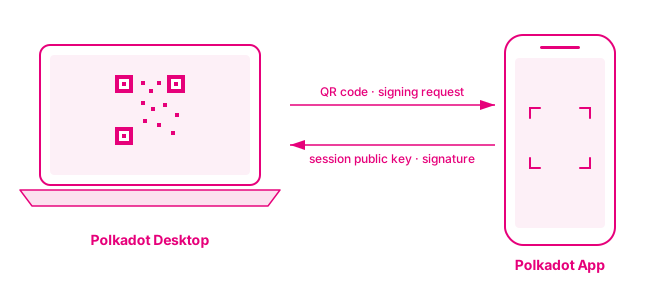
{"page_id": "apps-get-started", "page_title": "Install Polkadot Desktop and Pair", "index": 1, "depth": 2, "title": "Prerequisites", "anchor": "prerequisites", "start_char": 1131, "end_char": 1474, "estimated_token_count": 69, "token_estimator": "heuristic-v1", "page_version_hash": "sha256:cd064672b5d3dba60c9226afa61f22ae83a4c74746fbc83f9ab13cfac7a3c5e5", "last_updated": "2026-06-16T15:08:00+00:00", "text": "## Prerequisites\n\nBefore getting started, ensure you have:\n\n- The [Polkadot App](/apps/) installed on your phone with an account created (your developer identity and signing device for Polkadot Products)\n- A workstation running macOS, Windows, or Linux\n- A device (iOS or Android) with a working camera\n- Network connectivity on both devices"}
{"page_id": "apps-get-started", "page_title": "Install Polkadot Desktop and Pair", "index": 2, "depth": 2, "title": "Install Polkadot Desktop", "anchor": "install-polkadot-desktop", "start_char": 1474, "end_char": 2312, "estimated_token_count": 180, "token_estimator": "heuristic-v1", "page_version_hash": "sha256:cd064672b5d3dba60c9226afa61f22ae83a4c74746fbc83f9ab13cfac7a3c5e5", "last_updated": "2026-06-16T15:08:00+00:00", "text": "## Install Polkadot Desktop\n\n1. Download the development build of [Polkadot Desktop](https://www.polkadotcommunity.foundation/desktop).\n\n2. Install the application using your platform's standard installer.\n\n3. Launch Polkadot Desktop. On first launch, Desktop opens into the pairing flow with a QR code.\n\n    ![Polkadot Desktop login screen showing the pairing QR code and the network selector at the top right with Paseo Next V2 selected.](/images/apps/get-started/install-and-pair/install-and-pair-02.webp)\n\n    !!! note \"Skip for development\"\n        The login screen also exposes a **Skip (Dev only)** button. Skipping the pairing drops you straight into Desktop without a paired signer, useful for inspecting Desktop or testing a local Product that does not require signing, but most development flows assume a paired Polkadot App."}
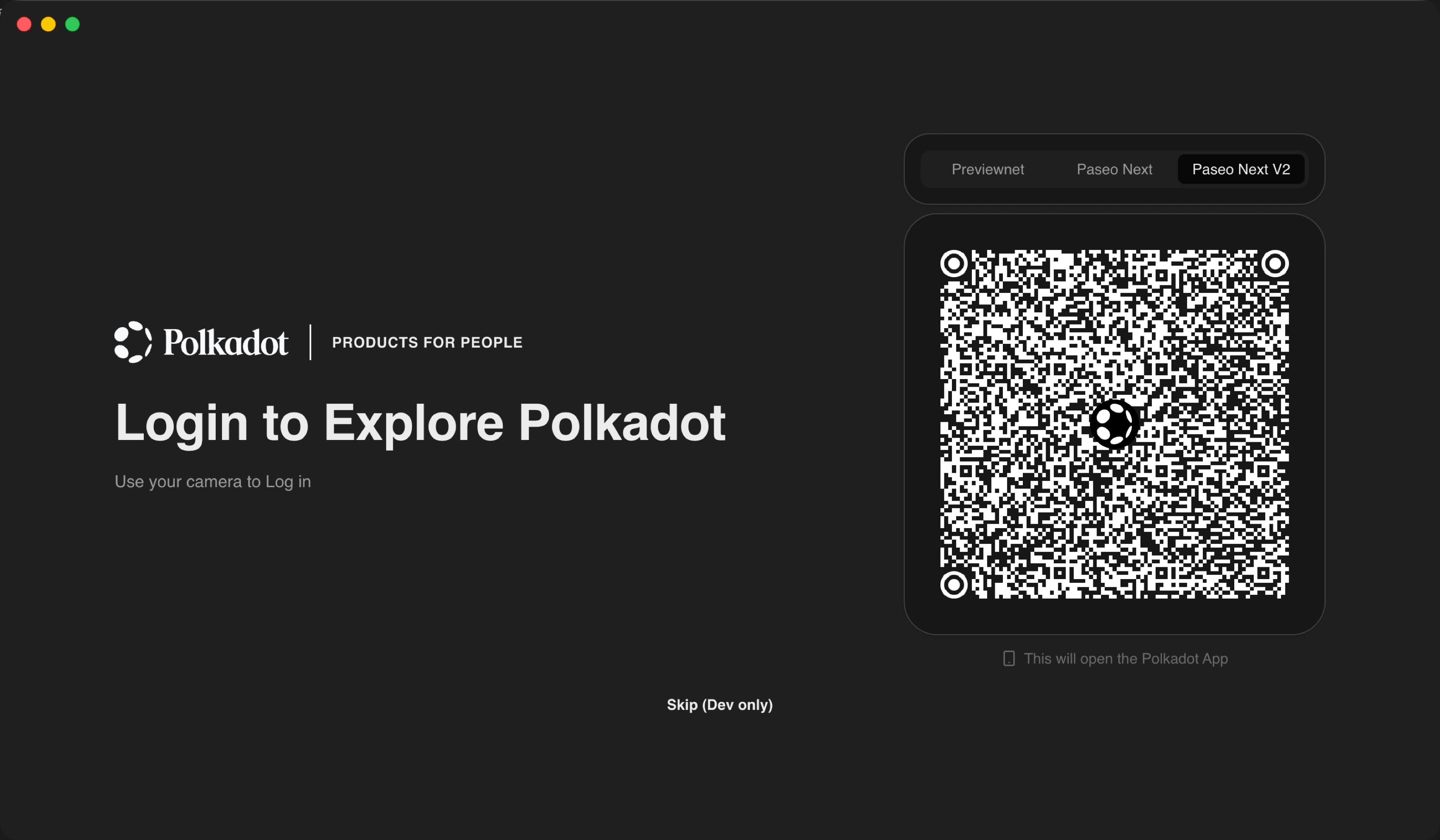
{"page_id": "apps-get-started", "page_title": "Install Polkadot Desktop and Pair", "index": 3, "depth": 2, "title": "Pair Polkadot Desktop with the Polkadot App", "anchor": "pair-polkadot-desktop-with-the-polkadot-app", "start_char": 2312, "end_char": 4107, "estimated_token_count": 428, "token_estimator": "heuristic-v1", "page_version_hash": "sha256:cd064672b5d3dba60c9226afa61f22ae83a4c74746fbc83f9ab13cfac7a3c5e5", "last_updated": "2026-06-16T15:08:00+00:00", "text": "## Pair Polkadot Desktop with the Polkadot App\n\nPairing is a one-time cryptographic handshake. Desktop displays the QR code, the App scans it, and the App returns a session public key that Desktop stores. From that point forward, Desktop knows who you are and can construct per-Product sub-accounts, but every signing prompt still routes back to the App for approval.\n\n1. Leave the QR code visible on the Polkadot Desktop login screen.\n\n2. In the Polkadot App, open the camera-scanning view and scan the QR code shown on Desktop. A **Link a new device?** prompt appears with the Desktop version details.\n\n    ![Polkadot App showing the \"Link a new device?\" prompt listing Polkadot Desktop with Cancel and Link buttons.](/images/apps/get-started/install-and-pair/install-and-pair-03.webp)\n\n3. Tap **Link** to confirm. The App briefly shows a **Connecting device...** state while the handshake completes.\n\n    ![Polkadot App showing the \"Connecting device...\" state with a loading spinner.](/images/apps/get-started/install-and-pair/install-and-pair-04.webp)\n\n4. Desktop transitions from the QR code to a **Completing pairing...** state.\n\n    ![Polkadot Desktop showing the \"Completing pairing...\" state with a loading spinner where the QR code was.](/images/apps/get-started/install-and-pair/install-and-pair-05.webp)\n\n5. Once the handshake completes, Desktop opens the main dashboard.\n\n    ![Polkadot Desktop showing the paired dashboard with the address bar and Browse section listing available Products.](/images/apps/get-started/install-and-pair/install-and-pair-06.webp)\n\nAfter pairing, your identity on the People Chain is bound to the Polkadot App for this Desktop session. Every subsequent signing request will route to the App, and you approve or reject each one on the signing device."}
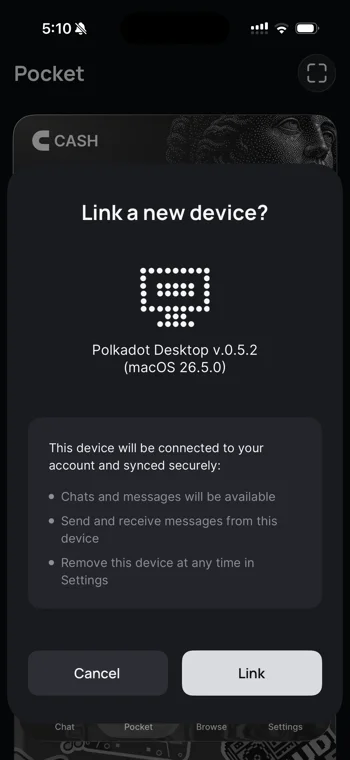
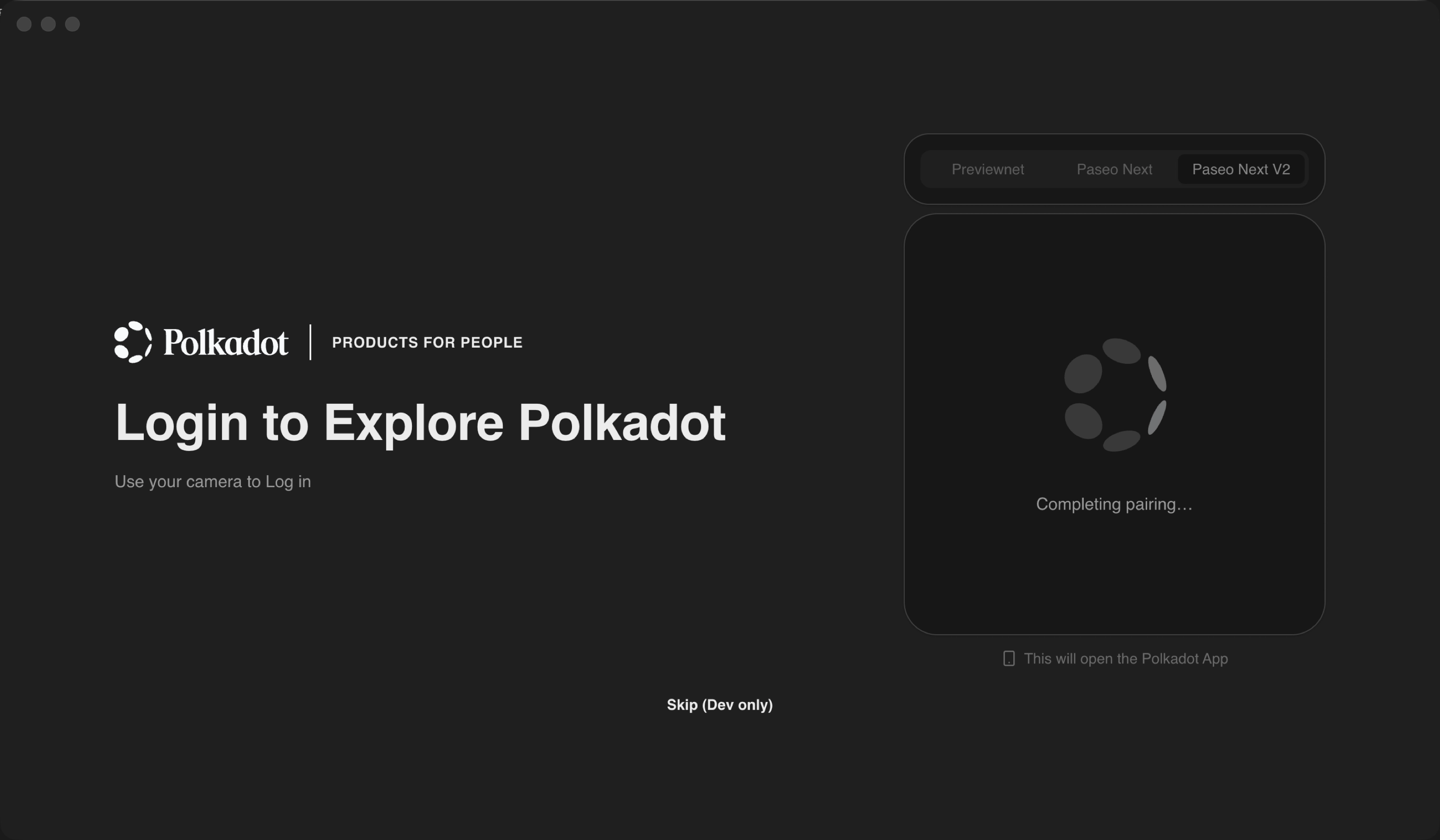
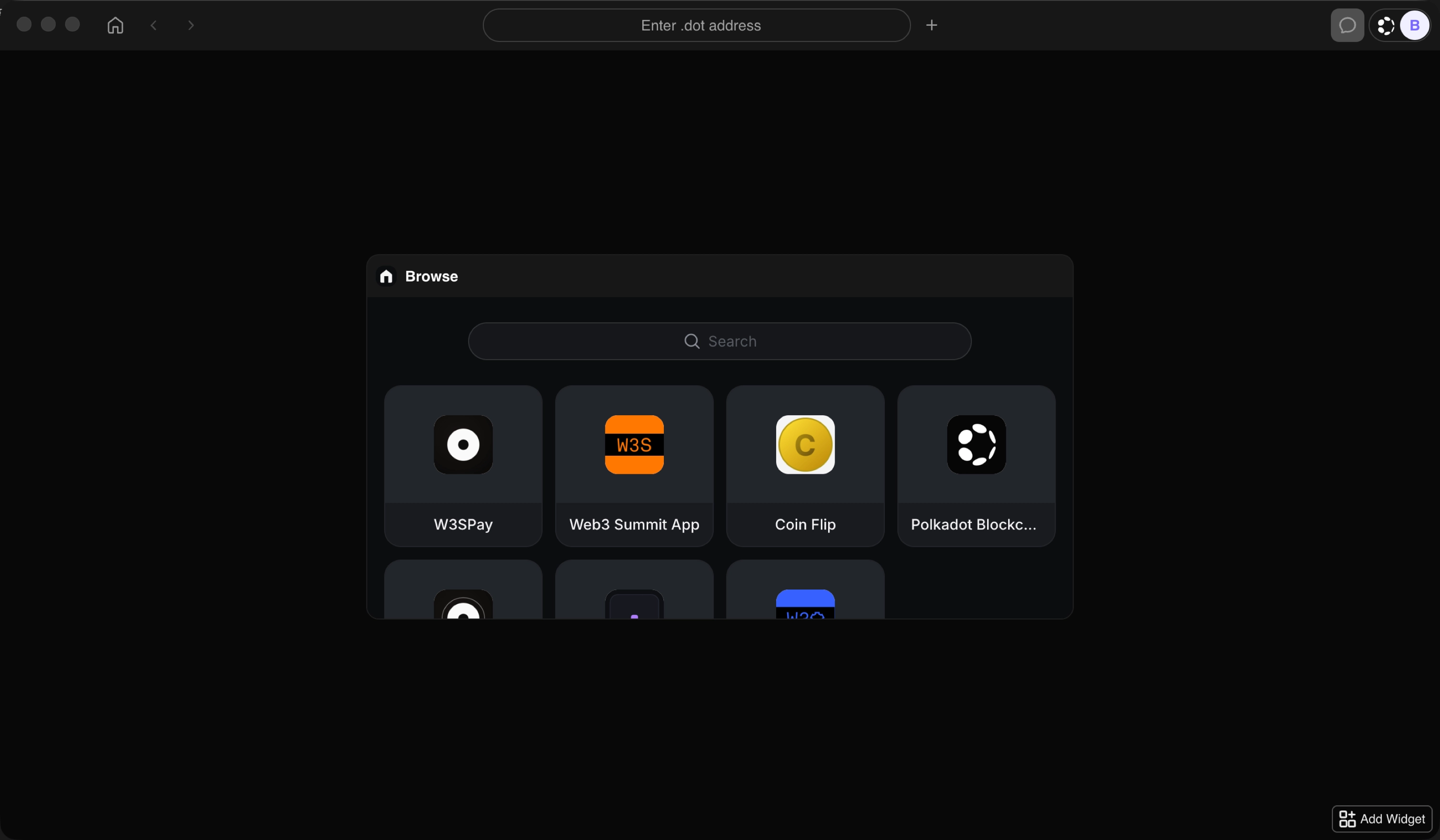
{"page_id": "apps-get-started", "page_title": "Install Polkadot Desktop and Pair", "index": 4, "depth": 2, "title": "Where to Go Next", "anchor": "where-to-go-next", "start_char": 4107, "end_char": 4413, "estimated_token_count": 86, "token_estimator": "heuristic-v1", "page_version_hash": "sha256:cd064672b5d3dba60c9226afa61f22ae83a4c74746fbc83f9ab13cfac7a3c5e5", "last_updated": "2026-06-16T15:08:00+00:00", "text": "## Where to Go Next\n\n<div class=\"grid cards\" markdown>\n\n-   <span class=\"badge guide\">Guide</span> **Get TestNet Tokens**\n\n    ---\n\n    Claim TestNet tokens from the Polkadot Faucet and unlock per-service allowances.\n\n    [:octicons-arrow-right-24: Continue](/apps/get-started/get-testnet-tokens/)\n\n</div>"}
{"page_id": "apps", "page_title": "Apps", "index": 0, "depth": 2, "title": "Get the Polkadot App", "anchor": "get-the-polkadot-app", "start_char": 28, "end_char": 397, "estimated_token_count": 101, "token_estimator": "heuristic-v1", "page_version_hash": "sha256:96b5385e397fac2af1d038661cded23703a17ad61d1391ed952916394795e39f", "last_updated": "2026-06-18T10:12:03+00:00", "text": "## Get the Polkadot App\n\nThe Polkadot App is your wallet, identity, and signer: the center of everything you build. Install it first; every path below connects through it.\n\n<div class=\"button-wrapper\" markdown>\n[:material-apple: App Store — Coming soon]()   [:material-google-play: Google Play](https://play.google.com/store/apps/details?id=io.pcf.polkadotapp)\n</div>"}
{"page_id": "apps", "page_title": "Apps", "index": 1, "depth": 2, "title": "Then Pick Your Path", "anchor": "then-pick-your-path", "start_char": 397, "end_char": 1049, "estimated_token_count": 178, "token_estimator": "heuristic-v1", "page_version_hash": "sha256:96b5385e397fac2af1d038661cded23703a17ad61d1391ed952916394795e39f", "last_updated": "2026-06-18T10:12:03+00:00", "text": "## Then Pick Your Path\n\n<div class=\"grid cards\" markdown>\n\n-   <span class=\"badge guide\">Guide</span> **Deploy a Product in Under 15 Minutes**\n\n    ---\n\n    Go from nothing to a live `.dot` Product: in your browser with RevX, or from the terminal with the CLI. No local environment to set up.\n\n    [:octicons-arrow-right-24: Quick Start](/apps/quick-start/)\n\n-   <span class=\"badge guide\">Guide</span> **Develop Locally (the Full Route)**\n\n    ---\n\n    Install Polkadot Desktop, pair it with your phone, and get TestNet tokens, then build your Product capability by capability.\n\n    [:octicons-arrow-right-24: Get Started](/apps/get-started/)\n\n</div>"}
{"page_id": "apps", "page_title": "Apps", "index": 2, "depth": 2, "title": "What Is a Polkadot Product?", "anchor": "what-is-a-polkadot-product", "start_char": 1049, "end_char": 2605, "estimated_token_count": 364, "token_estimator": "heuristic-v1", "page_version_hash": "sha256:96b5385e397fac2af1d038661cded23703a17ad61d1391ed952916394795e39f", "last_updated": "2026-06-18T10:12:03+00:00", "text": "## What Is a Polkadot Product?\n\n_Polkadot Products_ are what _you_ build: third-party applications that run _inside_ one of the Polkadot Apps. Products are sandboxed single-page apps (HTML / JS / CSS), addressed by `.dot` names (e.g., `awesome.dot`), registered on-chain through a decentralized name service, and they never see the user's private key. The bundle itself is published to a decentralized cloud storage provider and fetched by the Host on demand.\n\n_Polkadot Apps_ are the three applications that can host Polkadot Products, collectively known as the _Polkadot Triangle_:\n\n- **[Polkadot Desktop](/reference/apps/hosts/polkadot-desktop/)**: The workstation host. Loads Polkadot Products by their `.dot` name and runs them in a sandbox.\n- **[Polkadot App](/reference/apps/hosts/polkadot-app/)**: The mobile wallet and signer. Holds the user's private key and approves every signing request.\n- **[Polkadot Web](/reference/apps/hosts/polkadot-web/)**: The browser host at `dot.li`. Resolves `.dot` names client-side via a light client and renders the Product in a sandboxed iframe.\n\nYou build Polkadot Products. They run inside one of the Polkadot Apps. This section teaches you how.\n\n![The Polkadot Triangle: Polkadot Desktop at the top, Polkadot App at the bottom-left, Polkadot Web at the bottom-right, with Polkadot Product running inside](/images/apps/index/polkadot-triangle.svg)\n\nFor the architectural breakdown covering how the Product, SDK, Host, and Polkadot infrastructure relate, see the [App Development Reference](/reference/apps/)."}
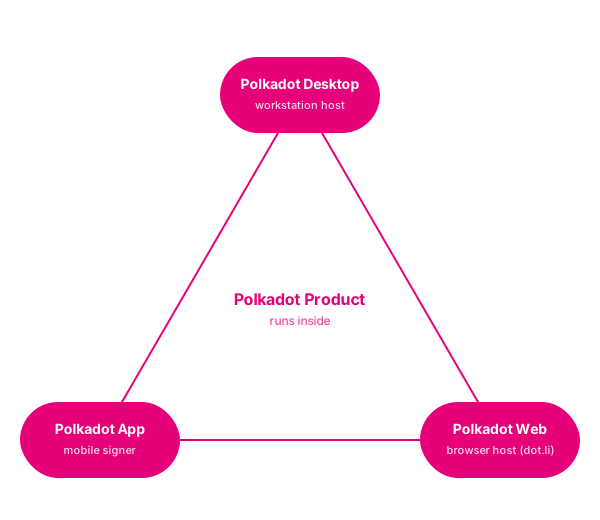
{"page_id": "apps", "page_title": "Apps", "index": 3, "depth": 2, "title": "Why Build a Polkadot Product?", "anchor": "why-build-a-polkadot-product", "start_char": 2605, "end_char": 5289, "estimated_token_count": 615, "token_estimator": "heuristic-v1", "page_version_hash": "sha256:96b5385e397fac2af1d038661cded23703a17ad61d1391ed952916394795e39f", "last_updated": "2026-06-18T10:12:03+00:00", "text": "## Why Build a Polkadot Product?\n\nPolkadot Apps is a complete environment for building Web3 decentralized applications:\n\n**Wallet built-in**: The Polkadot App on the user's phone is the wallet for every Polkadot Product they use. No wallet integration code, no \"Connect Wallet\" button to design, no signing plumbing to maintain. Your Product receives a derived per-user account and asks for signatures; approvals happen on the user's phone.\n\n**Identity built-in**: Per-Product accounts are derived from the user's `.dot` identity, so there is no signup flow. With [Proof of Personhood](/reference/apps/infrastructure/pop/), you can gate features on verified-human status without seeing who the user is, a privacy-preserving humans-only access model built into the platform. Need to recognize the same user across two of your Products? Same alias system, scoped to your Product set.\n\n**Decentralized hosting**: Your bundle lives on a decentralized cloud storage provider. Your `.dot` name lives in a decentralized name service. There is no centralized hosting provider, no DNS service, no platform in the middle. Users fetch your Product directly and verify it themselves.\n\n**Product SDK**: The Product SDK covers what you would otherwise integrate yourself:\n\n- **Chain access**: Query state and submit transactions through the Host. No RPC servers to operate; signing prompts open on the user's phone.\n- **Decentralized storage**: Upload files, get a permanent content-addressed URL.\n- **Real-time signed messaging**: Pub/sub between users of your Product via the [Statement Store](/reference/apps/infrastructure/statement-store/), every message verifiable.\n- **Privacy-preserving payments**: Request, top up, track status. Built on [Coinage](/reference/apps/infrastructure/pop/pallet-coinage/).\n- **Chat**: Rooms, bots, interactive action buttons.\n- **Identity**: Derived per-Product accounts, plus optional [Proof of Personhood](/reference/apps/infrastructure/pop/) gating.\n- **Local storage**: Per-Product key/value, persisted on the user's device.\n\nPermissions (microphone access, outbound network requests, on-chain transaction submission, and more) are declared in your Product's [manifest](/reference/apps/hosts/polkadot-desktop/permissions/) and prompted at runtime. Users see exactly what your Product can access before they grant it. The Host enforces the boundary inside its [sandbox](/reference/apps/protocol/truapi/sandbox/), not your code.\n\n**Three Hosts, one Product**: The same `.dot` bundle runs in the mobile Polkadot App, on the workstation in Polkadot Desktop, and in any browser via Polkadot Web. You do not write three apps; the Triangle abstracts the platform."}
{"page_id": "apps-quick-start-cli", "page_title": "Quick Start with the CLI", "index": 0, "depth": 2, "title": "Prerequisites", "anchor": "prerequisites", "start_char": 492, "end_char": 1109, "estimated_token_count": 135, "token_estimator": "heuristic-v1", "page_version_hash": "sha256:205b4160a87f02aaa8c4a90265ea1d62e870c98b5bc3961b2e675f045536aa52", "last_updated": "2026-06-16T14:17:44+00:00", "text": "## Prerequisites\n\nBefore starting, make sure you have:\n\n- The [Polkadot App](/apps/) installed on your phone with an account created; it pairs with `pg` and signs the publish step.\n- A terminal with `curl` available and permission to install CLI tools in your user shell environment.\n- A Polkadot Product project on disk with a package-manager build command.\n\n!!! note \"CLI version\"\n    This route targets playground-cli `0.27.1`. The CLI is in active development and breaking changes between versions are expected. To follow along, install this version, or check this page's last update against the latest release."}
{"page_id": "apps-quick-start-cli", "page_title": "Quick Start with the CLI", "index": 1, "depth": 2, "title": "Install the CLI", "anchor": "install-the-cli", "start_char": 1109, "end_char": 1549, "estimated_token_count": 113, "token_estimator": "heuristic-v1", "page_version_hash": "sha256:205b4160a87f02aaa8c4a90265ea1d62e870c98b5bc3961b2e675f045536aa52", "last_updated": "2026-06-16T14:17:44+00:00", "text": "## Install the CLI\n\n1. Run the installer:\n\n    ```bash\n    curl -fsSL https://raw.githubusercontent.com/paritytech/playground-cli/main/install.sh | bash\n    ```\n\n2. Open a new shell, or `source` your RC file, and verify the install:\n\n    ```bash\n    pg --version\n    ```\n\n!!! note \"Command aliases\"\n    The installer registers two interchangeable commands: `playground` (canonical) and `pg` (short alias). This guide uses `pg` throughout."}
{"page_id": "apps-quick-start-cli", "page_title": "Quick Start with the CLI", "index": 2, "depth": 2, "title": "Initialize", "anchor": "initialize", "start_char": 1549, "end_char": 2749, "estimated_token_count": 298, "token_estimator": "heuristic-v1", "page_version_hash": "sha256:205b4160a87f02aaa8c4a90265ea1d62e870c98b5bc3961b2e675f045536aa52", "last_updated": "2026-06-16T14:17:44+00:00", "text": "## Initialize\n\n`pg init` installs toolchain dependencies and pairs the CLI with your signer. It is safe to re-run; existing installs and sessions are detected and skipped.\n\n```bash\npg init\n```\n\n<div class=\"termynal\" data-termynal>\n    <span data-ty=\"input\"><span class=\"file-path\"></span>pg init</span>\n    <span data-ty=\"progress\"></span>\n    <span data-ty>✔ logged in         5GrwvaEF5zXb26Fz9rcQpDWS57CtERHpNehXCPcNoHGKutQY</span>\n    <span data-ty>✔ username          alice.dot</span>\n    <span data-ty>✔ product account   5FHneW46xGXgs5mUiveU4sbTyGBzmstUspZC92UhjJM694ty (0x90b5ab205c6974c9ea841be688864633dc9ca8a3)</span>\n    <span data-ty>✔ Setup complete</span>\n</div>\n!!! tip\n    Toolchain install runs in parallel with the login step, so you can scan the QR code while dependencies download.\n\n!!! note \"Signer modes\"\n    - **Mobile signer** (`--signer phone`, default): Pairs with the Polkadot App via QR code. Required for `pg init` and recommended for any deploy you intend to keep.\n    - **Dev-only signer** (`--signer dev`): No phone needed; uses shared development keys (for example, `--suri //Alice`). The deployed `.dot` Product will be owned by the shared dev account, not by you."}
{"page_id": "apps-quick-start-cli", "page_title": "Quick Start with the CLI", "index": 3, "depth": 2, "title": "Build", "anchor": "build", "start_char": 2749, "end_char": 3040, "estimated_token_count": 100, "token_estimator": "heuristic-v1", "page_version_hash": "sha256:205b4160a87f02aaa8c4a90265ea1d62e870c98b5bc3961b2e675f045536aa52", "last_updated": "2026-06-16T14:17:44+00:00", "text": "## Build\n\n`pg build` auto-detects and runs your project build.\n\n```bash\npg build\n```\n\n<div class=\"termynal\" data-termynal>\n    <span data-ty=\"input\"><span class=\"file-path\"></span>pg build</span>\n    <span data-ty=\"progress\"></span>\n    <span data-ty>✔ Build succeeded → dist/</span>\n</div>"}
{"page_id": "apps-quick-start-cli", "page_title": "Quick Start with the CLI", "index": 4, "depth": 2, "title": "Deploy", "anchor": "deploy", "start_char": 3040, "end_char": 5208, "estimated_token_count": 566, "token_estimator": "heuristic-v1", "page_version_hash": "sha256:205b4160a87f02aaa8c4a90265ea1d62e870c98b5bc3961b2e675f045536aa52", "last_updated": "2026-06-16T14:17:44+00:00", "text": "## Deploy\n\n`pg deploy` runs the full pipeline: build the frontend, upload artifacts to the Polkadot Bulletin Chain, and register a `.dot` domain via DotNS. Before building, it always runs your package manager's install step to keep dependencies in sync.\n\n```bash\n# Interactive - pg prompts for signer, domain, and build directory\npg deploy\n\n# Dev signer - no phone needed (the deployed Product is owned by the shared dev account)\npg deploy --signer dev --domain my-app\n```\n\n<div class=\"termynal\" data-termynal>\n    <span data-ty=\"input\"><span class=\"file-path\"></span>pg deploy --signer dev --domain my-app</span>\n    <span data-ty=\"progress\"></span>\n    <span data-ty>✔ my-app.dot is available</span>\n    <span data-ty>✔ Deploy complete</span>\n    <span data-ty>  URL         https://dot.li/...</span>\n    <span data-ty>  Domain      my-app.dot</span>\n    <span data-ty>  App CID     Qm...</span>\n</div>\n!!! note\n    `pg deploy` includes a memory watchdog that aborts the deploy if the process exceeds 4 GB RSS. If you hit this limit, set `DOT_MEMORY_TRACE=1` alongside `DOT_DEPLOY_VERBOSE=1` to capture per-second RSS and heap samples.\n\n??? note \"More CLI commands\"\n\n    - **`pg mod`**: Clones a moddable app from the Playground registry so you can customize and redeploy it as your own Product. Only apps that opted into `--moddable` at deploy time are listed. Pass a domain label, such as `my-app` or `my-app.dot`, to clone directly, or omit it to open an interactive picker showing every moddable app.\n\n        ```bash\n        pg mod [domain]\n        ```\n\n    - **`pg logout`**: Signs out of the paired account and clears session files under `~/.polkadot-apps/`. A no-op if you are not signed in.\n\n        ```bash\n        pg logout\n        ```\n\n    - **`pg update`**: Updates `pg` to the latest version from the GitHub releases page.\n\n        ```bash\n        pg update\n        ```\n\nYou have deployed a Polkadot Product. To keep building it with your own editor and toolchain, head to the Build guides; they open with [project setup](/apps/build/#set-up-your-project) so Polkadot Desktop can load your Product from `localhost` while you iterate with live reload."}
{"page_id": "apps-quick-start-cli", "page_title": "Quick Start with the CLI", "index": 5, "depth": 2, "title": "Where to Go Next", "anchor": "where-to-go-next", "start_char": 5208, "end_char": 5567, "estimated_token_count": 100, "token_estimator": "heuristic-v1", "page_version_hash": "sha256:205b4160a87f02aaa8c4a90265ea1d62e870c98b5bc3961b2e675f045536aa52", "last_updated": "2026-06-16T14:17:44+00:00", "text": "## Where to Go Next\n\n<div class=\"grid cards\" markdown>\n\n-   <span class=\"badge guide\">Guide</span> **Build Guides**\n\n    ---\n\n    Set up the local dev loop, then add capabilities to your Product: signing, on-chain reads, decentralized storage, off-chain pub/sub, and local persistence.\n\n    [:octicons-arrow-right-24: Open Build Guides](/apps/build/)\n\n</div>"}
{"page_id": "apps-quick-start", "page_title": "Quick Start with RevX", "index": 0, "depth": 2, "title": "Prerequisites", "anchor": "prerequisites", "start_char": 511, "end_char": 766, "estimated_token_count": 57, "token_estimator": "heuristic-v1", "page_version_hash": "sha256:dc42a167c6ee8abdc8acd0dfa340dcf01c005af86a9c2cf633e2e1176a0d239c", "last_updated": "2026-06-16T14:17:44+00:00", "text": "## Prerequisites\n\nBefore starting, make sure you have:\n\n- The [Polkadot App](/apps/) installed on your phone with an account created; it signs the final publish step.\n- An API key for an AI provider supported by App Builder, such as OpenAI or Anthropic."}
{"page_id": "apps-quick-start", "page_title": "Quick Start with RevX", "index": 1, "depth": 2, "title": "Open RevX", "anchor": "open-revx", "start_char": 766, "end_char": 1033, "estimated_token_count": 75, "token_estimator": "heuristic-v1", "page_version_hash": "sha256:dc42a167c6ee8abdc8acd0dfa340dcf01c005af86a9c2cf633e2e1176a0d239c", "last_updated": "2026-06-16T14:17:44+00:00", "text": "## Open RevX\n\nOpen [RevX](https://revx.dev/) in your browser. RevX is a browser-based IDE; you will use the App Builder track to scaffold a Polkadot Product end to end.\n\n![RevX IDE landing view showing the main workspace](/images/apps/quick-start/revx/revx-01.webp)"}
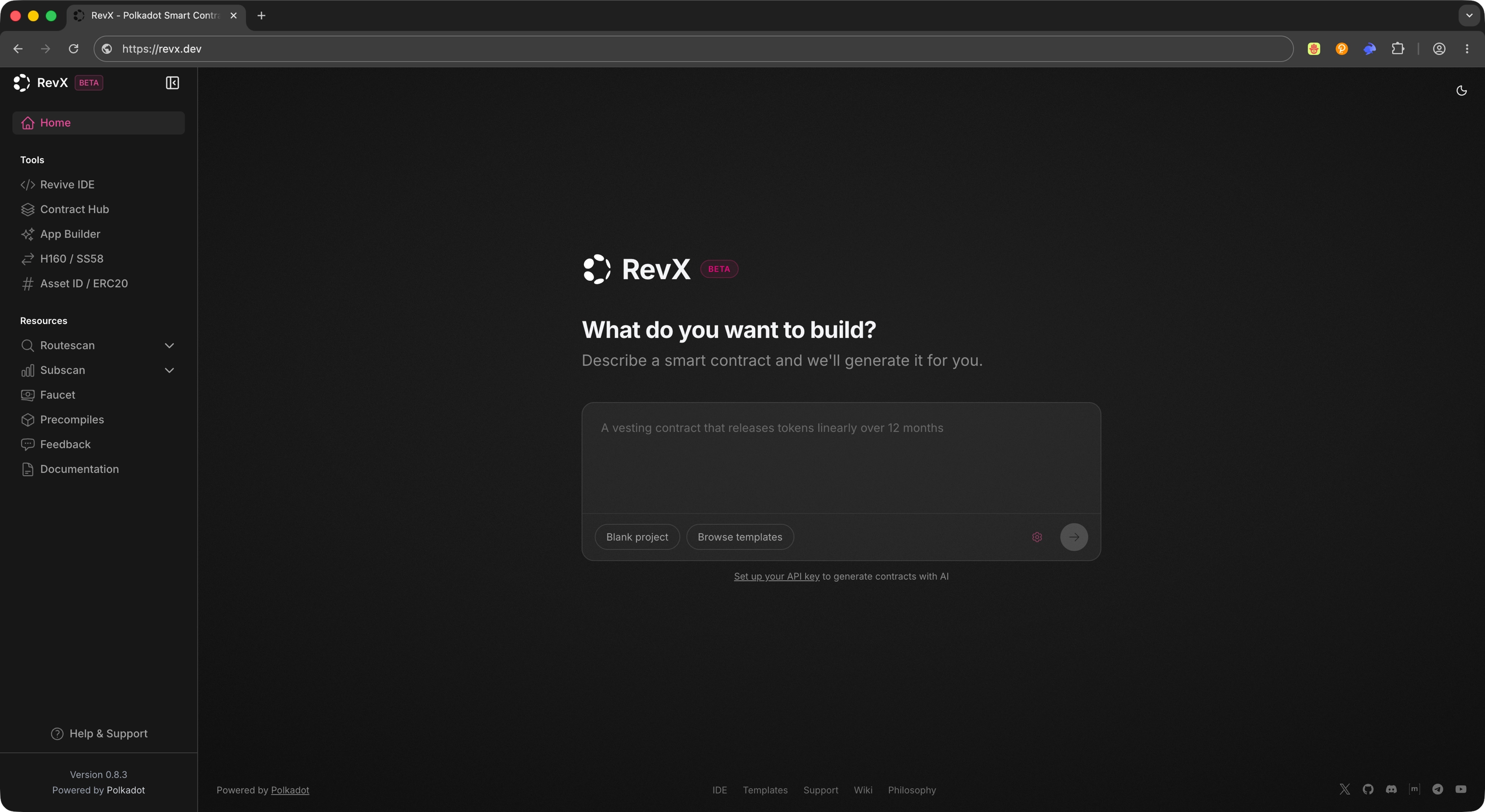
{"page_id": "apps-quick-start", "page_title": "Quick Start with RevX", "index": 2, "depth": 2, "title": "Open App Builder", "anchor": "open-app-builder", "start_char": 1033, "end_char": 1288, "estimated_token_count": 63, "token_estimator": "heuristic-v1", "page_version_hash": "sha256:dc42a167c6ee8abdc8acd0dfa340dcf01c005af86a9c2cf633e2e1176a0d239c", "last_updated": "2026-06-16T14:17:44+00:00", "text": "## Open App Builder\n\nFrom the sidebar, select **App Builder**. App Builder is RevX's track for generating Polkadot Products using AI-assisted workflows.\n\n![RevX sidebar with the App Builder option highlighted](/images/apps/quick-start/revx/revx-02.webp)"}
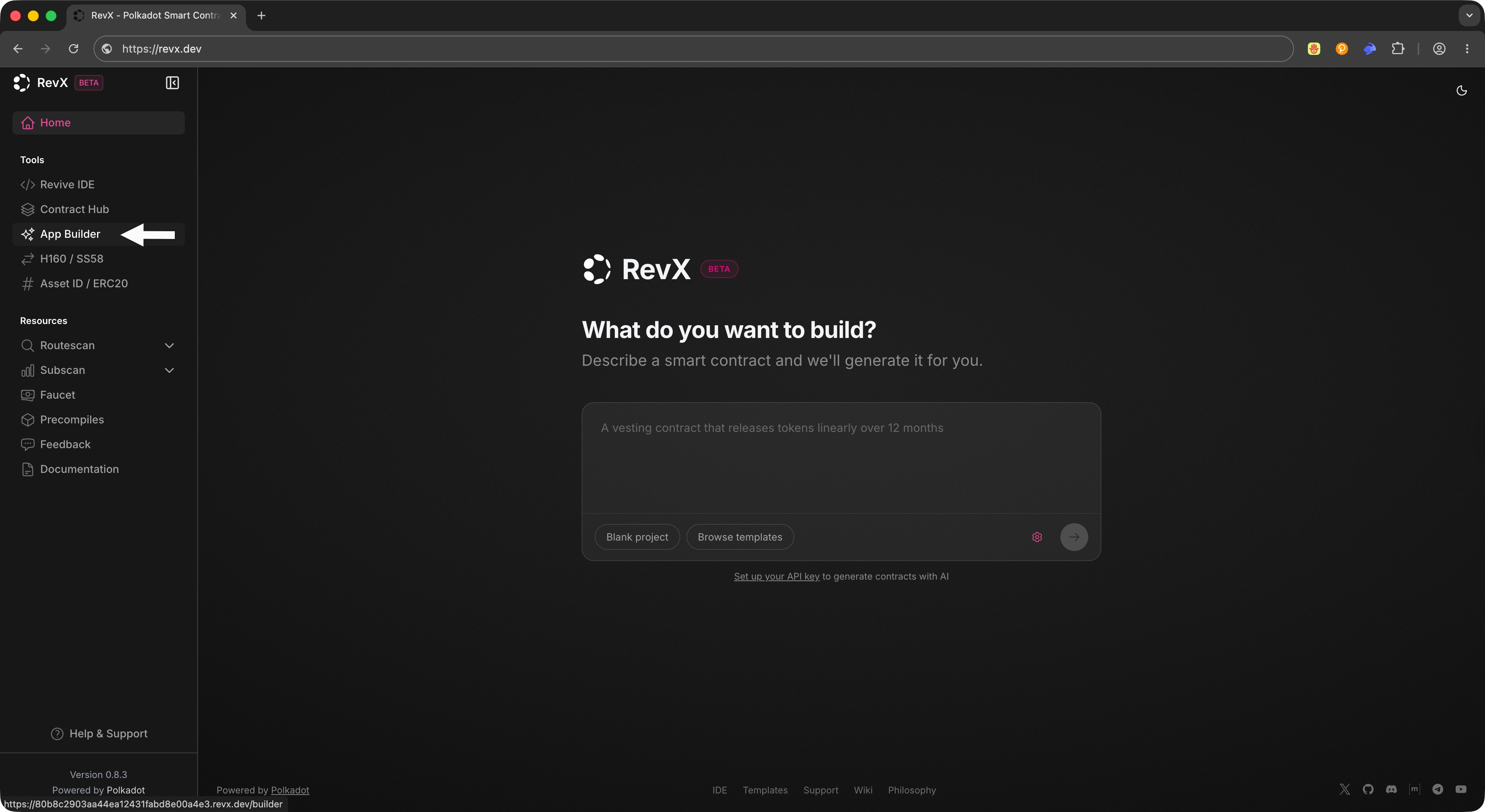
{"page_id": "apps-quick-start", "page_title": "Quick Start with RevX", "index": 3, "depth": 2, "title": "Create a New App", "anchor": "create-a-new-app", "start_char": 1288, "end_char": 2313, "estimated_token_count": 217, "token_estimator": "heuristic-v1", "page_version_hash": "sha256:dc42a167c6ee8abdc8acd0dfa340dcf01c005af86a9c2cf633e2e1176a0d239c", "last_updated": "2026-06-16T14:17:44+00:00", "text": "## Create a New App\n\nClick **Create App** to start a new project. RevX automatically installs the required dependencies and initializes the project environment so you can move straight into configuration and prompting.\n\n![RevX App Builder showing the Create App action and the initialized project environment](/images/apps/quick-start/revx/revx-03.webp)\n\nAfter clicking **Create App**, you will see a loading screen while the IDE initializes the project environment.\n\n![RevX App Builder showing the loading screen while the IDE initializes the project environment](/images/apps/quick-start/revx/revx-04.webp)\n\n!!! note\n    Initial setup may take a moment while dependencies install. Wait for the environment to finish initializing before configuring the builder.\n\nOnce the environment is initialized, you will see a minimal app scaffolded in the editor and running in the terminal.\n\n![RevX App Builder showing the minimal app scaffolded in the editor and running in the terminal](/images/apps/quick-start/revx/revx-05.webp)"}
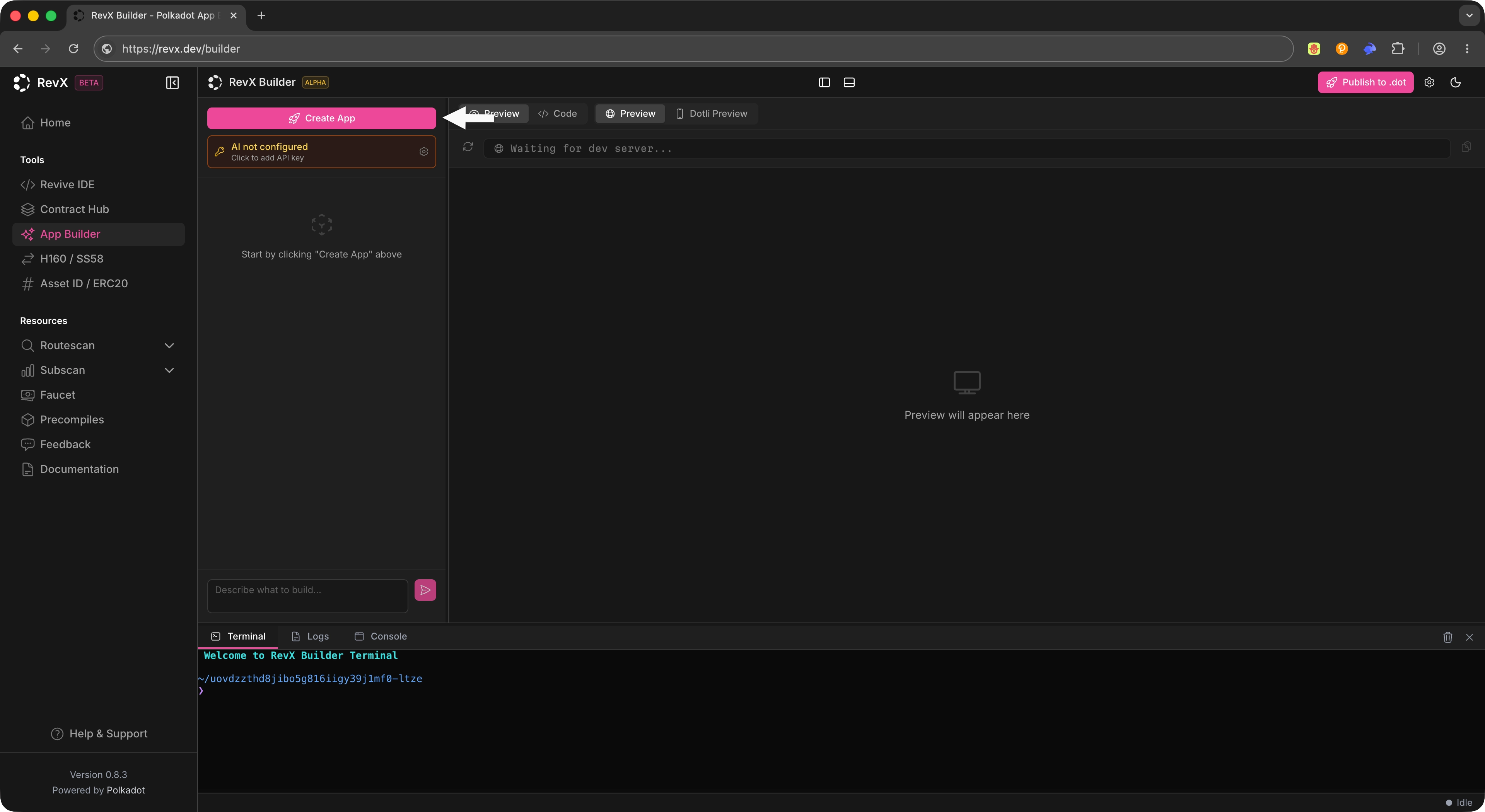
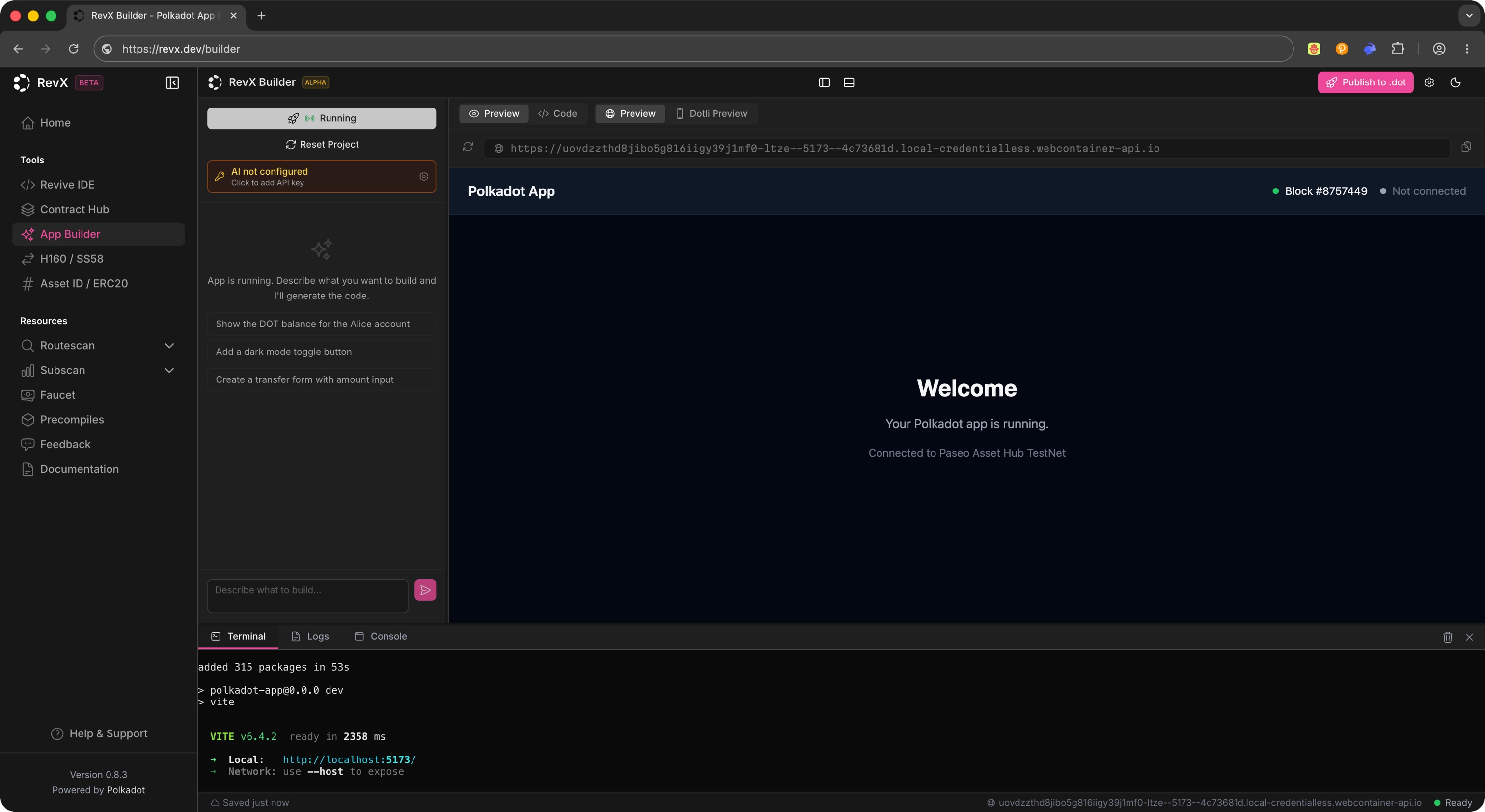
{"page_id": "apps-quick-start", "page_title": "Quick Start with RevX", "index": 4, "depth": 2, "title": "Configure the Builder", "anchor": "configure-the-builder", "start_char": 2313, "end_char": 3012, "estimated_token_count": 169, "token_estimator": "heuristic-v1", "page_version_hash": "sha256:dc42a167c6ee8abdc8acd0dfa340dcf01c005af86a9c2cf633e2e1176a0d239c", "last_updated": "2026-06-16T14:17:44+00:00", "text": "## Configure the Builder\n\nFrom the App Builder view, click the **Settings** icon to open the AI configuration panel.\n\n![RevX App Builder settings icon](/images/apps/quick-start/revx/revx-06.webp)\n\nConfigure the following:\n\n- **AI provider**: The backend service that powers code generation.\n- **API key**: The credential for your AI provider.\n- **Model**: The specific model to use from the selected provider.\n\n![RevX App Builder configuration panel showing API key, AI provider, and model fields](/images/apps/quick-start/revx/revx-07.webp)\n\nThese settings let the IDE generate applications using the selected AI backend. You can change them at any time if you want to switch providers or models."}
{"page_id": "apps-quick-start", "page_title": "Quick Start with RevX", "index": 5, "depth": 2, "title": "Generate an App", "anchor": "generate-an-app", "start_char": 3012, "end_char": 3683, "estimated_token_count": 140, "token_estimator": "heuristic-v1", "page_version_hash": "sha256:dc42a167c6ee8abdc8acd0dfa340dcf01c005af86a9c2cf633e2e1176a0d239c", "last_updated": "2026-06-16T14:17:44+00:00", "text": "## Generate an App\n\nUse the chat interface to describe the app you want to build. RevX generates the application structure and code automatically based on your prompt.\n\n!!! example \"Example prompt\"\n    Build a Product that shows the balance of Alice (a standard Substrate dev account)\n\nAfter you submit the prompt, the IDE produces the project files and scaffolds the app for you to review.\n\n![RevX chat interface with a prompt entered and the generated app structure on the right](/images/apps/quick-start/revx/revx-08.webp)\n\n!!! tip\n    Keep prompts concrete and scoped. Short, specific prompts tend to produce app structures that are easier to review and iterate on."}
{"page_id": "apps-quick-start", "page_title": "Quick Start with RevX", "index": 6, "depth": 2, "title": "Inspect the Generated Code", "anchor": "inspect-the-generated-code", "start_char": 3683, "end_char": 4088, "estimated_token_count": 83, "token_estimator": "heuristic-v1", "page_version_hash": "sha256:dc42a167c6ee8abdc8acd0dfa340dcf01c005af86a9c2cf633e2e1176a0d239c", "last_updated": "2026-06-16T14:17:44+00:00", "text": "## Inspect the Generated Code\n\nOnce generation completes, open the generated files in the editor to review what was produced. You can continue iterating on the application from within RevX: refine the prompt, edit code directly, or layer additional changes through the chat interface.\n\n![RevX editor showing the generated app source files open for inspection](/images/apps/quick-start/revx/revx-09.webp)"}
{"page_id": "apps-quick-start", "page_title": "Quick Start with RevX", "index": 7, "depth": 2, "title": "Publish to `.dot`", "anchor": "publish-to-dot", "start_char": 4088, "end_char": 4842, "estimated_token_count": 192, "token_estimator": "heuristic-v1", "page_version_hash": "sha256:dc42a167c6ee8abdc8acd0dfa340dcf01c005af86a9c2cf633e2e1176a0d239c", "last_updated": "2026-06-16T14:17:44+00:00", "text": "## Publish to `.dot`\n\nWhen your app is ready, click **Publish to .dot** to deploy the application to the Polkadot ecosystem. The publish action takes the app you generated in RevX and makes it available under a `.dot` name.\n\n![RevX App Builder showing the Publish to .dot action](/images/apps/quick-start/revx/revx-10.webp)\n\nAfter clicking **Start Deploy**, you will be asked to sign the transaction with your Polkadot App.\n\n![RevX App Builder showing the transaction signing prompt](/images/apps/quick-start/revx/revx-11.webp)\n\nAfter signing the transaction, you will see the deployment progress in the terminal. Your Product is now live under its `.dot` name. Open it in Polkadot Desktop, or on Polkadot Web at `https://<name>.dot.li` in any browser."}
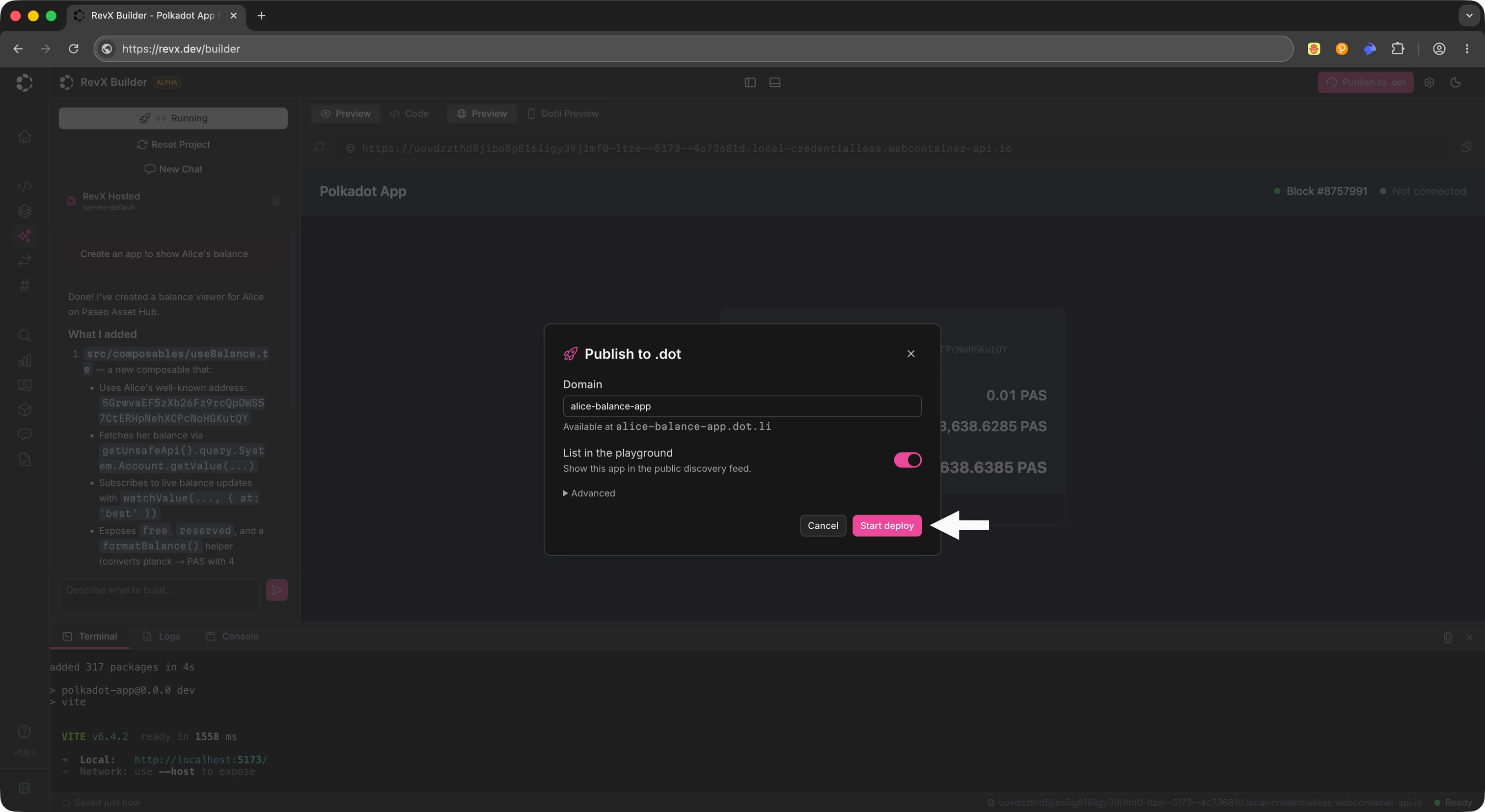
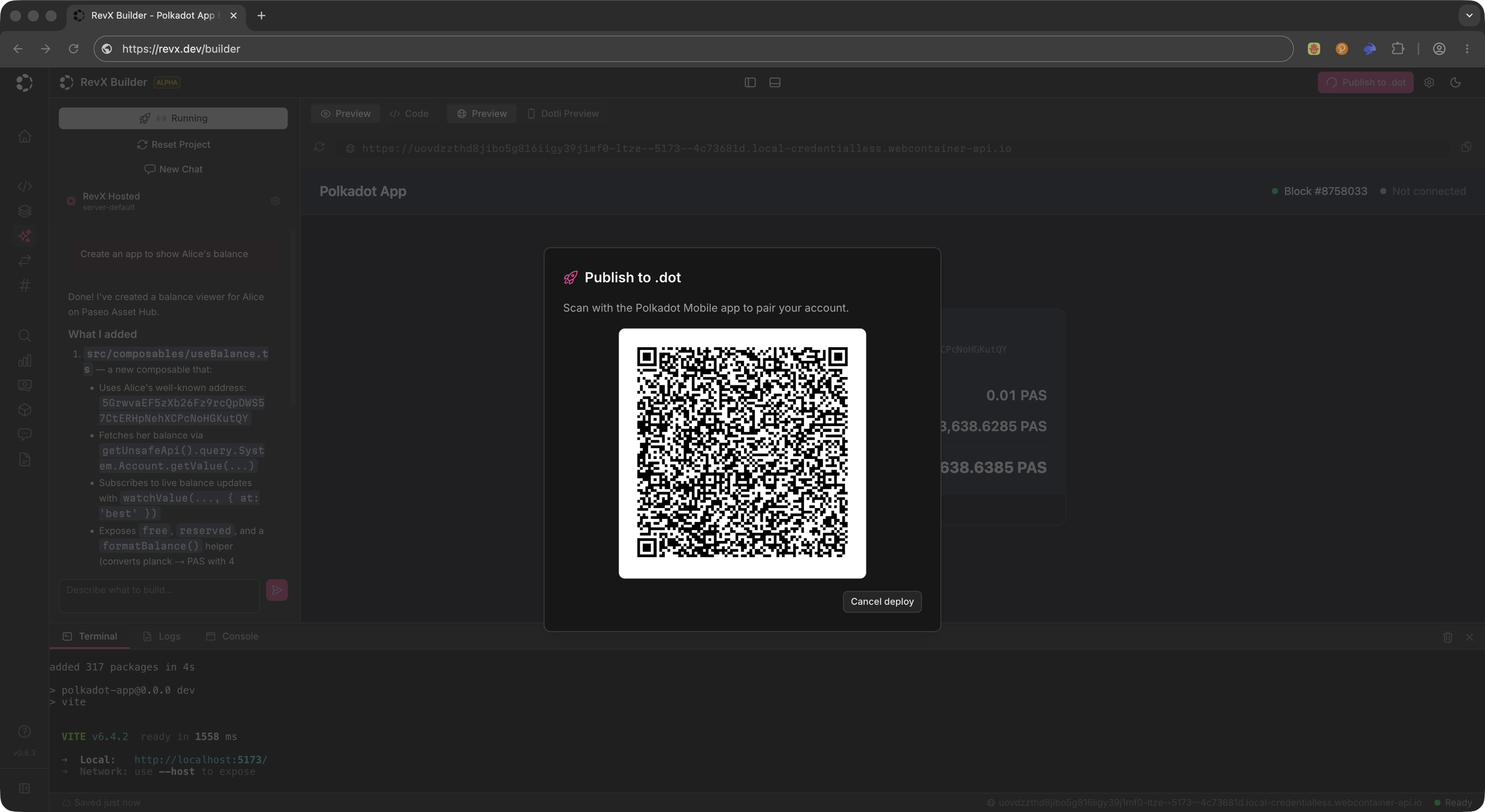
{"page_id": "apps-quick-start", "page_title": "Quick Start with RevX", "index": 8, "depth": 2, "title": "Where to Go Next", "anchor": "where-to-go-next", "start_char": 4842, "end_char": 5201, "estimated_token_count": 100, "token_estimator": "heuristic-v1", "page_version_hash": "sha256:dc42a167c6ee8abdc8acd0dfa340dcf01c005af86a9c2cf633e2e1176a0d239c", "last_updated": "2026-06-16T14:17:44+00:00", "text": "## Where to Go Next\n\n<div class=\"grid cards\" markdown>\n\n-   <span class=\"badge guide\">Guide</span> **Build Guides**\n\n    ---\n\n    Set up the local dev loop, then add capabilities to your Product: signing, on-chain reads, decentralized storage, off-chain pub/sub, and local persistence.\n\n    [:octicons-arrow-right-24: Open Build Guides](/apps/build/)\n\n</div>"}
{"page_id": "apps-tutorials-shared-todo-app", "page_title": "Build a Shared Todo App", "index": 0, "depth": 2, "title": "Introduction", "anchor": "introduction", "start_char": 27, "end_char": 2319, "estimated_token_count": 572, "token_estimator": "heuristic-v1", "page_version_hash": "sha256:5cdbfa5345aeb58569f7a7ce8c42597c5370df2ad18835b80a96da42762e04f4", "last_updated": "2026-06-16T14:17:44+00:00", "text": "## Introduction\n\nEach [Build guide](/apps/build/) takes one `product-sdk` capability from zero to working code. This tutorial is the capstone: it combines four of them into one product, a Shared Todo Board where every participant sees changes live and the board survives durably on chain.\n\nWhat you will build, and which package carries each part:\n\n|      Capability      |                  Package                   |                                                     Role in the app                                                     |\n| :------------------: | :----------------------------------------: | :---------------------------------------------------------------------------------------------------------------------: |\n| Identity and signing | `signer` (via the umbrella's `wallet` API) | Connect to the Host and get the account that authors and signs everything                                               |\n| Local persistence    | `local-storage`                            | The board renders instantly from the device's last known state                                                          |\n| Real-time sharing    | `statement-store`                          | Every mutation gossips to other participants as a signed statement                                                      |\n| Durable storage      | `cloud-storage`                            | Snapshots of the board live on the [Bulletin Chain](/reference/apps/infrastructure/bulletin-chain/), addressable by CID |\n\n![The Shared Todo Board running inside Polkadot Desktop, with the connected account in the header, a synced todo list, and the latest snapshot CID in the footer](/images/apps/tutorials/shared-todo-app/shared-todo-app-01.webp)\n\nThe guides cover the individual calls. This tutorial focuses on how the layers compose. Statements are capped at 512 bytes and expire after 30 seconds, so they carry individual mutations, not the whole board. The Bulletin Chain holds full snapshots, and a last-write-wins channel announces the latest snapshot's CID. This is the same split Polkadot App's Chat uses: gossip for signaling, Bulletin for content.\n\nThe code in this tutorial is confirmed working with Polkadot Desktop, `@parity/product-sdk` v0.11.0, and `@parity/product-sdk-statement-store` v0.4.4."}
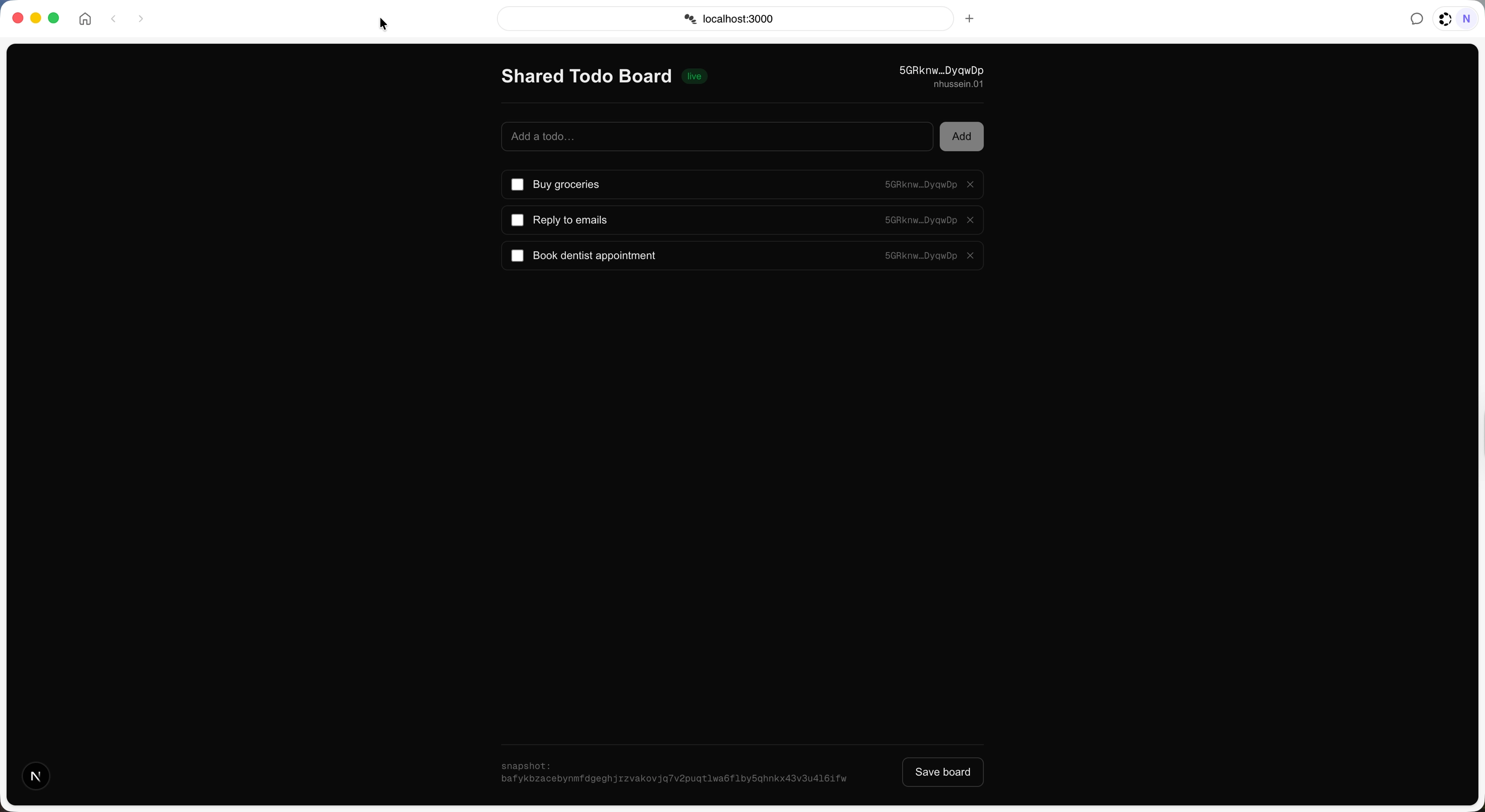
{"page_id": "apps-tutorials-shared-todo-app", "page_title": "Build a Shared Todo App", "index": 1, "depth": 2, "title": "Prerequisites", "anchor": "prerequisites", "start_char": 2319, "end_char": 2952, "estimated_token_count": 143, "token_estimator": "heuristic-v1", "page_version_hash": "sha256:5cdbfa5345aeb58569f7a7ce8c42597c5370df2ad18835b80a96da42762e04f4", "last_updated": "2026-06-16T14:17:44+00:00", "text": "## Prerequisites\n\nBefore starting, ensure you have:\n\n- Node.js 20 or later.\n- Polkadot Desktop installed and paired. See [Install Desktop and Pair](/apps/get-started/).\n- A statement allowance and a Bulletin Chain storage authorization for your wallet account. See [Get TestNet Tokens](/apps/get-started/get-testnet-tokens/) and the [Bulletin Chain authorizations](https://paritytech.github.io/polkadot-bulletin-chain/authorizations) reference. Without the storage authorization, snapshot uploads are rejected.\n- The individual [Build guides](/apps/build/) are optional but helpful because they cover each capability in more depth."}
{"page_id": "apps-tutorials-shared-todo-app", "page_title": "Build a Shared Todo App", "index": 2, "depth": 2, "title": "Scaffold the Project", "anchor": "scaffold-the-project", "start_char": 2952, "end_char": 7347, "estimated_token_count": 1092, "token_estimator": "heuristic-v1", "page_version_hash": "sha256:5cdbfa5345aeb58569f7a7ce8c42597c5370df2ad18835b80a96da42762e04f4", "last_updated": "2026-06-16T14:17:44+00:00", "text": "## Scaffold the Project\n\nCreate a Next.js app and install the SDK:\n\n```bash\nnpx create-next-app@latest shared-todo-board --typescript --tailwind --eslint --app --no-src-dir\ncd shared-todo-board\nnpm install @parity/product-sdk @parity/product-sdk-statement-store @parity/product-sdk-cloud-storage @polkadot-api/json-rpc-provider\n```\n\nFour dependencies, for four reasons:\n\n- **`@parity/product-sdk`**: The umbrella package. It re-exports the wallet, local-storage, and cloud-storage capabilities this app uses, plus the React provider. See [Umbrella or Individual Packages](/apps/build/#umbrella-or-individual-packages) if you would rather install per-capability packages.\n- **`@parity/product-sdk-statement-store`**: The pub/sub client. It is not re-exported by the umbrella, so it is always its own dependency.\n- **`@parity/product-sdk-cloud-storage`**: Installed explicitly because the app imports `CloudStorageClient` directly for its authorization pre-flight; relying on the umbrella's transitive copy would depend on npm hoisting.\n- **`@polkadot-api/json-rpc-provider`**: A one-line workaround, explained below.\n\n!!! note \"Why the explicit `@polkadot-api/json-rpc-provider` dependency?\"\n    Older transitive dependencies of the SDK pin `@polkadot-api/json-rpc-provider@0.0.1`, and npm hoists that version to the top of `node_modules`, which breaks the build. Declaring `^0.2.0` as a direct dependency forces the correct resolution. No `overrides` or patching is needed.\n\nWrap the app in `ProductSDKProvider` so every component can reach the SDK through `useProductSDK()`:\n\n```tsx title=\"app/providers.tsx\"\n'use client';\n\nimport { ProductSDKProvider } from '@parity/product-sdk/react';\nimport type { ReactNode } from 'react';\n\nexport function Providers({ children }: { children: ReactNode })\n    >\n      {children}\n    </ProductSDKProvider>\n  );\n}\n```\n\nThen mount it in the root layout. The inline script is a Polkadot Desktop workaround: it sets the host webview mark synchronously, so the SDK's container detection returns true before its bundle evaluates. It forces host mode unconditionally. That is acceptable here because every capability in this app needs the Host anyway; remove the line if your Product must also run standalone in a plain browser tab:\n\n```tsx title=\"app/layout.tsx\"\nimport type { Metadata } from 'next';\nimport { Geist, Geist_Mono } from 'next/font/google';\nimport { Providers } from './providers';\nimport './globals.css';\n\nconst geistSans = Geist({\n  variable: '--font-geist-sans',\n  subsets: ['latin'],\n});\n\nconst geistMono = Geist_Mono({\n  variable: '--font-geist-mono',\n  subsets: ['latin'],\n});\n\nexport const metadata: Metadata = {\n  title: 'Shared Todo Board',\n  description: 'Build a Full Product tutorial companion app',\n};\n\nexport default function RootLayout({\n  children,\n}: Readonly<{\n  children: React.ReactNode;\n}>) ${geistMono.variable} h-full antialiased`}\n    >\n      <body className=\"min-h-full flex flex-col\">\n        {/* Sets the mark synchronously so isWebview() returns true before the SDK bundle evaluates */}\n        <script\n          dangerouslySetInnerHTML={{\n            __html: 'window.__HOST_WEBVIEW_MARK__=true;',\n          }}\n        />\n        <Providers>{children}</Providers>\n      </body>\n    </html>\n  );\n}\n```\n\nAll SDK logic in this tutorial lives in a `lib/` directory, one file per capability, so each section that follows is one focused module. Start with the shared types: a `Todo` carries its author and an `updatedAt` timestamp, and the timestamps are what every later layer uses to resolve conflicts.\n\n```typescript title=\"lib/types.ts\"\nimport type { useProductSDK } from '@parity/product-sdk/react';\n\n/** The SDK App instance, as returned by useProductSDK(). */\nexport type App = ReturnType<typeof useProductSDK>;\n\n/** A single todo on the shared board. */\nexport interface Todo {\n  id: string;\n  text: string;\n  done: boolean;\n  /** SS58 address of the participant who created the todo. */\n  author: string;\n  /** Milliseconds since epoch of the last mutation. */\n  updatedAt: number;\n}\n\n/** The full board state — synced per todo (last write wins), never broadcast whole. */\nexport interface Board {\n  todos: Todo[];\n  /** Timestamp of the latest mutation; receivers keep the newest board. */\n  updatedAt: number;\n  /** CID of the latest Bulletin Chain snapshot, if one has been saved. */\n  snapshotCid?: string;\n}\n```"}
{"page_id": "apps-tutorials-shared-todo-app", "page_title": "Build a Shared Todo App", "index": 3, "depth": 2, "title": "Connect and Get an Identity", "anchor": "connect-and-get-an-identity", "start_char": 7347, "end_char": 9149, "estimated_token_count": 406, "token_estimator": "heuristic-v1", "page_version_hash": "sha256:5cdbfa5345aeb58569f7a7ce8c42597c5370df2ad18835b80a96da42762e04f4", "last_updated": "2026-06-16T14:17:44+00:00", "text": "## Connect and Get an Identity\n\nThe app publishes todos, statements, and snapshots, and each item is attributed to an account, so identity comes first. `connectIdentity` connects to the Host, selects the first available account, and prefers the product-scoped account when the Host provides one:\n\n```typescript title=\"lib/signer.ts\"\nimport type { App } from './types';\n\n/** Identity for the current participant on the board. */\nexport interface BoardIdentity {\n  /** SS58 address used as the todo author and signing identity. */\n  address: string;\n  /** Display name reported by the provider, if any. */\n  name?: string;\n  /** True when the address is a product-scoped account from the host. */\n  isProductAccount: boolean;\n}\n\n/**\n * Connect to the host, select the first available account, and resolve the\n * identity used for the board. Prefers the product-scoped account when the\n * app runs inside a host container; falls back to the selected account.\n */\nexport async function connectIdentity(app: App): Promise<BoardIdentity> {\n  const { accounts } = await app.wallet.connect();\n  if (accounts.length === 0)\n\n  if (!app.wallet.getSelectedAccount())\n\n  const productAccount = app.wallet.getProductAccount();\n  if (productAccount);\n  }\n\n  const selected = app.wallet.getSelectedAccount() ?? accounts[0];\n  return {\n    address: selected.address,\n    name: selected.name,\n    isProductAccount: false,\n  };\n}\n```\n\nThe product account is a per-Product, privacy-preserving identity derived by the Host. See [Sign and Submit Transactions](/apps/build/sign-and-submit/) for how derivation and approval routing work. Outside a host container, `connect()` fails, which the page surfaces as an error banner; there is deliberately no fallback path here because every later capability needs the Host anyway."}
{"page_id": "apps-tutorials-shared-todo-app", "page_title": "Build a Shared Todo App", "index": 4, "depth": 2, "title": "Keep State on the Device", "anchor": "keep-state-on-the-device", "start_char": 9149, "end_char": 10731, "estimated_token_count": 378, "token_estimator": "heuristic-v1", "page_version_hash": "sha256:5cdbfa5345aeb58569f7a7ce8c42597c5370df2ad18835b80a96da42762e04f4", "last_updated": "2026-06-16T14:17:44+00:00", "text": "## Keep State on the Device\n\nThe board should render instantly on launch before the Host connection and before any network. `local-storage` gives each Product an isolated key-value store on the device, so the whole persistence layer is one key:\n\n```typescript title=\"lib/board.ts\"\nimport type { App, Board, Todo } from './types';\n\nconst BOARD_KEY = 'board';\n\nexport function emptyBoard(): Board {\n  return { todos: [], updatedAt: 0 };\n}\n\n/** Load the board from per-product local storage (null if never saved). */\nexport async function loadBoard(app: App): Promise<Board | null> {\n  return app.localStorage.getJSON<Board>(BOARD_KEY);\n}\n\n/** Persist the board to per-product local storage. */\nexport async function saveBoard(app: App, board: Board): Promise<void> {\n  await app.localStorage.setJSON(BOARD_KEY, board);\n}\n\n/** Create a new todo authored by the given account address. */\nexport function createTodo(text: string, author: string): Todo {\n  return {\n    id: crypto.randomUUID(),\n    text,\n    done: false,\n    author,\n    updatedAt: Date.now(),\n  };\n}\n```\n\nThe `getJSON` and `setJSON` helpers handle serialization, and the SDK namespaces keys per Product automatically, so no prefixing is needed. The store backend is auto-detected (Host or plain browser), a detail covered in [Persist Data Locally](/apps/build/persist-data-locally/).\n\nNote what this file _does not_ contain: mutation logic. Adding, toggling, and deleting todos are defined in the next section as events, so that a change made locally and a change arriving from the network flow through identical code."}
{"page_id": "apps-tutorials-shared-todo-app", "page_title": "Build a Shared Todo App", "index": 5, "depth": 2, "title": "Share the Board in Real Time", "anchor": "share-the-board-in-real-time", "start_char": 10731, "end_char": 14790, "estimated_token_count": 946, "token_estimator": "heuristic-v1", "page_version_hash": "sha256:5cdbfa5345aeb58569f7a7ce8c42597c5370df2ad18835b80a96da42762e04f4", "last_updated": "2026-06-16T14:17:44+00:00", "text": "## Share the Board in Real Time\n\nThe [Statement Store](/reference/apps/infrastructure/statement-store/) gossips small signed payloads between instances of your Product. See [Publish and Subscribe to Off-Chain Data](/apps/build/pub-sub-off-chain-data/) for the full model. Two of its limits shape this app's protocol:\n\n- The whole board does not fit inside the 512-byte statement cap, so each statement carries one mutation: an upsert of a single todo, or a deletion.\n- Statements have a 30-second TTL. They are signaling, not storage. A participant who joins late sees nothing until the next mutation; that gap is closed by the durable snapshots in the next section.\n\n??? code \"lib/sync.ts\"\n    ```typescript title=\"lib/sync.ts\"\n    import {\n      StatementStoreClient,\n      type Unsubscribable,\n    } from '@parity/product-sdk-statement-store';\n    import type { Board, Todo } from './types';\n\n    /** Hashed with blake2b as the primary statement topic — scopes gossip to this app. */\n    const APP_NAME = 'shared-todo-board';\n\n    /**\n     * One board mutation, published as a single statement.\n     * Statements are capped at 512 bytes, so we broadcast per-todo events\n     * rather than the whole board.\n     */\n    export type BoardEvent =\n      | { kind: 'upsert'; todo: Todo }\n      | { kind: 'delete'; id: string; updatedAt: number };\n\n    /** Event for a toggled todo. */\n    export function toggleEvent(todo: Todo): BoardEvent {\n      return {\n        kind: 'upsert',\n        todo: { ...todo, done: !todo.done, updatedAt: Date.now() },\n      };\n    }\n\n    /** Event removing a todo. */\n    export function deleteEvent(todo: Todo): BoardEvent {\n      return { kind: 'delete', id: todo.id, updatedAt: Date.now() };\n    }\n\n    /** Connect a statement store client signing as the given account. */\n    export async function createSyncClient(\n      address: string,\n    ): Promise<StatementStoreClient> {\n      const client = new StatementStoreClient({ appName: APP_NAME });\n      await client.connect({ mode: 'host', accountId: [address, 42] }); // 42 = generic SS58 prefix\n      return client;\n    }\n\n    /** Broadcast a mutation to every other participant. Returns false if the node rejected it. */\n    export function publishEvent(\n      client: StatementStoreClient,\n      event: BoardEvent,\n    ): Promise<boolean> {\n      return client.publish<BoardEvent>(event);\n    }\n\n    /** Receive mutations from other participants (and replays of our own). */\n    export function subscribeToBoard(\n      client: StatementStoreClient,\n      onEvent: (event: BoardEvent) => void,\n    ): Unsubscribable {\n      return client.subscribe<BoardEvent>((statement) => {\n        if (statement.data && 'kind' in statement.data)\n      });\n    }\n\n    /**\n     * Merge an incoming event into the board — last write wins per todo,\n     * compared by `updatedAt`. Idempotent, so replayed statements are harmless.\n     */\n    export function applyEvent(board: Board, event: BoardEvent): Board {\n      if (event.kind === 'delete');\n      }\n\n      const incoming: Todo = event.todo;\n      const existing = board.todos.find((t) => t.id === incoming.id);\n      if (existing && existing.updatedAt >= incoming.updatedAt) return board;\n\n      const todos = existing\n        ? board.todos.map((t) => (t.id === incoming.id ? incoming : t))\n        : [...board.todos, incoming];\n      return {\n        ...board,\n        todos,\n        updatedAt: Math.max(board.updatedAt, incoming.updatedAt),\n      };\n    }\n    ```\n\nThe pieces:\n\n- **`createSyncClient`**: Connects a `StatementStoreClient` in host mode. The `appName` is hashed into the statement topic, so instances of this Product only see each other's traffic. Signing each statement routes through the Host to the user's Polkadot App.\n- **`publishEvent` / `subscribeToBoard`**: Thin typed wrappers over `publish` and `subscribe`.\n- **`applyEvent`**: The merge rule: per-todo last write wins, compared by `updatedAt`. It is idempotent, so replayed statements (including your own, which the node echoes back) are harmless no-ops."}
{"page_id": "apps-tutorials-shared-todo-app", "page_title": "Build a Shared Todo App", "index": 6, "depth": 2, "title": "Make the Board Durable", "anchor": "make-the-board-durable", "start_char": 14790, "end_char": 21743, "estimated_token_count": 1436, "token_estimator": "heuristic-v1", "page_version_hash": "sha256:5cdbfa5345aeb58569f7a7ce8c42597c5370df2ad18835b80a96da42762e04f4", "last_updated": "2026-06-16T14:17:44+00:00", "text": "## Make the Board Durable\n\nStatements vanish after 30 seconds; the board should not. The [Bulletin Chain](/reference/apps/infrastructure/bulletin-chain/) stores content-addressed data on chain: upload bytes, get back a CID, and fetch by CID from anywhere. The app uploads the whole board as a JSON snapshot, then announces the CID on a last-write-wins channel so every participant knows where the freshest snapshot lives. Announcements are published with a one-hour TTL because the default 30 seconds would make the board undiscoverable almost immediately. A participant who joins within that window receives the latest live announcement on subscribe and loads the board from the Bulletin Chain; beyond it, the board appears once any participant saves again:\n\n??? code \"lib/snapshot.ts\"\n    ```typescript title=\"lib/snapshot.ts\"\n    import {\n      ChannelStore,\n      type StatementStoreClient,\n      type Unsubscribable,\n    } from '@parity/product-sdk-statement-store';\n    import type { App, Board } from './types';\n\n    const SNAPSHOT_CHANNEL = 'board-snapshot';\n\n    /**\n     * Statements default to a 30-second TTL — far too short for late joiners to\n     * discover the board. Announcements request a one-hour retention instead\n     * (the pallet caps the maximum); beyond that window a new participant sees\n     * an empty board until the next save.\n     */\n    const SNAPSHOT_TTL_SECONDS = 3600;\n\n    let authorizationVerified = false;\n\n    /**\n     * Pre-flight: verify the signing account holds a Bulletin Chain storage\n     * authorization. Without one the chain rejects uploads with a bare\n     * `Invalid: Payment` — this turns that into an actionable error.\n     */\n    async function ensureAuthorized(app: App): Promise<void> {\n      if (authorizationVerified) return;\n      const address = app.wallet.getSelectedAccount()?.address;\n      if (!address) throw new Error('No account selected');\n\n      const { CloudStorageClient, createLazySigner } =\n        await import('@parity/product-sdk-cloud-storage');\n      const readOnly = await CloudStorageClient.create({\n        environment: 'paseo',\n        signer: createLazySigner(() => null, 'read-only client'),\n      });\n      const status = await readOnly.checkAuthorization(address);\n      if (!status.authorized) has no Bulletin Chain storage authorization — request an allowance from the faucet, then retry`,\n        );\n      }\n      authorizationVerified = true;\n    }\n\n    /**\n     * Announcement of the latest durable snapshot, written to a last-write-wins\n     * channel. The board itself lives on the Bulletin Chain; only its CID travels\n     * through the statement store, which keeps the payload well under 512 bytes.\n     */\n    export interface SnapshotAnnouncement {\n      cid: string;\n      /** Board.updatedAt at the time of the snapshot. */\n      updatedAt: number;\n      /** Stamped by ChannelStore when omitted. */\n      timestamp?: number;\n    }\n\n    /** Upload the board as JSON to the Bulletin Chain. Returns the CID. */\n    export async function uploadSnapshot(app: App, board: Board): Promise<string> {\n      if (!app.cloudStorage)\n      await ensureAuthorized(app);\n      return app.cloudStorage.upload(JSON.stringify(board));\n    }\n\n    /** Fetch and decode a board snapshot by CID. */\n    export async function fetchSnapshot(app: App, cid: string): Promise<Board> {\n      if (!app.cloudStorage)\n      const bytes = await app.cloudStorage.fetch(cid);\n      return JSON.parse(new TextDecoder().decode(bytes)) as Board;\n    }\n\n    /** Create the snapshot-announcement channel on top of the sync client. */\n    export function createSnapshotChannel(\n      client: StatementStoreClient,\n    ): ChannelStore<SnapshotAnnouncement> {\n      return new ChannelStore<SnapshotAnnouncement>(client);\n    }\n\n    /**\n     * Announce a new snapshot CID to every participant. Published directly\n     * through the client (not ChannelStore.write) so the statement can carry a\n     * long TTL — late joiners receive the latest live announcement on subscribe.\n     */\n    export function announceSnapshot(\n      client: StatementStoreClient,\n      cid: string,\n      updatedAt: number,\n    ): Promise<boolean> {\n      return client.publish<SnapshotAnnouncement>(\n        { cid, updatedAt, timestamp: Date.now() },\n        { channel: SNAPSHOT_CHANNEL, ttlSeconds: SNAPSHOT_TTL_SECONDS },\n      );\n    }\n\n    /**\n     * React to snapshot announcements — including the replay a late joiner\n     * receives on subscribe. The app only uses one channel, so no name filtering\n     * is needed.\n     */\n    export function onSnapshotAnnounced(\n      channels: ChannelStore<SnapshotAnnouncement>,\n      callback: (announcement: SnapshotAnnouncement) => void,\n    ): Unsubscribable {\n      return channels.onChange((_name, value) => callback(value));\n    }\n\n    /**\n     * Merge a snapshot into the local board — per-todo last write wins, same rule\n     * as live sync. Union by id, so todos deleted after the snapshot was taken\n     * can reappear; the next snapshot clears them again.\n     */\n    export function mergeBoards(local: Board, remote: Board): Board {\n      const byId = new Map(local.todos.map((t) => [t.id, t]));\n      for (const todo of remote.todos)\n      }\n      return {\n        todos: [...byId.values()],\n        updatedAt: Math.max(local.updatedAt, remote.updatedAt),\n        snapshotCid:\n          remote.updatedAt > local.updatedAt\n            ? (remote.snapshotCid ?? local.snapshotCid)\n            : local.snapshotCid,\n      };\n    }\n    ```\n\nThe pieces:\n\n- **`uploadSnapshot` / `fetchSnapshot`**: Use `app.cloudStorage` from the umbrella. `upload` signs and submits the storage transaction through the Host and resolves with the CID; `fetch` is permissionless. [Store Data on Chain](/apps/build/store-data-on-chain/) covers chunking, renewal, and the lower-level client.\n- **`ensureAuthorized`**: A pre-flight that reads your account's storage quota with `checkAuthorization` before uploading, turning a missing [storage authorization](https://paritytech.github.io/polkadot-bulletin-chain/authorizations) into an actionable error instead of a bare on-chain rejection.\n- **`announceSnapshot` / `onSnapshotAnnounced`**: Use the statement store's channel mechanism. Each channel keeps only its latest value per signer (one live announcement per account; `receiveSnapshot` reconciles announcements from different participants by `updatedAt`). Publishing goes through `client.publish` directly rather than `ChannelStore.write` so the statement can carry the long TTL; receiving still uses `ChannelStore`, which replays the latest live value to new subscribers. The announcement is `{ cid, updatedAt }`, comfortably inside the 512-byte cap. This is the composition the platform recommends: the channel is the index, the Bulletin Chain is the data.\n- **`mergeBoards`**: Folds a fetched snapshot into local state with the same per-todo last-write-wins rule as live sync."}
{"page_id": "apps-tutorials-shared-todo-app", "page_title": "Build a Shared Todo App", "index": 7, "depth": 2, "title": "Wire Up the Page", "anchor": "wire-up-the-page", "start_char": 21743, "end_char": 28457, "estimated_token_count": 1481, "token_estimator": "heuristic-v1", "page_version_hash": "sha256:5cdbfa5345aeb58569f7a7ce8c42597c5370df2ad18835b80a96da42762e04f4", "last_updated": "2026-06-16T14:17:44+00:00", "text": "## Wire Up the Page\n\nThe UI is a single client component. All the SDK behavior you have built lives in `lib/`; the page wires it to React state. The two functions worth reading closely are `dispatch` (apply a local mutation, persist it, broadcast it) and `receiveEvent` (apply a remote mutation through the _same_ merge), plus `handleSaveBoard` and `receiveSnapshot` doing the equivalent pair for snapshots:\n\n??? code \"app/page.tsx\"\n    ```tsx title=\"app/page.tsx\"\n    'use client';\n\n    import { useEffect, useRef, useState } from 'react';\n    import { useProductSDK } from '@parity/product-sdk/react';\n    import type {\n      ChannelStore,\n      StatementStoreClient,\n    } from '@parity/product-sdk-statement-store';\n    import { connectIdentity, type BoardIdentity } from '@/lib/signer';\n    import { createTodo, emptyBoard, loadBoard, saveBoard } from '@/lib/board';\n    import {\n      applyEvent,\n      createSyncClient,\n      deleteEvent,\n      publishEvent,\n      subscribeToBoard,\n      toggleEvent,\n      type BoardEvent,\n    } from '@/lib/sync';\n    import {\n      announceSnapshot,\n      createSnapshotChannel,\n      fetchSnapshot,\n      mergeBoards,\n      onSnapshotAnnounced,\n      uploadSnapshot,\n      type SnapshotAnnouncement,\n    } from '@/lib/snapshot';\n    import type { Board, Todo } from '@/lib/types';\n\n    function shortAddress(address: string): string {\n      return `${address.slice(0, 6)}…${address.slice(-6)}`;\n    }\n\n    export default function Home(), [app]);\n\n      useEffect(() => {\n        boardRef.current = board;\n      }, [board]);\n\n      useEffect(() => {\n        return () => syncRef.current?.destroy();\n      }, []);\n\n      /** Merge an event into local state and persist the result. */\n      function receiveEvent(event: BoardEvent));\n      }\n\n      /** Apply a local mutation and broadcast it to other participants. */\n      function dispatch(event: BoardEvent));\n        }\n      }\n\n      /** Pull a newer snapshot from the Bulletin Chain and merge it in. */\n      async function receiveSnapshot(announcement: SnapshotAnnouncement));\n        } catch (e)\n      }\n\n      async function handleConnect() catch (e) finally {\n          setConnecting(false);\n        }\n      }\n\n      async function handleSaveBoard();\n            void saveBoard(app, next);\n            return next;\n          });\n        } catch (e) finally {\n          setSaving(false);\n        }\n      }\n\n      function handleAdd(e: React.FormEvent));\n        setDraft('');\n      }\n\n      function handleToggle(todo: Todo)\n\n      function handleRemove(todo: Todo)\n\n      return (\n        <main className=\"flex flex-1 flex-col mx-auto w-full max-w-2xl p-6 gap-6\">\n          <header className=\"flex items-center justify-between border-b border-foreground/10 pb-4\">\n            <div className=\"flex items-center gap-3\">\n              <h1 className=\"text-2xl font-semibold\">Shared Todo Board</h1>\n              {live && (\n                <span className=\"rounded-full bg-green-500/15 px-2 py-0.5 text-xs text-green-600\">\n                  live\n                </span>\n              )}\n            </div>\n            {identity ? (\n              <div className=\"text-right text-sm\">\n                <p className=\"font-mono\">{shortAddress(identity.address)}</p>\n                <p className=\"text-xs opacity-60\">\n                  {identity.isProductAccount\n                    ? 'product account'\n                    : (identity.name ?? 'account')}\n                </p>\n              </div>\n            ) : (\n              <button\n                onClick={handleConnect}\n                disabled={connecting}\n                className=\"rounded-lg bg-foreground px-4 py-2 text-sm font-medium text-background disabled:opacity-50\"\n              >\n                {connecting ? 'Connecting…' : 'Connect'}\n              </button>\n            )}\n          </header>\n\n          {error && (\n            <p className=\"rounded-lg bg-red-500/10 p-3 text-sm text-red-500\">\n              {error}\n            </p>\n          )}\n\n          <form onSubmit={handleAdd} className=\"flex gap-2\">\n            <input\n              value={draft}\n              onChange={(e) => setDraft(e.target.value)}\n              placeholder={identity ? 'Add a todo…' : 'Connect to add todos'}\n              disabled={!identity || !board}\n              className=\"flex-1 rounded-lg border border-foreground/15 bg-transparent px-3 py-2 text-sm outline-none focus:border-foreground/40 disabled:opacity-50\"\n            />\n            <button\n              type=\"submit\"\n              disabled={!identity || !board || !draft.trim()}\n              className=\"rounded-lg bg-foreground px-4 py-2 text-sm font-medium text-background disabled:opacity-50\"\n            >\n              Add\n            </button>\n          </form>\n\n          {board && board.todos.length === 0 && (\n            <p className=\"text-sm opacity-60\">No todos yet. Add the first one.</p>\n          )}\n\n          <ul className=\"flex flex-col gap-2\">\n            {board?.todos.map((todo) => (\n              <li\n                key={todo.id}\n                className=\"flex items-center gap-3 rounded-lg border border-foreground/10 px-3 py-2\"\n              >\n                <input\n                  type=\"checkbox\"\n                  checked={todo.done}\n                  onChange={() => handleToggle(todo)}\n                  className=\"size-4 accent-foreground\"\n                />\n                <span\n                  className={`flex-1 text-sm ${todo.done ? 'line-through opacity-50' : ''}`}\n                >\n                  {todo.text}\n                </span>\n                <span className=\"font-mono text-xs opacity-40\">\n                  {shortAddress(todo.author)}\n                </span>\n                <button\n                  onClick={() => handleRemove(todo)}\n                  className=\"text-xs opacity-40 hover:opacity-100\"\n                  aria-label={`Delete ${todo.text}`}\n                >\n                  ✕\n                </button>\n              </li>\n            ))}\n          </ul>\n\n          <footer className=\"mt-auto flex items-center justify-between border-t border-foreground/10 pt-4\">\n            <p className=\"font-mono text-xs opacity-40\">\n              {board?.snapshotCid\n                ? `snapshot: ${board.snapshotCid}`\n                : 'no snapshot yet'}\n            </p>\n            <button\n              onClick={handleSaveBoard}\n              disabled={!live || !board || saving}\n              className=\"rounded-lg border border-foreground/20 px-4 py-2 text-sm font-medium disabled:opacity-50\"\n            >\n              {saving ? 'Saving…' : 'Save board'}\n            </button>\n          </footer>\n        </main>\n      );\n    }\n    ```"}
{"page_id": "apps-tutorials-shared-todo-app", "page_title": "Build a Shared Todo App", "index": 8, "depth": 2, "title": "Run It", "anchor": "run-it", "start_char": 28457, "end_char": 29358, "estimated_token_count": 221, "token_estimator": "heuristic-v1", "page_version_hash": "sha256:5cdbfa5345aeb58569f7a7ce8c42597c5370df2ad18835b80a96da42762e04f4", "last_updated": "2026-06-16T14:17:44+00:00", "text": "## Run It\n\nStart the dev server and load the Product in Polkadot Desktop (per [Set Up Your Project](/apps/build/#set-up-your-project)):\n\n```bash\nnpm run dev\n```\n\nThen walk the same checks this tutorial's reference app was verified with:\n\n1. **Identity**: Click **Connect**; your account address appears in the header and a green live badge confirms the statement subscription.\n2. **Local persistence**: Add todos, reload the page, and the board comes back instantly from device storage.\n3. **Real-time sync**: Open the Product in a second host client and connect; a todo added in one appears in the other within a couple of seconds.\n4. **Durability**: Click **Save board**; after the signing approval, the snapshot CID appears in the footer. Connect a third client with no local state within the announcement's one-hour TTL: it receives the announced CID and loads the board from the Bulletin Chain."}
{"page_id": "apps-tutorials-shared-todo-app", "page_title": "Build a Shared Todo App", "index": 9, "depth": 2, "title": "Ship It", "anchor": "ship-it", "start_char": 29358, "end_char": 29731, "estimated_token_count": 95, "token_estimator": "heuristic-v1", "page_version_hash": "sha256:5cdbfa5345aeb58569f7a7ce8c42597c5370df2ad18835b80a96da42762e04f4", "last_updated": "2026-06-16T14:17:44+00:00", "text": "## Ship It\n\nThe board runs from `localhost` inside your host container. The remaining step is making it a real, discoverable Product. [Deploy Your App](/apps/deploy-your-app/) walks through bundling, publishing, and registering a `.dot` name for it. Once it is live, the same bundle opens in Polkadot Desktop and on Polkadot Web at `https://<name>.dot.li` in any browser."}
{"page_id": "apps-tutorials-shared-todo-app", "page_title": "Build a Shared Todo App", "index": 10, "depth": 2, "title": "Where to Go Next", "anchor": "where-to-go-next", "start_char": 29731, "end_char": 31071, "estimated_token_count": 380, "token_estimator": "heuristic-v1", "page_version_hash": "sha256:5cdbfa5345aeb58569f7a7ce8c42597c5370df2ad18835b80a96da42762e04f4", "last_updated": "2026-06-16T14:17:44+00:00", "text": "## Where to Go Next\n\nEach capability this tutorial composed has a guide that owns the depth:\n\n<div class=\"grid cards\" markdown>\n\n-   <span class=\"badge guide\">Guide</span> **Sign and Submit Transactions**\n\n    ---\n\n    Product accounts, raw-byte signing, full transaction submission, and error handling.\n\n    [:octicons-arrow-right-24: Get Started](/apps/build/sign-and-submit/)\n\n-   <span class=\"badge guide\">Guide</span> **Persist Data Locally**\n\n    ---\n\n    The local key-value store in depth: JSON helpers, React hooks, prefixes.\n\n    [:octicons-arrow-right-24: Get Started](/apps/build/persist-data-locally/)\n\n-   <span class=\"badge guide\">Guide</span> **Publish and Subscribe to Off-Chain Data**\n\n    ---\n\n    Statement Store internals: topics, channels, TTLs, and allowances.\n\n    [:octicons-arrow-right-24: Get Started](/apps/build/pub-sub-off-chain-data/)\n\n-   <span class=\"badge guide\">Guide</span> **Store Data on Chain**\n\n    ---\n\n    Bulletin Chain in depth: chunking, authorization, renewal, and preimages.\n\n    [:octicons-arrow-right-24: Get Started](/apps/build/store-data-on-chain/)\n\n-   <span class=\"badge guide\">Guide</span> **Read On-Chain Data**\n\n    ---\n\n    The one capability this app did not need: typed, host-routed chain reads.\n\n    [:octicons-arrow-right-24: Get Started](/apps/build/read-chain-state/)\n\n</div>"}
{"page_id": "chain-interactions-accounts-create-account", "page_title": "Create an Account", "index": 0, "depth": 2, "title": "Introduction", "anchor": "introduction", "start_char": 21, "end_char": 749, "estimated_token_count": 125, "token_estimator": "heuristic-v1", "page_version_hash": "sha256:442302c01bd6fa04b49eef8bce3451f8086d7b445ed6aabbd3d6ddcb464da9f8", "last_updated": "2026-06-04T16:08:37+00:00", "text": "## Introduction\n\nCreating accounts is a fundamental operation when building applications on Polkadot and its parachains. Accounts serve as the basis for identity, asset ownership, and transaction signing. Understanding how to generate and manage accounts programmatically enables you to build wallets, automate operations, and create seamless user experiences.\n\nPolkadot accounts are based on the SR25519 signature scheme by default, though ED25519 and ECDSA are also supported. Each account consists of a public key (address) and a private key (seed/mnemonic). **Keep your private keys secure and never share them**.\n\nThis tutorial will guide you through creating accounts using different programming languages and libraries."}
{"page_id": "chain-interactions-accounts-create-account", "page_title": "Create an Account", "index": 1, "depth": 2, "title": "Prerequisites", "anchor": "prerequisites", "start_char": 749, "end_char": 982, "estimated_token_count": 40, "token_estimator": "heuristic-v1", "page_version_hash": "sha256:442302c01bd6fa04b49eef8bce3451f8086d7b445ed6aabbd3d6ddcb464da9f8", "last_updated": "2026-06-04T16:08:37+00:00", "text": "## Prerequisites\n\nBefore starting, make sure you have:\n\n- Basic understanding of public-key cryptography concepts\n- Development environment set up for your chosen language\n- Familiarity with the programming language you'll be using"}
{"page_id": "chain-interactions-accounts-create-account", "page_title": "Create an Account", "index": 2, "depth": 2, "title": "Use JavaScript/TypeScript", "anchor": "use-javascripttypescript", "start_char": 982, "end_char": 2792, "estimated_token_count": 436, "token_estimator": "heuristic-v1", "page_version_hash": "sha256:442302c01bd6fa04b49eef8bce3451f8086d7b445ed6aabbd3d6ddcb464da9f8", "last_updated": "2026-06-04T16:08:37+00:00", "text": "## Use JavaScript/TypeScript\n\nJavaScript/TypeScript developers can use the Polkadot.js API to create and manage Polkadot accounts.\n\n1. Create a new project directory and initialize it:\n\n    ```bash\n    mkdir account-creator\n    cd account-creator\n    npm init -y && npm pkg set type=module\n    ```\n\n2. Install the required packages:\n\n    ```bash\n    npm install @polkadot/util-crypto @polkadot/keyring\n    npm install --save-dev typescript tsx\n    ```\n\n3. Create a file named `create-account.ts` and add the following code to it:\n\n    ```typescript title=\"create-account.ts\"\n    import { cryptoWaitReady, mnemonicGenerate } from '@polkadot/util-crypto';\n    import { Keyring } from '@polkadot/keyring';\n\n    async function main());\n      const pair = keyring.addFromMnemonic(mnemonic);\n\n      console.log(`Address: ${pair.address}`);\n      console.log(`Mnemonic: ${mnemonic}`);\n    }\n\n    main().catch(console.error);\n    ```\n\n    Key aspects of the code:\n\n    - **Mnemonic generation**: Uses `mnemonicGenerate()` to create a 12-word BIP39 mnemonic phrase for human-readable key backup.\n    - **Keyring**: The `Keyring` class manages accounts with a specified signature scheme and address format.\n    - **SS58 format**: Setting `ss58Format: 0` configures addresses for the Polkadot relay chain.\n\n4. Execute the script using `tsx`:\n\n    ```bash\n    npx tsx create-account.ts\n    ```\n\n    You should see output similar to:\n\n    <div class=\"termynal\" data-termynal>\n        <span data-ty=\"input\"><span class=\"file-path\"></span>npx tsx create-account.ts</span>\n        <span data-ty=\"progress\"></span>\n        <span data-ty>Address: 15oF4uVJwmo4TdGW7VfQxNLavjCXviqxT9S1MgbjMNHr6Sp5</span>\n        <span data-ty>Mnemonic: cushion dog echo people vendor curve truck begin latin romance rebuild ...</span>\n    </div>"}
{"page_id": "chain-interactions-accounts-create-account", "page_title": "Create an Account", "index": 3, "depth": 2, "title": "Python", "anchor": "python", "start_char": 2792, "end_char": 4239, "estimated_token_count": 321, "token_estimator": "heuristic-v1", "page_version_hash": "sha256:442302c01bd6fa04b49eef8bce3451f8086d7b445ed6aabbd3d6ddcb464da9f8", "last_updated": "2026-06-04T16:08:37+00:00", "text": "## Python\n\nPython developers can use the `substrate-interface` library to create and manage Polkadot accounts.\n\n1. Create a new project directory and set up a virtual environment:\n\n    ```bash\n    mkdir account-creator-python\n    cd account-creator-python\n    python3 -m venv venv\n    source venv/bin/activate  # On Windows: venv\\Scripts\\activate\n    ```\n\n2. Install the required package:\n\n    ```bash\n    pip install substrate-interface\n    ```\n\n3. Create a file named `create_account.py`:\n\n    ```python title=\"create_account.py\"\n    from substrateinterface import Keypair\n\n    mnemonic = Keypair.generate_mnemonic()\n    keypair = Keypair.create_from_mnemonic(mnemonic)\n\n    print(f\"Address: {keypair.ss58_address}\")\n    print(f\"Mnemonic: {mnemonic}\")\n    ```\n\n    Key aspects of the code:\n\n    - **Mnemonic generation**: The `generate_mnemonic()` function creates a BIP39-compatible phrase.\n    - **Keypair creation**: `Keypair.create_from_mnemonic()` derives keys from the mnemonic.\n\n4. Execute the script:\n\n    ```bash\n    python create_account.py\n    ```\n\n    You should see output similar to:\n\n    <div class=\"termynal\" data-termynal>\n        <span data-ty=\"input\"><span class=\"file-path\"></span>python create_account.py</span>\n        <span data-ty>Address: 15oF4uVJwmo4TdGW7VfQxNLavjCXviqxT9S1MgbjMNHr6Sp5</span>\n        <span data-ty>Mnemonic: cushion dog echo people vendor curve truck begin latin romance rebuild ...</span>\n    </div>"}
{"page_id": "chain-interactions-accounts-create-account", "page_title": "Create an Account", "index": 4, "depth": 2, "title": "Rust", "anchor": "rust", "start_char": 4239, "end_char": 5876, "estimated_token_count": 447, "token_estimator": "heuristic-v1", "page_version_hash": "sha256:442302c01bd6fa04b49eef8bce3451f8086d7b445ed6aabbd3d6ddcb464da9f8", "last_updated": "2026-06-04T16:08:37+00:00", "text": "## Rust\n\nRust provides low-level access to Substrate primitives for account creation through the `sp-core` and `sp-keyring` crates.\n\n1. Create a new Rust project:\n\n    ```bash\n    cargo new account-creator-rust\n    cd account-creator-rust\n    ```\n\n2. Add dependencies to your `Cargo.toml`:\n\n    ```toml title=\"Cargo.toml\"\n    [package]\n    name = \"account-creator-rust\"\n    version = \"0.1.0\"\n    edition = \"2021\"\n\n    [dependencies]\n    sp-core = \"28.0\"\n    sp-runtime = \"31.0\"\n    ```\n\n3. Create your account generation code in `src/main.rs`:\n\n    ```rust title=\"src/main.rs\"\n    use sp_core::{crypto::Ss58Codec, Pair};\n\n    fn main()\", address);\n        println!(\"Mnemonic: {}\", phrase);\n    }\n    ```\n\n    Key aspects of the code:\n\n    - **Keypair generation**: [`sr25519::Pair::generate_with_phrase()`](https://docs.rs/sp-core/latest/sp_core/crypto/trait.Pair.html#method.generate_with_phrase) creates a new key pair with mnemonic.\n    - **Public key extraction**: The [`public()`](https://docs.rs/sp-core/latest/sp_core/crypto/trait.Pair.html#tymethod.public) method retrieves the public key from the pair.\n    - **SS58 encoding**: Uses Polkadot's address format for the human-readable address.\n\n4. Build and run the project:\n\n    ```bash\n    cargo run\n    ```\n\n    You should see output similar to:\n\n    <div class=\"termynal\" data-termynal>\n        <span data-ty=\"input\"><span class=\"file-path\"></span>cargo run</span>\n        <span data-ty>Address: 15oF4uVJwmo4TdGW7VfQxNLavjCXviqxT9S1MgbjMNHr6Sp5</span>\n        <span data-ty>Mnemonic: cushion dog echo people vendor curve truck begin latin romance rebuild ...</span>\n    </div>"}
{"page_id": "chain-interactions-accounts-create-account", "page_title": "Create an Account", "index": 5, "depth": 2, "title": "Where to Go Next", "anchor": "where-to-go-next", "start_char": 5876, "end_char": 6806, "estimated_token_count": 221, "token_estimator": "heuristic-v1", "page_version_hash": "sha256:442302c01bd6fa04b49eef8bce3451f8086d7b445ed6aabbd3d6ddcb464da9f8", "last_updated": "2026-06-04T16:08:37+00:00", "text": "## Where to Go Next\n\n<div class=\"grid cards\" markdown>\n\n-   <span class=\"badge guide\">Guide</span> __Send Transactions with SDKs__\n\n    ---\n\n    Learn how to send signed transactions using your newly created accounts with Polkadot-API and Polkadot.js API libraries.\n\n    [:octicons-arrow-right-24: Get Started](/chain-interactions/send-transactions/with-sdks/)\n\n-   <span class=\"badge guide\">Guide</span> __Calculate Transaction Fees__\n\n    ---\n\n    Learn how to estimate transaction fees before sending transactions from your accounts.\n\n    [:octicons-arrow-right-24: Get Started](/chain-interactions/send-transactions/calculate-transaction-fees/)\n\n-   <span class=\"badge guide\">Guide</span> __Query Chain Data__\n\n    ---\n\n    Explore different methods for querying blockchain data, including account balances and other chain state.\n\n    [:octicons-arrow-right-24: Get Started](/chain-interactions/query-data/query-sdks/)\n\n</div>"}
{"page_id": "chain-interactions-accounts-query-accounts", "page_title": "Query Account Information with SDKs", "index": 0, "depth": 2, "title": "Introduction", "anchor": "introduction", "start_char": 39, "end_char": 1060, "estimated_token_count": 225, "token_estimator": "heuristic-v1", "page_version_hash": "sha256:983883c7bd9121fc1447d4d282816496106d2e0a75c72d9d06590cc74e9a5498", "last_updated": "2026-06-04T16:08:37+00:00", "text": "## Introduction\n\nQuerying account information is a fundamental operation when interacting with Polkadot SDK-based blockchains. Account queries allow you to retrieve balances, nonces, account data, and other state information stored on-chain. Each SDK provides different methods for accessing this data efficiently.\n\nThis guide demonstrates how to query account information using five popular SDKs:\n\n- **[Polkadot API (PAPI)](/reference/tools/papi/)**: Modern TypeScript library with type-safe APIs\n- **[Polkadot.js API](/reference/tools/polkadot-js-api/)**: Comprehensive JavaScript library (maintenance mode)\n- **[Dedot](/reference/tools/dedot/)**: Lightweight TypeScript library optimized for performance\n- **[Python Substrate Interface](/reference/tools/py-substrate-interface/)**: Python library for Substrate chains\n- **[Subxt](/reference/tools/subxt/)**: Rust library with compile-time type safety\n\nSelect your preferred SDK below to see complete, runnable examples that query account information on Polkadot Hub."}
{"page_id": "chain-interactions-accounts-query-accounts", "page_title": "Query Account Information with SDKs", "index": 1, "depth": 2, "title": "Prerequisites", "anchor": "prerequisites", "start_char": 1060, "end_char": 1215, "estimated_token_count": 31, "token_estimator": "heuristic-v1", "page_version_hash": "sha256:983883c7bd9121fc1447d4d282816496106d2e0a75c72d9d06590cc74e9a5498", "last_updated": "2026-06-04T16:08:37+00:00", "text": "## Prerequisites\n\n- Access to a Polkadot SDK-compatible blockchain endpoint (WebSocket URL)\n- An account address to query (can be any valid SS58 address)"}
{"page_id": "chain-interactions-accounts-query-accounts", "page_title": "Query Account Information with SDKs", "index": 2, "depth": 2, "title": "Query Account Information", "anchor": "query-account-information", "start_char": 1215, "end_char": 22513, "estimated_token_count": 5461, "token_estimator": "heuristic-v1", "page_version_hash": "sha256:983883c7bd9121fc1447d4d282816496106d2e0a75c72d9d06590cc74e9a5498", "last_updated": "2026-06-04T16:08:37+00:00", "text": "## Query Account Information\n\n=== \"PAPI\"\n\n    **Prerequisites**\n\n    - [Node.js](https://nodejs.org/) v18 or higher\n    - npm, pnpm, or yarn package manager\n\n    **Environment Setup**\n\n    1. Create and initialize a new project:\n\n        ```bash\n        mkdir papi-query-account-example && cd papi-query-account-example && \\\n        npm init -y && npm pkg set type=module\n        ```\n\n    2. Install dependencies:\n\n        ```bash\n        npm install polkadot-api && \\\n        npm install --save-dev @types/node tsx typescript\n        ```\n\n    3. Generate types for Polkadot Hub:\n\n        ```bash\n        npx papi add polkadotTestNet -w wss://asset-hub-paseo.dotters.network\n        ```\n\n    **Query Account Data**\n\n    The following example queries account information including balance, nonce, and other account data.\n\n    Create a file named `query-account.ts` and add the following code to it:\n\n    ```typescript title=\"query-account.ts\"\n    import { createClient } from 'polkadot-api';\n    import { getWsProvider } from 'polkadot-api/ws';\n    import { polkadotTestNet } from '@polkadot-api/descriptors';\n\n    const POLKADOT_HUB_RPC = 'INSERT_WS_ENDPOINT';\n    const ACCOUNT_ADDRESS = 'INSERT_ACCOUNT_ADDRESS';\n    const PAS_UNITS = 10_000_000_000;\n\n    async function main()\\n`);\n\n        // Query account information\n        const accountInfo = await api.query.System.Account.getValue(\n          ACCOUNT_ADDRESS\n        );\n\n        // Display account information\n        console.log('Account Information:');\n        console.log('===================');\n        console.log(`Nonce: ${accountInfo.nonce}`);\n        console.log(`Consumers: ${accountInfo.consumers}`);\n        console.log(`Providers: ${accountInfo.providers}`);\n        console.log(`Sufficients: ${accountInfo.sufficients}`);\n\n        console.log('\\nBalance Details:');\n        console.log('================');\n        console.log(\n          `Free Balance: ${accountInfo.data.free} (${\n            Number(accountInfo.data.free) / PAS_UNITS\n          } PAS)`\n        );\n        console.log(\n          `Reserved Balance: ${accountInfo.data.reserved} (${\n            Number(accountInfo.data.reserved) / PAS_UNITS\n          } PAS)`\n        );\n        console.log(\n          `Frozen Balance: ${accountInfo.data.frozen} (${\n            Number(accountInfo.data.frozen) / PAS_UNITS\n          } PAS)`\n        );\n\n        const total =\n          Number(accountInfo.data.free) + Number(accountInfo.data.reserved);\n        console.log(`\\nTotal Balance: ${total} (${total / PAS_UNITS} PAS)`);\n\n        await client.destroy();\n        console.log('\\nDisconnected');\n      } catch (error)\n    }\n\n    main();\n    ```\n\n    !!! note    \n        Ensure to replace `INSERT_WS_ENDPOINT` with a valid WebSocket endpoint (e.g., `wss://asset-hub-paseo.dotters.network`) and `INSERT_ADDRESS` with the account address you want to query.\n\n    Run the script:\n\n    ```bash\n    npx tsx query-account.ts\n    ```\n\n    You should see output similar to:\n\n    <div class=\"termynal\" data-termynal>\n        <span data-ty=\"input\"><span class=\"file-path\"></span>npx tsx query-account.ts</span>\n        <span data-ty>Connected to Polkadot Hub</span>\n        <span data-ty></span>\n        <span data-ty>Querying account: 5GgbDVeKZwCmMHzn58iFSgSZDTojRMM52arXnuNXto28R7mg</span>\n        <span data-ty></span>\n        <span data-ty>Account Information:</span>\n        <span data-ty>===================</span>\n        <span data-ty>Nonce: 15</span>\n        <span data-ty>Consumers: 0</span>\n        <span data-ty>Providers: 1</span>\n        <span data-ty>Sufficients: 0</span>\n        <span data-ty></span>\n        <span data-ty>Balance Details:</span>\n        <span data-ty>================</span>\n        <span data-ty>Free Balance: 59781317040 (5.978131704 PAS)</span>\n        <span data-ty>Reserved Balance: 0 (0 PAS)</span>\n        <span data-ty>Frozen Balance: 0 (0 PAS)</span>\n        <span data-ty></span>\n        <span data-ty>Total Balance: 59781317040 (5.978131704 PAS)</span>\n        <span data-ty></span>\n        <span data-ty>Disconnected</span>\n    </div>\n=== \"Polkadot.js\"\n\n    !!! warning \"Maintenance Mode Only\"\n        The Polkadot.js API is no longer actively developed. New projects should use [PAPI](/reference/tools/papi/) or [Dedot](/reference/tools/dedot/) as actively maintained alternatives.\n\n    **Prerequisites**\n\n    - [Node.js](https://nodejs.org/) v18 or higher\n    - npm, pnpm, or yarn package manager\n\n    **Environment Setup**\n\n    1. Create and initialize a new project:\n\n        ```bash\n        mkdir pjs-query-account-example && cd pjs-query-account-example && \\\n        npm init -y && npm pkg set type=module\n        ```\n\n    2. Install dependencies:\n\n        ```bash\n        npm install @polkadot/api\n        ```\n\n    **Query Account Data**\n\n    The following example queries account information including balance, nonce, and other account data.\n\n    Create a file named `query-account.js` and add the following code to it:\n\n    ```javascript title=\"query-account.js\"\n    import { ApiPromise, WsProvider } from '@polkadot/api';\n\n    const POLKADOT_HUB_RPC = 'INSERT_WS_ENDPOINT';\n    const ACCOUNT_ADDRESS = 'INSERT_ACCOUNT_ADDRESS';\n    const PAS_UNITS = 10_000_000_000;\n\n    async function main());\n      console.log('Connected to Polkadot Hub');\n\n      console.log(`\\nQuerying account: ${ACCOUNT_ADDRESS}\\n`);\n\n      // Query account information\n      const accountInfo = await api.query.system.account(ACCOUNT_ADDRESS);\n\n      // Display account information\n      console.log('Account Information:');\n      console.log('===================');\n      console.log(`Nonce: ${accountInfo.nonce.toString()}`);\n      console.log(`Consumers: ${accountInfo.consumers.toString()}`);\n      console.log(`Providers: ${accountInfo.providers.toString()}`);\n      console.log(`Sufficients: ${accountInfo.sufficients.toString()}`);\n\n      console.log('\\nBalance Details:');\n      console.log('================');\n      console.log(\n        `Free Balance: ${accountInfo.data.free.toString()} (${\n          Number(accountInfo.data.free.toBigInt()) / PAS_UNITS\n        } PAS)`\n      );\n      console.log(\n        `Reserved Balance: ${accountInfo.data.reserved.toString()} (${\n          Number(accountInfo.data.reserved.toBigInt()) / PAS_UNITS\n        } PAS)`\n      );\n      console.log(\n        `Frozen Balance: ${accountInfo.data.frozen.toString()} (${\n          Number(accountInfo.data.frozen.toBigInt()) / PAS_UNITS\n        } PAS)`\n      );\n\n      const total =\n        Number(accountInfo.data.free.toBigInt()) +\n        Number(accountInfo.data.reserved.toBigInt());\n      console.log(`\\nTotal Balance: ${total} (${total / PAS_UNITS} PAS)`);\n\n      // Disconnect from the node\n      await api.disconnect();\n      console.log('\\nDisconnected');\n    }\n\n    main().catch(console.error);\n    ```\n\n    !!! note    \n        Ensure to replace `INSERT_WS_ENDPOINT` with a valid WebSocket endpoint (e.g., `wss://asset-hub-paseo.dotters.network`) and `INSERT_ADDRESS` with the account address you want to query.\n\n    Run the script:\n\n    ```bash\n    node query-account.js\n    ```\n\n    You should see output similar to:\n\n    <div class=\"termynal\" data-termynal>\n        <span data-ty=\"input\"><span class=\"file-path\"></span>node query-account.js</span>\n        <span data-ty>Connected to Polkadot Hub</span>\n        <span data-ty></span>\n        <span data-ty>Querying account: 5GgbDVeKZwCmMHzn58iFSgSZDTojRMM52arXnuNXto28R7mg</span>\n        <span data-ty></span>\n        <span data-ty>Account Information:</span>\n        <span data-ty>===================</span>\n        <span data-ty>Nonce: 15</span>\n        <span data-ty>Consumers: 0</span>\n        <span data-ty>Providers: 1</span>\n        <span data-ty>Sufficients: 0</span>\n        <span data-ty></span>\n        <span data-ty>Balance Details:</span>\n        <span data-ty>================</span>\n        <span data-ty>Free Balance: 59781317040 (5.978131704 PAS)</span>\n        <span data-ty>Reserved Balance: 0 (0 PAS)</span>\n        <span data-ty>Frozen Balance: 0 (0 PAS)</span>\n        <span data-ty></span>\n        <span data-ty>Total Balance: 59781317040 (5.978131704 PAS)</span>\n        <span data-ty></span>\n        <span data-ty>Disconnected</span>\n    </div>\n=== \"Dedot\"\n\n    **Prerequisites**\n\n    - [Node.js](https://nodejs.org/) v18 or higher\n    - npm, pnpm, or yarn package manager\n\n    **Environment Setup**\n\n    1. Create and initialize a new project:\n\n        ```bash\n        mkdir dedot-query-account-example && cd dedot-query-account-example && \\\n        npm init -y && npm pkg set type=module\n        ```\n\n    2. Install dependencies:\n\n        ```bash\n        npm install dedot && \\\n        npm install --save-dev @dedot/chaintypes @types/node tsx typescript\n        ```\n\n    **Query Account Data**\n\n    The following example queries account information including balance, nonce, and other account data.\n\n    Create a file named `query-account.ts` and add the following code to it:\n\n    ```typescript title=\"query-account.ts\"\n    import { DedotClient, WsProvider } from 'dedot';\n    import type { PolkadotAssetHubApi } from '@dedot/chaintypes';\n\n    const POLKADOT_HUB_RPC = 'INSERT_WS_ENDPOINT';\n    const ACCOUNT_ADDRESS = 'INSERT_ACCOUNT_ADDRESS';\n    const PAS_UNITS = 10_000_000_000;\n\n    async function main()\\n`);\n\n      // Query account information\n      const accountInfo = await client.query.system.account(ACCOUNT_ADDRESS);\n\n      // Display account information\n      console.log('Account Information:');\n      console.log('===================');\n      console.log(`Nonce: ${accountInfo.nonce}`);\n      console.log(`Consumers: ${accountInfo.consumers}`);\n      console.log(`Providers: ${accountInfo.providers}`);\n      console.log(`Sufficients: ${accountInfo.sufficients}`);\n\n      console.log('\\nBalance Details:');\n      console.log('================');\n      console.log(\n        `Free Balance: ${accountInfo.data.free} (${\n          Number(accountInfo.data.free) / PAS_UNITS\n        } PAS)`\n      );\n      console.log(\n        `Reserved Balance: ${accountInfo.data.reserved} (${\n          Number(accountInfo.data.reserved) / PAS_UNITS\n        } PAS)`\n      );\n      console.log(\n        `Frozen Balance: ${accountInfo.data.frozen} (${\n          Number(accountInfo.data.frozen) / PAS_UNITS\n        } PAS)`\n      );\n\n      const total =\n        Number(accountInfo.data.free) + Number(accountInfo.data.reserved);\n      console.log(`\\nTotal Balance: ${total} (${total / PAS_UNITS} PAS)`);\n\n      // Disconnect the client\n      await client.disconnect();\n      console.log('\\nDisconnected from Polkadot Hub');\n    }\n\n    main().catch(console.error);\n    ```\n\n    !!! note    \n        Ensure to replace `INSERT_WS_ENDPOINT` with a valid WebSocket endpoint (e.g., `wss://asset-hub-paseo.dotters.network`) and `INSERT_ADDRESS` with the account address you want to query.\n\n    Run the script:\n\n    ```bash\n    npx tsx query-account.ts\n    ```\n\n    You should see output similar to:\n\n    <div class=\"termynal\" data-termynal>\n        <span data-ty=\"input\"><span class=\"file-path\"></span>npx tsx query-account.ts</span>\n        <span data-ty>Connected to Polkadot Hub</span>\n        <span data-ty></span>\n        <span data-ty>Querying account: 5GgbDVeKZwCmMHzn58iFSgSZDTojRMM52arXnuNXto28R7mg</span>\n        <span data-ty></span>\n        <span data-ty>Account Information:</span>\n        <span data-ty>===================</span>\n        <span data-ty>Nonce: 15</span>\n        <span data-ty>Consumers: 0</span>\n        <span data-ty>Providers: 1</span>\n        <span data-ty>Sufficients: 0</span>\n        <span data-ty></span>\n        <span data-ty>Balance Details:</span>\n        <span data-ty>================</span>\n        <span data-ty>Free Balance: 59781317040 (5.978131704 PAS)</span>\n        <span data-ty>Reserved Balance: 0 (0 PAS)</span>\n        <span data-ty>Frozen Balance: 0 (0 PAS)</span>\n        <span data-ty></span>\n        <span data-ty>Total Balance: 59781317040 (5.978131704 PAS)</span>\n        <span data-ty></span>\n        <span data-ty>Disconnected from Polkadot Hub</span>\n    </div>\n=== \"Python Substrate Interface\"\n\n    **Prerequisites**\n\n    - [Python](https://www.python.org/) 3.8 or higher\n    - pip package manager\n\n    **Environment Setup**\n\n    1. Create a new project directory and set up a virtual environment:\n\n        ```bash\n        mkdir psi-query-account-example && cd psi-query-account-example && \\\n        python3 -m venv venv && source venv/bin/activate\n        ```\n\n    2. Install the substrate-interface package:\n\n        ```bash\n        pip install substrate-interface\n        ```\n\n    **Query Account Data**\n\n    The following example queries account information including balance, nonce, and other account data.\n\n    Create a file named `query_account.py` and add the following code to it:\n\n    ```python title=\"query_account.py\"\n        from substrateinterface import SubstrateInterface\n\n        POLKADOT_HUB_RPC = \"INSERT_WS_ENDPOINT\"\n        ACCOUNT_ADDRESS = \"INSERT_ACCOUNT_ADDRESS\"\n        PAS_UNITS = 10_000_000_000\n\n        def main():\n            # Connect to Polkadot Hub\n            substrate = SubstrateInterface(url=POLKADOT_HUB_RPC)\n\n            print(\"Connected to Polkadot Hub\")\n\n            print(f\"\\nQuerying account: {ACCOUNT_ADDRESS}\\n\")\n\n            # Query account information\n            account_info = substrate.query(\n                module=\"System\", storage_function=\"Account\", params=[ACCOUNT_ADDRESS]\n            )\n\n            # Display account information\n            print(\"Account Information:\")\n            print(\"===================\")\n            print(f\"Nonce: {account_info.value['nonce']}\")\n            print(f\"Consumers: {account_info.value['consumers']}\")\n            print(f\"Providers: {account_info.value['providers']}\")\n            print(f\"Sufficients: {account_info.value['sufficients']}\")\n\n            print(\"\\nBalance Details:\")\n            print(\"================\")\n            free_balance = account_info.value[\"data\"][\"free\"]\n            reserved_balance = account_info.value[\"data\"][\"reserved\"]\n            frozen_balance = account_info.value[\"data\"][\"frozen\"]\n\n            print(f\"Free Balance: {free_balance} ({free_balance / PAS_UNITS} PAS)\")\n            print(\n                f\"Reserved Balance: {reserved_balance} ({reserved_balance / PAS_UNITS} PAS)\"\n            )\n            print(f\"Frozen Balance: {frozen_balance} ({frozen_balance / PAS_UNITS} PAS)\")\n\n            total = free_balance + reserved_balance\n            print(f\"\\nTotal Balance: {total} ({total / PAS_UNITS} PAS)\")\n\n            # Close connection\n            substrate.close()\n            print(\"\\nDisconnected\")\n\n\n        if __name__ == \"__main__\":\n            main()\n    ```\n\n    !!! note    \n        Ensure to replace `INSERT_WS_ENDPOINT` with a valid WebSocket endpoint (e.g., `wss://asset-hub-paseo.dotters.network`) and `INSERT_ADDRESS` with the account address you want to query.\n\n    Run the script:\n\n    ```bash\n    python query_account.py\n    ```\n\n    You should see output similar to:\n\n    <div class=\"termynal\" data-termynal>\n        <span data-ty=\"input\"><span class=\"file-path\"></span>python3 query_account.py</span>\n        <span data-ty>Connected to Polkadot Hub</span>\n        <span data-ty></span>\n        <span data-ty>Querying account: 5GgbDVeKZwCmMHzn58iFSgSZDTojRMM52arXnuNXto28R7mg</span>\n        <span data-ty></span>\n        <span data-ty>Account Information:</span>\n        <span data-ty>===================</span>\n        <span data-ty>Nonce: 15</span>\n        <span data-ty>Consumers: 0</span>\n        <span data-ty>Providers: 1</span>\n        <span data-ty>Sufficients: 0</span>\n        <span data-ty></span>\n        <span data-ty>Balance Details:</span>\n        <span data-ty>================</span>\n        <span data-ty>Free Balance: 59781317040 (5.978131704 PAS)</span>\n        <span data-ty>Reserved Balance: 0 (0.0 PAS)</span>\n        <span data-ty>Frozen Balance: 0 (0.0 PAS)</span>\n        <span data-ty></span>\n        <span data-ty>Total Balance: 59781317040 (5.978131704 PAS)</span>\n        <span data-ty></span>\n        <span data-ty>Disconnected</span>\n    </div>\n=== \"Subxt\"\n\n    **Prerequisites**\n\n    - [Rust](https://rustup.rs/) toolchain (latest stable)\n    - Cargo package manager\n\n    **Environment Setup**\n\n    1. Create a new Rust project:\n\n        ```bash\n        cargo new subxt-query-account-example && cd subxt-query-account-example\n        ```\n\n    2. Install the Subxt CLI:\n\n        ```bash\n        cargo install subxt-cli@0.50.0\n        ```\n\n    3. Download the Polkadot Hub metadata:\n\n        ```bash\n        subxt metadata --url INSERT_WS_ENDPOINT -o polkadot_testnet_metadata.scale\n        ```\n\n    4. Update `Cargo.toml` with the required dependencies:\n\n        ```toml title=\"Cargo.toml\"\n        [package]\n        name = \"subxt-query-account-example\"\n        version = \"0.1.0\"\n        edition = \"2021\"\n\n        [[bin]]\n        name = \"query_account\"\n        path = \"src/bin/query_account.rs\"\n\n        [dependencies]\n        subxt = { version = \"0.50.0\" }\n        tokio = { version = \"1.36.0\", features = [\"macros\", \"rt\"] }\n        ```\n\n    **Query Account Data**\n\n    The following example queries account information including balance, nonce, and other account data.\n\n    Create a file at `src/bin/query_account.rs` and add the following code to it:\n\n    ```rust title=\"src/bin/query_account.rs\"\n    use std::str::FromStr;\n    use subxt::utils::AccountId32;\n    use subxt::{OnlineClient, PolkadotConfig};\n\n    // Generate an interface from the node's metadata\n    #[subxt::subxt(runtime_metadata_path = \"polkadot_testnet_metadata.scale\")]\n    pub mod polkadot_testnet {}\n\n    const POLKADOT_TESTNET_RPC: &str = \"INSERT_WS_ENDPOINT\";\n    const ACCOUNT_ADDRESS: &str = \"INSERT_ACCOUNT_ADDRESS\";\n    const PAS_UNITS: u128 = 10_000_000_000;\n\n    #[tokio::main(flavor = \"current_thread\")]\n    async fn main() -> Result<(), Box<dyn std::error::Error>> {\n        // Initialize the Subxt client\n        let api = OnlineClient::<PolkadotConfig>::from_url(POLKADOT_TESTNET_RPC).await?;\n\n        // Anchor to the current block\n        let at_block = api.at_current_block().await?;\n\n        println!(\"Connected to Polkadot Hub\");\n\n        // Convert the account address into an AccountId32\n        let account = AccountId32::from_str(ACCOUNT_ADDRESS)?;\n\n        println!(\"\\nQuerying account: {}\\n\", account);\n\n        // Query account information\n        let account_storage = at_block\n            .storage()\n            .entry(polkadot_testnet::storage().system().account())?;\n        let info = account_storage\n            .fetch((account,))\n            .await?\n            .decode()?;\n\n        // Display account information\n        println!(\"Account Information:\");\n        println!(\"===================\");\n        println!(\"Nonce: {}\", info.nonce);\n        println!(\"Consumers: {}\", info.consumers);\n        println!(\"Providers: {}\", info.providers);\n        println!(\"Sufficients: {}\", info.sufficients);\n\n        println!(\"\\nBalance Details:\");\n        println!(\"================\");\n        println!(\n            \"Free Balance: {} ({} PAS)\",\n            info.data.free,\n            info.data.free as f64 / PAS_UNITS as f64\n        );\n        println!(\n            \"Reserved Balance: {} ({} PAS)\",\n            info.data.reserved,\n            info.data.reserved as f64 / PAS_UNITS as f64\n        );\n        println!(\n            \"Frozen Balance: {} ({} PAS)\",\n            info.data.frozen,\n            info.data.frozen as f64 / PAS_UNITS as f64\n        );\n\n        let total = info.data.free + info.data.reserved;\n        println!(\n            \"\\nTotal Balance: {} ({} PAS)\",\n            total,\n            total as f64 / PAS_UNITS as f64\n        );\n\n        println!(\"\\nDisconnected\");\n\n        Ok(())\n    }\n    ```\n\n    !!! note    \n        Ensure to replace `INSERT_WS_ENDPOINT` with a valid WebSocket endpoint (e.g., `wss://asset-hub-paseo.dotters.network`) and `INSERT_ADDRESS` with the account address you want to query.\n\n    Run the script:\n\n    ```bash\n    cargo run --bin query_account\n    ```\n\n    You should see output similar to:\n\n    <div class=\"termynal\" data-termynal>\n        <span data-ty=\"input\"><span class=\"file-path\"></span>cargo run --bin query_account</span>\n        <span data-ty>Connected to Polkadot Hub</span>\n        <span data-ty></span>\n        <span data-ty>Querying account: 5GgbDVeKZwCmMHzn58iFSgSZDTojRMM52arXnuNXto28R7mg</span>\n        <span data-ty></span>\n        <span data-ty>Account Information:</span>\n        <span data-ty>===================</span>\n        <span data-ty>Nonce: 15</span>\n        <span data-ty>Consumers: 0</span>\n        <span data-ty>Providers: 1</span>\n        <span data-ty>Sufficients: 0</span>\n        <span data-ty></span>\n        <span data-ty>Balance Details:</span>\n        <span data-ty>================</span>\n        <span data-ty>Free Balance: 59781317040 (5.978131704 PAS)</span>\n        <span data-ty>Reserved Balance: 0 (0 PAS)</span>\n        <span data-ty>Frozen Balance: 0 (0 PAS)</span>\n        <span data-ty></span>\n        <span data-ty>Total Balance: 59781317040 (5.978131704 PAS)</span>\n        <span data-ty></span>\n        <span data-ty>Disconnected</span>\n    </div>"}
{"page_id": "chain-interactions-accounts-query-accounts", "page_title": "Query Account Information with SDKs", "index": 3, "depth": 2, "title": "Understanding Account Data", "anchor": "understanding-account-data", "start_char": 22513, "end_char": 23289, "estimated_token_count": 173, "token_estimator": "heuristic-v1", "page_version_hash": "sha256:983883c7bd9121fc1447d4d282816496106d2e0a75c72d9d06590cc74e9a5498", "last_updated": "2026-06-04T16:08:37+00:00", "text": "## Understanding Account Data\n\nWhen querying account information, you'll receive several key fields:\n\n- **Nonce**: The number of transactions sent from this account, used to prevent replay attacks.\n- **Consumers**: The number of modules depending on this account's existence.\n- **Providers**: The number of modules providing for this account's existence.\n- **Sufficients**: The number of modules that allow this account to exist on its own.\n- **Free Balance**: The transferable balance available for transactions.\n- **Reserved Balance**: Balance that is locked for specific purposes (staking, governance, etc.).\n- **Frozen Balance**: Balance that cannot be used for transfers but may be used for other operations.\n\nThe total balance is the sum of free and reserved balances."}
{"page_id": "chain-interactions-accounts-query-accounts", "page_title": "Query Account Information with SDKs", "index": 4, "depth": 2, "title": "Where to Go Next", "anchor": "where-to-go-next", "start_char": 23289, "end_char": 23783, "estimated_token_count": 142, "token_estimator": "heuristic-v1", "page_version_hash": "sha256:983883c7bd9121fc1447d4d282816496106d2e0a75c72d9d06590cc74e9a5498", "last_updated": "2026-06-04T16:08:37+00:00", "text": "## Where to Go Next\n\n<div class=\"grid cards\" markdown>\n\n- <span class=\"badge guide\">Guide</span> **Query On-Chain State**\n\n    ---\n\n    Explore other types of storage queries.\n\n    [:octicons-arrow-right-24: Get Started](/chain-interactions/query-data/query-sdks/)\n\n- <span class=\"badge guide\">Guide</span> **Send Transactions**\n\n    ---\n\n    Learn how to construct and submit transactions.\n\n    [:octicons-arrow-right-24: Get Started](/chain-interactions/send-transactions/with-sdks/)\n\n</div>"}
{"page_id": "chain-interactions", "page_title": "Chain Interactions Overview", "index": 0, "depth": 2, "title": "Introduction", "anchor": "introduction", "start_char": 22, "end_char": 995, "estimated_token_count": 166, "token_estimator": "heuristic-v1", "page_version_hash": "sha256:e14c29f34e83810a048b34f83bc7096d980872d0751259a47ebf44c82eb7ec85", "last_updated": "2026-06-04T16:08:37+00:00", "text": "## Introduction\n\nChain interactions form the foundation of building applications on Polkadot. Whether you're querying on-chain data, executing transactions, enabling cross-chain communication, or managing accounts, understanding how to interact with Polkadot-based chains is essential for application developers.\n\nThis section provides comprehensive guidance on the various ways to interact with Polkadot chains, from basic queries to complex cross-chain operations. You'll learn how to:\n\n- Query on-chain state and subscribe to blockchain events.\n- Send transactions and manage their lifecycle.\n- Enable interoperability between parachains through XCM.\n- Manage tokens and perform token operations.\n- Create and manage accounts programmatically.\n\nWhether you're building a frontend application, a backend service, or integrating with the Polkadot ecosystem, these guides will equip you with the knowledge and tools to effectively interact with chains across the network."}
{"page_id": "chain-interactions", "page_title": "Chain Interactions Overview", "index": 1, "depth": 2, "title": "Core Interaction Patterns", "anchor": "core-interaction-patterns", "start_char": 995, "end_char": 1025, "estimated_token_count": 5, "token_estimator": "heuristic-v1", "page_version_hash": "sha256:e14c29f34e83810a048b34f83bc7096d980872d0751259a47ebf44c82eb7ec85", "last_updated": "2026-06-04T16:08:37+00:00", "text": "## Core Interaction Patterns"}
{"page_id": "chain-interactions", "page_title": "Chain Interactions Overview", "index": 2, "depth": 3, "title": "Query On-Chain Data", "anchor": "query-on-chain-data", "start_char": 1025, "end_char": 1226, "estimated_token_count": 36, "token_estimator": "heuristic-v1", "page_version_hash": "sha256:e14c29f34e83810a048b34f83bc7096d980872d0751259a47ebf44c82eb7ec85", "last_updated": "2026-06-04T16:08:37+00:00", "text": "### Query On-Chain Data\n\nAccessing blockchain state is fundamental to building responsive applications. Polkadot offers several methods to query on-chain data, each suited for different use cases."}
{"page_id": "chain-interactions", "page_title": "Chain Interactions Overview", "index": 3, "depth": 3, "title": "Send Transactions", "anchor": "send-transactions", "start_char": 1226, "end_char": 1438, "estimated_token_count": 30, "token_estimator": "heuristic-v1", "page_version_hash": "sha256:e14c29f34e83810a048b34f83bc7096d980872d0751259a47ebf44c82eb7ec85", "last_updated": "2026-06-04T16:08:37+00:00", "text": "### Send Transactions\n\nTransactions are the primary mechanism for modifying blockchain state. Understanding transaction construction, signing, and submission is crucial for building interactive applications."}
{"page_id": "chain-interactions", "page_title": "Chain Interactions Overview", "index": 4, "depth": 3, "title": "Send Cross-Chain Transactions", "anchor": "send-cross-chain-transactions", "start_char": 1438, "end_char": 1649, "estimated_token_count": 36, "token_estimator": "heuristic-v1", "page_version_hash": "sha256:e14c29f34e83810a048b34f83bc7096d980872d0751259a47ebf44c82eb7ec85", "last_updated": "2026-06-04T16:08:37+00:00", "text": "### Send Cross-Chain Transactions\n\nPolkadot enables native cross-chain capabilities through Cross-Consensus Messaging (XCM), allowing chains to securely communicate and transfer assets across the ecosystem."}
{"page_id": "chain-interactions", "page_title": "Chain Interactions Overview", "index": 5, "depth": 3, "title": "Manage Tokens", "anchor": "manage-tokens", "start_char": 1649, "end_char": 1855, "estimated_token_count": 33, "token_estimator": "heuristic-v1", "page_version_hash": "sha256:e14c29f34e83810a048b34f83bc7096d980872d0751259a47ebf44c82eb7ec85", "last_updated": "2026-06-04T16:08:37+00:00", "text": "### Manage Tokens\n\nPolkadot Hub provides a unified platform for managing assets across the ecosystem. Understanding token operations is essential for DeFi applications and multi-chain asset management."}
{"page_id": "chain-interactions", "page_title": "Chain Interactions Overview", "index": 6, "depth": 3, "title": "Manage Accounts", "anchor": "manage-accounts", "start_char": 1855, "end_char": 2045, "estimated_token_count": 31, "token_estimator": "heuristic-v1", "page_version_hash": "sha256:e14c29f34e83810a048b34f83bc7096d980872d0751259a47ebf44c82eb7ec85", "last_updated": "2026-06-04T16:08:37+00:00", "text": "### Manage Accounts\n\nAccount management forms the basis of user identity and authentication in blockchain applications. Learn how to create, manage, and query accounts programmatically."}
{"page_id": "chain-interactions", "page_title": "Chain Interactions Overview", "index": 7, "depth": 2, "title": "Development Tools and SDKs", "anchor": "development-tools-and-sdks", "start_char": 2045, "end_char": 3065, "estimated_token_count": 244, "token_estimator": "heuristic-v1", "page_version_hash": "sha256:e14c29f34e83810a048b34f83bc7096d980872d0751259a47ebf44c82eb7ec85", "last_updated": "2026-06-04T16:08:37+00:00", "text": "## Development Tools and SDKs\n\nThe Polkadot ecosystem offers a rich set of tools and libraries to facilitate chain interactions:\n\n| Tool | Description |\n|------|-------------|\n| [Polkadot API (PAPI)](/reference/tools/papi/) | Modern, type-safe TypeScript library with full metadata support. |\n| [Polkadot.js](/reference/tools/polkadot-js-api/) | Comprehensive JavaScript library with extensive ecosystem support. |\n| [Dedot](/reference/tools/dedot/) | Lightweight TypeScript library optimized for performance. |\n| [Python Substrate Interface](/reference/tools/py-substrate-interface/) | Polkadot Substrate Interface for streamlined development. |\n| [Subxt](/reference/tools/subxt/) | Rust library for building robust substrate-based applications. |\n| [Polkadot.js Apps](https://polkadot.js.org/apps/) | Web-based interface for exploring and interacting with chains. |\n\nEach tool has its strengths, and choosing the right one depends on your project requirements, programming language preference, and specific use cases."}
{"page_id": "chain-interactions-query-data-query-rest", "page_title": "Query On-Chain State with Sidecar REST API", "index": 0, "depth": 2, "title": "Introduction", "anchor": "introduction", "start_char": 369, "end_char": 934, "estimated_token_count": 113, "token_estimator": "heuristic-v1", "page_version_hash": "sha256:762ea967e80686fd9250280fb1a91734d97c5335ec2cda3675ecdcd5c9267241", "last_updated": "2026-06-04T16:08:37+00:00", "text": "## Introduction\n\n[Substrate API Sidecar](https://github.com/paritytech/substrate-api-sidecar) is a REST service that makes it easy to interact with Polkadot SDK-based blockchains. It provides a simple HTTP interface to query account balances, asset information, block data, and other on-chain state without requiring WebSocket connections or SDK integrations.\n\nThis guide demonstrates how to query on-chain storage using the Sidecar REST API with `curl` commands. You'll learn to retrieve account balances, asset metadata, and block information from Polkadot Hub."}
{"page_id": "chain-interactions-query-data-query-rest", "page_title": "Query On-Chain State with Sidecar REST API", "index": 1, "depth": 2, "title": "Prerequisites", "anchor": "prerequisites", "start_char": 934, "end_char": 1054, "estimated_token_count": 34, "token_estimator": "heuristic-v1", "page_version_hash": "sha256:762ea967e80686fd9250280fb1a91734d97c5335ec2cda3675ecdcd5c9267241", "last_updated": "2026-06-04T16:08:37+00:00", "text": "## Prerequisites\n\n- [curl](https://curl.se/) or any HTTP client\n- Access to a Sidecar instance (public or self-hosted)"}
{"page_id": "chain-interactions-query-data-query-rest", "page_title": "Query On-Chain State with Sidecar REST API", "index": 2, "depth": 2, "title": "Running Sidecar Locally", "anchor": "running-sidecar-locally", "start_char": 1054, "end_char": 1732, "estimated_token_count": 172, "token_estimator": "heuristic-v1", "page_version_hash": "sha256:762ea967e80686fd9250280fb1a91734d97c5335ec2cda3675ecdcd5c9267241", "last_updated": "2026-06-04T16:08:37+00:00", "text": "## Running Sidecar Locally\n\nFor production applications or high-frequency queries, run your own Sidecar instance.\n\n=== \"Using npm\"\n\n    ```bash\n    # Install globally\n    npm install -g @substrate/api-sidecar\n\n    # Run with default settings (connects to ws://127.0.0.1:9944)\n    substrate-api-sidecar\n\n    # Run with custom node URL\n    SAS_SUBSTRATE_URL=wss://polkadot-asset-hub-rpc.polkadot.io substrate-api-sidecar\n    ```\n=== \"Using Docker\"\n\n    ```bash\n    docker run --rm -p 8080:8080 \\\n      -e SAS_SUBSTRATE_URL=wss://polkadot-asset-hub-rpc.polkadot.io \\\n      parity/substrate-api-sidecar\n    ```\n\nOnce running, access your local instance at `http://localhost:8080`."}
{"page_id": "chain-interactions-query-data-query-rest", "page_title": "Query On-Chain State with Sidecar REST API", "index": 3, "depth": 2, "title": "Public Sidecar Endpoints", "anchor": "public-sidecar-endpoints", "start_char": 1732, "end_char": 2337, "estimated_token_count": 170, "token_estimator": "heuristic-v1", "page_version_hash": "sha256:762ea967e80686fd9250280fb1a91734d97c5335ec2cda3675ecdcd5c9267241", "last_updated": "2026-06-04T16:08:37+00:00", "text": "## Public Sidecar Endpoints\n\nParity provides public Sidecar instances for Polkadot ecosystem chains:\n\n| Chain | Endpoint |\n|-------|----------|\n| Polkadot | `https://polkadot-public-sidecar.parity-chains.parity.io` |\n| Kusama | `https://kusama-public-sidecar.parity-chains.parity.io` |\n| Polkadot Hub | `https://polkadot-asset-hub-public-sidecar.parity-chains.parity.io` |\n| Kusama Hub | `https://kusama-asset-hub-public-sidecar.parity-chains.parity.io` |\n\nFor production applications, consider running your own Sidecar instance. See [Running Sidecar Locally](#running-sidecar-locally) for instructions."}
{"page_id": "chain-interactions-query-data-query-rest", "page_title": "Query On-Chain State with Sidecar REST API", "index": 4, "depth": 2, "title": "Query Account Balance", "anchor": "query-account-balance", "start_char": 2337, "end_char": 4194, "estimated_token_count": 535, "token_estimator": "heuristic-v1", "page_version_hash": "sha256:762ea967e80686fd9250280fb1a91734d97c5335ec2cda3675ecdcd5c9267241", "last_updated": "2026-06-04T16:08:37+00:00", "text": "## Query Account Balance\n\nThe `/accounts/{accountId}/balance-info` endpoint returns an account's native token balance, including free, reserved, and frozen amounts.\n\n**Request**\n\n```bash\ncurl -s \"https://polkadot-asset-hub-public-sidecar.parity-chains.parity.io/accounts/<INSERT_ADDRESS>/balance-info\"\n```\n\n**Response**\n\n<div id=\"termynal\" data-termynal>\n  <span data-ty=\"input\"><span class=\"file-path\"></span>curl -s \"https://polkadot-asset-hub-public-sidecar.parity-chains.parity.io/accounts/INSERT_ADDRESS/balance-info\"</span>\n  <pre>\n{\n  \"at\": {\n    \"hash\": \"0xb909e50be96fc0f939588c4a7730670f9ee53c67d95d516198530e5cfe189d6c\",\n    \"height\": \"10646569\"\n  },\n  \"nonce\": \"0\",\n  \"tokenSymbol\": \"DOT\",\n  \"free\": \"10000000000\",\n  \"reserved\": \"0\",\n  \"frozen\": \"0\",\n  \"transferable\": \"10000000000\",\n  \"locks\": []\n}\n</pre\n  >\n</div>\n**Response fields**\n\n| Field | Description |\n|-------|-------------|\n| `at.hash` | Block hash at which the query was executed |\n| `at.height` | Block number at which the query was executed |\n| `nonce` | Number of transactions sent from this account |\n| `tokenSymbol` | Native token symbol of the chain |\n| `free` | Balance available for transfers (in planck) |\n| `reserved` | Balance locked for on-chain activities |\n| `frozen` | Balance frozen and unavailable for transfers |\n| `transferable` | Actual balance available to transfer |\n| `locks` | Array of balance locks with their reasons |\n\n**Query at a specific block**\n\nYou can query the balance at a specific block height or hash using the `at` query parameter:\n\n```bash\n# Query at block height\ncurl -s \"https://polkadot-asset-hub-public-sidecar.parity-chains.parity.io/accounts/<INSERT_ADDRESS>/balance-info?at=10000000\"\n\n# Query at block hash\ncurl -s \"https://polkadot-asset-hub-public-sidecar.parity-chains.parity.io/accounts/<INSERT_ADDRESS>/balance-info?at=0x...\"\n```"}
{"page_id": "chain-interactions-query-data-query-rest", "page_title": "Query On-Chain State with Sidecar REST API", "index": 5, "depth": 2, "title": "Query Asset Balances", "anchor": "query-asset-balances", "start_char": 4194, "end_char": 6952, "estimated_token_count": 766, "token_estimator": "heuristic-v1", "page_version_hash": "sha256:762ea967e80686fd9250280fb1a91734d97c5335ec2cda3675ecdcd5c9267241", "last_updated": "2026-06-04T16:08:37+00:00", "text": "## Query Asset Balances\n\nThe `/accounts/{accountId}/asset-balances` endpoint returns an account's balances for assets managed by the Assets pallet.\n\n**Request all asset balances**\n\n```bash\ncurl -s \"https://polkadot-asset-hub-public-sidecar.parity-chains.parity.io/accounts/<INSERT_ADDRESS>/asset-balances\"\n```\n\n**Request Specific Asset Balance**\n\nTo query a specific asset, provide the asset ID as a query parameter:\n\n```bash\ncurl -s \"https://polkadot-asset-hub-public-sidecar.parity-chains.parity.io/accounts/<INSERT_ADDRESS>/asset-balances?assets[]=<INSERT_ASSET_ID>\"\n```\n\n??? example \"Query USDT balance\"\n\n    USDT on Polkadot Hub has asset ID `1984`. To query a specific account's USDT balance:\n\n    ```bash\n    curl -s \"https://polkadot-asset-hub-public-sidecar.parity-chains.parity.io/accounts/<INSERT_ADDRESS>/asset-balances?assets[]=1984\"\n    ```\n\n**Response**\n\n<div id=\"termynal\" data-termynal>\n  <span data-ty=\"input\"><span class=\"file-path\"></span>curl -s \"https://polkadot-asset-hub-public-sidecar.parity-chains.parity.io/accounts/INSERT_ADDRESS/asset-balances?assets[]=1984\"</span>\n  <pre>\n{\n  \"at\": {\n    \"hash\": \"0x826f74ae5f6fea33383075156231de5ca8e0ddb308b3f799c9bd64463ed8cb5b\",\n    \"height\": \"10646570\"\n  },\n  \"assets\": [\n    {\n      \"assetId\": \"1984\",\n      \"balance\": \"1000000\",\n      \"isFrozen\": false,\n      \"isSufficient\": false\n    }\n  ]\n}\n</pre\n  >\n</div>\n**Response fields**\n\n| Field | Description |\n|-------|-------------|\n| `at.hash` | Block hash at which the query was executed |\n| `at.height` | Block number at which the query was executed |\n| `assetId` | Unique identifier for the asset |\n| `balance` | Account's balance of this asset (in smallest unit) |\n| `isFrozen` | Whether the account's asset balance is frozen |\n| `isSufficient` | Whether this account's existence is being paid for by this asset balance (per-account flag, not the asset's global sufficiency setting) |\n\n!!! note\n    The `isSufficient` field in the asset balance response is a per-account flag. To check if an asset is configured as a sufficient asset (can pay for account existence), query the [Asset Details](#query-asset-details) endpoint and check the `isSufficient` field there.\n\n**Query multiple assets**\n\nYou can query multiple assets in a single request:\n\n```bash\ncurl -s \"https://polkadot-asset-hub-public-sidecar.parity-chains.parity.io/accounts/<INSERT_ADDRESS>/asset-balances?assets[]=<INSERT_ASSET_ID_1>&assets[]=<INSERT_ASSET_ID_2>\"\n```\n\n??? example \"Query USDT and USDC balances\"\n\n    Query both USDT (asset ID `1984`) and USDC (asset ID `1337`) in a single request:\n\n    ```bash\n    curl -s \"https://polkadot-asset-hub-public-sidecar.parity-chains.parity.io/accounts/<INSERT_ADDRESS>/asset-balances?assets[]=1984&assets[]=1337\"\n    ```"}
{"page_id": "chain-interactions-query-data-query-rest", "page_title": "Query On-Chain State with Sidecar REST API", "index": 6, "depth": 2, "title": "Query Asset Metadata", "anchor": "query-asset-metadata", "start_char": 6952, "end_char": 8733, "estimated_token_count": 506, "token_estimator": "heuristic-v1", "page_version_hash": "sha256:762ea967e80686fd9250280fb1a91734d97c5335ec2cda3675ecdcd5c9267241", "last_updated": "2026-06-04T16:08:37+00:00", "text": "## Query Asset Metadata\n\nUse the pallet storage endpoint to query asset metadata like name, symbol, and decimals.\n\n**Request**\n\n```bash\ncurl -s \"https://polkadot-asset-hub-public-sidecar.parity-chains.parity.io/pallets/assets/storage/Metadata?keys[]=1984\"\n```\n\n**Response**\n\n<div id=\"termynal\" data-termynal>\n  <span data-ty=\"input\"><span class=\"file-path\"></span>curl -s \"https://polkadot-asset-hub-public-sidecar.parity-chains.parity.io/pallets/assets/storage/Metadata?keys[]=1984\"</span>\n  <pre>\n{\n  \"at\": {\n    \"hash\": \"0xaf0628855a206da5e95e564b58b9a0bfc490cc8de047a0521252b631be77fac7\",\n    \"height\": \"10646571\"\n  },\n  \"pallet\": \"assets\",\n  \"palletIndex\": \"50\",\n  \"storageItem\": \"metadata\",\n  \"keys\": [\"1984\"],\n  \"value\": {\n    \"deposit\": \"2008200000\",\n    \"name\": \"0x54657468657220555344\",\n    \"symbol\": \"0x55534474\",\n    \"decimals\": \"6\",\n    \"isFrozen\": false\n  }\n}\n</pre\n  >\n</div>\n**Response fields**\n\n| Field | Description |\n|-------|-------------|\n| `at.hash` | Block hash at which the query was executed |\n| `at.height` | Block number at which the query was executed |\n| `pallet` | Name of the pallet containing the storage item |\n| `palletIndex` | Numeric index of the pallet in the runtime |\n| `storageItem` | Name of the storage item being queried |\n| `keys` | Array of keys used to query the storage map |\n| `value.deposit` | Deposit held for storing this metadata |\n| `value.name` | Asset name (hex-encoded string) |\n| `value.symbol` | Asset symbol (hex-encoded string) |\n| `value.decimals` | Number of decimal places for display |\n| `value.isFrozen` | Whether the asset metadata is frozen |\n\nThe `name` and `symbol` fields are returned as hex-encoded strings. To decode them:\n\n- `0x54657468657220555344` decodes to \"Tether USD\"\n- `0x55534474` decodes to \"USDt\""}
{"page_id": "chain-interactions-query-data-query-rest", "page_title": "Query On-Chain State with Sidecar REST API", "index": 7, "depth": 2, "title": "Query Asset Details", "anchor": "query-asset-details", "start_char": 8733, "end_char": 11015, "estimated_token_count": 589, "token_estimator": "heuristic-v1", "page_version_hash": "sha256:762ea967e80686fd9250280fb1a91734d97c5335ec2cda3675ecdcd5c9267241", "last_updated": "2026-06-04T16:08:37+00:00", "text": "## Query Asset Details\n\nQuery the asset configuration including owner, supply, and account count:\n\n**Request**\n\n```bash\ncurl -s \"https://polkadot-asset-hub-public-sidecar.parity-chains.parity.io/pallets/assets/storage/Asset?keys[]=1984\"\n```\n\n**Response**\n\n<div id=\"termynal\" data-termynal>\n  <span data-ty=\"input\"><span class=\"file-path\"></span>curl -s \"https://polkadot-asset-hub-public-sidecar.parity-chains.parity.io/pallets/assets/storage/Asset?keys[]=1984\"</span>\n  <pre>\n{\n  \"at\": {\n    \"hash\": \"0xaf0628855a206da5e95e564b58b9a0bfc490cc8de047a0521252b631be77fac7\",\n    \"height\": \"10646571\"\n  },\n  \"pallet\": \"assets\",\n  \"palletIndex\": \"50\",\n  \"storageItem\": \"asset\",\n  \"keys\": [\"1984\"],\n  \"value\": {\n    \"owner\": \"15uPcYeUE2XaMiMJuR6W7QGW2LsLdKXX7F3PxKG8gcizPh3X\",\n    \"issuer\": \"15uPcYeUE2XaMiMJuR6W7QGW2LsLdKXX7F3PxKG8gcizPh3X\",\n    \"admin\": \"15uPcYeUE2XaMiMJuR6W7QGW2LsLdKXX7F3PxKG8gcizPh3X\",\n    \"freezer\": \"15uPcYeUE2XaMiMJuR6W7QGW2LsLdKXX7F3PxKG8gcizPh3X\",\n    \"supply\": \"77998622834557\",\n    \"deposit\": \"1000000000000\",\n    \"minBalance\": \"10000\",\n    \"isSufficient\": true,\n    \"accounts\": \"13572\",\n    \"sufficients\": \"13465\",\n    \"approvals\": \"18\",\n    \"status\": \"Live\"\n  }\n}\n</pre\n  >\n</div>\n**Response fields**\n\n| Field | Description |\n|-------|-------------|\n| `at.hash` | Block hash at which the query was executed |\n| `at.height` | Block number at which the query was executed |\n| `pallet` | Name of the pallet containing the storage item |\n| `palletIndex` | Numeric index of the pallet in the runtime |\n| `storageItem` | Name of the storage item being queried |\n| `keys` | Array of keys used to query the storage map |\n| `owner` | Account that owns the asset |\n| `issuer` | Account authorized to mint new tokens |\n| `admin` | Account with administrative privileges |\n| `freezer` | Account that can freeze balances |\n| `supply` | Total supply of the asset (in smallest unit) |\n| `minBalance` | Minimum balance required to hold this asset |\n| `isSufficient` | Whether this asset can pay for account existence (accounts holding only this asset don't need native tokens) |\n| `accounts` | Number of accounts holding this asset |\n| `sufficients` | Number of accounts whose existence is paid for by this asset |\n| `status` | Asset status (Live, Frozen, or Destroying) |"}
{"page_id": "chain-interactions-query-data-query-rest", "page_title": "Query On-Chain State with Sidecar REST API", "index": 8, "depth": 2, "title": "Query Foreign Asset Balances", "anchor": "query-foreign-asset-balances", "start_char": 11015, "end_char": 11293, "estimated_token_count": 79, "token_estimator": "heuristic-v1", "page_version_hash": "sha256:762ea967e80686fd9250280fb1a91734d97c5335ec2cda3675ecdcd5c9267241", "last_updated": "2026-06-04T16:08:37+00:00", "text": "## Query Foreign Asset Balances\n\nFor cross-chain assets (foreign assets), use the `/accounts/{accountId}/foreign-asset-balances` endpoint:\n\n```bash\ncurl -s \"https://polkadot-asset-hub-public-sidecar.parity-chains.parity.io/accounts/<INSERT_ADDRESS>/foreign-asset-balances\"\n```"}
{"page_id": "chain-interactions-query-data-query-rest", "page_title": "Query On-Chain State with Sidecar REST API", "index": 9, "depth": 2, "title": "Query Block Information", "anchor": "query-block-information", "start_char": 11293, "end_char": 13099, "estimated_token_count": 470, "token_estimator": "heuristic-v1", "page_version_hash": "sha256:762ea967e80686fd9250280fb1a91734d97c5335ec2cda3675ecdcd5c9267241", "last_updated": "2026-06-04T16:08:37+00:00", "text": "## Query Block Information\n\nThe `/blocks/{blockId}` endpoint returns detailed block information including extrinsics and events.\n\n**Request latest block**\n\n```bash\ncurl -s \"https://polkadot-asset-hub-public-sidecar.parity-chains.parity.io/blocks/head\"\n```\n\n**Request specific block**\n\n```bash\n# By block number\ncurl -s \"https://polkadot-asset-hub-public-sidecar.parity-chains.parity.io/blocks/10000000\"\n\n# By block hash\ncurl -s \"https://polkadot-asset-hub-public-sidecar.parity-chains.parity.io/blocks/0x...\"\n```\n\n**Response**\n\n<div id=\"termynal\" data-termynal>\n  <span data-ty=\"input\"><span class=\"file-path\"></span>curl -s \"https://polkadot-asset-hub-public-sidecar.parity-chains.parity.io/blocks/10646572\"</span>\n  <pre>\n{\n  \"number\": \"10646572\",\n  \"hash\": \"0x5abb54c72ffe3c342536f6e34a8558445ef23a460ae8a6fb366af6d9105c3950\",\n  \"parentHash\": \"0xaf0628855a206da5e95e564b58b9a0bfc490cc8de047a0521252b631be77fac7\",\n  \"stateRoot\": \"0x0be63683f15de9dff2d1553d4904ec3f446b244cfbf7aa69afa1b2faee824688\",\n  \"extrinsicsRoot\": \"0xb4f58daf2791928cebcd1cdee3c51487127824dc0ba4e9b4b9b4be6af6c09b79\",\n  \"authorId\": \"12owmS8Sobqxfx6KK9vk9e67FqnGpZdmxCFCRFptzZdsoujC\",\n  \"logs\": [\n    {\n      \"type\": \"PreRuntime\",\n      \"index\": \"6\",\n      \"value\": [\"0x61757261\", \"0x35fdc30800000000\"]\n    }\n  ],\n  \"onInitialize\": {\n    \"events\": []\n  },\n  \"extrinsics\": [\n    {\n      \"method\": {\n        \"pallet\": \"timestamp\",\n        \"method\": \"set\"\n      },\n      \"signature\": null,\n      \"nonce\": null,\n      \"args\": {\n        \"now\": \"1733237652000\"\n      },\n      \"tip\": null,\n      \"hash\": \"0x...\",\n      \"info\": {},\n      \"era\": {\n        \"immortalEra\": \"0x00\"\n      },\n      \"events\": [],\n      \"success\": true,\n      \"paysFee\": false\n    }\n  ],\n  \"onFinalize\": {\n    \"events\": []\n  },\n  \"finalized\": true\n}\n</pre\n  >\n</div>"}
{"page_id": "chain-interactions-query-data-query-rest", "page_title": "Query On-Chain State with Sidecar REST API", "index": 10, "depth": 2, "title": "API Reference", "anchor": "api-reference", "start_char": 13099, "end_char": 13754, "estimated_token_count": 192, "token_estimator": "heuristic-v1", "page_version_hash": "sha256:762ea967e80686fd9250280fb1a91734d97c5335ec2cda3675ecdcd5c9267241", "last_updated": "2026-06-04T16:08:37+00:00", "text": "## API Reference\n\nFor a complete list of endpoints and parameters, see the [Sidecar API Documentation](https://paritytech.github.io/substrate-api-sidecar/docsv2/).\n\n<div class=\"status-badge\" markdown>\n[![Query On-Chain State with Sidecar REST API](https://github.com/polkadot-developers/polkadot-cookbook/actions/workflows/polkadot-docs-query-rest.yml/badge.svg?event=push)](https://github.com/polkadot-developers/polkadot-cookbook/actions/workflows/polkadot-docs-query-rest.yml)\n[:material-code-tags: View tests](https://github.com/polkadot-developers/polkadot-cookbook/blob/master/polkadot-docs/chain-interactions/query-rest/tests/docs.test.ts)\n</div>"}
{"page_id": "chain-interactions-query-data-query-rest", "page_title": "Query On-Chain State with Sidecar REST API", "index": 11, "depth": 2, "title": "Where to Go Next", "anchor": "where-to-go-next", "start_char": 13754, "end_char": 14500, "estimated_token_count": 176, "token_estimator": "heuristic-v1", "page_version_hash": "sha256:762ea967e80686fd9250280fb1a91734d97c5335ec2cda3675ecdcd5c9267241", "last_updated": "2026-06-04T16:08:37+00:00", "text": "## Where to Go Next\n\nNow that you understand how to query on-chain state with the REST API, explore these related topics:\n\n<div class=\"grid cards\" markdown>\n\n-   __Query with SDKs__\n\n    ---\n\n    Use TypeScript, Python, or Rust SDKs for programmatic access.\n\n    [:octicons-arrow-right-24: Get Started](/chain-interactions/query-data/query-sdks/)\n\n-   __Runtime API Calls__\n\n    ---\n\n    Learn how to execute Polkadot runtime APIs for specialized queries.\n\n    [:octicons-arrow-right-24: Get Started](/chain-interactions/query-data/runtime-api-calls/)\n\n-   __Send Transactions__\n\n    ---\n\n    Learn to construct and submit transactions.\n\n    [:octicons-arrow-right-24: Get Started](/chain-interactions/send-transactions/with-sdks)        \n\n</div>"}
{"page_id": "chain-interactions-query-data-query-sdks", "page_title": "Query On-Chain State with SDKs", "index": 0, "depth": 2, "title": "Introduction", "anchor": "introduction", "start_char": 34, "end_char": 1006, "estimated_token_count": 223, "token_estimator": "heuristic-v1", "page_version_hash": "sha256:7a140bd7f760c7aa5706e5e09ae8d68204963b78ca109ca5a5a67e1301f0093a", "last_updated": "2026-06-04T16:08:37+00:00", "text": "## Introduction\n\nPolkadot SDK-based blockchains store data in a key-value database that external applications can query. This on-chain state includes account balances, asset information, governance proposals, and any other data the runtime manages.\n\nThis guide demonstrates how to query on-chain storage using five popular SDKs:\n\n- **[Polkadot API (PAPI)](/reference/tools/papi/)**: Modern TypeScript library with type-safe APIs\n- **[Polkadot.js API](/reference/tools/polkadot-js-api/)**: Comprehensive JavaScript library (maintenance mode)\n- **[Dedot](/reference/tools/dedot/)**: Lightweight TypeScript library optimized for performance\n- **[Python Substrate Interface](/reference/tools/py-substrate-interface/)**: Python library for Substrate chains\n- **[Subxt](/reference/tools/subxt/)**: Rust library with compile-time type safety\n\nSelect your preferred SDK below to see complete, runnable examples that query Polkadot Hub for account balances and asset information."}
{"page_id": "chain-interactions-query-data-query-sdks", "page_title": "Query On-Chain State with SDKs", "index": 1, "depth": 2, "title": "Query On-Chain Data", "anchor": "query-on-chain-data", "start_char": 1006, "end_char": 33482, "estimated_token_count": 7825, "token_estimator": "heuristic-v1", "page_version_hash": "sha256:7a140bd7f760c7aa5706e5e09ae8d68204963b78ca109ca5a5a67e1301f0093a", "last_updated": "2026-06-04T16:08:37+00:00", "text": "## Query On-Chain Data\n\n=== \"PAPI\"\n\n    **Prerequisites**\n\n    - [Node.js](https://nodejs.org/) v18 or higher\n    - npm, pnpm, or yarn package manager\n\n    **Environment Setup**\n\n    1. Create and initialize a new project:\n\n        ```bash\n        mkdir papi-query-example && cd papi-query-example && \\\n        npm init -y && npm pkg set type=module\n        ```\n\n    2. Install dependencies:\n\n        ```bash\n        npm install polkadot-api && \\\n        npm install --save-dev @types/node tsx typescript\n        ```\n\n    3. Generate types for Polkadot Hub:\n\n        ```bash\n        npx papi add pah -n polkadot_asset_hub\n        ```\n\n    **Query Account Balance**\n\n    The following example queries the `System.Account` storage to retrieve an account's native token balance.\n\n    Create a file named `query-balance.ts` and add the following code to it:\n\n    ```typescript title=\"query-balance.ts\"\n    import { createClient } from 'polkadot-api';\n    import { getWsProvider } from 'polkadot-api/ws';\n    import { pah } from '@polkadot-api/descriptors';\n\n    const ASSET_HUB_RPC = 'INSERT_WS_ENDPOINT';\n\n    // Example address to query (Polkadot Hub address)\n    const ADDRESS = 'INSERT_ADDRESS';\n\n    async function main()\\n`);\n\n      // Query the System.Account storage\n      const accountInfo = await api.query.System.Account.getValue(ADDRESS);\n\n      // Extract balance information\n      const { data, nonce } = accountInfo;\n      const { free, reserved, frozen } = data;\n\n      console.log('Account Information:');\n      console.log(`  Nonce: ${nonce}`);\n      console.log(`  Free Balance: ${free}`);\n      console.log(`  Reserved: ${reserved}`);\n      console.log(`  Frozen: ${frozen}`);\n\n      // Disconnect the client\n      client.destroy();\n    }\n\n    main().catch(console.error);\n    ```\n\n    !!! note\n        Ensure to replace `INSERT_WS_ENDPOINT` with a valid WebSocket endpoint (e.g., `wss://polkadot-asset-hub-rpc.polkadot.io`) and `INSERT_ADDRESS` with the account address you want to query.\n\n    Run the script:\n\n    ```bash\n    npx tsx query-balance.ts\n    ```\n\n    You should see output similar to:\n\n    <div class=\"termynal\" data-termynal>\n        <span data-ty=\"input\"><span class=\"file-path\"></span>npx tsx query-balance.ts</span>\n        <span data-ty>Connected to Polkadot Hub</span>\n        <span data-ty>Querying balance for: 14E5nqKAp3oAJcmzgZhUD2RcptBeUBScxKHgJKU4HPNcKVf3</span>\n        <span data-ty></span>\n        <span data-ty>Account Information:</span>\n        <span data-ty>  Nonce: 0</span>\n        <span data-ty>  Free Balance: 0</span>\n        <span data-ty>  Reserved: 0</span>\n        <span data-ty>  Frozen: 0</span>\n    </div>\n    **Query Asset Information**\n\n    The following example queries the `Assets` pallet to retrieve metadata and balance information for USDT (asset ID 1984).\n\n    Create a file named `query-asset.ts` and add the following code to it:\n\n    ```typescript title=\"query-asset.ts\"\n    import { Binary, createClient } from 'polkadot-api';\n    import { getWsProvider } from 'polkadot-api/ws';\n    import { pah } from '@polkadot-api/descriptors';\n\n    const ASSET_HUB_RPC = 'INSERT_WS_ENDPOINT';\n\n    // USDT on Polkadot Hub\n    const USDT_ASSET_ID = 1984;\n\n    // Example address to query asset balance\n    const ADDRESS = 'INSERT_ADDRESS';\n\n    async function main()\\n`);\n\n      // Query asset metadata\n      const assetMetadata = await api.query.Assets.Metadata.getValue(USDT_ASSET_ID);\n\n      if (assetMetadata)`);\n        console.log(`  Symbol: ${Binary.toText(assetMetadata.symbol)}`);\n        console.log(`  Decimals: ${assetMetadata.decimals}`);\n      }\n\n      // Query asset details\n      const assetDetails = await api.query.Assets.Asset.getValue(USDT_ASSET_ID);\n\n      if (assetDetails)`);\n        console.log(`  Supply: ${assetDetails.supply}`);\n        console.log(`  Accounts: ${assetDetails.accounts}`);\n        console.log(`  Min Balance: ${assetDetails.min_balance}`);\n        console.log(`  Status: ${assetDetails.status.type}`);\n      }\n\n      // Query account's asset balance\n      console.log(`\\nQuerying asset balance for: ${ADDRESS}`);\n      const assetAccount = await api.query.Assets.Account.getValue(\n        USDT_ASSET_ID,\n        ADDRESS\n      );\n\n      if (assetAccount)`);\n        console.log(`  Status: ${assetAccount.status.type}`);\n      } else {\n        console.log('\\nNo asset balance found for this account');\n      }\n\n      // Disconnect the client\n      client.destroy();\n    }\n\n    main().catch(console.error);\n    ```\n\n    !!! note\n        Ensure to replace `INSERT_WS_ENDPOINT` with a valid WebSocket endpoint (e.g., `wss://polkadot-asset-hub-rpc.polkadot.io`) and `INSERT_ADDRESS` with the account address you want to query.\n\n    Run the script:\n\n    ```bash\n    npx tsx query-asset.ts\n    ```\n\n    You should see output similar to:\n\n    <div class=\"termynal\" data-termynal>\n        <span data-ty=\"input\"><span class=\"file-path\"></span>npx tsx query-asset.ts</span>\n        <span data-ty>Connected to Polkadot Hub</span>\n        <span data-ty>Querying asset ID: 1984</span>\n        <span data-ty></span>\n        <span data-ty>Asset Metadata:</span>\n        <span data-ty>  Name: Tether USD</span>\n        <span data-ty>  Symbol: USDT</span>\n        <span data-ty>  Decimals: 6</span>\n        <span data-ty></span>\n        <span data-ty>Asset Details:</span>\n        <span data-ty>  Owner: 15uPcYeUE2XaMiMJuR6W7QGW2LsLdKXX7F3PxKG8gcizPh3X</span>\n        <span data-ty>  Supply: 77998622834581</span>\n        <span data-ty>  Accounts: 13544</span>\n        <span data-ty>  Min Balance: 10000</span>\n        <span data-ty>  Status: Live</span>\n        <span data-ty></span>\n        <span data-ty>Querying asset balance for: 14E5nqKAp3oAJcmzgZhUD2RcptBeUBScxKHgJKU4HPNcKVf3</span>\n        <span data-ty></span>\n        <span data-ty>No asset balance found for this account</span>\n    </div>\n=== \"Polkadot.js\"\n\n    !!! warning \"Maintenance Mode Only\"\n        The Polkadot.js API is no longer actively developed. New projects should use [PAPI](/reference/tools/papi/) or [Dedot](/reference/tools/dedot/) as actively maintained alternatives.\n\n    **Prerequisites**\n\n    - [Node.js](https://nodejs.org/) v18 or higher\n    - npm, pnpm, or yarn package manager\n\n    **Environment Setup**\n\n    1. Create and initialize a new project:\n\n        ```bash\n        mkdir pjs-query-example && cd pjs-query-example && \\\n        npm init -y && npm pkg set type=module\n        ```\n\n    2. Install dependencies:\n\n        ```bash\n        npm install @polkadot/api\n        ```\n\n    **Query Account Balance**\n\n    The following example queries the `System.Account` storage to retrieve an account's native token balance.\n\n    Create a file named `query-balance.js` and add the following code to it:\n\n    ```javascript title=\"query-balance.js\"\n    import { ApiPromise, WsProvider } from '@polkadot/api';\n\n    const ASSET_HUB_RPC = 'INSERT_WS_ENDPOINT';\n\n    // Example address to query (Polkadot Hub address)\n    const ADDRESS = 'INSERT_ADDRESS';\n\n    async function main());\n\n      console.log('Connected to Polkadot Hub');\n      console.log(`Querying balance for: ${ADDRESS}\\n`);\n\n      // Query the system.account storage\n      const accountInfo = await api.query.system.account(ADDRESS);\n\n      // Extract balance information\n      const { nonce, data } = accountInfo;\n      const { free, reserved, frozen } = data;\n\n      console.log('Account Information:');\n      console.log(`  Nonce: ${nonce.toString()}`);\n      console.log(`  Free Balance: ${free.toString()}`);\n      console.log(`  Reserved: ${reserved.toString()}`);\n      console.log(`  Frozen: ${frozen.toString()}`);\n\n      // Disconnect from the node\n      await api.disconnect();\n    }\n\n    main().catch(console.error);\n    ```\n\n    !!! note\n        Ensure to replace `INSERT_WS_ENDPOINT` with a valid WebSocket endpoint (e.g., `wss://polkadot-asset-hub-rpc.polkadot.io`) and `INSERT_ADDRESS` with the account address you want to query.\n\n    Run the script:\n\n    ```bash\n    node query-balance.js\n    ```\n\n    You should see output similar to:\n\n    <div class=\"termynal\" data-termynal>\n        <span data-ty=\"input\"><span class=\"file-path\"></span>node query-balance.js</span>\n        <span data-ty>Connected to Polkadot Hub</span>\n        <span data-ty>Querying balance for: 14E5nqKAp3oAJcmzgZhUD2RcptBeUBScxKHgJKU4HPNcKVf3</span>\n        <span data-ty></span>\n        <span data-ty>Account Information:</span>\n        <span data-ty>  Nonce: 0</span>\n        <span data-ty>  Free Balance: 0</span>\n        <span data-ty>  Reserved: 0</span>\n        <span data-ty>  Frozen: 0</span>\n    </div>\n    **Query Asset Information**\n\n    The following example queries the `Assets` pallet to retrieve metadata and balance information for USDT (asset ID 1984).\n\n    Create a file named `query-asset.js` and add the following code to it:\n\n    ```javascript title=\"query-asset.js\"\n    import { ApiPromise, WsProvider } from '@polkadot/api';\n\n    const ASSET_HUB_RPC = 'INSERT_WS_ENDPOINT';\n\n    // USDT on Polkadot Hub\n    const USDT_ASSET_ID = 1984;\n\n    // Example address to query asset balance\n    const ADDRESS = 'INSERT_ADDRESS';\n\n    async function main());\n\n      console.log('Connected to Polkadot Hub');\n      console.log(`Querying asset ID: ${USDT_ASSET_ID}\\n`);\n\n      // Query asset metadata\n      const assetMetadata = await api.query.assets.metadata(USDT_ASSET_ID);\n\n      console.log('Asset Metadata:');\n      console.log(`  Name: ${assetMetadata.name.toUtf8()}`);\n      console.log(`  Symbol: ${assetMetadata.symbol.toUtf8()}`);\n      console.log(`  Decimals: ${assetMetadata.decimals.toString()}`);\n\n      // Query asset details\n      const assetDetails = await api.query.assets.asset(USDT_ASSET_ID);\n\n      if (assetDetails.isSome)`);\n        console.log(`  Supply: ${details.supply.toString()}`);\n        console.log(`  Accounts: ${details.accounts.toString()}`);\n        console.log(`  Min Balance: ${details.minBalance.toString()}`);\n        console.log(`  Status: ${details.status.type}`);\n      }\n\n      // Query account's asset balance\n      console.log(`\\nQuerying asset balance for: ${ADDRESS}`);\n      const assetAccount = await api.query.assets.account(USDT_ASSET_ID, ADDRESS);\n\n      if (assetAccount.isSome)`);\n        console.log(`  Status: ${account.status.type}`);\n      } else {\n        console.log('\\nNo asset balance found for this account');\n      }\n\n      // Disconnect from the node\n      await api.disconnect();\n    }\n\n    main().catch(console.error);\n    ```\n\n    !!! note\n        Ensure to replace `INSERT_WS_ENDPOINT` with a valid WebSocket endpoint (e.g., `wss://polkadot-asset-hub-rpc.polkadot.io`) and `INSERT_ADDRESS` with the account address you want to query.\n    \n    Run the script:\n\n    ```bash\n    node query-asset.js\n    ```\n\n    You should see output similar to:\n\n    <div class=\"termynal\" data-termynal>\n        <span data-ty=\"input\"><span class=\"file-path\"></span>node query-asset.js</span>\n        <span data-ty>Connected to Polkadot Hub</span>\n        <span data-ty>Querying asset ID: 1984</span>\n        <span data-ty></span>\n        <span data-ty>Asset Metadata:</span>\n        <span data-ty>  Name: Tether USD</span>\n        <span data-ty>  Symbol: USDT</span>\n        <span data-ty>  Decimals: 6</span>\n        <span data-ty></span>\n        <span data-ty>Asset Details:</span>\n        <span data-ty>  Owner: 15uPcYeUE2XaMiMJuR6W7QGW2LsLdKXX7F3PxKG8gcizPh3X</span>\n        <span data-ty>  Supply: 77998622834581</span>\n        <span data-ty>  Accounts: 13544</span>\n        <span data-ty>  Min Balance: 10000</span>\n        <span data-ty>  Status: Live</span>\n        <span data-ty></span>\n        <span data-ty>Querying asset balance for: 14E5nqKAp3oAJcmzgZhUD2RcptBeUBScxKHgJKU4HPNcKVf3</span>\n        <span data-ty></span>\n        <span data-ty>No asset balance found for this account</span>\n    </div>\n=== \"Dedot\"\n\n    **Prerequisites**\n\n    - [Node.js](https://nodejs.org/) v18 or higher\n    - npm, pnpm, or yarn package manager\n\n    **Environment Setup**\n\n    1. Create and initialize a new project:\n\n        ```bash\n        mkdir dedot-query-example && cd dedot-query-example && \\\n        npm init -y && npm pkg set type=module\n        ```\n\n    2. Install dependencies:\n\n        ```bash\n        npm install dedot && \\\n        npm install --save-dev @dedot/chaintypes @types/node tsx typescript\n        ```\n\n    **Query Account Balance**\n\n    The following example queries the `System.Account` storage to retrieve an account's native token balance.\n\n    Create a file named `query-balance.ts` and add the following code to it:\n\n    ```typescript title=\"query-balance.ts\"\n    import { DedotClient, WsProvider } from 'dedot';\n    import type { PolkadotAssetHubApi } from '@dedot/chaintypes';\n\n    const ASSET_HUB_RPC = 'INSERT_WS_ENDPOINT';\n\n    // Example address to query (Polkadot Hub address)\n    const ADDRESS = 'INSERT_ADDRESS';\n\n    async function main()\\n`);\n\n      // Query the system.account storage\n      const accountInfo = await client.query.system.account(ADDRESS);\n\n      // Extract balance information\n      const { nonce, data } = accountInfo;\n      const { free, reserved, frozen } = data;\n\n      console.log('Account Information:');\n      console.log(`  Nonce: ${nonce}`);\n      console.log(`  Free Balance: ${free}`);\n      console.log(`  Reserved: ${reserved}`);\n      console.log(`  Frozen: ${frozen}`);\n\n      // Disconnect the client\n      await client.disconnect();\n    }\n\n    main().catch(console.error);\n    ```\n\n    !!! note\n        Ensure to replace `INSERT_WS_ENDPOINT` with a valid WebSocket endpoint (e.g., `wss://polkadot-asset-hub-rpc.polkadot.io`) and `INSERT_ADDRESS` with the account address you want to query.\n\n    Run the script:\n\n    ```bash\n    npx tsx query-balance.ts\n    ```\n\n    You should see output similar to:\n\n    <div class=\"termynal\" data-termynal>\n        <span data-ty=\"input\"><span class=\"file-path\"></span>npx tsx query-balance.ts</span>\n        <span data-ty>Connected to Polkadot Hub</span>\n        <span data-ty>Querying balance for: 14E5nqKAp3oAJcmzgZhUD2RcptBeUBScxKHgJKU4HPNcKVf3</span>\n        <span data-ty></span>\n        <span data-ty>Account Information:</span>\n        <span data-ty>  Nonce: 0</span>\n        <span data-ty>  Free Balance: 0</span>\n        <span data-ty>  Reserved: 0</span>\n        <span data-ty>  Frozen: 0</span>\n    </div>\n    **Query Asset Information**\n\n    The following example queries the `Assets` pallet to retrieve metadata and balance information for USDT (asset ID 1984).\n\n    Create a file named `query-asset.ts` and add the following code to it:\n\n    ```typescript title=\"query-asset.ts\"\n    import { DedotClient, WsProvider } from 'dedot';\n    import { hexToString } from 'dedot/utils';\n    import type { PolkadotAssetHubApi } from '@dedot/chaintypes';\n\n    const ASSET_HUB_RPC = 'INSERT_WS_ENDPOINT';\n\n    // USDT on Polkadot Hub\n    const USDT_ASSET_ID = 1984;\n\n    // Example address to query asset balance\n    const ADDRESS = 'INSERT_ADDRESS';\n\n    async function main()\\n`);\n\n      // Query asset metadata\n      const assetMetadata = await client.query.assets.metadata(USDT_ASSET_ID);\n\n      console.log('Asset Metadata:');\n      console.log(`  Name: ${hexToString(assetMetadata.name)}`);\n      console.log(`  Symbol: ${hexToString(assetMetadata.symbol)}`);\n      console.log(`  Decimals: ${assetMetadata.decimals}`);\n\n      // Query asset details\n      const assetDetails = await client.query.assets.asset(USDT_ASSET_ID);\n\n      if (assetDetails)`);\n        console.log(`  Supply: ${assetDetails.supply}`);\n        console.log(`  Accounts: ${assetDetails.accounts}`);\n        console.log(`  Min Balance: ${assetDetails.minBalance}`);\n        console.log(`  Status: ${JSON.stringify(assetDetails.status)}`);\n      }\n\n      // Query account's asset balance\n      console.log(`\\nQuerying asset balance for: ${ADDRESS}`);\n      const assetAccount = await client.query.assets.account([\n        USDT_ASSET_ID,\n        ADDRESS,\n      ]);\n\n      if (assetAccount)`);\n        console.log(`  Status: ${JSON.stringify(assetAccount.status)}`);\n      } else {\n        console.log('\\nNo asset balance found for this account');\n      }\n\n      // Disconnect the client\n      await client.disconnect();\n    }\n\n    main().catch(console.error);\n    ```\n\n    !!! note\n        Ensure to replace `INSERT_WS_ENDPOINT` with a valid WebSocket endpoint (e.g., `wss://polkadot-asset-hub-rpc.polkadot.io`) and `INSERT_ADDRESS` with the account address you want to query.\n\n    Run the script:\n\n    ```bash\n    npx tsx query-asset.ts\n    ```\n\n    You should see output similar to:\n\n    <div class=\"termynal\" data-termynal>\n        <span data-ty=\"input\"><span class=\"file-path\"></span>npx tsx query-asset.ts</span>\n        <span data-ty>Connected to Polkadot Hub</span>\n        <span data-ty>Querying asset ID: 1984</span>\n        <span data-ty></span>\n        <span data-ty>Asset Metadata:</span>\n        <span data-ty>  Name: Tether USD</span>\n        <span data-ty>  Symbol: USDT</span>\n        <span data-ty>  Decimals: 6</span>\n        <span data-ty></span>\n        <span data-ty>Asset Details:</span>\n        <span data-ty>  Owner: 5Gy6UDPQNFG6vBLnwn3VyFSMAisgw1yP2kJuo2Gn8XhUD8V8</span>\n        <span data-ty>  Supply: 77998622834581</span>\n        <span data-ty>  Accounts: 13544</span>\n        <span data-ty>  Min Balance: 10000</span>\n        <span data-ty>  Status: \"Live\"</span>\n        <span data-ty></span>\n        <span data-ty>Querying asset balance for: 14E5nqKAp3oAJcmzgZhUD2RcptBeUBScxKHgJKU4HPNcKVf3</span>\n        <span data-ty></span>\n        <span data-ty>No asset balance found for this account</span>\n    </div>\n=== \"Py Substrate Interface\"\n\n    **Prerequisites**\n\n    - [Python](https://www.python.org/) 3.8 or higher\n    - pip package manager\n\n    **Environment Setup**\n\n    1. Create a new project directory and set up a virtual environment:\n\n        ```bash\n        mkdir psi-query-example && cd psi-query-example && \\\n        python3 -m venv venv && source venv/bin/activate\n        ```\n\n    2. Install the substrate-interface package:\n\n        ```bash\n        pip install substrate-interface\n        ```\n\n    **Query Account Balance**\n\n    The following example queries the `System.Account` storage to retrieve an account's native token balance.\n\n    Create a file named `query_balance.py` and add the following code to it:\n\n    ```python title=\"query_balance.py\"\n    from substrateinterface import SubstrateInterface\n\n    ASSET_HUB_RPC = \"INSERT_WS_ENDPOINT\"\n\n    # Example address to query (Polkadot Hub address)\n    ADDRESS = \"INSERT_ADDRESS\"\n\n\n    def main():\n        # Connect to Polkadot Hub\n        substrate = SubstrateInterface(url=ASSET_HUB_RPC)\n\n        print(\"Connected to Polkadot Hub\")\n        print(f\"Querying balance for: {ADDRESS}\\n\")\n\n        # Query the System.Account storage\n        account_info = substrate.query(\n            module=\"System\",\n            storage_function=\"Account\",\n            params=[ADDRESS],\n        )\n\n        # Extract balance information\n        nonce = account_info.value[\"nonce\"]\n        data = account_info.value[\"data\"]\n        free = data[\"free\"]\n        reserved = data[\"reserved\"]\n        frozen = data[\"frozen\"]\n\n        print(\"Account Information:\")\n        print(f\"  Nonce: {nonce}\")\n        print(f\"  Free Balance: {free}\")\n        print(f\"  Reserved: {reserved}\")\n        print(f\"  Frozen: {frozen}\")\n\n        # Close connection\n        substrate.close()\n\n\n    if __name__ == \"__main__\":\n        main()\n    ```\n\n    !!! note\n        Ensure to replace `INSERT_WS_ENDPOINT` with a valid WebSocket endpoint (e.g., `wss://polkadot-asset-hub-rpc.polkadot.io`) and `INSERT_ADDRESS` with the account address you want to query.\n\n    Run the script:\n\n    ```bash\n    python query_balance.py\n    ```\n\n    You should see output similar to:\n\n    <div class=\"termynal\" data-termynal>\n        <span data-ty=\"input\"><span class=\"file-path\"></span>python query_balance.py</span>\n        <span data-ty>Connected to Polkadot Hub</span>\n        <span data-ty>Querying balance for: 14E5nqKAp3oAJcmzgZhUD2RcptBeUBScxKHgJKU4HPNcKVf3</span>\n        <span data-ty></span>\n        <span data-ty>Account Information:</span>\n        <span data-ty>  Nonce: 0</span>\n        <span data-ty>  Free Balance: 0</span>\n        <span data-ty>  Reserved: 0</span>\n        <span data-ty>  Frozen: 0</span>\n    </div>\n    **Query Asset Information**\n\n    The following example queries the `Assets` pallet to retrieve metadata and balance information for USDT (asset ID 1984).\n\n    Create a file named `query_asset.py` and add the following code to it:\n\n    ```python title=\"query_asset.py\"\n    from substrateinterface import SubstrateInterface\n\n    ASSET_HUB_RPC = \"INSERT_WS_ENDPOINT\"\n\n    # USDT on Polkadot Hub\n    USDT_ASSET_ID = 1984\n\n    # Example address to query asset balance\n    ADDRESS = \"INSERT_ADDRESS\"\n\n\n    def main():\n        # Connect to Polkadot Hub\n        substrate = SubstrateInterface(url=ASSET_HUB_RPC)\n\n        print(\"Connected to Polkadot Hub\")\n        print(f\"Querying asset ID: {USDT_ASSET_ID}\\n\")\n\n        # Query asset metadata\n        asset_metadata = substrate.query(\n            module=\"Assets\",\n            storage_function=\"Metadata\",\n            params=[USDT_ASSET_ID],\n        )\n\n        if asset_metadata.value:\n            metadata = asset_metadata.value\n            print(\"Asset Metadata:\")\n            print(f\"  Name: {metadata['name']}\")\n            print(f\"  Symbol: {metadata['symbol']}\")\n            print(f\"  Decimals: {metadata['decimals']}\")\n\n        # Query asset details\n        asset_details = substrate.query(\n            module=\"Assets\",\n            storage_function=\"Asset\",\n            params=[USDT_ASSET_ID],\n        )\n\n        if asset_details.value:\n            details = asset_details.value\n            print(\"\\nAsset Details:\")\n            print(f\"  Owner: {details['owner']}\")\n            print(f\"  Supply: {details['supply']}\")\n            print(f\"  Accounts: {details['accounts']}\")\n            print(f\"  Min Balance: {details['min_balance']}\")\n            print(f\"  Status: {details['status']}\")\n\n        # Query account's asset balance\n        print(f\"\\nQuerying asset balance for: {ADDRESS}\")\n        asset_account = substrate.query(\n            module=\"Assets\",\n            storage_function=\"Account\",\n            params=[USDT_ASSET_ID, ADDRESS],\n        )\n\n        if asset_account.value:\n            account = asset_account.value\n            print(\"\\nAsset Account:\")\n            print(f\"  Balance: {account['balance']}\")\n            print(f\"  Status: {account['status']}\")\n        else:\n            print(\"\\nNo asset balance found for this account\")\n\n        # Close connection\n        substrate.close()\n\n\n    if __name__ == \"__main__\":\n        main()\n    ```\n\n    !!! note\n        Ensure to replace `INSERT_WS_ENDPOINT` with a valid WebSocket endpoint (e.g., `wss://polkadot-asset-hub-rpc.polkadot.io`) and `INSERT_ADDRESS` with the account address you want to query.\n\n    Run the script:\n\n    ```bash\n    python query_asset.py\n    ```\n\n    You should see output similar to:\n\n    <div class=\"termynal\" data-termynal>\n        <span data-ty=\"input\"><span class=\"file-path\"></span>python query_asset.py</span>\n        <span data-ty>Connected to Polkadot Hub</span>\n        <span data-ty>Querying asset ID: 1984</span>\n        <span data-ty></span>\n        <span data-ty>Asset Metadata:</span>\n        <span data-ty>  Name: Tether USD</span>\n        <span data-ty>  Symbol: USDT</span>\n        <span data-ty>  Decimals: 6</span>\n        <span data-ty></span>\n        <span data-ty>Asset Details:</span>\n        <span data-ty>  Owner: 5Gy6UDPQNFG6vBLnwn3VyFSMAisgw1yP2kJuo2Gn8XhUD8V8</span>\n        <span data-ty>  Supply: 77998622834581</span>\n        <span data-ty>  Accounts: 13545</span>\n        <span data-ty>  Min Balance: 10000</span>\n        <span data-ty>  Status: Live</span>\n        <span data-ty></span>\n        <span data-ty>Querying asset balance for: 14E5nqKAp3oAJcmzgZhUD2RcptBeUBScxKHgJKU4HPNcKVf3</span>\n        <span data-ty></span>\n        <span data-ty>No asset balance found for this account</span>\n    </div>\n=== \"Subxt\"\n\n    [Subxt](/reference/tools/subxt/) is a Rust library that provides compile-time type safety through code generation from chain metadata.\n\n    **Prerequisites**\n\n    - [Rust](https://rustup.rs/) toolchain (latest stable)\n    - Cargo package manager\n\n    **Environment Setup**\n\n    1. Create a new Rust project:\n\n        ```bash\n        cargo new subxt-query-example && cd subxt-query-example\n        ```\n\n    2. Install the Subxt CLI:\n\n        ```bash\n        cargo install subxt-cli@0.50.0\n        ```\n\n    3. Download the Polkadot Hub metadata:\n\n        ```bash\n        subxt metadata --url INSERT_WS_ENDPOINT -o asset_hub_metadata.scale\n        ```\n\n        !!! note\n            Ensure to replace `INSERT_WS_ENDPOINT` with the proper WebSocket endpoint, such as `wss://polkadot-asset-hub-rpc.polkadot.io` for Polkadot Hub.\n\n    4. Update `Cargo.toml` with the required dependencies:\n\n        ```toml title=\"Cargo.toml\"\n        [package]\n        name = \"subxt-query-example\"\n        version = \"0.1.0\"\n        edition = \"2021\"\n\n        [[bin]]\n        name = \"query_balance\"\n        path = \"src/bin/query_balance.rs\"\n\n        [[bin]]\n        name = \"query_asset\"\n        path = \"src/bin/query_asset.rs\"\n\n        [dependencies]\n        subxt = \"0.50.0\"\n        tokio = { version = \"1\", features = [\"rt\", \"macros\"] }\n        ```\n\n    **Query Account Balance**\n\n    The following example queries the `System.Account` storage to retrieve an account's native token balance.\n\n    Create a file at `src/bin/query_balance.rs` and add the following code to it:\n\n    ```rust title=\"src/bin/query_balance.rs\"\n    use std::str::FromStr;\n    use subxt::utils::AccountId32;\n    use subxt::{OnlineClient, PolkadotConfig};\n\n    // Generate an interface from the node's metadata\n    #[subxt::subxt(runtime_metadata_path = \"asset_hub_metadata.scale\")]\n    pub mod asset_hub {}\n\n    const ASSET_HUB_RPC: &str = \"INSERT_WS_ENDPOINT\";\n\n    // Example address to query (Polkadot Hub address)\n    const ADDRESS: &str = \"INSERT_ADDRESS\";\n\n    #[tokio::main(flavor = \"current_thread\")]\n    async fn main() -> Result<(), Box<dyn std::error::Error>> {\n        // Initialize the Subxt client\n        let api = OnlineClient::<PolkadotConfig>::from_url(ASSET_HUB_RPC).await?;\n\n        // Anchor to the current block\n        let at_block = api.at_current_block().await?;\n\n        println!(\"Connected to Polkadot Hub\");\n        println!(\"Querying balance for: {}\\n\", ADDRESS);\n\n        // Parse the address\n        let account = AccountId32::from_str(ADDRESS)?;\n\n        // Build storage entry for System.Account\n        let account_storage = at_block\n            .storage()\n            .entry(asset_hub::storage().system().account())?;\n\n        // Fetch the account information\n        let info = account_storage\n            .fetch((account,))\n            .await?\n            .decode()?;\n\n        println!(\"Account Information:\");\n        println!(\"  Nonce: {}\", info.nonce);\n        println!(\"  Free Balance: {}\", info.data.free);\n        println!(\"  Reserved: {}\", info.data.reserved);\n        println!(\"  Frozen: {}\", info.data.frozen);\n\n        Ok(())\n    }\n    ```\n\n    !!! note\n        Ensure to replace `INSERT_WS_ENDPOINT` with a valid WebSocket endpoint (e.g., `wss://polkadot-asset-hub-rpc.polkadot.io`) and `INSERT_ADDRESS` with the account address you want to query.\n\n    Run the script:\n\n    ```bash\n    cargo run --bin query_balance\n    ```\n\n    You should see output similar to:\n\n    <div class=\"termynal\" data-termynal>\n        <span data-ty=\"input\"><span class=\"file-path\"></span>cargo run --bin query_balance</span>\n        <span data-ty>Connected to Polkadot Hub</span>\n        <span data-ty>Querying balance for: 14E5nqKAp3oAJcmzgZhUD2RcptBeUBScxKHgJKU4HPNcKVf3</span>\n        <span data-ty></span>\n        <span data-ty>Account not found</span>\n    </div>\n    !!! note\n        Subxt's `fetch()` method returns `None` for accounts with zero balance that have no on-chain storage entry, resulting in \"Account not found\". Accounts with activity will display their balance information.\n\n    **Query Asset Information**\n\n    The following example queries the `Assets` pallet to retrieve metadata and balance information for USDT (asset ID 1984).\n\n    Create a file at `src/bin/query_asset.rs` and add the following code to it:\n\n    ```rust title=\"src/bin/query_asset.rs\"\n    use std::str::FromStr;\n    use subxt::utils::AccountId32;\n    use subxt::{OnlineClient, PolkadotConfig};\n\n    // Generate an interface from the node's metadata\n    #[subxt::subxt(runtime_metadata_path = \"asset_hub_metadata.scale\")]\n    pub mod asset_hub {}\n\n    const ASSET_HUB_RPC: &str = \"INSERT_WS_ENDPOINT\";\n\n    // USDT on Polkadot Hub\n    const USDT_ASSET_ID: u32 = 1984;\n\n    // Example address to query asset balance\n    const ADDRESS: &str = \"INSERT_ADDRESS\";\n\n    #[tokio::main(flavor = \"current_thread\")]\n    async fn main() -> Result<(), Box<dyn std::error::Error>> {\n        // Initialize the Subxt client\n        let api = OnlineClient::<PolkadotConfig>::from_url(ASSET_HUB_RPC).await?;\n\n        // Anchor to the current block\n        let at_block = api.at_current_block().await?;\n\n        println!(\"Connected to Polkadot Hub\");\n        println!(\"Querying asset ID: {}\\n\", USDT_ASSET_ID);\n\n        // Query asset metadata\n        let metadata_storage = at_block\n            .storage()\n            .entry(asset_hub::storage().assets().metadata())?;\n        let meta = metadata_storage\n            .fetch((USDT_ASSET_ID,))\n            .await?\n            .decode()?;\n\n        println!(\"Asset Metadata:\");\n        println!(\n            \"  Name: {}\",\n            String::from_utf8_lossy(&meta.name.0)\n        );\n        println!(\n            \"  Symbol: {}\",\n            String::from_utf8_lossy(&meta.symbol.0)\n        );\n        println!(\"  Decimals: {}\", meta.decimals);\n\n        // Query asset details\n        let asset_storage = at_block\n            .storage()\n            .entry(asset_hub::storage().assets().asset())?;\n        let details = asset_storage\n            .fetch((USDT_ASSET_ID,))\n            .await?\n            .decode()?;\n\n        println!(\"\\nAsset Details:\");\n        println!(\"  Owner: {}\", details.owner);\n        println!(\"  Supply: {}\", details.supply);\n        println!(\"  Accounts: {}\", details.accounts);\n        println!(\"  Min Balance: {}\", details.min_balance);\n\n        // Query account's asset balance\n        let account = AccountId32::from_str(ADDRESS)?;\n        println!(\"\\nQuerying asset balance for: {}\", ADDRESS);\n\n        let account_storage = at_block\n            .storage()\n            .entry(asset_hub::storage().assets().account())?;\n        let asset_account = account_storage\n            .fetch((USDT_ASSET_ID, account))\n            .await?\n            .decode()?;\n\n        println!(\"\\nAsset Account:\");\n        println!(\"  Balance: {}\", asset_account.balance);\n\n        Ok(())\n    }\n    ```\n\n    !!! note\n        Ensure to replace `INSERT_WS_ENDPOINT` with a valid WebSocket endpoint (e.g., `wss://polkadot-asset-hub-rpc.polkadot.io`) and `INSERT_ADDRESS` with the account address you want to query.\n\n    Run the script:\n\n    ```bash\n    cargo run --bin query_asset\n    ```\n\n    You should see output similar to:\n\n    <div class=\"termynal\" data-termynal>\n        <span data-ty=\"input\"><span class=\"file-path\"></span>cargo run --bin query_asset</span>\n        <span data-ty>Connected to Polkadot Hub</span>\n        <span data-ty>Querying asset ID: 1984</span>\n        <span data-ty></span>\n        <span data-ty>Asset Metadata:</span>\n        <span data-ty>  Name: Tether USD</span>\n        <span data-ty>  Symbol: USDT</span>\n        <span data-ty>  Decimals: 6</span>\n        <span data-ty></span>\n        <span data-ty>Asset Details:</span>\n        <span data-ty>  Owner: 5Gy6UDPQNFG6vBLnwn3VyFSMAisgw1yP2kJuo2Gn8XhUD8V8</span>\n        <span data-ty>  Supply: 77998622834581</span>\n        <span data-ty>  Accounts: 13545</span>\n        <span data-ty>  Min Balance: 10000</span>\n        <span data-ty></span>\n        <span data-ty>Querying asset balance for: 14E5nqKAp3oAJcmzgZhUD2RcptBeUBScxKHgJKU4HPNcKVf3</span>\n        <span data-ty></span>\n        <span data-ty>No asset balance found for this account</span>\n    </div>"}
{"page_id": "chain-interactions-query-data-query-sdks", "page_title": "Query On-Chain State with SDKs", "index": 2, "depth": 2, "title": "Where to Go Next", "anchor": "where-to-go-next", "start_char": 33482, "end_char": 33986, "estimated_token_count": 142, "token_estimator": "heuristic-v1", "page_version_hash": "sha256:7a140bd7f760c7aa5706e5e09ae8d68204963b78ca109ca5a5a67e1301f0093a", "last_updated": "2026-06-04T16:08:37+00:00", "text": "## Where to Go Next\n\n<div class=\"grid cards\" markdown>\n\n- <span class=\"badge guide\">Guide</span> **Runtime API Calls**\n\n    ---\n\n    Execute runtime APIs for specialized queries.\n\n    [:octicons-arrow-right-24: Get Started](/chain-interactions/query-data/runtime-api-calls/)\n\n- <span class=\"badge guide\">Guide</span> **Send Transactions**\n\n    ---\n\n    Learn how to construct and submit transactions.\n\n    [:octicons-arrow-right-24: Get Started](/chain-interactions/send-transactions/with-sdks/)\n\n</div>"}
{"page_id": "chain-interactions-query-data-runtime-api-calls", "page_title": "Runtime API Calls", "index": 0, "depth": 2, "title": "Introduction", "anchor": "introduction", "start_char": 333, "end_char": 1056, "estimated_token_count": 130, "token_estimator": "heuristic-v1", "page_version_hash": "sha256:fcb314a99ba11441c3c85af3feab2d68ed90df9e87dae26604ec58c19e3feac0", "last_updated": "2026-06-04T16:08:37+00:00", "text": "## Introduction\n\nPolkadot SDK runtime APIs provide direct access to the blockchain's WebAssembly (Wasm) runtime, enabling specialized queries and computations that go beyond simple storage reads. Unlike storage queries that fetch static data, runtime APIs execute logic within the runtime to compute results dynamically.\n\nCommon runtime APIs include:\n\n- **AccountNonceApi**: Retrieves the current transaction nonce for an account.\n- **Metadata**: Queries available metadata versions and runtime information.\n- **TransactionPaymentApi**: Estimates transaction fees before submission.\n- **NominationPoolsApi**: Retrieves staking pool information and pending rewards.\n- **StakingApi**: Accesses staking-related computations."}
{"page_id": "chain-interactions-query-data-runtime-api-calls", "page_title": "Runtime API Calls", "index": 1, "depth": 2, "title": "Call Runtime APIs", "anchor": "call-runtime-apis", "start_char": 1056, "end_char": 17713, "estimated_token_count": 3911, "token_estimator": "heuristic-v1", "page_version_hash": "sha256:fcb314a99ba11441c3c85af3feab2d68ed90df9e87dae26604ec58c19e3feac0", "last_updated": "2026-06-04T16:08:37+00:00", "text": "## Call Runtime APIs\n\nThis section demonstrates how to call runtime APIs using the following SDKs:\n\n- **Polkadot API (PAPI)**: Modern TypeScript library with type-safe APIs.\n- **Polkadot.js API**: Comprehensive JavaScript library (maintenance mode).\n- **Dedot**: Lightweight TypeScript library optimized for performance.\n- **Python Substrate Interface**: Python library for Substrate chains.\n- **Subxt**: Rust library with compile-time type safety.\n\nSelect your preferred SDK below to see complete, runnable examples that query Polkadot Hub TestNet for account nonces and metadata information.\n\n=== \"PAPI\"\n\n    **Prerequisites**\n\n    - [Node.js](https://nodejs.org/) v18 or higher\n    - npm, pnpm, or yarn package manager\n\n    **Environment Setup**\n\n    1. Create and initialize a new project:\n\n        ```bash\n        mkdir papi-runtime-api-example && cd papi-runtime-api-example && \\\n        npm init -y && npm pkg set type=module\n        ```\n\n    2. Install dependencies:\n\n        ```bash\n        npm install polkadot-api && \\\n        npm install --save-dev @types/node tsx typescript\n        ```\n\n    3. Generate types for Polkadot Hub TestNet:\n\n        ```bash\n        npx papi add polkadotTestNet -w wss://asset-hub-paseo.dotters.network\n        ```\n\n    **Call Runtime APIs**\n\n    The following example demonstrates calling several runtime APIs:\n\n    - **`AccountNonceApi.account_nonce`**: Gets the current nonce for an account.\n    - **`Metadata.metadata_versions`**: Retrieves supported metadata versions.\n\n    Create a file named `runtime-apis.ts` and add the following code:\n\n    ```typescript title=\"runtime-apis.ts\"\n    import { createClient } from 'polkadot-api';\n    import { getWsProvider } from 'polkadot-api/ws';\n    import { polkadotTestNet } from '@polkadot-api/descriptors';\n\n    const POLKADOT_TESTNET_RPC = 'INSERT_WS_ENDPOINT';\n\n    // Example address to query\n    const ADDRESS = 'INSERT_ADDRESS';\n\n    async function main()\\n`);\n\n      // Call AccountNonceApi to get the account nonce\n      const nonce = await api.apis.AccountNonceApi.account_nonce(ADDRESS);\n      console.log('AccountNonceApi Results:');\n      console.log(`  Account Nonce: ${nonce}`);\n\n      // Query metadata versions using Metadata runtime API\n      const metadataVersions = await api.apis.Metadata.metadata_versions();\n      console.log('\\nMetadata API Results:');\n      console.log(`  Supported Metadata Versions: [${metadataVersions.join(', ')}]`);\n\n      // Disconnect the client\n      client.destroy();\n    }\n\n    main().catch(console.error);\n    ```\n\n    Ensure to replace `INSERT_WS_ENDPOINT` with a valid WebSocket endpoint (e.g., `wss://asset-hub-paseo.dotters.network`) and `INSERT_ADDRESS` with the account address you want to query.\n\n    Run the script:\n\n    ```bash\n    npx tsx runtime-apis.ts\n    ```\n\n    You should see output similar to:\n\n    <div class=\"termynal\" data-termynal>\n        <span data-ty=\"input\"><span class=\"file-path\"></span>npx tsx runtime-apis.ts</span>\n        <span data-ty=\"progress\"></span>\n        <span data-ty>Connected to Polkadot Hub TestNet</span>\n        <span data-ty>Querying runtime APIs for: 15oF4uVJwmo4TdGW7VfQxNLavjCXviqxT9S1MgbjMNHr6Sp5</span>\n        <span data-ty></span>\n        <span data-ty>AccountNonceApi Results:</span>\n        <span data-ty>  Account Nonce: 11</span>\n        <span data-ty></span>\n        <span data-ty>Metadata API Results:</span>\n        <span data-ty>  Supported Metadata Versions: [14, 15, 16]</span>\n    </div>\n=== \"Polkadot.js\"\n\n    !!! warning \"Maintenance Mode Only\"\n        The Polkadot.js API is no longer actively developed. New projects should use [PAPI](/reference/tools/papi/) or [Dedot](/reference/tools/dedot/) as actively maintained alternatives.\n\n    **Prerequisites**\n\n    - [Node.js](https://nodejs.org/) v18 or higher\n    - npm, pnpm, or yarn package manager\n\n    **Environment Setup**\n\n    1. Create and initialize a new project:\n\n        ```bash\n        mkdir pjs-runtime-api-example && cd pjs-runtime-api-example && \\\n        npm init -y && npm pkg set type=module\n        ```\n\n    2. Install dependencies:\n\n        ```bash\n        npm install @polkadot/api\n        ```\n\n    **Call Runtime APIs**\n\n    The following example demonstrates calling several runtime APIs:\n\n    - **`accountNonceApi.accountNonce`**: Gets the current nonce for an account.\n    - **`metadata.metadataVersions`**: Retrieves supported metadata versions.\n\n    Create a file named `runtime-apis.js` and add the following code:\n\n    ```javascript title=\"runtime-apis.js\"\n    import { ApiPromise, WsProvider } from '@polkadot/api';\n\n    const POLKADOT_TESTNET_RPC = 'INSERT_WS_ENDPOINT';\n\n    // Example address to query\n    const ADDRESS = 'INSERT_ADDRESS';\n\n    async function main());\n\n      console.log('Connected to Polkadot Hub TestNet');\n      console.log(`Querying runtime APIs for: ${ADDRESS}\\n`);\n\n      // Call AccountNonceApi to get the account nonce\n      const nonce = await api.call.accountNonceApi.accountNonce(ADDRESS);\n      console.log('AccountNonceApi Results:');\n      console.log(`  Account Nonce: ${nonce.toString()}`);\n\n      // Query metadata versions using Metadata runtime API\n      const metadataVersions = await api.call.metadata.metadataVersions();\n      console.log('\\nMetadata API Results:');\n      console.log(\n        `  Supported Metadata Versions: [${metadataVersions.map((v) => v.toString()).join(', ')}]`\n      );\n\n      // Disconnect from the node\n      await api.disconnect();\n    }\n\n    main().catch(console.error);\n    ```\n\n    Ensure to replace `INSERT_WS_ENDPOINT` with a valid WebSocket endpoint (e.g., `wss://asset-hub-paseo.dotters.network`) and `INSERT_ADDRESS` with the account address you want to query.\n\n    Run the script:\n\n    ```bash\n    node runtime-apis.js\n    ```\n\n    You should see output similar to:\n\n    <div class=\"termynal\" data-termynal>\n        <span data-ty=\"input\"><span class=\"file-path\"></span>node runtime-apis.js</span>\n        <span data-ty=\"progress\"></span>\n        <span data-ty>Connected to Polkadot Hub TestNet</span>\n        <span data-ty>Querying runtime APIs for: 15oF4uVJwmo4TdGW7VfQxNLavjCXviqxT9S1MgbjMNHr6Sp5</span>\n        <span data-ty></span>\n        <span data-ty>AccountNonceApi Results:</span>\n        <span data-ty>  Account Nonce: 11</span>\n        <span data-ty></span>\n        <span data-ty>Metadata API Results:</span>\n        <span data-ty>  Supported Metadata Versions: [14, 15, 16]</span>\n    </div>\n=== \"Dedot\"\n\n    **Prerequisites**\n\n    - [Node.js](https://nodejs.org/) v18 or higher\n    - npm, pnpm, or yarn package manager\n\n    **Environment Setup**\n\n    1. Create and initialize a new project:\n\n        ```bash\n        mkdir dedot-runtime-api-example && cd dedot-runtime-api-example && \\\n        npm init -y && npm pkg set type=module\n        ```\n\n    2. Install dependencies:\n\n        ```bash\n        npm install dedot && \\\n        npm install --save-dev @dedot/chaintypes @types/node tsx typescript\n        ```\n\n    **Call Runtime APIs**\n\n    The following example demonstrates calling several runtime APIs:\n\n    - **`accountNonceApi.accountNonce`**: Gets the current nonce for an account.\n    - **`metadata.metadataVersions`**: Retrieves supported metadata versions.\n\n    Create a file named `runtime-apis.ts` and add the following code:\n\n    ```typescript title=\"runtime-apis.ts\"\n    import { DedotClient, WsProvider } from 'dedot';\n    import type { PolkadotAssetHubApi } from '@dedot/chaintypes';\n\n    const POLKADOT_TESTNET_RPC = 'INSERT_WS_ENDPOINT';\n\n    // Example address to query\n    const ADDRESS = 'INSERT_ADDRESS';\n\n    async function main()\\n`);\n\n      // Call AccountNonceApi to get the account nonce\n      const nonce = await client.call.accountNonceApi.accountNonce(ADDRESS);\n      console.log('AccountNonceApi Results:');\n      console.log(`  Account Nonce: ${nonce}`);\n\n      // Query metadata versions using Metadata runtime API\n      const metadataVersions = await client.call.metadata.metadataVersions();\n      console.log('\\nMetadata API Results:');\n      console.log(`  Supported Metadata Versions: [${metadataVersions.join(', ')}]`);\n\n      // Disconnect the client\n      await client.disconnect();\n    }\n\n    main().catch(console.error);\n    ```\n\n    Ensure to replace `INSERT_WS_ENDPOINT` with a valid WebSocket endpoint (e.g., `wss://asset-hub-paseo.dotters.network`) and `INSERT_ADDRESS` with the account address you want to query.\n\n    Run the script:\n\n    ```bash\n    npx tsx runtime-apis.ts\n    ```\n\n    You should see output similar to:\n\n    <div class=\"termynal\" data-termynal>\n        <span data-ty=\"input\"><span class=\"file-path\"></span>npx tsx runtime-apis.ts</span>\n        <span data-ty=\"progress\"></span>\n        <span data-ty>Connected to Polkadot Hub TestNet</span>\n        <span data-ty>Querying runtime APIs for: 15oF4uVJwmo4TdGW7VfQxNLavjCXviqxT9S1MgbjMNHr6Sp5</span>\n        <span data-ty></span>\n        <span data-ty>AccountNonceApi Results:</span>\n        <span data-ty>  Account Nonce: 11</span>\n        <span data-ty></span>\n        <span data-ty>Metadata API Results:</span>\n        <span data-ty>  Supported Metadata Versions: [14, 15, 16]</span>\n    </div>\n=== \"Py Substrate Interface\"\n\n    **Prerequisites**\n\n    - [Python](https://www.python.org/) 3.8 or higher\n    - pip package manager\n\n    **Environment Setup**\n\n    1. Create a new project directory and set up a virtual environment:\n\n        ```bash\n        mkdir psi-runtime-api-example && cd psi-runtime-api-example && \\\n        python3 -m venv venv && source venv/bin/activate\n        ```\n\n    2. Install the substrate-interface package:\n\n        ```bash\n        pip install substrate-interface\n        ```\n\n    **Call Runtime APIs**\n\n    The following example demonstrates calling several runtime APIs:\n\n    - **`AccountNonceApi.account_nonce`**: Gets the current nonce for an account.\n    - **`Core.version`**: Retrieves runtime version information.\n\n    Create a file named `runtime_apis.py` and add the following code:\n\n    ```python title=\"runtime_apis.py\"\n    from substrateinterface import SubstrateInterface\n\n    POLKADOT_TESTNET_RPC = \"INSERT_WS_ENDPOINT\"\n\n    # Example address to query\n    ADDRESS = \"INSERT_ADDRESS\"\n\n\n    def main():\n        # Connect to Polkadot Hub TestNet\n        substrate = SubstrateInterface(url=POLKADOT_TESTNET_RPC)\n\n        print(\"Connected to Polkadot Hub TestNet\")\n        print(f\"Querying runtime APIs for: {ADDRESS}\\n\")\n\n        # Call AccountNonceApi to get the account nonce\n        nonce = substrate.runtime_call(\"AccountNonceApi\", \"account_nonce\", [ADDRESS])\n        print(\"AccountNonceApi Results:\")\n        print(f\"  Account Nonce: {nonce.value}\")\n\n        # Query runtime version using Core runtime API\n        version = substrate.runtime_call(\"Core\", \"version\", [])\n        print(\"\\nCore API Results:\")\n        print(f\"  Spec Name: {version.value['spec_name']}\")\n        print(f\"  Spec Version: {version.value['spec_version']}\")\n        print(f\"  Impl Version: {version.value['impl_version']}\")\n\n        # Close connection\n        substrate.close()\n\n\n    if __name__ == \"__main__\":\n        main()\n    ```\n\n    Ensure to replace `INSERT_WS_ENDPOINT` with a valid WebSocket endpoint (e.g., `wss://asset-hub-paseo.dotters.network`) and `INSERT_ADDRESS` with the account address you want to query.\n\n    Run the script:\n\n    ```bash\n    python runtime_apis.py\n    ```\n\n    You should see output similar to:\n\n    <div class=\"termynal\" data-termynal>\n        <span data-ty=\"input\"><span class=\"file-path\"></span>python runtime_apis.py</span>\n        <span data-ty=\"progress\"></span>\n        <span data-ty>Connected to Polkadot Hub TestNet</span>\n        <span data-ty>Querying runtime APIs for: 15oF4uVJwmo4TdGW7VfQxNLavjCXviqxT9S1MgbjMNHr6Sp5</span>\n        <span data-ty></span>\n        <span data-ty>AccountNonceApi Results:</span>\n        <span data-ty>  Account Nonce: 11</span>\n        <span data-ty></span>\n        <span data-ty>Core API Results:</span>\n        <span data-ty>  Spec Name: asset-hub-paseo</span>\n        <span data-ty>  Spec Version: 1004001</span>\n        <span data-ty>  Impl Version: 0</span>\n    </div>\n=== \"Subxt\"\n\n    [Subxt](/reference/tools/subxt/) is a Rust library that provides compile-time type safety through code generation from chain metadata.\n\n    **Prerequisites**\n\n    - [Rust](https://rustup.rs/) toolchain (latest stable)\n    - Cargo package manager\n\n    **Environment Setup**\n\n    1. Create a new Rust project:\n\n        ```bash\n        cargo new subxt-runtime-api-example && cd subxt-runtime-api-example\n        ```\n\n    2. Install the Subxt CLI:\n\n        ```bash\n        cargo install subxt-cli@0.50.0\n        ```\n\n    3. Download the Polkadot Hub TestNet metadata:\n\n        ```bash\n        subxt metadata --url INSERT_WS_ENDPOINT -o polkadot_testnet_metadata.scale\n        ```\n\n        Ensure to replace `INSERT_WS_ENDPOINT` with the proper WebSocket endpoint, such as `wss://asset-hub-paseo.dotters.network` for Polkadot Hub TestNet.\n\n    4. Update `Cargo.toml` with the required dependencies:\n\n        ```toml title=\"Cargo.toml\"\n        [package]\n        name = \"subxt-runtime-api-example\"\n        version = \"0.1.0\"\n        edition = \"2021\"\n\n        [[bin]]\n        name = \"runtime_apis\"\n        path = \"src/bin/runtime_apis.rs\"\n\n        [dependencies]\n        subxt = \"0.50.0\"\n        tokio = { version = \"1\", features = [\"rt\", \"macros\"] }\n        ```\n\n    **Call Runtime APIs**\n\n    The following example demonstrates calling several runtime APIs:\n\n    - **`AccountNonceApi.account_nonce`**: Gets the current nonce using the static interface.\n    - **`Metadata.metadata_versions`**: Retrieves supported metadata versions using the dynamic interface.\n\n    Create a file at `src/bin/runtime_apis.rs` and add the following code:\n\n    ```rust title=\"src/bin/runtime_apis.rs\"\n    use std::str::FromStr;\n    use subxt::dynamic::Value;\n    use subxt::utils::AccountId32;\n    use subxt::{OnlineClient, PolkadotConfig};\n\n    // Generate an interface from the node's metadata\n    #[subxt::subxt(runtime_metadata_path = \"polkadot_testnet_metadata.scale\")]\n    pub mod polkadot_testnet {}\n\n    const POLKADOT_TESTNET_RPC: &str = \"INSERT_WS_ENDPOINT\";\n\n    // Example address to query\n    const ADDRESS: &str = \"INSERT_ADDRESS\";\n\n    #[tokio::main(flavor = \"current_thread\")]\n    async fn main() -> Result<(), Box<dyn std::error::Error>> {\n        // Initialize the Subxt client\n        let api = OnlineClient::<PolkadotConfig>::from_url(POLKADOT_TESTNET_RPC).await?;\n\n        // Anchor to the current block\n        let at_block = api.at_current_block().await?;\n\n        println!(\"Connected to Polkadot Hub TestNet\");\n        println!(\"Querying runtime APIs for: {}\\n\", ADDRESS);\n\n        // Parse the address\n        let account = AccountId32::from_str(ADDRESS)?;\n\n        // Call AccountNonceApi using static interface\n        let nonce_call = polkadot_testnet::runtime_apis()\n            .account_nonce_api()\n            .account_nonce(account.clone());\n        let nonce = at_block.runtime_apis().call(nonce_call).await?;\n        println!(\"AccountNonceApi Results:\");\n        println!(\"  Account Nonce: {}\", nonce);\n\n        // Call Metadata API to get supported versions using dynamic call\n        let metadata_versions_call =\n            subxt::dynamic::runtime_api_call::<_, Value>(\"Metadata\", \"metadata_versions\", ());\n        let versions_result = at_block\n            .runtime_apis()\n            .call(metadata_versions_call)\n            .await?;\n        println!(\"\\nMetadata API Results:\");\n        println!(\n            \"  Supported Metadata Versions: {}\",\n            versions_result\n        );\n\n        Ok(())\n    }\n    ```\n\n    Ensure to replace `INSERT_WS_ENDPOINT` with a valid WebSocket endpoint (e.g., `wss://asset-hub-paseo.dotters.network`) and `INSERT_ADDRESS` with the account address you want to query.\n\n    Run the script:\n\n    ```bash\n    cargo run --bin runtime_apis\n    ```\n\n    You should see output similar to:\n\n    <div class=\"termynal\" data-termynal>\n        <span data-ty=\"input\"><span class=\"file-path\"></span>cargo run --bin runtime_apis</span>\n        <span data-ty=\"progress\"></span>\n        <span data-ty>Connected to Polkadot Hub TestNet</span>\n        <span data-ty>Querying runtime APIs for: 15oF4uVJwmo4TdGW7VfQxNLavjCXviqxT9S1MgbjMNHr6Sp5</span>\n        <span data-ty></span>\n        <span data-ty>AccountNonceApi Results:</span>\n        <span data-ty>  Account Nonce: 11</span>\n        <span data-ty></span>\n        <span data-ty>Metadata API Results:</span>\n        <span data-ty>  Supported Metadata Versions: (14, 15, 16)</span>\n    </div>"}
{"page_id": "chain-interactions-query-data-runtime-api-calls", "page_title": "Runtime API Calls", "index": 2, "depth": 2, "title": "Available Runtime APIs", "anchor": "available-runtime-apis", "start_char": 17713, "end_char": 19243, "estimated_token_count": 363, "token_estimator": "heuristic-v1", "page_version_hash": "sha256:fcb314a99ba11441c3c85af3feab2d68ed90df9e87dae26604ec58c19e3feac0", "last_updated": "2026-06-04T16:08:37+00:00", "text": "## Available Runtime APIs\n\nThe following runtime APIs are commonly available on Polkadot SDK-based chains:\n\n| API | Description |\n|-----|-------------|\n| `AccountNonceApi` | Get current transaction nonce for an account |\n| `TransactionPaymentApi` | Query transaction fees and weight information |\n| `TransactionPaymentCallApi` | Estimate fees for a call without creating an extrinsic |\n| `Metadata` | Query metadata versions and runtime metadata |\n| `BlockBuilder` | Access block building functionality |\n| `Core` | Core runtime version and execution |\n| `TaggedTransactionQueue` | Validate transactions in the pool |\n| `OffchainWorkerApi` | Offchain worker functionality |\n| `SessionKeys` | Session key management |\n| `GrandpaApi` | GRANDPA finality information |\n| `BabeApi` | BABE consensus information |\n| `NominationPoolsApi` | Nomination pools data and pending rewards |\n| `StakingApi` | Staking-related computations |\n\n!!! note\n    Available runtime APIs vary by chain. Check your target chain's metadata to see which APIs are exposed.\n\n<div class=\"status-badge\" markdown>\n[![Runtime API Calls](https://github.com/polkadot-developers/polkadot-cookbook/actions/workflows/polkadot-docs-runtime-api-calls.yml/badge.svg?event=push)](https://github.com/polkadot-developers/polkadot-cookbook/actions/workflows/polkadot-docs-runtime-api-calls.yml)\n[:material-code-tags: View tests](https://github.com/polkadot-developers/polkadot-cookbook/blob/master/polkadot-docs/chain-interactions/runtime-api-calls/tests/docs.test.ts)\n</div>"}
{"page_id": "chain-interactions-query-data-runtime-api-calls", "page_title": "Runtime API Calls", "index": 3, "depth": 2, "title": "Where to Go Next", "anchor": "where-to-go-next", "start_char": 19243, "end_char": 20016, "estimated_token_count": 183, "token_estimator": "heuristic-v1", "page_version_hash": "sha256:fcb314a99ba11441c3c85af3feab2d68ed90df9e87dae26604ec58c19e3feac0", "last_updated": "2026-06-04T16:08:37+00:00", "text": "## Where to Go Next\n\nNow that you understand how to call runtime APIs to execute logic within the runtime, explore these related topics:\n\n<div class=\"grid cards\" markdown>\n\n-   __Query with SDKs__\n\n    ---\n\n    Use TypeScript, Python, or Rust SDKs for programmatic access.\n\n    [:octicons-arrow-right-24: Get Started](/chain-interactions/query-data/query-sdks/)\n\n-   __Query On-Chain State with Sidecar REST API__\n\n    ---\n\n    Learn how to query on-chain state using the Sidecar REST API\n\n    [:octicons-arrow-right-24: Get Started](/chain-interactions/query-data/query-rest/)\n\n-   __Send Transactions__\n\n    ---\n\n    Learn to construct and submit transactions.\n\n    [:octicons-arrow-right-24: Get Started](/chain-interactions/send-transactions/with-sdks/)        \n\n</div>"}
{"page_id": "chain-interactions-send-transactions-calculate-transaction-fees", "page_title": "Calculate Transaction Fees", "index": 0, "depth": 2, "title": "Introduction", "anchor": "introduction", "start_char": 30, "end_char": 364, "estimated_token_count": 50, "token_estimator": "heuristic-v1", "page_version_hash": "sha256:d1edd5982c012d89a3fbd7dcd64b61a0004f4d1d6a1d399760380c7110e4c126", "last_updated": "2026-06-04T16:08:37+00:00", "text": "## Introduction\n\nTransaction fees are essential costs for executing operations on Polkadot and its parachains. Understanding how to estimate these fees helps you manage account balances and build better user experiences in your applications. \n\nThis tutorial will guide you through different methods for calculating transaction fees."}
{"page_id": "chain-interactions-send-transactions-calculate-transaction-fees", "page_title": "Calculate Transaction Fees", "index": 1, "depth": 2, "title": "Prerequisites", "anchor": "prerequisites", "start_char": 364, "end_char": 869, "estimated_token_count": 100, "token_estimator": "heuristic-v1", "page_version_hash": "sha256:d1edd5982c012d89a3fbd7dcd64b61a0004f4d1d6a1d399760380c7110e4c126", "last_updated": "2026-06-04T16:08:37+00:00", "text": "## Prerequisites\n\nBefore starting, make sure you have:\n\n- [Node.js](https://nodejs.org/) version 18 or higher installed\n- Basic understanding of JavaScript/TypeScript\n- Test accounts with sufficient balance to pay transaction fees\n\n!!! note\n    Transaction fees on Polkadot are calculated based on three components: a base fee, a length fee (proportional to transaction size), and a weight fee (proportional to computational complexity). An optional tip can be added to prioritize transaction inclusion."}
{"page_id": "chain-interactions-send-transactions-calculate-transaction-fees", "page_title": "Calculate Transaction Fees", "index": 2, "depth": 2, "title": "Polkadot-API (PAPI)", "anchor": "polkadot-api-papi", "start_char": 869, "end_char": 3510, "estimated_token_count": 657, "token_estimator": "heuristic-v1", "page_version_hash": "sha256:d1edd5982c012d89a3fbd7dcd64b61a0004f4d1d6a1d399760380c7110e4c126", "last_updated": "2026-06-04T16:08:37+00:00", "text": "## Polkadot-API (PAPI)\n\n[Polkadot-API](/reference/tools/papi) is the modern, recommended library for building TypeScript applications with type safety and light client support.\n\nCreate a new project directory and initialize it:\n\n```bash\nmkdir fee-calculator\ncd fee-calculator\nnpm init -y && npm pkg set type=module\n```\n\nInstall the required packages:\n\n```bash\nnpm install polkadot-api\nnpm install --save-dev typescript tsx\n```\n\nAdd the Polkadot relay chain to generate type-safe descriptors:\n\n```bash\nnpx papi add polkadotTestNet -w INSERT_WS_ENDPOINT\n```\n\nThis command downloads the latest Polkadot metadata and generates TypeScript descriptors in the `@polkadot-api/descriptors` package. Ensure to replace `INSERT_WS_ENDPOINT` with the proper websocket endpoint. For this example, we will use the Polkadot Testnet (`wss://pas-rpc.stakeworld.io/assethub`).\n\nCreate a file named `papi-fee-calculator.ts`:\n\n```typescript title=\"papi-fee-calculator.ts\"\nimport { createClient } from 'polkadot-api';\nimport { polkadotTestNet } from '@polkadot-api/descriptors';\nimport { getWsProvider } from 'polkadot-api/ws';\n\nasync function calculateFees(),\n      value: amount,\n    });\n\n    // Estimate fees\n    const estimatedFees = await tx.getEstimatedFees(aliceAddress);\n\n    console.log(`Estimated fee: ${Number(estimatedFees) / 1e10} DOT`);\n    console.log(`Transaction amount: ${Number(amount) / 1e10} DOT`);\n    console.log(`Total deducted: ${Number(estimatedFees + amount) / 1e10} DOT`);\n  } catch (error) finally {\n    // Clean up\n    client.destroy();\n  }\n}\n\ncalculateFees();\n```\n\nEnsure to replace `INSERT_WS_ENDPOINT` with your WebSocket endpoint, `INSERT_ALICE_ADDRESS` with the sender's address, and `INSERT_BOB_ADDRESS` with the recipient's address.\n\nKey aspects of the code:\n\n- **Transaction creation**: The `api.tx.Balances.transfer_keep_alive()` method constructs a balance transfer transaction.\n- **`dest` parameter**: Specifies the recipient using a `MultiAddress` type with `Id` variant.\n- **`getEstimatedFees()`**: Returns the estimated fee in plancks (the smallest unit, where 1 DOT = 10^10 plancks).\n- The method applies a dummy signature internally to simulate the transaction.\n\nExecute the script using `tsx`:\n\n```bash\nnpx tsx papi-fee-calculator.ts\n```\n\nYou should see output similar to:\n\n<div class=\"termynal\" data-termynal>\n    <span data-ty=\"input\"><span class=\"file-path\"></span>npx tsx papi-fee-calculator.ts</span>\n    <span data-ty=\"progress\"></span>\n    <span data-ty>Estimated fee: 0.0014668864 DOT</span>\n    <span data-ty>Transaction amount: 1 DOT</span>\n    <span data-ty>Total deducted: 1.0014668864 DOT</span>\n</div>"}
{"page_id": "chain-interactions-send-transactions-calculate-transaction-fees", "page_title": "Calculate Transaction Fees", "index": 3, "depth": 2, "title": "Polkadot.js API", "anchor": "polkadotjs-api", "start_char": 3510, "end_char": 5950, "estimated_token_count": 596, "token_estimator": "heuristic-v1", "page_version_hash": "sha256:d1edd5982c012d89a3fbd7dcd64b61a0004f4d1d6a1d399760380c7110e4c126", "last_updated": "2026-06-04T16:08:37+00:00", "text": "## Polkadot.js API\n\n[Polkadot.js API](https://polkadot.js.org/docs/api/) is a mature JavaScript/TypeScript library for interacting with Polkadot SDK-based chains, providing comprehensive RPC client functionality and transaction building capabilities.\n\nIn the same project directory (or a new one), install the Polkadot.js packages:\n\n```bash\nnpm install @polkadot/api\n```\n\nCreate a file named `polkadotjs-fee-calculator.ts`:\n\n```typescript title=\"polkadotjs-fee-calculator.ts\"\nimport { ApiPromise, WsProvider } from '@polkadot/api';\n\nasync function calculateFees());\n\n  // Wait for API to be ready\n  await api.isReady;\n\n  // Define sender and recipient addresses\n  const aliceAddress = 'INSERT_ALICE_ADDRESS';\n  const bobAddress = 'INSERT_BOB_ADDRESS';\n\n  // Amount to transfer (1 DOT = 10^10 plancks)\n  const amount = 10_000_000_000n; // 1 DOT\n\n  try {\n    // Create the transaction\n    const tx = api.tx.balances.transferKeepAlive(bobAddress, amount);\n\n    // Get payment information\n    const paymentInfo = await tx.paymentInfo(aliceAddress);\n\n    console.log(\n      `Estimated fee: ${Number(paymentInfo.partialFee.toBigInt()) / 1e10} DOT`\n    );\n    console.log(`Transaction amount: ${Number(amount) / 1e10} DOT`);\n    console.log(\n      `Total deducted: ${\n        Number(paymentInfo.partialFee.toBigInt() + amount) / 1e10\n      } DOT`\n    );\n  } catch (error) finally {\n    // Clean up\n    await api.disconnect();\n  }\n}\n\ncalculateFees();\n```\n\nEnsure to replace `INSERT_WS_ENDPOINT` with your WebSocket endpoint, `INSERT_ALICE_ADDRESS` with the sender's address, and `INSERT_BOB_ADDRESS` with the recipient's address.\n\nKey aspects of the code:\n\n- **Transaction creation**: The `api.tx.balances.transferKeepAlive()` method constructs a balance transfer transaction.\n- **`paymentInfo()`**: Applies a dummy signature and queries the RPC endpoint for fee estimation.\n- **Return values**: The `partialFee` property contains the estimated fee in the smallest unit (plancks).\n\nExecute the script using `tsx`:\n\n```bash\nnpx tsx polkadotjs-fee-calculator.ts\n```\n\nYou should see output similar to:\n\n<div class=\"termynal\" data-termynal>\n    <span data-ty=\"input\"><span class=\"file-path\"></span>npx tsx polkadotjs-fee-calculator.ts</span>\n    <span data-ty=\"progress\"></span>\n    <span data-ty>Estimated fee: 0.0014668864 DOT</span>\n    <span data-ty>Transaction amount: 1 DOT</span>\n    <span data-ty>Total deducted: 1.0014668864 DOT</span>\n</div>"}
{"page_id": "chain-interactions-send-transactions-calculate-transaction-fees", "page_title": "Calculate Transaction Fees", "index": 4, "depth": 2, "title": "Polkadot.js Apps Interface", "anchor": "polkadotjs-apps-interface", "start_char": 5950, "end_char": 6260, "estimated_token_count": 68, "token_estimator": "heuristic-v1", "page_version_hash": "sha256:d1edd5982c012d89a3fbd7dcd64b61a0004f4d1d6a1d399760380c7110e4c126", "last_updated": "2026-06-04T16:08:37+00:00", "text": "## Polkadot.js Apps Interface\n\nFor non-programmatic fee inspection, the PolkadotJS Apps interface provides a visual way to estimate transaction fees.\n\nNavigate to the [Polkadot.js Apps interface](https://polkadot.js.org/apps) and ensure you're connected to the Polkadot relay chain (or your desired network)."}
{"page_id": "chain-interactions-send-transactions-calculate-transaction-fees", "page_title": "Calculate Transaction Fees", "index": 5, "depth": 3, "title": "Estimate Fees via Transfer Interface", "anchor": "estimate-fees-via-transfer-interface", "start_char": 6260, "end_char": 6830, "estimated_token_count": 154, "token_estimator": "heuristic-v1", "page_version_hash": "sha256:d1edd5982c012d89a3fbd7dcd64b61a0004f4d1d6a1d399760380c7110e4c126", "last_updated": "2026-06-04T16:08:37+00:00", "text": "### Estimate Fees via Transfer Interface\n\nTo see fees before submitting a transfer:\n\n1. Navigate to **Accounts** > **Accounts** in the top menu.\n2. Choose an account and click **send**.\n3. Fill in the transfer details:\n    - **Send to address**: Enter Bob's address.\n    - **Amount**: Enter the amount you wish to transfer (e.g., 1 DOT).\n4. Click **Sign and Submit**.\n5. The transaction fee will be displayed in the confirmation dialog before you sign.\n\n    ![](/images/chain-interactions/send-transactions/calculate-transaction-fees/calculate-transaction-fees-01.gif)"}
{"page_id": "chain-interactions-send-transactions-calculate-transaction-fees", "page_title": "Calculate Transaction Fees", "index": 6, "depth": 2, "title": "Where to Go Next", "anchor": "where-to-go-next", "start_char": 6830, "end_char": 7881, "estimated_token_count": 250, "token_estimator": "heuristic-v1", "page_version_hash": "sha256:d1edd5982c012d89a3fbd7dcd64b61a0004f4d1d6a1d399760380c7110e4c126", "last_updated": "2026-06-04T16:08:37+00:00", "text": "## Where to Go Next\n\nNow that you can calculate transaction fees, explore related guides to send transactions and manage fees in your applications.\n\n<div class=\"grid cards\" markdown>\n\n-   <span class=\"badge guide\">Guide</span> __Pay Fees with Different Tokens__\n\n    ---\n\n    Learn how to send transactions while paying fees using alternative tokens instead of the native chain token.\n\n    [:octicons-arrow-right-24: Get Started](/chain-interactions/send-transactions/pay-fees-with-different-tokens/)\n\n-   <span class=\"badge guide\">Guide</span> __Send Transactions with SDKs__\n\n    ---\n\n    Learn how to send signed transactions using Polkadot-API and Polkadot.js API libraries.\n\n    [:octicons-arrow-right-24: Get Started](/chain-interactions/send-transactions/with-sdks/)\n\n-   <span class=\"badge guide\">Guide</span> __Query Chain Data__\n\n    ---\n\n    Explore different methods for querying blockchain data using REST APIs, SDKs, and runtime API calls.\n\n    [:octicons-arrow-right-24: Get Started](/chain-interactions/query-data/query-sdks/)\n\n</div>"}
{"page_id": "chain-interactions-send-transactions-interoperability-debug-and-preview-xcms", "page_title": "Replay and Dry Run XCMs", "index": 0, "depth": 2, "title": "Introduction", "anchor": "introduction", "start_char": 44, "end_char": 659, "estimated_token_count": 118, "token_estimator": "heuristic-v1", "page_version_hash": "sha256:54b0fe7ca1e54f7820fd1b70b12ae042e72eb10dcaa271909cbbb0ff9fbdab44", "last_updated": "2026-06-04T16:08:37+00:00", "text": "## Introduction\n\nThis guide demonstrates how to replay and dry-run XCMs using [Chopsticks](/reference/tools/chopsticks/), a powerful tool for forking live Polkadot SDK-based chains in your local environment. These techniques are essential for debugging cross-chain message failures, tracing execution across relay chains and parachains, analyzing weight usage and error types, and safely simulating XCMs without committing state changes.\n\nBy following this guide, you will learn how to set up a local fork, capture and replay real XCMs, and use dry-run features to diagnose and resolve complex cross-chain issues."}
{"page_id": "chain-interactions-send-transactions-interoperability-debug-and-preview-xcms", "page_title": "Replay and Dry Run XCMs", "index": 1, "depth": 2, "title": "Prerequisites", "anchor": "prerequisites", "start_char": 659, "end_char": 955, "estimated_token_count": 63, "token_estimator": "heuristic-v1", "page_version_hash": "sha256:54b0fe7ca1e54f7820fd1b70b12ae042e72eb10dcaa271909cbbb0ff9fbdab44", "last_updated": "2026-06-04T16:08:37+00:00", "text": "## Prerequisites\n\nBefore you begin, make sure you have:\n\n- [Chopsticks](/reference/tools/chopsticks/) installed\n- Access to the endpoint or genesis file of the parachain you want to fork\n- The block number or hash where the XCM was sent\n- (Optional) A Chopsticks config file for repeated setups"}
{"page_id": "chain-interactions-send-transactions-interoperability-debug-and-preview-xcms", "page_title": "Replay and Dry Run XCMs", "index": 2, "depth": 2, "title": "Set Up Your Project", "anchor": "set-up-your-project", "start_char": 955, "end_char": 1828, "estimated_token_count": 217, "token_estimator": "heuristic-v1", "page_version_hash": "sha256:54b0fe7ca1e54f7820fd1b70b12ae042e72eb10dcaa271909cbbb0ff9fbdab44", "last_updated": "2026-06-04T16:08:37+00:00", "text": "## Set Up Your Project\n\nStart by creating a dedicated workspace for your XCM replay and dry-run experiments:\n\n1. Create a new directory and navigate into it:\n\n    ```bash\n    mkdir -p replay-xcm-tests\n    cd replay-xcm-tests\n    ```\n\n2. Initialize a new Node project:\n\n    ```bash\n    npm init -y && npm pkg set type=module\n    ```\n\n3. Install Chopsticks globally (recommended to avoid conflicts with local installs):\n\n    ```bash\n    npm install -g @acala-network/chopsticks@latest\n    ```\n\n4. Install TypeScript and related tooling for local development:\n\n    ```bash\n    npm install --save-dev typescript @types/node tsx\n    ```\n\n5. Install the required Polkadot packages:\n\n    ```bash\n    npm install polkadot-api@2.0.1 @polkadot-labs/hdkd@0.0.28 @polkadot-labs/hdkd-helpers@0.0.29\n    ```\n\n6. Initialize the TypeScript config:\n\n    ```bash\n    npx tsc --init\n    ```"}
{"page_id": "chain-interactions-send-transactions-interoperability-debug-and-preview-xcms", "page_title": "Replay and Dry Run XCMs", "index": 3, "depth": 2, "title": "Capture the XCM to Replay", "anchor": "capture-the-xcm-to-replay", "start_char": 1828, "end_char": 2280, "estimated_token_count": 105, "token_estimator": "heuristic-v1", "page_version_hash": "sha256:54b0fe7ca1e54f7820fd1b70b12ae042e72eb10dcaa271909cbbb0ff9fbdab44", "last_updated": "2026-06-04T16:08:37+00:00", "text": "## Capture the XCM to Replay\n\nTo replay a specific XCM, identify:\n\n- The source and destination chains involved\n- The block number or height where the XCM was sent\n- Optionally, the call payload (if you plan to simulate it manually via development commands)\n\nYou can use Polkadot.js Apps, [papi console](https://dev.papi.how/), or indexers such as [Subscan](https://polkadot.subscan.io/xcm_dashboard) to locate and inspect the original XCM execution."}
{"page_id": "chain-interactions-send-transactions-interoperability-debug-and-preview-xcms", "page_title": "Replay and Dry Run XCMs", "index": 4, "depth": 2, "title": "Fork the Relevant Chains", "anchor": "fork-the-relevant-chains", "start_char": 2280, "end_char": 2387, "estimated_token_count": 19, "token_estimator": "heuristic-v1", "page_version_hash": "sha256:54b0fe7ca1e54f7820fd1b70b12ae042e72eb10dcaa271909cbbb0ff9fbdab44", "last_updated": "2026-06-04T16:08:37+00:00", "text": "## Fork the Relevant Chains\n\nUse Chopsticks to fork the required chains at the appropriate block heights."}
{"page_id": "chain-interactions-send-transactions-interoperability-debug-and-preview-xcms", "page_title": "Replay and Dry Run XCMs", "index": 5, "depth": 3, "title": "Set the Block Numbers", "anchor": "set-the-block-numbers", "start_char": 2387, "end_char": 2669, "estimated_token_count": 61, "token_estimator": "heuristic-v1", "page_version_hash": "sha256:54b0fe7ca1e54f7820fd1b70b12ae042e72eb10dcaa271909cbbb0ff9fbdab44", "last_updated": "2026-06-04T16:08:37+00:00", "text": "### Set the Block Numbers\n\nCreate or edit a `.env` file with the block heights for each chain. These should be just before the XCM is sent to allow a full replay:\n\n```text title=\".env\"\nPOLKADOT_BLOCK_NUMBER=26481107\nPOLKADOT_HUB_BLOCK_NUMBER=9079591\nACALA_BLOCK_NUMBER=8826385\n```"}
{"page_id": "chain-interactions-send-transactions-interoperability-debug-and-preview-xcms", "page_title": "Replay and Dry Run XCMs", "index": 6, "depth": 3, "title": "Enable Logging and Wasm Override", "anchor": "enable-logging-and-wasm-override", "start_char": 2669, "end_char": 6484, "estimated_token_count": 1008, "token_estimator": "heuristic-v1", "page_version_hash": "sha256:54b0fe7ca1e54f7820fd1b70b12ae042e72eb10dcaa271909cbbb0ff9fbdab44", "last_updated": "2026-06-04T16:08:37+00:00", "text": "### Enable Logging and Wasm Override\n\nFull execution logs only work if the runtime was compiled with logging enabled. Most live chains are built using the `production` profile, which disables logs. To enable logging, you'll need to override the Wasm with a locally built `release` or `debug` version. The `release` profile is faster to load in Chopsticks.\n\n1. Clone the `polkadot-fellows/runtimes` repository:\n\n    ```bash\n    git clone git@github.com:polkadot-fellows/runtimes.git\n    ```\n\n2. Build the Polkadot Hub runtime:\n\n    ```bash\n    cd runtimes\n    # Build with the `debug` profile (default): \n    # cargo build -p asset-hub-polkadot-runtime\n\n    # Build with the `release` profile (faster to load in Chopsticks)\n    cargo build --release -p asset-hub-polkadot-runtime\n    ```\n\n3. Copy the compiled Wasm to your working directory:\n\n    ```bash\n    # Assuming you're still in the `runtimes` directory\n    mkdir -p ../wasms  # or your <replay-xcm-tests>/wasms path\n\n    # Copy the compiled Wasm to your working directory:\n\n    # If built with the `debug` profile:\n    # cp target/debug/wbuild/asset-hub-polkadot-runtime/asset_hub_polkadot_runtime.wasm ../wasms\n\n    # If built with the `release` profile:\n    cp target/release/wbuild/asset-hub-polkadot-runtime/asset_hub_polkadot_runtime.compact.compressed.wasm ../wasms\n    ```\n\n4. Download and modify a config file:\n\n    ```bash\n    # Still in the `runtimes` directory\n    cd .. # Return to your replay-xcm-tests root\n    mkdir -p configs\n    wget https://raw.githubusercontent.com/AcalaNetwork/chopsticks/master/configs/polkadot-asset-hub.yml -O configs/polkadot-asset-hub-override.yaml\n    ```\n\n5. Edit `configs/polkadot-asset-hub-override.yaml` to include:\n\n    ```yaml title=\"configs/polkadot-asset-hub-override.yaml\"\n    ...\n    runtime-log-level: 5\n    # wasm-override: wasms/asset_hub_polkadot_runtime.wasm                     # Uncomment if using the `debug` build\n    wasm-override: wasms/asset_hub_polkadot_runtime.compact.compressed.wasm    # Use this if you built with `release`\n    ...\n    ```\n\n6. Start the forked chains using your custom config:\n\n    ```bash\n    npx @acala-network/chopsticks xcm \\\n    -r polkadot \\\n    -p configs/polkadot-asset-hub-override.yaml \\\n    -p acala\n    ```\n\n    This command starts the relay chain and parachains locally with full runtime execution logs enabled. Once the chains are running, you should see output indicating that the following RPC endpoints are available:\n\n    - Polkadot Hub RPC on `http://localhost:8000`\n    - Acala RPC on `http://localhost:8001`\n    - Polkadot RPC on `http://localhost:8002`\n\n    You'll also see runtime logs such as:\n\n    <div class=\"termynal\" data-termynal>\n      <span data-ty=\"input\">npx @acala-network/chopsticks xcm \\ -r polkadot \\ -p configs/polkadot-asset-hub-override.yaml \\ -p acala</span>\n      <span data-ty>[09:29:14.988] INFO: Polkadot Asset Hub RPC listening on http://[::]:8000 and ws://[::]:8000</span>\n      <span data-ty>[09:29:14.988] INFO: Loading config file https://raw.githubusercontent.com/AcalaNetwork/chopsticks/master/configs/acala.yml</span>\n      <span data-ty>[09:29:15.984] INFO: Acala RPC listening on http://[::]:8001 and ws://[::]:8001</span>\n      <span data-ty>[09:29:15.990] INFO (xcm): Connected parachains [1000,2000]</span>\n      <span data-ty>[09:29:15.990] INFO: Loading config file https://raw.githubusercontent.com/AcalaNetwork/chopsticks/master/configs/polkadot.yml</span>\n      <span data-ty>[09:29:16.927] INFO: Polkadot RPC listening on http://[::]:8002 and ws://[::]:8002</span>\n      <span data-ty>[09:29:16.984] INFO (xcm): Connected relaychain 'Polkadot' with parachain 'Polkadot Asset Hub'</span>\n      <span data-ty>[09:29:17.028] INFO (xcm): Connected relaychain 'Polkadot' with parachain 'Acala'</span>\n    </div>"}
{"page_id": "chain-interactions-send-transactions-interoperability-debug-and-preview-xcms", "page_title": "Replay and Dry Run XCMs", "index": 7, "depth": 2, "title": "Identify and Extract the XCM", "anchor": "identify-and-extract-the-xcm", "start_char": 6484, "end_char": 8040, "estimated_token_count": 308, "token_estimator": "heuristic-v1", "page_version_hash": "sha256:54b0fe7ca1e54f7820fd1b70b12ae042e72eb10dcaa271909cbbb0ff9fbdab44", "last_updated": "2026-06-04T16:08:37+00:00", "text": "## Identify and Extract the XCM\n\nTo replay an XCM, you'll first need to identify the exact extrinsic that triggered it. This example uses block 9079592 on Polkadot Hub.\n\n1. Find and open the block on Subscan to inspect its extrinsics and events. In this case, the block is [9079592](https://assethub-polkadot.subscan.io/block/9079592).\n\n2. Copy the block hash. Look for the block hash at the top of the page. For block 9079592, the hash is:\n\n    ```bash title=\"Block Hash\"\n    0xeb5a5737d47367dc1c02b978232283cdb096eb7e51d2eb22366a106a011347f6\n    ```\n\n3. Explore and view the block in [Polkadot.js Apps](https://polkadot.js.org/apps) using this direct link: [Block Hash Explorer](https://polkadot.js.org/apps/?rpc=wss%3A%2F%2Fpolkadot-asset-hub-rpc.polkadot.io#/explorer/query/0xeb5a5737d47367dc1c02b978232283cdb096eb7e51d2eb22366a106a011347f6).\n\n4. Locate and decode the XCM extrinsic. Once you've found the extrinsic (e.g., 9079592-2), extract and decode its call data. For example, the call data is:\n   \n    ```bash title=\"Call Data\"\n    0xad028400fc39fcf04a8071b7409823b7c82427ce67910c6ed80aa0e5093aff234624c820016a30461702adc48213e5c9ee4d15c5a481c578cb5cbc935f0bd11fe8aee489082a745ffbbe94282f91b67daa6cb44920d77c30849c1d25f5f6c3e59015a3e383440055040000011f0803010100411f0300010100fc39fcf04a8071b7409823b7c82427ce67910c6ed80aa0e5093aff234624c8200304000002043205011f0092e81d790000000000\n    ```\n\n5. From the decoded view, copy the **hex-encoded call** (e.g. `0x1f08...0000`). You'll pass this into `api.txFromCallData(...)` to replay the XCM locally."}
{"page_id": "chain-interactions-send-transactions-interoperability-debug-and-preview-xcms", "page_title": "Replay and Dry Run XCMs", "index": 8, "depth": 2, "title": "Replay the XCM", "anchor": "replay-the-xcm", "start_char": 8040, "end_char": 8290, "estimated_token_count": 47, "token_estimator": "heuristic-v1", "page_version_hash": "sha256:54b0fe7ca1e54f7820fd1b70b12ae042e72eb10dcaa271909cbbb0ff9fbdab44", "last_updated": "2026-06-04T16:08:37+00:00", "text": "## Replay the XCM\n\nOnce your project is set up, you're ready to replay the XCM locally.\n\nThis is useful for:\n\n- Diagnosing execution failures or weight limits\n- Inspecting all emitted events\n- Verifying behavior before submitting a real transaction"}
{"page_id": "chain-interactions-send-transactions-interoperability-debug-and-preview-xcms", "page_title": "Replay and Dry Run XCMs", "index": 9, "depth": 3, "title": "Add the Polkadot Hub Descriptor", "anchor": "add-the-polkadot-hub-descriptor", "start_char": 8290, "end_char": 8646, "estimated_token_count": 85, "token_estimator": "heuristic-v1", "page_version_hash": "sha256:54b0fe7ca1e54f7820fd1b70b12ae042e72eb10dcaa271909cbbb0ff9fbdab44", "last_updated": "2026-06-04T16:08:37+00:00", "text": "### Add the Polkadot Hub Descriptor\n\nAdd the Polkadot Hub descriptor to use type-safe APIs with PAPI:\n\n```bash\nnpx papi add polkadotHub -w ws://localhost:8000\n```\n\n!!! note\n    The script assumes Polkadot Hub is served on `ws://localhost:8000`. If you're using a different port or configuration, update the WebSocket endpoint in the script or descriptor."}
{"page_id": "chain-interactions-send-transactions-interoperability-debug-and-preview-xcms", "page_title": "Replay and Dry Run XCMs", "index": 10, "depth": 3, "title": "Create a Replay Script", "anchor": "create-a-replay-script", "start_char": 8646, "end_char": 9922, "estimated_token_count": 316, "token_estimator": "heuristic-v1", "page_version_hash": "sha256:54b0fe7ca1e54f7820fd1b70b12ae042e72eb10dcaa271909cbbb0ff9fbdab44", "last_updated": "2026-06-04T16:08:37+00:00", "text": "### Create a Replay Script\n\nCreate a file named `replay-xcm.ts` and add the following code to it:\n\n```ts title=\"replay-xcm.ts\"\nimport { Binary, createClient, Transaction } from 'polkadot-api';\nimport { getPolkadotSigner } from 'polkadot-api/signer';\nimport { getWsProvider } from 'polkadot-api/ws';\nimport { polkadotHub } from '@polkadot-api/descriptors';\nimport { sr25519CreateDerive } from '@polkadot-labs/hdkd';\nimport {\n  DEV_PHRASE,\n  entropyToMiniSecret,\n  mnemonicToEntropy,\n} from '@polkadot-labs/hdkd-helpers';\n\nconst toHuman = (_key: any, value: any) => {\n  if (typeof value === 'bigint')\n\n  // In v2, raw binary values are Uint8Arrays rather than Binary instances.\n  if (value instanceof Uint8Array)\n\n  return value;\n};\n\nfunction getSigner()\n\nasync function main(): ${ev.block.hash}`,\n        );\n\n        if (!ev.ok) → ${modErr.value?.type}`,\n            );\n          } else {\n            console.error(\n              '❌ Dispatch error:',\n              JSON.stringify(dispatchError, toHuman, 2),\n            );\n          }\n        }\n\n        for (const event of ev.events)\n\n        console.log('✅ Process completed, exiting...');\n        subscription.unsubscribe();\n        resolve();\n      }\n    });\n  });\n\n  client.destroy();\n}\n\nmain().catch(console.error);\n```"}
{"page_id": "chain-interactions-send-transactions-interoperability-debug-and-preview-xcms", "page_title": "Replay and Dry Run XCMs", "index": 11, "depth": 3, "title": "Execute the Replay Script", "anchor": "execute-the-replay-script", "start_char": 9922, "end_char": 10111, "estimated_token_count": 48, "token_estimator": "heuristic-v1", "page_version_hash": "sha256:54b0fe7ca1e54f7820fd1b70b12ae042e72eb10dcaa271909cbbb0ff9fbdab44", "last_updated": "2026-06-04T16:08:37+00:00", "text": "### Execute the Replay Script\n\nEnsure Chopsticks is running and serving a chain that includes `pallet-xcm`, such as a Polkadot Hub fork. Run the script:\n\n```bash\nnpx tsx replay-xcm.ts\n```"}
{"page_id": "chain-interactions-send-transactions-interoperability-debug-and-preview-xcms", "page_title": "Replay and Dry Run XCMs", "index": 12, "depth": 3, "title": "Expected Output", "anchor": "expected-output", "start_char": 10111, "end_char": 12002, "estimated_token_count": 669, "token_estimator": "heuristic-v1", "page_version_hash": "sha256:54b0fe7ca1e54f7820fd1b70b12ae042e72eb10dcaa271909cbbb0ff9fbdab44", "last_updated": "2026-06-04T16:08:37+00:00", "text": "### Expected Output\n\nYou should see output similar to:\n\n<div class=\"termynal\" data-termynal>\n  <span data-ty=\"input\">npx tsx replay-xcm.ts</span>\n  <pre data-ty>\nexecuting xcm: {\n  \"type\": \"polkadotxcm\",\n  \"value\": {\n    \"type\": \"limited_reserve_transfer_assets\",\n    \"value\": {\n      \"dest\": { \"parents\": 0, \"interior\": { \"X1\": [{ \"Parachain\": 2006 }] } },\n      \"beneficiary\": { \"parents\": 0, \"interior\": { \"X1\": [{ \"AccountId32\": { \"network\": null, \"id\": \"0x...\" } }] } },\n      \"assets\": [{ \"id\": { \"Concrete\": { \"parents\": 0, \"interior\": \"Here\" } }, \"fun\": { \"Fungible\": 120000000000 } }],\n      \"fee_asset_item\": 0,\n      \"weight_limit\": { \"type\": \"Unlimited\" }\n    }\n  }\n}\n  </pre>\n  <span data-ty>📦 Included in block #9079592: 0x227a11c64f6051ba2e090a13abd17e5f7581640a80f6c03fc2d43fac66ab7949</span>\n  <span data-ty>📣 Event: Balances { \"type\": \"Upgraded\", \"value\": { ... } }</span>\n  <span data-ty>📣 Event: Balances { \"type\": \"Withdraw\", \"value\": { ... } }</span>\n  <span data-ty>📣 Event: Assets { \"type\": \"Transferred\", \"value\": { ... } }</span>\n  <span data-ty>📣 Event: PolkadotXcm { \"type\": \"Attempted\", \"value\": { ... } }</span>\n  <span data-ty>📣 Event: Balances { \"type\": \"Burned\", \"value\": { ... } }</span>\n  <span data-ty>📣 Event: Balances { \"type\": \"Minted\", \"value\": { ... } }</span>\n  <span data-ty>📣 Event: PolkadotXcm { \"type\": \"FeesPaid\", \"value\": { ... } }</span>\n  <span data-ty>📣 Event: XcmpQueue { \"type\": \"XcmpMessageSent\", \"value\": { ... } }</span>\n  <span data-ty>📣 Event: PolkadotXcm { \"type\": \"Sent\", \"value\": { ... } }</span>\n  <span data-ty>📣 Event: Balances { \"type\": \"Deposit\", \"value\": { ... } }</span>\n  <span data-ty>📣 Event: TransactionPayment { \"type\": \"TransactionFeePaid\", \"value\": { ... } }</span>\n  <span data-ty>📣 Event: System { \"type\": \"ExtrinsicSuccess\", \"value\": { ... } }</span>\n  <span data-ty>✅ Process completed, exiting...</span>\n</div>"}
{"page_id": "chain-interactions-send-transactions-interoperability-debug-and-preview-xcms", "page_title": "Replay and Dry Run XCMs", "index": 13, "depth": 2, "title": "Dry Run the XCM", "anchor": "dry-run-the-xcm", "start_char": 12002, "end_char": 12190, "estimated_token_count": 38, "token_estimator": "heuristic-v1", "page_version_hash": "sha256:54b0fe7ca1e54f7820fd1b70b12ae042e72eb10dcaa271909cbbb0ff9fbdab44", "last_updated": "2026-06-04T16:08:37+00:00", "text": "## Dry Run the XCM\n\nTo simulate the XCM without actually sending it, you can use the `dry_run_call` method. This lets you check whether the XCM would succeed without modifying any state."}
{"page_id": "chain-interactions-send-transactions-interoperability-debug-and-preview-xcms", "page_title": "Replay and Dry Run XCMs", "index": 14, "depth": 3, "title": "Create a Dry Run Script", "anchor": "create-a-dry-run-script", "start_char": 12190, "end_char": 12934, "estimated_token_count": 187, "token_estimator": "heuristic-v1", "page_version_hash": "sha256:54b0fe7ca1e54f7820fd1b70b12ae042e72eb10dcaa271909cbbb0ff9fbdab44", "last_updated": "2026-06-04T16:08:37+00:00", "text": "### Create a Dry Run Script\n\nAssuming you have the `tx` transaction from the previous step, create a new script named `dry-run-call.ts` and add the following code to it:\n\n```ts title=\"dry-run-call.ts\"\nimport { Binary, createClient, Enum } from 'polkadot-api';\nimport { getWsProvider } from 'polkadot-api/ws';\nimport { polkadotHub } from '@polkadot-api/descriptors';\nimport { sr25519CreateDerive } from '@polkadot-labs/hdkd';\nimport {\n  DEV_PHRASE,\n  entropyToMiniSecret,\n  mnemonicToEntropy,\n  ss58Address,\n} from '@polkadot-labs/hdkd-helpers';\n\nconst XCM_VERSION = 5;\n\nasync function main());\n\n  client.destroy();\n}\n\nmain().catch(console.error);\n```\n\nEnsure your local Chopsticks fork is running and the ports match those used in the script."}
{"page_id": "chain-interactions-send-transactions-interoperability-debug-and-preview-xcms", "page_title": "Replay and Dry Run XCMs", "index": 15, "depth": 3, "title": "Execute the Dry Run Script", "anchor": "execute-the-dry-run-script", "start_char": 12934, "end_char": 14608, "estimated_token_count": 514, "token_estimator": "heuristic-v1", "page_version_hash": "sha256:54b0fe7ca1e54f7820fd1b70b12ae042e72eb10dcaa271909cbbb0ff9fbdab44", "last_updated": "2026-06-04T16:08:37+00:00", "text": "### Execute the Dry Run Script\n\nRun the script:\n\n```bash\nnpx tsx dry-run-call.ts\n```\n\nIf successful, the dry run confirms that the XCM would execute correctly:\n\n<div class=\"termynal\" data-termynal>\n  <span data-ty=\"input\">npx tsx dry-run-call.ts</span>\n  <pre data-ty>\nexecution_result: {\n  \"success\": true,\n  \"value\": {\n    \"post_info\": { \"actual_weight\": 123456, \"pays_fee\": \"Yes\" },\n    \"result\": \"Ok\"\n  }\n}\nemitted_events: [ { \"section\": \"Balances\", \"method\": \"Transfer\", \"data\": { \"from\": \"0x...\", \"to\": \"0x...\", \"amount\": 1000000000 } } ]\nlocal_xcm: { \"type\": \"SomeType\", \"value\": { ... } }\nforwarded_xcms: []\n  </pre>\n  <span data-ty>✅ Dry run succeeded</span>\n  <span data-ty>✅ Process completed, exiting...</span>\n</div>\nIf it fails, you'll receive detailed error information:\n\n<div class=\"termynal\" data-termynal>\n  <span data-ty=\"input\">npx tsx dry-run-call.ts</span>\n  <pre data-ty>\nexecution_result: {\n  \"success\": false,\n  \"value\": {\n    \"post_info\": { \"actual_weight\": 123456, \"pays_fee\": \"Yes\" },\n    \"error\": {\n      \"type\": \"Module\",\n      \"value\": {\n        \"type\": \"PolkadotXcm\",\n        \"value\": { \"type\": \"LocalExecutionIncomplete\", \"value\": null }\n      }\n    }\n  }\n}\n  </pre>\n  <span data-ty>❌ Dry run failed: LocalExecutionIncomplete</span>\n  <span data-ty>✅ Process completed, exiting...</span>\n</div>\nFor more information, see:\n\n- [Dry Run Call](https://paritytech.github.io/polkadot-sdk/master/xcm_runtime_apis/dry_run/trait.DryRunApi.html#method.dry_run_call) to simulate a full extrinsic.\n- [Dry Run XCM](https://paritytech.github.io/polkadot-sdk/master/xcm_runtime_apis/dry_run/trait.DryRunApi.html#method.dry_run_xcm) to simulate a raw XCM."}
{"page_id": "chain-interactions-send-transactions-interoperability-debug-and-preview-xcms", "page_title": "Replay and Dry Run XCMs", "index": 16, "depth": 2, "title": "Review and Debug", "anchor": "review-and-debug", "start_char": 14608, "end_char": 14947, "estimated_token_count": 57, "token_estimator": "heuristic-v1", "page_version_hash": "sha256:54b0fe7ca1e54f7820fd1b70b12ae042e72eb10dcaa271909cbbb0ff9fbdab44", "last_updated": "2026-06-04T16:08:37+00:00", "text": "## Review and Debug\n\nReplaying XCMs with full logging provides fine-grained control and visibility into cross-chain message behavior. Chopsticks makes this possible in a safe, local environment, empowering developers to debug complex message flows, identify root causes of XCM failures, and improve observability for future integrations."}
{"page_id": "chain-interactions-send-transactions-interoperability-debug-and-preview-xcms", "page_title": "Replay and Dry Run XCMs", "index": 17, "depth": 2, "title": "Where to Go Next", "anchor": "where-to-go-next", "start_char": 14947, "end_char": 15510, "estimated_token_count": 148, "token_estimator": "heuristic-v1", "page_version_hash": "sha256:54b0fe7ca1e54f7820fd1b70b12ae042e72eb10dcaa271909cbbb0ff9fbdab44", "last_updated": "2026-06-04T16:08:37+00:00", "text": "## Where to Go Next\n\n<div class=\"grid cards\" markdown>\n\n- <span class=\"badge external\">External</span> **Chopsticks Repository**\n\n    ---\n\n    View the official Chopsticks GitHub repository.\n\n    [:octicons-arrow-right-24: Get Started](https://github.com/AcalaNetwork/chopsticks/)\n\n- <span class=\"badge guide\">Guide</span> **Get Started with XCM**\n\n    ---\n\n    Learn how to use XCM effectively for cross-chain communication.\n\n    [:octicons-arrow-right-24: Get Started](/chain-interactions/send-transactions/interoperability/transfer-assets-parachains/)\n\n</div>"}
{"page_id": "chain-interactions-send-transactions-interoperability-estimate-xcm-fees", "page_title": "XCM Fee Estimation", "index": 0, "depth": 2, "title": "Introduction", "anchor": "introduction", "start_char": 22, "end_char": 441, "estimated_token_count": 74, "token_estimator": "heuristic-v1", "page_version_hash": "sha256:0f53501eeaddea793a41a477f2b959e39dafa2eeae81265f9fdf80432050dd4a", "last_updated": "2026-06-04T16:08:37+00:00", "text": "## Introduction\n\nWhen sending cross-chain messages, ensure that the transaction will be successful not only in the local chain but also in the destination chain and any intermediate chains.\n\nSending cross-chain messages requires estimating the fees for the operation. \n\nThis tutorial will demonstrate how to dry-run and estimate the fees for teleporting assets from the Polkadot Hub TestNet to the Paseo People Chain."}
{"page_id": "chain-interactions-send-transactions-interoperability-estimate-xcm-fees", "page_title": "XCM Fee Estimation", "index": 1, "depth": 2, "title": "Fee Mechanism", "anchor": "fee-mechanism", "start_char": 441, "end_char": 1409, "estimated_token_count": 210, "token_estimator": "heuristic-v1", "page_version_hash": "sha256:0f53501eeaddea793a41a477f2b959e39dafa2eeae81265f9fdf80432050dd4a", "last_updated": "2026-06-04T16:08:37+00:00", "text": "## Fee Mechanism\n\nThere are three types of fees that can be charged when sending a cross-chain message:\n\n- **Local execution fees**: Fees charged in the local chain for executing the message.\n- **Delivery fees**: Fees charged for delivering the message to the destination chain.\n- **Remote execution fees**: Fees charged in the destination chain for executing the message.\n\nIf there are multiple intermediate chains, delivery fees and remote execution fees will be charged for each one.\n\nIn this example, you will estimate the fees for teleporting assets from the Polkadot Hub to the Paseo People Chain. The fee structure will be as follows:\n\n```mermaid\nflowchart LR\n    PolkadotHub[Polkadot Hub] -->|Delivery Fees| PeopleChain[Paseo People Chain]\n    PolkadotHub -->|Local<br/>Execution<br/>Fees| PolkadotHub\n    PeopleChain -->|Remote<br/>Execution<br/>Fees| PeopleChain\n```\n\nThe overall fees are `local_execution_fees` + `delivery_fees` + `remote_execution_fees`."}
{"page_id": "chain-interactions-send-transactions-interoperability-estimate-xcm-fees", "page_title": "XCM Fee Estimation", "index": 2, "depth": 2, "title": "Environment Setup", "anchor": "environment-setup", "start_char": 1409, "end_char": 4057, "estimated_token_count": 590, "token_estimator": "heuristic-v1", "page_version_hash": "sha256:0f53501eeaddea793a41a477f2b959e39dafa2eeae81265f9fdf80432050dd4a", "last_updated": "2026-06-04T16:08:37+00:00", "text": "## Environment Setup\n\nFirst, you need to set up your environment:\n\n1. Create a new directory and initialize the project:\n\n    ```bash\n    mkdir xcm-fee-estimation && \\\n    cd xcm-fee-estimation\n    ```\n\n2. Initialize the project:\n\n    ```bash\n    npm init -y\n    ```\n\n3. Install dev dependencies:\n\n    ```bash\n    npm install --save-dev @types/node@^22.12.0 ts-node@^10.9.2 typescript@^5.7.3\n    ```\n\n4. Install dependencies:\n\n    ```bash\n    npm install --save @polkadot-labs/hdkd@0.0.28 @polkadot-labs/hdkd-helpers@0.0.29 polkadot-api@2.0.1\n    ```\n\n5. Create TypeScript configuration:\n\n    ```bash\n    npx tsc --init\n    ```\n\n6. Generate the types for the Polkadot API for Paseo People Chain and Polkadot Hub TestNet:\n\n    ```bash\n    npx papi add polkadotHub -n paseo_asset_hub && \\\n    npx papi add paseoPeopleChain -w wss://people-paseo.rpc.amforc.com\n    ```\n\n    !!!info \"Polkadot Hub\"\n        The `paseo_asset_hub` is the identifier for the Polkadot Hub TestNet.\n\n7. Create a new file called `teleport-polkadot-hub-to-people-chain.ts`:\n\n    ```bash\n    touch teleport-polkadot-hub-to-people-chain.ts\n    ```\n\n8. Import the necessary modules. Add the following code to the `teleport-polkadot-hub-to-people-chain.ts` file:\n\n    ```typescript title=\"teleport-polkadot-hub-to-people-chain.ts\"\n    import { polkadotHub, paseoPeopleChain } from '@polkadot-api/descriptors';\n    import { AccountId, Binary, createClient, Enum } from 'polkadot-api';\n    import { getWsProvider } from 'polkadot-api/ws';\n    import {\n      XcmVersionedLocation,\n      XcmVersionedAssetId,\n      XcmV3Junctions,\n      XcmV3MultiassetFungibility,\n      XcmVersionedXcm,\n      XcmV5Instruction,\n      XcmV5Junctions,\n      XcmV5Junction,\n      XcmV5AssetFilter,\n      XcmV5WildAsset,\n    } from '@polkadot-api/descriptors';\n    ```\n\n9. Define constants and a `main` function where you will implement all the logic:\n\n    ```typescript title=\"teleport-polkadot-hub-to-people-chain.ts\"\n    const PAS_UNITS = 10_000_000_000n; // 1 PAS\n    const PAS_CENTS = 100_000_000n; // 0.01 PAS\n\n    // Polkadot Hub constants\n    const POLKADOT_HUB_RPC_ENDPOINT = 'ws://localhost:8001';\n    const POLKADOT_HUB_ACCOUNT = '15oF4uVJwmo4TdGW7VfQxNLavjCXviqxT9S1MgbjMNHr6Sp5'; // Alice (Polkadot Hub)\n\n    // People Chain destination\n    const PEOPLE_CHAIN_RPC_ENDPOINT = 'ws://localhost:8000';\n    const PEOPLE_CHAIN_PARA_ID = 1004;\n    const PEOPLE_CHAIN_BENEFICIARY =\n      '14E5nqKAp3oAJcmzgZhUD2RcptBeUBScxKHgJKU4HPNcKVf3'; // Bob (People Chain)\n    async function main()\n    ```\n\nAll the following code explained in the subsequent sections must be added inside the `main` function."}
{"page_id": "chain-interactions-send-transactions-interoperability-estimate-xcm-fees", "page_title": "XCM Fee Estimation", "index": 3, "depth": 2, "title": "Client and API Setup", "anchor": "client-and-api-setup", "start_char": 4057, "end_char": 5871, "estimated_token_count": 360, "token_estimator": "heuristic-v1", "page_version_hash": "sha256:0f53501eeaddea793a41a477f2b959e39dafa2eeae81265f9fdf80432050dd4a", "last_updated": "2026-06-04T16:08:37+00:00", "text": "## Client and API Setup\n\nNow you are ready to start implementing the logic for the fee estimation for the teleport you want to perform. In this step, you will create the client for the Polkadot Hub TestNet and generate the typed API to interact with the chain. Follow the steps below:\n\nCreate the API client. You will need to create a client for the Polkadot Hub TestNet:\n\n```typescript title=\"teleport-polkadot-hub-to-people-chain.ts\"\n    totalFees,\n  };\n}\n\nasync function main(),\n        fun: XcmV3MultiassetFungibility.Fungible(1n * PAS_UNITS), // 1 PAS\n      },\n    ]),\n    // Pay local fees on Polkadot Hub in PAS\n    XcmV5Instruction.PayFees({\n      asset: {\n        id: { parents: 1, interior: XcmV5Junctions.Here() },\n        fun: XcmV3MultiassetFungibility.Fungible(10n * PAS_CENTS), // 0.01 PAS\n      },\n    }),\n    // Send to People Chain parachain (parents:1, interior: X1(Parachain(paraId)))\n    XcmV5Instruction.InitiateTransfer({\n      destination: {\n        parents: 1,\n        interior: XcmV5Junctions.X1(XcmV5Junction.Parachain(paraId)),\n      },\n      remote_fees: Enum(\n        'Teleport',\n        XcmV5AssetFilter.Definite([\n          {\n            id: { parents: 1, interior: XcmV5Junctions.Here() },\n            fun: XcmV3MultiassetFungibility.Fungible(10n * PAS_CENTS), // 0.01 PAS\n          },\n        ]),\n      ),\n      preserve_origin: false,\n      remote_xcm: [\n        XcmV5Instruction.DepositAsset({\n          assets: XcmV5AssetFilter.Wild(XcmV5WildAsset.AllCounted(1)),\n          beneficiary: {\n            parents: 0,\n            interior: XcmV5Junctions.X1(\n              XcmV5Junction.AccountId32({\n                network: undefined,\n                id: ss58ToHex(PEOPLE_CHAIN_BENEFICIARY),\n              }),\n            ),\n          },\n        }),\n      ],\n      assets: [\n```"}
{"page_id": "chain-interactions-send-transactions-interoperability-estimate-xcm-fees", "page_title": "XCM Fee Estimation", "index": 4, "depth": 2, "title": "Fee Estimation Function", "anchor": "fee-estimation-function", "start_char": 5871, "end_char": 15315, "estimated_token_count": 1846, "token_estimator": "heuristic-v1", "page_version_hash": "sha256:0f53501eeaddea793a41a477f2b959e39dafa2eeae81265f9fdf80432050dd4a", "last_updated": "2026-06-04T16:08:37+00:00", "text": "## Fee Estimation Function\n\nBelow is a four-step breakdown of the logic needed to estimate the fees for the teleport.\n\nFirst, you need to create the function that will estimate the fees for the teleport:\n\n```typescript title=\"teleport-polkadot-hub-to-people-chain.ts\"\n      ],\n    }),\n  ]);\n}\n  // Code will go here\n}\n```\n\n1. **Local execution fees on Polkadot Hub**: Compute the XCM weight locally, then convert that weight to PAS using Polkadot Hub's view of PAS (`parents: 1, interior: Here`). Add the code to the function:\n\n    ```typescript title=\"teleport-polkadot-hub-to-people-chain.ts\"\n\n    async function estimateXcmFeesFromPolkadotHubToPeopleChain(\n      xcm: any,\n      polkadotHubApi: any,\n    )),\n          );\n\n        if (executionFeesResult.success) else {\n          console.log(\n            '✗ Failed to calculate local execution fees:',\n            executionFeesResult.value,\n          );\n        }\n      } else {\n    ```\n\n2. **Dry-run and delivery fees to People Chain**: Dry-run the XCM on Polkadot Hub to capture forwarded messages, locate the one targeting People Chain (`parents: 1, interior: Here`), and ask for delivery fees. Add the code to the function:\n\n    ```typescript title=\"teleport-polkadot-hub-to-people-chain.ts\"\n          '✗ Failed to query XCM weight on Polkadot Hub:',\n          weightResult.value,\n        );\n      }\n\n      // 2. DELIVERY FEES + REMOTE EXECUTION FEES\n      console.log('\\n2. Calculating delivery and remote execution fees...');\n      let deliveryFees = 0n;\n      let remoteExecutionFees = 0n; // Skipped (People Chain descriptor not available)\n\n      // Origin from Polkadot Hub perspective\n      const origin = XcmVersionedLocation.V5({\n        parents: 0,\n        interior: XcmV5Junctions.X1(\n          XcmV5Junction.AccountId32({\n            id: ss58ToHex(POLKADOT_HUB_ACCOUNT),\n            network: undefined,\n          }),\n        ),\n      });\n\n      // Dry run the XCM locally on Polkadot Hub\n      const dryRunResult = await polkadotHubApi.apis.DryRunApi.dry_run_xcm(\n        origin,\n        xcm,\n      );\n\n      if (\n        dryRunResult.success &&\n        dryRunResult.value.execution_result.type === 'Complete'\n      ) = dryRunResult.value;\n\n        // Find the XCM message sent to People Chain (parents:1, interior: X1(Parachain(1004)))\n        const peopleChainXcmEntry = forwardedXcms.find(\n          ([location, _]: [any, any]) =>\n            (location.type === 'V4' || location.type === 'V5') &&\n            location.value.parents === 1 &&\n            location.value.interior?.type === 'X1' &&\n            location.value.interior.value?.type === 'Parachain' &&\n            location.value.interior.value.value === PEOPLE_CHAIN_PARA_ID,\n        );\n\n        if (peopleChainXcmEntry) else {\n            console.log('✗ Failed to calculate delivery fees:', deliveryFeesResult);\n          }\n\n          // 3. REMOTE EXECUTION FEES on People Chain\n          console.log('\\n3. Calculating remote execution fees on People Chain');\n          try {\n            const peopleChainClient = createClient(\n              getWsProvider(PEOPLE_CHAIN_RPC_ENDPOINT),\n            );\n            const peopleChainApi = peopleChainClient.getTypedApi(paseoPeopleChain);\n            const remoteWeightResult =\n              await peopleChainApi.apis.XcmPaymentApi.query_xcm_weight(remoteXcm);\n            const remoteFeesResult =\n              await peopleChainApi.apis.XcmPaymentApi.query_weight_to_asset_fee(\n                remoteWeightResult.value as {\n                  ref_time: bigint;\n                  proof_size: bigint;\n                },\n                XcmVersionedAssetId.V4({\n                  parents: 1,\n                  interior: XcmV3Junctions.Here(),\n                }),\n              );\n            peopleChainClient.destroy();\n            remoteExecutionFees = remoteFeesResult.value as bigint;\n            console.log(\n              '✓ Remote execution fees:',\n              remoteExecutionFees.toString(),\n              'PAS units',\n            );\n          } catch (error)\n        } else {\n    ```\n\n4. **Sum and return totals**: Aggregate all parts, print a short summary, and return a structured result. Add the code to the function:\n\n    ```typescript title=\"teleport-polkadot-hub-to-people-chain.ts\"\n        }\n      } else {\n        console.log('✗ Local dry run failed on Polkadot Hub:', dryRunResult.value);\n      }\n\n      // 4. TOTAL FEES\n      const totalFees = localExecutionFees + deliveryFees + remoteExecutionFees;\n\n      console.log('\\n=== Fee Summary (Polkadot Hub → People Chain) ===');\n      console.log(\n        'Local execution fees:',\n        localExecutionFees.toString(),\n        'PAS units',\n      );\n      console.log('Delivery fees:', deliveryFees.toString(), 'PAS units');\n      console.log(\n        'Remote execution fees:',\n        remoteExecutionFees.toString(),\n        'PAS units',\n      );\n      console.log('TOTAL FEES:', totalFees.toString(), 'PAS units');\n      console.log(\n        'TOTAL FEES:',\n        (Number(totalFees) / Number(PAS_UNITS)).toFixed(4),\n        'PAS',\n      );\n\n      return {\n        localExecutionFees,\n    ```\n\nThe full code for the fee estimation function is the following:\n\n??? code \"Fee Estimation Function\"\n\n    ```typescript title=\"teleport-polkadot-hub-to-people-chain.ts\"\n          ],\n        }),\n      ]);\n    }\n\n    async function estimateXcmFeesFromPolkadotHubToPeopleChain(\n      xcm: any,\n      polkadotHubApi: any,\n    )),\n          );\n\n        if (executionFeesResult.success) else {\n          console.log(\n            '✗ Failed to calculate local execution fees:',\n            executionFeesResult.value,\n          );\n        }\n      } else {\n        console.log(\n          '✗ Failed to query XCM weight on Polkadot Hub:',\n          weightResult.value,\n        );\n      }\n\n      // 2. DELIVERY FEES + REMOTE EXECUTION FEES\n      console.log('\\n2. Calculating delivery and remote execution fees...');\n      let deliveryFees = 0n;\n      let remoteExecutionFees = 0n; // Skipped (People Chain descriptor not available)\n\n      // Origin from Polkadot Hub perspective\n      const origin = XcmVersionedLocation.V5({\n        parents: 0,\n        interior: XcmV5Junctions.X1(\n          XcmV5Junction.AccountId32({\n            id: ss58ToHex(POLKADOT_HUB_ACCOUNT),\n            network: undefined,\n          }),\n        ),\n      });\n\n      // Dry run the XCM locally on Polkadot Hub\n      const dryRunResult = await polkadotHubApi.apis.DryRunApi.dry_run_xcm(\n        origin,\n        xcm,\n      );\n\n      if (\n        dryRunResult.success &&\n        dryRunResult.value.execution_result.type === 'Complete'\n      ) = dryRunResult.value;\n\n        // Find the XCM message sent to People Chain (parents:1, interior: X1(Parachain(1004)))\n        const peopleChainXcmEntry = forwardedXcms.find(\n          ([location, _]: [any, any]) =>\n            (location.type === 'V4' || location.type === 'V5') &&\n            location.value.parents === 1 &&\n            location.value.interior?.type === 'X1' &&\n            location.value.interior.value?.type === 'Parachain' &&\n            location.value.interior.value.value === PEOPLE_CHAIN_PARA_ID,\n        );\n\n        if (peopleChainXcmEntry) else {\n            console.log('✗ Failed to calculate delivery fees:', deliveryFeesResult);\n          }\n\n          // 3. REMOTE EXECUTION FEES on People Chain\n          console.log('\\n3. Calculating remote execution fees on People Chain');\n          try {\n            const peopleChainClient = createClient(\n              getWsProvider(PEOPLE_CHAIN_RPC_ENDPOINT),\n            );\n            const peopleChainApi = peopleChainClient.getTypedApi(paseoPeopleChain);\n            const remoteWeightResult =\n              await peopleChainApi.apis.XcmPaymentApi.query_xcm_weight(remoteXcm);\n            const remoteFeesResult =\n              await peopleChainApi.apis.XcmPaymentApi.query_weight_to_asset_fee(\n                remoteWeightResult.value as {\n                  ref_time: bigint;\n                  proof_size: bigint;\n                },\n                XcmVersionedAssetId.V4({\n                  parents: 1,\n                  interior: XcmV3Junctions.Here(),\n                }),\n              );\n            peopleChainClient.destroy();\n            remoteExecutionFees = remoteFeesResult.value as bigint;\n            console.log(\n              '✓ Remote execution fees:',\n              remoteExecutionFees.toString(),\n              'PAS units',\n            );\n          } catch (error)\n        } else {\n          console.log('✗ No XCM message found to People Chain');\n        }\n      } else {\n        console.log('✗ Local dry run failed on Polkadot Hub:', dryRunResult.value);\n      }\n\n      // 4. TOTAL FEES\n      const totalFees = localExecutionFees + deliveryFees + remoteExecutionFees;\n\n      console.log('\\n=== Fee Summary (Polkadot Hub → People Chain) ===');\n      console.log(\n        'Local execution fees:',\n        localExecutionFees.toString(),\n        'PAS units',\n      );\n      console.log('Delivery fees:', deliveryFees.toString(), 'PAS units');\n      console.log(\n        'Remote execution fees:',\n        remoteExecutionFees.toString(),\n        'PAS units',\n      );\n      console.log('TOTAL FEES:', totalFees.toString(), 'PAS units');\n      console.log(\n        'TOTAL FEES:',\n        (Number(totalFees) / Number(PAS_UNITS)).toFixed(4),\n        'PAS',\n      );\n\n      return {\n        localExecutionFees,\n    ```"}
{"page_id": "chain-interactions-send-transactions-interoperability-estimate-xcm-fees", "page_title": "XCM Fee Estimation", "index": 5, "depth": 2, "title": "Complete Implementation", "anchor": "complete-implementation", "start_char": 15315, "end_char": 15729, "estimated_token_count": 115, "token_estimator": "heuristic-v1", "page_version_hash": "sha256:0f53501eeaddea793a41a477f2b959e39dafa2eeae81265f9fdf80432050dd4a", "last_updated": "2026-06-04T16:08:37+00:00", "text": "## Complete Implementation\n\nNow put it all together in the main function:\n\n```typescript title=\"teleport-polkadot-hub-to-people-chain.ts\"\n    remoteExecutionFees,\n    totalFees,\n  };\n}\n\nasync function main(),\n    });\n\n    console.log('\\n=== Transaction Details ===');\n    console.log('Transaction hex:', Binary.toHex(await tx.getEncodedData()));\n    console.log('Ready to submit!');\n  } catch (error));\n    }\n```"}
{"page_id": "chain-interactions-send-transactions-interoperability-estimate-xcm-fees", "page_title": "XCM Fee Estimation", "index": 6, "depth": 2, "title": "Full Code", "anchor": "full-code", "start_char": 15729, "end_char": 23680, "estimated_token_count": 1471, "token_estimator": "heuristic-v1", "page_version_hash": "sha256:0f53501eeaddea793a41a477f2b959e39dafa2eeae81265f9fdf80432050dd4a", "last_updated": "2026-06-04T16:08:37+00:00", "text": "## Full Code\n\nThe full code for the complete implementation is the following:\n\n??? code \"Teleport from Polkadot Hub to People Chain\"\n\n    ```typescript title=\"teleport-polkadot-hub-to-people-chain.ts\"\n    import { polkadotHub, paseoPeopleChain } from '@polkadot-api/descriptors';\n    import { AccountId, Binary, createClient, Enum } from 'polkadot-api';\n    import { getWsProvider } from 'polkadot-api/ws';\n    import {\n      XcmVersionedLocation,\n      XcmVersionedAssetId,\n      XcmV3Junctions,\n      XcmV3MultiassetFungibility,\n      XcmVersionedXcm,\n      XcmV5Instruction,\n      XcmV5Junctions,\n      XcmV5Junction,\n      XcmV5AssetFilter,\n      XcmV5WildAsset,\n    } from '@polkadot-api/descriptors';\n\n    // 1 PAS = 10^10 units\n    const PAS_UNITS = 10_000_000_000n; // 1 PAS\n    const PAS_CENTS = 100_000_000n; // 0.01 PAS\n\n    // Polkadot Hub constants\n    const POLKADOT_HUB_RPC_ENDPOINT = 'ws://localhost:8001';\n    const POLKADOT_HUB_ACCOUNT = '15oF4uVJwmo4TdGW7VfQxNLavjCXviqxT9S1MgbjMNHr6Sp5'; // Alice (Polkadot Hub)\n\n    // People Chain destination\n    const PEOPLE_CHAIN_RPC_ENDPOINT = 'ws://localhost:8000';\n    const PEOPLE_CHAIN_PARA_ID = 1004;\n    const PEOPLE_CHAIN_BENEFICIARY =\n      '14E5nqKAp3oAJcmzgZhUD2RcptBeUBScxKHgJKU4HPNcKVf3'; // Bob (People Chain)\n\n    // In polkadot-api v2, FixedSizeBinary is replaced by hex strings typed as\n    // SizedHex<32>. Use the AccountId codec to convert an SS58 address into its\n    // 32-byte hex representation.\n    const accountIdCodec = AccountId();\n    const ss58ToHex = (addr: string) => Binary.toHex(accountIdCodec.enc(addr));\n\n    // Create the XCM message for teleport (Polkadot Hub → People Chain)\n    function createTeleportXcmToPeopleChain(paraId: number),\n            fun: XcmV3MultiassetFungibility.Fungible(1n * PAS_UNITS), // 1 PAS\n          },\n        ]),\n        // Pay local fees on Polkadot Hub in PAS\n        XcmV5Instruction.PayFees({\n          asset: {\n            id: { parents: 1, interior: XcmV5Junctions.Here() },\n            fun: XcmV3MultiassetFungibility.Fungible(10n * PAS_CENTS), // 0.01 PAS\n          },\n        }),\n        // Send to People Chain parachain (parents:1, interior: X1(Parachain(paraId)))\n        XcmV5Instruction.InitiateTransfer({\n          destination: {\n            parents: 1,\n            interior: XcmV5Junctions.X1(XcmV5Junction.Parachain(paraId)),\n          },\n          remote_fees: Enum(\n            'Teleport',\n            XcmV5AssetFilter.Definite([\n              {\n                id: { parents: 1, interior: XcmV5Junctions.Here() },\n                fun: XcmV3MultiassetFungibility.Fungible(10n * PAS_CENTS), // 0.01 PAS\n              },\n            ]),\n          ),\n          preserve_origin: false,\n          remote_xcm: [\n            XcmV5Instruction.DepositAsset({\n              assets: XcmV5AssetFilter.Wild(XcmV5WildAsset.AllCounted(1)),\n              beneficiary: {\n                parents: 0,\n                interior: XcmV5Junctions.X1(\n                  XcmV5Junction.AccountId32({\n                    network: undefined,\n                    id: ss58ToHex(PEOPLE_CHAIN_BENEFICIARY),\n                  }),\n                ),\n              },\n            }),\n          ],\n          assets: [\n            Enum('Teleport', XcmV5AssetFilter.Wild(XcmV5WildAsset.AllCounted(1))), // Send everything.\n          ],\n        }),\n      ]);\n    }\n\n    async function estimateXcmFeesFromPolkadotHubToPeopleChain(\n      xcm: any,\n      polkadotHubApi: any,\n    )),\n          );\n\n        if (executionFeesResult.success) else {\n          console.log(\n            '✗ Failed to calculate local execution fees:',\n            executionFeesResult.value,\n          );\n        }\n      } else {\n        console.log(\n          '✗ Failed to query XCM weight on Polkadot Hub:',\n          weightResult.value,\n        );\n      }\n\n      // 2. DELIVERY FEES + REMOTE EXECUTION FEES\n      console.log('\\n2. Calculating delivery and remote execution fees...');\n      let deliveryFees = 0n;\n      let remoteExecutionFees = 0n; // Skipped (People Chain descriptor not available)\n\n      // Origin from Polkadot Hub perspective\n      const origin = XcmVersionedLocation.V5({\n        parents: 0,\n        interior: XcmV5Junctions.X1(\n          XcmV5Junction.AccountId32({\n            id: ss58ToHex(POLKADOT_HUB_ACCOUNT),\n            network: undefined,\n          }),\n        ),\n      });\n\n      // Dry run the XCM locally on Polkadot Hub\n      const dryRunResult = await polkadotHubApi.apis.DryRunApi.dry_run_xcm(\n        origin,\n        xcm,\n      );\n\n      if (\n        dryRunResult.success &&\n        dryRunResult.value.execution_result.type === 'Complete'\n      ) = dryRunResult.value;\n\n        // Find the XCM message sent to People Chain (parents:1, interior: X1(Parachain(1004)))\n        const peopleChainXcmEntry = forwardedXcms.find(\n          ([location, _]: [any, any]) =>\n            (location.type === 'V4' || location.type === 'V5') &&\n            location.value.parents === 1 &&\n            location.value.interior?.type === 'X1' &&\n            location.value.interior.value?.type === 'Parachain' &&\n            location.value.interior.value.value === PEOPLE_CHAIN_PARA_ID,\n        );\n\n        if (peopleChainXcmEntry) else {\n            console.log('✗ Failed to calculate delivery fees:', deliveryFeesResult);\n          }\n\n          // 3. REMOTE EXECUTION FEES on People Chain\n          console.log('\\n3. Calculating remote execution fees on People Chain');\n          try {\n            const peopleChainClient = createClient(\n              getWsProvider(PEOPLE_CHAIN_RPC_ENDPOINT),\n            );\n            const peopleChainApi = peopleChainClient.getTypedApi(paseoPeopleChain);\n            const remoteWeightResult =\n              await peopleChainApi.apis.XcmPaymentApi.query_xcm_weight(remoteXcm);\n            const remoteFeesResult =\n              await peopleChainApi.apis.XcmPaymentApi.query_weight_to_asset_fee(\n                remoteWeightResult.value as {\n                  ref_time: bigint;\n                  proof_size: bigint;\n                },\n                XcmVersionedAssetId.V4({\n                  parents: 1,\n                  interior: XcmV3Junctions.Here(),\n                }),\n              );\n            peopleChainClient.destroy();\n            remoteExecutionFees = remoteFeesResult.value as bigint;\n            console.log(\n              '✓ Remote execution fees:',\n              remoteExecutionFees.toString(),\n              'PAS units',\n            );\n          } catch (error)\n        } else {\n          console.log('✗ No XCM message found to People Chain');\n        }\n      } else {\n        console.log('✗ Local dry run failed on Polkadot Hub:', dryRunResult.value);\n      }\n\n      // 4. TOTAL FEES\n      const totalFees = localExecutionFees + deliveryFees + remoteExecutionFees;\n\n      console.log('\\n=== Fee Summary (Polkadot Hub → People Chain) ===');\n      console.log(\n        'Local execution fees:',\n        localExecutionFees.toString(),\n        'PAS units',\n      );\n      console.log('Delivery fees:', deliveryFees.toString(), 'PAS units');\n      console.log(\n        'Remote execution fees:',\n        remoteExecutionFees.toString(),\n        'PAS units',\n      );\n      console.log('TOTAL FEES:', totalFees.toString(), 'PAS units');\n      console.log(\n        'TOTAL FEES:',\n        (Number(totalFees) / Number(PAS_UNITS)).toFixed(4),\n        'PAS',\n      );\n\n      return {\n        localExecutionFees,\n        deliveryFees,\n        remoteExecutionFees,\n        totalFees,\n      };\n    }\n\n    async function main(),\n        });\n\n        console.log('\\n=== Transaction Details ===');\n        console.log('Transaction hex:', Binary.toHex(await tx.getEncodedData()));\n        console.log('Ready to submit!');\n      } catch (error));\n        }\n      } finally {\n        // Ensure client is always destroyed\n        polkadotHubClient.destroy();\n      }\n    }\n\n    main().catch(console.error);\n    ```"}
{"page_id": "chain-interactions-send-transactions-interoperability-estimate-xcm-fees", "page_title": "XCM Fee Estimation", "index": 7, "depth": 2, "title": "Running the Script", "anchor": "running-the-script", "start_char": 23680, "end_char": 27976, "estimated_token_count": 939, "token_estimator": "heuristic-v1", "page_version_hash": "sha256:0f53501eeaddea793a41a477f2b959e39dafa2eeae81265f9fdf80432050dd4a", "last_updated": "2026-06-04T16:08:37+00:00", "text": "## Running the Script\n\nBefore running the script, you can use chopsticks to fork the Polkadot Hub TestNet and Paseo People Chain locally. To do so, you can use the following files and commands:\n\n1. Create a new directory called `.chopsticks` and add the files:\n\n    ??? code \"paseo-people-chain.yml\"\n\n        ```yaml title=\".chopsticks/paseo-people-chain.yml\"\n        endpoint: wss://people-paseo.rpc.amforc.com\n        mock-signature-host: true\n        block: ${env.PASEO_PEOPLE_CHAIN_BLOCK_NUMBER}\n        db: ./db.sqlite\n\n        import-storage:\n          Sudo:\n            Key: 5GrwvaEF5zXb26Fz9rcQpDWS57CtERHpNehXCPcNoHGKutQY # Alice\n          System:\n            Account:\n              -\n                -\n                  - 5GrwvaEF5zXb26Fz9rcQpDWS57CtERHpNehXCPcNoHGKutQY\n                - providers: 1\n                  data:\n                    free: '10000000000000000000'\n\n        ```\n    \n    ??? code \"paseo-asset-hub.yml\"\n\n        ```yaml title=\".chopsticks/paseo-asset-hub.yml\"\n        endpoint: wss://asset-hub-paseo-rpc.n.dwellir.com\n        mock-signature-host: true\n        block: ${env.PASEO_ASSET_HUB_BLOCK_NUMBER}\n        db: ./db.sqlite\n\n        import-storage:\n          Sudo:\n            Key: 5GrwvaEF5zXb26Fz9rcQpDWS57CtERHpNehXCPcNoHGKutQY # Alice\n          System:\n            Account:\n              -\n                -\n                  - 5GrwvaEF5zXb26Fz9rcQpDWS57CtERHpNehXCPcNoHGKutQY\n                - providers: 1\n                  data:\n                    free: '10000000000000000000'\n        ```\n\n2. Run the following command to fork the Paseo People Chain:\n\n    ```bash\n    chopsticks --config=.chopsticks/paseo-people-chain.yml\n    ```\n\n    After running the command, you will see the following output:\n\n    <div id=\"termynal\" data-termynal>\n      <span data-ty=\"input\"><span class=\"file-path\"></span>chopsticks --config=.chopsticks/paseo-people-chain.yml</span>\n      <span data-ty=\"output\">[15:55:22.770] INFO: Paseo People Chain RPC listening on http://[::]:8000 and ws://[::]:8000</span>\n      <span data-ty=\"output\">app: \"chopsticks\"</span>\n    </div>\n\n3. Run the following command to fork the Polkadot Hub TestNet chain:\n\n    ```bash\n    chopsticks --config=.chopsticks/paseo-asset-hub.yml\n    ```\n\n    After running the commands, you will see the following output:\n\n    <div id=\"termynal\" data-termynal>\n      <span data-ty=\"input\"><span class=\"file-path\"></span>chopsticks --config=.chopsticks/paseo-asset-hub.yml</span>\n      <span data-ty=\"output\">[15:55:22.770] INFO: Paseo Asset Hub Testnet RPC listening on http://[::]:8001 and ws://[::]:8001</span>\n      <span data-ty=\"output\">app: \"chopsticks\"</span>\n    </div>\n4. Run the script:\n\n    ```bash\n    npx ts-node teleport-polkadot-hub-to-people-chain.ts\n    ```\n\nAfter running the script, you will see the following output:\n\n<div id=\"termynal\" data-termynal>\n  <span data-ty=\"input\"><span class=\"file-path\"></span>npx ts-node teleport-polkadot-hub-to-people-chain.ts</span>\n  <pre>\n=== XCM Teleport: Polkadot Hub TestNet → People Chain ===\nFrom: 15oF4uVJwmo4TdGW7VfQxNLavjCXviqxT9S1MgbjMNHr6Sp5 (Alice on Polkadot Hub TestNet)\nTo: 14E5nqKAp3oAJcmzgZhUD2RcptBeUBScxKHgJKU4HPNcKVf3 (Beneficiary on People Chain)\nAmount: 1 PAS\n\n=== Fee Estimation Process (Polkadot Hub TestNet → People Chain) ===\n1. Calculating local execution fees on Polkadot Hub TestNet...\n✓ XCM weight (Polkadot Hub TestNet): { ref_time: 1462082000n, proof_size: 19578n }\n✓ Local execution fees (Polkadot Hub TestNet): 97890000 PAS units\n\n2. Calculating delivery and remote execution fees...\n✓ Local dry run on Polkadot Hub TestNet successful\n✓ Found XCM message to People Chain\n✓ Delivery fees: 305150000 PAS units\n\n3. Calculating remote execution fees on People Chain\n✓ Remote execution fees: 17965000 PAS units\n\n=== Fee Summary (Polkadot Hub TestNet → People Chain) ===\nLocal execution fees: 97890000 PAS units\nDelivery fees: 305150000 PAS units\nRemote execution fees: 17965000 PAS units\nTOTAL FEES: 421005000 PAS units\nTOTAL FEES: 0.0421 PAS\n\n=== Transaction Details ===\nTransaction hex: 0x1f03050c00040100000700e40b54023001000002286bee31010100a90f0100000401000002286bee000400010204040d010204000101008eaf04151687736326c9fea17e25fc5287613693c912909cb226aa4794f26a480700bca0650102000400\nReady to submit!\n\n</pre\n  >\n</div>"}
{"page_id": "chain-interactions-send-transactions-interoperability-estimate-xcm-fees", "page_title": "XCM Fee Estimation", "index": 8, "depth": 2, "title": "Conclusion", "anchor": "conclusion", "start_char": 27976, "end_char": 28584, "estimated_token_count": 99, "token_estimator": "heuristic-v1", "page_version_hash": "sha256:0f53501eeaddea793a41a477f2b959e39dafa2eeae81265f9fdf80432050dd4a", "last_updated": "2026-06-04T16:08:37+00:00", "text": "## Conclusion\n\nThis approach provides accurate fee estimation for XCM teleports from Polkadot Hub TestNet to People Chain by properly simulating execution on both chains and utilizing dedicated runtime APIs for fee calculation. The fee breakdown helps you understand the cost structure of cross-chain operations (asset hub → system parachain) and ensures your transactions have sufficient funds to complete successfully.\n\nThe key insight is understanding how asset references change based on the perspective of each chain in the XCM ecosystem, which is crucial for proper fee estimation and XCM construction."}
{"page_id": "chain-interactions-send-transactions-interoperability-transfer-assets-into-polkadot", "page_title": "Transfer Assets from Ethereum into Polkadot", "index": 0, "depth": 2, "title": "Introduction", "anchor": "introduction", "start_char": 47, "end_char": 419, "estimated_token_count": 71, "token_estimator": "heuristic-v1", "page_version_hash": "sha256:6829f50b280fd08a21b26f425f1d573d07ed02448f4695c0e5a89a6a120e9fea", "last_updated": "2026-06-04T16:08:37+00:00", "text": "## Introduction\n\nThis guide walks you through transferring tokens from Ethereum to Polkadot using the [ParaSpell XCM SDK](/reference/tools/paraspell/) and [Snowbridge](https://docs.snowbridge.network/). Snowbridge is a trustless, decentralized bridge integrated into the Polkadot protocol that enables secure asset transfers between the Ethereum and Polkadot ecosystems."}
{"page_id": "chain-interactions-send-transactions-interoperability-transfer-assets-into-polkadot", "page_title": "Transfer Assets from Ethereum into Polkadot", "index": 1, "depth": 3, "title": "How the Bridge Works", "anchor": "how-the-bridge-works", "start_char": 419, "end_char": 1164, "estimated_token_count": 140, "token_estimator": "heuristic-v1", "page_version_hash": "sha256:6829f50b280fd08a21b26f425f1d573d07ed02448f4695c0e5a89a6a120e9fea", "last_updated": "2026-06-04T16:08:37+00:00", "text": "### How the Bridge Works\n\nThe following diagram shows the complete flow when bridging WETH from Ethereum to Polkadot:\n\n```mermaid\nsequenceDiagram\n    participant User\n    participant Ethereum\n    participant Relayers\n    participant Polkadot\n\n    User->>Ethereum: 1. Approve & send tokens\n    Ethereum->>Ethereum: Lock tokens\n    Note over Relayers: ~30 min relay\n    Relayers->>Polkadot: 2. Relay message\n    Polkadot->>Polkadot: Verify & mint tokens\n    Polkadot-->>User: 3. Tokens available\n```\n\nIn this guide, you will:\n\n- Set up an Ethereum development environment with the ParaSpell SDK\n- Approve tokens for the Snowbridge Gateway contract\n- Build and execute a bridge transfer from Ethereum to Polkadot Hub\n- Monitor the transfer status"}
{"page_id": "chain-interactions-send-transactions-interoperability-transfer-assets-into-polkadot", "page_title": "Transfer Assets from Ethereum into Polkadot", "index": 2, "depth": 2, "title": "Prerequisites", "anchor": "prerequisites", "start_char": 1164, "end_char": 1638, "estimated_token_count": 109, "token_estimator": "heuristic-v1", "page_version_hash": "sha256:6829f50b280fd08a21b26f425f1d573d07ed02448f4695c0e5a89a6a120e9fea", "last_updated": "2026-06-04T16:08:37+00:00", "text": "## Prerequisites\n\nBefore you begin, ensure you have the following:\n\n- A basic understanding of [XCM](/parachains/interoperability/get-started/).\n- Familiarity with JavaScript/TypeScript and Ethereum development.\n- [Node.js](https://nodejs.org/) v18 or higher and npm installed.\n- An Ethereum wallet with WETH tokens. See [Prepare Tokens for Bridging](#prepare-tokens-for-bridging) for instructions to wrap ETH if needed.\n- A Polkadot account to receive the bridged assets."}
{"page_id": "chain-interactions-send-transactions-interoperability-transfer-assets-into-polkadot", "page_title": "Transfer Assets from Ethereum into Polkadot", "index": 3, "depth": 2, "title": "Prepare Tokens for Bridging", "anchor": "prepare-tokens-for-bridging", "start_char": 1638, "end_char": 2465, "estimated_token_count": 173, "token_estimator": "heuristic-v1", "page_version_hash": "sha256:6829f50b280fd08a21b26f425f1d573d07ed02448f4695c0e5a89a6a120e9fea", "last_updated": "2026-06-04T16:08:37+00:00", "text": "## Prepare Tokens for Bridging\n\nTo bridge ETH, you need to wrap it into WETH first. The WETH contract on Ethereum mainnet is:\n\n```\n0xC02aaA39b223FE8D0A0e5C4F27eAD9083C756Cc2\n```\n\n!!!note \"Why WETH instead of ETH?\"\n    Snowbridge only supports ERC-20 tokens—it cannot bridge native ETH directly. The bridge uses a standardized token interface to lock assets on Ethereum and mint corresponding representations on Polkadot. Since native ETH doesn't conform to the ERC-20 standard, you must first wrap it into WETH (Wrapped ETH), an ERC-20-compliant token pegged 1:1 to ETH.\n\nYou can wrap ETH by:\n\n1. Visiting the [WETH contract on Etherscan](https://etherscan.io/address/0xC02aaA39b223FE8D0A0e5C4F27eAD9083C756Cc2#writeContract)\n2. Connecting your wallet\n3. Calling the `deposit` function with the amount of ETH you want to wrap"}
{"page_id": "chain-interactions-send-transactions-interoperability-transfer-assets-into-polkadot", "page_title": "Transfer Assets from Ethereum into Polkadot", "index": 4, "depth": 2, "title": "Initialize Your Project", "anchor": "initialize-your-project", "start_char": 2465, "end_char": 4237, "estimated_token_count": 400, "token_estimator": "heuristic-v1", "page_version_hash": "sha256:6829f50b280fd08a21b26f425f1d573d07ed02448f4695c0e5a89a6a120e9fea", "last_updated": "2026-06-04T16:08:37+00:00", "text": "## Initialize Your Project\n\nFollow these steps to setup and initialize your project:\n1. Create the project folder using the following commands:\n\n```bash\nmkdir eth-to-polkadot-bridge && \\\ncd eth-to-polkadot-bridge\n```\n\n2. Initialize the JavaScript project:\n\n```bash\nnpm init -y && npm pkg set type=module\n```\n\nInstall dev dependencies:\n\n```bash\nnpm install --save-dev @types/node tsx typescript\n```\n\nSending assets from Ethereum to Polkadot requires the PJS version of the ParaSpell SDK. Install the necessary dependencies using the following command:\n\n```bash\nnpm install @paraspell/sdk-pjs@13.2.2 @polkadot/api@16.5.6 @polkadot/types@16.5.6 ethers@6.16.0\n```\n\nNow add the following setup code to `index.ts`:\n\n```ts title=\"index.ts\"\nimport { EvmBuilder, getTokenBalance, approveToken, getBridgeStatus } from '@paraspell/sdk-pjs';\nimport { ethers } from 'ethers';\n\n// Ethereum mainnet RPC endpoint (use your own API key)\nconst ETH_RPC = 'https://eth-mainnet.g.alchemy.com/v2/INSERT_API_KEY';\n\n// WETH contract address on Ethereum mainnet\nconst WETH_ADDRESS = '0xC02aaA39b223FE8D0A0e5C4F27eAD9083C756Cc2';\n\n// WETH has 18 decimals\nconst WETH_UNITS = 1_000_000_000_000_000_000n;\n\n// Amount to bridge: 0.001 WETH (raw units as bigint)\nconst AMOUNT = WETH_UNITS / 1000n;\n\n// Your Polkadot address to receive the bridged tokens (SS58 format)\nconst RECIPIENT_ADDRESS = 'INSERT_YOUR_POLKADOT_ADDRESS';\n\n// Connect to Ethereum mainnet\nasync function getProviderAndSigner();\n}\n```\n\nReplace `INSERT_YOUR_POLKADOT_ADDRESS` with your Polkadot account address (SS58 format) that will receive the bridged tokens on Polkadot Hub.\n\n!!!warning \"Security Warning\"\n    Never commit private keys or seed phrases to production code. Use environment variables or secure key management systems."}
{"page_id": "chain-interactions-send-transactions-interoperability-transfer-assets-into-polkadot", "page_title": "Transfer Assets from Ethereum into Polkadot", "index": 5, "depth": 2, "title": "Approve Tokens for Bridging", "anchor": "approve-tokens-for-bridging", "start_char": 4237, "end_char": 5588, "estimated_token_count": 345, "token_estimator": "heuristic-v1", "page_version_hash": "sha256:6829f50b280fd08a21b26f425f1d573d07ed02448f4695c0e5a89a6a120e9fea", "last_updated": "2026-06-04T16:08:37+00:00", "text": "## Approve Tokens for Bridging\n\nBefore bridging ERC-20 tokens, you must approve the Snowbridge Gateway contract to spend your tokens. The ParaSpell SDK provides the following helper functions for approving spending:\n\n```ts title=\"index.ts\"\nasync function approveTokens() = await getProviderAndSigner();\n\n  // Check current WETH balance\n  const balance = await getTokenBalance(signer, 'WETH');\n  console.log(`Current WETH balance: ${balance}`);\n\n  if (BigInt(balance) === 0n)`);\n    process.exit(1);\n  }\n\n  // Approve the Snowbridge Gateway contract to spend WETH\n  const { result: approveTx } = await approveToken(signer, AMOUNT, 'WETH');\n  console.log(`Approval transaction hash: ${approveTx.hash}`);\n\n  // Wait for confirmation\n  await approveTx.wait();\n  console.log('Token approval confirmed!');\n}\n```\n\nRun the approval script:\n\n```bash\nnpx tsx index.ts\n```\n\nYou will see output confirming the token balance and approval similar to the following:\n\n<div id=\"termynal\" data-termynal>\n  <span data-ty=\"input\"><span class=\"file-path\"></span>npx tsx index.ts</span>\n  <span data-ty>Current WETH balance: 0.05</span>\n  <span data-ty>Approval transaction hash: 0x1a2b3c4d5e6f7890abcdef1234567890abcdef1234567890abcdef1234567890</span>\n  <span data-ty>Token approval confirmed!</span>\n  <span data-ty=\"input\"><span class=\"file-path\"></span></span>\n</div>"}
{"page_id": "chain-interactions-send-transactions-interoperability-transfer-assets-into-polkadot", "page_title": "Transfer Assets from Ethereum into Polkadot", "index": 6, "depth": 2, "title": "Build and Execute the Bridge Transfer", "anchor": "build-and-execute-the-bridge-transfer", "start_char": 5588, "end_char": 7513, "estimated_token_count": 466, "token_estimator": "heuristic-v1", "page_version_hash": "sha256:6829f50b280fd08a21b26f425f1d573d07ed02448f4695c0e5a89a6a120e9fea", "last_updated": "2026-06-04T16:08:37+00:00", "text": "## Build and Execute the Bridge Transfer\n\nNow build and execute the bridge transfer from Ethereum to Polkadot Hub:\n\n```ts title=\"index.ts\"\nasync function bridgeToPolkadot() = await getProviderAndSigner();\n\n  console.log('Building bridge transaction...');\n  console.log(`Bridging ${AMOUNT} WETH to Polkadot Hub`);\n  console.log(`Recipient: ${RECIPIENT_ADDRESS}`);\n\n  // Build and execute the bridge transfer\n  // Note: 'AssetHubPolkadot' is the SDK identifier for Polkadot Hub\n  const txHash = await EvmBuilder(provider)\n    .from('Ethereum')\n    .to('AssetHubPolkadot')\n    .currency({\n      symbol: 'WETH',\n      amount: AMOUNT,\n    })\n    .recipient(RECIPIENT_ADDRESS)\n    .signer(signer)\n    .build();\n\n  console.log('Bridge transaction submitted!');\n  console.log(`Transaction hash: ${txHash}`);\n  console.log('Transfer will arrive in approximately 30 minutes.');\n\n  // Wait for Ethereum confirmation\n  const receipt = await provider.waitForTransaction(txHash);\n  console.log(\n```\n\nComment out the `approveTokens()` function and run the transfer:\n\n```bash\nnpx tsx index.ts\n```\n\nAfter submitting the transaction, you will see the Ethereum transaction hash included in the terminal output similar to the following:\n\n<div id=\"termynal\" data-termynal>\n  <span data-ty=\"input\"><span class=\"file-path\"></span>npx tsx index.ts</span>\n  <span data-ty>Building bridge transaction...</span>\n  <span data-ty>Bridging 1000000000000000 WETH to Polkadot Hub</span>\n  <span data-ty>Recipient: 5GrwvaEF5zXb26Fz9rcQpDWS57CtERHpNehXCPcNoHGKutQY</span>\n  <span data-ty>Bridge transaction submitted!</span>\n  <span data-ty>Transaction hash: 0xabcdef1234567890abcdef1234567890abcdef1234567890abcdef1234567890</span>\n  <span data-ty>Transfer will arrive in approximately 30 minutes.</span>\n  <span data-ty>Ethereum transaction confirmed! Waiting for bridge relay...</span>\n  <span data-ty=\"input\"><span class=\"file-path\"></span></span>\n</div>"}
{"page_id": "chain-interactions-send-transactions-interoperability-transfer-assets-into-polkadot", "page_title": "Transfer Assets from Ethereum into Polkadot", "index": 7, "depth": 2, "title": "Monitor the Transfer", "anchor": "monitor-the-transfer", "start_char": 7513, "end_char": 13238, "estimated_token_count": 1453, "token_estimator": "heuristic-v1", "page_version_hash": "sha256:6829f50b280fd08a21b26f425f1d573d07ed02448f4695c0e5a89a6a120e9fea", "last_updated": "2026-06-04T16:08:37+00:00", "text": "## Monitor the Transfer\n\nBridge transfers from Ethereum to Polkadot take approximately 30 minutes. You can monitor the transfer status in several ways:\n\n- **Snowbridge App** - Visit [app.snowbridge.network](https://app.snowbridge.network/) to check the transfer history\n- **Etherscan** - Track your Ethereum transaction on [etherscan.io](https://etherscan.io/)\n- **Polkadot.js Apps** - Monitor incoming transfers on [Polkadot Hub](https://polkadot.js.org/apps/?rpc=wss%3A%2F%2Fpolkadot-asset-hub-rpc.polkadot.io#/accounts)\n\nYou can also check the bridge status programmatically:\n\n```ts title=\"index.ts\"\n\nbridgeToPolkadot();\n\nasync function checkBridgeStatus() from '@paraspell/sdk-pjs';\n\n// Get assets supported for Ethereum → Polkadot Hub transfers\nconst supportedAssets = getSupportedAssets('Ethereum', 'AssetHubPolkadot');\nconsole.log('Supported assets:', supportedAssets.map(a => a.symbol));\n```\n\nRunning this script will return a list of supported assets in the terminal similar to the following:\n\n<div id=\"termynal\" data-termynal>\n  <span data-ty=\"input\"><span class=\"file-path\"></span>npx tsx get-supported-assets.ts</span>\n  <span data-ty>Supported assets: [</span>\n  <span data-ty>  'WETH',    'WBTC',  'USDC',  'USDT',</span>\n  <span data-ty>  'DAI',     'SHIB',  'LINK',  'AAVE',</span>\n  <span data-ty>  'wstETH',  'tBTC',  'PEPE',  'EURC',</span>\n  <span data-ty>  'MYTH',    'TRAC',  'KILT',  'DOT',</span>\n  <span data-ty>  ... and more</span>\n  <span data-ty>]</span>\n  <span data-ty=\"input\"><span class=\"file-path\"></span></span>\n</div>\nCommon supported tokens on Polkadot Hub include:\n\n| Token | Symbol | Description |\n|-------|--------|-------------|\n| Wrapped Ether | WETH | Ethereum's native token wrapped as ERC-20 |\n| Wrapped Bitcoin | WBTC | Bitcoin wrapped as an ERC-20 token |\n| Shiba Inu | SHIB | Popular ERC-20 meme token |\n\nTo transfer to a different destination, change the `.to()` parameter and verify the asset is supported using the following code:\n\n```ts title=\"index.ts\"\n// Check if WETH is supported on Hydration\nconst hydrationAssets = getSupportedAssets('Ethereum', 'Hydration');\nconst wethSupported = hydrationAssets.some(a => a.symbol === 'WETH');\n\nif (wethSupported))\n    .recipient(recipientAddress)\n    .signer(signer)\n    .build();\n}\n```\n\n<div id=\"termynal\" data-termynal>\n  <span data-ty=\"input\"><span class=\"file-path\"></span>npx tsx bridge-to-hydration.ts</span>\n  <span data-ty>WETH supported on Hydration: true</span>\n  <span data-ty>Building bridge transaction to Hydration...</span>\n  <span data-ty>Bridge transaction submitted!</span>\n  <span data-ty>Transaction hash: 0x1234...abcd</span>\n  <span data-ty=\"input\"><span class=\"file-path\"></span></span>\n</div>\n???- code \"Complete `index.ts` script\"\n\n    ```typescript title=\"index.ts\"\n    import { EvmBuilder, getTokenBalance, approveToken, getBridgeStatus } from '@paraspell/sdk-pjs';\n    import { ethers } from 'ethers';\n\n    // Ethereum mainnet RPC endpoint (use your own API key)\n    const ETH_RPC = 'https://eth-mainnet.g.alchemy.com/v2/INSERT_API_KEY';\n\n    // WETH contract address on Ethereum mainnet\n    const WETH_ADDRESS = '0xC02aaA39b223FE8D0A0e5C4F27eAD9083C756Cc2';\n\n    // WETH has 18 decimals\n    const WETH_UNITS = 1_000_000_000_000_000_000n;\n\n    // Amount to bridge: 0.001 WETH (raw units as bigint)\n    const AMOUNT = WETH_UNITS / 1000n;\n\n    // Your Polkadot address to receive the bridged tokens (SS58 format)\n    const RECIPIENT_ADDRESS = 'INSERT_YOUR_POLKADOT_ADDRESS';\n\n    // Connect to Ethereum mainnet\n    async function getProviderAndSigner();\n    }\n\n    async function approveTokens() = await getProviderAndSigner();\n\n      // Check current WETH balance\n      const balance = await getTokenBalance(signer, 'WETH');\n      console.log(`Current WETH balance: ${balance}`);\n\n      if (BigInt(balance) === 0n)`);\n        process.exit(1);\n      }\n\n      // Approve the Snowbridge Gateway contract to spend WETH\n      const { result: approveTx } = await approveToken(signer, AMOUNT, 'WETH');\n      console.log(`Approval transaction hash: ${approveTx.hash}`);\n\n      // Wait for confirmation\n      await approveTx.wait();\n      console.log('Token approval confirmed!');\n    }\n\n    approveTokens();\n\n    async function bridgeToPolkadot() = await getProviderAndSigner();\n\n      console.log('Building bridge transaction...');\n      console.log(`Bridging ${AMOUNT} WETH to Polkadot Hub`);\n      console.log(`Recipient: ${RECIPIENT_ADDRESS}`);\n\n      // Build and execute the bridge transfer\n      // Note: 'AssetHubPolkadot' is the SDK identifier for Polkadot Hub\n      const txHash = await EvmBuilder(provider)\n        .from('Ethereum')\n        .to('AssetHubPolkadot')\n        .currency({\n          symbol: 'WETH',\n          amount: AMOUNT,\n        })\n        .recipient(RECIPIENT_ADDRESS)\n        .signer(signer)\n        .build();\n\n      console.log('Bridge transaction submitted!');\n      console.log(`Transaction hash: ${txHash}`);\n      console.log('Transfer will arrive in approximately 30 minutes.');\n\n      // Wait for Ethereum confirmation\n      const receipt = await provider.waitForTransaction(txHash);\n      console.log(\n        `Ethereum transaction confirmed in block ${receipt?.blockNumber}. Waiting for bridge relay...`,\n      );\n    }\n\n    bridgeToPolkadot();\n\n    async function checkBridgeStatus()\n\n    checkBridgeStatus();\n    ```\n\n!!!info \"Transfer Assets Out of Polkadot\"\n\n    To transfer assets out of Polkadot, you can use the ParaSpell XCM SDK to build and execute a bridge transfer from Polkadot to Ethereum. Check out the [Polkadot to Ethereum](https://paraspell.github.io/docs/xcm-sdk/send-xcm.html#polkadot-ethereum-transfer) section of the ParaSpell XCM SDK documentation."}
{"page_id": "chain-interactions-send-transactions-interoperability-transfer-assets-into-polkadot", "page_title": "Transfer Assets from Ethereum into Polkadot", "index": 8, "depth": 2, "title": "Where to Go Next", "anchor": "where-to-go-next", "start_char": 13238, "end_char": 13617, "estimated_token_count": 99, "token_estimator": "heuristic-v1", "page_version_hash": "sha256:6829f50b280fd08a21b26f425f1d573d07ed02448f4695c0e5a89a6a120e9fea", "last_updated": "2026-06-04T16:08:37+00:00", "text": "## Where to Go Next\n\n- **External Documentation** - Dive deeper into the [ParaSpell XCM SDK](https://paraspell.github.io/docs/xcm-sdk/getting-started.html) and [Snowbridge](https://docs.snowbridge.network/) documentation resources.\n- **Learn about XCM** - Understand the underlying protocol by visiting the [Get Started with XCM](/parachains/interoperability/get-started/) guide"}
{"page_id": "chain-interactions-send-transactions-interoperability-transfer-assets-parachains", "page_title": "Transfer Assets Between Parachains", "index": 0, "depth": 2, "title": "Introduction", "anchor": "introduction", "start_char": 38, "end_char": 871, "estimated_token_count": 178, "token_estimator": "heuristic-v1", "page_version_hash": "sha256:47bf8ba1c0cffaf107afe8114f0b93852fbca61325e9bbe35ca5f94bc4ea1e14", "last_updated": "2026-06-04T16:08:37+00:00", "text": "## Introduction\n\nThis guide walks you through transferring tokens between two parachains using the [ParaSpell XCM SDK](/reference/tools/paraspell/). This example utilizes [Asset Hub](/reference/polkadot-hub/#asset-management) and the [People Chain](/reference/polkadot-hub/#people-chain). However, the same approach can be applied to transfers between other parachains.\n\nFor development purposes, this guide will use the [Polkadot TestNet](/smart-contracts/connect/#networks-details), so the transferred token will be PAS.\n\nIn this guide, you will:\n\n- Build an XCM transfer transaction using ParaSpell XCM SDK.\n- Perform a dry run to validate the transfer.\n- Verify the Existential Deposit (ED) requirement on the destination chain.\n- Retrieve information regarding the transfer, along with fee estimates.\n- Submit the transaction."}
{"page_id": "chain-interactions-send-transactions-interoperability-transfer-assets-parachains", "page_title": "Transfer Assets Between Parachains", "index": 1, "depth": 3, "title": "Prerequisites", "anchor": "prerequisites", "start_char": 871, "end_char": 1271, "estimated_token_count": 98, "token_estimator": "heuristic-v1", "page_version_hash": "sha256:47bf8ba1c0cffaf107afe8114f0b93852fbca61325e9bbe35ca5f94bc4ea1e14", "last_updated": "2026-06-04T16:08:37+00:00", "text": "### Prerequisites\n\nBefore you begin, ensure you have the following:\n\n- Knowledge of the [fundamentals of Polkadot](/parachains/get-started/).\n- Basic understanding of [XCM](/parachains/interoperability/get-started/).\n- Basic familiarity with JavaScript or TypeScript.\n- Installed [npm](https://docs.npmjs.com/downloading-and-installing-node-js-and-npm), a JavaScript and TypeScript package manager."}
{"page_id": "chain-interactions-send-transactions-interoperability-transfer-assets-parachains", "page_title": "Transfer Assets Between Parachains", "index": 2, "depth": 2, "title": "Initialize Your Project", "anchor": "initialize-your-project", "start_char": 1271, "end_char": 2823, "estimated_token_count": 382, "token_estimator": "heuristic-v1", "page_version_hash": "sha256:47bf8ba1c0cffaf107afe8114f0b93852fbca61325e9bbe35ca5f94bc4ea1e14", "last_updated": "2026-06-04T16:08:37+00:00", "text": "## Initialize Your Project\n\nCreate the project folder:\n\n```bash\nmkdir paraspell-transfer && \\\ncd paraspell-transfer\n```\n\nInitialize the JavaScript project:\n\n```bash\nnpm init -y\n```\n\nInstall dev dependencies:\n\n```bash\nnpm install --save-dev @types/node@^22.12.0 tsx@^4.20.6 typescript@^5.7.3\n```\n\nInstall the required dependencies:\n\n```bash\nnpm install --save @paraspell/sdk@13.2.2 polkadot-api@2.0.1 @polkadot-labs/hdkd-helpers@0.0.29 @polkadot-labs/hdkd@0.0.28\n```\n\nNow add the following setup code to `index.ts`:\n\n```ts title=\"index.ts\"\nimport { Builder, hasDryRunSupport } from '@paraspell/sdk';\nimport {\n  entropyToMiniSecret,\n  mnemonicToEntropy,\n  ss58Address,\n} from '@polkadot-labs/hdkd-helpers';\nimport { getPolkadotSigner } from 'polkadot-api/signer';\nimport { sr25519CreateDerive } from '@polkadot-labs/hdkd';\nimport { inspect } from 'util';\n\n// PAS token has 10 decimals\nconst PAS_UNITS = 10_000_000_000n;\n\nconst SEED_PHRASE =\n  'INSERT_YOUR_SEED_PHRASE';\n\n// Create Sr25519 signer from mnemonic\nfunction getSigner()\n\nconst RECIPIENT_ADDRESS = ss58Address(getSigner().publicKey);\nconst SENDER_ADDRESS = ss58Address(getSigner().publicKey);\n```\n\nReplace the `INSERT_YOUR_SEED_PHRASE` with the seed phrase from your Polkadot development account.\n\nBe sure to fund this account with some PAS tokens on the Paseo Asset Hub using the [Polkadot Faucet](https://faucet.polkadot.io/?parachain=1000).\n\n!!!warning \"Security Warning\"\n    Never commit your mnemonic phrase to production code. Use environment variables or secure key management systems."}
{"page_id": "chain-interactions-send-transactions-interoperability-transfer-assets-parachains", "page_title": "Transfer Assets Between Parachains", "index": 3, "depth": 2, "title": "Build a Token Transfer Transaction", "anchor": "build-a-token-transfer-transaction", "start_char": 2823, "end_char": 3568, "estimated_token_count": 183, "token_estimator": "heuristic-v1", "page_version_hash": "sha256:47bf8ba1c0cffaf107afe8114f0b93852fbca61325e9bbe35ca5f94bc4ea1e14", "last_updated": "2026-06-04T16:08:37+00:00", "text": "## Build a Token Transfer Transaction\n\nThe next step is to build the transaction that you intend to execute.\n\nIn this example, you will transfer 10 PAS tokens from Paseo's Asset Hub to Paseo's People Chain system parachain.\n\nAdd the ParaSpell transaction code to your `index.ts` file:\n\n```ts title=\"index.ts\"\nasync function transfer())\n    .recipient(RECIPIENT_ADDRESS)\n    .sender(SENDER_ADDRESS)\n    .build();\n\n  console.log('Built transaction:', inspect(tx, { colors: true, depth: null }));\n\n  const result = await tx.signAndSubmit(signer);\n  console.log(inspect(result, { colors: true, depth: null }));\n  process.exit(0);\n```\n\nDo not execute it just yet. You will perform a dry run of this transaction first to ensure it works as expected."}
{"page_id": "chain-interactions-send-transactions-interoperability-transfer-assets-parachains", "page_title": "Transfer Assets Between Parachains", "index": 4, "depth": 2, "title": "Perform a Dry Run", "anchor": "perform-a-dry-run", "start_char": 3568, "end_char": 7914, "estimated_token_count": 797, "token_estimator": "heuristic-v1", "page_version_hash": "sha256:47bf8ba1c0cffaf107afe8114f0b93852fbca61325e9bbe35ca5f94bc4ea1e14", "last_updated": "2026-06-04T16:08:37+00:00", "text": "## Perform a Dry Run\n\nDry runs simulate the transaction without broadcasting it, allowing you to confirm success in advance.\n\nAdd the following dry run code to your `index.ts` script:\n\n```ts title=\"index.ts\"\n\nasync function dryRunTransfer()\n\n  const tx = await Builder()\n    .from('AssetHubPaseo')\n    .to('PeoplePaseo')\n    .currency({\n      symbol: 'PAS',\n      amount: 10n * PAS_UNITS,\n    })\n    .recipient(RECIPIENT_ADDRESS)\n    .sender(SENDER_ADDRESS)\n    .dryRun();\n\n  console.log(inspect(tx, { colors: true, depth: null }));\n  process.exit(0);\n}\n```\nRun the script using the following command:\n\n```bash\nnpx tsx index.ts\n```\n\nThe result of the dry run will look similar to the following example output:\n\n<div id=\"termynal\" data-termynal>\n  <span data-ty=\"input\"><span class=\"file-path\"></span>npx tsx index.ts</span>\n  <span data-ty>{\n  failureReason: undefined,\n  failureChain: undefined,\n  origin: {\n    success: true,\n    fee: 17965000n,\n    currency: 'PAS',\n    asset: {\n      symbol: 'PAS',\n      isNative: true,\n      decimals: 10,\n      existentialDeposit: '100000000',\n      location: { parents: 1, interior: { Here: null } },\n      isFeeAsset: true,\n      amount: 100000000000n\n    },\n    weight: undefined,\n    forwardedXcms: [\n      {\n        type: 'V3',\n        value: {\n          parents: 1,\n          interior: { type: 'X1', value: { type: 'Parachain', value: 1004 } }\n        }\n      },\n      [\n        {\n          type: 'V3',\n          value: [\n            {\n              type: 'ReceiveTeleportedAsset',\n              value: [\n                {\n                  id: {\n                    type: 'Concrete',\n                    value: {\n                      parents: 1,\n                      interior: { type: 'Here', value: undefined }\n                    }\n                  },\n                  fun: { type: 'Fungible', value: 100000000000n }\n                }\n              ]\n            },\n            { type: 'ClearOrigin', value: undefined },\n            {\n              type: 'BuyExecution',\n              value: {\n                fees: {\n                  id: {\n                    type: 'Concrete',\n                    value: {\n                      parents: 1,\n                      interior: { type: 'Here', value: undefined }\n                    }\n                  },\n                  fun: { type: 'Fungible', value: 100000000000n }\n                },\n                weight_limit: { type: 'Unlimited', value: undefined }\n              }\n            },\n            {\n              type: 'DepositAsset',\n              value: {\n                assets: {\n                  type: 'Wild',\n                  value: { type: 'AllCounted', value: 1 }\n                },\n                beneficiary: {\n                  parents: 0,\n                  interior: {\n                    type: 'X1',\n                    value: {\n                      type: 'AccountId32',\n                      value: {\n                        network: undefined,\n                        id: FixedSizeBinary {\n                          asText: [Function (anonymous)],\n                          asHex: [Function (anonymous)],\n                          asOpaqueHex: [Function (anonymous)],\n                          asBytes: [Function (anonymous)],\n                          asOpaqueBytes: [Function (anonymous)]\n                        }\n                      }\n                    }\n                  }\n                }\n              }\n            },\n            {\n              type: 'SetTopic',\n              value: FixedSizeBinary {\n                asText: [Function (anonymous)],\n                asHex: [Function (anonymous)],\n                asOpaqueHex: [Function (anonymous)],\n                asBytes: [Function (anonymous)],\n                asOpaqueBytes: [Function (anonymous)]\n              }\n            }\n          ]\n        }\n      ]\n    ],\n    destParaId: 1004\n  },\n  assetHub: undefined,\n  bridgeHub: undefined,\n  destination: {\n    success: true,\n    fee: 817598n,\n    currency: 'PAS',\n    asset: {\n      symbol: 'PAS',\n      isNative: true,\n      decimals: 10,\n      existentialDeposit: '1000000000',\n      location: { parents: 1, interior: { Here: null } },\n      isFeeAsset: true\n    },\n    weight: { refTime: 176858000n, proofSize: 0n },\n    forwardedXcms: [],\n    destParaId: undefined\n  },\n  hops: []\n}</span>\n</div>"}
{"page_id": "chain-interactions-send-transactions-interoperability-transfer-assets-parachains", "page_title": "Transfer Assets Between Parachains", "index": 5, "depth": 2, "title": "Verify the Existential Deposit", "anchor": "verify-the-existential-deposit", "start_char": 7914, "end_char": 8852, "estimated_token_count": 252, "token_estimator": "heuristic-v1", "page_version_hash": "sha256:47bf8ba1c0cffaf107afe8114f0b93852fbca61325e9bbe35ca5f94bc4ea1e14", "last_updated": "2026-06-04T16:08:37+00:00", "text": "## Verify the Existential Deposit\n\nCheck if the recipient account meets the Existential Deposit (ED) requirement before sending by using [`verifyEdOnDestination`](https://paraspell.github.io/docs/xcm-api/xcm-sdk-functionality.html#verify-ed-on-destination):\n\n```ts title=\"index.ts\"\n\nasync function verifyED())\n    .recipient(RECIPIENT_ADDRESS)\n    .sender(SENDER_ADDRESS)\n    .verifyEdOnDestination();\n\n  console.log(`ED verification ${isValid ? 'successful' : 'failed'}.`);\n  process.exit(0);\n}\n```\nComment out the `dryRunTransfer()` function so that it is not executed again. Then, execute the `verifyED()` by running the following command:\n\n```bash\nnpx tsx index.ts\n```\n\nAfter that, you will get output confirming the ED which will look similar to the following:\n\n<div id=\"termynal\" data-termynal>\n  <span data-ty=\"input\"><span class=\"file-path\"></span>npx tsx index.ts</span>\n  <span data-ty>ED verification successful.</span>\n</div>"}
{"page_id": "chain-interactions-send-transactions-interoperability-transfer-assets-parachains", "page_title": "Transfer Assets Between Parachains", "index": 6, "depth": 2, "title": "Get Transfer Info and Fee Estimates", "anchor": "get-transfer-info-and-fee-estimates", "start_char": 8852, "end_char": 24147, "estimated_token_count": 2747, "token_estimator": "heuristic-v1", "page_version_hash": "sha256:47bf8ba1c0cffaf107afe8114f0b93852fbca61325e9bbe35ca5f94bc4ea1e14", "last_updated": "2026-06-04T16:08:37+00:00", "text": "## Get Transfer Info and Fee Estimates\n\nBefore sending an XCM transaction, it is helpful to estimate the fees associated with executing and delivering the cross-chain message.\n\nParaSpell has a helpful function for this: [`getTransferInfo()`](https://paraspell.github.io/docs/xcm-sdk/xcm-utils.html#xcm-transfer-info). This function returns an estimate of the associated XCM fees, along with the account's balance before and after the fees are paid.\n\n```ts title=\"index.ts\"\n\nasync function XcmTransferInfo())\n    .recipient(RECIPIENT_ADDRESS)\n    .sender(SENDER_ADDRESS)\n    .getTransferInfo();\n\n  console.log('Transfer Info:', info);\n  process.exit(0);\n}\n```\n\nComment out the `verifyED()` function so it doesn't execute again. Then, execute the `XcmTransferInfo()` function by running the following command:\n\n```bash\nnpx tsx index.ts\n```\n\nYou will see all the information for your transfer similar to the following example:\n\n<div id=\"termynal\" data-termynal>\n  <span data-ty=\"input\"><span class=\"file-path\"></span>npx tsx index.ts</span>\n  <span data-ty>Transfer Info: {\n  chain: {\n    origin: \"AssetHubPaseo\",\n    destination: \"PeoplePaseo\",\n    ecosystem: \"PAS\",\n  },\n  origin: {\n    selectedCurrency: {\n      sufficient: true,\n      balance: 9799197260420n,\n      balanceAfter: 9699197260420n,\n      currencySymbol: \"PAS\",\n      asset: [Object ...],\n      existentialDeposit: 100000000n,\n    },\n    xcmFee: {\n      sufficient: true,\n      fee: 17965000n,\n      balance: 9799197260420n,\n      balanceAfter: 9799179295420n,\n      currencySymbol: \"PAS\",\n      asset: [Object ...],\n    },\n  },\n  assetHub: undefined,\n  bridgeHub: undefined,\n  hops: [],\n  destination: {\n    receivedCurrency: {\n      sufficient: true,\n      receivedAmount: 99999182402n,\n      balance: 199998364804n,\n      balanceAfter: 299997547206n,\n      currencySymbol: \"PAS\",\n      asset: [Object ...],\n      existentialDeposit: 1000000000n,\n    },\n    xcmFee: {\n      fee: 817598n,\n      balance: 199998364804n,\n      balanceAfter: 299997547206n,\n      currencySymbol: \"PAS\",\n      asset: [Object ...],\n    },\n  },\n}</span>\n</div>\nNow that you have:\n\n- Completed a successful dry run of the transaction.\n- Verified the existential deposit on the recipient account.\n- Obtained an estimate of the associated XCM fees.\n\nYou can execute the transfer function by adding the following function call:\n\n```typescript title=\"index.ts\"\n\n```\n\nComment out the `XcmTransferInfo()` function so it doesn't execute again. Then, execute the transfer by running the following command: \n\n```bash\nnpx tsx index.ts\n```\n\nYour `transfer` function will submit the transaction, and you will get the following output:\n\n<div id=\"termynal\" data-termynal>\n  <span data-ty=\"input\"><span class=\"file-path\"></span>npx tsx index.ts</span>\n  <span data-ty>...</span>\n  <span data-ty>Built transaction: {\n  getPaymentInfo: [AsyncFunction: getPaymentInfo],\n  getEstimatedFees: [AsyncFunction: getEstimatedFees],\n  decodedCall: {\n    type: 'PolkadotXcm',\n    value: {\n      type: 'limited_teleport_assets',\n      value: {\n        dest: {\n          type: 'V5',\n          value: {\n            parents: 1,\n            interior: { type: 'X1', value: { type: 'Parachain', value: 1004 } }\n          }\n        },\n        beneficiary: {\n          type: 'V5',\n          value: {\n            parents: 0,\n            interior: {\n              type: 'X1',\n              value: {\n                type: 'AccountId32',\n                value: {\n                  network: undefined,\n                  id: FixedSizeBinary {\n                    asText: [Function (anonymous)],\n                    asHex: [Function (anonymous)],\n                    asOpaqueHex: [Function (anonymous)],\n                    asBytes: [Function (anonymous)],\n                    asOpaqueBytes: [Function (anonymous)]\n                  }\n                }\n              }\n            }\n          }\n        },\n        assets: {\n          type: 'V5',\n          value: [\n            {\n              id: { parents: 1, interior: { type: 'Here', value: null } },\n              fun: { type: 'Fungible', value: 100000000000n }\n            }\n          ]\n        },\n        fee_asset_item: 0,\n        weight_limit: { type: 'Unlimited' }\n      }\n    }\n  },\n  getEncodedData: [Function: getEncodedData],\n  sign: [Function: sign],\n  signSubmitAndWatch: [Function: signSubmitAndWatch],\n  signAndSubmit: [Function: signAndSubmit]\n}</span>\n</div>\nOnce the transaction is successfully included in a block, you will see the recipient's account balance updated, and you will receive output similar to the following.\n\n???- code \"Successful Transaction Submission\"\n    This output will be returned once the transaction has been successfully included in a block.\n\n    <div id=\"termynal\" data-termynal>\n      <span data-ty>...</span>\n      <span data-ty>{\n      txHash: '0x6fbecc0b284adcff46ab39872659c2567395c865adef5f8cbea72f25b6042609',\n      block: {\n        index: 2,\n        number: 2524809,\n        hash: '0xa39a96d5921402c6e8f67e48b8395d6b21382c72d4d30f8497a0e9f890bc0d4c'\n      },\n      ok: true,\n      events: [\n        {\n          type: 'Balances',\n          value: {\n            type: 'Withdraw',\n            value: {\n              who: '15DMtB5BDCJqw4uZtByTWXGqViAVx7XjRsxWbTH5tfrHLe8j',\n              amount: 15668864n\n            }\n          },\n          topics: []\n        },\n        {\n          type: 'Balances',\n          value: {\n            type: 'Burned',\n            value: {\n              who: '15DMtB5BDCJqw4uZtByTWXGqViAVx7XjRsxWbTH5tfrHLe8j',\n              amount: 100000000000n\n            }\n          },\n          topics: []\n        },\n        {\n          type: 'PolkadotXcm',\n          value: {\n            type: 'Attempted',\n            value: {\n              outcome: {\n                type: 'Complete',\n                value: { used: { ref_time: 190990000n, proof_size: 3593n } }\n              }\n            }\n          },\n          topics: []\n        },\n        {\n          type: 'Balances',\n          value: {\n            type: 'Burned',\n            value: {\n              who: '15DMtB5BDCJqw4uZtByTWXGqViAVx7XjRsxWbTH5tfrHLe8j',\n              amount: 304850000n\n            }\n          },\n          topics: []\n        },\n        {\n          type: 'Balances',\n          value: {\n            type: 'Minted',\n            value: {\n              who: '14xmwinmCEz6oRrFdczHKqHgWNMiCysE2KrA4jXXAAM1Eogk',\n              amount: 304850000n\n            }\n          },\n          topics: []\n        },\n        {\n          type: 'PolkadotXcm',\n          value: {\n            type: 'FeesPaid',\n            value: {\n              paying: {\n                parents: 0,\n                interior: {\n                  type: 'X1',\n                  value: {\n                    type: 'AccountId32',\n                    value: {\n                      network: { type: 'Polkadot', value: undefined },\n                      id: FixedSizeBinary {\n                        asText: [Function (anonymous)],\n                        asHex: [Function (anonymous)],\n                        asOpaqueHex: [Function (anonymous)],\n                        asBytes: [Function (anonymous)],\n                        asOpaqueBytes: [Function (anonymous)]\n                      }\n                    }\n                  }\n                }\n              },\n              fees: [\n                {\n                  id: {\n                    parents: 1,\n                    interior: { type: 'Here', value: undefined }\n                  },\n                  fun: { type: 'Fungible', value: 304850000n }\n                }\n              ]\n            }\n          },\n          topics: []\n        },\n        {\n          type: 'XcmpQueue',\n          value: {\n            type: 'XcmpMessageSent',\n            value: {\n              message_hash: FixedSizeBinary {\n                asText: [Function (anonymous)],\n                asHex: [Function (anonymous)],\n                asOpaqueHex: [Function (anonymous)],\n                asBytes: [Function (anonymous)],\n                asOpaqueBytes: [Function (anonymous)]\n              }\n            }\n          },\n          topics: []\n        },\n        {\n          type: 'PolkadotXcm',\n          value: {\n            type: 'Sent',\n            value: {\n              origin: {\n                parents: 0,\n                interior: {\n                  type: 'X1',\n                  value: {\n                    type: 'AccountId32',\n                    value: {\n                      network: { type: 'Polkadot', value: undefined },\n                      id: FixedSizeBinary {\n                        asText: [Function (anonymous)],\n                        asHex: [Function (anonymous)],\n                        asOpaqueHex: [Function (anonymous)],\n                        asBytes: [Function (anonymous)],\n                        asOpaqueBytes: [Function (anonymous)]\n                      }\n                    }\n                  }\n                }\n              },\n              destination: {\n                parents: 1,\n                interior: { type: 'X1', value: { type: 'Parachain', value: 1002 } }\n              },\n              message: [\n                {\n                  type: 'ReceiveTeleportedAsset',\n                  value: [\n                    {\n                      id: {\n                        parents: 1,\n                        interior: { type: 'Here', value: undefined }\n                      },\n                      fun: { type: 'Fungible', value: 100000000000n }\n                    }\n                  ]\n                },\n                { type: 'ClearOrigin', value: undefined },\n                {\n                  type: 'BuyExecution',\n                  value: {\n                    fees: {\n                      id: {\n                        parents: 1,\n                        interior: { type: 'Here', value: undefined }\n                      },\n                      fun: { type: 'Fungible', value: 100000000000n }\n                    },\n                    weight_limit: { type: 'Unlimited', value: undefined }\n                  }\n                },\n                {\n                  type: 'DepositAsset',\n                  value: {\n                    assets: {\n                      type: 'Wild',\n                      value: { type: 'AllCounted', value: 1 }\n                    },\n                    beneficiary: {\n                      parents: 0,\n                      interior: {\n                        type: 'X1',\n                        value: {\n                          type: 'AccountId32',\n                          value: {\n                            network: undefined,\n                            id: FixedSizeBinary {\n                              asText: [Function (anonymous)],\n                              asHex: [Function (anonymous)],\n                              asOpaqueHex: [Function (anonymous)],\n                              asBytes: [Function (anonymous)],\n                              asOpaqueBytes: [Function (anonymous)]\n                            }\n                          }\n                        }\n                      }\n                    }\n                  }\n                }\n              ],\n              message_id: FixedSizeBinary {\n                asText: [Function (anonymous)],\n                asHex: [Function (anonymous)],\n                asOpaqueHex: [Function (anonymous)],\n                asBytes: [Function (anonymous)],\n                asOpaqueBytes: [Function (anonymous)]\n              }\n            }\n          },\n          topics: []\n        },\n        {\n          type: 'Balances',\n          value: {\n            type: 'Deposit',\n            value: {\n              who: '13UVJyLgBASGhE2ok3TvxUfaQBGUt88JCcdYjHvUhvQkFTTx',\n              amount: 15668864n\n            }\n          },\n          topics: []\n        },\n        {\n          type: 'TransactionPayment',\n          value: {\n            type: 'TransactionFeePaid',\n            value: {\n              who: '15DMtB5BDCJqw4uZtByTWXGqViAVx7XjRsxWbTH5tfrHLe8j',\n              actual_fee: 15668864n,\n              tip: 0n\n            }\n          },\n          topics: []\n        },\n        {\n          type: 'System',\n          value: {\n            type: 'ExtrinsicSuccess',\n            value: {\n              dispatch_info: {\n                weight: { ref_time: 952851000n, proof_size: 13382n },\n                class: { type: 'Normal', value: undefined },\n                pays_fee: { type: 'Yes', value: undefined }\n              }\n            }\n          },\n          topics: []\n        }\n      ]\n    }</span>\n    </div>\nAfter executing the transfer, check the account balance on [Polkadot.js Apps](https://polkadot.js.org/apps/?rpc=wss%3A%2F%2Fsys.turboflakes.io%2Fasset-hub-paseo) for [Paseo's Asset Hub](https://polkadot.js.org/apps/?rpc=wss%3A%2F%2Fsys.turboflakes.io%2Fasset-hub-paseo#/accounts) and [Paseo's People Chain](https://polkadot.js.org/apps/?rpc=wss%3A%2F%2Fsys.ibp.network%2Fpeople-paseo#/accounts).\n\nYou should see:\n\n- The recipient account now has 10 more PAS tokens.\n- The sender account has the transfer amount (10 PAS) + the fees amount debited from their account balance.\n\nYou have now successfully created and sent a cross-chain transfer using the ParaSpell XCM SDK!\n\n???- code \"Full Code\"\n\n    ```typescript title=\"index.ts\"\n    import { Builder, hasDryRunSupport } from '@paraspell/sdk';\n    import {\n      entropyToMiniSecret,\n      mnemonicToEntropy,\n      ss58Address,\n    } from '@polkadot-labs/hdkd-helpers';\n    import { getPolkadotSigner } from 'polkadot-api/signer';\n    import { sr25519CreateDerive } from '@polkadot-labs/hdkd';\n    import { inspect } from 'util';\n\n    // PAS token has 10 decimals\n    const PAS_UNITS = 10_000_000_000n;\n\n    const SEED_PHRASE =\n      'INSERT_YOUR_SEED_PHRASE';\n\n    // Create Sr25519 signer from mnemonic\n    function getSigner()\n\n    const RECIPIENT_ADDRESS = ss58Address(getSigner().publicKey);\n    const SENDER_ADDRESS = ss58Address(getSigner().publicKey);\n\n    async function transfer())\n        .recipient(RECIPIENT_ADDRESS)\n        .sender(SENDER_ADDRESS)\n        .build();\n\n      console.log('Built transaction:', inspect(tx, { colors: true, depth: null }));\n\n      const result = await tx.signAndSubmit(signer);\n      console.log(inspect(result, { colors: true, depth: null }));\n      process.exit(0);\n    }\n\n    async function dryRunTransfer()\n\n      const tx = await Builder()\n        .from('AssetHubPaseo')\n        .to('PeoplePaseo')\n        .currency({\n          symbol: 'PAS',\n          amount: 10n * PAS_UNITS,\n        })\n        .recipient(RECIPIENT_ADDRESS)\n        .sender(SENDER_ADDRESS)\n        .dryRun();\n\n      console.log(inspect(tx, { colors: true, depth: null }));\n      process.exit(0);\n    }\n\n    dryRunTransfer();\n\n    async function verifyED())\n        .recipient(RECIPIENT_ADDRESS)\n        .sender(SENDER_ADDRESS)\n        .verifyEdOnDestination();\n\n      console.log(`ED verification ${isValid ? 'successful' : 'failed'}.`);\n      process.exit(0);\n    }\n\n    verifyED();\n\n    async function XcmTransferInfo())\n        .recipient(RECIPIENT_ADDRESS)\n        .sender(SENDER_ADDRESS)\n        .getTransferInfo();\n\n      console.log('Transfer Info:', info);\n      process.exit(0);\n    }\n\n    XcmTransferInfo();\n\n    transfer();\n    ```"}
{"page_id": "chain-interactions-send-transactions-interoperability-transfer-assets-parachains", "page_title": "Transfer Assets Between Parachains", "index": 7, "depth": 2, "title": "Next Steps", "anchor": "next-steps", "start_char": 24147, "end_char": 24466, "estimated_token_count": 85, "token_estimator": "heuristic-v1", "page_version_hash": "sha256:47bf8ba1c0cffaf107afe8114f0b93852fbca61325e9bbe35ca5f94bc4ea1e14", "last_updated": "2026-06-04T16:08:37+00:00", "text": "## Next Steps\n\n- **Read the docs**: Dive deeper into the features of the [ParaSpell XCM SDK](https://paraspell.github.io/docs/xcm-sdk/getting-started.html) documentation.\n\n- **Learn about XCM**: Understand the underlying protocol by visiting the [Get Started with XCM](/parachains/interoperability/get-started/) guide."}
{"page_id": "chain-interactions-send-transactions-pay-fees-with-different-tokens", "page_title": "Pay Transaction Fees with Different Tokens", "index": 0, "depth": 2, "title": "Introduction", "anchor": "introduction", "start_char": 66, "end_char": 776, "estimated_token_count": 170, "token_estimator": "heuristic-v1", "page_version_hash": "sha256:93df386bc167438a329d899bfc30a429ba92604380d2a806b445c18f6ee01caf", "last_updated": "2026-06-04T16:08:37+00:00", "text": "## Introduction\n\nPolkadot Hub allows users to pay transaction fees using alternative tokens instead of the native token. This tutorial demonstrates how to send a DOT transfer transaction while paying the fees using USDT on Polkadot Hub.\n\nYou can follow this tutorial using [Polkadot-API (PAPI)](/reference/tools/papi/), [Polkadot.js API](/reference/tools/polkadot-js-api/), or [Subxt](/reference/tools/subxt/). Select your preferred SDK in the code tabs below.\n\n!!! warning \"Polkadot.js API Maintenance Mode\"\n    The Polkadot.js API is no longer actively developed. New projects should use [Polkadot-API (PAPI)](/reference/tools/papi/) or [Dedot](/reference/tools/dedot/) as actively maintained alternatives."}
{"page_id": "chain-interactions-send-transactions-pay-fees-with-different-tokens", "page_title": "Pay Transaction Fees with Different Tokens", "index": 1, "depth": 2, "title": "Prerequisites", "anchor": "prerequisites", "start_char": 776, "end_char": 1135, "estimated_token_count": 97, "token_estimator": "heuristic-v1", "page_version_hash": "sha256:93df386bc167438a329d899bfc30a429ba92604380d2a806b445c18f6ee01caf", "last_updated": "2026-06-04T16:08:37+00:00", "text": "## Prerequisites\n\nBefore starting, ensure you have the following installed:\n\n- [Chopsticks](/reference/tools/chopsticks/) — to fork Polkadot Hub locally\n- Your preferred SDK:\n    - [Polkadot-API (PAPI)](/reference/tools/papi/) (TypeScript)\n    - [Polkadot.js API](/reference/tools/polkadot-js-api/) (JavaScript)\n    - [Subxt](/reference/tools/subxt/) (Rust)"}
{"page_id": "chain-interactions-send-transactions-pay-fees-with-different-tokens", "page_title": "Pay Transaction Fees with Different Tokens", "index": 2, "depth": 2, "title": "Local Polkadot Hub Setup", "anchor": "local-polkadot-hub-setup", "start_char": 1135, "end_char": 1758, "estimated_token_count": 154, "token_estimator": "heuristic-v1", "page_version_hash": "sha256:93df386bc167438a329d899bfc30a429ba92604380d2a806b445c18f6ee01caf", "last_updated": "2026-06-04T16:08:37+00:00", "text": "## Local Polkadot Hub Setup\n\nFork the Polkadot Hub locally using [Chopsticks](/reference/tools/chopsticks/):\n\n```bash\nchopsticks -c polkadot-asset-hub\n```\n\nThis command forks the Polkadot Hub chain, making it available at `ws://localhost:8000`. When running `polkadot-asset-hub`, you use the Polkadot Hub fork with the configuration specified in the [`polkadot-asset-hub.yml`](https://github.com/AcalaNetwork/chopsticks/blob/master/configs/polkadot-asset-hub.yml) file. This configuration defines Alice's account with USDT assets. If you want to use a different chain, ensure the account you use has the necessary assets."}
{"page_id": "chain-interactions-send-transactions-pay-fees-with-different-tokens", "page_title": "Pay Transaction Fees with Different Tokens", "index": 3, "depth": 2, "title": "Set Up Your Project", "anchor": "set-up-your-project", "start_char": 1758, "end_char": 4649, "estimated_token_count": 715, "token_estimator": "heuristic-v1", "page_version_hash": "sha256:93df386bc167438a329d899bfc30a429ba92604380d2a806b445c18f6ee01caf", "last_updated": "2026-06-04T16:08:37+00:00", "text": "## Set Up Your Project\n\n=== \"PAPI\"\n\n    1. Create a new directory and initialize the project:\n\n        ```bash\n        mkdir fee-payment-tutorial && cd fee-payment-tutorial\n        ```\n\n    2. Initialize the project:\n\n        ```bash\n        npm init -y\n        ```\n\n    3. Install dev dependencies:\n\n        ```bash\n        npm install --save-dev @types/node@^22.12.0 ts-node@^10.9.2 typescript@^5.7.3\n        ```\n\n    4. Install dependencies:\n\n        ```bash\n        npm install --save @polkadot-labs/hdkd@0.0.28 @polkadot-labs/hdkd-helpers@0.0.29 polkadot-api@2.0.1\n        ```\n\n    5. Create TypeScript configuration:\n\n        ```bash\n        npx tsc --init && npm pkg set type=module\n        ```\n\n    6. Generate Polkadot API types for Polkadot Hub:\n\n        ```bash\n        npx papi add assetHub -n polkadot_asset_hub\n        ```\n\n    7. Create a new file called `fee-payment-transaction.ts`:\n\n        ```bash\n        touch fee-payment-transaction.ts\n        ```\n\n=== \"Polkadot.js\"\n\n    1. Create a new directory and initialize the project:\n\n        ```bash\n        mkdir fee-payment-tutorial && cd fee-payment-tutorial\n        ```\n\n    2. Initialize the project:\n\n        ```bash\n        npm init -y && npm pkg set type=module\n        ```\n\n    3. Install dependencies:\n\n        ```bash\n        npm install @polkadot/api@16.5.6\n        ```\n\n    4. Create a new file called `fee-payment-transaction.js`:\n\n        ```bash\n        touch fee-payment-transaction.js\n        ```\n\n=== \"Subxt\"\n\n    1. Create a new Rust project:\n\n        ```bash\n        cargo new subxt-fee-payment-example && cd subxt-fee-payment-example\n        ```\n\n    2. Install the Subxt CLI to download chain metadata:\n\n        ```bash\n        cargo install subxt-cli@0.50.0\n        ```\n\n    3. Download Polkadot Hub metadata from the local Chopsticks fork:\n\n        ```bash\n        mkdir metadata && \\\n        subxt metadata --url ws://localhost:8000 -o metadata/asset_hub.scale\n        ```\n\n        !!! note\n            Ensure your Chopsticks fork is running at `ws://localhost:8000` before downloading the metadata.\n\n    4. Update `Cargo.toml` with the required dependencies:\n\n        ```toml title=\"Cargo.toml\"\n        [package]\n        name = \"subxt-fee-payment-example\"\n        version = \"0.1.0\"\n        edition = \"2021\"\n\n        [[bin]]\n        name = \"fee_payment_transaction\"\n        path = \"src/bin/fee_payment_transaction.rs\"\n\n        [dependencies]\n        codec = { package = \"parity-scale-codec\", version = \"3\", features = [\"derive\"] }\n        subxt = { version = \"0.50.0\", features = [\"jsonrpsee\", \"native\"] }\n        subxt-signer = { version = \"0.50.0\", features = [\"sr25519\"] }\n        tokio = { version = \"1.44.2\", features = [\"macros\", \"rt-multi-thread\"] }\n        ```\n\n    5. Create the source file:\n\n        ```bash\n        mkdir -p src/bin && touch src/bin/fee_payment_transaction.rs\n        ```"}
{"page_id": "chain-interactions-send-transactions-pay-fees-with-different-tokens", "page_title": "Pay Transaction Fees with Different Tokens", "index": 4, "depth": 2, "title": "Implementation", "anchor": "implementation", "start_char": 4649, "end_char": 4852, "estimated_token_count": 37, "token_estimator": "heuristic-v1", "page_version_hash": "sha256:93df386bc167438a329d899bfc30a429ba92604380d2a806b445c18f6ee01caf", "last_updated": "2026-06-04T16:08:37+00:00", "text": "## Implementation\n\nThe following sections cover how to set up imports and constants, create a transaction signer, connect to Polkadot Hub, and send a DOT transfer transaction while paying fees in USDT."}
{"page_id": "chain-interactions-send-transactions-pay-fees-with-different-tokens", "page_title": "Pay Transaction Fees with Different Tokens", "index": 5, "depth": 3, "title": "Import Dependencies and Define Constants", "anchor": "import-dependencies-and-define-constants", "start_char": 4852, "end_char": 8239, "estimated_token_count": 678, "token_estimator": "heuristic-v1", "page_version_hash": "sha256:93df386bc167438a329d899bfc30a429ba92604380d2a806b445c18f6ee01caf", "last_updated": "2026-06-04T16:08:37+00:00", "text": "### Import Dependencies and Define Constants\n\nSet up the required imports and define the target address, transfer amount, and USDT asset ID for your transaction:\n\n=== \"PAPI\"\n\n    ```typescript title=\"fee-payment-transaction.ts\"\n    import { sr25519CreateDerive } from \"@polkadot-labs/hdkd\";\n    import {\n      DEV_PHRASE,\n      entropyToMiniSecret,\n      mnemonicToEntropy,\n    } from \"@polkadot-labs/hdkd-helpers\";\n    import { getPolkadotSigner } from \"polkadot-api/signer\";\n    import { createClient } from \"polkadot-api\";\n    import { assetHub } from \"@polkadot-api/descriptors\";\n    import { getWsProvider } from \"polkadot-api/ws\";\n    import { MultiAddress } from \"@polkadot-api/descriptors\";\n\n    const TARGET_ADDRESS = \"14E5nqKAp3oAJcmzgZhUD2RcptBeUBScxKHgJKU4HPNcKVf3\"; // Bob's address\n    const TRANSFER_AMOUNT = 3_000_000_000n; // 3 DOT\n    const USDT_ASSET_ID = 1984;\n    ```\n\n=== \"Polkadot.js\"\n\n    ```javascript title=\"fee-payment-transaction.js\"\n    import { ApiPromise, WsProvider } from '@polkadot/api';\n    import { Keyring } from '@polkadot/keyring';\n    import { cryptoWaitReady } from '@polkadot/util-crypto';\n\n    const TARGET_ADDRESS = '14E5nqKAp3oAJcmzgZhUD2RcptBeUBScxKHgJKU4HPNcKVf3'; // Bob's address\n    const TRANSFER_AMOUNT = 3_000_000_000n; // 3 DOT\n    const USDT_ASSET_ID = 1984;\n    ```\n\n=== \"Subxt\"\n\n    In Subxt, you first generate types from the chain metadata using the `#[subxt::subxt()]` macro. The `derive_for_type` attribute ensures the `Location` type implements the traits needed for encoding. You also define a custom `AssetHubConfig` where `type AssetId = Location`, which enables specifying an XCM location as the fee payment asset:\n\n    ```rust title=\"src/bin/fee_payment_transaction.rs\"\n    use std::str::FromStr;\n    use subxt::config::{Config, DefaultExtrinsicParamsBuilder, DefaultTransactionExtensions, PolkadotConfig};\n    use subxt::utils::AccountId32;\n    use subxt::{OnlineClient, SubstrateConfig};\n\n    // Generate types from the Polkadot Hub metadata with Location trait derives\n    #[subxt::subxt(\n        runtime_metadata_path = \"metadata/asset_hub.scale\",\n        derive_for_type(\n            path = \"staging_xcm::v5::location::Location\",\n            derive = \"Clone, Eq, PartialEq, codec::Encode\",\n            recursive\n        )\n    )]\n    pub mod asset_hub {}\n\n    // Import XCM location types from the generated metadata module\n    use asset_hub::runtime_types::staging_xcm::v5::{\n        junction::Junction,\n        junctions::Junctions,\n        location::Location,\n    };\n\n    // Define a custom config where AssetId is an XCM Location\n    #[derive(Debug, Default, Clone)]\n    pub struct AssetHubConfig;\n\n    impl Config for AssetHubConfig {\n        type AccountId = <PolkadotConfig as Config>::AccountId;\n        type Address = <PolkadotConfig as Config>::Address;\n        type Signature = <PolkadotConfig as Config>::Signature;\n        type Hasher = <PolkadotConfig as Config>::Hasher;\n        type Header = <SubstrateConfig as Config>::Header;\n        type TransactionExtensions = DefaultTransactionExtensions<AssetHubConfig>;\n        type AssetId = Location;\n    }\n\n    const POLKADOT_HUB_RPC: &str = \"ws://localhost:8000\";\n    const TARGET_ADDRESS: &str = \"14E5nqKAp3oAJcmzgZhUD2RcptBeUBScxKHgJKU4HPNcKVf3\";\n    const TRANSFER_AMOUNT: u128 = 3_000_000_000; // 3 DOT\n    const USDT_ASSET_ID: u128 = 1984;\n    ```"}
{"page_id": "chain-interactions-send-transactions-pay-fees-with-different-tokens", "page_title": "Pay Transaction Fees with Different Tokens", "index": 6, "depth": 3, "title": "Create a Signer and Connect", "anchor": "create-a-signer-and-connect", "start_char": 8239, "end_char": 10374, "estimated_token_count": 477, "token_estimator": "heuristic-v1", "page_version_hash": "sha256:93df386bc167438a329d899bfc30a429ba92604380d2a806b445c18f6ee01caf", "last_updated": "2026-06-04T16:08:37+00:00", "text": "### Create a Signer and Connect\n\nCreate a signer using Alice's development account and connect to the local Polkadot Hub:\n\n=== \"PAPI\"\n\n    ```typescript title=\"fee-payment-transaction.ts\"\n      const entropy = mnemonicToEntropy(DEV_PHRASE);\n      const miniSecret = entropyToMiniSecret(entropy);\n      const derive = sr25519CreateDerive(miniSecret);\n      const hdkdKeyPair = derive(\"//Alice\");\n      const polkadotSigner = getPolkadotSigner(\n        hdkdKeyPair.publicKey,\n        \"Sr25519\",\n        hdkdKeyPair.sign\n      );\n      return polkadotSigner;\n    };\n\n    const client = createClient(\n      getWsProvider(\"ws://localhost:8000\") // Chopsticks Polkadot Hub\n    );\n\n    const api = client.getTypedApi(assetHub);\n\n    const tx = api.tx.Balances.transfer_keep_alive({\n      dest: MultiAddress.Id(TARGET_ADDRESS),\n    ```\n\n=== \"Polkadot.js\"\n\n    The `cryptoWaitReady()` call ensures the underlying WASM cryptographic libraries are initialized before creating the keyring:\n\n    ```javascript title=\"fee-payment-transaction.js\"\n    async function main());\n      const alice = keyring.addFromUri('//Alice');\n\n      // Connect to the local Chopsticks Polkadot Hub fork\n      const wsProvider = new WsProvider('ws://localhost:8000');\n      const api = await ApiPromise.create({ provider: wsProvider });\n      console.log('Connected to Polkadot Hub (Chopsticks fork)');\n    ```\n\n=== \"Subxt\"\n\n    Notice that the `OnlineClient` is parameterized with `AssetHubConfig` instead of the default `PolkadotConfig`:\n\n    ```rust title=\"src/bin/fee_payment_transaction.rs\"\n    #[tokio::main]\n    async fn main() -> Result<(), Box<dyn std::error::Error>> {\n        // Connect to the local Chopsticks Polkadot Hub fork\n        let api = OnlineClient::<AssetHubConfig>::from_url(POLKADOT_HUB_RPC).await?;\n        println!(\"Connected to Polkadot Hub (Chopsticks fork)\");\n\n        // Anchor to the current block\n        let at_block = api.at_current_block().await?;\n\n        // Create Alice's dev keypair\n        let alice = subxt_signer::sr25519::dev::alice();\n        println!(\"Sender (Alice): {}\", AccountId32::from(alice.public_key()));\n    ```"}
{"page_id": "chain-interactions-send-transactions-pay-fees-with-different-tokens", "page_title": "Pay Transaction Fees with Different Tokens", "index": 7, "depth": 3, "title": "Create the Transaction", "anchor": "create-the-transaction", "start_char": 10374, "end_char": 11166, "estimated_token_count": 180, "token_estimator": "heuristic-v1", "page_version_hash": "sha256:93df386bc167438a329d899bfc30a429ba92604380d2a806b445c18f6ee01caf", "last_updated": "2026-06-04T16:08:37+00:00", "text": "### Create the Transaction\n\nCreate a standard DOT transfer transaction that sends 3 DOT to Bob's address while keeping Alice's account alive:\n\n=== \"PAPI\"\n\n    ```typescript title=\"fee-payment-transaction.ts\"\n    });\n\n    const signer = await createSigner();\n    ```\n\n=== \"Polkadot.js\"\n\n    ```javascript title=\"fee-payment-transaction.js\"\n      // Create the transfer transaction\n      const tx = api.tx.balances.transferKeepAlive(TARGET_ADDRESS, TRANSFER_AMOUNT);\n    ```\n\n=== \"Subxt\"\n\n    ```rust title=\"src/bin/fee_payment_transaction.rs\"\n        // Create the balance transfer transaction\n        let dest = AccountId32::from_str(TARGET_ADDRESS)?;\n        let tx = asset_hub::transactions()\n            .balances()\n            .transfer_keep_alive(dest.into(), TRANSFER_AMOUNT);\n    ```"}
{"page_id": "chain-interactions-send-transactions-pay-fees-with-different-tokens", "page_title": "Pay Transaction Fees with Different Tokens", "index": 8, "depth": 3, "title": "Sign and Submit with Alternative Fee Payment", "anchor": "sign-and-submit-with-alternative-fee-payment", "start_char": 11166, "end_char": 15490, "estimated_token_count": 930, "token_estimator": "heuristic-v1", "page_version_hash": "sha256:93df386bc167438a329d899bfc30a429ba92604380d2a806b445c18f6ee01caf", "last_updated": "2026-06-04T16:08:37+00:00", "text": "### Sign and Submit with Alternative Fee Payment\n\nThe key part of this tutorial is specifying an alternative asset for fee payment. The USDT asset is identified using the XCM location format, where `PalletInstance(50)` refers to the Assets pallet and `GeneralIndex(1984)` identifies the USDT asset on Polkadot Hub:\n\n=== \"PAPI\"\n\n    In PAPI, you specify the alternative asset through the `asset` parameter in the `signAndSubmit` options:\n\n    ```typescript title=\"fee-payment-transaction.ts\"\n      asset: {\n        parents: 0,\n        interior: {\n          type: \"X2\",\n          value: [\n            { type: \"PalletInstance\", value: 50 },\n            { type: \"GeneralIndex\", value: BigInt(USDT_ASSET_ID) },\n          ],\n        },\n      },\n    });\n\n    const { txHash, ok, block, events } = result;\n    console.log(`Tx finalized: ${txHash} (ok=${ok})`);\n    console.log(`Block: #${block.number} ${block.hash} [tx index ${block.index}]`);\n\n    console.log(\"Events:\");\n    for (const ev of events)`);\n    }\n\n    process.exit(0);\n    ```\n\n=== \"Polkadot.js\"\n\n    In Polkadot.js, you define the asset as an XCM multi-location object and pass it as the `assetId` option to `signAndSend`:\n\n    ```javascript title=\"fee-payment-transaction.js\"\n      // Define the USDT asset as an XCM multi-location for fee payment\n      const assetId = {\n        parents: 0,\n        interior: {\n          X2: [{ PalletInstance: 50 }, { GeneralIndex: USDT_ASSET_ID }],\n        },\n      };\n\n      // Sign and send the transaction, paying fees with USDT\n      console.log('Signing and submitting transaction...');\n      await new Promise((resolve, reject) => {\n        let unsubscribe;\n        tx\n          .signAndSend(\n            alice,\n            { assetId },\n            ({ status, events, txHash, dispatchError }) => {\n              if (status.isFinalized)`\n                );\n                console.log(`Transaction hash: ${txHash.toHex()}`);\n\n                // Display all events\n                console.log('\\nEvents:');\n                events.forEach(({ event }) => {\n                  console.log(`  ${event.section}.${event.method}`);\n                });\n\n                if (unsubscribe)\n\n                if (dispatchError) = decoded;\n                    reject(new Error(`${section}.${name}: ${docs.join(' ')}`));\n                  } else {\n                    reject(new Error(dispatchError.toString()));\n                  }\n                } else {\n                  resolve();\n                }\n              }\n            }\n          )\n          .then((unsub) => {\n            unsubscribe = unsub;\n          })\n          .catch((error) => {\n            if (unsubscribe)\n            reject(error);\n          });\n      });\n    ```\n\n=== \"Subxt\"\n\n    In Subxt, you use `DefaultExtrinsicParamsBuilder` with `tip_of(0, asset_location)` to specify the fee asset. The first argument is the tip amount (0), and the second is the XCM `Location`. Instead of calling `sign_and_submit_then_watch_default`, you pass the custom `tx_params` to `sign_and_submit_then_watch`:\n\n    ```rust title=\"src/bin/fee_payment_transaction.rs\"\n        // Define the USDT asset location in XCM format\n        let asset_location = Location {\n            parents: 0,\n            interior: Junctions::X2([\n                Junction::PalletInstance(50),\n                Junction::GeneralIndex(USDT_ASSET_ID),\n            ]),\n        };\n\n        // Build transaction params to pay fees with the alternative asset\n        let tx_params = DefaultExtrinsicParamsBuilder::<AssetHubConfig>::new()\n            .tip_of(0, asset_location)\n            .build();\n\n        // Sign, submit, and watch for finalization\n        println!(\"Signing and submitting transaction...\");\n        let progress = at_block\n            .transactions()\n            .sign_and_submit_then_watch(&tx, &alice, tx_params)\n            .await?;\n\n        let in_block = progress.wait_for_finalized().await?;\n        let block_hash = in_block.block_hash();\n        let events = in_block.wait_for_success().await?;\n\n        // Display transaction results\n        println!(\"\\nTransaction finalized in block: {:?}\", block_hash);\n\n        println!(\"\\nEvents:\");\n        for event in events.iter().{}\",\n                event.pallet_name(),\n                event.event_name()\n            );\n        }\n    ```"}
{"page_id": "chain-interactions-send-transactions-pay-fees-with-different-tokens", "page_title": "Pay Transaction Fees with Different Tokens", "index": 9, "depth": 3, "title": "Full Code", "anchor": "full-code", "start_char": 15490, "end_char": 24725, "estimated_token_count": 1757, "token_estimator": "heuristic-v1", "page_version_hash": "sha256:93df386bc167438a329d899bfc30a429ba92604380d2a806b445c18f6ee01caf", "last_updated": "2026-06-04T16:08:37+00:00", "text": "### Full Code\n\n=== \"PAPI\"\n\n    ??? code \"Complete Code\"\n\n        ```typescript title=\"fee-payment-transaction.ts\"\n        import { sr25519CreateDerive } from \"@polkadot-labs/hdkd\";\n        import {\n          DEV_PHRASE,\n          entropyToMiniSecret,\n          mnemonicToEntropy,\n        } from \"@polkadot-labs/hdkd-helpers\";\n        import { getPolkadotSigner } from \"polkadot-api/signer\";\n        import { createClient } from \"polkadot-api\";\n        import { assetHub } from \"@polkadot-api/descriptors\";\n        import { getWsProvider } from \"polkadot-api/ws\";\n        import { MultiAddress } from \"@polkadot-api/descriptors\";\n\n        const TARGET_ADDRESS = \"14E5nqKAp3oAJcmzgZhUD2RcptBeUBScxKHgJKU4HPNcKVf3\"; // Bob's address\n        const TRANSFER_AMOUNT = 3_000_000_000n; // 3 DOT\n        const USDT_ASSET_ID = 1984;\n\n        const createSigner = async () => {\n          const entropy = mnemonicToEntropy(DEV_PHRASE);\n          const miniSecret = entropyToMiniSecret(entropy);\n          const derive = sr25519CreateDerive(miniSecret);\n          const hdkdKeyPair = derive(\"//Alice\");\n          const polkadotSigner = getPolkadotSigner(\n            hdkdKeyPair.publicKey,\n            \"Sr25519\",\n            hdkdKeyPair.sign\n          );\n          return polkadotSigner;\n        };\n\n        const client = createClient(\n          getWsProvider(\"ws://localhost:8000\") // Chopsticks Polkadot Hub\n        );\n\n        const api = client.getTypedApi(assetHub);\n\n        const tx = api.tx.Balances.transfer_keep_alive({\n          dest: MultiAddress.Id(TARGET_ADDRESS),\n          value: BigInt(TRANSFER_AMOUNT),\n        });\n\n        const signer = await createSigner();\n\n        const result = await tx.signAndSubmit(signer, {\n          asset: {\n            parents: 0,\n            interior: {\n              type: \"X2\",\n              value: [\n                { type: \"PalletInstance\", value: 50 },\n                { type: \"GeneralIndex\", value: BigInt(USDT_ASSET_ID) },\n              ],\n            },\n          },\n        });\n\n        const { txHash, ok, block, events } = result;\n        console.log(`Tx finalized: ${txHash} (ok=${ok})`);\n        console.log(`Block: #${block.number} ${block.hash} [tx index ${block.index}]`);\n\n        console.log(\"Events:\");\n        for (const ev of events)`);\n        }\n\n        process.exit(0);\n        ```\n\n=== \"Polkadot.js\"\n\n    ??? code \"Complete Code\"\n\n        ```javascript title=\"fee-payment-transaction.js\"\n        import { ApiPromise, WsProvider } from '@polkadot/api';\n        import { Keyring } from '@polkadot/keyring';\n        import { cryptoWaitReady } from '@polkadot/util-crypto';\n\n        const TARGET_ADDRESS = '14E5nqKAp3oAJcmzgZhUD2RcptBeUBScxKHgJKU4HPNcKVf3'; // Bob's address\n        const TRANSFER_AMOUNT = 3_000_000_000n; // 3 DOT\n        const USDT_ASSET_ID = 1984;\n\n        async function main());\n          const alice = keyring.addFromUri('//Alice');\n\n          // Connect to the local Chopsticks Polkadot Hub fork\n          const wsProvider = new WsProvider('ws://localhost:8000');\n          const api = await ApiPromise.create({ provider: wsProvider });\n          console.log('Connected to Polkadot Hub (Chopsticks fork)');\n\n          // Create the transfer transaction\n          const tx = api.tx.balances.transferKeepAlive(TARGET_ADDRESS, TRANSFER_AMOUNT);\n\n          // Define the USDT asset as an XCM multi-location for fee payment\n          const assetId = {\n            parents: 0,\n            interior: {\n              X2: [{ PalletInstance: 50 }, { GeneralIndex: USDT_ASSET_ID }],\n            },\n          };\n\n          // Sign and send the transaction, paying fees with USDT\n          console.log('Signing and submitting transaction...');\n          await new Promise((resolve, reject) => {\n            let unsubscribe;\n            tx\n              .signAndSend(\n                alice,\n                { assetId },\n                ({ status, events, txHash, dispatchError }) => {\n                  if (status.isFinalized)`\n                    );\n                    console.log(`Transaction hash: ${txHash.toHex()}`);\n\n                    // Display all events\n                    console.log('\\nEvents:');\n                    events.forEach(({ event }) => {\n                      console.log(`  ${event.section}.${event.method}`);\n                    });\n\n                    if (unsubscribe)\n\n                    if (dispatchError) = decoded;\n                        reject(new Error(`${section}.${name}: ${docs.join(' ')}`));\n                      } else {\n                        reject(new Error(dispatchError.toString()));\n                      }\n                    } else {\n                      resolve();\n                    }\n                  }\n                }\n              )\n              .then((unsub) => {\n                unsubscribe = unsub;\n              })\n              .catch((error) => {\n                if (unsubscribe)\n                reject(error);\n              });\n          });\n\n          // Disconnect from the node\n          await api.disconnect();\n        }\n\n        main().catch(console.error);\n        ```\n\n=== \"Subxt\"\n\n    ??? code \"Complete Code\"\n\n        ```rust title=\"src/bin/fee_payment_transaction.rs\"\n        use std::str::FromStr;\n        use subxt::config::{Config, DefaultExtrinsicParamsBuilder, DefaultTransactionExtensions, PolkadotConfig};\n        use subxt::utils::AccountId32;\n        use subxt::{OnlineClient, SubstrateConfig};\n\n        // Generate types from the Polkadot Hub metadata with Location trait derives\n        #[subxt::subxt(\n            runtime_metadata_path = \"metadata/asset_hub.scale\",\n            derive_for_type(\n                path = \"staging_xcm::v5::location::Location\",\n                derive = \"Clone, Eq, PartialEq, codec::Encode\",\n                recursive\n            )\n        )]\n        pub mod asset_hub {}\n\n        // Import XCM location types from the generated metadata module\n        use asset_hub::runtime_types::staging_xcm::v5::{\n            junction::Junction,\n            junctions::Junctions,\n            location::Location,\n        };\n\n        // Define a custom config where AssetId is an XCM Location\n        #[derive(Debug, Default, Clone)]\n        pub struct AssetHubConfig;\n\n        impl Config for AssetHubConfig {\n            type AccountId = <PolkadotConfig as Config>::AccountId;\n            type Address = <PolkadotConfig as Config>::Address;\n            type Signature = <PolkadotConfig as Config>::Signature;\n            type Hasher = <PolkadotConfig as Config>::Hasher;\n            type Header = <SubstrateConfig as Config>::Header;\n            type TransactionExtensions = DefaultTransactionExtensions<AssetHubConfig>;\n            type AssetId = Location;\n        }\n\n        const POLKADOT_HUB_RPC: &str = \"ws://localhost:8000\";\n        const TARGET_ADDRESS: &str = \"14E5nqKAp3oAJcmzgZhUD2RcptBeUBScxKHgJKU4HPNcKVf3\";\n        const TRANSFER_AMOUNT: u128 = 3_000_000_000; // 3 DOT\n        const USDT_ASSET_ID: u128 = 1984;\n\n        #[tokio::main]\n        async fn main() -> Result<(), Box<dyn std::error::Error>> {\n            // Connect to the local Chopsticks Polkadot Hub fork\n            let api = OnlineClient::<AssetHubConfig>::from_url(POLKADOT_HUB_RPC).await?;\n            println!(\"Connected to Polkadot Hub (Chopsticks fork)\");\n\n            // Anchor to the current block\n            let at_block = api.at_current_block().await?;\n\n            // Create Alice's dev keypair\n            let alice = subxt_signer::sr25519::dev::alice();\n            println!(\"Sender (Alice): {}\", AccountId32::from(alice.public_key()));\n\n            // Create the balance transfer transaction\n            let dest = AccountId32::from_str(TARGET_ADDRESS)?;\n            let tx = asset_hub::transactions()\n                .balances()\n                .transfer_keep_alive(dest.into(), TRANSFER_AMOUNT);\n\n            // Define the USDT asset location in XCM format\n            let asset_location = Location {\n                parents: 0,\n                interior: Junctions::X2([\n                    Junction::PalletInstance(50),\n                    Junction::GeneralIndex(USDT_ASSET_ID),\n                ]),\n            };\n\n            // Build transaction params to pay fees with the alternative asset\n            let tx_params = DefaultExtrinsicParamsBuilder::<AssetHubConfig>::new()\n                .tip_of(0, asset_location)\n                .build();\n\n            // Sign, submit, and watch for finalization\n            println!(\"Signing and submitting transaction...\");\n            let progress = at_block\n                .transactions()\n                .sign_and_submit_then_watch(&tx, &alice, tx_params)\n                .await?;\n\n            let in_block = progress.wait_for_finalized().await?;\n            let block_hash = in_block.block_hash();\n            let events = in_block.wait_for_success().await?;\n\n            // Display transaction results\n            println!(\"\\nTransaction finalized in block: {:?}\", block_hash);\n\n            println!(\"\\nEvents:\");\n            for event in events.iter().{}\",\n                    event.pallet_name(),\n                    event.event_name()\n                );\n            }\n\n            Ok(())\n        }\n        ```"}
{"page_id": "chain-interactions-send-transactions-pay-fees-with-different-tokens", "page_title": "Pay Transaction Fees with Different Tokens", "index": 10, "depth": 3, "title": "Run the Script", "anchor": "run-the-script", "start_char": 24725, "end_char": 24975, "estimated_token_count": 72, "token_estimator": "heuristic-v1", "page_version_hash": "sha256:93df386bc167438a329d899bfc30a429ba92604380d2a806b445c18f6ee01caf", "last_updated": "2026-06-04T16:08:37+00:00", "text": "### Run the Script\n\n=== \"PAPI\"\n\n    ```bash\n    npx ts-node fee-payment-transaction.ts\n    ```\n\n=== \"Polkadot.js\"\n\n    ```bash\n    node fee-payment-transaction.js\n    ```\n\n=== \"Subxt\"\n\n    ```bash\n    cargo run --bin fee_payment_transaction\n    ```"}
{"page_id": "chain-interactions-send-transactions-pay-fees-with-different-tokens", "page_title": "Pay Transaction Fees with Different Tokens", "index": 11, "depth": 3, "title": "Expected Output", "anchor": "expected-output", "start_char": 24975, "end_char": 27522, "estimated_token_count": 460, "token_estimator": "heuristic-v1", "page_version_hash": "sha256:93df386bc167438a329d899bfc30a429ba92604380d2a806b445c18f6ee01caf", "last_updated": "2026-06-04T16:08:37+00:00", "text": "### Expected Output\n\nWhen you run the script successfully, you should see output similar to:\n\n=== \"PAPI\"\n\n    <div id=\"termynal\" data-termynal>\n      <span data-ty=\"input\"><span class=\"file-path\"></span>npx ts-node fee-payment-transaction.ts</span>\n      <pre>\n    Tx finalized: 0xfe4e3fa64d374e256c72463c507743f16672caaf1b4e539fe913026de394009e (ok=true)\n    Block: #12255461 0xaf315c306304ad175e4e24c5c8cbf97518c1411183bbf81a6107209a49d84f4d [tx index 2]\n    Events:\n    - Assets\n    - Balances\n    - Assets\n    - AssetConversion\n    - Balances\n    - System\n    - Balances\n    - Balances\n    - Balances\n    - AssetTxPayment\n    - System\n    </pre>\n    </div>\n=== \"Polkadot.js\"\n\n    <div id=\"termynal\" data-termynal>\n      <span data-ty=\"input\"><span class=\"file-path\"></span>node fee-payment-transaction.js</span>\n      <pre>\n    Connected to Polkadot Hub (Chopsticks fork)\n    Signing and submitting transaction...\n\n    Transaction finalized in block: 0x1f4849218bb4c04564a6c6f69c9e40a3940dcdabdc089da01bb49fb471a2c049\n    Transaction hash: 0x9c967bb79fd09579f5e530a0446ce0171efe9241ba5957d6bcba80bccd5f66da\n\n    Events:\n      assets.Withdrawn\n      balances.Withdraw\n      assets.Deposited\n      assetConversion.SwapCreditExecuted\n      balances.Upgraded\n      system.NewAccount\n      balances.Endowed\n      balances.Transfer\n      balances.Deposit\n      assetTxPayment.AssetTxFeePaid\n      system.ExtrinsicSuccess\n    </pre>\n    </div>\n=== \"Subxt\"\n\n    <div id=\"termynal\" data-termynal>\n      <span data-ty=\"input\"><span class=\"file-path\"></span>cargo run --bin fee_payment_transaction</span>\n      <pre>\n    Connected to Polkadot Hub (Chopsticks fork)\n    Sender (Alice): 5GrwvaEF5zXb26Fz9rcQpDWS57CtERHpNehXCPcNoHGKutQY\n    Signing and submitting transaction...\n\n    Transaction finalized in block: 0x90c92e4dca64631ab4ccaabb14273cebbb3d59205db437dfcf9ace91452b1434\n\n    Events:\n      Assets.Withdrawn\n      Balances.Withdraw\n      Assets.Deposited\n      AssetConversion.SwapCreditExecuted\n      Balances.Upgraded\n      System.NewAccount\n      Balances.Endowed\n      Balances.Transfer\n      Balances.Deposit\n      AssetTxPayment.AssetTxFeePaid\n      System.ExtrinsicSuccess\n    </pre>\n    </div>\nThe key events to look for are:\n\n- **`AssetTxPayment`**: Confirms the fees were paid using the alternative asset.\n- **`AssetConversion`**: The alternative asset was swapped to cover native fees.\n- **`Balances`**: The transfer was executed and deposit and withdrawal events were emitted.\n- **`System`**: The transaction completed successfully."}
{"page_id": "chain-interactions-send-transactions-pay-fees-with-different-tokens", "page_title": "Pay Transaction Fees with Different Tokens", "index": 12, "depth": 2, "title": "Conclusion", "anchor": "conclusion", "start_char": 27522, "end_char": 27930, "estimated_token_count": 61, "token_estimator": "heuristic-v1", "page_version_hash": "sha256:93df386bc167438a329d899bfc30a429ba92604380d2a806b445c18f6ee01caf", "last_updated": "2026-06-04T16:08:37+00:00", "text": "## Conclusion\n\nPaying transaction fees with alternative tokens on Polkadot Hub provides significant flexibility for users and applications.\n\nThe key takeaway is understanding how to specify alternative assets using the XCM location format, which opens up possibilities for building applications that can operate entirely using specific token ecosystems while still leveraging the full power of the network."}
{"page_id": "chain-interactions-send-transactions-pay-fees-with-different-tokens", "page_title": "Pay Transaction Fees with Different Tokens", "index": 13, "depth": 2, "title": "Where to Go Next", "anchor": "where-to-go-next", "start_char": 27930, "end_char": 28512, "estimated_token_count": 142, "token_estimator": "heuristic-v1", "page_version_hash": "sha256:93df386bc167438a329d899bfc30a429ba92604380d2a806b445c18f6ee01caf", "last_updated": "2026-06-04T16:08:37+00:00", "text": "## Where to Go Next\n\n<div class=\"grid cards\" markdown>\n\n-   <span class=\"badge guide\">Guide</span> __Send Transactions with SDKs__\n\n    ---\n\n    Learn how to send various types of transactions using different SDKs.\n\n    [:octicons-arrow-right-24: Get Started](/chain-interactions/send-transactions/with-sdks/)\n\n-   <span class=\"badge guide\">Guide</span> __Calculate Transaction Fees__\n\n    ---\n\n    Understand how to estimate transaction fees before submitting.\n\n    [:octicons-arrow-right-24: Get Started](/chain-interactions/send-transactions/calculate-transaction-fees/)\n\n</div>"}
{"page_id": "chain-interactions-send-transactions-with-sdks", "page_title": "Send Transactions with SDKs", "index": 0, "depth": 2, "title": "Introduction", "anchor": "introduction", "start_char": 31, "end_char": 1029, "estimated_token_count": 223, "token_estimator": "heuristic-v1", "page_version_hash": "sha256:d9039f39949804ca715143d431e3026cea61ab5e3677c63ec7fb19d14f27e2d8", "last_updated": "2026-06-04T16:08:37+00:00", "text": "## Introduction\n\nSending transactions on Polkadot SDK-based blockchains involves constructing an extrinsic (transaction), signing it with your account's private key, and submitting it to the network. Each SDK provides different methods for transaction construction, signing, and submission.\n\nThis guide demonstrates how to send transactions using five popular SDKs:\n\n- **[Polkadot API (PAPI)](/reference/tools/papi/)**: Modern TypeScript library with type-safe APIs\n- **[Polkadot.js API](/reference/tools/polkadot-js-api/)**: Comprehensive JavaScript library (maintenance mode)\n- **[Dedot](/reference/tools/dedot/)**: Lightweight TypeScript library optimized for performance\n- **[Python Substrate Interface](/reference/tools/py-substrate-interface/)**: Python library for Substrate chains\n- **[Subxt](/reference/tools/subxt/)**: Rust library with compile-time type safety\n\nSelect your preferred SDK below to see complete, runnable examples that send balance transfer transactions on Polkadot Hub."}
{"page_id": "chain-interactions-send-transactions-with-sdks", "page_title": "Send Transactions with SDKs", "index": 1, "depth": 2, "title": "Prerequisites", "anchor": "prerequisites", "start_char": 1029, "end_char": 1298, "estimated_token_count": 64, "token_estimator": "heuristic-v1", "page_version_hash": "sha256:d9039f39949804ca715143d431e3026cea61ab5e3677c63ec7fb19d14f27e2d8", "last_updated": "2026-06-04T16:08:37+00:00", "text": "## Prerequisites\n\n- Access to a Polkadot-SDK-compatible wallet, with its mnemonic phrase or private key.\n- A funded account on Polkadot Hub, with some testnet tokens. You can use the [Polkadot Faucet](https://faucet.polkadot.io/?parachain=1111) to obtain test tokens."}
{"page_id": "chain-interactions-send-transactions-with-sdks", "page_title": "Send Transactions with SDKs", "index": 2, "depth": 2, "title": "Send Transactions", "anchor": "send-transactions", "start_char": 1298, "end_char": 24237, "estimated_token_count": 4954, "token_estimator": "heuristic-v1", "page_version_hash": "sha256:d9039f39949804ca715143d431e3026cea61ab5e3677c63ec7fb19d14f27e2d8", "last_updated": "2026-06-04T16:08:37+00:00", "text": "## Send Transactions\n\n!!! warning\n    Never share your mnemonic phrase or private keys. The examples below use mnemonics for demonstration purposes only. In production, use secure key management solutions.\n\n=== \"PAPI\"\n\n    **Prerequisites**\n\n    - [Node.js](https://nodejs.org/) v18 or higher\n    - npm, pnpm, or yarn package manager\n\n    **Environment Setup**\n\n    1. Create and initialize a new project:\n\n        ```bash\n        mkdir papi-send-tx-example && cd papi-send-tx-example && \\\n        npm init -y && npm pkg set type=module\n        ```\n\n    2. Install dependencies:\n\n        ```bash\n        npm install polkadot-api @polkadot/util-crypto @polkadot/keyring && \\\n        npm install --save-dev @types/node tsx typescript\n        ```\n\n    3. Generate types for Polkadot Hub TestNet:\n\n        ```bash\n        npx papi add polkadotTestNet -w wss://asset-hub-paseo.dotters.network\n        ```\n\n    **Send Balance Transfer**\n\n    The following example constructs, signs, and submits a balance transfer transaction.\n\n    Create a file named `send-transfer.ts` and add the following code to it:\n\n    ```typescript title=\"send-transfer.ts\"\n    import { createClient } from 'polkadot-api';\n    import { getWsProvider } from 'polkadot-api/ws';\n    import { polkadotTestNet } from '@polkadot-api/descriptors';\n    import { cryptoWaitReady } from '@polkadot/util-crypto';\n    import { Keyring } from '@polkadot/keyring';\n    import { getPolkadotSigner } from 'polkadot-api/signer';\n\n    const POLKADOT_TESTNET_RPC = 'INSERT_WS_ENDPOINT';\n    const SENDER_MNEMONIC = 'INSERT_MNEMONIC';\n    const DEST_ADDRESS = 'INSERT_DEST_ADDRESS';\n    const AMOUNT = 1_000_000_000n; // 1 PAS (adjust decimals as needed)\n\n    async function main());\n        const sender = keyring.addFromMnemonic(SENDER_MNEMONIC);\n\n        console.log(`Sender address: ${sender.address}`);\n\n        // Create the client connection\n        const client = createClient(getWsProvider(POLKADOT_TESTNET_RPC));\n\n        // Get the typed API\n        const api = client.getTypedApi(polkadotTestNet);\n        console.log('Connected to Polkadot Testnet');\n\n        // Create signer using getPolkadotSigner\n        const signer = getPolkadotSigner(\n          sender.publicKey,\n          'Sr25519',\n          async (input) => sender.sign(input)\n        );\n\n        // Construct and submit the transfer transaction\n        const tx = api.tx.Balances.transfer_keep_alive({\n          dest: { type: 'Id', value: DEST_ADDRESS },\n          value: AMOUNT,\n        });\n\n        console.log('\\nSigning and submitting transaction...');\n        const { txHash } = await tx.signAndSubmit(signer);\n        console.log(`Transaction submitted with hash: ${txHash}`);\n\n        await client.destroy();\n        console.log('Disconnected');\n      } catch (error)\n    }\n\n    main();\n    ```\n\n    !!! note\n        Ensure to replace `INSERT_WS_ENDPOINT` with the proper WebSocket endpoint, `INSERT_SENDER_MNEMONIC` with your account's mnemonic phrase, and `INSERT_DEST_ADDRESS` with the recipient address. For this example, you can use Polkadot Hub (`wss://polkadot-asset-hub-rpc.polkadot.io`).\n\n    Run the script:\n\n    ```bash\n    npx tsx send-transfer.ts\n    ```\n\n    You should see output similar to:\n\n    <div class=\"termynal\" data-termynal>\n        <span data-ty=\"input\"><span class=\"file-path\"></span>npx tsx send-transfer.ts</span>\n        <span data-ty>Sender address: 5GgbDVeKZwCmMHzn58iFSgSZDTojRMM52arXnuNXto28R7mg</span>\n        <span data-ty>Connected to Polkadot Testnet</span>\n        <span data-ty>Signing and submitting transaction...</span>\n        <span data-ty>Transaction submitted with hash: 0x45ce4b5223428d003ddeed5118182eede1224dd0b6e881d7ed40517d60aa1c57</span>\n        <span data-ty>Disconnected</span>\n    </div>\n=== \"Polkadot.js\"\n\n    !!! warning \"Maintenance Mode Only\"\n        The Polkadot.js API is no longer actively developed. New projects should use [PAPI](/reference/tools/papi/) or [Dedot](/reference/tools/dedot/) as actively maintained alternatives.\n\n    **Prerequisites**\n\n    - [Node.js](https://nodejs.org/) v18 or higher\n    - npm, pnpm, or yarn package manager\n\n    **Environment Setup**\n\n    1. Create and initialize a new project:\n\n        ```bash\n        mkdir pjs-send-tx-example && cd pjs-send-tx-example && \\\n        npm init -y && npm pkg set type=module\n        ```\n\n    2. Install dependencies:\n\n        ```bash\n        npm install @polkadot/api @polkadot/keyring @polkadot/util-crypto\n        ```\n\n    **Send Balance Transfer**\n\n    The following example constructs, signs, and submits a balance transfer transaction.\n\n    Create a file named `send-transfer.js` and add the following code:\n\n    ```javascript title=\"send-transfer.js\"\n    import { ApiPromise, WsProvider } from '@polkadot/api';\n    import { Keyring } from '@polkadot/keyring';\n    import { cryptoWaitReady } from '@polkadot/util-crypto';\n\n    const POLKADOT_TESTNET_RPC = 'INSERT_WS_ENDPOINT';\n    const SENDER_MNEMONIC = 'INSERT_MNEMONIC';\n    const DEST_ADDRESS = 'INSERT_DEST_ADDRESS';\n    const AMOUNT = 1_000_000_000n; // 1 PAS (adjust decimals as needed)\n\n    async function main());\n      console.log('Connected to Polkadot Testnet');\n\n      // Set up keyring and get sender account\n      const keyring = new Keyring({ type: 'sr25519' });\n      const sender = keyring.addFromMnemonic(SENDER_MNEMONIC);\n      const senderAddress = sender.address;\n\n      console.log(`Sender address: ${senderAddress}`);\n      console.log(`Recipient address: ${DEST_ADDRESS}`);\n      console.log(`Amount: ${AMOUNT} (${Number(AMOUNT) / 1_000_000_000} PAS)\\n`);\n\n      // Get sender's account info to check balance\n      const accountInfo = await api.query.system.account(senderAddress);\n      console.log(\n        `Sender balance: ${accountInfo.data.free.toString()} (${\n          Number(accountInfo.data.free.toBigInt()) / 1_000_000_000\n        } PAS)`\n      );\n\n      // Construct and sign the transfer transaction\n      console.log('\\nSigning and submitting transaction...');\n\n      await new Promise((resolve, reject) => {\n        api.tx.balances\n          .transferKeepAlive(DEST_ADDRESS, AMOUNT)\n          .signAndSend(sender, ({ status, txHash, dispatchError }) => {\n            if (status.isInBlock)`\n              );\n            } else if (status.isFinalized)`\n              );\n              console.log(`Transaction hash: ${txHash.toHex()}`);\n\n              if (dispatchError) = decoded;\n                  reject(new Error(`${section}.${name}: ${docs.join(' ')}`));\n                } else {\n                  reject(new Error(dispatchError.toString()));\n                }\n              } else {\n                console.log('Transaction successful!');\n                resolve(txHash.toHex());\n              }\n            }\n          })\n          .catch(reject);\n      });\n\n      // Disconnect from the node\n      await api.disconnect();\n    }\n\n    main().catch(console.error);\n    ```\n\n    !!! note\n        Ensure to replace `INSERT_WS_ENDPOINT` with the proper WebSocket endpoint, `INSERT_SENDER_MNEMONIC` with your account's mnemonic phrase, and `INSERT_DEST_ADDRESS` with the recipient address. For this example, you can use Polkadot Hub (`wss://polkadot-asset-hub-rpc.polkadot.io`).\n\n    Run the script:\n\n    ```bash\n    node send-transfer.js\n    ```\n\n    You should see output similar to:\n\n    <div class=\"termynal\" data-termynal>\n        <span data-ty=\"input\"><span class=\"file-path\"></span>node send-transfer.js</span>\n        <span data-ty></span>Connected to Polkadot Testnet</span>\n        <span data-ty></span>Sender address: 5GgbDVeKZwCmMHzn58iFSgSZDTojRMM52arXnuNXto28R7mg</span>\n        <span data-ty></span>Recipient address: 5GgbDVeKZwCmMHzn58iFSgSZDTojRMM52arXnuNXto28R7mg</span>\n        <span data-ty>Amount: 1000000000 (1 PAS)</span>\n        <span data-ty></span>\n        <span data-ty>Sender balance: 59912386816 (59.912386816 PAS)</span>\n        <span data-ty></span>\n        <span data-ty>Signing and submitting transaction...</span>\n        <span data-ty>Transaction included in block: 0x77b5d73d30412ec39ac6cfe6cf3ec2134fec8e3fcbcd821218863d01f9fac40f</span>\n        <span data-ty>Transaction finalized in block: 0x77b5d73d30412ec39ac6cfe6cf3ec2134fec8e3fcbcd821218863d01f9fac40f</span>\n        <span data-ty>Transaction hash: 0x6f2fbe51985c87a5534c919d76859b66138aaf874147a1e300e50d93cee1c429</span>\n        <span data-ty>Transaction successful!</span>\n    </div>\n=== \"Dedot\"\n\n    **Prerequisites**\n\n    - [Node.js](https://nodejs.org/) v18 or higher\n    - npm, pnpm, or yarn package manager\n\n    **Environment Setup**\n\n    1. Create and initialize a new project:\n\n        ```bash\n        mkdir dedot-send-tx-example && cd dedot-send-tx-example && \\\n        npm init -y && npm pkg set type=module\n        ```\n\n    2. Install dependencies:\n\n        ```bash\n        npm install dedot @polkadot/keyring @polkadot/util-crypto && \\\n        npm install --save-dev @dedot/chaintypes @types/node tsx typescript\n        ```\n\n    **Send Balance Transfer**\n\n    The following example constructs, signs, and submits a balance transfer transaction.\n\n    Create a file named `send-transfer.ts` and add the following code to it:\n\n    ```typescript title=\"send-transfer.ts\"\n    import { DedotClient, WsProvider } from 'dedot';\n    import type { PolkadotAssetHubApi } from '@dedot/chaintypes';\n    import { cryptoWaitReady } from '@polkadot/util-crypto';\n    import { Keyring } from '@polkadot/keyring';\n\n    const POLKADOT_TESTNET_RPC = 'INSERT_WS_ENDPOINT';\n    const SENDER_MNEMONIC = 'INSERT_MNEMONIC';\n    const DEST_ADDRESS = 'INSERT_DEST_ADDRESS';\n    const AMOUNT = 1_000_000_000n; // 1 PAS (adjust decimals as needed)\n\n    async function main());\n      const sender = keyring.addFromMnemonic(SENDER_MNEMONIC);\n      const senderAddress = sender.address;\n\n      console.log(`Sender address: ${senderAddress}`);\n      console.log(`Recipient address: ${DEST_ADDRESS}`);\n      console.log(`Amount: ${AMOUNT} (${AMOUNT / 1_000_000_000n} PAS)\\n`);\n\n      // Get sender's account info to check balance\n      const accountInfo = await client.query.system.account(senderAddress);\n      console.log(`Sender balance: ${accountInfo.data.free}`);\n\n      // Sign and submit the transfer transaction\n      console.log('\\nSigning and submitting transaction...');\n\n      // Wait for transaction to complete using a Promise\n      await new Promise<void>((resolve, reject) => {\n        client.tx.balances\n          .transferKeepAlive(DEST_ADDRESS, AMOUNT)\n          .signAndSend(sender, async ({ status, txHash, dispatchError }) => {\n            console.log(`Transaction status: ${status.type}`);\n\n            // Log transaction hash immediately\n            if (txHash)`\n              );\n            }\n\n            if (status.type === 'BestChainBlockIncluded')`\n              );\n            }\n\n            if (status.type === 'Finalized')`\n              );\n\n              // Check for dispatch errors\n              if (dispatchError).${decoded.name}: ${decoded.docs}`\n                  );\n                  reject(\n                    new Error(\n                      `Transaction failed: ${decoded.section}.${decoded.name}`\n                    )\n                  );\n                } else {\n                  console.error(`Dispatch error: ${dispatchError.type}`);\n                  reject(new Error(`Transaction failed: ${dispatchError.type}`));\n                }\n              } else {\n                console.log('Transaction successful!');\n                resolve();\n              }\n            }\n          })\n          .catch(reject);\n      });\n\n      // Disconnect the client after transaction completes\n      await client.disconnect();\n      console.log('Disconnected from Polkadot Hub');\n    }\n\n    main().catch(console.error);\n    ```\n\n    !!! note\n        Ensure to replace `INSERT_WS_ENDPOINT` with the proper WebSocket endpoint, `INSERT_SENDER_MNEMONIC` with your account's mnemonic phrase, and `INSERT_DEST_ADDRESS` with the recipient address. For this example, you can use Polkadot Hub (`wss://polkadot-asset-hub-rpc.polkadot.io`).\n\n    Run the script:\n\n    ```bash\n    npx tsx send-transfer.ts\n    ```\n\n    You should see output similar to:\n\n    <div class=\"termynal\" data-termynal>\n        <span data-ty=\"input\"><span class=\"file-path\"></span>npx tsx send-transfer.ts</span>\n        <span data-ty></span>Connected to Polkadot Testnet</span>\n        <span data-ty>Sender address: 5GgbDVeKZwCmMHzn58iFSgSZDTojRMM52arXnuNXto28R7mg</span>\n        <span data-ty>Recipient address: 5GgbDVeKZwCmMHzn58iFSgSZDTojRMM52arXnuNXto28R7mg</span>\n        <span data-ty>Amount: 1000000000 (1 PAS)</span>\n        <span data-ty></span>\n        <span data-ty>Sender balance: 59868680224</span>\n        <span data-ty></span>\n        <span data-ty>Signing and submitting transaction...</span>\n        <span data-ty>Transaction status: Validated</span>\n        <span data-ty>Transaction status: Broadcasting</span>\n        <span data-ty>Transaction status: BestChainBlockIncluded</span>\n        <span data-ty>Transaction included in block: 0x80b039e897d8cfe4ec0c641cd17cc7a47ed4b26797b31c7d3c93c3b0b96f7b9f</span>\n        <span data-ty>Transaction status: Finalized</span>\n        <span data-ty>Transaction hash: 0x325a1c1cff76fb6a004190cf5ee382f89433596b3c396f10fd25ce6945f2b1df</span>\n        <span data-ty>Transaction finalized in block: 0x80b039e897d8cfe4ec0c641cd17cc7a47ed4b26797b31c7d3c93c3b0b96f7b9f</span>\n        <span data-ty>Transaction successful!</span>\n        <span data-ty>Disconnected from Polkadot Testnet</span>\n    </div>\n=== \"Python Substrate Interface\"\n\n    **Prerequisites**\n\n    - [Python](https://www.python.org/) 3.8 or higher\n    - pip package manager\n\n    **Environment Setup**\n\n    1. Create a new project directory and set up a virtual environment:\n\n        ```bash\n        mkdir psi-send-tx-example && cd psi-send-tx-example && \\\n        python3 -m venv venv && source venv/bin/activate\n        ```\n\n    2. Install the substrate-interface package:\n\n        ```bash\n        pip install substrate-interface\n        ```\n\n    **Send Balance Transfer**\n\n    The following example constructs, signs, and submits a balance transfer transaction.\n\n    Create a file named `send_transfer.py` and add the following code to it:\n\n    ```python title=\"send_transfer.py\"\n    from substrateinterface import SubstrateInterface, Keypair\n\n    POLKADOT_TESTNET_RPC = \"INSERT_WS_ENDPOINT\"\n    SENDER_MNEMONIC = \"INSERT_MNEMONIC\"\n    DEST_ADDRESS = \"INSERT_DEST_ADDRESS\"\n    AMOUNT = 1_000_000_000  # 1 PAS (adjust decimals as needed)\n\n\n    def main():\n        # Connect to Polkadot Hub\n        substrate = SubstrateInterface(url=POLKADOT_TESTNET_RPC)\n\n        print(\"Connected to Polkadot Testnet\")\n\n        # Create keypair from mnemonic\n        keypair = Keypair.create_from_mnemonic(SENDER_MNEMONIC)\n        sender_address = keypair.ss58_address\n\n        print(f\"Sender address: {sender_address}\")\n        print(f\"Recipient address: {DEST_ADDRESS}\")\n        print(f\"Amount: {AMOUNT} ({AMOUNT / 1_000_000_000} PAS)\\n\")\n\n        # Get sender's account info to check balance\n        account_info = substrate.query(\n            module=\"System\", storage_function=\"Account\", params=[sender_address]\n        )\n        print(f\"Sender balance: {account_info.value['data']['free']}\")\n\n        # Compose the transfer call\n        call = substrate.compose_call(\n            call_module=\"Balances\",\n            call_function=\"transfer_keep_alive\",\n            call_params={\"dest\": DEST_ADDRESS, \"value\": AMOUNT},\n        )\n\n        # Create a signed extrinsic\n        print(\"\\nSigning and submitting transaction...\")\n        extrinsic = substrate.create_signed_extrinsic(call=call, keypair=keypair)\n\n        # Submit and wait for inclusion\n        receipt = substrate.submit_extrinsic(extrinsic, wait_for_inclusion=True)\n\n        if receipt.is_success:\n            print(\"\\nTransaction successful!\")\n            print(f\"Extrinsic Hash: {receipt.extrinsic_hash}\")\n            print(f\"Block Hash: {receipt.block_hash}\")\n        else:\n            print(f\"\\nTransaction failed: {receipt.error_message}\")\n\n        # Close connection\n        substrate.close()\n\n\n    if __name__ == \"__main__\":\n        main()\n    ```\n\n    !!! note\n        Ensure to replace `INSERT_WS_ENDPOINT` with the proper WebSocket endpoint, `INSERT_SENDER_MNEMONIC` with your account's mnemonic phrase, and `INSERT_DEST_ADDRESS` with the recipient address. For this example, you can use Polkadot Hub (`wss://polkadot-asset-hub-rpc.polkadot.io`).\n\n    Run the script:\n\n    ```bash\n    python send_transfer.py\n    ```\n\n    You should see output similar to:\n\n    <div class=\"termynal\" data-termynal>\n        <span data-ty=\"input\"><span class=\"file-path\"></span>python send_transfer.py</span>\n        <span data-ty>Connected to Polkadot Testnet</span>\n        <span data-ty>Sender address: 5GgbDVeKZwCmMHzn58iFSgSZDTojRMM52arXnuNXto28R7mg</span>\n        <span data-ty>Recipient address: 5GgbDVeKZwCmMHzn58iFSgSZDTojRMM52arXnuNXto28R7mg</span>\n        <span data-ty>Amount: 1000000000 (1.0 PAS)</span>\n        <span data-ty></span>\n        <span data-ty>Sender balance: 59854111360</span>\n        <span data-ty></span>\n        <span data-ty>Signing and submitting transaction...</span>\n        <span data-ty>Transaction successful!</span>\n        <span data-ty>Extrinsic Hash: 0x5509e26874f5274747896349be68b0904058f4e2822385fdb7c8dc86f2dab879</span>\n        <span data-ty>Block Hash: 0xfd79ad0e21c5a91c358e2bd59540a98681e407e4231c9577221f97cc121449b8</span>\n    </div>\n=== \"Subxt\"\n\n    [Subxt](/reference/tools/subxt/) is a Rust library that provides compile-time type safety through code generation from chain metadata.\n\n    **Prerequisites**\n\n    - [Rust](https://rustup.rs/) toolchain (latest stable)\n    - Cargo package manager\n\n    **Environment Setup**\n\n    1. Create a new Rust project:\n\n        ```bash\n        cargo new subxt-send-tx-example && cd subxt-send-tx-example\n        ```\n\n    2. Install the Subxt CLI:\n\n        ```bash\n        cargo install subxt-cli@0.50.0\n        ```\n\n    3. Download the Polkadot Hub metadata:\n\n        ```bash\n        subxt metadata --url INSERT_WS_ENDPOINT -o asset_hub_metadata.scale\n        ```\n\n    4. Update `Cargo.toml` with the required dependencies:\n\n        ```toml title=\"Cargo.toml\"\n        [package]\n        name = \"subxt-send-tx-example\"\n        version = \"0.1.0\"\n        edition = \"2021\"\n\n        [[bin]]\n        name = \"send_transfer\"\n        path = \"src/bin/send_transfer.rs\"\n\n        [dependencies]\n        subxt = { version = \"0.50.0\", features = [\"native\"] }\n        subxt-signer = \"0.50.0\"\n        tokio = { version = \"1\", features = [\"rt\", \"macros\"] }\n\n\n        ```\n\n    **Send Balance Transfer**\n\n    The following example constructs, signs, and submits a balance transfer transaction.\n\n    Create a file at `src/bin/send_transfer.rs` and add the following code to it:\n\n    ```rust title=\"src/bin/send_transfer.rs\"\n    use std::str::FromStr;\n    use subxt::utils::AccountId32;\n    use subxt::{OnlineClient, PolkadotConfig};\n    use subxt_signer::{bip39::Mnemonic, sr25519::Keypair};\n\n    // Generate an interface from the node's metadata\n    #[subxt::subxt(runtime_metadata_path = \"asset_hub_metadata.scale\")]\n    pub mod asset_hub {}\n\n    const ASSET_HUB_RPC: &str = \"INSERT_WS_ENDPOINT\";\n    const SENDER_MNEMONIC: &str = \"INSERT_SENDER_MNEMONIC\";\n    const DEST_ADDRESS: &str = \"INSERT_DEST_ADDRESS\";\n    const AMOUNT: u128 = 1_000_000_000_000; // 1 DOT (12 decimals)\n\n    #[tokio::main(flavor = \"current_thread\")]\n    async fn main() -> Result<(), Box<dyn std::error::Error>> {\n        // Initialize the Subxt client\n        let api = OnlineClient::<PolkadotConfig>::from_url(ASSET_HUB_RPC).await?;\n\n        // Anchor to the current block\n        let at_block = api.at_current_block().await?;\n\n        println!(\"Connected to Polkadot Hub\");\n\n        // Load the sender's keypair from a mnemonic phrase\n        let mnemonic = Mnemonic::parse(SENDER_MNEMONIC)?;\n        let sender_keypair = Keypair::from_phrase(&mnemonic, None)?;\n        let sender_address = AccountId32::from(sender_keypair.public_key());\n\n        println!(\"Sender address: {}\", sender_address);\n        println!(\"Recipient address: {}\", DEST_ADDRESS);\n        println!(\"Amount: {} ({} DOT)\\n\", AMOUNT, AMOUNT / 1_000_000_000_000);\n\n        // Get sender's account info to check balance\n        let account_storage = at_block\n            .storage()\n            .entry(asset_hub::storage().system().account())?;\n        let account_info = account_storage\n            .fetch((sender_address,))\n            .await?\n            .decode()?;\n\n        println!(\"Sender balance: {}\", account_info.data.free);\n\n        // Convert the recipient address into an AccountId32\n        let dest = AccountId32::from_str(DEST_ADDRESS)?;\n\n        // Build the balance transfer extrinsic\n        let balance_transfer_tx = asset_hub::transactions()\n            .balances()\n            .transfer_keep_alive(dest.into(), AMOUNT);\n\n        // Sign and submit the extrinsic, then wait for it to be finalized\n        println!(\"\\nSigning and submitting transaction...\");\n        let events = at_block\n            .transactions()\n            .sign_and_submit_then_watch_default(&balance_transfer_tx, &sender_keypair)\n            .await?\n            .wait_for_finalized_success()\n            .await?;\n\n        // Check for a successful transfer event\n        if let Some(event) = events.find_first::<asset_hub::balances::events::Transfer>()\", event);\n        }\n\n        Ok(())\n    }\n    ```\n\n    !!! note\n        Ensure to replace `INSERT_WS_ENDPOINT` with the proper WebSocket endpoint, `INSERT_SENDER_MNEMONIC` with your account's mnemonic phrase, and `INSERT_DEST_ADDRESS` with the recipient address. For this example, you can use Polkadot Hub (`wss://polkadot-asset-hub-rpc.polkadot.io`).\n\n    Run the script:\n\n    ```bash\n    cargo run --bin send_transfer\n    ```\n\n    You should see output similar to:\n\n    <div class=\"termynal\" data-termynal>\n        <span data-ty=\"input\"><span class=\"file-path\"></span>cargo run --bin send_transfer</span>\n        <span data-ty>Connected to Polkadot Hub</span>\n        <span data-ty>Sender address: 14E5nqKAp3oAJcmzgZhUD2RcptBeUBScxKHgJKU4HPNcKVf3</span>\n        <span data-ty>Recipient address: 15uPcYeUE2XaMiMJuR6W7QGW2LsLdKXX7F3PxKG8gcizPh3X</span>\n        <span data-ty>Amount: 1000000000000 (1 DOT)</span>\n        <span data-ty></span>\n        <span data-ty>Sender balance: 50000000000000</span>\n        <span data-ty></span>\n        <span data-ty>Signing and submitting transaction...</span>\n        <span data-ty></span>\n        <span data-ty>Transaction successful!</span>\n        <span data-ty>Transfer event: Transfer { from: 14E5nqKAp3oAJcmzgZhUD2RcptBeUBScxKHgJKU4HPNcKVf3, to: 15uPcYeUE2XaMiMJuR6W7QGW2LsLdKXX7F3PxKG8gcizPh3X, amount: 1000000000000 }</span>\n    </div>"}
{"page_id": "chain-interactions-send-transactions-with-sdks", "page_title": "Send Transactions with SDKs", "index": 3, "depth": 2, "title": "Where to Go Next", "anchor": "where-to-go-next", "start_char": 24237, "end_char": 24789, "estimated_token_count": 151, "token_estimator": "heuristic-v1", "page_version_hash": "sha256:d9039f39949804ca715143d431e3026cea61ab5e3677c63ec7fb19d14f27e2d8", "last_updated": "2026-06-04T16:08:37+00:00", "text": "## Where to Go Next\n\n<div class=\"grid cards\" markdown>\n\n- <span class=\"badge guide\">Guide</span> **Query On-Chain State**\n\n    ---\n\n    Learn how to query storage and runtime data with the SDKs used in this guide.\n\n    [:octicons-arrow-right-24: Get Started](/chain-interactions/query-data/query-sdks/)\n\n- <span class=\"badge guide\">Guide</span> **Calculate Transaction Fees**\n\n    ---\n\n    Estimate fees before sending transactions\n\n    [:octicons-arrow-right-24: Get Started](/chain-interactions/send-transactions/calculate-transaction-fees/)\n\n</div>"}
{"page_id": "chain-interactions-store-data-bulletin-chain", "page_title": "Store and Retrieve Data on the Bulletin Chain", "index": 0, "depth": 2, "title": "Prerequisites", "anchor": "prerequisites", "start_char": 750, "end_char": 1292, "estimated_token_count": 140, "token_estimator": "heuristic-v1", "page_version_hash": "sha256:7256c63b47506689eb281996845c2613e4fdaba603035dc5c4f4e4dfe0bf7c4c", "last_updated": "2026-05-19T14:51:06+00:00", "text": "## Prerequisites\n\n- A Polkadot account (SS58 format) — see [Create an Account](/chain-interactions/accounts/create-account/) if you need one\n- A browser wallet extension (Polkadot.js, Talisman, SubWallet, or Fearless)\n- An image or file to store (under ~8 MiB per transaction; for larger files, you can chunk your data — see [Size Limits](/reference/polkadot-hub/data-storage/#size-limits))\n- Authorization to store data on the Bulletin Chain (covered in the next section)\n- For the PAPI method: [Node.js](https://nodejs.org/) v18 or higher"}
{"page_id": "chain-interactions-store-data-bulletin-chain", "page_title": "Store and Retrieve Data on the Bulletin Chain", "index": 1, "depth": 2, "title": "Get Authorization", "anchor": "get-authorization", "start_char": 1292, "end_char": 2976, "estimated_token_count": 390, "token_estimator": "heuristic-v1", "page_version_hash": "sha256:7256c63b47506689eb281996845c2613e4fdaba603035dc5c4f4e4dfe0bf7c4c", "last_updated": "2026-05-19T14:51:06+00:00", "text": "## Get Authorization\n\nThe Bulletin Chain has no token balances — you need authorization before you can store data. Authorization grants your account a specific number of transactions and bytes that you can use for storage.\n\nFor this tutorial, we're going to use the testnet faucet for authorizations.\n\n=== \"Console UI\"\n\n    1. Navigate to the [Bulletin Chain Console](https://paritytech.github.io/polkadot-bulletin-chain/) and click **Connect** to connect your wallet.\n\n        ![](/images/chain-interactions/store-data/bulletin-chain/bulletin-chain-1.webp)\n\n    2. Go to the **Faucet** page and select the **Storage Faucet** tab.\n    3. Under **Authorize Account**, enter the desired number of **Transactions** and **Bytes** for your storage needs, then click **Authorize Account**.\n\n        ![](/images/chain-interactions/store-data/bulletin-chain/bulletin-chain-2.webp)\n\n    4. Approve the transaction in your wallet extension. You should see a success confirmation.\n\n        ![](/images/chain-interactions/store-data/bulletin-chain/bulletin-chain-3.webp)\n\n    5. To verify your authorization, switch to the **Accounts** tab to view your remaining transactions, bytes, and expiration block.\n\n        ![](/images/chain-interactions/store-data/bulletin-chain/bulletin-chain-4.webp)\n\n    !!! note\n        Authorization has an expiration block. Once expired, unused authorization is not refunded — you'll need to request new authorization.\n\n!!! note\n    The `authorize_account` extrinsic requires Root origin (a privileged account). You cannot self-authorize programmatically — on Polkadot TestNet, use the Console UI faucet to authorize your account before using PAPI to store data."}
{"page_id": "chain-interactions-store-data-bulletin-chain", "page_title": "Store and Retrieve Data on the Bulletin Chain", "index": 2, "depth": 2, "title": "Store Your Image", "anchor": "store-your-image", "start_char": 2976, "end_char": 8534, "estimated_token_count": 1378, "token_estimator": "heuristic-v1", "page_version_hash": "sha256:7256c63b47506689eb281996845c2613e4fdaba603035dc5c4f4e4dfe0bf7c4c", "last_updated": "2026-05-19T14:51:06+00:00", "text": "## Store Your Image\n\nNow that your account is authorized, you can store your image on-chain. Choose the method that best fits your workflow.\n\n!!! note\n    You can also interact with the Bulletin Chain directly through [Polkadot.js Apps](https://polkadot.js.org/apps/?rpc=wss%3A%2F%2Fpaseo-bulletin-rpc.polkadot.io) or [dev.papi.how](https://dev.papi.how/) by submitting extrinsics from the `transactionStorage` pallet.\n\n=== \"Console UI\"\n\n    1. Navigate to the **Upload** page in the [Bulletin Chain Console](https://paritytech.github.io/polkadot-bulletin-chain/). You can see your account's storage usage and authorization quota on the right side panel.\n\n        ![](/images/chain-interactions/store-data/bulletin-chain/bulletin-chain-5.webp)\n\n    2. Select the **File** tab, then drag and drop your image or click to browse. The UI shows the file name and size.\n\n        ![](/images/chain-interactions/store-data/bulletin-chain/bulletin-chain-6.webp)\n\n    3. Leave the **CID Configuration** at the defaults (Blake2b-256 hash, Raw codec) unless you have specific requirements.\n\n    4. Click **Upload to Bulletin Chain** and approve the transaction in your wallet extension.\n\n    5. On success, the UI displays your **CID**, **Block Number**, and **Transaction Index**.\n\n        ![](/images/chain-interactions/store-data/bulletin-chain/bulletin-chain-7.webp)\n\n    !!! warning\n        Save the **Block Number** and **Transaction Index** — you'll need these values to renew your data before it expires. The Console UI auto-saves this to your browser history, but you should record it separately as well.\n\n=== \"PAPI\"\n\n    Use the [Polkadot API (PAPI)](https://papi.how/) to store an image programmatically — ideal for integrating into build scripts, CI pipelines, or dApp backends.\n\n    **Environment Setup**\n\n    1. Create and initialize a new project:\n\n        ```bash\n        mkdir bulletin-store-example && cd bulletin-store-example && \\\n        npm init -y && npm pkg set type=module\n        ```\n\n    2. Install the required dependencies:\n\n        ```bash\n        npm install polkadot-api@2.0.1 @polkadot-labs/hdkd@0.0.28 @polkadot-labs/hdkd-helpers@0.0.29 multiformats\n        ```\n\n    3. Fetch the Bulletin Chain metadata and generate typed descriptors:\n\n        ```bash\n        npx papi add bulletin -w wss://paseo-bulletin-rpc.polkadot.io\n        ```\n\n        This command connects to the Bulletin Chain RPC endpoint, downloads the chain metadata, and generates typed descriptors that provide full type safety for all pallet interactions.\n\n    **Store an Image**\n\n    Create a file named `store-data.ts` with the following content:\n\n    ```typescript title=\"store-data.ts\"\n    import { createClient } from 'polkadot-api';\n    import { getWsProvider } from 'polkadot-api/ws';\n    import { bulletin } from '@polkadot-api/descriptors';\n    import { sr25519CreateDerive } from '@polkadot-labs/hdkd';\n    import {\n      DEV_PHRASE,\n      entropyToMiniSecret,\n      mnemonicToEntropy,\n    } from '@polkadot-labs/hdkd-helpers';\n    import { getPolkadotSigner } from 'polkadot-api/signer';\n    import { CID } from 'multiformats/cid';\n    import { readFile } from 'fs/promises';\n\n    // Bulletin Chain Polkadot TestNet RPC endpoint\n    const BULLETIN_RPC = 'wss://paseo-bulletin-rpc.polkadot.io';\n\n    // Path to the image you want to store\n    const FILE_PATH = 'INSERT_IMAGE_PATH';\n\n    async function main() (${fileData.length} bytes)`);\n\n      // Submit the store transaction\n      // Note: the signing account must have an active authorization (see Get Authorization section)\n      console.log('Submitting store transaction...');\n      const result = await api.tx.TransactionStorage.store({\n        data: new Uint8Array(fileData),\n      }).signAndSubmit(signer);\n\n      console.log(`Transaction included in block: ${result.block.hash}`);\n      console.log(`Transaction index: ${result.block.index}`);\n\n      // Check events for the Stored event containing the CID\n      for (const event of result.events)`);\n          console.log(`CID: ${cid.toString()}`);\n          console.log(`\\nRetrieve via IPFS gateway:`);\n          console.log(`https://paseo-ipfs.polkadot.io/ipfs/${cid.toString()}`);\n        }\n      }\n\n      // Disconnect the client\n      client.destroy();\n    }\n\n    main().catch(console.error);\n    ```\n\n    !!! note\n        Replace `INSERT_IMAGE_PATH` with the path to your image (e.g., `./logo.png`). Ensure the file is under ~8 MiB. For the signer, replace the dev phrase with your own mnemonic for a Polkadot TestNet-authorized account.\n\n    Run the script:\n\n    ```bash\n    npx tsx store-data.ts\n    ```\n\n    You should see output similar to:\n\n    <div class=\"termynal\" data-termynal>\n        <span data-ty=\"input\"><span class=\"file-path\"></span>npx tsx store-data.ts</span>\n        <span data-ty>Connected to Bulletin Chain (Polkadot TestNet)</span>\n        <span data-ty>Read file: ./logo.png (45312 bytes)</span>\n        <span data-ty>Submitting store transaction...</span>\n        <span data-ty>Transaction included in block: 0x9dfc64f6...f569a658</span>\n        <span data-ty>Transaction index: 2</span>\n        <span data-ty></span>\n        <span data-ty>Image stored successfully!</span>\n        <span data-ty>Index: 0</span>\n        <span data-ty>CID: bafk2bzacea6wlxyalo6gbajlwuubv7w5dvss3vmfqmavlqy63e4vypth2ov6u</span>\n        <span data-ty></span>\n        <span data-ty>Retrieve via IPFS gateway:</span>\n        <span data-ty>https://ipfs.io/ipfs/bafk2bzacea6wlxyalo6gbajlwuubv7w5dvss3vmfqmavlqy63e4vypth2ov6u</span>\n    </div>"}
{"page_id": "chain-interactions-store-data-bulletin-chain", "page_title": "Store and Retrieve Data on the Bulletin Chain", "index": 3, "depth": 2, "title": "Verify Your Stored Image", "anchor": "verify-your-stored-image", "start_char": 8534, "end_char": 8886, "estimated_token_count": 84, "token_estimator": "heuristic-v1", "page_version_hash": "sha256:7256c63b47506689eb281996845c2613e4fdaba603035dc5c4f4e4dfe0bf7c4c", "last_updated": "2026-05-19T14:51:06+00:00", "text": "## Verify Your Stored Image\n\nAfter storing your image, you can verify it was successfully recorded using the **Explorer** in the Console UI. Navigate to the block number from the `Stored` event to see the `TransactionStorage.Stored` event with the content hash and CID.\n\n![](/images/chain-interactions/store-data/bulletin-chain/bulletin-chain-8.webp)"}
{"page_id": "chain-interactions-store-data-bulletin-chain", "page_title": "Store and Retrieve Data on the Bulletin Chain", "index": 4, "depth": 2, "title": "Retrieve Your Data", "anchor": "retrieve-your-data", "start_char": 8886, "end_char": 11637, "estimated_token_count": 648, "token_estimator": "heuristic-v1", "page_version_hash": "sha256:7256c63b47506689eb281996845c2613e4fdaba603035dc5c4f4e4dfe0bf7c4c", "last_updated": "2026-05-19T14:51:06+00:00", "text": "## Retrieve Your Data\n\nThe Bulletin Chain follows a \"write-to-chain, read-from-network\" architecture — you retrieve data from collator nodes using the CID. For a full overview of retrieval methods, see the [reference page](/reference/polkadot-hub/data-storage/#retrieval-methods).\n\n=== \"Console UI\"\n\n    1. Navigate to the **Download** page in the [Bulletin Chain Console](https://paritytech.github.io/polkadot-bulletin-chain/).\n    2. Choose a retrieval method:\n\n        - **P2P Connection**: Connects directly to Bulletin Chain collator nodes (decentralized, recommended).\n        - **IPFS Gateway**: Uses the Bulletin Chain's IPFS gateway at `https://paseo-ipfs.polkadot.io`.\n\n    3. Enter your **CID** in the \"Fetch by CID\" field — you can use either the `bafk2bzace...` format or the hex-encoded `0x0155a0e4...` format.\n    4. Click **Fetch Data** to retrieve your content. The UI also generates a direct **Gateway Link** you can open in your browser.\n\n        ![](/images/chain-interactions/store-data/bulletin-chain/bulletin-chain-9.webp)\n\n    !!! tip\n        You can also access your data directly in the browser via the Bulletin Chain IPFS gateway:\n\n        ```text\n        https://paseo-ipfs.polkadot.io/ipfs/<CID>\n        ```\n\n        For fully decentralized retrieval, use P2P or the upcoming Smoldot light client.\n\n=== \"Programmatic (Gateway)\"\n\n    You can retrieve data programmatically using the Bulletin Chain's IPFS gateway:\n\n    ```typescript\n    const cid = 'INSERT_CID';\n    const response = await fetch(`https://paseo-ipfs.polkadot.io/ipfs/${cid}`);\n    const data = await response.arrayBuffer();\n    console.log(`Retrieved ${data.byteLength} bytes`);\n    ```\n\n    !!! note\n        Replace `INSERT_CID` with the CID string you received when storing your data (e.g., `bafk2bzacea6wlxy...`).\n\n=== \"Direct P2P (Helia)\"\n\n    For production applications, the recommended decentralized approach is to connect directly to Bulletin Chain collator nodes using [Helia](https://helia.io/) (a lean IPFS implementation) and retrieve data via the CID over [libp2p](https://libp2p.io/).\n\n    This method requires knowing the public multiaddresses of Bulletin Chain collator nodes. See the [Bulletin Chain repository](https://github.com/paritytech/polkadot-bulletin-chain) for Helia configuration examples and available collator endpoints.\n\n!!! tip\n    Smoldot light client support for retrieval via the `bitswap_block` RPC is coming soon. This will enable fully trustless, decentralized data retrieval without connecting to a full node.\n\n!!! note\n    Stored data is only available within the retention period (~2 weeks on Polkadot TestNet). After that, the data is pruned from the chain and is no longer retrievable unless it has been renewed."}
{"page_id": "chain-interactions-store-data-bulletin-chain", "page_title": "Store and Retrieve Data on the Bulletin Chain", "index": 5, "depth": 2, "title": "Renew Your Data", "anchor": "renew-your-data", "start_char": 11637, "end_char": 13592, "estimated_token_count": 486, "token_estimator": "heuristic-v1", "page_version_hash": "sha256:7256c63b47506689eb281996845c2613e4fdaba603035dc5c4f4e4dfe0bf7c4c", "last_updated": "2026-05-19T14:51:06+00:00", "text": "## Renew Your Data\n\nStored data is retained for a limited period (~2 weeks on Polkadot TestNet). If you need your image to remain available beyond the retention period, renew it before it expires.\n\n=== \"Console UI\"\n\n    1. Navigate to the **Renew** page in the [Bulletin Chain Console](https://paritytech.github.io/polkadot-bulletin-chain/).\n    2. Select your stored transaction from the **Load from History** dropdown, or manually enter the **Block Number** and **Transaction Index**.\n\n        ![](/images/chain-interactions/store-data/bulletin-chain/bulletin-chain-10.webp)\n\n    3. Click **Lookup Transaction** to view the transaction details, including the content hash, size, and expiration status.\n\n        ![](/images/chain-interactions/store-data/bulletin-chain/bulletin-chain-11.webp)\n\n    4. Click **Renew Storage** and approve the transaction in your wallet extension.\n\n=== \"PAPI\"\n\n    ```typescript\n    console.log('Renewing stored data...');\n    const result = await api.tx.TransactionStorage.renew({\n      block: INSERT_BLOCK_NUMBER,\n      index: INSERT_INDEX,\n    }).signAndSubmit(signer);\n    console.log(`Renewal included in block: ${result.block.hash}`);\n    ```\n\n    You should see output similar to:\n\n    <div class=\"termynal\" data-termynal>\n        <span data-ty=\"input\"><span class=\"file-path\"></span>npx tsx renew-data.ts</span>\n        <span data-ty>Renewing stored data...</span>\n        <span data-ty>Renewal included in block: 0xabcd...5678</span>\n    </div>\nRenewal resets the retention timer, keeping your image available for another full retention period.\n\n!!! warning\n    Each renewal generates a **new block number and index**. You must track the latest `(block, index)` pair from the `Renewed` event for any subsequent renewals. Using the original values after a renewal will fail.\n\n    !!! note\n        In the future, you'll be able to reference all data by CID instead of needing to track block number and index pairs."}
{"page_id": "chain-interactions-store-data-bulletin-chain", "page_title": "Store and Retrieve Data on the Bulletin Chain", "index": 6, "depth": 2, "title": "Where to Go Next", "anchor": "where-to-go-next", "start_char": 13592, "end_char": 13944, "estimated_token_count": 86, "token_estimator": "heuristic-v1", "page_version_hash": "sha256:7256c63b47506689eb281996845c2613e4fdaba603035dc5c4f4e4dfe0bf7c4c", "last_updated": "2026-05-19T14:51:06+00:00", "text": "## Where to Go Next\n\n<div class=\"grid cards\" markdown>\n\n-   <span class=\"badge reference\">Reference</span> __Data Storage Reference__\n\n    ---\n\n    Explore the full technical reference for the Bulletin Chain, including all extrinsics, storage items, and events.\n\n    [:octicons-arrow-right-24: Reference](/reference/polkadot-hub/data-storage/)\n\n</div>"}
{"page_id": "chain-interactions-token-operations-convert-assets", "page_title": "Convert Assets on Asset Hub", "index": 0, "depth": 2, "title": "Introduction", "anchor": "introduction", "start_char": 31, "end_char": 579, "estimated_token_count": 123, "token_estimator": "heuristic-v1", "page_version_hash": "sha256:b51d1a7650fb1258456540340684ad11e631cdfff784fa8d02b2a0e422f4249a", "last_updated": "2026-06-04T16:08:37+00:00", "text": "## Introduction\n\nAsset Conversion is an Automated Market Maker (AMM) utilizing [Uniswap V2](https://github.com/Uniswap/v2-core) logic and implemented as a pallet on Polkadot's Asset Hub.\n\nThis guide will provide detailed information about the key functionalities offered by the [Asset Conversion](https://github.com/paritytech/polkadot-sdk/tree/polkadot-stable2603/substrate/frame/asset-conversion) pallet on Asset Hub, including:\n\n- Creating a liquidity pool.\n- Adding liquidity to a pool.\n- Swapping assets.\n- Withdrawing liquidity from a pool."}
{"page_id": "chain-interactions-token-operations-convert-assets", "page_title": "Convert Assets on Asset Hub", "index": 1, "depth": 2, "title": "Prerequisites", "anchor": "prerequisites", "start_char": 579, "end_char": 1239, "estimated_token_count": 151, "token_estimator": "heuristic-v1", "page_version_hash": "sha256:b51d1a7650fb1258456540340684ad11e631cdfff784fa8d02b2a0e422f4249a", "last_updated": "2026-06-04T16:08:37+00:00", "text": "## Prerequisites\n\nBefore converting assets on Asset Hub, you must ensure you have:\n\n- Access to the [Polkadot.js Apps](https://polkadot.js.org/apps) interface and a connection with the intended blockchain.\n- A funded wallet containing the assets you wish to convert and enough available funds to cover the transaction fees.\n- An asset registered on Asset Hub that you want to convert. If you haven't created an asset on Asset Hub yet, refer to the [Register a Local Asset](/chain-interactions/token-operations/register-local-asset/) or [Register a Foreign Asset](/chain-interactions/token-operations/register-foreign-asset/) documentation to create an asset."}
{"page_id": "chain-interactions-token-operations-convert-assets", "page_title": "Convert Assets on Asset Hub", "index": 2, "depth": 2, "title": "Create a Liquidity Pool", "anchor": "create-a-liquidity-pool", "start_char": 1239, "end_char": 4255, "estimated_token_count": 687, "token_estimator": "heuristic-v1", "page_version_hash": "sha256:b51d1a7650fb1258456540340684ad11e631cdfff784fa8d02b2a0e422f4249a", "last_updated": "2026-06-04T16:08:37+00:00", "text": "## Create a Liquidity Pool\n\nIf an asset on Asset Hub does not have an existing liquidity pool, the first step is to create one.\n\nThe asset conversion pallet provides the `createPool` extrinsic to create a new liquidity pool, creating an empty liquidity pool and a new `LP token` asset.\n\n!!! tip\n    A testing token with the asset ID `1112` and the name `PPM` was created for this example.\n\nAs stated in the [Test Environment Setup](#test-environment-setup) section, this tutorial is based on the assumption that you have an instance of Polkadot Asset Hub running locally. Therefore, the demo liquidity pool will be created between DOT and PPM tokens. However, the same steps can be applied to any other asset on Asset Hub.\n\nFrom the Asset Hub perspective, the Multilocation that identifies the PPM token is the following:\n\n```javascript\n{\n  parents: 0,\n  interior: {\n    X2: [{ PalletInstance: 50 }, { GeneralIndex: 1112 }]\n  }\n}\n```\n\nThe `PalletInstance` value of `50` represents the Assets pallet on Asset Hub. The `GeneralIndex` value of `1112` is the PPM asset's asset ID.\n\nTo create the liquidity pool, you can follow these steps:\n\n1. Navigate to the **Extrinsics** section on the Polkadot.js Apps interface:\n\n    1. Select **Developer** from the top menu.\n    2. Click on **Extrinsics** from the dropdown menu.\n\n    ![Extrinsics Section](/images/chain-interactions/token-operations/convert-assets/convert-assets-01.webp)\n\n2. Select extrinsic to create the pool:\n\n    1. Select the **`AssetConversion`** pallet.\n    2. Choose the **`createPool`** extrinsic from the list of available extrinsics.\n\n    ![Create Pool Extrinsic](/images/chain-interactions/token-operations/convert-assets/convert-assets-02.webp)\n\n3. Fill in the required fields:\n\n    1. **`asset1`**: The Multilocation of the first asset in the pool. In this case, it is the DOT token, which the following Multilocation represents.\n\n        ```javascript\n        {\n          parents: 0,\n          interior: 'Here'\n        }\n        ```\n\n    2. **`asset2`**: The second asset's Multilocation within the pool. This refers to the PPM token, which the following Multilocation identifies.\n\n        ```javascript\n        {\n          parents: 0,\n          interior: {\n            X2: [{ PalletInstance: 50 }, { GeneralIndex: 1112 }]\n          }\n        }\n        ```\n\n    3. Click on **Submit Transaction** to create the liquidity pool.\n\n    ![Create Pool Fields](/images/chain-interactions/token-operations/convert-assets/convert-assets-03.webp)\n\nSigning and submitting the transaction triggers the creation of the liquidity pool. To verify the new pool's creation, check the **Explorer** section on the Polkadot.js Apps interface and ensure that the **`PoolCreated`** event was emitted.\n\n![Pool Created Event](/images/chain-interactions/token-operations/convert-assets/convert-assets-04.webp)\n\nAs the preceding image shows, the **`lpToken`** ID created for this pool is 19. This ID is essential to identify the liquidity pool and associated LP tokens."}
{"page_id": "chain-interactions-token-operations-convert-assets", "page_title": "Convert Assets on Asset Hub", "index": 3, "depth": 2, "title": "Add Liquidity to a Pool", "anchor": "add-liquidity-to-a-pool", "start_char": 4255, "end_char": 7410, "estimated_token_count": 690, "token_estimator": "heuristic-v1", "page_version_hash": "sha256:b51d1a7650fb1258456540340684ad11e631cdfff784fa8d02b2a0e422f4249a", "last_updated": "2026-06-04T16:08:37+00:00", "text": "## Add Liquidity to a Pool\n\nThe `addLiquidity` extrinsic allows users to provide liquidity to a pool of two assets. Users specify their preferred amounts for both assets and minimum acceptable quantities. The function determines the best asset contribution, which may vary from the amounts desired but won't fall below the specified minimums. Providers receive liquidity tokens representing their pool portion in return for their contribution.\n\nTo add liquidity to a pool, follow these steps:\n\n1. Navigate to the **Extrinsics** section on the Polkadot.js Apps interface:\n\n    1. Select **Developer** from the top menu.\n    2. Click on **Extrinsics** from the dropdown menu.\n\n    ![Extrinsics Section](/images/chain-interactions/token-operations/convert-assets/convert-assets-01.webp)\n\n2. Select extrinsic to add liqudity:\n\n    1. Select the **`assetConversion`** pallet.\n    2. Choose the **`addLiquidity`** extrinsic from the list of available extrinsics.\n\n    ![Add Liquidity Extrinsic](/images/chain-interactions/token-operations/convert-assets/convert-assets-05.webp)\n\n3. Fill in the required fields:\n\n    1. **`asset1`**: The Multilocation of the first asset in the pool. In this case, it is the DOT token, which the following Multilocation represents.\n\n        ```javascript\n        {\n          parents: 0,\n          interior: 'Here'\n        }\n        ```\n\n    2. **`asset2`**: The second asset's Multilocation within the pool. This refers to the PPM token, which the following Multilocation identifies.\n\n        ```javascript\n        {\n          parents: 0,\n          interior: {\n            X2: [{ PalletInstance: 50 }, { GeneralIndex: 1112 }]\n          }\n        }\n        ```\n\n    3. **`amount1Desired`**: The amount of the first asset that will be contributed to the pool.\n    4. **`amount2Desired`**: The quantity of the second asset intended for pool contribution.\n    5. **`amount1Min`**: The minimum amount of the first asset that will be contributed.\n    6. **`amount2Min`**: The lowest acceptable quantity of the second asset for contribution.\n    7. **`mintTo`**: The account to which the liquidity tokens will be minted.\n    8. Click on **Submit Transaction** to add liquidity to the pool.\n\n    ![Add Liquidity Fields](/images/chain-interactions/token-operations/convert-assets/convert-assets-06.webp)\n\n    !!! warning\n        Ensure that the appropriate amount of tokens provided has been minted previously and is available in your account before adding liquidity to the pool.\n\n    In this case, the liquidity provided to the pool is between DOT tokens and PPM tokens with the asset ID 1112 on Polkadot Asset Hub. The intention is to provide liquidity for 1 DOT token (`u128` value of 1000000000000 as it has 10 decimals) and 1 PPM token (`u128` value of 1000000000000 as it also has 10 decimals).\n\nSigning and submitting the transaction adds liquidity to the pool. To verify the liquidity addition, check the **Explorer** section on the Polkadot.js Apps interface and ensure that the **`LiquidityAdded`** event was emitted.\n\n![Liquidity Added Event](/images/chain-interactions/token-operations/convert-assets/convert-assets-07.webp)"}
{"page_id": "chain-interactions-token-operations-convert-assets", "page_title": "Convert Assets on Asset Hub", "index": 4, "depth": 2, "title": "Swap Assets", "anchor": "swap-assets", "start_char": 7410, "end_char": 7426, "estimated_token_count": 4, "token_estimator": "heuristic-v1", "page_version_hash": "sha256:b51d1a7650fb1258456540340684ad11e631cdfff784fa8d02b2a0e422f4249a", "last_updated": "2026-06-04T16:08:37+00:00", "text": "## Swap Assets"}
{"page_id": "chain-interactions-token-operations-convert-assets", "page_title": "Convert Assets on Asset Hub", "index": 5, "depth": 3, "title": "Swap from an Exact Amount of Tokens", "anchor": "swap-from-an-exact-amount-of-tokens", "start_char": 7426, "end_char": 10797, "estimated_token_count": 722, "token_estimator": "heuristic-v1", "page_version_hash": "sha256:b51d1a7650fb1258456540340684ad11e631cdfff784fa8d02b2a0e422f4249a", "last_updated": "2026-06-04T16:08:37+00:00", "text": "### Swap from an Exact Amount of Tokens\n\nThe asset conversion pallet enables users to exchange a specific quantity of one asset for another in a designated liquidity pool by swapping them for an exact amount of tokens. It guarantees the user will receive at least a predetermined minimum amount of the second asset. This function increases trading predictability and allows users to conduct asset exchanges with confidence that they are assured a minimum return.\n\nTo swap assets for an exact amount of tokens, follow these steps:\n\n1. Navigate to the **Extrinsics** section on the Polkadot.js Apps interface:\n\n    1. Select **Developer** from the top menu.\n    2. Click on **Extrinsics** from the dropdown menu.\n\n    ![Extrinsics Section](/images/chain-interactions/token-operations/convert-assets/convert-assets-01.webp)\n\n2. Select extrinsic to swap assets:\n\n    1. Select the **`AssetConversion`** pallet.\n    2. Choose the **`swapExactTokensForTokens`** extrinsic from the list of available extrinsics.\n\n    ![Swap From Exact Tokens Extrinsic](/images/chain-interactions/token-operations/convert-assets/convert-assets-08.webp)\n\n3. Fill in the required fields:\n\n    1. **`path: Vec<StagingXcmV3MultiLocation>`**: An array of Multilocations representing the path of the swap. The first and last elements of the array are the input and output assets, respectively. In this case, the path consists of two elements:\n\n        - **`0: StagingXcmV3MultiLocation`**: The Multilocation of the first asset in the pool. In this case, it is the DOT token, which the following Multilocation represents.\n\n            ```javascript\n            {\n              parents: 0,\n              interior: 'Here'\n            }\n            ```\n\n        - **`1: StagingXcmV3MultiLocation`**: The second asset's Multilocation within the pool. This refers to the PPM token, which the following Multilocation identifies.\n\n            ```javascript\n            {\n              parents: 0,\n              interior: {\n                X2: [{ PalletInstance: 50 }, { GeneralIndex: 1112 }]\n              }\n            }\n            ```\n\n    2. **`amountOut`**: The exact amount of the second asset that the user wants to receive.\n    3. **`amountInMax`**: The maximum amount of the first asset that the user is willing to swap.\n    4. **`sendTo`**: The account to which the swapped assets will be sent.\n    5. **`keepAlive`**: A boolean value that determines whether the pool should be kept alive after the swap.\n    6. Click on **Submit Transaction** to swap assets for an exact amount of tokens.\n\n    ![Swap For Exact Tokens Fields](/images/chain-interactions/token-operations/convert-assets/convert-assets-09.webp)\n\n    !!! warning\n        Ensure that the appropriate amount of tokens provided has been minted previously and is available in your account before adding liquidity to the pool.\n\n    In this case, the intention is to swap 0.01 DOT token (u128 value of 100000000000 as it has 10 decimals) for 0.04 PPM token (u128 value of 400000000000 as it also has 10 decimals).\n\nSigning and submitting the transaction will execute the swap. To verify execution, check the **Explorer** section on the Polkadot.js Apps interface and make sure that the **`SwapExecuted`** event was emitted.\n\n![Swap From Exact Tokens Event](/images/chain-interactions/token-operations/convert-assets/convert-assets-10.webp)"}
{"page_id": "chain-interactions-token-operations-convert-assets", "page_title": "Convert Assets on Asset Hub", "index": 6, "depth": 3, "title": "Swap to an Exact Amount of Tokens", "anchor": "swap-to-an-exact-amount-of-tokens", "start_char": 10797, "end_char": 14107, "estimated_token_count": 721, "token_estimator": "heuristic-v1", "page_version_hash": "sha256:b51d1a7650fb1258456540340684ad11e631cdfff784fa8d02b2a0e422f4249a", "last_updated": "2026-06-04T16:08:37+00:00", "text": "### Swap to an Exact Amount of Tokens\n\nConversely, the Asset Conversion pallet comes with a function that allows users to trade a variable amount of one asset to acquire a precise quantity of another. It ensures that users stay within a set maximum of the initial asset to obtain the desired amount of the second asset. This provides a method to control transaction costs while achieving the intended result.\n\nTo swap assets for an exact amount of tokens, follow these steps:\n\n1. Navigate to the **Extrinsics** section on the Polkadot.js Apps interface:\n\n    1. Select **Developer** from the top menu.\n    2. Click on **Extrinsics** from the dropdown menu.\n\n    ![Extrinsics Section](/images/chain-interactions/token-operations/convert-assets/convert-assets-01.webp)\n\n2. Select extrinsic to swap tokens:\n\n    1. Select the **`AssetConversion`** pallet.\n    2. Choose the **`swapTokensForExactTokens`** extrinsic from the list of available extrinsics.\n\n    ![Swap Tokens For Exact Tokens Extrinsic](/images/chain-interactions/token-operations/convert-assets/convert-assets-11.webp)\n\n3. Fill in the required fields:\n\n    1. **`path: Vec<StagingXcmV3MultiLocation\\>`**: An array of Multilocations representing the path of the swap. The first and last elements of the array are the input and output assets, respectively. In this case, the path consists of two elements:\n        - **`0: StagingXcmV3MultiLocation`**: The Multilocation of the first asset in the pool. In this case, it is the PPM token, which the following Multilocation represents.\n\n            ```javascript\n            {\n              parents: 0,\n              interior: {\n                X2: [{ PalletInstance: 50 }, { GeneralIndex: 1112 }]\n              }\n            }\n            ```\n\n        - **`1: StagingXcmV3MultiLocation`**: The second asset's Multilocation within the pool. This refers to the DOT token, which the following Multilocation identifies.\n\n            ```javascript\n            {\n              parents: 0,\n              interior: 'Here'\n            }\n            ```\n\n    2. **`amountOut`**: The exact amount of the second asset that the user wants to receive.\n    3. **`amountInMax`**: The maximum amount of the first asset that the user is willing to swap.\n    4. **`sendTo`**: The account to which the swapped assets will be sent.\n    5. **`keepAlive`**: A boolean value that determines whether the pool should be kept alive after the swap.\n    6. Click on **Submit Transaction** to swap assets for an exact amount of tokens.\n\n    ![Swap Tokens For Exact Tokens Fields](/images/chain-interactions/token-operations/convert-assets/convert-assets-12.webp)\n\n    !!! warning\n        Before swapping assets, ensure that the tokens provided have been minted previously and are available in your account.\n\n    In this case, the intention is to swap 0.01 DOT token (`u128` value of 100000000000 as it has ten decimals) for 0.04 PPM token (`u128` value of 400000000000 as it also has ten decimals).\n\nSigning and submitting the transaction will execute the swap. To verify execution, check the **Explorer** section on the Polkadot.js Apps interface and make sure that the **`SwapExecuted`** event was emitted.\n\n![Swap Tokens For Exact Tokens Event](/images/chain-interactions/token-operations/convert-assets/convert-assets-13.webp)"}
{"page_id": "chain-interactions-token-operations-convert-assets", "page_title": "Convert Assets on Asset Hub", "index": 7, "depth": 2, "title": "Withdraw Liquidity from a Pool", "anchor": "withdraw-liquidity-from-a-pool", "start_char": 14107, "end_char": 17321, "estimated_token_count": 691, "token_estimator": "heuristic-v1", "page_version_hash": "sha256:b51d1a7650fb1258456540340684ad11e631cdfff784fa8d02b2a0e422f4249a", "last_updated": "2026-06-04T16:08:37+00:00", "text": "## Withdraw Liquidity from a Pool\n\nThe Asset Conversion pallet provides the `removeLiquidity` extrinsic to remove liquidity from a pool. This function allows users to withdraw the liquidity they offered from a pool, returning the original assets. When calling this function, users specify the number of liquidity tokens (representing their share in the pool) they wish to burn. They also set minimum acceptable amounts for the assets they expect to receive back. This mechanism ensures that users can control the minimum value they receive, protecting against unfavorable price movements during the withdrawal process.\n\nTo withdraw liquidity from a pool, follow these steps:\n\n1. Navigate to the **Extrinsics** section on the Polkadot.js Apps interface:\n\n    1. Select **Developer** from the top menu.\n    2. Click on **Extrinsics** from the dropdown menu.\n\n    ![Extrinsics Section](/images/chain-interactions/token-operations/convert-assets/convert-assets-01.webp)\n\n2. Select extrinsic to withdraw liqudity from a pool:\n\n    1. Select the **`AssetConversion`** pallet.\n    2. Choose the **`removeLiquidity`** extrinsic from the list of available extrinsics.\n\n    ![Remove Liquidity Extrinsic](/images/chain-interactions/token-operations/convert-assets/convert-assets-14.webp)\n\n3. Fill in the required fields:\n\n    1. **`asset1`**: The Multilocation of the first asset in the pool. In this case, it is the DOT token, which the following Multilocation represents.\n\n        ```javascript\n        {\n          parents: 0,\n          interior: 'Here'\n        }\n        ```\n\n    2. **`asset2`**: The second asset's Multilocation within the pool. This refers to the PPM token, which the following Multilocation identifies.\n\n        ```javascript\n        {\n          parents: 0,\n          interior: {\n            X2: [{ PalletInstance: 50 }, { GeneralIndex: 1112 }]\n          }\n        }\n        ```\n\n    3. **`lpTokenBurn`**: The number of liquidity tokens to burn.\n    4. **`amount1MinReceived`**: The minimum amount of the first asset that the user expects to receive.\n    5. **`amount2MinReceived`**: The minimum quantity of the second asset the user expects to receive.\n    6. **`withdrawTo`**: The account to which the withdrawn assets will be sent.\n    7. Click on **Submit Transaction** to withdraw liquidity from the pool.\n\n    ![Remove Liquidity Fields](/images/chain-interactions/token-operations/convert-assets/convert-assets-15.webp)\n\n    !!! warning\n        Ensure that the tokens provided have been minted previously and are available in your account before withdrawing liquidity from the pool.\n\n    In this case, the intention is to withdraw 0.05 liquidity tokens from the pool, expecting to receive 0.004 DOT token (`u128` value of 40000000000 as it has 10 decimals) and 0.04 PPM token (`u128` value of 400000000000 as it also has 10 decimals).\n\nSigning and submitting the transaction will initiate the withdrawal of liquidity from the pool. To verify the withdrawal, check the **Explorer** section on the Polkadot.js Apps interface and ensure that the **`LiquidityRemoved`** event was emitted.\n\n![Remove Liquidity Event](/images/chain-interactions/token-operations/convert-assets/convert-assets-16.webp)"}
{"page_id": "chain-interactions-token-operations-convert-assets", "page_title": "Convert Assets on Asset Hub", "index": 8, "depth": 2, "title": "Test Environment Setup", "anchor": "test-environment-setup", "start_char": 17321, "end_char": 18384, "estimated_token_count": 231, "token_estimator": "heuristic-v1", "page_version_hash": "sha256:b51d1a7650fb1258456540340684ad11e631cdfff784fa8d02b2a0e422f4249a", "last_updated": "2026-06-04T16:08:37+00:00", "text": "## Test Environment Setup\n\nTo test the Asset Conversion pallet, you can set up a local test environment to simulate different scenarios. This guide uses Chopsticks to spin up an instance of Polkadot Asset Hub. For further details on using Chopsticks, please refer to the [Chopsticks documentation](/parachains/testing/fork-a-parachain/).\n\nTo set up a local test environment, execute the following command:\n\n```bash\nnpx @acala-network/chopsticks \\\n--config=https://raw.githubusercontent.com/AcalaNetwork/chopsticks/master/configs/polkadot-asset-hub.yml\n```\n\nThis command initiates a lazy fork of Polkadot Asset Hub, including the most recent block information from the network. For Kusama Asset Hub testing, simply switch out `polkadot-asset-hub.yml` with `kusama-asset-hub.yml` in the command.\n\nYou now have a local Asset Hub instance up and running, ready for you to test various asset conversion procedures. The process here mirrors what you'd do on MainNet. After completing a transaction on TestNet, you can apply the same steps to convert assets on MainNet."}
{"page_id": "chain-interactions-token-operations-register-foreign-asset", "page_title": "Register a Foreign Asset", "index": 0, "depth": 2, "title": "Introduction", "anchor": "introduction", "start_char": 44, "end_char": 1034, "estimated_token_count": 208, "token_estimator": "heuristic-v1", "page_version_hash": "sha256:f4ae2c4b92f138eb0c3e5431abfb7fa7f4a4b4c3ba736c24869fca0bdf40b289", "last_updated": "2026-06-04T16:08:37+00:00", "text": "## Introduction\n\nAs outlined in the [Assets on Polkadot Hub Overview](/reference/polkadot-hub/assets/), Polkadot Hub supports two categories of assets: local and foreign. Local assets are created on Polkadot Hub and are identified by integer IDs. On the other hand, foreign assets, which originate outside of Polkadot Hub, are recognized by [Multilocations](https://github.com/polkadot-fellows/xcm-format?tab=readme-ov-file#7-universal-consensus-location-identifiers).\n\nWhen registering a foreign asset on Polkadot Hub, it's essential to notice that the process involves communication between two parachains. The Polkadot Hub chain will be the destination of the foreign asset, while the source parachain will be the origin of the asset. The communication between the two parachains is facilitated by the [Cross-Chain Message Passing (XCMP)](/parachains/interoperability/get-started/) protocol.\n\nThis guide will take you through the process of registering a foreign asset on Polkadot Hub."}
{"page_id": "chain-interactions-token-operations-register-foreign-asset", "page_title": "Register a Foreign Asset", "index": 1, "depth": 2, "title": "Prerequisites", "anchor": "prerequisites", "start_char": 1034, "end_char": 2577, "estimated_token_count": 420, "token_estimator": "heuristic-v1", "page_version_hash": "sha256:f4ae2c4b92f138eb0c3e5431abfb7fa7f4a4b4c3ba736c24869fca0bdf40b289", "last_updated": "2026-06-04T16:08:37+00:00", "text": "## Prerequisites\n\nPolkadot Hub is a system parachain on a relay chain, such as [Polkadot](https://polkadot.js.org/apps/?rpc=wss%3A%2F%2Fpolkadot.api.onfinality.io%2Fpublic-ws#/explorer) or [Kusama](https://polkadot.js.org/apps/?rpc=wss%3A%2F%2Fkusama.api.onfinality.io%2Fpublic-ws#/explorer). To interact with these parachains, you can use the [Polkadot.js Apps](https://polkadot.js.org/apps/#/explorer) interface for:\n\n- [Polkadot Hub](https://polkadot.js.org/apps/?rpc=wss%3A%2F%2Fasset-hub-polkadot-rpc.dwellir.com#/explorer)\n- [Kusama Hub](https://polkadot.js.org/apps/?rpc=wss%3A%2F%2Fsys.ibp.network%2Fstatemine#/explorer)\n\nFor testing purposes, you can also interact with the TestNet Polkadot Hub instance:\n\n- [TestNet Polkadot Hub](https://polkadot.js.org/apps/?rpc=wss%3A%2F%2Fpas-rpc.stakeworld.io%2Fassethub#/explorer)\n\nBefore you start, ensure that you have: \n\n- Access to the Polkadot.js Apps interface, and you are connected to the desired chain.\n- A parachain that supports the XCMP protocol to interact with the Polkadot Hub parachain.\n- A funded wallet to pay for the transaction fees and subsequent registration of the foreign asset.\n\nThis guide will use Polkadot, its local Polkadot Hub instance, and the [Astar](https://astar.network/) parachain (`ID` 2006), as stated in the [Test Environment Setup](#test-environment-setup) section. However, the process is the same for other relay chains and their respective Polkadot Hub parachain, regardless of the network you are using and the parachain owner of the foreign asset."}
{"page_id": "chain-interactions-token-operations-register-foreign-asset", "page_title": "Register a Foreign Asset", "index": 2, "depth": 2, "title": "Register a Foreign Asset", "anchor": "register-a-foreign-asset", "start_char": 2577, "end_char": 2606, "estimated_token_count": 6, "token_estimator": "heuristic-v1", "page_version_hash": "sha256:f4ae2c4b92f138eb0c3e5431abfb7fa7f4a4b4c3ba736c24869fca0bdf40b289", "last_updated": "2026-06-04T16:08:37+00:00", "text": "## Register a Foreign Asset"}
{"page_id": "chain-interactions-token-operations-register-foreign-asset", "page_title": "Register a Foreign Asset", "index": 3, "depth": 3, "title": "Polkadot Hub", "anchor": "polkadot-hub", "start_char": 2606, "end_char": 5689, "estimated_token_count": 698, "token_estimator": "heuristic-v1", "page_version_hash": "sha256:f4ae2c4b92f138eb0c3e5431abfb7fa7f4a4b4c3ba736c24869fca0bdf40b289", "last_updated": "2026-06-04T16:08:37+00:00", "text": "### Polkadot Hub\n\nTo register a foreign asset on Polkadot Hub, follow these steps:\n\n1. Open the [Polkadot.js Apps](https://polkadot.js.org/apps/) interface and connect to Polkadot Hub using the network selector in the top left corner.\n\n      - Testing foreign asset registration is recommended on TestNet before proceeding to MainNet. If you haven't set up a local testing environment yet, consult the [Environment setup](#test-environment-setup) guide. After setting up, connect to the Local Node (Chopsticks) at `ws://127.0.0.1:8000`.\n      - For live network operations, connect to Polkadot Hub. You can choose either Polkadot or Kusama Asset Hub from the dropdown menu, selecting your preferred RPC provider.\n\n2. Navigate to the **Extrinsics** page:\n\n      1. Click on the **Developer** tab from the top navigation bar.\n      2. Select **Extrinsics** from the dropdown.\n\n    ![Access to Developer Extrinsics section](/images/chain-interactions/token-operations/register-foreign-asset/register-a-foreign-asset-01.webp)\n\n3. Select the Foreign Assets pallet:\n\n      3. Select the **`foreignAssets`** pallet from the dropdown list.\n      4. Choose the **`create`** extrinsic.\n\n    ![Select the Foreign Asset pallet](/images/chain-interactions/token-operations/register-foreign-asset/register-a-foreign-asset-02.webp)\n\n3. Fill out the required fields and click on the copy icon to copy the **encoded call data** to your clipboard. The fields to be filled are:\n\n    - **id**: As this is a foreign asset, the ID will be represented by a Multilocation that reflects its origin. For this case, the Multilocation of the asset will be from the source parachain perspective.\n  \n        ```javascript\n        { parents: 1, interior: { X1: [{ Parachain: 2006 }] } }\n        ```\n\n    - **admin**: Refers to the account that will be the admin of this asset. This account will be able to manage the asset, including updating its metadata. As the registered asset corresponds to a native asset of the source parachain, the admin account should be the sovereign account of the source parachain.\n      \n        The sovereign account can be obtained through [Substrate Utilities](https://www.shawntabrizi.com/substrate-js-utilities/).\n\n        Ensure that **Sibling** is selected and that the **Para ID** corresponds to the source parachain. In this case, since the guide follows the test setup stated in the [Test Environment Setup](#test-environment-setup) section, the **Para ID** is `2006`.\n\n        ![Get parachain sovereign account](/images/chain-interactions/token-operations/register-foreign-asset/register-a-foreign-asset-03.webp)\n\n\n    - **`minBalance`**: The minimum balance required to hold this asset.\n\n    ![Fill out the required fields](/images/chain-interactions/token-operations/register-foreign-asset/register-a-foreign-asset-04.webp)\n\n    !!! tip \n        If you need an example of the encoded call data, you can copy the following:\n        ```\n        0x3500010100591f007369626cd6070000000000000000000000000000000000000000000000000000a0860100000000000000000000000000\n        ```"}
{"page_id": "chain-interactions-token-operations-register-foreign-asset", "page_title": "Register a Foreign Asset", "index": 4, "depth": 3, "title": "Source Parachain", "anchor": "source-parachain", "start_char": 5689, "end_char": 7480, "estimated_token_count": 322, "token_estimator": "heuristic-v1", "page_version_hash": "sha256:f4ae2c4b92f138eb0c3e5431abfb7fa7f4a4b4c3ba736c24869fca0bdf40b289", "last_updated": "2026-06-04T16:08:37+00:00", "text": "### Source Parachain\n\nWith the encoded call data you generated in the previous section, you can take the following steps on the source parachain to complete the asset registration process:\n\n1. Navigate to the **Developer > Extrinsics** section.\n2. Create the extrinsic to register the foreign asset through XCM:\n\n      1. Paste the **encoded call data** copied in the previous step.\n      2. Click the **Submit Transaction** button.\n\n    ![Register foreign asset through XCM](/images/chain-interactions/token-operations/register-foreign-asset/register-a-foreign-asset-05.webp)\n\n    This XCM call involves withdrawing DOT from the sibling account of the parachain, using it to initiate an execution. The transaction will be carried out with XCM as the origin kind, and will be a hex-encoded call to create a foreign asset on Polkadot Hub for the specified parachain asset multilocation. Any surplus will be refunded, and the asset will be deposited into the sibling account.\n\n    !!! warning\n        Note that the sovereign account on Polkadot Hub must have a sufficient balance to cover the XCM `BuyExecution` instruction. If the account does not have enough balance, the transaction will fail.\n\n    If you want to have the whole XCM call ready to be copied, go to the **Developer > Extrinsics > Decode** section and paste the following hex-encoded call data:\n\n    ```text\n    0x6300330003010100a10f030c000400010000070010a5d4e81300010000070010a5d4e80006030700b4f13501419ce03500010100591f007369626cd607000000000000000000000000000000000000000000000000000000000000000000000000000000000000\n    ```\n\n    Be sure to replace the encoded call data with the one you copied in the previous step.\n\nAfter the transaction is successfully executed, the foreign asset will be registered on Polkadot Hub."}
{"page_id": "chain-interactions-token-operations-register-foreign-asset", "page_title": "Register a Foreign Asset", "index": 5, "depth": 2, "title": "Asset Registration Verification", "anchor": "asset-registration-verification", "start_char": 7480, "end_char": 8027, "estimated_token_count": 116, "token_estimator": "heuristic-v1", "page_version_hash": "sha256:f4ae2c4b92f138eb0c3e5431abfb7fa7f4a4b4c3ba736c24869fca0bdf40b289", "last_updated": "2026-06-04T16:08:37+00:00", "text": "## Asset Registration Verification\n\nTo confirm that a foreign asset has been successfully accepted and registered on Polkadot Hub, you can navigate to the **Network > Explorer** section of the Polkadot.js Apps interface for Polkadot Asset Hub. You should be able to see an event that includes the following details:\n\n![Asset registration event](/images/chain-interactions/token-operations/register-foreign-asset/register-a-foreign-asset-06.webp)\n\nIn the image above, the **success** field indicates whether the asset registration was successful."}
{"page_id": "chain-interactions-token-operations-register-foreign-asset", "page_title": "Register a Foreign Asset", "index": 6, "depth": 2, "title": "Test Environment Setup", "anchor": "test-environment-setup", "start_char": 8027, "end_char": 9580, "estimated_token_count": 361, "token_estimator": "heuristic-v1", "page_version_hash": "sha256:f4ae2c4b92f138eb0c3e5431abfb7fa7f4a4b4c3ba736c24869fca0bdf40b289", "last_updated": "2026-06-04T16:08:37+00:00", "text": "## Test Environment Setup\n\nTo test the foreign asset registration process before deploying it on a live network, you can set up a local parachain environment. This guide uses Chopsticks to simulate that process. For more information on using Chopsticks, please refer to the [Chopsticks documentation](/parachains/testing/fork-a-parachain/).\n\nTo set up a test environment, run the following command:\n\n```bash\nnpx @acala-network/chopsticks xcm \\\n--r polkadot \\\n--p polkadot-asset-hub \\\n--p astar\n```\n\nThe preceding command will create a lazy fork of Polkadot as the relay chain, its Polkadot Hub instance, and the Astar parachain. The `xcm` parameter enables communication through the XCMP protocol between the relay chain and the parachains, allowing the registration of foreign assets on Polkadot Hub. For further information on the chopsticks usage of the XCMP protocol, refer to the [Replay and Dry Run XCMs using Chopsticks](/chain-interactions/send-transactions/interoperability/debug-and-preview-xcms/) guide.\n\nAfter executing the command, the terminal will display output indicating the Polkadot relay chain, Polkadot Hub, and the Astar parachain are running locally and connected through XCM. You can access them individually via the Polkadot.js Apps interface.\n\n- [Polkadot Relay Chain](https://polkadot.js.org/apps/?rpc=wss%3A%2F%2Flocalhost%3A8002#/explorer)\n- [Polkadot Hub](https://polkadot.js.org/apps/?rpc=wss%3A%2F%2Flocalhost%3A8000#/explorer)\n- [Astar Parachain](https://polkadot.js.org/apps/?rpc=wss%3A%2F%2Flocalhost%3A8001#/explorer)"}
{"page_id": "chain-interactions-token-operations-register-local-asset", "page_title": "Register a Local Asset", "index": 0, "depth": 2, "title": "Introduction", "anchor": "introduction", "start_char": 42, "end_char": 512, "estimated_token_count": 93, "token_estimator": "heuristic-v1", "page_version_hash": "sha256:5e9bf242e67b73f8d06dde94177b29257b9ab7f5ebf430c4b43598dd3a9e1030", "last_updated": "2026-06-04T16:08:37+00:00", "text": "## Introduction\n\nAs detailed in the [Assets on Polkadot Hub Overview](/reference/polkadot-hub/assets/) page, Polkadot Hub accommodates two types of assets: local and foreign. Local assets are those that were created in Polkadot Hub and are identifiable by an integer ID. On the other hand, foreign assets originate from a sibling parachain and are identified by a Multilocation.\n\nThis guide will take you through the steps of registering a local asset on Polkadot Hub."}
{"page_id": "chain-interactions-token-operations-register-local-asset", "page_title": "Register a Local Asset", "index": 1, "depth": 2, "title": "Prerequisites", "anchor": "prerequisites", "start_char": 512, "end_char": 1043, "estimated_token_count": 122, "token_estimator": "heuristic-v1", "page_version_hash": "sha256:5e9bf242e67b73f8d06dde94177b29257b9ab7f5ebf430c4b43598dd3a9e1030", "last_updated": "2026-06-04T16:08:37+00:00", "text": "## Prerequisites\n\nBefore you begin, ensure you have access to the [Polkadot.js Apps](https://polkadot.js.org/apps/) interface and a funded wallet with DOT or KSM.\n\n- For Polkadot Hub, you would need a deposit of 10 DOT and around 0.201 DOT for the metadata.\n- For Kusama Hub, the deposit is 0.1 KSM and around 0.000669 KSM for the metadata.\n\nYou need to ensure that your Polkadot Hub account balance is a bit more than the sum of those two deposits, which should seamlessly account for the required deposits and transaction fees."}
{"page_id": "chain-interactions-token-operations-register-local-asset", "page_title": "Register a Local Asset", "index": 2, "depth": 2, "title": "Register a Local Asset", "anchor": "register-a-local-asset", "start_char": 1043, "end_char": 4236, "estimated_token_count": 792, "token_estimator": "heuristic-v1", "page_version_hash": "sha256:5e9bf242e67b73f8d06dde94177b29257b9ab7f5ebf430c4b43598dd3a9e1030", "last_updated": "2026-06-04T16:08:37+00:00", "text": "## Register a Local Asset\n\nTo register a local asset on Polkadot Hub, follow these steps:\n\n1. Open the [Polkadot.js Apps](https://polkadot.js.org/apps/) interface and connect to the Polkadot Asset Hub using the network selector in the top left corner.\n\n      - You may prefer to test local asset registration on TestNet before registering the asset on a MainNet hub. If you still need to set up a local testing environment, review the [Environment setup](#test-setup-environment) section for instructions. Once the local environment is set up, connect to the Local Node (Chopsticks) available on `ws://127.0.0.1:8000`.\n      - For the live network, connect to the **Asset Hub** parachain. Either Polkadot or Kusama Asset Hub can be selected from the dropdown list, choosing the desired RPC provider.\n\n2. Click on the **Network** tab on the top navigation bar and select **Assets** from the dropdown list.\n\n      ![Access to Polkadot Hub through Polkadot.JS](/images/chain-interactions/token-operations/register-local-asset/register-a-local-asset-01.webp)\n\n3. Now, you need to examine all the registered asset IDs. This step is crucial to ensure that the asset ID you are about to register is unique. Asset IDs are displayed in the **assets** column.\n\n      ![Asset IDs on Polkadot Hub](/images/chain-interactions/token-operations/register-local-asset/register-a-local-asset-02.webp)\n\n4. Once you have confirmed that the asset ID is unique, click on the **Create** button on the top right corner of the page.\n\n      ![Create a new asset](/images/chain-interactions/token-operations/register-local-asset/register-a-local-asset-03.webp)\n\n5. Fill in the required fields in the **Create Asset** form:\n\n    1. **creator account**: The account to be used for creating this asset and setting up the initial metadata.\n    2. **asset name**: The descriptive name of the asset you are registering.\n    3. **asset symbol**: The symbol that will be used to represent the asset.\n    4. **asset decimals**: The number of decimal places for this token, with a maximum of 20 allowed through the user interface.\n    5. **minimum balance**: The minimum balance for the asset. This is specified in the units and decimals as requested.\n    6. **asset ID**: The selected id for the asset. This should not match an already-existing asset id.\n    7. Click on the **Next** button.\n \n    ![Create Asset Form](/images/chain-interactions/token-operations/register-local-asset/register-a-local-asset-04.webp)\n\n6. Choose the accounts for the roles listed below:\n\n    1. **admin account**: The account designated for continuous administration of the token.\n    2. **issuer account**: The account that will be used for issuing this token.\n    3. **freezer account**: The account that will be used for performing token freezing operations.\n    4. Click on the **Create** button.\n\n    ![Admin, Issuer, Freezer accounts](/images/chain-interactions/token-operations/register-local-asset/register-a-local-asset-05.webp)\n\n7. Click on the **Sign and Submit** button to complete the asset registration process.\n\n    ![Sign and Submit](/images/chain-interactions/token-operations/register-local-asset/register-a-local-asset-06.webp)"}
{"page_id": "chain-interactions-token-operations-register-local-asset", "page_title": "Register a Local Asset", "index": 3, "depth": 2, "title": "Verify Asset Registration", "anchor": "verify-asset-registration", "start_char": 4236, "end_char": 5129, "estimated_token_count": 234, "token_estimator": "heuristic-v1", "page_version_hash": "sha256:5e9bf242e67b73f8d06dde94177b29257b9ab7f5ebf430c4b43598dd3a9e1030", "last_updated": "2026-06-04T16:08:37+00:00", "text": "## Verify Asset Registration\n\nAfter completing these steps, the asset will be successfully registered. You can now view your asset listed on the [**Assets**](https://polkadot.js.org/apps/?rpc=wss%3A%2F%2Fasset-hub-polkadot-rpc.dwellir.com#/assets) section of the Polkadot.js Apps interface.\n\n![Asset listed on Polkadot.js Apps](/images/chain-interactions/token-operations/register-local-asset/register-a-local-asset-07.webp)\n\n!!! tip\n    Take into consideration that the **Assets** section’s link may differ depending on the network you are using. For the local environment, enter `ws://127.0.0.1:8000` into the **Custom Endpoint** field.\n\nIn this way, you have successfully registered a local asset on the Polkadot Hub.\n\nFor an in-depth explanation about Polkadot Hub and its features, see the [Polkadot Hub](/chain-interactions/token-operations/convert-assets/) entry in the Polkadot Wiki."}
{"page_id": "chain-interactions-token-operations-register-local-asset", "page_title": "Register a Local Asset", "index": 4, "depth": 2, "title": "Test Setup Environment", "anchor": "test-setup-environment", "start_char": 5129, "end_char": 6185, "estimated_token_count": 227, "token_estimator": "heuristic-v1", "page_version_hash": "sha256:5e9bf242e67b73f8d06dde94177b29257b9ab7f5ebf430c4b43598dd3a9e1030", "last_updated": "2026-06-04T16:08:37+00:00", "text": "## Test Setup Environment\n\nYou can set up a local parachain environment to test the asset registration process before deploying it on the live network. This guide uses Chopsticks to simulate that process. For further information on chopsticks usage, refer to the [Chopsticks](/parachains/testing/fork-a-parachain/) documentation.\n\nTo set up a test environment, execute the following command:\n\n```bash\nnpx @acala-network/chopsticks \\\n--config=https://raw.githubusercontent.com/AcalaNetwork/chopsticks/master/configs/polkadot-asset-hub.yml\n```\n\nThe above command will spawn a lazy fork of Polkadot Hub with the latest block data from the network. If you need to test Kusama Hub, replace `polkadot-asset-hub.yml` with `kusama-asset-hub.yml` in the command.\n\nA Polkadot Hub instance is now running locally, and you can proceed with the asset registration process. Note that the local registration process does not differ from the live network process. Once you have a successful TestNet transaction, you can use the same steps to register the asset on MainNet."}
{"page_id": "get-support", "page_title": "Support", "index": 0, "depth": 2, "title": "Support Channels", "anchor": "support-channels", "start_char": 417, "end_char": 1832, "estimated_token_count": 435, "token_estimator": "heuristic-v1", "page_version_hash": "sha256:55d620780013f68098103785501b4e460e996daf7be25e03e27e0cf2f8acc837", "last_updated": "2026-03-31T17:52:40+00:00", "text": "## Support Channels\n\nUse one of the channels below to get live technical support or ask questions.\n\n<div class=\"grid cards support\" markdown>\n\n-   :simple-telegram:{ .sub } **Telegram: Polkadot Developer Support**\n\n    <ul class=\"card-list\">\n    <li> **Who’s there:** DevRel team and active developer community. </li>\n    <li> **Response time:** Within **2 business days (usually faster)**. </li>\n    <li> **Topics:** Any developer-related question is welcome. </li>\n    </ul>\n\n    👉 [Join Telegram](https://t.me/substratedevs)\n\n-   :simple-discord:{ .sub } **Discord: Polkadot Official Server**\n \n    <ul class=\"card-list\">\n    <li> **Smart contracts:** Ask in `#solidity-smart-contracts` and `#ink_smart-contracts`. </li>\n    <li> **General developer support:** Ask in `#solidity-smart-contracts`. </li>\n    <li> **Response time:** Within **1 business day (usually faster)**. </li>\n    </ul>\n\n    👉 [Join Discord](https://polkadot-discord.w3f.tools/)\n\n-   :simple-matrix:{ .sub } **Matrix: Polkadot Developer Support**\n\n    <ul class=\"card-list\">\n    <li> **Who’s there:** Parity, W3F, DevRel, and community contributors. </li>\n    <li> **Response time:** Within **1 business day (usually faster)**. </li>\n    <li> **Topics:** Full-spectrum developer support. </li>\n    <li> Bridged with Telegram (all messages synced). </li>\n    </ul>\n\n    👉 [Join Matrix](https://matrix.to/#/#substratedevs:matrix.org)\n\n</div>"}
{"page_id": "get-support", "page_title": "Support", "index": 1, "depth": 2, "title": "Community Resources", "anchor": "community-resources", "start_char": 1832, "end_char": 4258, "estimated_token_count": 690, "token_estimator": "heuristic-v1", "page_version_hash": "sha256:55d620780013f68098103785501b4e460e996daf7be25e03e27e0cf2f8acc837", "last_updated": "2026-03-31T17:52:40+00:00", "text": "## Community Resources\n\n<div class=\"grid cards support\" markdown>\n\n-   :fontawesome-brands-stack-exchange:{ .sub } **Stack Exchange**\n    \n    <ul class=\"card-list\">\n    <li> Browse commonly asked technical questions. </li>\n    <li> Ask your own and get detailed responses from experienced devs. </li>\n    </ul>\n\n    👉 [Visit Polkadot Stack Exchange](https://substrate.stackexchange.com/)\n\n-   :simple-reddit:{ .sub } **Reddit: r/Polkadot**\n    \n    <ul class=\"card-list\">\n    <li> General discussions and community perspectives. </li>\n    <li> Developer questions are welcome — just tag them appropriately. </li>\n    </ul>\n\n    👉 [Visit r/Polkadot](https://www.reddit.com/r/Polkadot/)\n\n-   :simple-youtube:{ .sub } **YouTube: @PolkadotNetwork**\n    \n    <ul class=\"card-list\">\n    <li> Developer tutorials. </li>\n    <li> Ecosystem interviews. </li>\n    <li> Event recordings and walkthroughs. </li>\n    </ul>\n\n    👉 [Watch on YouTube](https://www.youtube.com/@PolkadotNetwork)\n\n-   :fontawesome-brands-x-twitter:{ .sub } **X (Twitter): Official Accounts**\n    \n    - **[@PolkadotDevs](https://x.com/PolkadotDevs)**: Updates for developers.\n    - **[@Polkadot](https://x.com/Polkadot)**: Network-wide news.\n    - **[@Kusamanetwork](https://x.com/kusamanetwork)**: Kusama-specific updates.\n    - **[@Web3Foundation](https://x.com/web3foundation)**: Grants, research, and ecosystem programs.\n\n-   :fontawesome-brands-x-twitter:{ .sub } **X (Twitter): Community Accounts**\n\n    - **[@PolkadotDeploy](https://x.com/PolkadotDeploy)**: News from the deployment portal and tooling updates.\n\n-   :material-forum:{ .sub } **Polkadot Forum**\n    \n    <ul class=\"card-list\">\n    <li> Join community discussions around the direction of the ecosystem. </li>\n    </ul>\n\n    👉 [Visit the Polkadot Forum](https://forum.polkadot.network/)\n\n-   :material-vote:{ .sub } **Polkassembly: OpenGov**\n    \n    <ul class=\"card-list\">\n    <li> Explore and vote on governance proposals for Polkadot and Kusama. </li>\n    <li> Help shape the future of the network. </li>\n    </ul>\n\n    👉 [Explore on Polkassembly](https://polkadot.polkassembly.io/)\n\n-   :material-vote:{ .sub } **Subsquare: OpenGov**\n\n    <ul class=\"card-list\">\n    <li> Track, discuss, and vote on Polkadot OpenGov proposals. </li>\n    <li> Stay informed on governance activity across the network. </li>\n    </ul>\n\n    👉 [Explore on Subsquare](https://polkadot.subsquare.io/)\n\n</div>"}
{"page_id": "get-support", "page_title": "Support", "index": 2, "depth": 2, "title": "AI Resources", "anchor": "ai-resources", "start_char": 4258, "end_char": 4652, "estimated_token_count": 90, "token_estimator": "heuristic-v1", "page_version_hash": "sha256:55d620780013f68098103785501b4e460e996daf7be25e03e27e0cf2f8acc837", "last_updated": "2026-03-31T17:52:40+00:00", "text": "## AI Resources\n\n<div class=\"grid cards support\" markdown>\n\n-   :fontawesome-solid-robot:{ .sub } **AI Resources**\n\n    Access documentation structured and optimized for use with large language models (LLMs) and AI tools. These resources help build AI assistants, power code search, or enable custom tooling trained on Polkadot’s documentation.\n\n    👉 [Access LLM Files](/ai-resources/)\n\n</div>"}
{"page_id": "node-infrastructure", "page_title": "Node Infrastructure", "index": 0, "depth": 2, "title": "Introduction", "anchor": "introduction", "start_char": 32, "end_char": 473, "estimated_token_count": 77, "token_estimator": "heuristic-v1", "page_version_hash": "sha256:abbb6422795f878cbc6be5617c276e66dc0eed7b3a199713d55516390eb871bf", "last_updated": "2026-02-05T16:21:23+00:00", "text": "## Introduction\n\nThe Polkadot network relies on various types of nodes to maintain security, provide data access, and produce blocks. This section covers everything you need to know about running infrastructure for the Polkadot ecosystem.\n\nWhether you want to provide RPC endpoints for applications, produce blocks for a parachain, or secure the relay chain as a validator, this guide will help you understand your options and get started."}
{"page_id": "node-infrastructure", "page_title": "Node Infrastructure", "index": 1, "depth": 2, "title": "Node Types", "anchor": "node-types", "start_char": 473, "end_char": 488, "estimated_token_count": 4, "token_estimator": "heuristic-v1", "page_version_hash": "sha256:abbb6422795f878cbc6be5617c276e66dc0eed7b3a199713d55516390eb871bf", "last_updated": "2026-02-05T16:21:23+00:00", "text": "## Node Types"}
{"page_id": "node-infrastructure", "page_title": "Node Infrastructure", "index": 2, "depth": 3, "title": "RPC Nodes", "anchor": "rpc-nodes", "start_char": 488, "end_char": 1925, "estimated_token_count": 275, "token_estimator": "heuristic-v1", "page_version_hash": "sha256:abbb6422795f878cbc6be5617c276e66dc0eed7b3a199713d55516390eb871bf", "last_updated": "2026-02-05T16:21:23+00:00", "text": "### RPC Nodes\n\nRPC nodes provide API access to blockchain data without participating in consensus. They are essential infrastructure for:\n\n- **Applications and dApps**: Query blockchain state and submit transactions.\n- **Block explorers**: Index and display blockchain data.\n- **Wallets**: Check balances and broadcast transactions.\n- **Development**: Test and debug applications.\n\nRPC nodes can be run for both the relay chain and parachains, with varying levels of data retention:\n\n- **Pruned nodes**: Keep recent state and a limited number of finalized blocks. Suitable for most applications that only need the current state and recent history. More efficient in terms of storage and sync time.\n- **Archive nodes**: Maintain complete historical state and all blocks since genesis. Required for block explorers, analytics platforms, or applications that need to query historical data at any point in time.\n\n**Transaction Broadcasting**: RPC nodes play a crucial role in transaction submission and propagation. When a client submits a transaction via RPC methods like `author_submitExtrinsic`, the node validates the transaction format, adds it to its local transaction pool, and broadcasts it across the P2P network. Block producers (collators or validators) then pick up these transactions from their pools for inclusion in blocks. This makes RPC nodes the primary gateway for users and applications to interact with the blockchain."}
{"page_id": "node-infrastructure", "page_title": "Node Infrastructure", "index": 3, "depth": 3, "title": "Collators", "anchor": "collators", "start_char": 1925, "end_char": 2583, "estimated_token_count": 122, "token_estimator": "heuristic-v1", "page_version_hash": "sha256:abbb6422795f878cbc6be5617c276e66dc0eed7b3a199713d55516390eb871bf", "last_updated": "2026-02-05T16:21:23+00:00", "text": "### Collators\n\nCollators are block producers for parachains. They perform critical functions:\n\n- **Collect transactions**: Aggregate user transactions into blocks.\n- **Produce blocks**: Create parachain block candidates.\n- **Generate and package PoV**: Generate the Proof-of-Validity containing the state transition proof and necessary witness data for validation.\n- **Submit to validators**: Send block candidates and PoVs to relay chain validators.\n\nUnlike validators, collators do not provide security guarantees—that responsibility lies with the relay chain validators. However, collators are essential for parachain liveness and censorship resistance."}
{"page_id": "node-infrastructure", "page_title": "Node Infrastructure", "index": 4, "depth": 3, "title": "Validators", "anchor": "validators", "start_char": 2583, "end_char": 3333, "estimated_token_count": 184, "token_estimator": "heuristic-v1", "page_version_hash": "sha256:abbb6422795f878cbc6be5617c276e66dc0eed7b3a199713d55516390eb871bf", "last_updated": "2026-02-05T16:21:23+00:00", "text": "### Validators\n\nValidators secure the Polkadot relay chain through [Nominated Proof of Stake (NPoS)](https://wiki.polkadot.com/learn/learn-staking/#nominated-proof-of-stake-npos). They:\n\n- **Validate blocks**: Verify parachain blocks and relay chain transactions.\n- **Participate in consensus**: Run [BABE](/reference/polkadot-hub/consensus-and-security/pos-consensus/#block-production-babe) and [GRANDPA](/reference/polkadot-hub/consensus-and-security/pos-consensus/#finality-gadget-grandpa) protocols.\n- **Earn rewards**: Receive staking rewards for honest behavior.\n- **Risk slashing**: Face penalties for misbehavior or downtime.\n\nRunning a validator requires significant technical expertise, reliable infrastructure, and a stake of DOT tokens."}
{"page_id": "node-infrastructure", "page_title": "Node Infrastructure", "index": 5, "depth": 2, "title": "Next Steps", "anchor": "next-steps", "start_char": 3333, "end_char": 3956, "estimated_token_count": 170, "token_estimator": "heuristic-v1", "page_version_hash": "sha256:abbb6422795f878cbc6be5617c276e66dc0eed7b3a199713d55516390eb871bf", "last_updated": "2026-02-05T16:21:23+00:00", "text": "## Next Steps\n\n<div class=\"grid cards\" markdown>\n\n-   **Run RPC Nodes**\n\n    ---\n\n    Provide API access for applications, explorers, and wallets.\n\n    [:octicons-arrow-right-24: Run a Node](/node-infrastructure/run-a-node/polkadot-hub-rpc/)\n\n-   **Run a Collator**\n\n    ---\n\n    Produce blocks for system parachains or your own parachain.\n\n    [:octicons-arrow-right-24: Run a Collator](/node-infrastructure/run-a-collator/)\n\n-   **Run a Validator**\n\n    ---\n\n    Secure the relay chain and earn staking rewards.\n\n    [:octicons-arrow-right-24: Run a Validator](/node-infrastructure/run-a-validator/requirements/)\n\n</div>"}
{"page_id": "node-infrastructure-run-a-collator", "page_title": "Run a Block-Producing Collator", "index": 0, "depth": 2, "title": "Introduction", "anchor": "introduction", "start_char": 34, "end_char": 1156, "estimated_token_count": 203, "token_estimator": "heuristic-v1", "page_version_hash": "sha256:ff83ed0547094f13684a830de3110f3351d2f4b65c4fec04a53260c00ee424c3", "last_updated": "2026-01-27T12:11:18+00:00", "text": "## Introduction\n\nBlock-producing collators are the backbone of system parachain operations. Unlike RPC or archive nodes, which maintain state, collators actively produce blocks and submit them to relay chain validators for inclusion. They ensure network liveness, censorship resistance, and cross-chain message processing.\n\nCollators maintain fully synced relay chain and parachain nodes, aggregate transactions into blocks, create parachain block candidates, generate state transition proofs (Proof-of-Validity), and send block candidates to relay chain validators. They also enable cross-chain message handling via XCM. While critical for liveness, collators do not secure the network—security is provided by relay chain validators through the [ELVES protocol](https://wiki.polkadot.com/learn/learn-parachains-protocol/).\n\nThis guide explains how to set up a collator for Polkadot system parachains, covering all key requirements, setting up and registering session keys, and meeting governance approval or invulnerables-list criteria (required for system parachains; non-system parachains may be more permissionless)."}
{"page_id": "node-infrastructure-run-a-collator", "page_title": "Run a Block-Producing Collator", "index": 1, "depth": 2, "title": "Prerequisites", "anchor": "prerequisites", "start_char": 1156, "end_char": 1174, "estimated_token_count": 3, "token_estimator": "heuristic-v1", "page_version_hash": "sha256:ff83ed0547094f13684a830de3110f3351d2f4b65c4fec04a53260c00ee424c3", "last_updated": "2026-01-27T12:11:18+00:00", "text": "## Prerequisites"}
{"page_id": "node-infrastructure-run-a-collator", "page_title": "Run a Block-Producing Collator", "index": 2, "depth": 3, "title": "Hardware Requirements", "anchor": "hardware-requirements", "start_char": 1174, "end_char": 1886, "estimated_token_count": 155, "token_estimator": "heuristic-v1", "page_version_hash": "sha256:ff83ed0547094f13684a830de3110f3351d2f4b65c4fec04a53260c00ee424c3", "last_updated": "2026-01-27T12:11:18+00:00", "text": "### Hardware Requirements\n\nBlock-producing collators require robust hardware for reliable operation, including the following:\n\n- **CPU**: 4+ cores (8+ cores recommended for optimal performance)\n- **Memory**: 32 GB RAM minimum (64 GB recommended)\n- **Storage**:\n    - 200+ GB NVMe SSD (with pruning enabled for both parachain and relay chain)\n    - Fast disk I/O is critical for block production performance\n- **Network**:\n    - Public IP address\n    - 100+ Mbps connection; a stable connection is critical\n    - Open ports:\n        - **30333**: Parachain P2P\n        - **30334**: Relay chain P2P\n\n!!! warning \"Uptime is critical\"\n    Consider redundancy and monitoring to maintain block production reliability."}
{"page_id": "node-infrastructure-run-a-collator", "page_title": "Run a Block-Producing Collator", "index": 3, "depth": 3, "title": "Software Requirements", "anchor": "software-requirements", "start_char": 1886, "end_char": 2127, "estimated_token_count": 60, "token_estimator": "heuristic-v1", "page_version_hash": "sha256:ff83ed0547094f13684a830de3110f3351d2f4b65c4fec04a53260c00ee424c3", "last_updated": "2026-01-27T12:11:18+00:00", "text": "### Software Requirements\n\nRequired software:\n\n- **Operating system**: Ubuntu 22.04 LTS (recommended) or similar Linux distribution\n- **[Docker](https://www.docker.com/get-started/)**: Required for obtaining binaries and running containers"}
{"page_id": "node-infrastructure-run-a-collator", "page_title": "Run a Block-Producing Collator", "index": 4, "depth": 3, "title": "Account Requirements", "anchor": "account-requirements", "start_char": 2127, "end_char": 3988, "estimated_token_count": 325, "token_estimator": "heuristic-v1", "page_version_hash": "sha256:ff83ed0547094f13684a830de3110f3351d2f4b65c4fec04a53260c00ee424c3", "last_updated": "2026-01-27T12:11:18+00:00", "text": "### Account Requirements\n\n??? interface \"Need to create an account?\"\n\n    You can generate an account by taking the following steps:\n\n    1. Generate an account key with the `sr25519` scheme using the following command:\n\n        ```bash\n        docker run -it parity/subkey:latest generate --scheme sr25519\n        ```\n\n        The output will be similar to the following:\n\n        <div class=\"termynal\" data-termynal>\n        <span data-ty=\"input\"><span class=\"file-path\"></span>docker run -it parity/subkey:latest generate --scheme sr25519</span>\n        <span data-ty><pre>Secret phrase:       embody rail hour peanut .... badge syrup luggage canvas\n            Network ID:        substrate\n            Secret seed:       0x6498dd3416c491406e2c8283c76760ce4ca018478888b42315e7718778f2c2e1\n            Public key (hex):  0x2202210357e49390d4f8d868da983940fe220a0a0e00bc6feaeda462aa031810\n            Account ID:        0x2202210357e49390d4f8d868da983940fe220a0a0e00bc6feaeda462aa031810\n            Public key (SS58): 5CqJ7n72GvvF5ZzUT2HMj83KyDje4n8sXR8kuiK8HWtfDktF\n            SS58 Address:      5CqJ7n72GvvF5ZzUT2HMj83KyDje4n8sXR8kuiK8HWtfDktF\n        </pre></span>\n        </div>\n\n    2. Save the following items displayed in the output:\n        - Secret phrase (seed) - Keep this secure!\n        - Public key (hex)\n        - Account ID\n        - SS58 Address\n\n        !!! warning\n        \n            Store the secret phrase securely. Never share it. Consider using a hardware wallet for production collators.\n\nYour account must meet the following requirements:\n\n- **Funded account**: For on-chain transactions and potential bonding\n\nYou will also need the following, which are generated or configured later in this guide:\n\n- **Session keys**: For collator identification (generated after node setup)\n- **Node key**: For stable P2P peer ID (recommended)"}
{"page_id": "node-infrastructure-run-a-collator", "page_title": "Run a Block-Producing Collator", "index": 5, "depth": 2, "title": "Install Dependencies", "anchor": "install-dependencies", "start_char": 3988, "end_char": 5261, "estimated_token_count": 284, "token_estimator": "heuristic-v1", "page_version_hash": "sha256:ff83ed0547094f13684a830de3110f3351d2f4b65c4fec04a53260c00ee424c3", "last_updated": "2026-01-27T12:11:18+00:00", "text": "## Install Dependencies\n\nThis guide provides two deployment options. Select the option that best fits your needs:\n\n- **Docker**: Best for simpler setup and maintenance\n- **systemd**: Best for production environments requiring more control\n\n=== \"Docker\"\n\n    1. Pull the Polkadot Parachain Docker image using the latest stable tag on [Docker Hub](https://hub.docker.com/r/parity/polkadot-parachain/tags):\n\n        ```bash\n        docker pull parity/polkadot-parachain:stable2603\n        ```\n\n    2. Verify the installation:\n\n        ```bash\n        docker run --rm parity/polkadot-parachain:stable2603 --version\n        ```\n\n=== \"systemd\"\n\n    1. Download the `polkadot-parachain` binary using the latest stable [Polkadot SDK release](https://github.com/paritytech/polkadot-sdk/releases):\n\n        ```bash\n        wget https://github.com/paritytech/polkadot-sdk/releases/download/polkadot-stable2603/polkadot-parachain\n        ```\n\n    2. Make it executable and move it to your system path:\n        \n        ```bash\n        chmod +x polkadot-parachain\n        sudo mv polkadot-parachain /usr/local/bin/\n        sudo chown root:root /usr/local/bin/polkadot-parachain\n        ```\n\n    3. Verify installation:\n\n        ```bash\n        polkadot-parachain --version\n        ```"}
{"page_id": "node-infrastructure-run-a-collator", "page_title": "Run a Block-Producing Collator", "index": 6, "depth": 2, "title": "Generate Node Key", "anchor": "generate-node-key", "start_char": 5261, "end_char": 5890, "estimated_token_count": 138, "token_estimator": "heuristic-v1", "page_version_hash": "sha256:ff83ed0547094f13684a830de3110f3351d2f4b65c4fec04a53260c00ee424c3", "last_updated": "2026-01-27T12:11:18+00:00", "text": "## Generate Node Key\n\nGenerating a stable node key enables a consistent peer ID across the network. Follow these steps to generate a node key:\n\n1. Create a directory for node data:\n\n    ```bash\n    sudo mkdir -p /var/lib/polkadot-collator\n    ```\n\n2. Generate your node key using Docker:\n\n    ```bash\n    docker run -it parity/subkey:latest generate-node-key > /var/lib/polkadot-collator/node.key\n    ```\n\n3. Locate your peer ID in the displayed output. It will be similar to the following example:\n\n    ```bash\n    12D3KooWExcVYu7Mvjd4kxPVLwN2ZPnZ5NyLZ5ft477wqzfP2q6E\n    ```\n\nBe sure to save the peer ID for future reference."}
{"page_id": "node-infrastructure-run-a-collator", "page_title": "Run a Block-Producing Collator", "index": 7, "depth": 2, "title": "Obtain Chain Specification", "anchor": "obtain-chain-specification", "start_char": 5890, "end_char": 7706, "estimated_token_count": 407, "token_estimator": "heuristic-v1", "page_version_hash": "sha256:ff83ed0547094f13684a830de3110f3351d2f4b65c4fec04a53260c00ee424c3", "last_updated": "2026-01-27T12:11:18+00:00", "text": "## Obtain Chain Specification\n\nDownload the chain specification for your target system parachain using one of the following options:\n\n=== \"Download from Chainspec Collection (Recommended)\"\n\n    Download the chain specification directly using `curl`. For example, to download the Asset Hub Polkadot chain spec:\n\n    ```bash\n    curl -sL -o chain-spec.json \\\n      https://paritytech.github.io/chainspecs/polkadot/parachain/asset-hub/chainspec.json\n    ```\n\n    For other system parachains, find the correct URL in the [Chainspec Collection](https://paritytech.github.io/chainspecs/) under the [**List of Chainspecs**](https://paritytech.github.io/chainspecs/#list-of-chainspecs).\n\n=== \"Build Chain Spec from Runtime\"\n\n    Follow these steps to build a chainspec from the runtime:\n\n    1. Clone the runtimes repository and navigate into it:\n\n        ```bash\n        git clone https://github.com/polkadot-fellows/runtimes.git\n        cd runtimes\n        ```\n\n    2. Build the desired runtime. Use the following command for Polkadot Hub:\n\n        ```bash\n        cargo build --release -p asset-hub-polkadot-runtime\n        ```\n\n    3. Install the `chain-spec-builder` dependency:\n\n        ```bash\n        cargo install --locked staging-chain-spec-builder@14.0.0\n        ```\n\n    4. Finally, generate the chain spec:\n\n        ```bash\n        chain-spec-builder create \\\n            --relay-chain polkadot \\\n            --para-id 1000 \\\n            --runtime target/release/wbuild/asset-hub-polkadot-runtime/asset_hub_polkadot_runtime.compact.compressed.wasm \\\n            named-preset production > chain-spec.json\n        ```\n\n        ??? tip \"System Parachain Para IDs\"\n\n            - **Polkadot Hub**: 1000\n            - **Bridge Hub**: 1002\n            - **People Chain**: 1004\n            - **Coretime Chain**: 1005"}
{"page_id": "node-infrastructure-run-a-collator", "page_title": "Run a Block-Producing Collator", "index": 8, "depth": 2, "title": "Run the Collator", "anchor": "run-the-collator", "start_char": 7706, "end_char": 12521, "estimated_token_count": 1130, "token_estimator": "heuristic-v1", "page_version_hash": "sha256:ff83ed0547094f13684a830de3110f3351d2f4b65c4fec04a53260c00ee424c3", "last_updated": "2026-01-27T12:11:18+00:00", "text": "## Run the Collator\n\nUsing your preferred deployment method, take the following steps to set up and run your collator:\n\n=== \"Docker\"\n\n    1. Create a directory for collator data and copy the chain spec:\n\n        ```bash\n        mkdir -p collator-data\n        cp chain-spec.json collator-data/\n        cp /var/lib/polkadot-collator/node.key collator-data/\n        ```\n\n    2. Launch the collator using Docker:\n\n        ```bash\n        docker run -d --name polkadot-collator --restart unless-stopped \\\n          -p 30333:30333 \\\n          -p 30334:30334 \\\n          -p 9944:9944 \\\n          -p 9615:9615 \\\n          -v $(pwd)/collator-data:/data \\\n          -v $(pwd)/chain-spec.json:/chain-spec.json \\\n          parity/polkadot-parachain:stable2603 \\\n          --collator \\\n          --chain=/chain-spec.json \\\n          --base-path=/data \\\n          --port=30333 \\\n          --rpc-port=9944 \\\n          --prometheus-port=9615 \\\n          --prometheus-external \\\n          --node-key-file=/data/node.key \\\n          --name=\"INSERT_YOUR_COLLATOR_NAME\" \\\n          --blocks-pruning=256 \\\n          --state-pruning=256 \\\n          --database=paritydb \\\n          -- \\\n          --chain=polkadot \\\n          --port=30334 \\\n          --sync=fast \\\n          --blocks-pruning=256 \\\n          --state-pruning=256 \\\n          --database=paritydb \\\n          --pool-limit=0 \\\n          --rpc-port=0\n        ```\n\n    3. View logs to monitor sync progress:\n\n        ```bash\n        docker logs -f polkadot-collator\n        ```\n\n=== \"systemd\"\n\n    1. Create a dedicated user:\n\n        ```bash\n        sudo useradd -r -s /bin/bash polkadot\n        ```\n\n    2. Copy your chain spec to the directory:\n\n        ```bash\n        sudo cp chain-spec.json /var/lib/polkadot-collator/\n        ```\n\n    3. Set permissions:\n\n        ```bash\n        sudo chown -R polkadot:polkadot /var/lib/polkadot-collator\n        ```\n\n    4. Create a systemd service file:\n\n        ```bash\n        sudo nano /etc/systemd/system/polkadot-collator.service\n        ```\n\n    5. Add the following configuration:\n\n        ```ini title=\"systemd/system/polkadot-collator.service\"\n        [Unit]\n        Description=Polkadot System Parachain Collator\n        After=network.target\n\n        [Service]\n        Type=simple\n        User=polkadot\n        Group=polkadot\n        WorkingDirectory=/var/lib/polkadot-collator\n\n        ExecStart=/usr/local/bin/polkadot-parachain \\\n          --collator \\\n          --chain=/var/lib/polkadot-collator/chain-spec.json \\\n          --base-path=/var/lib/polkadot-collator \\\n          --port=30333 \\\n          --rpc-port=9944 \\\n          --prometheus-port=9615 \\\n          --node-key-file=/var/lib/polkadot-collator/node.key \\\n          --name=\"INSERT_YOUR_COLLATOR_NAME\" \\\n          --blocks-pruning=256 \\\n          --state-pruning=256 \\\n          --database=paritydb \\\n          -- \\\n          --chain=polkadot \\\n          --port=30334 \\\n          --sync=fast \\\n          --blocks-pruning=256 \\\n          --state-pruning=256 \\\n          --database=paritydb \\\n          --pool-limit=0 \\\n          --rpc-port=0\n\n        Restart=always\n        RestartSec=10\n        LimitNOFILE=65536\n\n        [Install]\n        WantedBy=multi-user.target\n        ```\n\n    6. Start the service:\n\n        ```bash\n        sudo systemctl daemon-reload\n        sudo systemctl enable polkadot-collator\n        sudo systemctl start polkadot-collator\n        ```\n\n    7. Check the status:\n\n        ```bash\n        sudo systemctl status polkadot-collator\n        ```\n\n    8. View logs:\n\n        ```bash\n        sudo journalctl -u polkadot-collator -f\n        ```\n\n??? interface \"Configuration Arguments\"\n\n    - **`--collator`**: Enables block production mode.\n    - **`--node-key-file`**: Uses the generated node key for stable peer ID.\n    - **`--name`**: Your collator name (visible in [telemetry](https://telemetry.polkadot.io/)).\n    - **`--blocks-pruning=256`**: Keeps the last 256 blocks.\n    - **`--state-pruning=256`**: Keeps the state history of the last 256 blocks.\n    - **`--database=paritydb`**: Uses ParityDB for better performance.\n    - **`--sync=fast`**: Fast sync mode for the relay chain.\n    - **`--pool-limit=0`**: Disables transaction pool on relay chain (not needed for collators).\n    - **`--rpc-port=0` (relay chain)**: Disables RPC on the embedded relay chain node (not needed for collators).\n\nYour collator must sync both the relay chain and parachain before producing blocks. The relay chain uses fast sync to speed up synchronization. Overall sync time depends on:\n\n- Network bandwidth\n- Disk I/O speed\n- Current chain size\n\n!!! warning\n\n    Do not proceed with registration until both chains are fully synced. Monitor sync progress using the log viewing commands in the [Log Management](#commands-for-log-management) section."}
{"page_id": "node-infrastructure-run-a-collator", "page_title": "Run a Block-Producing Collator", "index": 9, "depth": 2, "title": "Generate Session Keys", "anchor": "generate-session-keys", "start_char": 12521, "end_char": 13323, "estimated_token_count": 188, "token_estimator": "heuristic-v1", "page_version_hash": "sha256:ff83ed0547094f13684a830de3110f3351d2f4b65c4fec04a53260c00ee424c3", "last_updated": "2026-01-27T12:11:18+00:00", "text": "## Generate Session Keys\n\nSession keys are cryptographic keys used by your collator node to sign authorship information when producing blocks. They uniquely identify your collator on the network and must be registered on-chain before your collator can participate in block production.\n\nOnce your node is fully synced, use the following command to generate session keys via RPC:\n\n```bash\ncurl -H \"Content-Type: application/json\" \\\n  -d '{\"id\":1, \"jsonrpc\":\"2.0\", \"method\": \"author_rotateKeys\", \"params\":[]}' \\\n  http://localhost:9944\n```\n\nThis command returns session keys as a hex string in the terminal. You must save these session keys as you'll need them for on-chain registration. As session keys are stored in the node's database, if you wipe the database, you'll also need to generate new keys."}
{"page_id": "node-infrastructure-run-a-collator", "page_title": "Run a Block-Producing Collator", "index": 10, "depth": 2, "title": "Register Collator for Selection", "anchor": "register-collator-for-selection", "start_char": 13323, "end_char": 14964, "estimated_token_count": 445, "token_estimator": "heuristic-v1", "page_version_hash": "sha256:ff83ed0547094f13684a830de3110f3351d2f4b65c4fec04a53260c00ee424c3", "last_updated": "2026-01-27T12:11:18+00:00", "text": "## Register Collator for Selection\n\nSystem parachains use different mechanisms for selecting collators. A quick breakdown of each mechanism is as follows:\n\n| Method                   | How it Works                                                                                                                                                                                              | Requirements                                                     |\n|--------------------------|-----------------------------------------------------------------------------------------------------------------------------------------------------------------------------------------------------------|------------------------------------------------------------------|\n| **Invulnerables list**   | Fixed list defined through governance. Most common for system parachains.                                                                                                                                 | Permissioned via governance                                      |\n| **On-chain selection**   | Runtime automatically selects eligible collators. Some parachains use [pallet-collator-selection](https://paritytech.github.io/polkadot-sdk/master/pallet_collator_selection/index.html). | Semi-permissionless (criteria-based; may require bonding tokens) |\n| **Fellowship decisions** | Technical fellowship may manage some system parachain collators.                                                                                                                                          | Permissioned via Fellowship                                      |"}
{"page_id": "node-infrastructure-run-a-collator", "page_title": "Run a Block-Producing Collator", "index": 11, "depth": 3, "title": "Registration Process", "anchor": "registration-process", "start_char": 14964, "end_char": 17757, "estimated_token_count": 605, "token_estimator": "heuristic-v1", "page_version_hash": "sha256:ff83ed0547094f13684a830de3110f3351d2f4b65c4fec04a53260c00ee424c3", "last_updated": "2026-01-27T12:11:18+00:00", "text": "### Registration Process\n\nCollator registration authorizes your node to produce blocks on the network. The parachain's collator selection mechanism uses this on-chain registration to determine which nodes are eligible to author blocks.\n\nThe registration process varies by system parachain. General steps include the following:\n\n1. Check the existing collators for your target parachain:\n    1. Navigate to Polkadot.js Apps and connect to your system parachain.\n    2. Locate **Developer > Chain State**.\n    3. Query **`collatorSelection.invulnerables()`**.\n\n    ![](/images/node-infrastructure/run-a-collator/run-a-collator-01.webp)\n\n2. Prepare a governance proposal for invulnerables-based selection, including the following information:\n\n    - **Draft proposal**: Explain why you should be added as a collator.\n    - **Technical details**: Provide your session keys and account ID.\n    - **Infrastructure**: Describe your hardware and monitoring setup.\n    - **Experience**: Detail your relevant experience.\n\n    Submit the proposal to the relevant governance channels.\n\n3. Once approved (or if using on-chain selection), follow these steps to register session keys using Polkadot.js Apps:\n\n    1. Locate **Developer > Extrinsics**.\n    2. Select your account.\n    3. Choose the **`session.setKeys`** extrinsic.\n    4. Enter the following information:\n        - **`keys`**: Your session keys (from `author_rotateKeys`)\n        - **`proof`**: 0x00 (typically)\n    5. Click **Submit Transaction** and sign the transaction.\n    \n    ![](/images/node-infrastructure/run-a-collator/run-a-collator-02.webp)\n\n4. (Optional - primarily for non-system parachains) If the parachain uses on-chain bonding for collator selection, register as a candidate using Polkadot.js Apps:\n\n    !!! note\n        Most system parachains use invulnerables lists exclusively and do not require this step. Skip to step 5 if you're running a collator for a system parachain.\n\n    1. Locate **Developer > Extrinsics**.\n    2. Select your account.\n    3. Select `collatorSelection.registerAsCandidate`.\n    4. Click **Submit Transaction** and sign the transaction. The required bond amount will be automatically reserved from your account based on the pallet's configured `CandidacyBond`.\n\n    ![](/images/node-infrastructure/run-a-collator/run-a-collator-03.webp)\n\n5. For system parachains using invulnerables lists, await governance approval for your proposal. Once approved, your collator is added to the invulnerables list and will begin producing blocks in the next session or era. \n\n6. Verify your collator is active by monitoring logs for block production messages like \"Prepared block for proposing\" and \"Imported #123\". See the [Log Management](#commands-for-log-management) section for commands for log viewing."}
{"page_id": "node-infrastructure-run-a-collator", "page_title": "Run a Block-Producing Collator", "index": 12, "depth": 2, "title": "Commands for Node Management", "anchor": "commands-for-node-management", "start_char": 17757, "end_char": 18560, "estimated_token_count": 171, "token_estimator": "heuristic-v1", "page_version_hash": "sha256:ff83ed0547094f13684a830de3110f3351d2f4b65c4fec04a53260c00ee424c3", "last_updated": "2026-01-27T12:11:18+00:00", "text": "## Commands for Node Management\n\nUse the following commands to manage your node:\n\n=== \"Docker\"\n\n    - **Stop container**:\n\n        ```bash\n        docker stop polkadot-collator\n        ```\n\n    - **Start container**:\n\n        ```bash\n        docker start polkadot-collator\n        ```\n\n    - **Remove container**:\n\n        ```bash\n        docker rm polkadot-collator\n        ```\n\n=== \"systemd\"\n\n    - **Check status**:\n\n        ```bash\n        sudo systemctl status polkadot-collator\n        ```\n\n    - **Stop service**:\n\n        ```bash\n        sudo systemctl stop polkadot-collator\n        ```\n\n    - **Enable service**:\n\n        ```bash\n        sudo systemctl enable polkadot-collator\n        ```\n\n    - **Start service**:\n\n        ```bash\n        sudo systemctl start polkadot-collator\n        ```"}
{"page_id": "node-infrastructure-run-a-collator", "page_title": "Run a Block-Producing Collator", "index": 13, "depth": 2, "title": "Commands for Log Management", "anchor": "commands-for-log-management", "start_char": 18560, "end_char": 19739, "estimated_token_count": 274, "token_estimator": "heuristic-v1", "page_version_hash": "sha256:ff83ed0547094f13684a830de3110f3351d2f4b65c4fec04a53260c00ee424c3", "last_updated": "2026-01-27T12:11:18+00:00", "text": "## Commands for Log Management\n\nEfficient log management is essential to ensure collator performance and uptime. Use the following commands to help you manage logs to monitor and maintain your collator:\n\n=== \"Docker\"\n\n    - **View logs**:\n\n        ```bash\n        docker logs -f polkadot-collator\n        ```\n\n    - **View recent logs (last 100 lines)**:\n\n        ```bash\n        docker logs --tail 100 polkadot-collator\n        ```\n\n    - **Filter for errors**:\n\n        ```bash\n        docker logs polkadot-collator 2>&1 | grep -i error\n        ```\n\n    - **Filter for block production**:\n\n        ```bash\n        docker logs polkadot-collator 2>&1 | grep -i \"imported\"\n        ```\n\n=== \"systemd\"\n\n    - **View recent logs**:\n\n        ```bash\n        sudo journalctl -u polkadot-collator -n 100\n        ```\n\n    - **Follow logs in real-time**:\n\n        ```bash\n        sudo journalctl -u polkadot-collator -f\n        ```\n\n    - **Filter for errors**:\n\n        ```bash\n        sudo journalctl -u polkadot-collator | grep -i error\n        ```\n\n    - **Filter for block production**:\n\n        ```bash\n        sudo journalctl -u polkadot-collator | grep -i \"imported\"\n        ```"}
{"page_id": "node-infrastructure-run-a-collator", "page_title": "Run a Block-Producing Collator", "index": 14, "depth": 2, "title": "Database Maintenance", "anchor": "database-maintenance", "start_char": 19739, "end_char": 20094, "estimated_token_count": 78, "token_estimator": "heuristic-v1", "page_version_hash": "sha256:ff83ed0547094f13684a830de3110f3351d2f4b65c4fec04a53260c00ee424c3", "last_updated": "2026-01-27T12:11:18+00:00", "text": "## Database Maintenance\n\nCheck database size periodically using the commands for your selected setup:\n\n=== \"Docker\"\n\n    ```bash\n    # Replace with your mounted data directory path\n    du -sh ./collator-data\n    ```\n\n=== \"systemd\"\n\n    ```bash\n    du -sh /var/lib/polkadot-collator\n    ```\n\nThe collator node automatically prunes based on configuration."}
{"page_id": "node-infrastructure-run-a-collator", "page_title": "Run a Block-Producing Collator", "index": 15, "depth": 2, "title": "Updates and Upgrades", "anchor": "updates-and-upgrades", "start_char": 20094, "end_char": 22170, "estimated_token_count": 430, "token_estimator": "heuristic-v1", "page_version_hash": "sha256:ff83ed0547094f13684a830de3110f3351d2f4b65c4fec04a53260c00ee424c3", "last_updated": "2026-01-27T12:11:18+00:00", "text": "## Updates and Upgrades\n\nUpdates or upgrades can happen on either the runtime or client. Runtime upgrades are automatically applied via on-chain governance and do not require any manual action on your part. Client upgrades do require a manual binary update process performed via terminal commands as follows:\n\n=== \"Docker\"\n\n    1. Stop the service:\n\n        ```bash\n        sudo systemctl stop polkadot-collator\n        ```\n\n    2. Backup data (recommended):\n\n        ```bash\n        sudo cp -r /var/lib/polkadot-collator /var/lib/polkadot-collator.backup\n        ```\n\n    3. Pull the new Docker image:\n\n        ```bash\n        docker pull parity/polkadot-parachain:<NEW_TAG>\n        ```\n\n    4. Update the image tag in your systemd service file:\n\n        ```bash\n        sudo nano /etc/systemd/system/polkadot-collator.service\n        ```\n\n    5. Reload systemd and restart the service:\n\n        ```bash\n        sudo systemctl daemon-reload\n        sudo systemctl start polkadot-collator\n        ```\n\n    6. Verify the service is running:\n\n        ```bash\n        sudo systemctl status polkadot-collator\n        ```\n\n=== \"systemd\"\n\n    1. Stop the service:\n\n        ```bash\n        sudo systemctl stop polkadot-collator\n        ```\n\n    2. Backup data (recommended):\n\n        ```bash\n        sudo cp -r /var/lib/polkadot-collator /var/lib/polkadot-collator.backup\n        ```\n\n    3. Download the new binary from [GitHub releases](https://github.com/paritytech/polkadot-sdk/releases):\n\n        ```bash\n        wget https://github.com/paritytech/polkadot-sdk/releases/download/INSERT_NEW_VERSION/polkadot-parachain\n        chmod +x polkadot-parachain\n        sudo mv polkadot-parachain /usr/local/bin/\n        ```\n\n    4. Verify `polkadot-parachain` version to confirm successful update:\n\n        ```bash\n        polkadot-parachain --version\n        ```\n\n    5. Restart the service:\n\n        ```bash\n        sudo systemctl start polkadot-collator\n        ```\n\n    6. Verify the service is running:\n\n        ```bash\n        sudo systemctl status polkadot-collator\n        ```"}
{"page_id": "node-infrastructure-run-a-collator", "page_title": "Run a Block-Producing Collator", "index": 16, "depth": 2, "title": "Conclusion", "anchor": "conclusion", "start_char": 22170, "end_char": 22932, "estimated_token_count": 127, "token_estimator": "heuristic-v1", "page_version_hash": "sha256:ff83ed0547094f13684a830de3110f3351d2f4b65c4fec04a53260c00ee424c3", "last_updated": "2026-01-27T12:11:18+00:00", "text": "## Conclusion\n\nRunning a collator node is essential for parachain operation and network security. By following this guide, you have set up a production-ready collator that:\n\n- Produces blocks for your parachain and maintains network consensus.\n- Implements comprehensive security measures to protect keys and operations.\n- Supports robust monitoring and alerting for reliable performance.\n- Follows best practices for both Docker and systemd deployments.\n\nAs a collator operator, you play a vital role in your parachain's infrastructure. Regular maintenance, security updates, and monitoring will ensure your collator continues to perform reliably. Stay engaged with your parachain community and keep up with updates to maintain optimal performance and security."}
{"page_id": "node-infrastructure-run-a-node-parachain-rpc", "page_title": "Run a Parachain RPC Node", "index": 0, "depth": 2, "title": "Introduction", "anchor": "introduction", "start_char": 28, "end_char": 653, "estimated_token_count": 108, "token_estimator": "heuristic-v1", "page_version_hash": "sha256:8cfd179d6235042937167b8ba0ee8461335c644e7e7bb6a828b5cd072eaa9f3e", "last_updated": "2026-06-04T16:06:19+00:00", "text": "## Introduction\n\nA parachain RPC node provides direct access to a specific parachain on the Polkadot network, enabling developers and applications to interact with its assets, governance, cross-chain messages, and more. Running your own node also supports essential infrastructure tasks, such as block indexing and compatibility with Polkadot SDK tools.\n\nThrough the parachain RPC (WebSocket port 9944, HTTP port 9933), your node acts as the bridge between the parachain and applications. This page walks through setting up a node from scratch, covering hardware requirements and deployment options using Docker or systemd."}
{"page_id": "node-infrastructure-run-a-node-parachain-rpc", "page_title": "Run a Parachain RPC Node", "index": 1, "depth": 2, "title": "Prerequisites", "anchor": "prerequisites", "start_char": 653, "end_char": 671, "estimated_token_count": 3, "token_estimator": "heuristic-v1", "page_version_hash": "sha256:8cfd179d6235042937167b8ba0ee8461335c644e7e7bb6a828b5cd072eaa9f3e", "last_updated": "2026-06-04T16:06:19+00:00", "text": "## Prerequisites"}
{"page_id": "node-infrastructure-run-a-node-parachain-rpc", "page_title": "Run a Parachain RPC Node", "index": 2, "depth": 3, "title": "Hardware Requirements", "anchor": "hardware-requirements", "start_char": 671, "end_char": 2260, "estimated_token_count": 374, "token_estimator": "heuristic-v1", "page_version_hash": "sha256:8cfd179d6235042937167b8ba0ee8461335c644e7e7bb6a828b5cd072eaa9f3e", "last_updated": "2026-06-04T16:06:19+00:00", "text": "### Hardware Requirements\n\nRPC nodes serving production traffic require robust hardware:\n\n- **CPU**: 8+ cores; 16+ cores for high traffic\n- **Memory**: 64 GB RAM minimum; 128 GB recommended for high traffic\n- **Storage**: Storage requirements vary by parachain. Fast NVMe I/O is critical for RPC query performance\n    - **System parachains**: [Snapshots](https://snapshots.polkadot.io/) _may_ be available\n        - **Archive node (complete history)**: Using snapshots, expected storage requirements (including ~822 GB for the pruned relay chain) are:\n            - **Asset Hub**: ~1.2 TB\n            - **Bridge Hub**: ~1.1 TB\n            - **Collectives**: ~1 TB\n            - **People Chain**: ~900 GB\n            - **Coretime**: ~900 GB\n        - **Pruned node (recent state)**: ~200 GB total for both parachain and relay chain \n    - **Non-system parachains**: Consult the parachain team or documentation, then add ~822 GB for the pruned relay chain\n- **Network**:\n    - Public IP address\n    - Stable internet connection with sufficient bandwidth\n    - 1 Gbps connection for high traffic scenarios\n    - Consider DDoS protection and rate limiting for production deployments\n    - Open ports:\n        - **30333**: Parachain P2P\n        - **30334**: Relay chain P2P\n        - **9944**: Polkadot SDK WebSocket RPC\n        - **9933**: Polkadot SDK HTTP RPC\n\n!!! note\n    For development or low-traffic scenarios, you can reduce these requirements proportionally. Consider using a reverse proxy ([nginx](https://nginx.org/), [Caddy](https://caddyserver.com/)) for production deployments."}
{"page_id": "node-infrastructure-run-a-node-parachain-rpc", "page_title": "Run a Parachain RPC Node", "index": 3, "depth": 3, "title": "Software Requirements", "anchor": "software-requirements", "start_char": 2260, "end_char": 2632, "estimated_token_count": 96, "token_estimator": "heuristic-v1", "page_version_hash": "sha256:8cfd179d6235042937167b8ba0ee8461335c644e7e7bb6a828b5cd072eaa9f3e", "last_updated": "2026-06-04T16:06:19+00:00", "text": "### Software Requirements\n\nRequired software:\n\n- **Operating system**: Ubuntu 22.04 LTS (recommended) or similar Linux distribution\n- **[Docker](https://www.docker.com/get-started/)**: Required for obtaining binaries and running containers\n- **[rclone](https://rclone.org/downloads/)**: (Optional but recommended) Command-line program for managing files on cloud storage"}
{"page_id": "node-infrastructure-run-a-node-parachain-rpc", "page_title": "Run a Parachain RPC Node", "index": 4, "depth": 2, "title": "Obtain the Chain Specification", "anchor": "obtain-the-chain-specification", "start_char": 2632, "end_char": 2951, "estimated_token_count": 60, "token_estimator": "heuristic-v1", "page_version_hash": "sha256:8cfd179d6235042937167b8ba0ee8461335c644e7e7bb6a828b5cd072eaa9f3e", "last_updated": "2026-06-04T16:06:19+00:00", "text": "## Obtain the Chain Specification\n\nTo run an RPC node for a parachain, you need its chain specification file. This JSON file defines the network parameters, genesis state, and bootnodes. The process for obtaining the chain spec may differ depending on whether you’re running a system parachain or a regular parachain."}
{"page_id": "node-infrastructure-run-a-node-parachain-rpc", "page_title": "Run a Parachain RPC Node", "index": 5, "depth": 3, "title": "System Parachains", "anchor": "system-parachains", "start_char": 2951, "end_char": 3524, "estimated_token_count": 145, "token_estimator": "heuristic-v1", "page_version_hash": "sha256:8cfd179d6235042937167b8ba0ee8461335c644e7e7bb6a828b5cd072eaa9f3e", "last_updated": "2026-06-04T16:06:19+00:00", "text": "### System Parachains\n\nSystem parachain chain specs are available from multiple sources:\n\n- **[Chainspec Collection](https://paritytech.github.io/chainspecs/)**: (Recommended) Choose a file to download from the **List of Chainspecs** section.\n- **[Polkadot SDK repository](https://github.com/paritytech/polkadot-sdk)**: Download directly from the Polkadot SDK repository:\n\n    ```bash\n    # Example for People Chain\n    curl -L https://raw.githubusercontent.com/paritytech/polkadot-sdk/master/cumulus/parachains/chain-specs/people-polkadot.json -o chain-spec.json\n    ```"}
{"page_id": "node-infrastructure-run-a-node-parachain-rpc", "page_title": "Run a Parachain RPC Node", "index": 6, "depth": 3, "title": "Other Parachains", "anchor": "other-parachains", "start_char": 3524, "end_char": 3650, "estimated_token_count": 23, "token_estimator": "heuristic-v1", "page_version_hash": "sha256:8cfd179d6235042937167b8ba0ee8461335c644e7e7bb6a828b5cd072eaa9f3e", "last_updated": "2026-06-04T16:06:19+00:00", "text": "### Other Parachains\n\nFor non-system parachains, check the parachain's documentation for official chain specification files."}
{"page_id": "node-infrastructure-run-a-node-parachain-rpc", "page_title": "Run a Parachain RPC Node", "index": 7, "depth": 2, "title": "Spin Up a Node", "anchor": "spin-up-a-node", "start_char": 3650, "end_char": 14479, "estimated_token_count": 2385, "token_estimator": "heuristic-v1", "page_version_hash": "sha256:8cfd179d6235042937167b8ba0ee8461335c644e7e7bb6a828b5cd072eaa9f3e", "last_updated": "2026-06-04T16:06:19+00:00", "text": "## Spin Up a Node\n\nChoose the deployment option that fits your project, and follow the steps in the appropriate tab to complete setup:\n\n- **Docker**: Best for simpler set up and maintenance\n- **systemd**: Best for production environments requiring more control\n\nThis guide uses **People Chain** as an example. To set up a different parachain, replace the chain spec file, snapshot path, and chain name with the corresponding values for your target parachain.\n\nSystem parachain details:\n\n| System Parachain   | Para ID | Chain Spec File            | Snapshot Path                          |\n|--------------------|---------|----------------------------|----------------------------------------|\n| **Bridge Hub**     | 1002    | `bridge-hub-polkadot.json` | `polkadot-bridge-hub-paritydb-archive` |\n| **People Chain**   | 1004    | `people-polkadot.json`     | `polkadot-people-rocksdb-archive`      |\n| **Coretime Chain** | 1005    | `coretime-polkadot.json`   | `polkadot-coretime-rocksdb-archive`    |\n\n=== \"Docker\"\n\n    1. Download your parachain's chain specification as described in [Obtain the Chain Specification](#obtain-the-chain-specification).\n\n    2. (Optional but recommended) Download pre-synced [snapshots](https://snapshots.polkadot.io/) to cut initial sync time from days to hours:\n\n        !!! note\n            Snapshots are available for system parachains and the Polkadot relay chain. For other parachains, check with the parachain team for snapshot availability or sync from genesis.\n\n        1. Create new directories:\n\n            ```bash\n            mkdir -p my-node-data/chains/people-polkadot/db\n            mkdir -p my-node-data/chains/polkadot/db\n            ```\n\n        2. Download and save the archive parachain snapshot:\n\n            ```bash\n            # Check https://snapshots.polkadot.io/ for the latest snapshot URL\n            export SNAPSHOT_URL_PARACHAIN=\"https://snapshots.polkadot.io/polkadot-people-rocksdb-archive/INSERT_LATEST\"\n\n            rclone copyurl $SNAPSHOT_URL_PARACHAIN/files.txt files.txt\n            rclone copy --progress --transfers 20 \\\n              --http-url $SNAPSHOT_URL_PARACHAIN \\\n              --no-traverse --http-no-head --disable-http2 \\\n              --inplace --no-gzip-encoding --size-only \\\n              --retries 6 --retries-sleep 10s \\\n              --files-from files.txt :http: my-node-data/chains/people-polkadot/db/\n\n            rm files.txt\n            ```\n\n            ??? interface \"rclone parameters\"\n\n                - **`--transfers 20`**: Uses 20 parallel transfers for faster download\n                - **`--retries 6`**: Automatically retries failed transfers up to 6 times\n                - **`--retries-sleep 10s`**: Waits 10 seconds between retry attempts\n                - **`--size-only`**: Only transfers if sizes differ (prevents unnecessary re-downloads)\n\n        3. Repeat the process for the pruned relay chain snapshot:\n\n            ```bash\n            # Check https://snapshots.polkadot.io/ for the latest snapshot URL\n            export SNAPSHOT_URL_RELAY=\"https://snapshots.polkadot.io/polkadot-rocksdb-prune/INSERT_LATEST\"\n\n            rclone copyurl $SNAPSHOT_URL_RELAY/files.txt files.txt\n            rclone copy --progress --transfers 20 \\\n              --http-url $SNAPSHOT_URL_RELAY \\\n              --no-traverse --http-no-head --disable-http2 \\\n              --inplace --no-gzip-encoding --size-only \\\n              --retries 6 --retries-sleep 10s \\\n              --files-from files.txt :http: my-node-data/chains/polkadot/db/\n\n            rm files.txt\n            ```\n\n    3. Launch the parachain node using the official [Parity Docker image](https://hub.docker.com/r/parity/polkadot-parachain):\n\n        === \"Archive\"\n\n            ```bash\n            docker run -d --name people-chain-rpc --restart unless-stopped \\\n              -p 9944:9944 \\\n              -p 9933:9933 \\\n              -p 9615:9615 \\\n              -p 30334:30334 \\\n              -p 30333:30333 \\\n              -v $(pwd)/people-polkadot.json:/people-polkadot.json \\\n              -v $(pwd)/my-node-data:/data \\\n              parity/polkadot-parachain:stable2603 \\\n              --name=PeopleChainRPC \\\n              --base-path=/data \\\n              --chain=/people-polkadot.json \\\n              --prometheus-external \\\n              --prometheus-port 9615 \\\n              --unsafe-rpc-external \\\n              --rpc-port=9944 \\\n              --rpc-cors=all \\\n              --rpc-methods=safe \\\n              --rpc-max-connections=1000 \\\n              --state-pruning=archive \\\n              --blocks-pruning=archive \\\n              -- \\\n              --base-path=/data \\\n              --chain=polkadot \\\n              --state-pruning=256 \\\n              --blocks-pruning=256 \\\n              --rpc-port=0\n            ```\n\n        === \"Pruned\"\n\n            ```bash\n            docker run -d --name people-chain-rpc --restart unless-stopped \\\n              -p 9944:9944 \\\n              -p 9933:9933 \\\n              -p 9615:9615 \\\n              -p 30334:30334 \\\n              -p 30333:30333 \\\n              -v $(pwd)/people-polkadot.json:/people-polkadot.json \\\n              -v $(pwd)/my-node-data:/data \\\n              parity/polkadot-parachain:stable2603 \\\n              --name=PeopleChainRPC \\\n              --base-path=/data \\\n              --chain=/people-polkadot.json \\\n              --prometheus-external \\\n              --prometheus-port 9615 \\\n              --unsafe-rpc-external \\\n              --rpc-port=9944 \\\n              --rpc-cors=all \\\n              --rpc-methods=safe \\\n              --rpc-max-connections=1000 \\\n              --state-pruning=1000 \\\n              --blocks-pruning=256 \\\n              -- \\\n              --base-path=/data \\\n              --chain=polkadot \\\n              --state-pruning=256 \\\n              --blocks-pruning=256 \\\n              --rpc-port=0\n            ```\n\n        !!! note\n            The `parity/polkadot-parachain` image works for system parachains and parachains built with standard Cumulus templates. For parachains with custom runtimes, check the parachain's documentation for their specific Docker image or binary.\n\n        Refer to the [Port Mappings](#port-mappings) and [Node Configuration Parameters](#node-configuration-parameters) sections for details on the command's configurations.\n\n=== \"systemd\"\n\n    1. Download the `polkadot-parachain` binary from the latest stable [Polkadot SDK release](https://github.com/paritytech/polkadot-sdk/releases):\n\n        ```bash\n        # Download the latest stable release (check releases page for current version)\n        wget https://github.com/paritytech/polkadot-sdk/releases/download/polkadot-stable2603/polkadot-parachain\n\n        # Make it executable and move to system path\n        chmod +x polkadot-parachain\n        sudo mv polkadot-parachain /usr/local/bin/\n\n        # Verify installation\n        polkadot-parachain --version\n        ```\n\n    2. Download your parachain's chain specification as described in [Obtain the Chain Specification](#obtain-the-chain-specification).\n\n    3. Create user and directory structures:\n\n        ```bash\n        # Create a dedicated user\n        sudo useradd -r -s /bin/bash polkadot\n        \n        # Create data directory\n        sudo mkdir -p /var/lib/people-chain-rpc\n\n        # Copy the chain spec to the directory\n        sudo cp people-polkadot.json /var/lib/people-chain-rpc/\n\n        # Set permissions\n        sudo chown -R polkadot:polkadot /var/lib/people-chain-rpc\n        ```\n\n    4. Create a systemd service file for the Polkadot SDK RPC node:\n\n        ```bash\n        sudo nano /etc/systemd/system/people-chain-rpc.service\n        ```\n\n    5. Open the new service file and add the configuration for either an archive (complete history) or pruned (recent state) node:\n\n        === \"Archive\"\n\n            ```ini\n            [Unit]\n            Description=People Chain RPC Node\n            After=network.target\n\n            [Service]\n            Type=simple\n            User=polkadot\n            Group=polkadot\n            WorkingDirectory=/var/lib/people-chain-rpc\n\n            ExecStart=/usr/local/bin/polkadot-parachain \\\n              --name=PeopleChainRPC \\\n              --chain=/var/lib/people-chain-rpc/people-polkadot.json \\\n              --base-path=/var/lib/people-chain-rpc \\\n              --port=30333 \\\n              --rpc-port=9944 \\\n              --rpc-external \\\n              --rpc-cors=all \\\n              --rpc-methods=safe \\\n              --rpc-max-connections=1000 \\\n              --prometheus-port=9615 \\\n              --prometheus-external \\\n              --state-pruning=archive \\\n              --blocks-pruning=archive \\\n              -- \\\n              --chain=polkadot \\\n              --base-path=/var/lib/people-chain-rpc \\\n              --port=30334 \\\n              --state-pruning=256 \\\n              --blocks-pruning=256 \\\n              --rpc-port=0\n\n            Restart=always\n            RestartSec=10\n            LimitNOFILE=65536\n\n            [Install]\n            WantedBy=multi-user.target\n            ```\n\n        === \"Pruned\"\n\n            ```ini\n            [Unit]\n            Description=People Chain RPC Node\n            After=network.target\n\n            [Service]\n            Type=simple\n            User=polkadot\n            Group=polkadot\n            WorkingDirectory=/var/lib/people-chain-rpc\n\n            ExecStart=/usr/local/bin/polkadot-parachain \\\n              --name=PeopleChainRPC \\\n              --chain=/var/lib/people-chain-rpc/people-polkadot.json \\\n              --base-path=/var/lib/people-chain-rpc \\\n              --port=30333 \\\n              --rpc-port=9944 \\\n              --rpc-external \\\n              --rpc-cors=all \\\n              --rpc-methods=safe \\\n              --rpc-max-connections=1000 \\\n              --prometheus-port=9615 \\\n              --prometheus-external \\\n              --state-pruning=1000 \\\n              --blocks-pruning=256 \\\n              -- \\\n              --chain=polkadot \\\n              --base-path=/var/lib/people-chain-rpc \\\n              --port=30334 \\\n              --state-pruning=256 \\\n              --blocks-pruning=256 \\\n              --rpc-port=0\n\n            Restart=always\n            RestartSec=10\n            LimitNOFILE=65536\n\n            [Install]\n            WantedBy=multi-user.target\n            ```\n\n        Refer to the [Port Mappings](#port-mappings) and [Node Configuration Parameters](#node-configuration-parameters) sections for details on the command's configurations.\n\n    6. Start the service:\n\n        ```bash\n        # Reload systemd\n        sudo systemctl daemon-reload\n\n        # Enable service to start on boot\n        sudo systemctl enable people-chain-rpc\n        \n        # Start the Polkadot SDK node:\n        sudo systemctl start people-chain-rpc\n        ```"}
{"page_id": "node-infrastructure-run-a-node-parachain-rpc", "page_title": "Run a Parachain RPC Node", "index": 8, "depth": 3, "title": "Port Mappings", "anchor": "port-mappings", "start_char": 14479, "end_char": 14685, "estimated_token_count": 63, "token_estimator": "heuristic-v1", "page_version_hash": "sha256:8cfd179d6235042937167b8ba0ee8461335c644e7e7bb6a828b5cd072eaa9f3e", "last_updated": "2026-06-04T16:06:19+00:00", "text": "### Port Mappings\n\n- **`9944`**: Polkadot SDK RPC endpoint (WebSocket/HTTP)\n- **`9933`**: Polkadot SDK HTTP RPC endpoint\n- **`9615`**: Prometheus metrics endpoint\n- **`30333/30334`**: P2P networking ports"}
{"page_id": "node-infrastructure-run-a-node-parachain-rpc", "page_title": "Run a Parachain RPC Node", "index": 9, "depth": 3, "title": "Node Configuration Parameters", "anchor": "node-configuration-parameters", "start_char": 14685, "end_char": 15311, "estimated_token_count": 166, "token_estimator": "heuristic-v1", "page_version_hash": "sha256:8cfd179d6235042937167b8ba0ee8461335c644e7e7bb6a828b5cd072eaa9f3e", "last_updated": "2026-06-04T16:06:19+00:00", "text": "### Node Configuration Parameters\n\n- **`--unsafe-rpc-external`**: Enables external RPC access. **This command should only be used in development or properly secured environments**. For production, use a reverse proxy with authentication.\n- **`--rpc-cors=all`**: Allows all origins for CORS.\n- **`--rpc-methods=safe`**: Only allows safe RPC methods.\n- **`--state-pruning`**: Archive keeps complete state history, pruned keeps last specified number of blocks.\n- **`--blocks-pruning`**: Archive keeps all blocks, pruned keeps last specified number of finalized blocks.\n- **`--prometheus-external`**: Exposes metrics externally."}
{"page_id": "node-infrastructure-run-a-node-parachain-rpc", "page_title": "Run a Parachain RPC Node", "index": 10, "depth": 2, "title": "Monitor Node Synchronization", "anchor": "monitor-node-synchronization", "start_char": 15311, "end_char": 16305, "estimated_token_count": 333, "token_estimator": "heuristic-v1", "page_version_hash": "sha256:8cfd179d6235042937167b8ba0ee8461335c644e7e7bb6a828b5cd072eaa9f3e", "last_updated": "2026-06-04T16:06:19+00:00", "text": "## Monitor Node Synchronization\n\nMonitor the node synchronization status:\n\n```bash\ncurl -H \"Content-Type: application/json\" \\\n-d '{\"id\":1, \"jsonrpc\":\"2.0\", \"method\": \"system_syncState\", \"params\":[]}' \\\nhttp://localhost:9944\n```\n\nWhen synchronization is complete, `currentBlock` will be equal to `highestBlock`:\n\n<div class=\"termynal\" data-termynal>\n  <span data-ty=\"input\"><span class=\"file-path\"></span>curl -H \"Content-Type: application/json\" \\\n  -d '{\"id\":1, \"jsonrpc\":\"2.0\", \"method\": \"system_syncState\", \"params\":[]}' \\\n  http://localhost:9944</span>\n  <span data-ty><pre>{\n  \"jsonrpc\":\"2.0\",\n  \"id\":1,\n  \"result\":{\n    \"startingBlock\":0,\n    \"currentBlock\":3394816,\n    \"highestBlock\":3394816\n  }\n}\n  </pre></span>\n</div>\n\n!!! tip\n    You can use the `system_health` command to verify your node is running properly.\n\n    ```bash\n    curl -H \"Content-Type: application/json\" \\\n    -d '{\"id\":1, \"jsonrpc\":\"2.0\", \"method\": \"system_health\", \"params\":[]}' \\\n    http://localhost:9944\n    ```"}
{"page_id": "node-infrastructure-run-a-node-parachain-rpc", "page_title": "Run a Parachain RPC Node", "index": 11, "depth": 2, "title": "Commands for Managing Your Node", "anchor": "commands-for-managing-your-node", "start_char": 16305, "end_char": 17303, "estimated_token_count": 238, "token_estimator": "heuristic-v1", "page_version_hash": "sha256:8cfd179d6235042937167b8ba0ee8461335c644e7e7bb6a828b5cd072eaa9f3e", "last_updated": "2026-06-04T16:06:19+00:00", "text": "## Commands for Managing Your Node\n\nUse the following commands to manage your node:\n\n=== \"Docker\"\n\n    - **View node logs**:\n\n        ```bash\n        docker logs -f people-chain-rpc\n        ```\n\n    - **Stop container**:\n\n        ```bash\n        docker stop people-chain-rpc\n        ```\n\n    - **Start container**:\n\n        ```bash\n        docker start people-chain-rpc\n        ```\n\n    - **Remove container**:\n\n        ```bash\n        docker rm people-chain-rpc\n        ```\n\n=== \"systemd\"\n\n    - **Check status**:\n\n        ```bash\n        sudo systemctl status people-chain-rpc\n        ```\n\n    - **View node logs**:\n\n        ```bash\n        sudo journalctl -u people-chain-rpc -f\n        ```\n\n    - **Stop service**:\n\n        ```bash\n        sudo systemctl stop people-chain-rpc\n        ```\n\n    - **Enable service**:\n\n        ```bash\n        sudo systemctl enable people-chain-rpc\n        ```\n\n    - **Start service**:\n\n        ```bash\n        sudo systemctl start people-chain-rpc\n        ```"}
{"page_id": "node-infrastructure-run-a-node-parachain-rpc", "page_title": "Run a Parachain RPC Node", "index": 12, "depth": 2, "title": "Conclusion", "anchor": "conclusion", "start_char": 17303, "end_char": 18154, "estimated_token_count": 141, "token_estimator": "heuristic-v1", "page_version_hash": "sha256:8cfd179d6235042937167b8ba0ee8461335c644e7e7bb6a828b5cd072eaa9f3e", "last_updated": "2026-06-04T16:06:19+00:00", "text": "## Conclusion\n\nRunning a parachain RPC node provides critical infrastructure for accessing Polkadot network services. By following this guide, you have set up a production-ready RPC node that:\n\n- Provides reliable access to parachain functionality for applications and users.\n- Supports flexible deployment with both Docker and systemd options.\n- Implements comprehensive monitoring, security, and maintenance practices.\n- Can be adapted for any parachain by substituting the appropriate chain specification.\n\nWhether you're running a node for system parachains (People Chain, Bridge Hub, Coretime Chain) or other parachains in the ecosystem, regular maintenance and monitoring will ensure your RPC node continues to provide reliable service. Stay updated with the latest releases and best practices to keep your infrastructure secure and performant."}
{"page_id": "node-infrastructure-run-a-node-polkadot-hub-rpc", "page_title": "Run an RPC Node for Polkadot Hub", "index": 0, "depth": 2, "title": "Introduction", "anchor": "introduction", "start_char": 36, "end_char": 864, "estimated_token_count": 149, "token_estimator": "heuristic-v1", "page_version_hash": "sha256:432ea641ad2548ccd1f20c407769d6db045807c748bcb9e9cd4133a7fa94c5f9", "last_updated": "2026-04-01T10:49:04+00:00", "text": "## Introduction\n\n[Polkadot Hub](/reference/polkadot-hub/) is the gateway to the Polkadot network, providing access to core services such as asset management, governance, and cross-chain messaging. Running your own RPC node gives developers and applications direct access to these services while also supporting infrastructure tasks like block indexing and SDK tool compatibility.\n\nThrough the Polkadot SDK node RPC (WebSocket port 9944, HTTP port 9933), your node serves as the bridge between the network and applications. Additionally, you can run the Ethereum RPC adapter to enable Ethereum JSON-RPC compatibility (port 8545) for seamless integration with Ethereum tools and wallets. This page guides you through setting up a node from scratch, including hardware requirements and deployment options using Docker or systemd."}
{"page_id": "node-infrastructure-run-a-node-polkadot-hub-rpc", "page_title": "Run an RPC Node for Polkadot Hub", "index": 1, "depth": 2, "title": "Prerequisites", "anchor": "prerequisites", "start_char": 864, "end_char": 882, "estimated_token_count": 3, "token_estimator": "heuristic-v1", "page_version_hash": "sha256:432ea641ad2548ccd1f20c407769d6db045807c748bcb9e9cd4133a7fa94c5f9", "last_updated": "2026-04-01T10:49:04+00:00", "text": "## Prerequisites"}
{"page_id": "node-infrastructure-run-a-node-polkadot-hub-rpc", "page_title": "Run an RPC Node for Polkadot Hub", "index": 2, "depth": 3, "title": "Hardware Requirements", "anchor": "hardware-requirements", "start_char": 882, "end_char": 2213, "estimated_token_count": 308, "token_estimator": "heuristic-v1", "page_version_hash": "sha256:432ea641ad2548ccd1f20c407769d6db045807c748bcb9e9cd4133a7fa94c5f9", "last_updated": "2026-04-01T10:49:04+00:00", "text": "### Hardware Requirements\n\nRPC nodes serving production traffic require robust hardware. The following should be considered the minimum standard to effectively operate an RPC node:\n\n- **CPU**: 8+ cores; 16+ cores for high traffic\n- **Memory**: 64 GB RAM minimum; 128 GB recommended for high traffic\n- **Storage**:\n    - **Archive node (complete history)**: ~1.2 TB NVMe SSD total (~392 GB for Asset Hub archive + ~822 GB for relay chain pruned snapshot)\n    - **Pruned node (recent state)**: ~200 GB NVMe SSD total (with pruning enabled for both parachain and relay chain)\n    - Fast disk I/O is critical for query performance\n- **Network**:\n    - Public IP address\n    - Stable internet connection with sufficient bandwidth\n    - 1 Gbps connection for high traffic scenarios\n    - Consider DDoS protection and rate limiting for production deployments\n    - Open ports:\n        - **30333**: Parachain P2P\n        - **30334**: Relay chain P2P\n        - **9944**: Polkadot SDK WebSocket RPC\n        - **9933**: Polkadot SDK HTTP RPC\n        - **8545**: Ethereum JSON-RPC (if running `eth-rpc` adapter)\n\n!!! note\n    For development or low-traffic scenarios, you can reduce these requirements proportionally. Consider using a reverse proxy ([nginx](https://nginx.org/), [Caddy](https://caddyserver.com/)) for production deployments."}
{"page_id": "node-infrastructure-run-a-node-polkadot-hub-rpc", "page_title": "Run an RPC Node for Polkadot Hub", "index": 3, "depth": 3, "title": "Software Requirements", "anchor": "software-requirements", "start_char": 2213, "end_char": 2585, "estimated_token_count": 96, "token_estimator": "heuristic-v1", "page_version_hash": "sha256:432ea641ad2548ccd1f20c407769d6db045807c748bcb9e9cd4133a7fa94c5f9", "last_updated": "2026-04-01T10:49:04+00:00", "text": "### Software Requirements\n\nRequired software:\n\n- **Operating system**: Ubuntu 22.04 LTS (recommended) or similar Linux distribution\n- **[Docker](https://www.docker.com/get-started/)**: Required for obtaining binaries and running containers\n- **[rclone](https://rclone.org/downloads/)**: (Optional but recommended) Command-line program for managing files on cloud storage"}
{"page_id": "node-infrastructure-run-a-node-polkadot-hub-rpc", "page_title": "Run an RPC Node for Polkadot Hub", "index": 4, "depth": 2, "title": "Spin Up a Node", "anchor": "spin-up-a-node", "start_char": 2585, "end_char": 12573, "estimated_token_count": 2170, "token_estimator": "heuristic-v1", "page_version_hash": "sha256:432ea641ad2548ccd1f20c407769d6db045807c748bcb9e9cd4133a7fa94c5f9", "last_updated": "2026-04-01T10:49:04+00:00", "text": "## Spin Up a Node\n\nThis guide provides two options for deployment:\n\n- **Docker**: Best for simpler set up and maintenance\n- **systemd**: Best for production environments requiring more control\n\nSelect the best option for your project, then use the steps in the following tabs to complete set up.\n\n=== \"Docker\"\n\n    1. Download the official Polkadot Hub (formerly known as Asset Hub) chain specification file:\n\n        ```bash\n        curl -L https://raw.githubusercontent.com/paritytech/polkadot-sdk/master/cumulus/parachains/chain-specs/asset-hub-polkadot.json -o asset-hub-polkadot.json\n        ```\n\n    2. (Optional but recommended) Download pre-synced snapshots from the [Snapshot Provider](https://snapshots.polkadot.io/) to cut initial sync time from days to hours:\n\n        1. Create new directories:\n\n            ```bash\n            mkdir -p my-node-data/chains/asset-hub-polkadot/db\n            mkdir -p my-node-data/chains/polkadot/db\n            ```\n\n        2. Download and save the archive Asset Hub snapshot:\n\n            ```bash\n            # Check https://snapshots.polkadot.io/ for the latest snapshot URL\n            export SNAPSHOT_URL_ASSET_HUB=\"https://snapshots.polkadot.io/polkadot-asset-hub-rocksdb-archive/INSERT_LATEST\"\n\n            rclone copyurl $SNAPSHOT_URL_ASSET_HUB/files.txt files.txt\n            rclone copy --progress --transfers 20 \\\n              --http-url $SNAPSHOT_URL_ASSET_HUB \\\n              --no-traverse --http-no-head --disable-http2 \\\n              --inplace --no-gzip-encoding --size-only \\\n              --retries 6 --retries-sleep 10s \\\n              --files-from files.txt :http: my-node-data/chains/asset-hub-polkadot/db/\n\n            rm files.txt\n            ```\n\n            ??? interface \"rclone parameters\"\n\n                - **`--transfers 20`**: Uses 20 parallel transfers for faster download\n                - **`--retries 6`**: Automatically retries failed transfers up to 6 times\n                - **`--retries-sleep 10s`**: Waits 10 seconds between retry attempts\n                - **`--size-only`**: Only transfers if sizes differ (prevents unnecessary re-downloads)\n\n        3. Repeat the process with the pruned relay chain snapshot:\n\n            ```bash\n            # Check https://snapshots.polkadot.io/ for the latest snapshot URL\n            export SNAPSHOT_URL_RELAY=\"https://snapshots.polkadot.io/polkadot-rocksdb-prune/INSERT_LATEST\"\n\n            rclone copyurl $SNAPSHOT_URL_RELAY/files.txt files.txt\n            rclone copy --progress --transfers 20 \\\n              --http-url $SNAPSHOT_URL_RELAY \\\n              --no-traverse --http-no-head --disable-http2 \\\n              --inplace --no-gzip-encoding --size-only \\\n              --retries 6 --retries-sleep 10s \\\n              --files-from files.txt :http: my-node-data/chains/polkadot/db/\n\n            rm files.txt\n            ```\n\n    3. Launch your Polkadot Hub node using the official [Parity Docker image](https://hub.docker.com/r/parity/polkadot-parachain):\n\n        === \"Archive\"\n\n            ```bash\n            docker run -d --name polkadot-hub-rpc --restart unless-stopped \\\n              -p 9944:9944 \\\n              -p 9933:9933 \\\n              -p 9615:9615 \\\n              -p 30334:30334 \\\n              -p 30333:30333 \\\n              -v $(pwd)/asset-hub-polkadot.json:/asset-hub-polkadot.json \\\n              -v $(pwd)/my-node-data:/data \\\n              parity/polkadot-parachain:stable2603 \\\n              --name=PolkadotHubRPC \\\n              --base-path=/data \\\n              --chain=/asset-hub-polkadot.json \\\n              --prometheus-external \\\n              --prometheus-port 9615 \\\n              --unsafe-rpc-external \\\n              --rpc-port=9944 \\\n              --rpc-cors=all \\\n              --rpc-methods=safe \\\n              --rpc-max-connections=1000 \\\n              --state-pruning=archive \\\n              --blocks-pruning=archive \\\n              -- \\\n              --base-path=/data \\\n              --chain=polkadot \\\n              --state-pruning=256 \\\n              --blocks-pruning=256 \\\n              --rpc-port=0\n            ```\n\n        === \"Pruned\"\n\n            ```bash\n            docker run -d --name polkadot-hub-rpc --restart unless-stopped \\\n              -p 9944:9944 \\\n              -p 9933:9933 \\\n              -p 9615:9615 \\\n              -p 30334:30334 \\\n              -p 30333:30333 \\\n              -v $(pwd)/asset-hub-polkadot.json:/asset-hub-polkadot.json \\\n              -v $(pwd)/my-node-data:/data \\\n              parity/polkadot-parachain:stable2603 \\\n              --name=PolkadotHubRPC \\\n              --base-path=/data \\\n              --chain=/asset-hub-polkadot.json \\\n              --prometheus-external \\\n              --prometheus-port 9615 \\\n              --unsafe-rpc-external \\\n              --rpc-port=9944 \\\n              --rpc-cors=all \\\n              --rpc-methods=safe \\\n              --rpc-max-connections=1000 \\\n              --state-pruning=1000 \\\n              --blocks-pruning=256 \\\n              -- \\\n              --base-path=/data \\\n              --chain=polkadot \\\n              --state-pruning=256 \\\n              --blocks-pruning=256 \\\n              --rpc-port=0\n            ```\n\n        Refer to the [Port Mappings](#port-mappings) and [Node Configuration Arguments](#node-configuration-arguments) sections for details on the command's configurations.\n    \n=== \"systemd\"\n\n    1. Download the `polkadot-parachain` binary from the latest stable [Polkadot SDK release](https://github.com/paritytech/polkadot-sdk/releases):\n\n        ```bash\n        # Download the latest stable release (check releases page for current version)\n        wget https://github.com/paritytech/polkadot-sdk/releases/download/polkadot-stable2603/polkadot-parachain\n\n        # Make it executable and move to system path\n        chmod +x polkadot-parachain\n        sudo mv polkadot-parachain /usr/local/bin/\n\n        # Verify installation\n        polkadot-parachain --version\n        ```\n\n    2. Download the Polkadot Hub chain specification:\n\n        ```bash\n        curl -L https://raw.githubusercontent.com/paritytech/polkadot-sdk/master/cumulus/parachains/chain-specs/asset-hub-polkadot.json -o asset-hub-polkadot.json\n        ```\n\n    3. Create user and directory structures:\n\n        ```bash\n        # Create a dedicated user\n        sudo useradd -r -s /bin/bash polkadot\n        \n        # Create data directory\n        sudo mkdir -p /var/lib/polkadot-hub-rpc\n\n        # Copy the chain spec to the directory\n        sudo cp asset-hub-polkadot.json /var/lib/polkadot-hub-rpc/\n\n        # Set permissions\n        sudo chown -R polkadot:polkadot /var/lib/polkadot-hub-rpc\n        ```\n\n    4. Create a systemd service file for the Polkadot SDK RPC node:\n\n        ```bash\n        sudo nano /etc/systemd/system/polkadot-hub-rpc.service\n        ```\n\n    5. Open the new service file and add the configuration for either an archive (complete history) or pruned (recent state) node:\n\n        === \"Archive\"\n\n            ```ini\n            [Unit]\n            Description=Polkadot Hub RPC Node\n            After=network.target\n\n            [Service]\n            Type=simple\n            User=polkadot\n            Group=polkadot\n            WorkingDirectory=/var/lib/polkadot-hub-rpc\n\n            ExecStart=/usr/local/bin/polkadot-parachain \\\n              --name=PolkadotHubRPC \\\n              --chain=/var/lib/polkadot-hub-rpc/asset-hub-polkadot.json \\\n              --base-path=/var/lib/polkadot-hub-rpc \\\n              --port=30333 \\\n              --rpc-port=9944 \\\n              --rpc-external \\\n              --rpc-cors=all \\\n              --rpc-methods=safe \\\n              --rpc-max-connections=1000 \\\n              --prometheus-port=9615 \\\n              --prometheus-external \\\n              --state-pruning=archive \\\n              --blocks-pruning=archive \\\n              -- \\\n              --chain=polkadot \\\n              --base-path=/var/lib/polkadot-hub-rpc \\\n              --port=30334 \\\n              --state-pruning=256 \\\n              --blocks-pruning=256 \\\n              --rpc-port=0\n\n            Restart=always\n            RestartSec=10\n            LimitNOFILE=65536\n\n            [Install]\n            WantedBy=multi-user.target\n            ```\n\n        === \"Pruned Node\"\n\n            ```ini\n            [Unit]\n            Description=Polkadot Hub RPC Node\n            After=network.target\n\n            [Service]\n            Type=simple\n            User=polkadot\n            Group=polkadot\n            WorkingDirectory=/var/lib/polkadot-hub-rpc\n\n            ExecStart=/usr/local/bin/polkadot-parachain \\\n              --name=PolkadotHubRPC \\\n              --chain=/var/lib/polkadot-hub-rpc/asset-hub-polkadot.json \\\n              --base-path=/var/lib/polkadot-hub-rpc \\\n              --port=30333 \\\n              --rpc-port=9944 \\\n              --rpc-external \\\n              --rpc-cors=all \\\n              --rpc-methods=safe \\\n              --rpc-max-connections=1000 \\\n              --prometheus-port=9615 \\\n              --prometheus-external \\\n              --state-pruning=1000 \\\n              --blocks-pruning=256 \\\n              -- \\\n              --chain=polkadot \\\n              --base-path=/var/lib/polkadot-hub-rpc \\\n              --port=30334 \\\n              --state-pruning=256 \\\n              --blocks-pruning=256 \\\n              --rpc-port=0\n\n            Restart=always\n            RestartSec=10\n            LimitNOFILE=65536\n\n            [Install]\n            WantedBy=multi-user.target\n            ```\n\n        Refer to the [Port Mappings](#port-mappings) and [Node Configuration Arguments](#node-configuration-arguments) sections for details on the command's configurations.\n\n    6. Start the service:\n\n        ```bash\n        # Reload systemd\n        sudo systemctl daemon-reload\n\n        # Enable service to start on boot\n        sudo systemctl enable polkadot-hub-rpc\n        \n        # Start the Polkadot SDK node:\n        sudo systemctl start polkadot-hub-rpc\n        ```"}
{"page_id": "node-infrastructure-run-a-node-polkadot-hub-rpc", "page_title": "Run an RPC Node for Polkadot Hub", "index": 5, "depth": 3, "title": "Port Mappings", "anchor": "port-mappings", "start_char": 12573, "end_char": 12779, "estimated_token_count": 63, "token_estimator": "heuristic-v1", "page_version_hash": "sha256:432ea641ad2548ccd1f20c407769d6db045807c748bcb9e9cd4133a7fa94c5f9", "last_updated": "2026-04-01T10:49:04+00:00", "text": "### Port Mappings\n\n- **`9944`**: Polkadot SDK RPC endpoint (WebSocket/HTTP)\n- **`9933`**: Polkadot SDK HTTP RPC endpoint\n- **`9615`**: Prometheus metrics endpoint\n- **`30333/30334`**: P2P networking ports"}
{"page_id": "node-infrastructure-run-a-node-polkadot-hub-rpc", "page_title": "Run an RPC Node for Polkadot Hub", "index": 6, "depth": 3, "title": "Node Configuration Arguments", "anchor": "node-configuration-arguments", "start_char": 12779, "end_char": 13404, "estimated_token_count": 166, "token_estimator": "heuristic-v1", "page_version_hash": "sha256:432ea641ad2548ccd1f20c407769d6db045807c748bcb9e9cd4133a7fa94c5f9", "last_updated": "2026-04-01T10:49:04+00:00", "text": "### Node Configuration Arguments\n\n- **`--unsafe-rpc-external`**: Enables external RPC access. **This command should only be used in development or properly secured environments**. For production, use a reverse proxy with authentication.\n- **`--rpc-cors=all`**: Allows all origins for CORS.\n- **`--rpc-methods=safe`**: Only allows safe RPC methods.\n- **`--state-pruning`**: Archive keeps complete state history, pruned keeps last specified number of blocks.\n- **`--blocks-pruning`**: Archive keeps all blocks, pruned keeps last specified number of finalized blocks.\n- **`--prometheus-external`**: Exposes metrics externally."}
{"page_id": "node-infrastructure-run-a-node-polkadot-hub-rpc", "page_title": "Run an RPC Node for Polkadot Hub", "index": 7, "depth": 2, "title": "Monitor Node Synchronization", "anchor": "monitor-node-synchronization", "start_char": 13404, "end_char": 14398, "estimated_token_count": 333, "token_estimator": "heuristic-v1", "page_version_hash": "sha256:432ea641ad2548ccd1f20c407769d6db045807c748bcb9e9cd4133a7fa94c5f9", "last_updated": "2026-04-01T10:49:04+00:00", "text": "## Monitor Node Synchronization\n\nMonitor the node synchronization status:\n\n```bash\ncurl -H \"Content-Type: application/json\" \\\n-d '{\"id\":1, \"jsonrpc\":\"2.0\", \"method\": \"system_syncState\", \"params\":[]}' \\\nhttp://localhost:9944\n```\n\nWhen synchronization is complete, `currentBlock` will be equal to `highestBlock`:\n\n<div class=\"termynal\" data-termynal>\n  <span data-ty=\"input\"><span class=\"file-path\"></span>curl -H \"Content-Type: application/json\" \\\n  -d '{\"id\":1, \"jsonrpc\":\"2.0\", \"method\": \"system_syncState\", \"params\":[]}' \\\n  http://localhost:9944</span>\n  <span data-ty><pre>{\n  \"jsonrpc\":\"2.0\",\n  \"id\":1,\n  \"result\":{\n    \"startingBlock\":0,\n    \"currentBlock\":3394816,\n    \"highestBlock\":3394816\n  }\n}\n  </pre></span>\n</div>\n\n!!! tip\n    You can use the `system_health` command to verify your node is running properly.\n\n    ```bash\n    curl -H \"Content-Type: application/json\" \\\n    -d '{\"id\":1, \"jsonrpc\":\"2.0\", \"method\": \"system_health\", \"params\":[]}' \\\n    http://localhost:9944\n    ```"}
{"page_id": "node-infrastructure-run-a-node-polkadot-hub-rpc", "page_title": "Run an RPC Node for Polkadot Hub", "index": 8, "depth": 2, "title": "Commands for Managing Your Node", "anchor": "commands-for-managing-your-node", "start_char": 14398, "end_char": 15396, "estimated_token_count": 238, "token_estimator": "heuristic-v1", "page_version_hash": "sha256:432ea641ad2548ccd1f20c407769d6db045807c748bcb9e9cd4133a7fa94c5f9", "last_updated": "2026-04-01T10:49:04+00:00", "text": "## Commands for Managing Your Node\n\nUse the following commands to manage your node:\n\n=== \"Docker\"\n\n    - **View node logs**:\n\n        ```bash\n        docker logs -f polkadot-hub-rpc\n        ```\n\n    - **Stop container**:\n\n        ```bash\n        docker stop polkadot-hub-rpc\n        ```\n\n    - **Start container**:\n\n        ```bash\n        docker start polkadot-hub-rpc\n        ```\n\n    - **Remove container**:\n\n        ```bash\n        docker rm polkadot-hub-rpc\n        ```\n\n=== \"systemd\"\n\n    - **Check status**:\n\n        ```bash\n        sudo systemctl status polkadot-hub-rpc\n        ```\n\n    - **View node logs**:\n\n        ```bash\n        sudo journalctl -u polkadot-hub-rpc -f\n        ```\n\n    - **Stop service**:\n\n        ```bash\n        sudo systemctl stop polkadot-hub-rpc\n        ```\n\n    - **Enable service**:\n\n        ```bash\n        sudo systemctl enable polkadot-hub-rpc\n        ```\n\n    - **Start service**:\n\n        ```bash\n        sudo systemctl start polkadot-hub-rpc\n        ```"}
{"page_id": "node-infrastructure-run-a-node-polkadot-hub-rpc", "page_title": "Run an RPC Node for Polkadot Hub", "index": 9, "depth": 2, "title": "Ethereum RPC Compatibility", "anchor": "ethereum-rpc-compatibility", "start_char": 15396, "end_char": 15880, "estimated_token_count": 124, "token_estimator": "heuristic-v1", "page_version_hash": "sha256:432ea641ad2548ccd1f20c407769d6db045807c748bcb9e9cd4133a7fa94c5f9", "last_updated": "2026-04-01T10:49:04+00:00", "text": "## Ethereum RPC Compatibility\n\nPolkadot Hub supports Ethereum RPC compatibility through the `eth-rpc` adapter, which is part of [pallet-revive](https://paritytech.github.io/polkadot-sdk/master/pallet_revive_eth_rpc/index.html). This adapter translates Ethereum JSON-RPC calls into Polkadot SDK-compatible requests, enabling seamless integration with Ethereum tools like [MetaMask](https://metamask.io/), [Hardhat](https://hardhat.org/), and [Ethers.js](https://docs.ethers.org/v6/)."}
{"page_id": "node-infrastructure-run-a-node-polkadot-hub-rpc", "page_title": "Run an RPC Node for Polkadot Hub", "index": 10, "depth": 3, "title": "Prerequisites", "anchor": "prerequisites-2", "start_char": 15880, "end_char": 16465, "estimated_token_count": 142, "token_estimator": "heuristic-v1", "page_version_hash": "sha256:432ea641ad2548ccd1f20c407769d6db045807c748bcb9e9cd4133a7fa94c5f9", "last_updated": "2026-04-01T10:49:04+00:00", "text": "### Prerequisites\n\nBefore starting the Ethereum RPC adapter:\n\n- **Node synchronization** - your Polkadot Hub node must be **fully synchronized**. The eth-rpc adapter requires access to current chain state and will fail to start if the node is still syncing\n- **Archive node recommended** - for full Ethereum RPC compatibility, running an **archive node** (`--state-pruning=archive`) is recommended. The eth-rpc adapter may fail to query historical state on pruned nodes\n- **RPC accessibility** - the Polkadot SDK-based RPC endpoint must be accessible (default: `ws://127.0.0.1:9944`)"}
{"page_id": "node-infrastructure-run-a-node-polkadot-hub-rpc", "page_title": "Run an RPC Node for Polkadot Hub", "index": 11, "depth": 3, "title": "Run the Ethereum RPC Adapter", "anchor": "run-the-ethereum-rpc-adapter", "start_char": 16465, "end_char": 19058, "estimated_token_count": 642, "token_estimator": "heuristic-v1", "page_version_hash": "sha256:432ea641ad2548ccd1f20c407769d6db045807c748bcb9e9cd4133a7fa94c5f9", "last_updated": "2026-04-01T10:49:04+00:00", "text": "### Run the Ethereum RPC Adapter\n\nYou can run the Ethereum RPC adapter using Docker or as a systemd service.\n\n=== \"Docker\"\n\n    Start the adapter using the official [Parity eth-rpc Docker image](https://hub.docker.com/r/paritypr/eth-rpc/tags):\n\n    ```bash\n    docker run -d --name eth-rpc --restart unless-stopped \\\n      --network=host \\\n      -v /var/lib/eth-rpc:/data \\\n      paritypr/eth-rpc:master-1ea05e17 \\\n      --node-rpc-url=ws://127.0.0.1:9944 \\\n      --rpc-port=8545 \\\n      --base-path=/data \\\n      --unsafe-rpc-external \\\n      --rpc-cors=all\n    ```\n\n    !!! note\n        The `-v` flag maps the host directory `/var/lib/eth-rpc` to `/data` inside the container. The `--base-path` flag references this container path to persist the `eth-rpc.db` database across restarts.\n\n    !!! note\n        Check the [Docker Hub tags page](https://hub.docker.com/r/paritypr/eth-rpc/tags) for the latest image version. Tags follow the format `master-<commit-hash>`.\n\n=== \"systemd\"\n\n    1. Build the `eth-rpc` binary from the Polkadot SDK source:\n\n        ```bash\n        git clone https://github.com/paritytech/polkadot-sdk.git\n        cd polkadot-sdk\n        cargo build -p pallet-revive-eth-rpc --bin eth-rpc --release\n\n        # Move to system path\n        sudo mv target/release/eth-rpc /usr/local/bin/\n        ```\n\n        !!! note\n            Pre-built binaries may not be available for all platforms. Building from source ensures compatibility with your system.\n\n    2. Create a systemd service file:\n\n        ```bash\n        sudo nano /etc/systemd/system/eth-rpc.service\n        ```\n\n    3. Add the following configuration:\n\n        ```ini\n        [Unit]\n        Description=Ethereum RPC Adapter for Polkadot Hub\n        After=network.target polkadot-hub-rpc.service\n\n        [Service]\n        Type=simple\n        User=polkadot\n        Group=polkadot\n\n        ExecStart=/usr/local/bin/eth-rpc \\\n          --node-rpc-url=ws://127.0.0.1:9944 \\\n          --rpc-port=8545 \\\n          --base-path=/var/lib/eth-rpc \\\n          --unsafe-rpc-external \\\n          --rpc-cors=all\n\n        Restart=always\n        RestartSec=10\n\n        [Install]\n        WantedBy=multi-user.target\n        ```\n\n        !!! warning\n            The `--unsafe-rpc-external` flag exposes your RPC endpoint publicly. For production deployments, consider using a reverse proxy with authentication and rate limiting, or bind to a specific interface.\n\n    4. Start the service:\n\n        ```bash\n        sudo systemctl daemon-reload\n        sudo systemctl enable eth-rpc\n        sudo systemctl start eth-rpc\n        ```"}
{"page_id": "node-infrastructure-run-a-node-polkadot-hub-rpc", "page_title": "Run an RPC Node for Polkadot Hub", "index": 12, "depth": 3, "title": "Ethereum RPC Configuration", "anchor": "ethereum-rpc-configuration", "start_char": 19058, "end_char": 20619, "estimated_token_count": 492, "token_estimator": "heuristic-v1", "page_version_hash": "sha256:432ea641ad2548ccd1f20c407769d6db045807c748bcb9e9cd4133a7fa94c5f9", "last_updated": "2026-04-01T10:49:04+00:00", "text": "### Ethereum RPC Configuration\n\nThe adapter accepts the following key parameters:\n\n| Parameter | Description | Default |\n|:---------:|:-----------:|:-------:|\n| `--node-rpc-url` | Polkadot SDK-based node WebSocket URL | `ws://127.0.0.1:9944` |\n| `--rpc-port` | Ethereum RPC server port | `8545` |\n| `--unsafe-rpc-external` | Enable external RPC access | Disabled |\n| `--rpc-cors` | CORS allowed origins | None |\n| `--eth-pruning` | Block storage strategy: `archive` for persistent on-disk DB with full historical sync, or `<N>` for in-memory DB keeping latest N blocks | `archive` |\n| `--base-path` | Directory for persistent database storage (`eth-rpc.db` is created inside this directory) | OS default data directory |\n| `--dev` | Use temporary on-disk directory, deleted on exit | Disabled |\n\n!!! warning\n    The `--unsafe-rpc-external` flag exposes your RPC endpoint publicly. For production deployments, use a reverse proxy with proper authentication and rate limiting.\n\n??? note \"Migrating from previous CLI flags\"\n    As of [PR #11153](https://github.com/paritytech/polkadot-sdk/pull/11153), the following flags have been removed and replaced:\n\n    | Previous Flag | Replacement |\n    |:-------------:|:-----------:|\n    | `--cache-size N` | `--eth-pruning=<N>` |\n    | `--database-url sqlite::memory:` | `--eth-pruning=<N>` |\n    | `--database-url /path/to/db` | `--base-path=/path/to/dir` |\n    | `--index-last-n-blocks N` | `--eth-pruning=archive` |\n    | `--earliest-receipt-block N` | Removed — the adapter now auto-discovers the first EVM block |"}
{"page_id": "node-infrastructure-run-a-node-polkadot-hub-rpc", "page_title": "Run an RPC Node for Polkadot Hub", "index": 13, "depth": 3, "title": "API Endpoints", "anchor": "api-endpoints", "start_char": 20619, "end_char": 20998, "estimated_token_count": 118, "token_estimator": "heuristic-v1", "page_version_hash": "sha256:432ea641ad2548ccd1f20c407769d6db045807c748bcb9e9cd4133a7fa94c5f9", "last_updated": "2026-04-01T10:49:04+00:00", "text": "### API Endpoints\n\nYour node setup provides two distinct API interfaces:\n\n| Interface | Port | Protocol | Use Cases |\n|:---------:|:----:|:--------:|:---------:|\n| **Polkadot SDK RPC** | 9944 | WebSocket/HTTP | Polkadot SDK-native applications, parachain-specific operations, governance |\n| **Ethereum RPC** | 8545 | HTTP | EVM libraries, Ethereum tools, EVM-compatible dApps |"}
{"page_id": "node-infrastructure-run-a-node-polkadot-hub-rpc", "page_title": "Run an RPC Node for Polkadot Hub", "index": 14, "depth": 3, "title": "Verify the Ethereum RPC Adapter", "anchor": "verify-the-ethereum-rpc-adapter", "start_char": 20998, "end_char": 21351, "estimated_token_count": 81, "token_estimator": "heuristic-v1", "page_version_hash": "sha256:432ea641ad2548ccd1f20c407769d6db045807c748bcb9e9cd4133a7fa94c5f9", "last_updated": "2026-04-01T10:49:04+00:00", "text": "### Verify the Ethereum RPC Adapter\n\nTo verify the Ethereum RPC adapter is working correctly, you can test standard Ethereum JSON-RPC methods like `eth_chainId`, `eth_blockNumber`, and `eth_getBlockByNumber`. For a complete list of supported methods and example queries, see the [JSON-RPC APIs](/smart-contracts/for-eth-devs/json-rpc-apis/) reference."}
{"page_id": "node-infrastructure-run-a-node-polkadot-hub-rpc", "page_title": "Run an RPC Node for Polkadot Hub", "index": 15, "depth": 3, "title": "Manage the Ethereum RPC Adapter", "anchor": "manage-the-ethereum-rpc-adapter", "start_char": 21351, "end_char": 21940, "estimated_token_count": 148, "token_estimator": "heuristic-v1", "page_version_hash": "sha256:432ea641ad2548ccd1f20c407769d6db045807c748bcb9e9cd4133a7fa94c5f9", "last_updated": "2026-04-01T10:49:04+00:00", "text": "### Manage the Ethereum RPC Adapter\n\n=== \"Docker\"\n\n    - **View logs**:\n\n        ```bash\n        docker logs -f eth-rpc\n        ```\n\n    - **Stop container**:\n\n        ```bash\n        docker stop eth-rpc\n        ```\n\n    - **Start container**:\n\n        ```bash\n        docker start eth-rpc\n        ```\n\n=== \"systemd\"\n\n    - **Check status**:\n\n        ```bash\n        sudo systemctl status eth-rpc\n        ```\n\n    - **View logs**:\n\n        ```bash\n        sudo journalctl -u eth-rpc -f\n        ```\n\n    - **Stop service**:\n\n        ```bash\n        sudo systemctl stop eth-rpc\n        ```"}
{"page_id": "node-infrastructure-run-a-node-polkadot-hub-rpc", "page_title": "Run an RPC Node for Polkadot Hub", "index": 16, "depth": 2, "title": "Conclusion", "anchor": "conclusion", "start_char": 21940, "end_char": 22866, "estimated_token_count": 151, "token_estimator": "heuristic-v1", "page_version_hash": "sha256:432ea641ad2548ccd1f20c407769d6db045807c748bcb9e9cd4133a7fa94c5f9", "last_updated": "2026-04-01T10:49:04+00:00", "text": "## Conclusion\n\nRunning an RPC node for Polkadot Hub provides essential infrastructure for applications and users to interact with the network. By following this guide, you have set up a production-ready RPC node that:\n\n- Provides reliable access to Polkadot Hub's asset management, governance, and cross-chain communication features\n- Supports both Docker and systemd deployment options for flexibility\n- Implements proper monitoring, security, and maintenance practices\n- Serves as a foundation for building and operating Polkadot SDK applications\n- Optionally enables Ethereum RPC compatibility for seamless integration with EVM tools and wallets\n\nRegular maintenance, security updates, and monitoring will ensure your RPC node continues to serve your users reliably. As the Polkadot network evolves, stay informed about updates and best practices through the official channels and community resources listed in this guide."}
{"page_id": "node-infrastructure-run-a-node-relay-chain-bootnode", "page_title": "Set Up a Bootnode", "index": 0, "depth": 2, "title": "Introduction", "anchor": "introduction", "start_char": 21, "end_char": 613, "estimated_token_count": 113, "token_estimator": "heuristic-v1", "page_version_hash": "sha256:343a184ba5ec7ed345dc2c5abc2f079d80d6beec86d4ff2dfe3f688ab658608d", "last_updated": "2026-01-14T11:42:16+00:00", "text": "## Introduction\n\nBootnodes are essential for helping blockchain nodes discover peers and join the network. When a node starts, it needs to find other nodes, and bootnodes provide an initial point of contact. Once connected, a node can expand its peer connections and play its role in the network, like participating as a validator.\n\nThis guide will walk you through setting up a Polkadot bootnode, configuring P2P, WebSocket (WS), secure WSS connections, and managing network keys. You'll also learn how to test your bootnode to ensure it is running correctly and accessible to other nodes."}
{"page_id": "node-infrastructure-run-a-node-relay-chain-bootnode", "page_title": "Set Up a Bootnode", "index": 1, "depth": 2, "title": "Prerequisites", "anchor": "prerequisites", "start_char": 613, "end_char": 970, "estimated_token_count": 80, "token_estimator": "heuristic-v1", "page_version_hash": "sha256:343a184ba5ec7ed345dc2c5abc2f079d80d6beec86d4ff2dfe3f688ab658608d", "last_updated": "2026-01-14T11:42:16+00:00", "text": "## Prerequisites\n\nBefore you start, you need to have the following prerequisites:\n\n- Verify a working Polkadot (`polkadot`) binary is available on your machine.\n- Ensure you have nginx installed. Please refer to the [Installation Guide](https://nginx.org/en/docs/install.html) for help with installation if needed.\n- A VPS or other dedicated server setup."}
{"page_id": "node-infrastructure-run-a-node-relay-chain-bootnode", "page_title": "Set Up a Bootnode", "index": 2, "depth": 2, "title": "Accessing the Bootnode", "anchor": "accessing-the-bootnode", "start_char": 970, "end_char": 1557, "estimated_token_count": 149, "token_estimator": "heuristic-v1", "page_version_hash": "sha256:343a184ba5ec7ed345dc2c5abc2f079d80d6beec86d4ff2dfe3f688ab658608d", "last_updated": "2026-01-14T11:42:16+00:00", "text": "## Accessing the Bootnode\n\nBootnodes must be accessible through three key channels to connect with other nodes in the network:\n\n- **P2P**: A direct peer-to-peer connection, set by.\n\n    ```bash\n\n    --listen-addr /ip4/0.0.0.0/tcp/INSERT_PORT\n\n    ```\n    \n    This is not enabled by default on non-validator nodes like archive RPC nodes.\n\n- **P2P/WS**: A WebSocket (WS) connection, also configured via `--listen-addr`.\n- **P2P/WSS**: A secure WebSocket (WSS) connection using SSL, often required for light clients. An SSL proxy is needed, as the node itself cannot handle certificates."}
{"page_id": "node-infrastructure-run-a-node-relay-chain-bootnode", "page_title": "Set Up a Bootnode", "index": 3, "depth": 2, "title": "Node Key", "anchor": "node-key", "start_char": 1557, "end_char": 2224, "estimated_token_count": 148, "token_estimator": "heuristic-v1", "page_version_hash": "sha256:343a184ba5ec7ed345dc2c5abc2f079d80d6beec86d4ff2dfe3f688ab658608d", "last_updated": "2026-01-14T11:42:16+00:00", "text": "## Node Key\n\nA node key is the ED25519 key used by `libp2p` to assign your node an identity or peer ID. Generating a known node key for a bootnode is crucial, as it gives you a consistent key that can be placed in chain specifications as a known, reliable bootnode.\n\nStarting a node creates its node key in the `chains/INSERT_CHAIN/network/secret_ed25519` file.\n\nYou can create a node key using:\n\n ``` bash\n polkadot key generate-node-key\n ``` \n \nThis key can be used in the startup command line.\n\nIt is imperative that you backup the node key. If it is included in the `polkadot` binary, it is hardcoded into the binary, which must be recompiled to change the key."}
{"page_id": "node-infrastructure-run-a-node-relay-chain-bootnode", "page_title": "Set Up a Bootnode", "index": 4, "depth": 2, "title": "Running the Bootnode", "anchor": "running-the-bootnode", "start_char": 2224, "end_char": 3317, "estimated_token_count": 240, "token_estimator": "heuristic-v1", "page_version_hash": "sha256:343a184ba5ec7ed345dc2c5abc2f079d80d6beec86d4ff2dfe3f688ab658608d", "last_updated": "2026-01-14T11:42:16+00:00", "text": "## Running the Bootnode\n\nA bootnode can be run as follows:\n\n ``` bash\n polkadot --chain polkadot \\\n --name dot-bootnode \\\n --listen-addr /ip4/0.0.0.0/tcp/30310 \\\n --listen-addr /ip4/0.0.0.0/tcp/30311/ws\n ```\n\nThis assigns the p2p to port 30310 and p2p/ws to port 30311. For the p2p/wss port, a proxy must be set up with a DNS name and a corresponding certificate. The following example is for the popular nginx server and enables p2p/wss on port 30312 by adding a proxy to the p2p/ws port 30311:\n\n``` conf title=\"/etc/nginx/sites-enabled/dot-bootnode\"\nserver {\n       listen       30312 ssl http2 default_server;\n       server_name  dot-bootnode.stakeworld.io;\n       root         /var/www/html;\n\n       ssl_certificate \"INSERT_YOUR_CERT\";\n       ssl_certificate_key \"INSERT_YOUR_KEY\";\n\n       location / {\n         proxy_buffers 16 4k;\n         proxy_buffer_size 2k;\n         proxy_pass http://localhost:30311;\n         proxy_http_version 1.1;\n         proxy_set_header Upgrade $http_upgrade;\n         proxy_set_header Connection \"Upgrade\";\n         proxy_set_header Host $host;\n   }\n\n}\n```"}
{"page_id": "node-infrastructure-run-a-node-relay-chain-bootnode", "page_title": "Set Up a Bootnode", "index": 5, "depth": 2, "title": "Testing Bootnode Connection", "anchor": "testing-bootnode-connection", "start_char": 3317, "end_char": 3711, "estimated_token_count": 78, "token_estimator": "heuristic-v1", "page_version_hash": "sha256:343a184ba5ec7ed345dc2c5abc2f079d80d6beec86d4ff2dfe3f688ab658608d", "last_updated": "2026-01-14T11:42:16+00:00", "text": "## Testing Bootnode Connection\n\nIf the preceding node is running with DNS name `dot-bootnode.stakeworld.io`, which contains a proxy with a valid certificate and node-id `12D3KooWAb5MyC1UJiEQJk4Hg4B2Vi3AJdqSUhTGYUqSnEqCFMFg` then the following commands should output `syncing 1 peers`.\n\n!!!tip\n    You can add `-lsub-libp2p=trace` on the end to get libp2p trace logging for debugging purposes."}
{"page_id": "node-infrastructure-run-a-node-relay-chain-bootnode", "page_title": "Set Up a Bootnode", "index": 6, "depth": 3, "title": "P2P", "anchor": "p2p", "start_char": 3711, "end_char": 3977, "estimated_token_count": 74, "token_estimator": "heuristic-v1", "page_version_hash": "sha256:343a184ba5ec7ed345dc2c5abc2f079d80d6beec86d4ff2dfe3f688ab658608d", "last_updated": "2026-01-14T11:42:16+00:00", "text": "### P2P\n\n```bash\npolkadot --chain polkadot \\\n--base-path /tmp/node \\\n--name \"Bootnode testnode\" \\\n--reserved-only \\\n--reserved-nodes \"/dns/dot-bootnode.stakeworld.io/tcp/30310/p2p/12D3KooWAb5MyC1UJiEQJk4Hg4B2Vi3AJdqSUhTGYUqSnEqCFMFg\" \\\n--no-hardware-benchmarks\n```"}
{"page_id": "node-infrastructure-run-a-node-relay-chain-bootnode", "page_title": "Set Up a Bootnode", "index": 7, "depth": 3, "title": "P2P/WS", "anchor": "p2pws", "start_char": 3977, "end_char": 4249, "estimated_token_count": 78, "token_estimator": "heuristic-v1", "page_version_hash": "sha256:343a184ba5ec7ed345dc2c5abc2f079d80d6beec86d4ff2dfe3f688ab658608d", "last_updated": "2026-01-14T11:42:16+00:00", "text": "### P2P/WS\n\n```bash\npolkadot --chain polkadot \\\n--base-path /tmp/node \\\n--name \"Bootnode testnode\" \\\n--reserved-only \\\n--reserved-nodes \"/dns/dot-bootnode.stakeworld.io/tcp/30311/ws/p2p/12D3KooWAb5MyC1UJiEQJk4Hg4B2Vi3AJdqSUhTGYUqSnEqCFMFg\" \\\n--no-hardware-benchmarks\n```"}
{"page_id": "node-infrastructure-run-a-node-relay-chain-bootnode", "page_title": "Set Up a Bootnode", "index": 8, "depth": 3, "title": "P2P/WSS", "anchor": "p2pwss", "start_char": 4249, "end_char": 4521, "estimated_token_count": 78, "token_estimator": "heuristic-v1", "page_version_hash": "sha256:343a184ba5ec7ed345dc2c5abc2f079d80d6beec86d4ff2dfe3f688ab658608d", "last_updated": "2026-01-14T11:42:16+00:00", "text": "### P2P/WSS\n\n```bash\npolkadot --chain polkadot \\\n--base-path /tmp/node \\\n--name \"Bootnode testnode\" \\\n--reserved-only \\\n--reserved-nodes \"/dns/dot-bootnode.stakeworld.io/tcp/30312/wss/p2p/12D3KooWAb5MyC1UJiEQJk4Hg4B2Vi3AJdqSUhTGYUqSnEqCFMFg\" \\\n--no-hardware-benchmarks\n```"}
{"page_id": "node-infrastructure-run-a-node-relay-chain-full-node", "page_title": "Set Up a Node", "index": 0, "depth": 2, "title": "Introduction", "anchor": "introduction", "start_char": 17, "end_char": 945, "estimated_token_count": 165, "token_estimator": "heuristic-v1", "page_version_hash": "sha256:8b15010aa1269a29b4d01d02cb28155bab5fff60215886614a90d3d7ac243d7e", "last_updated": "2026-01-14T11:42:16+00:00", "text": "## Introduction\n\nRunning a node on Polkadot provides direct interaction with the network, enhanced privacy, and full control over RPC requests, transactions, and data queries. As the backbone of the network, nodes ensure decentralized data propagation, transaction validation, and seamless communication across the ecosystem.\n\nPolkadot supports multiple node types, including pruned, archive, and light nodes, each suited to specific use cases. During setup, you can use configuration flags to choose the node type you wish to run.\n\nThis guide walks you through configuring, securing, and maintaining a node on Polkadot or any Polkadot SDK-based chain. It covers instructions for the different node types and how to safely expose your node's RPC server for external access. Whether you're building a local development environment, powering dApps, or supporting network decentralization, this guide provides all the essentials."}
{"page_id": "node-infrastructure-run-a-node-relay-chain-full-node", "page_title": "Set Up a Node", "index": 1, "depth": 2, "title": "Set Up a Node", "anchor": "set-up-a-node", "start_char": 945, "end_char": 1150, "estimated_token_count": 43, "token_estimator": "heuristic-v1", "page_version_hash": "sha256:8b15010aa1269a29b4d01d02cb28155bab5fff60215886614a90d3d7ac243d7e", "last_updated": "2026-01-14T11:42:16+00:00", "text": "## Set Up a Node\n\nNow that you're familiar with the different types of nodes, this section will walk you through configuring, securing, and maintaining a node on Polkadot or any Polkadot SDK-based chain."}
{"page_id": "node-infrastructure-run-a-node-relay-chain-full-node", "page_title": "Set Up a Node", "index": 2, "depth": 3, "title": "Prerequisites", "anchor": "prerequisites", "start_char": 1150, "end_char": 1672, "estimated_token_count": 124, "token_estimator": "heuristic-v1", "page_version_hash": "sha256:8b15010aa1269a29b4d01d02cb28155bab5fff60215886614a90d3d7ac243d7e", "last_updated": "2026-01-14T11:42:16+00:00", "text": "### Prerequisites\n\nBefore getting started, ensure the following prerequisites are met:\n\n- Ensure [Rust](https://rust-lang.org/tools/install/) is installed on your operating system.\n- [Install the necessary dependencies for the Polkadot SDK](/parachains/install-polkadot-sdk/).\n\n!!! warning\n    This setup is not recommended for validators. If you plan to run a validator, refer to the [Running a Validator](/node-infrastructure/run-a-validator/onboarding-and-offboarding/set-up-validator/) guide for proper instructions."}
{"page_id": "node-infrastructure-run-a-node-relay-chain-full-node", "page_title": "Set Up a Node", "index": 3, "depth": 3, "title": "Install and Build the Polkadot Binary", "anchor": "install-and-build-the-polkadot-binary", "start_char": 1672, "end_char": 8106, "estimated_token_count": 1560, "token_estimator": "heuristic-v1", "page_version_hash": "sha256:8b15010aa1269a29b4d01d02cb28155bab5fff60215886614a90d3d7ac243d7e", "last_updated": "2026-01-14T11:42:16+00:00", "text": "### Install and Build the Polkadot Binary\n\nThis section will walk you through installing and building the Polkadot binary for different operating systems and methods.\n\n??? interface \"macOS\"\n\n    To get started, update and configure the Rust toolchain by running the following commands:\n\n    ```bash\n    source ~/.cargo/env\n\n    rustup default stable\n    rustup update\n\n    rustup update nightly\n    rustup target add wasm32-unknown-unknown --toolchain nightly\n    rustup component add rust-src --toolchain stable-aarch64-apple-darwin\n    ```\n\n    You can verify your installation by running:\n\n    ```bash\n    rustup show\n    rustup +nightly show\n    ```\n\n    You should see output similar to the following:\n\n    <div id=\"termynal\" data-termynal>\n      <span data-ty=\"input\"><span class=\"file-path\"></span>rustup show</span>\n      <span data-ty>rustup +nightly show</span>\n      <span data-ty></span>\n      <span data-ty>active toolchain</span>\n      <span data-ty>----------------</span>\n      <span data-ty></span>\n      <span data-ty>stable-aarch64-apple-darwin (default)</span>\n      <span data-ty>rustc 1.82.0 (f6e511eec 2024-10-15)</span>\n      <span data-ty></span>\n      <span data-ty>active toolchain</span>\n      <span data-ty>----------------</span>\n      <span data-ty></span>\n      <span data-ty>nightly-aarch64-apple-darwin (overridden by +toolchain on the command line) </span>\n      <span data-ty>rustc 1.84.0-nightly (03ee48451 2024-11-18)</span>\n      <span data-ty=\"input\"><span class=\"file-path\"></span></span>\n    </div>\n    Then, run the following commands to clone and build the Polkadot binary:\n  \n    ```bash\n    git clone https://github.com/paritytech/polkadot-sdk polkadot-sdk\n    cd polkadot-sdk\n    cargo build --release\n    ```\n\n    Depending upon the specs of your machine, compiling the binary may take an hour or more. After building the Polkadot node from source, the executable binary will be located in the `./target/release/polkadot` directory.\n\n??? interface \"Windows\"\n\n    To get started, make sure that you have [WSL and Ubuntu](https://learn.microsoft.com/en-us/windows/wsl/install) installed on your Windows machine.\n\n    Once installed, you have a couple options for installing the Polkadot binary:\n\n    - If Rust is installed, then `cargo` can be used similar to the macOS instructions.\n    - Or, the instructions in the Linux section can be used.\n\n??? interface \"Linux (pre-built binary)\"\n\n    To grab the [latest release of the Polkadot binary](https://github.com/paritytech/polkadot-sdk/releases), you can use `wget`:\n\n    ```bash\n    wget https://github.com/paritytech/polkadot-sdk/releases/download/polkadot-INSERT_VERSION/polkadot\n    ```\n    \n    Ensure you note the executable binary's location, as you'll need to use it when running the start-up command. If you prefer, you can specify the output location of the executable binary with the `-O` flag, for example:\n\n    ```bash\n    wget https://github.com/paritytech/polkadot-sdk/releases/download/polkadot-INSERT_VERSION/polkadot \\\n    - O /var/lib/polkadot-data/polkadot\n    ```\n\n    !!!tip\n        The nature of pre-built binaries means that they may not work on your particular architecture or Linux distribution. If you see an error like `cannot execute binary file: Exec format error` it likely means the binary is incompatible with your system. You will either need to compile the binary or use [Docker](#use-docker).\n\n    Ensure that you properly configure the permissions to make the Polkadot release binary executable:\n\n    ```bash\n    sudo chmod +x polkadot\n    ```\n\n??? interface \"Linux (compile binary)\"\n\n    The most reliable (although perhaps not the fastest) way of launching a full node is to compile the binary yourself. Depending on your machine's specs, this may take an hour or more.\n\n    To get started, run the following commands to configure the Rust toolchain:\n\n    ```bash\n    rustup default stable\n    rustup update\n    rustup update nightly\n    rustup target add wasm32-unknown-unknown --toolchain nightly\n    rustup target add wasm32-unknown-unknown --toolchain stable-x86_64-unknown-linux-gnu\n    rustup component add rust-src --toolchain stable-x86_64-unknown-linux-gnu\n    ```\n\n    You can verify your installation by running:\n\n    ```bash\n    rustup show\n    ```\n\n    You should see output similar to the following:\n\n    <div id=\"termynal\" data-termynal>\n      <span data-ty=\"input\"><span class=\"file-path\"></span>rustup show</span>\n      <span data-ty></span>\n      <span data-ty>active toolchain</span>\n      <span data-ty>----------------</span>\n      <span data-ty></span>\n      <span data-ty>stable-x86_64-unknown-linux-gnu (default)</span>\n      <span data-ty>rustc 1.82.0 (f6e511eec 2024-10-15)</span>\n    </div>\n    Once Rust is configured, run the following commands to clone and build Polkadot:\n  \n    ```bash\n    git clone https://github.com/paritytech/polkadot-sdk polkadot-sdk\n    cd polkadot-sdk\n    cargo build --release\n    ```\n\n    Compiling the binary may take an hour or more, depending on your machine's specs. After building the Polkadot node from the source, the executable binary will be located in the `./target/release/polkadot` directory.\n\n??? interface \"Linux (snap package)\"\n\n    Polkadot can be installed as a [snap package](https://snapcraft.io/polkadot). If you don't already have Snap installed, take the following steps to install it:\n\n    ```bash\n    sudo apt update\n    sudo apt install snapd\n    ```\n\n    Install the Polkadot snap package:\n\n    ```bash\n    sudo snap install polkadot\n    ```\n    \n    Before continuing on with the following instructions, check out the [Configure and Run Your Node](#configure-and-run-your-node) section to learn more about the configuration options.\n\n    To configure your Polkadot node with your desired options, you'll run a command similar to the following:\n\n    ```bash\n    sudo snap set polkadot service-args=\"--name=MyName --chain=polkadot\"\n    ```\n\n    Then to start the node service, run:\n\n    ```bash\n    sudo snap start polkadot\n    ```\n\n    You can review the logs to check on the status of the node: \n\n    ```bash\n    snap logs polkadot -f\n    ```\n\n    And at any time, you can stop the node service:\n\n    ```bash\n    sudo snap stop polkadot\n    ```\n\n    You can optionally prevent the service from stopping when snap is updated with the following command:\n\n    ```bash\n    sudo snap set polkadot endure=true\n    ```"}
{"page_id": "node-infrastructure-run-a-node-relay-chain-full-node", "page_title": "Set Up a Node", "index": 4, "depth": 3, "title": "Use Docker", "anchor": "use-docker", "start_char": 8106, "end_char": 9157, "estimated_token_count": 287, "token_estimator": "heuristic-v1", "page_version_hash": "sha256:8b15010aa1269a29b4d01d02cb28155bab5fff60215886614a90d3d7ac243d7e", "last_updated": "2026-01-14T11:42:16+00:00", "text": "### Use Docker\n\nAs an additional option, you can use Docker to run your node in a container. Doing this is more advanced, so it's best left up to those already familiar with Docker or who have completed the other set-up instructions in this guide. You can review the latest versions on [DockerHub](https://hub.docker.com/r/parity/polkadot/tags).\n\nBe aware that when you run Polkadot in Docker, the process only listens on `localhost` by default. If you would like to connect to your node's services (RPC and Prometheus) you need to ensure that you run the node with the `--rpc-external`, and `--prometheus-external` commands.\n\n```bash\ndocker run -p 9944:9944 -p 9615:9615 parity/polkadot:v1.16.2 --name \"my-polkadot-node-calling-home\" --rpc-external --prometheus-external\n```\n\nIf you're running Docker on an Apple Silicon machine (e.g. M4), you'll need to adapt the command slightly:\n\n```bash\ndocker run --platform linux/amd64 -p 9944:9944 -p 9615:9615 parity/polkadot:v1.16.2 --name \"kearsarge-calling-home\" --rpc-external --prometheus-external\n```"}
{"page_id": "node-infrastructure-run-a-node-relay-chain-full-node", "page_title": "Set Up a Node", "index": 5, "depth": 2, "title": "Configure and Run Your Node", "anchor": "configure-and-run-your-node", "start_char": 9157, "end_char": 10949, "estimated_token_count": 418, "token_estimator": "heuristic-v1", "page_version_hash": "sha256:8b15010aa1269a29b4d01d02cb28155bab5fff60215886614a90d3d7ac243d7e", "last_updated": "2026-01-14T11:42:16+00:00", "text": "## Configure and Run Your Node\n\nNow that you've installed and built the Polkadot binary, the next step is to configure the start-up command depending on the type of node that you want to run. You'll need to modify the start-up command accordingly based on the location of the binary. In some cases, it may be located within the `./target/release/` folder, so you'll need to replace polkadot with `./target/release/polkadot` in the following commands.\n\nAlso, note that you can use the same binary for Polkadot as you would for Kusama or any other relay chain. You'll need to use the `--chain` flag to differentiate between chains.\n\nThe base commands for running a Polkadot node are as follows:\n\n=== \"Default pruned node\"\n\n    This uses the default pruning value of the last 256 blocks:\n\n    ```bash\n    polkadot --chain polkadot \\\n    --name \"INSERT_NODE_NAME\"\n    ```\n\n=== \"Custom pruned node\"\n\n    You can customize the pruning value, for example, to the last 1000 finalized blocks:\n\n    ```bash\n    polkadot --chain polkadot \\\n    --name INSERT_YOUR_NODE_NAME \\\n    --state-pruning 1000 \\\n    --blocks-pruning archive \\\n    --rpc-cors all \\\n    --rpc-methods safe\n    ```\n\n=== \"Archive node\"\n\n    To support the full state, use the `archive` option:\n\n    ```bash\n    polkadot --chain polkadot \\\n    --name INSERT_YOUR_NODE_NAME \\\n    --state-pruning archive \\\n    --blocks-pruning archive \\\n    ```\n\nIf you want to run an RPC node, please refer to the following [RPC Configurations](#rpc-configurations) section.\n\nTo review a complete list of the available commands, flags, and options, you can use the `--help` flag:\n\n```bash\npolkadot --help\n```\n\nOnce you've fully configured your start-up command, you can execute it in your terminal and your node will start [syncing](#sync-your-node)."}
{"page_id": "node-infrastructure-run-a-node-relay-chain-full-node", "page_title": "Set Up a Node", "index": 6, "depth": 3, "title": "RPC Configurations", "anchor": "rpc-configurations", "start_char": 10949, "end_char": 11792, "estimated_token_count": 215, "token_estimator": "heuristic-v1", "page_version_hash": "sha256:8b15010aa1269a29b4d01d02cb28155bab5fff60215886614a90d3d7ac243d7e", "last_updated": "2026-01-14T11:42:16+00:00", "text": "### RPC Configurations\n\nThe node startup settings allow you to choose what to expose, how many connections to expose, and which systems should be granted access through the RPC server.\n\n- You can limit the methods to use with `--rpc-methods`; an easy way to set this to a safe mode is `--rpc-methods safe`.\n- You can set your maximum connections through `--rpc-max-connections`, for example, `--rpc-max-connections 200`.\n- By default, localhost and Polkadot.js can access the RPC server. You can change this by setting `--rpc-cors`. To allow access from everywhere, you can use `--rpc-cors all`.\n\nFor a list of important flags when running RPC nodes, refer to the Parity DevOps documentation: [Important Flags for Running an RPC Node](https://paritytech.github.io/devops-guide/guides/rpc_index.html?#important-flags-for-running-an-rpc-node)."}
{"page_id": "node-infrastructure-run-a-node-relay-chain-full-node", "page_title": "Set Up a Node", "index": 7, "depth": 2, "title": "Sync Your Node", "anchor": "sync-your-node", "start_char": 11792, "end_char": 15444, "estimated_token_count": 1230, "token_estimator": "heuristic-v1", "page_version_hash": "sha256:8b15010aa1269a29b4d01d02cb28155bab5fff60215886614a90d3d7ac243d7e", "last_updated": "2026-01-14T11:42:16+00:00", "text": "## Sync Your Node\n\nThe syncing process will take a while, depending on your capacity, processing power, disk speed, and RAM. The process may be completed on a $10 DigitalOcean droplet in about ~36 hours. While syncing, your node name should be visible in gray on Polkadot Telemetry, and once it is fully synced, your node name will appear in white on [Polkadot Telemetry](https://telemetry.polkadot.io/#list/Polkadot).\n\nA healthy node syncing blocks will output logs like the following:\n\n<div id=\"termynal\" data-termynal>\n  <span data-ty>2024-11-19 23:49:57 Parity Polkadot</span>\n  <span data-ty>2024-11-19 23:49:57 ✌️ version 1.14.1-7c4cd60da6d</span>\n  <span data-ty>2024-11-19 23:49:57 ❤️ by Parity Technologies &lt;admin@parity.io&gt;, 2017-2024</span>\n  <span data-ty>2024-11-19 23:49:57 📋 Chain specification: Polkadot</span>\n  <span data-ty>2024-11-19 23:49:57 🏷 Node name: myPolkadotNode</span>\n  <span data-ty>2024-11-19 23:49:57 👤 Role: FULL</span>\n  <span data-ty>2024-11-19 23:49:57 💾 Database: RocksDb at /home/ubuntu/.local/share/polkadot/chains/polkadot/db/full</span>\n  <span data-ty>2024-11-19 23:50:00 🏷 Local node identity is: 12D3KooWDmhHEgPRJUJnUpJ4TFWn28EENqvKWH4dZGCN9TS51y9h</span>\n  <span data-ty>2024-11-19 23:50:00 Running libp2p network backend</span>\n  <span data-ty>2024-11-19 23:50:00 💻 Operating system: linux</span>\n  <span data-ty>2024-11-19 23:50:00 💻 CPU architecture: x86_64</span>\n  <span data-ty>2024-11-19 23:50:00 💻 Target environment: gnu</span>\n  <span data-ty>2024-11-19 23:50:00 💻 CPU: Intel(R) Xeon(R) CPU E3-1245 V2 @ 3.40GHz</span>\n  <span data-ty>2024-11-19 23:50:00 💻 CPU cores: 4</span>\n  <span data-ty>2024-11-19 23:50:00 💻 Memory: 32001MB</span>\n  <span data-ty>2024-11-19 23:50:00 💻 Kernel: 5.15.0-113-generic</span>\n  <span data-ty>2024-11-19 23:50:00 💻 Linux distribution: Ubuntu 22.04.5 LTS</span>\n  <span data-ty>2024-11-19 23:50:00 💻 Virtual machine: no</span>\n  <span data-ty>2024-11-19 23:50:00 📦 Highest known block at #9319</span>\n  <span data-ty>2024-11-19 23:50:00 〽️ Prometheus exporter started at 127.0.0.1:9615</span>\n  <span data-ty>2024-11-19 23:50:00 Running JSON-RPC server: addr=127.0.0.1:9944, allowed origins=[\"http://localhost:*\", \"http://127.0.0.1:*\", \"https://localhost:*\", \"https://127.0.0.1:*\", \"https://polkadot.js.org\"]</span>\n  <span data-ty>2024-11-19 23:50:00 🏁 CPU score: 671.67 MiBs</span>\n  <span data-ty>2024-11-19 23:50:00 🏁 Memory score: 7.96 GiBs</span>\n  <span data-ty>2024-11-19 23:50:00 🏁 Disk score (seq. writes): 377.87 MiBs</span>\n  <span data-ty>2024-11-19 23:50:00 🏁 Disk score (rand. writes): 147.92 MiBs</span>\n  <span data-ty>2024-11-19 23:50:00 🥩 BEEFY gadget waiting for BEEFY pallet to become available...</span>\n  <span data-ty>2024-11-19 23:50:00 🔍 Discovered new external address for our node: /ip4/37.187.93.17/tcp/30333/ws/p2p/12D3KooWDmhHEgPRJUJnUpJ4TFWn28EENqvKWH4dZGCN9TS51y9h</span>\n  <span data-ty>2024-11-19 23:50:01 🔍 Discovered new external address for our node: /ip6/2001:41d0:a:3511::1/tcp/30333/ws/p2p/12D3KooWDmhHEgPRJUJnUpJ4TFWn28EENqvKWH4dZGCN9TS51y9h</span>\n  <span data-ty>2024-11-19 23:50:05 ⚙️ Syncing, target=#23486325 (5 peers), best: #12262 (0x8fb5…f310), finalized #11776 (0x9de1…32fb), ⬇ 430.5kiB/s ⬆ 17.8kiB/s</span>\n  <span data-ty>2024-11-19 23:50:10 ⚙️ Syncing 628.8 bps, target=#23486326 (6 peers), best: #15406 (0x9ce1…2d76), finalized #15360 (0x0e41…a064), ⬇ 255.0kiB/s ⬆ 1.8kiB/s</span>\n</div>\nCongratulations, you're now syncing a Polkadot full node! Remember that the process is identical when using any other Polkadot SDK-based chain, although individual chains may have chain-specific flag requirements."}
{"page_id": "node-infrastructure-run-a-node-relay-chain-full-node", "page_title": "Set Up a Node", "index": 8, "depth": 3, "title": "Connect to Your Node", "anchor": "connect-to-your-node", "start_char": 15444, "end_char": 15781, "estimated_token_count": 111, "token_estimator": "heuristic-v1", "page_version_hash": "sha256:8b15010aa1269a29b4d01d02cb28155bab5fff60215886614a90d3d7ac243d7e", "last_updated": "2026-01-14T11:42:16+00:00", "text": "### Connect to Your Node\n\nOpen [Polkadot.js Apps](https://polkadot.js.org/apps/?rpc=ws%3A%2F%2F127.0.0.1%3A9944#/explorer) and click the logo in the top left to switch the node. Activate the **Development** toggle and input your node's domain or IP address. The default WSS endpoint for a local node is:\n\n```bash\nws://127.0.0.1:9944\n```"}
{"page_id": "node-infrastructure-run-a-node-relay-chain-secure-wss", "page_title": "Set Up Secure WebSocket", "index": 0, "depth": 2, "title": "Introduction", "anchor": "introduction", "start_char": 27, "end_char": 600, "estimated_token_count": 103, "token_estimator": "heuristic-v1", "page_version_hash": "sha256:b9f62c28766d5525a77b2236abffb9a6cee2a1727e75a1af4e8fe5cdfd7e188f", "last_updated": "2026-01-14T11:42:16+00:00", "text": "## Introduction\n\nEnsuring secure WebSocket communication is crucial for maintaining the integrity and security of a Polkadot or Kusama node when interacting with remote clients. This guide walks you through setting up a secure WebSocket (WSS) connection for your node by leveraging SSL encryption with popular web server proxies like nginx or Apache.\n\nBy the end of this guide, you'll be able to secure your node's WebSocket port, enabling safe remote connections without exposing your node to unnecessary risks. The instructions in this guide are for UNIX-based systems."}
{"page_id": "node-infrastructure-run-a-node-relay-chain-secure-wss", "page_title": "Set Up Secure WebSocket", "index": 1, "depth": 2, "title": "Secure a WebSocket Port", "anchor": "secure-a-websocket-port", "start_char": 600, "end_char": 1037, "estimated_token_count": 96, "token_estimator": "heuristic-v1", "page_version_hash": "sha256:b9f62c28766d5525a77b2236abffb9a6cee2a1727e75a1af4e8fe5cdfd7e188f", "last_updated": "2026-01-14T11:42:16+00:00", "text": "## Secure a WebSocket Port\n\nYou can convert a non-secured WebSocket port to a secure WSS port by placing it behind an SSL-enabled proxy. This approach can be used to secure a bootnode or RPC server. The SSL-enabled apache2/nginx/other proxy server redirects requests to the internal WebSocket and converts it to a secure (WSS) connection. You can use a service like [LetsEncrypt](https://letsencrypt.org/) to obtain an SSL certificate."}
{"page_id": "node-infrastructure-run-a-node-relay-chain-secure-wss", "page_title": "Set Up Secure WebSocket", "index": 2, "depth": 3, "title": "Obtain an SSL Certificate", "anchor": "obtain-an-ssl-certificate", "start_char": 1037, "end_char": 2016, "estimated_token_count": 239, "token_estimator": "heuristic-v1", "page_version_hash": "sha256:b9f62c28766d5525a77b2236abffb9a6cee2a1727e75a1af4e8fe5cdfd7e188f", "last_updated": "2026-01-14T11:42:16+00:00", "text": "### Obtain an SSL Certificate\n\nLetsEncrypt suggests using the [Certbot ACME client](https://letsencrypt.org/getting-started/#with-shell-access/) for your respective web server implementation to get a free SSL certificate:\n\n- [nginx](https://certbot.eff.org/instructions?ws=nginx&os=ubuntufocal)\n- [apache2](https://certbot.eff.org/instructions?ws=apache&os=ubuntufocal)\n \nLetsEncrypt will auto-generate an SSL certificate and include it in your configuration.\n\nWhen connecting, you can generate a self-signed certificate and rely on your node's raw IP address. However, self-signed certificates aren't optimal because you must include the certificate in an allowlist to access it from a browser.\n\nUse the following command to generate a self-signed certificate using OpenSSL:\n\n```bash\nsudo openssl req -x509 -nodes -days 365 -newkey rsa:2048 -keyout /etc/ssl/private/selfsigned.key -out /etc/ssl/certs/selfsigned.crt\nsudo openssl dhparam -out /etc/ssl/certs/dhparam.pem 2048\n```"}
{"page_id": "node-infrastructure-run-a-node-relay-chain-secure-wss", "page_title": "Set Up Secure WebSocket", "index": 3, "depth": 2, "title": "Install a Proxy Server", "anchor": "install-a-proxy-server", "start_char": 2016, "end_char": 2381, "estimated_token_count": 87, "token_estimator": "heuristic-v1", "page_version_hash": "sha256:b9f62c28766d5525a77b2236abffb9a6cee2a1727e75a1af4e8fe5cdfd7e188f", "last_updated": "2026-01-14T11:42:16+00:00", "text": "## Install a Proxy Server\n\nThere are a lot of different implementations of a WebSocket proxy; some of the more widely used are [nginx](https://www.f5.com/go/product/welcome-to-nginx) and [apache2](https://httpd.apache.org/), both of which are commonly used web server implementations. See the following section for configuration examples for both implementations."}
{"page_id": "node-infrastructure-run-a-node-relay-chain-secure-wss", "page_title": "Set Up Secure WebSocket", "index": 4, "depth": 3, "title": "Use nginx", "anchor": "use-nginx", "start_char": 2381, "end_char": 3123, "estimated_token_count": 154, "token_estimator": "heuristic-v1", "page_version_hash": "sha256:b9f62c28766d5525a77b2236abffb9a6cee2a1727e75a1af4e8fe5cdfd7e188f", "last_updated": "2026-01-14T11:42:16+00:00", "text": "### Use nginx\n\n1. Install the `nginx` web server: \n    ```bash\n    apt install nginx\n    ```\n\n2. In an SSL-enabled virtual host, add:\n    ```conf\n    server {\n        (...)\n        location / {\n        proxy_buffers 16 4k;\n        proxy_buffer_size 2k;\n        proxy_pass http://localhost:9944;\n        proxy_http_version 1.1;\n        proxy_set_header Upgrade $http_upgrade;\n        proxy_set_header Connection \"Upgrade\";\n        proxy_set_header Host $host;\n        }\n    }\n    ```\n3. Optionally, you can introduce some form of rate limiting:\n    ```conf\n    http {\n        limit_req_zone  \"$http_x_forwarded_for\" zone=zone:10m rate=2r/s;\n        (...)\n    }\n    location / {\n        limit_req zone=zone burst=5;\n        (...)\n    }\n    ```"}
{"page_id": "node-infrastructure-run-a-node-relay-chain-secure-wss", "page_title": "Set Up Secure WebSocket", "index": 5, "depth": 3, "title": "Use Apache2", "anchor": "use-apache2", "start_char": 3123, "end_char": 4919, "estimated_token_count": 394, "token_estimator": "heuristic-v1", "page_version_hash": "sha256:b9f62c28766d5525a77b2236abffb9a6cee2a1727e75a1af4e8fe5cdfd7e188f", "last_updated": "2026-01-14T11:42:16+00:00", "text": "### Use Apache2\n\nApache2 can run in various modes, including `prefork`, `worker`, and `event`. In this example, the [`event`](https://httpd.apache.org/docs/2.4/mod/event.html) mode is recommended for handling higher traffic loads, as it is optimized for performance in such environments. However, depending on the specific requirements of your setup, other modes like `prefork` or `worker` may also be appropriate.\n\n1. Install the `apache2` web server:\n    ```bash\n    apt install apache2\n    a2dismod mpm_prefork\n    a2enmod mpm_event proxy proxy_html proxy_http proxy_wstunnel rewrite ssl\n    ```\n2. The [`mod_proxy_wstunnel`](https://httpd.apache.org/docs/2.4/mod/mod_proxy_wstunnel.html) provides support for the tunneling of WebSocket connections to a backend WebSocket server. The connection is automatically upgraded to a WebSocket connection. In an SSL-enabled virtual host add:\n\n    ```apacheconf\n    # (...)\n    SSLProxyEngine on\n    ProxyRequests off\n    ProxyPass / ws://localhost:9944\n    ProxyPassReverse / ws://localhost:9944\n    ```\n    !!!warning \n        Older versions of `mod_proxy_wstunnel` don't upgrade the connection automatically and will need the following config added:\n        ```apacheconf\n        RewriteEngine on\n        RewriteCond %{HTTP:Upgrade} websocket [NC]\n        RewriteRule /(.*) ws://localhost:9944/$1 [P,L]\n        RewriteRule /(.*) http://localhost:9944/$1 [P,L]\n        ```\n\n3. Optionally, some form of rate limiting can be introduced by first running the following command:\n\n    ```bash\n    apt install libapache2-mod-qos\n    a2enmod qos\n    ```\n\n    Then edit `/etc/apache2/mods-available/qos.conf` as follows:\n\n    ```conf\n    # allows max 50 connections from a single IP address:\n    QS_SrvMaxConnPerIP                                 50\n    ```"}
{"page_id": "node-infrastructure-run-a-node-relay-chain-secure-wss", "page_title": "Set Up Secure WebSocket", "index": 6, "depth": 2, "title": "Connect to the Node", "anchor": "connect-to-the-node", "start_char": 4919, "end_char": 5422, "estimated_token_count": 151, "token_estimator": "heuristic-v1", "page_version_hash": "sha256:b9f62c28766d5525a77b2236abffb9a6cee2a1727e75a1af4e8fe5cdfd7e188f", "last_updated": "2026-01-14T11:42:16+00:00", "text": "## Connect to the Node\n\n1. Open [Polkadot.js Apps interface](https://polkadot.js.org/apps) and click the logo in the top left to switch the node.\n2. Activate the **Development** toggle and input either your node's domain or IP address. Remember to prefix with `wss://` and, if you're using the 443 port, append `:443` as follows:\n\n    ```bash\n    wss://example.com:443\n    ```\n\n![A sync-in-progress chain connected to Polkadot.js UI](/images/node-infrastructure/run-a-node/secure-wss/secure-wss-01.webp)"}
{"page_id": "node-infrastructure-run-a-validator-onboarding-and-offboarding-key-management", "page_title": "Validator Key Management", "index": 0, "depth": 2, "title": "Introduction", "anchor": "introduction", "start_char": 18, "end_char": 560, "estimated_token_count": 110, "token_estimator": "heuristic-v1", "page_version_hash": "sha256:1ae2b1199b81b71e81c7754a44d9285915e937a534c626cc026b7b77cdd5dde2", "last_updated": "2026-06-24T14:26:20+00:00", "text": "## Introduction\n\nAfter setting up your node environment as shown in the [Setup](/node-infrastructure/run-a-validator/onboarding-and-offboarding/set-up-validator/) section, you'll need to configure multiple keys for your validator to operate properly. This includes setting up session keys, which are essential for participating in the consensus process, and configuring a node key that maintains a stable network identity. This guide walks you through the key management process, showing you how to generate, store, and register these keys."}
{"page_id": "node-infrastructure-run-a-validator-onboarding-and-offboarding-key-management", "page_title": "Validator Key Management", "index": 1, "depth": 2, "title": "Set Session Keys", "anchor": "set-session-keys", "start_char": 560, "end_char": 1956, "estimated_token_count": 290, "token_estimator": "heuristic-v1", "page_version_hash": "sha256:1ae2b1199b81b71e81c7754a44d9285915e937a534c626cc026b7b77cdd5dde2", "last_updated": "2026-06-24T14:26:20+00:00", "text": "## Set Session Keys\n\nSetting up your validator's session keys is essential to associate your node with your stash account on the Polkadot network. Validators use session keys to participate in the consensus process. Your validator can only perform its role in the network by properly setting session keys which consist of several key pairs for different parts of the protocol (e.g., GRANDPA, BABE). These keys must be registered on-chain and associated with your validator node to ensure it can participate in validating blocks.\n\n!!! warning \"Breaking change in runtime 2.2.0\"\n    Starting with runtime 2.2.0, session key generation uses the new `author_rotateKeysWithOwner` RPC, which requires your stash account as a parameter and returns both the session keys and a cryptographic proof of ownership. This proof must be included when submitting `set_keys`. The previous `author_rotateKeys` RPC and the Subkey approach are no longer supported for new key generation. If your validator already has session keys set on-chain and you are not rotating them, no action is required. These changes can already be tested on Westend and are expected to go live on Kusama and Polkadot in a future upgrade.\n\n    **Until runtime 2.2.0 is live on your target network**, use the legacy `author_rotateKeys` RPC and pass `0x00` as the proof when submitting `setKeys`. See the **Pre-2.2.0 (Legacy)** tab below."}
{"page_id": "node-infrastructure-run-a-validator-onboarding-and-offboarding-key-management", "page_title": "Validator Key Management", "index": 2, "depth": 3, "title": "Generate Session Keys", "anchor": "generate-session-keys", "start_char": 1956, "end_char": 7523, "estimated_token_count": 1163, "token_estimator": "heuristic-v1", "page_version_hash": "sha256:1ae2b1199b81b71e81c7754a44d9285915e937a534c626cc026b7b77cdd5dde2", "last_updated": "2026-06-24T14:26:20+00:00", "text": "### Generate Session Keys\n\n=== \"Runtime 2.2.0+ (`rotateKeysWithOwner`)\"\n\n    Generate session keys by running the following command on your validator node, replacing `INSERT_STASH_ACCOUNT_ID` with your validator's stash account ID:\n\n    ``` bash\n    curl -H \"Content-Type: application/json\" \\\n    -d '{\"id\":1, \"jsonrpc\":\"2.0\", \"method\": \"author_rotateKeysWithOwner\", \"params\":[\"INSERT_STASH_ACCOUNT_ID\"]}' \\\n    http://localhost:9944\n    ```\n\n    This command returns a JSON object with two fields in the `result`: `keys` (the hex-encoded session keys) and `proof` (the ownership proof). Save both values for later use.\n\n    ```json\n    {\n      \"jsonrpc\": \"2.0\",\n      \"result\": {\n        \"keys\": \"0xda3861a45e0197f3ca145c2c209f9126e5053fas503e459af4255cf8011d51010\",\n        \"proof\": \"0x1a2b3c4d5e6f...\"\n      },\n      \"id\": 1\n    }\n    ```\n\n    !!! note \"Subkey is no longer supported for session key generation\"\n        Previously, validators could generate session keys externally using `subkey` and manually insert them into the node's keystore. This approach is no longer viable because `set_keys` now requires a cryptographic proof of ownership — each private session key must sign the stash account ID. The only way to obtain this proof is through `author_rotateKeysWithOwner`, which handles key generation, keystore insertion, and proof generation in a single step. Validators who previously relied on `subkey` for session key generation should migrate to using `author_rotateKeysWithOwner` as described above.\n\n    !!! note \"No RPC to generate proof for existing keys\"\n        There is currently no RPC endpoint to generate an ownership proof for session keys that are already in the node's keystore. To obtain a valid proof, you must rotate to new keys using `author_rotateKeysWithOwner`. Support for generating proofs from existing keys may be added in a future release.\n\n=== \"Pre-2.2.0 (Legacy)\"\n\n    If runtime 2.2.0 is **not yet live** on your target network (Kusama or Polkadot), there are multiple ways to create the session keys. It can be done by interacting with the [Polkadot.js Apps UI](https://polkadot.js.org/apps/#/explorer), using the curl command, or by using [Subkey](https://paritytech.github.io/polkadot-sdk/master/subkey/index.html).\n\n    === \"Polkadot.js Apps UI\"\n\n        1. In Polkadot.js Apps, connect to your local node, navigate to the **Developer** dropdown, and select the **RPC Calls** option.\n\n        2. Construct an `author_rotateKeys` RPC call and execute it:\n\n            1. Select the **author** endpoint.\n            2. Choose the **rotateKeys()** call.\n            3. Click the **Submit RPC Call** button.\n            4. Copy the hex-encoded public key from the response.\n\n            ![](/images/node-infrastructure/run-a-validator/onboarding-and-offboarding/key-management/key-management-01.webp)\n\n    === \"Curl\"\n\n        Generate session keys by running the following command on your validator node:\n\n        ``` bash\n        curl -H \"Content-Type: application/json\" \\\n        -d '{\"id\":1, \"jsonrpc\":\"2.0\", \"method\": \"author_rotateKeys\", \"params\":[]}' \\\n        http://localhost:9944\n        ```\n\n        This command will return a JSON object. The `result` key is the hex-encoded public part of the newly created session key. Save this for later use.\n\n        ```json\n        {\"jsonrpc\":\"2.0\",\"result\":\"0xda3861a45e0197f3ca145c2c209f9126e5053fas503e459af4255cf8011d51010\",\"id\":1}\n        ```\n\n    === \"Subkey\"\n\n        To create a keypair for your node's session keys, use the `subkey generate` command. This generates a set of cryptographic keys that must be stored in your node's keystore directory.\n\n        When you run the command, it produces output similar to this example:\n\n        <div id=\"termynal\" data-termynal>\n          <span data-ty=\"input\"><span class=\"file-path\"></span>subkey generate</span>\n          <pre>\n        Secret phrase:       twist buffalo mixture excess device drastic vague mammal fitness punch match hammer\n          Network ID:        substrate\n          Secret seed:       0x5faa9e5defe42b201388d5c2b8202d6625a344abc9aa52943a71f12cb90b88a9\n          Public key (hex):  0x28cc2fdb6e28835e2bbac9a16feb65c23d448c9314ef12fe083b61bab8fc2755\n          Account ID:        0x28cc2fdb6e28835e2bbac9a16feb65c23d448c9314ef12fe083b61bab8fc2755\n          Public key (SS58): 5CzCRpXzHYhuo6G3gYFR3cgV6X3qCNwVt51m8q14ZcChsSXQ\n          SS58 Address:      5CzCRpXzHYhuo6G3gYFR3cgV6X3qCNwVt51m8q14ZcChsSXQ\n          </pre>\n        </div>\n        To properly store these keys, create a file in your keystore directory with a specific naming convention. The filename must consist of the hex string `61757261` (which represents \"aura\" in hex) followed by the public key without its `0x` prefix.\n\n        Using the example above, you would create a file named:\n\n        ```\n        ./keystores/6175726128cc2fdb6e28835e2bbac9a16feb65c23d448c9314ef12fe083b61bab8fc2755\n        ```\n\n        And store only the secret phrase in the file:\n\n        ```\n        \"twist buffalo mixture excess device drastic vague mammal fitness punch match hammer\"\n        ```\n\n    When submitting `setKeys`, use `0x00` as the proof parameter.\n\n!!! warning \"Save your session key output immediately\"\n    Calling `author_rotateKeys` or `author_rotateKeysWithOwner` generates **new keys every time** — it does not return previously generated keys. If you lose the output, there is no way to retrieve it. You will need to call the RPC again, which generates a fresh set of keys, and then re-submit `setKeys` with the new result."}
{"page_id": "node-infrastructure-run-a-validator-onboarding-and-offboarding-key-management", "page_title": "Validator Key Management", "index": 3, "depth": 3, "title": "Submit Transaction to Set Keys", "anchor": "submit-transaction-to-set-keys", "start_char": 7523, "end_char": 11545, "estimated_token_count": 956, "token_estimator": "heuristic-v1", "page_version_hash": "sha256:1ae2b1199b81b71e81c7754a44d9285915e937a534c626cc026b7b77cdd5dde2", "last_updated": "2026-06-24T14:26:20+00:00", "text": "### Submit Transaction to Set Keys\n\nAfter generating your session keys (and proof, if using runtime 2.2.0+), you must submit them on-chain. There are two paths for submitting session keys:\n\n=== \"Polkadot Hub (Recommended)\"\n\n    The recommended approach is to use the `stakingRcClient.set_keys` extrinsic on Polkadot Hub. This path is required for validators using pure proxy stash accounts or [Staking Operator proxies](/node-infrastructure/run-a-validator/operational-tasks/staking-operator-proxy/).\n\n    === \"Runtime 2.2.0+\"\n\n        1. In Polkadot.js Apps, connect to **Polkadot Hub** (Asset Hub).\n        2. Navigate to **Developer > Extrinsics**.\n        3. Select your stash account (or submit via proxy).\n        4. Choose the **stakingRcClient** pallet and the **setKeys** extrinsic.\n        5. Enter the following parameters:\n            - **`keys`**: The session keys hex string returned by `author_rotateKeysWithOwner`.\n            - **`proof`**: The proof hex string returned by `author_rotateKeysWithOwner`.\n            - **`maxDeliveryAndRemoteExecutionFee`**: Optional maximum fee for the XCM message to the relay chain. Can be left as `None`.\n        6. Submit and sign the transaction.\n\n        ![](/images/node-infrastructure/run-a-validator/onboarding-and-offboarding/key-management/key-management-03.webp)\n\n        Polkadot Hub validates the proof locally and forwards the keys to the relay chain via XCM.\n\n    === \"Pre-2.2.0\"\n\n        1. Go to [Polkadot.js Apps](https://polkadot.js.org/apps/) and connect to Polkadot Hub.\n        2. Navigate to **Developer > Extrinsics**.\n        3. Select the account that controls your validator (your stash or proxy account).\n        4. Choose the **stakingRcClient** pallet and the **setKeys** extrinsic.\n        5. Paste the hex-encoded session key string returned by `author_rotateKeys` into the **keys** field.\n        6. Set the **proof** field to `0x` (empty proof).\n        7. Submit the transaction.\n\n    !!! note\n        Setting session keys on Polkadot Hub requires a deposit of approximately 60 DOT (or ~2 KSM on Kusama). This deposit is only released when you call `stakingRcClient.purgeKeys` on Polkadot Hub — purging keys via the relay chain (`session.purgeKeys`) does not release this deposit.\n\n=== \"Relay Chain (Legacy)\"\n\n    You can also submit session keys directly on the relay chain using `session.setKeys`. **This path will be removed in a future runtime upgrade** (see [polkadot-fellows/runtimes#1212](https://github.com/polkadot-fellows/runtimes/pull/1212)). Migrate to the Polkadot Hub path above.\n\n    === \"Runtime 2.2.0+\"\n\n        1. In Polkadot.js Apps, connect to the **relay chain**.\n        2. Navigate to **Developer > Extrinsics**.\n        3. Select your stash account.\n        4. Choose the **session** pallet and the **setKeys** extrinsic.\n        5. Enter the following parameters:\n            - **`keys`**: The session keys hex string returned by `author_rotateKeysWithOwner`.\n            - **`proof`**: The proof hex string returned by `author_rotateKeysWithOwner`.\n        6. Submit and sign the transaction.\n\n    === \"Pre-2.2.0\"\n\n        1. Go to the **Network > Staking > Accounts** section on [Polkadot.js Apps](https://polkadot.js.org/apps/#/staking/actions) connected to the relay chain.\n        2. Select **Set Session Key** on the bonding account you generated earlier.\n        3. Paste the hex-encoded session key string returned by `author_rotateKeys` (from the Polkadot.js Apps UI, curl, or Subkey) into the input field and submit the transaction.\n\n    !!! warning \"Removal planned\"\n        Both `session.setKeys` and `session.purgeKeys` on the relay chain will be **removed** in a future runtime upgrade ([polkadot-fellows/runtimes#1212](https://github.com/polkadot-fellows/runtimes/pull/1212)). Migrate to the Polkadot Hub path: use `stakingRcClient.setKeys` to set keys and `stakingRcClient.purgeKeys` to purge them.\n\nOnce the transaction is signed and submitted, your session keys will be registered on-chain."}
{"page_id": "node-infrastructure-run-a-validator-onboarding-and-offboarding-key-management", "page_title": "Validator Key Management", "index": 4, "depth": 3, "title": "Verify Session Key Setup", "anchor": "verify-session-key-setup", "start_char": 11545, "end_char": 12074, "estimated_token_count": 132, "token_estimator": "heuristic-v1", "page_version_hash": "sha256:1ae2b1199b81b71e81c7754a44d9285915e937a534c626cc026b7b77cdd5dde2", "last_updated": "2026-06-24T14:26:20+00:00", "text": "### Verify Session Key Setup\n\nTo verify that your session keys are properly set, you can use one of two RPC calls:\n\n- **`hasKey`**: Checks if the node has a specific key by public key and key type.\n- **`hasSessionKeys`**: Verifies if your node has the full session key string associated with the validator.\n\nFor example, you can [check session keys on the Polkadot.js Apps](https://polkadot.js.org/apps/#/rpc) interface or by running an RPC query against your node. Once this is done, your validator node is ready for its role."}
{"page_id": "node-infrastructure-run-a-validator-onboarding-and-offboarding-key-management", "page_title": "Validator Key Management", "index": 5, "depth": 2, "title": "Set the Node Key", "anchor": "set-the-node-key", "start_char": 12074, "end_char": 13715, "estimated_token_count": 408, "token_estimator": "heuristic-v1", "page_version_hash": "sha256:1ae2b1199b81b71e81c7754a44d9285915e937a534c626cc026b7b77cdd5dde2", "last_updated": "2026-06-24T14:26:20+00:00", "text": "## Set the Node Key\n\nValidators on Polkadot need a static network key (also known as the node key) to maintain a stable node identity. This key ensures that your validator can maintain a consistent peer ID, even across restarts, which is crucial for maintaining reliable network connections.\n\nStarting with Polkadot version 1.11, validators without a stable network key may encounter the following error on startup:\n\n<div id=\"termynal\" data-termynal>\n  <span data-ty=\"input\"><span class=\"file-path\"></span>polkadot --validator --name \"INSERT_NAME_FROM_TELEMETRY\"</span>\n  <span data-ty>Error:</span>\n  <span data-ty>0: Starting an authority without network key</span>\n  <span data-ty>This is not a safe operation because other authorities in the network may depend on your node having a stable identity.</span>\n  <span data-ty>Otherwise these other authorities may not being able to reach you.</span>\n  <span data-ty>If it is the first time running your node you could use one of the following methods:</span>\n  <span data-ty>1. [Preferred] Separately generate the key with: INSERT_NODE_BINARY key generate-node-key --base-path INSERT_YOUR_BASE_PATH</span>\n  <span data-ty>2. [Preferred] Separately generate the key with: INSERT_NODE_BINARY key generate-node-key --file INSERT_YOUR_PATH_TO_NODE_KEY</span>\n  <span data-ty>3. [Preferred] Separately generate the key with: INSERT_NODE_BINARY key generate-node-key --default-base-path</span>\n  <span data-ty>4. [Unsafe] Pass --unsafe-force-node-key-generation and make sure you remove it for subsequent node restarts</span>\n  <span data-ty=\"input\"><span class=\"file-path\"></span></span>\n</div>"}
{"page_id": "node-infrastructure-run-a-validator-onboarding-and-offboarding-key-management", "page_title": "Validator Key Management", "index": 6, "depth": 3, "title": "Generate the Node Key", "anchor": "generate-the-node-key", "start_char": 13715, "end_char": 14376, "estimated_token_count": 144, "token_estimator": "heuristic-v1", "page_version_hash": "sha256:1ae2b1199b81b71e81c7754a44d9285915e937a534c626cc026b7b77cdd5dde2", "last_updated": "2026-06-24T14:26:20+00:00", "text": "### Generate the Node Key\n\nUse one of the following methods to generate your node key:\n\n=== \"Save to file\"\n\n    The recommended solution is to generate a node key and save it to a file using the following command:\n\n    ``` bash\n    polkadot key generate-node-key --file INSERT_PATH_TO_NODE_KEY\n    ```\n    \n=== \"Use default path\"\n\n    You can also generate the node key with the following command, which will automatically save the key to the base path of your node:\n\n    ``` bash\n    polkadot key generate-node-key --default-base-path\n    ```\n\nSave the file path for reference. You will need it in the next step to configure your node with a static identity."}
{"page_id": "node-infrastructure-run-a-validator-onboarding-and-offboarding-key-management", "page_title": "Validator Key Management", "index": 7, "depth": 3, "title": "Set Node Key", "anchor": "set-node-key", "start_char": 14376, "end_char": 14982, "estimated_token_count": 126, "token_estimator": "heuristic-v1", "page_version_hash": "sha256:1ae2b1199b81b71e81c7754a44d9285915e937a534c626cc026b7b77cdd5dde2", "last_updated": "2026-06-24T14:26:20+00:00", "text": "### Set Node Key\n\nAfter generating the node key, configure your node to use it by specifying the path to the key file when launching your node. Add the following flag to your validator node's startup command:\n\n``` bash\npolkadot --node-key-file INSERT_PATH_TO_NODE_KEY\n```\n\nFollowing these steps ensures that your node retains its identity, making it discoverable by peers without the risk of conflicting identities across sessions. For further technical background, see Polkadot SDK [Pull Request #3852](https://github.com/paritytech/polkadot-sdk/pull/3852) for the rationale behind requiring static keys."}
{"page_id": "node-infrastructure-run-a-validator-onboarding-and-offboarding-set-up-validator", "page_title": "Set Up a Validator", "index": 0, "depth": 2, "title": "Introduction", "anchor": "introduction", "start_char": 22, "end_char": 642, "estimated_token_count": 101, "token_estimator": "heuristic-v1", "page_version_hash": "sha256:1d88ccc4f23b5ea27a6d042c2107d696289864346b73e31114e7f5c6564c2a2a", "last_updated": "2026-01-14T11:42:16+00:00", "text": "## Introduction\n\nSetting up a Polkadot validator node is essential for securing the network and earning staking rewards. This guide walks you through the technical steps to set up a validator, from installing the necessary software to managing keys and synchronizing your node with the chain.\n\nRunning a validator requires a commitment to maintaining a stable, secure infrastructure. Validators are responsible for their own stakes and those of nominators who trust them with their tokens. Proper setup and ongoing management are critical to ensuring smooth operation and avoiding potential penalties such as slashing."}
{"page_id": "node-infrastructure-run-a-validator-onboarding-and-offboarding-set-up-validator", "page_title": "Set Up a Validator", "index": 1, "depth": 2, "title": "Prerequisites", "anchor": "prerequisites", "start_char": 642, "end_char": 1642, "estimated_token_count": 231, "token_estimator": "heuristic-v1", "page_version_hash": "sha256:1d88ccc4f23b5ea27a6d042c2107d696289864346b73e31114e7f5c6564c2a2a", "last_updated": "2026-01-14T11:42:16+00:00", "text": "## Prerequisites\n\nTo get the most from this guide, ensure you've done the following before going forward:\n\n- Read [Validator Requirements](/node-infrastructure/run-a-validator/requirements/) and understand the recommended minimum skill level and hardware needs.\n- Read [General Management](/node-infrastructure/run-a-validator/operational-tasks/general-management/), [Upgrade Your Node](/node-infrastructure/run-a-validator/operational-tasks/upgrade-your-node/), and [Pause Validating](/node-infrastructure/run-a-validator/operational-tasks/pause-validating/) and understand the tasks required to keep your validator operational.\n- Read [Rewards Payout](/node-infrastructure/run-a-validator/staking-mechanics/rewards/) and understand how validator rewards are determined and paid out.\n- Read [Offenses and Slashes](/node-infrastructure/run-a-validator/staking-mechanics/offenses-and-slashes/) and understand how validator performance and security can affect tokens staked by you or your nominators."}
{"page_id": "node-infrastructure-run-a-validator-onboarding-and-offboarding-set-up-validator", "page_title": "Set Up a Validator", "index": 2, "depth": 2, "title": "Initial Setup", "anchor": "initial-setup", "start_char": 1642, "end_char": 2198, "estimated_token_count": 94, "token_estimator": "heuristic-v1", "page_version_hash": "sha256:1d88ccc4f23b5ea27a6d042c2107d696289864346b73e31114e7f5c6564c2a2a", "last_updated": "2026-01-14T11:42:16+00:00", "text": "## Initial Setup\n\nBefore running your validator, you must configure your server environment to meet the operational and security standards required for validating.\n\nYou must use a Linux-based operating system with Kernel 5.16 or later. Configuration includes setting up time synchronization, ensuring critical security features are active, and installing the necessary binaries. Proper setup at this stage is essential to prevent issues like block production errors or being penalized for downtime. Below are the essential steps to get your system ready."}
{"page_id": "node-infrastructure-run-a-validator-onboarding-and-offboarding-set-up-validator", "page_title": "Set Up a Validator", "index": 3, "depth": 3, "title": "Install Network Time Protocol Client", "anchor": "install-network-time-protocol-client", "start_char": 2198, "end_char": 3294, "estimated_token_count": 230, "token_estimator": "heuristic-v1", "page_version_hash": "sha256:1d88ccc4f23b5ea27a6d042c2107d696289864346b73e31114e7f5c6564c2a2a", "last_updated": "2026-01-14T11:42:16+00:00", "text": "### Install Network Time Protocol Client\n\nAccurate timekeeping is critical to ensure your validator is synchronized with the network. Validators need local clocks in sync with the blockchain to avoid missing block authorship opportunities. Using [Network Time Protocol (NTP)](https://en.wikipedia.org/wiki/Network_Time_Protocol) is the standard solution to keep your system's clock accurate.\n\nIf you are using Ubuntu version 18.04 or newer, the NTP Client should be installed by default. You can check whether you have the NTP client by running:\n\n```sh\ntimedatectl\n```\n\nIf NTP is running, you should see a message like the following:\n\n``` sh\nSystem clock synchronized: yes\n```\n\nIf NTP is not installed or running, you can install it using:\n\n```sh\nsudo apt-get install ntp\n```\n\nAfter installation, NTP will automatically start. To check its status:\n\n```sh\nsudo ntpq -p\n```\n\nThis command will return a message with the status of the NTP synchronization. Skipping this step could result in your validator node missing blocks due to minor clock drift, potentially affecting its network performance."}
{"page_id": "node-infrastructure-run-a-validator-onboarding-and-offboarding-set-up-validator", "page_title": "Set Up a Validator", "index": 4, "depth": 3, "title": "Verify Landlock is Activated", "anchor": "verify-landlock-is-activated", "start_char": 3294, "end_char": 4859, "estimated_token_count": 307, "token_estimator": "heuristic-v1", "page_version_hash": "sha256:1d88ccc4f23b5ea27a6d042c2107d696289864346b73e31114e7f5c6564c2a2a", "last_updated": "2026-01-14T11:42:16+00:00", "text": "### Verify Landlock is Activated\n\n[Landlock](https://docs.kernel.org/userspace-api/landlock.html) is an important security feature integrated into Linux kernels starting with version 5.13. It allows processes, even those without special privileges, to limit their access to the system to reduce the machine's attack surface. This feature is crucial for validators, as it helps ensure the security and stability of the node by preventing unauthorized access or malicious behavior.\n\nTo use Landlock, ensure you use the reference kernel or newer versions. Most Linux distributions should already have Landlock activated. You can check if Landlock is activated on your machine by running the following command as root:\n\n```sh\ndmesg | grep landlock || journalctl -kg landlock\n```\n\nIf Landlock is not activated, your system logs won't show any related output. In this case, you will need to activate it manually or ensure that your Linux distribution supports it. Most modern distributions with the required kernel version should have Landlock activated by default. However, if your system lacks support, you may need to build the kernel with Landlock activated. For more information on doing so, refer to the [official kernel documentation](https://docs.kernel.org/userspace-api/landlock.html#kernel-support).\n\nImplementing Landlock ensures your node operates in a restricted, self-imposed sandbox, limiting potential damage from security breaches or bugs. While not a mandatory requirement, enabling this feature greatly improves the security of your validator setup."}
{"page_id": "node-infrastructure-run-a-validator-onboarding-and-offboarding-set-up-validator", "page_title": "Set Up a Validator", "index": 5, "depth": 2, "title": "Install the Polkadot Binaries", "anchor": "install-the-polkadot-binaries", "start_char": 4859, "end_char": 5285, "estimated_token_count": 82, "token_estimator": "heuristic-v1", "page_version_hash": "sha256:1d88ccc4f23b5ea27a6d042c2107d696289864346b73e31114e7f5c6564c2a2a", "last_updated": "2026-01-14T11:42:16+00:00", "text": "## Install the Polkadot Binaries\n\nYou must install the Polkadot binaries required to run your validator node. These binaries include the main `polkadot`, `polkadot-prepare-worker`, and `polkadot-execute-worker` binaries. All three are needed to run a fully functioning validator node.\n\nDepending on your preference and operating system setup, there are multiple methods to install these binaries. Below are the main options:"}
{"page_id": "node-infrastructure-run-a-validator-onboarding-and-offboarding-set-up-validator", "page_title": "Set Up a Validator", "index": 6, "depth": 3, "title": "Install from Official Releases", "anchor": "install-from-official-releases", "start_char": 5285, "end_char": 8015, "estimated_token_count": 592, "token_estimator": "heuristic-v1", "page_version_hash": "sha256:1d88ccc4f23b5ea27a6d042c2107d696289864346b73e31114e7f5c6564c2a2a", "last_updated": "2026-01-14T11:42:16+00:00", "text": "### Install from Official Releases\n\nThe preferred, most straightforward method to install the required binaries is downloading the latest versions from the official releases. You can visit the [Github Releases](https://github.com/paritytech/polkadot-sdk/releases) page for the most current versions of the `polkadot`, `polkadot-prepare-worker`, and `polkadot-execute-worker` binaries.\n\nYou can also download the binaries by using the following direct links:\n\n=== \"`polkadot`\"\n\n    ``` bash\n    # Download the binary\n    curl -LO https://github.com/paritytech/polkadot-sdk/releases/download/polkadot-stable2603/polkadot\n\n    # Verify signature\n    curl -LO https://github.com/paritytech/polkadot-sdk/releases/download/polkadot-stable2603/polkadot.asc\n    \n    gpg --keyserver hkps://keyserver.ubuntu.com --receive-keys 90BD75EBBB8E95CB3DA6078F94A4029AB4B35DAE\n\n    gpg --verify polkadot.asc\n    ```\n\n=== \"`polkadot-prepare-worker`\"\n\n    ``` bash\n    # Download the binary\n    curl -LO https://github.com/paritytech/polkadot-sdk/releases/download/polkadot-stable2603/polkadot-prepare-worker\n\n    # Verify signature\n    curl -LO https://github.com/paritytech/polkadot-sdk/releases/download/polkadot-stable2603/polkadot-prepare-worker.asc\n\n    gpg --keyserver hkps://keyserver.ubuntu.com --receive-keys 90BD75EBBB8E95CB3DA6078F94A4029AB4B35DAE\n\n    gpg --verify polkadot-prepare-worker.asc\n    ```\n\n=== \"`polkadot-execute-worker`\"\n\n    ``` bash\n    # Download the binary\n    curl -LO https://github.com/paritytech/polkadot-sdk/releases/download/polkadot-stable2603/polkadot-execute-worker\n\n    # Verify signature\n    curl -LO https://github.com/paritytech/polkadot-sdk/releases/download/polkadot-stable2603/polkadot-execute-worker.asc\n\n    gpg --keyserver hkps://keyserver.ubuntu.com --receive-keys 90BD75EBBB8E95CB3DA6078F94A4029AB4B35DAE\n\n    gpg --verify polkadot-execute-worker.asc\n    ```\n\n\nSignature verification cryptographically ensures the downloaded binaries are authentic and have not been tampered with by using GPG signing keys. Polkadot releases use two different signing keys:\n\n- ParityReleases (release-team@parity.io) with key [`90BD75EBBB8E95CB3DA6078F94A4029AB4B35DAE`](https://keyserver.ubuntu.com/pks/lookup?search=90BD75EBBB8E95CB3DA6078F94A4029AB4B35DAE&fingerprint=on&op=index) for current and new releases.\n- Parity Security Team (security@parity.io) with key [`9D4B2B6EB8F97156D19669A9FF0812D491B96798`](https://keyserver.ubuntu.com/pks/lookup?search=9D4B2B6EB8F97156D19669A9FF0812D491B96798&fingerprint=on&op=index) for old releases.\n\n    !!!warning\n        When verifying a signature, a \"Good signature\" message indicates successful verification, while any other output signals a potential security risk."}
{"page_id": "node-infrastructure-run-a-validator-onboarding-and-offboarding-set-up-validator", "page_title": "Set Up a Validator", "index": 7, "depth": 3, "title": "Install with Package Managers", "anchor": "install-with-package-managers", "start_char": 8015, "end_char": 9066, "estimated_token_count": 235, "token_estimator": "heuristic-v1", "page_version_hash": "sha256:1d88ccc4f23b5ea27a6d042c2107d696289864346b73e31114e7f5c6564c2a2a", "last_updated": "2026-01-14T11:42:16+00:00", "text": "### Install with Package Managers\n\nUsers running Debian-based distributions like Ubuntu can install the binaries using the [APT](https://wiki.debian.org/Apt) package manager.\n\nExecute the following commands as root to add the official repository and install the binaries:\n\n```bash\n# Import the release-team@parity.io GPG key\ngpg --keyserver hkps://keyserver.ubuntu.com --receive-keys 90BD75EBBB8E95CB3DA6078F94A4029AB4B35DAE\ngpg --export 90BD75EBBB8E95CB3DA6078F94A4029AB4B35DAE > /usr/share/keyrings/parity.gpg\n\n# Add the Parity repository and update the package index\necho 'deb [signed-by=/usr/share/keyrings/parity.gpg] https://releases.parity.io/deb release main' > /etc/apt/sources.list.d/parity.list\napt update\n\n# Install the `parity-keyring` package - This will ensure the GPG key\n# used by APT remains up-to-date\napt install parity-keyring\n\n# Install polkadot\napt install polkadot\n```\n\nOnce installation completes, verify the binaries are correctly installed by following the steps in the [verify installation](#verify-installation) section."}
{"page_id": "node-infrastructure-run-a-validator-onboarding-and-offboarding-set-up-validator", "page_title": "Set Up a Validator", "index": 8, "depth": 3, "title": "Install with Ansible", "anchor": "install-with-ansible", "start_char": 9066, "end_char": 9407, "estimated_token_count": 64, "token_estimator": "heuristic-v1", "page_version_hash": "sha256:1d88ccc4f23b5ea27a6d042c2107d696289864346b73e31114e7f5c6564c2a2a", "last_updated": "2026-01-14T11:42:16+00:00", "text": "### Install with Ansible\n\nYou can also manage Polkadot installations using Ansible. This approach can be beneficial for users managing multiple validator nodes or requiring automated deployment. The [Parity chain operations Ansible collection](https://github.com/paritytech/ansible-galaxy/) provides a Substrate node role for this purpose."}
{"page_id": "node-infrastructure-run-a-validator-onboarding-and-offboarding-set-up-validator", "page_title": "Set Up a Validator", "index": 9, "depth": 3, "title": "Install with Docker", "anchor": "install-with-docker", "start_char": 9407, "end_char": 9688, "estimated_token_count": 58, "token_estimator": "heuristic-v1", "page_version_hash": "sha256:1d88ccc4f23b5ea27a6d042c2107d696289864346b73e31114e7f5c6564c2a2a", "last_updated": "2026-01-14T11:42:16+00:00", "text": "### Install with Docker\n\nIf you prefer using Docker or an OCI-compatible container runtime, the official Polkadot Docker image can be pulled directly from Docker Hub.\n\nTo pull the latest stable image, run the following command:\n\n```bash\ndocker pull parity/polkadot:stable2603\n```"}
{"page_id": "node-infrastructure-run-a-validator-onboarding-and-offboarding-set-up-validator", "page_title": "Set Up a Validator", "index": 10, "depth": 3, "title": "Build from Sources", "anchor": "build-from-sources", "start_char": 9688, "end_char": 9903, "estimated_token_count": 50, "token_estimator": "heuristic-v1", "page_version_hash": "sha256:1d88ccc4f23b5ea27a6d042c2107d696289864346b73e31114e7f5c6564c2a2a", "last_updated": "2026-01-14T11:42:16+00:00", "text": "### Build from Sources\n\nYou may build the binaries from source by following the instructions on the [Polkadot SDK repository](https://github.com/paritytech/polkadot-sdk/tree/polkadot-stable2603/polkadot#building)."}
{"page_id": "node-infrastructure-run-a-validator-onboarding-and-offboarding-set-up-validator", "page_title": "Set Up a Validator", "index": 11, "depth": 2, "title": "Verify Installation", "anchor": "verify-installation", "start_char": 9903, "end_char": 11658, "estimated_token_count": 430, "token_estimator": "heuristic-v1", "page_version_hash": "sha256:1d88ccc4f23b5ea27a6d042c2107d696289864346b73e31114e7f5c6564c2a2a", "last_updated": "2026-01-14T11:42:16+00:00", "text": "## Verify Installation\n\nOnce the Polkadot binaries are installed, it's essential to verify that everything is set up correctly and that all the necessary components are in place. Follow these steps to ensure the binaries are installed and functioning as expected.\n\n1. **Check the versions**: Run the following commands to verify the versions of the installed binaries.\n\n    ```bash\n    polkadot --version\n    polkadot-execute-worker --version\n    polkadot-prepare-worker --version\n    ```\n\n    The output should show the version numbers for each of the binaries. Ensure that the versions match and are consistent, similar to the following example (the specific version may vary):\n\n    <div id=\"termynal\" data-termynal>\n      <span data-ty=\"input\"><span class=\"file-path\"></span>polkadot --version polkadot-execute-worker --version polkadot-prepare-worker --version</span>\n      <span data-ty>1.16.1-36264cb36db</span>\n      <span data-ty>1.16.1-36264cb36db</span>\n      <span data-ty>1.16.1-36264cb36db</span>\n      <span data-ty=\"input\"><span class=\"file-path\"></span></span>\n    </div>\n    If the versions do not match or if there is an error, double-check that all the binaries were correctly installed and are accessible within your `$PATH`.\n\n2. **Ensure all binaries are in the same directory**: All the binaries must be in the same directory for the Polkadot validator node to function properly. If the binaries are not in the same location, move them to a unified directory and ensure this directory is added to your system's `$PATH`.\n\n    To verify the `$PATH`, run the following command:\n\n    ```bash\n    echo $PATH\n    ```\n\n    If necessary, you can move the binaries to a shared location, such as `/usr/local/bin/`, and add it to your `$PATH`."}
{"page_id": "node-infrastructure-run-a-validator-onboarding-and-offboarding-start-validating", "page_title": "Start Validating", "index": 0, "depth": 2, "title": "Introduction", "anchor": "introduction", "start_char": 20, "end_char": 432, "estimated_token_count": 86, "token_estimator": "heuristic-v1", "page_version_hash": "sha256:99648e96771d37abbccd5648cf13c5b3438013278226b8379b46fd96162f45ce", "last_updated": "2026-06-04T16:06:19+00:00", "text": "## Introduction\n\nAfter configuring your node keys as shown in the [Key Management](/node-infrastructure/run-a-validator/onboarding-and-offboarding/key-management/) section and ensuring your system is set up, you're ready to begin the validator setup process. This guide will walk you through choosing a network, synchronizing your node with the blockchain, bonding your DOT tokens, and starting your validator."}
{"page_id": "node-infrastructure-run-a-validator-onboarding-and-offboarding-start-validating", "page_title": "Start Validating", "index": 1, "depth": 2, "title": "Choose a Network", "anchor": "choose-a-network", "start_char": 432, "end_char": 1421, "estimated_token_count": 193, "token_estimator": "heuristic-v1", "page_version_hash": "sha256:99648e96771d37abbccd5648cf13c5b3438013278226b8379b46fd96162f45ce", "last_updated": "2026-06-04T16:06:19+00:00", "text": "## Choose a Network\n\nRunning your validator on a test network like Westend or Kusama is a smart way to familiarize yourself with the process and identify any setup issues in a lower-stakes environment before joining the Polkadot MainNet.\n\n- **Westend**: Polkadot's primary TestNet is open to anyone for testing purposes. Validator slots are intentionally limited to keep the network stable for the Polkadot release process, so it may not support as many validators at any given time.\n- **Kusama**: Often called Polkadot's \"canary network,\" Kusama has real economic value but operates with a faster and more experimental approach. Running a validator here provides an experience closer to MainNet with the benefit of more frequent validation opportunities with an era time of 6 hours vs 24 hours for Polkadot.\n- **Polkadot**: The main network, where validators secure the Polkadot relay chain. It has a slower era time of 24 hours and requires a higher minimum bond amount to participate."}
{"page_id": "node-infrastructure-run-a-validator-onboarding-and-offboarding-start-validating", "page_title": "Start Validating", "index": 2, "depth": 2, "title": "Synchronize Chain Data", "anchor": "synchronize-chain-data", "start_char": 1421, "end_char": 4666, "estimated_token_count": 845, "token_estimator": "heuristic-v1", "page_version_hash": "sha256:99648e96771d37abbccd5648cf13c5b3438013278226b8379b46fd96162f45ce", "last_updated": "2026-06-04T16:06:19+00:00", "text": "## Synchronize Chain Data\n\nThe next step is to sync your node with the chosen blockchain network. Synchronization is necessary to download and validate the blockchain data, ensuring your node is ready to participate as a validator. Follow these steps to sync your node:\n\n1. **Start syncing**: You can run a full or warp sync.\n\n    === \"Full sync\"\n\n        Polkadot defaults to using a full sync, which downloads and validates the entire blockchain history from the genesis block. Start the syncing process by running the following command:\n\n        ```sh\n        polkadot\n        ```\n\n        This command starts your Polkadot node in non-validator mode, allowing you to synchronize the chain data.\n\n    === \"Warp sync\"\n\n        You can opt to use warp sync which initially downloads only GRANDPA finality proofs and the latest finalized block's state. Use the following command to start a warp sync:\n\n        ``` bash\n        polkadot --sync warp\n        ```\n\n        Warp sync ensures that your node quickly updates to the latest finalized state. The historical blocks are downloaded in the background as the node continues to operate.\n\n    If you're planning to run a validator on a TestNet, you can specify the chain using the `--chain` flag. For example, the following will run a validator on Kusama:\n\n    ```sh\n    polkadot --chain=kusama\n    ```\n\n2. **Monitor sync progress**: Once the sync starts, you will see a stream of logs providing information about the node's status and progress. Here's an example of what the output might look like:\n\n    <div id=\"termynal\" data-termynal>\n      <span data-ty=\"input\"><span class=\"file-path\"></span>polkadot</span>\n      <span data-ty>2021-06-17 03:07:07 Parity Polkadot</span>\n      <span data-ty>2021-06-17 03:07:07 ✌️ version 0.9.5-95f6aa201-x86_64-linux-gnu</span>\n      <span data-ty>2021-06-17 03:07:07 ❤️ by Parity Technologies &lt;admin@parity.io&gt;, 2017-2021</span>\n      <span data-ty>2021-06-17 03:07:07 📋 Chain specification: Polkadot</span>\n      <span data-ty>2021-06-17 03:07:07 🏷 Node name: boiling-pet-7554</span>\n      <span data-ty>2021-06-17 03:07:07 👤 Role: FULL</span>\n      <span data-ty>2021-06-17 03:07:07 💾 Database: RocksDb at /root/.local/share/polkadot/chains/polkadot/db</span>\n      <span data-ty>2021-06-17 03:07:07 ⛓ Native runtime: polkadot-9050 (parity-polkadot-0.tx7.au0)</span>\n      <span data-ty>2021-06-17 03:07:10 🏷 Local node identity is: 12D3KooWLtXFWf1oGrnxMGmPKPW54xWCHAXHbFh4Eap6KXmxoi9u</span>\n      <span data-ty>2021-06-17 03:07:10 📦 Highest known block at #17914</span>\n      <span data-ty>2021-06-17 03:07:10 〽️ Prometheus server started at 127.0.0.1:9615</span>\n      <span data-ty>2021-06-17 03:07:10 Listening for new connections on 127.0.0.1:9944</span>\n      <span data-ty>...</span>\n    </div>\n    The output logs provide information such as the current block number, node name, and network connections. Monitor the sync progress and any errors that might occur during the process. Look for information about the latest processed block and compare it with the current highest block using tools like [Telemetry](https://telemetry.polkadot.io/#list/Polkadot%20CC1) or [Polkadot.js Apps Explorer](https://polkadot.js.org/apps/#/explorer)."}
{"page_id": "node-infrastructure-run-a-validator-onboarding-and-offboarding-start-validating", "page_title": "Start Validating", "index": 3, "depth": 3, "title": "Database Snapshot Services", "anchor": "database-snapshot-services", "start_char": 4666, "end_char": 6465, "estimated_token_count": 566, "token_estimator": "heuristic-v1", "page_version_hash": "sha256:99648e96771d37abbccd5648cf13c5b3438013278226b8379b46fd96162f45ce", "last_updated": "2026-06-04T16:06:19+00:00", "text": "### Database Snapshot Services\n\nIf you'd like to speed up the process further, you can use a database snapshot. Snapshots are compressed backups of the blockchain's database directory and can significantly reduce the time required to sync a new node. Parity provides official database snapshots for Polkadot, Kusama, Westend, and other chains at [snapshots.polkadot.io](https://snapshots.polkadot.io/).\n\n!!!warning\n    Although snapshots are convenient, syncing from scratch is recommended for security purposes. If snapshots become corrupted and most nodes rely on them, the network could inadvertently run on a non-canonical chain.\n\n<div id=\"termynal\" data-termynal>\n  <span data-ty=\"input\"><span class=\"file-path\"></span>polkadot</span>\n  <span data-ty>2021-06-17 03:07:07 Idle (0 peers), best: #0 (0x3fd7...5baf), finalized #0 (0x3fd7...5baf), ⬇ 2.9kiB/s ⬆ 3.7kiB/s</span>\n  <span data-ty>2021-06-17 03:07:12 Idle (0 peers), best: #0 (0x3fd7...5baf), finalized #0 (0x3fd7...5baf), ⬇ 1.7kiB/s ⬆ 2.0kiB/s</span>\n  <span data-ty>2021-06-17 03:07:17 Idle (0 peers), best: #0 (0x3fd7...5baf), finalized #0 (0x3fd7...5baf), ⬇ 0.9kiB/s ⬆ 1.2kiB/s</span>\n  <span data-ty>2021-06-17 03:07:19 Libp2p => Random Kademlia query has yielded empty results</span>\n  <span data-ty>2021-06-17 03:08:00 Idle (0 peers), best: #0 (0x3fd7...5baf), finalized #0 (0x3fd7...5baf), ⬇ 1.6kiB/s ⬆ 1.9kiB/s</span>\n  <span data-ty>2021-06-17 03:08:05 Idle (0 peers), best: #0 (0x3fd7...5baf), finalized #0 (0x3fd7...5baf), ⬇ 0.6kiB/s ⬆ 0.9kiB/s</span>\n  <span data-ty>...</span>\n</div>\nIf you see terminal output similar to the preceding, and you are unable to synchronize the chain due to having zero peers, make sure you have libp2p port `30333` activated. It will take some time to discover other peers over the network."}
{"page_id": "node-infrastructure-run-a-validator-onboarding-and-offboarding-start-validating", "page_title": "Start Validating", "index": 4, "depth": 2, "title": "Bond DOT", "anchor": "bond-dot", "start_char": 6465, "end_char": 7032, "estimated_token_count": 121, "token_estimator": "heuristic-v1", "page_version_hash": "sha256:99648e96771d37abbccd5648cf13c5b3438013278226b8379b46fd96162f45ce", "last_updated": "2026-06-04T16:06:19+00:00", "text": "## Bond DOT\n\nOnce your validator node is synced, the next step is bonding DOT. A bonded account, or stash, holds your staked tokens (DOT) that back your validator node. Bonding your DOT means locking it for a period, during which it cannot be transferred or spent but is used to secure your validator's role in the network. Visit the [Minimum Bond Requirement](/node-infrastructure/run-a-validator/requirements/#minimum-bond-requirement) section for details on how much DOT is required.\n\nThe following sections will guide you through bonding DOT for your validator."}
{"page_id": "node-infrastructure-run-a-validator-onboarding-and-offboarding-start-validating", "page_title": "Start Validating", "index": 5, "depth": 3, "title": "Bonding DOT on Polkadot.js Apps", "anchor": "bonding-dot-on-polkadotjs-apps", "start_char": 7032, "end_char": 8962, "estimated_token_count": 446, "token_estimator": "heuristic-v1", "page_version_hash": "sha256:99648e96771d37abbccd5648cf13c5b3438013278226b8379b46fd96162f45ce", "last_updated": "2026-06-04T16:06:19+00:00", "text": "### Bonding DOT on Polkadot.js Apps\n\nOnce you're ready to bond your DOT, head over to the [Polkadot.js Apps](https://polkadot.js.org/apps/) staking page by clicking the **Network** dropdown at the top of the page and selecting [**Staking**](https://polkadot.js.org/apps/#/staking/actions).\n\nTo get started with the bond submission, click on the **Accounts** tab, then the **+ Stash** button, and then enter the following information:\n\n1. **Stash account**: Select your stash account (which is the account with the DOT/KSM balance).\n2. **Value bonded**: Enter how much DOT from the stash account you want to bond/stake. You are not required to bond all of the DOT in that account and you may bond more DOT at a later time. Be aware, withdrawing any bonded amount requires waiting for the unbonding period. The unbonding period is seven days for Kusama and 28 days for Polkadot.\n\n    !!! note\n        Starting in April 2026, the unbonding period for Polkadot nominators is expected to be reduced from 28 days to approximately 2 days, with dynamic scaling based on unbonding queue size. Validator unbonding periods may differ. See [RFC-0097](https://polkadot-fellows.github.io/RFCs/approved/0097-unbonding_queue.html) for technical details.\n3. **Payment destination**: Add the recipient account for validator rewards. If you'd like to redirect payments to an account that is not the stash account, you can do it by entering the address here. Note that it is extremely unsafe to set an exchange address as the recipient of the staking rewards.\n\nOnce everything is filled in properly, select **Bond** and sign the transaction with your stash account. If successful, you should see an `ExtrinsicSuccess` message.\n\nYour bonded account will be available under **Stashes**. After refreshing the screen, you should now see a card with all your accounts. The bonded amount on the right corresponds to the funds bonded by the stash account."}
{"page_id": "node-infrastructure-run-a-validator-onboarding-and-offboarding-start-validating", "page_title": "Start Validating", "index": 6, "depth": 2, "title": "Validate", "anchor": "validate", "start_char": 8962, "end_char": 9190, "estimated_token_count": 45, "token_estimator": "heuristic-v1", "page_version_hash": "sha256:99648e96771d37abbccd5648cf13c5b3438013278226b8379b46fd96162f45ce", "last_updated": "2026-06-04T16:06:19+00:00", "text": "## Validate\n\nOnce your validator node is fully synced and ready, the next step is to ensure it's visible on the network and performing as expected. Below are steps for monitoring and managing your node on the Polkadot network."}
{"page_id": "node-infrastructure-run-a-validator-onboarding-and-offboarding-start-validating", "page_title": "Start Validating", "index": 7, "depth": 3, "title": "Verify Sync via Telemetry", "anchor": "verify-sync-via-telemetry", "start_char": 9190, "end_char": 9901, "estimated_token_count": 147, "token_estimator": "heuristic-v1", "page_version_hash": "sha256:99648e96771d37abbccd5648cf13c5b3438013278226b8379b46fd96162f45ce", "last_updated": "2026-06-04T16:06:19+00:00", "text": "### Verify Sync via Telemetry\n\nTo confirm that your validator is live and synchronized with the Polkadot network, visit the [Telemetry](https://telemetry.polkadot.io/#list/Polkadot%20CC1) page. Telemetry provides real-time information on node performance and can help you check if your validator is connected properly. Search for your node by name. You can search all nodes currently active on the network, which is why you should use a unique name for easy recognition. Now, confirm that your node is fully synced by comparing the block height of your node with the network's latest block. Nodes that are fully synced will appear white in the list, while nodes that are not yet fully synced will appear gray."}
{"page_id": "node-infrastructure-run-a-validator-onboarding-and-offboarding-start-validating", "page_title": "Start Validating", "index": 8, "depth": 3, "title": "Activate using Polkadot.js Apps", "anchor": "activate-using-polkadotjs-apps", "start_char": 9901, "end_char": 11722, "estimated_token_count": 464, "token_estimator": "heuristic-v1", "page_version_hash": "sha256:99648e96771d37abbccd5648cf13c5b3438013278226b8379b46fd96162f45ce", "last_updated": "2026-06-04T16:06:19+00:00", "text": "### Activate using Polkadot.js Apps\n\nFollow these steps to use Polkadot.js Apps to activate your validator:\n\n1. In Polkadot.js Apps, navigate to **Network** and select **Staking**:\n\n    ![](/images/node-infrastructure/run-a-validator/onboarding-and-offboarding/start-validating/start-validating-01.webp)\n\n2. Open the **Accounts** tab and click on **+ Validator**:\n\n    ![](/images/node-infrastructure/run-a-validator/onboarding-and-offboarding/start-validating/start-validating-02.webp)\n\n3. Set a bond amount in the **value bonded** field and then click **next**:\n\n    ![](/images/node-infrastructure/run-a-validator/onboarding-and-offboarding/start-validating/start-validating-03.webp)\n\n4. Paste the session keys and proof from `author_rotateKeysWithOwner` (or use the keys from `author_rotateKeys` with `0x00` as the proof if runtime 2.2.0 is not yet live on your network), set the commission, allow or block new nominations, then click **Bond & Validate** to link your validator with its session keys.\n\n    ![](/images/node-infrastructure/run-a-validator/onboarding-and-offboarding/start-validating/start-validating-04.webp)\n\n    You can also set the **commission** and **blocked** nominations option via `staking.validate` extrinsic. By default, the blocked option is set to FALSE (i.e., the validator accepts nominations).\n\n    !!! warning\n        As of the March 2026 runtime upgrade, a **minimum commission of 10%** is required for all validators. Setting a commission rate below 10% will make your validator permissionlessly chill-able through the `staking.chillOther` extrinsic. See [Minimum Commission](/node-infrastructure/run-a-validator/requirements/#minimum-commission) for details.\n\n    ![](/images/node-infrastructure/run-a-validator/onboarding-and-offboarding/start-validating/start-validating-05.webp)"}
{"page_id": "node-infrastructure-run-a-validator-onboarding-and-offboarding-start-validating", "page_title": "Start Validating", "index": 9, "depth": 3, "title": "Monitor Validation Status and Slots", "anchor": "monitor-validation-status-and-slots", "start_char": 11722, "end_char": 12659, "estimated_token_count": 213, "token_estimator": "heuristic-v1", "page_version_hash": "sha256:99648e96771d37abbccd5648cf13c5b3438013278226b8379b46fd96162f45ce", "last_updated": "2026-06-04T16:06:19+00:00", "text": "### Monitor Validation Status and Slots\n\nOn the [**Staking**](https://polkadot.js.org/apps/#/staking) tab in Polkadot.js Apps, you can see your validator's status, the number of available validator slots, and the nodes that have signaled their intent to validate. Your node may initially appear in the waiting queue, especially if the validator slots are full. The following is an example view of the **Staking** tab:\n\n![staking queue](/images/node-infrastructure/run-a-validator/onboarding-and-offboarding/start-validating/start-validating-06.webp)\n\nThe validator set refreshes each era. If there's an available slot in the next era, your node may be selected to move from the waiting queue to the active validator set, allowing it to start validating blocks. If your validator is not selected, it remains in the waiting queue. Increasing your stake or gaining more nominators may improve your chance of being selected in future eras."}
{"page_id": "node-infrastructure-run-a-validator-onboarding-and-offboarding-start-validating", "page_title": "Start Validating", "index": 10, "depth": 2, "title": "Run a Validator Using Systemd", "anchor": "run-a-validator-using-systemd", "start_char": 12659, "end_char": 13717, "estimated_token_count": 225, "token_estimator": "heuristic-v1", "page_version_hash": "sha256:99648e96771d37abbccd5648cf13c5b3438013278226b8379b46fd96162f45ce", "last_updated": "2026-06-04T16:06:19+00:00", "text": "## Run a Validator Using Systemd\n\nRunning your Polkadot validator as a [systemd](https://en.wikipedia.org/wiki/Systemd) service is an effective way to ensure its high uptime and reliability. Using systemd allows your validator to automatically restart after server reboots or unexpected crashes, significantly reducing the risk of slashing due to downtime.\n\nThis following sections will walk you through creating and managing a systemd service for your validator, allowing you to seamlessly monitor and control it as part of your Linux system. \n\nEnsure the following requirements are met before proceeding with the systemd setup:\n\n- Confirm your system meets the [requirements](/node-infrastructure/run-a-validator/requirements/) for running a validator.\n- Ensure you meet the [minimum bond requirements](https://wiki.polkadot.com/general/chain-state-values/#minimum-validator-bond) for validating.\n- Verify the Polkadot binary is [installed](/node-infrastructure/run-a-validator/onboarding-and-offboarding/set-up-validator/#install-the-polkadot-binaries)."}
{"page_id": "node-infrastructure-run-a-validator-onboarding-and-offboarding-start-validating", "page_title": "Start Validating", "index": 11, "depth": 3, "title": "Create the Systemd Service File", "anchor": "create-the-systemd-service-file", "start_char": 13717, "end_char": 15456, "estimated_token_count": 338, "token_estimator": "heuristic-v1", "page_version_hash": "sha256:99648e96771d37abbccd5648cf13c5b3438013278226b8379b46fd96162f45ce", "last_updated": "2026-06-04T16:06:19+00:00", "text": "### Create the Systemd Service File\n\nFirst create a new unit file called `polkadot-validator.service` in `/etc/systemd/system/`:\n\n```bash\ntouch /etc/systemd/system/polkadot-validator.service\n```\n\nIn this unit file, you will write the commands that you want to run on server boot/restart:\n\n```systemd title=\"/etc/systemd/system/polkadot-validator.service\"\n[Unit]\nDescription=Polkadot Node\nAfter=network.target\nDocumentation=https://github.com/paritytech/polkadot-sdk\n\n[Service]\nEnvironmentFile=-/etc/default/polkadot\nExecStart=/usr/bin/polkadot $POLKADOT_CLI_ARGS\nUser=polkadot\nGroup=polkadot\nRestart=always\nRestartSec=120\nCapabilityBoundingSet=\nLockPersonality=true\nNoNewPrivileges=true\nPrivateDevices=true\nPrivateMounts=true\nPrivateTmp=true\nPrivateUsers=true\nProtectClock=true\nProtectControlGroups=true\nProtectHostname=true\nProtectKernelModules=true\nProtectKernelTunables=true\nProtectSystem=strict\nRemoveIPC=true\nRestrictAddressFamilies=AF_INET AF_INET6 AF_NETLINK AF_UNIX\nRestrictNamespaces=false\nRestrictSUIDSGID=true\nSystemCallArchitectures=native\nSystemCallFilter=@system-service\nSystemCallFilter=landlock_add_rule landlock_create_ruleset landlock_restrict_self seccomp mount umount2\nSystemCallFilter=~@clock @module @reboot @swap @privileged\nSystemCallFilter=pivot_root\nUMask=0027\n\n[Install]\nWantedBy=multi-user.target\n```\n\n!!! warning \"Restart delay and equivocation risk\"\n    It is recommended that a node's restart be delayed with `RestartSec` in the case of a crash. It's possible that when a node crashes, consensus votes in GRANDPA aren't persisted to disk. In this case, there is potential to equivocate when immediately restarting. Delaying the restart will allow the network to progress past potentially conflicting votes."}
{"page_id": "node-infrastructure-run-a-validator-onboarding-and-offboarding-start-validating", "page_title": "Start Validating", "index": 12, "depth": 3, "title": "Run the Service", "anchor": "run-the-service", "start_char": 15456, "end_char": 16399, "estimated_token_count": 231, "token_estimator": "heuristic-v1", "page_version_hash": "sha256:99648e96771d37abbccd5648cf13c5b3438013278226b8379b46fd96162f45ce", "last_updated": "2026-06-04T16:06:19+00:00", "text": "### Run the Service\n\nActivate the systemd service to start on system boot by running:\n\n```bash\nsystemctl enable polkadot-validator.service\n```\n\nTo start the service manually, use:\n\n```bash\nsystemctl start polkadot-validator.service\n```\n\nCheck the service's status to confirm it is running:\n\n```bash\nsystemctl status polkadot-validator.service\n```\n\nTo view the logs in real-time, use [journalctl](https://www.freedesktop.org/software/systemd/man/latest/journalctl.html) like so:\n\n```bash\njournalctl -f -u polkadot-validator\n```\n\nWith these steps, you can effectively manage and monitor your validator as a systemd service.\n\nOnce your validator is active, it's officially part of Polkadot's security infrastructure. For questions or further support, you can reach out to the [Polkadot Validator chat](https://matrix.to/#/!NZrbtteFeqYKCUGQtr:matrix.parity.io?via=matrix.parity.io&via=matrix.org&via=web3.foundation) for tips and troubleshooting."}
{"page_id": "node-infrastructure-run-a-validator-onboarding-and-offboarding-stop-validating", "page_title": "Stop Validating", "index": 0, "depth": 2, "title": "Introduction", "anchor": "introduction", "start_char": 19, "end_char": 498, "estimated_token_count": 89, "token_estimator": "heuristic-v1", "page_version_hash": "sha256:d0e9b503775f333fa167144314c531af0adbe1d8454f4766915f4fae4a394bc7", "last_updated": "2026-06-24T14:26:20+00:00", "text": "## Introduction\n\nIf you're ready to stop validating on Polkadot, there are essential steps to ensure a smooth transition while protecting your funds and account integrity. Whether you're taking a break for maintenance or unbonding entirely, you'll need to chill your validator, purge session keys, and unbond your tokens. This guide explains how to use Polkadot's tools and extrinsics to safely withdraw from validation activities, safeguarding your account's future usability."}
{"page_id": "node-infrastructure-run-a-validator-onboarding-and-offboarding-stop-validating", "page_title": "Stop Validating", "index": 1, "depth": 2, "title": "Pause Versus Stop", "anchor": "pause-versus-stop", "start_char": 498, "end_char": 920, "estimated_token_count": 83, "token_estimator": "heuristic-v1", "page_version_hash": "sha256:d0e9b503775f333fa167144314c531af0adbe1d8454f4766915f4fae4a394bc7", "last_updated": "2026-06-24T14:26:20+00:00", "text": "## Pause Versus Stop\n\nIf you wish to remain a validator or nominator (for example, stopping for planned downtime or server maintenance), submitting the `chill` extrinsic in the `staking` pallet should suffice. Additional steps are only needed to unbond funds or reap an account.\n\nThe following are steps to ensure a smooth stop to validation:\n\n- Chill the validator.\n- Purge validator session keys.\n- Unbond your tokens."}
{"page_id": "node-infrastructure-run-a-validator-onboarding-and-offboarding-stop-validating", "page_title": "Stop Validating", "index": 2, "depth": 2, "title": "Chill Validator", "anchor": "chill-validator", "start_char": 920, "end_char": 1484, "estimated_token_count": 113, "token_estimator": "heuristic-v1", "page_version_hash": "sha256:d0e9b503775f333fa167144314c531af0adbe1d8454f4766915f4fae4a394bc7", "last_updated": "2026-06-24T14:26:20+00:00", "text": "## Chill Validator\n\nWhen stepping back from validating, the first step is to chill your validator status. This action stops your validator from being considered for the next era without fully unbonding your tokens, which can be useful for temporary pauses like maintenance or planned downtime.\n\nUse the `staking.chill` extrinsic to initiate this. For more guidance on chilling your node, refer to the [Pause Validating](/node-infrastructure/run-a-validator/operational-tasks/pause-validating/) guide. You may also claim any pending staking rewards at this point."}
{"page_id": "node-infrastructure-run-a-validator-onboarding-and-offboarding-stop-validating", "page_title": "Stop Validating", "index": 3, "depth": 2, "title": "Purge Validator Session Keys", "anchor": "purge-validator-session-keys", "start_char": 1484, "end_char": 3248, "estimated_token_count": 372, "token_estimator": "heuristic-v1", "page_version_hash": "sha256:d0e9b503775f333fa167144314c531af0adbe1d8454f4766915f4fae4a394bc7", "last_updated": "2026-06-24T14:26:20+00:00", "text": "## Purge Validator Session Keys\n\nPurging validator session keys is a critical step in removing the association between your validator account and its session keys, which ensures that your account is fully disassociated from validator activities. The `session.purgeKeys` extrinsic removes the reference to your session keys from the stash or staking proxy account that originally set them.\n\n!!! warning \"Removal planned\"\n    Purging session keys via the relay chain (`session.purgeKeys`) will be **removed** in a future runtime upgrade ([polkadot-fellows/runtimes#1212](https://github.com/polkadot-fellows/runtimes/pull/1212)). Use `stakingRcClient.purgeKeys` on Polkadot Hub instead. If your session keys were originally set via Polkadot Hub, purging there is also the only way to release the ~60 DOT deposit that was locked at set time — keys set via the relay chain never locked a deposit, so no deposit will be released in that case. See the [Set Session Keys section](/node-infrastructure/run-a-validator/onboarding-and-offboarding/key-management/#submit-transaction-to-set-keys) for details on the Polkadot Hub path.\n\nHere are a couple of important things to know about purging keys:\n\n- **Account used to purge keys**: Always use the same account to purge keys you originally used to set them, usually your stash or staking proxy account. Using a different account may leave an unremovable reference to the session keys on the original account, preventing its reaping.\n- **Account reaping issue**: Failing to purge keys will prevent you from reaping (fully deleting) your stash account. If you attempt to transfer tokens without purging, you'll need to rebond, purge the session keys, unbond again, and wait through the unbonding period before any transfer."}
{"page_id": "node-infrastructure-run-a-validator-onboarding-and-offboarding-stop-validating", "page_title": "Stop Validating", "index": 4, "depth": 2, "title": "Unbond Your Tokens", "anchor": "unbond-your-tokens", "start_char": 3248, "end_char": 3945, "estimated_token_count": 142, "token_estimator": "heuristic-v1", "page_version_hash": "sha256:d0e9b503775f333fa167144314c531af0adbe1d8454f4766915f4fae4a394bc7", "last_updated": "2026-06-24T14:26:20+00:00", "text": "## Unbond Your Tokens\n\nAfter chilling your node and purging session keys, the final step is to unbond your staked tokens. This action removes them from staking and begins the unbonding period (usually 28 days for Polkadot and seven days for Kusama), after which the tokens will be transferable.\n\nTo unbond tokens, go to **Network > Staking > Account Actions** on Polkadot.js Apps. Select your stash account, click on the dropdown menu, and choose **Unbond Funds**. Alternatively, you can use the `staking.unbond` extrinsic if you handle this via a staking proxy account.\n\nOnce the unbonding period is complete, your tokens will be available for use in transactions or transfers outside of staking."}
{"page_id": "node-infrastructure-run-a-validator-operational-tasks-general-management", "page_title": "General Management", "index": 0, "depth": 2, "title": "Introduction", "anchor": "introduction", "start_char": 22, "end_char": 759, "estimated_token_count": 119, "token_estimator": "heuristic-v1", "page_version_hash": "sha256:8c19a2f71a841ccedc4eca4c26378cb412c5b7ccf04c231cd823167ee84ed56d", "last_updated": "2026-04-14T14:05:55+00:00", "text": "## Introduction\n\nValidator performance is pivotal in maintaining the security and stability of the Polkadot network. As a validator, optimizing your setup ensures efficient transaction processing, minimizes latency, and maintains system reliability during high-demand periods. Proper configuration and proactive monitoring also help mitigate risks like slashing and service interruptions.\n\nThis guide covers essential practices for managing a validator, including performance tuning techniques, security hardening, and tools for real-time monitoring. Whether you're fine-tuning CPU settings, configuring NUMA balancing, or setting up a robust alert system, these steps will help you build a resilient and efficient validator operation."}
{"page_id": "node-infrastructure-run-a-validator-operational-tasks-general-management", "page_title": "General Management", "index": 1, "depth": 2, "title": "Configuration Optimization", "anchor": "configuration-optimization", "start_char": 759, "end_char": 987, "estimated_token_count": 35, "token_estimator": "heuristic-v1", "page_version_hash": "sha256:8c19a2f71a841ccedc4eca4c26378cb412c5b7ccf04c231cd823167ee84ed56d", "last_updated": "2026-04-14T14:05:55+00:00", "text": "## Configuration Optimization\n\nFor those seeking to optimize their validator's performance, the following configurations can improve responsiveness, reduce latency, and ensure consistent performance during high-demand periods."}
{"page_id": "node-infrastructure-run-a-validator-operational-tasks-general-management", "page_title": "General Management", "index": 2, "depth": 3, "title": "Deactivate Simultaneous Multithreading", "anchor": "deactivate-simultaneous-multithreading", "start_char": 987, "end_char": 2478, "estimated_token_count": 333, "token_estimator": "heuristic-v1", "page_version_hash": "sha256:8c19a2f71a841ccedc4eca4c26378cb412c5b7ccf04c231cd823167ee84ed56d", "last_updated": "2026-04-14T14:05:55+00:00", "text": "### Deactivate Simultaneous Multithreading\n\nPolkadot validators operate primarily in single-threaded mode for critical tasks, so optimizing single-core CPU performance can reduce latency and improve stability. Deactivating simultaneous multithreading (SMT) can prevent virtual cores from affecting performance. SMT is called Hyper-Threading on Intel and 2-way SMT on AMD Zen.\n\nTake the following steps to deactivate every other (vCPU) core:\n\n1. Loop though all the CPU cores and deactivate the virtual cores associated with them:\n\n    ```bash\n    for cpunum in $(cat /sys/devices/system/cpu/cpu*/topology/thread_siblings_list | \\\n    cut -s -d, -f2- | tr ',' '\\n' | sort -un)\n    do\n    echo 0 > /sys/devices/system/cpu/cpu$cpunum/online\n    done\n    ```\n\n2. To permanently save the changes, add `nosmt=force` to the `GRUB_CMDLINE_LINUX_DEFAULT` variable in `/etc/default/grub`:\n\n    ```bash\n    sudo nano /etc/default/grub\n    # Add to GRUB_CMDLINE_LINUX_DEFAULT\n    ```\n\n    ```config title=\"/etc/default/grub\"\n    GRUB_DEFAULT = 0;\n    GRUB_HIDDEN_TIMEOUT = 0;\n    GRUB_HIDDEN_TIMEOUT_QUIET = true;\n    GRUB_TIMEOUT = 10;\n    GRUB_DISTRIBUTOR = `lsb_release -i -s 2> /dev/null || echo Debian`;\n    GRUB_CMDLINE_LINUX_DEFAULT = 'nosmt=force';\n    GRUB_CMDLINE_LINUX = '';\n    ```\n\n3. Update GRUB to apply changes:\n\n    ```bash\n    sudo update-grub\n    ```\n\n4. After the reboot, you should see that half of the cores are offline. To confirm, run:\n\n    ```bash\n    lscpu --extended\n    ```"}
{"page_id": "node-infrastructure-run-a-validator-operational-tasks-general-management", "page_title": "General Management", "index": 3, "depth": 3, "title": "Deactivate Automatic NUMA Balancing", "anchor": "deactivate-automatic-numa-balancing", "start_char": 2478, "end_char": 3554, "estimated_token_count": 220, "token_estimator": "heuristic-v1", "page_version_hash": "sha256:8c19a2f71a841ccedc4eca4c26378cb412c5b7ccf04c231cd823167ee84ed56d", "last_updated": "2026-04-14T14:05:55+00:00", "text": "### Deactivate Automatic NUMA Balancing\n\nDeactivating NUMA (Non-Uniform Memory Access) balancing for multi-CPU setups helps keep processes on the same CPU node, minimizing latency.\n\nFollow these stpes:\n\n1. Deactivate NUMA balancing in runtime:\n\n    ```bash\n    sysctl kernel.numa_balancing=0\n    ```\n\n2. Deactivate NUMA balancing permanently by adding `numa_balancing=disable` to the GRUB settings:\n\n    ```bash\n    sudo nano /etc/default/grub\n    # Add to GRUB_CMDLINE_LINUX_DEFAULT\n    ```\n\n    ```config title=\"/etc/default/grub\"\n    GRUB_DEFAULT = 0;\n    GRUB_HIDDEN_TIMEOUT = 0;\n    GRUB_HIDDEN_TIMEOUT_QUIET = true;\n    GRUB_TIMEOUT = 10;\n    GRUB_DISTRIBUTOR = `lsb_release -i -s 2> /dev/null || echo Debian`;\n    GRUB_CMDLINE_LINUX_DEFAULT = 'numa_balancing=disable';\n    GRUB_CMDLINE_LINUX = '';\n    ```\n\n3. Update GRUB to apply changes:\n\n    ```bash\n    sudo update-grub\n    ```\n\n4. Confirm the deactivation:\n\n    ```bash\n    sysctl -a | grep 'kernel.numa_balancing'\n    ```\n\nIf you successfully deactivated NUMA balancing, the preceding command should return `0`."}
{"page_id": "node-infrastructure-run-a-validator-operational-tasks-general-management", "page_title": "General Management", "index": 4, "depth": 3, "title": "Spectre and Meltdown Mitigations", "anchor": "spectre-and-meltdown-mitigations", "start_char": 3554, "end_char": 5178, "estimated_token_count": 307, "token_estimator": "heuristic-v1", "page_version_hash": "sha256:8c19a2f71a841ccedc4eca4c26378cb412c5b7ccf04c231cd823167ee84ed56d", "last_updated": "2026-04-14T14:05:55+00:00", "text": "### Spectre and Meltdown Mitigations\n\n[Spectre](https://en.wikipedia.org/wiki/Spectre_(security_vulnerability)) and [Meltdown](https://en.wikipedia.org/wiki/Meltdown_(security_vulnerability)) are well-known CPU vulnerabilities that exploit speculative execution to access sensitive data. These vulnerabilities have been patched in recent Linux kernels, but the mitigations can slightly impact performance, especially in high-throughput or containerized environments.\n\nIf your security requirements allow it, you can deactivate specific mitigations, such as Spectre V2 and Speculative Store Bypass Disable (SSBD), to improve performance.\n\nTo selectively deactivate the Spectre mitigations, take these steps:\n\n1. Update the `GRUB_CMDLINE_LINUX_DEFAULT` variable in your `/etc/default/grub` configuration:\n\n    ```bash\n    sudo nano /etc/default/grub\n    # Add to GRUB_CMDLINE_LINUX_DEFAULT\n    ```\n\n    ```config title=\"/etc/default/grub\"\n    GRUB_DEFAULT = 0;\n    GRUB_HIDDEN_TIMEOUT = 0;\n    GRUB_HIDDEN_TIMEOUT_QUIET = true;\n    GRUB_TIMEOUT = 10;\n    GRUB_DISTRIBUTOR = `lsb_release -i -s 2> /dev/null || echo Debian`;\n    GRUB_CMDLINE_LINUX_DEFAULT =\n      'spec_store_bypass_disable=prctl spectre_v2_user=prctl';\n    ```\n\n2. Update GRUB to apply changes and then reboot:\n\n    ```bash\n    sudo update-grub\n    sudo reboot\n    ```\n\nThis approach selectively deactivates the Spectre V2 and Spectre V4 mitigations, leaving other protections intact. For full security, keep mitigations activated unless there's a significant performance need, as disabling them could expose the system to potential attacks on affected CPUs."}
{"page_id": "node-infrastructure-run-a-validator-operational-tasks-general-management", "page_title": "General Management", "index": 5, "depth": 2, "title": "Monitor Your Node", "anchor": "monitor-your-node", "start_char": 5178, "end_char": 5827, "estimated_token_count": 149, "token_estimator": "heuristic-v1", "page_version_hash": "sha256:8c19a2f71a841ccedc4eca4c26378cb412c5b7ccf04c231cd823167ee84ed56d", "last_updated": "2026-04-14T14:05:55+00:00", "text": "## Monitor Your Node\n\nMonitoring your node's performance is critical for network reliability and security. Tools like the following provide valuable insights:\n\n- **[Prometheus](https://prometheus.io/)**: An open-source monitoring toolkit for collecting and querying time-series data.\n- **[Grafana](https://grafana.com/)**: A visualization tool for real-time metrics, providing interactive dashboards.\n- **[Alertmanager](https://prometheus.io/docs/alerting/latest/alertmanager/)**: A tool for managing and routing alerts based on Prometheus data.\n\nThis section covers setting up these tools and configuring alerts to notify you of potential issues."}
{"page_id": "node-infrastructure-run-a-validator-operational-tasks-general-management", "page_title": "General Management", "index": 6, "depth": 3, "title": "Environment Setup", "anchor": "environment-setup", "start_char": 5827, "end_char": 6521, "estimated_token_count": 141, "token_estimator": "heuristic-v1", "page_version_hash": "sha256:8c19a2f71a841ccedc4eca4c26378cb412c5b7ccf04c231cd823167ee84ed56d", "last_updated": "2026-04-14T14:05:55+00:00", "text": "### Environment Setup\n\nBefore installing Prometheus, ensure the environment is set up securely by running Prometheus with restricted user privileges.\n\nFollow these steps:\n\n1. Create a Prometheus user to ensure Prometheus runs with minimal permissions:\n\n    ```bash\n    sudo useradd --no-create-home --shell /usr/sbin/nologin prometheus\n    ```\n\n2. Create directories for configuration and data storage:\n\n    ```bash\n    sudo mkdir /etc/prometheus\n    sudo mkdir /var/lib/prometheus\n    ```\n  \n3. Change directory ownership to ensure Prometheus has access:\n\n    ```bash\n    sudo chown -R prometheus:prometheus /etc/prometheus\n    sudo chown -R prometheus:prometheus /var/lib/prometheus\n    ```"}
{"page_id": "node-infrastructure-run-a-validator-operational-tasks-general-management", "page_title": "General Management", "index": 7, "depth": 3, "title": "Install and Configure Prometheus", "anchor": "install-and-configure-prometheus", "start_char": 6521, "end_char": 8958, "estimated_token_count": 529, "token_estimator": "heuristic-v1", "page_version_hash": "sha256:8c19a2f71a841ccedc4eca4c26378cb412c5b7ccf04c231cd823167ee84ed56d", "last_updated": "2026-04-14T14:05:55+00:00", "text": "### Install and Configure Prometheus\n\nAfter setting up the environment, install and configure the latest version of Prometheus as follows:\n\n1. Download Prometheus for your system architecture from the [releases page](https://github.com/prometheus/prometheus/releases/). Replace `INSERT_RELEASE_DOWNLOAD` with the release binary URL (e.g., `https://github.com/prometheus/prometheus/releases/download/v3.0.0/prometheus-3.0.0.linux-amd64.tar.gz`):\n\n    ```bash\n    sudo apt-get update && sudo apt-get upgrade\n    wget INSERT_RELEASE_DOWNLOAD_LINK\n    tar xfz prometheus-*.tar.gz\n    cd prometheus-3.0.0.linux-amd64\n    ```\n\n2. Set up Prometheus:\n\n    1. Copy binaries:\n\n        ```bash\n        sudo cp ./prometheus /usr/local/bin/\n        sudo cp ./promtool /usr/local/bin/\n        sudo cp ./prometheus /usr/local/bin/\n        ```\n\n    2. Copy directories and assign ownership of these files to the `prometheus` user:\n\n        ```bash\n        sudo cp -r ./consoles /etc/prometheus\n        sudo cp -r ./console_libraries /etc/prometheus\n        sudo chown -R prometheus:prometheus /etc/prometheus/consoles\n        sudo chown -R prometheus:prometheus /etc/prometheus/console_libraries\n        ```\n\n    3. Clean up the download directory:\n\n        ```bash\n        cd .. && rm -r prometheus*\n        ```\n\n3. Create `prometheus.yml` to define global settings, rule files, and scrape targets:\n\n    ```bash\n    sudo nano /etc/prometheus/prometheus.yml\n    ```\n\n    ```yaml title=\"prometheus-config.yml\"\n    global:\n      scrape_interval: 15s\n      evaluation_interval: 15s\n\n    rule_files:\n      # - \"first.rules\"\n      # - \"second.rules\"\n\n    scrape_configs:\n      - job_name: 'prometheus'\n        scrape_interval: 5s\n        static_configs:\n          - targets: ['localhost:9090']\n      - job_name: 'substrate_node'\n        scrape_interval: 5s\n        static_configs:\n          - targets: ['localhost:9615']\n    ```\n\n    Prometheus is scraped every 5 seconds in this example configuration file, ensuring detailed internal metrics. Node metrics with customizable intervals are scraped from port `9615` by default.\n\n4. Verify the configuration with `promtool`, an open source monitoring tool:\n\n    ```bash\n    promtool check config /etc/prometheus/prometheus.yml\n    ```\n\n5. Save the configuration and change the ownership of the file to `prometheus` user:\n\n    ```bash\n    sudo chown prometheus:prometheus /etc/prometheus/prometheus.yml\n    ```"}
{"page_id": "node-infrastructure-run-a-validator-operational-tasks-general-management", "page_title": "General Management", "index": 8, "depth": 3, "title": "Start Prometheus", "anchor": "start-prometheus", "start_char": 8958, "end_char": 13554, "estimated_token_count": 1344, "token_estimator": "heuristic-v1", "page_version_hash": "sha256:8c19a2f71a841ccedc4eca4c26378cb412c5b7ccf04c231cd823167ee84ed56d", "last_updated": "2026-04-14T14:05:55+00:00", "text": "### Start Prometheus\n\n1. Launch Prometheus with the appropriate configuration file, storage location, and necessary web resources, running it with restricted privileges for security:\n\n    ```bash\n    sudo -u prometheus /usr/local/bin/prometheus --config.file /etc/prometheus/prometheus.yml \\\n    --storage.tsdb.path /var/lib/prometheus/ \\\n    --web.console.templates=/etc/prometheus/consoles \\\n    --web.console.libraries=/etc/prometheus/console_libraries\n    ```\n\n    If you set the server up properly, you should see terminal output similar to the following:\n\n    <div id=\"termynal\" data-termynal>\n      <span data-ty=\"input\"><span class=\"file-path\"></span>...</span>\n      <span data-ty>ts=2024-11-10T17:59:23.056Z caller=main.go:627 level=info msg=\"No time or size retention was set so using the default time retention\" duration=15d</span>\n      <span data-ty>ts=2024-11-10T17:59:23.056Z caller=main.go:671 level=info msg=\"Starting Prometheus Server\" mode=server version=\"(version=2.55.1, branch=HEAD, revision=6d7569113f1ca814f1e149f74176656540043b8d)\"</span>\n      <span data-ty>ts=2024-11-10T17:59:23.056Z caller=main.go:676 level=info build_context=\"(go=go1.23.2, platform=linux/amd64, user=root@194e0f5dd5e8, date=20241106-10:08:33, tags=netgo,builtinassets,stringlabels)\"</span>\n      <span data-ty>ts=2024-11-10T17:59:23.056Z caller=main.go:677 level=info host_details=\"(Linux 6.8.0-36-generic #36-Ubuntu SMP PREEMPT_DYNAMIC Mon Jun 10 10:49:14 UTC 2024 x86_64 ubuntu-s-2vcpu-4gb-amd-nyc3-01 (none))\"</span>\n      <span data-ty>ts=2024-11-10T17:59:23.056Z caller=main.go:678 level=info fd_limits=\"(soft=1048576, hard=1048576)\"</span>\n      <span data-ty>ts=2024-11-10T17:59:23.056Z caller=main.go:679 level=info vm_limits=\"(soft=unlimited, hard=unlimited)\"</span>\n      <span data-ty>ts=2024-11-10T17:59:23.064Z caller=web.go:585 level=info component=web msg=\"Start listening for connections\" address=0.0.0.0:9090</span>\n      <span data-ty>ts=2024-11-10T17:59:23.065Z caller=main.go:1197 level=info msg=\"Starting TSDB ...\"</span>\n      <span data-ty>ts=2024-11-10T17:59:23.067Z caller=tls_config.go:348 level=info component=web msg=\"Listening on\" address=[::]:9090</span>\n      <span data-ty>...</span>\n      <span data-ty>ts=2024-11-10T17:59:23.106Z caller=main.go:1221 level=info msg=\"TSDB started\"</span>\n      <span data-ty>ts=2024-11-10T17:59:23.106Z caller=main.go:1404 level=info msg=\"Loading configuration file\" filename=/etc/prometheus/prometheus.yml</span>\n      <span data-ty>ts=2024-11-10T17:59:23.107Z caller=main.go:1441 level=info msg=\"updated GOGC\" old=100 new=75</span>\n      <span data-ty>ts=2024-11-10T17:59:23.108Z caller=main.go:1452 level=info msg=\"Completed loading of configuration file\" filename=/etc/prometheus/prometheus.yml totalDuration=1.878152ms db_storage=2.184µs remote_storage=2.966µs web_handler=822ns query_engine=1.823µs scrape=628.272µs scrape_sd=93.581µs notify=1.774µs notify_sd=1.413µs rules=2.735µs tracing=10.48µs</span>\n      <span data-ty>ts=2024-11-10T17:59:23.108Z caller=main.go:1182 level=info msg=\"Server is ready to receive web requests.\"</span>\n      <span data-ty>ts=2024-11-10T17:59:23.108Z caller=manager.go:164 level=info component=\"rule manager\" msg=\"Starting rule manager...\"</span>\n      <span data-ty=\"input\"><span class=\"file-path\"></span></span>\n    </div>\n2. Verify you can access the Prometheus interface by navigating to:\n\n    ```text\n    http://SERVER_IP_ADDRESS:9090/graph\n    ```\n\n    If the interface appears to work as expected, exit the process using `Control + C`.\n\n3. Create a systemd service file to ensure Prometheus starts on boot:\n\n    ```bash\n    sudo nano /etc/systemd/system/prometheus.service\n    ```\n\n    ```bash title=\"prometheus.service\"\n    [Unit]\n    Description=Prometheus Monitoring\n    Wants=network-online.target\n    After=network-online.target\n\n    [Service]\n    User=prometheus\n    Group=prometheus\n    Type=simple\n    ExecStart=/usr/local/bin/prometheus \\\n     --config.file /etc/prometheus/prometheus.yml \\\n     --storage.tsdb.path /var/lib/prometheus/ \\\n     --web.console.templates=/etc/prometheus/consoles \\\n     --web.console.libraries=/etc/prometheus/console_libraries\n    ExecReload=/bin/kill -HUP $MAINPID\n\n    [Install]\n    WantedBy=multi-user.target\n    ```\n\n4. Reload systemd and enable the service to start on boot:\n\n    ```bash\n    sudo systemctl daemon-reload && sudo systemctl enable prometheus && sudo systemctl start prometheus\n    ```\n\n5. Verify the service is running by visiting the Prometheus interface again at:\n\n    ```text\n    http://SERVER_IP_ADDRESS:9090/\n    ```"}
{"page_id": "node-infrastructure-run-a-validator-operational-tasks-general-management", "page_title": "General Management", "index": 9, "depth": 3, "title": "Install and Configure Grafana", "anchor": "install-and-configure-grafana", "start_char": 13554, "end_char": 17158, "estimated_token_count": 897, "token_estimator": "heuristic-v1", "page_version_hash": "sha256:8c19a2f71a841ccedc4eca4c26378cb412c5b7ccf04c231cd823167ee84ed56d", "last_updated": "2026-04-14T14:05:55+00:00", "text": "### Install and Configure Grafana\n\nThis guide follows [Grafana's canonical installation instructions](https://grafana.com/docs/grafana/latest/setup-grafana/installation/debian/#install-from-apt-repository).\n\nTo install and configure Grafana, follow these steps:\n\n1. Install Grafana prerequisites:\n\n    ```bash\n    sudo apt-get install -y apt-transport-https software-properties-common wget    \n    ```\n\n2. Import the [GPG key](https://gnupg.org/):\n\n    ```bash\n    sudo mkdir -p /etc/apt/keyrings/\n    wget -q -O - https://apt.grafana.com/gpg.key | gpg --dearmor | sudo tee /etc/apt/keyrings/grafana.gpg > /dev/null\n    ```\n\n3. Configure the stable release repo and update packages:\n\n    ```bash\n    echo \"deb [signed-by=/etc/apt/keyrings/grafana.gpg] https://apt.grafana.com stable main\" | sudo tee -a /etc/apt/sources.list.d/grafana.list\n    sudo apt-get update\n    ```\n\n4. Install the latest stable version of Grafana:\n\n    ```bash\n    sudo apt-get install grafana\n    ```\n\nTo configure Grafana, take these steps:\n\n1. Configure Grafana to start automatically on boot and start the service:\n\n    ```bash\n    sudo systemctl daemon-reload\n    sudo systemctl enable grafana-server.service\n    sudo systemctl start grafana-server\n    ```\n\n2. Check if Grafana is running:\n\n    ```bash\n    sudo systemctl status grafana-server\n    ```\n\n    If necessary, you can stop or restart the service with the following commands:\n\n    ```bash\n    sudo systemctl stop grafana-server\n    sudo systemctl restart grafana-server\n    ```\n\n3. Access Grafana by navigating to the following URL and logging in with the default username and password (`admin`):\n\n    ```text\n    http://SERVER_IP_ADDRESS:3000/login\n    ```\n\n    !!! tip \"Change default port\"\n        To change Grafana's port, edit `/usr/share/grafana/conf/defaults.ini`:\n\n        ```bash\n        sudo vim /usr/share/grafana/conf/defaults.ini\n        ```\n\n        Modify the `http_port` value, then restart Grafana:\n\n        ```bash\n        sudo systemctl restart grafana-server\n        ```\n\n![Grafana login screen](/images/node-infrastructure/run-a-validator/operational-tasks/general-management/general-management-01.webp)\n\nTo visualize node metrics, follow these steps:\n\n1. Select the gear icon to access **Data Sources** settings.\n2. Select **Add data source** to define the data source.\n\n    ![Select Prometheus](/images/node-infrastructure/run-a-validator/operational-tasks/general-management/general-management-02.webp)\n\n3. Select **Prometheus**.\n\n    ![Save and test](/images/node-infrastructure/run-a-validator/operational-tasks/general-management/general-management-03.webp)\n\n4. Enter `http://localhost:9090` in the **URL** field and click **Save & Test**. If **\"Data source is working\"** appears, your connection is configured correctly.\n\n    ![Import dashboard](/images/node-infrastructure/run-a-validator/operational-tasks/general-management/general-management-04.webp)\n\n5. Select **Import** from the left menu, choose **Prometheus** from the dropdown, and click **Import**.\n\n6. Start your Polkadot node by running `./polkadot`. You should now be able to monitor node performance, block height, network traffic, and tasks tasks on the Grafana dashboard.\n\n    ![Live dashboard](/images/node-infrastructure/run-a-validator/operational-tasks/general-management/general-management-05.webp)\n\nThe [Grafana dashboards](https://grafana.com/grafana/dashboards) page features user created dashboards made available for public use. For an example, see the [Substrate Node Metrics](https://grafana.com/grafana/dashboards/21715-substrate-node-metrics/) dashboard."}
{"page_id": "node-infrastructure-run-a-validator-operational-tasks-general-management", "page_title": "General Management", "index": 10, "depth": 3, "title": "Install and Configure Alertmanager", "anchor": "install-and-configure-alertmanager", "start_char": 17158, "end_char": 24430, "estimated_token_count": 1584, "token_estimator": "heuristic-v1", "page_version_hash": "sha256:8c19a2f71a841ccedc4eca4c26378cb412c5b7ccf04c231cd823167ee84ed56d", "last_updated": "2026-04-14T14:05:55+00:00", "text": "### Install and Configure Alertmanager\n\n[Alertmanager](https://prometheus.io/docs/alerting/latest/alertmanager/) is an optional component that complements Prometheus by managing alerts and notifying users about potential issues.\n\nFollow these steps to install and configure Alertmanager:\n\n1. Download Alertmanager for your system architecture from the [releases page](https://github.com/prometheus/alertmanager/releases). Replace `INSERT_RELEASE_DOWNLOAD` with the release binary URL (e.g., `https://github.com/prometheus/alertmanager/releases/download/v0.28.0-rc.0/alertmanager-0.28.0-rc.0.linux-amd64.tar.gz`):\n\n    ```bash\n    wget INSERT_RELEASE_DOWNLOAD_LINK\n    tar -xvzf alertmanager*\n    ```\n\n2. Copy the binaries to the system directory and set permissions:\n\n    ```bash\n    cd alertmanager-0.28.0-rc.0.linux-amd64\n    sudo cp ./alertmanager /usr/local/bin/\n    sudo cp ./amtool /usr/local/bin/\n    sudo chown prometheus:prometheus /usr/local/bin/alertmanager\n    sudo chown prometheus:prometheus /usr/local/bin/amtool\n    ```\n\n3. Create the `alertmanager.yml` configuration file under `/etc/alertmanager`:\n\n    ```bash\n    sudo mkdir /etc/alertmanager\n    sudo nano /etc/alertmanager/alertmanager.yml\n    ```\n\n    Generate an [app password in your Google account](https://support.google.com/accounts/answer/185833?hl=en) to enable email notifications from Alertmanager. Then, add the following code to the configuration file to define email notifications using your  email and app password: \n\n    ```yml title=\"alertmanager.yml\"\n    global:\n      resolve_timeout: 1m\n\n    route:\n      receiver: 'gmail-notifications'\n\n    receivers:\n      - name: 'gmail-notifications'\n        email_configs:\n          - to: INSERT_YOUR_EMAIL\n            from: INSERT_YOUR_EMAIL\n            smarthost: smtp.gmail.com:587\n            auth_username: INSERT_YOUR_EMAIL\n            auth_identity: INSERT_YOUR_EMAIL\n            auth_password: INSERT_YOUR_APP_PASSWORD\n            send_resolved: true\n    ```\n\n\n    ```bash\n    sudo chown -R prometheus:prometheus /etc/alertmanager\n    ```\n\n4. Configure Alertmanager as a service by creating a systemd service file:\n\n    ```bash\n    sudo nano /etc/systemd/system/alertmanager.service\n    ```\n\n    ```yml title=\"alertmanager.service\"\n    [Unit]\n    Description=AlertManager Server Service\n    Wants=network-online.target\n    After=network-online.target\n\n    [Service]\n    User=root\n    Group=root\n    Type=simple\n    ExecStart=/usr/local/bin/alertmanager --config.file /etc/alertmanager/alertmanager.yml --web.external-url=http://SERVER_IP:9093 --cluster.advertise-address='0.0.0.0:9093'\n\n    [Install]\n    WantedBy=multi-user.target\n    ```\n\n5. Reload and enable the service:\n\n    ```bash\n    sudo systemctl daemon-reload\n    sudo systemctl enable alertmanager\n    sudo systemctl start alertmanager\n    ```\n\n6. Verify the service status:\n\n    ```bash\n    sudo systemctl status alertmanager\n    ```\n\n    If you have configured Alertmanager properly, the **Active** field should display **active (running)** similar to below:\n\n    <div id=\"termynal\" data-termynal>\n      <span data-ty=\"input\"><span class=\"file-path\"></span>sudo systemctl status alertmanager</span>\n      <span data-ty>alertmanager.service - AlertManager Server Service</span>\n      <span data-ty>Loaded: loaded (/etc/systemd/system/alertmanager.service; enabled; vendor preset: enabled)</span>\n      <span data-ty>Active: active (running) since Thu 2020-08-20 22:01:21 CEST; 3 days ago</span>\n      <span data-ty>Main PID: 20592 (alertmanager)</span>\n      <span data-ty>Tasks: 70 (limit: 9830)</span>\n      <span data-ty>CGroup: /system.slice/alertmanager.service</span>\n      <span data-ty=\"input\"><span class=\"file-path\"></span></span>\n    </div>\n#### Grafana Plugin\n\nThere is an [Alertmanager plugin in Grafana](https://grafana.com/grafana/plugins/alertmanager/) that can help you monitor alert information.\n\nFollow these steps to use the plugin:\n\n1. Install the plugin:\n\n    ```bash\n    sudo grafana-cli plugins install camptocamp-prometheus-alertmanager-datasource\n    ```\n\n2. Restart Grafana:\n\n    ```bash\n    sudo systemctl restart grafana-server\n    ```\n\n3. Configure Alertmanager as a data source in your Grafana dashboard (`SERVER_IP:3000`):\n\n    1. Go to **Configuration** > **Data Sources** and search for **Prometheus Alertmanager**.\n    2. Enter the server URL and port for the Alertmanager service, and select **Save & Test** to verify the connection.\n\n4. Import the [8010](https://grafana.com/grafana/dashboards/8010-prometheus-alertmanager/) dashboard for Alertmanager, selecting **Prometheus Alertmanager** in the last column, then select **Import**.\n\n#### Integrate Alertmanager\n\nComplete the integration by following these steps to enable communication between Prometheus and Alertmanager and configure detection and alert rules:\n\n1. Update the `etc/prometheus/prometheus.yml` configuration file to include the following code:\n\n    ```yml title=\"prometheus.yml\"\n    rule_files:\n      - 'rules.yml'\n\n    alerting:\n      alertmanagers:\n        - static_configs:\n            - targets:\n                - localhost:9093\n    ```\n\n    Expand the following item to view the complete `prometheus.yml` file.\n\n    ??? code \"prometheus.yml\"\n\n        ```yml title=\"prometheus.yml\"\n        global:\n          scrape_interval: 15s\n          evaluation_interval: 15s\n\n        rule_files:\n          - 'rules.yml'\n\n        alerting:\n          alertmanagers:\n            - static_configs:\n                - targets:\n                    - localhost:9093\n\n        scrape_configs:\n          - job_name: 'prometheus'\n            scrape_interval: 5s\n            static_configs:\n              - targets: ['localhost:9090']\n          - job_name: 'substrate_node'\n            scrape_interval: 5s\n            static_configs:\n              - targets: ['localhost:9615']\n        ```\n\n2. Create the rules file for detection and alerts:\n\n    ```bash\n    sudo nano /etc/prometheus/rules.yml\n    ```\n\n    Add a sample rule to trigger email notifications for node downtime over five minutes:\n\n    ```yml title=\"rules.yml\"\n    groups:\n      - name: alert_rules\n        rules:\n          - alert: InstanceDown\n            expr: up == 0\n            for: 5m\n            labels:\n              severity: critical\n            annotations:\n              summary: 'Instance [{{ $labels.instance }}] down'\n              description: '[{{ $labels.instance }}] of job [{{ $labels.job }}] has been down for more than 5 minutes.'\n    ```\n\n    If any of the conditions defined in the rules file are met, an alert will be triggered. For more on alert rules, refer to [Alerting Rules](https://prometheus.io/docs/prometheus/latest/configuration/alerting_rules/) and [additional alerts](https://samber.github.io/awesome-prometheus-alerts/rules/).\n\n3. Update the file ownership to `prometheus`:\n\n    ```bash\n    sudo chown prometheus:prometheus rules.yml\n    ```\n\n4. Validate the rules syntax:\n\n    ```bash\n    sudo -u prometheus promtool check rules rules.yml\n    ```\n\n5. Restart Prometheus and Alertmanager:\n\n    ```bash\n    sudo systemctl restart prometheus && sudo systemctl restart alertmanager\n    ```\n\nNow you will receive an email alert if one of your rule triggering conditions is met."}
{"page_id": "node-infrastructure-run-a-validator-operational-tasks-general-management", "page_title": "General Management", "index": 11, "depth": 2, "title": "Secure Your Validator", "anchor": "secure-your-validator", "start_char": 24430, "end_char": 24782, "estimated_token_count": 58, "token_estimator": "heuristic-v1", "page_version_hash": "sha256:8c19a2f71a841ccedc4eca4c26378cb412c5b7ccf04c231cd823167ee84ed56d", "last_updated": "2026-04-14T14:05:55+00:00", "text": "## Secure Your Validator\n\nValidators in Polkadot's Proof of Stake (PoS) network play a critical role in maintaining network integrity and security by keeping the network in consensus and verifying state transitions. To ensure optimal performance and minimize risks, validators must adhere to strict guidelines around security and reliable operations."}
{"page_id": "node-infrastructure-run-a-validator-operational-tasks-general-management", "page_title": "General Management", "index": 12, "depth": 3, "title": "Key Management", "anchor": "key-management", "start_char": 24782, "end_char": 27328, "estimated_token_count": 530, "token_estimator": "heuristic-v1", "page_version_hash": "sha256:8c19a2f71a841ccedc4eca4c26378cb412c5b7ccf04c231cd823167ee84ed56d", "last_updated": "2026-04-14T14:05:55+00:00", "text": "### Key Management\n\nThough they don't transfer funds, session keys are essential for validators as they sign messages related to consensus and parachains. Securing session keys is crucial as allowing them to be exploited or used across multiple nodes can lead to a loss of staked funds via [slashing](/node-infrastructure/run-a-validator/staking-mechanics/offenses-and-slashes/).\n\nGiven the current limitations in high-availability setups and the risks associated with double-signing, it’s recommended to run only a single validator instance. Keys should be securely managed, and processes automated to minimize human error.\n\nThere are three approaches for managing session keys:\n\n- **Set session keys via Polkadot Hub (Recommended)**: Use the `stakingRcClient.set_keys` extrinsic on Polkadot Hub to send session keys and the ownership proof to the relay chain via XCM. This is the recommended approach for all validator setups and is required for validators using pure proxy stash accounts or [Staking Operator proxies](/node-infrastructure/run-a-validator/operational-tasks/staking-operator-proxy/). Setting session keys on Polkadot Hub requires a deposit of approximately 60 DOT (or ~2 KSM on Kusama). This deposit is **only** released when `stakingRcClient.purge_keys` is called on Polkadot Hub — purging keys via the relay chain does not release the deposit.\n\n- **Generate and store in node**: Using the `author.rotateKeysWithOwner` RPC call (available from runtime 2.2.0), which takes your stash account ID as a parameter and returns both the session keys and a cryptographic proof of ownership. For most users, generating keys directly within the client is recommended. Both the keys and proof must be provided when registering new keys on-chain. Until runtime 2.2.0 is live on your network, use the legacy `author.rotateKeys` RPC and pass `0x00` as the proof when submitting `setKeys`. See the [Key Management](/node-infrastructure/run-a-validator/onboarding-and-offboarding/key-management/) guide for instructions.\n\n- **Generate outside node and insert**: Using the `author.setKeys` RPC call. This flexibility accommodates advanced security setups and should only be used by experienced validator operators. A valid ownership proof is still required when submitting keys on-chain.\n\n!!! warning \"Relay Chain Deprecation\"\n    The legacy `session.setKeys` extrinsic on the relay chain is still supported, but will be deprecated in a future runtime upgrade. Validators should transition to using `stakingRcClient.set_keys` on Polkadot Hub."}
{"page_id": "node-infrastructure-run-a-validator-operational-tasks-general-management", "page_title": "General Management", "index": 13, "depth": 3, "title": "Signing Outside the Client", "anchor": "signing-outside-the-client", "start_char": 27328, "end_char": 27620, "estimated_token_count": 50, "token_estimator": "heuristic-v1", "page_version_hash": "sha256:8c19a2f71a841ccedc4eca4c26378cb412c5b7ccf04c231cd823167ee84ed56d", "last_updated": "2026-04-14T14:05:55+00:00", "text": "### Signing Outside the Client\n\nPolkadot plans to support external signing, allowing session keys to reside in secure environments like Hardware Security Modules (HSMs). However, these modules can sign any payload they receive, potentially enabling an attacker to perform slashable actions."}
{"page_id": "node-infrastructure-run-a-validator-operational-tasks-general-management", "page_title": "General Management", "index": 14, "depth": 3, "title": "Secure-Validator Mode", "anchor": "secure-validator-mode", "start_char": 27620, "end_char": 28381, "estimated_token_count": 169, "token_estimator": "heuristic-v1", "page_version_hash": "sha256:8c19a2f71a841ccedc4eca4c26378cb412c5b7ccf04c231cd823167ee84ed56d", "last_updated": "2026-04-14T14:05:55+00:00", "text": "### Secure-Validator Mode\n\nPolkadot's Secure-Validator mode offers an extra layer of protection through strict filesystem, networking, and process sandboxing. This secure mode is activated by default if the machine meets the following requirements:\n\n- **Linux (x86-64 architecture)**: Usually Intel or AMD.\n- **Enabled `seccomp`**: This kernel feature facilitates a more secure approach for process management on Linux. Verify by running.\n\n    ```bash\n    cat /boot/config-`uname -r` | grep CONFIG_SECCOMP=\n    ```\n\n    If `seccomp` is enabled, you should see output similar to the following:\n\n    ```bash\n    CONFIG_SECCOMP=y\n    ```\n\n!!! tip \n    Optionally, **Linux 5.13** may also be used, as it provides access to even more strict filesystem protections."}
{"page_id": "node-infrastructure-run-a-validator-operational-tasks-general-management", "page_title": "General Management", "index": 15, "depth": 3, "title": "Linux Best Practices", "anchor": "linux-best-practices", "start_char": 28381, "end_char": 28823, "estimated_token_count": 101, "token_estimator": "heuristic-v1", "page_version_hash": "sha256:8c19a2f71a841ccedc4eca4c26378cb412c5b7ccf04c231cd823167ee84ed56d", "last_updated": "2026-04-14T14:05:55+00:00", "text": "### Linux Best Practices\n\nFollow these best practices to keep your validator secure:\n\n- Use a non-root user for all operations.\n- Regularly apply OS security patches.\n- Enable and configure a firewall.\n- Use key-based SSH authentication; deactivate password-based login.\n- Regularly back up data and harden your SSH configuration. Visit this [SSH guide](https://blog.stribik.technology/2015/01/04/secure-secure-shell.html) for more details."}
{"page_id": "node-infrastructure-run-a-validator-operational-tasks-general-management", "page_title": "General Management", "index": 16, "depth": 3, "title": "Validator Best Practices", "anchor": "validator-best-practices", "start_char": 28823, "end_char": 29581, "estimated_token_count": 147, "token_estimator": "heuristic-v1", "page_version_hash": "sha256:8c19a2f71a841ccedc4eca4c26378cb412c5b7ccf04c231cd823167ee84ed56d", "last_updated": "2026-04-14T14:05:55+00:00", "text": "### Validator Best Practices\n\nAdditional best practices can add an additional layer of security and operational reliability:\n\n- Only run the Polkadot binary, and only listen on the configured p2p port.\n- Run on bare-metal machines, as opposed to virtual machines.\n- Provisioning of the validator machine should be automated and defined in code which is kept in private version control, reviewed, audited, and tested.\n- Generate and provide session keys in a secure way.\n- Start Polkadot at boot and restart if stopped for any reason.\n- Run Polkadot as a non-root user.\n- Establish and maintain an on-call rotation for managing alerts.\n- Establish and maintain a clear protocol with actions to perform for each level of each alert with an escalation policy."}
{"page_id": "node-infrastructure-run-a-validator-operational-tasks-general-management", "page_title": "General Management", "index": 17, "depth": 2, "title": "Additional Resources", "anchor": "additional-resources", "start_char": 29581, "end_char": 30061, "estimated_token_count": 116, "token_estimator": "heuristic-v1", "page_version_hash": "sha256:8c19a2f71a841ccedc4eca4c26378cb412c5b7ccf04c231cd823167ee84ed56d", "last_updated": "2026-04-14T14:05:55+00:00", "text": "## Additional Resources\n\n- [EOS Block Producer Security List](https://github.com/slowmist/eos-bp-nodes-security-checklist)\n- [HSM Policies and the Importance of Validator Security](https://medium.com/loom-network/hsm-policies-and-the-importance-of-validator-security-ec8a4cc1b6f)\n\nFor additional guidance, connect with other validators and the Polkadot engineering team in the [Polkadot Validator Lounge](https://matrix.to/#/#polkadotvalidatorlounge:web3.foundation) on Element."}
{"page_id": "node-infrastructure-run-a-validator-operational-tasks-pause-validating", "page_title": "Pause Validating", "index": 0, "depth": 2, "title": "Introduction", "anchor": "introduction", "start_char": 20, "end_char": 554, "estimated_token_count": 93, "token_estimator": "heuristic-v1", "page_version_hash": "sha256:1cb8c1953274c778df3ddc93e4ad3eddf19550a6aa150b2590d99110a9ad5357", "last_updated": "2026-01-14T11:42:16+00:00", "text": "## Introduction\n\nIf you need to temporarily stop participating in Polkadot staking activities without fully unbonding your funds, chilling your account allows you to do so efficiently. Chilling removes your node from active validation or nomination in the next era while keeping your funds bonded, making it ideal for planned downtimes or temporary pauses.\n\nThis guide covers the steps for chilling as a validator or nominator, using the `chill` and `chillOther` extrinsics, and how these affect your staking status and nominations."}
{"page_id": "node-infrastructure-run-a-validator-operational-tasks-pause-validating", "page_title": "Pause Validating", "index": 1, "depth": 2, "title": "Chilling Your Node", "anchor": "chilling-your-node", "start_char": 554, "end_char": 1144, "estimated_token_count": 143, "token_estimator": "heuristic-v1", "page_version_hash": "sha256:1cb8c1953274c778df3ddc93e4ad3eddf19550a6aa150b2590d99110a9ad5357", "last_updated": "2026-01-14T11:42:16+00:00", "text": "## Chilling Your Node\n\nIf you need to temporarily step back from staking without unbonding your funds, you can \"chill\" your account. Chilling pauses your active staking participation, setting your account to inactive in the next era while keeping your funds bonded.\n\nTo chill your account, go to the **Network > Staking > Account Actions** page on [Polkadot.js Apps](https://polkadot.js.org/apps), and select **Stop**. Alternatively, you can call the [`chill`](https://paritytech.github.io/polkadot-sdk/master/pallet_staking/enum.Call.html#variant.chill) extrinsic in the Staking pallet."}
{"page_id": "node-infrastructure-run-a-validator-operational-tasks-pause-validating", "page_title": "Pause Validating", "index": 2, "depth": 2, "title": "Staking Election Timing Considerations", "anchor": "staking-election-timing-considerations", "start_char": 1144, "end_char": 1745, "estimated_token_count": 123, "token_estimator": "heuristic-v1", "page_version_hash": "sha256:1cb8c1953274c778df3ddc93e4ad3eddf19550a6aa150b2590d99110a9ad5357", "last_updated": "2026-01-14T11:42:16+00:00", "text": "## Staking Election Timing Considerations\n\nWhen a node actively participates in staking but then chills, it will continue contributing for the remainder of the current era. However, its eligibility for the next election depends on the chill status at the start of the new era:\n\n- **Chilled during previous era**: Will not participate in the current era election and will remain inactive until reactivated.\n- **Chilled during current era**: Will not be selected for the next era's election.\n- **Chilled after current era**: May be selected if it was active during the previous era and is now chilled."}
{"page_id": "node-infrastructure-run-a-validator-operational-tasks-pause-validating", "page_title": "Pause Validating", "index": 3, "depth": 2, "title": "Chilling as a Nominator", "anchor": "chilling-as-a-nominator", "start_char": 1745, "end_char": 2522, "estimated_token_count": 142, "token_estimator": "heuristic-v1", "page_version_hash": "sha256:1cb8c1953274c778df3ddc93e4ad3eddf19550a6aa150b2590d99110a9ad5357", "last_updated": "2026-01-14T11:42:16+00:00", "text": "## Chilling as a Nominator\n\nWhen you choose to chill as a nominator, your active nominations are reset. Upon re-entering the nominating process, you must reselect validators to support manually. Depending on preferences, these can be the same validators as before or a new set. Remember that your previous nominations won’t be saved or automatically reactivated after chilling.\n\nWhile chilled, your nominator account remains bonded, preserving your staked funds without requiring a full unbonding process. When you’re ready to start nominating again, you can issue a new nomination call to activate your bond with a fresh set of validators. This process bypasses the need for re-bonding, allowing you to maintain your stake while adjusting your involvement in active staking."}
{"page_id": "node-infrastructure-run-a-validator-operational-tasks-pause-validating", "page_title": "Pause Validating", "index": 4, "depth": 2, "title": "Chilling as a Validator", "anchor": "chilling-as-a-validator", "start_char": 2522, "end_char": 3420, "estimated_token_count": 157, "token_estimator": "heuristic-v1", "page_version_hash": "sha256:1cb8c1953274c778df3ddc93e4ad3eddf19550a6aa150b2590d99110a9ad5357", "last_updated": "2026-01-14T11:42:16+00:00", "text": "## Chilling as a Validator\n\nWhen you chill as a validator, your active validator status is paused. Although your nominators remain bonded to you, the validator bond will no longer appear as an active choice for new or revised nominations until reactivated. Any existing nominators who take no action will still have their stake linked to the validator, meaning they don’t need to reselect the validator upon reactivation. However, if nominators adjust their stakes while the validator is chilled, they will not be able to nominate the chilled validator until it resumes activity.\n\nUpon reactivating as a validator, you must also reconfigure your validator preferences, such as commission rate and other parameters. These can be set to match your previous configuration or updated as desired. This step is essential for rejoining the active validator set and regaining eligibility for nominations."}
{"page_id": "node-infrastructure-run-a-validator-operational-tasks-pause-validating", "page_title": "Pause Validating", "index": 5, "depth": 2, "title": "Chill Other", "anchor": "chill-other", "start_char": 3420, "end_char": 4390, "estimated_token_count": 185, "token_estimator": "heuristic-v1", "page_version_hash": "sha256:1cb8c1953274c778df3ddc93e4ad3eddf19550a6aa150b2590d99110a9ad5357", "last_updated": "2026-01-14T11:42:16+00:00", "text": "## Chill Other\n\nHistorical constraints in the runtime prevented unlimited nominators and validators from being supported. These constraints created a need for checks to keep the size of the staking system manageable. One of these checks is the `chillOther` extrinsic, allowing users to chill accounts that no longer met standards such as minimum staking requirements set through on-chain governance.\n\nThis control mechanism included a `ChillThreshold`, which was structured to define how close to the maximum number of nominators or validators the staking system would be allowed to get before users could start chilling one another. With the passage of [Referendum #90](https://polkadot-old.polkassembly.io/referendum/90), the value for `maxNominatorCount` on Polkadot was set to `None`, effectively removing the limit on how many nominators and validators can participate. This means the `ChillThreshold` will never be met; thus, `chillOther` no longer has any effect."}
{"page_id": "node-infrastructure-run-a-validator-operational-tasks-staking-operator-proxy", "page_title": "Staking Operator Proxy on Polkadot", "index": 0, "depth": 2, "title": "Introduction", "anchor": "introduction", "start_char": 26, "end_char": 1274, "estimated_token_count": 232, "token_estimator": "heuristic-v1", "page_version_hash": "sha256:954850563b1cc8da987c7fbe89b64dc781fa9c04ced70dafbe0ffc86f88a6678", "last_updated": "2026-04-06T14:02:46+00:00", "text": "## Introduction\n\nThe Staking Operator proxy is an on-chain proxy type that enables non-custodial validator operations on Polkadot. It creates a clear separation between fund management and node operations. This separation allows capital providers (stakers) to delegate day-to-day validator operations to node runners (operators) without granting access to bonded funds.\n\nIn traditional validator setups, the entity running the node typically requires broad access to the staking account, including the ability to bond, unbond, and transfer funds. The Staking Operator proxy eliminates this requirement by granting the operator only the permissions needed to manage validator operations, such as setting session keys, adjusting commission rates, and managing validator status.\n\nThis design is particularly valuable for institutional staking arrangements, where a capital provider wants to delegate operations to a professional node operator while maintaining full control over their bonded DOT. The operator can perform all necessary day-to-day tasks without ever having the ability to move or unbond funds.\n\n``` mermaid\nflowchart LR\n    A[\"Validator\"]\n    B[\"Staking Operator Proxy\"]\n    A --\"Sets\"--> B\n    B --\"Issues validation calls\"--> A\n```"}
{"page_id": "node-infrastructure-run-a-validator-operational-tasks-staking-operator-proxy", "page_title": "Staking Operator Proxy on Polkadot", "index": 1, "depth": 2, "title": "Staking Operator vs Staking Proxy", "anchor": "staking-operator-vs-staking-proxy", "start_char": 1274, "end_char": 3148, "estimated_token_count": 368, "token_estimator": "heuristic-v1", "page_version_hash": "sha256:954850563b1cc8da987c7fbe89b64dc781fa9c04ced70dafbe0ffc86f88a6678", "last_updated": "2026-04-06T14:02:46+00:00", "text": "## Staking Operator vs Staking Proxy\n\nThe Staking Operator proxy is a strict subset of the `Staking` proxy. While the `Staking` proxy grants full access to all staking-related extrinsics, the Staking Operator proxy is limited to operations-only permissions. The following table highlights the differences:\n\n|                        Capability                         | `Staking` Proxy | Staking Operator Proxy |\n| :-------------------------------------------------------: | :-------------: | :--------------------: |\n|      `staking.validate` (register/update validator)       |       Yes       |          Yes           |\n|          `staking.chill` (deactivate validator)           |       Yes       |          Yes           |\n|            `staking.kick` (remove nominators)             |       Yes       |          Yes           |\n|          `session.setKeys` / `session.purgeKeys`          |       Yes       |          Yes           |\n| `stakingRcClient.setKeys` / `stakingRcClient.purgeKeys` |       Yes       |          Yes           |\n|           `staking.bond` / `staking.bondExtra`            |       Yes       |           No           |\n|       `staking.unbond` / `staking.withdrawUnbonded`       |       Yes       |           No           |\n|                    `staking.nominate`                     |       Yes       |           No           |\n|                    `staking.setPayee`                     |       Yes       |           No           |\n|                     `staking.rebond`                      |       Yes       |           No           |\n|          `proxy.addProxy` / `proxy.removeProxy`           |       Yes       |           No           |\n\nThe key distinction is that the Staking Operator proxy cannot perform any action that moves, bonds, or unbonds funds. It also cannot create or remove other proxies, preventing delegation chain attacks."}
{"page_id": "node-infrastructure-run-a-validator-operational-tasks-staking-operator-proxy", "page_title": "Staking Operator Proxy on Polkadot", "index": 2, "depth": 2, "title": "Set Up a Staking Operator Proxy", "anchor": "set-up-a-staking-operator-proxy", "start_char": 3148, "end_char": 5613, "estimated_token_count": 544, "token_estimator": "heuristic-v1", "page_version_hash": "sha256:954850563b1cc8da987c7fbe89b64dc781fa9c04ced70dafbe0ffc86f88a6678", "last_updated": "2026-04-06T14:02:46+00:00", "text": "## Set Up a Staking Operator Proxy\n\nSetting up a Staking Operator proxy is the responsibility of the staker (capital provider). Before creating the proxy, the staker must prepare the validator account by bonding funds.\n\n!!! note\n    All setup operations are performed on Polkadot Hub (Asset Hub), not on the relay chain.\n\nFollow these steps to set up a Staking Operator proxy:\n\n1. **Bond DOT**: The staker bonds the desired amount of DOT to the stash account. Refer to the [Start Validating](/node-infrastructure/run-a-validator/onboarding-and-offboarding/start-validating/) guide for detailed instructions on bonding.\n\n2. **Create the proxy**: Call `proxy.addProxy` with the following parameters:\n\n    - **`delegate`**: The operator's account address\n    - **`proxy_type`**: Set to `Staking Operator`\n    - **`delay`**: The number of blocks the proxy call is delayed (set to `0` for immediate execution, or a higher value for added security)\n\n    The proxy can be created by the stash account directly, an `Any` proxy, or a `Staking` proxy.\n\n3. **Register intent to validate**: The operator calls `staking.validate` wrapped in a `proxy.proxy` call (with the staker's account as the `real` parameter) to register as a validator and set the initial commission rate. This step must be completed before setting session keys.\n\n4. **Set session keys**: The operator calls `stakingRcClient.setKeys` wrapped in a `proxy.proxy` call to set the validator's session keys. This requires a deposit of approximately 60 DOT on the validator account, which is released when `stakingRcClient.purgeKeys` is called.\n\n!!! note\n    The order of operations matters. On Polkadot Hub, `bond` must be called by the stash account before the proxy can be created, and `validate` must be called by the staking operator (via proxy) before session keys can be set. Ensure the steps above are completed in order.\n\n!!! warning\n    It is strongly recommended that the Validator-`StakingOperator` relationship is 1:1. Assigning the same `StakingOperator` to multiple validators may result in complications and session keys not being properly set. Using a fresh, dedicated, non-validator account as the `StakingOperator` is operationally safer and strongly recommended.\n\n!!! tip\n    Consider using a non-zero `delay` value when creating the proxy. A time-delay proxy gives the staker a window to review and potentially cancel any proxy calls before they execute, adding an extra layer of security."}
{"page_id": "node-infrastructure-run-a-validator-operational-tasks-staking-operator-proxy", "page_title": "Staking Operator Proxy on Polkadot", "index": 3, "depth": 2, "title": "Operate a Validator with a Staking Operator Proxy", "anchor": "operate-a-validator-with-a-staking-operator-proxy", "start_char": 5613, "end_char": 7553, "estimated_token_count": 420, "token_estimator": "heuristic-v1", "page_version_hash": "sha256:954850563b1cc8da987c7fbe89b64dc781fa9c04ced70dafbe0ffc86f88a6678", "last_updated": "2026-04-06T14:02:46+00:00", "text": "## Operate a Validator with a Staking Operator Proxy\n\nOnce the staker has created the Staking Operator proxy, the operator can begin managing the validator. All operator actions are submitted as proxy calls through the `proxy.proxy` extrinsic, using the staker's account as the `real` parameter.\n\n!!! warning \"Correct `force_proxy_type` Required\"\n    When submitting proxy calls, ensure the `force_proxy_type` parameter is set to `Some(StakingOperator)` or `None`. Using `Some(Staking)` will fail with a `NotProxy` error because the proxy pallet requires an exact match on the proxy type. Since the stored proxy type is `StakingOperator`, passing `Staking` does not match.\n\nThe operator can perform the following actions:\n\n- **Set session keys**: Rotate or update session keys using `stakingRcClient.setKeys` on Polkadot Hub or `session.setKeys` on the relay chain. See [Key Management](/node-infrastructure/run-a-validator/operational-tasks/general-management/#key-management) for best practices on managing session keys.\n- **Update commission**: Adjust the validator's commission rate by calling `staking.validate` with a new commission value.\n- **Deactivate the validator**: Temporarily pause validation by calling `staking.chill`. See [Pause Validating](/node-infrastructure/run-a-validator/operational-tasks/pause-validating/) for more details on the chilling process.\n- **Remove nominators**: Kick specific nominators from the validator's nomination pool using `staking.kick`.\n- **Purge session keys**: Remove session keys using `stakingRcClient.purgeKeys` on Polkadot Hub or `session.purgeKeys` on the relay chain.\n\n!!! warning\n    The worst-case scenario with a compromised operator is that they could chill the validator, set an unfavorable commission rate, or change session keys. While these actions are disruptive, they cannot result in loss of bonded funds. The staker can revoke the proxy at any time to regain full control."}
{"page_id": "node-infrastructure-run-a-validator-operational-tasks-staking-operator-proxy", "page_title": "Staking Operator Proxy on Polkadot", "index": 4, "depth": 2, "title": "Manage Session Keys on Polkadot Hub", "anchor": "manage-session-keys-on-polkadot-hub", "start_char": 7553, "end_char": 9322, "estimated_token_count": 366, "token_estimator": "heuristic-v1", "page_version_hash": "sha256:954850563b1cc8da987c7fbe89b64dc781fa9c04ced70dafbe0ffc86f88a6678", "last_updated": "2026-04-06T14:02:46+00:00", "text": "## Manage Session Keys on Polkadot Hub\n\nPolkadot Hub introduces a new path for session key management through the `stakingRcClient` pallet. This approach is required for validators using pure proxy stash accounts, as pure proxies cannot sign extrinsics directly on the relay chain.\n\nThe `stakingRcClient` pallet provides two extrinsics for session key management:\n\n- **`stakingRcClient.setKeys`**: Set or rotate session keys for the validator. The operator submits this call as a proxy transaction through the staker's account. The `keys` and `proof` parameters must be the values returned by the `author_rotateKeysWithOwner(stash)` RPC call on the validator node. If runtime 2.2.0 is not yet live on your network, use the legacy `author_rotateKeys` RPC and pass `0x00` as the proof.\n- **`stakingRcClient.purgeKeys`**: Remove session keys from the validator. This is useful when decommissioning a validator node or rotating to a new server.\n\n!!! info \"Key Deposit Required\"\n    Setting session keys via `stakingRcClient.setKeys` requires a deposit of approximately 60 DOT (or ~2 KSM on Kusama) to cover the on-chain storage cost of key registration. This deposit is only released when `stakingRcClient.purgeKeys` is called on Polkadot Hub. Purging keys via the relay chain (`session.purgeKeys`) does not release this deposit.\n\n!!! note\n    The legacy `session.setKeys` and `session.purgeKeys` extrinsics on the relay chain remain functional for validators that do not use pure proxy stash accounts. However, the Polkadot Hub path through `stakingRcClient` is the recommended approach for new setups.\n\nFor guidance on rotating session keys during node upgrades, see [Upgrade a Validator Node](/node-infrastructure/run-a-validator/operational-tasks/upgrade-your-node/)."}
{"page_id": "node-infrastructure-run-a-validator-operational-tasks-staking-operator-proxy", "page_title": "Staking Operator Proxy on Polkadot", "index": 5, "depth": 2, "title": "Security Considerations", "anchor": "security-considerations", "start_char": 9322, "end_char": 11034, "estimated_token_count": 349, "token_estimator": "heuristic-v1", "page_version_hash": "sha256:954850563b1cc8da987c7fbe89b64dc781fa9c04ced70dafbe0ffc86f88a6678", "last_updated": "2026-04-06T14:02:46+00:00", "text": "## Security Considerations\n\nThe Staking Operator proxy is designed with a minimal-permission model that limits the blast radius of a compromised operator account. Consider the following security properties and best practices:\n\n- **Non-custodial by design**: The operator never has access to bonded funds. The proxy type explicitly excludes all balance-related and fund management extrinsics.\n- **No delegation chains**: A `Staking Operator` proxy cannot create or remove other proxies. This prevents an operator from escalating their permissions or delegating access to additional accounts.\n- **Time-delay proxies**: The `delay` parameter in `proxy.addProxy` allows the staker to configure a block delay on all proxy calls. During this delay window, the staker can cancel any pending call, providing an additional layer of oversight.\n- **Pure proxy compatibility**: Pure proxy stash accounts can use the `Staking Operator` proxy in combination with Polkadot Hub's `stakingRcClient` pallet for session key management. This enables fully non-custodial setups where no single key controls the stash.\n- **Revocable at any time**: The staker retains the ability to remove the `Staking Operator` proxy by calling `proxy.removeProxy`, immediately revoking all operator permissions.\n- **Slashing risk remains**: While the operator cannot steal funds, improper session key management (such as running duplicate keys across nodes) can still lead to [equivocation slashing](/node-infrastructure/run-a-validator/staking-mechanics/offenses-and-slashes/). Stakers should verify that operators follow proper [key management practices](/node-infrastructure/run-a-validator/operational-tasks/general-management/#key-management)."}
{"page_id": "node-infrastructure-run-a-validator-operational-tasks-upgrade-your-node", "page_title": "Upgrade a Validator Node", "index": 0, "depth": 2, "title": "Introduction", "anchor": "introduction", "start_char": 28, "end_char": 821, "estimated_token_count": 123, "token_estimator": "heuristic-v1", "page_version_hash": "sha256:3915c50f65592d0d2482098bdf9a1c0e3f43ccb6e22a3d3378587abc69775bc1", "last_updated": "2026-04-06T14:02:46+00:00", "text": "## Introduction\n\nUpgrading a Polkadot validator node is essential for staying current with network updates and maintaining optimal performance. This guide covers routine and extended maintenance scenarios, including software upgrades and major server changes. Following these steps, you can manage session keys and transition smoothly between servers without risking downtime, slashing, or network disruptions. The process requires strategic planning, especially if you need to perform long-lead maintenance, ensuring your validator remains active and compliant.\n\nThis guide will allow validators to seamlessly substitute an active validator server to allow for maintenance operations. The process can take several hours, so ensure you understand the instructions first and plan accordingly."}
{"page_id": "node-infrastructure-run-a-validator-operational-tasks-upgrade-your-node", "page_title": "Upgrade a Validator Node", "index": 1, "depth": 2, "title": "Prerequisites", "anchor": "prerequisites", "start_char": 821, "end_char": 1344, "estimated_token_count": 106, "token_estimator": "heuristic-v1", "page_version_hash": "sha256:3915c50f65592d0d2482098bdf9a1c0e3f43ccb6e22a3d3378587abc69775bc1", "last_updated": "2026-04-06T14:02:46+00:00", "text": "## Prerequisites\n\nBefore beginning the upgrade process for your validator node, ensure the following:\n\n- You have a fully functional validator setup with all required binaries installed. See [Set Up a Validator](/node-infrastructure/run-a-validator/onboarding-and-offboarding/set-up-validator/) and [Validator Requirements](/node-infrastructure/run-a-validator/requirements/) for additional guidance.\n- Your VPS infrastructure has enough capacity to run a secondary validator instance temporarily for the upgrade process."}
{"page_id": "node-infrastructure-run-a-validator-operational-tasks-upgrade-your-node", "page_title": "Upgrade a Validator Node", "index": 2, "depth": 2, "title": "Session Keys", "anchor": "session-keys", "start_char": 1344, "end_char": 2041, "estimated_token_count": 131, "token_estimator": "heuristic-v1", "page_version_hash": "sha256:3915c50f65592d0d2482098bdf9a1c0e3f43ccb6e22a3d3378587abc69775bc1", "last_updated": "2026-04-06T14:02:46+00:00", "text": "## Session Keys\n\nSession keys are used to sign validator operations and establish a connection between your validator node and your staking proxy account. These keys are stored in the client, and any change to them requires a waiting period. Specifically, if you modify your session keys, the change will take effect only after the current session is completed and two additional sessions have passed.\n\nRemembering this delayed effect when planning upgrades is crucial to ensure that your validator continues to function correctly and avoids interruptions. To learn more about session keys and their importance, visit the [Keys section](https://wiki.polkadot.com/learn/learn-cryptography/#keys)."}
{"page_id": "node-infrastructure-run-a-validator-operational-tasks-upgrade-your-node", "page_title": "Upgrade a Validator Node", "index": 3, "depth": 2, "title": "Keystore", "anchor": "keystore", "start_char": 2041, "end_char": 2818, "estimated_token_count": 160, "token_estimator": "heuristic-v1", "page_version_hash": "sha256:3915c50f65592d0d2482098bdf9a1c0e3f43ccb6e22a3d3378587abc69775bc1", "last_updated": "2026-04-06T14:02:46+00:00", "text": "## Keystore\n\nYour validator server's `keystore` folder holds the private keys needed for signing network-level transactions. It is important not to duplicate or transfer this folder between validator instances. Doing so could result in multiple validators signing with the duplicate keys, leading to severe consequences such as [equivocation slashing](/node-infrastructure/run-a-validator/staking-mechanics/offenses-and-slashes/#equivocation-slash). Instead, always generate new session keys for each validator instance.\n\nThe default path to the `keystore` is as follows:\n\n```bash\n/home/polkadot/.local/share/polkadot/chains/<chain>/keystore\n```\n\nTaking care to manage your keys securely ensures that your validator operates safely and without the risk of slashing penalties."}
{"page_id": "node-infrastructure-run-a-validator-operational-tasks-upgrade-your-node", "page_title": "Upgrade a Validator Node", "index": 4, "depth": 2, "title": "Upgrade Using Backup Validator", "anchor": "upgrade-using-backup-validator", "start_char": 2818, "end_char": 3070, "estimated_token_count": 41, "token_estimator": "heuristic-v1", "page_version_hash": "sha256:3915c50f65592d0d2482098bdf9a1c0e3f43ccb6e22a3d3378587abc69775bc1", "last_updated": "2026-04-06T14:02:46+00:00", "text": "## Upgrade Using Backup Validator\n\nThe following instructions outline how to temporarily switch between two validator nodes. The original active validator is referred to as Validator A and the backup node used for maintenance purposes as Validator B."}
{"page_id": "node-infrastructure-run-a-validator-operational-tasks-upgrade-your-node", "page_title": "Upgrade a Validator Node", "index": 5, "depth": 3, "title": "Session `N`", "anchor": "session-n", "start_char": 3070, "end_char": 4250, "estimated_token_count": 280, "token_estimator": "heuristic-v1", "page_version_hash": "sha256:3915c50f65592d0d2482098bdf9a1c0e3f43ccb6e22a3d3378587abc69775bc1", "last_updated": "2026-04-06T14:02:46+00:00", "text": "### Session `N`\n\n1. **Start Validator B**: Launch a secondary node and wait until it is fully synced with the network. Once synced, start it with the `--validator` flag. This node will now act as Validator B.\n2. **Generate session keys**: Create new session keys for Validator B. See the [Key Management](/node-infrastructure/run-a-validator/onboarding-and-offboarding/key-management/) guide for the current procedure.\n3. **Submit session keys**: Use your staking proxy account to submit the session keys on-chain. See the [Key Management](/node-infrastructure/run-a-validator/onboarding-and-offboarding/key-management/#submit-transaction-to-set-keys) guide for submission paths.\n4. **Record the session**: Make a note of the session in which you executed this extrinsic.\n5. **Wait for session changes**: Allow the current session to end and then wait for two additional full sessions for the new keys to take effect.\n\n!!! warning \"Keep Validator A running\"\n\n      It is crucial to keep Validator A operational during this entire waiting period. Since session key changes do not take effect immediately, turning off Validator A too early may result in chilling or even slashing."}
{"page_id": "node-infrastructure-run-a-validator-operational-tasks-upgrade-your-node", "page_title": "Upgrade a Validator Node", "index": 6, "depth": 3, "title": "Session `N+3`", "anchor": "session-n3", "start_char": 4250, "end_char": 6069, "estimated_token_count": 448, "token_estimator": "heuristic-v1", "page_version_hash": "sha256:3915c50f65592d0d2482098bdf9a1c0e3f43ccb6e22a3d3378587abc69775bc1", "last_updated": "2026-04-06T14:02:46+00:00", "text": "### Session `N+3`\n\nAt this stage, Validator B becomes your active validator. You can now safely perform any maintenance tasks on Validator A.\n\nComplete the following steps when you are ready to bring Validator A back online:\n\n1. **Start Validator A**: Launch Validator A, sync the blockchain database, and ensure it is running with the `--validator` flag.\n2. **Generate new session keys for Validator A**: Create fresh session keys for Validator A. See the [Key Management](/node-infrastructure/run-a-validator/onboarding-and-offboarding/key-management/) guide for the current procedure.\n3. **Submit session keys**: Using your staking proxy account, submit the session keys on-chain. See the [Key Management](/node-infrastructure/run-a-validator/onboarding-and-offboarding/key-management/#submit-transaction-to-set-keys) guide for submission paths.\n4. **Record the session**: Again, make a note of the session in which you executed this extrinsic.\n\nKeep Validator B active until the session during which you executed the `set-key` extrinsic completes plus two additional full sessions have passed. Once Validator A has successfully taken over, you can safely stop Validator B. This process helps ensure a smooth handoff between nodes and minimizes the risk of downtime or penalties. Verify the transition by checking for finalized blocks in the new session. The logs should indicate the successful change, similar to the example below:\n\n<div id=\"termynal\" data-termynal>\n  <span data-ty=\"input\"><span class=\"file-path\"></span>INSERT_COMMAND</span>\n  <span data-ty>2019-10-28 21:44:13 Applying authority set change scheduled at block #450092</span>\n  <span data-ty>2019-10-28 21:44:13 Applying GRANDPA set change to new set with 20 authorities</span>\n  <span data-ty=\"input\"><span class=\"file-path\"></span></span>\n</div>"}
{"page_id": "node-infrastructure-run-a-validator-requirements", "page_title": "Validator Requirements", "index": 0, "depth": 2, "title": "Introduction", "anchor": "introduction", "start_char": 26, "end_char": 981, "estimated_token_count": 159, "token_estimator": "heuristic-v1", "page_version_hash": "sha256:3f1fca98d0390550724dcac9ba289298be4a1fc58d1067255e5a545b8f83185a", "last_updated": "2026-04-01T02:33:47+00:00", "text": "## Introduction\n\nRunning a validator in the Polkadot ecosystem is essential for maintaining network security and decentralization. Validators are responsible for validating transactions and adding new blocks to the chain, ensuring the system operates smoothly. In return for their services, validators earn rewards. However, the role comes with inherent risks, such as slashing penalties for misbehavior or technical failures. If you’re new to validation, starting on Kusama provides a lower-stakes environment to gain valuable experience before progressing to the Polkadot network.\n\nThis guide covers everything you need to know about becoming a validator, including system requirements, staking prerequisites, and infrastructure setup. Whether you’re deploying on a VPS or running your node on custom hardware, you’ll learn how to optimize your validator for performance and security, ensuring compliance with network standards while minimizing risks."}
{"page_id": "node-infrastructure-run-a-validator-requirements", "page_title": "Validator Requirements", "index": 1, "depth": 2, "title": "Prerequisites", "anchor": "prerequisites", "start_char": 981, "end_char": 2360, "estimated_token_count": 288, "token_estimator": "heuristic-v1", "page_version_hash": "sha256:3f1fca98d0390550724dcac9ba289298be4a1fc58d1067255e5a545b8f83185a", "last_updated": "2026-04-01T02:33:47+00:00", "text": "## Prerequisites\n\nRunning a validator requires solid system administration skills and a secure, well-maintained infrastructure. Below are the primary requirements you need to be aware of before getting started:\n\n- **System administration expertise**: Handling technical anomalies and maintaining node infrastructure is critical. Validators must be able to troubleshoot and optimize their setup.\n- **Security**: Ensure your setup follows best practices for securing your node. Refer to the [Secure Your Validator](/node-infrastructure/run-a-validator/operational-tasks/general-management/#secure-your-validator) section to learn about important security measures.\n- **Network choice**: Start with [Kusama](/node-infrastructure/run-a-validator/onboarding-and-offboarding/set-up-validator/#run-a-kusama-validator) to gain experience. Look for \"Adjustments for Kusama\" throughout these guides for tips on adapting the provided instructions for the Kusama network.\n- **Staking requirements**: A minimum amount of native token (KSM or DOT) is required to be elected into the validator set. The required stake can come from your own holdings or from nominators.\n- **Risk of slashing**: Any DOT you stake is at risk if your setup fails or your validator misbehaves. If you’re unsure of your ability to maintain a reliable validator, consider nominating your DOT to a trusted validator."}
{"page_id": "node-infrastructure-run-a-validator-requirements", "page_title": "Validator Requirements", "index": 2, "depth": 2, "title": "Minimum Hardware Requirements", "anchor": "minimum-hardware-requirements", "start_char": 2360, "end_char": 3499, "estimated_token_count": 241, "token_estimator": "heuristic-v1", "page_version_hash": "sha256:3f1fca98d0390550724dcac9ba289298be4a1fc58d1067255e5a545b8f83185a", "last_updated": "2026-04-01T02:33:47+00:00", "text": "## Minimum Hardware Requirements\n\nPolkadot validators rely on high-performance hardware to process blocks efficiently. The recommended minimum hardware requirements to ensure a fully functional and performant validator are as follows:\n\n- CPU:\n\n    - x86-64 compatible.\n    - Eight physical cores @ 3.4 GHz.\n    - Processor:\n        - **Intel**: Ice Lake or newer (Xeon or Core series)\n        - **AMD**: Zen3 or newer (EPYC or Ryzen)\n    - Simultaneous multithreading disabled:\n        - **Intel**: Hyper-Threading\n        - **AMD**: SMT\n    - [Single-threaded performance](https://www.cpubenchmark.net/singleThread.html) is prioritized over higher cores count.\n\n- Storage:\n\n    - **NVMe SSD**: At least 2 TB for blockchain data recommended (prioritize latency rather than throughput).\n    - Storage requirements will increase as the chain grows. For current estimates, see the [current chain snapshot](https://stakeworld.github.io/docs/dbsize).\n\n- Memory:\n\n    - 32 GB DDR4 ECC\n\n- Network:\n\n    - Symmetric networking speed of 500 Mbit/s is required to handle large numbers of parachains and ensure congestion control during peak times."}
{"page_id": "node-infrastructure-run-a-validator-requirements", "page_title": "Validator Requirements", "index": 3, "depth": 2, "title": "VPS Provider List", "anchor": "vps-provider-list", "start_char": 3499, "end_char": 5883, "estimated_token_count": 521, "token_estimator": "heuristic-v1", "page_version_hash": "sha256:3f1fca98d0390550724dcac9ba289298be4a1fc58d1067255e5a545b8f83185a", "last_updated": "2026-04-01T02:33:47+00:00", "text": "## VPS Provider List\n\nWhen selecting a VPS provider for your validator node, prioritize reliability, consistent performance, and adherence to the specific hardware requirements set for Polkadot validators. The following server types have been tested and showed acceptable performance in benchmark tests. However, this is not an endorsement and actual performance may vary depending on your workload and VPS provider.\n\nBe aware that some providers may overprovision the underlying host and use shared storage such as NVMe over TCP, which appears as local storage. These setups might result in poor or inconsistent performance. Benchmark your infrastructure before deploying.\n\n- **[Google Cloud Platform (GCP)](https://cloud.google.com/)**: `c2` and `c2d` machine families offer high-performance configurations suitable for validators.\n- **[Amazon Web Services (AWS)](https://aws.amazon.com/)**: `c6id` machine family provides strong performance, particularly for I/O-intensive workloads.\n- **[OVH](https://www.ovhcloud.com/)**: Can be a budget-friendly solution if it meets your minimum hardware specifications.\n- **[Digital Ocean](https://www.digitalocean.com/)**: Popular among developers, Digital Ocean's premium droplets offer configurations suitable for medium to high-intensity workloads.\n- **[Vultr](https://www.vultr.com/)**: Offers flexibility with plans that may meet validator requirements, especially for high-bandwidth needs.\n- **[Akamai Cloud (Linode)](https://www.linode.com/)**: Provides detailed documentation, which can be helpful for setup.\n- **[Scaleway](https://www.scaleway.com/en/)**: Offers high-performance cloud instances that can be suitable for validator nodes.\n- **[OnFinality](https://onfinality.io/en)**: Specialized in blockchain infrastructure, OnFinality provides validator-specific support and configurations.\n\n!!! warning \"Acceptable use policies\"\n    Different VPS providers have varying acceptable use policies, and not all allow cryptocurrency-related activities. \n\n    For example, Digital Ocean, requires explicit permission to use servers for cryptocurrency mining and defines unauthorized mining as [network abuse](https://www.digitalocean.com/legal/acceptable-use-policy#network-abuse) in their acceptable use policy. \n    \n    Review the terms for your VPS provider to avoid account suspension or server shutdown due to policy violations."}
{"page_id": "node-infrastructure-run-a-validator-requirements", "page_title": "Validator Requirements", "index": 4, "depth": 2, "title": "Minimum Bond Requirement", "anchor": "minimum-bond-requirement", "start_char": 5883, "end_char": 6601, "estimated_token_count": 178, "token_estimator": "heuristic-v1", "page_version_hash": "sha256:3f1fca98d0390550724dcac9ba289298be4a1fc58d1067255e5a545b8f83185a", "last_updated": "2026-04-01T02:33:47+00:00", "text": "## Minimum Bond Requirement\n\nBefore bonding DOT, ensure you meet the minimum bond requirement to start a validator instance. The minimum bond is the least DOT you need to stake to enter the validator set. To become eligible for rewards, your validator node must be nominated by enough staked tokens.\n\nFor example, on November 19, 2024, the minimum stake backing a validator in Polkadot's era 1632 was 1,159,434.248 DOT. You can check the current minimum stake required using these tools:\n\n- [**Chain State Values**](https://wiki.polkadot.com/general/chain-state-values/)\n- [**Subscan**](https://polkadot.subscan.io/validator_list?status=validator)\n- [**Staking Dashboard**](https://staking.polkadot.cloud/#/overview)"}
{"page_id": "node-infrastructure-run-a-validator-requirements", "page_title": "Validator Requirements", "index": 5, "depth": 2, "title": "Minimum Validator Self-Stake", "anchor": "minimum-validator-self-stake", "start_char": 6601, "end_char": 7485, "estimated_token_count": 174, "token_estimator": "heuristic-v1", "page_version_hash": "sha256:3f1fca98d0390550724dcac9ba289298be4a1fc58d1067255e5a545b8f83185a", "last_updated": "2026-04-01T02:33:47+00:00", "text": "## Minimum Validator Self-Stake\n\nAs of the March 2026 runtime upgrade, all Polkadot validators must maintain a minimum self-stake of **10,000 DOT** that is slashable. This self-stake must come from the validator's own stash account and is separate from any stake delegated by nominators.\n\nThe self-stake requirement ensures that validators have meaningful skin in the game, aligning their incentives with the security of the network. Validators who do not meet this threshold become permissionlessly chill-able — any account can submit a `staking.chillOther` extrinsic to remove the non-compliant validator from the active set.\n\n!!! warning\n    If your self-stake drops below 10,000 DOT (for example, due to a slash), your validator becomes immediately eligible for chilling by any network participant. Monitor your self-stake balance and rebond additional funds promptly if needed."}
{"page_id": "node-infrastructure-run-a-validator-requirements", "page_title": "Validator Requirements", "index": 6, "depth": 2, "title": "Minimum Commission", "anchor": "minimum-commission", "start_char": 7485, "end_char": 8386, "estimated_token_count": 180, "token_estimator": "heuristic-v1", "page_version_hash": "sha256:3f1fca98d0390550724dcac9ba289298be4a1fc58d1067255e5a545b8f83185a", "last_updated": "2026-04-01T02:33:47+00:00", "text": "## Minimum Commission\n\nValidators on Polkadot must set a commission rate of at least **10%**. This minimum is enforced on-chain as of the March 2026 runtime upgrade.\n\nThe minimum commission ensures that validators receive adequate compensation for the operational costs of running a node, promoting long-term sustainability of the validator set. Validators with a commission rate below 10% are permissionlessly chill-able through the `staking.chillOther` extrinsic, similar to those not meeting the self-stake requirement.\n\nFor more details on how commission rates affect reward distribution between validators and nominators, see [Rewards Payout](/node-infrastructure/run-a-validator/staking-mechanics/rewards/). For non-custodial validator operations where the operator manages commission, see [Staking Operator Proxy](/node-infrastructure/run-a-validator/operational-tasks/staking-operator-proxy/)."}
{"page_id": "node-infrastructure-run-a-validator-staking-mechanics-offenses-and-slashes", "page_title": "Offenses and Slashes", "index": 0, "depth": 2, "title": "Introduction", "anchor": "introduction", "start_char": 24, "end_char": 674, "estimated_token_count": 104, "token_estimator": "heuristic-v1", "page_version_hash": "sha256:6f55f62464007aeca98060a95a58384a3b5d9a799c1e6b9845eb2ec1ae841f60", "last_updated": "2026-04-23T12:21:22+00:00", "text": "## Introduction\n\nIn Polkadot's Nominated Proof of Stake (NPoS) system, validator misconduct is deterred through a combination of slashing, disabling, and reputation penalties. Validators and nominators who stake tokens face consequences for validator misbehavior, which range from token slashes to restrictions on network participation.\n\nThis page outlines the types of offenses recognized by Polkadot, including block equivocations and invalid votes, as well as the corresponding penalties. While some parachains may implement additional custom slashing mechanisms, this guide focuses on the offenses tied to staking within the Polkadot ecosystem."}
{"page_id": "node-infrastructure-run-a-validator-staking-mechanics-offenses-and-slashes", "page_title": "Offenses and Slashes", "index": 1, "depth": 2, "title": "Offenses", "anchor": "offenses", "start_char": 674, "end_char": 1090, "estimated_token_count": 80, "token_estimator": "heuristic-v1", "page_version_hash": "sha256:6f55f62464007aeca98060a95a58384a3b5d9a799c1e6b9845eb2ec1ae841f60", "last_updated": "2026-04-23T12:21:22+00:00", "text": "## Offenses\n\nPolkadot is a public permissionless network. As such, it has a mechanism to disincentivize offenses and incentivize good behavior. You can review the [parachain protocol](https://wiki.polkadot.com/learn/learn-parachains-protocol/#parachain-protocol) to understand better the terminology used to describe offenses. Polkadot validator offenses fall into two categories: invalid votes and equivocations."}
{"page_id": "node-infrastructure-run-a-validator-staking-mechanics-offenses-and-slashes", "page_title": "Offenses and Slashes", "index": 2, "depth": 3, "title": "Invalid Votes", "anchor": "invalid-votes", "start_char": 1090, "end_char": 1717, "estimated_token_count": 128, "token_estimator": "heuristic-v1", "page_version_hash": "sha256:6f55f62464007aeca98060a95a58384a3b5d9a799c1e6b9845eb2ec1ae841f60", "last_updated": "2026-04-23T12:21:22+00:00", "text": "### Invalid Votes\n\nA validator will be penalized for inappropriate voting activity during the block inclusion and approval processes. The invalid voting related offenses are as follows:\n\n- **Backing an invalid block**: A para-validator backs an invalid block for inclusion in a fork of the relay chain.\n- **`ForInvalid` vote**: When acting as a secondary checker, the validator votes in favor of an invalid block.\n- **`AgainstValid` vote**: When acting as a secondary checker, the validator votes against a valid block. This type of vote wastes network resources required to resolve the disparate votes and resulting dispute."}
{"page_id": "node-infrastructure-run-a-validator-staking-mechanics-offenses-and-slashes", "page_title": "Offenses and Slashes", "index": 3, "depth": 3, "title": "Equivocations", "anchor": "equivocations", "start_char": 1717, "end_char": 2730, "estimated_token_count": 197, "token_estimator": "heuristic-v1", "page_version_hash": "sha256:6f55f62464007aeca98060a95a58384a3b5d9a799c1e6b9845eb2ec1ae841f60", "last_updated": "2026-04-23T12:21:22+00:00", "text": "### Equivocations\n\nEquivocation occurs when a validator produces statements that conflict with each other when producing blocks or voting. Unintentional equivocations usually occur when duplicate signing keys reside on the validator host. If keys are never duplicated, the probability of an honest equivocation slash decreases to near zero. The equivocation related offenses are as follows:\n\n- **Equivocation**: The validator produces two or more of the same block or vote.\n    - **GRANDPA and BEEFY equivocation**: The validator signs two or more votes in the same round on different chains.\n    - **BABE equivocation**: The validator produces two or more blocks on the relay chain in the same time slot.\n- **Double seconded equivocation**: The validator attempts to second, or back, more than one block in the same round.\n- **Seconded and valid equivocation**: The validator seconds, or backs, a block and then attempts to hide their role as the responsible backer by later placing a standard validation vote."}
{"page_id": "node-infrastructure-run-a-validator-staking-mechanics-offenses-and-slashes", "page_title": "Offenses and Slashes", "index": 4, "depth": 2, "title": "Penalties", "anchor": "penalties", "start_char": 2730, "end_char": 2908, "estimated_token_count": 31, "token_estimator": "heuristic-v1", "page_version_hash": "sha256:6f55f62464007aeca98060a95a58384a3b5d9a799c1e6b9845eb2ec1ae841f60", "last_updated": "2026-04-23T12:21:22+00:00", "text": "## Penalties\n\nOn Polkadot, offenses to the network incur different penalties depending on severity. There are three main penalties: slashing, disabling, and reputation changes."}
{"page_id": "node-infrastructure-run-a-validator-staking-mechanics-offenses-and-slashes", "page_title": "Offenses and Slashes", "index": 5, "depth": 3, "title": "Slashing", "anchor": "slashing", "start_char": 2908, "end_char": 13714, "estimated_token_count": 2523, "token_estimator": "heuristic-v1", "page_version_hash": "sha256:6f55f62464007aeca98060a95a58384a3b5d9a799c1e6b9845eb2ec1ae841f60", "last_updated": "2026-04-23T12:21:22+00:00", "text": "### Slashing\n\nValidators engaging in bad actor behavior in the network may be subject to slashing if they commit a qualifying offense. When a validator is slashed, they and their nominators lose a percentage of their staked DOT or KSM, from as little as 0.01% up to 100% based on the severity of the offense. Nominators are evaluated for slashing against their active validations at any given time. Validator nodes are evaluated as discrete entities, meaning an operator can't attempt to mitigate the offense on another node they operate in order to avoid a slash. \n\nAny slashed DOT is directed to the [Dynamic Allocation Pool (DAP)](https://forum.polkadot.network/t/proposal-dynamic-allocation-pool-dap/15878), a permanent on-chain account introduced in the March 2026 runtime upgrade (v2.1.0).\n\n!!! note\n    After the implementation of the staking reforms in 2026, nominators are expected to become unslashable on Polkadot. Once this change takes effect, only the validator's self-stake will be subject to slashing.\n\nUntil nominators become unslashable (see note above), a nominator with a very large bond may nominate several validators in a single era. In this case, a slash is proportionate to the amount staked to the offending validator. Stake allocation and validator activation is controlled by the [Phragmén algorithm](https://wiki.polkadot.com/learn/learn-phragmen/#algorithm).\n\nA validator slash creates an `unapplied` state transition. You can view pending slashes on [Polkadot.js Apps](https://polkadot.js.org/apps/?rpc=wss%3A%2F%2Frpc.polkadot.io#/staking/slashes). The UI will display the slash per validator, the affected nominators, and the slash amounts. The unapplied state includes a 27-day grace period during which a governance proposal can be made to reverse the slash. Once this grace period expires, the slash is applied.\n\n#### Equivocation Slash\n\nThe Web3 Foundation's [Slashing mechanisms](https://wiki.polkadot.com/learn/learn-offenses/#slashing) page provides guidelines for evaluating the security threat level of different offenses and determining penalties proportionate to the threat level of the offense. Offenses requiring coordination between validators or extensive computational costs to the system will typically call for harsher penalties than those more likely to be unintentional than malicious. A description of potential offenses for each threat level and the corresponding penalties is as follows:\n\n- **Level 1**: Honest misconduct such as isolated cases of unresponsiveness.\n    - **Penalty**: Validator can be kicked out or slashed up to 0.1% of stake in the validator slot.\n- **Level 2**: Misconduct that can occur honestly but is a sign of bad practices. Examples include repeated cases of unresponsiveness and isolated cases of equivocation.\n    - **Penalty**: Slash of up to 1% of stake in the validator slot.\n- **Level 3**: Misconduct that is likely intentional but of limited effect on the performance or security of the network. This level will typically include signs of coordination between validators. Examples include repeated cases of equivocation or isolated cases of unjustified voting on GRANDPA.\n    - **Penalty**: Reduction in networking reputation metrics, slash of up to 10% of stake in the validator slot.\n- **Level 4**: Misconduct that poses severe security or monetary risk to the system or mass collusion. Examples include signs of extensive coordination, creating a serious security risk to the system, or forcing the system to use extensive resources to counter the misconduct.\n    - **Penalty**: Slash of up to 100% of stake in the validator slot.\n\nSee the next section to understand how slash amounts for equivocations are calculated. If you want to know more details about slashing, please look at the research page on [Slashing mechanisms](https://wiki.polkadot.com/learn/learn-offenses/).\n\n#### Slash Calculation for Equivocation\n\nThe slashing penalty for GRANDPA, BABE, and BEEFY equivocations is calculated using the formula below, where `x` represents the number of offenders and `n` is the total number of validators in the active set:\n\n```text\nmin((3 * x / n )^2, 1)\n```\n\nThe following scenarios demonstrate how this formula means slash percentages can increase exponentially based on the number of offenders involved compared to the size of the validator pool:\n\n- **Minor offense**: Assume 1 validator out of a 100 validator active set equivocates in a slot. A single validator committing an isolated offense is most likely a mistake rather than malicious attack on the network. This offense results in a 0.09% slash to the stake in the validator slot.\n\n    ``` mermaid\n    flowchart LR\n    N[\"Total Validators = 100\"]\n    X[\"Offenders = 1\"]\n    F[\"min((3 * 1 / 100)^2, 1) = 0.0009\"]\n    G[\"0.09% slash of stake\"]\n\n    N --> F\n    X --> F\n    F --> G\n    ```\n\n- **Moderate offense**: Assume 5 validators out a 100 validator active set equivocate in a slot. This is a slightly more serious event as there may be some element of coordination involved. This offense results in a 2.25% slash to the stake in the validator slot.\n\n    ``` mermaid\n    flowchart LR\n    N[\"Total Validators = 100\"]\n    X[\"Offenders = 5\"]\n    F[\"min((3 * 5 / 100)^2, 1) = 0.0225\"]\n    G[\"2.25% slash of stake\"]\n\n    N --> F\n    X --> F\n    F --> G\n    ```\n\n- **Major offense**: Assume 20 validators out a 100 validator active set equivocate in a slot. This is a major security threat as it possible represents a coordinated attack on the network. This offense results in a 36% slash and all slashed validators will also be chilled.\n    ``` mermaid\n    flowchart LR\n    N[\"Total Validators = 100\"]\n    X[\"Offenders = 20\"]\n    F[\"min((3 * 20 / 100)^2, 1) = 0.36\"]\n    G[\"36% slash of stake\"]\n\n    N --> F\n    X --> F\n    F --> G\n    ```\n\nThe examples above show the risk of nominating or running many validators in the active set. While rewards grow linearly (two validators will get you approximately twice as many staking rewards as one), slashing grows exponentially. Going from a single validator equivocating to two validators equivocating causes a slash four time as much as the single validator.\n\nValidators may run their nodes on multiple machines to ensure they can still perform validation work if one of their nodes goes down. Still, validator operators should be cautious when setting these up. Equivocation is possible if they don't coordinate well in managing signing machines.\n\n#### Best Practices to Avoid Slashing\n\nThe following are advised to node operators to ensure that they obtain pristine binaries or source code and to ensure the security of their node:\n\n- Always download either source files or binaries from the official Parity repository.\n- Verify the hash of downloaded files.\n- Use the W3F secure validator setup or adhere to its principles.\n- Ensure essential security items are checked, use a firewall, manage user access, use SSH certificates.\n- Avoid using your server as a general-purpose system. Hosting a validator on your workstation or one that hosts other services increases the risk of maleficence.\n- Avoid cloning servers (copying all contents) when migrating to new hardware. If an image is needed, create it before generating keys.\n- High Availability (HA) systems are generally not recommended as equivocation may occur if concurrent operations happen—such as when a failed server restarts or two servers are falsely online simultaneously.\n- Copying the keystore folder when moving a database between instances can cause equivocation. Even brief use of duplicated keystores can result in slashing.\n\nBelow are some examples of small equivocations that happened in the past:\n\n| Network  | Era  | Event Type         | Details                                                                                                                                                                                                                                                                                                                                                             | Action Taken                                                                                                                      |\n|----------|------|--------------------|---------------------------------------------------------------------------------------------------------------------------------------------------------------------------------------------------------------------------------------------------------------------------------------------------------------------------------------------------------------------|-----------------------------------------------------------------------------------------------------------------------------------|\n| Polkadot | 774  | Small Equivocation | [The validator](https://matrix.to/#/!NZrbtteFeqYKCUGQtr:matrix.parity.io/$165562246360408hKCfC:matrix.org?via=matrix.parity.io&via=corepaper.org&via=matrix.org) migrated servers and cloned the keystore folder. The on-chain event can be viewed on [Subscan](https://polkadot.subscan.io/extrinsic/11190109-0?event=11190109-5). | The validator didn't submit a request for the slash to be canceled.                                                               |\n| Kusama   | 3329 | Small Equivocation | The validator operated a test machine with cloned keys. The test machine was online simultaneously as the primary, which resulted in a slash.                                                                                                                                                                                                                       | The validator requested a slash cancellation, but the council declined.                                                           |\n| Kusama   | 3995 | Small Equivocation | The validator noticed several errors, after which the client crashed, and a slash was applied. The validator recorded all events and opened GitHub issues to allow for technical opinions to be shared.                                                                                                                                                             | The validator requested to cancel the slash. The council approved the request as they believed the error wasn't operator-related. |\n\n#### Slashing Across Eras\n\nThere are three main difficulties to account for with slashing in NPoS:\n\n- A nominator can nominate multiple validators and be slashed as a result of actions taken by any of them.\n- Until slashed, the stake is reused from era to era.\n- Slashable offenses can be found after the fact and out of order.\n\nTo balance this, the system applies only the maximum slash a participant can receive in a given time period rather than the sum. This ensures protection from excessive slashing."}
{"page_id": "node-infrastructure-run-a-validator-staking-mechanics-offenses-and-slashes", "page_title": "Offenses and Slashes", "index": 6, "depth": 3, "title": "Disabling", "anchor": "disabling", "start_char": 13714, "end_char": 14610, "estimated_token_count": 179, "token_estimator": "heuristic-v1", "page_version_hash": "sha256:6f55f62464007aeca98060a95a58384a3b5d9a799c1e6b9845eb2ec1ae841f60", "last_updated": "2026-04-23T12:21:22+00:00", "text": "### Disabling\n\nThe disabling mechanism is triggered when validators commit serious infractions, such as backing invalid blocks or engaging in equivocations. Disabling stops validators from performing specific actions after they have committed an offense. Disabling is further divided into:\n\n- **On-chain disabling**: Lasts for a whole era and stops validators from authoring blocks, backing, and initiating a dispute.\n- **Off-chain disabling**: Lasts for a session, is caused by losing a dispute, and stops validators from initiating a dispute.\n\nOff-chain disabling is always a lower priority than on-chain disabling. Off-chain disabling prioritizes disabling first backers and then approval checkers.\n\nThe material in this guide reflects the changes introduced in Stage 4. For more details, see the [State of Disabling issue](https://github.com/paritytech/polkadot-sdk/issues/4359) on GitHub."}
{"page_id": "node-infrastructure-run-a-validator-staking-mechanics-offenses-and-slashes", "page_title": "Offenses and Slashes", "index": 7, "depth": 3, "title": "Reputation Changes", "anchor": "reputation-changes", "start_char": 14610, "end_char": 15234, "estimated_token_count": 108, "token_estimator": "heuristic-v1", "page_version_hash": "sha256:6f55f62464007aeca98060a95a58384a3b5d9a799c1e6b9845eb2ec1ae841f60", "last_updated": "2026-04-23T12:21:22+00:00", "text": "### Reputation Changes\n\nSome minor offenses, such as spamming, are only punished by networking reputation changes. Validators use a reputation metric when choosing which peers to connect with. The system adds reputation if a peer provides valuable data and behaves appropriately. If they provide faulty or spam data, the system reduces their reputation. If a validator loses enough reputation, their peers will temporarily close their channels to them. This helps in fighting against Denial of Service (DoS) attacks. Performing validator tasks under reduced reputation will be harder, resulting in lower validator rewards."}
{"page_id": "node-infrastructure-run-a-validator-staking-mechanics-offenses-and-slashes", "page_title": "Offenses and Slashes", "index": 8, "depth": 3, "title": "Penalties by Offense", "anchor": "penalties-by-offense", "start_char": 15234, "end_char": 15404, "estimated_token_count": 44, "token_estimator": "heuristic-v1", "page_version_hash": "sha256:6f55f62464007aeca98060a95a58384a3b5d9a799c1e6b9845eb2ec1ae841f60", "last_updated": "2026-04-23T12:21:22+00:00", "text": "### Penalties by Offense\n\nRefer to the Polkadot Wiki's [offenses page](https://wiki.polkadot.com/learn/learn-offenses/) for a summary of penalties for specific offenses."}
{"page_id": "node-infrastructure-run-a-validator-staking-mechanics-rewards", "page_title": "Rewards Payout", "index": 0, "depth": 2, "title": "Introduction", "anchor": "introduction", "start_char": 18, "end_char": 621, "estimated_token_count": 95, "token_estimator": "heuristic-v1", "page_version_hash": "sha256:8529f3944490b15e7ed22d078e52ff7849856dc4f90a802b0c1b73948bed49c1", "last_updated": "2026-03-05T18:21:38+00:00", "text": "## Introduction\n\nUnderstanding how rewards are distributed to validators and nominators is essential for network participants. In Polkadot and Kusama, validators earn rewards based on their era points, which are accrued through actions like block production and parachain validation.\n\nThis guide explains the payout scheme, factors influencing rewards, and how multiple validators affect returns. Validators can also share rewards with nominators, who contribute by staking behind them. By following the payout mechanics, validators can optimize their earnings and better engage with their nominators."}
{"page_id": "node-infrastructure-run-a-validator-staking-mechanics-rewards", "page_title": "Rewards Payout", "index": 1, "depth": 2, "title": "Era Points", "anchor": "era-points", "start_char": 621, "end_char": 1550, "estimated_token_count": 182, "token_estimator": "heuristic-v1", "page_version_hash": "sha256:8529f3944490b15e7ed22d078e52ff7849856dc4f90a802b0c1b73948bed49c1", "last_updated": "2026-03-05T18:21:38+00:00", "text": "## Era Points\n\nThe Polkadot ecosystem measures its reward cycles in a unit called an era. Kusama eras are approximately 6 hours long, and Polkadot eras are 24 hours long. At the end of each era, validators are paid proportionally to the amount of era points they have collected. Era points are reward points earned for payable actions like:\n\n- Issuing validity statements for [parachain blocks](/reference/parachains/blocks-transactions-fees/blocks/).\n- Producing a non-uncle block in the relay chain.\n- Producing a reference to a previously unreferenced uncle block.\n- Producing a referenced uncle block.\n\nAn uncle block is a relay chain block that is valid in every regard but has failed to become canonical. This can happen when two or more validators are block producers in a single slot, and the block produced by one validator reaches the next block producer before the others. The lagging blocks are called uncle blocks."}
{"page_id": "node-infrastructure-run-a-validator-staking-mechanics-rewards", "page_title": "Rewards Payout", "index": 2, "depth": 2, "title": "Reward Variance", "anchor": "reward-variance", "start_char": 1550, "end_char": 4014, "estimated_token_count": 535, "token_estimator": "heuristic-v1", "page_version_hash": "sha256:8529f3944490b15e7ed22d078e52ff7849856dc4f90a802b0c1b73948bed49c1", "last_updated": "2026-03-05T18:21:38+00:00", "text": "## Reward Variance\n\nRewards in Polkadot and Kusama staking systems can fluctuate due to differences in era points earned by para-validators and non-para-validators. Para-validators generally contribute more to the overall reward distribution due to their role in validating parachain blocks, thus influencing the variance in staking rewards.\n\nTo illustrate this relationship:\n\n- Para-validator era points tend to have a higher impact on the expected value of staking rewards compared to non-para-validator points.\n- The variance in staking rewards increases as the total number of validators grows relative to the number of para-validators.\n- In simpler terms, when more validators are added to the active set without increasing the para-validator pool, the disparity in rewards between validators becomes more pronounced.\n\nHowever, despite this increased variance, rewards tend to even out over time due to the continuous rotation of para-validators across eras. The network's design ensures that over multiple eras, each validator has an equal opportunity to participate in para-validation, eventually leading to a balanced distribution of rewards.\n\n??? interface \"Probability in Staking Rewards\"\n\n    This should only serve as a high-level overview of the probabilistic nature for staking rewards.\n\n    Let:\n\n    - `pe` = para-validator era points\n    - `ne` = non-para-validator era points\n    - `EV` = expected value of staking rewards\n\n    Then, `EV(pe)` has more influence on the `EV` than `EV(ne)`.\n\n    Since `EV(pe)` has a more weighted probability on the `EV`, the increase in variance against the `EV` becomes apparent between the different validator pools (aka. validators in the active set and the ones chosen to para-validate).\n\n    Also, let:\n\n    - `v` = the variance of staking rewards\n    - `p` = number of para-validators\n    - `w` = number validators in the active set\n    - `e` = era\n\n    Then, `v` &#8593; if `w` &#8593;, as this reduces `p` : `w`, with respect to `e`.\n\n    Increased `v` is expected, and initially keeping `p` &#8595; using the same para-validator set for all parachains ensures availability and [voting](https://wiki.polkadot.com/learn/learn-polkadot-opengov/). In addition, despite `v` &#8593; on an `e` to `e` basis, over time, the amount of rewards each validator receives will equal out based on the continuous selection of para-validators.\n\n    There are plans to scale the active para-validation set in the future."}
{"page_id": "node-infrastructure-run-a-validator-staking-mechanics-rewards", "page_title": "Rewards Payout", "index": 3, "depth": 2, "title": "Payout Scheme", "anchor": "payout-scheme", "start_char": 4014, "end_char": 5435, "estimated_token_count": 328, "token_estimator": "heuristic-v1", "page_version_hash": "sha256:8529f3944490b15e7ed22d078e52ff7849856dc4f90a802b0c1b73948bed49c1", "last_updated": "2026-03-05T18:21:38+00:00", "text": "## Payout Scheme\n\nValidator rewards are distributed equally among all validators in the active set, regardless of the total stake behind each validator. However, individual payouts may differ based on the number of era points a validator has earned. Although factors like network connectivity can affect era points, well-performing validators should accumulate similar totals over time.\n\nValidators can also receive tips from users, which incentivize them to include certain transactions in their blocks. Validators retain 100% of these tips.\n\nRewards are paid out in the network's native token (DOT for Polkadot and KSM for Kusama). \n\nThe following example illustrates a four member validator set with their names, amount they have staked, and how payout of rewards is divided. This scenario assumes all validators earned the same amount of era points and no one received tips: \n\n``` mermaid\nflowchart TD\n    A[\"Alice (18 DOT)\"]\n    B[\"Bob (9 DOT)\"]\n    C[\"Carol (8 DOT)\"]\n    D[\"Dave (7 DOT)\"]\n    E[\"Payout (8 DOT total)\"]\n    E --\"2 DOT\"--> A\n    E --\"2 DOT\"--> B\n    E --\"2 DOT\"--> C\n    E --\"2 DOT\"--> D\n```\n\nNote that this is different than most other Proof of Stake (PoS) systems. As long as a validator is in the validator set, it will receive the same block reward as every other validator. Validator Alice, who had 18 DOT staked, received the same 2 DOT reward in this era as Dave, who had only 7 DOT staked."}
{"page_id": "node-infrastructure-run-a-validator-staking-mechanics-rewards", "page_title": "Rewards Payout", "index": 4, "depth": 2, "title": "Running Multiple Validators", "anchor": "running-multiple-validators", "start_char": 5435, "end_char": 7046, "estimated_token_count": 423, "token_estimator": "heuristic-v1", "page_version_hash": "sha256:8529f3944490b15e7ed22d078e52ff7849856dc4f90a802b0c1b73948bed49c1", "last_updated": "2026-03-05T18:21:38+00:00", "text": "## Running Multiple Validators\n\nRunning multiple validators can offer a more favorable risk/reward ratio compared to running a single one. If you have sufficient DOT or nominators staking on your validators, maintaining multiple validators within the active set can yield higher rewards.\n\nIn the preceding section, with 18 DOT staked and no nominators, Alice earned 2 DOT in one era. This example uses DOT, but the same principles apply for KSM on the Kusama network. By managing stake across multiple validators, you can potentially increase overall returns. Recall the set of validators from the preceding section:\n\n``` mermaid\nflowchart TD\n    A[\"Alice (18 DOT)\"]\n    B[\"Bob (9 DOT)\"]\n    C[\"Carol (8 DOT)\"]\n    D[\"Dave (7 DOT)\"]\n    E[\"Payout (8 DOT total)\"]\n    E --\"2 DOT\"--> A\n    E --\"2 DOT\"--> B\n    E --\"2 DOT\"--> C\n    E --\"2 DOT\"--> D \n```\n\nNow, assume Alice decides to split their stake and run two validators, each with a nine DOT stake. This validator set only has four spots and priority is given to validators with a larger stake. In this example, Dave has the smallest stake and loses his spot in the validator set. Now, Alice will earn two shares of the total payout each era as illustrated below:\n\n``` mermaid\nflowchart TD\n    A[\"Alice (9 DOT)\"]\n    F[\"Alice (9 DOT)\"]\n    B[\"Bob (9 DOT)\"]\n    C[\"Carol (8 DOT)\"]\n    E[\"Payout (8 DOT total)\"]\n    E --\"2 DOT\"--> A\n    E --\"2 DOT\"--> B\n    E --\"2 DOT\"--> C\n    E --\"2 DOT\"--> F \n```\n\nWith enough stake, you could run more than two validators. However, each validator must have enough stake behind it to maintain a spot in the validator set."}
{"page_id": "node-infrastructure-run-a-validator-staking-mechanics-rewards", "page_title": "Rewards Payout", "index": 5, "depth": 2, "title": "Nominators and Validator Payments", "anchor": "nominators-and-validator-payments", "start_char": 7046, "end_char": 11212, "estimated_token_count": 1061, "token_estimator": "heuristic-v1", "page_version_hash": "sha256:8529f3944490b15e7ed22d078e52ff7849856dc4f90a802b0c1b73948bed49c1", "last_updated": "2026-03-05T18:21:38+00:00", "text": "## Nominators and Validator Payments\n\nA nominator's stake allows them to vote for validators and earn a share of the rewards without managing a validator node. Although staking rewards depend on validator activity during an era, validators themselves never control or own nominator rewards. To trigger payouts, anyone can call the `staking.payoutStakers` or `staking.payoutStakerByPage` methods, which mint and distribute rewards directly to the recipients. This trustless process ensures nominators receive their earned rewards.\n\nValidators set a commission rate as a percentage of the block reward, affecting how rewards are shared with nominators. A 100% commission means the validator retains all rewards, leaving none for nominators.\n\n!!! note\n    As of the March 2026 runtime upgrade, a **minimum commission of 10%** is enforced on-chain for all Polkadot validators. Setting a commission rate below 10% is no longer possible on Polkadot MainNet. Validators that do not meet this requirement become permissionlessly chill-able. See [Minimum Commission](/node-infrastructure/run-a-validator/requirements/#minimum-commission) for details.\n\nThe following examples model splitting validator payments between nominator and validator using various commission percentages. For simplicity, these examples assume a Polkadot-SDK based relay chain that uses DOT as a native token and a single nominator per validator. Calculations of KSM reward payouts for Kusama follow the same formula. \n\nStart with the original validator set from the previous section: \n\n``` mermaid\nflowchart TD\n    A[\"Alice (18 DOT)\"]\n    B[\"Bob (9 DOT)\"]\n    C[\"Carol (8 DOT)\"]\n    D[\"Dave (7 DOT)\"]\n    E[\"Payout (8 DOT total)\"]\n    E --\"2 DOT\"--> A\n    E --\"2 DOT\"--> B\n    E --\"2 DOT\"--> C\n    E --\"2 DOT\"--> D \n```\n\nThe preceding diagram shows each validator receiving a 2 DOT payout, but doesn't account for sharing rewards with nominators. The following diagram shows what nominator payout might look like for validator Alice. Alice has a 20% commission rate and holds 50% of the stake for their validator:\n\n``` mermaid\n\nflowchart TD\n    A[\"Gross Rewards = 2 DOT\"]\n    E[\"Commission = 20%\"]\n    F[\"Alice Validator Payment = 0.4 DOT\"]\n    G[\"Total Stake Rewards = 1.6 DOT\"]\n    B[\"Alice Validator Stake = 18 DOT\"]\n    C[\"9 DOT Alice (50%)\"]\n    H[\"Alice Stake Reward = 0.8 DOT\"]\n    I[\"Total Alice Validator Reward = 1.2 DOT\"]\n    D[\"9 DOT Nominator (50%)\"]\n    J[\"Total Nominator Reward = 0.8 DOT\"]\n    \n    A --> E\n    E --(2 x 0.20)--> F\n    F --(2 - 0.4)--> G\n    B --> C\n    B --> D\n    C --(1.6 x 0.50)--> H\n    H --(0.4 + 0.8)--> I\n    D --(1.60 x 0.50)--> J\n```\n\nNotice the validator commission rate is applied against the gross amount of rewards for the era. The validator commission is subtracted from the total rewards. After the commission is paid to the validator, the remaining amount is split among stake owners according to their percentage of the total stake. A validator's total rewards for an era include their commission plus their piece of the stake rewards. \n\nNow, consider a different scenario for validator Bob where the commission rate is 40%, and Bob holds 33% of the stake for their validator:\n\n``` mermaid\n\nflowchart TD\n    A[\"Gross Rewards = 2 DOT\"]\n    E[\"Commission = 40%\"]\n    F[\"Bob Validator Payment = 0.8 DOT\"]\n    G[\"Total Stake Rewards = 1.2 DOT\"]\n    B[\"Bob Validator Stake = 9 DOT\"]\n    C[\"3 DOT Bob (33%)\"]\n    H[\"Bob Stake Reward = 0.4 DOT\"]\n    I[\"Total Bob Validator Reward = 1.2 DOT\"]\n    D[\"6 DOT Nominator (67%)\"]\n    J[\"Total Nominator Reward = 0.8 DOT\"]\n    \n    A --> E\n    E --(2 x 0.4)--> F\n    F --(2 - 0.8)--> G\n    B --> C\n    B --> D\n    C --(1.2 x 0.33)--> H\n    H --(0.8 + 0.4)--> I\n    D --(1.2 x 0.67)--> J\n```\n\nBob holds a smaller percentage of their node's total stake, making their stake reward smaller than Alice's. In this scenario, Bob makes up the difference by charging a 40% commission rate and ultimately ends up with the same total payment as Alice. Each validator will need to find their ideal balance between the amount of stake and commission rate to attract nominators while still making running a validator worthwhile."}
{"page_id": "parachains-customize-runtime-add-existing-pallets", "page_title": "Add an Existing Pallet to the Runtime", "index": 0, "depth": 2, "title": "Introduction", "anchor": "introduction", "start_char": 41, "end_char": 1334, "estimated_token_count": 252, "token_estimator": "heuristic-v1", "page_version_hash": "sha256:a4ea853276b0feeeeed67c936da951cf9e8045109c63fa45275d265a3722a3c6", "last_updated": "2026-06-04T16:08:37+00:00", "text": "## Introduction\n\nThe [Polkadot SDK Parachain Template](https://github.com/paritytech/polkadot-sdk-parachain-template) provides a functional runtime that includes default [FRAME](https://paritytech.github.io/polkadot-sdk/master/polkadot_sdk_docs/polkadot_sdk/frame_runtime/index.html) development modules ([pallets](https://paritytech.github.io/polkadot-sdk/master/polkadot_sdk_docs/polkadot_sdk/frame_runtime/pallet/index.html)) to help you get started building a custom parachain. However, you'll often need to extend your runtime by adding additional pallets to enable new functionality.\n\nEach pallet has specific configuration requirements, including the necessary parameters and types that enable its functionality. This guide walks you through the complete process of adding an existing pallet to your runtime and configuring it properly using `pallet-utility` as a practical example.\n\nThe Utility pallet offers batch transaction capabilities, enabling multiple calls to be dispatched together, as well as origin manipulation functionality for advanced use cases.\n\nIn this guide, you'll learn how to:\n\n- Update runtime dependencies to integrate a new pallet\n- Configure pallet-specific Rust traits to enable the pallet's functionality\n- Run your parachain locally to test the new pallet"}
{"page_id": "parachains-customize-runtime-add-existing-pallets", "page_title": "Add an Existing Pallet to the Runtime", "index": 1, "depth": 2, "title": "Check Prerequisites", "anchor": "check-prerequisites", "start_char": 1334, "end_char": 1584, "estimated_token_count": 60, "token_estimator": "heuristic-v1", "page_version_hash": "sha256:a4ea853276b0feeeeed67c936da951cf9e8045109c63fa45275d265a3722a3c6", "last_updated": "2026-06-04T16:08:37+00:00", "text": "## Check Prerequisites\n\nBefore you begin, ensure you have:\n\n- [Polkadot SDK dependencies installed](/parachains/install-polkadot-sdk/)\n- A working [Polkadot SDK development environment](/parachains/launch-a-parachain/set-up-the-parachain-template/)"}
{"page_id": "parachains-customize-runtime-add-existing-pallets", "page_title": "Add an Existing Pallet to the Runtime", "index": 2, "depth": 2, "title": "Add an Existing Polkadot SDK Pallet to Your Runtime", "anchor": "add-an-existing-polkadot-sdk-pallet-to-your-runtime", "start_char": 1584, "end_char": 1818, "estimated_token_count": 39, "token_estimator": "heuristic-v1", "page_version_hash": "sha256:a4ea853276b0feeeeed67c936da951cf9e8045109c63fa45275d265a3722a3c6", "last_updated": "2026-06-04T16:08:37+00:00", "text": "## Add an Existing Polkadot SDK Pallet to Your Runtime\n\nAdding a pallet to your parachain runtime involves configuring dependencies, implementing the pallet's configuration trait, and registering the pallet in the runtime construct."}
{"page_id": "parachains-customize-runtime-add-existing-pallets", "page_title": "Add an Existing Pallet to the Runtime", "index": 3, "depth": 3, "title": "Add an Existing Pallet as a Dependency", "anchor": "add-an-existing-pallet-as-a-dependency", "start_char": 1818, "end_char": 3115, "estimated_token_count": 334, "token_estimator": "heuristic-v1", "page_version_hash": "sha256:a4ea853276b0feeeeed67c936da951cf9e8045109c63fa45275d265a3722a3c6", "last_updated": "2026-06-04T16:08:37+00:00", "text": "### Add an Existing Pallet as a Dependency\n\nThe Polkadot SDK utilizes a monorepo structure, where multiple pallets are available as features of the `polkadot-sdk` dependency. A list of pallets can be found in the [`substrate/frame` directory](https://github.com/paritytech/polkadot-sdk/tree/master/substrate/frame) of the Polkadot SDK repository.\n\nFor [`pallet-utility`](https://github.com/paritytech/polkadot-sdk/tree/master/substrate/frame/utility), you need to add it as a dependency in the features array:\n\n1. Open the `runtime/Cargo.toml` file.\n2. Locate the `[dependencies]` section.\n3. Find the `polkadot-sdk` dependency.\n4. Add `pallet-utility` to the features array:\n\n    ```toml title=\"runtime/Cargo.toml\"\n    polkadot-sdk = { workspace = true, features = [\n        \"pallet-utility\",\n        \"cumulus-pallet-aura-ext\",\n        \"cumulus-pallet-session-benchmarking\",\n        # ... other features\n    ], default-features = false }\n    ```\n\n!!! note\n    If you're adding a custom pallet that isn't part of the Polkadot SDK, you would add it as a separate dependency:\n\n    ```toml title=\"runtime/Cargo.toml\"\n    custom-pallet = { path = \"../pallets/custom-pallet\", default-features = false }\n    ```\n\n    Ensure it's included in the workspace members section of the root `Cargo.toml` file."}
{"page_id": "parachains-customize-runtime-add-existing-pallets", "page_title": "Add an Existing Pallet to the Runtime", "index": 4, "depth": 3, "title": "Enable Standard Library Features", "anchor": "enable-standard-library-features", "start_char": 3115, "end_char": 4223, "estimated_token_count": 276, "token_estimator": "heuristic-v1", "page_version_hash": "sha256:a4ea853276b0feeeeed67c936da951cf9e8045109c63fa45275d265a3722a3c6", "last_updated": "2026-06-04T16:08:37+00:00", "text": "### Enable Standard Library Features\n\nThe Polkadot SDK runtime compiles to both a native binary (for running unit tests), which includes standard Rust library functions, and a WebAssembly (Wasm) binary (a more compact size for production use), which does not include the standard library. Since `pallet-utility` is part of the `polkadot-sdk` dependency, its `std` feature is already included when you enable `polkadot-sdk/std`.\n\nTo verify that the standard library features are enabled:\n\n1. In the `runtime/Cargo.toml` file, locate the `[features]` section.\n2. Ensure `polkadot-sdk/std` is included in the `std` array:\n\n    ```toml title=\"runtime/Cargo.toml\"\n    [features]\n    default = [\"std\"]\n    std = [\n        \"codec/std\",\n        \"cumulus-pallet-parachain-system/std\",\n        \"log/std\",\n        \"polkadot-sdk/std\",\n        \"scale-info/std\",\n        # ... other features\n    ]\n    ```\n\n!!! note\n    If you're adding a custom pallet, you must explicitly add its `std` feature:\n\n    ```toml title=\"runtime/Cargo.toml\"\n    std = [\n        # ... other features\n        \"custom-pallet/std\",\n    ]\n    ```"}
{"page_id": "parachains-customize-runtime-add-existing-pallets", "page_title": "Add an Existing Pallet to the Runtime", "index": 5, "depth": 3, "title": "Review the Config Trait", "anchor": "review-the-config-trait", "start_char": 4223, "end_char": 5951, "estimated_token_count": 381, "token_estimator": "heuristic-v1", "page_version_hash": "sha256:a4ea853276b0feeeeed67c936da951cf9e8045109c63fa45275d265a3722a3c6", "last_updated": "2026-06-04T16:08:37+00:00", "text": "### Review the Config Trait\n\nEvery pallet defines a Rust trait called `Config` that specifies the types and parameters needed for the pallet to function within a runtime. Before implementing the configuration, you should understand what the pallet requires.\n\nThe `pallet-utility` Config trait requires the following types:\n\n```rust\npub trait Config: frame_system::Config {\n    /// The overarching event type\n    type RuntimeEvent: From<Event<Self>> + IsType<<Self as frame_system::Config>::RuntimeEvent>;\n\n    /// The overarching call type\n    type RuntimeCall: Parameter \n        + Dispatchable<RuntimeOrigin = Self::RuntimeOrigin>\n        + GetDispatchInfo\n        + From<frame_system::Call<Self>>;\n\n    /// The caller origin, overarching type of all pallets origins\n    type PalletsOrigin: Parameter + Into<<Self as frame_system::Config>::RuntimeOrigin>;\n\n    /// Weight information for extrinsics in this pallet\n    type WeightInfo: WeightInfo;\n}\n```\n\nThis configuration requires:\n\n- **`RuntimeEvent`**: Links the pallet's events to the runtime's event system.\n- **`RuntimeCall`**: Allows the utility pallet to dispatch calls from other pallets, which is needed for batch operations.\n- **`PalletsOrigin`**: Enables origin manipulation for dispatching calls as other pallets.\n- **`WeightInfo`**: Provides weight calculations for pallet operations.\n\n!!! tip\n    You can view a pallet's `Config` trait requirements in the [Polkadot SDK Rust docs](https://paritytech.github.io/polkadot-sdk/master/polkadot_sdk_docs/index.html). Search for the pallet's name and check the type defined by its [`Config`](https://paritytech.github.io/polkadot-sdk/master/polkadot_sdk_docs/guides/your_first_pallet/pallet/trait.Config.html) trait."}
{"page_id": "parachains-customize-runtime-add-existing-pallets", "page_title": "Add an Existing Pallet to the Runtime", "index": 6, "depth": 3, "title": "Implement the Config Trait", "anchor": "implement-the-config-trait", "start_char": 5951, "end_char": 6584, "estimated_token_count": 133, "token_estimator": "heuristic-v1", "page_version_hash": "sha256:a4ea853276b0feeeeed67c936da951cf9e8045109c63fa45275d265a3722a3c6", "last_updated": "2026-06-04T16:08:37+00:00", "text": "### Implement the Config Trait\n\nNow you'll implement the pallet's `Config` trait in your runtime to provide the concrete types the pallet needs.\n\nTo implement the Config trait:\n\n1. Open the `runtime/src/configs/mod.rs` file.\n2. Add the following implementation at the end of the file:\n\n    ```rust title=\"runtime/src/configs/mod.rs\"\n    /// Configure the utility pallet\n    impl pallet_utility::Config for Runtime {\n        type RuntimeEvent = RuntimeEvent;\n        type RuntimeCall = RuntimeCall;\n        type PalletsOrigin = OriginCaller;\n        type WeightInfo = pallet_utility::weights::SubstrateWeight<Runtime>;\n    }\n    ```"}
{"page_id": "parachains-customize-runtime-add-existing-pallets", "page_title": "Add an Existing Pallet to the Runtime", "index": 7, "depth": 3, "title": "Add to Runtime Construct", "anchor": "add-to-runtime-construct", "start_char": 6584, "end_char": 8334, "estimated_token_count": 344, "token_estimator": "heuristic-v1", "page_version_hash": "sha256:a4ea853276b0feeeeed67c936da951cf9e8045109c63fa45275d265a3722a3c6", "last_updated": "2026-06-04T16:08:37+00:00", "text": "### Add to Runtime Construct\n\nThe final step is to register the pallet in the runtime construct using the [`#[frame_support::runtime]` macro](https://paritytech.github.io/polkadot-sdk/master/frame_support/attr.runtime.html). This macro generates the necessary boilerplate code for including pallets in the runtime.\n\nTo add the pallet to the runtime construct:\n\n1. Open the `runtime/src/lib.rs` file.\n2. Locate the `#[frame_support::runtime]` section (usually near the end of the file).\n3. Add your pallet with a unique `pallet_index`:\n\n    ```rust title=\"runtime/src/lib.rs\"\n    #[frame_support::runtime]\n    mod runtime {\n        #[runtime::runtime]\n        #[runtime::derive(\n            RuntimeCall,\n            RuntimeEvent,\n            RuntimeError,\n            RuntimeOrigin,\n            RuntimeTask,\n            RuntimeFreezeReason,\n            RuntimeHoldReason,\n            RuntimeSlashReason,\n            RuntimeLockId,\n            RuntimeViewFunction\n        )]\n        pub struct Runtime;\n\n        #[runtime::pallet_index(0)]\n        pub type System = frame_system;\n\n        #[runtime::pallet_index(1)]\n        pub type ParachainSystem = cumulus_pallet_parachain_system;\n\n        #[runtime::pallet_index(2)]\n        pub type Timestamp = pallet_timestamp;\n\n        // ... other pallets\n\n        #[runtime::pallet_index(50)]\n        pub type Utility = pallet_utility;\n    }\n    ```\n\nWhen adding the pallet:\n\n- Assign a unique `pallet_index` that doesn't conflict with existing pallets. The index determines the pallet's position in the runtime.\n- Use a descriptive name for the pallet instance, such as `Utility` for `pallet_utility`.\n\n!!! warning\n    Each pallet must have a unique index. Duplicate indices will cause compilation errors."}
{"page_id": "parachains-customize-runtime-add-existing-pallets", "page_title": "Add an Existing Pallet to the Runtime", "index": 8, "depth": 3, "title": "Verify the Runtime Compiles", "anchor": "verify-the-runtime-compiles", "start_char": 8334, "end_char": 8808, "estimated_token_count": 89, "token_estimator": "heuristic-v1", "page_version_hash": "sha256:a4ea853276b0feeeeed67c936da951cf9e8045109c63fa45275d265a3722a3c6", "last_updated": "2026-06-04T16:08:37+00:00", "text": "### Verify the Runtime Compiles\n\nAfter adding and configuring your pallet in the runtime, verify that everything is set up correctly by compiling the runtime.\n\nTo compile the runtime:\n\n1. Navigate to the root directory of your project.\n2. Run the following command:\n\n    ```bash\n    cargo build --release\n    ```\n\n3. Ensure the build completes successfully without errors.\n\nThis command validates the pallet configurations and prepares the build for testing or deployment."}
{"page_id": "parachains-customize-runtime-add-existing-pallets", "page_title": "Add an Existing Pallet to the Runtime", "index": 9, "depth": 2, "title": "Run Your Chain Locally", "anchor": "run-your-chain-locally", "start_char": 8808, "end_char": 9286, "estimated_token_count": 123, "token_estimator": "heuristic-v1", "page_version_hash": "sha256:a4ea853276b0feeeeed67c936da951cf9e8045109c63fa45275d265a3722a3c6", "last_updated": "2026-06-04T16:08:37+00:00", "text": "## Run Your Chain Locally\n\nNow that you've added the pallet to your runtime, you can launch your parachain locally to test the new functionality using the [Polkadot Omni Node](https://crates.io/crates/polkadot-omni-node). For instructions on setting up the Polkadot Omni Node and [Polkadot Chain Spec Builder](https://crates.io/crates/staging-chain-spec-builder), refer to the [Set Up a Parachain Template](/parachains/launch-a-parachain/set-up-the-parachain-template/) guide."}
{"page_id": "parachains-customize-runtime-add-existing-pallets", "page_title": "Add an Existing Pallet to the Runtime", "index": 10, "depth": 3, "title": "Generate a Chain Specification", "anchor": "generate-a-chain-specification", "start_char": 9286, "end_char": 9841, "estimated_token_count": 122, "token_estimator": "heuristic-v1", "page_version_hash": "sha256:a4ea853276b0feeeeed67c936da951cf9e8045109c63fa45275d265a3722a3c6", "last_updated": "2026-06-04T16:08:37+00:00", "text": "### Generate a Chain Specification\n\nCreate a new chain specification file with the updated runtime by running the following command from your project's root directory using the `chain-spec-builder` tool:\n\n```bash\nchain-spec-builder create -t development \\\n--relay-chain paseo \\\n--para-id 1000 \\\n--runtime ./target/release/wbuild/parachain-template-runtime/parachain_template_runtime.compact.compressed.wasm \\\nnamed-preset development\n```\n\nThis command generates a chain specification file, `chain_spec.json`, for your parachain with the updated runtime."}
{"page_id": "parachains-customize-runtime-add-existing-pallets", "page_title": "Add an Existing Pallet to the Runtime", "index": 11, "depth": 3, "title": "Start the Parachain Node", "anchor": "start-the-parachain-node", "start_char": 9841, "end_char": 10125, "estimated_token_count": 59, "token_estimator": "heuristic-v1", "page_version_hash": "sha256:a4ea853276b0feeeeed67c936da951cf9e8045109c63fa45275d265a3722a3c6", "last_updated": "2026-06-04T16:08:37+00:00", "text": "### Start the Parachain Node\n\nLaunch the parachain using the Polkadot Omni Node with the generated chain specification by running the following command:\n\n```bash\npolkadot-omni-node --chain ./chain_spec.json --dev\n```\n\nVerify the node starts successfully and begins producing blocks."}
{"page_id": "parachains-customize-runtime-add-existing-pallets", "page_title": "Add an Existing Pallet to the Runtime", "index": 12, "depth": 3, "title": "Interact with the Pallet", "anchor": "interact-with-the-pallet", "start_char": 10125, "end_char": 11076, "estimated_token_count": 267, "token_estimator": "heuristic-v1", "page_version_hash": "sha256:a4ea853276b0feeeeed67c936da951cf9e8045109c63fa45275d265a3722a3c6", "last_updated": "2026-06-04T16:08:37+00:00", "text": "### Interact with the Pallet\n\nUse the Polkadot.js Apps interface to verify you can interact with the new pallet.\n\nTo interact with the pallet:\n\n1. Navigate to [Polkadot.js Apps](https://polkadot.js.org/apps/?rpc=ws%3A%2F%2F127.0.0.1%3A9944#/extrinsics).\n2. Ensure you're connected to your local node at `ws://127.0.0.1:9944`.\n3. Go to the **Developer** > **Extrinsics** tab.\n4. In the **submit the following extrinsic** section, locate **utility** in the pallet dropdown.\n5. Verify you can see the available extrinsics, such as:\n    - **`batch(calls)`**: Dispatch multiple calls in a single transaction.\n    - **`batchAll(calls)`**: Dispatch multiple calls, stopping on the first error.\n    - **`asDerivative(index, call)`**: Dispatch a call as a derivative account.\n\n    ![](/images/parachains/customize-runtime/add-existing-pallets/add-pallets-01.webp)\n\nYou can now test the pallet's functionality by submitting transactions through the interface."}
{"page_id": "parachains-customize-runtime-add-existing-pallets", "page_title": "Add an Existing Pallet to the Runtime", "index": 13, "depth": 2, "title": "Where to Go Next", "anchor": "where-to-go-next", "start_char": 11076, "end_char": 11669, "estimated_token_count": 151, "token_estimator": "heuristic-v1", "page_version_hash": "sha256:a4ea853276b0feeeeed67c936da951cf9e8045109c63fa45275d265a3722a3c6", "last_updated": "2026-06-04T16:08:37+00:00", "text": "## Where to Go Next\n\n<div class=\"grid cards\" markdown>\n\n-   <span class=\"badge guide\">Guide</span> __Add Multiple Pallet Instances__\n\n    ---\n\n    Learn how to implement multiple instances of the same pallet in your Polkadot SDK-based runtime.\n\n    [:octicons-arrow-right-24: Get Started](/parachains/customize-runtime/add-pallet-instances/)\n\n-   <span class=\"badge guide\">Guide</span> __Make a Custom Pallet__\n\n    ---\n\n    Learn how to create custom pallets using FRAME.\n\n    [:octicons-arrow-right-24: Get Started](/parachains/customize-runtime/pallet-development/create-a-pallet/)\n\n</div>"}
{"page_id": "parachains-customize-runtime-add-pallet-instances", "page_title": "Add Multiple Pallet Instances", "index": 0, "depth": 2, "title": "Introduction", "anchor": "introduction", "start_char": 33, "end_char": 1397, "estimated_token_count": 245, "token_estimator": "heuristic-v1", "page_version_hash": "sha256:5017e8f9375f5e7b0e31f22723c4513caa00d90970110207a4a1e3a4bd79bffe", "last_updated": "2026-06-04T16:08:37+00:00", "text": "## Introduction\n\nThe [Polkadot SDK Parachain Template](https://github.com/paritytech/polkadot-sdk-parachain-template) provides a solid foundation for building custom parachains. While most pallets are typically included as single instances within a runtime, some scenarios benefit from running multiple instances of the same pallet with different configurations. This approach lets you reuse pallet logic without reimplementing it, enabling diverse functionality from a single codebase.\n\nFor example, you could create multiple governance councils with different voting rules, or several token systems with distinct parameters. The Polkadot SDK makes this possible through instantiable pallets, which allow multiple independent instances of the same pallet to coexist within a runtime.\n\nThis guide demonstrates how to add and configure multiple instances of a pallet to your runtime using [`pallet-collective`](https://paritytech.github.io/polkadot-sdk/master/pallet_collective/index.html) as a practical example. The same process applies to other instantiable pallets.\n\nIn this guide, you'll learn how to:\n\n- Identify instantiable pallets and understand their structure.\n- Configure multiple instances of the same pallet with unique parameters.\n- Register multiple pallet instances in your runtime.\n- Run your parachain locally to test multiple pallet instances."}
{"page_id": "parachains-customize-runtime-add-pallet-instances", "page_title": "Add Multiple Pallet Instances", "index": 1, "depth": 2, "title": "Check Prerequisites", "anchor": "check-prerequisites", "start_char": 1397, "end_char": 1682, "estimated_token_count": 70, "token_estimator": "heuristic-v1", "page_version_hash": "sha256:5017e8f9375f5e7b0e31f22723c4513caa00d90970110207a4a1e3a4bd79bffe", "last_updated": "2026-06-04T16:08:37+00:00", "text": "## Check Prerequisites\n\nBefore you begin, ensure you have:\n\n- A working [Polkadot SDK development environment](/parachains/launch-a-parachain/set-up-the-parachain-template/).\n- Basic understanding of [adding pallets to a runtime](/parachains/customize-runtime/add-existing-pallets/)."}
{"page_id": "parachains-customize-runtime-add-pallet-instances", "page_title": "Add Multiple Pallet Instances", "index": 2, "depth": 2, "title": "Understanding Instantiable Pallets", "anchor": "understanding-instantiable-pallets", "start_char": 1682, "end_char": 1983, "estimated_token_count": 46, "token_estimator": "heuristic-v1", "page_version_hash": "sha256:5017e8f9375f5e7b0e31f22723c4513caa00d90970110207a4a1e3a4bd79bffe", "last_updated": "2026-06-04T16:08:37+00:00", "text": "## Understanding Instantiable Pallets\n\nNot all pallets support multiple instances. Instantiable pallets are specifically designed to allow multiple independent copies within the same runtime. These pallets include an additional generic parameter `I` that creates a unique identity for each instance."}
{"page_id": "parachains-customize-runtime-add-pallet-instances", "page_title": "Add Multiple Pallet Instances", "index": 3, "depth": 3, "title": "Identifying an Instantiable Pallet", "anchor": "identifying-an-instantiable-pallet", "start_char": 1983, "end_char": 2636, "estimated_token_count": 152, "token_estimator": "heuristic-v1", "page_version_hash": "sha256:5017e8f9375f5e7b0e31f22723c4513caa00d90970110207a4a1e3a4bd79bffe", "last_updated": "2026-06-04T16:08:37+00:00", "text": "### Identifying an Instantiable Pallet\n\nYou can identify an instantiable pallet by examining its `Pallet` struct definition. An instantiable pallet will include both the standard generic `T` (for the runtime configuration) and the instantiation generic `I`:\n\n```rust\n#[pallet::pallet]\npub struct Pallet<T, I = ()>(PhantomData<(T, I)>);\n```\n\nThe `I` generic parameter:\n\n- Creates a unique type identity for each pallet instance.\n- Appears throughout the pallet's components (`Config` trait, storage items, events, errors).\n- Defaults to `()` (unit type) when only one instance is needed.\n- Must be explicitly specified when creating multiple instances."}
{"page_id": "parachains-customize-runtime-add-pallet-instances", "page_title": "Add Multiple Pallet Instances", "index": 4, "depth": 3, "title": "How Instance Generics Work", "anchor": "how-instance-generics-work", "start_char": 2636, "end_char": 3177, "estimated_token_count": 133, "token_estimator": "heuristic-v1", "page_version_hash": "sha256:5017e8f9375f5e7b0e31f22723c4513caa00d90970110207a4a1e3a4bd79bffe", "last_updated": "2026-06-04T16:08:37+00:00", "text": "### How Instance Generics Work\n\nThe instantiation generic `I` affects how the pallet's types are structured:\n\n- **`Config` trait**: `trait Config<I: 'static = ()>` - accepts the instance parameter.\n- **Storage items**: Automatically namespaced by instance to prevent conflicts.\n- **Events**: `Event<T, I>` - includes instance information.\n- **Calls**: `Call<T, I>` - dispatched to the correct instance.\n\nThis design ensures that multiple instances of the same pallet maintain completely separate states and don't interfere with each other."}
{"page_id": "parachains-customize-runtime-add-pallet-instances", "page_title": "Add Multiple Pallet Instances", "index": 5, "depth": 2, "title": "Add Multiple Instances of a Pallet to Your Runtime", "anchor": "add-multiple-instances-of-a-pallet-to-your-runtime", "start_char": 3177, "end_char": 3564, "estimated_token_count": 83, "token_estimator": "heuristic-v1", "page_version_hash": "sha256:5017e8f9375f5e7b0e31f22723c4513caa00d90970110207a4a1e3a4bd79bffe", "last_updated": "2026-06-04T16:08:37+00:00", "text": "## Add Multiple Instances of a Pallet to Your Runtime\n\nAdding multiple pallet instances involves the same basic steps as adding a single pallet, but with specific configuration for each instance.\n\nIn this example, you'll add two instances of [`pallet-collective`](https://github.com/paritytech/polkadot-sdk/tree/master/substrate/frame/collective) to create different governance bodies."}
{"page_id": "parachains-customize-runtime-add-pallet-instances", "page_title": "Add Multiple Pallet Instances", "index": 6, "depth": 3, "title": "Add the Pallet as a Dependency", "anchor": "add-the-pallet-as-a-dependency", "start_char": 3564, "end_char": 4196, "estimated_token_count": 157, "token_estimator": "heuristic-v1", "page_version_hash": "sha256:5017e8f9375f5e7b0e31f22723c4513caa00d90970110207a4a1e3a4bd79bffe", "last_updated": "2026-06-04T16:08:37+00:00", "text": "### Add the Pallet as a Dependency\n\nFirst, ensure the instantiable pallet is available in your runtime dependencies. For `pallet-collective`, add it as a feature of the `polkadot-sdk` dependency:\n\n1. Open the `runtime/Cargo.toml` file.\n2. Locate the `[dependencies]` section.\n3. Find the `polkadot-sdk` dependency.\n4. Add `pallet-collective` to the features array:\n\n    ```toml title=\"Cargo.toml\"\n    polkadot-sdk = { workspace = true, features = [\n        \"pallet-collective\",\n        \"cumulus-pallet-aura-ext\",\n        \"cumulus-pallet-session-benchmarking\",\n        # ... other features\n    ], default-features = false }\n    ```"}
{"page_id": "parachains-customize-runtime-add-pallet-instances", "page_title": "Add Multiple Pallet Instances", "index": 7, "depth": 3, "title": "Enable Standard Library Features", "anchor": "enable-standard-library-features", "start_char": 4196, "end_char": 4709, "estimated_token_count": 136, "token_estimator": "heuristic-v1", "page_version_hash": "sha256:5017e8f9375f5e7b0e31f22723c4513caa00d90970110207a4a1e3a4bd79bffe", "last_updated": "2026-06-04T16:08:37+00:00", "text": "### Enable Standard Library Features\n\nEnsure the pallet's standard library features are enabled for native builds:\n\n1. In the `runtime/Cargo.toml` file, locate the `[features]` section.\n2. Ensure `polkadot-sdk/std` is included in the `std` array:\n\n    ```toml title=\"Cargo.toml\"\n    [features]\n    default = [\"std\"]\n    std = [\n        \"codec/std\",\n        \"cumulus-pallet-parachain-system/std\",\n        \"log/std\",\n        \"polkadot-sdk/std\",\n        \"scale-info/std\",\n        # ... other features\n    ]\n    ```"}
{"page_id": "parachains-customize-runtime-add-pallet-instances", "page_title": "Add Multiple Pallet Instances", "index": 8, "depth": 3, "title": "Review the Config Trait", "anchor": "review-the-config-trait", "start_char": 4709, "end_char": 6438, "estimated_token_count": 357, "token_estimator": "heuristic-v1", "page_version_hash": "sha256:5017e8f9375f5e7b0e31f22723c4513caa00d90970110207a4a1e3a4bd79bffe", "last_updated": "2026-06-04T16:08:37+00:00", "text": "### Review the Config Trait\n\nBefore configuring multiple instances, understand what the pallet requires. The `pallet-collective` `Config` trait is defined with the instance generic:\n\n```rust\npub trait Config<I: 'static = ()>: frame_system::Config {\n    /// The runtime origin type\n    type RuntimeOrigin: From<RawOrigin<Self::AccountId, I>>;\n\n    /// The runtime call type\n    type Proposal: Parameter \n        + Dispatchable<RuntimeOrigin = Self::RuntimeOrigin>\n        + From<frame_system::Call<Self>>;\n\n    /// The overarching event type\n    type RuntimeEvent: From<Event<Self, I>> \n        + IsType<<Self as frame_system::Config>::RuntimeEvent>;\n\n    /// Duration in blocks for a motion to remain active\n    type MotionDuration: Get<BlockNumberFor<Self>>;\n\n    /// Maximum number of proposals allowed at once\n    type MaxProposals: Get<u32>;\n\n    /// Maximum number of members in the collective\n    type MaxMembers: Get<u32>;\n\n    /// Default voting strategy when a member abstains\n    type DefaultVote: DefaultVote;\n\n    /// Origin that can modify the members\n    type SetMembersOrigin: EnsureOrigin<Self::RuntimeOrigin>;\n\n    /// Weight information for extrinsics\n    type WeightInfo: WeightInfo;\n\n    /// Maximum weight for a proposal\n    type MaxProposalWeight: Get<Weight>;\n\n    /// Origin that can disapprove proposals\n    type DisapproveOrigin: EnsureOrigin<Self::RuntimeOrigin>;\n\n    /// Origin that can kill proposals\n    type KillOrigin: EnsureOrigin<Self::RuntimeOrigin>;\n\n    /// Consideration mechanism (e.g., deposits)\n    type Consideration: Consideration<Self::AccountId>;\n}\n```\n\nThis configuration enables the collective pallet to manage a group of accounts that can propose and vote on proposals together."}
{"page_id": "parachains-customize-runtime-add-pallet-instances", "page_title": "Add Multiple Pallet Instances", "index": 9, "depth": 3, "title": "Define Pallet Parameters", "anchor": "define-pallet-parameters", "start_char": 6438, "end_char": 7384, "estimated_token_count": 188, "token_estimator": "heuristic-v1", "page_version_hash": "sha256:5017e8f9375f5e7b0e31f22723c4513caa00d90970110207a4a1e3a4bd79bffe", "last_updated": "2026-06-04T16:08:37+00:00", "text": "### Define Pallet Parameters\n\nBefore implementing the `Config` trait for each instance, define the common parameters that both instances will use. These parameters are defined once and can be shared across instances or customized per instance.\n\nTo define pallet parameters:\n\n1. Open the `runtime/src/configs/mod.rs` file.\n2. Add parameter type definitions for the collective pallet:\n\n    ```rust title=\"runtime/src/configs/mod.rs\"\n    parameter_types! {\n        pub const MotionDuration: BlockNumber = 24 * HOURS;\n        pub const MaxProposals: u32 = 100;\n        pub const MaxMembers: u32 = 100;\n        pub MaxProposalWeight: Weight = Perbill::from_percent(50) * RuntimeBlockWeights::get().max_block;\n    }\n    ```\n\n!!! tip\n    You can define separate parameters for each instance if you need different configurations. For example, you might want a technical committee with a shorter motion duration and fewer members than a general council."}
{"page_id": "parachains-customize-runtime-add-pallet-instances", "page_title": "Add Multiple Pallet Instances", "index": 10, "depth": 3, "title": "Import Instance Types", "anchor": "import-instance-types", "start_char": 7384, "end_char": 7988, "estimated_token_count": 140, "token_estimator": "heuristic-v1", "page_version_hash": "sha256:5017e8f9375f5e7b0e31f22723c4513caa00d90970110207a4a1e3a4bd79bffe", "last_updated": "2026-06-04T16:08:37+00:00", "text": "### Import Instance Types\n\nEach pallet instance needs a unique type identifier. The Polkadot SDK provides numbered instance types (`Instance1`, `Instance2`, etc.) in the `frame_support::instances` module.\n\nIn the `runtime/src/configs/mod.rs` file, import the instance types:\n\n```rust title=\"runtime/src/configs/mod.rs\"\nuse frame_support::instances::{Instance1, Instance2};\n```\n\nThese instance types:\n\n- Create distinct identities for each pallet instance.\n- Are used when implementing the `Config` trait and adding to the runtime construct.\n- Are provided by `frame_support`, not by individual pallets."}
{"page_id": "parachains-customize-runtime-add-pallet-instances", "page_title": "Add Multiple Pallet Instances", "index": 11, "depth": 3, "title": "Implement Config Trait for First Instance", "anchor": "implement-config-trait-for-first-instance", "start_char": 7988, "end_char": 9761, "estimated_token_count": 377, "token_estimator": "heuristic-v1", "page_version_hash": "sha256:5017e8f9375f5e7b0e31f22723c4513caa00d90970110207a4a1e3a4bd79bffe", "last_updated": "2026-06-04T16:08:37+00:00", "text": "### Implement Config Trait for First Instance\n\nNow implement the `Config` trait for your first instance. The implementation includes the instance type as a generic parameter.\n\nIn the `runtime/src/configs/mod.rs` file, add the following implementation:\n\n```rust title=\"runtime/src/configs/mod.rs\"\n/// Configure the Technical Committee collective\nimpl pallet_collective::Config<Instance1> for Runtime {\n    type RuntimeOrigin = RuntimeOrigin;\n    type Proposal = RuntimeCall;\n    type RuntimeEvent = RuntimeEvent;\n    type MotionDuration = MotionDuration;\n    type MaxProposals = MaxProposals;\n    type MaxMembers = MaxMembers;\n    type DefaultVote = pallet_collective::MoreThanMajorityThenPrimeDefaultVote;\n    type SetMembersOrigin = EnsureRoot<AccountId>;\n    type WeightInfo = pallet_collective::weights::SubstrateWeight<Runtime>;\n    type MaxProposalWeight = MaxProposalWeight;\n    type DisapproveOrigin = EnsureRoot<Self::AccountId>;\n    type KillOrigin = EnsureRoot<Self::AccountId>;\n    type Consideration = ();\n}\n```\n\nKey configuration details:\n\n- **`RuntimeOrigin`, `RuntimeCall`, `RuntimeEvent`**: Connect to the runtime's aggregated types.\n- **`MotionDuration`**: How long proposals remain active (5 days in this example).\n- **`MaxProposals`**: Maximum number of active proposals (100).\n- **`MaxMembers`**: Maximum collective members (100).\n- **`DefaultVote`**: Voting strategy when members abstain (majority with prime member tiebreaker).\n- **`SetMembersOrigin`**: Who can modify membership (root in this example).\n- **`MaxProposalWeight`**: Maximum computational weight for proposals (50% of block weight).\n- **`DisapproveOrigin`/`KillOrigin`**: Who can reject proposals (root in this example).\n- **`Consideration`**: Deposit mechanism (none in this example)."}
{"page_id": "parachains-customize-runtime-add-pallet-instances", "page_title": "Add Multiple Pallet Instances", "index": 12, "depth": 3, "title": "Implement Config Trait for Second Instance", "anchor": "implement-config-trait-for-second-instance", "start_char": 9761, "end_char": 11046, "estimated_token_count": 228, "token_estimator": "heuristic-v1", "page_version_hash": "sha256:5017e8f9375f5e7b0e31f22723c4513caa00d90970110207a4a1e3a4bd79bffe", "last_updated": "2026-06-04T16:08:37+00:00", "text": "### Implement Config Trait for Second Instance\n\nImplement the `Config` trait for your second instance with the same or a different configuration.\n\nIn the `runtime/src/configs/mod.rs` file, add the following implementation:\n\n```rust title=\"runtime/src/configs/mod.rs\"\n/// Configure the Council collective\nimpl pallet_collective::Config<Instance2> for Runtime {\n    type RuntimeOrigin = RuntimeOrigin;\n    type Proposal = RuntimeCall;\n    type RuntimeEvent = RuntimeEvent;\n    type MotionDuration = MotionDuration;\n    type MaxProposals = MaxProposals;\n    type MaxMembers = MaxMembers;\n    type DefaultVote = pallet_collective::MoreThanMajorityThenPrimeDefaultVote;\n    type SetMembersOrigin = EnsureRoot<AccountId>;\n    type WeightInfo = pallet_collective::weights::SubstrateWeight<Runtime>;\n    type MaxProposalWeight = MaxProposalWeight;\n    type DisapproveOrigin = EnsureRoot<Self::AccountId>;\n    type KillOrigin = EnsureRoot<Self::AccountId>;\n    type Consideration = ();\n}\n```\n\n!!! tip\n    While this example uses identical configurations for both instances, you can customize each instance's parameters to serve different purposes. For example, you might configure the technical committee with stricter voting requirements or shorter motion durations than the general council."}
{"page_id": "parachains-customize-runtime-add-pallet-instances", "page_title": "Add Multiple Pallet Instances", "index": 13, "depth": 3, "title": "Add Instances to Runtime Construct", "anchor": "add-instances-to-runtime-construct", "start_char": 11046, "end_char": 12903, "estimated_token_count": 360, "token_estimator": "heuristic-v1", "page_version_hash": "sha256:5017e8f9375f5e7b0e31f22723c4513caa00d90970110207a4a1e3a4bd79bffe", "last_updated": "2026-06-04T16:08:37+00:00", "text": "### Add Instances to Runtime Construct\n\nThe final configuration step is registering both pallet instances in the runtime construct. Each instance needs a unique pallet index and must specify its instance type.\n\nTo add the pallet instances to the runtime construct:\n\n1. Open the `runtime/src/lib.rs` file.\n2. Locate the `#[frame_support::runtime]` section.\n3. Add both pallet instances with unique indices:\n\n    ```rust title=\"runtime/src/lib.rs\"\n    #[frame_support::runtime]\n    mod runtime {\n        #[runtime::runtime]\n        #[runtime::derive(\n            RuntimeCall,\n            RuntimeEvent,\n            RuntimeError,\n            RuntimeOrigin,\n            RuntimeTask,\n            RuntimeFreezeReason,\n            RuntimeHoldReason,\n            RuntimeSlashReason,\n            RuntimeLockId,\n            RuntimeViewFunction\n        )]\n        pub struct Runtime;\n\n        #[runtime::pallet_index(0)]\n        pub type System = frame_system;\n\n        #[runtime::pallet_index(1)]\n        pub type ParachainSystem = cumulus_pallet_parachain_system;\n\n        // ... other pallets\n\n        #[runtime::pallet_index(50)]\n        pub type TechnicalCommittee = pallet_collective<Instance1>;\n\n        #[runtime::pallet_index(51)]\n        pub type Council = pallet_collective<Instance2>;\n    }\n    ```\n\nImportant considerations when adding instances:\n\n- **Unique indices**: Each instance must have a different `pallet_index`.\n- **Instance type**: Specify the instance type in angle brackets (e.g., `<Instance1>`).\n- **Descriptive names**: Use names that reflect the instance's purpose (e.g., `TechnicalCommittee`, `Council`).\n- **Index management**: Track which indices are used to avoid conflicts.\n\n!!! warning\n    Duplicate pallet indices will cause compilation errors. Keep a list of used indices to prevent conflicts when adding new pallets or instances."}
{"page_id": "parachains-customize-runtime-add-pallet-instances", "page_title": "Add Multiple Pallet Instances", "index": 14, "depth": 3, "title": "Verify the Runtime Compiles", "anchor": "verify-the-runtime-compiles", "start_char": 12903, "end_char": 13353, "estimated_token_count": 80, "token_estimator": "heuristic-v1", "page_version_hash": "sha256:5017e8f9375f5e7b0e31f22723c4513caa00d90970110207a4a1e3a4bd79bffe", "last_updated": "2026-06-04T16:08:37+00:00", "text": "### Verify the Runtime Compiles\n\nAfter adding and configuring both pallet instances, verify that everything is set up correctly by compiling the runtime from your project's root directory:\n\n```bash\ncargo build --release\n```\n\nEnsure the build completes successfully without errors.\n\nThis command validates:\n\n- All pallet instances are properly configured\n- No index conflicts exist\n- Type definitions are correct\n- Dependencies are properly resolved"}
{"page_id": "parachains-customize-runtime-add-pallet-instances", "page_title": "Add Multiple Pallet Instances", "index": 15, "depth": 2, "title": "Run Your Chain Locally", "anchor": "run-your-chain-locally", "start_char": 13353, "end_char": 13847, "estimated_token_count": 124, "token_estimator": "heuristic-v1", "page_version_hash": "sha256:5017e8f9375f5e7b0e31f22723c4513caa00d90970110207a4a1e3a4bd79bffe", "last_updated": "2026-06-04T16:08:37+00:00", "text": "## Run Your Chain Locally\n\nNow that you've added multiple pallet instances to your runtime, you can launch your parachain locally to test the new functionality using the [Polkadot Omni Node](https://crates.io/crates/polkadot-omni-node). For instructions on setting up the Polkadot Omni Node and [Polkadot Chain Spec Builder](https://crates.io/crates/staging-chain-spec-builder), refer to the [Set Up the Parachain Template](/parachains/launch-a-parachain/set-up-the-parachain-template/) page."}
{"page_id": "parachains-customize-runtime-add-pallet-instances", "page_title": "Add Multiple Pallet Instances", "index": 16, "depth": 3, "title": "Generate a Chain Specification", "anchor": "generate-a-chain-specification", "start_char": 13847, "end_char": 14415, "estimated_token_count": 116, "token_estimator": "heuristic-v1", "page_version_hash": "sha256:5017e8f9375f5e7b0e31f22723c4513caa00d90970110207a4a1e3a4bd79bffe", "last_updated": "2026-06-04T16:08:37+00:00", "text": "### Generate a Chain Specification\n\nCreate a new chain specification file with the updated runtime containing both pallet instances by running the following command from your project's root directory:\n\n```bash\nchain-spec-builder create -t development \\\n    --relay-chain paseo \\\n    --para-id 1000 \\\n    --runtime ./target/release/wbuild/parachain-template-runtime/parachain_template_runtime.compact.compressed.wasm \\\n    named-preset development\n```\n\nThis command generates a chain specification file (`chain_spec.json`) for your parachain with the updated runtime."}
{"page_id": "parachains-customize-runtime-add-pallet-instances", "page_title": "Add Multiple Pallet Instances", "index": 17, "depth": 3, "title": "Start the Parachain Node", "anchor": "start-the-parachain-node", "start_char": 14415, "end_char": 14749, "estimated_token_count": 67, "token_estimator": "heuristic-v1", "page_version_hash": "sha256:5017e8f9375f5e7b0e31f22723c4513caa00d90970110207a4a1e3a4bd79bffe", "last_updated": "2026-06-04T16:08:37+00:00", "text": "### Start the Parachain Node\n\nLaunch the parachain using the Polkadot Omni Node with the generated chain specification:\n\n```bash\npolkadot-omni-node --chain ./chain_spec.json --dev\n```\n\nVerify the node starts successfully and begins producing blocks. You should see log messages indicating that both pallet instances are initialized."}
{"page_id": "parachains-customize-runtime-add-pallet-instances", "page_title": "Add Multiple Pallet Instances", "index": 18, "depth": 3, "title": "Interact with Both Pallet Instances", "anchor": "interact-with-both-pallet-instances", "start_char": 14749, "end_char": 16088, "estimated_token_count": 352, "token_estimator": "heuristic-v1", "page_version_hash": "sha256:5017e8f9375f5e7b0e31f22723c4513caa00d90970110207a4a1e3a4bd79bffe", "last_updated": "2026-06-04T16:08:37+00:00", "text": "### Interact with Both Pallet Instances\n\nUse the Polkadot.js Apps interface to verify you can interact with both pallet instances independently.\n\nTo interact with the pallet instances:\n\n1. Navigate to [Polkadot.js Apps](https://polkadot.js.org/apps/?rpc=ws%3A%2F%2F127.0.0.1%3A9944#/extrinsics).\n2. Ensure you're connected to your local node at `ws://127.0.0.1:9944`.\n3. Go to the **Developer** > **Extrinsics** tab.\n4. In the **submit the following extrinsic** section, open the pallet dropdown. Verify that both pallet instances appear and contain the expected extrinsics.\n\n    === \"Technical Committee\"\n\n        Select **`technicalCommittee`** and open the extrinsics dropdown.\n\n        ![](/images/parachains/customize-runtime/add-pallet-instances/add-pallet-instances-01.webp)\n\n    === \"Council\"\n\n        Select **`council`** and open the extrinsics dropdown.\n\n        ![](/images/parachains/customize-runtime/add-pallet-instances/add-pallet-instances-02.webp)\n\nEach instance should display the following extrinsics (this is not an exhaustive list):\n\n- **`close(proposalHash, index, proposalWeightBound, lengthBound)`**: Close voting.\n- **`propose(threshold, proposal, lengthBound)`**: Submit a proposal.\n- **`setMembers(newMembers, prime, oldCount)`**: Update membership.\n- **`vote(proposal, index, approve)`**: Vote on a proposal."}
{"page_id": "parachains-customize-runtime-add-pallet-instances", "page_title": "Add Multiple Pallet Instances", "index": 19, "depth": 3, "title": "Test Instance Independence", "anchor": "test-instance-independence", "start_char": 16088, "end_char": 17146, "estimated_token_count": 227, "token_estimator": "heuristic-v1", "page_version_hash": "sha256:5017e8f9375f5e7b0e31f22723c4513caa00d90970110207a4a1e3a4bd79bffe", "last_updated": "2026-06-04T16:08:37+00:00", "text": "### Test Instance Independence\n\nVerify that both instances operate independently by testing their separate functionality.\n\nTo test instance independence:\n\n1. In Polkadot.js Apps, go to **Developer** > **Chain state**.\n2. Query storage for each instance:\n\n    === \"Technical Committee\"\n\n        Select **`technicalCommittee` > `members()`** to view technical committee members.\n\n        ![](/images/parachains/customize-runtime/add-pallet-instances/add-pallet-instances-03.webp)\n\n    === \"Council\"\n\n        Select **`council` > `members()`** to view council members.\n\n        ![](/images/parachains/customize-runtime/add-pallet-instances/add-pallet-instances-04.webp)\n\n3. Verify that:\n    - Each instance maintains separate storage.\n    - Changes to one instance don't affect the other.\n    - Both instances can process proposals simultaneously.\n\nYou can now use both collective instances for different governance purposes in your parachain, such as technical decisions that require expertise and general governance decisions that require broader consensus."}
{"page_id": "parachains-customize-runtime-add-pallet-instances", "page_title": "Add Multiple Pallet Instances", "index": 20, "depth": 2, "title": "Where to Go Next", "anchor": "where-to-go-next", "start_char": 17146, "end_char": 17449, "estimated_token_count": 82, "token_estimator": "heuristic-v1", "page_version_hash": "sha256:5017e8f9375f5e7b0e31f22723c4513caa00d90970110207a4a1e3a4bd79bffe", "last_updated": "2026-06-04T16:08:37+00:00", "text": "## Where to Go Next\n\n<div class=\"grid cards\" markdown>\n\n-   <span class=\"badge guide\">Guide</span> __Make a Custom Pallet__\n\n    ---\n\n    Learn how to create custom pallets using FRAME.\n\n    [:octicons-arrow-right-24: Reference](/parachains/customize-runtime/pallet-development/create-a-pallet/)\n\n</div>"}
{"page_id": "parachains-customize-runtime-add-smart-contract-functionality", "page_title": "Add Smart Contract Functionality", "index": 0, "depth": 2, "title": "Introduction", "anchor": "introduction", "start_char": 36, "end_char": 720, "estimated_token_count": 139, "token_estimator": "heuristic-v1", "page_version_hash": "sha256:09f03530635756edb28212b5c3d9729ae3d64886a1a822e60269b9236fd96788", "last_updated": "2026-06-04T16:08:37+00:00", "text": "## Introduction\n\nWhen building your custom blockchain with the Polkadot SDK, you can add smart contract capabilities through specialized pallets. These pallets enable users to deploy and execute smart contracts, enhancing your chain's programmability and allowing developers to build decentralized applications on your network.\n\nThis guide covers three approaches to adding smart contracts to your blockchain:\n\n- **[`pallet-revive`](#pallet-revive)**: Modern unified solution supporting both PVM and EVM bytecode\n- **[Frontier](#frontier)**: Ethereum compatibility layer for Polkadot SDK-based chains\n- **[`pallet-contracts`](#pallet-contracts-legacy)**: Wasm smart contract support"}
{"page_id": "parachains-customize-runtime-add-smart-contract-functionality", "page_title": "Add Smart Contract Functionality", "index": 1, "depth": 2, "title": "pallet-revive", "anchor": "pallet-revive", "start_char": 720, "end_char": 1022, "estimated_token_count": 68, "token_estimator": "heuristic-v1", "page_version_hash": "sha256:09f03530635756edb28212b5c3d9729ae3d64886a1a822e60269b9236fd96788", "last_updated": "2026-06-04T16:08:37+00:00", "text": "## pallet-revive\n\n[`pallet-revive`](https://github.com/paritytech/polkadot-sdk/tree/master/substrate/frame/revive) is the modern smart contract solution for Polkadot SDK-based chains. It provides a unified execution environment that supports both PVM and EVM bytecode through dual execution backends."}
{"page_id": "parachains-customize-runtime-add-smart-contract-functionality", "page_title": "Add Smart Contract Functionality", "index": 2, "depth": 3, "title": "Core Components", "anchor": "core-components", "start_char": 1022, "end_char": 1749, "estimated_token_count": 206, "token_estimator": "heuristic-v1", "page_version_hash": "sha256:09f03530635756edb28212b5c3d9729ae3d64886a1a822e60269b9236fd96788", "last_updated": "2026-06-04T16:08:37+00:00", "text": "### Core Components\n\n**Essential Pallet:**\n**[`pallet-revive`](https://github.com/paritytech/polkadot-sdk/tree/master/substrate/frame/revive)** provides the core smart contract execution environment with [PVM](https://github.com/polkadot-developers/polkadot-docs/blob/71e1b51bb42ef55e20c2f3b953db86e8c26cd591/smart-contracts/for-eth-devs/dual-vm-stack.md#upgrade-to-polkavm) and [REVM](https://github.com/polkadot-developers/polkadot-docs/blob/71e1b51bb42ef55e20c2f3b953db86e8c26cd591/smart-contracts/for-eth-devs/dual-vm-stack.md#migrate-from-evm) backends.\n\n**RPC Adapter:**\n**[`pallet-revive-eth-rpc`](https://crates.io/crates/pallet-revive-eth-rpc)** adds full Ethereum RPC compatibility for Ethereum tooling integration."}
{"page_id": "parachains-customize-runtime-add-smart-contract-functionality", "page_title": "Add Smart Contract Functionality", "index": 3, "depth": 3, "title": "Supported Languages and Compilers", "anchor": "supported-languages-and-compilers", "start_char": 1749, "end_char": 2384, "estimated_token_count": 184, "token_estimator": "heuristic-v1", "page_version_hash": "sha256:09f03530635756edb28212b5c3d9729ae3d64886a1a822e60269b9236fd96788", "last_updated": "2026-06-04T16:08:37+00:00", "text": "### Supported Languages and Compilers\n\n`pallet-revive` accepts smart contracts from multiple languages and compilation paths:\n\n| Language    | Compiler         | Output Bytecode | Execution Backend |\n|-------------|------------------|-----------------|-------------------|\n| Solidity    | `resolc`         | PVM             | PVM               |\n| Solidity    | `solc`           | EVM             | REVM              |\n\nAny language that can compile to PVM bytecode and utilize `pallet-revive`'s host functions (via [`pallet-revive-uapi`](https://paritytech.github.io/polkadot-sdk/master/pallet_revive_uapi/index.html)) is supported."}
{"page_id": "parachains-customize-runtime-add-smart-contract-functionality", "page_title": "Add Smart Contract Functionality", "index": 4, "depth": 3, "title": "How It Works", "anchor": "how-it-works", "start_char": 2384, "end_char": 2636, "estimated_token_count": 54, "token_estimator": "heuristic-v1", "page_version_hash": "sha256:09f03530635756edb28212b5c3d9729ae3d64886a1a822e60269b9236fd96788", "last_updated": "2026-06-04T16:08:37+00:00", "text": "### How It Works\n\n**Dual Execution Model:**\n\n1. **PVM Backend**: Executes PVM bytecode with native performance optimization.\n2. **REVM Backend**: Implements EVM bytecode for compatibility with existing Ethereum contracts, ensuring seamless migration."}
{"page_id": "parachains-customize-runtime-add-smart-contract-functionality", "page_title": "Add Smart Contract Functionality", "index": 5, "depth": 3, "title": "Key Benefits", "anchor": "key-benefits", "start_char": 2636, "end_char": 3088, "estimated_token_count": 100, "token_estimator": "heuristic-v1", "page_version_hash": "sha256:09f03530635756edb28212b5c3d9729ae3d64886a1a822e60269b9236fd96788", "last_updated": "2026-06-04T16:08:37+00:00", "text": "### Key Benefits\n\n- **Unified platform**: Deploys both PVM-optimized and EVM-compatible contracts using a single pallet.\n- **Performance**: PVM execution provides improved performance compared to the traditional EVM, leveraging the [RISC-V](https://en.wikipedia.org/wiki/RISC-V) architecture to map instructions to the CPU and requires little transpiling.\n- **Ethereum compatibility**: Supports full integration with Ethereum tooling via RPC adapter."}
{"page_id": "parachains-customize-runtime-add-smart-contract-functionality", "page_title": "Add Smart Contract Functionality", "index": 6, "depth": 3, "title": "Implementation Examples", "anchor": "implementation-examples", "start_char": 3088, "end_char": 3362, "estimated_token_count": 63, "token_estimator": "heuristic-v1", "page_version_hash": "sha256:09f03530635756edb28212b5c3d9729ae3d64886a1a822e60269b9236fd96788", "last_updated": "2026-06-04T16:08:37+00:00", "text": "### Implementation Examples\n\nSee a real-world implementation in the [Polkadot Hub TestNet](https://github.com/paseo-network/runtimes/blob/c965c42a4e0bc9d1e9cc0a340322bc3b8e347bcf/system-parachains/asset-hub-paseo/src/lib.rs#L1122-L1157) in the Polkadot Fellows repository."}
{"page_id": "parachains-customize-runtime-add-smart-contract-functionality", "page_title": "Add Smart Contract Functionality", "index": 7, "depth": 2, "title": "Frontier", "anchor": "frontier", "start_char": 3362, "end_char": 3643, "estimated_token_count": 56, "token_estimator": "heuristic-v1", "page_version_hash": "sha256:09f03530635756edb28212b5c3d9729ae3d64886a1a822e60269b9236fd96788", "last_updated": "2026-06-04T16:08:37+00:00", "text": "## Frontier\n\n[Frontier](https://github.com/polkadot-evm/frontier) is the Ethereum compatibility layer designed for maximum compatibility with the Ethereum ecosystem. It's the ideal choice when you need seamless integration with existing Ethereum tools, dApps, and infrastructure."}
{"page_id": "parachains-customize-runtime-add-smart-contract-functionality", "page_title": "Add Smart Contract Functionality", "index": 8, "depth": 3, "title": "Integration Options", "anchor": "integration-options", "start_char": 3643, "end_char": 3745, "estimated_token_count": 15, "token_estimator": "heuristic-v1", "page_version_hash": "sha256:09f03530635756edb28212b5c3d9729ae3d64886a1a822e60269b9236fd96788", "last_updated": "2026-06-04T16:08:37+00:00", "text": "### Integration Options\n\nFrontier offers flexible integration depending on your compatibility needs:"}
{"page_id": "parachains-customize-runtime-add-smart-contract-functionality", "page_title": "Add Smart Contract Functionality", "index": 9, "depth": 3, "title": "EVM Execution Only", "anchor": "evm-execution-only", "start_char": 3745, "end_char": 4069, "estimated_token_count": 76, "token_estimator": "heuristic-v1", "page_version_hash": "sha256:09f03530635756edb28212b5c3d9729ae3d64886a1a822e60269b9236fd96788", "last_updated": "2026-06-04T16:08:37+00:00", "text": "### EVM Execution Only\n\nFor basic EVM support using Polkadot SDK native APIs:\n\n- **[`pallet-evm`](https://github.com/polkadot-evm/frontier/tree/master/frame/evm)**: Provides the core EVM execution environment.\n\nThis configuration allows EVM contract execution but requires using Polkadot SDK-specific APIs for interaction."}
{"page_id": "parachains-customize-runtime-add-smart-contract-functionality", "page_title": "Add Smart Contract Functionality", "index": 10, "depth": 3, "title": "Full Ethereum Compatibility", "anchor": "full-ethereum-compatibility", "start_char": 4069, "end_char": 4591, "estimated_token_count": 147, "token_estimator": "heuristic-v1", "page_version_hash": "sha256:09f03530635756edb28212b5c3d9729ae3d64886a1a822e60269b9236fd96788", "last_updated": "2026-06-04T16:08:37+00:00", "text": "### Full Ethereum Compatibility\n\nFor complete Ethereum ecosystem integration with Ethereum RPC support:\n\n- **[`pallet-evm`](https://github.com/polkadot-evm/frontier/tree/master/frame/evm)**: Integrates core EVM execution environment.\n- **[`pallet-ethereum`](https://github.com/polkadot-evm/frontier/tree/master/frame/ethereum)**: Emulates Ethereum blocks and handles Ethereum-formatted transactions.\n- **[`fc-rpc`](https://github.com/polkadot-evm/frontier/tree/master/client/rpc)**: Provides Ethereum JSON-RPC endpoints."}
{"page_id": "parachains-customize-runtime-add-smart-contract-functionality", "page_title": "Add Smart Contract Functionality", "index": 11, "depth": 3, "title": "Key Benefits", "anchor": "key-benefits-2", "start_char": 4591, "end_char": 5046, "estimated_token_count": 93, "token_estimator": "heuristic-v1", "page_version_hash": "sha256:09f03530635756edb28212b5c3d9729ae3d64886a1a822e60269b9236fd96788", "last_updated": "2026-06-04T16:08:37+00:00", "text": "### Key Benefits\n\n- **Ethereum tooling compatibility**: Full compatibility with MetaMask, Hardhat, Remix, Foundry, and other Ethereum development tools.\n- **Minimal-friction migration**: Deployment of existing Ethereum dApps with minimal or no modifications.\n- **Native Ethereum formats**: Support for Ethereum transaction formats, signatures, and gas mechanics.\n- **Block emulation**: Ethereum-style block structure within Substrate's block production."}
{"page_id": "parachains-customize-runtime-add-smart-contract-functionality", "page_title": "Add Smart Contract Functionality", "index": 12, "depth": 3, "title": "Implementation Examples", "anchor": "implementation-examples-2", "start_char": 5046, "end_char": 5481, "estimated_token_count": 102, "token_estimator": "heuristic-v1", "page_version_hash": "sha256:09f03530635756edb28212b5c3d9729ae3d64886a1a822e60269b9236fd96788", "last_updated": "2026-06-04T16:08:37+00:00", "text": "### Implementation Examples\n\nProduction implementations demonstrate Frontier's capabilities:\n\n- **Moonbeam**: See their implementation of [`pallet-evm`](https://github.com/moonbeam-foundation/moonbeam/blob/9e2ddbc9ae8bf65f11701e7ccde50075e5fe2790/runtime/moonbeam/src/lib.rs#L532) and [`pallet-ethereum`](https://github.com/moonbeam-foundation/moonbeam/blob/9e2ddbc9ae8bf65f11701e7ccde50075e5fe2790/runtime/moonbeam/src/lib.rs#L698)."}
{"page_id": "parachains-customize-runtime-add-smart-contract-functionality", "page_title": "Add Smart Contract Functionality", "index": 13, "depth": 2, "title": "pallet-contracts (Legacy)", "anchor": "pallet-contracts-legacy", "start_char": 5481, "end_char": 5796, "estimated_token_count": 75, "token_estimator": "heuristic-v1", "page_version_hash": "sha256:09f03530635756edb28212b5c3d9729ae3d64886a1a822e60269b9236fd96788", "last_updated": "2026-06-04T16:08:37+00:00", "text": "## pallet-contracts (Legacy)\n\n[`pallet-contracts`](https://docs.rs/pallet-contracts/latest/pallet_contracts/index.html#contracts-pallet) is the original Wasm-based smart contract pallet for Polkadot SDK chains. While still functional, it's considered legacy as development efforts have shifted to `pallet-revive`."}
{"page_id": "parachains-customize-runtime-add-smart-contract-functionality", "page_title": "Add Smart Contract Functionality", "index": 14, "depth": 3, "title": "Implementation Example", "anchor": "implementation-example", "start_char": 5796, "end_char": 6033, "estimated_token_count": 53, "token_estimator": "heuristic-v1", "page_version_hash": "sha256:09f03530635756edb28212b5c3d9729ae3d64886a1a822e60269b9236fd96788", "last_updated": "2026-06-04T16:08:37+00:00", "text": "### Implementation Example\n\nFor reference, Astar's implementation of [`pallet-contracts`](https://github.com/AstarNetwork/Astar/blob/b6f7a408d31377130c3713ed52941a06b5436402/runtime/astar/src/lib.rs#L693) demonstrates production usage."}
{"page_id": "parachains-customize-runtime-add-smart-contract-functionality", "page_title": "Add Smart Contract Functionality", "index": 15, "depth": 2, "title": "Where to Go Next", "anchor": "where-to-go-next", "start_char": 6033, "end_char": 6383, "estimated_token_count": 92, "token_estimator": "heuristic-v1", "page_version_hash": "sha256:09f03530635756edb28212b5c3d9729ae3d64886a1a822e60269b9236fd96788", "last_updated": "2026-06-04T16:08:37+00:00", "text": "## Where to Go Next\n\n<div class=\"grid cards\" markdown>\n\n-   <span class=\"badge guide\">Guide</span> __Add a Pallet to the Runtime__\n\n    ---\n\n    Learn the step-by-step process for integrating Polkadot SDK pallets into your blockchain's runtime.\n\n    [:octicons-arrow-right-24: Get Started](/parachains/customize-runtime/add-existing-pallets/)\n\n</div>"}
{"page_id": "parachains-customize-runtime", "page_title": "Overview of FRAME", "index": 0, "depth": 2, "title": "Introduction", "anchor": "introduction", "start_char": 26, "end_char": 650, "estimated_token_count": 115, "token_estimator": "heuristic-v1", "page_version_hash": "sha256:4fdb3ca1ee8b7da2d73f02c7842e34b2a5164f87e7148c5867902e3fc61ad6d3", "last_updated": "2026-05-27T20:25:14+00:00", "text": "## Introduction\n\nA blockchain runtime is more than just a fixed set of rules—it's a dynamic foundation that you can shape to match your specific needs. With Polkadot SDK's FRAME (Framework for Runtime Aggregation of Modularized Entities), customizing your runtime is straightforward and modular. Instead of building everything from scratch, you combine pre-built pallets with your own custom logic to create a runtime suited to your blockchain's purpose.\n\nThis overview explains how runtime customization works, introduces the building blocks you'll use, and guides you through the key patterns for extending your runtime."}
{"page_id": "parachains-customize-runtime", "page_title": "Overview of FRAME", "index": 1, "depth": 2, "title": "Understanding Your Runtime", "anchor": "understanding-your-runtime", "start_char": 650, "end_char": 1413, "estimated_token_count": 152, "token_estimator": "heuristic-v1", "page_version_hash": "sha256:4fdb3ca1ee8b7da2d73f02c7842e34b2a5164f87e7148c5867902e3fc61ad6d3", "last_updated": "2026-05-27T20:25:14+00:00", "text": "## Understanding Your Runtime\n\nThe runtime is the core logic of your blockchain—it processes transactions, manages state, and enforces the rules that govern your network. When a transaction arrives at your blockchain, the [`frame_executive`](https://paritytech.github.io/polkadot-sdk/master/frame_executive/index.html) pallet receives it and routes it to the appropriate pallet for execution.\n\nThink of your runtime as a collection of specialized modules, each handling a different aspect of your blockchain. Need token balances? Use the Balances pallet. Want governance? Add the Governance pallets. Need something custom? Create your own pallet. By mixing and matching these modules, you build a runtime that's efficient, secure, and tailored to your use case."}
{"page_id": "parachains-customize-runtime", "page_title": "Overview of FRAME", "index": 2, "depth": 2, "title": "Runtime Architecture", "anchor": "runtime-architecture", "start_char": 1413, "end_char": 1965, "estimated_token_count": 121, "token_estimator": "heuristic-v1", "page_version_hash": "sha256:4fdb3ca1ee8b7da2d73f02c7842e34b2a5164f87e7148c5867902e3fc61ad6d3", "last_updated": "2026-05-27T20:25:14+00:00", "text": "## Runtime Architecture\n\nThe following diagram shows how FRAME components work together to form your runtime:\n\n![](/images/parachains/customize-runtime/index/frame-overview-01.webp)\n\nThe main components are:\n\n- **`frame_executive`**: Routes all incoming transactions to the correct pallet for execution.\n- **Pallets**: Domain-specific modules that implement your blockchain's features and business logic.\n- **`frame_system`**: Provides core runtime primitives and storage.\n- **`frame_support`**: Utilities and macros that simplify pallet development."}
{"page_id": "parachains-customize-runtime", "page_title": "Overview of FRAME", "index": 3, "depth": 2, "title": "Building Blocks: Pallets", "anchor": "building-blocks-pallets", "start_char": 1965, "end_char": 2541, "estimated_token_count": 112, "token_estimator": "heuristic-v1", "page_version_hash": "sha256:4fdb3ca1ee8b7da2d73f02c7842e34b2a5164f87e7148c5867902e3fc61ad6d3", "last_updated": "2026-05-27T20:25:14+00:00", "text": "## Building Blocks: Pallets\n\n[Pallets](https://paritytech.github.io/polkadot-sdk/master/polkadot_sdk_docs/polkadot_sdk/frame_runtime/pallet/index.html) are the fundamental units of runtime customization. Each pallet encapsulates specific functionality and can be independently developed, tested, and integrated.\n\nA pallet can implement virtually any blockchain feature you need:\n\n- Expose new transactions that users can submit.\n- Store data on-chain.\n- Enforce business rules and validation logic.\n- Emit events to notify users of state changes.\n- Handle errors gracefully."}
{"page_id": "parachains-customize-runtime", "page_title": "Overview of FRAME", "index": 4, "depth": 3, "title": "Pre-Built Pallets vs. Custom Pallets", "anchor": "pre-built-pallets-vs-custom-pallets", "start_char": 2541, "end_char": 3187, "estimated_token_count": 139, "token_estimator": "heuristic-v1", "page_version_hash": "sha256:4fdb3ca1ee8b7da2d73f02c7842e34b2a5164f87e7148c5867902e3fc61ad6d3", "last_updated": "2026-05-27T20:25:14+00:00", "text": "### Pre-Built Pallets vs. Custom Pallets\n\nFRAME provides a comprehensive library of [pre-built pallets](https://github.com/paritytech/polkadot-sdk/tree/polkadot-stable2603/substrate/frame) for common blockchain features, including consensus, staking, balances, governance, and more. These pallets are battle-tested, optimized, and ready to use.\n\nHowever, you're not limited to pre-built functionality. When pre-built pallets don't meet your needs, you can create custom pallets with entirely custom logic. The real power of FRAME is the flexibility to use pre-built modules for standard features while building your own for unique requirements."}
{"page_id": "parachains-customize-runtime", "page_title": "Overview of FRAME", "index": 5, "depth": 3, "title": "Pallet Structure", "anchor": "pallet-structure", "start_char": 3187, "end_char": 4486, "estimated_token_count": 366, "token_estimator": "heuristic-v1", "page_version_hash": "sha256:4fdb3ca1ee8b7da2d73f02c7842e34b2a5164f87e7148c5867902e3fc61ad6d3", "last_updated": "2026-05-27T20:25:14+00:00", "text": "### Pallet Structure\n\nFRAME uses Rust macros extensively, allowing you to focus on your pallet's logic while the framework handles boilerplate and integration code.\n\nA typical pallet looks like this:\n\n```rust\npub use pallet::*;\n\n#[frame_support::pallet]\npub mod pallet {\n  use frame_support::pallet_prelude::*;\n  use frame_system::pallet_prelude::*;\n\n  #[pallet::pallet]\n  #[pallet::generate_store(pub(super) trait Store)]\n  pub struct Pallet<T>(_);\n\n  #[pallet::config]  // snip\n  #[pallet::event]   // snip\n  #[pallet::error]   // snip\n  #[pallet::storage] // snip\n  #[pallet::call]    // snip\n}\n```\n\nEvery pallet can implement these core macros:\n\n- **`#[frame_support::pallet]`**: Marks your module as a FRAME pallet.\n- **`#[pallet::pallet]`**: Designates the struct that holds pallet metadata.\n- **`#[pallet::config]`**: Defines configuration and associated types.\n- **`#[pallet::event]`**: Defines events emitted by your pallet.\n- **`#[pallet::error]`**: Defines error types your pallet can return.\n- **`#[pallet::storage]`**: Defines on-chain storage items.\n- **`#[pallet::call]`**: Defines dispatchable functions (transactions).\n\nFor a comprehensive reference, see the [`pallet_macros` documentation](https://paritytech.github.io/polkadot-sdk/master/frame_support/pallet_macros/index.html)."}
{"page_id": "parachains-customize-runtime", "page_title": "Overview of FRAME", "index": 6, "depth": 2, "title": "How Runtime Customization Works", "anchor": "how-runtime-customization-works", "start_char": 4486, "end_char": 5404, "estimated_token_count": 177, "token_estimator": "heuristic-v1", "page_version_hash": "sha256:4fdb3ca1ee8b7da2d73f02c7842e34b2a5164f87e7148c5867902e3fc61ad6d3", "last_updated": "2026-05-27T20:25:14+00:00", "text": "## How Runtime Customization Works\n\nCustomizing your runtime typically follows these patterns:\n\n**Adding Pre-Built Pallets**: Select pallets from the FRAME library and integrate them into your runtime configuration. This is the fastest way to add functionality.\n\n**Creating Custom Pallets**: Write custom pallets for features that don't exist in the pre-built library. Custom pallets follow the same structure as pre-built ones and integrate seamlessly.\n\n**Combining Multiple Pallets**: Layer multiple pallets together to create complex behaviors. Pallets can call each other and share storage when needed.\n\n**Configuring Pallet Parameters**: Most pallets are configurable—you can adjust their behavior through configuration traits without modifying their code.\n\nThe following diagram illustrates how pallets combine to form a complete runtime:\n\n![](/images/parachains/customize-runtime/index/frame-overview-02.webp)"}
{"page_id": "parachains-customize-runtime", "page_title": "Overview of FRAME", "index": 7, "depth": 2, "title": "Starting Templates", "anchor": "starting-templates", "start_char": 5404, "end_char": 6947, "estimated_token_count": 327, "token_estimator": "heuristic-v1", "page_version_hash": "sha256:4fdb3ca1ee8b7da2d73f02c7842e34b2a5164f87e7148c5867902e3fc61ad6d3", "last_updated": "2026-05-27T20:25:14+00:00", "text": "## Starting Templates\n\nThe easiest way to begin customizing your runtime is with a starter template. These templates provide a pre-configured foundation so you can focus on customization rather than setup.\n\n- **[Polkadot SDK Parachain Template](https://github.com/paritytech/polkadot-sdk-parachain-template)**: The recommended choice for most developers, it includes pre-configured pallets for common features (balances, block production, governance), a complete runtime setup, and built-in parachain consensus support. This template offers the best balance of features and learning opportunities.\n\n- **[Polkadot SDK Minimal Template](https://github.com/paritytech/polkadot-sdk-minimal-template)**: Provides a bare-bones runtime with only essential components. Choose this if you want maximum flexibility and prefer building from a clean slate.\n\n- **[Polkadot SDK Solochain Template](https://github.com/paritytech/polkadot-sdk/tree/master/templates/solochain)**: Designed for building standalone blockchains with moderate features, simple consensus, and several core pallets. Use this if you want a sovereign blockchain independent of a relay chain.\n\n- **[OpenZeppelin Runtime Templates](https://github.com/OpenZeppelin/polkadot-runtime-templates)**: Provides security-focused configurations following industry best practices. The [generic-template](https://github.com/OpenZeppelin/polkadot-runtime-templates/tree/main/generic-template) includes curated pallet selections and production-ready defaults—ideal if security is your top priority."}
{"page_id": "parachains-customize-runtime", "page_title": "Overview of FRAME", "index": 8, "depth": 2, "title": "Key Customization Scenarios", "anchor": "key-customization-scenarios", "start_char": 6947, "end_char": 7987, "estimated_token_count": 232, "token_estimator": "heuristic-v1", "page_version_hash": "sha256:4fdb3ca1ee8b7da2d73f02c7842e34b2a5164f87e7148c5867902e3fc61ad6d3", "last_updated": "2026-05-27T20:25:14+00:00", "text": "## Key Customization Scenarios\n\nThis section covers the most common customization patterns you'll encounter:\n\n- **[Add Existing Pallets to Your Runtime](/parachains/customize-runtime/add-existing-pallets/)**: Integrate pre-built pallets from the FRAME library with minimal configuration.\n\n- **[Add Multiple Instances of a Pallet](/parachains/customize-runtime/add-pallet-instances/)**: Run multiple instances of the same pallet with different configurations—useful for multi-token systems or parallel features.\n\n- **[Add Smart Contract Functionality](/parachains/customize-runtime/add-smart-contract-functionality/)**: Enable smart contract execution on your parachain using Contracts pallets.\n\n- **[Create Custom Pallets](/parachains/customize-runtime/pallet-development/create-a-pallet/)**: Build entirely custom pallets for features unique to your blockchain.\n\n- **[Test Your Runtime](/parachains/customize-runtime/pallet-development/pallet-testing/)**: Unit test pallets and mock complete runtimes to ensure everything works correctly."}
{"page_id": "parachains-customize-runtime-pallet-development-benchmark-pallet", "page_title": "Benchmark Your Pallet", "index": 0, "depth": 2, "title": "Introduction", "anchor": "introduction", "start_char": 0, "end_char": 646, "estimated_token_count": 119, "token_estimator": "heuristic-v1", "page_version_hash": "sha256:d7b5deae515703be79587c5594accc9c60b85646b0b26d9ac6b0f37c79fd0f02", "last_updated": "2026-06-04T16:08:37+00:00", "text": "## Introduction\n\nBenchmarking is the process of measuring the computational resources (execution time and storage) required by your pallet's extrinsics. Accurate [weight](https://paritytech.github.io/polkadot-sdk/master/frame_support/weights/index.html) calculations are essential for ensuring your blockchain can process transactions efficiently while protecting against denial-of-service attacks.\n\nThis guide demonstrates how to benchmark a pallet and incorporate the resulting weight values. This example uses the custom counter pallet from previous guides in this series, but you can replace it with the code from another pallet if desired."}
{"page_id": "parachains-customize-runtime-pallet-development-benchmark-pallet", "page_title": "Benchmark Your Pallet", "index": 1, "depth": 2, "title": "Prerequisites", "anchor": "prerequisites", "start_char": 646, "end_char": 1602, "estimated_token_count": 227, "token_estimator": "heuristic-v1", "page_version_hash": "sha256:d7b5deae515703be79587c5594accc9c60b85646b0b26d9ac6b0f37c79fd0f02", "last_updated": "2026-06-04T16:08:37+00:00", "text": "## Prerequisites\n\nBefore you begin, ensure you have:\n\n- A pallet to benchmark. If you followed the pallet development tutorials, you can use the counter pallet from the [Create a Pallet](/parachains/customize-runtime/pallet-development/create-a-pallet/) guide. You can also follow these steps to benchmark a custom pallet by updating the `benchmarking.rs` functions, and instances of usage in future steps, to calculate weights using your specific pallet functionality.\n- Basic understanding of [computational complexity](https://en.wikipedia.org/wiki/Computational_complexity).\n- Familiarity with [Rust's testing framework](https://doc.rust-lang.org/book/ch11-00-testing.html).\n- Familiarity setting up the Polkadot Omni Node and [Polkadot Chain Spec Builder](https://crates.io/crates/staging-chain-spec-builder). Refer to the [Set Up a Parachain Template](/parachains/launch-a-parachain/set-up-the-parachain-template/) guide for instructions if needed."}
{"page_id": "parachains-customize-runtime-pallet-development-benchmark-pallet", "page_title": "Benchmark Your Pallet", "index": 2, "depth": 2, "title": "Create the Benchmarking Module", "anchor": "create-the-benchmarking-module", "start_char": 1602, "end_char": 2476, "estimated_token_count": 221, "token_estimator": "heuristic-v1", "page_version_hash": "sha256:d7b5deae515703be79587c5594accc9c60b85646b0b26d9ac6b0f37c79fd0f02", "last_updated": "2026-06-04T16:08:37+00:00", "text": "## Create the Benchmarking Module\n\nCreate a new file `benchmarking.rs` in your pallet's `src` directory and add the following code:\n\n```rust title=\"pallets/pallet-custom/src/benchmarking.rs\"\n#![cfg(feature = \"runtime-benchmarks\")]\n\nuse super::*;\nuse frame::deps::frame_benchmarking::v2::*;\nuse frame::benchmarking::prelude::RawOrigin;\n\n#[benchmarks]\nmod benchmarks {\n    use super::*;\n\n    #[benchmark]\n    fn set_counter_value()\n\n    #[benchmark]\n    fn increment()\n\n    #[benchmark]\n    fn decrement()\n\n    impl_benchmark_test_suite!(Pallet, crate::mock::new_test_ext(), crate::mock::Test);\n}\n```\n\nThis module contains all the [benchmarking definitions](https://paritytech.github.io/polkadot-sdk/master/frame_benchmarking/v2/index.html) for your pallet. If you are benchmarking a different pallet, update the testing logic as needed to test your pallet's functionality."}
{"page_id": "parachains-customize-runtime-pallet-development-benchmark-pallet", "page_title": "Benchmark Your Pallet", "index": 3, "depth": 2, "title": "Define the Weight Trait", "anchor": "define-the-weight-trait", "start_char": 2476, "end_char": 3438, "estimated_token_count": 207, "token_estimator": "heuristic-v1", "page_version_hash": "sha256:d7b5deae515703be79587c5594accc9c60b85646b0b26d9ac6b0f37c79fd0f02", "last_updated": "2026-06-04T16:08:37+00:00", "text": "## Define the Weight Trait\n\nAdd a `weights` module to your pallet that defines the `WeightInfo` trait using the following code:\n\n```rust title=\"pallets/pallet-custom/src/weights.rs\"\n#[frame::pallet]\npub mod pallet {\n    use frame::prelude::*;\n    pub use weights::WeightInfo;\n\n    pub mod weights {\n        use frame::prelude::*;\n\n        pub trait WeightInfo {\n            fn set_counter_value() -> Weight;\n            fn increment() -> Weight;\n            fn decrement() -> Weight;\n        }\n\n        impl WeightInfo for ()\n            fn increment() -> Weight {\n                Weight::from_parts(15_000, 0)\n            }\n            fn decrement() -> Weight {\n                Weight::from_parts(15_000, 0)\n            }\n        }\n    }\n\n    // ... rest of pallet\n}\n```\n\nThe `WeightInfo for ()` implementation provides placeholder weights for development. If you are using a different pallet, update the `weights` module to use your pallet's function names."}
{"page_id": "parachains-customize-runtime-pallet-development-benchmark-pallet", "page_title": "Benchmark Your Pallet", "index": 4, "depth": 2, "title": "Add WeightInfo to Config", "anchor": "add-weightinfo-to-config", "start_char": 3438, "end_char": 4247, "estimated_token_count": 194, "token_estimator": "heuristic-v1", "page_version_hash": "sha256:d7b5deae515703be79587c5594accc9c60b85646b0b26d9ac6b0f37c79fd0f02", "last_updated": "2026-06-04T16:08:37+00:00", "text": "## Add WeightInfo to Config \n\nUpdate your pallet's `Config` trait to include `WeightInfo` by adding the following code:\n\n```rust title=\"pallets/pallet-custom/src/lib.rs\"\n#[pallet::config]\npub trait Config: frame_system::Config {\n    type RuntimeEvent: From<Event<Self>> + IsType<<Self as frame_system::Config>::RuntimeEvent>;\n\n    #[pallet::constant]\n    type CounterMaxValue: Get<u32>;\n\n    type WeightInfo: weights::WeightInfo;\n}\n```\n\nThe [`WeightInfo`](https://paritytech.github.io/polkadot-sdk/master/frame_system/weights/trait.WeightInfo.html) trait provides an abstraction layer that allows weights to be swapped at runtime configuration. By making `WeightInfo` an associated type in the `Config` trait, you will enable each runtime that uses your pallet to specify which weight implementation to use."}
{"page_id": "parachains-customize-runtime-pallet-development-benchmark-pallet", "page_title": "Benchmark Your Pallet", "index": 5, "depth": 2, "title": "Update Extrinsic Weight Annotations", "anchor": "update-extrinsic-weight-annotations", "start_char": 4247, "end_char": 5535, "estimated_token_count": 311, "token_estimator": "heuristic-v1", "page_version_hash": "sha256:d7b5deae515703be79587c5594accc9c60b85646b0b26d9ac6b0f37c79fd0f02", "last_updated": "2026-06-04T16:08:37+00:00", "text": "## Update Extrinsic Weight Annotations\n\nReplace the placeholder weights in your extrinsics with calls to the `WeightInfo` trait by adding the following code:\n\n```rust title=\"pallets/pallet-custom/src/lib.rs\"\n#[pallet::call]\nimpl<T: Config> Pallet<T> {\n    #[pallet::call_index(0)]\n    #[pallet::weight(T::WeightInfo::set_counter_value())]\n    pub fn set_counter_value(origin: OriginFor<T>, new_value: u32) -> DispatchResult {\n        // ... implementation\n    }\n\n    #[pallet::call_index(1)]\n    #[pallet::weight(T::WeightInfo::increment())]\n    pub fn increment(origin: OriginFor<T>, amount: u32) -> DispatchResult {\n        // ... implementation\n    }\n\n    #[pallet::call_index(2)]\n    #[pallet::weight(T::WeightInfo::decrement())]\n    pub fn decrement(origin: OriginFor<T>, amount: u32) -> DispatchResult {\n        // ... implementation\n    }\n}\n```\n\nBy calling `T::WeightInfo::function_name()` instead of using hardcoded `Weight::from_parts()` values, your extrinsics automatically use whichever weight implementation is configured in the runtime. You can switch between placeholder weights for testing and benchmarked weights for production easily, without changing any pallet code.\n\nIf you are using a different pallet, be sure to update the functions for `WeightInfo` accordingly."}
{"page_id": "parachains-customize-runtime-pallet-development-benchmark-pallet", "page_title": "Benchmark Your Pallet", "index": 6, "depth": 2, "title": "Include the Benchmarking Module", "anchor": "include-the-benchmarking-module", "start_char": 5535, "end_char": 6072, "estimated_token_count": 141, "token_estimator": "heuristic-v1", "page_version_hash": "sha256:d7b5deae515703be79587c5594accc9c60b85646b0b26d9ac6b0f37c79fd0f02", "last_updated": "2026-06-04T16:08:37+00:00", "text": "## Include the Benchmarking Module\n\nAt the top of your `lib.rs`, add the module declaration by adding the following code:\n\n```rust title=\"pallets/pallet-custom/src/lib.rs\"\n#![cfg_attr(not(feature = \"std\"), no_std)]\n\nextern crate alloc;\nuse alloc::vec::Vec;\n\npub use pallet::*;\n\n#[cfg(feature = \"runtime-benchmarks\")]\nmod benchmarking;\n\n// Additional pallet code\n```\n\nThe `#[cfg(feature = \"runtime-benchmarks\")]` attribute ensures that benchmarking code is only compiled when explicitly needed to keep your production runtime efficient."}
{"page_id": "parachains-customize-runtime-pallet-development-benchmark-pallet", "page_title": "Benchmark Your Pallet", "index": 7, "depth": 2, "title": "Configure Pallet Dependencies", "anchor": "configure-pallet-dependencies", "start_char": 6072, "end_char": 6982, "estimated_token_count": 212, "token_estimator": "heuristic-v1", "page_version_hash": "sha256:d7b5deae515703be79587c5594accc9c60b85646b0b26d9ac6b0f37c79fd0f02", "last_updated": "2026-06-04T16:08:37+00:00", "text": "## Configure Pallet Dependencies\n\nUpdate your pallet's `Cargo.toml` to enable the benchmarking feature by adding the following code:\n\n```toml title=\"pallets/pallet-custom/Cargo.toml\"\n[dependencies]\ncodec = { features = [\"derive\"], workspace = true }\nscale-info = { features = [\"derive\"], workspace = true }\nframe = { features = [\"experimental\", \"runtime\"], workspace = true }\n\n[features]\ndefault = [\"std\"]\nruntime-benchmarks = [\n    \"frame/runtime-benchmarks\",\n]\nstd = [\n    \"codec/std\",\n    \"scale-info/std\",\n    \"frame/std\",\n]\n```\n\nThe Cargo feature flag system lets you conditionally compile code based on which features are enabled. By defining a `runtime-benchmarks` feature that cascades to FRAME's benchmarking features, you create a clean way to build your pallet with or without benchmarking support, ensuring all necessary dependencies are available when needed but excluded from production builds."}
{"page_id": "parachains-customize-runtime-pallet-development-benchmark-pallet", "page_title": "Benchmark Your Pallet", "index": 8, "depth": 2, "title": "Update Mock Runtime", "anchor": "update-mock-runtime", "start_char": 6982, "end_char": 7481, "estimated_token_count": 109, "token_estimator": "heuristic-v1", "page_version_hash": "sha256:d7b5deae515703be79587c5594accc9c60b85646b0b26d9ac6b0f37c79fd0f02", "last_updated": "2026-06-04T16:08:37+00:00", "text": "## Update Mock Runtime\n\nAdd the `WeightInfo` type to your test configuration in `mock.rs` by adding the following code:\n\n```rust title=\"pallets/pallet-custom/src/mock.rs\"\nimpl pallet_custom::Config for Test {\n    type RuntimeEvent = RuntimeEvent;\n    type CounterMaxValue = ConstU32<1000>;\n    type WeightInfo = ();\n}\n```\n\nIn your mock runtime for testing, use the placeholder `()` implementation of `WeightInfo`, since unit tests focus on verifying functional correctness rather than performance."}
{"page_id": "parachains-customize-runtime-pallet-development-benchmark-pallet", "page_title": "Benchmark Your Pallet", "index": 9, "depth": 2, "title": "Configure Runtime Benchmarking", "anchor": "configure-runtime-benchmarking", "start_char": 7481, "end_char": 9246, "estimated_token_count": 375, "token_estimator": "heuristic-v1", "page_version_hash": "sha256:d7b5deae515703be79587c5594accc9c60b85646b0b26d9ac6b0f37c79fd0f02", "last_updated": "2026-06-04T16:08:37+00:00", "text": "## Configure Runtime Benchmarking\n\nTo execute benchmarks, your pallet must be integrated into the runtime's benchmarking infrastructure. Follow these steps to update the runtime configuration:\n\n1. **Update `runtime/Cargo.toml`**: Add your pallet to the runtime's `runtime-benchmarks` feature as follows:\n\n    ```toml title=\"runtime/Cargo.toml\"\n    runtime-benchmarks = [\n        \"cumulus-pallet-parachain-system/runtime-benchmarks\",\n        \"hex-literal\",\n        \"pallet-parachain-template/runtime-benchmarks\",\n        \"polkadot-sdk/runtime-benchmarks\",\n        \"pallet-custom/runtime-benchmarks\",\n    ]\n    ```\n\n    When you build the runtime with `--features runtime-benchmarks`, this configuration ensures all necessary benchmarking code across all pallets (including yours) is included.\n\n2. **Update runtime configuration**: Using the placeholder implementation, run development benchmarks as follows:\n\n    ```rust title=\"runtime/src/configs/mod.rs\"\n    impl pallet_custom::Config for Runtime {\n        type RuntimeEvent = RuntimeEvent;\n        type CounterMaxValue = ConstU32<1000>;\n        type WeightInfo = ();\n    }\n    ```\n\n3. **Register benchmarks**: Add your pallet to the benchmark list in `runtime/src/benchmarks.rs` as follows:\n\n    ```rust title=\"runtime/src/benchmarks.rs\"\n    polkadot_sdk::frame_benchmarking::define_benchmarks!(\n        [frame_system, SystemBench::<Runtime>]\n        [pallet_balances, Balances]\n        // ... other pallets\n        [pallet_custom, CustomPallet]\n    );\n    ```\n\n    The [`define_benchmarks!`](https://paritytech.github.io/polkadot-sdk/master/frame_benchmarking/macro.define_benchmarks.html) macro creates the infrastructure that allows the benchmarking CLI tool to discover and execute your pallet's benchmarks."}
{"page_id": "parachains-customize-runtime-pallet-development-benchmark-pallet", "page_title": "Benchmark Your Pallet", "index": 10, "depth": 2, "title": "Test Benchmark Compilation", "anchor": "test-benchmark-compilation", "start_char": 9246, "end_char": 10238, "estimated_token_count": 245, "token_estimator": "heuristic-v1", "page_version_hash": "sha256:d7b5deae515703be79587c5594accc9c60b85646b0b26d9ac6b0f37c79fd0f02", "last_updated": "2026-06-04T16:08:37+00:00", "text": "## Test Benchmark Compilation\n\nRun the following command to verify your benchmarks compile and run as tests:\n\n```bash\ncargo test -p pallet-custom --features runtime-benchmarks\n```\n\nYou will see terminal output similar to the following as your benchmark tests pass:\n\n<div id=\"termynal\" data-termynal>\n  <span data-ty=\"input\"><span class=\"file-path\"></span>cargo test -p pallet-custom --features runtime-benchmarks</span>\n  <span data-ty>test benchmarking::benchmarks::bench_set_counter_value ... ok</span>\n  <span data-ty>test benchmarking::benchmarks::bench_increment ... ok</span>\n  <span data-ty>test benchmarking::benchmarks::bench_decrement ... ok</span>\n  <span data-ty=\"input\"><span class=\"file-path\"></span></span>\n</div>\n\nThe `impl_benchmark_test_suite!` macro generates unit tests for each benchmark. Running these tests verifies that your benchmarks compile correctly, execute without panicking, and pass their assertions, catching issues early before building the entire runtime."}
{"page_id": "parachains-customize-runtime-pallet-development-benchmark-pallet", "page_title": "Benchmark Your Pallet", "index": 11, "depth": 2, "title": "Build the Runtime with Benchmarks", "anchor": "build-the-runtime-with-benchmarks", "start_char": 10238, "end_char": 10933, "estimated_token_count": 123, "token_estimator": "heuristic-v1", "page_version_hash": "sha256:d7b5deae515703be79587c5594accc9c60b85646b0b26d9ac6b0f37c79fd0f02", "last_updated": "2026-06-04T16:08:37+00:00", "text": "## Build the Runtime with Benchmarks\n\nCompile the runtime with benchmarking enabled to generate the Wasm binary using the following command:\n\n```bash\ncargo build --release --features runtime-benchmarks\n```\n\nThis command produces the runtime WASM file needed for benchmarking, typically located at: `target/release/wbuild/parachain-template-runtime/parachain_template_runtime.wasm`\n\nThe build includes all the benchmarking infrastructure and special host functions needed for measurement. The resulting WASM runtime contains your benchmark code and can communicate with the benchmarking tool's execution environment. You'll create a different build later for operating your chain in production."}
{"page_id": "parachains-customize-runtime-pallet-development-benchmark-pallet", "page_title": "Benchmark Your Pallet", "index": 12, "depth": 2, "title": "Install the Benchmarking Tool", "anchor": "install-the-benchmarking-tool", "start_char": 10933, "end_char": 12146, "estimated_token_count": 307, "token_estimator": "heuristic-v1", "page_version_hash": "sha256:d7b5deae515703be79587c5594accc9c60b85646b0b26d9ac6b0f37c79fd0f02", "last_updated": "2026-06-04T16:08:37+00:00", "text": "## Install the Benchmarking Tool\n\n[`frame-omni-bencher`](https://paritytech.github.io/polkadot-sdk/master/frame_omni_bencher/index.html) is the official Polkadot SDK tool designed explicitly for FRAME pallet benchmarking. It provides a standardized way to execute benchmarks, measure execution times and storage operations, and generate properly formatted weight files with full integration into the FRAME weight system.\n\nDownload the pre-built binary from the [Polkadot SDK release](https://github.com/paritytech/polkadot-sdk/releases/tag/polkadot-stable2512-2) (recommended):\n\n=== \"macOS\"\n\n    ```bash\n    curl -L -o frame-omni-bencher https://github.com/paritytech/polkadot-sdk/releases/download/polkadot-stable2512-2/frame-omni-bencher-aarch64-apple-darwin\n    chmod +x frame-omni-bencher\n    sudo mv frame-omni-bencher /usr/local/bin/\n    ```\n\n=== \"Ubuntu\"\n\n    ```bash\n    curl -L -o frame-omni-bencher https://github.com/paritytech/polkadot-sdk/releases/download/polkadot-stable2512-2/frame-omni-bencher\n    chmod +x frame-omni-bencher\n    sudo mv frame-omni-bencher /usr/local/bin/\n    ```\n\nAlternatively, you can install from source using `cargo`:\n\n```bash\ncargo install frame-omni-bencher --locked\n```"}
{"page_id": "parachains-customize-runtime-pallet-development-benchmark-pallet", "page_title": "Benchmark Your Pallet", "index": 13, "depth": 2, "title": "Download the Weight Template", "anchor": "download-the-weight-template", "start_char": 12146, "end_char": 12948, "estimated_token_count": 161, "token_estimator": "heuristic-v1", "page_version_hash": "sha256:d7b5deae515703be79587c5594accc9c60b85646b0b26d9ac6b0f37c79fd0f02", "last_updated": "2026-06-04T16:08:37+00:00", "text": "## Download the Weight Template\n\nDownload the official weight template file using the following commands:\n\n```bash\ncurl -L https://raw.githubusercontent.com/paritytech/polkadot-sdk/refs/tags/polkadot-stable2603/substrate/.maintain/frame-weight-template.hbs \\\n--output ./pallets/pallet-custom/frame-weight-template.hbs\n```\n\nThe weight template is a Handlebars file that transforms raw benchmark data into a correctly formatted Rust source file. It defines the structure of the generated `weights.rs` file, including imports, trait definitions, documentation comments, and formatting. Using the official template ensures your weight files follow the Polkadot SDK conventions and include all necessary metadata, such as benchmark execution parameters, storage operation counts, and hardware information."}
{"page_id": "parachains-customize-runtime-pallet-development-benchmark-pallet", "page_title": "Benchmark Your Pallet", "index": 14, "depth": 2, "title": "Execute Benchmarks", "anchor": "execute-benchmarks", "start_char": 12948, "end_char": 15000, "estimated_token_count": 423, "token_estimator": "heuristic-v1", "page_version_hash": "sha256:d7b5deae515703be79587c5594accc9c60b85646b0b26d9ac6b0f37c79fd0f02", "last_updated": "2026-06-04T16:08:37+00:00", "text": "## Execute Benchmarks\n\nRun benchmarks for your pallet to generate weight files using the following commands:\n\n```bash\nframe-omni-bencher v1 benchmark pallet \\\n    --runtime ./target/release/wbuild/parachain-template-runtime/parachain_template_runtime.wasm \\\n    --pallet pallet_custom \\\n    --extrinsic \"\" \\\n    --template ./pallets/pallet-custom/frame-weight-template.hbs \\\n    --output ./pallets/pallet-custom/src/weights.rs\n```\n\nBenchmarks execute against the compiled WASM runtime rather than native code because WASM is what actually runs in production on the blockchain. WASM execution can have different performance characteristics than native code due to compilation and sandboxing overhead, so benchmarking against the WASM ensures your weight measurements reflect real-world conditions.\n\n??? note \"Additional customization\"\n\n    You can customize benchmark execution with additional parameters for more detailed measurements, as shown in the sample code below:\n\n    ```bash\n    frame-omni-bencher v1 benchmark pallet \\\n        --runtime ./target/release/wbuild/parachain-template-runtime/parachain_template_runtime.wasm \\\n        --pallet pallet_custom \\\n        --extrinsic \"\" \\\n        --steps 50 \\\n        --repeat 20 \\\n        --template ./pallets/pallet-custom/frame-weight-template.hbs \\\n        --output ./pallets/pallet-custom/src/weights.rs\n    ```\n    \n    - **`--steps 50`**: Number of different input values to test when using linear components (default: 50). More steps provide finer granularity for detecting complexity trends but increase benchmarking time.\n    - **`--repeat 20`**: Number of repetitions for each measurement (default: 20). More repetitions improve statistical accuracy by averaging out variance, reducing the impact of system noise, and providing more reliable weight estimates.\n    - **`--heap-pages 4096`**: WASM heap pages allocation. Affects available memory during execution.\n    - **`--wasm-execution compiled`**: WASM execution method. Use `compiled` for performance closest to production conditions."}
{"page_id": "parachains-customize-runtime-pallet-development-benchmark-pallet", "page_title": "Benchmark Your Pallet", "index": 15, "depth": 2, "title": "Use Generated Weights", "anchor": "use-generated-weights", "start_char": 15000, "end_char": 18780, "estimated_token_count": 845, "token_estimator": "heuristic-v1", "page_version_hash": "sha256:d7b5deae515703be79587c5594accc9c60b85646b0b26d9ac6b0f37c79fd0f02", "last_updated": "2026-06-04T16:08:37+00:00", "text": "## Use Generated Weights\n\nAfter running benchmarks, a `weights.rs` file is generated containing measured weights based on actual measurements of your code running on real hardware, accounting for the specific complexity of your logic, storage access patterns, and computational requirements.\n\nFollow these steps to use the generated weights with your pallet:\n\n1. Integrate the generated weights by adding the weights module to your pallet's `lib.rs` as follows:\n\n    ```rust title=\"pallets/pallet-custom/src/lib.rs\"\n    #![cfg_attr(not(feature = \"std\"), no_std)]\n\n    extern crate alloc;\n    use alloc::vec::Vec;\n\n    pub use pallet::*;\n\n    #[cfg(feature = \"runtime-benchmarks\")]\n    mod benchmarking;\n\n    pub mod weights;\n\n    #[frame::pallet]\n    pub mod pallet {\n        use super::*;\n        use frame::prelude::*;\n        use crate::weights::WeightInfo;\n        // ... rest of pallet\n    }\n    ```\n\n    Unlike the benchmarking module (which is only needed when running benchmarks), the weights module must be available in all builds because the runtime needs to call the weight functions during regular operation to calculate transaction fees and enforce block limits.\n\n2. Update your runtime configuration to use the generated weights instead of the placeholder `()` implementation by adding the following code:\n\n    ```rust title=\"runtime/src/configs/mod.rs\"\n    impl pallet_custom::Config for Runtime {\n        type RuntimeEvent = RuntimeEvent;\n        type CounterMaxValue = ConstU32<1000>;\n        type WeightInfo = pallet_custom::weights::SubstrateWeight<Runtime>;\n    }\n    ```\n\n    This change activates your benchmarked weights in the production runtime. Now, when users submit transactions that call your pallet's extrinsics, the runtime will use the actual measured weights to calculate fees and enforce block limits.\n\n??? code \"Example generated weight file\"\n    \n    The generated `weights.rs` file will look similar to this:\n\n    ```rust title=\"pallets/pallet-custom/src/weights.rs\"\n    //! Autogenerated weights for `pallet_custom`\n    //!\n    //! THIS FILE WAS AUTO-GENERATED USING THE SUBSTRATE BENCHMARK CLI VERSION 32.0.0\n    //! DATE: 2025-01-15, STEPS: `50`, REPEAT: `20`\n\n    #![cfg_attr(rustfmt, rustfmt_skip)]\n    #![allow(unused_parens)]\n    #![allow(unused_imports)]\n    #![allow(missing_docs)]\n\n    use frame_support::{traits::Get, weights::{Weight, constants::RocksDbWeight}};\n    use core::marker::PhantomData;\n\n    pub trait WeightInfo {\n        fn set_counter_value() -> Weight;\n        fn increment() -> Weight;\n        fn decrement() -> Weight;\n    }\n\n    pub struct SubstrateWeight<T>(PhantomData<T>);\n    impl<T: frame_system::Config> WeightInfo for SubstrateWeight<T> {\n        fn set_counter_value() -> Weight {\n            Weight::from_parts(8_234_000, 0)\n                .saturating_add(T::DbWeight::get().reads(1))\n                .saturating_add(T::DbWeight::get().writes(1))\n        }\n\n        fn increment() -> Weight {\n            Weight::from_parts(12_456_000, 0)\n                .saturating_add(T::DbWeight::get().reads(2))\n                .saturating_add(T::DbWeight::get().writes(2))\n        }\n\n        fn decrement() -> Weight {\n            Weight::from_parts(11_987_000, 0)\n                .saturating_add(T::DbWeight::get().reads(2))\n                .saturating_add(T::DbWeight::get().writes(2))\n        }\n    }\n    ```\n\n    The actual numbers in your `weights.rs` file will vary based on your hardware and implementation complexity. The [`DbWeight`](https://paritytech.github.io/polkadot-sdk/master/frame_support/weights/struct.RuntimeDbWeight.html) accounts for database read and write operations.\n\nCongratulations, you've successfully benchmarked a pallet and updated your runtime to use the generated weight values."}
{"page_id": "parachains-customize-runtime-pallet-development-benchmark-pallet", "page_title": "Benchmark Your Pallet", "index": 16, "depth": 2, "title": "Related Resources", "anchor": "related-resources", "start_char": 18780, "end_char": 19257, "estimated_token_count": 129, "token_estimator": "heuristic-v1", "page_version_hash": "sha256:d7b5deae515703be79587c5594accc9c60b85646b0b26d9ac6b0f37c79fd0f02", "last_updated": "2026-06-04T16:08:37+00:00", "text": "## Related Resources\n\n- [FRAME Benchmarking Documentation](https://paritytech.github.io/polkadot-sdk/master/frame_benchmarking/index.html)\n- [Weight Struct Documentation](https://paritytech.github.io/polkadot-sdk/master/frame_support/weights/struct.Weight.html)\n- [Benchmarking v2 API](https://paritytech.github.io/polkadot-sdk/master/frame_benchmarking/v2/index.html)\n- [frame-omni-bencher Tool](https://paritytech.github.io/polkadot-sdk/master/frame_omni_bencher/index.html)"}
{"page_id": "parachains-customize-runtime-pallet-development-create-a-pallet", "page_title": "Create a Custom Pallet", "index": 0, "depth": 2, "title": "Introduction", "anchor": "introduction", "start_char": 26, "end_char": 815, "estimated_token_count": 155, "token_estimator": "heuristic-v1", "page_version_hash": "sha256:9019cecc0ffb21f4d088c07194ca85bd451b05839e10d78c986963475189dc8f", "last_updated": "2026-06-08T15:30:17+00:00", "text": "## Introduction\n\n[Framework for Runtime Aggregation of Modular Entities (FRAME)](https://paritytech.github.io/polkadot-sdk/master/polkadot_sdk_docs/polkadot_sdk/frame_runtime/index.html) provides a powerful set of tools for blockchain development through modular components called [pallets](https://paritytech.github.io/polkadot-sdk/master/polkadot_sdk_docs/polkadot_sdk/frame_runtime/pallet/index.html). These Rust-based runtime modules allow you to build custom blockchain functionality with precision and flexibility. While FRAME includes a library of pre-built pallets, its true strength lies in creating custom pallets tailored to your specific needs.\n\nIn this guide, you'll learn how to build a custom counter pallet from scratch that demonstrates core pallet development concepts."}
{"page_id": "parachains-customize-runtime-pallet-development-create-a-pallet", "page_title": "Create a Custom Pallet", "index": 1, "depth": 2, "title": "Prerequisites", "anchor": "prerequisites", "start_char": 815, "end_char": 1137, "estimated_token_count": 81, "token_estimator": "heuristic-v1", "page_version_hash": "sha256:9019cecc0ffb21f4d088c07194ca85bd451b05839e10d78c986963475189dc8f", "last_updated": "2026-06-08T15:30:17+00:00", "text": "## Prerequisites\n\nBefore you begin, ensure you have:\n\n- [Polkadot SDK dependencies installed](/parachains/install-polkadot-sdk/).\n- A [Polkadot SDK Parchain Template](/parachains/launch-a-parachain/set-up-the-parachain-template/) set up locally.\n- Basic familiarity with [FRAME concepts](/parachains/customize-runtime/)."}
{"page_id": "parachains-customize-runtime-pallet-development-create-a-pallet", "page_title": "Create a Custom Pallet", "index": 2, "depth": 2, "title": "Core Pallet Components", "anchor": "core-pallet-components", "start_char": 1137, "end_char": 1996, "estimated_token_count": 187, "token_estimator": "heuristic-v1", "page_version_hash": "sha256:9019cecc0ffb21f4d088c07194ca85bd451b05839e10d78c986963475189dc8f", "last_updated": "2026-06-08T15:30:17+00:00", "text": "## Core Pallet Components\n\nAs you build your custom pallet, you'll work with these key sections:\n\n- **Imports and dependencies**: Bring in necessary FRAME libraries and external modules.\n- **Runtime configuration trait**: Specify types and constants for pallet-runtime interaction.\n- **Runtime events**: Define signals that communicate state changes.\n- **Runtime errors**: Define error types returned from dispatchable calls.\n- **Runtime storage**: Declare on-chain storage items for your pallet's state.\n- **Genesis configuration**: Set initial blockchain state.\n- **Dispatchable functions (extrinsics)**: Create callable functions for user interactions.\n\nFor additional macros beyond those covered here, refer to the [pallet_macros](https://paritytech.github.io/polkadot-sdk/master/frame_support/pallet_macros/index.html) section of the Polkadot SDK Docs."}
{"page_id": "parachains-customize-runtime-pallet-development-create-a-pallet", "page_title": "Create a Custom Pallet", "index": 3, "depth": 2, "title": "Create the Pallet Project", "anchor": "create-the-pallet-project", "start_char": 1996, "end_char": 2719, "estimated_token_count": 174, "token_estimator": "heuristic-v1", "page_version_hash": "sha256:9019cecc0ffb21f4d088c07194ca85bd451b05839e10d78c986963475189dc8f", "last_updated": "2026-06-08T15:30:17+00:00", "text": "## Create the Pallet Project\n\nBegin by creating a new Rust library project for your custom pallet within the [Polkadot SDK Parachain Template](https://github.com/paritytech/polkadot-sdk-parachain-template):\n\n1. Navigate to the root directory of your parachain template:\n\n    ```bash\n    cd polkadot-sdk-parachain-template\n    ```\n\n2. Navigate to the `pallets` directory:\n\n    ```bash\n    cd pallets\n    ```\n\n3. Create a new Rust library project:\n\n    ```bash\n    cargo new --lib pallet-custom\n    ```\n\n4. Enter the new project directory:\n\n    ```bash\n    cd pallet-custom\n    ```\n\n5. Verify the project structure. It should look like:\n\n    ```\n    pallet-custom/\n    ├── Cargo.toml\n    └── src/\n        └── lib.rs\n    ```"}
{"page_id": "parachains-customize-runtime-pallet-development-create-a-pallet", "page_title": "Create a Custom Pallet", "index": 4, "depth": 2, "title": "Configure Dependencies", "anchor": "configure-dependencies", "start_char": 2719, "end_char": 4708, "estimated_token_count": 417, "token_estimator": "heuristic-v1", "page_version_hash": "sha256:9019cecc0ffb21f4d088c07194ca85bd451b05839e10d78c986963475189dc8f", "last_updated": "2026-06-08T15:30:17+00:00", "text": "## Configure Dependencies\n\nTo integrate your custom pallet into the Polkadot SDK-based runtime, configure the `Cargo.toml` file with the required dependencies. Since your pallet exists within the parachain template workspace, you'll use workspace inheritance to maintain version consistency.\n\n1. Open `Cargo.toml` and replace its contents with:\n\n    ```toml title=\"pallet-custom/Cargo.toml\"\n    [package]\n        name = \"pallet-custom\"\n        description = \"A custom counter pallet for demonstration purposes.\"\n        version = \"0.1.0\"\n        license = \"Unlicense\"\n        authors.workspace = true\n        homepage.workspace = true\n        repository.workspace = true\n        edition.workspace = true\n        publish = false\n\n        [package.metadata.docs.rs]\n        targets = [\"x86_64-unknown-linux-gnu\"]\n\n        [dependencies]\n        codec = { features = [\"derive\"], workspace = true }\n        scale-info = { features = [\"derive\"], workspace = true }\n        frame = { features = [\"experimental\", \"runtime\"], workspace = true }\n\n        [features]\n        default = [\"std\"]\n        std = [\n            \"codec/std\",\n            \"scale-info/std\",\n            \"frame/std\",\n        ]\n    ```\n\n    !!!note \"Version Management\"\n        The parachain template uses workspace inheritance to maintain consistent dependency versions across all packages. The actual versions are defined in the root `Cargo.toml` file, ensuring compatibility throughout the project. By using `workspace = true`, your pallet automatically inherits the correct versions.\n\n2. `pallets/pallet-custom` has already been automatically included in the workspace members of the parachain template, so your new pallet is automatically recognized. Verify this by checking the root `Cargo.toml`:\n\n    ```toml title=\"Cargo.toml\"\n        [workspace]\n        default-members = [\"pallets/template\", \"runtime\"]\n        members = [\"node\", \"pallets/pallet-custom\", \"pallets/template\", \"runtime\"]\n        resolver = \"2\"\n    ```"}
{"page_id": "parachains-customize-runtime-pallet-development-create-a-pallet", "page_title": "Create a Custom Pallet", "index": 5, "depth": 2, "title": "Initialize the Pallet Structure", "anchor": "initialize-the-pallet-structure", "start_char": 4708, "end_char": 6125, "estimated_token_count": 316, "token_estimator": "heuristic-v1", "page_version_hash": "sha256:9019cecc0ffb21f4d088c07194ca85bd451b05839e10d78c986963475189dc8f", "last_updated": "2026-06-08T15:30:17+00:00", "text": "## Initialize the Pallet Structure\n\nWith dependencies configured, set up the basic scaffold that will hold your pallet's logic:\n\n1. Open `src/lib.rs` and delete all existing content.\n\n2. Add the initial scaffold structure using the unified `frame` dependency:\n\n    ```rust title=\"src/lib.rs\"\n    #![cfg_attr(not(feature = \"std\"), no_std)]\n\n    extern crate alloc;\n\n    pub use pallet::*;\n\n    #[frame::pallet]\n    pub mod pallet {\n        use frame::prelude::*;\n\n        #[pallet::pallet]\n        pub struct Pallet<T>(_);\n\n        #[pallet::config]\n        pub trait Config: frame_system::Config {\n            // Configuration will be added here\n        }\n\n        #[pallet::storage]\n        pub type CounterValue<T> = StorageValue<_, u32, ValueQuery>;\n\n        #[pallet::call]\n        impl<T: Config> Pallet<T> {\n            // Dispatchable functions will be added here\n        }\n    }\n    ```\n\n    This setup starts with a minimal scaffold without events and errors. These will be added in the following sections after the `Config` trait is correctly configured with the required `RuntimeEvent` type. The `extern crate alloc;` line is required because the pallet uses `no_std` and will later use `Vec` in the genesis configuration, which comes from the `alloc` crate rather than the standard library.\n\n3. Verify it compiles using the following command:\n\n    ```bash\n    cargo build --package pallet-custom\n    ```"}
{"page_id": "parachains-customize-runtime-pallet-development-create-a-pallet", "page_title": "Create a Custom Pallet", "index": 6, "depth": 2, "title": "Configure the Pallet", "anchor": "configure-the-pallet", "start_char": 6125, "end_char": 7347, "estimated_token_count": 301, "token_estimator": "heuristic-v1", "page_version_hash": "sha256:9019cecc0ffb21f4d088c07194ca85bd451b05839e10d78c986963475189dc8f", "last_updated": "2026-06-08T15:30:17+00:00", "text": "## Configure the Pallet\n\nThe [`Config`](https://paritytech.github.io/polkadot-sdk/master/frame_system/pallet/trait.Config.html) trait exposes configurable options and links your pallet to the runtime. All types and constants the pallet depends on must be declared here. These types are defined generically and become concrete when the pallet is instantiated at runtime.\n\nReplace the [`#[pallet::config]`](https://paritytech.github.io/polkadot-sdk/master/frame_support/pallet_macros/attr.config.html) section with:\n\n```rust title=\"src/lib.rs\"\n#[pallet::config]\npub trait Config: frame_system::Config {\n    /// The overarching runtime event type.\n    type RuntimeEvent: From<Event<Self>> + IsType<<Self as frame_system::Config>::RuntimeEvent>;\n\n    /// Maximum value the counter can reach.\n    #[pallet::constant]\n    type CounterMaxValue: Get<u32>;\n}\n```\n\nKey configuration elements include the following:\n\n- **[`RuntimeEvent`](https://paritytech.github.io/polkadot-sdk/master/frame_system/pallet/trait.Config.html#associatedtype.RuntimeEvent)**: Required for the pallet to emit events that the runtime can process.\n- **`CounterMaxValue`**: A constant that sets an upper limit on counter values, configurable per runtime."}
{"page_id": "parachains-customize-runtime-pallet-development-create-a-pallet", "page_title": "Create a Custom Pallet", "index": 7, "depth": 2, "title": "Define Events", "anchor": "define-events", "start_char": 7347, "end_char": 8713, "estimated_token_count": 327, "token_estimator": "heuristic-v1", "page_version_hash": "sha256:9019cecc0ffb21f4d088c07194ca85bd451b05839e10d78c986963475189dc8f", "last_updated": "2026-06-08T15:30:17+00:00", "text": "## Define Events\n\nEvents inform external entities (dApps, explorers, users) about significant runtime changes. Event details are included in the node's metadata, making them accessible to external tools.\n\nThe [`#[pallet::generate_deposit]`](https://paritytech.github.io/polkadot-sdk/master/frame_support/pallet_macros/attr.generate_deposit.html) macro automatically generates a `deposit_event` function that converts your pallet's events into the `RuntimeEvent` type and deposits them via [`frame_system::Pallet::deposit_event`](https://paritytech.github.io/polkadot-sdk/master/frame_system/pallet/struct.Pallet.html#method.deposit_event).\n\nAdd the [`#[pallet::event]`](https://paritytech.github.io/polkadot-sdk/master/frame_support/pallet_macros/attr.event.html) section after the `Config` trait:\n\n```rust title=\"src/lib.rs\"\n#[pallet::event]\n#[pallet::generate_deposit(pub(super) fn deposit_event)]\npub enum Event<T: Config> {\n    /// Counter value was explicitly set. [new_value]\n    CounterValueSet {\n        new_value: u32,\n    },\n    /// Counter was incremented. [new_value, who, amount]\n    CounterIncremented {\n        new_value: u32,\n        who: T::AccountId,\n        amount: u32,\n    },\n    /// Counter was decremented. [new_value, who, amount]\n    CounterDecremented {\n        new_value: u32,\n        who: T::AccountId,\n        amount: u32,\n    },\n}\n```"}
{"page_id": "parachains-customize-runtime-pallet-development-create-a-pallet", "page_title": "Create a Custom Pallet", "index": 8, "depth": 2, "title": "Define Errors", "anchor": "define-errors", "start_char": 8713, "end_char": 9585, "estimated_token_count": 209, "token_estimator": "heuristic-v1", "page_version_hash": "sha256:9019cecc0ffb21f4d088c07194ca85bd451b05839e10d78c986963475189dc8f", "last_updated": "2026-06-08T15:30:17+00:00", "text": "## Define Errors\n\nErrors indicate when and why a call fails. Use informative names and descriptions, as error documentation is included in the node's metadata.\n\nError types must implement the [`TypeInfo`](https://paritytech.github.io/polkadot-sdk/master/frame_support/pallet_prelude/trait.TypeInfo.html) trait, and runtime errors can be up to 4 bytes in size.\n\nAdd the [`#[pallet::error]`](https://paritytech.github.io/polkadot-sdk/master/frame_support/pallet_macros/attr.error.html) section after the events:\n\n```rust title=\"src/lib.rs\"\n#[pallet::error]\npub enum Error<T> {\n    /// The counter value has not been set yet.\n    NoneValue,\n    /// Arithmetic operation would cause overflow.\n    Overflow,\n    /// Arithmetic operation would cause underflow.\n    Underflow,\n    /// The counter value would exceed the maximum allowed value.\n    CounterMaxValueExceeded,\n}\n```"}
{"page_id": "parachains-customize-runtime-pallet-development-create-a-pallet", "page_title": "Create a Custom Pallet", "index": 9, "depth": 2, "title": "Add Storage Items", "anchor": "add-storage-items", "start_char": 9585, "end_char": 10683, "estimated_token_count": 277, "token_estimator": "heuristic-v1", "page_version_hash": "sha256:9019cecc0ffb21f4d088c07194ca85bd451b05839e10d78c986963475189dc8f", "last_updated": "2026-06-08T15:30:17+00:00", "text": "## Add Storage Items\n\nStorage items persist state on-chain. This pallet uses two storage items:\n\n- **`CounterValue`**: Stores the current counter value.\n- **`UserInteractions`**: Tracks interaction counts per user account.\n\nThe initial scaffold already includes the `CounterValue` storage item. Now add the `UserInteractions` storage map after it:\n\n```rust title=\"src/lib.rs\"\n/// Tracks the number of interactions per user.\n#[pallet::storage]\npub type UserInteractions<T: Config> = StorageMap<_, Blake2_128Concat, T::AccountId, u32, ValueQuery>;\n```\n\nYour storage section should now look like this:\n\n```rust title=\"src/lib.rs\"\n/// The current value of the counter.\n#[pallet::storage]\npub type CounterValue<T> = StorageValue<_, u32, ValueQuery>;\n\n/// Tracks the number of interactions per user.\n#[pallet::storage]\npub type UserInteractions<T: Config> = StorageMap<_, Blake2_128Concat, T::AccountId, u32, ValueQuery>;\n```\n\nFor more storage types and patterns, explore the [Polkadot SDK storage documentation](https://paritytech.github.io/polkadot-sdk/master/frame_support/storage/types/index.html)."}
{"page_id": "parachains-customize-runtime-pallet-development-create-a-pallet", "page_title": "Create a Custom Pallet", "index": 10, "depth": 2, "title": "Configure Genesis State", "anchor": "configure-genesis-state", "start_char": 10683, "end_char": 12463, "estimated_token_count": 423, "token_estimator": "heuristic-v1", "page_version_hash": "sha256:9019cecc0ffb21f4d088c07194ca85bd451b05839e10d78c986963475189dc8f", "last_updated": "2026-06-08T15:30:17+00:00", "text": "## Configure Genesis State\n\nGenesis configuration allows you to set the initial state of your pallet when the blockchain first starts and is essential for both production networks and testing environments. It is beneficial for:\n\n- Setting initial parameter values.\n- Pre-allocating resources or accounts.\n- Establishing starting conditions for testing.\n- Configuring network-specific initial state.\n\nSince the genesis configuration uses `Vec` for `initial_user_interactions`, you need to import it from the `alloc` crate. Add this import at the top of your pallet module, after the `use frame::prelude::*;` line:\n\n```rust title=\"src/lib.rs\"\nuse alloc::vec::Vec;\n```\n\nAdd the [`#[pallet::genesis_config]`](https://paritytech.github.io/polkadot-sdk/master/frame_support/pallet_macros/attr.genesis_config.html) and [`#[pallet::genesis_build]`](https://paritytech.github.io/polkadot-sdk/master/frame_support/pallet_macros/attr.genesis_build.html) sections after your storage items:\n\n```rust title=\"src/lib.rs\"\n#[pallet::genesis_config]\n#[derive(DefaultNoBound)]\npub struct GenesisConfig<T: Config> {\n    /// Initial value for the counter\n    pub initial_counter_value: u32,\n    /// Pre-populated user interactions\n    pub initial_user_interactions: Vec<(T::AccountId, u32)>,\n}\n\n#[pallet::genesis_build]\nimpl<T: Config> BuildGenesisConfig for GenesisConfig<T> {\n    fn build(&self)\n    }\n}\n```\n\nGenesis configuration components include the following:\n\n- **`GenesisConfig` struct**: Defines what can be configured at genesis.\n- **`#[derive(DefaultNoBound)]`**: Provides sensible defaults (empty vec and 0 for the counter).\n- **`BuildGenesisConfig` implementation**: Executes the logic to set initial storage values.\n- **`build()` method**: Called once when the blockchain initializes."}
{"page_id": "parachains-customize-runtime-pallet-development-create-a-pallet", "page_title": "Create a Custom Pallet", "index": 11, "depth": 2, "title": "Implement Dispatchable Functions", "anchor": "implement-dispatchable-functions", "start_char": 12463, "end_char": 15587, "estimated_token_count": 741, "token_estimator": "heuristic-v1", "page_version_hash": "sha256:9019cecc0ffb21f4d088c07194ca85bd451b05839e10d78c986963475189dc8f", "last_updated": "2026-06-08T15:30:17+00:00", "text": "## Implement Dispatchable Functions\n\nDispatchable functions (extrinsics) allow users to interact with your pallet and trigger state changes. Each function must:\n\n- Return a [`DispatchResult`](https://paritytech.github.io/polkadot-sdk/master/frame_support/dispatch/type.DispatchResult.html).\n- Be annotated with a weight (computational cost).\n- Have an explicit call index for backward compatibility.\n\nReplace the [`#[pallet::call]`](https://paritytech.github.io/polkadot-sdk/master/frame_support/pallet_macros/attr.call.html) section with:\n\n```rust title=\"src/lib.rs\"\n#[pallet::call]\nimpl<T: Config> Pallet<T> {\n    /// Set the counter to a specific value. Root origin only.\n    #[pallet::call_index(0)]\n    #[pallet::weight(0)]\n    pub fn set_counter_value(origin: OriginFor<T>, new_value: u32) -> DispatchResult {\n        // Ensure the caller is root\n        ensure_root(origin)?;\n\n        // Validate the new value doesn't exceed the maximum\n        ensure!(new_value <= T::CounterMaxValue::get(), Error::<T>::CounterMaxValueExceeded);\n\n        // Update storage\n        CounterValue::<T>::put(new_value);\n\n        // Emit event\n        Self::deposit_event(Event::CounterValueSet { new_value });\n\n        Ok(())\n    }\n\n    /// Increment the counter by a specified amount.\n    #[pallet::call_index(1)]\n    #[pallet::weight(0)]\n    pub fn increment(origin: OriginFor<T>, amount: u32) -> DispatchResult {\n        // Ensure the caller is signed\n        let who = ensure_signed(origin)?;\n\n        // Get current counter value\n        let current_value = CounterValue::<T>::get();\n\n        // Check for overflow\n        let new_value = current_value.checked_add(amount).ok_or(Error::<T>::Overflow)?;\n\n        // Ensure new value doesn't exceed maximum\n        ensure!(new_value <= T::CounterMaxValue::get(), Error::<T>::CounterMaxValueExceeded);\n\n        // Update counter storage\n        CounterValue::<T>::put(new_value);\n\n        // Track user interaction\n        UserInteractions::<T>::mutate(&who, |count| {\n            *count = count.saturating_add(1);\n        });\n\n        // Emit event\n        Self::deposit_event(Event::CounterIncremented {\n            new_value,\n            who,\n            amount,\n        });\n\n        Ok(())\n    }\n\n    /// Decrement the counter by a specified amount.\n    #[pallet::call_index(2)]\n    #[pallet::weight(0)]\n    pub fn decrement(origin: OriginFor<T>, amount: u32) -> DispatchResult {\n        // Ensure the caller is signed\n        let who = ensure_signed(origin)?;\n\n        // Get current counter value\n        let current_value = CounterValue::<T>::get();\n\n        // Check for underflow\n        let new_value = current_value.checked_sub(amount).ok_or(Error::<T>::Underflow)?;\n\n        // Update counter storage\n        CounterValue::<T>::put(new_value);\n\n        // Track user interaction\n        UserInteractions::<T>::mutate(&who, |count| {\n            *count = count.saturating_add(1);\n        });\n\n        // Emit event\n        Self::deposit_event(Event::CounterDecremented {\n            new_value,\n            who,\n            amount,\n        });\n\n        Ok(())\n    }\n}\n```"}
{"page_id": "parachains-customize-runtime-pallet-development-create-a-pallet", "page_title": "Create a Custom Pallet", "index": 12, "depth": 3, "title": "Dispatchable Function Details", "anchor": "dispatchable-function-details", "start_char": 15587, "end_char": 16541, "estimated_token_count": 237, "token_estimator": "heuristic-v1", "page_version_hash": "sha256:9019cecc0ffb21f4d088c07194ca85bd451b05839e10d78c986963475189dc8f", "last_updated": "2026-06-08T15:30:17+00:00", "text": "### Dispatchable Function Details\n\n???+ interface \"`set_counter_value`\"\n\n    - **Access**: Root origin only (privileged operations).\n    - **Purpose**: Set counter to a specific value.\n    - **Validations**: New value must not exceed `CounterMaxValue`.\n    - **State changes**: Updates `CounterValue` storage.\n    - **Events**: Emits `CounterValueSet`.\n\n??? interface \"`increment`\"\n\n    - **Access**: Any signed account.\n    - **Purpose**: Increase counter by specified amount.\n    - **Validations**: Checks for overflow and max value compliance.\n    - **State changes**: Updates `CounterValue` and `UserInteractions`.\n    - **Events**: Emits `CounterIncremented`.\n\n??? interface \"`decrement`\"\n\n    - **Access**: Any signed account.\n    - **Purpose**: Decrease counter by specified amount.\n    - **Validations**: Checks for underflow.\n    - **State changes**: Updates `CounterValue` and `UserInteractions`.\n    - **Events**: Emits `CounterDecremented`."}
{"page_id": "parachains-customize-runtime-pallet-development-create-a-pallet", "page_title": "Create a Custom Pallet", "index": 13, "depth": 2, "title": "Verify Pallet Compilation", "anchor": "verify-pallet-compilation", "start_char": 16541, "end_char": 20858, "estimated_token_count": 907, "token_estimator": "heuristic-v1", "page_version_hash": "sha256:9019cecc0ffb21f4d088c07194ca85bd451b05839e10d78c986963475189dc8f", "last_updated": "2026-06-08T15:30:17+00:00", "text": "## Verify Pallet Compilation\n\nBefore proceeding, ensure your pallet compiles without errors by running the following command:\n\n```bash\ncargo build --package pallet-custom\n```\n\nIf you encounter errors, carefully review the code against this guide. Once the build completes successfully, your custom pallet is ready for integration.\n\n??? code \"Complete Pallet Implementation\"\n    \n    ```rust title=\"src/lib.rs\"\n    #![cfg_attr(not(feature = \"std\"), no_std)]\n\n    extern crate alloc;\n\n    pub use pallet::*;\n\n    #[frame::pallet]\n    pub mod pallet {\n        use alloc::vec::Vec;\n        use frame::prelude::*;\n\n        #[pallet::pallet]\n        pub struct Pallet<T>(_);\n\n        #[pallet::config]\n        pub trait Config: frame_system::Config {\n            type RuntimeEvent: From<Event<Self>> + IsType<<Self as frame_system::Config>::RuntimeEvent>;\n\n            #[pallet::constant]\n            type CounterMaxValue: Get<u32>;\n        }\n\n        #[pallet::event]\n        #[pallet::generate_deposit(pub(super) fn deposit_event)]\n        pub enum Event<T: Config> {\n            CounterValueSet {\n                new_value: u32,\n            },\n            CounterIncremented {\n                new_value: u32,\n                who: T::AccountId,\n                amount: u32,\n            },\n            CounterDecremented {\n                new_value: u32,\n                who: T::AccountId,\n                amount: u32,\n            },\n        }\n\n        #[pallet::error]\n        pub enum Error<T> {\n            NoneValue,\n            Overflow,\n            Underflow,\n            CounterMaxValueExceeded,\n        }\n\n        #[pallet::storage]\n        pub type CounterValue<T> = StorageValue<_, u32, ValueQuery>;\n\n        #[pallet::storage]\n        pub type UserInteractions<T: Config> = StorageMap<\n            _,\n            Blake2_128Concat,\n            T::AccountId,\n            u32,\n            ValueQuery\n        >;\n\n        #[pallet::genesis_config]\n        #[derive(DefaultNoBound)]\n        pub struct GenesisConfig<T: Config> {\n            pub initial_counter_value: u32,\n            pub initial_user_interactions: Vec<(T::AccountId, u32)>,\n        }\n\n        #[pallet::genesis_build]\n        impl<T: Config> BuildGenesisConfig for GenesisConfig<T> {\n            fn build(&self)\n            }\n        }\n\n        #[pallet::call]\n        impl<T: Config> Pallet<T> {\n            #[pallet::call_index(0)]\n            #[pallet::weight(0)]\n            pub fn set_counter_value(origin: OriginFor<T>, new_value: u32) -> DispatchResult {\n                ensure_root(origin)?;\n                ensure!(new_value <= T::CounterMaxValue::get(), Error::<T>::CounterMaxValueExceeded);\n                CounterValue::<T>::put(new_value);\n                Self::deposit_event(Event::CounterValueSet { new_value });\n                Ok(())\n            }\n\n            #[pallet::call_index(1)]\n            #[pallet::weight(0)]\n            pub fn increment(origin: OriginFor<T>, amount: u32) -> DispatchResult {\n                let who = ensure_signed(origin)?;\n                let current_value = CounterValue::<T>::get();\n                let new_value = current_value.checked_add(amount).ok_or(Error::<T>::Overflow)?;\n                ensure!(new_value <= T::CounterMaxValue::get(), Error::<T>::CounterMaxValueExceeded);\n                CounterValue::<T>::put(new_value);\n                UserInteractions::<T>::mutate(&who, |count| {\n                    *count = count.saturating_add(1);\n                });\n                Self::deposit_event(Event::CounterIncremented { new_value, who, amount });\n                Ok(())\n            }\n\n            #[pallet::call_index(2)]\n            #[pallet::weight(0)]\n            pub fn decrement(origin: OriginFor<T>, amount: u32) -> DispatchResult {\n                let who = ensure_signed(origin)?;\n                let current_value = CounterValue::<T>::get();\n                let new_value = current_value.checked_sub(amount).ok_or(Error::<T>::Underflow)?;\n                CounterValue::<T>::put(new_value);\n                UserInteractions::<T>::mutate(&who, |count| {\n                    *count = count.saturating_add(1);\n                });\n                Self::deposit_event(Event::CounterDecremented { new_value, who, amount });\n                Ok(())\n            }\n        }\n    }\n    ```"}
{"page_id": "parachains-customize-runtime-pallet-development-create-a-pallet", "page_title": "Create a Custom Pallet", "index": 14, "depth": 2, "title": "Add the Pallet to Your Runtime", "anchor": "add-the-pallet-to-your-runtime", "start_char": 20858, "end_char": 20984, "estimated_token_count": 25, "token_estimator": "heuristic-v1", "page_version_hash": "sha256:9019cecc0ffb21f4d088c07194ca85bd451b05839e10d78c986963475189dc8f", "last_updated": "2026-06-08T15:30:17+00:00", "text": "## Add the Pallet to Your Runtime\n\nNow that your custom pallet is complete, you can integrate it into the parachain runtime."}
{"page_id": "parachains-customize-runtime-pallet-development-create-a-pallet", "page_title": "Create a Custom Pallet", "index": 15, "depth": 3, "title": "Add Runtime Dependency", "anchor": "add-runtime-dependency", "start_char": 20984, "end_char": 21560, "estimated_token_count": 150, "token_estimator": "heuristic-v1", "page_version_hash": "sha256:9019cecc0ffb21f4d088c07194ca85bd451b05839e10d78c986963475189dc8f", "last_updated": "2026-06-08T15:30:17+00:00", "text": "### Add Runtime Dependency\n\n1. In the `runtime/Cargo.toml`, add your custom pallet to the `[dependencies]` section:\n\n    ```toml title=\"runtime/Cargo.toml\"\n    [dependencies]\n    # Local dependencies\n    pallet-custom = { path = \"../pallets/pallet-custom\", default-features = false }\n    \n    # Other dependencies\n    ```\n\n2. Enable the `std` feature by adding it to the `[features]` section:\n\n    ```toml title=\"runtime/Cargo.toml\"\n    [features]\n    default = [\"std\"]\n    std = [\n        \"codec/std\",\n        \"pallet-custom/std\",\n        # ... other features\n    ]\n    ```"}
{"page_id": "parachains-customize-runtime-pallet-development-create-a-pallet", "page_title": "Create a Custom Pallet", "index": 16, "depth": 3, "title": "Implement the Config Trait", "anchor": "implement-the-config-trait", "start_char": 21560, "end_char": 22115, "estimated_token_count": 139, "token_estimator": "heuristic-v1", "page_version_hash": "sha256:9019cecc0ffb21f4d088c07194ca85bd451b05839e10d78c986963475189dc8f", "last_updated": "2026-06-08T15:30:17+00:00", "text": "### Implement the Config Trait\n\nAt the end of the `runtime/src/configs/mod.rs` file, add the implementation: \n\n```rust title=\"runtime/src/configs/mod.rs\"\n/// Configure the custom counter pallet\nimpl pallet_custom::Config for Runtime {\n    type RuntimeEvent = RuntimeEvent;\n    type CounterMaxValue = ConstU32<1000>;\n}\n```\n\nThis configuration:\n\n- Links the pallet's events to the runtime's event system.\n- Sets a maximum counter value of 1000 using [`ConstU32`](https://paritytech.github.io/polkadot-sdk/master/frame_support/traits/struct.ConstU32.html)."}
{"page_id": "parachains-customize-runtime-pallet-development-create-a-pallet", "page_title": "Create a Custom Pallet", "index": 17, "depth": 3, "title": "Add to Runtime Construct", "anchor": "add-to-runtime-construct", "start_char": 22115, "end_char": 23101, "estimated_token_count": 208, "token_estimator": "heuristic-v1", "page_version_hash": "sha256:9019cecc0ffb21f4d088c07194ca85bd451b05839e10d78c986963475189dc8f", "last_updated": "2026-06-08T15:30:17+00:00", "text": "### Add to Runtime Construct\n\nIn the `runtime/src/lib.rs` file, locate the [`#[frame_support::runtime]`](https://paritytech.github.io/polkadot-sdk/master/frame_support/attr.runtime.html) section and add your pallet with a unique `pallet_index`:\n\n```rust title=\"runtime/src/lib.rs\"\n#[frame_support::runtime]\nmod runtime {\n    #[runtime::runtime]\n    #[runtime::derive(\n        RuntimeCall,\n        RuntimeEvent,\n        RuntimeError,\n        RuntimeOrigin,\n        RuntimeTask,\n        RuntimeFreezeReason,\n        RuntimeHoldReason,\n        RuntimeSlashReason,\n        RuntimeLockId,\n        RuntimeViewFunction\n    )]\n    pub struct Runtime;\n\n    #[runtime::pallet_index(0)]\n    pub type System = frame_system;\n\n    // ... other pallets\n\n    #[runtime::pallet_index(51)]\n    pub type CustomPallet = pallet_custom;\n}\n```\n\n!!!warning\n    Each pallet must have a unique index. Duplicate indices will cause compilation errors. Choose an index that doesn't conflict with existing pallets."}
{"page_id": "parachains-customize-runtime-pallet-development-create-a-pallet", "page_title": "Create a Custom Pallet", "index": 18, "depth": 3, "title": "Configure Genesis for Your Runtime", "anchor": "configure-genesis-for-your-runtime", "start_char": 23101, "end_char": 23599, "estimated_token_count": 100, "token_estimator": "heuristic-v1", "page_version_hash": "sha256:9019cecc0ffb21f4d088c07194ca85bd451b05839e10d78c986963475189dc8f", "last_updated": "2026-06-08T15:30:17+00:00", "text": "### Configure Genesis for Your Runtime\n\nTo set initial values for your pallet when the chain starts, you'll need to configure the genesis in your chain specification. Genesis configuration is typically done in the `node/src/chain_spec.rs` file or when generating the chain specification.\n\nFor development and testing, you can use the default values provided by the `#[derive(DefaultNoBound)]` macro. For production networks, you'll want to explicitly set these values in your chain specification."}
{"page_id": "parachains-customize-runtime-pallet-development-create-a-pallet", "page_title": "Create a Custom Pallet", "index": 19, "depth": 3, "title": "Verify Runtime Compilation", "anchor": "verify-runtime-compilation", "start_char": 23599, "end_char": 23822, "estimated_token_count": 41, "token_estimator": "heuristic-v1", "page_version_hash": "sha256:9019cecc0ffb21f4d088c07194ca85bd451b05839e10d78c986963475189dc8f", "last_updated": "2026-06-08T15:30:17+00:00", "text": "### Verify Runtime Compilation\n\nCompile the runtime to ensure everything is configured correctly:\n\n```bash\ncargo build --release\n```\n\nThis command validates all pallet configurations and prepares the build for deployment."}
{"page_id": "parachains-customize-runtime-pallet-development-create-a-pallet", "page_title": "Create a Custom Pallet", "index": 20, "depth": 2, "title": "Run Your Chain Locally", "anchor": "run-your-chain-locally", "start_char": 23822, "end_char": 24249, "estimated_token_count": 110, "token_estimator": "heuristic-v1", "page_version_hash": "sha256:9019cecc0ffb21f4d088c07194ca85bd451b05839e10d78c986963475189dc8f", "last_updated": "2026-06-08T15:30:17+00:00", "text": "## Run Your Chain Locally\n\nLaunch your parachain locally to test the new pallet functionality using the [Polkadot Omni Node](https://crates.io/crates/polkadot-omni-node). For instructions on setting up the Polkadot Omni Node and [Polkadot Chain Spec Builder](https://crates.io/crates/staging-chain-spec-builder), refer to the [Set Up a Parachain Template](/parachains/launch-a-parachain/set-up-the-parachain-template/) guide."}
{"page_id": "parachains-customize-runtime-pallet-development-create-a-pallet", "page_title": "Create a Custom Pallet", "index": 21, "depth": 3, "title": "Generate a Chain Specification", "anchor": "generate-a-chain-specification", "start_char": 24249, "end_char": 24658, "estimated_token_count": 92, "token_estimator": "heuristic-v1", "page_version_hash": "sha256:9019cecc0ffb21f4d088c07194ca85bd451b05839e10d78c986963475189dc8f", "last_updated": "2026-06-08T15:30:17+00:00", "text": "### Generate a Chain Specification\n\nCreate a chain specification file with the updated runtime:\n\n```bash\nchain-spec-builder create -t development \\\n--relay-chain paseo \\\n--para-id 1000 \\\n--runtime ./target/release/wbuild/parachain-template-runtime/parachain_template_runtime.compact.compressed.wasm \\\nnamed-preset development\n```\n\nThis command generates a `chain_spec.json` that includes your custom pallet."}
{"page_id": "parachains-customize-runtime-pallet-development-create-a-pallet", "page_title": "Create a Custom Pallet", "index": 22, "depth": 3, "title": "Start the Parachain Node", "anchor": "start-the-parachain-node", "start_char": 24658, "end_char": 24841, "estimated_token_count": 44, "token_estimator": "heuristic-v1", "page_version_hash": "sha256:9019cecc0ffb21f4d088c07194ca85bd451b05839e10d78c986963475189dc8f", "last_updated": "2026-06-08T15:30:17+00:00", "text": "### Start the Parachain Node\n\nLaunch the parachain:\n\n```bash\npolkadot-omni-node --chain ./chain_spec.json --dev\n```\n\nVerify the node starts successfully and begins producing blocks."}
{"page_id": "parachains-customize-runtime-pallet-development-create-a-pallet", "page_title": "Create a Custom Pallet", "index": 23, "depth": 2, "title": "Interact with Your Pallet", "anchor": "interact-with-your-pallet", "start_char": 24841, "end_char": 25597, "estimated_token_count": 228, "token_estimator": "heuristic-v1", "page_version_hash": "sha256:9019cecc0ffb21f4d088c07194ca85bd451b05839e10d78c986963475189dc8f", "last_updated": "2026-06-08T15:30:17+00:00", "text": "## Interact with Your Pallet\n\nUse the Polkadot.js Apps interface to test your pallet:\n\n1. Navigate to [Polkadot.js Apps](https://polkadot.js.org/apps/?rpc=ws%3A%2F%2F127.0.0.1%3A9944#/extrinsics).\n\n2. Ensure you're connected to your local node at `ws://127.0.0.1:9944`.\n\n3. Go to **Developer** > **Extrinsics**.\n\n4. Locate **customPallet** in the pallet dropdown.\n\n5. You should see the available extrinsics:\n\n    - **`increment(amount)`**: Increase the counter by a specified amount.\n    - **`decrement(amount)`**: Decrease the counter by a specified amount.\n    - **`setCounterValue(newValue)`**: Set counter to a specific value (requires sudo/root).\n\n![](/images/parachains/customize-runtime/pallet-development/create-a-pallet/create-a-pallet-01.webp)"}
{"page_id": "parachains-customize-runtime-pallet-development-create-a-pallet", "page_title": "Create a Custom Pallet", "index": 24, "depth": 2, "title": "Key Takeaways", "anchor": "key-takeaways", "start_char": 25597, "end_char": 26320, "estimated_token_count": 129, "token_estimator": "heuristic-v1", "page_version_hash": "sha256:9019cecc0ffb21f4d088c07194ca85bd451b05839e10d78c986963475189dc8f", "last_updated": "2026-06-08T15:30:17+00:00", "text": "## Key Takeaways\n\nYou've successfully created and integrated a custom pallet into a Polkadot SDK-based runtime. You have now successfully:\n\n- Defined runtime-specific types and constants via the `Config` trait.\n- Implemented on-chain state using `StorageValue` and `StorageMap`.\n- Created signals to communicate state changes to external systems.\n- Established clear error handling with descriptive error types.\n- Configured initial blockchain state for both production and testing.\n- Built callable functions with proper validation and access control.\n- Added the pallet to a runtime and tested it locally.\n\nThese components form the foundation for developing sophisticated blockchain logic in Polkadot SDK-based chains."}
{"page_id": "parachains-customize-runtime-pallet-development-create-a-pallet", "page_title": "Create a Custom Pallet", "index": 25, "depth": 2, "title": "Where to Go Next", "anchor": "where-to-go-next", "start_char": 26320, "end_char": 26668, "estimated_token_count": 86, "token_estimator": "heuristic-v1", "page_version_hash": "sha256:9019cecc0ffb21f4d088c07194ca85bd451b05839e10d78c986963475189dc8f", "last_updated": "2026-06-08T15:30:17+00:00", "text": "## Where to Go Next\n\n<div class=\"grid cards\" markdown>\n\n-   <span class=\"badge guide\">Guide</span> __Mock Your Runtime__\n\n    ---\n\n    Learn to create a mock runtime environment for testing your pallet in isolation before integration.\n\n    [:octicons-arrow-right-24: Continue](/parachains/customize-runtime/pallet-development/mock-runtime/)\n\n</div>"}
{"page_id": "parachains-customize-runtime-pallet-development-mock-runtime", "page_title": "Mock Your Runtime", "index": 0, "depth": 2, "title": "Introduction", "anchor": "introduction", "start_char": 21, "end_char": 790, "estimated_token_count": 152, "token_estimator": "heuristic-v1", "page_version_hash": "sha256:949905fe46c468a9cf219e64f0e9094b171210c3a749c1beeb781d5b36857987", "last_updated": "2026-06-04T16:08:37+00:00", "text": "## Introduction\n\nTesting is a critical part of pallet development. Before integrating your pallet into a full runtime, you need a way to test its functionality in isolation. A mock runtime provides a minimal, simulated blockchain environment where you can verify your pallet's logic without the overhead of running a full node.\n\nIn this guide, you'll learn how to create a mock runtime for the custom counter pallet built in the [Make a Custom Pallet](/parachains/customize-runtime/pallet-development/create-a-pallet/) guide. This mock runtime will enable you to write comprehensive unit tests that verify:\n\n- Dispatchable function behavior.\n- Storage state changes.\n- Event emission.\n- Error handling.\n- Access control and origin validation.\n- Genesis configuration."}
{"page_id": "parachains-customize-runtime-pallet-development-mock-runtime", "page_title": "Mock Your Runtime", "index": 1, "depth": 2, "title": "Prerequisites", "anchor": "prerequisites", "start_char": 790, "end_char": 1155, "estimated_token_count": 96, "token_estimator": "heuristic-v1", "page_version_hash": "sha256:949905fe46c468a9cf219e64f0e9094b171210c3a749c1beeb781d5b36857987", "last_updated": "2026-06-04T16:08:37+00:00", "text": "## Prerequisites\n\nBefore you begin, ensure you have:\n\n- Completed the [Make a Custom Pallet](/parachains/customize-runtime/pallet-development/create-a-pallet/) guide.\n- The custom counter pallet from the Make a Custom Pallet guide. Available in `pallets/pallet-custom`.\n- Basic understanding of [Rust testing](https://doc.rust-lang.org/book/ch11-00-testing.html)."}
{"page_id": "parachains-customize-runtime-pallet-development-mock-runtime", "page_title": "Mock Your Runtime", "index": 2, "depth": 2, "title": "Understand Mock Runtimes", "anchor": "understand-mock-runtimes", "start_char": 1155, "end_char": 1689, "estimated_token_count": 90, "token_estimator": "heuristic-v1", "page_version_hash": "sha256:949905fe46c468a9cf219e64f0e9094b171210c3a749c1beeb781d5b36857987", "last_updated": "2026-06-04T16:08:37+00:00", "text": "## Understand Mock Runtimes\n\nA mock runtime is a minimal implementation of the runtime environment that:\n\n- Simulates blockchain state to provide storage and state management.\n- Satisfies your pallet's `Config` trait requirements.\n- Allows isolated testing without external dependencies.\n- Supports genesis configuration to set initial blockchain state for tests.\n- Provides instant feedback on code changes for a faster development cycle.\n\nMock runtimes are used exclusively for testing and are never deployed to a live blockchain."}
{"page_id": "parachains-customize-runtime-pallet-development-mock-runtime", "page_title": "Mock Your Runtime", "index": 3, "depth": 2, "title": "Create the Mock Runtime Module", "anchor": "create-the-mock-runtime-module", "start_char": 1689, "end_char": 2429, "estimated_token_count": 200, "token_estimator": "heuristic-v1", "page_version_hash": "sha256:949905fe46c468a9cf219e64f0e9094b171210c3a749c1beeb781d5b36857987", "last_updated": "2026-06-04T16:08:37+00:00", "text": "## Create the Mock Runtime Module\n\nStart by creating a new module file within your pallet to house the mock runtime code.\n\n1. Navigate to your pallet directory:\n\n    ```bash\n    cd pallets/pallet-custom/src\n    ```\n\n2. Create a new file named `mock.rs`:\n\n    ```bash\n    touch mock.rs\n    ```\n\n3. Next, open `src/lib.rs` and add the mock module declaration at the top of the file, right after the `pub use pallet::*;` line:\n\n    ```rust title=\"src/lib.rs\"\n    #![cfg_attr(not(feature = \"std\"), no_std)]\n\n    pub use pallet::*;\n\n    #[cfg(test)]\n    mod mock;\n\n    #[frame::pallet]\n    pub mod pallet {\n        // ... existing pallet code\n    }\n    ```\n\n    The `#[cfg(test)]` attribute ensures this module is only compiled during testing."}
{"page_id": "parachains-customize-runtime-pallet-development-mock-runtime", "page_title": "Mock Your Runtime", "index": 4, "depth": 2, "title": "Set Up Basic Mock", "anchor": "set-up-basic-mock", "start_char": 2429, "end_char": 3489, "estimated_token_count": 247, "token_estimator": "heuristic-v1", "page_version_hash": "sha256:949905fe46c468a9cf219e64f0e9094b171210c3a749c1beeb781d5b36857987", "last_updated": "2026-06-04T16:08:37+00:00", "text": "## Set Up Basic Mock\n\nOpen `src/mock.rs` and add the foundational imports and type definitions:\n\n```rust title=\"src/mock.rs\"\nuse crate as pallet_custom;\nuse frame::{\n    deps::{\n        frame_support::{ derive_impl, traits::ConstU32 },\n        sp_io,\n        sp_runtime::{ traits::IdentityLookup, BuildStorage },\n    },\n    prelude::*,\n};\n\ntype Block = frame_system::mocking::MockBlock<Test>;\n\n// Configure a mock runtime to test the pallet.\nframe::deps::frame_support::construct_runtime!(\n        pub enum Test\n        {\n            System: frame_system,\n            CustomPallet: pallet_custom,\n        }\n    );\n```\n\nThe preceding code includes the following key components: \n\n- **[`construct_runtime!`](https://paritytech.github.io/polkadot-sdk/master/polkadot_sdk_frame/runtime/apis/trait.ConstructRuntimeApi.html#tymethod.construct_runtime_api)**: Macro that builds a minimal runtime with only the pallets needed for testing.\n- **`Test`**: The mock runtime type used in tests.\n- **`Block`**: Type alias for the mock block type that the runtime will use."}
{"page_id": "parachains-customize-runtime-pallet-development-mock-runtime", "page_title": "Mock Your Runtime", "index": 5, "depth": 2, "title": "Implement Essential Configuration", "anchor": "implement-essential-configuration", "start_char": 3489, "end_char": 4572, "estimated_token_count": 237, "token_estimator": "heuristic-v1", "page_version_hash": "sha256:949905fe46c468a9cf219e64f0e9094b171210c3a749c1beeb781d5b36857987", "last_updated": "2026-06-04T16:08:37+00:00", "text": "## Implement Essential Configuration\n\nThe [`frame_system`](https://paritytech.github.io/polkadot-sdk/master/frame_system/index.html) pallet provides core blockchain functionality and is required by all other pallets. Configure it for the test environment as follows:\n\n```rust title=\"src/mock.rs\"\n#[derive_impl(frame_system::config_preludes::TestDefaultConfig)]\nimpl frame_system::Config for Test {\n    type Block = Block;\n    type AccountId = u64;\n    type Lookup = IdentityLookup<Self::AccountId>;\n}\n```\n\nThis simplified configuration for testing includes the following:\n\n- **`#[derive_impl]`**: Automatically provides sensible test defaults for most `frame_system::Config` types.\n- **`AccountId = u64`**: Uses simple integers instead of cryptographic account IDs.\n- **`Lookup = IdentityLookup`**: Direct account ID mapping (no address conversion).\n- **`Block = Block`**: Uses the mock block type we defined earlier.\n\nThis approach is much more concise than manually specifying every configuration type, as the `TestDefaultConfig` preset provides appropriate defaults for testing."}
{"page_id": "parachains-customize-runtime-pallet-development-mock-runtime", "page_title": "Mock Your Runtime", "index": 6, "depth": 2, "title": "Implement Your Pallet's Configuration", "anchor": "implement-your-pallets-configuration", "start_char": 4572, "end_char": 5247, "estimated_token_count": 149, "token_estimator": "heuristic-v1", "page_version_hash": "sha256:949905fe46c468a9cf219e64f0e9094b171210c3a749c1beeb781d5b36857987", "last_updated": "2026-06-04T16:08:37+00:00", "text": "## Implement Your Pallet's Configuration\n\nNow implement the `Config` trait for your custom pallet. This trait must match the one defined in your pallet's `src/lib.rs`:\n\n```rust title=\"src/mock.rs\"\nimpl pallet_custom::Config for Test {\n    type RuntimeEvent = RuntimeEvent;\n    type CounterMaxValue = ConstU32<1000>;\n}\n```\n\nConfiguration details include:\n\n- **`RuntimeEvent`**: Connects your pallet's events to the mock runtime's event system.\n- **`CounterMaxValue`**: Sets the maximum counter value to 1000, matching the production configuration.\n\nThe configuration here should mirror what you'll use in production unless you specifically need different values for testing."}
{"page_id": "parachains-customize-runtime-pallet-development-mock-runtime", "page_title": "Mock Your Runtime", "index": 7, "depth": 2, "title": "Configure Genesis Storage", "anchor": "configure-genesis-storage", "start_char": 5247, "end_char": 5531, "estimated_token_count": 48, "token_estimator": "heuristic-v1", "page_version_hash": "sha256:949905fe46c468a9cf219e64f0e9094b171210c3a749c1beeb781d5b36857987", "last_updated": "2026-06-04T16:08:37+00:00", "text": "## Configure Genesis Storage\n\nGenesis storage defines the initial state of your blockchain before any blocks are produced. Since your counter pallet includes the genesis configuration (added in the previous guide), you can now set up test environments with different initial states."}
{"page_id": "parachains-customize-runtime-pallet-development-mock-runtime", "page_title": "Mock Your Runtime", "index": 8, "depth": 3, "title": "Basic Test Environment", "anchor": "basic-test-environment", "start_char": 5531, "end_char": 6158, "estimated_token_count": 143, "token_estimator": "heuristic-v1", "page_version_hash": "sha256:949905fe46c468a9cf219e64f0e9094b171210c3a749c1beeb781d5b36857987", "last_updated": "2026-06-04T16:08:37+00:00", "text": "### Basic Test Environment\n\nCreate a helper function for the default test environment:\n\n```rust title=\"src/mock.rs\"\n// Build genesis storage according to the mock runtime.\npub fn new_test_ext() -> sp_io::TestExternalities {\n    let mut t = frame_system::GenesisConfig::<Test>::default().build_storage().unwrap();\n\n    (pallet_custom::GenesisConfig::<Test> {\n        initial_counter_value: 0,\n        initial_user_interactions: vec![],\n    })\n        .assimilate_storage(&mut t)\n        .unwrap();\n\n    t.into()\n}\n```\n\nThis function creates a clean blockchain state with an initial counter value of 0 and no user interactions."}
{"page_id": "parachains-customize-runtime-pallet-development-mock-runtime", "page_title": "Mock Your Runtime", "index": 9, "depth": 3, "title": "Custom Genesis Configurations", "anchor": "custom-genesis-configurations", "start_char": 6158, "end_char": 7818, "estimated_token_count": 361, "token_estimator": "heuristic-v1", "page_version_hash": "sha256:949905fe46c468a9cf219e64f0e9094b171210c3a749c1beeb781d5b36857987", "last_updated": "2026-06-04T16:08:37+00:00", "text": "### Custom Genesis Configurations\n\nFor testing specific scenarios, create additional helper functions with customized genesis states:\n\n```rust title=\"src/mock.rs\"\n// Helper function to create a test externalities with a specific initial counter value\npub fn new_test_ext_with_counter(initial_value: u32) -> sp_io::TestExternalities {\n    let mut t = frame_system::GenesisConfig::<Test>::default().build_storage().unwrap();\n\n    (pallet_custom::GenesisConfig::<Test> {\n        initial_counter_value: initial_value,\n        initial_user_interactions: vec![],\n    })\n        .assimilate_storage(&mut t)\n        .unwrap();\n\n    t.into()\n}\n\n// Helper function to create a test externalities with initial user interactions\npub fn new_test_ext_with_interactions(\n    initial_value: u32,\n    interactions: Vec<(u64, u32)>\n) -> sp_io::TestExternalities {\n    let mut t = frame_system::GenesisConfig::<Test>::default().build_storage().unwrap();\n\n    (pallet_custom::GenesisConfig::<Test> {\n        initial_counter_value: initial_value,\n        initial_user_interactions: interactions,\n    })\n        .assimilate_storage(&mut t)\n        .unwrap();\n\n    t.into()\n}\n```\n\nKey methods used in this step include:\n\n- **[`BuildStorage::build_storage()`](https://paritytech.github.io/polkadot-sdk/master/sp_runtime/trait.BuildStorage.html#method.build_storage)**: Creates the initial storage state.\n- **[`assimilate_storage`](https://paritytech.github.io/polkadot-sdk/master/sp_runtime/trait.BuildStorage.html#method.assimilate_storage)**: Merges pallet genesis config into the existing storage.\n\nYou can chain multiple `assimilate_storage` calls to configure multiple pallets."}
{"page_id": "parachains-customize-runtime-pallet-development-mock-runtime", "page_title": "Mock Your Runtime", "index": 10, "depth": 2, "title": "Verify Mock Compilation", "anchor": "verify-mock-compilation", "start_char": 7818, "end_char": 10740, "estimated_token_count": 564, "token_estimator": "heuristic-v1", "page_version_hash": "sha256:949905fe46c468a9cf219e64f0e9094b171210c3a749c1beeb781d5b36857987", "last_updated": "2026-06-04T16:08:37+00:00", "text": "## Verify Mock Compilation\n\nBefore proceeding to write tests, ensure your mock runtime compiles correctly:\n\n```bash\ncargo test --package pallet-custom --lib\n```\n\nThis command compiles the test code (including the mock and genesis configuration) without running tests yet. Address any compilation errors before continuing.\n\n??? code \"Complete mock runtime script\"\n\n    Here's the complete `mock.rs` file for reference:\n\n    ```rust title=\"src/mock.rs\"\n    use crate as pallet_custom;\n    use frame::{\n        deps::{\n            frame_support::{ derive_impl, traits::ConstU32 },\n            sp_io,\n            sp_runtime::{ traits::IdentityLookup, BuildStorage },\n        },\n        prelude::*,\n    };\n\n    type Block = frame_system::mocking::MockBlock<Test>;\n\n    // Configure a mock runtime to test the pallet.\n    frame::deps::frame_support::construct_runtime!(\n            pub enum Test\n            {\n                System: frame_system,\n                CustomPallet: pallet_custom,\n            }\n        );\n\n    #[derive_impl(frame_system::config_preludes::TestDefaultConfig)]\n    impl frame_system::Config for Test {\n        type Block = Block;\n        type AccountId = u64;\n        type Lookup = IdentityLookup<Self::AccountId>;\n    }\n\n    impl pallet_custom::Config for Test {\n        type RuntimeEvent = RuntimeEvent;\n        type CounterMaxValue = ConstU32<1000>;\n    }\n\n    // Build genesis storage according to the mock runtime.\n    pub fn new_test_ext() -> sp_io::TestExternalities {\n        let mut t = frame_system::GenesisConfig::<Test>::default().build_storage().unwrap();\n\n        (pallet_custom::GenesisConfig::<Test> {\n            initial_counter_value: 0,\n            initial_user_interactions: vec![],\n        })\n            .assimilate_storage(&mut t)\n            .unwrap();\n\n        t.into()\n    }\n\n    // Helper function to create a test externalities with a specific initial counter value\n    pub fn new_test_ext_with_counter(initial_value: u32) -> sp_io::TestExternalities {\n        let mut t = frame_system::GenesisConfig::<Test>::default().build_storage().unwrap();\n\n        (pallet_custom::GenesisConfig::<Test> {\n            initial_counter_value: initial_value,\n            initial_user_interactions: vec![],\n        })\n            .assimilate_storage(&mut t)\n            .unwrap();\n\n        t.into()\n    }\n\n    // Helper function to create a test externalities with initial user interactions\n    pub fn new_test_ext_with_interactions(\n        initial_value: u32,\n        interactions: Vec<(u64, u32)>\n    ) -> sp_io::TestExternalities {\n        let mut t = frame_system::GenesisConfig::<Test>::default().build_storage().unwrap();\n\n        (pallet_custom::GenesisConfig::<Test> {\n            initial_counter_value: initial_value,\n            initial_user_interactions: interactions,\n        })\n            .assimilate_storage(&mut t)\n            .unwrap();\n\n        t.into()\n    }\n    ```"}
{"page_id": "parachains-customize-runtime-pallet-development-mock-runtime", "page_title": "Mock Your Runtime", "index": 11, "depth": 2, "title": "Key Takeaways", "anchor": "key-takeaways", "start_char": 10740, "end_char": 11303, "estimated_token_count": 98, "token_estimator": "heuristic-v1", "page_version_hash": "sha256:949905fe46c468a9cf219e64f0e9094b171210c3a749c1beeb781d5b36857987", "last_updated": "2026-06-04T16:08:37+00:00", "text": "## Key Takeaways\n\nYou've successfully created a mock runtime with a genesis configuration for your custom pallet. You can now:\n\n- Test your pallet without a full runtime.\n- Set initial blockchain state for different test scenarios.\n- Create different genesis setups for various testing needs.\n- Use this minimal setup to test all pallet functionality.\n\nThe mock runtime with a genesis configuration is essential for test-driven development, enabling you to verify logic under different initial conditions before integrating it into the actual parachain runtime."}
{"page_id": "parachains-customize-runtime-pallet-development-mock-runtime", "page_title": "Mock Your Runtime", "index": 12, "depth": 2, "title": "Where to Go Next", "anchor": "where-to-go-next", "start_char": 11303, "end_char": 11652, "estimated_token_count": 87, "token_estimator": "heuristic-v1", "page_version_hash": "sha256:949905fe46c468a9cf219e64f0e9094b171210c3a749c1beeb781d5b36857987", "last_updated": "2026-06-04T16:08:37+00:00", "text": "## Where to Go Next\n\n<div class=\"grid cards\" markdown>\n\n-   <span class=\"badge guide\">Guide</span> __Pallet Unit Testing__\n\n    ---\n\n    Learn to write comprehensive unit tests for your pallet using the mock runtime you just created.\n\n    [:octicons-arrow-right-24: Continue](/parachains/customize-runtime/pallet-development/pallet-testing/)\n\n</div>"}
{"page_id": "parachains-customize-runtime-pallet-development-pallet-testing", "page_title": "Unit Test Pallets", "index": 0, "depth": 2, "title": "Introduction", "anchor": "introduction", "start_char": 21, "end_char": 684, "estimated_token_count": 129, "token_estimator": "heuristic-v1", "page_version_hash": "sha256:c68e6bce0611769b0432ba83dda21260e299d2d90c0b28dc813ebaf0058a1a42", "last_updated": "2026-06-04T16:08:37+00:00", "text": "## Introduction\n\nUnit testing in the Polkadot SDK helps ensure that the functions provided by a pallet behave as expected. It also confirms that data and events associated with a pallet are processed correctly during interactions. With your mock runtime in place from the [previous guide](/parachains/customize-runtime/pallet-development/mock-runtime/), you can now write comprehensive tests that verify your pallet's behavior in isolation.\n\nIn this guide, you'll learn how to:\n\n- Structure test modules effectively.\n- Test dispatchable functions.\n- Verify storage changes.\n- Check event emission.\n- Test error conditions.\n- Use genesis configurations in tests."}
{"page_id": "parachains-customize-runtime-pallet-development-pallet-testing", "page_title": "Unit Test Pallets", "index": 1, "depth": 2, "title": "Prerequisites", "anchor": "prerequisites", "start_char": 684, "end_char": 1131, "estimated_token_count": 117, "token_estimator": "heuristic-v1", "page_version_hash": "sha256:c68e6bce0611769b0432ba83dda21260e299d2d90c0b28dc813ebaf0058a1a42", "last_updated": "2026-06-04T16:08:37+00:00", "text": "## Prerequisites\n\nBefore you begin, ensure you:\n\n- Completed the [Make a Custom Pallet](/parachains/customize-runtime/pallet-development/create-a-pallet/) guide.\n- Completed the [Mock Your Runtime](/parachains/customize-runtime/pallet-development/mock-runtime/) guide.\n- Configured custom counter pallet with mock runtime in `pallets/pallet-custom`.\n- Understood the basics of [Rust testing](https://doc.rust-lang.org/book/ch11-00-testing.html)."}
{"page_id": "parachains-customize-runtime-pallet-development-pallet-testing", "page_title": "Unit Test Pallets", "index": 2, "depth": 2, "title": "Understanding FRAME Testing Tools", "anchor": "understanding-frame-testing-tools", "start_char": 1131, "end_char": 1327, "estimated_token_count": 29, "token_estimator": "heuristic-v1", "page_version_hash": "sha256:c68e6bce0611769b0432ba83dda21260e299d2d90c0b28dc813ebaf0058a1a42", "last_updated": "2026-06-04T16:08:37+00:00", "text": "## Understanding FRAME Testing Tools\n\nFRAME (Framework for Runtime Aggregation of Modularized Entities) provides specialized testing macros and utilities that make pallet testing more efficient."}
{"page_id": "parachains-customize-runtime-pallet-development-pallet-testing", "page_title": "Unit Test Pallets", "index": 3, "depth": 3, "title": "Assertion Macros", "anchor": "assertion-macros", "start_char": 1327, "end_char": 2024, "estimated_token_count": 185, "token_estimator": "heuristic-v1", "page_version_hash": "sha256:c68e6bce0611769b0432ba83dda21260e299d2d90c0b28dc813ebaf0058a1a42", "last_updated": "2026-06-04T16:08:37+00:00", "text": "### Assertion Macros\n\n- **[`assert_ok!`](https://paritytech.github.io/polkadot-sdk/master/frame_support/macro.assert_ok.html)** - Asserts that a dispatchable call succeeds.\n- **[`assert_noop!`](https://paritytech.github.io/polkadot-sdk/master/frame_support/macro.assert_noop.html)** - Asserts that a call fails without changing state (no operation).\n- **[`assert_eq!`](https://doc.rust-lang.org/std/macro.assert_eq.html)** - Standard Rust equality assertion.\n\n!!!info \"`assert_noop!` Explained\"\n    Use `assert_noop!` to ensure the operation fails without any state changes. This is critical for testing error conditions - it verifies both that the error occurs AND that no storage was modified."}
{"page_id": "parachains-customize-runtime-pallet-development-pallet-testing", "page_title": "Unit Test Pallets", "index": 4, "depth": 3, "title": "System Pallet Test Helpers", "anchor": "system-pallet-test-helpers", "start_char": 2024, "end_char": 2956, "estimated_token_count": 255, "token_estimator": "heuristic-v1", "page_version_hash": "sha256:c68e6bce0611769b0432ba83dda21260e299d2d90c0b28dc813ebaf0058a1a42", "last_updated": "2026-06-04T16:08:37+00:00", "text": "### System Pallet Test Helpers\n\nThe [`frame_system`](https://paritytech.github.io/polkadot-sdk/master/frame_system/index.html) pallet provides useful methods for testing:\n\n- **[`System::events()`](https://paritytech.github.io/polkadot-sdk/master/frame_system/pallet/struct.Pallet.html#method.events)** - Returns all events emitted during the test.\n- **[`System::assert_last_event()`](https://paritytech.github.io/polkadot-sdk/master/frame_system/pallet/struct.Pallet.html#method.assert_last_event)** - Asserts the last event matches expectations.\n- **[`System::set_block_number()`](https://paritytech.github.io/polkadot-sdk/master/frame_system/pallet/struct.Pallet.html#method.set_block_number)** - Sets the current block number.\n\n!!!info \"Events and Block Number\"\n    Events are not emitted on block 0 (genesis block). If you need to test events, ensure you set the block number to at least 1 using `System::set_block_number(1)`."}
{"page_id": "parachains-customize-runtime-pallet-development-pallet-testing", "page_title": "Unit Test Pallets", "index": 5, "depth": 3, "title": "Origin Types", "anchor": "origin-types", "start_char": 2956, "end_char": 3683, "estimated_token_count": 206, "token_estimator": "heuristic-v1", "page_version_hash": "sha256:c68e6bce0611769b0432ba83dda21260e299d2d90c0b28dc813ebaf0058a1a42", "last_updated": "2026-06-04T16:08:37+00:00", "text": "### Origin Types\n\n- **[`RuntimeOrigin::root()`](https://paritytech.github.io/polkadot-sdk/master/frame_system/enum.RawOrigin.html#variant.Root)** - Root/sudo origin for privileged operations.\n- **[`RuntimeOrigin::signed(account)`](https://paritytech.github.io/polkadot-sdk/master/frame_system/enum.RawOrigin.html#variant.Signed)** - Signed origin from a specific account.\n- **[`RuntimeOrigin::none()`](https://paritytech.github.io/polkadot-sdk/master/frame_system/enum.RawOrigin.html#variant.None)** - No origin (typically fails for most operations).\n\nLearn more about origins in the [FRAME Origin reference document](https://paritytech.github.io/polkadot-sdk/master/polkadot_sdk_docs/reference_docs/frame_origin/index.html)."}
{"page_id": "parachains-customize-runtime-pallet-development-pallet-testing", "page_title": "Unit Test Pallets", "index": 6, "depth": 2, "title": "Create the Tests Module", "anchor": "create-the-tests-module", "start_char": 3683, "end_char": 4290, "estimated_token_count": 166, "token_estimator": "heuristic-v1", "page_version_hash": "sha256:c68e6bce0611769b0432ba83dda21260e299d2d90c0b28dc813ebaf0058a1a42", "last_updated": "2026-06-04T16:08:37+00:00", "text": "## Create the Tests Module\n\nCreate a new file for your tests within the pallet directory:\n\n1. Navigate to your pallet directory:\n\n    ```bash\n    cd pallets/pallet-custom/src\n    ```\n\n2. Create a new file named `tests.rs`:\n\n    ```bash\n    touch tests.rs\n    ```\n\n3. Open `src/lib.rs` and add the tests module declaration after the mock module:\n\n    ```rust title=\"src/lib.rs\"\n    #![cfg_attr(not(feature = \"std\"), no_std)]\n\n    pub use pallet::*;\n\n    #[cfg(test)]\n    mod mock;\n\n    #[cfg(test)]\n    mod tests;\n\n    #[frame::pallet]\n    pub mod pallet {\n        // ... existing pallet code\n    }\n    ```"}
{"page_id": "parachains-customize-runtime-pallet-development-pallet-testing", "page_title": "Unit Test Pallets", "index": 7, "depth": 2, "title": "Set Up the Test Module", "anchor": "set-up-the-test-module", "start_char": 4290, "end_char": 8792, "estimated_token_count": 980, "token_estimator": "heuristic-v1", "page_version_hash": "sha256:c68e6bce0611769b0432ba83dda21260e299d2d90c0b28dc813ebaf0058a1a42", "last_updated": "2026-06-04T16:08:37+00:00", "text": "## Set Up the Test Module\n\nOpen `src/tests.rs` and add the basic structure with necessary imports:\n\n```rust\nuse crate::{mock::*, Error, Event};\nuse frame::deps::frame_support::{assert_noop, assert_ok};\nuse frame::deps::sp_runtime::DispatchError;\n```\n\nThis setup imports:\n\n- The mock runtime and test utilities from `mock.rs`\n- Your pallet's `Error` and `Event` types\n- FRAME's assertion macros via `frame::deps`\n- `DispatchError` for testing origin checks\n\n???+ code \"Complete Pallet Code Reference\"\n    Here's the complete pallet code that you'll be testing throughout this guide:\n\n    ```rust\n    #![cfg_attr(not(feature = \"std\"), no_std)]\n\n    extern crate alloc;\n\n    pub use pallet::*;\n\n    #[frame::pallet]\n    pub mod pallet {\n        use alloc::vec::Vec;\n        use frame::prelude::*;\n\n        #[pallet::pallet]\n        pub struct Pallet<T>(_);\n\n        #[pallet::config]\n        pub trait Config: frame_system::Config {\n            type RuntimeEvent: From<Event<Self>> + IsType<<Self as frame_system::Config>::RuntimeEvent>;\n\n            #[pallet::constant]\n            type CounterMaxValue: Get<u32>;\n        }\n\n        #[pallet::event]\n        #[pallet::generate_deposit(pub(super) fn deposit_event)]\n        pub enum Event<T: Config> {\n            CounterValueSet {\n                new_value: u32,\n            },\n            CounterIncremented {\n                new_value: u32,\n                who: T::AccountId,\n                amount: u32,\n            },\n            CounterDecremented {\n                new_value: u32,\n                who: T::AccountId,\n                amount: u32,\n            },\n        }\n\n        #[pallet::error]\n        pub enum Error<T> {\n            NoneValue,\n            Overflow,\n            Underflow,\n            CounterMaxValueExceeded,\n        }\n\n        #[pallet::storage]\n        pub type CounterValue<T> = StorageValue<_, u32, ValueQuery>;\n\n        #[pallet::storage]\n        pub type UserInteractions<T: Config> = StorageMap<\n            _,\n            Blake2_128Concat,\n            T::AccountId,\n            u32,\n            ValueQuery\n        >;\n\n        #[pallet::genesis_config]\n        #[derive(DefaultNoBound)]\n        pub struct GenesisConfig<T: Config> {\n            pub initial_counter_value: u32,\n            pub initial_user_interactions: Vec<(T::AccountId, u32)>,\n        }\n\n        #[pallet::genesis_build]\n        impl<T: Config> BuildGenesisConfig for GenesisConfig<T> {\n            fn build(&self)\n            }\n        }\n\n        #[pallet::call]\n        impl<T: Config> Pallet<T> {\n            #[pallet::call_index(0)]\n            #[pallet::weight(0)]\n            pub fn set_counter_value(origin: OriginFor<T>, new_value: u32) -> DispatchResult {\n                ensure_root(origin)?;\n                ensure!(new_value <= T::CounterMaxValue::get(), Error::<T>::CounterMaxValueExceeded);\n                CounterValue::<T>::put(new_value);\n                Self::deposit_event(Event::CounterValueSet { new_value });\n                Ok(())\n            }\n\n            #[pallet::call_index(1)]\n            #[pallet::weight(0)]\n            pub fn increment(origin: OriginFor<T>, amount: u32) -> DispatchResult {\n                let who = ensure_signed(origin)?;\n                let current_value = CounterValue::<T>::get();\n                let new_value = current_value.checked_add(amount).ok_or(Error::<T>::Overflow)?;\n                ensure!(new_value <= T::CounterMaxValue::get(), Error::<T>::CounterMaxValueExceeded);\n                CounterValue::<T>::put(new_value);\n                UserInteractions::<T>::mutate(&who, |count| {\n                    *count = count.saturating_add(1);\n                });\n                Self::deposit_event(Event::CounterIncremented { new_value, who, amount });\n                Ok(())\n            }\n\n            #[pallet::call_index(2)]\n            #[pallet::weight(0)]\n            pub fn decrement(origin: OriginFor<T>, amount: u32) -> DispatchResult {\n                let who = ensure_signed(origin)?;\n                let current_value = CounterValue::<T>::get();\n                let new_value = current_value.checked_sub(amount).ok_or(Error::<T>::Underflow)?;\n                CounterValue::<T>::put(new_value);\n                UserInteractions::<T>::mutate(&who, |count| {\n                    *count = count.saturating_add(1);\n                });\n                Self::deposit_event(Event::CounterDecremented { new_value, who, amount });\n                Ok(())\n            }\n        }\n    }\n    ```"}
{"page_id": "parachains-customize-runtime-pallet-development-pallet-testing", "page_title": "Unit Test Pallets", "index": 8, "depth": 2, "title": "Write Your First Test", "anchor": "write-your-first-test", "start_char": 8792, "end_char": 8900, "estimated_token_count": 22, "token_estimator": "heuristic-v1", "page_version_hash": "sha256:c68e6bce0611769b0432ba83dda21260e299d2d90c0b28dc813ebaf0058a1a42", "last_updated": "2026-06-04T16:08:37+00:00", "text": "## Write Your First Test\n\nLet's start with a simple test to verify the increment function works correctly."}
{"page_id": "parachains-customize-runtime-pallet-development-pallet-testing", "page_title": "Unit Test Pallets", "index": 9, "depth": 3, "title": "Test Basic Increment", "anchor": "test-basic-increment", "start_char": 8900, "end_char": 9432, "estimated_token_count": 129, "token_estimator": "heuristic-v1", "page_version_hash": "sha256:c68e6bce0611769b0432ba83dda21260e299d2d90c0b28dc813ebaf0058a1a42", "last_updated": "2026-06-04T16:08:37+00:00", "text": "### Test Basic Increment\n\nTest that the increment function increases counter value and emits events.\n\n```rust\n#[test]\nfn increment_works()\n            .into(),\n        );\n\n        // Check user interactions were tracked\n        assert_eq!(crate::UserInteractions::<Test>::get(account), 1);\n    });\n}\n```\n\nRun your first test:\n\n```bash\ncargo test --package pallet-custom increment_works\n```\n\nYou should see:\n\n```\nrunning 1 test\ntest tests::increment_works ... ok\n```\n\nCongratulations! You've written and run your first pallet test."}
{"page_id": "parachains-customize-runtime-pallet-development-pallet-testing", "page_title": "Unit Test Pallets", "index": 10, "depth": 2, "title": "Test Error Conditions", "anchor": "test-error-conditions", "start_char": 9432, "end_char": 9577, "estimated_token_count": 28, "token_estimator": "heuristic-v1", "page_version_hash": "sha256:c68e6bce0611769b0432ba83dda21260e299d2d90c0b28dc813ebaf0058a1a42", "last_updated": "2026-06-04T16:08:37+00:00", "text": "## Test Error Conditions\n\nNow let's test that our pallet correctly handles errors. Error testing is crucial to ensure your pallet fails safely."}
{"page_id": "parachains-customize-runtime-pallet-development-pallet-testing", "page_title": "Unit Test Pallets", "index": 11, "depth": 3, "title": "Test Overflow Protection", "anchor": "test-overflow-protection", "start_char": 9577, "end_char": 9831, "estimated_token_count": 57, "token_estimator": "heuristic-v1", "page_version_hash": "sha256:c68e6bce0611769b0432ba83dda21260e299d2d90c0b28dc813ebaf0058a1a42", "last_updated": "2026-06-04T16:08:37+00:00", "text": "### Test Overflow Protection\n\nTest that incrementing at u32::MAX fails with Overflow error.\n\n```rust\n#[test]\nfn increment_fails_on_overflow());\n}\n```\n\nTest overflow protection:\n\n```bash\ncargo test --package pallet-custom increment_fails_on_overflow\n```"}
{"page_id": "parachains-customize-runtime-pallet-development-pallet-testing", "page_title": "Unit Test Pallets", "index": 12, "depth": 3, "title": "Test Underflow Protection", "anchor": "test-underflow-protection", "start_char": 9831, "end_char": 10091, "estimated_token_count": 54, "token_estimator": "heuristic-v1", "page_version_hash": "sha256:c68e6bce0611769b0432ba83dda21260e299d2d90c0b28dc813ebaf0058a1a42", "last_updated": "2026-06-04T16:08:37+00:00", "text": "### Test Underflow Protection\n\nTest that decrementing below zero fails with Underflow error.\n\n```rust\n#[test]\nfn decrement_fails_on_underflow());\n}\n```\n\nVerify underflow protection:\n\n```bash\ncargo test --package pallet-custom decrement_fails_on_underflow\n```"}
{"page_id": "parachains-customize-runtime-pallet-development-pallet-testing", "page_title": "Unit Test Pallets", "index": 13, "depth": 2, "title": "Test Access Control", "anchor": "test-access-control", "start_char": 10091, "end_char": 10195, "estimated_token_count": 17, "token_estimator": "heuristic-v1", "page_version_hash": "sha256:c68e6bce0611769b0432ba83dda21260e299d2d90c0b28dc813ebaf0058a1a42", "last_updated": "2026-06-04T16:08:37+00:00", "text": "## Test Access Control\n\nVerify that origin checks work correctly and unauthorized access is prevented."}
{"page_id": "parachains-customize-runtime-pallet-development-pallet-testing", "page_title": "Unit Test Pallets", "index": 14, "depth": 3, "title": "Test Root-Only Access", "anchor": "test-root-only-access", "start_char": 10195, "end_char": 10464, "estimated_token_count": 57, "token_estimator": "heuristic-v1", "page_version_hash": "sha256:c68e6bce0611769b0432ba83dda21260e299d2d90c0b28dc813ebaf0058a1a42", "last_updated": "2026-06-04T16:08:37+00:00", "text": "### Test Root-Only Access\n\nTest that set_counter_value requires root origin and rejects signed origins.\n\n```rust\n#[test]\nfn set_counter_value_requires_root());\n}\n```\n\nTest access control:\n\n```bash\ncargo test --package pallet-custom set_counter_value_requires_root\n```"}
{"page_id": "parachains-customize-runtime-pallet-development-pallet-testing", "page_title": "Unit Test Pallets", "index": 15, "depth": 2, "title": "Test Event Emission", "anchor": "test-event-emission", "start_char": 10464, "end_char": 10551, "estimated_token_count": 16, "token_estimator": "heuristic-v1", "page_version_hash": "sha256:c68e6bce0611769b0432ba83dda21260e299d2d90c0b28dc813ebaf0058a1a42", "last_updated": "2026-06-04T16:08:37+00:00", "text": "## Test Event Emission\n\nVerify that events are emitted correctly with the right data."}
{"page_id": "parachains-customize-runtime-pallet-development-pallet-testing", "page_title": "Unit Test Pallets", "index": 16, "depth": 3, "title": "Test Event Data", "anchor": "test-event-data", "start_char": 10551, "end_char": 11312, "estimated_token_count": 169, "token_estimator": "heuristic-v1", "page_version_hash": "sha256:c68e6bce0611769b0432ba83dda21260e299d2d90c0b28dc813ebaf0058a1a42", "last_updated": "2026-06-04T16:08:37+00:00", "text": "### Test Event Data\n\nThe [`increment_works`](/parachains/customize-runtime/pallet-development/pallet-testing/#test-basic-increment) test (shown earlier) already demonstrates event testing by:\n\n1. Setting the block number to 1 to enable event emission.\n2. Calling the dispatchable function.\n3. Using `System::assert_last_event()` to verify the correct event was emitted with expected data.\n\nThis pattern applies to all dispatchables that emit events. For a dedicated event-only test focusing on the `set_counter_value` function:\n\nTest that set_counter_value updates storage and emits correct event.\n\n```rust\n#[test]\nfn set_counter_value_works().into());\n    });\n}\n```\n\nRun the event test:\n\n```bash\ncargo test --package pallet-custom set_counter_value_works\n```"}
{"page_id": "parachains-customize-runtime-pallet-development-pallet-testing", "page_title": "Unit Test Pallets", "index": 17, "depth": 2, "title": "Test Genesis Configuration", "anchor": "test-genesis-configuration", "start_char": 11312, "end_char": 11395, "estimated_token_count": 12, "token_estimator": "heuristic-v1", "page_version_hash": "sha256:c68e6bce0611769b0432ba83dda21260e299d2d90c0b28dc813ebaf0058a1a42", "last_updated": "2026-06-04T16:08:37+00:00", "text": "## Test Genesis Configuration\n\nVerify that genesis configuration works correctly."}
{"page_id": "parachains-customize-runtime-pallet-development-pallet-testing", "page_title": "Unit Test Pallets", "index": 18, "depth": 3, "title": "Test Genesis Setup", "anchor": "test-genesis-setup", "start_char": 11395, "end_char": 11654, "estimated_token_count": 55, "token_estimator": "heuristic-v1", "page_version_hash": "sha256:c68e6bce0611769b0432ba83dda21260e299d2d90c0b28dc813ebaf0058a1a42", "last_updated": "2026-06-04T16:08:37+00:00", "text": "### Test Genesis Setup\n\nTest that genesis configuration correctly initializes counter and user interactions.\n\n```rust\n#[test]\nfn genesis_config_works());\n}\n```\n\nTest genesis configuration:\n\n```bash\ncargo test --package pallet-custom genesis_config_works\n```"}
{"page_id": "parachains-customize-runtime-pallet-development-pallet-testing", "page_title": "Unit Test Pallets", "index": 19, "depth": 2, "title": "Run All Tests", "anchor": "run-all-tests", "start_char": 11654, "end_char": 15378, "estimated_token_count": 847, "token_estimator": "heuristic-v1", "page_version_hash": "sha256:c68e6bce0611769b0432ba83dda21260e299d2d90c0b28dc813ebaf0058a1a42", "last_updated": "2026-06-04T16:08:37+00:00", "text": "## Run All Tests\n\nNow run all your tests together:\n\n```bash\ncargo test --package pallet-custom\n```\n\nYou should see all tests passing:\n\n<div id=\"termynal\" data-termynal>\n  <span data-ty=\"input\">$ cargo test --package pallet-custom</span>\n  <span data-ty>running 15 tests</span>\n  <span data-ty>test mock::__construct_runtime_integrity_test::runtime_integrity_tests ... ok</span>\n  <span data-ty>test mock::test_genesis_config_builds ... ok</span>\n  <span data-ty>test tests::decrement_fails_on_underflow ... ok</span>\n  <span data-ty>test tests::decrement_tracks_multiple_interactions ... ok</span>\n  <span data-ty>test tests::decrement_works ... ok</span>\n  <span data-ty>test tests::different_users_tracked_separately ... ok</span>\n  <span data-ty>test tests::genesis_config_works ... ok</span>\n  <span data-ty>test tests::increment_fails_on_overflow ... ok</span>\n  <span data-ty>test tests::increment_respects_max_value ... ok</span>\n  <span data-ty>test tests::increment_tracks_multiple_interactions ... ok</span>\n  <span data-ty>test tests::increment_works ... ok</span>\n  <span data-ty>test tests::mixed_increment_and_decrement_works ... ok</span>\n  <span data-ty>test tests::set_counter_value_requires_root ... ok</span>\n  <span data-ty>test tests::set_counter_value_respects_max_value ... ok</span>\n  <span data-ty>test tests::set_counter_value_works ... ok</span>\n  <span data-ty></span>\n  <span data-ty>test result: ok. 15 passed; 0 failed; 0 ignored; 0 measured; 0 filtered out</span>\n</div>\n\n!!!note \"Mock Runtime Tests\"\n    You'll notice 2 additional tests from the `mock` module:\n\n    - `mock::__construct_runtime_integrity_test::runtime_integrity_tests` - Auto-generated test that validates runtime construction\n    - `mock::test_genesis_config_builds` - Validates that genesis configuration builds correctly\n\n    These tests are automatically generated from your mock runtime setup and help ensure the test environment itself is valid.\n\nCongratulations! You have a well-tested pallet covering the essential testing patterns!\n\nThese tests demonstrate comprehensive coverage including basic operations, error conditions, access control, event emission, state management, and genesis configuration. As you build more complex pallets, you'll apply these same patterns to test additional functionality.\n\n??? code \"Full Test Suite Code\"\n    Here's the complete `tests.rs` file for quick reference:\n\n    ```rust\n    use crate::{mock::*, Error, Event};\n    use frame::deps::frame_support::{assert_noop, assert_ok};\n    use frame::deps::sp_runtime::DispatchError;\n\n    #[test]\n    fn set_counter_value_works().into());\n        });\n    }\n\n    #[test]\n    fn set_counter_value_requires_root());\n    }\n\n    #[test]\n    fn set_counter_value_respects_max_value());\n    }\n\n    #[test]\n    fn increment_works()\n                .into(),\n            );\n\n            // Check user interactions were tracked\n            assert_eq!(crate::UserInteractions::<Test>::get(account), 1);\n        });\n    }\n\n    #[test]\n    fn increment_tracks_multiple_interactions());\n    }\n\n    #[test]\n    fn increment_fails_on_overflow());\n    }\n\n    #[test]\n    fn increment_respects_max_value());\n    }\n\n    #[test]\n    fn decrement_works()\n                .into(),\n            );\n\n            // Check user interactions were tracked\n            assert_eq!(crate::UserInteractions::<Test>::get(account), 1);\n        });\n    }\n\n    #[test]\n    fn decrement_fails_on_underflow());\n    }\n\n    #[test]\n    fn decrement_tracks_multiple_interactions());\n    }\n\n    #[test]\n    fn mixed_increment_and_decrement_works());\n    }\n\n    #[test]\n    fn different_users_tracked_separately());\n    }\n\n    #[test]\n    fn genesis_config_works());\n    }\n    ```"}
{"page_id": "parachains-customize-runtime-pallet-development-pallet-testing", "page_title": "Unit Test Pallets", "index": 20, "depth": 2, "title": "Where to Go Next", "anchor": "where-to-go-next", "start_char": 15378, "end_char": 15761, "estimated_token_count": 89, "token_estimator": "heuristic-v1", "page_version_hash": "sha256:c68e6bce0611769b0432ba83dda21260e299d2d90c0b28dc813ebaf0058a1a42", "last_updated": "2026-06-04T16:08:37+00:00", "text": "## Where to Go Next\n\n<div class=\"grid cards\" markdown>\n\n-   <span class=\"badge guide\">Guide</span> __Benchmark Your Pallet__\n\n    ---\n\n    Learn how to benchmark extrinsics in your custom pallet to generate precise weight calculations suitable for production use.\n\n    [:octicons-arrow-right-24: Integrate](/parachains/customize-runtime/pallet-development/benchmark-pallet/)\n\n</div>"}
{"page_id": "parachains-get-started", "page_title": "Get Started with Parachain Development", "index": 0, "depth": 2, "title": "Quick Start Guides", "anchor": "quick-start-guides", "start_char": 186, "end_char": 1325, "estimated_token_count": 345, "token_estimator": "heuristic-v1", "page_version_hash": "sha256:33ba15486ecca4f2953ffecd2080f2fed3e8b3f42fa015ae2cef4a227bb84606", "last_updated": "2026-06-04T16:08:37+00:00", "text": "## Quick Start Guides\n\nQuick start guides help developers set up and interact with the Polkadot parachain ecosystem using various tools and frameworks.\n\n|                                            Tutorial                                            |         Tools         |                               Description                               |\n|:----------------------------------------------------------------------------------------------:|:---------------------:|:-----------------------------------------------------------------------:|\n| [Set Up the Parachain Template](/parachains/launch-a-parachain/set-up-the-parachain-template/) |     Polkadot SDK      | Learn how to set up and run the Polkadot SDK Parachain Template locally |\n|            [Launch a Local Parachain](/parachains/testing/run-a-parachain-network/)            | Zombienet, Chopsticks |           Set up a local development environment for testing            |\n|              [Fork an Existing Parachain](/parachains/testing/fork-a-parachain/)               |      Chopsticks       |           Create a local fork of a live parachain for testing           |"}
{"page_id": "parachains-get-started", "page_title": "Get Started with Parachain Development", "index": 1, "depth": 2, "title": "Launch a Simple Parachain", "anchor": "launch-a-simple-parachain", "start_char": 1325, "end_char": 1446, "estimated_token_count": 20, "token_estimator": "heuristic-v1", "page_version_hash": "sha256:33ba15486ecca4f2953ffecd2080f2fed3e8b3f42fa015ae2cef4a227bb84606", "last_updated": "2026-06-04T16:08:37+00:00", "text": "## Launch a Simple Parachain\n\nLearn the fundamentals of launching and deploying a parachain to the Polkadot network."}
{"page_id": "parachains-get-started", "page_title": "Get Started with Parachain Development", "index": 2, "depth": 2, "title": "Customize Your Runtime", "anchor": "customize-your-runtime", "start_char": 1446, "end_char": 1558, "estimated_token_count": 17, "token_estimator": "heuristic-v1", "page_version_hash": "sha256:33ba15486ecca4f2953ffecd2080f2fed3e8b3f42fa015ae2cef4a227bb84606", "last_updated": "2026-06-04T16:08:37+00:00", "text": "## Customize Your Runtime\n\nBuild custom functionality for your parachain by composing and creating pallets."}
{"page_id": "parachains-get-started", "page_title": "Get Started with Parachain Development", "index": 3, "depth": 3, "title": "Pallet Development", "anchor": "pallet-development", "start_char": 1558, "end_char": 1658, "estimated_token_count": 17, "token_estimator": "heuristic-v1", "page_version_hash": "sha256:33ba15486ecca4f2953ffecd2080f2fed3e8b3f42fa015ae2cef4a227bb84606", "last_updated": "2026-06-04T16:08:37+00:00", "text": "### Pallet Development\n\nDeep dive into creating and managing custom pallets for your parachain."}
{"page_id": "parachains-get-started", "page_title": "Get Started with Parachain Development", "index": 4, "depth": 2, "title": "Testing", "anchor": "testing", "start_char": 1658, "end_char": 1748, "estimated_token_count": 13, "token_estimator": "heuristic-v1", "page_version_hash": "sha256:33ba15486ecca4f2953ffecd2080f2fed3e8b3f42fa015ae2cef4a227bb84606", "last_updated": "2026-06-04T16:08:37+00:00", "text": "## Testing\n\nTest your parachain in various environments before production deployment."}
{"page_id": "parachains-get-started", "page_title": "Get Started with Parachain Development", "index": 5, "depth": 2, "title": "Runtime Upgrades and Maintenance", "anchor": "runtime-upgrades-and-maintenance", "start_char": 1748, "end_char": 1874, "estimated_token_count": 19, "token_estimator": "heuristic-v1", "page_version_hash": "sha256:33ba15486ecca4f2953ffecd2080f2fed3e8b3f42fa015ae2cef4a227bb84606", "last_updated": "2026-06-04T16:08:37+00:00", "text": "## Runtime Upgrades and Maintenance\n\nManage your parachain's lifecycle with forkless upgrades and maintenance operations."}
{"page_id": "parachains-get-started", "page_title": "Get Started with Parachain Development", "index": 6, "depth": 2, "title": "Interoperability", "anchor": "interoperability", "start_char": 1874, "end_char": 1993, "estimated_token_count": 20, "token_estimator": "heuristic-v1", "page_version_hash": "sha256:33ba15486ecca4f2953ffecd2080f2fed3e8b3f42fa015ae2cef4a227bb84606", "last_updated": "2026-06-04T16:08:37+00:00", "text": "## Interoperability\n\nConfigure your parachain for cross-chain communication using XCM (Cross-Consensus Messaging)."}
{"page_id": "parachains-get-started", "page_title": "Get Started with Parachain Development", "index": 7, "depth": 2, "title": "Integrations", "anchor": "integrations", "start_char": 1993, "end_char": 2084, "estimated_token_count": 13, "token_estimator": "heuristic-v1", "page_version_hash": "sha256:33ba15486ecca4f2953ffecd2080f2fed3e8b3f42fa015ae2cef4a227bb84606", "last_updated": "2026-06-04T16:08:37+00:00", "text": "## Integrations\n\nIntegrate your parachain with essential ecosystem tools and services."}
{"page_id": "parachains-get-started", "page_title": "Get Started with Parachain Development", "index": 8, "depth": 2, "title": "Additional Resources", "anchor": "additional-resources", "start_char": 2084, "end_char": 2314, "estimated_token_count": 60, "token_estimator": "heuristic-v1", "page_version_hash": "sha256:33ba15486ecca4f2953ffecd2080f2fed3e8b3f42fa015ae2cef4a227bb84606", "last_updated": "2026-06-04T16:08:37+00:00", "text": "## Additional Resources\n\n- [Polkadot SDK Documentation](https://paritytech.github.io/polkadot-sdk/master/polkadot_sdk_docs/polkadot_sdk/index.html)\n- [Polkadot Wiki - Parachains](https://wiki.polkadot.com/learn/learn-parachains/)"}
{"page_id": "parachains-install-polkadot-sdk", "page_title": "Install Polkadot SDK", "index": 0, "depth": 2, "title": "Install Dependencies: macOS", "anchor": "install-dependencies-macos", "start_char": 495, "end_char": 656, "estimated_token_count": 28, "token_estimator": "heuristic-v1", "page_version_hash": "sha256:71bd962e39b3eb74d9a69e19ba5ac881bf43703eba51286cffc8ad29940ebb19", "last_updated": "2026-05-19T14:51:06+00:00", "text": "## Install Dependencies: macOS\n\nYou can install Rust and set up a Substrate development environment on Apple macOS computers with Intel or Apple M1 processors."}
{"page_id": "parachains-install-polkadot-sdk", "page_title": "Install Polkadot SDK", "index": 1, "depth": 3, "title": "Before You Begin {: #before-you-begin-mac-os }", "anchor": "before-you-begin-before-you-begin-mac-os", "start_char": 656, "end_char": 1113, "estimated_token_count": 102, "token_estimator": "heuristic-v1", "page_version_hash": "sha256:71bd962e39b3eb74d9a69e19ba5ac881bf43703eba51286cffc8ad29940ebb19", "last_updated": "2026-05-19T14:51:06+00:00", "text": "### Before You Begin {: #before-you-begin-mac-os }\n\nBefore you install Rust and set up your development environment on macOS, verify that your computer meets the following basic requirements:\n\n- Operating system version is 10.7 Lion or later.\n- Processor speed of at least 2 GHz. Note that 3 GHz is recommended.\n- Memory of at least 8 GB RAM. Note that 16 GB is recommended.\n- Storage of at least 10 GB of available space.\n- Broadband Internet connection."}
{"page_id": "parachains-install-polkadot-sdk", "page_title": "Install Polkadot SDK", "index": 2, "depth": 3, "title": "Install Command Line Tools", "anchor": "install-command-line-tools", "start_char": 1113, "end_char": 1366, "estimated_token_count": 58, "token_estimator": "heuristic-v1", "page_version_hash": "sha256:71bd962e39b3eb74d9a69e19ba5ac881bf43703eba51286cffc8ad29940ebb19", "last_updated": "2026-05-19T14:51:06+00:00", "text": "### Install Command Line Tools\n\nXcode Command Line Tools provide essential build dependencies including `clang`, `make`, and other tools required to compile native crates like `librocksdb-sys`. To install them, run:\n\n```bash\nxcode-select --install\n```"}
{"page_id": "parachains-install-polkadot-sdk", "page_title": "Install Polkadot SDK", "index": 3, "depth": 3, "title": "Install Homebrew", "anchor": "install-homebrew", "start_char": 1366, "end_char": 2216, "estimated_token_count": 206, "token_estimator": "heuristic-v1", "page_version_hash": "sha256:71bd962e39b3eb74d9a69e19ba5ac881bf43703eba51286cffc8ad29940ebb19", "last_updated": "2026-05-19T14:51:06+00:00", "text": "### Install Homebrew\n\nIn most cases, you should use Homebrew to install and manage packages on macOS computers. If you don't already have Homebrew installed on your local computer, you should download and install it before continuing.\n\nTo install Homebrew:\n\n1. Open the Terminal application.\n2. Download and install Homebrew by running the following command:\n\n    ```bash\n    /bin/bash -c \"$(curl -fsSL https://raw.githubusercontent.com/Homebrew/install/master/install.sh)\"\n    ```\n\n3. Verify Homebrew has been successfully installed by running the following command:\n\n    ```bash\n    brew --version\n    ```\n\n    The command displays output similar to the following:\n\n    <div id=\"termynal\" data-termynal markdown>\n      <span data-ty=\"input\"><span class=\"file-path\"></span>brew --version</span>\n      <span data-ty>Homebrew 4.3.15</span>\n    </div>"}
{"page_id": "parachains-install-polkadot-sdk", "page_title": "Install Polkadot SDK", "index": 4, "depth": 3, "title": "Support for Apple Silicon", "anchor": "support-for-apple-silicon", "start_char": 2216, "end_char": 2388, "estimated_token_count": 37, "token_estimator": "heuristic-v1", "page_version_hash": "sha256:71bd962e39b3eb74d9a69e19ba5ac881bf43703eba51286cffc8ad29940ebb19", "last_updated": "2026-05-19T14:51:06+00:00", "text": "### Support for Apple Silicon\n\nProtobuf must be installed before the build process can begin. To install it, run the following command:\n\n```bash\nbrew install protobuf\n```"}
{"page_id": "parachains-install-polkadot-sdk", "page_title": "Install Polkadot SDK", "index": 5, "depth": 3, "title": "Install Required Packages and Rust {: #install-required-packages-and-rust-mac-os }", "anchor": "install-required-packages-and-rust-install-required-packages-and-rust-mac-os", "start_char": 2388, "end_char": 3744, "estimated_token_count": 294, "token_estimator": "heuristic-v1", "page_version_hash": "sha256:71bd962e39b3eb74d9a69e19ba5ac881bf43703eba51286cffc8ad29940ebb19", "last_updated": "2026-05-19T14:51:06+00:00", "text": "### Install Required Packages and Rust {: #install-required-packages-and-rust-mac-os }\n\nBecause the blockchain requires standard cryptography to support the generation of public/private key pairs and the validation of transaction signatures, you must also have a package that provides cryptography, such as `openssl`.\n\nTo install `openssl` and the Rust toolchain on macOS:\n\n1. Open the Terminal application.\n2. Ensure you have an updated version of Homebrew by running the following command:\n\n    ```bash\n    brew update\n    ```\n\n3. Install the `openssl` package by running the following command:\n\n    ```bash\n    brew install openssl\n    ```\n\n4. Download the `rustup` installation program and use it to install Rust by running the following command:\n\n    ```bash\n    curl --proto '=https' --tlsv1.2 -sSf https://sh.rustup.rs | sh\n    ```\n\n5. Follow the prompts displayed to proceed with a default installation.\n6. Update your current shell to include Cargo by running the following command:\n\n    ```bash\n    source ~/.cargo/env\n    ```\n\n7. Configure the Rust toolchain to default to the latest stable version by running the following commands:\n\n    ```bash\n    rustup default stable\n    rustup update\n    rustup target add wasm32-unknown-unknown\n    rustup component add rust-src\n    ```\n\n8. Proceed to [Build the Polkadot SDK](#build-the-polkadot-sdk)."}
{"page_id": "parachains-install-polkadot-sdk", "page_title": "Install Polkadot SDK", "index": 6, "depth": 2, "title": "Install Dependencies: Linux", "anchor": "install-dependencies-linux", "start_char": 3744, "end_char": 4142, "estimated_token_count": 71, "token_estimator": "heuristic-v1", "page_version_hash": "sha256:71bd962e39b3eb74d9a69e19ba5ac881bf43703eba51286cffc8ad29940ebb19", "last_updated": "2026-05-19T14:51:06+00:00", "text": "## Install Dependencies: Linux\n\nRust supports most Linux distributions. Depending on the specific distribution and version of the operating system you use, you might need to add some software dependencies to your environment. In general, your development environment should include a linker or a C-compatible compiler, such as `clang`, and an appropriate integrated development environment (IDE)."}
{"page_id": "parachains-install-polkadot-sdk", "page_title": "Install Polkadot SDK", "index": 7, "depth": 3, "title": "Before You Begin {: #before-you-begin-linux }", "anchor": "before-you-begin-before-you-begin-linux", "start_char": 4142, "end_char": 4894, "estimated_token_count": 159, "token_estimator": "heuristic-v1", "page_version_hash": "sha256:71bd962e39b3eb74d9a69e19ba5ac881bf43703eba51286cffc8ad29940ebb19", "last_updated": "2026-05-19T14:51:06+00:00", "text": "### Before You Begin {: #before-you-begin-linux }\n\nCheck the documentation for your operating system for information about the installed packages and how to download and install any additional packages you might need. For example, if you use Ubuntu, you can use the Ubuntu Advanced Packaging Tool (`apt`) to install the `build-essential` package:\n\n```bash\nsudo apt install build-essential\n```\n\nAt a minimum, you need the following packages before you install Rust:\n\n```text\nclang curl git make\n```\n\nBecause the blockchain requires standard cryptography to support the generation of public/private key pairs and the validation of transaction signatures, you must also have a package that provides cryptography, such as `libssl-dev` or `openssl-devel`."}
{"page_id": "parachains-install-polkadot-sdk", "page_title": "Install Polkadot SDK", "index": 8, "depth": 3, "title": "Install Required Packages and Rust {: #install-required-packages-and-rust-linux }", "anchor": "install-required-packages-and-rust-install-required-packages-and-rust-linux", "start_char": 4894, "end_char": 7337, "estimated_token_count": 503, "token_estimator": "heuristic-v1", "page_version_hash": "sha256:71bd962e39b3eb74d9a69e19ba5ac881bf43703eba51286cffc8ad29940ebb19", "last_updated": "2026-05-19T14:51:06+00:00", "text": "### Install Required Packages and Rust {: #install-required-packages-and-rust-linux }\n\nTo install the Rust toolchain on Linux:\n\n1. Open a terminal shell.\n2. Check the packages installed on the local computer by running the appropriate package management command for your Linux distribution.\n3. Add any package dependencies you are missing to your local development environment by running the appropriate package management command for your Linux distribution:\n\n    === \"Ubuntu\"\n\n        ```bash\n        sudo apt install --assume-yes git clang curl libssl-dev llvm libclang-dev libudev-dev make protobuf-compiler\n        ```\n\n    === \"Debian\"\n\n        ```sh\n        sudo apt install --assume-yes git clang curl libssl-dev llvm libclang-dev libudev-dev make protobuf-compiler\n        ```\n\n    === \"Arch\"\n\n        ```sh\n        pacman -Syu --needed --noconfirm curl git clang make protobuf\n        ```\n\n    === \"Fedora\"\n\n        ```sh\n        sudo dnf update\n        sudo dnf install clang curl git openssl-devel make protobuf-compiler\n        ```\n\n    === \"OpenSUSE\"\n\n        ```sh\n        sudo zypper install clang curl git openssl-devel llvm-devel libudev-devel make protobuf\n        ```\n\n    Remember that different distributions might use different package managers and bundle packages in different ways. For example, depending on your installation selections, Ubuntu Desktop and Ubuntu Server might have different packages and different requirements. However, the packages listed in the command-line examples are applicable to many common Linux distributions, including Debian, Linux Mint, MX Linux, and Elementary OS.\n\n4. Download the `rustup` installation program and use it to install Rust by running the following command:\n\n    ```bash\n    curl --proto '=https' --tlsv1.2 -sSf https://sh.rustup.rs | sh\n    ```\n\n5. Follow the prompts displayed to proceed with a default installation.\n6. Update your current shell to include Cargo by running the following command:\n\n    ```bash\n    source $HOME/.cargo/env\n    ```\n\n7. Verify your installation by running the following command:\n\n    ```bash\n    rustc --version\n    ```\n\n8. Configure the Rust toolchain to default to the latest stable version by running the following commands:\n\n    ```bash\n    rustup default stable\n    rustup update\n    rustup target add wasm32-unknown-unknown\n    rustup component add rust-src\n    ```\n\n9. Proceed to [Build the Polkadot SDK](#build-the-polkadot-sdk)."}
{"page_id": "parachains-install-polkadot-sdk", "page_title": "Install Polkadot SDK", "index": 9, "depth": 2, "title": "Install Dependencies: Windows (WSL)", "anchor": "install-dependencies-windows-wsl", "start_char": 7337, "end_char": 7930, "estimated_token_count": 106, "token_estimator": "heuristic-v1", "page_version_hash": "sha256:71bd962e39b3eb74d9a69e19ba5ac881bf43703eba51286cffc8ad29940ebb19", "last_updated": "2026-05-19T14:51:06+00:00", "text": "## Install Dependencies: Windows (WSL)\n\nIn general, UNIX-based operating systems—like macOS or Linux—provide a better development environment for building Substrate-based blockchains.\n\nHowever, suppose your local computer uses Microsoft Windows instead of a UNIX-based operating system. In that case, you can configure it with additional software to make it a suitable development environment for building Substrate-based blockchains. To prepare a development environment on a Microsoft Windows computer, you can use Windows Subsystem for Linux (WSL) to emulate a UNIX operating environment."}
{"page_id": "parachains-install-polkadot-sdk", "page_title": "Install Polkadot SDK", "index": 10, "depth": 3, "title": "Before You Begin {: #before-you-begin-windows-wls }", "anchor": "before-you-begin-before-you-begin-windows-wls", "start_char": 7930, "end_char": 8513, "estimated_token_count": 122, "token_estimator": "heuristic-v1", "page_version_hash": "sha256:71bd962e39b3eb74d9a69e19ba5ac881bf43703eba51286cffc8ad29940ebb19", "last_updated": "2026-05-19T14:51:06+00:00", "text": "### Before You Begin {: #before-you-begin-windows-wls }\n\nBefore installing on Microsoft Windows, verify the following basic requirements:\n\n- You have a computer running a supported Microsoft Windows operating system:\n    - **For Windows desktop**: You must be running Microsoft Windows 10, version 2004 or later, or Microsoft Windows 11 to install WSL.\n    - **For Windows server**: You must be running Microsoft Windows Server 2019, or later, to install WSL on a server operating system.\n- You have a good internet connection and access to a shell terminal on your local computer."}
{"page_id": "parachains-install-polkadot-sdk", "page_title": "Install Polkadot SDK", "index": 11, "depth": 3, "title": "Set Up Windows Subsystem for Linux", "anchor": "set-up-windows-subsystem-for-linux", "start_char": 8513, "end_char": 10762, "estimated_token_count": 484, "token_estimator": "heuristic-v1", "page_version_hash": "sha256:71bd962e39b3eb74d9a69e19ba5ac881bf43703eba51286cffc8ad29940ebb19", "last_updated": "2026-05-19T14:51:06+00:00", "text": "### Set Up Windows Subsystem for Linux\n\nWSL enables you to emulate a Linux environment on a computer that uses the Windows operating system. The primary advantage of this approach for Substrate development is that you can use all of the code and command-line examples as described in the Substrate documentation. For example, you can run common commands—such as `ls` and `ps`—unmodified. By using WSL, you can avoid configuring a virtual machine image or a dual-boot operating system.\n\nTo prepare a development environment using WSL:\n\n1. Check your Windows version and build number to see if WSL is enabled by default.\n\n    If you have Microsoft Windows 10, version 2004 (Build 19041 and higher), or Microsoft Windows 11, WSL is available by default and you can continue to the next step.\n\n    If you have an older version of Microsoft Windows installed, see the [WSL manual installation steps for older versions](https://learn.microsoft.com/en-us/windows/wsl/install-manual). If you are installing on an older version of Microsoft Windows, you can download and install WLS 2 if your computer has Windows 10, version 1903 or higher.\n\n2. Select **Windows PowerShell** or **Command Prompt** from the **Start** menu, right-click, then **Run as administrator**.\n\n3. In the PowerShell or Command Prompt terminal, run the following command:\n\n    ```bash\n    wsl --install\n    ```\n\n    This command enables the required WSL 2 components that are part of the Windows operating system, downloads the latest Linux kernel, and installs the Ubuntu Linux distribution by default.\n\n    If you want to review the other Linux distributions available, run the following command:\n\n    ```bash\n    wsl --list --online\n    ```\n\n4. After the distribution is downloaded, close the terminal.\n\n5. Click the **Start** menu, select **Shut down or sign out**, then click **Restart** to restart the computer.\n\n    Restarting the computer is required to start the installation of the Linux distribution. It can take a few minutes for the installation to complete after you restart.\n\n    For more information about setting up WSL as a development environment, see the [Set up a WSL development environment](https://learn.microsoft.com/en-us/windows/wsl/setup/environment) docs."}
{"page_id": "parachains-install-polkadot-sdk", "page_title": "Install Polkadot SDK", "index": 12, "depth": 3, "title": "Install Required Packages and Rust {: #install-required-packages-and-rust-windows-wls }", "anchor": "install-required-packages-and-rust-install-required-packages-and-rust-windows-wls", "start_char": 10762, "end_char": 12352, "estimated_token_count": 359, "token_estimator": "heuristic-v1", "page_version_hash": "sha256:71bd962e39b3eb74d9a69e19ba5ac881bf43703eba51286cffc8ad29940ebb19", "last_updated": "2026-05-19T14:51:06+00:00", "text": "### Install Required Packages and Rust {: #install-required-packages-and-rust-windows-wls }\n\nTo install the Rust toolchain on WSL:\n\n1. Click the **Start** menu, then select **Ubuntu**.\n2. Type a UNIX user name to create a user account.\n3. Type a password for your UNIX user, then retype the password to confirm it.\n4. Download the latest updates for the Ubuntu distribution using the Ubuntu Advanced Packaging Tool (`apt`) by running the following command:\n\n    ```bash\n    sudo apt update\n    ```\n\n5. Add the required packages for the Ubuntu distribution by running the following command:\n\n    ```bash\n    sudo apt install --assume-yes git clang curl libssl-dev llvm libclang-dev libudev-dev make protobuf-compiler\n    ```\n\n6. Download the `rustup` installation program and use it to install Rust for the Ubuntu distribution by running the following command:\n\n    ```bash\n    curl --proto '=https' --tlsv1.2 -sSf https://sh.rustup.rs | sh\n    ```\n\n7. Follow the prompts displayed to proceed with a default installation.\n\n8. Update your current shell to include Cargo by running the following command:\n\n    ```bash\n    source ~/.cargo/env\n    ```\n\n9. Verify your installation by running the following command:\n\n    ```bash\n    rustc --version\n    ```\n\n10. Configure the Rust toolchain to use the latest stable version as the default toolchain by running the following commands:\n\n    ```bash\n    rustup default stable\n    rustup update\n    rustup target add wasm32-unknown-unknown\n    rustup component add rust-src\n    ```\n\n11. Proceed to [Build the Polkadot SDK](#build-the-polkadot-sdk)."}
{"page_id": "parachains-install-polkadot-sdk", "page_title": "Install Polkadot SDK", "index": 13, "depth": 2, "title": "Build the Polkadot SDK", "anchor": "build-the-polkadot-sdk", "start_char": 12352, "end_char": 12495, "estimated_token_count": 26, "token_estimator": "heuristic-v1", "page_version_hash": "sha256:71bd962e39b3eb74d9a69e19ba5ac881bf43703eba51286cffc8ad29940ebb19", "last_updated": "2026-05-19T14:51:06+00:00", "text": "## Build the Polkadot SDK\n\nAfter installing all dependencies, you can now clone and compile the Polkadot SDK repository to verify your setup."}
{"page_id": "parachains-install-polkadot-sdk", "page_title": "Install Polkadot SDK", "index": 14, "depth": 3, "title": "Clone the Polkadot SDK", "anchor": "clone-the-polkadot-sdk", "start_char": 12495, "end_char": 12726, "estimated_token_count": 58, "token_estimator": "heuristic-v1", "page_version_hash": "sha256:71bd962e39b3eb74d9a69e19ba5ac881bf43703eba51286cffc8ad29940ebb19", "last_updated": "2026-05-19T14:51:06+00:00", "text": "### Clone the Polkadot SDK\n\n1. Clone the Polkadot SDK repository:\n\n    ```bash\n    git clone https://github.com/paritytech/polkadot-sdk.git\n    ```\n\n2. Navigate into the project directory:\n\n    ```bash\n    cd polkadot-sdk\n    ```"}
{"page_id": "parachains-install-polkadot-sdk", "page_title": "Install Polkadot SDK", "index": 15, "depth": 3, "title": "Compile the Polkadot SDK", "anchor": "compile-the-polkadot-sdk", "start_char": 12726, "end_char": 13100, "estimated_token_count": 70, "token_estimator": "heuristic-v1", "page_version_hash": "sha256:71bd962e39b3eb74d9a69e19ba5ac881bf43703eba51286cffc8ad29940ebb19", "last_updated": "2026-05-19T14:51:06+00:00", "text": "### Compile the Polkadot SDK\n\nCompile the entire Polkadot SDK repository to ensure your environment is properly configured:\n\n```bash\ncargo build --release --locked\n```\n\n!!!note\n    This initial compilation will take significant time, depending on your machine specifications. It compiles all components of the Polkadot SDK to verify your toolchain is correctly configured."}
{"page_id": "parachains-install-polkadot-sdk", "page_title": "Install Polkadot SDK", "index": 16, "depth": 3, "title": "Verify the Build", "anchor": "verify-the-build", "start_char": 13100, "end_char": 13874, "estimated_token_count": 168, "token_estimator": "heuristic-v1", "page_version_hash": "sha256:71bd962e39b3eb74d9a69e19ba5ac881bf43703eba51286cffc8ad29940ebb19", "last_updated": "2026-05-19T14:51:06+00:00", "text": "### Verify the Build\n\nOnce the build completes successfully, verify the installation by checking the compiled binaries:\n\n```bash\nls target/release\n```\n\nYou should see several binaries, including:\n\n- `polkadot`: The Polkadot relay chain node.\n- `polkadot-parachain`: The parachain collator node.\n- `polkadot-omni-node`:The omni node for running parachains.\n- `substrate-node`: The kitchensink node with many pre-configured pallets.\n\nVerify the Polkadot binary works by checking its version:\n\n```bash\n./target/release/polkadot --version\n```\n\nThis should display version information similar to:\n\n```bash\npolkadot 1.16.0-1234abcd567\n```\n\nIf you see the version output without errors, your development environment is correctly configured and ready for Polkadot SDK development!"}
{"page_id": "parachains-install-polkadot-sdk", "page_title": "Install Polkadot SDK", "index": 17, "depth": 2, "title": "Optional: Run the Kitchensink Node", "anchor": "optional-run-the-kitchensink-node", "start_char": 13874, "end_char": 14402, "estimated_token_count": 105, "token_estimator": "heuristic-v1", "page_version_hash": "sha256:71bd962e39b3eb74d9a69e19ba5ac881bf43703eba51286cffc8ad29940ebb19", "last_updated": "2026-05-19T14:51:06+00:00", "text": "## Optional: Run the Kitchensink Node\n\nThe Polkadot SDK includes a feature-rich node called \"kitchensink\" located at `substrate/bin/node`. This node comes pre-configured with many pallets and features from the Polkadot SDK, making it an excellent reference for exploring capabilities and understanding how different components work together.\n\n!!!note\n    If you've already compiled the Polkadot SDK in the previous step, the `substrate-node` binary is already built and ready to use. You can skip directly to running the node."}
{"page_id": "parachains-install-polkadot-sdk", "page_title": "Install Polkadot SDK", "index": 18, "depth": 3, "title": "Run the Kitchensink Node in Development Mode", "anchor": "run-the-kitchensink-node-in-development-mode", "start_char": 14402, "end_char": 20778, "estimated_token_count": 1779, "token_estimator": "heuristic-v1", "page_version_hash": "sha256:71bd962e39b3eb74d9a69e19ba5ac881bf43703eba51286cffc8ad29940ebb19", "last_updated": "2026-05-19T14:51:06+00:00", "text": "### Run the Kitchensink Node in Development Mode\n\nFrom the `polkadot-sdk` root directory, start the kitchensink node in development mode:\n\n```bash\n./target/release/substrate-node --dev\n```\n\nThe `--dev` flag enables development mode, which:\n\n- Runs a single-node development chain.\n- Produces and finalizes blocks automatically.\n- Uses pre-configured development accounts (Alice, Bob, etc.).\n- Deletes all data when stopped, ensuring a clean state on restart.\n\n<div id=\"termynal\" data-termynal>\n  <span data-ty=\"input\"><span class=\"file-path\"></span>./target/release/substrate-node --dev</span>\n  <span data-ty>2025-10-25 09:08:53 Substrate Node</span>\n  <span data-ty>2025-10-25 09:08:53 ✌️  version 3.0.0-dev-7304295748b</span>\n  <span data-ty>2025-10-25 09:08:53 ❤️  by Parity Technologies &lt;admin@parity.io&gt;, 2017-2025</span>\n  <span data-ty>2025-10-25 09:08:53 📋 Chain specification: Development</span>\n  <span data-ty>2025-10-25 09:08:53 🏷  Node name: squalid-shelf-0944</span>\n  <span data-ty>2025-10-25 09:08:53 👤 Role: AUTHORITY</span>\n  <span data-ty>2025-10-25 09:08:53 💾 Database: RocksDb at /var/folders/6t/fw37yfvx14qgwv5sl5p0lcph0000gn/T/substrate0XFsh7/chains/dev/db/full</span>\n  <span data-ty>2025-10-25 09:08:57 🔨 Initializing Genesis block/state (state: 0x9831…a36f, header-hash: 0x6eaf…0764)</span>\n  <span data-ty>2025-10-25 09:08:57 Creating transaction pool txpool_type=ForkAware ready=Limit { count: 8192, total_bytes: 20971520 } future=Limit { count: 819, total_bytes: 2097152 }</span>\n  <span data-ty>2025-10-25 09:08:57 👴 Loading GRANDPA authority set from genesis on what appears to be first startup.</span>\n  <span data-ty>2025-10-25 09:08:57 👶 Creating empty BABE epoch changes on what appears to be first startup.</span>\n  <span data-ty>2025-10-25 09:08:57 Using default protocol ID \"sup\" because none is configured in the chain specs</span>\n  <span data-ty>2025-10-25 09:08:57 Local node identity is: 12D3KooWFug81ps95nGBDXidDv8K9zth3JBwVw3nm8KanZ3Rdi4J</span>\n  <span data-ty>2025-10-25 09:08:57 Running litep2p network backend</span>\n  <span data-ty>2025-10-25 09:08:57 💻 Operating system: macos</span>\n  <span data-ty>2025-10-25 09:08:57 💻 CPU architecture: aarch64</span>\n  <span data-ty>2025-10-25 09:08:57 📦 Highest known block at #0</span>\n  <span data-ty>2025-10-25 09:08:57 〽️ Prometheus exporter started at 127.0.0.1:9615</span>\n  <span data-ty>2025-10-25 09:08:57 Running JSON-RPC server: addr=127.0.0.1:9944,[::1]:9944</span>\n  <span data-ty>2025-10-25 09:08:57 🏁 CPU single core score: 1.55 GiBs, parallelism score: 1.43 GiBs with expected cores: 8</span>\n  <span data-ty>2025-10-25 09:08:57 🏁 Memory score: 65.81 GiBs</span>\n  <span data-ty>2025-10-25 09:08:57 🏁 Disk score (seq. writes): 3.20 GiBs</span>\n  <span data-ty>2025-10-25 09:08:57 🏁 Disk score (rand. writes): 760.04 MiBs</span>\n  <span data-ty>2025-10-25 09:08:57 👶 Starting BABE Authorship worker</span>\n  <span data-ty>2025-10-25 09:08:57 Failed to load AddrCache from file, using empty instead: Failed to encode or decode AddrCache.</span>\n  <span data-ty>2025-10-25 09:08:57 Loaded persisted AddrCache with 0 authority ids.</span>\n  <span data-ty>2025-10-25 09:08:57 🥩 BEEFY gadget waiting for BEEFY pallet to become available...</span>\n  <span data-ty>2025-10-25 09:08:57 Successfully persisted AddrCache on disk</span>\n  <span data-ty>2025-10-25 09:09:00 🙌 Starting consensus session on top of parent 0x6eaf6f7689b01e21821690ce221c6f5a4eeab997242f60d232234b6c1da20764 (#0)</span>\n  <span data-ty>2025-10-25 09:09:00 🎁 Prepared block for proposing at 1 (5 ms) hash: 0xf1937d6bec79950210463b701e187abe7d0d5e3eb6e089f1c15e5857966471ca; parent_hash: 0x6eaf…0764; end: NoMoreTransactions; extrinsics_count: 2</span>\n  <span data-ty>2025-10-25 09:09:00 🔖 Pre-sealed block for proposal at 1. Hash now 0xcf78ec71ff34797161bfeaa325d21f14745b74cbaa59122ed879af024c7a1400, previously 0xf1937d6bec79950210463b701e187abe7d0d5e3eb6e089f1c15e5857966471ca.</span>\n  <span data-ty>2025-10-25 09:09:00 👶 New epoch 0 launching at block 0xcf78…1400 (block slot 587119380 &gt;= start slot 587119380).</span>\n  <span data-ty>2025-10-25 09:09:00 👶 Next epoch starts at slot 587119580</span>\n  <span data-ty>2025-10-25 09:09:00 🏆 Imported #1 (0x6eaf…0764 → 0xcf78…1400)</span>\n  <span data-ty>2025-10-25 09:09:00 maintain txs=(0, 0) a=1 i=1 views=[(1, 0, 0)] event=NewBestBlock { hash: 0xcf78ec71ff34797161bfeaa325d21f14745b74cbaa59122ed879af024c7a1400, tree_route: None } duration=2.034958ms</span>\n  <span data-ty>2025-10-25 09:09:02 💤 Idle (0 peers), best: #1 (0xcf78…1400), finalized #0 (0x6eaf…0764), ⬇ 0 ⬆ 0</span>\n  <span data-ty>2025-10-25 09:09:03 🙌 Starting consensus session on top of parent 0xcf78ec71ff34797161bfeaa325d21f14745b74cbaa59122ed879af024c7a1400 (#1)</span>\n  <span data-ty>2025-10-25 09:09:03 🎁 Prepared block for proposing at 2 (4 ms) hash: 0xc5cc68c6f3dcda8bae3028f2e17a8dcd348c65750332f31af7972f25bf7a7d60; parent_hash: 0xcf78…1400; end: NoMoreTransactions; extrinsics_count: 2</span>\n  <span data-ty>2025-10-25 09:09:03 🔖 Pre-sealed block for proposal at 2. Hash now 0x67d0adc440feeb28c239da9650744d3dbda899b3ca3b8dc00050ce7269ea6aee, previously 0xc5cc68c6f3dcda8bae3028f2e17a8dcd348c65750332f31af7972f25bf7a7d60.</span>\n  <span data-ty>2025-10-25 09:09:03 🏆 Imported #2 (0xcf78…1400 → 0x67d0…6aee)</span>\n  <span data-ty>2025-10-25 09:09:03 maintain txs=(0, 0) a=1 i=2 views=[(2, 0, 0)] event=NewBestBlock { hash: 0x67d0adc440feeb28c239da9650744d3dbda899b3ca3b8dc00050ce7269ea6aee, tree_route: None } duration=301µs</span>\n  <span data-ty>2025-10-25 09:09:06 🙌 Starting consensus session on top of parent 0x67d0adc440feeb28c239da9650744d3dbda899b3ca3b8dc00050ce7269ea6aee (#2)</span>\n  <span data-ty>2025-10-25 09:09:06 🎁 Prepared block for proposing at 3 (5 ms) hash: 0x29eaa5f82783284b25e9c81e851ae5be63c54de28c94f438cbd733f680172ea2; parent_hash: 0x67d0…6aee; end: NoMoreTransactions; extrinsics_count: 2</span>\n  <span data-ty>2025-10-25 09:09:06 🔖 Pre-sealed block for proposal at 3. Hash now 0x8fb26c9192f8738b8971107072f9d106d364ee7f1ece94d8ae5acc9f69cc522f, previously 0x29eaa5f82783284b25e9c81e851ae5be63c54de28c94f438cbd733f680172ea2.</span>\n  <span data-ty=\"input\"><span class=\"file-path\"></span></span>\n</div>\nYou should see log output indicating the node is running and producing blocks, with increasing block numbers after `finalized`."}
{"page_id": "parachains-install-polkadot-sdk", "page_title": "Install Polkadot SDK", "index": 19, "depth": 3, "title": "Interact with the Kitchensink Node", "anchor": "interact-with-the-kitchensink-node", "start_char": 20778, "end_char": 21655, "estimated_token_count": 219, "token_estimator": "heuristic-v1", "page_version_hash": "sha256:71bd962e39b3eb74d9a69e19ba5ac881bf43703eba51286cffc8ad29940ebb19", "last_updated": "2026-05-19T14:51:06+00:00", "text": "### Interact with the Kitchensink Node\n\nThe kitchensink node is accessible at `ws://localhost:9944`. Open [Polkadot.js Apps](https://polkadot.js.org/apps/#/explorer) in your browser to explore its features and connect to the local node.\n\n1. Click the network icon in the top left corner.\n2. Scroll to **Development** and select **Local Node**.\n3. Click **Switch** to connect to your local node.\n\n![](/images/parachains/install-polkadot-sdk/install-polkadot-sdk-1.webp)\n\nOnce connected, the interface updates its color scheme to indicate a successful connection to the local node.\n\n![](/images/parachains/install-polkadot-sdk/install-polkadot-sdk-2.webp)\n\nYou can now explore the various pallets and features included in the kitchensink node, making it a valuable reference as you develop your own blockchain applications.\n\nTo stop the node, press `Control-C` in the terminal."}
{"page_id": "parachains-install-polkadot-sdk", "page_title": "Install Polkadot SDK", "index": 20, "depth": 2, "title": "Where to Go Next", "anchor": "where-to-go-next", "start_char": 21655, "end_char": 22008, "estimated_token_count": 74, "token_estimator": "heuristic-v1", "page_version_hash": "sha256:71bd962e39b3eb74d9a69e19ba5ac881bf43703eba51286cffc8ad29940ebb19", "last_updated": "2026-05-19T14:51:06+00:00", "text": "## Where to Go Next\n\n<div class=\"grid cards\" markdown>\n\n-   __Get Started with Parachain Development__\n\n    ---\n\n    Practical examples and tutorials for building and deploying Polkadot parachains, covering everything from launch to customization and cross-chain messaging.\n\n    [:octicons-arrow-right-24: Get Started](/parachains/get-started/)\n \n</div>"}
{"page_id": "parachains-integrations-indexers", "page_title": "Indexers", "index": 0, "depth": 2, "title": "The Challenge of Blockchain Data Access", "anchor": "the-challenge-of-blockchain-data-access", "start_char": 12, "end_char": 649, "estimated_token_count": 103, "token_estimator": "heuristic-v1", "page_version_hash": "sha256:5ab02e49d6c91e066fd55f466b965e8cdcf7bc3f41cf9d89058e26b6cdc9a2ec", "last_updated": "2026-06-04T16:08:37+00:00", "text": "## The Challenge of Blockchain Data Access\n\nBlockchain data is inherently sequential and distributed, with information stored chronologically across numerous blocks. While retrieving data from a single block through JSON-RPC API calls is straightforward, more complex queries that span multiple blocks present significant challenges:\n\n- Data is scattered and unorganized across the blockchain.\n- Retrieving large datasets can take days or weeks to sync.\n- Complex operations (like aggregations, averages, or cross-chain queries) require additional processing.\n- Direct blockchain queries can impact dApp performance and responsiveness."}
{"page_id": "parachains-integrations-indexers", "page_title": "Indexers", "index": 1, "depth": 2, "title": "What is a Blockchain Indexer?", "anchor": "what-is-a-blockchain-indexer", "start_char": 649, "end_char": 1195, "estimated_token_count": 102, "token_estimator": "heuristic-v1", "page_version_hash": "sha256:5ab02e49d6c91e066fd55f466b965e8cdcf7bc3f41cf9d89058e26b6cdc9a2ec", "last_updated": "2026-06-04T16:08:37+00:00", "text": "## What is a Blockchain Indexer?\n\nA blockchain indexer is a specialized infrastructure tool that processes, organizes, and stores blockchain data in an optimized format for efficient querying. Think of it as a search engine for blockchain data that:\n\n- Continuously monitors the blockchain for new blocks and transactions.\n- Processes and categorizes this data according to predefined schemas.\n- Stores the processed data in an easily queryable database.\n- Provides efficient APIs (typically [GraphQL](https://graphql.org/)) for data retrieval."}
{"page_id": "parachains-integrations-indexers", "page_title": "Indexers", "index": 2, "depth": 2, "title": "Indexer Implementations", "anchor": "indexer-implementations", "start_char": 1195, "end_char": 2179, "estimated_token_count": 203, "token_estimator": "heuristic-v1", "page_version_hash": "sha256:5ab02e49d6c91e066fd55f466b965e8cdcf7bc3f41cf9d89058e26b6cdc9a2ec", "last_updated": "2026-06-04T16:08:37+00:00", "text": "## Indexer Implementations\n\n<div class=\"grid cards\" markdown>\n\n-   __Subsquid__\n\n    ---\n\n    Subsquid is a data network that allows rapid and cost-efficient retrieval of blockchain data from 100+ chains using Subsquid's decentralized data lake and open-source SDK. In simple terms, Subsquid can be considered an ETL (extract, transform, and load) tool with a GraphQL server included. It enables comprehensive filtering, pagination, and even full-text search capabilities. Subsquid has native and full support for EVM and Substrate data, even within the same project.\n\n    [:octicons-arrow-right-24: Reference](https://sqd.dev/)\n\n-   __Subquery__\n\n    ---\n\n    SubQuery is a fast, flexible, and reliable open-source data decentralised infrastructure network that provides both RPC and indexed data to consumers worldwide.\n    It provides custom APIs for your web3 project across multiple supported chains.\n\n    [:octicons-arrow-right-24: Reference](https://subquery.network/)\n\n</div>"}
{"page_id": "parachains-integrations-oracles", "page_title": "Oracles", "index": 0, "depth": 2, "title": "What is a Blockchain Oracle?", "anchor": "what-is-a-blockchain-oracle", "start_char": 11, "end_char": 749, "estimated_token_count": 125, "token_estimator": "heuristic-v1", "page_version_hash": "sha256:8b37634c01cf9fb99694bf48c31e9d68f6a6b3185728a881b3500db952c43f1d", "last_updated": "2026-06-04T16:08:37+00:00", "text": "## What is a Blockchain Oracle?\n\nOracles enable blockchains to access external data sources. Since blockchains operate as isolated networks, they cannot natively interact with external systems - this limitation is known as the \"blockchain oracle problem.\" Oracles solves this by extracting data from external sources (like APIs, IoT devices, or other blockchains), validating it, and submitting it on-chain.\n\nWhile simple oracle implementations may rely on a single trusted provider, more sophisticated solutions use decentralized networks where multiple providers stake assets and reach consensus on data validity. Typical applications include DeFi price feeds, weather data for insurance contracts, and cross-chain asset verification."}
{"page_id": "parachains-integrations-oracles", "page_title": "Oracles", "index": 1, "depth": 2, "title": "Oracle Implementations", "anchor": "oracle-implementations", "start_char": 749, "end_char": 1845, "estimated_token_count": 232, "token_estimator": "heuristic-v1", "page_version_hash": "sha256:8b37634c01cf9fb99694bf48c31e9d68f6a6b3185728a881b3500db952c43f1d", "last_updated": "2026-06-04T16:08:37+00:00", "text": "## Oracle Implementations\n\n<div class=\"grid cards\" markdown>\n\n-   **Acurast**\n\n    ---\n\n    Acurast is a decentralized, serverless cloud platform that uses a distributed network of mobile devices for oracle services, addressing centralized trust and data ownership issues. In the Polkadot ecosystem, it allows developers to define off-chain data and computation needs, which are processed by these devices acting as decentralized oracle nodes, delivering results to Substrate (Wasm) and EVM environments.\n\n    [:octicons-arrow-right-24: Reference](https://acurast.com/)\n\n-   **DIA**\n\n    ---\n\n    DIA is a trustless oracle network providing verifiable price feeds for the Polkadot ecosystem. Data is aggregated from 100+ exchanges and validated by a network of independent feeders, making each feed fully auditable on-chain. The oracle stack covers 20,000+ assets across different asset classes: token price feeds including DOT/USD, RWAs such as tokenized treasuries, and yield-bearing tokens.\n\n    [:octicons-arrow-right-24: Reference](https://www.diadata.org/app/oracle-playground/DOT)\n\n</div>"}
{"page_id": "parachains-integrations-wallets", "page_title": "Wallets", "index": 0, "depth": 2, "title": "What is a Blockchain Wallet?", "anchor": "what-is-a-blockchain-wallet", "start_char": 11, "end_char": 761, "estimated_token_count": 155, "token_estimator": "heuristic-v1", "page_version_hash": "sha256:fa8e90a0b91f77c5a8bb13e4398481dc5d37a9ca5ffd5fbee1b1f510a7ba0c2c", "last_updated": "2026-06-04T16:08:37+00:00", "text": "## What is a Blockchain Wallet?\n\nA wallet serves as your gateway to interacting with blockchain networks. Rather than storing funds, wallets secure your private keys, controlling access to your blockchain assets. Your private key provides complete control over all permitted transactions on your blockchain account, making it essential to keep it secure.\n\nWallet types fall into two categories based on their connection to the internet:\n\n- **[Hot wallets](#hot-wallets)**: Online storage through websites, browser extensions or smartphone apps.\n- **[Cold wallets](#cold-wallets)**: Offline storage using hardware devices or air-gapped systems.\n- **[Wallet tools](#wallet-tools)**: Libraries and SDKs for integrating wallet functionality into dApps."}
{"page_id": "parachains-integrations-wallets", "page_title": "Wallets", "index": 1, "depth": 2, "title": "Hot Wallets", "anchor": "hot-wallets", "start_char": 761, "end_char": 2281, "estimated_token_count": 324, "token_estimator": "heuristic-v1", "page_version_hash": "sha256:fa8e90a0b91f77c5a8bb13e4398481dc5d37a9ca5ffd5fbee1b1f510a7ba0c2c", "last_updated": "2026-06-04T16:08:37+00:00", "text": "## Hot Wallets\n\n<div class=\"grid cards\" markdown>\n\n-   __Nova Wallet__\n\n    ---\n\n    A non-custodial, mobile-first wallet for managing assets and interacting with the Polkadot and Kusama ecosystems. It supports staking, governance, cross-chain transfers, and crowdloans. With advanced features, seamless multi-network support, and strong security, Nova Wallet empowers users to explore the full potential of Polkadot parachains on the go.\n\n    [:octicons-arrow-right-24: Reference](https://novawallet.io/)\n\n-   __Talisman__\n\n    ---\n\n    A non-custodial web browser extension that allows you to manage your portfolio and interact with Polkadot and Ethereum applications. It supports Web3 apps, asset storage, and account management across over 150 Polkadot SDK-based and EVM networks. Features include NFT management, Ledger support, fiat on-ramp, and portfolio tracking.\n\n    [:octicons-arrow-right-24: Reference](https://talisman.xyz/)\n\n-  __Subwallet__\n\n    ---\n\n    A non-custodial web browser extension and mobile wallet for Polkadot and Ethereum. Track, send, receive, and monitor multi-chain assets on 150+ networks. Import account with seed phrase, private key, QR code, and JSON file. Import token & NFT, attach read-only account. XCM Transfer, NFT Management, Parity Signer & Ledger support, light clients support, EVM dApp support, MetaMask compatibility, custom endpoints, fiat on-ramp, phishing detection, transaction history.\n\n    [:octicons-arrow-right-24: Reference](https://www.subwallet.app/)\n\n</div>"}
{"page_id": "parachains-integrations-wallets", "page_title": "Wallets", "index": 2, "depth": 2, "title": "Cold Wallets", "anchor": "cold-wallets", "start_char": 2281, "end_char": 2947, "estimated_token_count": 150, "token_estimator": "heuristic-v1", "page_version_hash": "sha256:fa8e90a0b91f77c5a8bb13e4398481dc5d37a9ca5ffd5fbee1b1f510a7ba0c2c", "last_updated": "2026-06-04T16:08:37+00:00", "text": "## Cold Wallets\n\n<div class=\"grid cards\" markdown>\n\n-   __Ledger__\n\n    ---\n\n    A hardware wallet that securely stores cryptocurrency private keys offline, protecting them from online threats. Using a secure chip and the Ledger Live app allows safe transactions and asset management while keeping keys secure.\n\n    [:octicons-arrow-right-24: Reference](https://www.ledger.com/)\n\n-   __Polkadot Vault__\n\n    ---\n\n    This cold storage solution lets you use a phone in airplane mode as an air-gapped wallet, turning any spare phone, tablet, or iOS/Android device into a hardware wallet.\n\n    [:octicons-arrow-right-24: Reference](https://vault.novasama.io/)\n\n</div>"}
{"page_id": "parachains-integrations-wallets", "page_title": "Wallets", "index": 3, "depth": 2, "title": "Wallet Tools", "anchor": "wallet-tools", "start_char": 2947, "end_char": 3491, "estimated_token_count": 121, "token_estimator": "heuristic-v1", "page_version_hash": "sha256:fa8e90a0b91f77c5a8bb13e4398481dc5d37a9ca5ffd5fbee1b1f510a7ba0c2c", "last_updated": "2026-06-04T16:08:37+00:00", "text": "## Wallet Tools\n\n<div class=\"grid cards\" markdown>\n\n-   __LunoKit__\n\n    ---\n\n    A React library for integrating Polkadot wallet connections into dApps. It offers a unified API for major wallets like Polkadot.js, SubWallet, Talisman, Nova Wallet, PolkaGate, WalletConnect, Enkrypt, Fearless, and Mimir. Includes customizable UI components, React hooks, full TypeScript and multi-chain support, and flexible integration with APIs such as Dedot, PAPI, or Polkadot.js.\n\n    [:octicons-arrow-right-24: Reference](https://www.lunolab.xyz/)\n\n</div>"}
{"page_id": "parachains-interoperability-channels-between-parachains", "page_title": "Opening HRMP Channels Between Parachains", "index": 0, "depth": 2, "title": "Introduction", "anchor": "introduction", "start_char": 44, "end_char": 1023, "estimated_token_count": 166, "token_estimator": "heuristic-v1", "page_version_hash": "sha256:32989120a54a44d5ab060044da0cde5e2911b7f85c34a201a6b6b65fb71f01aa", "last_updated": "2026-06-04T16:08:37+00:00", "text": "## Introduction\n\nFor establishing communication channels between parachains on the Polkadot network using the Horizontal Relay-routed Message Passing (HRMP) protocol, the following steps are required:\n\n1. **Channel request**: The parachain that wants to open an HRMP channel must make a request to the parachain it wishes to have an open channel with.\n2. **Channel acceptance**: The other parachain must then accept this request to complete the channel establishment.\n\nThis process results in a unidirectional HRMP channel, where messages can flow in only one direction between the two parachains.\n\nAn additional HRMP channel must be established in the opposite direction to enable bidirectional communication. This requires repeating the request and acceptance process but with the parachains reversing their roles.\n\nOnce both unidirectional channels are established, the parachains can send messages back and forth freely through the bidirectional HRMP communication channel."}
{"page_id": "parachains-interoperability-channels-between-parachains", "page_title": "Opening HRMP Channels Between Parachains", "index": 1, "depth": 2, "title": "Prerequisites", "anchor": "prerequisites", "start_char": 1023, "end_char": 1267, "estimated_token_count": 40, "token_estimator": "heuristic-v1", "page_version_hash": "sha256:32989120a54a44d5ab060044da0cde5e2911b7f85c34a201a6b6b65fb71f01aa", "last_updated": "2026-06-04T16:08:37+00:00", "text": "## Prerequisites\n\nBefore proceeding, ensure you meet the following requirements:\n\n- Blockchain network with a relay chain and at least two connected parachains.\n- Wallet with sufficient funds to execute transactions on the participant chains."}
{"page_id": "parachains-interoperability-channels-between-parachains", "page_title": "Opening HRMP Channels Between Parachains", "index": 2, "depth": 2, "title": "Procedure to Initiate an HRMP Channel", "anchor": "procedure-to-initiate-an-hrmp-channel", "start_char": 1267, "end_char": 1444, "estimated_token_count": 32, "token_estimator": "heuristic-v1", "page_version_hash": "sha256:32989120a54a44d5ab060044da0cde5e2911b7f85c34a201a6b6b65fb71f01aa", "last_updated": "2026-06-04T16:08:37+00:00", "text": "## Procedure to Initiate an HRMP Channel\n\nThis example will demonstrate how to open a channel between parachain 2500 and parachain 2600, using Rococo Local as the relay chain."}
{"page_id": "parachains-interoperability-channels-between-parachains", "page_title": "Opening HRMP Channels Between Parachains", "index": 3, "depth": 3, "title": "Fund Sender Sovereign Account", "anchor": "fund-sender-sovereign-account", "start_char": 1444, "end_char": 3014, "estimated_token_count": 340, "token_estimator": "heuristic-v1", "page_version_hash": "sha256:32989120a54a44d5ab060044da0cde5e2911b7f85c34a201a6b6b65fb71f01aa", "last_updated": "2026-06-04T16:08:37+00:00", "text": "### Fund Sender Sovereign Account\n\n\nThe [sovereign account](https://github.com/polkadot-fellows/xcm-format/blob/10726875bd3016c5e528c85ed6e82415e4b847d7/README.md?plain=1#L50) for parachain 2500 on the relay chain must be funded so it can take care of any XCM transact fees.\n\nUse [Polkadot.js Apps](https://polkadot.js.org/apps/#/explorer) UI to connect to the relay chain and transfer funds from your account to the parachain 2500 sovereign account.\n\n![](/images/parachains/interoperability/channels-common/channels-01.webp)\n\n??? note \"Calculating Parachain Sovereign Account\"\n    To generate the sovereign account address for a parachain, you'll need to follow these steps:\n\n    1. Determine if the parachain is an \"up/down\" chain (parent or child) or a \"sibling\" chain:\n\n        - Up/down chains use the prefix `0x70617261` (which decodes to `b\"para\"`).\n        - Sibling chains use the prefix `0x7369626c` (which decodes to `b\"sibl\"`).\n\n    2. Calculate the u32 scale encoded value of the parachain ID:\n\n        - Parachain 2500 would be encoded as `c4090000`.\n\n    3. Combine the prefix and parachain ID encoding to form the full sovereign account address:\n\n        The sovereign account of parachain 2500 in relay chain will be `0x70617261c4090000000000000000000000000000000000000000000000000000`\n        and the SS58 format of this address is `5Ec4AhPSY2GEE4VoHUVheqv5wwq2C1HMKa7c9fVJ1WKivX1Y`.\n\n    To perform this conversion, you can also use the **\"Para ID\" to Address** section in [Substrate Utilities](https://www.shawntabrizi.com/substrate-js-utilities/)."}
{"page_id": "parachains-interoperability-channels-between-parachains", "page_title": "Opening HRMP Channels Between Parachains", "index": 4, "depth": 3, "title": "Create Channel Opening Extrinsic", "anchor": "create-channel-opening-extrinsic", "start_char": 3014, "end_char": 3953, "estimated_token_count": 217, "token_estimator": "heuristic-v1", "page_version_hash": "sha256:32989120a54a44d5ab060044da0cde5e2911b7f85c34a201a6b6b65fb71f01aa", "last_updated": "2026-06-04T16:08:37+00:00", "text": "### Create Channel Opening Extrinsic\n\n1. In Polkadot.js Apps, connect to the relay chain, navigate to the **Developer** dropdown and select the **Extrinsics** option.\n\n    ![](/images/parachains/interoperability/channels-common/channels-02.webp)\n\n2. Construct an `hrmpInitOpenChannel` extrinsic call:\n\n    1. Select the **`hrmp`** pallet.\n    2. Choose the **`hrmpInitOpenChannel`** extrinsic.\n    3. Fill in the parameters:\n        - **`recipient`**: Parachain ID of the target chain (in this case, 2600).\n        - **`proposedMaxCapacity`**: Max number of messages that can be pending in the channel at once.\n        - **`proposedMaxMessageSize`**: Max message size that could be put into the channel.\n    4. Copy the encoded call data.\n\n    ![](/images/parachains/interoperability/channels-between-parachains/parachains-01.webp)\n\n    The encoded call data for opening a channel with parachain 2600 is `0x3c00280a00000800000000001000`."}
{"page_id": "parachains-interoperability-channels-between-parachains", "page_title": "Opening HRMP Channels Between Parachains", "index": 5, "depth": 3, "title": "Craft and Submit the XCM Message from the Sender", "anchor": "craft-and-submit-the-xcm-message-from-the-sender", "start_char": 3953, "end_char": 7362, "estimated_token_count": 710, "token_estimator": "heuristic-v1", "page_version_hash": "sha256:32989120a54a44d5ab060044da0cde5e2911b7f85c34a201a6b6b65fb71f01aa", "last_updated": "2026-06-04T16:08:37+00:00", "text": "### Craft and Submit the XCM Message from the Sender\n\nTo initiate the HRMP channel opening process, you need to create an XCM message that includes the encoded `hrmpInitOpenChannel` call data from the previous step. This message will be sent from your parachain to the relay chain.\n\nThis example uses the `sudo` pallet to dispatch the extrinsic. Verify the XCM configuration of the parachain you're working with and ensure you're using an origin with the necessary privileges to execute the `polkadotXcm.send` extrinsic.\n\nThe XCM message should contain the following instructions:\n\n- **`WithdrawAsset`**: Withdraws assets from the origin's ownership and places them in the Holding Register.\n- **`BuyExecution`**: Pays for the execution of the current message using the assets in the Holding Register.\n- **`Transact`**: Execute the encoded transaction call.\n- **`RefundSurplus`**: Increases the Refunded Weight Register to the value of the Surplus Weight Register, attempting to reclaim any excess fees paid via BuyExecution.\n- **`DepositAsset`**: Subtracts assets from the Holding Register and deposits equivalent on-chain assets under the specified beneficiary's ownership.\n\n!!!note\n    For more detailed information about XCM's functionality, complexities, and instruction set, refer to the [xcm-format](https://github.com/polkadot-fellows/xcm-format) documentation.\n\nIn essence, this process withdraws funds from the parachain's sovereign account to the XCVM Holding Register, then uses these funds to purchase execution time for the XCM `Transact` instruction, executes `Transact`, refunds any unused execution time and deposits any remaining funds into a specified account.\n\nTo send the XCM message to the relay chain, connect to parachain 2500 in Polkadot.js Apps. Fill in the required parameters as shown in the image below, ensuring that you:\n\n1. Replace the **`call`** field with your encoded `hrmpInitOpenChannel` call data from the previous step.\n2. Use the correct beneficiary information.\n3. Click the **Submit Transaction** button to dispatch the XCM message to the relay chain.\n\n![](/images/parachains/interoperability/channels-between-parachains/parachains-02.webp)\n\n!!! note\n    The exact process and parameters for submitting this XCM message may vary depending on your specific parachain and relay chain configurations. Always refer to the most current documentation for your particular network setup.\n\nAfter submitting the XCM message to initiate the HRMP channel opening, you should verify that the request was successful. Follow these steps to check the status of your channel request:\n\n1. Using Polkadot.js Apps, connect to the relay chain and navigate to the **Developer** dropdown, then select the **Chain state** option.\n\n    ![](/images/parachains/interoperability/channels-common/channels-03.webp)\n\n2. Query the HRMP open channel requests:\n\n    1. Select **`hrmp`**.\n    2. Choose the **`hrmpOpenChannelRequests`** call.\n    3. Click the **+** button to execute the query.\n    4. Check the status of all pending channel requests.\n\n    ![](/images/parachains/interoperability/channels-between-parachains/parachains-03.webp)\n\nIf your channel request was successful, you should see an entry for your parachain ID in the list of open channel requests. This confirms that your request has been properly registered on the relay chain and is awaiting acceptance by the target parachain."}
{"page_id": "parachains-interoperability-channels-between-parachains", "page_title": "Opening HRMP Channels Between Parachains", "index": 6, "depth": 2, "title": "Procedure to Accept an HRMP Channel", "anchor": "procedure-to-accept-an-hrmp-channel", "start_char": 7362, "end_char": 7546, "estimated_token_count": 34, "token_estimator": "heuristic-v1", "page_version_hash": "sha256:32989120a54a44d5ab060044da0cde5e2911b7f85c34a201a6b6b65fb71f01aa", "last_updated": "2026-06-04T16:08:37+00:00", "text": "## Procedure to Accept an HRMP Channel\n\nFor the channel to be fully established, the target parachain must accept the channel request by submitting an XCM message to the relay chain."}
{"page_id": "parachains-interoperability-channels-between-parachains", "page_title": "Opening HRMP Channels Between Parachains", "index": 7, "depth": 3, "title": "Fund Receiver Sovereign Account", "anchor": "fund-receiver-sovereign-account", "start_char": 7546, "end_char": 7892, "estimated_token_count": 68, "token_estimator": "heuristic-v1", "page_version_hash": "sha256:32989120a54a44d5ab060044da0cde5e2911b7f85c34a201a6b6b65fb71f01aa", "last_updated": "2026-06-04T16:08:37+00:00", "text": "### Fund Receiver Sovereign Account\n\nBefore proceeding, ensure that the sovereign account of parachain 2600 on the relay chain is funded. This account will be responsible for covering any XCM transact fees.\nTo fund the account, follow the same process described in the previous section, [Fund Sovereign Account](#fund-sender-sovereign-account)."}
{"page_id": "parachains-interoperability-channels-between-parachains", "page_title": "Opening HRMP Channels Between Parachains", "index": 8, "depth": 3, "title": "Create Channel Accepting Extrinsic", "anchor": "create-channel-accepting-extrinsic", "start_char": 7892, "end_char": 8634, "estimated_token_count": 175, "token_estimator": "heuristic-v1", "page_version_hash": "sha256:32989120a54a44d5ab060044da0cde5e2911b7f85c34a201a6b6b65fb71f01aa", "last_updated": "2026-06-04T16:08:37+00:00", "text": "### Create Channel Accepting Extrinsic\n\n1. In Polkadot.js Apps, connect to the relay chain, navigate to the **Developer** dropdown and select the **Extrinsics** option.\n\n    ![](/images/parachains/interoperability/channels-common/channels-02.webp)\n\n2. Construct an `hrmpAcceptOpenChannel` extrinsic call:\n\n    1. Select the **`hrmp`** pallet.\n    2. Choose the **`hrmpAcceptOpenChannel`** extrinsic.\n    3. Fill in the parameters:\n        - **`sender`**: Parachain ID of the requesting chain (in this case, 2500).\n    4. Copy the encoded call data.\n\n    ![](/images/parachains/interoperability/channels-between-parachains/parachains-04.webp)\n\n    The encoded call data for accepting a channel with parachain 2500 should be `0x3c01c4090000`."}
{"page_id": "parachains-interoperability-channels-between-parachains", "page_title": "Opening HRMP Channels Between Parachains", "index": 9, "depth": 3, "title": "Craft and Submit the XCM Message from the Receiver", "anchor": "craft-and-submit-the-xcm-message-from-the-receiver", "start_char": 8634, "end_char": 10864, "estimated_token_count": 482, "token_estimator": "heuristic-v1", "page_version_hash": "sha256:32989120a54a44d5ab060044da0cde5e2911b7f85c34a201a6b6b65fb71f01aa", "last_updated": "2026-06-04T16:08:37+00:00", "text": "### Craft and Submit the XCM Message from the Receiver\n\nTo accept the HRMP channel opening, you need to create and submit an XCM message that includes the encoded `hrmpAcceptOpenChannel` call data from the previous step. This process is similar to the one described in the previous section, [Craft and Submit the XCM Message](#craft-and-submit-the-xcm-message-from-the-sender), with a few key differences:\n\n- Use the encoded call data for `hrmpAcceptOpenChannel` obtained in step 2 of this section.\n- In the last XCM instruction (DepositAsset), set the beneficiary to parachain 2600's sovereign account to receive any surplus funds.\n\nTo send the XCM message to the relay chain, connect to parachain 2600 in Polkadot.js Apps. Fill in the required parameters as shown in the image below, ensuring that you:\n\n1. Replace the **`call`** field with your encoded `hrmpAcceptOpenChannel` call data from the previous step.\n2. Use the correct beneficiary information.\n3. Click the **Submit Transaction** button to dispatch the XCM message to the relay chain.\n\n![](/images/parachains/interoperability/channels-between-parachains/parachains-05.webp)\n\nAfter submitting the XCM message to accept the HRMP channel opening, verify that the channel has been set up correctly.\n\n1. Using Polkadot.js Apps, connect to the relay chain and navigate to the **Developer** dropdown, then select the **Chain state** option.\n\n    ![](/images/parachains/interoperability/channels-common/channels-01.webp)\n\n2. Query the HRMP channels:\n\n    1. Select **`hrmp`**.\n    2. Choose the **`hrmpChannels`** call.\n    3. Click the **+** button to execute the query.\n    4. Check the status of the opened channel.\n\n    ![](/images/parachains/interoperability/channels-between-parachains/parachains-06.webp)\n\nIf the channel has been successfully established, you should see the channel details in the query results.\n\nBy following these steps, you will have successfully accepted the HRMP channel request and established a unidirectional channel between the two parachains.\n\n\n!!! note\n    Remember that for full bidirectional communication, you'll need to repeat this process in the opposite direction, with parachain 2600 initiating a channel request to parachain 2500."}
{"page_id": "parachains-interoperability-channels-with-system-parachains", "page_title": "Opening HRMP Channels with System Parachains", "index": 0, "depth": 2, "title": "Introduction", "anchor": "introduction", "start_char": 48, "end_char": 827, "estimated_token_count": 123, "token_estimator": "heuristic-v1", "page_version_hash": "sha256:cc4c28ee31281449b9838b08746914b0984f98617c17b8441417b618feac579f", "last_updated": "2026-06-04T16:08:37+00:00", "text": "## Introduction\n\nWhile establishing Horizontal Relay-routed Message Passing (HRMP) channels between regular parachains involves a two-step request and acceptance procedure, opening channels with system parachains follows a more straightforward approach.\n\nSystem parachains are specialized chains that provide core functionality to the Polkadot network. Examples include Asset Hub for cross-chain asset transfers and Bridge Hub for connecting to external networks. Given their critical role, establishing communication channels with these system parachains has been optimized for efficiency and ease of use.\n\nAny parachain can establish a bidirectional channel with a system chain through a single operation, requiring just one XCM message from the parachain to the relay chain."}
{"page_id": "parachains-interoperability-channels-with-system-parachains", "page_title": "Opening HRMP Channels with System Parachains", "index": 1, "depth": 2, "title": "Prerequisites", "anchor": "prerequisites", "start_char": 827, "end_char": 1146, "estimated_token_count": 59, "token_estimator": "heuristic-v1", "page_version_hash": "sha256:cc4c28ee31281449b9838b08746914b0984f98617c17b8441417b618feac579f", "last_updated": "2026-06-04T16:08:37+00:00", "text": "## Prerequisites\n\nTo successfully complete this process, you'll need to have the following in place:\n\n- Access to a blockchain network consisting of:\n    - A relay chain\n    - A parachain\n    - An Asset Hub system chain\n- A wallet containing enough funds to cover transaction fees on each of the participating chains."}
{"page_id": "parachains-interoperability-channels-with-system-parachains", "page_title": "Opening HRMP Channels with System Parachains", "index": 2, "depth": 2, "title": "Procedure to Establish an HRMP Channel", "anchor": "procedure-to-establish-an-hrmp-channel", "start_char": 1146, "end_char": 1338, "estimated_token_count": 34, "token_estimator": "heuristic-v1", "page_version_hash": "sha256:cc4c28ee31281449b9838b08746914b0984f98617c17b8441417b618feac579f", "last_updated": "2026-06-04T16:08:37+00:00", "text": "## Procedure to Establish an HRMP Channel\n\nThis guide demonstrates opening an HRMP channel between parachain 2500 and system chain Asset Hub (parachain 1000) on the Rococo Local relay chain."}
{"page_id": "parachains-interoperability-channels-with-system-parachains", "page_title": "Opening HRMP Channels with System Parachains", "index": 3, "depth": 3, "title": "Fund Parachain Sovereign Account", "anchor": "fund-parachain-sovereign-account", "start_char": 1338, "end_char": 2914, "estimated_token_count": 340, "token_estimator": "heuristic-v1", "page_version_hash": "sha256:cc4c28ee31281449b9838b08746914b0984f98617c17b8441417b618feac579f", "last_updated": "2026-06-04T16:08:37+00:00", "text": "### Fund Parachain Sovereign Account\n\nThe [sovereign account](https://github.com/polkadot-fellows/xcm-format/blob/10726875bd3016c5e528c85ed6e82415e4b847d7/README.md?plain=1#L50) for parachain 2500 on the relay chain must be funded so it can take care of any XCM transact fees.\n\nUse [Polkadot.js Apps](https://polkadot.js.org/apps/#/explorer) UI to connect to the relay chain and transfer funds from your account to the parachain 2500 sovereign account.\n\n![](/images/parachains/interoperability/channels-common/channels-01.webp)\n\n??? note \"Calculating Parachain Sovereign Account\"\n    To generate the sovereign account address for a parachain, you'll need to follow these steps:\n\n    1. Determine if the parachain is an \"up/down\" chain (parent or child) or a \"sibling\" chain:\n\n        - Up/down chains use the prefix `0x70617261` (which decodes to `b\"para\"`).\n        - Sibling chains use the prefix `0x7369626c` (which decodes to `b\"sibl\"`).\n\n    2. Calculate the u32 scale encoded value of the parachain ID:\n\n        - Parachain 2500 would be encoded as `c4090000`.\n\n    3. Combine the prefix and parachain ID encoding to form the full sovereign account address:\n\n        The sovereign account of parachain 2500 in relay chain will be `0x70617261c4090000000000000000000000000000000000000000000000000000`\n        and the SS58 format of this address is `5Ec4AhPSY2GEE4VoHUVheqv5wwq2C1HMKa7c9fVJ1WKivX1Y`.\n    \n    To perform this conversion, you can also use the **\"Para ID\" to Address** section in [Substrate Utilities](https://www.shawntabrizi.com/substrate-js-utilities/)."}
{"page_id": "parachains-interoperability-channels-with-system-parachains", "page_title": "Opening HRMP Channels with System Parachains", "index": 4, "depth": 3, "title": "Create Establish Channel with System Extrinsic", "anchor": "create-establish-channel-with-system-extrinsic", "start_char": 2914, "end_char": 3720, "estimated_token_count": 183, "token_estimator": "heuristic-v1", "page_version_hash": "sha256:cc4c28ee31281449b9838b08746914b0984f98617c17b8441417b618feac579f", "last_updated": "2026-06-04T16:08:37+00:00", "text": "### Create Establish Channel with System Extrinsic\n\n1. In Polkadot.js Apps, connect to the relay chain, navigate to the **Developer** dropdown and select the **Extrinsics** option.\n\n    ![](/images/parachains/interoperability/channels-common/channels-02.webp)\n\n2. Construct an `establish_channel_with_system` extrinsic call:\n\n    1. Select the **`hrmp`** pallet.\n    2. Choose the **`establish_channel_with_system`** extrinsic.\n    3. Fill in the parameters:\n        - **`target_system_chain`**: Parachain ID of the target system chain (in this case, 1000).\n    4. Copy the encoded call data.\n    ![](/images/parachains/interoperability/channels-with-system-parachains/system-parachains-01.webp)\n\n    The encoded call data for establishing a channel with system parachain 1000 should be `0x3c0ae8030000`."}
{"page_id": "parachains-interoperability-channels-with-system-parachains", "page_title": "Opening HRMP Channels with System Parachains", "index": 5, "depth": 3, "title": "Craft and Submit the XCM Message", "anchor": "craft-and-submit-the-xcm-message", "start_char": 3720, "end_char": 7124, "estimated_token_count": 659, "token_estimator": "heuristic-v1", "page_version_hash": "sha256:cc4c28ee31281449b9838b08746914b0984f98617c17b8441417b618feac579f", "last_updated": "2026-06-04T16:08:37+00:00", "text": "### Craft and Submit the XCM Message\n\nConnect to parachain 2500 using Polkadot.js Apps to send the XCM message to the relay chain. Input the necessary parameters as illustrated in the image below. Make sure to:\n\n1. Insert your previously encoded `establish_channel_with_system` call data into the **`call`** field.\n2. Provide beneficiary details.\n3. Dispatch the XCM message to the relay chain by clicking the **Submit Transaction** button.\n\n![](/images/parachains/interoperability/channels-with-system-parachains/system-parachains-02.webp)\n\n!!! note\n    The exact process and parameters for submitting this XCM message may vary depending on your specific parachain and relay chain configurations. Always refer to the most current documentation for your particular network setup.\n\nAfter successfully submitting the XCM message to the relay chain, two [`HrmpSystemChannelOpened`](https://paritytech.github.io/polkadot-sdk/master/polkadot_runtime_parachains/hrmp/pallet/enum.Event.html#variant.HrmpSystemChannelOpened) events are emitted, indicating that the channels are now present in storage under [`HrmpOpenChannelRequests`](https://paritytech.github.io/polkadot-sdk/master/polkadot_runtime_parachains/hrmp/pallet/storage_types/struct.HrmpOpenChannelRequests.html). However, the channels are not actually set up until the start of the next session, at which point bidirectional communication between parachain 2500 and system chain 1000 is established.\n\nTo verify this, wait for the next session and then follow these steps:\n\n1. Using Polkadot.js Apps, connect to the relay chain and navigate to the **Developer** dropdown, then select **Chain state**.\n\n    ![](/images/parachains/interoperability/channels-common/channels-03.webp)\n\n2. Query the HRMP channels:\n\n    1. Select **`hrmp`** from the options.\n    2. Choose the **`hrmpChannels`** call.\n    3. Click the **+** button to execute the query.\n\n    ![](/images/parachains/interoperability/channels-with-system-parachains/system-parachains-03.webp)\n    \n3. Examine the query results. You should see output similar to the following:\n\n    ```json\n    [\n        [\n            [\n                {\n                    \"sender\": 1000,\n                    \"recipient\": 2500\n                }\n            ],\n            {\n                \"maxCapacity\": 8,\n                \"maxTotalSize\": 8192,\n                \"maxMessageSize\": 1048576,\n                \"msgCount\": 0,\n                \"totalSize\": 0,\n                \"mqcHead\": null,\n                \"senderDeposit\": 0,\n                \"recipientDeposit\": 0\n            }\n        ],\n        [\n            [\n                {\n                    \"sender\": 2500,\n                    \"recipient\": 1000\n                }\n            ],\n            {\n                \"maxCapacity\": 8,\n                \"maxTotalSize\": 8192,\n                \"maxMessageSize\": 1048576,\n                \"msgCount\": 0,\n                \"totalSize\": 0,\n                \"mqcHead\": null,\n                \"senderDeposit\": 0,\n                \"recipientDeposit\": 0\n            }\n        ]\n    ]\n    ```\n\nThe output confirms the successful establishment of two HRMP channels:\n\n- From chain 1000 (system chain) to chain 2500 (parachain).\n- From chain 2500 (parachain) to chain 1000 (system chain).\n\nThis bidirectional channel enables direct communication between the system chain and the parachain, allowing for cross-chain message passing."}
{"page_id": "parachains-interoperability-get-started", "page_title": "Get Started with XCM", "index": 0, "depth": 2, "title": "Introduction", "anchor": "introduction", "start_char": 24, "end_char": 696, "estimated_token_count": 113, "token_estimator": "heuristic-v1", "page_version_hash": "sha256:5d1dcb77cc1d250220feb2c783695093359b47f4446ca1d25bd6f377df391559", "last_updated": "2026-05-27T20:25:14+00:00", "text": "## Introduction\n\nPolkadot’s unique value lies in its ability to enable interoperability between parachains and other blockchain systems. At the core of this capability is XCM (Cross-Consensus Messaging)—a flexible messaging format that facilitates communication and collaboration between independent consensus systems.\n\nWith XCM, one chain can send intents to another one, fostering a more interconnected ecosystem. Although it was developed specifically for Polkadot, XCM is a universal format, usable in any blockchain environment. This guide provides an overview of XCM’s core principles, design, and functionality, alongside practical examples of its implementation."}
{"page_id": "parachains-interoperability-get-started", "page_title": "Get Started with XCM", "index": 1, "depth": 2, "title": "Messaging Format", "anchor": "messaging-format", "start_char": 696, "end_char": 1554, "estimated_token_count": 147, "token_estimator": "heuristic-v1", "page_version_hash": "sha256:5d1dcb77cc1d250220feb2c783695093359b47f4446ca1d25bd6f377df391559", "last_updated": "2026-05-27T20:25:14+00:00", "text": "## Messaging Format\n\nXCM is not a protocol but a standardized [messaging format](https://github.com/polkadot-fellows/xcm-format). It defines the structure and behavior of messages but does not handle their delivery. This separation allows developers to focus on crafting instructions for target systems without worrying about transmission mechanics.\n\nXCM messages are intent-driven, outlining desired actions for the receiving blockchain to consider and potentially alter its state. These messages do not directly execute changes; instead, they rely on the host chain's environment to interpret and implement them. By utilizing asynchronous composability, XCM facilitates efficient execution where messages can be processed independently of their original order, similar to how RESTful services handle HTTP requests without requiring sequential processing."}
{"page_id": "parachains-interoperability-get-started", "page_title": "Get Started with XCM", "index": 2, "depth": 2, "title": "The Four Principles of XCM", "anchor": "the-four-principles-of-xcm", "start_char": 1554, "end_char": 2490, "estimated_token_count": 174, "token_estimator": "heuristic-v1", "page_version_hash": "sha256:5d1dcb77cc1d250220feb2c783695093359b47f4446ca1d25bd6f377df391559", "last_updated": "2026-05-27T20:25:14+00:00", "text": "## The Four Principles of XCM\n\nXCM adheres to four guiding principles that ensure robust and reliable communication across consensus systems:\n\n- **Asynchronous**: XCM messages operate independently of sender acknowledgment, avoiding delays due to blocked processes.\n- **Absolute**: XCM messages are guaranteed to be delivered and interpreted accurately, in order, and timely. Once a message is sent, one can be sure it will be processed as intended.\n- **Asymmetric**: XCM messages follow the 'fire and forget' paradigm meaning no automatic feedback is provided to the sender. Any results must be communicated separately to the sender with an additional message back to the origin.\n- **Agnostic**: XCM operates independently of the specific consensus mechanisms, making it compatible across diverse systems.\n\nThese principles guarantee that XCM provides a reliable framework for cross-chain communication, even in complex environments."}
{"page_id": "parachains-interoperability-get-started", "page_title": "Get Started with XCM", "index": 3, "depth": 2, "title": "The XCM Tech Stack", "anchor": "the-xcm-tech-stack", "start_char": 2490, "end_char": 2854, "estimated_token_count": 75, "token_estimator": "heuristic-v1", "page_version_hash": "sha256:5d1dcb77cc1d250220feb2c783695093359b47f4446ca1d25bd6f377df391559", "last_updated": "2026-05-27T20:25:14+00:00", "text": "## The XCM Tech Stack\n\n![Diagram of the XCM tech stack](/images/parachains/interoperability/get-started/intro-to-xcm-01.webp)\n\nThe XCM tech stack is designed to facilitate seamless interoperable communication between chains that reside within the Polkadot ecosystem. XCM can be used to express the meaning of the messages over each of the communication channels."}
{"page_id": "parachains-interoperability-get-started", "page_title": "Get Started with XCM", "index": 4, "depth": 2, "title": "Core Functionalities of XCM", "anchor": "core-functionalities-of-xcm", "start_char": 2854, "end_char": 3850, "estimated_token_count": 165, "token_estimator": "heuristic-v1", "page_version_hash": "sha256:5d1dcb77cc1d250220feb2c783695093359b47f4446ca1d25bd6f377df391559", "last_updated": "2026-05-27T20:25:14+00:00", "text": "## Core Functionalities of XCM\n\nXCM enhances cross-consensus communication by introducing several powerful features:\n\n- **Programmability**: Supports dynamic message handling, allowing for more comprehensive use cases. Includes branching logic, safe dispatches for version checks, and asset operations like NFT management.\n- **Functional Multichain Decomposition**: Enables mechanisms such as remote asset locking, asset namespacing, and inter-chain state referencing, with contextual message identification.\n- **Bridging**: Establishes a universal reference framework for multi-hop setups, connecting disparate systems like Ethereum and Bitcoin with the Polkadot relay chain acting as a universal location.\n\nThe standardized format for messages allows parachains to handle tasks like user balances, governance, and staking, freeing the Polkadot relay chain to focus on shared security. These features make XCM indispensable for implementing scalable and interoperable blockchain applications."}
{"page_id": "parachains-interoperability-get-started", "page_title": "Get Started with XCM", "index": 5, "depth": 2, "title": "XCM Example", "anchor": "xcm-example", "start_char": 3850, "end_char": 6751, "estimated_token_count": 663, "token_estimator": "heuristic-v1", "page_version_hash": "sha256:5d1dcb77cc1d250220feb2c783695093359b47f4446ca1d25bd6f377df391559", "last_updated": "2026-05-27T20:25:14+00:00", "text": "## XCM Example\n\nThe following is a simplified XCM message demonstrating a token transfer from Alice to Bob on the same chain (ParaA).\n\n```rust\nlet message = Xcm(vec![\n    WithdrawAsset((Here, amount).into()),\n    BuyExecution { \n        fees: (Here, amount).into(), \n        weight_limit: WeightLimit::Unlimited \n    },\n    DepositAsset {\n        assets: All.into(),\n        beneficiary: MultiLocation {\n            parents: 0,\n            interior: Junction::AccountId32 {\n                network: None,\n                id: BOB.clone().into()\n            }.into(),\n        }.into()\n    }\n]);\n```\n\nThe message consists of three instructions described as follows:\n\n- **[WithdrawAsset](https://github.com/polkadot-fellows/xcm-format?tab=readme-ov-file#withdrawasset)**: Transfers a specified number of tokens from Alice's account to a holding register.\n\n    ```rust\n        WithdrawAsset((Here, amount).into()),\n    ```\n\n    - **`Here`**: The native parachain token.\n    - **`amount`**: The number of tokens that are transferred.\n\n    The first instruction takes as an input the MultiAsset that should be withdrawn. The MultiAsset describes the native parachain token with the `Here` keyword. The `amount` parameter is the number of tokens that are transferred. The withdrawal account depends on the origin of the message. In this example the origin of the message is Alice. The `WithdrawAsset` instruction moves `amount` number of native tokens from Alice's account into the holding register.\n\n- **[BuyExecution](https://github.com/polkadot-fellows/xcm-format?tab=readme-ov-file#buyexecution)**: Allocates fees to cover the execution Weight of the XCM instructions.\n\n    ```rust\n        BuyExecution { \n            fees: (Here, amount).into(), \n            weight_limit: WeightLimit::Unlimited \n        },\n    ```\n\n    - **`fees`**: Describes the asset in the holding register that should be used to pay for the weight.\n    - **`weight_limit`**: Defines the maximum fees that can be used to buy weight.\n\n- **[DepositAsset](https://github.com/polkadot-fellows/xcm-format?tab=readme-ov-file#depositasset)**: Moves the remaining tokens from the holding register to Bob’s account.\n\n    ```rust\n        DepositAsset {\n            assets: All.into(),\n            beneficiary: MultiLocation {\n                parents: 0,\n                interior: Junction::AccountId32 {\n                    network: None,\n                    id: BOB.clone().into()\n                }.into(),\n            }.into()\n        }\n    ```\n\n    - **`All`**: The wildcard for the asset(s) to be deposited. In this case, all assets in the holding register should be deposited.\n    \nThis step-by-step process showcases how XCM enables precise state changes within a blockchain system. You can find a complete XCM message example in the [XCM repository](https://github.com/paritytech/xcm-docs/blob/main/examples/src/0_first_look/mod.rs)."}
{"page_id": "parachains-interoperability-get-started", "page_title": "Get Started with XCM", "index": 6, "depth": 2, "title": "Overview", "anchor": "overview", "start_char": 6751, "end_char": 7308, "estimated_token_count": 111, "token_estimator": "heuristic-v1", "page_version_hash": "sha256:5d1dcb77cc1d250220feb2c783695093359b47f4446ca1d25bd6f377df391559", "last_updated": "2026-05-27T20:25:14+00:00", "text": "## Overview\n\nXCM revolutionizes cross-chain communication by enabling use cases such as:\n\n- Token transfers between blockchains.\n- Asset locking for cross-chain smart contract interactions.\n- Remote execution of functions on other blockchains.\n\nThese functionalities empower developers to build innovative, multi-chain applications, leveraging the strengths of various blockchain networks. To stay updated on XCM’s evolving format or contribute, visit the [XCM repository](https://github.com/paritytech/xcm-docs/blob/main/examples/src/0_first_look/mod.rs)."}
{"page_id": "parachains-launch-a-parachain-deploy-to-polkadot", "page_title": "Deploy on Polkadot", "index": 0, "depth": 2, "title": "Introduction", "anchor": "introduction", "start_char": 22, "end_char": 435, "estimated_token_count": 87, "token_estimator": "heuristic-v1", "page_version_hash": "sha256:e1a9ddc491a7ba9834dea5d157065fa948cb4ca3445e0f975fb3f3486109a68c", "last_updated": "2026-06-04T16:08:37+00:00", "text": "## Introduction\n\nPreviously, you learned how to [choose and set up a parachain template](/parachains/launch-a-parachain/set-up-the-parachain-template/). Now, you'll take the next step towards a production-like environment by deploying your parachain to the Polkadot TestNet. Deploying to a TestNet is a crucial step for validating your parachain's functionality and preparing it for eventual MainNet deployment."}
{"page_id": "parachains-launch-a-parachain-deploy-to-polkadot", "page_title": "Deploy on Polkadot", "index": 1, "depth": 2, "title": "Get Started with an Account and Tokens", "anchor": "get-started-with-an-account-and-tokens", "start_char": 435, "end_char": 2339, "estimated_token_count": 510, "token_estimator": "heuristic-v1", "page_version_hash": "sha256:e1a9ddc491a7ba9834dea5d157065fa948cb4ca3445e0f975fb3f3486109a68c", "last_updated": "2026-06-04T16:08:37+00:00", "text": "## Get Started with an Account and Tokens\n\nTo perform any action on the Polkadot TestNet, you need PAS tokens, which can be requested from the [Polkadot Faucet](https://faucet.polkadot.io/?parachain=0). To store the tokens, you must have access to a Polkadot-SDK-compatible wallet. Go to the [Polkadot Wallets](https://wiki.polkadot.com/general/build-open-source/#wallets) page to view different options for a Polkadot wallet, or use the [Polkadot.js browser extension](https://polkadot.js.org/extension/), which is suitable for development purposes.\n\n!!!warning \n    Development keys and accounts should never hold assets of actual value and should not be used for production.\n\nThe [Polkadot.js Apps](https://polkadot.js.org/apps/) interface can be used to get you started for testing purposes.\n\nTo prepare an account, follow these steps:\n\n1. Open the [Polkadot.js Apps: Paseo](https://polkadot.js.org/apps/?rpc=wss://paseo.dotters.network#/explorer) interface and connect to the Polkadot TestNet (Paseo).\n\n    ![](/images/parachains/launch-a-parachain/deploy-to-polkadot/deploy-to-polkadot-1.webp)\n\n2. Navigate to the **Accounts** section:\n\n    1. Click on the **Accounts** tab in the top menu.\n    2. Select the **Accounts** option from the dropdown menu.\n  \n    ![](/images/parachains/launch-a-parachain/deploy-to-polkadot/deploy-to-polkadot-2.webp)\n\n3. Copy the address of the account you want to use for the parachain deployment.\n\n    ![](/images/parachains/launch-a-parachain/deploy-to-polkadot/deploy-to-polkadot-3.webp)\n\n4. Visit the [Polkadot Faucet](https://faucet.polkadot.io/?parachain=0) and paste the copied address in the input field. Ensure that the network is set to Paseo and click on the **Get some PASs** button.\n\n    ![](/images/parachains/launch-a-parachain/deploy-to-polkadot/deploy-to-polkadot-4.webp)\n\n    After a few seconds, you will receive 5000 PAS tokens in your account."}
{"page_id": "parachains-launch-a-parachain-deploy-to-polkadot", "page_title": "Deploy on Polkadot", "index": 2, "depth": 2, "title": "Reserve a Parachain Identifier", "anchor": "reserve-a-parachain-identifier", "start_char": 2339, "end_char": 3496, "estimated_token_count": 303, "token_estimator": "heuristic-v1", "page_version_hash": "sha256:e1a9ddc491a7ba9834dea5d157065fa948cb4ca3445e0f975fb3f3486109a68c", "last_updated": "2026-06-04T16:08:37+00:00", "text": "## Reserve a Parachain Identifier\n\nYou must reserve a parachain identifier (ID) before registering your parachain on Paseo. You'll be assigned the next available identifier.\n\nTo reserve a parachain identifier, follow these steps:\n\n1. Navigate to the **Parachains** section:\n\n    1. Click on the **Network** tab in the top menu.\n    2. Select the **Parachains** option from the dropdown menu.\n\n    ![](/images/parachains/launch-a-parachain/deploy-to-polkadot/deploy-to-polkadot-5.webp)\n\n2. Register a ParaId:\n\n    1. Select the **Parathreads** tab.\n    2. Click on the **+ ParaId** button.\n\n    ![](/images/parachains/launch-a-parachain/deploy-to-polkadot/deploy-to-polkadot-6.webp)\n\n3. Review the transaction and click on the **+ Submit** button.\n\n    ![](/images/parachains/launch-a-parachain/deploy-to-polkadot/deploy-to-polkadot-7.webp)\n\n    For this case, the next available parachain identifier is `4508`.\n\n4. After submitting the transaction, you can navigate to the **Explorer** tab and check the list of recent events for successful `registrar.Reserved`.\n\n    ![](/images/parachains/launch-a-parachain/deploy-to-polkadot/deploy-to-polkadot-8.webp)"}
{"page_id": "parachains-launch-a-parachain-deploy-to-polkadot", "page_title": "Deploy on Polkadot", "index": 3, "depth": 2, "title": "Generate Custom Keys for Your Collators", "anchor": "generate-custom-keys-for-your-collators", "start_char": 3496, "end_char": 5489, "estimated_token_count": 404, "token_estimator": "heuristic-v1", "page_version_hash": "sha256:e1a9ddc491a7ba9834dea5d157065fa948cb4ca3445e0f975fb3f3486109a68c", "last_updated": "2026-06-04T16:08:37+00:00", "text": "## Generate Custom Keys for Your Collators\n\nTo securely deploy your parachain, it is essential to generate custom keys specifically for your Collators (block producers). You should generate two sets of keys for each collator:\n\n- **Account keys**: Used to interact with the network and manage funds. These should be protected carefully and should never exist on the filesystem of the collator node.\n\n- **Session keys**: Used in block production to identify your node and its blocks on the network. These keys are stored in the parachain keystore and function as disposable \"hot wallet\" keys. If these keys are leaked, someone could impersonate your node, which could result in the slashing of your funds. To minimize these risks, rotating your session keys frequently is essential. Treat them with the same level of caution as you would a hot wallet to ensure the security of your node.\n\nTo perform this step, you can use [subkey](https://docs.rs/crate/subkey/latest), a command-line tool for generating and managing keys:\n\n```bash\ndocker run -it parity/subkey:latest generate --scheme sr25519\n```\n\nThe output should look similar to the following:\n\n<div id=\"termynal\" data-termynal>\n  <span data-ty=\"input\"><span class=\"file-path\"></span>docker run -it parity/subkey:latest generate --scheme sr25519</span>\n  <span> <br />Secret phrase: lemon play remain picture leopard frog mad bridge hire hazard best buddy <br />Network ID: substrate <br />Secret seed: 0xb748b501de061bae1fcab1c0b814255979d74d9637b84e06414a57a1a149c004 <br />Public key (hex): 0xf4ec62ec6e70a3c0f8dcbe0531e2b1b8916cf16d30635bbe9232f6ed3f0bf422 <br />Account ID: 0xf4ec62ec6e70a3c0f8dcbe0531e2b1b8916cf16d30635bbe9232f6ed3f0bf422 <br />Public key (SS58): 5HbqmBBJ5ALUzho7tw1k1jEgKBJM7dNsQwrtfSfUskT1a3oe <br />SS58 Address: 5HbqmBBJ5ALUzho7tw1k1jEgKBJM7dNsQwrtfSfUskT1a3oe </span>\n</div>\nEnsure that this command is executed twice to generate the keys for both the account and session keys. Save them for future reference."}
{"page_id": "parachains-launch-a-parachain-deploy-to-polkadot", "page_title": "Deploy on Polkadot", "index": 4, "depth": 2, "title": "Generate the Chain Specification", "anchor": "generate-the-chain-specification", "start_char": 5489, "end_char": 14546, "estimated_token_count": 1439, "token_estimator": "heuristic-v1", "page_version_hash": "sha256:e1a9ddc491a7ba9834dea5d157065fa948cb4ca3445e0f975fb3f3486109a68c", "last_updated": "2026-06-04T16:08:37+00:00", "text": "## Generate the Chain Specification\n\nPolkadot SDK-based parachains are defined by a file called the Chain Specification, or chain spec for short. There are two types of chain spec files:\n\n- **Plain chain spec**: A human-readable JSON file that can be modified to suit your parachain's requirements. It serves as a template for initial configuration and includes human-readable keys and structures.\n- **Raw chain spec**: A binary-encoded file used to start your parachain node. This file is generated from the plain chain spec and contains the encoded information necessary for the parachain node to synchronize with the blockchain network. It ensures compatibility across different runtime versions by providing data in a format directly interpretable by the node's runtime, regardless of upgrades since the chain's genesis.\n\nThe chain spec file is only required during the initial blockchain creation (genesis). You do not need to generate a new chain spec when performing runtime upgrades after your chain is already running.\n\nThe files required to register a parachain must specify the correct relay chain to connect to and the parachain identifier you have been assigned. To make these changes, you must build and modify the chain specification file for your parachain. In this tutorial, the relay chain is `paseo`, and the parachain identifier is `4508`.\n\nTo define your chain specification:\n\n1. Generate the plain chain specification for the parachain template node by running the following command. Make sure to use the `*.compact.compressed.wasm` version of your compiled runtime when generating your chain specification, and replace `INSERT_PARA_ID` with the ID you obtained in the [Reserve a Parachain Identifier](#reserve-a-parachain-identifier) section:\n\n    ```bash\n    chain-spec-builder \\\n    --chain-spec-path ./plain_chain_spec.json \\\n    create \\\n    --relay-chain paseo \\\n    --para-id INSERT_PARA_ID \\\n    --runtime target/release/wbuild/parachain-template-runtime/parachain_template_runtime.compact.compressed.wasm \\\n    named-preset local_testnet\n    ```\n\n2. Edit the `plain_chain_spec.json` file:\n\n    - Update the `name`, `id`, and `protocolId` fields to unique values for your parachain.\n    - Change `para_id` and `parachainInfo.parachainId` fields to the parachain ID you obtained previously. Make sure to use a number without quotes.\n    - Modify the `balances` field to specify the initial balances for your accounts in SS58 format.\n    - Insert the account IDs and session keys in SS58 format generated for your collators in the `collatorSelection.invulnerables` and `session.keys` fields.\n    - Modify the `sudo` value to specify the account that will have sudo access to the parachain.\n  \n    ```json\n    {\n        \"bootNodes\": [],\n        \"chainType\": \"Live\",\n        \"codeSubstitutes\": {},\n        \"genesis\": {\n            \"runtimeGenesis\": {\n                \"code\": \"0x...\",\n                \"patch\": {\n                    \"aura\": {\n                        \"authorities\": []\n                    },\n                    \"auraExt\": {},\n                    \"balances\": {\n                        \"balances\": [[\"INSERT_SUDO_ACCOUNT\", 1152921504606846976]]\n                    },\n                    \"collatorSelection\": {\n                        \"candidacyBond\": 16000000000,\n                        \"desiredCandidates\": 0,\n                        \"invulnerables\": [\"INSERT_ACCOUNT_ID_COLLATOR_1\"]\n                    },\n                    \"parachainInfo\": {\n                        \"parachainId\": \"INSERT_PARA_ID\"\n                    },\n                    \"parachainSystem\": {},\n                    \"polkadotXcm\": {\n                        \"safeXcmVersion\": 4\n                    },\n                    \"session\": {\n                        \"keys\": [\n                            [\n                                \"INSERT_ACCOUNT_ID_COLLATOR_1\",\n                                \"INSERT_ACCOUNT_ID_COLLATOR_1\",\n                                {\n                                    \"aura\": \"INSERT_SESSION_KEY_COLLATOR_1\"\n                                }\n                            ]\n                        ],\n                        \"nonAuthorityKeys\": []\n                    },\n                    \"sudo\": {\n                        \"key\": \"INSERT_SUDO_ACCOUNT\"\n                    },\n                    \"system\": {},\n                    \"transactionPayment\": {\n                        \"multiplier\": \"1000000000000000000\"\n                    }\n                }\n            }\n        },\n        \"id\": \"INSERT_ID\",\n        \"name\": \"INSERT_NAME\",\n        \"para_id\": \"INSERT_PARA_ID\",\n        \"properties\": {\n            \"tokenDecimals\": 12,\n            \"tokenSymbol\": \"UNIT\"\n        },\n        \"protocolId\": \"INSERT_PROTOCOL_ID\",\n        \"relay_chain\": \"paseo\",\n        \"telemetryEndpoints\": null\n    }\n    ```\n\n    For this tutorial, the `plain_chain_spec.json` file should look similar to the following. Take into account that the same account is being used for the collator and sudo, which must not be the case in a production environment:\n\n    ??? code \"View complete script\"\n\n        ```json title=\"plain_chain_spec.json\"\n        {\n            \"bootNodes\": [],\n            \"chainType\": \"Live\",\n            \"codeSubstitutes\": {},\n            \"genesis\": {\n                \"runtimeGenesis\": {\n                    \"code\": \"0x...\",\n                    \"patch\": {\n                        \"aura\": {\n                            \"authorities\": []\n                        },\n                        \"auraExt\": {},\n                        \"balances\": {\n                            \"balances\": [\n                                [\n                                    \"5F9Zteceg3Q4ywi63AxQNVb2b2r5caFSqjQxBkCrux6j8ZpS\",\n                                    1152921504606846976\n                                ]\n                            ]\n                        },\n                        \"collatorSelection\": {\n                            \"candidacyBond\": 16000000000,\n                            \"desiredCandidates\": 0,\n                            \"invulnerables\": [\n                                \"5F9Zteceg3Q4ywi63AxQNVb2b2r5caFSqjQxBkCrux6j8ZpS\"\n                            ]\n                        },\n                        \"parachainInfo\": {\n                            \"parachainId\": 4508\n                        },\n                        \"parachainSystem\": {},\n                        \"polkadotXcm\": {\n                            \"safeXcmVersion\": 4\n                        },\n                        \"session\": {\n                            \"keys\": [\n                                [\n                                    \"5F9Zteceg3Q4ywi63AxQNVb2b2r5caFSqjQxBkCrux6j8ZpS\",\n                                    \"5F9Zteceg3Q4ywi63AxQNVb2b2r5caFSqjQxBkCrux6j8ZpS\",\n                                    {\n                                        \"aura\": \"5GcAKNdYcw5ybb2kAnta8WVFyiQbGJ5od3aH9MsgYDmVcrhJ\"\n                                    }\n                                ]\n                            ],\n                            \"nonAuthorityKeys\": []\n                        },\n                        \"sudo\": {\n                            \"key\": \"5F9Zteceg3Q4ywi63AxQNVb2b2r5caFSqjQxBkCrux6j8ZpS\"\n                        },\n                        \"system\": {},\n                        \"transactionPayment\": {\n                            \"multiplier\": \"1000000000000000000\"\n                        }\n                    }\n                }\n            },\n            \"id\": \"custom\",\n            \"name\": \"Custom\",\n            \"para_id\": 4508,\n            \"properties\": {\n                \"tokenDecimals\": 12,\n                \"tokenSymbol\": \"UNIT\"\n            },\n            \"protocolId\": null,\n            \"relay_chain\": \"paseo\",\n            \"telemetryEndpoints\": null\n        }\n        ```\n\n3. Save your changes and close the plain text chain specification file.\n\n4. Convert the modified plain chain specification file to a raw chain specification file:\n\n    ```bash\n    chain-spec-builder \\\n    --chain-spec-path ./raw_chain_spec.json \\\n    convert-to-raw plain_chain_spec.json\n    ```\n\n    You should now see your chain specification containing SCALE-encoded hex values versus plain text.\n\n\n!!!note \"`para_id` Considerations\"\n\n    The `para_id` field in JSON chain specifications, added through the [`chain-spec-builder`](https://paritytech.github.io/polkadot-sdk/master/staging_chain_spec_builder/index.html) command, is used by nodes for configuration purposes. Beginning with Polkadot SDK release `stable2509`, runtimes can optionally implement the [`cumulus_primitives_core::GetParachainInfo`](https://paritytech.github.io/polkadot-sdk/master/cumulus_primitives_core/trait.GetParachainInfo.html) trait as an alternative method for parachain identification.\n\n    However, the `para_id` field will remain supported in chain specifications for backwards compatibility. This ensures that nodes can still sync from genesis or from runtime states that existed before the `GetParachainInfo` runtime API was introduced."}
{"page_id": "parachains-launch-a-parachain-deploy-to-polkadot", "page_title": "Deploy on Polkadot", "index": 5, "depth": 2, "title": "Export Required Files", "anchor": "export-required-files", "start_char": 14546, "end_char": 15032, "estimated_token_count": 104, "token_estimator": "heuristic-v1", "page_version_hash": "sha256:e1a9ddc491a7ba9834dea5d157065fa948cb4ca3445e0f975fb3f3486109a68c", "last_updated": "2026-06-04T16:08:37+00:00", "text": "## Export Required Files\n\nTo prepare the parachain collator to be registered on Paseo, follow these steps:\n\n1. Export the Wasm runtime for the parachain by running the following command:\n\n    ```bash\n    polkadot-omni-node export-genesis-wasm \\\n    --chain raw_chain_spec.json para-wasm\n    ```\n\n2. Export the genesis state for the parachain by running the following command:\n\n    ```bash\n    polkadot-omni-node export-genesis-head \\\n    --chain raw_chain_spec.json para-state\n    ```"}
{"page_id": "parachains-launch-a-parachain-deploy-to-polkadot", "page_title": "Deploy on Polkadot", "index": 6, "depth": 2, "title": "Register a Parathread", "anchor": "register-a-parathread", "start_char": 15032, "end_char": 16261, "estimated_token_count": 300, "token_estimator": "heuristic-v1", "page_version_hash": "sha256:e1a9ddc491a7ba9834dea5d157065fa948cb4ca3445e0f975fb3f3486109a68c", "last_updated": "2026-06-04T16:08:37+00:00", "text": "## Register a Parathread\n\nOnce you have the genesis state and runtime, you can now register these with your parachain ID.\n\n1. Go to the [Parachains > Parathreads](https://polkadot.js.org/apps/#/parachains/parathreads) tab, and select **+ Parathread**.\n   \n2. You should see fields to place your runtime Wasm and genesis state respectively, along with the parachain ID. Select your parachain ID, and upload `para-wasm` in the **code** field and `para-state` in the **initial state** field.\n\n    ![](/images/parachains/launch-a-parachain/deploy-to-polkadot/deploy-to-polkadot-9.webp)\n   \n3. Confirm your details and click the **+ Submit** button, where there should be a new Parathread with your parachain ID and an active **Deregister** button.\n\n    ![](/images/parachains/launch-a-parachain/deploy-to-polkadot/deploy-to-polkadot-10.webp)\n\nYour parachain's runtime logic and genesis are now part of the relay chain. The next step is to ensure you are able to run a Collator to produce blocks for your parachain.\n\n!!!note \n    You may need to wait several hours for your parachain to onboard. Until it has onboarded, you will be unable to purchase coretime, and therefore will not be able to perform transactions on your network."}
{"page_id": "parachains-launch-a-parachain-deploy-to-polkadot", "page_title": "Deploy on Polkadot", "index": 7, "depth": 2, "title": "Start the Collator Node", "anchor": "start-the-collator-node", "start_char": 16261, "end_char": 19083, "estimated_token_count": 705, "token_estimator": "heuristic-v1", "page_version_hash": "sha256:e1a9ddc491a7ba9834dea5d157065fa948cb4ca3445e0f975fb3f3486109a68c", "last_updated": "2026-06-04T16:08:37+00:00", "text": "## Start the Collator Node\n\nBefore starting a collator, you need to generate a node key. This key is responsible for communicating with other nodes over Libp2p:\n\n```bash\npolkadot-omni-node key generate-node-key \\\n--base-path data \\\n--chain raw_chain_spec.json\n```\n\nAfter running the command, you should see the following output, indicating the base path now has a suitable node key: \n\n<div id=\"termynal\" data-termynal>\n  <span data-ty=\"input\"><span class=\"file-path\"></span>polkadot-omni-node key generate-node-key --base-path data --chain raw_chain_spec.json</span>\n  <br />\n  <span data-ty=\"progress\">Generating key in \"/data/chains/custom/network/secret_ed25519\"</span>\n  <span data-ty=\"progress\">12D3KooWKGW964eG4fAwsNMFdckbj3GwhpmSGFU9dd8LFAVAa4EE</span>\n</div>\nYou must have the ports for the collator publicly accessible and discoverable to enable parachain nodes to peer with Paseo validator nodes to produce blocks. You can specify the ports with the `--port` command-line option. You can start the collator with a command similar to the following (ensure you replace `INSERT_ID` with the `\"id\"` you used in the `plain_chain_spec.json` file:\n\n```bash\npolkadot-omni-node --collator \\\n--chain raw_chain_spec.json \\\n--base-path data \\\n--port 40333 \\\n--rpc-port 8845 \\\n--force-authoring \\\n--node-key-file ./data/chains/INSERT_ID/network/secret_ed25519 \\\n-- \\\n--sync warp \\\n--chain paseo \\\n--port 50343 \\\n--rpc-port 9988\n```\n\nIn this example, the first `--port` setting specifies the port for the collator node, and the second `--port` specifies the embedded relay chain node port. The first `--rpc-port` setting specifies the port you can connect to the collator. The second `--rpc-port` specifies the port for connecting to the embedded relay chain.\n\nBefore proceeding, ensure that the collator node is running. Then, open a new terminal and insert your generated session key into the collator keystore by running the following command. Use the same port specified in the `--rpc-port` parameter when starting the collator node (`8845` in this example) to connect to it. Replace `INSERT_SECRET_PHRASE` and `INSERT_PUBLIC_KEY_HEX_FORMAT` with the values from the session key you generated in the [Generate Custom Keys for Your Collators](#generate-custom-keys-for-your-collators) section:\n\n```bash\ncurl -H \"Content-Type: application/json\" \\\n--data '{\n  \"jsonrpc\":\"2.0\",\n  \"method\":\"author_insertKey\",\n  \"params\":[\n    \"aura\",\n    \"INSERT_SECRET_PHRASE\",\n    \"INSERT_PUBLIC_KEY_HEX_FORMAT\"\n  ],\n  \"id\":1\n}' \\\nhttp://localhost:8845\n```\n\nIf successful, you should see the following response:\n\n```json\n{\"jsonrpc\":\"2.0\",\"result\":null,\"id\":1}\n```\n\nOnce your collator is synced with the Paseo relay chain, and your parathread finished onboarding, it will be ready to start producing blocks. This process may take some time."}
{"page_id": "parachains-launch-a-parachain-deploy-to-polkadot", "page_title": "Deploy on Polkadot", "index": 8, "depth": 2, "title": "Producing Blocks", "anchor": "producing-blocks", "start_char": 19083, "end_char": 20058, "estimated_token_count": 197, "token_estimator": "heuristic-v1", "page_version_hash": "sha256:e1a9ddc491a7ba9834dea5d157065fa948cb4ca3445e0f975fb3f3486109a68c", "last_updated": "2026-06-04T16:08:37+00:00", "text": "## Producing Blocks\n\nWith your parachain collator operational, the next step is acquiring coretime. This is essential for ensuring your parachain's security through the relay chain. [Agile Coretime](https://wiki.polkadot.com/learn/learn-agile-coretime/) enhances Polkadot's resource management, offering developers greater economic adaptability. Once you have configured your parachain, you can follow two paths:\n\n- Bulk coretime is purchased via the Broker pallet on the respective coretime system parachain. You can purchase bulk coretime on the coretime chain and assign the purchased core to the registered `ParaID`.\n- On-demand coretime is ordered via the [`OnDemand`](https://paritytech.github.io/polkadot-sdk/master/polkadot_runtime_parachains/on_demand/index.html) pallet, which is located on the respective relay chain.\n\nOnce coretime is correctly assigned to your parachain, whether bulk or on-demand, blocks should be produced (provided your collator is running)."}
{"page_id": "parachains-launch-a-parachain-obtain-coretime", "page_title": "Obtain Coretime", "index": 0, "depth": 2, "title": "Introduction", "anchor": "introduction", "start_char": 19, "end_char": 1027, "estimated_token_count": 217, "token_estimator": "heuristic-v1", "page_version_hash": "sha256:3f6614678bd184c13a936508daa300a50e669927faceacfa64f6a2b4f33c4df9", "last_updated": "2026-06-04T16:08:37+00:00", "text": "## Introduction\n\nAfter deploying a parachain to Paseo in the [Deploy on Polkadot](/parachains/launch-a-parachain/deploy-to-polkadot/) tutorial, the next critical step is obtaining coretime. Coretime is the mechanism through which validation resources are allocated from the relay chain to your parachain. Your parachain can only produce and finalize blocks on the relay chain by obtaining coretime.\n\nThere are two primary ways to obtain coretime:\n\n- **[On-demand coretime](#order-on-demand-coretime)**: Purchase coretime on a block-by-block basis, ideal for variable or unpredictable workloads.\n- **[Bulk coretime](#purchase-bulk-coretime)**: Obtain a core or portion of a core for an extended period (up to 28 days), requiring renewal upon lease expiration.\n\nIn this tutorial, you will:\n\n- Understand the different coretime options available.\n- Learn how to purchase a core via bulk coretime.\n- Assign your parachain to a core for block production.\n- Explore on-demand coretime as an alternative approach."}
{"page_id": "parachains-launch-a-parachain-obtain-coretime", "page_title": "Obtain Coretime", "index": 1, "depth": 2, "title": "Prerequisites", "anchor": "prerequisites", "start_char": 1027, "end_char": 1631, "estimated_token_count": 131, "token_estimator": "heuristic-v1", "page_version_hash": "sha256:3f6614678bd184c13a936508daa300a50e669927faceacfa64f6a2b4f33c4df9", "last_updated": "2026-06-04T16:08:37+00:00", "text": "## Prerequisites\n\nBefore proceeding, ensure you have the following:\n\n- A parachain ID reserved on Paseo.\n- A properly configured chain specification file (both plain and raw versions).\n- A registered parathread with the correct genesis state and runtime.\n- A synced collator node running and connected to the Paseo relay chain.\n- [PAS tokens](https://faucet.polkadot.io/?parachain=1005) in your account on the Coretime Chain for transaction fees.\n\nIf you haven't completed these prerequisites, start by referring to the [Deploy on Polkadot](/parachains/launch-a-parachain/deploy-to-polkadot/) tutorial."}
{"page_id": "parachains-launch-a-parachain-obtain-coretime", "page_title": "Obtain Coretime", "index": 2, "depth": 2, "title": "Order On-Demand Coretime", "anchor": "order-on-demand-coretime", "start_char": 1631, "end_char": 1885, "estimated_token_count": 49, "token_estimator": "heuristic-v1", "page_version_hash": "sha256:3f6614678bd184c13a936508daa300a50e669927faceacfa64f6a2b4f33c4df9", "last_updated": "2026-06-04T16:08:37+00:00", "text": "## Order On-Demand Coretime\n\nOn-demand coretime allows you to purchase validation resources on a per-block basis. This approach is useful when you don't need continuous block production or want to test your parachain before committing to bulk coretime."}
{"page_id": "parachains-launch-a-parachain-obtain-coretime", "page_title": "Obtain Coretime", "index": 3, "depth": 3, "title": "On-Demand Extrinsics", "anchor": "on-demand-extrinsics", "start_char": 1885, "end_char": 2592, "estimated_token_count": 169, "token_estimator": "heuristic-v1", "page_version_hash": "sha256:3f6614678bd184c13a936508daa300a50e669927faceacfa64f6a2b4f33c4df9", "last_updated": "2026-06-04T16:08:37+00:00", "text": "### On-Demand Extrinsics\n\nThere are two extrinsics available for ordering on-demand coretime:\n\n- **[`onDemand.placeOrderAllowDeath`](https://paritytech.github.io/polkadot-sdk/master/polkadot_runtime_parachains/on_demand/pallet/struct.Pallet.html#method.place_order_allow_death)**: Will [reap](https://wiki.polkadot.com/learn/learn-accounts/#existential-deposit-and-reaping) the account once the provided funds are depleted.\n- **[`onDemand.placeOrderKeepAlive`](https://paritytech.github.io/polkadot-sdk/master/polkadot_runtime_parachains/on_demand/pallet/struct.Pallet.html#method.place_order_keep_alive)**: Includes a check to prevent reaping the account, ensuring it remains alive even if funds run out."}
{"page_id": "parachains-launch-a-parachain-obtain-coretime", "page_title": "Obtain Coretime", "index": 4, "depth": 3, "title": "Place an On-Demand Order", "anchor": "place-an-on-demand-order", "start_char": 2592, "end_char": 3891, "estimated_token_count": 309, "token_estimator": "heuristic-v1", "page_version_hash": "sha256:3f6614678bd184c13a936508daa300a50e669927faceacfa64f6a2b4f33c4df9", "last_updated": "2026-06-04T16:08:37+00:00", "text": "### Place an On-Demand Order\n\nTo place an on-demand coretime order, follow these steps:\n\n1. Open the [Polkadot.js Apps interface connected to the Polkadot TestNet (Paseo)](https://polkadot.js.org/apps/?rpc=wss://paseo.dotters.network).\n\n2. Navigate to **Developer > Extrinsics** in the top menu.\n\n3. Select the account that registered your parachain ID.\n\n4. From the **submit the following extrinsic** dropdown, select **onDemand** and then choose **placeOrderAllowDeath** as the extrinsic.\n\n5. Configure the parameters:\n\n    - **maxAmount**: The maximum amount of tokens you're willing to spend (e.g., `1000000000000`). This value may vary depending on network conditions.\n    - **paraId**: Your reserved parachain ID (e.g., `4508`).\n\n6. Review the transaction details and click **Submit Transaction**.\n\n![Placing an on-demand order for coretime](/images/parachains/launch-a-parachain/obtain-coretime/obtain-coretime-01.webp)\n\nUpon successful submission, your parachain will produce a new block. You can verify this by checking your collator node logs, which should display output confirming block production.\n\n!!!note\n    Each successful on-demand extrinsic will trigger one block production cycle. For continuous block production, you'll need to place multiple orders or consider bulk coretime."}
{"page_id": "parachains-launch-a-parachain-obtain-coretime", "page_title": "Obtain Coretime", "index": 5, "depth": 2, "title": "Purchase Bulk Coretime", "anchor": "purchase-bulk-coretime", "start_char": 3891, "end_char": 5019, "estimated_token_count": 270, "token_estimator": "heuristic-v1", "page_version_hash": "sha256:3f6614678bd184c13a936508daa300a50e669927faceacfa64f6a2b4f33c4df9", "last_updated": "2026-06-04T16:08:37+00:00", "text": "## Purchase Bulk Coretime\n\nBulk coretime offers a cost-effective way to maintain continuous block production. It lets you reserve a core for up to 28 days and renew it as needed.\n\nYou can purchase and manage cores on the [Coretime Chain](https://wiki.polkadot.com/learn/learn-system-chains/#coretime-chain), a system parachain that runs the [`pallet_broker`](https://paritytech.github.io/polkadot-sdk/master/pallet_broker/index.html) to handle core sales, allocation, and renewal across the Polkadot ecosystem.\n\n!!!tip\n    Paseo has a unique process for obtaining coretime cores. Refer to the [PAS-10 Onboard Paras Coretime](https://github.com/paseo-network/paseo-action-submission/blob/main/pas/PAS-10-Onboard-paras-coretime.md#summary) guide for detailed instructions.\n\nThis tutorial shows you how to purchase bulk coretime using the [RegionX Coretime Marketplace](https://app.regionx.tech), a user-friendly interface for buying and managing cores on both the Polkadot TestNet and production networks.\n\n![RegionX home page with Wallet connected](/images/parachains/launch-a-parachain/obtain-coretime/obtain-coretime-02.webp)"}
{"page_id": "parachains-launch-a-parachain-obtain-coretime", "page_title": "Obtain Coretime", "index": 6, "depth": 3, "title": "Connect Your Wallet to RegionX", "anchor": "connect-your-wallet-to-regionx", "start_char": 5019, "end_char": 5237, "estimated_token_count": 56, "token_estimator": "heuristic-v1", "page_version_hash": "sha256:3f6614678bd184c13a936508daa300a50e669927faceacfa64f6a2b4f33c4df9", "last_updated": "2026-06-04T16:08:37+00:00", "text": "### Connect Your Wallet to RegionX\n\n1. Visit the [RegionX App](https://app.regionx.tech).\n\n2. Click the **Connect Wallet** button in the upper right corner.\n\n3. Select your wallet provider and approve the connection."}
{"page_id": "parachains-launch-a-parachain-obtain-coretime", "page_title": "Obtain Coretime", "index": 7, "depth": 3, "title": "Obtain Coretime Chain Funds", "anchor": "obtain-coretime-chain-funds", "start_char": 5237, "end_char": 6285, "estimated_token_count": 237, "token_estimator": "heuristic-v1", "page_version_hash": "sha256:3f6614678bd184c13a936508daa300a50e669927faceacfa64f6a2b4f33c4df9", "last_updated": "2026-06-04T16:08:37+00:00", "text": "### Obtain Coretime Chain Funds\n\nTo purchase a core, you need funds on the Coretime Chain. You can fund your account directly on the Coretime Chain using the Polkadot Faucet:\n\n1. Visit the [Polkadot Faucet](https://faucet.polkadot.io/?parachain=0).\n\n2. Select the **Coretime (Paseo)** network from the dropdown menu.\n\n3. Paste your wallet address in the input field.\n\n4. Click **Get some PASs** to receive 5000 PAS tokens.\n\n!!!note\n    The Polkadot Faucet has a daily limit of 5,000 PAS tokens per account. If you need more tokens than this limit allows, you have two options:\n    \n    - Return to the faucet on consecutive days to accumulate additional tokens.\n    - Create additional accounts, fund each one separately, and then transfer the tokens to your primary account that will be making the bulk coretime purchase.\n\n    Alternatively, to expedite the process, you can send a message to the [Paseo Support channel](https://matrix.to/#/#paseo-testnet-support:parity.io) on Matrix, and the Paseo team will assist you in funding your account."}
{"page_id": "parachains-launch-a-parachain-obtain-coretime", "page_title": "Obtain Coretime", "index": 8, "depth": 3, "title": "Purchase a Core", "anchor": "purchase-a-core", "start_char": 6285, "end_char": 7033, "estimated_token_count": 171, "token_estimator": "heuristic-v1", "page_version_hash": "sha256:3f6614678bd184c13a936508daa300a50e669927faceacfa64f6a2b4f33c4df9", "last_updated": "2026-06-04T16:08:37+00:00", "text": "### Purchase a Core\n\n1. From the RegionX home page, ensure the correct network is selected using the network switch in the top right corner (set to **Paseo**).\n\n2. Review the information displayed on the home page, including:\n    - **Cores Remaining**: Number of available cores\n    - **Cores Offered**: Total cores in the current sale\n    - **Current price**: The price per core in PAS tokens\n    - **Auction Phase Status**: Current phase and progress\n\n3. Click the **Purchase New Core** button displayed on the page.\n\n4. A modal will appear detailing the transaction details and fees. Review the information carefully.\n\n5. Click **Ok** and sign the transaction using your connected wallet.\n\n6. Wait for the transaction to be confirmed on-chain."}
{"page_id": "parachains-launch-a-parachain-obtain-coretime", "page_title": "Obtain Coretime", "index": 9, "depth": 3, "title": "Verify Your Purchase", "anchor": "verify-your-purchase", "start_char": 7033, "end_char": 7322, "estimated_token_count": 68, "token_estimator": "heuristic-v1", "page_version_hash": "sha256:3f6614678bd184c13a936508daa300a50e669927faceacfa64f6a2b4f33c4df9", "last_updated": "2026-06-04T16:08:37+00:00", "text": "### Verify Your Purchase\n\n1. Once the transaction is confirmed, navigate to [**My Regions**](https://app.regionx.tech/regions) from the left menu.\n\n2. You should see your newly purchased core listed in your dashboard.\n\nCongratulations! You've successfully purchased a core using RegionX."}
{"page_id": "parachains-launch-a-parachain-obtain-coretime", "page_title": "Obtain Coretime", "index": 10, "depth": 3, "title": "Assign Your Parachain to the Core", "anchor": "assign-your-parachain-to-the-core", "start_char": 7322, "end_char": 8364, "estimated_token_count": 245, "token_estimator": "heuristic-v1", "page_version_hash": "sha256:3f6614678bd184c13a936508daa300a50e669927faceacfa64f6a2b4f33c4df9", "last_updated": "2026-06-04T16:08:37+00:00", "text": "### Assign Your Parachain to the Core\n\nWith your core purchased, you now need to assign your parachain to it for block production:\n\n1. From the **My Regions** page, click on your core to select it.\n\n2. Click the **Assign** option from the left-hand menu.\n\n3. A modal will appear, allowing you to add a new task.\n\n4. Click **Add Task** and enter the following information:\n\n    - **Parachain ID**: Your reserved parachain identifier\n    - **Project Name**: The name of your parachain project\n\n5. Click **Add Task** to proceed.\n\n6. Select your parachain task from the list.\n\n7. Set the core's **Finality** setting:\n\n    - **Provisional**: Allows interlacing and partitioning of the core, but the region cannot be renewed as-is.\n    - **Final**: Prevents modification of the core but allows renewal. Choose this if you plan to renew the core.\n\n8. Sign and submit the transaction.\n\nOnce confirmed, your parachain will be assigned to the core and should begin producing blocks (provided your collator is running and synced with the relay chain)."}
{"page_id": "parachains-launch-a-parachain-obtain-coretime", "page_title": "Obtain Coretime", "index": 11, "depth": 2, "title": "Next Steps", "anchor": "next-steps", "start_char": 8364, "end_char": 8808, "estimated_token_count": 91, "token_estimator": "heuristic-v1", "page_version_hash": "sha256:3f6614678bd184c13a936508daa300a50e669927faceacfa64f6a2b4f33c4df9", "last_updated": "2026-06-04T16:08:37+00:00", "text": "## Next Steps\n\nYour parachain is now set up for block production. Consider the following:\n\n- **Monitor your collator**: Keep your collator node running and monitor its performance.\n- **Plan coretime renewal**: If using bulk coretime, plan to renew your core before the current lease expires.\n- **Explore runtime upgrades**: Once comfortable with your setup, explore how to upgrade your parachain's runtime without interrupting block production."}
{"page_id": "parachains-launch-a-parachain-set-up-the-parachain-template", "page_title": "Set Up the Polkadot SDK Parachain Template", "index": 0, "depth": 2, "title": "Introduction", "anchor": "introduction", "start_char": 46, "end_char": 1093, "estimated_token_count": 210, "token_estimator": "heuristic-v1", "page_version_hash": "sha256:9d7d1ff02d06fea92df66e2de5a860c6fa2535697d25c8992bc3b70b04886484", "last_updated": "2026-06-04T16:08:37+00:00", "text": "## Introduction\n\nThe [Polkadot SDK](https://github.com/paritytech/polkadot-sdk) includes several [templates](/parachains/customize-runtime/#starting-templates) designed to help you quickly start building your own blockchain. Each template offers a different level of configuration, from minimal setups to feature-rich environments, allowing you to choose the foundation that best fits your project's needs.\n\nAmong these, the [Parachain Template](https://github.com/paritytech/polkadot-sdk-parachain-template) provides a preconfigured runtime with commonly used pallets, making it an ideal starting point for most parachain development projects.\n\nThis guide walks you through the full process of working with this template. You will:\n\n- Set up the Polkadot SDK Parachain Template.\n- Understand the project structure and key components.\n- Verify your template is ready for development.\n- Run the parachain template locally in development mode.\n\nBy the end of this guide, you'll have a working template ready to customize and deploy as a parachain."}
{"page_id": "parachains-launch-a-parachain-set-up-the-parachain-template", "page_title": "Set Up the Polkadot SDK Parachain Template", "index": 1, "depth": 2, "title": "Prerequisites", "anchor": "prerequisites", "start_char": 1093, "end_char": 2030, "estimated_token_count": 224, "token_estimator": "heuristic-v1", "page_version_hash": "sha256:9d7d1ff02d06fea92df66e2de5a860c6fa2535697d25c8992bc3b70b04886484", "last_updated": "2026-06-04T16:08:37+00:00", "text": "## Prerequisites\n\nBefore getting started, ensure you have done the following:\n\n- Completed the [Install Polkadot SDK](/parachains/install-polkadot-sdk/) guide and successfully installed [Rust](https://rust-lang.org/) and the required packages to set up your development environment.\n\nFor this tutorial series, you need to use Rust `1.88`. Newer versions of the compiler may not work with this parachain template version.\n\nRun the following commands to set up the correct Rust version:\n\n=== \"macOS\"\n\n    ```bash\n    rustup install 1.88\n    rustup default 1.88\n    rustup target add wasm32-unknown-unknown --toolchain 1.88-aarch64-apple-darwin\n    rustup component add rust-src --toolchain 1.88-aarch64-apple-darwin\n    ```\n\n=== \"Ubuntu\"\n\n    ```bash\n    rustup toolchain install 1.88.0\n    rustup default 1.88.0\n    rustup target add wasm32-unknown-unknown --toolchain 1.88.0\n    rustup component add rust-src --toolchain 1.88.0\n    ```"}
{"page_id": "parachains-launch-a-parachain-set-up-the-parachain-template", "page_title": "Set Up the Polkadot SDK Parachain Template", "index": 2, "depth": 2, "title": "Polkadot SDK Utility Tools", "anchor": "polkadot-sdk-utility-tools", "start_char": 2030, "end_char": 4033, "estimated_token_count": 544, "token_estimator": "heuristic-v1", "page_version_hash": "sha256:9d7d1ff02d06fea92df66e2de5a860c6fa2535697d25c8992bc3b70b04886484", "last_updated": "2026-06-04T16:08:37+00:00", "text": "## Polkadot SDK Utility Tools\n\nThis tutorial requires two essential tools:\n\n- [**Chain spec builder**](https://crates.io/crates/staging-chain-spec-builder/16.0.0) - a Polkadot SDK utility for generating chain specifications. Refer to the [Generate Chain Specs](/parachains/launch-a-parachain/deploy-to-polkadot/#generate-the-chain-specification) documentation for detailed usage\n- [**Polkadot Omni Node**](https://crates.io/crates/polkadot-omni-node/0.13.2) - a white-labeled binary, released as a part of Polkadot SDK, that can act as the collator of a parachain in production, with all the related auxiliary functionalities that a normal collator node has: RPC server, archiving state, etc. It can also run the Wasm blob of the parachain locally for testing and development\n\nDownload the pre-built binaries from the [Polkadot SDK release](https://github.com/paritytech/polkadot-sdk/releases/tag/polkadot-stable2512-2) (recommended):\n\n=== \"macOS\"\n\n    ```bash\n    curl -L -o chain-spec-builder https://github.com/paritytech/polkadot-sdk/releases/download/polkadot-stable2512-2/chain-spec-builder-aarch64-apple-darwin\n    curl -L -o polkadot-omni-node https://github.com/paritytech/polkadot-sdk/releases/download/polkadot-stable2512-2/polkadot-omni-node-aarch64-apple-darwin\n    chmod +x chain-spec-builder polkadot-omni-node\n    sudo mv chain-spec-builder polkadot-omni-node /usr/local/bin/\n    ```\n\n=== \"Ubuntu\"\n\n    ```bash\n    curl -L -o chain-spec-builder https://github.com/paritytech/polkadot-sdk/releases/download/polkadot-stable2512-2/chain-spec-builder\n    curl -L -o polkadot-omni-node https://github.com/paritytech/polkadot-sdk/releases/download/polkadot-stable2512-2/polkadot-omni-node\n    chmod +x chain-spec-builder polkadot-omni-node\n    sudo mv chain-spec-builder polkadot-omni-node /usr/local/bin/\n    ```\n\nAlternatively, you can install from source using `cargo`:\n\n```bash\ncargo install --locked staging-chain-spec-builder@16.0.0\ncargo install --locked polkadot-omni-node@0.13.2\n```"}
{"page_id": "parachains-launch-a-parachain-set-up-the-parachain-template", "page_title": "Set Up the Polkadot SDK Parachain Template", "index": 3, "depth": 2, "title": "Clone the Template", "anchor": "clone-the-template", "start_char": 4033, "end_char": 4574, "estimated_token_count": 130, "token_estimator": "heuristic-v1", "page_version_hash": "sha256:9d7d1ff02d06fea92df66e2de5a860c6fa2535697d25c8992bc3b70b04886484", "last_updated": "2026-06-04T16:08:37+00:00", "text": "## Clone the Template\n\nThe [Polkadot SDK Parachain Template](https://github.com/paritytech/polkadot-sdk-parachain-template) provides a ready-to-use development environment for building with the [Polkadot SDK](https://github.com/paritytech/polkadot-sdk). Follow these steps to set up the template:\n\n1. Clone the template repository:\n\n    ```bash\n    git clone https://github.com/paritytech/polkadot-sdk-parachain-template.git parachain-template\n    ```\n\n2. Navigate into the project directory:\n\n    ```bash\n    cd parachain-template\n    ```"}
{"page_id": "parachains-launch-a-parachain-set-up-the-parachain-template", "page_title": "Set Up the Polkadot SDK Parachain Template", "index": 4, "depth": 2, "title": "Explore the Project Structure", "anchor": "explore-the-project-structure", "start_char": 4574, "end_char": 5799, "estimated_token_count": 244, "token_estimator": "heuristic-v1", "page_version_hash": "sha256:9d7d1ff02d06fea92df66e2de5a860c6fa2535697d25c8992bc3b70b04886484", "last_updated": "2026-06-04T16:08:37+00:00", "text": "## Explore the Project Structure\n\nBefore building the template, take a moment to familiarize yourself with its structure. Understanding this organization will help you navigate the codebase as you develop your parachain.\n\nThe template follows a standard Polkadot SDK project layout:\n\n```text\nparachain-template/\n├── node/              # Node implementation and client\n├── pallets/           # Custom pallets for your parachain\n├── runtime/           # Runtime configuration and logic\n├── Cargo.toml         # Workspace configuration\n└── README.md          # Documentation\n```\n\nKey directories explained:\n\n- **runtime/**: Contains your parachain's state transition function and pallet configuration. This is where you'll define what your blockchain can do.\n- **node/**: Houses the client implementation that runs your blockchain, handles networking, and manages the database.\n- **pallets/**: Where you'll create custom business logic modules (pallets) for your specific use case.\n- **Cargo.toml**: The workspace configuration that ties all components together.\n\n!!!note\n    The runtime is compiled to WebAssembly (Wasm), enabling forkless upgrades. The node binary remains constant while the runtime can be updated on-chain."}
{"page_id": "parachains-launch-a-parachain-set-up-the-parachain-template", "page_title": "Set Up the Polkadot SDK Parachain Template", "index": 5, "depth": 2, "title": "Compile the Runtime", "anchor": "compile-the-runtime", "start_char": 5799, "end_char": 6763, "estimated_token_count": 189, "token_estimator": "heuristic-v1", "page_version_hash": "sha256:9d7d1ff02d06fea92df66e2de5a860c6fa2535697d25c8992bc3b70b04886484", "last_updated": "2026-06-04T16:08:37+00:00", "text": "## Compile the Runtime\n\nNow that you understand the template structure, let's compile the runtime to ensure everything is working correctly.\n\n1. Compile the runtime:\n\n    ```bash\n    cargo build --release --locked\n    ```\n\n    !!!tip\n        Initial compilation may take several minutes, depending on your machine specifications. Use the `--release` flag for improved runtime performance compared to the default `--debug` build. If you need to troubleshoot issues, the `--debug` build provides better diagnostics.\n        \n        For production deployments, consider using a dedicated `--profile production` flag - this can provide an additional 15-30% performance improvement over the standard `--release` profile.\n\n2. Upon successful compilation, you should see output indicating the build was successful. The compiled runtime will be located at:\n    \n    `./target/release/wbuild/parachain-template-runtime/parachain_template_runtime.compact.compressed.wasm`"}
{"page_id": "parachains-launch-a-parachain-set-up-the-parachain-template", "page_title": "Set Up the Polkadot SDK Parachain Template", "index": 6, "depth": 2, "title": "Verify the Build", "anchor": "verify-the-build", "start_char": 6763, "end_char": 7096, "estimated_token_count": 71, "token_estimator": "heuristic-v1", "page_version_hash": "sha256:9d7d1ff02d06fea92df66e2de5a860c6fa2535697d25c8992bc3b70b04886484", "last_updated": "2026-06-04T16:08:37+00:00", "text": "## Verify the Build\n\nAfter compilation completes, verify that the runtime was created successfully by checking for the Wasm blob:\n\n```bash\nls -la ./target/release/wbuild/parachain-template-runtime/\n```\n\nYou should see the `parachain_template_runtime.compact.compressed.wasm` file in the output, confirming the build was successful."}
{"page_id": "parachains-launch-a-parachain-set-up-the-parachain-template", "page_title": "Set Up the Polkadot SDK Parachain Template", "index": 7, "depth": 2, "title": "Run the Node Locally", "anchor": "run-the-node-locally", "start_char": 7096, "end_char": 8810, "estimated_token_count": 343, "token_estimator": "heuristic-v1", "page_version_hash": "sha256:9d7d1ff02d06fea92df66e2de5a860c6fa2535697d25c8992bc3b70b04886484", "last_updated": "2026-06-04T16:08:37+00:00", "text": "## Run the Node Locally\n\nAfter successfully compiling your runtime, you can spin up a local chain and produce blocks. This process will start your local parachain using the Polkadot Omni Node and allow you to interact with it. You'll first need to generate a chain specification that defines your network's identity, initial connections, and genesis state, providing the foundational configuration for how your nodes connect and what initial state they agree upon.\n\nFollow these steps to launch your node in development mode:\n\n1. Generate the chain specification file of your parachain:\n\n    ```bash\n    chain-spec-builder create -t development \\\n    --relay-chain paseo \\\n    --para-id 1000 \\\n    --runtime ./target/release/wbuild/parachain-template-runtime/parachain_template_runtime.compact.compressed.wasm \\\n    named-preset development\n    ```\n\n2. Start the Omni Node with the generated chain spec. You'll start it in development mode (without a relay chain config), producing and finalizing blocks:\n\n    ```bash\n    polkadot-omni-node --chain ./chain_spec.json --dev\n    ```\n\n    The `--dev` option does the following:\n\n    - Deletes all active data (keys, blockchain database, networking information) when stopped.\n    - Ensures a clean working state each time you restart the node.\n\n3. Verify that your node is running by reviewing the terminal output. You should see log messages indicating block production and finalization.\n\n4. Confirm that your blockchain is producing new blocks by checking if the number after `finalized` is increasing in the output.\n\nThe details of the log output will be explored in a later tutorial. For now, knowing that your node is running and producing blocks is sufficient."}
{"page_id": "parachains-launch-a-parachain-set-up-the-parachain-template", "page_title": "Set Up the Polkadot SDK Parachain Template", "index": 8, "depth": 2, "title": "Interact with the Node", "anchor": "interact-with-the-node", "start_char": 8810, "end_char": 10328, "estimated_token_count": 394, "token_estimator": "heuristic-v1", "page_version_hash": "sha256:9d7d1ff02d06fea92df66e2de5a860c6fa2535697d25c8992bc3b70b04886484", "last_updated": "2026-06-04T16:08:37+00:00", "text": "## Interact with the Node\n\nWhen running the template node, it's accessible by default at `ws://localhost:9944`. To interact with your node using the [Polkadot.js Apps](https://polkadot.js.org/apps/#/explorer) interface, follow these steps:\n\n1. Open [Polkadot.js Apps](https://polkadot.js.org/apps/#/explorer) in your web browser and click the network icon (which should be the Polkadot logo) in the top left corner:\n    \n    ![](/images/parachains/launch-a-parachain/set-up-the-parachain-template/parachain-template-01.webp)\n\n2. Connect to your local node:\n\n    1. Scroll to the bottom and select **Development**.\n    2. Choose **Custom**.\n    3. Enter `ws://localhost:9944` in the **custom endpoint** input field.\n    4. Click the **Switch** button.\n    \n    ![](/images/parachains/launch-a-parachain/set-up-the-parachain-template/parachain-template-02.webp)\n\n3. Once connected, you should see **parachain-template-runtime** in the top left corner, with the interface displaying information about your local blockchain.\n    \n    ![](/images/parachains/launch-a-parachain/set-up-the-parachain-template/parachain-template-03.webp)\n\nYou are now connected to your local node and can interact with it through the Polkadot.js Apps interface. This tool enables you to explore blocks, execute transactions, and interact with your blockchain's features. For in-depth guidance on using the interface effectively, refer to the [Polkadot.js Guides](https://wiki.polkadot.com/general/polkadotjs/) available on the Polkadot Wiki."}
{"page_id": "parachains-launch-a-parachain-set-up-the-parachain-template", "page_title": "Set Up the Polkadot SDK Parachain Template", "index": 9, "depth": 2, "title": "Stop the Node", "anchor": "stop-the-node", "start_char": 10328, "end_char": 10834, "estimated_token_count": 115, "token_estimator": "heuristic-v1", "page_version_hash": "sha256:9d7d1ff02d06fea92df66e2de5a860c6fa2535697d25c8992bc3b70b04886484", "last_updated": "2026-06-04T16:08:37+00:00", "text": "## Stop the Node\n\nWhen you're done exploring your local node, you can stop it to remove any state changes you've made. Since you started the node with the `--dev` option, stopping the node will purge all persistent block data, allowing you to start fresh the next time.\n\nTo stop the local node:\n\n1. Return to the terminal window where the node output is displayed.\n2. Press `Control-C` to stop the running process.\n3. Verify that your terminal returns to the prompt in the `parachain-template` directory."}
{"page_id": "parachains-launch-a-parachain-set-up-the-parachain-template", "page_title": "Set Up the Polkadot SDK Parachain Template", "index": 10, "depth": 2, "title": "Where to Go Next", "anchor": "where-to-go-next", "start_char": 10834, "end_char": 11239, "estimated_token_count": 99, "token_estimator": "heuristic-v1", "page_version_hash": "sha256:9d7d1ff02d06fea92df66e2de5a860c6fa2535697d25c8992bc3b70b04886484", "last_updated": "2026-06-04T16:08:37+00:00", "text": "## Where to Go Next\n\n<div class=\"grid cards\" markdown>\n\n-   <span class=\"badge tutorial\">Tutorial</span> __Deploy to Polkadot__\n\n    ---\n\n    Learn how to deploy your parachain template to a relay chain testnet. Configure your chain specification, register as a parachain, and start producing blocks.\n\n    [:octicons-arrow-right-24: Get Started](/parachains/launch-a-parachain/deploy-to-polkadot/)\n\n</div>"}
{"page_id": "parachains-runtime-maintenance-coretime-renewal", "page_title": "Coretime Renewal", "index": 0, "depth": 2, "title": "Introduction", "anchor": "introduction", "start_char": 20, "end_char": 439, "estimated_token_count": 71, "token_estimator": "heuristic-v1", "page_version_hash": "sha256:d81a99abcf2a0f016a4c8100b02639ab589f38c6c2d0a967caa6a408b5ef78df", "last_updated": "2026-06-04T16:08:37+00:00", "text": "## Introduction\n\nCoretime can be purchased in bulk for 28 days, providing access to Polkadot's shared security and interoperability for Polkadot parachains. The bulk purchase of coretime includes a rent-control mechanism that keeps future purchases within a predictable price range of the initial purchase, allowing cores to be renewed at a known price without competing against other participants in the open market."}
{"page_id": "parachains-runtime-maintenance-coretime-renewal", "page_title": "Coretime Renewal", "index": 1, "depth": 2, "title": "Bulk Sale Phases", "anchor": "bulk-sale-phases", "start_char": 439, "end_char": 1439, "estimated_token_count": 211, "token_estimator": "heuristic-v1", "page_version_hash": "sha256:d81a99abcf2a0f016a4c8100b02639ab589f38c6c2d0a967caa6a408b5ef78df", "last_updated": "2026-06-04T16:08:37+00:00", "text": "## Bulk Sale Phases\n\nThe bulk sale process consists of three distinct phases:\n\n1. **Interlude phase**: The period between bulk sales when renewals are prioritized.\n2. **Lead-in phase**: Following the interlude phase, a new `start_price` is set, and a Dutch auction begins, lasting for `leadin_length` blocks. During this phase, prices experience downward pressure as the system aims to find market equilibrium. The final price at the end of this phase becomes the `regular_price`, which will be used in the subsequent fixed price phase.\n3. **Fixed price phase**: The final phase where remaining cores are sold at the `regular_price` established during the lead-in phase, providing a stable and predictable pricing environment for participants who did not purchase during the price discovery period.\n\nFor more comprehensive information about the coretime sales process, refer to the [Coretime Sales](https://wiki.polkadot.com/learn/learn-agile-coretime/#coretime-sales) section in the Polkadot Wiki."}
{"page_id": "parachains-runtime-maintenance-coretime-renewal", "page_title": "Coretime Renewal", "index": 2, "depth": 2, "title": "Renewal Timing", "anchor": "renewal-timing", "start_char": 1439, "end_char": 2071, "estimated_token_count": 118, "token_estimator": "heuristic-v1", "page_version_hash": "sha256:d81a99abcf2a0f016a4c8100b02639ab589f38c6c2d0a967caa6a408b5ef78df", "last_updated": "2026-06-04T16:08:37+00:00", "text": "## Renewal Timing\n\nWhile renewals can technically be made during any phase, it is strongly recommended that they be completed during the interlude phase. Delaying renewal introduces the risk that the core could be sold to another market participant, preventing successful renewal. Renewals must be initiated well in advance to avoid the scenario above.\n\nFor example, if you purchase a core in bulk sale #1, you obtain coretime for the upcoming bulk period (during which bulk sale #2 takes place).\nYour renewal must be completed during bulk sale #2, ideally during its interlude phase, to secure coretime for the subsequent period."}
{"page_id": "parachains-runtime-maintenance-coretime-renewal", "page_title": "Coretime Renewal", "index": 3, "depth": 2, "title": "Manual Renewal", "anchor": "manual-renewal", "start_char": 2071, "end_char": 3365, "estimated_token_count": 307, "token_estimator": "heuristic-v1", "page_version_hash": "sha256:d81a99abcf2a0f016a4c8100b02639ab589f38c6c2d0a967caa6a408b5ef78df", "last_updated": "2026-06-04T16:08:37+00:00", "text": "## Manual Renewal\n\nCores can be renewed by issuing the [`broker.renew(core)`](https://paritytech.github.io/polkadot-sdk/master/pallet_broker/pallet/struct.Pallet.html#method.renew) extrinsic during the coretime sale period. While this process is straightforward, it requires manual action that must not be overlooked. Failure to complete this renewal step before all available cores are sold could result in your parachain being unable to secure a core for the next operational period.\n\nTo manually renew a core:\n\n1. In [Polkadot.js Apps](https://polkadot.js.org/apps/#/explorer), connect to the Coretime chain, navigate to the **Developer** dropdown, and select the **Extrinsics** option.\n\n    ![](/images/parachains/runtime-maintenance/coretime-renewal/coretime-renewal-1.webp)\n\n2. Submit the `broker.renew` extrinsic:\n\n    1. Select the **broker** pallet.\n    2. Choose the **renew** extrinsic.\n    3. Fill in the **core** parameter.\n    4. Click the **Submit Transaction** button.\n\n    ![](/images/parachains/runtime-maintenance/coretime-renewal/coretime-renewal-2.webp)\n\nFor optimal results, the renewal should be performed during the interlude phase. Upon successful submission, your core will be renewed for the next coretime period, ensuring the continued operation of your parachain."}
{"page_id": "parachains-runtime-maintenance-coretime-renewal", "page_title": "Coretime Renewal", "index": 4, "depth": 2, "title": "Auto-Renewal", "anchor": "auto-renewal", "start_char": 3365, "end_char": 4557, "estimated_token_count": 225, "token_estimator": "heuristic-v1", "page_version_hash": "sha256:d81a99abcf2a0f016a4c8100b02639ab589f38c6c2d0a967caa6a408b5ef78df", "last_updated": "2026-06-04T16:08:37+00:00", "text": "## Auto-Renewal\n\nThe coretime auto-renewal feature simplifies maintaining continuous coretime allocation by automatically renewing cores at the start of each sale period, eliminating the need for parachains to renew their cores for each bulk period manually and reducing operational overhead and the risk of missing renewal deadlines.\n\nWhen auto-renewal is enabled, the system follows this process at the start of each sale:\n\n1. The system scans all registered auto-renewal records.\n2. For each record, it attempts to process renewal payments from the task's Sovereign Account (which is the sibling account on the Coretime chain derived from the parachain ID).\n3. Upon successful payment, the system emits a `Renewed` event and secures the core for the next period.\n4. If payment fails due to insufficient funds or other issues, the system emits an `AutoRenewalFailed` event.\n\nEven if an auto-renewal attempt fails, the auto-renewal setting remains active for subsequent sales. Instead, the setting persists across multiple periods once you've configured auto-renewal.\n\nTo enable auto-renewal for your parachain, you must configure several components, as detailed in the following sections."}
{"page_id": "parachains-runtime-maintenance-coretime-renewal", "page_title": "Coretime Renewal", "index": 5, "depth": 3, "title": "Set Up an HRMP Channel", "anchor": "set-up-an-hrmp-channel", "start_char": 4557, "end_char": 4924, "estimated_token_count": 70, "token_estimator": "heuristic-v1", "page_version_hash": "sha256:d81a99abcf2a0f016a4c8100b02639ab589f38c6c2d0a967caa6a408b5ef78df", "last_updated": "2026-06-04T16:08:37+00:00", "text": "### Set Up an HRMP Channel\n\nA Horizontal Relay-routed Message Passing (HRMP) channel must be opened between your parachain and the Coretime system chain before configuring auto-renewal.\n\nFor instructions on establishing this connection, consult the [Opening HRMP Channels with System Parachains](/parachains/interoperability/channels-with-system-parachains/) guide."}
{"page_id": "parachains-runtime-maintenance-coretime-renewal", "page_title": "Coretime Renewal", "index": 6, "depth": 3, "title": "Fund Sovereign Account", "anchor": "fund-sovereign-account", "start_char": 4924, "end_char": 6019, "estimated_token_count": 238, "token_estimator": "heuristic-v1", "page_version_hash": "sha256:d81a99abcf2a0f016a4c8100b02639ab589f38c6c2d0a967caa6a408b5ef78df", "last_updated": "2026-06-04T16:08:37+00:00", "text": "### Fund Sovereign Account\n\nThe [sovereign account](https://github.com/polkadot-fellows/xcm-format/blob/10726875bd3016c5e528c85ed6e82415e4b847d7/README.md?plain=1#L50) of your parachain on the Coretime chain needs adequate funding to cover both XCM transaction fees and the recurring coretime renewal payments.\n\nTo determine your parachain's sovereign account address, you can:\n\n- Use the **\"Para ID\" to Address** section in [Substrate Utilities](https://www.shawntabrizi.com/substrate-js-utilities/) with the **Sibling** option selected.\n\n- Calculate it manually:\n\n    1. Identify the appropriate prefix:\n\n        - **For sibling chains**: `0x7369626c` (decodes to `b\"sibl\"`).\n\n    2. Encode your parachain ID as a u32 [SCALE](/reference/parachains/data-encoding/#data-types) value:\n\n        - For parachain 2000, this would be `d0070000`.\n\n    3. Combine the prefix with the encoded ID to form the sovereign account address:\n\n        - **Hex**: `0x7369626cd0070000000000000000000000000000000000000000000000000000`\n        - **SS58 format**: `5Eg2fntJ27qsari4FGrGhrMqKFDRnkNSR6UshkZYBGXmSuC8`"}
{"page_id": "parachains-runtime-maintenance-coretime-renewal", "page_title": "Coretime Renewal", "index": 7, "depth": 3, "title": "Auto-Renewal Configuration Extrinsics", "anchor": "auto-renewal-configuration-extrinsics", "start_char": 6019, "end_char": 7655, "estimated_token_count": 371, "token_estimator": "heuristic-v1", "page_version_hash": "sha256:d81a99abcf2a0f016a4c8100b02639ab589f38c6c2d0a967caa6a408b5ef78df", "last_updated": "2026-06-04T16:08:37+00:00", "text": "### Auto-Renewal Configuration Extrinsics\n\nThe Coretime chain provides two primary extrinsics for managing the auto-renewal functionality:\n\n- **[`enable_auto_renew(core, task, workload_end_hint)`](https://paritytech.github.io/polkadot-sdk/master/pallet_broker/pallet/struct.Pallet.html#method.enable_auto_renew)**: Use this extrinsic to activate automatic renewals for a specific core. This transaction must originate from the sovereign account of the parachain task.\n\n    **Parameters:**\n\n    - **`core`**: The core currently assigned to the task.\n    - **`task`**: The task for which auto-renewal is being enabled.\n    - **`workload_end_hint`**: The timeslice at which the currently assigned core will stop being used. This value helps the system determine when auto-renewal should begin. You should always provide this value to avoid ambiguity.\n\n        - If the coretime expires in the current sale period, use the last timeslice of the current sale period.\n\n        - If the coretime expires at the end of the next sale period (e.g., because you've already renewed), use the last timeslice of the next sale period.\n\n        - If a lease is active, use the timeslice when the lease ends.\n\n- **[`disable_auto_renew(core, task)`](https://paritytech.github.io/polkadot-sdk/master/pallet_broker/pallet/struct.Pallet.html#method.disable_auto_renew)**: Use this extrinsic to stop automatic renewals. This extrinsic also requires that the origin is the sovereign account of the parachain task.\n\n     **Parameters:**\n\n    - **`core`**: The core currently assigned to the task.\n    - **`task`**: The task for which auto-renewal is enabled."}
{"page_id": "parachains-runtime-maintenance-coretime-renewal", "page_title": "Coretime Renewal", "index": 8, "depth": 3, "title": "Construct the Enable Auto-Renewal Extrinsic", "anchor": "construct-the-enable-auto-renewal-extrinsic", "start_char": 7655, "end_char": 11239, "estimated_token_count": 798, "token_estimator": "heuristic-v1", "page_version_hash": "sha256:d81a99abcf2a0f016a4c8100b02639ab589f38c6c2d0a967caa6a408b5ef78df", "last_updated": "2026-06-04T16:08:37+00:00", "text": "### Construct the Enable Auto-Renewal Extrinsic\n\nTo configure auto-renewal, you'll need to gather specific information for the `enable_auto_renew` extrinsic parameters:\n\n- **`core`**: Identify which core your parachain is assigned to when it expires by checking both current assignments and planned future assignments.\n    - **For current period**: Query `broker.workload()`.\n    - **For next period**: Query `broker.workplan()`.\n\n    **Example for parachain `2000`:**\n\n    - Current assignment (workload):\n\n        ```txt\n        [\n          [50]\n          [{\n            mask: 0xffffffffffffffffffff\n            assignment: {Task: 2,000}\n          }]\n        ]\n        ```\n\n    - Future assignment (workplan):\n\n        ```txt\n        [\n          [[322,845, 48]]\n          [{\n            mask: 0xffffffffffffffffffff\n            assignment: {Task: 2,000}\n          }]\n        ]\n        ```\n\n    If your task appears in the `workplan` query results, use the core from `workplan` (`48` in this example). Only use the core from `workload` if your task is not listed in `workplan`.\n\n- **`task`**: Use your parachain ID, which can be verified by connecting to your parachain and querying `parachainInfo.parachainId()`.\n\n- **`workload_end_hint`**: You should always set it explicitly to avoid misbehavior. This value indicates when your assigned core will expire. Here's how to calculate the correct value based on how your core is assigned.\n    - If the parachain uses bulk coretime, query `broker.saleinfo`. You'll get a result like:\n\n        ```json\n        {\n        \"saleStart\": 1544949,\n        \"leadinLength\": 100800,\n        \"endPrice\": 922760076,\n        \"regionBegin\": 322845,\n        \"regionEnd\": 327885,\n        \"idealCoresSold\": 18,\n        \"coresOffered\": 18,\n        \"firstCore\": 44,\n        \"selloutPrice\": 92272712073,\n        \"coresSold\": 18\n        }\n        ```\n\n        - If the core expires in the current sale, use the `regionBegin` value, which in this case is  `322845`.\n\n        - If the core has already been renewed and will expire in the next sale, use the `regionEnd` value. In this example, that would be `327885`.\n\n\n    - If the parachain has a lease, query `broker.leases`, which returns entries like:\n\n        ```json\n        [\n          {\n            \"until\": 359280,\n            \"task\": 2035\n          },\n          ...\n        ]\n        ```\n\n        - Use the `until` value of the lease that corresponds to your task. For example, `359280` would be the value for `workload_end_hint` in the case of task `2035`.\n\nOnce you have these values, construct the extrinsic:\n\n1. In [Polkadot.js Apps](https://polkadot.js.org/apps/#/explorer), connect to the Coretime chain, navigate to the **Developer** dropdown, and select the **Extrinsics** option.\n\n    ![](/images/parachains/runtime-maintenance/coretime-renewal/coretime-renewal-1.webp)\n\n2. Create the `broker.enable_auto_renew` extrinsic:\n\n    1. Select the **broker** pallet.\n    2. Choose the **enableAutoRenew** extrinsic.\n    3. Fill in the parameters.\n    4. Copy the encoded call data.\n\n    ![](/images/parachains/runtime-maintenance/coretime-renewal/coretime-renewal-3.webp)\n\n    For parachain `2000` on core `48` with `workload_end_hint` `327885`, the **encoded call data** is:`0x32153000d007000001cd000500`.\n\n3. Check the transaction weight for executing the call. You can estimate this by executing the `transactionPaymentCallApi.queryCallInfo` runtime call with the encoded call data previously obtained.\n\n    ![](/images/parachains/runtime-maintenance/coretime-renewal/coretime-renewal-4.webp)"}
{"page_id": "parachains-runtime-maintenance-coretime-renewal", "page_title": "Coretime Renewal", "index": 9, "depth": 3, "title": "Submit the XCM from Your Parachain", "anchor": "submit-the-xcm-from-your-parachain", "start_char": 11239, "end_char": 14912, "estimated_token_count": 862, "token_estimator": "heuristic-v1", "page_version_hash": "sha256:d81a99abcf2a0f016a4c8100b02639ab589f38c6c2d0a967caa6a408b5ef78df", "last_updated": "2026-06-04T16:08:37+00:00", "text": "### Submit the XCM from Your Parachain\n\nTo activate auto-renewal, you must submit an XCM from your parachain to the Coretime chain using Root origin. This can be done through the sudo pallet (if available) or your parachain's governance system.\n\n!!! note \"XCM Version\"\n    The Coretime chain uses XCM v5. When constructing messages in Polkadot.js Apps, select **V5** for the XCM version. Key changes in v5 include:\n\n    - Type renames: `Location` (previously `MultiLocation`), `Asset`/`Assets` (previously `MultiAsset`/`MultiAssets`)\n    - New fee instruction: `PayFees` replaces `BuyExecution`\n\nThe XCM needs to execute these operations:\n\n1. Withdraw DOT from your parachain's sovereign account on the Coretime chain.\n2. Pay fees for execution using the new `PayFees` instruction.\n3. Execute the auto-renewal extrinsic.\n4. Refund surplus fees and deposit remaining assets back to the sovereign account.\n\nHere's how to submit this XCM using parachain `2000` as an example:\n\n!!! note \"Root Origin Required\"\n    The following example uses the `sudo` pallet for simplicity. Production parachains typically don't have sudo enabled and instead submit this XCM through their governance system (e.g., an OpenGov referendum, a council motion, or a democracy proposal).\n\n1. In [Polkadot.js Apps](https://polkadot.js.org/apps/#/explorer), connect to your parachain, navigate to the **Developer** dropdown and select the **Extrinsics** option.\n\n2. Create a `sudo.sudo` extrinsic that executes `polkadotXcm.send`:\n    1. Use the `sudo.sudo` extrinsic to execute the following call as Root (or wrap in a governance proposal for production chains).\n    2. Select the **polkadotXcm** pallet.\n    3. Choose the **send** extrinsic.\n    4. Set the **dest** parameter to target the Coretime chain using XCM v5 `Location` format:\n        - **parents**: `1` (go up to relay chain)\n        - **interior**: `X1` with `Parachain: 1005`\n\n    ![](/images/parachains/runtime-maintenance/coretime-renewal/coretime-renewal-5.webp)\n\n\n3. Construct the XCM message using v5 instructions and submit it:\n\n    1. Add a **WithdrawAsset** instruction with the DOT amount to withdraw (specified as `Assets` in v5).\n    2. Add a **PayFees** instruction to pay for execution fees:\n        - **asset**: The asset to use for fees (must be a subset of the withdrawn assets)\n    3. Add a **Transact** instruction with the following parameters:\n        - **originKind**: Use `SovereignAccount`\n        - **fallbackMaxWeight**: Use the weight calculated previously (specify both `refTime` and `proofSize`)\n        - **call**: Use the encoded call data generated before\n    4. Add a **RefundSurplus** instruction to return unused fees from the fees register to the holding register.\n    5. Add a **DepositAsset** instruction to return remaining funds:\n        - **assets**: Use `Wild::All` to deposit all remaining assets\n        - **beneficiary**: Your parachain's sovereign account `Location`\n    6. Click the **Submit Transaction** button.\n\n    ![](/images/parachains/runtime-maintenance/coretime-renewal/coretime-renewal-6.webp)\n\nAfter successful execution, your parachain should have auto-renewal enabled. To verify this, check the events emitted in the Coretime chain. You should see a confirmation event named `broker.AutoRenewalEnabled`, which includes two parameters:\n\n- **core**: The core currently assigned to your task, in this example, `48`.\n- **task**: The task for which auto-renewal was enabled, in this example, `2000`.\n\nYou can find this event in the list of recent events. It should look similar to the following:\n\n![](/images/parachains/runtime-maintenance/coretime-renewal/coretime-renewal-7.webp)"}
{"page_id": "parachains-runtime-maintenance-coretime-renewal", "page_title": "Coretime Renewal", "index": 10, "depth": 2, "title": "Where to Go Next", "anchor": "where-to-go-next", "start_char": 14912, "end_char": 15267, "estimated_token_count": 90, "token_estimator": "heuristic-v1", "page_version_hash": "sha256:d81a99abcf2a0f016a4c8100b02639ab589f38c6c2d0a967caa6a408b5ef78df", "last_updated": "2026-06-04T16:08:37+00:00", "text": "## Where to Go Next\n\n<div class=\"grid cards\" markdown>\n\n-   <span class=\"badge guide\">Guide</span> __Unlock Your Parachain__\n\n    ---\n\n    Learn how to unlock your parachain's potential by migrating from a legacy lease to on-demand or bulk coretime.\n\n    [:octicons-arrow-right-24: Get Started](/parachains/runtime-maintenance/unlock-parachains/)\n\n</div>"}
{"page_id": "parachains-runtime-maintenance-runtime-upgrades", "page_title": "Runtime Upgrades", "index": 0, "depth": 2, "title": "Introduction", "anchor": "introduction", "start_char": 20, "end_char": 814, "estimated_token_count": 143, "token_estimator": "heuristic-v1", "page_version_hash": "sha256:8e0c8ad8609399eb36ed296b6bf0c256c3c76d802b21f31ced6f235cffeb477e", "last_updated": "2026-06-04T16:08:37+00:00", "text": "## Introduction\n\nUpgrading the runtime of your Polkadot SDK-based blockchain is a fundamental feature that allows you to add new functionality, fix bugs, or improve performance without requiring a hard fork. Runtime upgrades are performed by submitting a special extrinsic that replaces the existing on-chain WebAssembly (Wasm) runtime code. This process is trustless, transparent, and can be executed either through governance or using sudo, depending on your chain's configuration.\n\nThis tutorial guides you through preparing, submitting, and verifying a runtime upgrade for your parachain or standalone Polkadot SDK-based chain. You add a new dispatchable function to your custom pallet, bump the runtime version, build the new Wasm binary, and submit the upgrade through Polkadot.js Apps."}
{"page_id": "parachains-runtime-maintenance-runtime-upgrades", "page_title": "Runtime Upgrades", "index": 1, "depth": 2, "title": "Prerequisites", "anchor": "prerequisites", "start_char": 814, "end_char": 1384, "estimated_token_count": 142, "token_estimator": "heuristic-v1", "page_version_hash": "sha256:8e0c8ad8609399eb36ed296b6bf0c256c3c76d802b21f31ced6f235cffeb477e", "last_updated": "2026-06-04T16:08:37+00:00", "text": "## Prerequisites\n\nComplete the following before you begin:\n\n- Complete the [Install Polkadot SDK](/parachains/install-polkadot-sdk/) guide.\n- Set up and run the parachain template by following the [Set Up the Parachain Template](/parachains/launch-a-parachain/set-up-the-parachain-template/) tutorial.\n- Create and integrate a custom pallet by following the [Create a Custom Pallet](/parachains/customize-runtime/pallet-development/create-a-pallet/) tutorial.\n- Ensure access to [Polkadot.js Apps](https://polkadot.js.org/apps/#/explorer) connected to your local node."}
{"page_id": "parachains-runtime-maintenance-runtime-upgrades", "page_title": "Runtime Upgrades", "index": 2, "depth": 2, "title": "Start Your Chain", "anchor": "start-your-chain", "start_char": 1384, "end_char": 2164, "estimated_token_count": 211, "token_estimator": "heuristic-v1", "page_version_hash": "sha256:8e0c8ad8609399eb36ed296b6bf0c256c3c76d802b21f31ced6f235cffeb477e", "last_updated": "2026-06-04T16:08:37+00:00", "text": "## Start Your Chain\n\nIf you don't already have the parachain template running, start the Omni Node in development mode:\n\n```bash\npolkadot-omni-node --chain ./chain_spec.json --dev\n```\n\nOnce the node is running and producing blocks, open [Polkadot.js Apps](https://polkadot.js.org/apps/#/explorer?rpc=ws://127.0.0.1:9944) and connect it to your local node at `ws://127.0.0.1:9944`.\n\nVerify your chain is operational. You should see `parachain-template-runtime/1` in the top left corner of the Polkadot.js Apps header, indicating the chain is running with spec version `1`:\n\n![Initial runtime version showing spec version 1 in the Polkadot.js Apps header](/images/parachains/runtime-maintenance/runtime-upgrades/runtime-upgrade-01.webp)\n\nKeep this chain running in the background."}
{"page_id": "parachains-runtime-maintenance-runtime-upgrades", "page_title": "Runtime Upgrades", "index": 3, "depth": 2, "title": "Add a New Feature", "anchor": "add-a-new-feature", "start_char": 2164, "end_char": 3365, "estimated_token_count": 288, "token_estimator": "heuristic-v1", "page_version_hash": "sha256:8e0c8ad8609399eb36ed296b6bf0c256c3c76d802b21f31ced6f235cffeb477e", "last_updated": "2026-06-04T16:08:37+00:00", "text": "## Add a New Feature\n\nExtend your existing custom pallet by adding a new dispatchable function to reset the counter to zero. This provides a meaningful upgrade that demonstrates new functionality.\n\nOpen your custom pallet's `lib.rs` file and add the following function inside the `#[pallet::call]` block, after the existing dispatchables:\n\n```rust title=\"custom-pallet/src/lib.rs\"\n/// Reset the counter to zero.\n///\n/// The dispatch origin of this call must be _Root_.\n///\n/// Emits `CounterValueSet` event when successful.\n#[pallet::call_index(3)]\n#[pallet::weight(0)]\npub fn reset_counter(origin: OriginFor<T>) -> DispatchResult {\n\tensure_root(origin)?;\n\t<CounterValue<T>>::put(0u32);\n\tSelf::deposit_event(Event::CounterValueSet { new_value: 0 });\n\tOk(())\n}\n```\n\nThe `reset_counter` function is a Root-only operation that sets the counter value back to zero, regardless of its current state. This is useful for administrative purposes. Unlike the existing `increment` and `decrement` functions that any signed user can call, this reset function requires Root privileges, making it a controlled administrative action.\n\nEnsure that your runtime compiles correctly:\n\n```bash\ncargo build --release\n```"}
{"page_id": "parachains-runtime-maintenance-runtime-upgrades", "page_title": "Runtime Upgrades", "index": 4, "depth": 2, "title": "Bump the Runtime Version", "anchor": "bump-the-runtime-version", "start_char": 3365, "end_char": 4788, "estimated_token_count": 344, "token_estimator": "heuristic-v1", "page_version_hash": "sha256:8e0c8ad8609399eb36ed296b6bf0c256c3c76d802b21f31ced6f235cffeb477e", "last_updated": "2026-06-04T16:08:37+00:00", "text": "## Bump the Runtime Version\n\nBefore building the final Wasm binary, you must increment the `spec_version` in the runtime. This tells the chain's executor that the new runtime contains changes and should replace the current one.\n\nOpen `runtime/src/lib.rs` and find the `VERSION` constant. The current version looks like this:\n\n```rust title=\"runtime/src/lib.rs\"\n#[sp_version::runtime_version]\npub const VERSION: RuntimeVersion = RuntimeVersion {\n\tspec_name: alloc::borrow::Cow::Borrowed(\"parachain-template-runtime\"),\n\timpl_name: alloc::borrow::Cow::Borrowed(\"parachain-template-runtime\"),\n\tauthoring_version: 1,\n\tspec_version: 1,\n\timpl_version: 0,\n\tapis: apis::RUNTIME_API_VERSIONS,\n\ttransaction_version: 1,\n\tsystem_version: 1,\n};\n```\n\nChange `spec_version` from `1` to `2`:\n\n```rust title=\"runtime/src/lib.rs\" hl_lines=\"6\"\n#[sp_version::runtime_version]\npub const VERSION: RuntimeVersion = RuntimeVersion {\n\tspec_name: alloc::borrow::Cow::Borrowed(\"parachain-template-runtime\"),\n\timpl_name: alloc::borrow::Cow::Borrowed(\"parachain-template-runtime\"),\n\tauthoring_version: 1,\n\tspec_version: 2,\n\timpl_version: 0,\n\tapis: apis::RUNTIME_API_VERSIONS,\n\ttransaction_version: 1,\n\tsystem_version: 1,\n};\n```\n\n!!! warning\n    Forgetting to bump `spec_version` is a common mistake. If you submit a runtime upgrade without incrementing this value, the chain will not recognize it as a new runtime, and the upgrade will have no effect."}
{"page_id": "parachains-runtime-maintenance-runtime-upgrades", "page_title": "Runtime Upgrades", "index": 5, "depth": 2, "title": "Build the New Runtime", "anchor": "build-the-new-runtime", "start_char": 4788, "end_char": 5476, "estimated_token_count": 183, "token_estimator": "heuristic-v1", "page_version_hash": "sha256:8e0c8ad8609399eb36ed296b6bf0c256c3c76d802b21f31ced6f235cffeb477e", "last_updated": "2026-06-04T16:08:37+00:00", "text": "## Build the New Runtime\n\nWith the new feature added and the version bumped, build the runtime:\n\n```bash\ncargo build --release\n```\n\nAfter compilation, verify the Wasm binaries were generated:\n\n<div id=\"termynal\" data-termynal>\n  <span data-ty=\"input\"><span class=\"file-path\"></span>ls -la target/release/wbuild/parachain-template-runtime/</span>\n  <br />\n  <span data-ty>parachain_template_runtime.wasm</span>\n  <span data-ty>parachain_template_runtime.compact.wasm</span>\n  <span data-ty>parachain_template_runtime.compact.compressed.wasm</span>\n</div>\nIn the next section, you'll use the `.compact.compressed.wasm` file for the upgrade, as it's the smallest and most efficient format."}
{"page_id": "parachains-runtime-maintenance-runtime-upgrades", "page_title": "Runtime Upgrades", "index": 6, "depth": 2, "title": "Submit the Runtime Upgrade", "anchor": "submit-the-runtime-upgrade", "start_char": 5476, "end_char": 7205, "estimated_token_count": 419, "token_estimator": "heuristic-v1", "page_version_hash": "sha256:8e0c8ad8609399eb36ed296b6bf0c256c3c76d802b21f31ced6f235cffeb477e", "last_updated": "2026-06-04T16:08:37+00:00", "text": "## Submit the Runtime Upgrade\n\nNow submit the new runtime to the chain using the Sudo pallet through Polkadot.js Apps.\n\n1. Open [Polkadot.js Apps](https://polkadot.js.org/apps/) and connect to your node:\n\n    1. Click on **Developer**.\n    2. Select **Extrinsics** from the dropdown.\n\n    ![Navigate to Developer then Extrinsics](/images/parachains/runtime-maintenance/runtime-upgrades/runtime-upgrade-02.webp)\n\n2. Prepare the sudo call:\n\n    1. Select the **sudo** pallet.\n    2. Select the **sudo(call)** extrinsic from the list.\n\n    ![Select the sudo pallet and sudo(call) extrinsic](/images/parachains/runtime-maintenance/runtime-upgrades/runtime-upgrade-03.webp)\n\n3. In the sudo call:\n\n    1. Select the **system** pallet.\n    2. Select the **setCode(code)** extrinsic from the list.\n\n    ![Select system pallet and setCode extrinsic](/images/parachains/runtime-maintenance/runtime-upgrades/runtime-upgrade-04.webp)\n\n4. Upload the Wasm binary for the `code` parameter:\n\n    1. Click **file upload**.\n    2. Select the `parachain_template_runtime.compact.compressed.wasm` file from `target/release/wbuild/parachain-template-runtime/`.\n\n    ![Upload the Wasm file](/images/parachains/runtime-maintenance/runtime-upgrades/runtime-upgrade-05.webp)\n\n5. Click **Submit Transaction** and sign the transaction with the sudo key.\n\n    ![Sign and submit the transaction](/images/parachains/runtime-maintenance/runtime-upgrades/runtime-upgrade-06.webp)\n\n!!! info\n    On production chains, runtime upgrades are submitted through governance rather than Sudo. The process involves a referendum where token holders vote to approve the upgrade.\n\nAfter the transaction is included in a block, the runtime upgrade takes effect immediately."}
{"page_id": "parachains-runtime-maintenance-runtime-upgrades", "page_title": "Runtime Upgrades", "index": 7, "depth": 2, "title": "Verify the Upgrade", "anchor": "verify-the-upgrade", "start_char": 7205, "end_char": 7228, "estimated_token_count": 5, "token_estimator": "heuristic-v1", "page_version_hash": "sha256:8e0c8ad8609399eb36ed296b6bf0c256c3c76d802b21f31ced6f235cffeb477e", "last_updated": "2026-06-04T16:08:37+00:00", "text": "## Verify the Upgrade"}
{"page_id": "parachains-runtime-maintenance-runtime-upgrades", "page_title": "Runtime Upgrades", "index": 8, "depth": 3, "title": "Check Runtime Version", "anchor": "check-runtime-version", "start_char": 7228, "end_char": 8379, "estimated_token_count": 266, "token_estimator": "heuristic-v1", "page_version_hash": "sha256:8e0c8ad8609399eb36ed296b6bf0c256c3c76d802b21f31ced6f235cffeb477e", "last_updated": "2026-06-04T16:08:37+00:00", "text": "### Check Runtime Version\n\nTo confirm the upgrade was successful, navigate to the **Developer** dropdown and select **Chain State**. The runtime version in the header changes to `parachain-template-runtime/2`. Additionally, the recent events show `parachainSystem.ValidationFunctionApplied`, confirming the upgrade was applied:\n\n![Explorer showing updated runtime version and upgrade events](/images/parachains/runtime-maintenance/runtime-upgrades/runtime-upgrade-07.webp)\n\nQuery the on-chain runtime version:\n\n1. Query the last runtime upgrade:\n\n    1. Select the **system** pallet.\n    2. Select **lastRuntimeUpgrade()** from the query dropdown.\n\n    ![Select system pallet and lastRuntimeUpgrade query](/images/parachains/runtime-maintenance/runtime-upgrades/runtime-upgrade-08.webp)\n\n2. Click the **+** button to execute the query.\n\n    ![Click the plus button to query](/images/parachains/runtime-maintenance/runtime-upgrades/runtime-upgrade-09.webp)\n\n3. The result should show `specVersion: 2`, confirming the upgrade was applied.\n\n    ![Verify specVersion is 2](/images/parachains/runtime-maintenance/runtime-upgrades/runtime-upgrade-10.webp)"}
{"page_id": "parachains-runtime-maintenance-runtime-upgrades", "page_title": "Runtime Upgrades", "index": 9, "depth": 3, "title": "Test New Functionality", "anchor": "test-new-functionality", "start_char": 8379, "end_char": 8957, "estimated_token_count": 132, "token_estimator": "heuristic-v1", "page_version_hash": "sha256:8e0c8ad8609399eb36ed296b6bf0c256c3c76d802b21f31ced6f235cffeb477e", "last_updated": "2026-06-04T16:08:37+00:00", "text": "### Test New Functionality\n\nNavigate to **Developer** > **Extrinsics** and select your **customPallet**. The new `resetCounter` function appears alongside the existing `increment`, `decrement`, and `setCounterValue` functions.\n\n![Custom pallet showing the new resetCounter function](/images/parachains/runtime-maintenance/runtime-upgrades/runtime-upgrade-11.webp)\n\nTest the new functionality:\n\n1. Increment the counter using the existing `increment` function.\n2. Use the new `resetCounter` function (requires sudo/root privileges).\n3. Verify the counter value is reset to `0`."}
{"page_id": "parachains-runtime-maintenance-runtime-upgrades", "page_title": "Runtime Upgrades", "index": 10, "depth": 2, "title": "Where to Go Next", "anchor": "where-to-go-next", "start_char": 8957, "end_char": 9618, "estimated_token_count": 161, "token_estimator": "heuristic-v1", "page_version_hash": "sha256:8e0c8ad8609399eb36ed296b6bf0c256c3c76d802b21f31ced6f235cffeb477e", "last_updated": "2026-06-04T16:08:37+00:00", "text": "## Where to Go Next\n\n<div class=\"grid cards\" markdown>\n\n-   <span class=\"badge guide\">Guide</span> __Storage Migrations__\n\n    ---\n\n    Learn how to write and manage storage migrations when runtime upgrades change how data is stored on-chain.\n\n    [:octicons-arrow-right-24: Get Started](/parachains/runtime-maintenance/storage-migrations/)\n\n-   <span class=\"badge tutorial\">Tutorial</span> __Create a Custom Pallet__\n\n    ---\n\n    Learn how to build a custom pallet from scratch to add new functionality to your Polkadot SDK-based runtime.\n\n    [:octicons-arrow-right-24: Get Started](/parachains/customize-runtime/pallet-development/create-a-pallet/)\n\n</div>"}
{"page_id": "parachains-runtime-maintenance-storage-migrations", "page_title": "Storage Migrations", "index": 0, "depth": 2, "title": "Introduction", "anchor": "introduction", "start_char": 22, "end_char": 1259, "estimated_token_count": 261, "token_estimator": "heuristic-v1", "page_version_hash": "sha256:4f62dc612f8bed0464b9bfe2c2fb542b550b4f8cbca3b1d825cb337d73171cfb", "last_updated": "2026-06-04T16:08:37+00:00", "text": "## Introduction\n\nStorage migrations are a crucial part of the runtime upgrade process. They allow you to update the [storage items](https://paritytech.github.io/polkadot-sdk/master/frame_support/pallet_macros/attr.storage.html) of your blockchain, adapting to changes in the runtime. Whenever you change the encoding or data types used to represent data in storage, you'll need to provide a storage migration to ensure the runtime can correctly interpret the existing stored values in the new runtime state.\n\nStorage migrations must be executed precisely during the runtime upgrade process to ensure data consistency and prevent [runtime panics](https://doc.rust-lang.org/std/macro.panic.html). The migration code needs to run as follows:\n\n- After the new runtime is deployed.\n- Before any other code from the new runtime executes.\n- Before any [`on_initialize`](https://paritytech.github.io/polkadot-sdk/master/frame_support/traits/trait.Hooks.html#method.on_initialize) hooks run.\n- Before any transactions are processed.\n\nThis timing is critical because the new runtime expects data to be in the updated format. Any attempt to decode the old data format without proper migration could result in runtime panics or undefined behavior."}
{"page_id": "parachains-runtime-maintenance-storage-migrations", "page_title": "Storage Migrations", "index": 1, "depth": 2, "title": "Storage Migration Scenarios", "anchor": "storage-migration-scenarios", "start_char": 1259, "end_char": 4301, "estimated_token_count": 635, "token_estimator": "heuristic-v1", "page_version_hash": "sha256:4f62dc612f8bed0464b9bfe2c2fb542b550b4f8cbca3b1d825cb337d73171cfb", "last_updated": "2026-06-04T16:08:37+00:00", "text": "## Storage Migration Scenarios\n\nA storage migration is necessary whenever a runtime upgrade changes the storage layout or the encoding/interpretation of existing data. Even if the underlying data type appears to still \"fit\" the new storage representation, a migration may be required if the interpretation of the stored values has changed.\n\nStorage migrations ensure data consistency and prevent corruption during runtime upgrades. Below are common scenarios categorized by their impact on storage and migration requirements:\n\n- Migration required:\n    - Reordering or mutating fields of an existing data type to change the encoded/decoded data representation.\n    - Removal of a pallet or storage item warrants cleaning up storage via a migration to avoid state bloat.\n\n- Migration not required:\n    - Adding a new storage item would not require any migration since no existing data needs transformation.\n    - Adding or removing an extrinsic introduces no new interpretation of preexisting data, so no migration is required.\n\nThe following are some common scenarios where a storage migration is needed:\n\n- **Changing data types**: Changing the underlying data type requires a migration to convert the existing values.\n\n    ```rust\n    #[pallet::storage]\n    pub type FooValue = StorageValue<_, Foo>;\n    // old\n    pub struct Foo(u32)\n    // new\n    pub struct Foo(u64)\n    ```\n\n- **Changing data representation**: Modifying the representation of the stored data, even if the size appears unchanged, requires a migration to ensure the runtime can correctly interpret the existing values.\n\n    ```rust\n    #[pallet::storage]\n    pub type FooValue = StorageValue<_, Foo>;\n    // old\n    pub struct Foo(u32)\n    // new\n    pub struct Foo(i32)\n    // or\n    pub struct Foo(u16, u16)\n    ```\n\n- **Extending an enum**: Adding new variants to an enum requires a migration if you reorder existing variants, insert new variants between existing ones, or change the data type of existing variants. No migration is required when adding new variants at the end of the enum.\n\n    ```rust\n    #[pallet::storage]\n    pub type FooValue = StorageValue<_, Foo>;\n    // old\n    pub enum Foo { A(u32), B(u32) }\n    // new (New variant added at the end. No migration required)\n    pub enum Foo { A(u32), B(u32), C(u128) }\n    // new (Reordered variants. Requires migration)\n    pub enum Foo { A(u32), C(u128), B(u32) }\n    ```\n\n- **Changing the storage key**: Modifying the storage key, even if the underlying data type remains the same, requires a migration to ensure the runtime can locate the correct stored values.\n\n    ```rust\n    #[pallet::storage]\n    pub type FooValue = StorageValue<_, u32>;\n    // new\n    #[pallet::storage]\n    pub type BarValue = StorageValue<_, u32>;\n    ```\n\n!!!warning\n    In general, any change to the storage layout or data encoding used in your runtime requires careful consideration of the need for a storage migration. Overlooking a necessary migration can lead to undefined behavior or data loss during a runtime upgrade."}
{"page_id": "parachains-runtime-maintenance-storage-migrations", "page_title": "Storage Migrations", "index": 2, "depth": 2, "title": "Implement Storage Migrations", "anchor": "implement-storage-migrations", "start_char": 4301, "end_char": 4911, "estimated_token_count": 149, "token_estimator": "heuristic-v1", "page_version_hash": "sha256:4f62dc612f8bed0464b9bfe2c2fb542b550b4f8cbca3b1d825cb337d73171cfb", "last_updated": "2026-06-04T16:08:37+00:00", "text": "## Implement Storage Migrations\n\nThe [`OnRuntimeUpgrade`](https://paritytech.github.io/polkadot-sdk/master/frame_support/traits/trait.OnRuntimeUpgrade.html) trait provides the foundation for implementing storage migrations in your runtime. Here's a detailed look at its essential functions:\n\n```rust\npub trait OnRuntimeUpgrade {\n    fn on_runtime_upgrade() -> Weight { ... }\n    fn try_on_runtime_upgrade(checks: bool) -> Result<Weight, TryRuntimeError> { ... }\n    fn pre_upgrade() -> Result<Vec<u8>, TryRuntimeError> { ... }\n    fn post_upgrade(_state: Vec<u8>) -> Result<(), TryRuntimeError> { ... }\n}\n```"}
{"page_id": "parachains-runtime-maintenance-storage-migrations", "page_title": "Storage Migrations", "index": 3, "depth": 3, "title": "Core Migration Function", "anchor": "core-migration-function", "start_char": 4911, "end_char": 5911, "estimated_token_count": 204, "token_estimator": "heuristic-v1", "page_version_hash": "sha256:4f62dc612f8bed0464b9bfe2c2fb542b550b4f8cbca3b1d825cb337d73171cfb", "last_updated": "2026-06-04T16:08:37+00:00", "text": "### Core Migration Function\n\nThe [`on_runtime_upgrade`](https://paritytech.github.io/polkadot-sdk/master/frame_support/traits/trait.Hooks.html#method.on_runtime_upgrade) function executes when the FRAME Executive pallet detects a runtime upgrade. Important considerations when using this function include:\n\n- It runs before any pallet's `on_initialize` hooks.\n- Critical storage items (like [`block_number`](https://paritytech.github.io/polkadot-sdk/master/frame_system/pallet/struct.Pallet.html#method.block_number)) may not be set.\n- Execution is mandatory and must be completed.\n- Careful weight calculation is required to prevent bricking the chain.\n\nWhen implementing the migration logic, your code must handle several vital responsibilities. A migration implementation must do the following to operate correctly:\n\n- Read existing storage values in their original format.\n- Transform data to match the new format.\n- Write updated values back to storage.\n- Calculate and return consumed weight."}
{"page_id": "parachains-runtime-maintenance-storage-migrations", "page_title": "Storage Migrations", "index": 4, "depth": 3, "title": "Migration Testing Hooks", "anchor": "migration-testing-hooks", "start_char": 5911, "end_char": 7879, "estimated_token_count": 381, "token_estimator": "heuristic-v1", "page_version_hash": "sha256:4f62dc612f8bed0464b9bfe2c2fb542b550b4f8cbca3b1d825cb337d73171cfb", "last_updated": "2026-06-04T16:08:37+00:00", "text": "### Migration Testing Hooks\n\nThe `OnRuntimeUpgrade` trait provides some functions designed specifically for testing migrations. These functions never execute on-chain but are essential for validating migration behavior in test environments. The migration test hooks are as follows:\n\n- **[`try_on_runtime_upgrade`](https://paritytech.github.io/polkadot-sdk/master/frame_support/traits/trait.OnRuntimeUpgrade.html#method.try_on_runtime_upgrade)**: This function serves as the primary orchestrator for testing the complete migration process. It coordinates the execution flow from `pre-upgrade` checks through the actual migration to `post-upgrade` verification. Handling the entire migration sequence ensures that storage modifications occur correctly and in the proper order. Preserving this sequence is particularly valuable when testing multiple dependent migrations, where the execution order matters.\n\n- **[`pre_upgrade`](https://paritytech.github.io/polkadot-sdk/master/frame_support/traits/trait.Hooks.html#method.pre_upgrade)**: Before a runtime upgrade begins, the `pre_upgrade` function performs preliminary checks and captures the current state. It returns encoded state data that can be used for `post-upgrade` verification. This function must never modify storage: it should only read and verify the existing state. The data it returns includes critical state values that should remain consistent or transform predictably during migration.\n\n- **[`post_upgrade`](https://paritytech.github.io/polkadot-sdk/master/frame_support/traits/trait.Hooks.html#method.post_upgrade)**: After the migration completes, `post_upgrade` validates its success. It receives the state data captured by `pre_upgrade` to verify that the migration was executed correctly. This function checks for storage consistency and ensures all data transformations are completed as expected. Like `pre_upgrade`, it operates exclusively in testing environments and should not modify storage."}
{"page_id": "parachains-runtime-maintenance-storage-migrations", "page_title": "Storage Migrations", "index": 5, "depth": 3, "title": "Migration Structure", "anchor": "migration-structure", "start_char": 7879, "end_char": 14078, "estimated_token_count": 1477, "token_estimator": "heuristic-v1", "page_version_hash": "sha256:4f62dc612f8bed0464b9bfe2c2fb542b550b4f8cbca3b1d825cb337d73171cfb", "last_updated": "2026-06-04T16:08:37+00:00", "text": "### Migration Structure\n\nThere are two approaches to implementing storage migrations. The first method involves directly implementing `OnRuntimeUpgrade` on structs. This approach requires manually checking the on-chain storage version against the new [`StorageVersion`](https://paritytech.github.io/polkadot-sdk/master/frame_support/traits/struct.StorageVersion.html) and executing the transformation logic only when the check passes. This version verification prevents multiple executions of the migration during subsequent runtime upgrades.\n\nThe recommended approach is to implement [`UncheckedOnRuntimeUpgrade`](https://paritytech.github.io/polkadot-sdk/master/frame_support/traits/trait.UncheckedOnRuntimeUpgrade.html) and wrap it with [`VersionedMigration`](https://paritytech.github.io/polkadot-sdk/master/frame_support/migrations/struct.VersionedMigration.html). `VersionedMigration` implements `OnRuntimeUpgrade` and handles storage version management automatically, following best practices and reducing potential errors.\n\n`VersionedMigration` requires five type parameters:\n\n- **`From`**: The source version for the upgrade.\n- **`To`**: The target version for the upgrade.\n- **`Inner`**: The `UncheckedOnRuntimeUpgrade` implementation.\n- **`Pallet`**: The pallet being upgraded.\n- **`Weight`**: The runtime's [`RuntimeDbWeight`](https://paritytech.github.io/polkadot-sdk/master/frame_support/weights/struct.RuntimeDbWeight.html) implementation.\n\nExamine the following migration example that transforms a simple `StorageValue` storing a `u32` into a more complex structure that tracks both current and previous values using the `CurrentAndPreviousValue` struct:\n\n- Old `StorageValue` format:\n\n    ```rust\n    #[pallet::storage]\n    pub type Value<T: Config> = StorageValue<_, u32>;\n    ```\n\n- New `StorageValue` format:\n\n    ```rust\n    #[derive(Clone, Eq, PartialEq, Encode, Decode, Debug, scale_info::TypeInfo, MaxEncodedLen)]\n    pub struct CurrentAndPreviousValue {\n    \t/// The most recently set value.\n    \tpub current: u32,\n    \t/// The previous value, if one existed.\n    \tpub previous: Option<u32>,\n    }\n    #[pallet::storage]\n    \tpub type Value<T: Config> = StorageValue<_, CurrentAndPreviousValue>;\n    ```\n\n- Migration:\n\n    ```rust\n    use frame_support::{\n    \tstorage_alias,\n    \ttraits::{Get, UncheckedOnRuntimeUpgrade},\n    };\n\n    #[cfg(feature = \"try-runtime\")]\n    use alloc::vec::Vec;\n\n    /// Collection of storage item formats from the previous storage version.\n    ///\n    /// Required so we can read values in the v0 storage format during the migration.\n    mod v0 {\n    \tuse super::*;\n\n    \t/// V0 type for [`crate::Value`].\n    \t#[storage_alias]\n    \tpub type Value<T: crate::Config> = StorageValue<crate::Pallet<T>, u32>;\n    }\n\n    /// Implements [`UncheckedOnRuntimeUpgrade`], migrating the state of this pallet from V0 to V1.\n    ///\n    /// In V0 of the template [`crate::Value`] is just a `u32`. In V1, it has been upgraded to\n    /// contain the struct [`crate::CurrentAndPreviousValue`].\n    ///\n    /// In this migration, update the on-chain storage for the pallet to reflect the new storage\n    /// layout.\n    pub struct InnerMigrateV0ToV1<T: crate::Config>(core::marker::PhantomData<T>);\n\n    impl<T: crate::Config> UncheckedOnRuntimeUpgrade for InnerMigrateV0ToV1<T> {\n    \t/// Return the existing [`crate::Value`] so we can check that it was correctly set in\n    \t/// `InnerMigrateV0ToV1::post_upgrade`.\n    \t#[cfg(feature = \"try-runtime\")]\n    \tfn pre_upgrade() -> Result<Vec<u8>, sp_runtime::TryRuntimeError> {\n    \t\tuse codec::Encode;\n\n    \t\t// Access the old value using the `storage_alias` type\n    \t\tlet old_value = v0::Value::<T>::get();\n    \t\t// Return it as an encoded `Vec<u8>`\n    \t\tOk(old_value.encode())\n    \t}\n\n    \t/// Migrate the storage from V0 to V1.\n    \t///\n    \t/// - If the value doesn't exist, there is nothing to do.\n    \t/// - If the value exists, it is read and then written back to storage inside a\n    \t///   [`crate::CurrentAndPreviousValue`].\n    \tfn on_runtime_upgrade() -> frame_support::weights::Weight {\n    \t\t// Read the old value from storage\n    \t\tif let Some(old_value) = v0::Value::<T>::take();\n    \t\t\tcrate::Value::<T>::put(new);\n    \t\t\t// One read + write for taking the old value, and one write for setting the new value\n    \t\t\tT::DbWeight::get().reads_writes(1, 2)\n    \t\t} else {\n    \t\t\t// No writes since there was no old value, just one read for checking\n    \t\t\tT::DbWeight::get().reads(1)\n    \t\t}\n    \t}\n\n    \t/// Verifies the storage was migrated correctly.\n    \t///\n    \t/// - If there was no old value, the new value should not be set.\n    \t/// - If there was an old value, the new value should be a [`crate::CurrentAndPreviousValue`].\n    \t#[cfg(feature = \"try-runtime\")]\n    \tfn post_upgrade(state: Vec<u8>) -> Result<(), sp_runtime::TryRuntimeError> {\n    \t\tuse codec::Decode;\n    \t\tuse frame_support::ensure;\n\n    \t\tlet maybe_old_value = Option::<u32>::decode(&mut &state[..]).map_err(|_| {\n    \t\t\tsp_runtime::TryRuntimeError::Other(\"Failed to decode old value from storage\")\n    \t\t})?;\n\n    \t\tmatch maybe_old_value {\n    \t\t\tSome(old_value) => {\n    \t\t\t\tlet expected_new_value =\n    \t\t\t\t\tcrate::CurrentAndPreviousValue { current: old_value, previous: None };\n    \t\t\t\tlet actual_new_value = crate::Value::<T>::get();\n\n    \t\t\t\tensure!(actual_new_value.is_some(), \"New value not set\");\n    \t\t\t\tensure!(\n    \t\t\t\t\tactual_new_value == Some(expected_new_value),\n    \t\t\t\t\t\"New value not set correctly\"\n    \t\t\t\t);\n    \t\t\t},\n    \t\t\tNone => {\n    \t\t\t\tensure!(crate::Value::<T>::get().is_none(), \"New value unexpectedly set\");\n    \t\t\t},\n    \t\t};\n    \t\tOk(())\n    \t}\n    }\n\n    /// [`UncheckedOnRuntimeUpgrade`] implementation [`InnerMigrateV0ToV1`] wrapped in a\n    /// [`VersionedMigration`](frame_support::migrations::VersionedMigration), which ensures that:\n    /// - The migration only runs once when the on-chain storage version is 0\n    /// - The on-chain storage version is updated to `1` after the migration executes\n    /// - Reads/Writes from checking/settings the on-chain storage version are accounted for\n    pub type MigrateV0ToV1<T> = frame_support::migrations::VersionedMigration<\n    ```"}
{"page_id": "parachains-runtime-maintenance-storage-migrations", "page_title": "Storage Migrations", "index": 6, "depth": 3, "title": "Migration Organization", "anchor": "migration-organization", "start_char": 14078, "end_char": 14770, "estimated_token_count": 148, "token_estimator": "heuristic-v1", "page_version_hash": "sha256:4f62dc612f8bed0464b9bfe2c2fb542b550b4f8cbca3b1d825cb337d73171cfb", "last_updated": "2026-06-04T16:08:37+00:00", "text": "### Migration Organization\n\nBest practices recommend organizing migrations in a separate module within your pallet. Here's the recommended file structure:\n\n```plain\nmy-pallet/\n├── src/\n│   ├── lib.rs       # Main pallet implementation\n│   └── migrations/  # All migration-related code\n│       ├── mod.rs   # Migrations module definition\n│       ├── v1.rs    # V0 -> V1 migration\n│       └── v2.rs    # V1 -> V2 migration\n└── Cargo.toml\n```\n\nThis structure provides several benefits:\n\n- Separates migration logic from core pallet functionality.\n- Makes migrations easier to test and maintain.\n- Provides explicit versioning of storage changes.\n- Simplifies the addition of future migrations."}
{"page_id": "parachains-runtime-maintenance-storage-migrations", "page_title": "Storage Migrations", "index": 7, "depth": 3, "title": "Scheduling Migrations", "anchor": "scheduling-migrations", "start_char": 14770, "end_char": 15344, "estimated_token_count": 119, "token_estimator": "heuristic-v1", "page_version_hash": "sha256:4f62dc612f8bed0464b9bfe2c2fb542b550b4f8cbca3b1d825cb337d73171cfb", "last_updated": "2026-06-04T16:08:37+00:00", "text": "### Scheduling Migrations\n\nTo execute migrations during a runtime upgrade, you must configure them in your runtime's Executive pallet. Add your migrations in `runtime/src/lib.rs`:\n\n```rust\n/// Tuple of migrations (structs that implement `OnRuntimeUpgrade`)\ntype Migrations = (\n    pallet_my_pallet::migrations::v1::Migration,\n    // More migrations can be added here\n);\npub type Executive = frame_executive::Executive<\n    Runtime,\n    Block,\n    frame_system::ChainContext<Runtime>,\n    Runtime,\n    AllPalletsWithSystem,\n    Migrations, // Include migrations here\n>;\n```"}
{"page_id": "parachains-runtime-maintenance-storage-migrations", "page_title": "Storage Migrations", "index": 8, "depth": 2, "title": "Single-Block Migrations", "anchor": "single-block-migrations", "start_char": 15344, "end_char": 16416, "estimated_token_count": 190, "token_estimator": "heuristic-v1", "page_version_hash": "sha256:4f62dc612f8bed0464b9bfe2c2fb542b550b4f8cbca3b1d825cb337d73171cfb", "last_updated": "2026-06-04T16:08:37+00:00", "text": "## Single-Block Migrations\n\nSingle-block migrations execute their logic within one block immediately following a runtime upgrade. They run as part of the runtime upgrade process through the `OnRuntimeUpgrade` trait implementation and must be completed before any other runtime logic executes.\n\nWhile single-block migrations are straightforward to implement and provide immediate data transformation, they carry significant risks. The most critical consideration is that they must complete within one block's weight limits. This is especially crucial for parachains, where exceeding block weight limits will brick the chain.\n\nUse single-block migrations only when you can guarantee:\n\n- The migration has a bounded execution time.\n- Weight calculations are thoroughly tested.\n- Total weight will never exceed block limits.\n\nFor a complete implementation example of a single-block migration, refer to the [single-block migration example]( https://paritytech.github.io/polkadot-sdk/master/pallet_example_single_block_migrations/index.html) in the Polkadot SDK documentation."}
{"page_id": "parachains-runtime-maintenance-storage-migrations", "page_title": "Storage Migrations", "index": 9, "depth": 2, "title": "Multi Block Migrations", "anchor": "multi-block-migrations", "start_char": 16416, "end_char": 17678, "estimated_token_count": 222, "token_estimator": "heuristic-v1", "page_version_hash": "sha256:4f62dc612f8bed0464b9bfe2c2fb542b550b4f8cbca3b1d825cb337d73171cfb", "last_updated": "2026-06-04T16:08:37+00:00", "text": "## Multi Block Migrations\n\nMulti-block migrations distribute the migration workload across multiple blocks, providing a safer approach for production environments. The migration state is tracked in storage, allowing the process to pause and resume across blocks.\n\nThis approach is essential for production networks and parachains as the risk of exceeding block weight limits is eliminated. Multi-block migrations can safely handle large storage collections, unbounded data structures, and complex nested data types where weight consumption might be unpredictable.\n\nMulti-block migrations are ideal when dealing with:\n\n- Large-scale storage migrations.\n- Unbounded storage items or collections.\n- Complex data structures with uncertain weight costs.\n\nThe primary trade-off is increased implementation complexity, as you must manage the migration state and handle partial completion scenarios. However, multi-block migrations' significant safety benefits and operational reliability are typically worth the increased complexity.\n\nFor a complete implementation example of multi-block migrations, refer to the [official example](https://github.com/paritytech/polkadot-sdk/tree/polkadot-stable2603/substrate/frame/examples/multi-block-migrations) in the Polkadot SDK."}
{"page_id": "parachains-runtime-maintenance-unlock-parachains", "page_title": "Unlock a Parachain", "index": 0, "depth": 2, "title": "Introduction", "anchor": "introduction", "start_char": 22, "end_char": 1057, "estimated_token_count": 174, "token_estimator": "heuristic-v1", "page_version_hash": "sha256:a764ed148d92454d67de0374173d0bcd9880c758399882fb9e300b08662f12c5", "last_updated": "2026-06-04T16:08:37+00:00", "text": "## Introduction\n\nParachain locks are a critical security mechanism in the Polkadot ecosystem designed to maintain decentralization during the parachain lifecycle. These locks prevent potential centralization risks that could emerge during the early stages of parachain operation.\n\nThe locking system follows strict, well-defined conditions that distribute control across multiple authorities:\n\n- Relay chain governance has the authority to lock any parachain.\n- A parachain can lock its own lock.\n- Parachain managers have permission to lock the parachain.\n- Parachains are locked automatically when they successfully produce their first block.\n\nSimilarly, unlocking a parachain follows controlled procedures:\n\n- Relay chain governance retains the authority to unlock any parachain.\n- A parachain can unlock its own lock.\n\nThis document guides you through checking a parachain's lock status and safely executing the unlock procedure from a parachain using [XCM (Cross-Consensus Messaging)](/parachains/interoperability/get-started/)."}
{"page_id": "parachains-runtime-maintenance-unlock-parachains", "page_title": "Unlock a Parachain", "index": 1, "depth": 2, "title": "Check If the Parachain Is Locked", "anchor": "check-if-the-parachain-is-locked", "start_char": 1057, "end_char": 2071, "estimated_token_count": 256, "token_estimator": "heuristic-v1", "page_version_hash": "sha256:a764ed148d92454d67de0374173d0bcd9880c758399882fb9e300b08662f12c5", "last_updated": "2026-06-04T16:08:37+00:00", "text": "## Check If the Parachain Is Locked\n\nBefore unlocking a parachain, you should verify its current lock status. This can be done through the Polkadot.js interface:\n\n1. In [Polkadot.js Apps](https://polkadot.js.org/apps/#/explorer), connect to the relay chain, navigate to the **Developer** dropdown and select the **Chain State** option.\n\n2. Query the parachain locked status:\n    1. Select **`registrar`**.\n    2. Choose the **`paras`** option.\n    3. Input the parachain ID you want to check as a parameter (e.g. `2006`).\n    4. Click the **+** button to execute the query.\n    5. Check the status of the parachain lock.\n        - **`manager`**: The account that has placed a deposit for registering this parachain.\n        - **`deposit`**: The amount reserved by the `manager` account for the registration.\n        - **`locked`**: Whether the parachain registration should be locked from being controlled by the manager.\n\n    ![](/images/parachains/runtime-maintenance/unlock-parachains/unlock-parachain-1.webp)"}
{"page_id": "parachains-runtime-maintenance-unlock-parachains", "page_title": "Unlock a Parachain", "index": 2, "depth": 2, "title": "How to Unlock a Parachain", "anchor": "how-to-unlock-a-parachain", "start_char": 2071, "end_char": 2726, "estimated_token_count": 121, "token_estimator": "heuristic-v1", "page_version_hash": "sha256:a764ed148d92454d67de0374173d0bcd9880c758399882fb9e300b08662f12c5", "last_updated": "2026-06-04T16:08:37+00:00", "text": "## How to Unlock a Parachain\n\nUnlocking a parachain requires sending an XCM (Cross-Consensus Message) to the relay chain from the parachain itself, sending a message with Root origin, or this can be accomplished through the relay chain's governance mechanism, executing a root call.\n\nIf sending an XCM, the parachain origin must have proper authorization, typically from either the parachain's sudo pallet (if enabled) or its governance system.\n\nThis guide demonstrates the unlocking process using a parachain with the sudo pallet. For parachains using governance-based authorization instead, the process will require adjustments to how the XCM is sent."}
{"page_id": "parachains-runtime-maintenance-unlock-parachains", "page_title": "Unlock a Parachain", "index": 3, "depth": 3, "title": "Prepare the Unlock Call", "anchor": "prepare-the-unlock-call", "start_char": 2726, "end_char": 4110, "estimated_token_count": 329, "token_estimator": "heuristic-v1", "page_version_hash": "sha256:a764ed148d92454d67de0374173d0bcd9880c758399882fb9e300b08662f12c5", "last_updated": "2026-06-04T16:08:37+00:00", "text": "### Prepare the Unlock Call\n\nBefore sending the XCM, you need to construct the relay chain call that will be executed. Follow these steps to prepare the `registrar.removeLock` extrinsic:\n\n1. In [Polkadot.js Apps](https://polkadot.js.org/apps/#/explorer), connect to the relay chain, navigate to the **Developer** dropdown and select the **Extrinsics** option.\n\n2. Build the `registrar.removeLock` extrinsic:\n\n    1. Select the **registrar** pallet.\n    2. Choose the **removeLock** extrinsic.\n    3. Fill in the parachain ID parameter (e.g., `2006`).\n    4. Copy the **encoded call data**.\n\n    ![](/images/parachains/runtime-maintenance/unlock-parachains/unlock-parachain-2.webp)\n\n    To ensure your encoded call data is correct, check this [example](https://polkadot.js.org/apps/?rpc=wss%3A%2F%2Fdot-rpc.stakeworld.io#/extrinsics/decode/0x4604d6070000) of a decoded `removeLock` call for parachain 2006. Your encoded data should follow the same pattern.\n\n3. Determine the transaction weight required for executing the call. You can estimate this by executing the `transactionPaymentCallApi.queryCallInfo` runtime call with the encoded call data previously obtained:\n\n    ![](/images/parachains/runtime-maintenance/unlock-parachains/unlock-parachain-3.webp)\n\n    This weight information is crucial for properly configuring your XCM message's execution parameters in the next steps."}
{"page_id": "parachains-runtime-maintenance-unlock-parachains", "page_title": "Unlock a Parachain", "index": 4, "depth": 3, "title": "Fund the Sovereign Account", "anchor": "fund-the-sovereign-account", "start_char": 4110, "end_char": 5946, "estimated_token_count": 395, "token_estimator": "heuristic-v1", "page_version_hash": "sha256:a764ed148d92454d67de0374173d0bcd9880c758399882fb9e300b08662f12c5", "last_updated": "2026-06-04T16:08:37+00:00", "text": "### Fund the Sovereign Account\n\nFor a successful XCM execution, the [sovereign account](https://github.com/polkadot-fellows/xcm-format/blob/10726875bd3016c5e528c85ed6e82415e4b847d7/README.md?plain=1#L50) of your parachain on the relay chain must have sufficient funds to cover transaction fees. The sovereign account is a deterministic address derived from your parachain ID.\n\nYou can identify your parachain's sovereign account using either of these methods:\n\n=== \"Runtime API\"\n\n    Execute the `locationToAccountApi.convertLocation` runtime API call to convert your parachain's location into its sovereign account address on the relay chain.\n\n    ![](/images/parachains/runtime-maintenance/unlock-parachains/unlock-parachain-7.webp)\n\n=== \"Substrate Utilities\"\n\n    Use the **\"Para ID\" to Address** section in [Substrate Utilities](https://www.shawntabrizi.com/substrate-js-utilities/) with the **Child** option selected.\n\n=== \"Manual Calculation\"\n\n    1. Identify the appropriate prefix:\n\n        - For parent/child chains use the prefix `0x70617261` (which decodes to `b\"para\"`).\n         \n    2. Encode your parachain ID as a u32 [SCALE](/reference/parachains/data-encoding/#data-types) value:\n\n        - For parachain 2006, this would be `d6070000`.\n\n    3. Combine the prefix with the encoded ID to form the sovereign account address:\n\n        - **Hex**: `0x70617261d6070000000000000000000000000000000000000000000000000000`\n        - **SS58 format**: `5Ec4AhPW97z4ZyYkd3mYkJrSeZWcwVv4wiANES2QrJi1x17F`\n\nYou can transfer funds to this account from any account on the relay chain using a standard transfer. To calculate the amount needed, refer to the [XCM Payment API](https://paritytech.github.io/polkadot-sdk/master/xcm_runtime_apis/fees/trait.XcmPaymentApi.html). The calculation will depend on the XCM built in the next step."}
{"page_id": "parachains-runtime-maintenance-unlock-parachains", "page_title": "Unlock a Parachain", "index": 5, "depth": 3, "title": "Craft and Submit the XCM", "anchor": "craft-and-submit-the-xcm", "start_char": 5946, "end_char": 9095, "estimated_token_count": 699, "token_estimator": "heuristic-v1", "page_version_hash": "sha256:a764ed148d92454d67de0374173d0bcd9880c758399882fb9e300b08662f12c5", "last_updated": "2026-06-04T16:08:37+00:00", "text": "### Craft and Submit the XCM\n\nWith the call data prepared and the sovereign account funded, you can now construct and send the XCM from your parachain to the relay chain. The XCM will need to perform several operations in sequence:\n\n1. Withdraw DOT from your parachain's sovereign account.\n2. Buy execution to pay for transaction fees.\n3. Execute the `registrar.removeLock` extrinsic.\n4. Return any unused funds to your sovereign account.\n\nHere's how to submit this XCM using Astar (Parachain 2006) as an example:\n\n1. In [Polkadot.js Apps](https://polkadot.js.org/apps/#/explorer), connect to the parachain, navigate to the **Developer** dropdown and select the **Extrinsics** option.\n\n2. Create a `sudo.sudo` extrinsic that executes `polkadotXcm.send`:\n\n    1. Use the `sudo.sudo` extrinsic to execute the following call as Root.\n    2. Select the **polkadotXcm** pallet.\n    3. Choose the **send** extrinsic.\n    4. Set the **dest** parameter as the relay chain.\n\n    ![](/images/parachains/runtime-maintenance/unlock-parachains/unlock-parachain-4.webp)\n\n3. Construct the XCM and submit it:\n\n    1. Add a **WithdrawAsset** instruction.\n    2. Add a **BuyExecution** instruction.\n        - **fees**:\n            - **id**: The asset location to use for the fee payment. In this example, the relay chain native asset is used.\n            - **fun**: Select `Fungible` and use the same amount you withdrew from the sovereign account in the previous step.\n        - **weightLimit**: Use `Unlimited`.\n    3. Add a **Transact** instruction with the following parameters:\n        - **originKind**: Use `Native`.\n        - **requireWeightAtMost**: Use the weight calculated previously.\n        - **call**: Use the encoded call data generated before.\n    4. Add a **RefundSurplus** instruction.\n    5. Add a **DepositAsset** instruction to send the remaining funds to the parachain sovereign account.\n    6. Click the **Submit Transaction** button.\n\n    ![](/images/parachains/runtime-maintenance/unlock-parachains/unlock-parachain-5.webp)\n\n    If the amount withdrawn in the first instruction is exactly the amount needed to pay the transaction fees, instructions 4 and 5 can be omitted.\n\n    To validate your XCM, examine the following reference [extrinsic](https://polkadot.js.org/apps/?rpc=wss%3A%2F%2Fastar.public.curie.radiumblock.co%2Fws#/extrinsics/decode/0x63003300040100041400040000000700e40b5402130000000700e40b540200060042d3c91800184604d6070000140d0100000100591f) showing the proper instruction sequence and parameter formatting. Following this structure will help ensure successful execution of your message.\n\nAfter submitting the transaction, wait for it to be finalized and then verify that your parachain has been successfully unlocked by following the steps described in the [Check if the Parachain is Locked](#check-if-the-parachain-is-locked) section. If the parachain shows as unlocked, your operation has been successful. If it still appears locked, verify that your XCM transaction was processed correctly and consider troubleshooting the XCM built.\n\n![](/images/parachains/runtime-maintenance/unlock-parachains/unlock-parachain-6.webp)"}
{"page_id": "parachains-testing-fork-a-parachain", "page_title": "Fork a Parachain Using Chopsticks", "index": 0, "depth": 2, "title": "Introduction", "anchor": "introduction", "start_char": 37, "end_char": 1153, "estimated_token_count": 220, "token_estimator": "heuristic-v1", "page_version_hash": "sha256:53a54c066ac94d30eff305d8e314546101b7ac464ded3be42f3461551ac7cfda", "last_updated": "2026-06-04T16:08:37+00:00", "text": "## Introduction\n\n[Chopsticks](https://github.com/AcalaNetwork/chopsticks/), developed by the [Acala Foundation](https://github.com/AcalaNetwork), is a versatile tool tailored for developers working on Polkadot SDK-based blockchains. With Chopsticks, you can fork live chains locally, replay blocks to analyze extrinsics, and simulate complex scenarios like XCM interactions all without deploying to a live network.\n\nThis guide walks you through installing Chopsticks and provides information on configuring a local blockchain fork. By streamlining testing and experimentation, Chopsticks empowers developers to innovate and accelerate their blockchain projects within the Polkadot ecosystem.\n\nFor additional support and information, please reach out through [GitHub Issues](https://github.com/AcalaNetwork/chopsticks/issues).\n\n!!! warning\n    Chopsticks uses [Smoldot](https://github.com/smol-dot/smoldot) light client, which only supports the native Polkadot SDK API. Consequently, a Chopsticks-based fork doesn't support Ethereum JSON-RPC calls, meaning you cannot use it to fork your chain and connect Metamask."}
{"page_id": "parachains-testing-fork-a-parachain", "page_title": "Fork a Parachain Using Chopsticks", "index": 1, "depth": 2, "title": "Prerequisites", "anchor": "prerequisites", "start_char": 1153, "end_char": 1412, "estimated_token_count": 81, "token_estimator": "heuristic-v1", "page_version_hash": "sha256:53a54c066ac94d30eff305d8e314546101b7ac464ded3be42f3461551ac7cfda", "last_updated": "2026-06-04T16:08:37+00:00", "text": "## Prerequisites\n\nBefore you begin, ensure you have the following installed:\n\n- [Node.js](https://nodejs.org/en/).\n- A package manager such as [npm](https://www.npmjs.com/), which should be installed with Node.js by default, or [Yarn](https://yarnpkg.com/)."}
{"page_id": "parachains-testing-fork-a-parachain", "page_title": "Fork a Parachain Using Chopsticks", "index": 2, "depth": 2, "title": "Install Chopsticks", "anchor": "install-chopsticks", "start_char": 1412, "end_char": 1704, "estimated_token_count": 55, "token_estimator": "heuristic-v1", "page_version_hash": "sha256:53a54c066ac94d30eff305d8e314546101b7ac464ded3be42f3461551ac7cfda", "last_updated": "2026-06-04T16:08:37+00:00", "text": "## Install Chopsticks\n\nYou can install Chopsticks globally or locally in your project. Choose the option that best fits your development workflow. This documentation explains the features of Chopsticks version `1.3.0`. Make sure you're using the correct version to match these instructions."}
{"page_id": "parachains-testing-fork-a-parachain", "page_title": "Fork a Parachain Using Chopsticks", "index": 3, "depth": 3, "title": "Global Installation", "anchor": "global-installation", "start_char": 1704, "end_char": 1947, "estimated_token_count": 61, "token_estimator": "heuristic-v1", "page_version_hash": "sha256:53a54c066ac94d30eff305d8e314546101b7ac464ded3be42f3461551ac7cfda", "last_updated": "2026-06-04T16:08:37+00:00", "text": "### Global Installation\n\nTo install Chopsticks globally, allowing you to use it across multiple projects, run:\n\n```bash\nnpm i -g @acala-network/chopsticks@1.3.0\n```\n\nNow, you should be able to run the `chopsticks` command from your terminal."}
{"page_id": "parachains-testing-fork-a-parachain", "page_title": "Fork a Parachain Using Chopsticks", "index": 4, "depth": 3, "title": "Local Installation", "anchor": "local-installation", "start_char": 1947, "end_char": 2436, "estimated_token_count": 128, "token_estimator": "heuristic-v1", "page_version_hash": "sha256:53a54c066ac94d30eff305d8e314546101b7ac464ded3be42f3461551ac7cfda", "last_updated": "2026-06-04T16:08:37+00:00", "text": "### Local Installation\n\nTo use Chopsticks in a specific project, first create a new directory and initialize a Node.js project:\n\n```bash\nmkdir my-chopsticks-project\ncd my-chopsticks-project\nnpm init -y\n```\n\nThen, install Chopsticks as a local dependency:\n\n```bash\nnpm i @acala-network/chopsticks@1.3.0\n```\n\nFinally, you can run Chopsticks using the `npx` command. To see all available options and commands, run it with the `--help` flag:\n\n```bash\nnpx @acala-network/chopsticks --help\n```"}
{"page_id": "parachains-testing-fork-a-parachain", "page_title": "Fork a Parachain Using Chopsticks", "index": 5, "depth": 2, "title": "Configure Chopsticks", "anchor": "configure-chopsticks", "start_char": 2436, "end_char": 3785, "estimated_token_count": 360, "token_estimator": "heuristic-v1", "page_version_hash": "sha256:53a54c066ac94d30eff305d8e314546101b7ac464ded3be42f3461551ac7cfda", "last_updated": "2026-06-04T16:08:37+00:00", "text": "## Configure Chopsticks\n\nTo run Chopsticks, you need to configure some parameters. This can be set either through using a configuration file or the command line interface (CLI). The parameters that can be configured are as follows:\n\n- **`genesis`**: The link to a parachain's raw genesis file to build the fork from, instead of an endpoint.\n- **`timestamp`**: Timestamp of the block to fork from.\n- **`endpoint`**: The endpoint of the parachain to fork.\n- **`block`**: Use to specify at which block hash or number to replay the fork.\n- **`wasm-override`**: Path of the Wasm to use as the parachain runtime, instead of an endpoint's runtime.\n- **`db`**: Path to the name of the file that stores or will store the parachain's database.\n- **`config`**: Path or URL of the config file.\n- **`port`**: The port to expose an endpoint on.\n- **`build-block-mode`**: How blocks should be built in the fork: batch, manual, instant.\n- **`import-storage`**: A pre-defined JSON/YAML storage path to override in the parachain's storage.\n- **`allow-unresolved-imports`**: Whether to allow Wasm unresolved imports when using a Wasm to build the parachain.\n- **`html`**: Include to generate storage diff preview between blocks.\n- **`mock-signature-host`**: Mock signature host so that any signature starts with `0xdeadbeef` and filled by `0xcd` is considered valid."}
{"page_id": "parachains-testing-fork-a-parachain", "page_title": "Fork a Parachain Using Chopsticks", "index": 6, "depth": 3, "title": "Configuration File", "anchor": "configuration-file", "start_char": 3785, "end_char": 4928, "estimated_token_count": 249, "token_estimator": "heuristic-v1", "page_version_hash": "sha256:53a54c066ac94d30eff305d8e314546101b7ac464ded3be42f3461551ac7cfda", "last_updated": "2026-06-04T16:08:37+00:00", "text": "### Configuration File\n\nThe Chopsticks source repository includes a collection of [YAML](https://yaml.org/) files that can be used to set up various Polkadot SDK chains locally. You can download these configuration files from the [repository's `configs` folder](https://github.com/AcalaNetwork/chopsticks/tree/master/configs).\n\nAn example of a configuration file for Polkadot is as follows:\n\n```yaml\nendpoint:\n  - wss://rpc.ibp.network/polkadot\n  - wss://polkadot-rpc.dwellir.com\nmock-signature-host: true\nblock: ${env.POLKADOT_BLOCK_NUMBER}\ndb: ./db.sqlite\nruntime-log-level: 5\n\nimport-storage:\n  System:\n    Account:\n      - - - 5GrwvaEF5zXb26Fz9rcQpDWS57CtERHpNehXCPcNoHGKutQY\n        - providers: 1\n          data:\n            free: '10000000000000000000'\n  ParasDisputes:\n    $removePrefix: ['disputes'] # those can makes block building super slow\n```\n\nThe configuration file allows you to modify the storage of the forked network by rewriting the pallet, state component and value that you want to change. For example, Polkadot's file rewrites Alice's `system.Account` storage so that the free balance is set to `10000000000000000000`."}
{"page_id": "parachains-testing-fork-a-parachain", "page_title": "Fork a Parachain Using Chopsticks", "index": 7, "depth": 3, "title": "CLI Flags", "anchor": "cli-flags", "start_char": 4928, "end_char": 5109, "estimated_token_count": 35, "token_estimator": "heuristic-v1", "page_version_hash": "sha256:53a54c066ac94d30eff305d8e314546101b7ac464ded3be42f3461551ac7cfda", "last_updated": "2026-06-04T16:08:37+00:00", "text": "### CLI Flags\n\nAlternatively, all settings (except for genesis and timestamp) can be configured via command-line flags, providing a comprehensive method to set up the environment."}
{"page_id": "parachains-testing-fork-a-parachain", "page_title": "Fork a Parachain Using Chopsticks", "index": 8, "depth": 2, "title": "WebSocket Commands", "anchor": "websocket-commands", "start_char": 5109, "end_char": 9541, "estimated_token_count": 1086, "token_estimator": "heuristic-v1", "page_version_hash": "sha256:53a54c066ac94d30eff305d8e314546101b7ac464ded3be42f3461551ac7cfda", "last_updated": "2026-06-04T16:08:37+00:00", "text": "## WebSocket Commands\n\nChopstick's internal WebSocket server has special endpoints that allow the manipulation of the local Polkadot SDK chain.\n\nThese are the methods that can be invoked and their parameters:\n\n- **dev_newBlock** (newBlockParams): Generates one or more new blocks.\n\n    === \"Parameters\"\n\n        - **`newBlockParams` ++\"NewBlockParams\"++**: The parameters to build the new block with. Where the `NewBlockParams` interface includes the following properties.\n\n            - **`count` ++\"number\"++**: The number of blocks to build.\n            - **`dmp` ++\"{ msg: string, sentAt: number }[]\"++**: The downward messages to include in the block.\n            - **`hrmp` ++\"Record<string | number, { data: string, sentAt: number }[]>\"++**: The horizontal messages to include in the block.\n            - **`to` ++\"number\"++**: The block number to build to.\n            - **`transactions` ++\"string[]\"++**: The transactions to include in the block.\n            - **`ump` ++\"Record<number, string[]>\"++**: The upward messages to include in the block.\n            - **`unsafeBlockHeight` ++\"number\"++**: Build block using a specific block height (unsafe).\n\n    === \"Example\"\n\n        ```js\n        import { ApiPromise, WsProvider } from '@polkadot/api';\n\n        async function main());\n          await api.isReady;\n          await api.rpc('dev_newBlock', { count: 1 });\n        }\n\n        main();\n        ```\n\n- **dev_setBlockBuildMode** (buildBlockMode): Sets block build mode.\n\n    === \"Parameter\"\n    \n        - **`buildBlockMode` ++\"BuildBlockMode\"++**: The build mode. Can be any of the following modes:\n\n            ```ts\n            export enum BuildBlockMode {\n              Batch = 'Batch', /** One block per batch (default) */\n              Instant = 'Instant', /** One block per transaction */\n              Manual = 'Manual', /** Only build when triggered */\n            }\n            ```\n            \n    === \"Example\"\n\n        ```js\n        import { ApiPromise, WsProvider } from '@polkadot/api';\n\n        async function main());\n          await api.isReady;\n          await api.rpc('dev_setBlockBuildMode', 'Instant');\n        }\n\n        main();\n        ```\n\n- **dev_setHead** (hashOrNumber): Sets the head of the blockchain to a specific hash or number.\n\n    === \"Parameter\"\n\n        - **`hashOrNumber` ++\"string | number\"++**: The block hash or number to set as head.\n\n    === \"Example\"\n\n        ```js\n        import { ApiPromise, WsProvider } from '@polkadot/api';\n\n        async function main());\n          await api.isReady;\n          await api.rpc('dev_setHead', 500);\n        }\n\n        main();\n        ```\n\n- **dev_setRuntimeLogLevel** (runtimeLogLevel): Sets the runtime log level.\n\n    === \"Parameter\"\n\n        - **`runtimeLogLevel` ++\"number\"++**: The runtime log level to set.\n\n    === \"Example\"\n\n        ```js\n        import { ApiPromise, WsProvider } from '@polkadot/api';\n\n        async function main());\n          await api.isReady;\n          await api.rpc('dev_setRuntimeLogLevel', 1);\n        }\n\n        main();\n        ```\n\n- **dev_setStorage** (values, blockHash): Creates or overwrites the value of any storage.\n\n    === \"Parameters\"\n\n        - **`values` ++\"object\"++**: JSON object resembling the path to a storage value.\n        - **`blockHash` ++\"string\"++**: The block hash to set the storage value.\n\n    === \"Example\"\n\n        ```js\n        import { ApiPromise, WsProvider } from '@polkadot/api';\n\n        import { Keyring } from '@polkadot/keyring';\n        async function main());\n          await api.isReady;\n          const keyring = new Keyring({ type: 'ed25519' });\n          const bob = keyring.addFromUri('//Bob');\n          const storage = {\n            System: {\n              Account: [[[bob.address], { data: { free: 100000 }, nonce: 1 }]],\n            },\n          };\n          await api.rpc('dev_setStorage', storage);\n        }\n\n        main();\n        ```\n\n- **dev_timeTravel** (date): Sets the timestamp of the block to a specific date\".\n\n    === \"Parameter\"\n\n        - **`date` ++\"string\"++**: Timestamp or date string to set. All future blocks will be sequentially created after this point in time.\n\n    === \"Example\"\n\n        ```js\n        import { ApiPromise, WsProvider } from '@polkadot/api';\n\n        async function main());\n          await api.isReady;\n          await api.rpc('dev_timeTravel', '2030-08-15T00:00:00');\n        }\n\n        main();\n        ```"}
{"page_id": "parachains-testing-fork-a-parachain", "page_title": "Fork a Parachain Using Chopsticks", "index": 9, "depth": 2, "title": "Where to Go Next", "anchor": "where-to-go-next", "start_char": 9541, "end_char": 9899, "estimated_token_count": 85, "token_estimator": "heuristic-v1", "page_version_hash": "sha256:53a54c066ac94d30eff305d8e314546101b7ac464ded3be42f3461551ac7cfda", "last_updated": "2026-06-04T16:08:37+00:00", "text": "## Where to Go Next\n\n<div class=\"grid cards\" markdown>\n\n-   <span class=\"badge external\">External</span> __Chopsticks Documentation__\n\n    ---\n\n    For reference documentation on the methods exposed by Chopsticks, see the official Chopsticks documentation.\n\n    [:octicons-arrow-right-24: Get Started](https://acalanetwork.github.io/chopsticks/docs/)\n\n</div>"}
{"page_id": "parachains-testing-run-a-parachain-network", "page_title": "Run a Parachain Network", "index": 0, "depth": 2, "title": "Introduction", "anchor": "introduction", "start_char": 43, "end_char": 897, "estimated_token_count": 163, "token_estimator": "heuristic-v1", "page_version_hash": "sha256:3fb0d6fba118a463b7f38d6e84153db1af6776c1860e2e3e021567ffffb451f1", "last_updated": "2026-06-04T16:08:37+00:00", "text": "## Introduction\n\n[Zombienet](https://github.com/paritytech/zombienet) is a testing framework designed for Polkadot SDK-based blockchain networks. It enables developers to efficiently deploy and test ephemeral blockchain environments using a simple CLI.\n\nThis tutorial walks you through spawning a local parachain test network using Zombienet's native provider. You will build a custom parachain binary from the [Polkadot SDK parachain template](https://github.com/paritytech/polkadot-sdk-parachain-template), download the relay chain binaries, configure a network with two relay chain validators and a parachain collator, and verify that the network produces blocks.\n\nFor detailed information about Zombienet installation methods, providers, CLI commands, and configuration options, refer to the [Zombienet reference page](/reference/tools/zombienet/)."}
{"page_id": "parachains-testing-run-a-parachain-network", "page_title": "Run a Parachain Network", "index": 1, "depth": 2, "title": "Prerequisites", "anchor": "prerequisites", "start_char": 897, "end_char": 1306, "estimated_token_count": 107, "token_estimator": "heuristic-v1", "page_version_hash": "sha256:3fb0d6fba118a463b7f38d6e84153db1af6776c1860e2e3e021567ffffb451f1", "last_updated": "2026-06-04T16:08:37+00:00", "text": "## Prerequisites\n\nBefore starting, ensure you have the following installed:\n\n- [Rust](https://rust-lang.org/tools/install/) and Cargo\n- The `wasm32-unknown-unknown` target. Add it with:\n\n    ```bash\n    rustup target add wasm32-unknown-unknown\n    ```\n\n- [Zombienet](/reference/tools/zombienet/#install-zombienet) - see the reference page for installation instructions\n- [Git](https://git-scm.com/downloads)"}
{"page_id": "parachains-testing-run-a-parachain-network", "page_title": "Run a Parachain Network", "index": 2, "depth": 2, "title": "Set Up the Parachain Template", "anchor": "set-up-the-parachain-template", "start_char": 1306, "end_char": 1845, "estimated_token_count": 137, "token_estimator": "heuristic-v1", "page_version_hash": "sha256:3fb0d6fba118a463b7f38d6e84153db1af6776c1860e2e3e021567ffffb451f1", "last_updated": "2026-06-04T16:08:37+00:00", "text": "## Set Up the Parachain Template\n\nClone and build the Polkadot SDK parachain template:\n\n1. Clone the repository:\n\n    ```bash\n    git clone --branch v0.0.5 \\\n      https://github.com/paritytech/polkadot-sdk-parachain-template \\\n    && cd polkadot-sdk-parachain-template\n    ```\n\n2. Build the parachain node binary:\n\n    ```bash\n    cargo build --release\n    ```\n\n    This compiles the `parachain-template-node` binary to `target/release/`.\n\n3. Add the binary to your PATH:\n\n    ```bash\n    export PATH=$PATH:$(pwd)/target/release\n    ```"}
{"page_id": "parachains-testing-run-a-parachain-network", "page_title": "Run a Parachain Network", "index": 3, "depth": 2, "title": "Download Relay Chain Binaries", "anchor": "download-relay-chain-binaries", "start_char": 1845, "end_char": 3024, "estimated_token_count": 299, "token_estimator": "heuristic-v1", "page_version_hash": "sha256:3fb0d6fba118a463b7f38d6e84153db1af6776c1860e2e3e021567ffffb451f1", "last_updated": "2026-06-04T16:08:37+00:00", "text": "## Download Relay Chain Binaries\n\nYou need the Polkadot relay chain binaries (`polkadot`, `polkadot-prepare-worker`, and `polkadot-execute-worker`) to run the relay chain validators.\n\n!!! note\n    When using the parachain template v0.0.5, ensure you use a compatible relay chain binary. The recommended version is `polkadot-stable2512-2`, which you can download from the [Polkadot SDK releases](https://github.com/paritytech/polkadot-sdk/releases/tag/polkadot-stable2512-2).\n\nDownload the binaries for your platform and make them executable:\n\n```bash\nmkdir -p bin\ncurl -L -o bin/polkadot \\\n  https://github.com/paritytech/polkadot-sdk/releases/download/polkadot-stable2512-2/polkadot\ncurl -L -o bin/polkadot-prepare-worker \\\n  https://github.com/paritytech/polkadot-sdk/releases/download/polkadot-stable2512-2/polkadot-prepare-worker\ncurl -L -o bin/polkadot-execute-worker \\\n  https://github.com/paritytech/polkadot-sdk/releases/download/polkadot-stable2512-2/polkadot-execute-worker\nchmod +x bin/polkadot bin/polkadot-prepare-worker bin/polkadot-execute-worker\n```\n\nAlternatively, you can use Zombienet's setup command:\n\n```bash\nzombienet setup polkadot polkadot-parachain\n```"}
{"page_id": "parachains-testing-run-a-parachain-network", "page_title": "Run a Parachain Network", "index": 4, "depth": 2, "title": "Generate a Paseo Local Chain Spec", "anchor": "generate-a-paseo-local-chain-spec", "start_char": 3024, "end_char": 4287, "estimated_token_count": 311, "token_estimator": "heuristic-v1", "page_version_hash": "sha256:3fb0d6fba118a463b7f38d6e84153db1af6776c1860e2e3e021567ffffb451f1", "last_updated": "2026-06-04T16:08:37+00:00", "text": "## Generate a Paseo Local Chain Spec\n\nTo run a local Paseo-based relay chain, you need to generate a chain spec using `chain-spec-builder` and the Paseo runtime. This creates a local testnet chain spec with development accounts (Alice, Bob) as validators.\n\n1. Download `chain-spec-builder` from the [Polkadot SDK releases](https://github.com/paritytech/polkadot-sdk/releases/tag/polkadot-stable2512-2):\n\n    ```bash\n    curl -L -o bin/chain-spec-builder \\\n      https://github.com/paritytech/polkadot-sdk/releases/download/polkadot-stable2512-2/chain-spec-builder\n    chmod +x bin/chain-spec-builder\n    ```\n\n2. Download the Paseo runtime Wasm from the [Paseo runtimes releases](https://github.com/paseo-network/runtimes/releases):\n\n    ```bash\n    curl -L -o bin/paseo_runtime.compressed.wasm \\\n      https://github.com/paseo-network/runtimes/releases/download/INSERT_PASEO_RUNTIME_VERSION/paseo_runtime.compressed.wasm\n    ```\n\n3. Generate the local testnet chain spec:\n\n    ```bash\n    bin/chain-spec-builder -c configs/paseo-local.json \\\n      create -r bin/paseo_runtime.compressed.wasm named-preset local_testnet\n    ```\n\n    This creates a `configs/paseo-local.json` chain spec with the `local_testnet` preset, which includes Alice and Bob as validators."}
{"page_id": "parachains-testing-run-a-parachain-network", "page_title": "Run a Parachain Network", "index": 5, "depth": 2, "title": "Configure the Network", "anchor": "configure-the-network", "start_char": 4287, "end_char": 5171, "estimated_token_count": 209, "token_estimator": "heuristic-v1", "page_version_hash": "sha256:3fb0d6fba118a463b7f38d6e84153db1af6776c1860e2e3e021567ffffb451f1", "last_updated": "2026-06-04T16:08:37+00:00", "text": "## Configure the Network\n\nCreate a `network.toml` file that defines the network topology. This configuration sets up a relay chain with two validators and a parachain with one collator, using the Paseo local chain spec generated in the previous step:\n\n```toml title=\"network.toml\"\n[settings]\ntimeout = 1000\nprovider = \"native\"\n\n[relaychain]\nchain_spec_path = \"./configs/paseo-local.json\"\ndefault_command = \"./bin/polkadot\"\n\n[[relaychain.nodes]]\nname = \"alice\"\nvalidator = true\nrpc_port = 9944\n\n[[relaychain.nodes]]\nname = \"bob\"\nvalidator = true\nrpc_port = 9945\n\n[[parachains]]\nid = 1000\n\n[[parachains.collators]]\nname = \"collator01\"\ncommand = \"./polkadot-sdk-parachain-template/target/release/parachain-template-node\"\nrpc_port = 9988\n```\n\nFor a full reference of all available configuration options, see the [Zombienet configuration reference](/reference/tools/zombienet/#settings)."}
{"page_id": "parachains-testing-run-a-parachain-network", "page_title": "Run a Parachain Network", "index": 6, "depth": 2, "title": "Spawn the Network", "anchor": "spawn-the-network", "start_char": 5171, "end_char": 5577, "estimated_token_count": 86, "token_estimator": "heuristic-v1", "page_version_hash": "sha256:3fb0d6fba118a463b7f38d6e84153db1af6776c1860e2e3e021567ffffb451f1", "last_updated": "2026-06-04T16:08:37+00:00", "text": "## Spawn the Network\n\nLaunch the network using Zombienet:\n\n```bash\nzombienet spawn network.toml --provider native\n```\n\nZombienet will:\n\n1. Generate chain specifications.\n2. Start relay chain validators (Alice and Bob).\n3. Register and start the parachain collator.\n4. Display connection endpoints and logs.\n\nWait for the output to confirm the network has launched. You'll see RPC endpoints for each node."}
{"page_id": "parachains-testing-run-a-parachain-network", "page_title": "Run a Parachain Network", "index": 7, "depth": 2, "title": "Verify the Network", "anchor": "verify-the-network", "start_char": 5577, "end_char": 6277, "estimated_token_count": 221, "token_estimator": "heuristic-v1", "page_version_hash": "sha256:3fb0d6fba118a463b7f38d6e84153db1af6776c1860e2e3e021567ffffb451f1", "last_updated": "2026-06-04T16:08:37+00:00", "text": "## Verify the Network\n\nOnce the network is running, verify that the relay chain is producing blocks by querying the RPC endpoint:\n\n```bash\ncurl -s -H \"Content-Type: application/json\" \\\n  -d '{\"jsonrpc\":\"2.0\",\"method\":\"chain_getHeader\",\"params\":[],\"id\":1}' \\\n  http://127.0.0.1:9944\n```\n\nThe response should include a `number` field showing the current block number, confirming the relay chain is producing blocks.\n\nYou can also check the parachain collator:\n\n```bash\ncurl -s -H \"Content-Type: application/json\" \\\n  -d '{\"jsonrpc\":\"2.0\",\"method\":\"chain_getHeader\",\"params\":[],\"id\":1}' \\\n  http://127.0.0.1:9988\n```\n\nTo stop the network, press **Ctrl + C** in the terminal where Zombienet is running."}
{"page_id": "parachains-testing-run-a-parachain-network", "page_title": "Run a Parachain Network", "index": 8, "depth": 2, "title": "Where to Go Next", "anchor": "where-to-go-next", "start_char": 6277, "end_char": 7131, "estimated_token_count": 207, "token_estimator": "heuristic-v1", "page_version_hash": "sha256:3fb0d6fba118a463b7f38d6e84153db1af6776c1860e2e3e021567ffffb451f1", "last_updated": "2026-06-04T16:08:37+00:00", "text": "## Where to Go Next\n\n<div class=\"grid cards\" markdown>\n\n-   __Zombienet Reference__\n\n    ---\n\n    Explore the full Zombienet configuration reference, including all settings, relay chain, parachain, and collator options.\n\n    [:octicons-arrow-right-24: Zombienet Reference](/reference/tools/zombienet/)\n\n-  <span class=\"badge external\">External</span> __Zombienet Support__\n\n    ---\n\n    [Parity Technologies](https://www.parity.io/) has designed and developed this framework, now maintained by the Zombienet team.\n\n    For further support and information, refer to the following contact points:\n\n    [:octicons-arrow-right-24: Zombienet repository](https://github.com/paritytech/zombienet)\n\n    [:octicons-arrow-right-24: Element public channel](https://matrix.to/#/!FWyuEyNvIFygLnWNMh:parity.io?via=parity.io&via=matrix.org&via=web3.foundation)\n\n</div>"}
{"page_id": "reference-apps-hosts-polkadot-app-chat", "page_title": "Chat in the Polkadot App", "index": 0, "depth": 2, "title": "Introduction", "anchor": "introduction", "start_char": 8, "end_char": 1249, "estimated_token_count": 247, "token_estimator": "heuristic-v1", "page_version_hash": "sha256:dff82f33e884adb91d46c6819c77d9ace50dd5e8df77ece632e37cf8efc01ebd", "last_updated": "2026-06-16T14:17:44+00:00", "text": "## Introduction\n\nChat is the Polkadot App's in-App messaging surface — and the canonical example of a feature that composes two Polkadot infrastructure layers. The [Statement Store](/reference/apps/infrastructure/statement-store/) carries the real-time signaling (who is online, who said what, when); the [Bulletin Chain](/reference/apps/infrastructure/bulletin-chain/) stores the encrypted message content that has to outlive the gossip TTL.\n\nA Product can participate in Chat in two ways:\n\n- **Bot**: Your Product registers as a bot in a chat room and publishes and receives typed messages on behalf of the user.\n- **Custom message renderer**: Your Product responds to a _reverse subscription_ the App opens against it, providing custom UI for message types you define. The App calls `product_chat_custom_message_render_subscribe` and your Product returns rendered output for each message it owns.\n\n!!! warning \"Provisional\"\n    The internal architecture of Chat in the App (the local message queue, the bot registry, the proof-routing for outgoing statements) is still being finalized. Architecture diagrams and lifecycle specifics will be added once they are confirmed. The narrative below covers the developer-observable surface only."}
{"page_id": "reference-apps-hosts-polkadot-app-chat", "page_title": "Chat in the Polkadot App", "index": 1, "depth": 2, "title": "Room and Bot Registration", "anchor": "room-and-bot-registration", "start_char": 1249, "end_char": 1967, "estimated_token_count": 144, "token_estimator": "heuristic-v1", "page_version_hash": "sha256:dff82f33e884adb91d46c6819c77d9ace50dd5e8df77ece632e37cf8efc01ebd", "last_updated": "2026-06-16T14:17:44+00:00", "text": "## Room and Bot Registration\n\nTwo registration concepts gate participation:\n\n- **Room registration**: Identifies a logical conversation. Rooms can be DM-style (two users), simple group chats, or feature-specific (a Product registers a room to deliver messages to its users).\n- **Bot registration**: Identifies a Product participating in a room. A Product that wants to publish messages on the user's behalf registers as a bot inside the room.\n\nA `host_chat_create_simple_group` host call (introduced in TrUAPI v0.2) creates a simple group chat from a Product. Full lifecycle specifics — invitation flow, membership semantics, leave behavior — are documented in the TrUAPI Chat method group once that reference lands."}
{"page_id": "reference-apps-hosts-polkadot-app-chat", "page_title": "Chat in the Polkadot App", "index": 2, "depth": 2, "title": "Message Types", "anchor": "message-types", "start_char": 1967, "end_char": 2478, "estimated_token_count": 123, "token_estimator": "heuristic-v1", "page_version_hash": "sha256:dff82f33e884adb91d46c6819c77d9ace50dd5e8df77ece632e37cf8efc01ebd", "last_updated": "2026-06-16T14:17:44+00:00", "text": "## Message Types\n\nChat uses a typed message system. The canonical types are:\n\n- **`Text`**: Plain-text messages\n- **`RichText`**: Formatted messages, such as links, mentions, and basic formatting\n- **`Actions`**: Actionable messages users can interact with directly in-App\n- **`File`**: File attachments backed by Bulletin Chain content addresses\n- **`Reaction`**: Reactions attached to an existing message\n- **`Custom`**: Product-defined message types rendered by the originating Product via custom rendering"}
{"page_id": "reference-apps-hosts-polkadot-app-chat", "page_title": "Chat in the Polkadot App", "index": 3, "depth": 2, "title": "Custom Message Rendering", "anchor": "custom-message-rendering", "start_char": 2478, "end_char": 2999, "estimated_token_count": 92, "token_estimator": "heuristic-v1", "page_version_hash": "sha256:dff82f33e884adb91d46c6819c77d9ace50dd5e8df77ece632e37cf8efc01ebd", "last_updated": "2026-06-16T14:17:44+00:00", "text": "## Custom Message Rendering\n\nCustom rendering inverts the usual Host→Product call direction. When the App needs to display a custom message type your Product defined, it opens a subscription against your Product and asks it to render. The host call is `product_chat_custom_message_render_subscribe`. Your Product receives the message payload, produces UI output, and returns it for the App to display in the chat thread.\n\nThis is how Chat stays extensible without baking every possible message type into the App itself."}
{"page_id": "reference-apps-hosts-polkadot-app-chat", "page_title": "Chat in the Polkadot App", "index": 4, "depth": 2, "title": "Message Queueing", "anchor": "message-queueing", "start_char": 2999, "end_char": 3303, "estimated_token_count": 56, "token_estimator": "heuristic-v1", "page_version_hash": "sha256:dff82f33e884adb91d46c6819c77d9ace50dd5e8df77ece632e37cf8efc01ebd", "last_updated": "2026-06-16T14:17:44+00:00", "text": "## Message Queueing\n\nMessages a Product sends before it has registered as a bot in a room are queued automatically. The Product does not need to track registration state to avoid losing messages. Submit the outgoing chat message on the user's behalf, and the queue resolves once registration completes."}
{"page_id": "reference-apps-hosts-polkadot-app-chat", "page_title": "Chat in the Polkadot App", "index": 5, "depth": 2, "title": "Composition: Statement Store + Bulletin Chain", "anchor": "composition-statement-store-bulletin-chain", "start_char": 3303, "end_char": 4238, "estimated_token_count": 206, "token_estimator": "heuristic-v1", "page_version_hash": "sha256:dff82f33e884adb91d46c6819c77d9ace50dd5e8df77ece632e37cf8efc01ebd", "last_updated": "2026-06-16T14:17:44+00:00", "text": "## Composition: Statement Store + Bulletin Chain\n\nChat is the model composition for Product developers building real-time-with-durable-content features. It pairs two infrastructure layers documented separately in this reference:\n\n- **Statement Store**: Carries signaling, such as presence, typing indicators, message-arrival notifications, and room-membership events. Statements are gossiped, allowance-gated, and short-lived. For mechanics, see [Publish and Subscribe to Off-Chain Data](/apps/build/pub-sub-off-chain-data/).\n- **Bulletin Chain**: Stores the encrypted message content readers fetch by CID after they see the statement that points to it. See [Store Data on Chain](/apps/build/store-data-on-chain/).\n\nThe composition is general. Many Products with chat-like or activity-feed semantics will use the same split: Statement Store for the live signal, Bulletin Chain for content that needs to survive longer than a session."}
{"page_id": "reference-apps-hosts-polkadot-app-chat", "page_title": "Chat in the Polkadot App", "index": 6, "depth": 2, "title": "Where to Go Next", "anchor": "where-to-go-next", "start_char": 4238, "end_char": 4602, "estimated_token_count": 100, "token_estimator": "heuristic-v1", "page_version_hash": "sha256:dff82f33e884adb91d46c6819c77d9ace50dd5e8df77ece632e37cf8efc01ebd", "last_updated": "2026-06-16T14:17:44+00:00", "text": "## Where to Go Next\n\n<div class=\"grid cards\" markdown>\n\n- <span class=\"badge guide\">Guide</span> **Exchange Ephemeral Messages**\n\n    ---\n\n    The underlying Statement Store layer that Chat is built on — useful when you need pub/sub semantics without the full Chat surface.\n\n    [:octicons-arrow-right-24: Get Started](/apps/build/pub-sub-off-chain-data/)\n\n</div>"}
{"page_id": "reference-apps-hosts-polkadot-app-coinage", "page_title": "Coinage in the Polkadot App", "index": 0, "depth": 2, "title": "Introduction", "anchor": "introduction", "start_char": 11, "end_char": 1243, "estimated_token_count": 259, "token_estimator": "heuristic-v1", "page_version_hash": "sha256:2729d544753481f5f976a7a803d369d7ff0334efda22b41b4972aa53f595cba1", "last_updated": "2026-06-16T14:17:44+00:00", "text": "## Introduction\n\nCoinage is the Polkadot App's peer-to-peer payment feature. From a user perspective, it is a way to send and receive funds App-to-App with the privacy and personhood properties of the underlying `pallet-coinage` primitive. From a Product developer perspective, Coinage is one of two payment surfaces a Product can route through:\n\n- **Coinage**: Personhood-gated, peer-to-peer payments where the App is the originating UI on both sides.\n- **Standard `Balances` transfer surface**: General transfers and merchant-style flows.\n\n!!! info \"Underlying asset: HOLLAR before pUSD\"\n    Coinage is backed by a stablecoin on Asset Hub (configured via `UnderlyingAssetId`). The configured asset is HOLLAR, and the system is designed to migrate to pUSD when pUSD lands. The asset is an implementation detail of the recycler, onboard, and offboard layer, not a gate on the developer-facing surface. The narrative below is stable across the HOLLAR-to-pUSD transition.\n\n!!! warning \"Provisional\"\n    The App's send/receive UX details and the recommended Product-side integration pattern are still being finalized by Parity. This page documents the conceptual model; per-flow specifics will be added once the surface is confirmed."}
{"page_id": "reference-apps-hosts-polkadot-app-coinage", "page_title": "Coinage in the Polkadot App", "index": 1, "depth": 2, "title": "Conceptual Model", "anchor": "conceptual-model", "start_char": 1243, "end_char": 2109, "estimated_token_count": 192, "token_estimator": "heuristic-v1", "page_version_hash": "sha256:2729d544753481f5f976a7a803d369d7ff0334efda22b41b4972aa53f595cba1", "last_updated": "2026-06-16T14:17:44+00:00", "text": "## Conceptual Model\n\nThree properties differentiate Coinage from a plain `Balances.transfer_keep_alive`:\n\n- **Personhood-aware**: Coinage payments can be gated on PoP, sending to \"any real person on the network\" rather than to a specific account address. The recipient's address need not be known to the sender.\n- **Privacy-preserving by default**: Coinage routes through the alias and Ring-VRF surface where appropriate, so the on-chain trail does not link the sender's account to the recipient's account in the same way a public transfer does.\n- **App-native UX**: The send and receive flows are rendered in the Polkadot App on both sides, with the user approving the transaction on their phone.\n\nFor the pallet-level storage model, privacy primitives, and dispatch surface, see the [pallet-coinage reference](/reference/apps/infrastructure/pop/pallet-coinage/)."}
{"page_id": "reference-apps-hosts-polkadot-app-coinage", "page_title": "Coinage in the Polkadot App", "index": 2, "depth": 2, "title": "Where to Go Next", "anchor": "where-to-go-next", "start_char": 2109, "end_char": 2438, "estimated_token_count": 92, "token_estimator": "heuristic-v1", "page_version_hash": "sha256:2729d544753481f5f976a7a803d369d7ff0334efda22b41b4972aa53f595cba1", "last_updated": "2026-06-16T14:17:44+00:00", "text": "## Where to Go Next\n\n<div class=\"grid cards\" markdown>\n\n- <span class=\"badge learn\">Learn</span> **Proof of Personhood**\n\n    ---\n\n    The personhood surface Coinage gates on, including Ring-VRF aliases and the Full and Lite tier model.\n\n    [:octicons-arrow-right-24: Reference](/reference/apps/hosts/polkadot-app/pop/)\n\n</div>"}
{"page_id": "reference-apps-hosts-polkadot-app", "page_title": "Polkadot App Reference", "index": 0, "depth": 2, "title": "Introduction", "anchor": "introduction", "start_char": 16, "end_char": 1626, "estimated_token_count": 396, "token_estimator": "heuristic-v1", "page_version_hash": "sha256:6fa48dbbd281e0ce6bc7e77b7be07346c6c551d15ba9c66076b1d8d4595e4dd5", "last_updated": "2026-06-16T14:17:44+00:00", "text": "## Introduction\n\nThe Polkadot App is the mobile wallet that holds every Polkadot Product user's private key. It runs on the user's phone and is the only place in the [Polkadot Triangle](/reference/glossary/#triangle) where the key lives — [Polkadot Desktop](/reference/apps/hosts/polkadot-desktop/) and [Polkadot Web](/reference/apps/hosts/polkadot-web/) never touch it.\n\nFrom a Product developer's perspective, the App plays three roles no other Host plays:\n\n- **It holds the user's private key**: The key lives on the device, in the App's on-device storage. No other Host and no Product ever sees the key.\n- **It signs every transaction**: Every signing request that originates from a Product — whether the Product runs inside Desktop or Web — is routed back to the App for the user to approve on their phone.\n- **It runs Proof of Personhood**: [Proof of Personhood](pop/) is the privacy-preserving \"real human\" check that unlocks alias-gated features. The verification happens inside the App; the Product never sees who the user is.\n\nThe App also exposes two groups of features that Products integrate against:\n\n- **Host-level features**: [Chat](chat/) is the messaging surface that pairs the [Statement Store](/reference/apps/infrastructure/statement-store/) and [Bulletin Chain](/reference/apps/infrastructure/bulletin-chain/). [Sign In with Polkadot](sign-in/) is the cross-Host authentication handshake initiated by Desktop or Web.\n- **Payment-side features**: [Coinage](coinage/) is the peer-to-peer payment flow. [Pocket](pocket/) is the App-side recipient counterpart to Desktop's Pocket send flow."}
{"page_id": "reference-apps-hosts-polkadot-app", "page_title": "Polkadot App Reference", "index": 1, "depth": 2, "title": "How It Works", "anchor": "how-it-works", "start_char": 1626, "end_char": 2825, "estimated_token_count": 266, "token_estimator": "heuristic-v1", "page_version_hash": "sha256:6fa48dbbd281e0ce6bc7e77b7be07346c6c551d15ba9c66076b1d8d4595e4dd5", "last_updated": "2026-06-16T14:17:44+00:00", "text": "## How It Works\n\nFrom a Product developer's perspective, three things matter about how the App runs:\n\n- **Session pairing**: Pairing establishes a session, not a copy of the key. When the user pairs the App with Polkadot Desktop, the App returns a derived _session public key_ (see [Install Desktop and Pair](/apps/get-started/)). Desktop stores that public key so it can identify the user and construct per-Product sub-accounts. The private key never leaves the phone.\n- **Asynchronous signing**: Signing is asynchronous because it happens on a separate device. When a Product calls `signAndSubmit`, Desktop renders a signing modal locally, but the actual signature happens on the user's phone after they approve in the App. Build UI that tolerates the round-trip; see the [Sign and Submit Transactions](/apps/build/sign-and-submit/) guide for the patterns.\n- **PoP verification**: The App is the only place PoP runs. A Product can gate features on Proof of Personhood (alias-based or general personhood), but the verification flow itself happens in the App. The Product never sees the underlying biometric or the user's identity record, only the alias or alias-proof it requested through TrUAPI."}
{"page_id": "reference-apps-hosts-polkadot-app", "page_title": "Polkadot App Reference", "index": 2, "depth": 2, "title": "Where the App Fits in the SDK Surface", "anchor": "where-the-app-fits-in-the-sdk-surface", "start_char": 2825, "end_char": 3380, "estimated_token_count": 120, "token_estimator": "heuristic-v1", "page_version_hash": "sha256:6fa48dbbd281e0ce6bc7e77b7be07346c6c551d15ba9c66076b1d8d4595e4dd5", "last_updated": "2026-06-16T14:17:44+00:00", "text": "## Where the App Fits in the SDK Surface\n\nThe App is both a consumer and a producer of [TrUAPI](/reference/apps/protocol/truapi/) methods:\n\n- The App consumes Host API methods for chain interaction and storage when its own features (Chat, Coinage, PoP) need to talk to the People Chain, Statement Store, or Bulletin Chain.\n- The App produces the signing primitive every other Host's `signAndSubmit` ultimately resolves against. Methods Products call through the SDK — like `createProof` and `getAnonymousAlias` — complete in the App on the user's phone."}
{"page_id": "reference-apps-hosts-polkadot-app", "page_title": "Polkadot App Reference", "index": 3, "depth": 2, "title": "Where to Go Next", "anchor": "where-to-go-next", "start_char": 3380, "end_char": 4575, "estimated_token_count": 328, "token_estimator": "heuristic-v1", "page_version_hash": "sha256:6fa48dbbd281e0ce6bc7e77b7be07346c6c551d15ba9c66076b1d8d4595e4dd5", "last_updated": "2026-06-16T14:17:44+00:00", "text": "## Where to Go Next\n\n<div class=\"grid cards\" markdown>\n\n- <span class=\"badge learn\">Learn</span> **Chat**\n\n    ---\n\n    The in-App messaging surface: room/bot registration, the typed-message system, and how Chat composes the Statement Store with the Bulletin Chain.\n\n    [:octicons-arrow-right-24: Reference](/reference/apps/hosts/polkadot-app/chat/)\n\n- <span class=\"badge learn\">Learn</span> **Proof of Personhood**\n\n    ---\n\n    Where the App's PoP verification happens, what Ring-VRF aliases are, and the PoP Full vs PoP Lite tier model.\n\n    [:octicons-arrow-right-24: Reference](/reference/apps/hosts/polkadot-app/pop/)\n\n- <span class=\"badge learn\">Learn</span> **Sign In with Polkadot**\n\n    ---\n\n    The Host-level handshake the App resolves when Desktop or Web wants to authenticate a session against the paired identity.\n\n    [:octicons-arrow-right-24: Reference](/reference/apps/hosts/polkadot-app/sign-in/)\n\n- <span class=\"badge guide\">Guide</span> **Accounts and Signing**\n\n    ---\n\n    The how-to guide for wiring a Product up to a paired account and submitting signed transactions through the SDK.\n\n    [:octicons-arrow-right-24: Get Started](/apps/build/sign-and-submit/)\n\n</div>"}
{"page_id": "reference-apps-hosts-polkadot-app-pocket", "page_title": "Pocket Recipient in the Polkadot App", "index": 0, "depth": 2, "title": "Introduction", "anchor": "introduction", "start_char": 20, "end_char": 948, "estimated_token_count": 187, "token_estimator": "heuristic-v1", "page_version_hash": "sha256:ba7aec517cbc7b211155090b517ba573ad64531fd9c16555e2b354c7a6d150eb", "last_updated": "2026-06-16T14:17:44+00:00", "text": "## Introduction\n\nPocket is Polkadot Desktop's send flow, a feature that lets a Desktop user package a payment or asset transfer and route it to a recipient identified by their App identity. This page documents the App-side counterpart, covering how the Polkadot App receives a Pocket transfer initiated from Desktop and the user-visible flow inside the App.\n\nThe Desktop sender-side view is documented at [Pocket Send Flow in Polkadot Desktop](/reference/apps/hosts/polkadot-desktop/pocket/). This page is the receiver's view.\n\n!!! warning \"Provisional\"\n    The recipient-side flow inside the App is still being defined. The exact handshake between Desktop's Pocket dispatch and the App's incoming-Pocket UI, the notification surface, and the accept and decline mechanics are still being finalized. This page captures the conceptual model only; the detailed flow and any sequence diagram will be added once they are confirmed."}
{"page_id": "reference-apps-hosts-polkadot-app-pocket", "page_title": "Pocket Recipient in the Polkadot App", "index": 1, "depth": 2, "title": "Conceptual Model", "anchor": "conceptual-model", "start_char": 948, "end_char": 2041, "estimated_token_count": 214, "token_estimator": "heuristic-v1", "page_version_hash": "sha256:ba7aec517cbc7b211155090b517ba573ad64531fd9c16555e2b354c7a6d150eb", "last_updated": "2026-06-16T14:17:44+00:00", "text": "## Conceptual Model\n\nFrom the recipient's perspective:\n\n- A Desktop user (the sender) initiates a Pocket transfer addressed to the recipient's paired App identity.\n- The transfer arrives at the App as a pending incoming item, surfaced to the recipient in the App's UI.\n- The recipient reviews and either accepts or declines the transfer.\n- On accept, the transfer settles to the recipient's account. On decline (or timeout), it does not.\n\nThe distinguishing property of Pocket relative to a plain `Balances.transfer_keep_alive` is the accept step. A standard transfer settles unilaterally, so the recipient cannot reject it. Pocket's two-sided flow gives the recipient a chance to refuse, which matters when the transfer is contextually meaningful (an in-band payment between users who know each other) rather than a balance change.\n\nThe Product-developer surface that bridges to Pocket is part of the open question above, including whether a Product can initiate a Pocket transfer programmatically, or only the Desktop UI can. Once resolved, the integration pattern will be documented here."}
{"page_id": "reference-apps-hosts-polkadot-app-pocket", "page_title": "Pocket Recipient in the Polkadot App", "index": 2, "depth": 2, "title": "Where to Go Next", "anchor": "where-to-go-next", "start_char": 2041, "end_char": 2411, "estimated_token_count": 95, "token_estimator": "heuristic-v1", "page_version_hash": "sha256:ba7aec517cbc7b211155090b517ba573ad64531fd9c16555e2b354c7a6d150eb", "last_updated": "2026-06-16T14:17:44+00:00", "text": "## Where to Go Next\n\n<div class=\"grid cards\" markdown>\n\n- <span class=\"badge reference\">Reference</span> **Payment Method Group**\n\n    ---\n\n    The TrUAPI method group covering `Balances.transfer_keep_alive` and the Pocket peer-to-peer payment flow available to Products.\n\n    [:octicons-arrow-right-24: View Reference](/reference/apps/protocol/truapi/payment/)\n\n</div>"}
{"page_id": "reference-apps-hosts-polkadot-app-pop", "page_title": "Proof of Personhood in the Polkadot App", "index": 0, "depth": 2, "title": "Introduction", "anchor": "introduction", "start_char": 23, "end_char": 1059, "estimated_token_count": 213, "token_estimator": "heuristic-v1", "page_version_hash": "sha256:c2ebc1b107b42d2c815f881b1311c2a60e6504efb73e843cbab28d4624116e55", "last_updated": "2026-06-16T14:17:44+00:00", "text": "## Introduction\n\nProof of Personhood (PoP) is Polkadot's privacy-preserving \"real human\" check. The Polkadot App is the only place PoP verification happens. When a user completes PoP, they do it on their phone, in the App, once. From then on, a single proof unlocks the developer-facing surface area that gates on personhood, including the TestNet faucet, short `.dot` names, and any alias-gated feature inside a Polkadot Product.\n\nThe App's role is narrow but load-bearing. It runs the verification flow, registers the result on the People Chain, and produces Ring-VRF aliases on demand for Products that ask for one through the Host API. Products see the aliases, not the underlying identity.\n\n!!! warning \"Provisional\"\n    The exact PoP verification flow inside the App (the video or biometric interaction, the on-device key-derivation path, peer-attestation cadence for ongoing membership) is still being finalized. Lifecycle diagrams and the precise list of pallets a PoP submission touches will be added once they are confirmed."}
{"page_id": "reference-apps-hosts-polkadot-app-pop", "page_title": "Proof of Personhood in the Polkadot App", "index": 1, "depth": 2, "title": "Ring-VRF Aliases", "anchor": "ring-vrf-aliases", "start_char": 1059, "end_char": 1979, "estimated_token_count": 205, "token_estimator": "heuristic-v1", "page_version_hash": "sha256:c2ebc1b107b42d2c815f881b1311c2a60e6504efb73e843cbab28d4624116e55", "last_updated": "2026-06-16T14:17:44+00:00", "text": "## Ring-VRF Aliases\n\nA Ring-VRF alias is a context-specific pseudonym derived from the user's PoP-anchored identity. Aliases have three properties Product developers depend on:\n\n- **Anchored in personhood**: An alias only exists for users who have completed PoP. A valid Ring-VRF proof over an alias is also a valid proof of personhood for the user behind it.\n- **Scoped to a context**: The default context is the requesting Product's `.dot` domain. The same user produces a consistent alias each time they return to your Product, but a different alias for any other Product.\n- **Unlinkable across domains**: Two Products cannot correlate that they share a user unless the user explicitly grants a cross-domain alias.\n\nThe App is the side of the system that holds the alias-producing material. A Product's call to `app.wallet.getAnonymousAlias()` resolves to the App on the user's phone, which signs the alias request."}
{"page_id": "reference-apps-hosts-polkadot-app-pop", "page_title": "Proof of Personhood in the Polkadot App", "index": 2, "depth": 2, "title": "PoP Tiers: Full vs. Lite", "anchor": "pop-tiers-full-vs-lite", "start_char": 1979, "end_char": 3189, "estimated_token_count": 248, "token_estimator": "heuristic-v1", "page_version_hash": "sha256:c2ebc1b107b42d2c815f881b1311c2a60e6504efb73e843cbab28d4624116e55", "last_updated": "2026-06-16T14:17:44+00:00", "text": "## PoP Tiers: Full vs. Lite\n\nThe People Chain recognizes two personhood tiers, both registered in the App:\n\n- **PoP Full**: Cryptographically proven personhood. The user completes the full verification flow in the App: a biometric scan plus ongoing peer-attestation via recurring online sessions. The user's key joins the active membership ring on the People Chain. PoP Full holders can generate zero-knowledge proofs that they are a real person without revealing which one.\n- **PoP Lite**: Third-party attestation. An attester authorized by governance submits an on-chain attestation that an account belongs to a real user. The account is then registered against a separate `lite-people` ring on the People Chain alongside a communication identifier and a username. Lite supply is bounded by governance, which is the spam-resistance mechanism. Lite holders can produce lite-ring Ring-VRF proofs but do not yet hold membership in the full personhood ring.\n\nLite is the on-ramp; Full is the destination. The dotNS registrar uses tier to gate which name lengths a user can register for free. See [dotNS PopRules Pricing](/reference/apps/infrastructure/dotns/poprules-pricing/) for the full PopRules tier table."}
{"page_id": "reference-apps-hosts-polkadot-app-pop", "page_title": "Proof of Personhood in the Polkadot App", "index": 3, "depth": 2, "title": "What This Unlocks for a Product", "anchor": "what-this-unlocks-for-a-product", "start_char": 3189, "end_char": 3848, "estimated_token_count": 156, "token_estimator": "heuristic-v1", "page_version_hash": "sha256:c2ebc1b107b42d2c815f881b1311c2a60e6504efb73e843cbab28d4624116e55", "last_updated": "2026-06-16T14:17:44+00:00", "text": "## What This Unlocks for a Product\n\nA Product running inside Polkadot Desktop can reach the App's PoP surface in two ways via `@parity/product-sdk`:\n\n- **Alias-gated features**: Call `getAnonymousAlias()` for the user's per-Product alias, then `createProof(challenge)` to prove control of that alias against a challenge. Gate features on the proof rather than on the user's account address.\n- **On-chain personhood gates**: Dispatch calls under the `under_alias` runtime origin against PoP pallets (e.g. `pallet-people`). The runtime verifies the underlying Ring-VRF proof and the called pallet's view of the caller is the alias, not the underlying account."}
{"page_id": "reference-apps-hosts-polkadot-app-pop", "page_title": "Proof of Personhood in the Polkadot App", "index": 4, "depth": 2, "title": "Where to Go Next", "anchor": "where-to-go-next", "start_char": 3848, "end_char": 4173, "estimated_token_count": 88, "token_estimator": "heuristic-v1", "page_version_hash": "sha256:c2ebc1b107b42d2c815f881b1311c2a60e6504efb73e843cbab28d4624116e55", "last_updated": "2026-06-16T14:17:44+00:00", "text": "## Where to Go Next\n\n<div class=\"grid cards\" markdown>\n\n- <span class=\"badge guide\">Guide</span> **Verify Your Identity**\n\n    ---\n\n    The setup step where the developer completes PoP, plus the PopRules tier table.\n\n    [:octicons-arrow-right-24: Get Started](/reference/apps/infrastructure/dotns/poprules-pricing/)\n\n</div>"}
{"page_id": "reference-apps-hosts-polkadot-app-sign-in", "page_title": "Sign In with Polkadot", "index": 0, "depth": 2, "title": "Introduction", "anchor": "introduction", "start_char": 25, "end_char": 1060, "estimated_token_count": 220, "token_estimator": "heuristic-v1", "page_version_hash": "sha256:89a79e315bf21447eb75c11eabf453cacb70d0deb6e792bab6e89e6a0be37e4c", "last_updated": "2026-06-16T14:17:44+00:00", "text": "## Introduction\n\nSign In with Polkadot is the handshake that lets a user authenticate to [Polkadot Desktop](/reference/apps/hosts/polkadot-desktop/) or [Polkadot Web](/reference/apps/hosts/polkadot-web/) using just their paired Polkadot App on their phone — no password, no extension, no copied keys. Desktop or Web initiates the handshake, the user approves on their phone, and the session is established.\n\nThis feature lives in the App's reference because the App is the side that _resolves_ the handshake, while Desktop or Web initiates it and the App signs.\n\n!!! info \"Products do not invoke this directly\"\n    For a Product running inside Polkadot Desktop, sign-in is complete before your code loads. The user paired their App with Desktop during set-up, and Desktop established a session at that point. Sign In with Polkadot is the host-level primitive sitting underneath your Product's session, not a function you call. The Product-side surfaces you reach for instead are `getAnonymousAlias`, `createProof`, and `under_alias`."}
{"page_id": "reference-apps-hosts-polkadot-app-sign-in", "page_title": "Sign In with Polkadot", "index": 1, "depth": 2, "title": "How the Handshake Works", "anchor": "how-the-handshake-works", "start_char": 1060, "end_char": 2130, "estimated_token_count": 219, "token_estimator": "heuristic-v1", "page_version_hash": "sha256:89a79e315bf21447eb75c11eabf453cacb70d0deb6e792bab6e89e6a0be37e4c", "last_updated": "2026-06-16T14:17:44+00:00", "text": "## How the Handshake Works\n\nThe handshake uses the Statement Store as its rendezvous and the paired session as its trust anchor:\n\n1. The Host (Desktop or Web) posts a sign-in request statement to the Statement Store, addressed to the paired App.\n2. The App, subscribed to its own inbox, picks up the request from gossip.\n3. The user sees a sign-in prompt in the App and approves or rejects on their phone.\n4. On approval, the App returns a signed payload back over the encrypted channel.\n5. The Host validates the payload and binds the session.\n\nThe handshake is one-time per session; subsequent Product calls inside the session reuse the binding rather than re-prompting the user.\n\n!!! warning \"Provisional\"\n    The exact wire format of the request and response statements, the topic-filter scoping at the Statement Store boundary, the timeout/rejection failure modes, and any per-session session-key derivation steps are still being finalized. This page documents the developer-observable shape only; the protocol-level details will be added once they are confirmed."}
{"page_id": "reference-apps-hosts-polkadot-app-sign-in", "page_title": "Sign In with Polkadot", "index": 2, "depth": 2, "title": "Where Sign In Differs from Per-Transaction Signing", "anchor": "where-sign-in-differs-from-per-transaction-signing", "start_char": 2130, "end_char": 3104, "estimated_token_count": 218, "token_estimator": "heuristic-v1", "page_version_hash": "sha256:89a79e315bf21447eb75c11eabf453cacb70d0deb6e792bab6e89e6a0be37e4c", "last_updated": "2026-06-16T14:17:44+00:00", "text": "## Where Sign In Differs from Per-Transaction Signing\n\nBoth Sign In and `signAndSubmit` route to the App and require user approval, but they serve different jobs:\n\n- **Sign In**: Establishes session identity. It runs once when the user lands in a Host, and reruns if the session expires. It tells the Host who the user is so the Host can construct per-Product sub-accounts and surface Product UI.\n- **`signAndSubmit`**: Signs a _specific transaction_ with a Product's account. Every transaction requires its own approval in the App; there is no \"auto-sign for the rest of this session\" mode. This is intentional. See the [Sign and Submit Transactions](/apps/build/sign-and-submit/) reference for the rationale.\n\nA Product that wants to gate a feature on \"is this the real user paired with this session?\" can rely on the session being authenticated already and instead reach for alias-based or `under_alias` patterns. Re-running Sign In is not the right primitive for that."}
{"page_id": "reference-apps-hosts-polkadot-app-sign-in", "page_title": "Sign In with Polkadot", "index": 3, "depth": 2, "title": "Where to Go Next", "anchor": "where-to-go-next", "start_char": 3104, "end_char": 3727, "estimated_token_count": 172, "token_estimator": "heuristic-v1", "page_version_hash": "sha256:89a79e315bf21447eb75c11eabf453cacb70d0deb6e792bab6e89e6a0be37e4c", "last_updated": "2026-06-16T14:17:44+00:00", "text": "## Where to Go Next\n\n<div class=\"grid cards\" markdown>\n\n- <span class=\"badge guide\">Guide</span> **Accounts and Signing**\n\n    ---\n\n    How `signAndSubmit` works for per-transaction signing: the surface a Product actually calls, with the round-trip-to-phone pattern.\n\n    [:octicons-arrow-right-24: Get Started](/apps/build/sign-and-submit/)\n\n- <span class=\"badge guide\">Guide</span> **Install and Pair**\n\n    ---\n\n    The set-up step that establishes the initial paired session between Desktop and the App, before Sign In with Polkadot can resolve.\n\n    [:octicons-arrow-right-24: Get Started](/apps/get-started/)\n\n</div>"}
{"page_id": "reference-apps-hosts-polkadot-desktop", "page_title": "Polkadot Desktop Reference", "index": 0, "depth": 2, "title": "Introduction", "anchor": "introduction", "start_char": 20, "end_char": 1225, "estimated_token_count": 259, "token_estimator": "heuristic-v1", "page_version_hash": "sha256:f5317dea45acadb53d1873cc8a99dc26e22bc500ec6f3c59da0a38ae1ad2fb26", "last_updated": "2026-06-16T14:17:44+00:00", "text": "## Introduction\n\nPolkadot Desktop is the workstation app where developers and users actually run Polkadot Products. Think of it as a specialized browser — but instead of typing a URL, the user types a `.dot` name, and instead of rendering arbitrary web pages, Desktop fetches a published Product bundle from decentralized cloud storage and runs it inside a sandbox where signing, storage, and outbound network requests are all mediated by the Host.\n\nDesktop never holds the user's private key. The key lives on the paired [Polkadot App](/reference/apps/hosts/polkadot-app/) on the user's phone. Desktop holds only a derived session public key, enough to identify the user and construct per-Product accounts. Every signing operation routes back to the App for user approval.\n\nThis section documents Desktop's developer-facing surface: how a Product runs inside it, how signing works end to end, how the permissions model enforces sandbox boundaries, and how Desktop exposes [Statement Store](/reference/apps/hosts/polkadot-desktop/statement-store/), [Preimage](/reference/apps/hosts/polkadot-desktop/preimage/), and [Pocket](/reference/apps/hosts/polkadot-desktop/pocket/) features to Products and users."}
{"page_id": "reference-apps-hosts-polkadot-desktop", "page_title": "Polkadot Desktop Reference", "index": 1, "depth": 2, "title": "How It Works", "anchor": "how-it-works", "start_char": 1225, "end_char": 2359, "estimated_token_count": 263, "token_estimator": "heuristic-v1", "page_version_hash": "sha256:f5317dea45acadb53d1873cc8a99dc26e22bc500ec6f3c59da0a38ae1ad2fb26", "last_updated": "2026-06-16T14:17:44+00:00", "text": "## How It Works\n\nFrom a Product developer's perspective, three properties define how Desktop behaves:\n\n- **`.dot`-name addressing**: A published Product is addressed by its `.dot` name. Desktop resolves the name through [dotNS](/reference/apps/infrastructure/dotns/), fetches the published bundle, and loads it in the sandbox. During development, Desktop's address bar accepts `localhost:PORT` as a whitelisted bypass so you can iterate against a local dev server. See [Set Up Your Project](/apps/build/#set-up-your-project).\n- **Sandboxed runtime**: A Product runs inside a sandboxed container, not an arbitrary browser tab. It cannot make outbound network requests, access local storage, or sign transactions except through the Host API. See [Permissions](/reference/apps/hosts/polkadot-desktop/permissions/).\n- **Mediated signing**: Every transaction a Product submits, whether dispatched through the Product SDK or directly through TrUAPI, goes through Desktop's signing modal and on to the paired App. There is no path for a Product to sign without user approval. See [Signing](/reference/apps/hosts/polkadot-desktop/signing/)."}
{"page_id": "reference-apps-hosts-polkadot-desktop", "page_title": "Polkadot Desktop Reference", "index": 2, "depth": 2, "title": "Where Desktop Fits in the SDK Surface", "anchor": "where-desktop-fits-in-the-sdk-surface", "start_char": 2359, "end_char": 2983, "estimated_token_count": 132, "token_estimator": "heuristic-v1", "page_version_hash": "sha256:f5317dea45acadb53d1873cc8a99dc26e22bc500ec6f3c59da0a38ae1ad2fb26", "last_updated": "2026-06-16T14:17:44+00:00", "text": "## Where Desktop Fits in the SDK Surface\n\nDesktop both consumes and produces the [TrUAPI](/reference/apps/protocol/truapi/) surface:\n\n- It consumes Host API methods from the App (signing, PoP proofs) and from infrastructure layers (Bulletin Chain, Statement Store, dotNS) when its own features (Pocket, Preimage, Statement Store mediation) need to talk to those layers.\n- It produces the surface Products call into: chain interaction, local storage, account management, signing, statement submission, preimage submission, and so on. The Product SDK (`@parity/product-sdk` and friends) is a typed wrapper over that surface."}
{"page_id": "reference-apps-hosts-polkadot-desktop", "page_title": "Polkadot Desktop Reference", "index": 3, "depth": 2, "title": "Where to Go Next", "anchor": "where-to-go-next", "start_char": 2983, "end_char": 4655, "estimated_token_count": 433, "token_estimator": "heuristic-v1", "page_version_hash": "sha256:f5317dea45acadb53d1873cc8a99dc26e22bc500ec6f3c59da0a38ae1ad2fb26", "last_updated": "2026-06-16T14:17:44+00:00", "text": "## Where to Go Next\n\n<div class=\"grid cards\" markdown>\n\n- <span class=\"badge learn\">Learn</span> **Signing**\n\n    ---\n\n    The full mediated-signing flow: how a `signAndSubmit` call travels from a Product through Desktop to the paired App and back, including the `ChainSubmit` permission model and the timeout or rejection failure modes you need to handle.\n\n    [:octicons-arrow-right-24: Reference](/reference/apps/hosts/polkadot-desktop/signing/)\n\n- <span class=\"badge learn\">Learn</span> **Permissions**\n\n    ---\n\n    What a Product can do inside the Desktop sandbox is gated by declared permissions. Reference for the permission types, the manifest declaration model, and how denial is surfaced.\n\n    [:octicons-arrow-right-24: Reference](/reference/apps/hosts/polkadot-desktop/permissions/)\n\n- <span class=\"badge learn\">Learn</span> **Statement Store via Host API**\n\n    ---\n\n    How a Product publishes to and subscribes from the Statement Store through Desktop's mediated surface.\n\n    [:octicons-arrow-right-24: Reference](/reference/apps/hosts/polkadot-desktop/statement-store/)\n\n- <span class=\"badge learn\">Learn</span> **Preimage**\n\n    ---\n\n    Preimage submission through Desktop, including the Statement-vs-Preimage distinction for off-chain content.\n\n    [:octicons-arrow-right-24: Reference](/reference/apps/hosts/polkadot-desktop/preimage/)\n\n- <span class=\"badge learn\">Learn</span> **Pocket**\n\n    ---\n\n    Desktop's peer-to-peer send flow. Pair this with the [App-side recipient view](/reference/apps/hosts/polkadot-app/pocket/) for the full round trip.\n\n    [:octicons-arrow-right-24: Reference](/reference/apps/hosts/polkadot-desktop/pocket/)\n\n</div>"}
{"page_id": "reference-apps-hosts-polkadot-desktop-permissions", "page_title": "Permissions in Polkadot Desktop", "index": 0, "depth": 2, "title": "Introduction", "anchor": "introduction", "start_char": 15, "end_char": 455, "estimated_token_count": 84, "token_estimator": "heuristic-v1", "page_version_hash": "sha256:652be9fbeaef2c89c9198256df1af0657dd47d61e10039e7b90d2b87f0fc2e0d", "last_updated": "2026-06-16T14:17:44+00:00", "text": "## Introduction\n\nA Polkadot Product runs inside a Host-governed sandbox; it cannot reach the network, the chain, the user's microphone, or any other resource without an explicit permission. Permissions are declared in your Product's manifest and enforced by Polkadot Desktop at the Host API boundary. This page is the reference for what each permission means, how the declaration works, and what happens when the user denies a permission."}
{"page_id": "reference-apps-hosts-polkadot-desktop-permissions", "page_title": "Permissions in Polkadot Desktop", "index": 1, "depth": 2, "title": "Capability Types", "anchor": "capability-types", "start_char": 455, "end_char": 1731, "estimated_token_count": 269, "token_estimator": "heuristic-v1", "page_version_hash": "sha256:652be9fbeaef2c89c9198256df1af0657dd47d61e10039e7b90d2b87f0fc2e0d", "last_updated": "2026-06-16T14:17:44+00:00", "text": "## Capability Types\n\n!!! warning \"Provisional\"\n    The exact permission taxonomy on the active Desktop build is still being finalized. The capabilities below are the ones a Product developer encounters in this surface; the complete reference (every permission name, its scope, and its enforcement point) will be added once the taxonomy is confirmed.\n\nThe three permissions most Products will encounter:\n\n- **`Microphone`**: Grants the Product audio-input access. Standard browser-style media permission.\n- **`ExternalRequest`**: Grants the Product the ability to make outbound HTTP requests to URLs that match a declared pattern. The pattern is part of the declaration, not requested at runtime. Your manifest says \"my Product needs to talk to `https://api.example.com/v1/*`\", and Desktop blocks any request the Product makes to URLs outside that pattern, even if the user granted the permission. Pattern scoping is the boundary, not user consent.\n- **`ChainSubmit`**: Grants the Product the ability to request a transaction signing. Despite the name, this does not authorize Desktop to sign for the user; every individual transaction still requires a per-request approval on the paired App. See [Signing](/reference/apps/hosts/polkadot-desktop/signing/) for the full model."}
{"page_id": "reference-apps-hosts-polkadot-desktop-permissions", "page_title": "Permissions in Polkadot Desktop", "index": 2, "depth": 2, "title": "Declaring Permissions", "anchor": "declaring-permissions", "start_char": 1731, "end_char": 2328, "estimated_token_count": 112, "token_estimator": "heuristic-v1", "page_version_hash": "sha256:652be9fbeaef2c89c9198256df1af0657dd47d61e10039e7b90d2b87f0fc2e0d", "last_updated": "2026-06-16T14:17:44+00:00", "text": "## Declaring Permissions\n\nPermissions are declared in your Product's manifest. The declaration is static: your Product cannot dynamically request new permission types at runtime. If a future feature needs a permission you did not declare, you publish a new bundle with an updated manifest and the user re-approves on first open of the new version.\n\nOn the first time a user opens your Product, Desktop presents the declared permissions as prompts. The user grants or denies each one. Their decision is persisted; subsequent opens of the same Product do not re-prompt unless the manifest changes."}
{"page_id": "reference-apps-hosts-polkadot-desktop-permissions", "page_title": "Permissions in Polkadot Desktop", "index": 3, "depth": 2, "title": "Denial UX", "anchor": "denial-ux", "start_char": 2328, "end_char": 3054, "estimated_token_count": 150, "token_estimator": "heuristic-v1", "page_version_hash": "sha256:652be9fbeaef2c89c9198256df1af0657dd47d61e10039e7b90d2b87f0fc2e0d", "last_updated": "2026-06-16T14:17:44+00:00", "text": "## Denial UX\n\nWhen a permission is denied:\n\n- **Capability response**: The capability returns `PermissionDenied` every time the Product attempts to use it. Your Product code should handle this error explicitly: show the user why the feature cannot proceed and what they can do about it.\n- **Desktop prompt**: Desktop surfaces an \"Enable access in App Settings\" prompt alongside your Product's error UI, pointing the user to the settings screen where they can flip the permission back on.\n\nA Product that crashes on `PermissionDenied` (instead of falling through to a graceful \"this feature needs X, enable it in Settings\" state) is failing this contract. The denial path is part of the normal control flow, not an exception."}
{"page_id": "reference-apps-hosts-polkadot-desktop-permissions", "page_title": "Permissions in Polkadot Desktop", "index": 4, "depth": 2, "title": "Where to Go Next", "anchor": "where-to-go-next", "start_char": 3054, "end_char": 3391, "estimated_token_count": 92, "token_estimator": "heuristic-v1", "page_version_hash": "sha256:652be9fbeaef2c89c9198256df1af0657dd47d61e10039e7b90d2b87f0fc2e0d", "last_updated": "2026-06-16T14:17:44+00:00", "text": "## Where to Go Next\n\n<div class=\"grid cards\" markdown>\n\n- <span class=\"badge learn\">Learn</span> **Signing**\n\n    ---\n\n    The signing model that the `ChainSubmit` permission gates: what the permission grants and what it does not grant.\n\n    [:octicons-arrow-right-24: Reference](/reference/apps/hosts/polkadot-desktop/signing/)\n\n</div>"}
{"page_id": "reference-apps-hosts-polkadot-desktop-pocket", "page_title": "Pocket Send Flow in Polkadot Desktop", "index": 0, "depth": 2, "title": "Introduction", "anchor": "introduction", "start_char": 10, "end_char": 986, "estimated_token_count": 198, "token_estimator": "heuristic-v1", "page_version_hash": "sha256:c98f9c618ea366d3e0b055134c764fef545a951e711e8b45bac2534affa2e90c", "last_updated": "2026-06-16T14:17:44+00:00", "text": "## Introduction\n\nPocket is Polkadot Desktop's peer-to-peer send flow. From the sender's side, Pocket is a UI in Desktop that lets a user package a payment or asset transfer addressed to another real person. The recipient is identified by their personhood identity in Polkadot's network, not necessarily by their account address. The receiver sees the incoming transfer in their paired Polkadot App and can accept or decline.\n\nThis page is the sender's view. The App-side receiver view is documented at [Pocket Recipient](/reference/apps/hosts/polkadot-app/pocket/).\n\n!!! warning \"Provisional\"\n    Pocket's exact developer surface is still being finalized, including whether a Product can initiate a Pocket transfer programmatically, the supported asset types and amounts, and the cross-chain routing details. This page captures the conceptual model and the user-visible flow only; the API-level reference and any sequence diagram will be added once the surface is confirmed."}
{"page_id": "reference-apps-hosts-polkadot-desktop-pocket", "page_title": "Pocket Send Flow in Polkadot Desktop", "index": 1, "depth": 2, "title": "Conceptual Model", "anchor": "conceptual-model", "start_char": 986, "end_char": 1977, "estimated_token_count": 205, "token_estimator": "heuristic-v1", "page_version_hash": "sha256:c98f9c618ea366d3e0b055134c764fef545a951e711e8b45bac2534affa2e90c", "last_updated": "2026-06-16T14:17:44+00:00", "text": "## Conceptual Model\n\nThree properties distinguish Pocket from a plain `Balances.transfer_keep_alive`:\n\n- **Personhood-aware addressing**: Instead of (or alongside) an SS58 account address, the sender can address a transfer to a recipient identified by their personhood. The sender does not need to know the recipient's account up front. The recipient resolves to the right address inside their App.\n- **Two-sided confirmation**: A standard transfer settles unilaterally, so the recipient cannot refuse it. A Pocket transfer arrives at the recipient's App as a pending item; the recipient explicitly accepts or declines. On accept, it settles; on decline (or timeout), it does not.\n- **Split UX**: The sender UX lives in Desktop, and the receiver UX lives in the App. The two sides of the flow are deliberately on different devices: the sender packages the transfer at a desk, the receiver approves on their phone with the same per-transaction approval model that gates every signed action."}
{"page_id": "reference-apps-hosts-polkadot-desktop-pocket", "page_title": "Pocket Send Flow in Polkadot Desktop", "index": 2, "depth": 2, "title": "What the User Sees", "anchor": "what-the-user-sees", "start_char": 1977, "end_char": 2945, "estimated_token_count": 202, "token_estimator": "heuristic-v1", "page_version_hash": "sha256:c98f9c618ea366d3e0b055134c764fef545a951e711e8b45bac2534affa2e90c", "last_updated": "2026-06-16T14:17:44+00:00", "text": "## What the User Sees\n\nFrom the sender's side in Desktop:\n\n1. The sender opens Pocket from Desktop's UI and selects a recipient (by personhood identifier, contact name, or address).\n2. The sender enters the amount and any optional memo.\n3. The sender confirms in Desktop, which triggers the standard signing modal and routes a per-transaction approval to the sender's own paired App.\n4. After the sender approves on their App, Desktop dispatches the Pocket transfer.\n5. The recipient sees an incoming Pocket item in their App and either accepts or declines (see [Pocket Recipient](/reference/apps/hosts/polkadot-app/pocket/)).\n\nFor everyday merchant-style payments where the payer is responsive in a browser or a Product, and the merchant wants the funds settled, use the standard `Balances.transfer_keep_alive` flow. Pocket is the right tool when the recipient identity matters more than the recipient address, and when accept-decline semantics fit the interaction."}
{"page_id": "reference-apps-hosts-polkadot-desktop-pocket", "page_title": "Pocket Send Flow in Polkadot Desktop", "index": 3, "depth": 2, "title": "Where to Go Next", "anchor": "where-to-go-next", "start_char": 2945, "end_char": 3313, "estimated_token_count": 100, "token_estimator": "heuristic-v1", "page_version_hash": "sha256:c98f9c618ea366d3e0b055134c764fef545a951e711e8b45bac2534affa2e90c", "last_updated": "2026-06-16T14:17:44+00:00", "text": "## Where to Go Next\n\n<div class=\"grid cards\" markdown>\n\n- <span class=\"badge learn\">Learn</span> **Pocket Recipient (App side)**\n\n    ---\n\n    The other half of the round trip: what a Pocket transfer looks like to the recipient, including the accept and decline mechanics.\n\n    [:octicons-arrow-right-24: Reference](/reference/apps/hosts/polkadot-app/pocket/)\n\n</div>"}
{"page_id": "reference-apps-hosts-polkadot-desktop-preimage", "page_title": "Preimage Submission via Polkadot Desktop", "index": 0, "depth": 2, "title": "Introduction", "anchor": "introduction", "start_char": 12, "end_char": 685, "estimated_token_count": 130, "token_estimator": "heuristic-v1", "page_version_hash": "sha256:9a2412ca04cad191ffbcf0cc32747b60ea9ca77e80ebb09f322f27191f41f76e", "last_updated": "2026-06-16T14:17:44+00:00", "text": "## Introduction\n\nA preimage is the original content of a hash that has been referenced on-chain. The classic example: a governance referendum points at the hash of a proposal, and the preimage is the proposal's actual bytes. The chain stores only the hash to keep block size down; the bytes have to be made available off-chain before the referenced operation can execute. Polkadot Desktop exposes a preimage submission surface that Products can call through the Host API.\n\nThis page is the reference for that surface. The [Bulletin Chain reference](/reference/apps/infrastructure/bulletin-chain/) documents the storage layer that preimage submission often interacts with."}
{"page_id": "reference-apps-hosts-polkadot-desktop-preimage", "page_title": "Preimage Submission via Polkadot Desktop", "index": 1, "depth": 2, "title": "What the Preimage Surface Does", "anchor": "what-the-preimage-surface-does", "start_char": 685, "end_char": 1663, "estimated_token_count": 200, "token_estimator": "heuristic-v1", "page_version_hash": "sha256:9a2412ca04cad191ffbcf0cc32747b60ea9ca77e80ebb09f322f27191f41f76e", "last_updated": "2026-06-16T14:17:44+00:00", "text": "## What the Preimage Surface Does\n\n!!! warning \"Provisional\"\n    The exact set of host calls Desktop exposes for preimage submission, the supported size limits, and the lifecycle hooks for preimage availability are still being finalized. This page documents the conceptual model; the current method-group frame is in the [Preimage TrUAPI reference](/reference/apps/protocol/truapi/preimage/).\n\nConceptually, the preimage surface lets a Product:\n\n- **Submit a preimage**: Submit off-chain content for an on-chain operation that will reference it by hash. The Host signs the submission with the user's account, subject to the usual `ChainSubmit` permission and per-transaction approval on the paired App.\n- **Provide hosting**: Host the preimage so it is reachable when the on-chain operation executes. In practice, this often means writing the bytes to the Bulletin Chain and recording the resulting CID, but the exact storage path is part of the surface still being finalized."}
{"page_id": "reference-apps-hosts-polkadot-desktop-preimage", "page_title": "Preimage Submission via Polkadot Desktop", "index": 2, "depth": 2, "title": "Statement vs Preimage", "anchor": "statement-vs-preimage", "start_char": 1663, "end_char": 3810, "estimated_token_count": 532, "token_estimator": "heuristic-v1", "page_version_hash": "sha256:9a2412ca04cad191ffbcf0cc32747b60ea9ca77e80ebb09f322f27191f41f76e", "last_updated": "2026-06-16T14:17:44+00:00", "text": "## Statement vs Preimage\n\nStatements and preimages are off-chain content addressed by hash, and both surfaces look superficially similar: your Product submits some bytes, gets a hash back, and the on-chain world refers to that hash later. The two are not interchangeable, though, and choosing the wrong one is a real failure mode.\n\n| Property               | Statement (Statement Store)                                                             | Preimage                                                                                                     |\n| :--------------------: | :-------------------------------------------------------------------------------------: | :----------------------------------------------------------------------------------------------------------: |\n| What it is for         | Real-time signaling between users: chat, presence, typing indicators, multiplayer state | Off-chain content that an on-chain operation must dereference: governance proposals, scheduled call payloads |\n| Lifetime               | Short TTL (default 30 seconds, gossip-distributed)                                      | Lives until the referencing on-chain operation has completed (or until explicitly cleaned up)                |\n| Availability guarantee | Best-effort gossip; can be missed entirely if no peer was listening on the topic        | Must be available for the referencing operation to execute; storage is durable                               |\n| Validation gate        | Allowance-gated by `pallet-statement-store` (`max_count` and `max_size` per account)    | Gated by the same permission and signing requirements as any other on-chain submission                       |\n| When to use            | Anything users observe in real time and accept losing if the network dropped it         | Anything an on-chain operation needs to read back later                                                      |\n\nA useful rule of thumb: if your Product would still be correct after the bytes expire from network gossip, it is a statement. If the bytes need to be there in 30 minutes for a referendum to execute, it is a preimage."}
{"page_id": "reference-apps-hosts-polkadot-desktop-preimage", "page_title": "Preimage Submission via Polkadot Desktop", "index": 3, "depth": 2, "title": "Where to Go Next", "anchor": "where-to-go-next", "start_char": 3810, "end_char": 4500, "estimated_token_count": 185, "token_estimator": "heuristic-v1", "page_version_hash": "sha256:9a2412ca04cad191ffbcf0cc32747b60ea9ca77e80ebb09f322f27191f41f76e", "last_updated": "2026-06-16T14:17:44+00:00", "text": "## Where to Go Next\n\n<div class=\"grid cards\" markdown>\n\n- <span class=\"badge learn\">Learn</span> **Statement Store via Host API**\n\n    ---\n\n    The other half of the Statement-vs-Preimage decision: when your content belongs on the gossip-distributed signaling layer instead of as an on-chain-referenced preimage.\n\n    [:octicons-arrow-right-24: Reference](/reference/apps/hosts/polkadot-desktop/statement-store/)\n\n- <span class=\"badge guide\">Guide</span> **Store Data on Chain**\n\n    ---\n\n    The Product-side how-to for Bulletin Chain storage, which the preimage surface often delegates to underneath.\n\n    [:octicons-arrow-right-24: Get Started](/apps/build/store-data-on-chain/)\n\n</div>"}
{"page_id": "reference-apps-hosts-polkadot-desktop-signing", "page_title": "Signing in Polkadot Desktop", "index": 0, "depth": 2, "title": "Introduction", "anchor": "introduction", "start_char": 11, "end_char": 560, "estimated_token_count": 117, "token_estimator": "heuristic-v1", "page_version_hash": "sha256:27783b70091c1c656d336c54bad17aec3b38462d13e42522074c6852e2aa3459", "last_updated": "2026-06-16T14:17:44+00:00", "text": "## Introduction\n\nPolkadot Desktop is the mediator in the signing model; the Polkadot App on the user's phone is the signer. Desktop never has the private key, and Desktop cannot sign anything on its own. Every transaction a Product submits, no matter how small, completes only after the user explicitly approves it on their phone.\n\nThis page is the reference for how that mediation actually works. The Product-side how-to lives at [Sign and Submit Transactions](/apps/build/sign-and-submit/); this page documents the part of the flow Desktop owns."}
{"page_id": "reference-apps-hosts-polkadot-desktop-signing", "page_title": "Signing in Polkadot Desktop", "index": 1, "depth": 2, "title": "The Three-Actor Model", "anchor": "the-three-actor-model", "start_char": 560, "end_char": 1566, "estimated_token_count": 208, "token_estimator": "heuristic-v1", "page_version_hash": "sha256:27783b70091c1c656d336c54bad17aec3b38462d13e42522074c6852e2aa3459", "last_updated": "2026-06-16T14:17:44+00:00", "text": "## The Three-Actor Model\n\nA signing operation always involves three actors:\n\n- **Product**: Builds the transaction and calls `signAndSubmit` through `@parity/product-sdk` or directly through TrUAPI.\n- **Polkadot Desktop**: Receives the encoded payload, renders the signing modal showing the user what they are about to sign, and forwards the request to the paired App.\n- **Polkadot App**: Receives the request, prompts the user on their phone, signs on approval, and returns the signature.\n\n```mermaid\nsequenceDiagram\n    participant Product\n    participant Desktop as Polkadot Desktop\n    participant App as Polkadot App\n    Product->>Desktop: signAndSubmit(payload)\n    Desktop->>Desktop: render signing modal\n    Desktop->>App: signing request (via paired session)\n    App->>App: user approves or rejects\n    App->>Desktop: signature or rejection\n    Desktop->>Desktop: broadcast signed extrinsic\n    Desktop->>Product: result\n```\n\nYour Product code awaits a single promise for this entire round trip."}
{"page_id": "reference-apps-hosts-polkadot-desktop-signing", "page_title": "Signing in Polkadot Desktop", "index": 2, "depth": 2, "title": "`ChainSubmit`: Ability to Request ≠ Auto-Sign", "anchor": "chainsubmit-ability-to-request-auto-sign", "start_char": 1566, "end_char": 2611, "estimated_token_count": 207, "token_estimator": "heuristic-v1", "page_version_hash": "sha256:27783b70091c1c656d336c54bad17aec3b38462d13e42522074c6852e2aa3459", "last_updated": "2026-06-16T14:17:44+00:00", "text": "## `ChainSubmit`: Ability to Request ≠ Auto-Sign\n\nThe most common point of confusion in the signing model is what the `ChainSubmit` permission actually grants. It does not authorize Desktop to sign on the user's behalf. It authorizes your Product to _request_ that a signing prompt be presented to the user.\n\nThe distinction matters because it determines what UI you need to build:\n\n- Without `ChainSubmit`, your Product cannot even ask. Desktop blocks the dispatch at the Host API boundary and returns `PermissionDenied`. The user has to enable the permission in App Settings before your Product can request signing.\n- With `ChainSubmit`, your Product can ask, and every individual transaction triggers a fresh per-request prompt on the paired App that the user must approve. There is no \"auto-sign for the rest of this session\" mode. Two consecutive transactions produce two prompts; ten produce ten.\n\nThis is intentional. The key only ever leaves the App as a signature over a specific payload the user reviewed, never as a blanket consent."}
{"page_id": "reference-apps-hosts-polkadot-desktop-signing", "page_title": "Signing in Polkadot Desktop", "index": 3, "depth": 2, "title": "What the User Sees", "anchor": "what-the-user-sees", "start_char": 2611, "end_char": 3496, "estimated_token_count": 182, "token_estimator": "heuristic-v1", "page_version_hash": "sha256:27783b70091c1c656d336c54bad17aec3b38462d13e42522074c6852e2aa3459", "last_updated": "2026-06-16T14:17:44+00:00", "text": "## What the User Sees\n\nWhen your Product calls `signAndSubmit`, Desktop drives the following sequence:\n\n1. Desktop displays a signing modal. The modal shows the network name, transaction type (for example, Balances Transfer), the call arguments, and an estimated fee. A **More details** toggle reveals the encoded call data for advanced users.\n2. The user clicks **Continue to Sign**. Desktop transitions to a waiting screen with the message **Open the Polkadot App on your device, then tap Sign or Reject** and a countdown timer indicating the remaining session validity.\n3. The user approves or rejects on the App. The App returns the signature or a rejection.\n4. Desktop receives the result. If approved, Desktop broadcasts the signed extrinsic and returns the outcome to your Product. If rejected, or if the timer reached zero before the user responded, Desktop returns an error."}
{"page_id": "reference-apps-hosts-polkadot-desktop-signing", "page_title": "Signing in Polkadot Desktop", "index": 4, "depth": 2, "title": "Asynchronous Approval and Timeouts", "anchor": "asynchronous-approval-and-timeouts", "start_char": 3496, "end_char": 4699, "estimated_token_count": 254, "token_estimator": "heuristic-v1", "page_version_hash": "sha256:27783b70091c1c656d336c54bad17aec3b38462d13e42522074c6852e2aa3459", "last_updated": "2026-06-16T14:17:44+00:00", "text": "## Asynchronous Approval and Timeouts\n\nBecause the App is a separate device, signing is inherently asynchronous. Your Product needs to tolerate the round-trip latency between the dispatch and the result.\n\nTwo failure modes are first-class and your Product UI should handle both:\n\n- **User-initiated rejection**: The user dismissed the prompt on the App. From your Product's perspective, this should be treated like a cancellation. Return the user to a stable UI state and let them retry. The Product SDK surfaces this as `HostRejectedError`.\n- **Session timeout**: The countdown reached zero before the user responded. From your Product's perspective, this is functionally identical to a rejection. Use the same response: stable UI, retry available. The Product SDK surfaces this as `TimeoutError`.\n\nFor the Product-side `try`/`catch` pattern, see [Sign and Submit Transactions](/apps/build/sign-and-submit/).\n\nA practical UI consequence: do not freeze your interface for the duration of a sign request. The user may glance at their phone, get distracted, and approve later. Show a non-blocking pending state and make sure your retry path is idempotent in case the user attempts the same action twice."}
{"page_id": "reference-apps-hosts-polkadot-desktop-signing", "page_title": "Signing in Polkadot Desktop", "index": 5, "depth": 2, "title": "Where to Go Next", "anchor": "where-to-go-next", "start_char": 4699, "end_char": 5348, "estimated_token_count": 175, "token_estimator": "heuristic-v1", "page_version_hash": "sha256:27783b70091c1c656d336c54bad17aec3b38462d13e42522074c6852e2aa3459", "last_updated": "2026-06-16T14:17:44+00:00", "text": "## Where to Go Next\n\n<div class=\"grid cards\" markdown>\n\n- <span class=\"badge guide\">Guide</span> **Accounts and Signing**\n\n    ---\n\n    The Product-side how-to for building, signing, and submitting transactions, including the `try`/`catch` patterns for the failure modes documented above.\n\n    [:octicons-arrow-right-24: Get Started](/apps/build/sign-and-submit/)\n\n- <span class=\"badge learn\">Learn</span> **Permissions**\n\n    ---\n\n    How `ChainSubmit` is declared in your Product manifest and how Desktop enforces it at the Host API boundary.\n\n    [:octicons-arrow-right-24: Reference](/reference/apps/hosts/polkadot-desktop/permissions/)\n\n</div>"}
{"page_id": "reference-apps-hosts-polkadot-desktop-statement-store", "page_title": "Statement Store via Polkadot Desktop's Host API", "index": 0, "depth": 2, "title": "Introduction", "anchor": "introduction", "start_char": 36, "end_char": 923, "estimated_token_count": 189, "token_estimator": "heuristic-v1", "page_version_hash": "sha256:d867d834da6a0f437f3d76edbab5098efb8f9db5177230b4f288bd3dfa0efd6e", "last_updated": "2026-06-16T14:17:44+00:00", "text": "## Introduction\n\nThe Statement Store is a network-layer pub/sub primitive on Polkadot's People Chain for short-lived, gossiped, signed statements. Products do not talk to a Statement Store node directly; they go through Polkadot Desktop's Host API, which adds the things a Product on its own cannot do safely, including producing an authentication proof on the user's behalf, attaching the right account context, and applying the per-Product topic scope.\n\nThis page documents what Desktop adds when it mediates Statement Store traffic for a Product. The Statement Store itself (the pallet, the gossip layer, the lifecycle and validation rules) is documented separately in the [Statement Store infrastructure reference](/reference/apps/infrastructure/statement-store/). The Product-side how-to is the [Publish and Subscribe to Off-Chain Data](/apps/build/pub-sub-off-chain-data/) guide."}
{"page_id": "reference-apps-hosts-polkadot-desktop-statement-store", "page_title": "Statement Store via Polkadot Desktop's Host API", "index": 1, "depth": 2, "title": "What Desktop Adds", "anchor": "what-desktop-adds", "start_char": 923, "end_char": 2044, "estimated_token_count": 239, "token_estimator": "heuristic-v1", "page_version_hash": "sha256:d867d834da6a0f437f3d76edbab5098efb8f9db5177230b4f288bd3dfa0efd6e", "last_updated": "2026-06-16T14:17:44+00:00", "text": "## What Desktop Adds\n\nA Product that calls `client.publish(...)` through the Product SDK is really doing this through Desktop:\n\n- **Proof routing**: Every Statement Store submission carries an authentication proof. The Product does not produce the proof itself. It requests one through the Host API, and Desktop forwards the request to the paired App, which signs and returns the proof. Desktop then submits the statement to the People Chain node on the Product's behalf with the proof attached.\n- **Account context**: The statement is signed by the user's per-Product account: a sub-account derived from the user's identity and scoped to the Product's `.dot` domain. The Product never has to know the account address up front. Desktop resolves the right account and uses it for the submission.\n- **Per-Product topic scope**: The Product SDK tags every submission with `blake2b(appName)` as its primary topic; subscribers from other Products on the same network see only their own traffic. The scope is set up at the Host API boundary so a misconfigured Product cannot accidentally publish into another Product's topic."}
{"page_id": "reference-apps-hosts-polkadot-desktop-statement-store", "page_title": "Statement Store via Polkadot Desktop's Host API", "index": 2, "depth": 2, "title": "What Desktop Does Not Do", "anchor": "what-desktop-does-not-do", "start_char": 2044, "end_char": 2680, "estimated_token_count": 135, "token_estimator": "heuristic-v1", "page_version_hash": "sha256:d867d834da6a0f437f3d76edbab5098efb8f9db5177230b4f288bd3dfa0efd6e", "last_updated": "2026-06-16T14:17:44+00:00", "text": "## What Desktop Does Not Do\n\nA few responsibilities sit with the Product, not with Desktop:\n\n- **Product topic settings**: The Host attaches the per-Product primary topic, but secondary `topic2`, channels (last-write-wins state), and per-statement TTL come from the Product's call.\n- **Delivery semantics**: Statement Store delivery is best-effort gossip. There is no retry, no acknowledgement, and no ordering guarantee at the network layer. If your Product needs an acknowledgement, the recipient publishes one back. Reliability is composed at the application layer; Desktop does not add a queue or retry pipeline behind the scenes."}
{"page_id": "reference-apps-hosts-polkadot-desktop-statement-store", "page_title": "Statement Store via Polkadot Desktop's Host API", "index": 3, "depth": 2, "title": "Composition with the Bulletin Chain", "anchor": "composition-with-the-bulletin-chain", "start_char": 2680, "end_char": 3365, "estimated_token_count": 143, "token_estimator": "heuristic-v1", "page_version_hash": "sha256:d867d834da6a0f437f3d76edbab5098efb8f9db5177230b4f288bd3dfa0efd6e", "last_updated": "2026-06-16T14:17:44+00:00", "text": "## Composition with the Bulletin Chain\n\nThe Statement Store is the right layer for ephemeral signaling. When content needs to outlive the statement TTL, the canonical pattern is to store it on the Bulletin Chain and publish the resulting CID as the statement payload. This composition powers the App's [Chat](/reference/apps/hosts/polkadot-app/chat/) feature and many other Product patterns:\n\n- **Statement Store** carries the live signal (presence, \"new message arrived\", typing indicators).\n- **Bulletin Chain** stores the durable content readers fetch later by hash.\n\nBoth layers are reached through Desktop's Host API and the same per-Product account context applies across them."}
{"page_id": "reference-apps-hosts-polkadot-desktop-statement-store", "page_title": "Statement Store via Polkadot Desktop's Host API", "index": 4, "depth": 2, "title": "Where to Go Next", "anchor": "where-to-go-next", "start_char": 3365, "end_char": 4033, "estimated_token_count": 184, "token_estimator": "heuristic-v1", "page_version_hash": "sha256:d867d834da6a0f437f3d76edbab5098efb8f9db5177230b4f288bd3dfa0efd6e", "last_updated": "2026-06-16T14:17:44+00:00", "text": "## Where to Go Next\n\n<div class=\"grid cards\" markdown>\n\n- <span class=\"badge guide\">Guide</span> **Exchange Ephemeral Messages**\n\n    ---\n\n    The Product-side how-to: setting up the Statement Store client, subscribing, publishing typed statements, and using channels for last-write-wins state.\n\n    [:octicons-arrow-right-24: Get Started](/apps/build/pub-sub-off-chain-data/)\n\n- <span class=\"badge guide\">Guide</span> **Store Data on Chain**\n\n    ---\n\n    The Bulletin Chain layer that composes with the Statement Store: write the durable content, publish the CID as a statement.\n\n    [:octicons-arrow-right-24: Get Started](/apps/build/store-data-on-chain/)\n\n</div>"}
{"page_id": "reference-apps-hosts-polkadot-web-host-api", "page_title": "Host API on Polkadot Web", "index": 0, "depth": 2, "title": "Introduction", "anchor": "introduction", "start_char": 28, "end_char": 927, "estimated_token_count": 172, "token_estimator": "heuristic-v1", "page_version_hash": "sha256:c19a0a16b340e4dc3091e64cac695d0e09e366694f5d91bf753883f65f7648f0", "last_updated": "2026-06-16T14:17:44+00:00", "text": "## Introduction\n\nThe Host API surface a Product calls on Polkadot Web is the same TrUAPI surface as on Polkadot Desktop. The same method groups, the same signatures, and the same SDK packages apply. Code written for Desktop runs on Web. This page documents the _exceptions_ to that statement, focusing on the small number of capabilities whose underlying behavior is materially different because the runtime is a browser, not an installed application.\n\nFor the full TrUAPI reference (method groups, versioning, package table), see [Protocol: TrUAPI](/reference/apps/protocol/truapi/).\n\n!!! warning \"Provisional\"\n    The per-method-group behavioral matrix between Polkadot Web and Polkadot Desktop is still being finalized. This page documents the categories where behavior is known to differ and the conceptual reason for each; the per-method specifics will be added once the surface is confirmed."}
{"page_id": "reference-apps-hosts-polkadot-web-host-api", "page_title": "Host API on Polkadot Web", "index": 1, "depth": 2, "title": "What Is the Same", "anchor": "what-is-the-same", "start_char": 927, "end_char": 1599, "estimated_token_count": 135, "token_estimator": "heuristic-v1", "page_version_hash": "sha256:c19a0a16b340e4dc3091e64cac695d0e09e366694f5d91bf753883f65f7648f0", "last_updated": "2026-06-16T14:17:44+00:00", "text": "## What Is the Same\n\nBy default, assume the following behavior is the same on Web as on Desktop:\n\n- Chain interaction, storage reads, transaction building, and `signAndSubmit` work identically.\n- Per-Product sub-accounts derive the same way and resolve to the same addresses.\n- Permissions are declared the same way in the manifest and gate the same capabilities at the Host API boundary.\n- Signing routes to the paired Polkadot App with the same per-transaction approval model.\n\nA Product that targets Web can use the same `@parity/product-sdk` packages and the same TrUAPI method group calls; the SDK abstracts away the Host difference at every point where it matters."}
{"page_id": "reference-apps-hosts-polkadot-web-host-api", "page_title": "Host API on Polkadot Web", "index": 2, "depth": 2, "title": "Where Browser-Context Differs", "anchor": "where-browser-context-differs", "start_char": 1599, "end_char": 2825, "estimated_token_count": 264, "token_estimator": "heuristic-v1", "page_version_hash": "sha256:c19a0a16b340e4dc3091e64cac695d0e09e366694f5d91bf753883f65f7648f0", "last_updated": "2026-06-16T14:17:44+00:00", "text": "## Where Browser-Context Differs\n\nThree categories are where browser-context behavior diverges and a Product developer may need Web-specific handling:\n\n- **Local storage backing**: The Product SDK's [`KvStore`](/apps/build/persist-data-locally/) routes through the Host on Web exactly as on Desktop, but the underlying backend the Host uses is different: browser-managed storage rather than the installed app's on-device storage. Capacity, eviction behavior, and clear-history semantics follow the browser's rules.\n- **Outbound requests under the `ExternalRequest` permission**: Pattern-scoped outbound requests still work, but the request itself is dispatched from a browser context. CORS, cookies, and the browser's network policies all apply on top of the Host's pattern enforcement. A request the Host would allow may still be blocked by the browser if the target server's CORS policy rejects it.\n- **Media capabilities**: Media-access permissions such as `Microphone` are gated by both the Host's permission system and the browser's media-permission prompt. The user has to grant both. Build UI that handles the two-prompt path gracefully.\n\nA Product that uses none of those three categories needs no Web-specific code."}
{"page_id": "reference-apps-hosts-polkadot-web-host-api", "page_title": "Host API on Polkadot Web", "index": 3, "depth": 2, "title": "Where to Go Next", "anchor": "where-to-go-next", "start_char": 2825, "end_char": 3152, "estimated_token_count": 94, "token_estimator": "heuristic-v1", "page_version_hash": "sha256:c19a0a16b340e4dc3091e64cac695d0e09e366694f5d91bf753883f65f7648f0", "last_updated": "2026-06-16T14:17:44+00:00", "text": "## Where to Go Next\n\n<div class=\"grid cards\" markdown>\n\n- <span class=\"badge guide\">Guide</span> **Persist Data Locally**\n\n    ---\n\n    The Product-side how-to for `KvStore`, including the cross-environment behavior the Web Host inherits.\n\n    [:octicons-arrow-right-24: Get Started](/apps/build/persist-data-locally/)\n\n</div>"}
{"page_id": "reference-apps-hosts-polkadot-web", "page_title": "Polkadot Web Reference", "index": 0, "depth": 2, "title": "Introduction", "anchor": "introduction", "start_char": 16, "end_char": 1416, "estimated_token_count": 306, "token_estimator": "heuristic-v1", "page_version_hash": "sha256:dc3d064bc144536ccffd21f72a6f7454034302ffc1ae1e054655a40c5934608b", "last_updated": "2026-06-16T14:17:44+00:00", "text": "## Introduction\n\nPolkadot Web is the browser-based Host that loads Polkadot Products from any browser tab — no install required. Served at `dot.li`, it is the third sibling alongside the [Polkadot App](/reference/apps/hosts/polkadot-app/) and [Polkadot Desktop](/reference/apps/hosts/polkadot-desktop/). Its job is the same as theirs: load a Polkadot Product inside a sandbox, mediate everything it touches (signing, chain access, storage, outbound requests) through the Host API.\n\nWhat makes Web different from Desktop is not the _model_ — it is the _delivery_. Web runs in a regular browser instead of an installed application, which changes:\n\n- **The trust surface**: The browser is the runtime.\n- **The visiting flow**: A Product is loaded by navigating to it in a browser tab, not from an installed address bar.\n- **The upgrade path**: Products and the Host itself update on page load, not via an OS installer.\n\nThe Product surface a developer targets, including `.dot` name addressing, the TrUAPI surface, and the per-Product sub-account model, is the same in either Host.\n\n!!! warning \"Provisional\"\n    Polkadot Web is being actively built and several of its developer-facing surfaces are not yet finalized. Pages in this subsection document the conceptual model and the parts that are stable; surface-level specifics carry per-page provisional callouts and will be filled in once confirmed."}
{"page_id": "reference-apps-hosts-polkadot-web", "page_title": "Polkadot Web Reference", "index": 1, "depth": 2, "title": "Architecture", "anchor": "architecture", "start_char": 1416, "end_char": 2195, "estimated_token_count": 172, "token_estimator": "heuristic-v1", "page_version_hash": "sha256:dc3d064bc144536ccffd21f72a6f7454034302ffc1ae1e054655a40c5934608b", "last_updated": "2026-06-16T14:17:44+00:00", "text": "## Architecture\n\nAt a high level, three properties matter to a Product developer building for Web:\n\n- **Browser-tab runtime**: Polkadot Web is a regular browser page at `dot.li`. Products are loaded inside it, not as standalone tabs.\n- **Same sandbox contract as Desktop**: A Product running on Web sees the same per-Product account model, the same TrUAPI surface, and the same permission system as a Product running on Desktop. Code that works in Desktop will work on Web, with surface differences called out per-page in this subsection.\n- **Pairs with the Polkadot App for signing**: Like Desktop, Polkadot Web does not hold the user's signing key. A browser session pairs with the user's paired App, and every signed action goes through the App for per-transaction approval."}
{"page_id": "reference-apps-hosts-polkadot-web", "page_title": "Polkadot Web Reference", "index": 2, "depth": 2, "title": "Visiting and Shield States", "anchor": "visiting-and-shield-states", "start_char": 2195, "end_char": 2691, "estimated_token_count": 118, "token_estimator": "heuristic-v1", "page_version_hash": "sha256:dc3d064bc144536ccffd21f72a6f7454034302ffc1ae1e054655a40c5934608b", "last_updated": "2026-06-16T14:17:44+00:00", "text": "## Visiting and Shield States\n\nTwo concepts are specific enough to Web to deserve their own pages:\n\n- [Visiting a Product](/reference/apps/hosts/polkadot-web/visiting/): How a `.dot` name is resolved and a Product is loaded into a browser tab, and how this differs from Desktop's address-bar flow.\n- [Shield States](/reference/apps/hosts/polkadot-web/shield-states/): The security-indicator UI that surfaces the trust posture of the loaded Product, including bundle verification and Host state."}
{"page_id": "reference-apps-hosts-polkadot-web", "page_title": "Polkadot Web Reference", "index": 3, "depth": 2, "title": "Host API on Web", "anchor": "host-api-on-web", "start_char": 2691, "end_char": 3032, "estimated_token_count": 76, "token_estimator": "heuristic-v1", "page_version_hash": "sha256:dc3d064bc144536ccffd21f72a6f7454034302ffc1ae1e054655a40c5934608b", "last_updated": "2026-06-16T14:17:44+00:00", "text": "## Host API on Web\n\nThe TrUAPI surface a Product calls on Web is materially the same as on Desktop. There are a small number of capabilities where the underlying behavior differs because of the browser context (storage, outbound requests, media access), and those are documented at [Host API](/reference/apps/hosts/polkadot-web/host-api/)."}
{"page_id": "reference-apps-hosts-polkadot-web", "page_title": "Polkadot Web Reference", "index": 4, "depth": 2, "title": "On-Chain `polkadot.com`", "anchor": "on-chain-polkadotcom", "start_char": 3032, "end_char": 3384, "estimated_token_count": 88, "token_estimator": "heuristic-v1", "page_version_hash": "sha256:dc3d064bc144536ccffd21f72a6f7454034302ffc1ae1e054655a40c5934608b", "last_updated": "2026-06-16T14:17:44+00:00", "text": "## On-Chain `polkadot.com`\n\nA Polkadot Product can also serve as the meta-surface that points to other Products: a discovery layer running as a Product itself. The canonical instance of this is [On-Chain polkadot.com](/reference/apps/hosts/polkadot-web/onchain-polkadot-com/), which is the on-chain-published presence backing the `polkadot.com` site."}
{"page_id": "reference-apps-hosts-polkadot-web", "page_title": "Polkadot Web Reference", "index": 5, "depth": 2, "title": "Upload Journeys", "anchor": "upload-journeys", "start_char": 3384, "end_char": 3670, "estimated_token_count": 55, "token_estimator": "heuristic-v1", "page_version_hash": "sha256:dc3d064bc144536ccffd21f72a6f7454034302ffc1ae1e054655a40c5934608b", "last_updated": "2026-06-16T14:17:44+00:00", "text": "## Upload Journeys\n\n!!! warning \"Provisional\"\n    The flows for publishing content from a Polkadot Web Host are still being defined, including uploading assets, registering a `.dot` Product, and updating a published bundle from within Web. They will be documented here once finalized."}
{"page_id": "reference-apps-hosts-polkadot-web", "page_title": "Polkadot Web Reference", "index": 6, "depth": 2, "title": "Where to Go Next", "anchor": "where-to-go-next", "start_char": 3670, "end_char": 4537, "estimated_token_count": 241, "token_estimator": "heuristic-v1", "page_version_hash": "sha256:dc3d064bc144536ccffd21f72a6f7454034302ffc1ae1e054655a40c5934608b", "last_updated": "2026-06-16T14:17:44+00:00", "text": "## Where to Go Next\n\n<div class=\"grid cards\" markdown>\n\n- <span class=\"badge learn\">Learn</span> **Visiting a Product**\n\n    ---\n\n    How Polkadot Web resolves a `.dot` name and loads the resulting Product into a browser tab.\n\n    [:octicons-arrow-right-24: Reference](/reference/apps/hosts/polkadot-web/visiting/)\n\n- <span class=\"badge learn\">Learn</span> **Shield States**\n\n    ---\n\n    The security-indicator UI on Web and what each shield state means for a Product the user is interacting with.\n\n    [:octicons-arrow-right-24: Reference](/reference/apps/hosts/polkadot-web/shield-states/)\n\n- <span class=\"badge learn\">Learn</span> **Host API on Web**\n\n    ---\n\n    Where the Web Host's TrUAPI surface differs in behavior from Desktop because of the browser context.\n\n    [:octicons-arrow-right-24: Reference](/reference/apps/hosts/polkadot-web/host-api/)\n\n</div>"}
{"page_id": "reference-apps-hosts-polkadot-web-onchain-polkadot-com", "page_title": "On-Chain polkadot.com", "index": 0, "depth": 2, "title": "Introduction", "anchor": "introduction", "start_char": 27, "end_char": 675, "estimated_token_count": 142, "token_estimator": "heuristic-v1", "page_version_hash": "sha256:fe124293494c155acb176bf1dd96fb38d937336df03712dd789d1ac9a958c4aa", "last_updated": "2026-06-16T14:17:44+00:00", "text": "## Introduction\n\nOn-chain `polkadot.com` is `polkadot.com` itself, served as a Polkadot Product. It is the discovery layer for the ecosystem, a directory that points at other Polkadot Products, but it is not hosted on a centralized server. It is published as a bundle, resolved through [DotNS](/reference/apps/infrastructure/dotns/), and loaded by Polkadot Web or Polkadot Desktop into the Host sandbox, the same way any other Product is.\n\nThis page explains what makes the on-chain `polkadot.com` Product different from any other Product, and where it fits in the larger publishing flow. Mechanically, it is not different, and that is the point."}
{"page_id": "reference-apps-hosts-polkadot-web-onchain-polkadot-com", "page_title": "On-Chain polkadot.com", "index": 1, "depth": 2, "title": "Why an On-Chain Discovery Layer", "anchor": "why-an-on-chain-discovery-layer", "start_char": 675, "end_char": 1552, "estimated_token_count": 194, "token_estimator": "heuristic-v1", "page_version_hash": "sha256:fe124293494c155acb176bf1dd96fb38d937336df03712dd789d1ac9a958c4aa", "last_updated": "2026-06-16T14:17:44+00:00", "text": "## Why an On-Chain Discovery Layer\n\nA Polkadot Product is addressed by its `.dot` name, but `.dot` names alone are flat. A user has to know the name before they can visit it. Discovery is the layer above that: showcases, categories, recommendations, search.\n\nPutting discovery on-chain as a Polkadot Product itself has two properties an off-chain discovery site does not:\n\n- **Verifiable provenance**: The directory's contents are addressable and verifiable; a user can confirm that the discovery layer they are looking at matches the on-chain CID that DotNS resolves to, and the same shield-state checks that apply to any other Product apply here.\n- **Composability**: Other Products can read the same on-chain discovery state through the chain client surface (see [Read Chain State](/apps/build/read-chain-state/)), without needing a private API to a centralized directory."}
{"page_id": "reference-apps-hosts-polkadot-web-onchain-polkadot-com", "page_title": "On-Chain polkadot.com", "index": 2, "depth": 2, "title": "Implications for a Product Developer", "anchor": "implications-for-a-product-developer", "start_char": 1552, "end_char": 2276, "estimated_token_count": 162, "token_estimator": "heuristic-v1", "page_version_hash": "sha256:fe124293494c155acb176bf1dd96fb38d937336df03712dd789d1ac9a958c4aa", "last_updated": "2026-06-16T14:17:44+00:00", "text": "## Implications for a Product Developer\n\nIf you are building a Product, two things matter about on-chain `polkadot.com`:\n\n- **Publishing target**: The flow for getting your Product listed on the canonical discovery surface goes through whatever submission and curation process on-chain `polkadot.com` defines. The Product-side how-to for the underlying publishing steps is [Register and Publish](/apps/deploy-your-app/).\n- **Model to copy**: Any Product that wants to be a discovery surface for a specific category, such as a games directory, a wallet directory, or an asset explorer, can follow the same pattern: publish a Product whose state is the directory, read it from chain, and let the Host render it the same way."}
{"page_id": "reference-apps-hosts-polkadot-web-onchain-polkadot-com", "page_title": "On-Chain polkadot.com", "index": 3, "depth": 2, "title": "Where to Go Next", "anchor": "where-to-go-next", "start_char": 2276, "end_char": 2942, "estimated_token_count": 182, "token_estimator": "heuristic-v1", "page_version_hash": "sha256:fe124293494c155acb176bf1dd96fb38d937336df03712dd789d1ac9a958c4aa", "last_updated": "2026-06-16T14:17:44+00:00", "text": "## Where to Go Next\n\n<div class=\"grid cards\" markdown>\n\n- <span class=\"badge guide\">Guide</span> **Publish Your App Bundle**\n\n    ---\n\n    The Product-side how-to for bundling and publishing your Product, including the artifact-addressing steps that any directory-listed Product goes through.\n\n    [:octicons-arrow-right-24: Get Started](/apps/deploy-your-app/)\n\n- <span class=\"badge guide\">Guide</span> **Read Chain State**\n\n    ---\n\n    The how-to for reading on-chain state from inside a Product, including reading state published by other Products like on-chain `polkadot.com`.\n\n    [:octicons-arrow-right-24: Get Started](/apps/build/read-chain-state/)\n\n</div>"}
{"page_id": "reference-apps-hosts-polkadot-web-shield-states", "page_title": "Shield States in Polkadot Web", "index": 0, "depth": 2, "title": "Introduction", "anchor": "introduction", "start_char": 17, "end_char": 999, "estimated_token_count": 205, "token_estimator": "heuristic-v1", "page_version_hash": "sha256:fdd1c248297c5c50233e9abcd37d1e3a908bfafba42eef93234896c09d042b44", "last_updated": "2026-06-16T14:17:44+00:00", "text": "## Introduction\n\nWhen a user opens a Polkadot Product on Polkadot Web, they're trusting a few things: that the bundle their browser fetched matches what [DotNS](/reference/apps/infrastructure/dotns/) says the `.dot` name points at, that the Host's state is what it should be, and that nothing in the runtime has been tampered with. Shield states are how Polkadot Web surfaces that trust posture in the browser UI — a security indicator the user can glance at to see whether the loaded Product is in a known-good state.\n\nThis page documents what shield states exist, what each one means, and when the state changes.\n\n!!! warning \"Provisional\"\n    The full list of shield states, the exact UI affordances Polkadot Web uses to surface them, and the triggers that cause a state transition are still being finalized. This page describes the conceptual model; the per-state reference (every name, color, icon, and verbatim explanation surfaced to the user) will be added once confirmed."}
{"page_id": "reference-apps-hosts-polkadot-web-shield-states", "page_title": "Shield States in Polkadot Web", "index": 1, "depth": 2, "title": "Conceptual Model", "anchor": "conceptual-model", "start_char": 999, "end_char": 1704, "estimated_token_count": 148, "token_estimator": "heuristic-v1", "page_version_hash": "sha256:fdd1c248297c5c50233e9abcd37d1e3a908bfafba42eef93234896c09d042b44", "last_updated": "2026-06-16T14:17:44+00:00", "text": "## Conceptual Model\n\nA shield state communicates two things at once:\n\n- **Bundle integrity**: Does the running bundle match the CID that DotNS resolves to for the `.dot` name in the address bar? A mismatch, such as a Product loaded from a stale cache that no longer matches the published version, is a state transition worth showing.\n- **Host posture**: Is the Host's expected runtime state intact? Web's sandbox guarantees only hold if the Host itself is in a known state; the shield surfaces deviations.\n\nA user will see a single shield indicator at any moment, and that indicator tells them whether everything is in the \"expected\" posture or whether something the user should know about has happened."}
{"page_id": "reference-apps-hosts-polkadot-web-shield-states", "page_title": "Shield States in Polkadot Web", "index": 2, "depth": 2, "title": "Why Products Should Care", "anchor": "why-products-should-care", "start_char": 1704, "end_char": 2629, "estimated_token_count": 208, "token_estimator": "heuristic-v1", "page_version_hash": "sha256:fdd1c248297c5c50233e9abcd37d1e3a908bfafba42eef93234896c09d042b44", "last_updated": "2026-06-16T14:17:44+00:00", "text": "## Why Products Should Care\n\nFor a Product developer, the shield states are not a surface your code calls directly. They are a property of the Host that affects how users perceive your Product. Two implications:\n\n- **Host-owned indicator**: A Product cannot override or hide the shield state. The indicator lives in the Host's UI, outside the Product's sandbox. This is intentional: a Product cannot mask a security state from its users.\n- **Reload signals**: Drastic shield-state changes can signal a reload. If a user is in the middle of a long-running interaction with your Product and DotNS points the `.dot` name at a different CID, the Host may transition to an \"out-of-sync\" state and prompt the user to reload. Build flows that tolerate this, such as idempotent retries and durable client-side state via [`KvStore`](/apps/build/persist-data-locally/), rather than assuming a single Product session is uninterrupted."}
{"page_id": "reference-apps-hosts-polkadot-web-shield-states", "page_title": "Shield States in Polkadot Web", "index": 3, "depth": 2, "title": "Where to Go Next", "anchor": "where-to-go-next", "start_char": 2629, "end_char": 2946, "estimated_token_count": 87, "token_estimator": "heuristic-v1", "page_version_hash": "sha256:fdd1c248297c5c50233e9abcd37d1e3a908bfafba42eef93234896c09d042b44", "last_updated": "2026-06-16T14:17:44+00:00", "text": "## Where to Go Next\n\n<div class=\"grid cards\" markdown>\n\n- <span class=\"badge learn\">Learn</span> **Visiting a Product**\n\n    ---\n\n    The visiting flow that establishes the initial shield state when a Product is loaded.\n\n    [:octicons-arrow-right-24: Reference](/reference/apps/hosts/polkadot-web/visiting/)\n\n</div>"}
{"page_id": "reference-apps-hosts-polkadot-web-visiting", "page_title": "Visiting a Product on Polkadot Web", "index": 0, "depth": 2, "title": "Introduction", "anchor": "introduction", "start_char": 22, "end_char": 468, "estimated_token_count": 91, "token_estimator": "heuristic-v1", "page_version_hash": "sha256:910df157ce7e22b0f911f9dc0331253ee1a17cd24d7c5d6862ee3f1c34ac8f7a", "last_updated": "2026-06-16T14:17:44+00:00", "text": "## Introduction\n\nThe defining flow of Polkadot Web is visiting a Polkadot Product by its `.dot` name from inside a regular browser tab. The mechanism is conceptually the same as Polkadot Desktop's address-bar resolution, but the delivery is different. There is no installed application, and the entry point is a URL.\n\nThis page is the reference for what happens between the user typing a `.dot` name and the Product running inside the Web Host."}
{"page_id": "reference-apps-hosts-polkadot-web-visiting", "page_title": "Visiting a Product on Polkadot Web", "index": 1, "depth": 2, "title": "The Visiting Flow", "anchor": "the-visiting-flow", "start_char": 468, "end_char": 1295, "estimated_token_count": 189, "token_estimator": "heuristic-v1", "page_version_hash": "sha256:910df157ce7e22b0f911f9dc0331253ee1a17cd24d7c5d6862ee3f1c34ac8f7a", "last_updated": "2026-06-16T14:17:44+00:00", "text": "## The Visiting Flow\n\nFrom the user's perspective:\n\n1. The user navigates to `https://<name>.dot.li` (or otherwise enters a `.dot` name in the Web Host's UI).\n2. Web resolves the `.dot` name through DotNS, retrieving the content reference (CID) for the published Product bundle.\n3. Web fetches the bundle from the Bulletin Chain (or its delivery layer) by CID.\n4. Web prepares the sandboxed container the Product will run inside and loads the bundle.\n5. The Product is now running in the user's browser, with the Host API available for it to call.\n\nIf the user is not already signed in via their Polkadot App, the Host triggers the pairing handshake before any signed action becomes possible. Reading chain state, browsing the Product's UI, and interacting with anything that does not require signing all work before sign-in."}
{"page_id": "reference-apps-hosts-polkadot-web-visiting", "page_title": "Visiting a Product on Polkadot Web", "index": 2, "depth": 2, "title": "How This Differs from Polkadot Desktop", "anchor": "how-this-differs-from-polkadot-desktop", "start_char": 1295, "end_char": 2213, "estimated_token_count": 212, "token_estimator": "heuristic-v1", "page_version_hash": "sha256:910df157ce7e22b0f911f9dc0331253ee1a17cd24d7c5d6862ee3f1c34ac8f7a", "last_updated": "2026-06-16T14:17:44+00:00", "text": "## How This Differs from Polkadot Desktop\n\nThe Product's experience is the same; the path to the Product is what differs:\n\n- **No installer**: Desktop is a specialized browser the user installs; Web is a URL.\n- **Browser-tab entry**: Web inherits the browser's history, back/forward, and tab model. A Product on Web behaves more like a navigated webpage than an opened application.\n- **Updates on load**: Each visit fetches the published bundle. Web has no \"update available\" prompt. The user gets the version DotNS resolves to for that visit.\n\nThe trade-off is on the trust surface: Web depends on the user's browser as part of its runtime. The Host can verify the bundle it fetched matches the CID DotNS resolved to, but the user has to trust the browser to honor the sandbox. The [Shield States](/reference/apps/hosts/polkadot-web/shield-states/) reference documents how Web surfaces this trust posture in its UI."}
{"page_id": "reference-apps-hosts-polkadot-web-visiting", "page_title": "Visiting a Product on Polkadot Web", "index": 3, "depth": 2, "title": "Where to Go Next", "anchor": "where-to-go-next", "start_char": 2213, "end_char": 2571, "estimated_token_count": 96, "token_estimator": "heuristic-v1", "page_version_hash": "sha256:910df157ce7e22b0f911f9dc0331253ee1a17cd24d7c5d6862ee3f1c34ac8f7a", "last_updated": "2026-06-16T14:17:44+00:00", "text": "## Where to Go Next\n\n<div class=\"grid cards\" markdown>\n\n- <span class=\"badge learn\">Learn</span> **Shield States**\n\n    ---\n\n    How Polkadot Web surfaces the trust posture of the loaded Product, including what each shield state means and when it changes.\n\n    [:octicons-arrow-right-24: Reference](/reference/apps/hosts/polkadot-web/shield-states/)\n\n</div>"}
{"page_id": "reference-apps", "page_title": "App Development Reference", "index": 0, "depth": 2, "title": "Introduction", "anchor": "introduction", "start_char": 29, "end_char": 1212, "estimated_token_count": 238, "token_estimator": "heuristic-v1", "page_version_hash": "sha256:cb7ec11adde7e59027d969792a674fca4173c0845f7a0370aa8a64c38a22e215", "last_updated": "2026-06-23T11:32:12+00:00", "text": "## Introduction\n\nThis is the technical-depth companion to the [App Development](/apps/) how-to guides. Where the guides walk you through tasks step by step, this section explains _what each component is, how it works, and where its limits are_ — the level of detail you need when integrating against the surface.\n\nA Polkadot Product is a sandboxed application you build that runs inside one of the Polkadot Apps. The Host it runs in mediates everything sensitive, including signing, chain access, storage, and outbound requests, through a protocol called TrUAPI, and the Product talks to Polkadot's on-chain infrastructure through the SDK and the Host. This reference is organized along those axes: Hosts, the TrUAPI protocol between Host and Product, and the infrastructure components Products consume.\n\n!!! info \"Depth target\"\n    Each page in this section follows the same shape: a short conceptual frame up top, then the developer-facing surface (Host API method tables for Hosts, pallet surface tables for infrastructure) at the bottom. The [TrUAPI](/reference/apps/protocol/truapi/) subsection, with one page per method group, is the depth model for protocol reference pages."}
{"page_id": "reference-apps", "page_title": "App Development Reference", "index": 1, "depth": 2, "title": "Architecture", "anchor": "architecture", "start_char": 1212, "end_char": 1989, "estimated_token_count": 169, "token_estimator": "heuristic-v1", "page_version_hash": "sha256:cb7ec11adde7e59027d969792a674fca4173c0845f7a0370aa8a64c38a22e215", "last_updated": "2026-06-23T11:32:12+00:00", "text": "## Architecture\n\nYour Product sits at the top of a layered stack. You write the Product itself; everything below — the [Product SDK](/reference/glossary/#polkadot-sdk) that exposes typed methods, the Polkadot Apps that load and sandbox your Product, and the underlying chains, decentralized storage, and name service — is provided by the platform. The [Host](/reference/glossary/#host) (whichever Polkadot App is loading your Product) mediates every interaction through [TrUAPI](/reference/apps/protocol/truapi/) and prompts the user for anything sensitive.\n\n![Polkadot Apps architecture: your Polkadot Product uses the Product SDK to talk to a Polkadot App (App, Desktop, or Web), which accesses Polkadot infrastructure](/images/reference/apps/index/polkadot-environment.svg)"}
{"page_id": "reference-apps", "page_title": "App Development Reference", "index": 2, "depth": 2, "title": "Hosts", "anchor": "hosts", "start_char": 1989, "end_char": 2741, "estimated_token_count": 189, "token_estimator": "heuristic-v1", "page_version_hash": "sha256:cb7ec11adde7e59027d969792a674fca4173c0845f7a0370aa8a64c38a22e215", "last_updated": "2026-06-23T11:32:12+00:00", "text": "## Hosts\n\nHosts are the runtime containers that load and run Polkadot Products:\n\n- **[Polkadot App](/reference/apps/hosts/polkadot-app/)**: The mobile Host. Holds the user's signing key, runs Proof of Personhood, and is the canonical signer for every transaction a Product submits anywhere in the Triangle.\n- **[Polkadot Desktop](/reference/apps/hosts/polkadot-desktop/)**: The desktop Host. Loads Products by `.dot` name, mediates signing requests to the paired mobile App, and exposes the Host API surface to the Product running inside it.\n- **[Polkadot Web](/reference/apps/hosts/polkadot-web/)**: The web Host (`dot.li`). Loads Products in a browser sandbox and documents the visiting flow, shield states, and on-chain `polkadot.com` integration."}
{"page_id": "reference-apps", "page_title": "App Development Reference", "index": 3, "depth": 2, "title": "Protocol", "anchor": "protocol", "start_char": 2741, "end_char": 3112, "estimated_token_count": 75, "token_estimator": "heuristic-v1", "page_version_hash": "sha256:cb7ec11adde7e59027d969792a674fca4173c0845f7a0370aa8a64c38a22e215", "last_updated": "2026-06-23T11:32:12+00:00", "text": "## Protocol\n\nThe [TrUAPI](/reference/apps/protocol/truapi/) reference documents the protocol between Hosts and Products: the conceptual sandbox model, the 11 method groups (TrUAPI Calls, Permissions, Local Storage, Account Management, Signing, Chat, Statement Store, Preimage, Chain Interaction, Payment, Entropy), the versioning model, and the package reference table."}
{"page_id": "reference-apps", "page_title": "App Development Reference", "index": 4, "depth": 2, "title": "Infrastructure", "anchor": "infrastructure", "start_char": 3112, "end_char": 3981, "estimated_token_count": 216, "token_estimator": "heuristic-v1", "page_version_hash": "sha256:cb7ec11adde7e59027d969792a674fca4173c0845f7a0370aa8a64c38a22e215", "last_updated": "2026-06-23T11:32:12+00:00", "text": "## Infrastructure\n\nPer-component reference for the on-chain infrastructure Products consume:\n\n- **[Bulletin Chain](/reference/apps/infrastructure/bulletin-chain/)**: Content-addressed storage with explicit authorization, chunked uploads, time-bound retention, and renewal.\n- **[Statement Store](/reference/apps/infrastructure/statement-store/)**: Gossip-distributed, signed statements on the People Chain for real-time signaling between users.\n- **[dotNS](/reference/apps/infrastructure/dotns/)**: The `.dot` name system, including PopRules pricing, the contract architecture, and the registration flow.\n- **[Proof of Personhood](/reference/apps/infrastructure/pop/)**: The Ring-VRF mechanism and the per-pallet surface (people, game, score, identity, universal basic capacity, coinage).\n- **[HOP](/reference/apps/infrastructure/hop/)**: The cross-chain hop protocol."}
{"page_id": "reference-apps", "page_title": "App Development Reference", "index": 5, "depth": 2, "title": "Skills", "anchor": "skills", "start_char": 3981, "end_char": 4152, "estimated_token_count": 40, "token_estimator": "heuristic-v1", "page_version_hash": "sha256:cb7ec11adde7e59027d969792a674fca4173c0845f7a0370aa8a64c38a22e215", "last_updated": "2026-06-23T11:32:12+00:00", "text": "## Skills\n\nThe [product-sdk](/reference/apps/skills/) skills reference documents what skills exist, what each one does, and how to use them inside your Product workflow."}
{"page_id": "reference-apps", "page_title": "App Development Reference", "index": 6, "depth": 2, "title": "Where to Go Next", "anchor": "where-to-go-next", "start_char": 4152, "end_char": 4801, "estimated_token_count": 175, "token_estimator": "heuristic-v1", "page_version_hash": "sha256:cb7ec11adde7e59027d969792a674fca4173c0845f7a0370aa8a64c38a22e215", "last_updated": "2026-06-23T11:32:12+00:00", "text": "## Where to Go Next\n\n<div class=\"grid cards\" markdown>\n\n- <span class=\"badge learn\">Learn</span> **Hosts**\n\n    ---\n\n    Start with the Polkadot App, the mobile Host that holds the signing key and runs Proof of Personhood for every Product in the Triangle.\n\n    [:octicons-arrow-right-24: Reference](/reference/apps/hosts/polkadot-app/)\n\n- <span class=\"badge guide\">Guide</span> **App Development How-To**\n\n    ---\n\n    If you are new here, start with the how-to guides: set up Polkadot Desktop, then build your first Product against the SDK surface this reference documents.\n\n    [:octicons-arrow-right-24: Get Started](/apps/get-started/)\n\n</div>"}
{"page_id": "reference-apps-infrastructure-bulletin-chain-authorization", "page_title": "Bulletin Chain Authorization", "index": 0, "depth": 2, "title": "Introduction", "anchor": "introduction", "start_char": 17, "end_char": 540, "estimated_token_count": 100, "token_estimator": "heuristic-v1", "page_version_hash": "sha256:5c7d8a96345b775644f4ce1fcb837dc14e4878513404d980b4191d58e61319c6", "last_updated": "2026-06-16T14:17:44+00:00", "text": "## Introduction\n\nThe Bulletin Chain has no token balance for storage. You cannot \"pay for storage\" the way you pay a transaction fee on a typical chain. Instead, every account that wants to write to Bulletin needs an explicit authorization: an on-chain record that grants a quota of transactions and bytes, with an expiration block.\n\nA write attempted without authorization is rejected at the boundary. This page is the reference for how authorizations are shaped, how they are checked, and what happens when they expire."}
{"page_id": "reference-apps-infrastructure-bulletin-chain-authorization", "page_title": "Bulletin Chain Authorization", "index": 1, "depth": 2, "title": "What an Authorization Records", "anchor": "what-an-authorization-records", "start_char": 540, "end_char": 1243, "estimated_token_count": 140, "token_estimator": "heuristic-v1", "page_version_hash": "sha256:5c7d8a96345b775644f4ce1fcb837dc14e4878513404d980b4191d58e61319c6", "last_updated": "2026-06-16T14:17:44+00:00", "text": "## What an Authorization Records\n\nAn authorization is a per-account on-chain record stored in the `Authorizations` storage map of the `transaction-storage` pallet. It records, for the account it covers:\n\n- **Remaining transactions**: How many storage extrinsics the account may still submit before the quota is exhausted.\n- **Remaining bytes**: How many bytes total the account may still write across those transactions.\n- **Expiration block**: The block at which the authorization expires. Unused capacity is _not_ refunded when this block passes.\n\nA Product can verify an account's current authorization by reading the `Authorizations` storage map for that account through the standard chain client."}
{"page_id": "reference-apps-infrastructure-bulletin-chain-authorization", "page_title": "Bulletin Chain Authorization", "index": 2, "depth": 2, "title": "What a Write Costs", "anchor": "what-a-write-costs", "start_char": 1243, "end_char": 1675, "estimated_token_count": 77, "token_estimator": "heuristic-v1", "page_version_hash": "sha256:5c7d8a96345b775644f4ce1fcb837dc14e4878513404d980b4191d58e61319c6", "last_updated": "2026-06-16T14:17:44+00:00", "text": "## What a Write Costs\n\nEach storage submission decrements both counters:\n\n- The transaction counter decrements by one per extrinsic.\n- The byte counter decrements by the payload size.\n\nThe transaction counter is the one most Products will hit first. Even a small upload that uses chunking (because the payload exceeds the per-transaction byte limit) consumes one transaction per chunk; large files consume the corresponding count."}
{"page_id": "reference-apps-infrastructure-bulletin-chain-authorization", "page_title": "Bulletin Chain Authorization", "index": 3, "depth": 2, "title": "Expiration", "anchor": "expiration", "start_char": 1675, "end_char": 2296, "estimated_token_count": 111, "token_estimator": "heuristic-v1", "page_version_hash": "sha256:5c7d8a96345b775644f4ce1fcb837dc14e4878513404d980b4191d58e61319c6", "last_updated": "2026-06-16T14:17:44+00:00", "text": "## Expiration\n\nAuthorizations are time-bounded for a reason: storage on the network is finite, and an unexpiring authorization would let an inactive account hold reserved capacity indefinitely. When the expiration block passes:\n\n- Any remaining transaction and byte quota in that authorization is _forfeited_ (not credited to a new authorization, not refunded to the user).\n- Subsequent storage attempts return an authorization error until a new authorization is provisioned.\n\nA Product whose users store data over time needs to think about authorization renewal as a first-class concern, not a once-at-onboarding step."}
{"page_id": "reference-apps-infrastructure-bulletin-chain-authorization", "page_title": "Bulletin Chain Authorization", "index": 4, "depth": 2, "title": "Provisioning on TestNet", "anchor": "provisioning-on-testnet", "start_char": 2296, "end_char": 2895, "estimated_token_count": 130, "token_estimator": "heuristic-v1", "page_version_hash": "sha256:5c7d8a96345b775644f4ce1fcb837dc14e4878513404d980b4191d58e61319c6", "last_updated": "2026-06-16T14:17:44+00:00", "text": "## Provisioning on TestNet\n\n!!! warning \"Provisional\"\n    The TestNet provisioning flow — the faucet endpoint, the request UX, governance- or sudo-routed grants where they apply — is being firmed up. The current flow lives in the [Get TestNet Tokens](/apps/get-started/get-testnet-tokens/) guide; that guide is the source of truth as the surface stabilizes.\n\nOn TestNet today, authorizations are provisioned through a faucet built into the Bulletin Chain Console. The [Get TestNet Tokens](/apps/get-started/get-testnet-tokens/) guide walks through requesting an authorization for a paired account."}
{"page_id": "reference-apps-infrastructure-bulletin-chain-authorization", "page_title": "Bulletin Chain Authorization", "index": 5, "depth": 2, "title": "Where to Go Next", "anchor": "where-to-go-next", "start_char": 2895, "end_char": 3504, "estimated_token_count": 159, "token_estimator": "heuristic-v1", "page_version_hash": "sha256:5c7d8a96345b775644f4ce1fcb837dc14e4878513404d980b4191d58e61319c6", "last_updated": "2026-06-16T14:17:44+00:00", "text": "## Where to Go Next\n\n<div class=\"grid cards\" markdown>\n\n- <span class=\"badge learn\">Learn</span> **Renewal**\n\n    ---\n\n    What happens when an authorization or a stored item approaches expiration, and the mechanics of keeping data alive.\n\n    [:octicons-arrow-right-24: Reference](/reference/apps/infrastructure/bulletin-chain/renewal/)\n\n- <span class=\"badge guide\">Guide</span> **Get TestNet Funds**\n\n    ---\n\n    The setup step that provisions an authorization on TestNet alongside PAS tokens for transaction fees.\n\n    [:octicons-arrow-right-24: Get Started](/apps/get-started/get-testnet-tokens/)\n</div>"}
{"page_id": "reference-apps-infrastructure-bulletin-chain-chunked-upload", "page_title": "Chunked Uploads on the Bulletin Chain", "index": 0, "depth": 2, "title": "Introduction", "anchor": "introduction", "start_char": 19, "end_char": 840, "estimated_token_count": 164, "token_estimator": "heuristic-v1", "page_version_hash": "sha256:8d6dcbf5b779522e1d302897f42fa734222bec7019d344bf3ce9ca77b1de1689", "last_updated": "2026-06-16T14:17:44+00:00", "text": "## Introduction\n\nEvery Bulletin Chain storage extrinsic carries a hard per-transaction byte limit. A payload smaller than the limit goes in a single transaction. A payload larger than the limit is chunked: the SDK splits the bytes into chunks, uploads each chunk in its own transaction, and writes a small DAG-PB manifest describing how the chunks reassemble. The CID returned for a chunked upload is the CID of the manifest, not of any individual chunk; readers fetching that CID get the manifest, follow it to the chunk CIDs, and reassemble the original payload.\n\nFor most Products, this is transparent — `app.bulletin.upload(bytes)` accepts a payload of any size up to the SDK's supported maximum, and the chunking pipeline runs underneath. This page documents what the pipeline does and what trade-offs it surfaces."}
{"page_id": "reference-apps-infrastructure-bulletin-chain-chunked-upload", "page_title": "Chunked Uploads on the Bulletin Chain", "index": 1, "depth": 2, "title": "What Happens Internally", "anchor": "what-happens-internally", "start_char": 840, "end_char": 1641, "estimated_token_count": 162, "token_estimator": "heuristic-v1", "page_version_hash": "sha256:8d6dcbf5b779522e1d302897f42fa734222bec7019d344bf3ce9ca77b1de1689", "last_updated": "2026-06-16T14:17:44+00:00", "text": "## What Happens Internally\n\nThe SDK's chunking pipeline runs roughly this sequence:\n\n1. Split the payload into fixed-size chunks (the chunk size is the SDK default, sized to fit comfortably under the per-transaction byte limit).\n2. Upload each chunk in its own extrinsic, accumulating CIDs as the chain returns them.\n3. Build a DAG-PB manifest a small object that lists the chunk CIDs in order, encoded in the DAG-PB format that IPFS-style readers recognize.\n4. Upload the manifest itself as a final small transaction.\n5. Return the manifest CID to the Product.\n\nReaders retrieving the manifest CID get back the manifest first, then issue parallel fetches for each chunk CID and reassemble. Because both the chunks and the manifest are content-addressed, readers can verify each piece independently."}
{"page_id": "reference-apps-infrastructure-bulletin-chain-chunked-upload", "page_title": "Chunked Uploads on the Bulletin Chain", "index": 2, "depth": 2, "title": "What This Costs", "anchor": "what-this-costs", "start_char": 1641, "end_char": 2467, "estimated_token_count": 152, "token_estimator": "heuristic-v1", "page_version_hash": "sha256:8d6dcbf5b779522e1d302897f42fa734222bec7019d344bf3ce9ca77b1de1689", "last_updated": "2026-06-16T14:17:44+00:00", "text": "## What This Costs\n\nChunked uploads cost more than single-transaction uploads because each chunk consumes one transaction from the [authorization](/reference/apps/infrastructure/bulletin-chain/authorization/) quota. A Product uploading large payloads on behalf of many users should budget transaction quota accordingly — running out of transactions even with plenty of bytes remaining is a realistic failure mode.\n\nThe manifest itself counts as one additional transaction on top of the chunk count.\n\n!!! warning \"Provisional\"\n    The exact chunk size used by the SDK, the maximum supported payload size, the per-transaction byte limit on the current chain build, and any tunables exposed for advanced flows are still being finalized. The conceptual pipeline above is stable; per-value specifics will be added once confirmed."}
{"page_id": "reference-apps-infrastructure-bulletin-chain-chunked-upload", "page_title": "Chunked Uploads on the Bulletin Chain", "index": 3, "depth": 2, "title": "What a Product Sees", "anchor": "what-a-product-sees", "start_char": 2467, "end_char": 3246, "estimated_token_count": 171, "token_estimator": "heuristic-v1", "page_version_hash": "sha256:8d6dcbf5b779522e1d302897f42fa734222bec7019d344bf3ce9ca77b1de1689", "last_updated": "2026-06-16T14:17:44+00:00", "text": "## What a Product Sees\n\nA Product calling `app.bulletin.upload(bytes)` sees the same shape regardless of whether chunking ran underneath:\n\n- The call returns a CID.\n- The call decremented the account's authorization quota by the appropriate amount (1 + chunk count for a chunked upload, 1 for a single-transaction upload).\n- A subsequent `app.bulletin.fetch(cid)` retrieves the original payload.\n\nThe chunking is an implementation detail of the upload pipeline, not part of the surface a Product needs to manage. For Products that want explicit control (custom chunk size, parallelism limits, progress reporting on large uploads), the [Store Data on Chain](/apps/build/store-data-on-chain/) guide covers the lower-level `BulletinClient` and the chunk-level controls it exposes."}
{"page_id": "reference-apps-infrastructure-bulletin-chain-chunked-upload", "page_title": "Chunked Uploads on the Bulletin Chain", "index": 4, "depth": 2, "title": "Where to Go Next", "anchor": "where-to-go-next", "start_char": 3246, "end_char": 3907, "estimated_token_count": 176, "token_estimator": "heuristic-v1", "page_version_hash": "sha256:8d6dcbf5b779522e1d302897f42fa734222bec7019d344bf3ce9ca77b1de1689", "last_updated": "2026-06-16T14:17:44+00:00", "text": "## Where to Go Next\n\n<div class=\"grid cards\" markdown>\n\n- <span class=\"badge learn\">Learn</span> **Authorization**\n\n    ---\n\n    The quota model that chunked uploads consume — why transaction count, not only byte count, matters when uploading large files.\n\n    [:octicons-arrow-right-24: Reference](/reference/apps/infrastructure/bulletin-chain/authorization/)\n\n- <span class=\"badge guide\">Guide</span> **Store Data on Chain**\n\n    ---\n\n    The Product-side how-to: small writes, larger files with chunking, and the lower-level `BulletinClient` surface for advanced control.\n\n    [:octicons-arrow-right-24: Get Started](/apps/build/store-data-on-chain/)\n</div>"}
{"page_id": "reference-apps-infrastructure-bulletin-chain-cross-chain", "page_title": "Cross-Chain Bulletin Storage via People Chain", "index": 0, "depth": 2, "title": "Introduction", "anchor": "introduction", "start_char": 40, "end_char": 802, "estimated_token_count": 145, "token_estimator": "heuristic-v1", "page_version_hash": "sha256:0d7eacfabdbcfdc085795c62eec9c3e2daf3a21e64271d6e03c2ca8addc8f0b0", "last_updated": "2026-06-16T14:17:44+00:00", "text": "## Introduction\n\nA Polkadot Product's identity, accounts, and PoP state all live on the People Chain. Storage capabilities live on the Bulletin Chain. When a Product needs to store something that should be attached to the user's identity — proof material tied to PoP, content the People Chain itself references, anything the People Chain side of a flow needs to commit to before the Bulletin Chain side completes — the natural origin for the storage call is the People Chain, not Bulletin directly.\n\nThe cross-chain path makes this work: a storage call dispatched on the People Chain crosses to the Bulletin Chain via XCM (Cross-Consensus Messaging) and lands the storage record there, with the People Chain identity carried through as the originating context."}
{"page_id": "reference-apps-infrastructure-bulletin-chain-cross-chain", "page_title": "Cross-Chain Bulletin Storage via People Chain", "index": 1, "depth": 2, "title": "The Flow", "anchor": "the-flow", "start_char": 802, "end_char": 2145, "estimated_token_count": 253, "token_estimator": "heuristic-v1", "page_version_hash": "sha256:0d7eacfabdbcfdc085795c62eec9c3e2daf3a21e64271d6e03c2ca8addc8f0b0", "last_updated": "2026-06-16T14:17:44+00:00", "text": "## The Flow\n\n!!! warning \"Provisional\"\n    The exact XCM payload, the receiving pallet on Bulletin, and the response routing for cross-chain storage operations are still being finalized. This page documents the conceptual flow; the protocol-level message format and per-step diagram will be added once they are confirmed.\n\nConceptually, a cross-chain Bulletin write goes through these steps:\n\n1. The Product dispatches a storage call on the People Chain rather than directly on Bulletin. The call carries the payload (or CID, for large payloads pre-uploaded) and any People-Chain-side context the Bulletin record should be associated with.\n2. The People Chain wraps the call in an XCM message addressed to the Bulletin Chain. The message carries the originating account context so the Bulletin side can attribute the storage to the right authorization.\n3. The Bulletin Chain receives the XCM message and enacts the storage extrinsic on behalf of the originating account, subject to that account's Bulletin authorization quota.\n4. The result returns to the People Chain side of the flow, where the Product can observe the outcome through the standard PAPI subscription on the People Chain.\n\nThe CID the Bulletin Chain returns is the same CID a direct write would have produced — content addressing is content addressing, regardless of origin."}
{"page_id": "reference-apps-infrastructure-bulletin-chain-cross-chain", "page_title": "Cross-Chain Bulletin Storage via People Chain", "index": 2, "depth": 2, "title": "When to Use the Cross-Chain Path", "anchor": "when-to-use-the-cross-chain-path", "start_char": 2145, "end_char": 2918, "estimated_token_count": 169, "token_estimator": "heuristic-v1", "page_version_hash": "sha256:0d7eacfabdbcfdc085795c62eec9c3e2daf3a21e64271d6e03c2ca8addc8f0b0", "last_updated": "2026-06-16T14:17:44+00:00", "text": "## When to Use the Cross-Chain Path\n\nMost Products will not need this path. For a typical \"store a profile photo, get a CID, embed in a `.dot` site\" flow, writing directly to the Bulletin Chain is simpler. The cross-chain path becomes useful when:\n\n- The storage is tied to a People Chain operation — for example, a governance proposal whose body is referenced from the People Chain side of a flow.\n- The storage must be authorized against the People Chain identity in a way that a direct Bulletin write cannot easily attribute.\n- The Product is already orchestrating a multi-chain operation and adding a Bulletin write to that operation keeps the flow on a single dispatch path.\n\nFor everyday Bulletin writes, see [Store Data on Chain](/apps/build/store-data-on-chain/)."}
{"page_id": "reference-apps-infrastructure-bulletin-chain-cross-chain", "page_title": "Cross-Chain Bulletin Storage via People Chain", "index": 3, "depth": 2, "title": "Where to Go Next", "anchor": "where-to-go-next", "start_char": 2918, "end_char": 3537, "estimated_token_count": 168, "token_estimator": "heuristic-v1", "page_version_hash": "sha256:0d7eacfabdbcfdc085795c62eec9c3e2daf3a21e64271d6e03c2ca8addc8f0b0", "last_updated": "2026-06-16T14:17:44+00:00", "text": "## Where to Go Next\n\n<div class=\"grid cards\" markdown>\n\n- <span class=\"badge learn\">Learn</span> **Authorization**\n\n    ---\n\n    Cross-chain writes still consume the originating account's Bulletin authorization quota — the same model as direct writes.\n\n    [:octicons-arrow-right-24: Reference](/reference/apps/infrastructure/bulletin-chain/authorization/)\n\n- <span class=\"badge guide\">Guide</span> **Store Data on Chain**\n\n    ---\n\n    The Product-side how-to for direct Bulletin writes, which is the right path for most use cases.\n\n    [:octicons-arrow-right-24: Get Started](/apps/build/store-data-on-chain/)\n</div>"}
{"page_id": "reference-apps-infrastructure-bulletin-chain", "page_title": "Bulletin Chain Reference", "index": 0, "depth": 2, "title": "Introduction", "anchor": "introduction", "start_char": 18, "end_char": 1673, "estimated_token_count": 353, "token_estimator": "heuristic-v1", "page_version_hash": "sha256:619a76b452e4551fd2d02c4274d039f536a3c02cb74a560eba6df253533fa5ad", "last_updated": "2026-06-16T14:17:44+00:00", "text": "## Introduction\n\nThe Bulletin Chain is Polkadot's decentralized cloud storage layer for Products. Your Product's files and content live there, addressed by their hash so anyone can verify what they fetched. A Product writes data; the chain returns a [Content Identifier (CID)](/reference/glossary/#content-identifier-cid), which is a Blake2b-256 hash of the bytes, and anyone with that CID can fetch the data back peer-to-peer from the network.\n\nIf you have used IPFS, the mental model is the same: content addressed by hash, retrieved without a central host. The difference is that storage records and authorizations live natively on Polkadot.\n\nFour properties define how a Product interacts with Bulletin:\n\n- **Content-addressed by design**: The CID is the hash of the bytes; two users uploading identical bytes produce the same CID. Readers verify they got the bytes they expected without trusting the host that served them.\n- **Permissionless reads**: Anyone with the CID can fetch from the network — no URL signing, no read auth, no CDN to configure. Privacy through encryption is the Product's responsibility (encrypt before storing if the payload is sensitive).\n- **Explicit authorization for writes**: Bulletin Chain has no token balance for storage. Every account needs an [authorization](/reference/apps/infrastructure/bulletin-chain/authorization/) — a quota of transactions and bytes — before it can store anything.\n- **Time-bound retention with renewal**: Data is retained for a default window (about two weeks); [renewal](/reference/apps/infrastructure/bulletin-chain/renewal/) keeps it alive past expiration; without renewal it falls off."}
{"page_id": "reference-apps-infrastructure-bulletin-chain", "page_title": "Bulletin Chain Reference", "index": 1, "depth": 2, "title": "Architecture", "anchor": "architecture", "start_char": 1673, "end_char": 2772, "estimated_token_count": 222, "token_estimator": "heuristic-v1", "page_version_hash": "sha256:619a76b452e4551fd2d02c4274d039f536a3c02cb74a560eba6df253533fa5ad", "last_updated": "2026-06-16T14:17:44+00:00", "text": "## Architecture\n\n!!! warning \"Provisional\"\n    The full architecture diagram — the relationship between the on-chain storage records, the collator network that serves CIDs to readers, and the cross-chain delivery path from People Chain — is still being finalized. Per-layer specifics will be added once they are confirmed.\n\nAt a high level, two layers cooperate:\n\n- The on-chain Bulletin Chain holds the _records_ — the CIDs, who is authorized to store, when each item expires. This is where writes are gated and where the authorization model is enforced. See [Authorization](/reference/apps/infrastructure/bulletin-chain/authorization/).\n- The collator-served content network holds the _bytes_. Readers fetch by CID over the peer-to-peer layer; the chain holds the commitment that the bytes existed and the CID was valid at write time, the collator network actually delivers them.\n\nThis split is what makes Bulletin practical at content sizes that would not fit on a typical blockchain's storage: the chain's job is to bound _what counts as authorized storage_, not to physically hold every byte."}
{"page_id": "reference-apps-infrastructure-bulletin-chain", "page_title": "Bulletin Chain Reference", "index": 2, "depth": 2, "title": "When to Use Bulletin", "anchor": "when-to-use-bulletin", "start_char": 2772, "end_char": 3349, "estimated_token_count": 138, "token_estimator": "heuristic-v1", "page_version_hash": "sha256:619a76b452e4551fd2d02c4274d039f536a3c02cb74a560eba6df253533fa5ad", "last_updated": "2026-06-16T14:17:44+00:00", "text": "## When to Use Bulletin\n\nBulletin is the right layer for content that needs to outlive a session and be fetched later by hash. Profile photos, published articles, app bundles, encrypted message content for chat — anything where the readers are not all present at the same moment and the bytes have to be there later, by hash.\n\nFor the storage-layer comparison (Bulletin vs Statement Store vs local `KvStore`) see [Storage options for your Product](/apps/build/store-data-on-chain/), and for the Product-side how-to use [Store Data on Chain](/apps/build/store-data-on-chain/)."}
{"page_id": "reference-apps-infrastructure-bulletin-chain", "page_title": "Bulletin Chain Reference", "index": 3, "depth": 2, "title": "Where to Go Next", "anchor": "where-to-go-next", "start_char": 3349, "end_char": 4870, "estimated_token_count": 403, "token_estimator": "heuristic-v1", "page_version_hash": "sha256:619a76b452e4551fd2d02c4274d039f536a3c02cb74a560eba6df253533fa5ad", "last_updated": "2026-06-16T14:17:44+00:00", "text": "## Where to Go Next\n\n<div class=\"grid cards\" markdown>\n\n- <span class=\"badge learn\">Learn</span> **Authorization**\n\n    ---\n\n    The model that gates writes: no token balance, an explicit per-account authorization with a transaction-and-byte quota and an expiration block.\n\n    [:octicons-arrow-right-24: Reference](/reference/apps/infrastructure/bulletin-chain/authorization/)\n\n- <span class=\"badge learn\">Learn</span> **Chunked Uploads**\n\n    ---\n\n    How a payload larger than the per-transaction limit is uploaded as chunks under a DAG-PB manifest, transparently to the Product.\n\n    [:octicons-arrow-right-24: Reference](/reference/apps/infrastructure/bulletin-chain/chunked-upload/)\n\n- <span class=\"badge learn\">Learn</span> **Renewal**\n\n    ---\n\n    The retention lifecycle and the mechanics of renewing data before it falls off the network.\n\n    [:octicons-arrow-right-24: Reference](/reference/apps/infrastructure/bulletin-chain/renewal/)\n\n- <span class=\"badge learn\">Learn</span> **Cross-Chain**\n\n    ---\n\n    How a write initiated from the People Chain (where a Product's PoP identity lives) reaches the Bulletin Chain via XCM.\n\n    [:octicons-arrow-right-24: Reference](/reference/apps/infrastructure/bulletin-chain/cross-chain/)\n\n- <span class=\"badge guide\">Guide</span> **Store Data on Chain**\n\n    ---\n\n    The Product-side how-to: setting up the storage client, the Hello World write, retrieval, larger files, renewal.\n\n    [:octicons-arrow-right-24: Get Started](/apps/build/store-data-on-chain/)\n</div>"}
{"page_id": "reference-apps-infrastructure-bulletin-chain-renewal", "page_title": "Bulletin Chain Renewal", "index": 0, "depth": 2, "title": "Introduction", "anchor": "introduction", "start_char": 11, "end_char": 498, "estimated_token_count": 98, "token_estimator": "heuristic-v1", "page_version_hash": "sha256:68d2496727ebc154f3339a8f8e9c54b15700e69b932fbf2396f340b5572ef6c7", "last_updated": "2026-06-16T14:17:44+00:00", "text": "## Introduction\n\nData on the Bulletin Chain has a bounded retention window. The chain doesn't promise to keep bytes forever; it promises to keep them for a default period (about two weeks), after which the storage record expires and the bytes can be evicted from the collator network unless the record is renewed.\n\nThis page documents the renewal lifecycle: what counts as \"alive,\" what happens at expiration, what a Product has to do to keep data alive, and what costs renewal incurs."}
{"page_id": "reference-apps-infrastructure-bulletin-chain-renewal", "page_title": "Bulletin Chain Renewal", "index": 1, "depth": 2, "title": "The Default Retention Window", "anchor": "the-default-retention-window", "start_char": 498, "end_char": 1317, "estimated_token_count": 166, "token_estimator": "heuristic-v1", "page_version_hash": "sha256:68d2496727ebc154f3339a8f8e9c54b15700e69b932fbf2396f340b5572ef6c7", "last_updated": "2026-06-16T14:17:44+00:00", "text": "## The Default Retention Window\n\nWhen a Product writes to Bulletin, the resulting storage record carries an expiration block — by default, approximately two weeks of blocks from the write. Between the write and the expiration block:\n\n- **The data is _alive_**: Any reader with the CID can fetch the bytes from the collator network.\n- **The chain enforces availability**: The on-chain record exists, and collators serving the network are expected to hold the bytes.\n\nAfter the expiration block:\n\n- The on-chain record is no longer \"active.\" Fetches against the CID may continue to succeed for a window depending on collator caching, but the chain no longer guarantees the bytes are reachable.\n- Eventually, collators evict the bytes. The CID still exists as a content reference, but the network can no longer serve it."}
{"page_id": "reference-apps-infrastructure-bulletin-chain-renewal", "page_title": "Bulletin Chain Renewal", "index": 2, "depth": 2, "title": "What Renewal Does", "anchor": "what-renewal-does", "start_char": 1317, "end_char": 1972, "estimated_token_count": 133, "token_estimator": "heuristic-v1", "page_version_hash": "sha256:68d2496727ebc154f3339a8f8e9c54b15700e69b932fbf2396f340b5572ef6c7", "last_updated": "2026-06-16T14:17:44+00:00", "text": "## What Renewal Does\n\nA _renewal_ is a separate transaction (signed and submitted like any other) that extends the expiration block of an existing storage record. The data itself doesn't move — what changes is the record's expiration. After renewal:\n\n- The on-chain record's expiration is pushed forward by another default window.\n- Collators continue to hold and serve the bytes.\n\nRenewal does not change the CID — readers continue to use the same hash they had before. A Product that has published a CID externally (in another statement, embedded in a `.dot` site, referenced by another pallet) does not have to update those references when it renews."}
{"page_id": "reference-apps-infrastructure-bulletin-chain-renewal", "page_title": "Bulletin Chain Renewal", "index": 3, "depth": 2, "title": "What Renewal Costs", "anchor": "what-renewal-costs", "start_char": 1972, "end_char": 2711, "estimated_token_count": 150, "token_estimator": "heuristic-v1", "page_version_hash": "sha256:68d2496727ebc154f3339a8f8e9c54b15700e69b932fbf2396f340b5572ef6c7", "last_updated": "2026-06-16T14:17:44+00:00", "text": "## What Renewal Costs\n\nRenewal consumes a transaction from the renewing account's [authorization](/reference/apps/infrastructure/bulletin-chain/authorization/) quota — same as the original upload would. Bytes are _not_ counted again (you are not re-uploading content), so the byte counter doesn't decrement, but each renewal call consumes one transaction.\n\nFor long-lived content (a profile photo, a published article, an app bundle), a Product should:\n\n- Budget for periodic renewals as part of the account's quota planning.\n- Schedule renewals before the expiration block, not at it — submission, inclusion, and finalization take time, and an authorization that itself expires on the same block prevents the renewal from going through."}
{"page_id": "reference-apps-infrastructure-bulletin-chain-renewal", "page_title": "Bulletin Chain Renewal", "index": 4, "depth": 2, "title": "What Happens to Forgotten Data", "anchor": "what-happens-to-forgotten-data", "start_char": 2711, "end_char": 3404, "estimated_token_count": 133, "token_estimator": "heuristic-v1", "page_version_hash": "sha256:68d2496727ebc154f3339a8f8e9c54b15700e69b932fbf2396f340b5572ef6c7", "last_updated": "2026-06-16T14:17:44+00:00", "text": "## What Happens to Forgotten Data\n\nIf a Product (or its operator) forgets to renew, the data eventually becomes unreachable. There is no manual recovery: once collators have evicted the bytes, only re-uploading the same payload from outside the chain restores availability. The CID will be the same (because the bytes are the same), but a new upload is a fresh transaction against a fresh authorization slot.\n\n!!! warning \"Provisional\"\n    The exact default retention window, the renewal grace period (if any) between expiration and eviction, and any batch-renewal primitives for renewing many CIDs in a single transaction are still being finalized. The conceptual lifecycle above is stable."}
{"page_id": "reference-apps-infrastructure-bulletin-chain-renewal", "page_title": "Bulletin Chain Renewal", "index": 5, "depth": 2, "title": "Where to Go Next", "anchor": "where-to-go-next", "start_char": 3404, "end_char": 4017, "estimated_token_count": 166, "token_estimator": "heuristic-v1", "page_version_hash": "sha256:68d2496727ebc154f3339a8f8e9c54b15700e69b932fbf2396f340b5572ef6c7", "last_updated": "2026-06-16T14:17:44+00:00", "text": "## Where to Go Next\n\n<div class=\"grid cards\" markdown>\n\n- <span class=\"badge learn\">Learn</span> **Authorization**\n\n    ---\n\n    The quota model that renewals consume — why a renewal needs a live authorization the same way a fresh upload does.\n\n    [:octicons-arrow-right-24: Reference](/reference/apps/infrastructure/bulletin-chain/authorization/)\n\n- <span class=\"badge guide\">Guide</span> **Store Data on Chain**\n\n    ---\n\n    The Product-side how-to that covers the renewal call alongside the basic store and retrieve flow.\n\n    [:octicons-arrow-right-24: Get Started](/apps/build/store-data-on-chain/)\n</div>"}
{"page_id": "reference-apps-infrastructure-dotns-architecture", "page_title": "dotNS Architecture", "index": 0, "depth": 2, "title": "Introduction", "anchor": "introduction", "start_char": 16, "end_char": 986, "estimated_token_count": 172, "token_estimator": "heuristic-v1", "page_version_hash": "sha256:291779c6de17299721fb06577d6877aad7c831e39a2e8e8092e33b522d2f29f2", "last_updated": "2026-06-16T14:17:44+00:00", "text": "## Introduction\n\ndotNS is implemented as a set of cooperating contracts on Asset Hub, not as a single monolithic registrar. The split exists because the responsibilities are genuinely different — managing name records, enforcing PopRules pricing, and handling transfers are separate jobs — and contract boundaries map cleanly onto those slices.\n\nThis page documents what each contract is responsible for at a conceptual level, so a Product developer building against the dotNS surface knows which contract handles which interaction.\n\n!!! warning \"Provisional\"\n    The complete contract map (every contract's name, address, ABI, and the precise responsibilities split between them) is still being finalized. This page documents the conceptual responsibilities; the per-contract reference will be added once the deployment is confirmed. The [TestNet Contracts](/reference/apps/infrastructure/dotns/testnet-contracts/) page tracks the current addresses as they stabilize."}
{"page_id": "reference-apps-infrastructure-dotns-architecture", "page_title": "dotNS Architecture", "index": 1, "depth": 2, "title": "Conceptual Responsibilities", "anchor": "conceptual-responsibilities", "start_char": 986, "end_char": 2860, "estimated_token_count": 375, "token_estimator": "heuristic-v1", "page_version_hash": "sha256:291779c6de17299721fb06577d6877aad7c831e39a2e8e8092e33b522d2f29f2", "last_updated": "2026-06-16T14:17:44+00:00", "text": "## Conceptual Responsibilities\n\nThe contract set covers nine slices of the registry's job, grouped into three families:\n\n- **Registry core**: The contracts that hold the name records themselves:\n\n    - A registry contract holding the `(namehash → record)` mapping and gating who can write to each record.\n    - A resolver contract responding to queries — read-side surface for \"what record does this `namehash` currently have?\"\n    - A records contract or substructure storing the `contenthash`, owner, and other per-name fields a resolver returns.\n\n- **Registration and pricing**: The contracts that gate who can register what:\n\n    - A PopRules contract that evaluates a proposed registration against the pricing ladder (name length × PoP tier × suffix → free or deposit).\n    - A registrar contract that orchestrates the full registration flow: PopRules check, fee collection if applicable, write to the registry.\n    - A deposit/treasury contract managing the deposits paid by open-tier registrations.\n\n- **Lifecycle**: The contracts that handle changes after registration:\n\n    - A transfer contract handling owner-changes for an existing name. See [Name Transfers](/reference/apps/infrastructure/dotns/transfer/).\n    - A renewal contract (or sub-mechanism) handling annual or per-period renewals where applicable.\n    - An admin/governance contract for operations that need to be governance-routed (reserved-name allocations, dispute resolution, contract upgrades).\n\nA Product developer rarely interacts with the contracts directly — the [CLI](/reference/apps/infrastructure/dotns/cli/) and the higher-level [Register and Publish](/apps/deploy-your-app/) flow wrap the registration interactions. A Product reading name resolution data does so through the standard chain-client surface, calling into the resolver contract via the typed PAPI descriptor for Asset Hub."}
{"page_id": "reference-apps-infrastructure-dotns-architecture", "page_title": "dotNS Architecture", "index": 2, "depth": 2, "title": "Where to Go Next", "anchor": "where-to-go-next", "start_char": 2860, "end_char": 3468, "estimated_token_count": 156, "token_estimator": "heuristic-v1", "page_version_hash": "sha256:291779c6de17299721fb06577d6877aad7c831e39a2e8e8092e33b522d2f29f2", "last_updated": "2026-06-16T14:17:44+00:00", "text": "## Where to Go Next\n\n<div class=\"grid cards\" markdown>\n\n- <span class=\"badge learn\">Learn</span> **PopRules and Pricing**\n\n    ---\n\n    The ladder the registrar contract evaluates against — name length, PoP tier, deposit amounts.\n\n    [:octicons-arrow-right-24: Reference](/reference/apps/infrastructure/dotns/poprules-pricing/)\n\n- <span class=\"badge learn\">Learn</span> **TestNet Contracts**\n\n    ---\n\n    The current TestNet addresses for the dotNS contract set, tracked as the surface stabilizes.\n\n    [:octicons-arrow-right-24: Reference](/reference/apps/infrastructure/dotns/testnet-contracts/)\n\n</div>"}
{"page_id": "reference-apps-infrastructure-dotns-cli", "page_title": "dotNS CLI Reference", "index": 0, "depth": 2, "title": "Introduction", "anchor": "introduction", "start_char": 7, "end_char": 1029, "estimated_token_count": 228, "token_estimator": "heuristic-v1", "page_version_hash": "sha256:d5fc04d96cd87d148712e5d3ab1ec171f4093da2fe98d9815d4805d8e70d6b37", "last_updated": "2026-06-16T14:17:44+00:00", "text": "## Introduction\n\n[`@parity/dotns-cli`](https://www.npmjs.com/package/@parity/dotns-cli) is the command-line tool for interacting with the dotNS registry — registering a `.dot` name, updating its `contenthash`, transferring ownership, and renewing where applicable. It is the canonical way to perform these operations outside of the higher-level [Register and Publish](/apps/deploy-your-app/) flow that the Polkadot Product setup track wraps.\n\nA Product developer building a typical publishing pipeline rarely calls the CLI directly — the setup track handles the common path. The CLI is the right tool when you need a fine-grained, scriptable interaction (CI publishing, batch operations across multiple names, debugging a registration failure).\n\n!!! info \"CLI version\"\n    This page targets `@parity/dotns-cli` `0.6.2`. The CLI is in active development and breaking changes between versions are expected. To follow this reference, install this version (or check the page's last update against the latest release on npm)."}
{"page_id": "reference-apps-infrastructure-dotns-cli", "page_title": "dotNS CLI Reference", "index": 1, "depth": 2, "title": "Command Families", "anchor": "command-families", "start_char": 1029, "end_char": 1860, "estimated_token_count": 167, "token_estimator": "heuristic-v1", "page_version_hash": "sha256:d5fc04d96cd87d148712e5d3ab1ec171f4093da2fe98d9815d4805d8e70d6b37", "last_updated": "2026-06-16T14:17:44+00:00", "text": "## Command Families\n\nThe CLI exposes commands across three families that map onto the dotNS contract responsibilities:\n\n- **Registration**: Commands that create a name record:\n\n    - Register a new name with a starting `contenthash`.\n    - Check PopRules eligibility for a proposed name and account (preview the deposit / free-tier outcome before submitting).\n\n- **Records management**: Commands that mutate an existing name's fields:\n\n    - Update the `contenthash` to a new CID — this is what a Product owner runs when they publish a new bundle and want the `.dot` name to point at the new version.\n    - Set or unset administrative fields on the record.\n\n- **Lifecycle**: Commands that change ownership or extend the registration:\n\n    - Transfer the name to another account.\n    - Renew the registration where renewals apply."}
{"page_id": "reference-apps-infrastructure-dotns-cli", "page_title": "dotNS CLI Reference", "index": 2, "depth": 2, "title": "Installing and Authenticating", "anchor": "installing-and-authenticating", "start_char": 1860, "end_char": 2523, "estimated_token_count": 125, "token_estimator": "heuristic-v1", "page_version_hash": "sha256:d5fc04d96cd87d148712e5d3ab1ec171f4093da2fe98d9815d4805d8e70d6b37", "last_updated": "2026-06-16T14:17:44+00:00", "text": "## Installing and Authenticating\n\nThe CLI is distributed as an npm package. Install it globally or run via `npx`. Operations that mutate state (registration, update, transfer) require an account that can sign the resulting Asset Hub transaction — the CLI accepts a key file, a connected hardware signer, or a Polkadot App session via a pairing flow, depending on the operation and the security posture the operator chooses.\n\nFor day-to-day Product publishing, the recommended account is the same paired account a developer uses with Polkadot Desktop, so PopRules tier and any reserved-name claims continue to apply consistently across the CLI and Desktop paths."}
{"page_id": "reference-apps-infrastructure-dotns-cli", "page_title": "dotNS CLI Reference", "index": 3, "depth": 2, "title": "Command Surface", "anchor": "command-surface", "start_char": 2523, "end_char": 4149, "estimated_token_count": 345, "token_estimator": "heuristic-v1", "page_version_hash": "sha256:d5fc04d96cd87d148712e5d3ab1ec171f4093da2fe98d9815d4805d8e70d6b37", "last_updated": "2026-06-16T14:17:44+00:00", "text": "## Command Surface\n\nEach command — subcommand path, required flags, optional flags, and exit codes — is enumerated here.\n\n!!! warning \"Provisional\"\n    Per-flag details for each command are still being audited against the published surface. The table below lists the known top-level commands at `0.6.2`; the per-flag reference will be filled in once it is confirmed against the live package.\n\n| Command                                  | Family            | Required flags | Optional flags | Notes      |\n|:-----------------------------------------|:------------------|:---------------|:---------------|:-----------|\n| `register domain`                        | Registration      | _Pending_      | _Pending_      | _Pending_  |\n| `register subname`                       | Registration      | _Pending_      | _Pending_      | _Pending_  |\n| `lookup`                                 | Records           | _Pending_      | _Pending_      | _Pending_  |\n| `content view` / `content set`           | Records           | _Pending_      | _Pending_      | _Pending_  |\n| `text view` / `text set`                 | Records           | _Pending_      | _Pending_      | _Pending_  |\n| `pop set` / `pop info`                   | Records           | _Pending_      | _Pending_      | _Pending_  |\n| `store`                                  | Records           | _Pending_      | _Pending_      | _Pending_  |\n| `account`                                | Lifecycle         | _Pending_      | _Pending_      | _Pending_  |\n| `bulletin`                               | Lifecycle         | _Pending_      | _Pending_      | _Pending_  |"}
{"page_id": "reference-apps-infrastructure-dotns-cli", "page_title": "dotNS CLI Reference", "index": 4, "depth": 2, "title": "Where to Go Next", "anchor": "where-to-go-next", "start_char": 4149, "end_char": 4707, "estimated_token_count": 148, "token_estimator": "heuristic-v1", "page_version_hash": "sha256:d5fc04d96cd87d148712e5d3ab1ec171f4093da2fe98d9815d4805d8e70d6b37", "last_updated": "2026-06-16T14:17:44+00:00", "text": "## Where to Go Next\n\n<div class=\"grid cards\" markdown>\n\n- <span class=\"badge guide\">Guide</span> **Register and Publish**\n\n    ---\n\n    The higher-level publishing flow that wraps the most common CLI operations.\n\n    [:octicons-arrow-right-24: Get Started](/apps/deploy-your-app/)\n    \n- <span class=\"badge learn\">Learn</span> **TestNet Contracts**\n\n    ---\n\n    The current TestNet contract addresses the CLI targets when operating in TestNet mode.\n\n    [:octicons-arrow-right-24: Reference](/reference/apps/infrastructure/dotns/testnet-contracts/)\n\n</div>"}
{"page_id": "reference-apps-infrastructure-dotns", "page_title": "dotNS Reference", "index": 0, "depth": 2, "title": "Introduction", "anchor": "introduction", "start_char": 9, "end_char": 2404, "estimated_token_count": 552, "token_estimator": "heuristic-v1", "page_version_hash": "sha256:e704c571bc642d5f733595adb9cf6b8c0471ef7116ce802b53936a7b706dd5a3", "last_updated": "2026-06-16T14:17:44+00:00", "text": "## Introduction\n\ndotNS is Polkadot's decentralized name service for Products — the registry that turns a human-readable `.dot` name like `awesome.dot` into the published Polkadot Product it points at. It's the lookup every Host runs whenever a user navigates to a `.dot` address.\n\nIf you have used a DNS provider, the role is similar: human-readable names map to content. The differences: dotNS is on-chain (no DNS provider in the middle), name resolution returns a [Content Identifier (CID)](/reference/glossary/#content-identifier-cid) for a Product bundle (not an IP address), and pricing is tied to [Proof of Personhood](/reference/apps/infrastructure/pop/) so spam farming short names is bounded.\n\nFour properties shape how a Product developer interacts with dotNS:\n\n- **The registry lives on Asset Hub**: Names, owners, and the content references they point at are stored as contract state on Asset Hub, not on the People Chain or Bulletin Chain.\n- **Name resolution is content-addressed at the end**: A `.dot` name resolves to a CID, and the CID points at bytes on the [Bulletin Chain](/reference/apps/infrastructure/bulletin-chain/) (or via an IPFS gateway). See [Name Mechanism](/reference/apps/infrastructure/dotns/name-mechanism/).\n- **Pricing is personhood-gated by PopRules**: Short names are free for personhood holders; longer or numerically-suffixed names are open to anyone but require a deposit. See [PopRules and Pricing](/reference/apps/infrastructure/dotns/poprules-pricing/).\n- **The architecture is a small set of cooperating contracts**: Not a single registrar — a set of contracts each handling a slice of the model. See [Architecture](/reference/apps/infrastructure/dotns/architecture/).\n\nFor the Product-side how-to (registering a name, publishing your bundle), see [Register and Publish](/apps/deploy-your-app/).\n\n!!! warning \"Known gaps\"\n    Two operational caveats apply to the current dotNS surface:\n\n    - **Self-declared PoP tier**: dotNS reads PoP tier from a status the user sets themselves. On-chain verification of PoP tier against the People Chain is a forthcoming integration; until then, treat the tier check as cooperative, not adversarial.\n    - **Operational runbook gaps**: Some operator-side procedures (migration, batch updates, contract upgrade paths) are not yet documented for this build. The reference here covers the developer-facing surface."}
{"page_id": "reference-apps-infrastructure-dotns", "page_title": "dotNS Reference", "index": 1, "depth": 2, "title": "Where to Go Next", "anchor": "where-to-go-next", "start_char": 2404, "end_char": 3631, "estimated_token_count": 325, "token_estimator": "heuristic-v1", "page_version_hash": "sha256:e704c571bc642d5f733595adb9cf6b8c0471ef7116ce802b53936a7b706dd5a3", "last_updated": "2026-06-16T14:17:44+00:00", "text": "## Where to Go Next\n\n<div class=\"grid cards\" markdown>\n\n- <span class=\"badge learn\">Learn</span> **Name Mechanism**\n\n    ---\n\n    How a `.dot` name resolves to a Product bundle — `namehash` derivation, the `contenthash` → CID mapping, and the IPFS/Bulletin delivery path.\n\n    [:octicons-arrow-right-24: Reference](/reference/apps/infrastructure/dotns/name-mechanism/)\n\n- <span class=\"badge learn\">Learn</span> **Architecture**\n\n    ---\n\n    The contract architecture on Asset Hub that backs the registry — what each contract is responsible for and how they cooperate.\n\n    [:octicons-arrow-right-24: Reference](/reference/apps/infrastructure/dotns/architecture/)\n\n- <span class=\"badge learn\">Learn</span> **PopRules and Pricing**\n\n    ---\n\n    The pricing ladder for name registration: who can register what at what cost, organized by name length and PoP tier.\n\n    [:octicons-arrow-right-24: Reference](/reference/apps/infrastructure/dotns/poprules-pricing/)\n\n- <span class=\"badge guide\">Guide</span> **Register and Publish**\n\n    ---\n\n    The Product-side how-to: registering a `.dot` name, attaching your published Product bundle, and going live.\n\n    [:octicons-arrow-right-24: Get Started](/apps/deploy-your-app/)\n</div>"}
{"page_id": "reference-apps-infrastructure-dotns-name-mechanism", "page_title": "The .dot Name Mechanism", "index": 0, "depth": 2, "title": "Introduction", "anchor": "introduction", "start_char": 29, "end_char": 704, "estimated_token_count": 146, "token_estimator": "heuristic-v1", "page_version_hash": "sha256:1856f935ad027c8b5f1f3a9aedfa8a25121df5c3eb37bbc552cc48faebc9176c", "last_updated": "2026-06-16T14:17:44+00:00", "text": "## Introduction\n\nA `.dot` name is the front door a user enters to reach a Polkadot Product. Behind that front door, four layers cooperate to turn the name a user typed into the bytes a Host loads into its sandbox:\n\n1. The dotNS registry on Asset Hub.\n2. A `namehash` derivation that turns the string name into a deterministic key.\n3. A `contenthash` record that points the `namehash` at a content reference.\n4. A delivery layer (IPFS gateway, or Bulletin Chain peer-to-peer) that turns the content reference into bytes.\n\nThis page documents each of those layers so a Product developer knows what each one is doing and where to look when something doesn't resolve correctly."}
{"page_id": "reference-apps-infrastructure-dotns-name-mechanism", "page_title": "The .dot Name Mechanism", "index": 1, "depth": 2, "title": "Layer 1: The Registry on Asset Hub", "anchor": "layer-1-the-registry-on-asset-hub", "start_char": 704, "end_char": 1439, "estimated_token_count": 154, "token_estimator": "heuristic-v1", "page_version_hash": "sha256:1856f935ad027c8b5f1f3a9aedfa8a25121df5c3eb37bbc552cc48faebc9176c", "last_updated": "2026-06-16T14:17:44+00:00", "text": "## Layer 1: The Registry on Asset Hub\n\nThe registry of names — who owns `myproduct.dot`, when the registration was last updated, what record is currently attached — lives in contract state on Asset Hub, not on the People Chain or Bulletin Chain. Asset Hub is the natural home: it is Polkadot's system chain for asset and registry primitives, and dotNS is implemented as a set of contracts on it (see [Architecture](/reference/apps/infrastructure/dotns/architecture/)).\n\nA registration creates a record; a transfer or update modifies it. A resolver reading the registry asks Asset Hub for the current state of a specific name and gets back the records associated with it, including the `contenthash` that points at the Product bundle."}
{"page_id": "reference-apps-infrastructure-dotns-name-mechanism", "page_title": "The .dot Name Mechanism", "index": 2, "depth": 2, "title": "Layer 2: Namehash Derivation", "anchor": "layer-2-namehash-derivation", "start_char": 1439, "end_char": 2033, "estimated_token_count": 138, "token_estimator": "heuristic-v1", "page_version_hash": "sha256:1856f935ad027c8b5f1f3a9aedfa8a25121df5c3eb37bbc552cc48faebc9176c", "last_updated": "2026-06-16T14:17:44+00:00", "text": "## Layer 2: Namehash Derivation\n\n`.dot` uses an ENS-compatible `namehash` scheme to derive a deterministic key from the dotted name. For example, the name `myproduct.dot` is hashed in a recursive way (hash of `dot`, then hash of `(parent_hash, label_hash)`, where `label_hash` is the keccak hash of the label `myproduct`). The result is a fixed-size hash that the registry uses internally as the lookup key.\n\nThis is the same scheme ENS uses for `.eth`, which is intentional — the derivation is well-understood, well-tooled, and lets dotNS interoperate with the existing `namehash` ecosystem."}
{"page_id": "reference-apps-infrastructure-dotns-name-mechanism", "page_title": "The .dot Name Mechanism", "index": 3, "depth": 2, "title": "Layer 3: `contenthash` → CID", "anchor": "layer-3-contenthash-cid", "start_char": 2033, "end_char": 2684, "estimated_token_count": 143, "token_estimator": "heuristic-v1", "page_version_hash": "sha256:1856f935ad027c8b5f1f3a9aedfa8a25121df5c3eb37bbc552cc48faebc9176c", "last_updated": "2026-06-16T14:17:44+00:00", "text": "## Layer 3: `contenthash` → CID\n\nEach name's record carries a `contenthash` field that points at the Product bundle. The format follows the ENS `contenthash` codec, which can encode:\n\n- **An IPFS CID (with the appropriate codec prefix)**: The canonical pointer for content-addressed bundles.\n- **A Bulletin Chain CID**: Polkadot-native content references, used the same way.\n\nThe `contenthash` is what changes when a Product publishes a new version: the name stays the same, the `contenthash` updates to point at the new CID. Old `contenthash` references can be retained for rollback or audit, depending on how the operator manages the registration."}
{"page_id": "reference-apps-infrastructure-dotns-name-mechanism", "page_title": "The .dot Name Mechanism", "index": 4, "depth": 2, "title": "Layer 4: Delivery (IPFS Gateway or Bulletin Peer-to-Peer)", "anchor": "layer-4-delivery-ipfs-gateway-or-bulletin-peer-to-peer", "start_char": 2684, "end_char": 3475, "estimated_token_count": 185, "token_estimator": "heuristic-v1", "page_version_hash": "sha256:1856f935ad027c8b5f1f3a9aedfa8a25121df5c3eb37bbc552cc48faebc9176c", "last_updated": "2026-06-16T14:17:44+00:00", "text": "## Layer 4: Delivery (IPFS Gateway or Bulletin Peer-to-Peer)\n\nOnce a resolver has the CID, the bytes still need to actually be fetched and handed to the Host. Two delivery paths:\n\n- **IPFS gateway**: The CID is a standard IPFS reference; any IPFS gateway can serve it. Hosts can use a gateway integration for the fetch.\n- **Bulletin Chain peer-to-peer**: For Bulletin CIDs, the chain's collator network serves the bytes peer-to-peer without going through a centralized gateway. This is the Polkadot-native path.\n\nBoth paths produce the same bytes, because both are addressing the same content by the same hash. A Host can fall back from one to the other if one path fails, or prefer one for policy reasons (e.g. always Bulletin peer-to-peer when available, to avoid a third-party gateway)."}
{"page_id": "reference-apps-infrastructure-dotns-name-mechanism", "page_title": "The .dot Name Mechanism", "index": 5, "depth": 2, "title": "End-to-End Resolution", "anchor": "end-to-end-resolution", "start_char": 3475, "end_char": 4366, "estimated_token_count": 215, "token_estimator": "heuristic-v1", "page_version_hash": "sha256:1856f935ad027c8b5f1f3a9aedfa8a25121df5c3eb37bbc552cc48faebc9176c", "last_updated": "2026-06-16T14:17:44+00:00", "text": "## End-to-End Resolution\n\nStitching the four layers together, a typical resolution looks like this:\n\n1. A user navigates to `myproduct.dot` in a Host (Polkadot Web at `dot.li`, or Polkadot Desktop's address bar).\n2. The Host computes the `namehash` of `myproduct.dot`.\n3. The Host reads the contract record for that `namehash` from Asset Hub and extracts the `contenthash`.\n4. The Host decodes the `contenthash` into a CID.\n5. The Host fetches the bytes for the CID via the configured delivery path.\n6. The Host validates the bytes against the CID (content-addressed verification) and loads them into the sandbox.\n\nA failure at any layer surfaces as a specific shield-state transition in the Host UI (see [Shield States](/reference/apps/hosts/polkadot-web/shield-states/)) — for example, a stale-cache CID that no longer matches the current `contenthash` will show as an out-of-sync state."}
{"page_id": "reference-apps-infrastructure-dotns-name-mechanism", "page_title": "The .dot Name Mechanism", "index": 6, "depth": 2, "title": "Where to Go Next", "anchor": "where-to-go-next", "start_char": 4366, "end_char": 5174, "estimated_token_count": 220, "token_estimator": "heuristic-v1", "page_version_hash": "sha256:1856f935ad027c8b5f1f3a9aedfa8a25121df5c3eb37bbc552cc48faebc9176c", "last_updated": "2026-06-16T14:17:44+00:00", "text": "## Where to Go Next\n\n<div class=\"grid cards\" markdown>\n\n- <span class=\"badge learn\">Learn</span> **Architecture**\n\n    ---\n\n    The contract architecture on Asset Hub that backs the registry layer above.\n\n    [:octicons-arrow-right-24: Reference](/reference/apps/infrastructure/dotns/architecture/)\n\n- <span class=\"badge learn\">Learn</span> **PopRules and Pricing**\n\n    ---\n\n    Who can register what name, and at what cost, before the resolution flow above ever runs.\n\n    [:octicons-arrow-right-24: Reference](/reference/apps/infrastructure/dotns/poprules-pricing/)\n\n- <span class=\"badge guide\">Guide</span> **Register and Publish**\n\n    ---\n\n    The Product-side how-to for creating a name record and attaching a `contenthash`.\n\n    [:octicons-arrow-right-24: Get Started](/apps/deploy-your-app/)\n</div>"}
{"page_id": "reference-apps-infrastructure-dotns-poprules-pricing", "page_title": "PopRules and dotNS Pricing", "index": 0, "depth": 2, "title": "Introduction", "anchor": "introduction", "start_char": 24, "end_char": 589, "estimated_token_count": 109, "token_estimator": "heuristic-v1", "page_version_hash": "sha256:5f8b0a9912424db6b770d792c3c349e456c2a3584e6e0c0c67ce05483d30acec", "last_updated": "2026-06-16T14:17:44+00:00", "text": "## Introduction\n\ndotNS uses a scarcity ladder for `.dot` name registration. The shortest, most-premium names are reserved for governance or free to personhood holders; longer names are open to anyone for a deposit. The mechanism that enforces \"free for personhood holders\" is `PopRules` — the contract that evaluates a proposed registration against the registering account's PoP status and the requested name's length and suffix shape.\n\nThis page documents the ladder, the two PoP tiers `PopRules` recognizes, and the deposit formulas for open-tier registrations."}
{"page_id": "reference-apps-infrastructure-dotns-poprules-pricing", "page_title": "PopRules and dotNS Pricing", "index": 1, "depth": 2, "title": "The Two PoP Tiers", "anchor": "the-two-pop-tiers", "start_char": 589, "end_char": 1695, "estimated_token_count": 230, "token_estimator": "heuristic-v1", "page_version_hash": "sha256:5f8b0a9912424db6b770d792c3c349e456c2a3584e6e0c0c67ce05483d30acec", "last_updated": "2026-06-16T14:17:44+00:00", "text": "## The Two PoP Tiers\n\n`PopRules` recognizes two personhood tiers, registered separately on the People Chain:\n\n- **PoP Full**: Cryptographically proven personhood, the destination state. The user completes the full biometric verification flow in the Polkadot App; their key joins the active membership ring on the People Chain. PoP Full holders can generate zero-knowledge proofs of personhood. See the [Proof of Personhood reference](/reference/apps/hosts/polkadot-app/pop/) for details.\n- **PoP Lite**: Third-party attestation. An authorized attester submits an on-chain attestation that an account belongs to a real user; the account is registered against a separate `lite-people` ring. Lite supply is bounded by governance — it is the on-ramp; Full is the destination.\n\nBoth tiers qualify for free name registration, but at different name-length tiers.\n\n!!! note \"Self-declared PoP tier\"\n    dotNS reads PoP tier from a status the user sets themselves. On-chain verification against the People Chain is a forthcoming integration; until that ships, treat the tier check as cooperative, not adversarial."}
{"page_id": "reference-apps-infrastructure-dotns-poprules-pricing", "page_title": "PopRules and dotNS Pricing", "index": 2, "depth": 2, "title": "The Pricing Ladder", "anchor": "the-pricing-ladder", "start_char": 1695, "end_char": 3230, "estimated_token_count": 389, "token_estimator": "heuristic-v1", "page_version_hash": "sha256:5f8b0a9912424db6b770d792c3c349e456c2a3584e6e0c0c67ce05483d30acec", "last_updated": "2026-06-16T14:17:44+00:00", "text": "## The Pricing Ladder\n\n| Name format                                     | Who can register         | Deposit                                 |\n|:------------------------------------------------|:-------------------------|:----------------------------------------|\n| ≤5 chars                                        | Governance only          | —                                       |\n| 6–8 chars (no numeric suffix)                   | PoP Full holders         | Free                                    |\n| 6–8 chars + 2-digit suffix (e.g. `alice01`)     | PoP Lite or Full holders | Free                                    |\n| 9–14 chars (no numeric suffix)                  | PoP Full holders         | Free                                    |\n| 9–14 chars + 2-digit suffix (e.g. `acmecorp01`) | Anyone                   | `startingPrice × (15 − nameLength)` DOT |\n| 15+ chars                                       | Anyone                   | `startingPrice / 2` DOT                 |\n\nTwo patterns explain the ladder:\n\n- **Premium = short and unmarked**: A 6–8-character name with no numeric suffix is the most valuable shape; `PopRules` reserves it for PoP Full. A 6–8-character name with a 2-digit suffix is the next tier down; both PoP tiers can register one. Beyond that, the ladder opens up.\n- **Anyone can buy length**: A 9–14-character name with a numeric suffix is open to anyone for a sliding-scale deposit; the longer the name, the smaller the deposit. A 15+-character name uses a fixed half-`startingPrice` deposit."}
{"page_id": "reference-apps-infrastructure-dotns-poprules-pricing", "page_title": "PopRules and dotNS Pricing", "index": 3, "depth": 2, "title": "Lite → Full Migration Reservation", "anchor": "lite-full-migration-reservation", "start_char": 3230, "end_char": 3883, "estimated_token_count": 137, "token_estimator": "heuristic-v1", "page_version_hash": "sha256:5f8b0a9912424db6b770d792c3c349e456c2a3584e6e0c0c67ce05483d30acec", "last_updated": "2026-06-16T14:17:44+00:00", "text": "## Lite → Full Migration Reservation\n\nWhen a PoP Lite holder registers a Lite-tier name (6–8 chars with suffix, or longer), dotNS reserves the matching no-suffix base name for them for 12 weeks. If the Lite holder upgrades to PoP Full within that window, they can claim the base name without contention — without the reservation, by the time they upgraded, someone else might have grabbed the unsuffixed name and they would have lost their identity continuity.\n\nThe reservation is automatic. A PoP Lite holder registering `alice01.dot` reserves `alice.dot` for themselves for 12 weeks; if they upgrade to Full in that window, `alice.dot` is claimable."}
{"page_id": "reference-apps-infrastructure-dotns-poprules-pricing", "page_title": "PopRules and dotNS Pricing", "index": 4, "depth": 2, "title": "Where to Go Next", "anchor": "where-to-go-next", "start_char": 3883, "end_char": 4511, "estimated_token_count": 175, "token_estimator": "heuristic-v1", "page_version_hash": "sha256:5f8b0a9912424db6b770d792c3c349e456c2a3584e6e0c0c67ce05483d30acec", "last_updated": "2026-06-16T14:17:44+00:00", "text": "## Where to Go Next\n\n<div class=\"grid cards\" markdown>\n\n- <span class=\"badge learn\">Learn</span> **Proof of Personhood**\n\n    ---\n\n    Where the `PopRules` contract reads the PoP tier from — the App-side mechanism that produces Full and Lite registrations.\n\n    [:octicons-arrow-right-24: Reference](/reference/apps/hosts/polkadot-app/pop/)\n\n- <span class=\"badge guide\">Guide</span> **Register and Publish**\n\n    ---\n\n    The Product-side how-to that consumes the PopRules check — registering a `.dot` name and seeing the deposit or free-tier outcome.\n\n    [:octicons-arrow-right-24: Get Started](/apps/deploy-your-app/)\n</div>"}
{"page_id": "reference-apps-infrastructure-dotns-testnet-contracts", "page_title": "dotNS TestNet Contracts", "index": 0, "depth": 2, "title": "Introduction", "anchor": "introduction", "start_char": 21, "end_char": 913, "estimated_token_count": 169, "token_estimator": "heuristic-v1", "page_version_hash": "sha256:c85182ff6e12ef0c2b45f481ca9ffe4b7804cc5c136099f89896b4f13128accd", "last_updated": "2026-06-16T14:17:44+00:00", "text": "## Introduction\n\nThis page tracks the current TestNet contract addresses for the dotNS deployment on Paseo. A Product or tool that wants to interact with the registry directly on TestNet needs these addresses; the higher-level CLI and Polkadot Product SDK surfaces resolve them internally, but anyone integrating below those layers can look up what to call here.\n\n!!! warning \"Provisional\"\n    The current TestNet contract addresses are still being finalized as the dotNS deployment stabilizes. Addresses can change across redeployments during this window. The table below will be populated and kept in sync as the deployment is confirmed; until then, the [CLI](/reference/apps/infrastructure/dotns/cli/) and the [Register and Publish](/apps/deploy-your-app/) flow target the current deployment automatically, and most developers should rely on those rather than calling contracts directly."}
{"page_id": "reference-apps-infrastructure-dotns-testnet-contracts", "page_title": "dotNS TestNet Contracts", "index": 1, "depth": 2, "title": "Contract Address Table", "anchor": "contract-address-table", "start_char": 913, "end_char": 2272, "estimated_token_count": 314, "token_estimator": "heuristic-v1", "page_version_hash": "sha256:c85182ff6e12ef0c2b45f481ca9ffe4b7804cc5c136099f89896b4f13128accd", "last_updated": "2026-06-16T14:17:44+00:00", "text": "## Contract Address Table\n\n| Contract    | Responsibility                                                    | Paseo TestNet Address |\n|:------------|:------------------------------------------------------------------|:----------------------|\n| `Registry`  | Holds `(namehash → record)` mappings; gates writes per-record.    | _TBD_                 |\n| `Resolver`  | Read-side query surface for name records.                         | _TBD_                 |\n| `Records`   | Stores `contenthash`, owner, and per-name administrative fields.  | _TBD_                 |\n| `Registrar` | Orchestrates registration: PopRules check, fee collection, write. | _TBD_                 |\n| `PopRules`  | Evaluates a proposed registration against the pricing ladder.     | _TBD_                 |\n| `Deposit`   | Manages deposits paid by open-tier registrations.                 | _TBD_                 |\n| `Transfer`  | Handles owner-changes for an existing name.                       | _TBD_                 |\n| `Renewal`   | Handles renewals where they apply.                                | _TBD_                 |\n| `Admin`     | Governance-routed operations (reserved names, contract upgrades). | _TBD_                 |\n\nAddresses will appear in this table as the deployment is confirmed. In the meantime, the SDK and CLI resolve the right targets automatically."}
{"page_id": "reference-apps-infrastructure-dotns-testnet-contracts", "page_title": "dotNS TestNet Contracts", "index": 2, "depth": 2, "title": "How to Use These Addresses", "anchor": "how-to-use-these-addresses", "start_char": 2272, "end_char": 2987, "estimated_token_count": 151, "token_estimator": "heuristic-v1", "page_version_hash": "sha256:c85182ff6e12ef0c2b45f481ca9ffe4b7804cc5c136099f89896b4f13128accd", "last_updated": "2026-06-16T14:17:44+00:00", "text": "## How to Use These Addresses\n\nFor Products that need to read name resolution data directly (most don't — the chain client surface and the resolution code in each Host handle this), point your typed chain client at the resolver contract address using the standard PAPI descriptor for Asset Hub. The query is a standard contract call; the resolver returns the record fields you read against.\n\nFor tools or batch jobs that need to mutate state (a CI pipeline registering a name on every release, for example), use the [`@parity/dotns-cli`](/reference/apps/infrastructure/dotns/cli/) instead of building contract calls by hand. The CLI handles the encoding, the PopRules pre-check, and the signing path consistently."}
{"page_id": "reference-apps-infrastructure-dotns-testnet-contracts", "page_title": "dotNS TestNet Contracts", "index": 3, "depth": 2, "title": "Where to Go Next", "anchor": "where-to-go-next", "start_char": 2987, "end_char": 3518, "estimated_token_count": 142, "token_estimator": "heuristic-v1", "page_version_hash": "sha256:c85182ff6e12ef0c2b45f481ca9ffe4b7804cc5c136099f89896b4f13128accd", "last_updated": "2026-06-16T14:17:44+00:00", "text": "## Where to Go Next\n\n<div class=\"grid cards\" markdown>\n\n- <span class=\"badge learn\">Learn</span> **CLI**\n\n    ---\n\n    The command-line surface that targets these contracts automatically.\n\n    [:octicons-arrow-right-24: Reference](/reference/apps/infrastructure/dotns/cli/)\n\n- <span class=\"badge learn\">Learn</span> **Architecture**\n\n    ---\n\n    What each contract in the table above is responsible for and how they cooperate.\n\n    [:octicons-arrow-right-24: Reference](/reference/apps/infrastructure/dotns/architecture/)\n\n</div>"}
{"page_id": "reference-apps-infrastructure-dotns-transfer", "page_title": "Name Transfers", "index": 0, "depth": 2, "title": "Introduction", "anchor": "introduction", "start_char": 18, "end_char": 817, "estimated_token_count": 155, "token_estimator": "heuristic-v1", "page_version_hash": "sha256:fca6d071059cd81425cb5f1021a3800153b180435a67f6e4f057b8d382338a99", "last_updated": "2026-06-16T14:17:44+00:00", "text": "## Introduction\n\nA `.dot` name is owned by an account on Asset Hub, and that ownership is transferable. A transfer changes _who controls the name's record_ — who can update where it points (its `contenthash`), sell it on, or set administrative fields — without changing the name itself or what it currently resolves to.\n\nThis page documents the conceptual transfer flow and the rules dotNS enforces on it.\n\n!!! warning \"Provisional\"\n    The exact dispatch path for a name transfer (which contract, which signed extrinsic, the precise parameter shape), the supported acceptance / rejection mechanics on the receiving side, and any time-locked or escrow variants of transfer are still being finalized. This page documents the conceptual model; the operational reference will be added once confirmed."}
{"page_id": "reference-apps-infrastructure-dotns-transfer", "page_title": "Name Transfers", "index": 1, "depth": 2, "title": "What Changes on Transfer", "anchor": "what-changes-on-transfer", "start_char": 817, "end_char": 1629, "estimated_token_count": 168, "token_estimator": "heuristic-v1", "page_version_hash": "sha256:fca6d071059cd81425cb5f1021a3800153b180435a67f6e4f057b8d382338a99", "last_updated": "2026-06-16T14:17:44+00:00", "text": "## What Changes on Transfer\n\nA transfer modifies one field of the name's record: the _owner_. Specifically:\n\n- The new owner becomes the account that can sign updates to the name's record (changing the `contenthash`, transferring again, setting fields).\n- The name itself — the dotted string the user sees — does not change.\n- The currently-attached `contenthash` does not change. Users navigating to the name continue to see the same Product bundle they saw before, unless and until the new owner updates it.\n- The PoP tier the original owner used to qualify for the name (Full or Lite tier eligibility) does _not_ transfer with the name. The new owner inherits the name regardless of their own PoP tier, but any future renewal-time or PopRules-evaluated operations are checked against the new owner's status."}
{"page_id": "reference-apps-infrastructure-dotns-transfer", "page_title": "Name Transfers", "index": 2, "depth": 2, "title": "When the Tier Lock Matters", "anchor": "when-the-tier-lock-matters", "start_char": 1629, "end_char": 2147, "estimated_token_count": 105, "token_estimator": "heuristic-v1", "page_version_hash": "sha256:fca6d071059cd81425cb5f1021a3800153b180435a67f6e4f057b8d382338a99", "last_updated": "2026-06-16T14:17:44+00:00", "text": "## When the Tier Lock Matters\n\nThe \"PopRules-checked operations\" caveat above matters most for Lite-to-Full migration reservations. If a PoP Lite holder registered `alice01.dot` and consequently has `alice.dot` reserved for 12 weeks, that reservation is tied to the _original_ account, not to the name's record. Transferring `alice01.dot` to another account does not transfer the reserved `alice.dot` claim. Reservations are not transferable; the original holder either claims or forfeits the reservation themselves."}
{"page_id": "reference-apps-infrastructure-dotns-transfer", "page_title": "Name Transfers", "index": 3, "depth": 2, "title": "What a Product Should Know", "anchor": "what-a-product-should-know", "start_char": 2147, "end_char": 2624, "estimated_token_count": 100, "token_estimator": "heuristic-v1", "page_version_hash": "sha256:fca6d071059cd81425cb5f1021a3800153b180435a67f6e4f057b8d382338a99", "last_updated": "2026-06-16T14:17:44+00:00", "text": "## What a Product Should Know\n\nA Product reading a name's record from chain state should treat the owner field as _mutable_. A name pointing at the Product today may be transferred to a new owner tomorrow; the new owner may update the `contenthash` to a different Product. Products that depend on a specific name (linking to it, referencing it from on-chain state) should verify the `contenthash` at use, not cache the assumption that \"name X points at this Product forever.\""}
{"page_id": "reference-apps-infrastructure-dotns-transfer", "page_title": "Name Transfers", "index": 4, "depth": 2, "title": "Where to Go Next", "anchor": "where-to-go-next", "start_char": 2624, "end_char": 3253, "estimated_token_count": 161, "token_estimator": "heuristic-v1", "page_version_hash": "sha256:fca6d071059cd81425cb5f1021a3800153b180435a67f6e4f057b8d382338a99", "last_updated": "2026-06-16T14:17:44+00:00", "text": "## Where to Go Next\n\n<div class=\"grid cards\" markdown>\n\n- <span class=\"badge learn\">Learn</span> **Name Mechanism**\n\n    ---\n\n    The resolution flow that turns a name into bytes — what a Host actually does between the user typing a `.dot` and a Product loading.\n\n    [:octicons-arrow-right-24: Reference](/reference/apps/infrastructure/dotns/name-mechanism/)\n\n- <span class=\"badge learn\">Learn</span> **Architecture**\n\n    ---\n\n    The contract responsibilities split, including which contract handles the transfer dispatch.\n\n    [:octicons-arrow-right-24: Reference](/reference/apps/infrastructure/dotns/architecture/)\n\n</div>"}
{"page_id": "reference-apps-infrastructure-hop-how-it-works", "page_title": "How HOP Works", "index": 0, "depth": 2, "title": "Introduction", "anchor": "introduction", "start_char": 16, "end_char": 881, "estimated_token_count": 168, "token_estimator": "heuristic-v1", "page_version_hash": "sha256:af4e8730ec41f19f841ebbf49f40661eda1b3b9abaa03537b2fdabad07f61b90", "last_updated": "2026-06-16T14:17:44+00:00", "text": "## Introduction\n\nA HOP transfer is built from a sequence of single-chain hops, each one taking the transfer one step closer to its destination. The protocol's job is to make a sequence of single-chain hops behave like a single coherent operation — atomic enough for the sender to reason about, with proofs that the intermediate state was correctly cleared as the transfer moved through.\n\nThis page documents the conceptual model: what a hop is, how multi-hop routing is constructed, and how the verifier model works at a high level.\n\n!!! warning \"Provisional\"\n    The exact wire format of a HOP message, the runtime extrinsics that initiate and consume hops, the verifier interface, and the per-chain integration surface are still being finalized. This page covers the conceptual model only; the protocol-level reference will be added once the surface stabilizes."}
{"page_id": "reference-apps-infrastructure-hop-how-it-works", "page_title": "How HOP Works", "index": 1, "depth": 2, "title": "What a Single Hop Is", "anchor": "what-a-single-hop-is", "start_char": 881, "end_char": 1526, "estimated_token_count": 145, "token_estimator": "heuristic-v1", "page_version_hash": "sha256:af4e8730ec41f19f841ebbf49f40661eda1b3b9abaa03537b2fdabad07f61b90", "last_updated": "2026-06-16T14:17:44+00:00", "text": "## What a Single Hop Is\n\nA single hop moves a transfer from one chain to one adjacent chain. The hop carries:\n\n- **The payload**: The asset and amount, or the message being moved.\n- **A proof**: Evidence that the source chain has authorized the hop (typically a signed XCM-style message from the source chain's account holding the funds).\n- **Routing information**: Where the hop should land next, plus any constraints or fees the next hop should respect.\n\nThe receiving chain on the other side of a hop validates the proof, accepts the payload, and either holds the funds locally (if it is the destination) or constructs the next hop forward."}
{"page_id": "reference-apps-infrastructure-hop-how-it-works", "page_title": "How HOP Works", "index": 2, "depth": 2, "title": "How Multi-Hop Routing Is Constructed", "anchor": "how-multi-hop-routing-is-constructed", "start_char": 1526, "end_char": 2226, "estimated_token_count": 152, "token_estimator": "heuristic-v1", "page_version_hash": "sha256:af4e8730ec41f19f841ebbf49f40661eda1b3b9abaa03537b2fdabad07f61b90", "last_updated": "2026-06-16T14:17:44+00:00", "text": "## How Multi-Hop Routing Is Constructed\n\nA multi-hop transfer is a chain of single hops — chain A → chain B → chain C, for example, where A is the sender's chain, C is the destination, and B is an intermediate routing chain.\n\nThe routing can be:\n\n- **Sender-specified**: The sender constructs the full hop sequence at dispatch time and signs the whole thing.\n- **Router-determined**: The sender specifies only the destination, and intermediate chains determine the next-hop routing dynamically.\n\nIn both modes, each hop carries enough proof for the receiving chain to validate the previous hop independently, so the chain doesn't need to trust the routing chain's word about what happened upstream."}
{"page_id": "reference-apps-infrastructure-hop-how-it-works", "page_title": "How HOP Works", "index": 3, "depth": 2, "title": "The Verifier Model", "anchor": "the-verifier-model", "start_char": 2226, "end_char": 2967, "estimated_token_count": 135, "token_estimator": "heuristic-v1", "page_version_hash": "sha256:af4e8730ec41f19f841ebbf49f40661eda1b3b9abaa03537b2fdabad07f61b90", "last_updated": "2026-06-16T14:17:44+00:00", "text": "## The Verifier Model\n\nThe verifier is the component that checks the cryptographic correctness of each incoming hop. It receives the payload, the proof, and the routing context, and produces either an \"accept\" or \"reject\" outcome. The chain's HOP integration calls into the verifier for every incoming hop; only accepted hops modify chain state.\n\nThe verifier abstracts the cryptography from the chain's HOP integration, so different verifier implementations can plug in without rewriting the per-chain integration code. The current `NoopVerifier` is a development stand-in that always accepts — useful for testing the protocol flow without the cryptographic overhead, but not suitable for production. A production verifier is forthcoming."}
{"page_id": "reference-apps-infrastructure-hop-how-it-works", "page_title": "How HOP Works", "index": 4, "depth": 2, "title": "What a Product Sees", "anchor": "what-a-product-sees", "start_char": 2967, "end_char": 3460, "estimated_token_count": 98, "token_estimator": "heuristic-v1", "page_version_hash": "sha256:af4e8730ec41f19f841ebbf49f40661eda1b3b9abaa03537b2fdabad07f61b90", "last_updated": "2026-06-16T14:17:44+00:00", "text": "## What a Product Sees\n\nA Product dispatching a HOP transfer through a higher-level surface (Coinage, or a future payment-routing primitive that uses HOP underneath) sees a single `signAndSubmit`-style call that resolves when the transfer completes — or fails — at the destination. The multi-hop machinery underneath is not directly exposed to the Product code; it is the chain's HOP integration that orchestrates the hops, and the Product's UI shows the result the destination reports back."}
{"page_id": "reference-apps-infrastructure-hop-how-it-works", "page_title": "How HOP Works", "index": 5, "depth": 2, "title": "Where to Go Next", "anchor": "where-to-go-next", "start_char": 3460, "end_char": 4034, "estimated_token_count": 150, "token_estimator": "heuristic-v1", "page_version_hash": "sha256:af4e8730ec41f19f841ebbf49f40661eda1b3b9abaa03537b2fdabad07f61b90", "last_updated": "2026-06-16T14:17:44+00:00", "text": "## Where to Go Next\n\n<div class=\"grid cards\" markdown>\n\n- <span class=\"badge learn\">Learn</span> **Sender Journey**\n\n    ---\n\n    What a participant sending a HOP transfer sees — dispatch, tracking, and finalization on the destination.\n\n    [:octicons-arrow-right-24: Reference](/reference/apps/infrastructure/hop/sender/)\n\n- <span class=\"badge learn\">Learn</span> **Recipient Journey**\n\n    ---\n\n    What a participant receiving a HOP transfer sees on the destination chain.\n\n    [:octicons-arrow-right-24: Reference](/reference/apps/infrastructure/hop/recipient/)\n\n</div>"}
{"page_id": "reference-apps-infrastructure-hop", "page_title": "HOP Reference", "index": 0, "depth": 2, "title": "Introduction", "anchor": "introduction", "start_char": 7, "end_char": 1527, "estimated_token_count": 303, "token_estimator": "heuristic-v1", "page_version_hash": "sha256:1f29cafb6c5d0bcff91a979d20e95d018fcc563fc78cd4d4b05516bdc4f39c62", "last_updated": "2026-06-16T14:17:44+00:00", "text": "## Introduction\n\nHOP is Polkadot's cross-chain hop protocol — a mechanism for moving assets and messages between chains in the Polkadot ecosystem with more flexibility than a plain XCM transfer. The use case is *\"hop a transfer through one or more intermediate chains to reach its destination,\"* with HOP handling the per-hop routing, proofs, and cleanup of intermediate state.\n\nFor most Product developers, HOP is not something you will reach for in day-one flows. The standard payment patterns — `Balances.transfer_keep_alive` for merchant flows, [Coinage](/reference/apps/infrastructure/pop/pallet-coinage/) for personhood-aware payments — cover the common cases without needing HOP. HOP becomes relevant when a Product crosses chain boundaries in a way standard XCM does not cleanly handle.\n\n!!! warning \"Current state caveats\"\n    HOP is being actively built and three caveats apply to integrations against the current code:\n\n    - **`NoopVerifier` is not production-ready**: The current verifier implementation is a development stand-in. Production-grade verification is forthcoming.\n    - **The repository README is out of date**: Where the README and this reference disagree, this reference reflects the intended direction; the README will be updated separately.\n    - **`pallet-hop-promotion` status is evolving**: The promotion pallet that pairs with HOP for certain flows is in flux; integrations should not depend on its current shape.\n\n    These notes will be removed from this page as each item resolves."}
{"page_id": "reference-apps-infrastructure-hop", "page_title": "HOP Reference", "index": 1, "depth": 2, "title": "Where HOP Fits", "anchor": "where-hop-fits", "start_char": 1527, "end_char": 2335, "estimated_token_count": 169, "token_estimator": "heuristic-v1", "page_version_hash": "sha256:1f29cafb6c5d0bcff91a979d20e95d018fcc563fc78cd4d4b05516bdc4f39c62", "last_updated": "2026-06-16T14:17:44+00:00", "text": "## Where HOP Fits\n\nThree places HOP shows up in a Product context:\n\n- **As a building block under cross-chain payments**: Coinage and other payment flows can route through HOP underneath when the sender and recipient are on different chains. The Product surface (Coinage, `Balances.transfer_keep_alive`) is what a Product calls; HOP is the layer beneath that makes the cross-chain part work.\n- **As a primitive for cross-chain messaging beyond payments**: Moving non-asset payloads (state references, capability handles) across chain boundaries in flows that need more flexibility than plain XCM.\n- **As a target for node-operator and runtime-developer work**: Running a HOP-enabled node, integrating HOP into a new Substrate chain. These node-operator and SDK-integration paths are forthcoming separately."}
{"page_id": "reference-apps-infrastructure-hop", "page_title": "HOP Reference", "index": 2, "depth": 2, "title": "Where to Go Next", "anchor": "where-to-go-next", "start_char": 2335, "end_char": 3178, "estimated_token_count": 235, "token_estimator": "heuristic-v1", "page_version_hash": "sha256:1f29cafb6c5d0bcff91a979d20e95d018fcc563fc78cd4d4b05516bdc4f39c62", "last_updated": "2026-06-16T14:17:44+00:00", "text": "## Where to Go Next\n\n<div class=\"grid cards\" markdown>\n\n- <span class=\"badge learn\">Learn</span> **How It Works**\n\n    ---\n\n    The conceptual protocol — what a \"hop\" is, how multi-hop routing is constructed, and the verifier model.\n\n    [:octicons-arrow-right-24: Reference](/reference/apps/infrastructure/hop/how-it-works/)\n\n- <span class=\"badge learn\">Learn</span> **Sender Journey**\n\n    ---\n\n    The sender side of a HOP transfer: building, dispatching, and tracking a multi-hop send.\n\n    [:octicons-arrow-right-24: Reference](/reference/apps/infrastructure/hop/sender/)\n\n- <span class=\"badge learn\">Learn</span> **Recipient Journey**\n\n    ---\n\n    The recipient side: receiving a HOP transfer that landed on a chain via one or more hops.\n\n    [:octicons-arrow-right-24: Reference](/reference/apps/infrastructure/hop/recipient/)\n\n</div>"}
{"page_id": "reference-apps-infrastructure-hop-recipient", "page_title": "HOP Recipient Journey", "index": 0, "depth": 2, "title": "Introduction", "anchor": "introduction", "start_char": 21, "end_char": 856, "estimated_token_count": 177, "token_estimator": "heuristic-v1", "page_version_hash": "sha256:b1a36fb6043574910d50d196b76a31d4a8d6a19513bf963f2537ad6607592a7a", "last_updated": "2026-06-16T14:17:44+00:00", "text": "## Introduction\n\nThis page documents the recipient side of a HOP transfer: what a participant or chain receiving the final hop sees, how the destination chain validates the incoming proof, and what settles when the validation passes.\n\nFor the protocol mechanics underneath, see [How It Works](/reference/apps/infrastructure/hop/how-it-works/). For the sender's view, see [Sender Journey](/reference/apps/infrastructure/hop/sender/).\n\n!!! warning \"Provisional\"\n    The exact recipient-side event surface (what events the destination emits when a HOP transfer lands, the subscription primitive for those events, the state-change semantics), and any accept-or-decline mechanics on the recipient's side are still being finalized. This page documents the conceptual flow; the per-event reference will be added once the surface stabilizes."}
{"page_id": "reference-apps-infrastructure-hop-recipient", "page_title": "HOP Recipient Journey", "index": 1, "depth": 2, "title": "The Flow at a Glance", "anchor": "the-flow-at-a-glance", "start_char": 856, "end_char": 1861, "estimated_token_count": 212, "token_estimator": "heuristic-v1", "page_version_hash": "sha256:b1a36fb6043574910d50d196b76a31d4a8d6a19513bf963f2537ad6607592a7a", "last_updated": "2026-06-16T14:17:44+00:00", "text": "## The Flow at a Glance\n\nFrom the recipient's perspective:\n\n1. **An incoming hop lands**: The destination chain receives the final hop with its payload and proof.\n2. **The verifier validates**: The chain's HOP integration calls the configured verifier; only an accepted proof proceeds to settlement.\n3. **State settles**: The destination chain applies the payload's effect — crediting the recipient's account for an asset transfer, recording the message for a message-passing flow, or whatever the payload prescribed.\n4. **The destination emits a finalization event**: The event is what tells the sender (and the recipient's UI, if any) that the transfer completed.\n\nImportantly, the recipient does _not_ typically have to explicitly accept the transfer — settlement happens automatically when the verifier accepts. Where two-sided acceptance is needed (a Coinage-style flow where the recipient can decline), that semantics is layered on top of HOP by the higher-level pallet, not built into HOP itself."}
{"page_id": "reference-apps-infrastructure-hop-recipient", "page_title": "HOP Recipient Journey", "index": 2, "depth": 2, "title": "What the Recipient's Product Sees", "anchor": "what-the-recipients-product-sees", "start_char": 1861, "end_char": 2438, "estimated_token_count": 124, "token_estimator": "heuristic-v1", "page_version_hash": "sha256:b1a36fb6043574910d50d196b76a31d4a8d6a19513bf963f2537ad6607592a7a", "last_updated": "2026-06-16T14:17:44+00:00", "text": "## What the Recipient's Product Sees\n\nIf the recipient is a user of a Polkadot Product, the Product subscribes to the relevant chain state on the destination chain. When the HOP transfer settles:\n\n- The user's balance (or other state) updates as the destination chain's storage changes.\n- The Product UI surfaces the change to the user — typically as an arrived transfer or an updated state value.\n\nFor asynchronous receive flows, the Product builds against the destination chain's chain-client surface — see [Read Chain State](/apps/build/read-chain-state/) for the pattern."}
{"page_id": "reference-apps-infrastructure-hop-recipient", "page_title": "HOP Recipient Journey", "index": 3, "depth": 2, "title": "Where to Go Next", "anchor": "where-to-go-next", "start_char": 2438, "end_char": 3051, "estimated_token_count": 173, "token_estimator": "heuristic-v1", "page_version_hash": "sha256:b1a36fb6043574910d50d196b76a31d4a8d6a19513bf963f2537ad6607592a7a", "last_updated": "2026-06-16T14:17:44+00:00", "text": "## Where to Go Next\n\n<div class=\"grid cards\" markdown>\n\n- <span class=\"badge learn\">Learn</span> **How It Works**\n\n    ---\n\n    The protocol mechanics — single hops, multi-hop routing, the verifier model that gates settlement.\n\n    [:octicons-arrow-right-24: Reference](/reference/apps/infrastructure/hop/how-it-works/)\n\n- <span class=\"badge guide\">Guide</span> **Read Chain State**\n\n    ---\n\n    The Product-side how-to for subscribing to chain state — the surface a recipient's Product uses to observe HOP-driven state changes.\n\n    [:octicons-arrow-right-24: Get Started](/apps/build/read-chain-state/)\n</div>"}
{"page_id": "reference-apps-infrastructure-hop-sender", "page_title": "HOP Sender Journey", "index": 0, "depth": 2, "title": "Introduction", "anchor": "introduction", "start_char": 18, "end_char": 741, "estimated_token_count": 155, "token_estimator": "heuristic-v1", "page_version_hash": "sha256:55b40eeea4a2d23ffb7feb58d4e0e0d5083c089b6b851040ce1f12c6d30e4ea8", "last_updated": "2026-06-16T14:17:44+00:00", "text": "## Introduction\n\nThis page documents the sender side of a HOP transfer: what a participant who initiates the send does, what they see as it routes, and how they observe whether it landed.\n\nFor the protocol mechanics underneath, see [How It Works](/reference/apps/infrastructure/hop/how-it-works/). For the recipient's view, see [Recipient Journey](/reference/apps/infrastructure/hop/recipient/).\n\n!!! warning \"Provisional\"\n    The exact sender-side dispatch extrinsics, the tracking surface (events emitted at each hop, subscribable status), and the finalization signal a sender observes are still being finalized. This page documents the conceptual flow; the per-call reference will be added once the surface stabilizes."}
{"page_id": "reference-apps-infrastructure-hop-sender", "page_title": "HOP Sender Journey", "index": 1, "depth": 2, "title": "The Flow at a Glance", "anchor": "the-flow-at-a-glance", "start_char": 741, "end_char": 1652, "estimated_token_count": 200, "token_estimator": "heuristic-v1", "page_version_hash": "sha256:55b40eeea4a2d23ffb7feb58d4e0e0d5083c089b6b851040ce1f12c6d30e4ea8", "last_updated": "2026-06-16T14:17:44+00:00", "text": "## The Flow at a Glance\n\nFrom the sender's perspective:\n\n1. **Build the hop sequence**: Either specify the full route (sender-specified routing) or specify only the destination and let routing chains determine the intermediate hops dynamically.\n2. **Sign and dispatch**: A single signed transaction on the sender's chain initiates the send. The signing uses the standard mediated-signing flow — the user approves on the paired App per the usual model.\n3. **Watch the hops progress**: Each hop emits an event on the chain it landed on; the sender's UI (or backend, if the sender is a service) can subscribe to those events to track progress.\n4. **Observe finalization**: When the transfer lands on the destination chain, the destination emits a finalization event. The sender's flow can resolve at that point — typically by updating UI, posting a confirmation, or triggering the next step in a larger workflow."}
{"page_id": "reference-apps-infrastructure-hop-sender", "page_title": "HOP Sender Journey", "index": 2, "depth": 2, "title": "What Can Go Wrong", "anchor": "what-can-go-wrong", "start_char": 1652, "end_char": 2389, "estimated_token_count": 153, "token_estimator": "heuristic-v1", "page_version_hash": "sha256:55b40eeea4a2d23ffb7feb58d4e0e0d5083c089b6b851040ce1f12c6d30e4ea8", "last_updated": "2026-06-16T14:17:44+00:00", "text": "## What Can Go Wrong\n\nThe two common failure modes a sender's UI should handle:\n\n- **Mid-route rejection**: A hop fails verification on an intermediate or destination chain (the verifier rejects the proof, the receiving chain refuses for policy reasons, fees are insufficient). The funds typically remain reclaimable on the chain where the failure occurred; the sender's UI should make recovery visible.\n- **Timeout / loss of tracking**: A hop succeeds but the sender's monitoring loses visibility (the sender's node was offline during the relevant events). The funds are still where the chain says they are; the sender's UI should recover by reading the destination's state directly rather than assuming the worst from missing events."}
{"page_id": "reference-apps-infrastructure-hop-sender", "page_title": "HOP Sender Journey", "index": 3, "depth": 2, "title": "Where to Go Next", "anchor": "where-to-go-next", "start_char": 2389, "end_char": 2928, "estimated_token_count": 151, "token_estimator": "heuristic-v1", "page_version_hash": "sha256:55b40eeea4a2d23ffb7feb58d4e0e0d5083c089b6b851040ce1f12c6d30e4ea8", "last_updated": "2026-06-16T14:17:44+00:00", "text": "## Where to Go Next\n\n<div class=\"grid cards\" markdown>\n\n- <span class=\"badge learn\">Learn</span> **How It Works**\n\n    ---\n\n    The protocol mechanics underneath the sender flow — single hops, multi-hop routing, the verifier model.\n\n    [:octicons-arrow-right-24: Reference](/reference/apps/infrastructure/hop/how-it-works/)\n\n- <span class=\"badge learn\">Learn</span> **Recipient Journey**\n\n    ---\n\n    The receiving side of a HOP transfer.\n\n    [:octicons-arrow-right-24: Reference](/reference/apps/infrastructure/hop/recipient/)\n\n</div>"}
{"page_id": "reference-apps-infrastructure-pop", "page_title": "Proof of Personhood Reference", "index": 0, "depth": 2, "title": "Introduction", "anchor": "introduction", "start_char": 23, "end_char": 1397, "estimated_token_count": 293, "token_estimator": "heuristic-v1", "page_version_hash": "sha256:d0813ca9641f0606b36b1c59bf2bb754f3ef0b74e64f3d6c3ac8154d5190fdd7", "last_updated": "2026-06-16T14:17:44+00:00", "text": "## Introduction\n\nProof of Personhood (PoP) is Polkadot's privacy-preserving way to confirm a user is a real human, without exposing _which_ human. A user completes PoP once (in the [Polkadot App](/reference/apps/hosts/polkadot-app/)); from then on, a single proof unlocks personhood-gated features — the TestNet faucet, short `.dot` names, alias-gated checks inside a Polkadot Product, and on-chain payments routed through personhood-aware pallets.\n\nFor a Product developer, PoP shows up in two places:\n\n- **As a primitive your Product calls into**: Through the Product SDK your Product requests an alias for the current user, has the user prove control of that alias against a challenge, and gates features on the result. The Polkadot App is where the proving happens; your Product never sees the underlying biometric or the user's identity record.\n- **As a runtime origin your Product dispatches under**: Polkadot's PoP pallets accept calls under the `under_alias` origin, so your Product can submit on-chain operations that resolve to the user's alias inside the called pallet — pallet state stays unlinkable to the underlying account.\n\nThis reference is organized into two halves: the mechanism (Ring-VRF, aliases, the unlinkability property, how `under_alias` works) on its own page, and per-pallet reference for the pallets a Product is most likely to dispatch into."}
{"page_id": "reference-apps-infrastructure-pop", "page_title": "Proof of Personhood Reference", "index": 1, "depth": 2, "title": "The Mechanism", "anchor": "the-mechanism", "start_char": 1397, "end_char": 1687, "estimated_token_count": 66, "token_estimator": "heuristic-v1", "page_version_hash": "sha256:d0813ca9641f0606b36b1c59bf2bb754f3ef0b74e64f3d6c3ac8154d5190fdd7", "last_updated": "2026-06-16T14:17:44+00:00", "text": "## The Mechanism\n\n[Ring-VRF and Aliases](/reference/apps/infrastructure/pop/ring-vrf-and-aliases/) is the conceptual deep dive: how the PoP cryptography produces unlinkable per-Product aliases, what `under_alias` is at the runtime layer, and the privacy property the whole stack delivers."}
{"page_id": "reference-apps-infrastructure-pop", "page_title": "Proof of Personhood Reference", "index": 2, "depth": 2, "title": "The Pallets", "anchor": "the-pallets", "start_char": 1687, "end_char": 3408, "estimated_token_count": 464, "token_estimator": "heuristic-v1", "page_version_hash": "sha256:d0813ca9641f0606b36b1c59bf2bb754f3ef0b74e64f3d6c3ac8154d5190fdd7", "last_updated": "2026-06-16T14:17:44+00:00", "text": "## The Pallets\n\n| Pallet                                                                   | What It Covers                                                                                                                        |\n|--------------------------------------------------------------------------|---------------------------------------------------------------------------------------------------------------------------------------|\n| [`pallet-people`](/reference/apps/infrastructure/pop/pallet-people/)     | Personhood registration, alias-issuing, and the `under_alias` runtime origin. The foundational pallet the rest of the set depends on. |\n| [`pallet-game`](/reference/apps/infrastructure/pop/pallet-game/)         | Personhood-gated on-chain games and randomized selection flows.                                                                       |\n| [`pallet-score`](/reference/apps/infrastructure/pop/pallet-score/)       | Personhood-anchored reputation and scoring primitives.                                                                                |\n| [`pallet-identity`](/reference/apps/infrastructure/pop/pallet-identity/) | The identity record on People Chain associated with a PoP account.                                                                    |\n| [`pallet-ubc`](/reference/apps/infrastructure/pop/pallet-ubc/)           | Universal Basic Capacity — the per-person on-chain capacity primitives.                                                               |\n| [`pallet-coinage`](/reference/apps/infrastructure/pop/pallet-coinage/)   | The personhood-aware peer-to-peer payment surface behind the App's Coinage feature.                                                   |"}
{"page_id": "reference-apps-infrastructure-pop", "page_title": "Proof of Personhood Reference", "index": 3, "depth": 2, "title": "Where to Go Next", "anchor": "where-to-go-next", "start_char": 3408, "end_char": 4094, "estimated_token_count": 182, "token_estimator": "heuristic-v1", "page_version_hash": "sha256:d0813ca9641f0606b36b1c59bf2bb754f3ef0b74e64f3d6c3ac8154d5190fdd7", "last_updated": "2026-06-16T14:17:44+00:00", "text": "## Where to Go Next\n\n<div class=\"grid cards\" markdown>\n\n- <span class=\"badge learn\">Learn</span> **Ring-VRF and Aliases**\n\n    ---\n\n    The cryptographic and runtime mechanism — how PoP produces unlinkable per-Product aliases, what `under_alias` is, and the privacy property the whole stack delivers.\n\n    [:octicons-arrow-right-24: Reference](/reference/apps/infrastructure/pop/ring-vrf-and-aliases/)\n\n- <span class=\"badge learn\">Learn</span> **pallet-people**\n\n    ---\n\n    The foundational pallet of the PoP set — registration, alias-issuing, and the `under_alias` runtime origin.\n\n    [:octicons-arrow-right-24: Reference](/reference/apps/infrastructure/pop/pallet-people/)\n\n</div>"}
{"page_id": "reference-apps-infrastructure-pop-pallet-coinage", "page_title": "pallet-coinage Reference", "index": 0, "depth": 2, "title": "Introduction", "anchor": "introduction", "start_char": 20, "end_char": 1736, "estimated_token_count": 335, "token_estimator": "heuristic-v1", "page_version_hash": "sha256:f4e684532071f7ee2d25a4c0063d723db6970bb5fd774ef07a1d01be425fb499", "last_updated": "2026-06-16T14:17:44+00:00", "text": "## Introduction\n\n`pallet-coinage` is the on-chain pallet behind the [Polkadot App's Coinage feature](/reference/apps/hosts/polkadot-app/coinage/) — the peer-to-peer payment surface that lets a user send funds to another verified person, with privacy properties beyond what a standard `Balances.transfer_keep_alive` provides.\n\nTwo properties differentiate Coinage from a standard transfer at the pallet level:\n\n- **Personhood-aware addressing**: Sends can target a recipient identified by their personhood identity rather than by their account address; the pallet resolves the address from the personhood claim.\n- **Privacy-preserving by default**: Where appropriate, the pallet routes the transfer through alias / Ring-VRF surfaces so the on-chain trail does not directly link the sender's account to the recipient's account in the same way a public `Balances.transfer_keep_alive` does.\n\n!!! info \"Underlying asset: HOLLAR today, pUSD later\"\n    `pallet-coinage` is backed by a stablecoin on Asset Hub (configured via `UnderlyingAssetId`). Today that asset is HOLLAR; the system is designed to migrate to pUSD when pUSD lands. The pallet itself works today against HOLLAR — the underlying asset is loaded into recyclers via `load_recycler_with_external_asset` and unloaded via the corresponding `unload_recycler_into_external_asset` variants. The dispatch surface stays the same across the HOLLAR → pUSD transition.\n\n!!! warning \"Provisional\"\n    The complete enumeration of the `pallet-coinage` dispatch surface (every extrinsic, parameter shape, event, and error) is still being finalized. This page documents the conceptual model and the operation families; per-extrinsic specifics will be added once confirmed."}
{"page_id": "reference-apps-infrastructure-pop-pallet-coinage", "page_title": "pallet-coinage Reference", "index": 1, "depth": 2, "title": "Conceptual Surface", "anchor": "conceptual-surface", "start_char": 1736, "end_char": 3026, "estimated_token_count": 283, "token_estimator": "heuristic-v1", "page_version_hash": "sha256:f4e684532071f7ee2d25a4c0063d723db6970bb5fd774ef07a1d01be425fb499", "last_updated": "2026-06-16T14:17:44+00:00", "text": "## Conceptual Surface\n\nThe pallet's operations cluster into four families:\n\n- **Transfer**: A two-step \"pull\" mechanic. The sender shares the private key of the coin(s) being sent over an off-chain channel (typically the Polkadot App's encrypted chat). The receiver derives a fresh key from their own mnemonic and calls `transfer(to)` to move each coin to that new key. The coin's age increments by 1. Transfer is always free.\n- **Split**: A user splits one coin into any combination of smaller coins whose values sum to the original. All output coins inherit `originalAge + 1`. Split is always free.\n- **Recycle (load / unload)**: The privacy core. A user loads a coin (or equivalent stablecoin) into a recycler ring, waits for other entries to join, then unloads with a Ring-VRF proof — minting a fresh coin or withdrawing the backing stablecoin, with no on-chain link to the deposit. Loading is free; unloading is the only charged operation in the system.\n- **Onboard / offboard**: Conversion between coins and the backing stablecoin. Onboarding loads stablecoin into a recycler and unloads anonymously into fresh coins. Offboarding does the reverse. A `direct_offboard_coin_into_external_asset` fast path skips the recycler for freshly-minted (age-0) coins that do not need anonymity."}
{"page_id": "reference-apps-infrastructure-pop-pallet-coinage", "page_title": "pallet-coinage Reference", "index": 2, "depth": 2, "title": "Relationship to Coinage in the App", "anchor": "relationship-to-coinage-in-the-app", "start_char": 3026, "end_char": 3523, "estimated_token_count": 110, "token_estimator": "heuristic-v1", "page_version_hash": "sha256:f4e684532071f7ee2d25a4c0063d723db6970bb5fd774ef07a1d01be425fb499", "last_updated": "2026-06-16T14:17:44+00:00", "text": "## Relationship to Coinage in the App\n\nThe App's Coinage feature is the user-facing surface; `pallet-coinage` is the on-chain pallet that surface dispatches into. A Product developer who wants Coinage-style payments in their own Product invokes `pallet-coinage` via the standard signing surface (with the user approving each transaction on their App, as with all signed actions).\n\nFor the App-side feature reference see [Coinage in the Polkadot App](/reference/apps/hosts/polkadot-app/coinage/)."}
{"page_id": "reference-apps-infrastructure-pop-pallet-coinage", "page_title": "pallet-coinage Reference", "index": 3, "depth": 2, "title": "Pallet Surface", "anchor": "pallet-surface", "start_char": 3523, "end_char": 8511, "estimated_token_count": 661, "token_estimator": "heuristic-v1", "page_version_hash": "sha256:f4e684532071f7ee2d25a4c0063d723db6970bb5fd774ef07a1d01be425fb499", "last_updated": "2026-06-16T14:17:44+00:00", "text": "## Pallet Surface\n\nThe transfer, split, load, and unload extrinsics, the coin storage, and the recycler ring data are enumerated here.\n\n!!! warning \"Provisional\"\n    Parameter shapes, event names, and error variants are pending Parity confirmation. The operation set below reflects the design as documented in the briefing.\n\n| Symbol                                                                                                                          | Kind        | Notes                                                                     |\n|:--------------------------------------------------------------------------------------------------------------------------------|:------------|:--------------------------------------------------------------------------|\n| `transfer`                                                                                                                      | Extrinsic   | Free; pull-mechanic — receiver moves the coin                             |\n| `split`                                                                                                                         | Extrinsic   | Free; one coin into many summing to its value                             |\n| `load_recycler_with_coin`                                                                                                       | Extrinsic   | Free; coin origin; deposits a coin into the recycler ring                 |\n| `load_recycler_with_external_asset`                                                                                             | Extrinsic   | Free; signed origin; deposits backing stablecoin                          |\n| `unload_recycler_into_coin`                                                                                                     | Extrinsic   | Ring-VRF proof; mint a fresh age-0 coin                                   |\n| `unload_recycler_into_external_asset`                                                                                           | Extrinsic   | Ring-VRF proof; withdraw backing stablecoin                               |\n| `unload_recycler_into_coins`                                                                                                    | Extrinsic   | Unload + split in one op; lifts power-of-two restriction                  |\n| `unload_recycler_into_external_asset_non_anonymous`                                                                             | Extrinsic   | Signer pays fee directly; identity visible                                |\n| `direct_offboard_coin_into_external_asset`                                                                                      | Extrinsic   | Fast path for age-0 coins; bypasses the recycler                          |\n| `pay_for_recycler_unload_fee_token_with_coin`                                                                                   | Extrinsic   | Paid path for users out of free unload tokens                             |\n| `pay_for_recycler_unload_fee_token_with_native`                                                                                 | Extrinsic   | Paid path; DOT                                                            |\n| `pay_for_recycler_unload_fee_token_with_stable`                                                                                 | Extrinsic   | Paid path; stablecoin                                                     |\n| `clean_recycler` / `clean_consumed_free_token` / `clean_paid_unload_token_ring` / `delete_expired_paid_unload_token_collection` | Extrinsic   | Offchain-worker-authorised cleanup                                        |\n| `CoinsByOwner`                                                                                                                  | Storage map | Per-public-key coin record (storage is one entry per key)                 |\n| `UnderlyingAssetId` / `UnderlyingAssetUnit`                                                                                     | Constant    | The backing stablecoin id and base unit ($0.01); HOLLAR today, pUSD later |\n| `MinimumExponent` / `MaximumExponent`                                                                                           | Constant    | Valid coin denomination range (0–14 = $0.01–$163.84)                      |\n| `MaximumAge` / `MinimumAgeForRecycling`                                                                                         | Constant    | Coin age limits before mandatory recycling                                |\n| `UnloadTokenAllowancePerTimePeriodForPeople` / `…ForLitePeople`                                                                 | Constant    | Free unload-token budget per period                                       |\n| `RecyclerExpirationTime`                                                                                                        | Constant    | Lifetime of a full recycler ring before cleanup                           |"}
{"page_id": "reference-apps-infrastructure-pop-pallet-coinage", "page_title": "pallet-coinage Reference", "index": 4, "depth": 2, "title": "Where to Go Next", "anchor": "where-to-go-next", "start_char": 8511, "end_char": 8842, "estimated_token_count": 92, "token_estimator": "heuristic-v1", "page_version_hash": "sha256:f4e684532071f7ee2d25a4c0063d723db6970bb5fd774ef07a1d01be425fb499", "last_updated": "2026-06-16T14:17:44+00:00", "text": "## Where to Go Next\n\n<div class=\"grid cards\" markdown>\n\n- <span class=\"badge learn\">Learn</span> **Coinage in the Polkadot App**\n\n    ---\n\n    The App-side feature reference — the user-visible surface that dispatches into this pallet.\n\n    [:octicons-arrow-right-24: Reference](/reference/apps/hosts/polkadot-app/coinage/)\n\n</div>"}
{"page_id": "reference-apps-infrastructure-pop-pallet-game", "page_title": "pallet-game Reference", "index": 0, "depth": 2, "title": "Introduction", "anchor": "introduction", "start_char": 17, "end_char": 954, "estimated_token_count": 184, "token_estimator": "heuristic-v1", "page_version_hash": "sha256:8e13d603364db5fb3af0b4a764f1a92dc583700c25f0f3e08fbf6194b8efb741", "last_updated": "2026-06-16T14:17:44+00:00", "text": "## Introduction\n\n`pallet-game` is the Proof of Personhood pallet for personhood-gated on-chain games and randomized selection flows. Its core property is _fair participation_: when the pallet selects from a set of entrants, it can guarantee each real person has exactly one entry, regardless of how many accounts they control — because the entrants are scoped by alias, not by account address.\n\nTypical use cases include lottery-style draws, raffles, one-person-one-entry contests, randomized airdrops, and any flow where \"one entry per real human\" is part of the fairness contract.\n\n!!! warning \"Provisional\"\n    The exact dispatch surface of `pallet-game` — extrinsics, parameter shapes, storage layout, supported game types, and its integration with the forthcoming `pallet-airdrop` — is still being finalized. This page documents the conceptual responsibilities; the per-extrinsic reference will be added once the surface confirms."}
{"page_id": "reference-apps-infrastructure-pop-pallet-game", "page_title": "pallet-game Reference", "index": 1, "depth": 2, "title": "What the Pallet Guarantees", "anchor": "what-the-pallet-guarantees", "start_char": 954, "end_char": 1776, "estimated_token_count": 181, "token_estimator": "heuristic-v1", "page_version_hash": "sha256:8e13d603364db5fb3af0b4a764f1a92dc583700c25f0f3e08fbf6194b8efb741", "last_updated": "2026-06-16T14:17:44+00:00", "text": "## What the Pallet Guarantees\n\nThree properties the pallet enforces:\n\n- **One entry per alias**: When a user enters under their per-game alias (resolved via `under_alias`), the pallet stores the alias. A second entry from the same user produces the same alias and is rejected or replaces the first, depending on the game's mode.\n- **Verifiable randomness for selection**: When the pallet selects a winner (or a set of winners), the randomness is sourced from a verifiable source — a block hash, a VRF output, a beacon — that an external party can later check. The selection is not chosen by a privileged operator after the fact.\n- **Account unlinkability for state**: The pallet's storage maps from alias to game-side state. The state cannot be linked back to a specific user account without that user's own cooperation."}
{"page_id": "reference-apps-infrastructure-pop-pallet-game", "page_title": "pallet-game Reference", "index": 2, "depth": 2, "title": "What a Product Uses It For", "anchor": "what-a-product-uses-it-for", "start_char": 1776, "end_char": 2324, "estimated_token_count": 118, "token_estimator": "heuristic-v1", "page_version_hash": "sha256:8e13d603364db5fb3af0b4a764f1a92dc583700c25f0f3e08fbf6194b8efb741", "last_updated": "2026-06-16T14:17:44+00:00", "text": "## What a Product Uses It For\n\nA Product can dispatch into `pallet-game` to:\n\n- Register entries in a game on behalf of the current user — a call wrapped in `under_alias` so the pallet sees the alias.\n- Read game state — current entrant count, current prize pool, outcome of a completed draw — through the standard chain client surface.\n- Subscribe to outcomes when a game completes, so the Product UI can react in real time.\n\nA Product does _not_ run the game itself; the pallet does. The Product is the UI that lets users enter and see results."}
{"page_id": "reference-apps-infrastructure-pop-pallet-game", "page_title": "pallet-game Reference", "index": 3, "depth": 2, "title": "Where to Go Next", "anchor": "where-to-go-next", "start_char": 2324, "end_char": 2867, "estimated_token_count": 143, "token_estimator": "heuristic-v1", "page_version_hash": "sha256:8e13d603364db5fb3af0b4a764f1a92dc583700c25f0f3e08fbf6194b8efb741", "last_updated": "2026-06-16T14:17:44+00:00", "text": "## Where to Go Next\n\n<div class=\"grid cards\" markdown>\n\n- <span class=\"badge learn\">Learn</span> **pallet-people**\n\n    ---\n\n    The foundational pallet that issues the aliases this pallet keys on.\n\n    [:octicons-arrow-right-24: Reference](/reference/apps/infrastructure/pop/pallet-people/)\n\n- <span class=\"badge learn\">Learn</span> **TrUAPI Entropy**\n\n    ---\n\n    The verifiable-randomness primitives that pair with `pallet-game` when a Product also wants its own randomness on the same chain state. *(Reference page forthcoming.)*\n\n</div>"}
{"page_id": "reference-apps-infrastructure-pop-pallet-identity", "page_title": "pallet-identity Reference", "index": 0, "depth": 2, "title": "Introduction", "anchor": "introduction", "start_char": 21, "end_char": 1083, "estimated_token_count": 207, "token_estimator": "heuristic-v1", "page_version_hash": "sha256:545be149ceacca1f2be7ef0f879f0e2a287f674190500f932af4f6bf7be7aeeb", "last_updated": "2026-06-16T14:17:44+00:00", "text": "## Introduction\n\n`pallet-identity` is the People Chain pallet that holds the on-chain identity record associated with an account. It is not part of the alias machinery (aliases live in `pallet-people`); it is the place where a verified account's _direct_ identity — the fields associated with the account itself, not its per-context pseudonyms — lives.\n\nFor Product developers, the distinction matters: most personhood-gated flows reach for aliases (`under_alias`, `getAnonymousAlias`) because aliases preserve unlinkability. `pallet-identity` is the relevant pallet when the Product genuinely needs to read or write the user's _direct_ identity record — for example, to display a username the user has explicitly set on their account.\n\n!!! warning \"Provisional\"\n    The exact dispatch surface of `pallet-identity` on the current build — the supported identity fields, the extrinsics that set them, and the verification rules — is still being finalized. This page documents the conceptual responsibilities; per-extrinsic specifics will be added once confirmed."}
{"page_id": "reference-apps-infrastructure-pop-pallet-identity", "page_title": "pallet-identity Reference", "index": 1, "depth": 2, "title": "What the Pallet Records", "anchor": "what-the-pallet-records", "start_char": 1083, "end_char": 1747, "estimated_token_count": 139, "token_estimator": "heuristic-v1", "page_version_hash": "sha256:545be149ceacca1f2be7ef0f879f0e2a287f674190500f932af4f6bf7be7aeeb", "last_updated": "2026-06-16T14:17:44+00:00", "text": "## What the Pallet Records\n\nAn identity record typically contains:\n\n- **A username**: The human-readable name the user has set on their account, useful for display in cases where the user has opted in to a public-facing handle.\n- **Display fields**: Additional administrative or display-oriented fields the user has chosen to associate with their account on-chain.\n- **Verification metadata**: Markers indicating which of the fields have been verified by an authorized verifier, if applicable.\n\nThe fields are public — anyone reading chain state can see them. The user is the only party that can write to their own record (subject to the standard signing model)."}
{"page_id": "reference-apps-infrastructure-pop-pallet-identity", "page_title": "pallet-identity Reference", "index": 2, "depth": 2, "title": "Identity vs. Aliases", "anchor": "identity-vs-aliases", "start_char": 1747, "end_char": 3069, "estimated_token_count": 314, "token_estimator": "heuristic-v1", "page_version_hash": "sha256:545be149ceacca1f2be7ef0f879f0e2a287f674190500f932af4f6bf7be7aeeb", "last_updated": "2026-06-16T14:17:44+00:00", "text": "## Identity vs. Aliases\n\nA useful framing for picking the right pallet:\n\n| You need to…                                                                    | Use…                                                                  |\n|:--------------------------------------------------------------------------------|:----------------------------------------------------------------------|\n| Recognize \"the same real person\" in your Product without revealing who they are | An _alias_ from `pallet-people`                                       |\n| Display a username the user has chosen publicly                                 | `pallet-identity`'s username field                                    |\n| Check whether a user is a verified person (yes/no, not who)                     | A Ring-VRF proof from `pallet-people`                                 |\n| Display the user's verified display name in a public context                    | `pallet-identity` fields                                              |\n| Gate access on personhood                                                       | `under_alias` against a PoP pallet                                    |\n| Gate access on the specific user behind an alias                                | This is what aliases _cannot_ do — that link is intentionally severed |"}
{"page_id": "reference-apps-infrastructure-pop-pallet-identity", "page_title": "pallet-identity Reference", "index": 3, "depth": 2, "title": "When to Use From a Product", "anchor": "when-to-use-from-a-product", "start_char": 3069, "end_char": 3633, "estimated_token_count": 122, "token_estimator": "heuristic-v1", "page_version_hash": "sha256:545be149ceacca1f2be7ef0f879f0e2a287f674190500f932af4f6bf7be7aeeb", "last_updated": "2026-06-16T14:17:44+00:00", "text": "## When to Use From a Product\n\nA Product reaches for `pallet-identity` rarely. Most Products preserve unlinkability and never touch the user's direct identity. The pallet is the right tool when:\n\n- The user has opted in to a public-facing presence in your Product context (a profile name, a public display name, a verified-handle badge), and you want to read or set that.\n- Your Product bridges to off-chain identity systems that need the user's direct identity rather than a per-Product alias.\n\nWhen in doubt, prefer aliases — they preserve the privacy default."}
{"page_id": "reference-apps-infrastructure-pop-pallet-identity", "page_title": "pallet-identity Reference", "index": 4, "depth": 2, "title": "Where to Go Next", "anchor": "where-to-go-next", "start_char": 3633, "end_char": 4277, "estimated_token_count": 167, "token_estimator": "heuristic-v1", "page_version_hash": "sha256:545be149ceacca1f2be7ef0f879f0e2a287f674190500f932af4f6bf7be7aeeb", "last_updated": "2026-06-16T14:17:44+00:00", "text": "## Where to Go Next\n\n<div class=\"grid cards\" markdown>\n\n- <span class=\"badge learn\">Learn</span> **pallet-people**\n\n    ---\n\n    The pallet that issues aliases — the unlinkable alternative to direct identity that most Products should prefer.\n\n    [:octicons-arrow-right-24: Reference](/reference/apps/infrastructure/pop/pallet-people/)\n\n- <span class=\"badge learn\">Learn</span> **Ring-VRF and Aliases**\n\n    ---\n\n    The mechanism that makes aliases unlinkable and why most Product use cases prefer aliases over direct identity reads.\n\n    [:octicons-arrow-right-24: Reference](/reference/apps/infrastructure/pop/ring-vrf-and-aliases/)\n\n</div>"}
{"page_id": "reference-apps-infrastructure-pop-pallet-people", "page_title": "pallet-people Reference", "index": 0, "depth": 2, "title": "Introduction", "anchor": "introduction", "start_char": 19, "end_char": 1417, "estimated_token_count": 300, "token_estimator": "heuristic-v1", "page_version_hash": "sha256:a15329e15f3ef215dc4ce74777411216d6a81796021429996e57a2d7b2710bcf", "last_updated": "2026-06-16T14:17:44+00:00", "text": "## Introduction\n\n`pallet-people` is the foundation of [Polkadot's Proof of Personhood](/reference/apps/infrastructure/pop/) on the People Chain. It's the pallet that records who has completed personhood verification, issues the aliases other Products gate on, and exposes the `under_alias` runtime origin every other PoP pallet (game, score, identity, ubc, coinage) builds on top of.\n\nIts responsibilities cluster into three:\n\n- **Maintaining the membership rings**: The full personhood ring (PoP Full) and the lite-people ring (PoP Lite) are this pallet's storage. Joining a ring means an entry is added; the ring's root is what subsequent Ring-VRF proofs are checked against.\n- **Issuing aliases**: When a Product (via the App) requests an alias for a specific context, `pallet-people` is the runtime side that produces the alias and registers it as valid against the ring.\n- **Implementing the `under_alias` origin**: When a runtime call comes in wrapped in `under_alias`, this is the pallet whose verification logic the runtime runs to decide whether to admit the call.\n\n!!! warning \"Provisional\"\n    The exact dispatch surface of `pallet-people` — the precise extrinsics, their parameter shapes, the storage map names, and the events emitted — is still being finalized. This page documents the conceptual responsibilities; the per-extrinsic reference will be added once the surface confirms."}
{"page_id": "reference-apps-infrastructure-pop-pallet-people", "page_title": "pallet-people Reference", "index": 1, "depth": 2, "title": "Ring Membership", "anchor": "ring-membership", "start_char": 1417, "end_char": 2108, "estimated_token_count": 134, "token_estimator": "heuristic-v1", "page_version_hash": "sha256:a15329e15f3ef215dc4ce74777411216d6a81796021429996e57a2d7b2710bcf", "last_updated": "2026-06-16T14:17:44+00:00", "text": "## Ring Membership\n\nTwo storage structures on `pallet-people` hold the rings:\n\n- **The full personhood ring**: Holds the public keys of accounts that completed biometric PoP. Joining requires the App-side verification flow; the result is an extrinsic that adds the key.\n- **The lite-people ring**: Holds accounts registered via a governance-authorized attestation. Attestations are submitted by approved attesters; the pallet validates and records the registration.\n\nEach ring exposes a _ring root_ — the cryptographic commitment used to verify Ring-VRF proofs. The root updates when membership changes; consumers of proofs read the current root from this pallet's storage when validating."}
{"page_id": "reference-apps-infrastructure-pop-pallet-people", "page_title": "pallet-people Reference", "index": 2, "depth": 2, "title": "Alias Issuance", "anchor": "alias-issuance", "start_char": 2108, "end_char": 2658, "estimated_token_count": 122, "token_estimator": "heuristic-v1", "page_version_hash": "sha256:a15329e15f3ef215dc4ce74777411216d6a81796021429996e57a2d7b2710bcf", "last_updated": "2026-06-16T14:17:44+00:00", "text": "## Alias Issuance\n\n`pallet-people` is the issuing authority for aliases. When the App produces a Ring-VRF proof for a specific context (a `.dot` domain), the proof is generated against the pallet's ring root and the context. The alias the verifier sees is deterministic for *(user, context)* — same user, same context, same alias every time.\n\nFor cross-domain aliases — a Product requesting an alias scoped to another Product's `.dot` — the pallet has additional checks to ensure the request was user-consented and the destination context is valid."}
{"page_id": "reference-apps-infrastructure-pop-pallet-people", "page_title": "pallet-people Reference", "index": 3, "depth": 2, "title": "`under_alias` Dispatch", "anchor": "under_alias-dispatch", "start_char": 2658, "end_char": 3260, "estimated_token_count": 128, "token_estimator": "heuristic-v1", "page_version_hash": "sha256:a15329e15f3ef215dc4ce74777411216d6a81796021429996e57a2d7b2710bcf", "last_updated": "2026-06-16T14:17:44+00:00", "text": "## `under_alias` Dispatch\n\nWhen the runtime sees a call wrapped in `under_alias`, the validator path is:\n\n1. Read the relevant ring root from `pallet-people`'s storage.\n2. Verify the included Ring-VRF proof against the ring root and the dispatched context.\n3. On valid proof, dispatch the inner call with the origin resolved to the user's alias for that context.\n4. The receiving pallet sees the alias, not the underlying account.\n\nThis is the property that lets downstream pallets (game, score, identity, ubc) gate their logic on alias identity while keeping their state unlinkable to user accounts."}
{"page_id": "reference-apps-infrastructure-pop-pallet-people", "page_title": "pallet-people Reference", "index": 4, "depth": 2, "title": "Pallets That Depend on This One", "anchor": "pallets-that-depend-on-this-one", "start_char": 3260, "end_char": 3669, "estimated_token_count": 86, "token_estimator": "heuristic-v1", "page_version_hash": "sha256:a15329e15f3ef215dc4ce74777411216d6a81796021429996e57a2d7b2710bcf", "last_updated": "2026-06-16T14:17:44+00:00", "text": "## Pallets That Depend on This One\n\nEvery other pallet in the PoP set ultimately reads `pallet-people`'s ring root or accepts `under_alias` calls validated against it. The downstream pallets are listed in the [Proof of Personhood overview](/reference/apps/infrastructure/pop/); the foundational guarantee they all rely on is that this pallet's rings represent the current set of real persons on the network."}
{"page_id": "reference-apps-infrastructure-pop-pallet-people", "page_title": "pallet-people Reference", "index": 5, "depth": 2, "title": "Where to Go Next", "anchor": "where-to-go-next", "start_char": 3669, "end_char": 4061, "estimated_token_count": 108, "token_estimator": "heuristic-v1", "page_version_hash": "sha256:a15329e15f3ef215dc4ce74777411216d6a81796021429996e57a2d7b2710bcf", "last_updated": "2026-06-16T14:17:44+00:00", "text": "## Where to Go Next\n\n<div class=\"grid cards\" markdown>\n\n- <span class=\"badge learn\">Learn</span> **Ring-VRF and Aliases**\n\n    ---\n\n    The cryptographic and runtime mechanism this pallet implements — what Ring-VRF is, what an alias is, how `under_alias` works at the runtime layer.\n\n    [:octicons-arrow-right-24: Reference](/reference/apps/infrastructure/pop/ring-vrf-and-aliases/)\n\n</div>"}
{"page_id": "reference-apps-infrastructure-pop-pallet-score", "page_title": "pallet-score Reference", "index": 0, "depth": 2, "title": "Introduction", "anchor": "introduction", "start_char": 18, "end_char": 871, "estimated_token_count": 169, "token_estimator": "heuristic-v1", "page_version_hash": "sha256:9d253337e5d33bf68dcc408519fbce84bf0be1a80506312024e7f92eaa8bf072", "last_updated": "2026-06-16T14:17:44+00:00", "text": "## Introduction\n\n`pallet-score` is the Proof of Personhood pallet for personhood-anchored reputation and scoring. It records per-alias scores that accumulate from on-chain activity, providing a primitive that a Product (or another pallet) can read to make decisions: \"has this real person built up enough reputation in this context to be trusted with X?\"\n\nThe pallet's storage is keyed by alias, so two scores belonging to the same user across different Products do not link to each other or to the user's account.\n\n!!! warning \"Provisional\"\n    The exact dispatch surface of `pallet-score` — what extrinsics adjust scores, what events cause automatic adjustments, the scoring rules, the storage shape — is still being finalized. This page documents the conceptual responsibilities; the per-extrinsic reference will be added once the surface confirms."}
{"page_id": "reference-apps-infrastructure-pop-pallet-score", "page_title": "pallet-score Reference", "index": 1, "depth": 2, "title": "What the Pallet Records", "anchor": "what-the-pallet-records", "start_char": 871, "end_char": 1483, "estimated_token_count": 127, "token_estimator": "heuristic-v1", "page_version_hash": "sha256:9d253337e5d33bf68dcc408519fbce84bf0be1a80506312024e7f92eaa8bf072", "last_updated": "2026-06-16T14:17:44+00:00", "text": "## What the Pallet Records\n\nThe conceptual storage is (alias, context) → score:\n\n- A user's _alias_ in a specific context — typically a Product's `.dot` domain — has a per-context score.\n- The same user has different aliases in different contexts, so their scores in different contexts are stored under different keys and cannot be linked.\n- Scores can be positive (reputation earned) or negative (penalties), depending on the rules the context defines.\n\nThe pallet does not impose a single scoring rule; it provides the storage and the alias-scoped key. Other pallets and Products configure how scores adjust."}
{"page_id": "reference-apps-infrastructure-pop-pallet-score", "page_title": "pallet-score Reference", "index": 2, "depth": 2, "title": "Read and Write Paths", "anchor": "read-and-write-paths", "start_char": 1483, "end_char": 2090, "estimated_token_count": 125, "token_estimator": "heuristic-v1", "page_version_hash": "sha256:9d253337e5d33bf68dcc408519fbce84bf0be1a80506312024e7f92eaa8bf072", "last_updated": "2026-06-16T14:17:44+00:00", "text": "## Read and Write Paths\n\nTwo paths interact with `pallet-score`:\n\n- **Adjustment dispatch**: A call (typically under `under_alias`, but other patterns are possible) increments or decrements the score for the calling alias. Whether a Product can adjust scores directly, or whether adjustments are gated to specific privileged callers, depends on the context's configuration.\n- **Read access**: Anyone can read scores from chain state. The score is associated with an alias, so a reader cannot trivially identify the underlying user — but the alias is, by design, observable to anyone who knows the context."}
{"page_id": "reference-apps-infrastructure-pop-pallet-score", "page_title": "pallet-score Reference", "index": 3, "depth": 2, "title": "Use Cases", "anchor": "use-cases", "start_char": 2090, "end_char": 2623, "estimated_token_count": 117, "token_estimator": "heuristic-v1", "page_version_hash": "sha256:9d253337e5d33bf68dcc408519fbce84bf0be1a80506312024e7f92eaa8bf072", "last_updated": "2026-06-16T14:17:44+00:00", "text": "## Use Cases\n\nTwo common patterns:\n\n- **Sybil-resistant reputation**: A reputation system that needs \"real-person reputation\" rather than \"account reputation\" reads from `pallet-score` to confirm the entity it is evaluating is a verified person and to retrieve their cumulative score.\n- **Gating with thresholds**: A Product gates a premium feature on a score threshold (\"you need at least N reputation in this context to do X\"); the threshold check reads from the pallet and the Product's UI only unlocks the feature if it passes."}
{"page_id": "reference-apps-infrastructure-pop-pallet-score", "page_title": "pallet-score Reference", "index": 4, "depth": 2, "title": "Where to Go Next", "anchor": "where-to-go-next", "start_char": 2623, "end_char": 3218, "estimated_token_count": 162, "token_estimator": "heuristic-v1", "page_version_hash": "sha256:9d253337e5d33bf68dcc408519fbce84bf0be1a80506312024e7f92eaa8bf072", "last_updated": "2026-06-16T14:17:44+00:00", "text": "## Where to Go Next\n\n<div class=\"grid cards\" markdown>\n\n- <span class=\"badge learn\">Learn</span> **pallet-people**\n\n    ---\n\n    The foundational pallet that issues the aliases this pallet keys on.\n\n    [:octicons-arrow-right-24: Reference](/reference/apps/infrastructure/pop/pallet-people/)\n\n- <span class=\"badge learn\">Learn</span> **Ring-VRF and Aliases**\n\n    ---\n\n    The mechanism that makes the alias-scoping property work — why scores under different contexts cannot be linked.\n\n    [:octicons-arrow-right-24: Reference](/reference/apps/infrastructure/pop/ring-vrf-and-aliases/)\n\n</div>"}
{"page_id": "reference-apps-infrastructure-pop-pallet-ubc", "page_title": "pallet-ubc Reference", "index": 0, "depth": 2, "title": "Introduction", "anchor": "introduction", "start_char": 16, "end_char": 1024, "estimated_token_count": 206, "token_estimator": "heuristic-v1", "page_version_hash": "sha256:61d0724990e1e28da04c2cea53abb3e2271ec69f914bef2a260cd1d5009faa56", "last_updated": "2026-06-16T14:17:44+00:00", "text": "## Introduction\n\n`pallet-ubc` is the Universal Basic Capacity pallet. Its job is to give every verified person a periodic on-chain _capacity allotment_ — most notably, a quota of fee-free transactions per period. The motivating use case is the \"first interaction is free\" pattern: a new user can sign and submit one or more transactions without first acquiring DOT, removing the cold-start friction that gates Web3 onboarding.\n\nFor a Product developer, `pallet-ubc` is the mechanism that lets your Product be the first thing a new user touches without forcing them to fund their account before they can do anything.\n\n!!! warning \"Provisional\"\n    The exact dispatch surface, the per-period quota amount, the period length, and the precise eligibility rules of `pallet-ubc` on the current build are still being finalized. The \"Q11\" open question on `pallet-ubc` stable flows is one of the items being firmed up. This page documents the conceptual model; per-extrinsic specifics will be added once confirmed."}
{"page_id": "reference-apps-infrastructure-pop-pallet-ubc", "page_title": "pallet-ubc Reference", "index": 1, "depth": 2, "title": "What the Pallet Provides", "anchor": "what-the-pallet-provides", "start_char": 1024, "end_char": 1765, "estimated_token_count": 144, "token_estimator": "heuristic-v1", "page_version_hash": "sha256:61d0724990e1e28da04c2cea53abb3e2271ec69f914bef2a260cd1d5009faa56", "last_updated": "2026-06-16T14:17:44+00:00", "text": "## What the Pallet Provides\n\nThree primitives, organized around the per-period capacity model:\n\n- **The capacity allotment**: Each verified person receives a quota per period (the period length and quota amount are runtime parameters). Within the quota, the user can perform certain operations without paying transaction fees.\n- **Consumption tracking**: The pallet records each person's consumption against their current period's quota so subsequent operations correctly account for what is remaining.\n- **Eligibility checks**: Operations that _can_ be performed under UBC have their eligibility verified at dispatch — a non-verified account, or an account that has already exhausted the period's quota, falls back to the normal fee path."}
{"page_id": "reference-apps-infrastructure-pop-pallet-ubc", "page_title": "pallet-ubc Reference", "index": 2, "depth": 2, "title": "When a Product Reaches for UBC", "anchor": "when-a-product-reaches-for-ubc", "start_char": 1765, "end_char": 2602, "estimated_token_count": 179, "token_estimator": "heuristic-v1", "page_version_hash": "sha256:61d0724990e1e28da04c2cea53abb3e2271ec69f914bef2a260cd1d5009faa56", "last_updated": "2026-06-16T14:17:44+00:00", "text": "## When a Product Reaches for UBC\n\nThe canonical pattern is the first-interaction onboarding flow:\n\n1. A new user opens a Polkadot Product.\n2. The Product has the user complete (or confirm) PoP via the App.\n3. The Product invokes a UBC-eligible action — typically a small initial setup transaction, a \"welcome\" claim, a vote, or an action that establishes the user's presence in your Product.\n4. The action goes through under the user's UBC quota; the user has not yet acquired any DOT and is still able to participate.\n5. After the UBC quota is exhausted (within the period), subsequent transactions follow the normal fee path; by then the user has had a chance to fund their account through the normal channels.\n\nThe pallet's value is largely UX: removing the requirement to acquire and hold DOT before doing anything in the Product."}
{"page_id": "reference-apps-infrastructure-pop-pallet-ubc", "page_title": "pallet-ubc Reference", "index": 3, "depth": 2, "title": "Eligibility Constraints", "anchor": "eligibility-constraints", "start_char": 2602, "end_char": 3107, "estimated_token_count": 97, "token_estimator": "heuristic-v1", "page_version_hash": "sha256:61d0724990e1e28da04c2cea53abb3e2271ec69f914bef2a260cd1d5009faa56", "last_updated": "2026-06-16T14:17:44+00:00", "text": "## Eligibility Constraints\n\nNot every transaction is eligible to consume UBC quota. Typical constraints:\n\n- The user must be a verified person — accounts without PoP cannot consume.\n- The operation must be one the runtime has declared UBC-eligible — this is a runtime configuration, not an arbitrary application choice.\n- The user must have remaining quota in the current period.\n\nWhen any of these fail, the transaction does not silently fail — it follows the normal fee path, and the user pays in DOT."}
{"page_id": "reference-apps-infrastructure-pop-pallet-ubc", "page_title": "pallet-ubc Reference", "index": 4, "depth": 2, "title": "Where to Go Next", "anchor": "where-to-go-next", "start_char": 3107, "end_char": 3637, "estimated_token_count": 146, "token_estimator": "heuristic-v1", "page_version_hash": "sha256:61d0724990e1e28da04c2cea53abb3e2271ec69f914bef2a260cd1d5009faa56", "last_updated": "2026-06-16T14:17:44+00:00", "text": "## Where to Go Next\n\n<div class=\"grid cards\" markdown>\n\n- <span class=\"badge learn\">Learn</span> **pallet-people**\n\n    ---\n\n    The pallet that records PoP status — the eligibility input UBC checks against.\n\n    [:octicons-arrow-right-24: Reference](/reference/apps/infrastructure/pop/pallet-people/)\n\n- <span class=\"badge guide\">Guide</span> **Verify Your Identity**\n\n    ---\n\n    The setup step that produces the PoP status UBC requires.\n\n    [:octicons-arrow-right-24: Get Started](/reference/apps/infrastructure/pop/)\n</div>"}
{"page_id": "reference-apps-infrastructure-pop-ring-vrf-and-aliases", "page_title": "Ring-VRF and Aliases", "index": 0, "depth": 2, "title": "Introduction", "anchor": "introduction", "start_char": 24, "end_char": 674, "estimated_token_count": 133, "token_estimator": "heuristic-v1", "page_version_hash": "sha256:9706a58945bea4114d4b6547adf129977417b55045f73c6eabffd05209c81985", "last_updated": "2026-06-16T14:17:44+00:00", "text": "## Introduction\n\nPolkadot's Proof of Personhood delivers a key privacy guarantee: _two Products cannot correlate that they share a user without an explicit cross-domain grant from that user_. That guarantee rests on two pieces of machinery — _Ring-VRF_, the cryptographic primitive that produces context-specific pseudonyms (aliases), and the _`under_alias` runtime origin_, the mechanism that lets pallets gate logic on those pseudonyms instead of on raw accounts.\n\nThis page is the conceptual deep dive on both. The App-side reference for _where_ PoP runs is the [Polkadot App's Proof of Personhood](/reference/apps/hosts/polkadot-app/pop/) page."}
{"page_id": "reference-apps-infrastructure-pop-ring-vrf-and-aliases", "page_title": "Ring-VRF and Aliases", "index": 1, "depth": 2, "title": "What PoP Produces", "anchor": "what-pop-produces", "start_char": 674, "end_char": 1400, "estimated_token_count": 152, "token_estimator": "heuristic-v1", "page_version_hash": "sha256:9706a58945bea4114d4b6547adf129977417b55045f73c6eabffd05209c81985", "last_updated": "2026-06-16T14:17:44+00:00", "text": "## What PoP Produces\n\nWhen a user completes Proof of Personhood in the Polkadot App, the result is membership in a ring on the People Chain. A \"ring\" here is the cryptographic group of all currently-verified persons; being in the ring is what makes the user's later proofs valid.\n\nTwo rings coexist on the People Chain:\n\n- **The full personhood ring**: Accounts that completed the biometric PoP flow (PoP Full). Membership requires the full verification ceremony.\n- **The lite-people ring**: Accounts that received a governance-authorized attestation (PoP Lite). A separate ring; supply is bounded by governance.\n\nBoth rings produce Ring-VRF proofs; what differs is the strength of the membership claim each ring represents."}
{"page_id": "reference-apps-infrastructure-pop-ring-vrf-and-aliases", "page_title": "Ring-VRF and Aliases", "index": 2, "depth": 2, "title": "What an Alias Is", "anchor": "what-an-alias-is", "start_char": 1400, "end_char": 2562, "estimated_token_count": 252, "token_estimator": "heuristic-v1", "page_version_hash": "sha256:9706a58945bea4114d4b6547adf129977417b55045f73c6eabffd05209c81985", "last_updated": "2026-06-16T14:17:44+00:00", "text": "## What an Alias Is\n\nAn _alias_ is a context-specific pseudonym derived from the user's ring membership. Three properties define it:\n\n- **Anchored in personhood**: A valid Ring-VRF proof over an alias is also a valid proof of personhood for the user behind it — the alias _is_ the personhood claim, scoped to the specific context.\n- **Scoped to a context**: The context is typically a Product's `.dot` domain. The same user produces a consistent alias every time they return to the same Product, but a different alias when they use any other Product.\n- **Verifiable without revealing the account**: A verifier confirms \"this alias belongs to a real person in the ring\" using a Ring-VRF proof. The verifier learns the alias, not the account behind it.\n\nThat last property is the load-bearing one for privacy: aliases are unlinkable across Products by design. If two Products could compare their alias lists, every Product would turn into a tracking surface. The alias model makes that combination impossible by default — and the cross-domain alias path (where Product A asks for an alias scoped to Product B's `.dot`) is gated by an explicit user-consent modal."}
{"page_id": "reference-apps-infrastructure-pop-ring-vrf-and-aliases", "page_title": "Ring-VRF and Aliases", "index": 3, "depth": 2, "title": "The `under_alias` Runtime Origin", "anchor": "the-under_alias-runtime-origin", "start_char": 2562, "end_char": 3727, "estimated_token_count": 246, "token_estimator": "heuristic-v1", "page_version_hash": "sha256:9706a58945bea4114d4b6547adf129977417b55045f73c6eabffd05209c81985", "last_updated": "2026-06-16T14:17:44+00:00", "text": "## The `under_alias` Runtime Origin\n\nFor on-chain operations, Polkadot's runtime exposes the `under_alias` dispatchable origin. A user dispatches a call wrapped in `under_alias` and the runtime verifies the underlying Ring-VRF proof before letting the inner call execute. Inside the called pallet, the origin resolves to the user's alias — not the user's account — so the pallet's state stays unlinkable to the account that triggered it.\n\nTwo kinds of pallets consume `under_alias` differently:\n\n- Alias-gated pallets key on the alias value itself. The pallet's storage maps from alias to some per-alias state (a vote, a score, a balance, a registration). Two visits from the same user produce the same alias, so the pallet recognizes \"the same person came back,\" but the pallet's storage carries no link back to the user's account.\n- Personhood-gated pallets key on the proof itself, not the alias value. The pallet only needs to know that _some_ verified person performed the action; the alias is discarded after the proof check. Useful for \"any verified person gets a fee allowance\" patterns.\n\nBoth shapes are documented per-pallet in the rest of this section."}
{"page_id": "reference-apps-infrastructure-pop-ring-vrf-and-aliases", "page_title": "Ring-VRF and Aliases", "index": 4, "depth": 2, "title": "Cross-Product Aliases", "anchor": "cross-product-aliases", "start_char": 3727, "end_char": 4103, "estimated_token_count": 75, "token_estimator": "heuristic-v1", "page_version_hash": "sha256:9706a58945bea4114d4b6547adf129977417b55045f73c6eabffd05209c81985", "last_updated": "2026-06-16T14:17:44+00:00", "text": "## Cross-Product Aliases\n\nA Product can request an alias scoped to another Product's `.dot` domain. This is the only path by which two Products can cryptographically confirm they share a user. The request triggers a user-consent modal — the user has to explicitly grant the cross-domain alias before the request succeeds. Without that grant, the unlinkability default holds."}
{"page_id": "reference-apps-infrastructure-pop-ring-vrf-and-aliases", "page_title": "Ring-VRF and Aliases", "index": 5, "depth": 2, "title": "Where to Go Next", "anchor": "where-to-go-next", "start_char": 4103, "end_char": 4734, "estimated_token_count": 168, "token_estimator": "heuristic-v1", "page_version_hash": "sha256:9706a58945bea4114d4b6547adf129977417b55045f73c6eabffd05209c81985", "last_updated": "2026-06-16T14:17:44+00:00", "text": "## Where to Go Next\n\n<div class=\"grid cards\" markdown>\n\n- <span class=\"badge learn\">Learn</span> **pallet-people**\n\n    ---\n\n    The pallet that issues aliases and implements the `under_alias` origin — the foundation of the PoP pallet set.\n\n    [:octicons-arrow-right-24: Reference](/reference/apps/infrastructure/pop/pallet-people/)\n    \n- <span class=\"badge learn\">Learn</span> **Proof of Personhood in the Polkadot App**\n\n    ---\n\n    The App-side reference for _where_ PoP verification happens, including the Full and Lite tier model.\n\n    [:octicons-arrow-right-24: Reference](/reference/apps/hosts/polkadot-app/pop/)\n\n</div>"}
{"page_id": "reference-apps-infrastructure-statement-store-allowance", "page_title": "Statement Store Allowance", "index": 0, "depth": 2, "title": "Introduction", "anchor": "introduction", "start_char": 13, "end_char": 690, "estimated_token_count": 128, "token_estimator": "heuristic-v1", "page_version_hash": "sha256:88b81eec224d630400ea61d461b3cd0fb15b22f4de45eff8bb5a6d7ae831978f", "last_updated": "2026-06-16T14:17:44+00:00", "text": "## Introduction\n\nSubmissions to the Statement Store are _not_ priced by transaction fees. The People Chain doesn't charge per statement; instead, every account that wants to publish needs an on-chain allowance record that caps how many live statements it may have at once and how many bytes those statements may total.\n\nThe allowance is the spam-resistance mechanism. Without it, a misbehaving account could flood the network's gossip layer with valid (and validly signed) statements that no fee model would meaningfully limit. With it, the network has a deterministic upper bound on per-account traffic that subscribers don't have to defend against at the application layer."}
{"page_id": "reference-apps-infrastructure-statement-store-allowance", "page_title": "Statement Store Allowance", "index": 1, "depth": 2, "title": "What an Allowance Records", "anchor": "what-an-allowance-records", "start_char": 690, "end_char": 1451, "estimated_token_count": 166, "token_estimator": "heuristic-v1", "page_version_hash": "sha256:88b81eec224d630400ea61d461b3cd0fb15b22f4de45eff8bb5a6d7ae831978f", "last_updated": "2026-06-16T14:17:44+00:00", "text": "## What an Allowance Records\n\n`pallet-statement-store` stores a per-account `StatementAllowance` record with two limits:\n\n- **`max_count`**: The maximum number of statements the account may have live in the pool at once. As statements expire (TTL elapses, channel replacement evicts an older value), they free up count for new submissions.\n- **`max_size`**: The maximum total bytes across the account's currently-live statements. Each submission's payload counts against this; as statements expire, their bytes free up.\n\nBoth limits are checked at validation (step 2 of the [lifecycle](/reference/apps/infrastructure/statement-store/lifecycle/)). A submission that would exceed either is rejected at the pallet boundary before it ever enters the gossip layer."}
{"page_id": "reference-apps-infrastructure-statement-store-allowance", "page_title": "Statement Store Allowance", "index": 2, "depth": 2, "title": "How the Limits Interact", "anchor": "how-the-limits-interact", "start_char": 1451, "end_char": 2432, "estimated_token_count": 190, "token_estimator": "heuristic-v1", "page_version_hash": "sha256:88b81eec224d630400ea61d461b3cd0fb15b22f4de45eff8bb5a6d7ae831978f", "last_updated": "2026-06-16T14:17:44+00:00", "text": "## How the Limits Interact\n\nA typical Product hits the _count_ limit before the size limit if it publishes many small messages, and the _size_ limit before the count limit if it publishes fewer but larger payloads. Two practical consequences:\n\n- A chat-like Product (lots of small statements) should budget primarily against `max_count`. Each message stays live until its TTL elapses, so a chatty user can occupy several `max_count` slots simultaneously.\n- A Product that publishes occasional large payloads (configuration blobs, large status updates) should budget primarily against `max_size`. The size limit is total-across-live, not per-statement, so a few big payloads can saturate the quota even if `max_count` is far from full.\n\nA Product can lower its size pressure by moving content to the Bulletin Chain and publishing only a small statement carrying the resulting CID. The CID is short; the bytes live on Bulletin and don't count against the Statement Store allowance."}
{"page_id": "reference-apps-infrastructure-statement-store-allowance", "page_title": "Statement Store Allowance", "index": 3, "depth": 2, "title": "Per-Statement Size Limit", "anchor": "per-statement-size-limit", "start_char": 2432, "end_char": 2772, "estimated_token_count": 63, "token_estimator": "heuristic-v1", "page_version_hash": "sha256:88b81eec224d630400ea61d461b3cd0fb15b22f4de45eff8bb5a6d7ae831978f", "last_updated": "2026-06-16T14:17:44+00:00", "text": "## Per-Statement Size Limit\n\nIndependent of the per-account allowance, each statement payload has a hard 512-byte limit (after JSON encoding) enforced by the SDK. Larger payloads throw `StatementDataTooLargeError` before submission. For content bigger than 512 bytes, the recommended pattern is the Bulletin Chain + CID composition above."}
{"page_id": "reference-apps-infrastructure-statement-store-allowance", "page_title": "Statement Store Allowance", "index": 4, "depth": 2, "title": "Provisioning on TestNet", "anchor": "provisioning-on-testnet", "start_char": 2772, "end_char": 3223, "estimated_token_count": 89, "token_estimator": "heuristic-v1", "page_version_hash": "sha256:88b81eec224d630400ea61d461b3cd0fb15b22f4de45eff8bb5a6d7ae831978f", "last_updated": "2026-06-16T14:17:44+00:00", "text": "## Provisioning on TestNet\n\n!!! warning \"Provisional\"\n    The process for obtaining a Statement Store allowance on TestNet is still being defined. The [Get TestNet Tokens](/apps/get-started/get-testnet-tokens/) guide is the source of truth as the provisioning flow stabilizes.\n\nOn TestNet today, allowances are provisioned by calling the `increase_allowance_by` extrinsic — typically through a governance or sudo route, since the call is privileged."}
{"page_id": "reference-apps-infrastructure-statement-store-allowance", "page_title": "Statement Store Allowance", "index": 5, "depth": 2, "title": "Where to Go Next", "anchor": "where-to-go-next", "start_char": 3223, "end_char": 3773, "estimated_token_count": 149, "token_estimator": "heuristic-v1", "page_version_hash": "sha256:88b81eec224d630400ea61d461b3cd0fb15b22f4de45eff8bb5a6d7ae831978f", "last_updated": "2026-06-16T14:17:44+00:00", "text": "## Where to Go Next\n\n<div class=\"grid cards\" markdown>\n\n- <span class=\"badge learn\">Learn</span> **Lifecycle**\n\n    ---\n\n    Where allowance validation sits in the statement lifecycle (step 2 — before gossip propagation).\n\n    [:octicons-arrow-right-24: Reference](/reference/apps/infrastructure/statement-store/lifecycle/)\n\n- <span class=\"badge guide\">Guide</span> **Get TestNet Funds**\n\n    ---\n\n    The setup step where TestNet allowances are provisioned.\n\n    [:octicons-arrow-right-24: Get Started](/apps/get-started/get-testnet-tokens/)\n</div>"}
{"page_id": "reference-apps-infrastructure-statement-store-channels", "page_title": "Statement Store Channels", "index": 0, "depth": 2, "title": "Introduction", "anchor": "introduction", "start_char": 12, "end_char": 817, "estimated_token_count": 173, "token_estimator": "heuristic-v1", "page_version_hash": "sha256:9812120cd6f74e827b1d93b72d577e78d4c416ef889e19d5680f71437992f472", "last_updated": "2026-06-16T14:17:44+00:00", "text": "## Introduction\n\n`pallet-statement-store` supports an optional channel field on every statement. When a new submission carries the same `channel` as an existing live statement from the same account, the pallet replaces the older one in the node's pool — and the replacement propagates to subscribed peers, who drop the old statement in favor of the new one.\n\nThe result is a last-write-wins primitive on top of the standard pub/sub: each channel name, scoped per-account, maps to a single live value at any moment.\n\nThe Product SDK abstracts this as `ChannelStore<T>` in `@parity/product-sdk-statement-store`. The underlying storage primitive is the same — every channel value is still a statement going through the same lifecycle — but the read surface looks like a key-value map keyed by channel name."}
{"page_id": "reference-apps-infrastructure-statement-store-channels", "page_title": "Statement Store Channels", "index": 1, "depth": 2, "title": "When to Reach for Channels", "anchor": "when-to-reach-for-channels", "start_char": 817, "end_char": 1601, "estimated_token_count": 173, "token_estimator": "heuristic-v1", "page_version_hash": "sha256:9812120cd6f74e827b1d93b72d577e78d4c416ef889e19d5680f71437992f472", "last_updated": "2026-06-16T14:17:44+00:00", "text": "## When to Reach for Channels\n\nThree patterns are the canonical fit:\n\n- **Presence indicators**: _\"Alice is online.\"_ Only the latest value matters; older states should be replaced as the user goes idle and active again.\n- **Multiplayer cursors and other live UI state**: The user has moved their cursor to position N; the previous position is no longer relevant.\n- **\"Now playing\" / live status**: Only the current track matters, not the history of what was playing earlier in the session.\n\nFor append-only events — chat messages, action logs, social-feed posts — channels are the wrong primitive. Each event needs to live independently; using a channel would erase the previous message every time the user sent a new one. For those use cases, keep using `client.publish` directly."}
{"page_id": "reference-apps-infrastructure-statement-store-channels", "page_title": "Statement Store Channels", "index": 2, "depth": 2, "title": "Scope and Replacement Rules", "anchor": "scope-and-replacement-rules", "start_char": 1601, "end_char": 2196, "estimated_token_count": 117, "token_estimator": "heuristic-v1", "page_version_hash": "sha256:9812120cd6f74e827b1d93b72d577e78d4c416ef889e19d5680f71437992f472", "last_updated": "2026-06-16T14:17:44+00:00", "text": "## Scope and Replacement Rules\n\nChannels are scoped per-account. The pallet's replacement rule only matches statements from the same signer — one user cannot overwrite another user's channel value. Two users posting on the same channel name produce two independent live values, one per account.\n\nThe replacement is atomic from a subscriber's perspective: the older statement is evicted from the pool and the newer one inserted in the same step. A subscriber sees the new value; the old value, if it was in flight to the subscriber's node, is dropped before it reaches the application callback."}
{"page_id": "reference-apps-infrastructure-statement-store-channels", "page_title": "Statement Store Channels", "index": 3, "depth": 2, "title": "The Channel-Store API", "anchor": "the-channel-store-api", "start_char": 2196, "end_char": 3134, "estimated_token_count": 224, "token_estimator": "heuristic-v1", "page_version_hash": "sha256:9812120cd6f74e827b1d93b72d577e78d4c416ef889e19d5680f71437992f472", "last_updated": "2026-06-16T14:17:44+00:00", "text": "## The Channel-Store API\n\nThe SDK's `ChannelStore<T>` exposes the standard surface:\n\n- **`channels.write(name, value)`**: Publish a new value on the named channel. The SDK hashes the channel name with Blake2b-256, attaches the per-account scoping, and submits as a statement.\n- **`channels.read(name)`**: Return the latest value seen on that channel locally.\n- **`channels.readAll()`**: Return the full map of `(channel name → latest value)` the local node has seen.\n- **`channels.onChange(callback)`**: Fire on every transition (a new write replacing an older value).\n\n`ChannelStore` automatically timestamps the value if your `T` omits a timestamp, so consumers can reason about ordering when needed.\n\n!!! warning \"Provisional\"\n    The maximum number of live channels per account, the interaction between channels and the per-account `max_count` allowance limit, and any cross-account aggregation primitives are still being finalized."}
{"page_id": "reference-apps-infrastructure-statement-store-channels", "page_title": "Statement Store Channels", "index": 4, "depth": 2, "title": "Where to Go Next", "anchor": "where-to-go-next", "start_char": 3134, "end_char": 3729, "estimated_token_count": 157, "token_estimator": "heuristic-v1", "page_version_hash": "sha256:9812120cd6f74e827b1d93b72d577e78d4c416ef889e19d5680f71437992f472", "last_updated": "2026-06-16T14:17:44+00:00", "text": "## Where to Go Next\n\n<div class=\"grid cards\" markdown>\n\n- <span class=\"badge learn\">Learn</span> **Subscriptions**\n\n    ---\n\n    The subscription surface that delivers channel transitions to subscribers, including the per-channel dedup behavior.\n\n    [:octicons-arrow-right-24: Reference](/reference/apps/infrastructure/statement-store/subscriptions/)\n\n- <span class=\"badge guide\">Guide</span> **Exchange Ephemeral Messages**\n\n    ---\n\n    The Product-side how-to including the `ChannelStore` walkthrough.\n\n    [:octicons-arrow-right-24: Get Started](/apps/build/pub-sub-off-chain-data/)\n</div>"}
{"page_id": "reference-apps-infrastructure-statement-store", "page_title": "Statement Store Reference", "index": 0, "depth": 2, "title": "Introduction", "anchor": "introduction", "start_char": 19, "end_char": 1040, "estimated_token_count": 218, "token_estimator": "heuristic-v1", "page_version_hash": "sha256:23b6b1b5bb7ea418b85f184171cd7e4798203f0d47b2f3762a5f4fb9fc845cca", "last_updated": "2026-06-16T14:17:44+00:00", "text": "## Introduction\n\nThe Statement Store is Polkadot's publish/subscribe layer for short-lived, signed messages between Product users. A Product publishes a small statement; the People Chain validates it; the network gossips it out to anyone subscribed to a matching topic. Statements never enter the chain's block storage — they live briefly in nodes' local pools and decay after a short TTL.\n\nThe split is the point: pallet rules on chain, payloads in gossip. The chain enforces who can publish and how much; the gossip layer carries the data. That is what makes the Statement Store the right tool for _real-time signaling between users_ (chat messages, presence, multiplayer cursors, typing indicators, \"now playing\" status), and for anything else that has to propagate fast and does not need to be permanent.\n\nFor when to reach for this versus the [Bulletin Chain](/reference/apps/infrastructure/bulletin-chain/) or local storage, see the [Storage options for your Product](/apps/build/pub-sub-off-chain-data/) callout."}
{"page_id": "reference-apps-infrastructure-statement-store", "page_title": "Statement Store Reference", "index": 1, "depth": 2, "title": "How a Statement Reaches Subscribers", "anchor": "how-a-statement-reaches-subscribers", "start_char": 1040, "end_char": 2173, "estimated_token_count": 248, "token_estimator": "heuristic-v1", "page_version_hash": "sha256:23b6b1b5bb7ea418b85f184171cd7e4798203f0d47b2f3762a5f4fb9fc845cca", "last_updated": "2026-06-16T14:17:44+00:00", "text": "## How a Statement Reaches Subscribers\n\nThree properties define the path from a publish call to a subscriber's callback firing:\n\n- **Signed at the source**: Every submission carries an authentication proof (Sr25519 by default). The Host requests the proof through the App; the Product never handles keys.\n- **Allowance-gated by the pallet**: The People Chain's `pallet-statement-store` enforces a per-account quota — `max_count` live statements and `max_size` total bytes. Submissions exceeding the quota are rejected at the pallet boundary, so spam does not reach subscribers. See [Allowance](/reference/apps/infrastructure/statement-store/allowance/).\n- **Gossiped, not block-stored**: Once accepted into the node's statement pool, the submission propagates peer-to-peer through the People Chain network's gossip layer. Subscribers see it via their node's filtered statement subscription. See [Subscriptions](/reference/apps/infrastructure/statement-store/subscriptions/).\n\nFor the full statement lifecycle (validation, propagation, expiry, maintenance) see [Lifecycle](/reference/apps/infrastructure/statement-store/lifecycle/)."}
{"page_id": "reference-apps-infrastructure-statement-store", "page_title": "Statement Store Reference", "index": 2, "depth": 2, "title": "Delivery Semantics", "anchor": "delivery-semantics", "start_char": 2173, "end_char": 2867, "estimated_token_count": 141, "token_estimator": "heuristic-v1", "page_version_hash": "sha256:23b6b1b5bb7ea418b85f184171cd7e4798203f0d47b2f3762a5f4fb9fc845cca", "last_updated": "2026-06-16T14:17:44+00:00", "text": "## Delivery Semantics\n\nThe Statement Store does not retry, acknowledge, or guarantee ordering — those are network-layer guarantees the gossip protocol does not provide. Delivery is best-effort. If your Product needs to know a message reached a peer, the peer publishes an acknowledgment statement; reliability is composed at the application layer, not at the protocol.\n\nIf the content needs to outlive the TTL, store it on the Bulletin Chain and publish a CID as the statement payload. The composition — Statement Store for the live signal, Bulletin Chain for content that has to be there later — is documented in the Polkadot App's [Chat reference](/reference/apps/hosts/polkadot-app/chat/)."}
{"page_id": "reference-apps-infrastructure-statement-store", "page_title": "Statement Store Reference", "index": 3, "depth": 2, "title": "Where to Go Next", "anchor": "where-to-go-next", "start_char": 2867, "end_char": 4407, "estimated_token_count": 397, "token_estimator": "heuristic-v1", "page_version_hash": "sha256:23b6b1b5bb7ea418b85f184171cd7e4798203f0d47b2f3762a5f4fb9fc845cca", "last_updated": "2026-06-16T14:17:44+00:00", "text": "## Where to Go Next\n\n<div class=\"grid cards\" markdown>\n\n- <span class=\"badge learn\">Learn</span> **Lifecycle**\n\n    ---\n\n    How a statement progresses from submission through validation, gossip, TTL, and eviction — and what each step guarantees.\n\n    [:octicons-arrow-right-24: Reference](/reference/apps/infrastructure/statement-store/lifecycle/)\n\n- <span class=\"badge learn\">Learn</span> **Subscriptions**\n\n    ---\n\n    How a subscriber registers a topic filter, what `topic2` adds, and the dedup behavior on the receiving side.\n\n    [:octicons-arrow-right-24: Reference](/reference/apps/infrastructure/statement-store/subscriptions/)\n\n- <span class=\"badge learn\">Learn</span> **Channels**\n\n    ---\n\n    The last-write-wins primitive built on top of statements — useful for soft state like presence indicators where only the latest version matters.\n\n    [:octicons-arrow-right-24: Reference](/reference/apps/infrastructure/statement-store/channels/)\n\n- <span class=\"badge learn\">Learn</span> **Allowance**\n\n    ---\n\n    The allowance model that gates submissions — `max_count`, `max_size`, and how a Product budgets traffic against an account's quota.\n\n    [:octicons-arrow-right-24: Reference](/reference/apps/infrastructure/statement-store/allowance/)\n\n- <span class=\"badge guide\">Guide</span> **Exchange Ephemeral Messages**\n\n    ---\n\n    The Product-side how-to: setting up the client, subscribing, publishing typed statements, using channels.\n\n    [:octicons-arrow-right-24: Get Started](/apps/build/pub-sub-off-chain-data/)\n</div>"}
{"page_id": "reference-apps-infrastructure-statement-store-lifecycle", "page_title": "Statement Lifecycle", "index": 0, "depth": 2, "title": "Introduction", "anchor": "introduction", "start_char": 13, "end_char": 346, "estimated_token_count": 60, "token_estimator": "heuristic-v1", "page_version_hash": "sha256:2c3b45652d2695051bc2f9560b505c92f03613ab80b07ec9b15f314e2b66595f", "last_updated": "2026-06-16T14:17:44+00:00", "text": "## Introduction\n\nA Statement Store submission passes through five recognizable steps between a `publish` call and being dropped from the network. Knowing where in that lifecycle a given statement is helps you reason about delivery: some failure modes can only happen at one step, and some guarantees only exist between two of them."}
{"page_id": "reference-apps-infrastructure-statement-store-lifecycle", "page_title": "Statement Lifecycle", "index": 1, "depth": 2, "title": "The Five Steps", "anchor": "the-five-steps", "start_char": 346, "end_char": 1996, "estimated_token_count": 361, "token_estimator": "heuristic-v1", "page_version_hash": "sha256:2c3b45652d2695051bc2f9560b505c92f03613ab80b07ec9b15f314e2b66595f", "last_updated": "2026-06-16T14:17:44+00:00", "text": "## The Five Steps\n\n1. **Submission**: The Product calls `publish` on its Statement Store client (or the equivalent TrUAPI call). The Host obtains an authentication proof from the paired App and forwards the request to the People Chain node's `statement_submit` JSON-RPC.\n\n2. **Validation**: `pallet-statement-store` checks the submission against the per-account allowance (see [Allowance](/reference/apps/infrastructure/statement-store/allowance/)). If `max_count` or `max_size` would be exceeded, or the authentication proof is invalid, the submission is _rejected_ at this step and never reaches any subscriber. The publish call returns `false` (statement was rejected) rather than throwing.\n\n3. **Acceptance into the pool**: A validated submission enters the local node's statement pool, the in-memory data structure that holds live statements. The publish call returns `true` at this point — the statement is now live on this node.\n\n4. **Gossip propagation**: The node propagates accepted statements to peers that have registered a matching topic filter. Each peer's node decides whether the statement matches and forwards or drops accordingly. This is best-effort: peers may not be listening, may drop the statement under load, or may have already seen a duplicate.\n\n5. **Expiry and eviction**: Each statement carries a TTL (default 30 seconds, configurable per submission up to the pallet-enforced cap). When the TTL elapses, the statement is evicted from each node's pool. After eviction, subscribers who join late will not see it — there is no \"fetch by hash\" recovery for an expired statement, and there is no chain block to look it up in."}
{"page_id": "reference-apps-infrastructure-statement-store-lifecycle", "page_title": "Statement Lifecycle", "index": 2, "depth": 2, "title": "What Each Step Guarantees", "anchor": "what-each-step-guarantees", "start_char": 1996, "end_char": 2831, "estimated_token_count": 170, "token_estimator": "heuristic-v1", "page_version_hash": "sha256:2c3b45652d2695051bc2f9560b505c92f03613ab80b07ec9b15f314e2b66595f", "last_updated": "2026-06-16T14:17:44+00:00", "text": "## What Each Step Guarantees\n\nA few load-bearing facts that fall out of the lifecycle:\n\n- **Between submission and acceptance, the chain enforces validity**: A spam-flood attempt against your Product's topic does not reach subscribers because invalid or quota-exceeding submissions are rejected at step 2.\n- **Between acceptance and expiry, propagation is best-effort**: A subscriber connected to the same node *will* see an accepted statement; a subscriber connected to a different node may or may not, depending on the gossip path.\n- **After expiry there is no recovery**: If your Product needs the bytes to be retrievable later, the canonical pattern is to write them to the Bulletin Chain and publish the resulting CID as the statement payload. The statement carries the live signal; the Bulletin Chain holds the durable content."}
{"page_id": "reference-apps-infrastructure-statement-store-lifecycle", "page_title": "Statement Lifecycle", "index": 3, "depth": 2, "title": "On-Chain Trigger (Forthcoming)", "anchor": "on-chain-trigger-forthcoming", "start_char": 2831, "end_char": 3133, "estimated_token_count": 61, "token_estimator": "heuristic-v1", "page_version_hash": "sha256:2c3b45652d2695051bc2f9560b505c92f03613ab80b07ec9b15f314e2b66595f", "last_updated": "2026-06-16T14:17:44+00:00", "text": "## On-Chain Trigger (Forthcoming)\n\n!!! warning \"Forthcoming\"\n    On-chain-triggered statements — submissions originated by an OCW (off-chain worker) rather than a Product — are a forthcoming surface for runtime developers, not Product developers. The reference for this path will be added separately."}
{"page_id": "reference-apps-infrastructure-statement-store-lifecycle", "page_title": "Statement Lifecycle", "index": 4, "depth": 2, "title": "Where to Go Next", "anchor": "where-to-go-next", "start_char": 3133, "end_char": 3729, "estimated_token_count": 157, "token_estimator": "heuristic-v1", "page_version_hash": "sha256:2c3b45652d2695051bc2f9560b505c92f03613ab80b07ec9b15f314e2b66595f", "last_updated": "2026-06-16T14:17:44+00:00", "text": "## Where to Go Next\n\n<div class=\"grid cards\" markdown>\n\n- <span class=\"badge learn\">Learn</span> **Allowance**\n\n    ---\n\n    The validation step's quota mechanism — what gets rejected at step 2 and why.\n\n    [:octicons-arrow-right-24: Reference](/reference/apps/infrastructure/statement-store/allowance/)\n\n- <span class=\"badge learn\">Learn</span> **Subscriptions**\n\n    ---\n\n    How a subscriber attaches to the gossip stream at step 4 and the dedup behavior on the receiving side.\n\n    [:octicons-arrow-right-24: Reference](/reference/apps/infrastructure/statement-store/subscriptions/)\n\n</div>"}
{"page_id": "reference-apps-infrastructure-statement-store-subscriptions", "page_title": "Statement Store Subscriptions", "index": 0, "depth": 2, "title": "Introduction", "anchor": "introduction", "start_char": 17, "end_char": 716, "estimated_token_count": 145, "token_estimator": "heuristic-v1", "page_version_hash": "sha256:62055a454cad743ab43770ab9c5fda25da4e0cd4995f2e588bed32756b1d6b76", "last_updated": "2026-06-16T14:17:44+00:00", "text": "## Introduction\n\nA Product subscribes to the Statement Store by registering a topic filter with a People Chain node. The node forwards only the statements matching that filter to the Product's callback; everything else on the gossip stream is dropped before it reaches the Product. The filter is the Product's lever — pick it correctly and the Product sees exactly the traffic it wants.\n\nThe Product SDK wraps this as `client.subscribe<T>(callback, options?)` in `@parity/product-sdk-statement-store`. Underneath, it calls the node's `statement_subscribeStatement` JSON-RPC with the appropriate filter, decodes payloads into the typed `T`, and dedupes by content hash before invoking the callback."}
{"page_id": "reference-apps-infrastructure-statement-store-subscriptions", "page_title": "Statement Store Subscriptions", "index": 1, "depth": 2, "title": "How Topics Filter", "anchor": "how-topics-filter", "start_char": 716, "end_char": 1735, "estimated_token_count": 208, "token_estimator": "heuristic-v1", "page_version_hash": "sha256:62055a454cad743ab43770ab9c5fda25da4e0cd4995f2e588bed32756b1d6b76", "last_updated": "2026-06-16T14:17:44+00:00", "text": "## How Topics Filter\n\nTwo topics shape every subscription:\n\n- **The primary topic**: The Product's identity on the gossip layer. The SDK derives it as `blake2b(appName)` and tags every submission your Product publishes with that primary topic. Subscribers from _other_ Products on the same network see only their own traffic, and your subscribers see only yours — the node filters traffic from other Products at the boundary before it reaches your callback.\n- **The optional `topic2`**: Scopes a subscription further within your Product's primary topic. Pass it as a room id, a document id, or any other secondary key. The SDK hashes it with Blake2b-256 and adds it to the filter; only statements that match both topics are forwarded.\n\nA Product subscribing without `topic2` sees every statement published anywhere in your Product. With `topic2`, it sees only the slice that matches the secondary key. Both shapes are routinely useful — global Product chat needs the full stream; a specific room needs the scoped one."}
{"page_id": "reference-apps-infrastructure-statement-store-subscriptions", "page_title": "Statement Store Subscriptions", "index": 2, "depth": 2, "title": "What the Callback Receives", "anchor": "what-the-callback-receives", "start_char": 1735, "end_char": 2207, "estimated_token_count": 97, "token_estimator": "heuristic-v1", "page_version_hash": "sha256:62055a454cad743ab43770ab9c5fda25da4e0cd4995f2e588bed32756b1d6b76", "last_updated": "2026-06-16T14:17:44+00:00", "text": "## What the Callback Receives\n\nThe subscription delivers each matching statement to your callback decoded into your typed `T` and deduped by channel and content hash. The dedup means:\n\n- A statement that propagates to the Product's node via multiple gossip paths fires the callback only once.\n- A statement replaced on the same channel by a newer one (see [Channels](/reference/apps/infrastructure/statement-store/channels/)) fires the callback for the newer value only."}
{"page_id": "reference-apps-infrastructure-statement-store-subscriptions", "page_title": "Statement Store Subscriptions", "index": 3, "depth": 2, "title": "Subscription Lifecycle", "anchor": "subscription-lifecycle", "start_char": 2207, "end_char": 2599, "estimated_token_count": 75, "token_estimator": "heuristic-v1", "page_version_hash": "sha256:62055a454cad743ab43770ab9c5fda25da4e0cd4995f2e588bed32756b1d6b76", "last_updated": "2026-06-16T14:17:44+00:00", "text": "## Subscription Lifecycle\n\n`client.subscribe` returns an `Unsubscribable` whose `unsubscribe()` method tears down the JSON-RPC subscription on the node and stops the callback from receiving further events. Tear subscriptions down when the Product no longer needs them — typically on view unmount or process shutdown — so the node doesn't hold open a filter your Product has stopped reading."}
{"page_id": "reference-apps-infrastructure-statement-store-subscriptions", "page_title": "Statement Store Subscriptions", "index": 4, "depth": 2, "title": "Initial-State Behavior", "anchor": "initial-state-behavior", "start_char": 2599, "end_char": 3250, "estimated_token_count": 124, "token_estimator": "heuristic-v1", "page_version_hash": "sha256:62055a454cad743ab43770ab9c5fda25da4e0cd4995f2e588bed32756b1d6b76", "last_updated": "2026-06-16T14:17:44+00:00", "text": "## Initial-State Behavior\n\nSome `subscribe` implementations return the current statement pool matching the filter (a backfill of statements that haven't expired yet) plus an ongoing stream of new matches; some return only the ongoing stream. The Product SDK's default returns the current pool plus the ongoing stream, so a subscriber that joins late still sees recently published statements that haven't aged out.\n\n!!! warning \"Provisional\"\n    The exact backfill behavior, the per-node pool size limits visible to subscribers, and the reconnection / missed-events semantics when a Product's node loses gossip connectivity are still being finalized."}
{"page_id": "reference-apps-infrastructure-statement-store-subscriptions", "page_title": "Statement Store Subscriptions", "index": 5, "depth": 2, "title": "Where to Go Next", "anchor": "where-to-go-next", "start_char": 3250, "end_char": 3909, "estimated_token_count": 169, "token_estimator": "heuristic-v1", "page_version_hash": "sha256:62055a454cad743ab43770ab9c5fda25da4e0cd4995f2e588bed32756b1d6b76", "last_updated": "2026-06-16T14:17:44+00:00", "text": "## Where to Go Next\n\n<div class=\"grid cards\" markdown>\n\n- <span class=\"badge learn\">Learn</span> **Channels**\n\n    ---\n\n    The last-write-wins primitive built on the same gossip layer — `topic2` filters by scope; channels filter by replacement semantics.\n\n    [:octicons-arrow-right-24: Reference](/reference/apps/infrastructure/statement-store/channels/)\n\n- <span class=\"badge learn\">Learn</span> **Lifecycle**\n\n    ---\n\n    Where in the lifecycle a subscription attaches (step 4: gossip propagation) and what the dedup behavior protects against.\n\n    [:octicons-arrow-right-24: Reference](/reference/apps/infrastructure/statement-store/lifecycle/)\n\n</div>"}
{"page_id": "reference-apps-protocol-truapi-account-management", "page_title": "Account Management Method Group", "index": 0, "depth": 2, "title": "Introduction", "anchor": "introduction", "start_char": 22, "end_char": 709, "estimated_token_count": 159, "token_estimator": "heuristic-v1", "page_version_hash": "sha256:237a7a86a50040a0f87b01e59deb1c8d6fee164c600d43bf5f6b9c94d332c6b2", "last_updated": "2026-06-16T14:17:44+00:00", "text": "## Introduction\n\nThe Account Management method group lets a Product discover which account it should operate against. A Polkadot Product never sees the user's root identity; it sees a per-Product sub-account derived from the user's identity and the Product's `.dot` domain. See [Sandbox and Sub-Accounts](/reference/apps/protocol/truapi/sandbox/) for the derivation model. This method group is the surface that resolves that sub-account, exposes its address, and returns related state.\n\nThe Product SDK wraps this surface as `SignerManager.getProductAccount(dotNsIdentifier, derivationIndex)` in [`@parity/product-sdk-signer`](https://www.npmjs.com/package/@parity/product-sdk-signer)."}
{"page_id": "reference-apps-protocol-truapi-account-management", "page_title": "Account Management Method Group", "index": 1, "depth": 2, "title": "Conceptual Contract", "anchor": "conceptual-contract", "start_char": 709, "end_char": 1856, "estimated_token_count": 236, "token_estimator": "heuristic-v1", "page_version_hash": "sha256:237a7a86a50040a0f87b01e59deb1c8d6fee164c600d43bf5f6b9c94d332c6b2", "last_updated": "2026-06-16T14:17:44+00:00", "text": "## Conceptual Contract\n\nThe group covers:\n\n- **Resolving a Product-scoped account**: Given the Product's dotNS identifier and a derivation index (`0` is the conventional default), the Host returns a `SignerAccount` with the SS58-formatted address, the raw public key, and an optional display name.\n- **Listing accounts available to the Product**: The Host enumerates the sub-accounts the user has approved for this Product to see.\n- **Selecting an active account**: Before the Product invokes any signing operation, it tells the Host which account it intends to use for the rest of the session or until it switches accounts.\n\nAccount resolution is local and instantaneous. The Host computes the derived address without needing to round-trip to the paired App. The private key never leaves the App; the address derivation uses public information only.\n\n!!! warning \"Provisional\"\n    Multi-account scenarios (a Product asking for several sub-accounts at non-default indexes for distinct flows), cross-domain account requests (alias-scoped accounts spanning multiple `.dot` domains), and the precise list-accounts surface are still being finalized."}
{"page_id": "reference-apps-protocol-truapi-account-management", "page_title": "Account Management Method Group", "index": 2, "depth": 2, "title": "Where to Go Next", "anchor": "where-to-go-next", "start_char": 1856, "end_char": 2444, "estimated_token_count": 166, "token_estimator": "heuristic-v1", "page_version_hash": "sha256:237a7a86a50040a0f87b01e59deb1c8d6fee164c600d43bf5f6b9c94d332c6b2", "last_updated": "2026-06-16T14:17:44+00:00", "text": "## Where to Go Next\n\n<div class=\"grid cards\" markdown>\n\n- <span class=\"badge learn\">Learn</span> **Sandbox and Sub-Accounts**\n\n    ---\n\n    The conceptual model for why a Product gets a derived sub-account in the first place, and how isolation works.\n\n    [:octicons-arrow-right-24: Reference](/reference/apps/protocol/truapi/sandbox/)\n\n- <span class=\"badge guide\">Guide</span> **Accounts and Signing**\n\n    ---\n\n    The Product-side how-to: getting an account, building a transaction, and submitting it.\n\n    [:octicons-arrow-right-24: Get Started](/apps/build/sign-and-submit/)\n\n</div>"}
{"page_id": "reference-apps-protocol-truapi-calls", "page_title": "TrUAPI Calls Method Group", "index": 0, "depth": 2, "title": "Introduction", "anchor": "introduction", "start_char": 16, "end_char": 1007, "estimated_token_count": 207, "token_estimator": "heuristic-v1", "page_version_hash": "sha256:8e182299b6d99250add673ec4b388de746954c934be675a6b752083f0acfacd5", "last_updated": "2026-06-16T14:17:44+00:00", "text": "## Introduction\n\nThe TrUAPI Calls method group is the lifecycle handshake between a Product and its Host. When a Product loads, it identifies itself to the Host; the Host responds with the TrUAPI surface the Product is allowed to use. Every other method group sits on top of this one — a Product cannot invoke any capability until the handshake completes.\n\nFor Product developers, this is mostly implicit. The [`@parity/product-sdk`](https://www.npmjs.com/package/@parity/product-sdk) core handles the handshake in `createApp()` and exposes the resulting `App` object that the rest of the SDK relies on. For Host developers, this is the entry point that every Host implementation has to honor.\n\n!!! warning \"Provisional\"\n    The exact set of lifecycle calls in this group, their names, parameters, and the precise sequencing the Host enforces during Product load are still being finalized. The conceptual contract below is stable; per-call signatures will be added as the surface confirms."}
{"page_id": "reference-apps-protocol-truapi-calls", "page_title": "TrUAPI Calls Method Group", "index": 1, "depth": 2, "title": "Conceptual Contract", "anchor": "conceptual-contract", "start_char": 1007, "end_char": 1934, "estimated_token_count": 184, "token_estimator": "heuristic-v1", "page_version_hash": "sha256:8e182299b6d99250add673ec4b388de746954c934be675a6b752083f0acfacd5", "last_updated": "2026-06-16T14:17:44+00:00", "text": "## Conceptual Contract\n\nThree things have to happen between a Product loading and that Product being able to use the rest of TrUAPI:\n\n- **Product identifies itself**: The Product declares its identity, typically its `.dot` name, so the Host can scope sub-accounts, storage, and topic filters consistently.\n- **Host advertises capabilities**: The Host responds with the TrUAPI version it implements and the set of method groups available. A Product can branch on the returned capabilities if it needs to support multiple Hosts with different capability sets.\n- **Product completes setup-time configuration**: The Product configures session-level objects, such as the chain client, storage handle, and signer, against the Host context the lifecycle call returned.\n\nAfter the lifecycle handshake completes, the Product is in steady state: every other call (signing, storage, chat, chain reads) goes through its own method group."}
{"page_id": "reference-apps-protocol-truapi-calls", "page_title": "TrUAPI Calls Method Group", "index": 2, "depth": 2, "title": "Where to Go Next", "anchor": "where-to-go-next", "start_char": 1934, "end_char": 2312, "estimated_token_count": 94, "token_estimator": "heuristic-v1", "page_version_hash": "sha256:8e182299b6d99250add673ec4b388de746954c934be675a6b752083f0acfacd5", "last_updated": "2026-06-16T14:17:44+00:00", "text": "## Where to Go Next\n\n<div class=\"grid cards\" markdown>\n\n- <span class=\"badge learn\">Learn</span> **Permissions**\n\n    ---\n\n    The next layer after the lifecycle handshake: what capabilities the Host will let the Product actually invoke, based on declared and granted permissions.\n\n    [:octicons-arrow-right-24: Reference](/reference/apps/protocol/truapi/permissions/)\n\n</div>"}
{"page_id": "reference-apps-protocol-truapi-chain-interaction", "page_title": "Chain Interaction Method Group", "index": 0, "depth": 2, "title": "Introduction", "anchor": "introduction", "start_char": 21, "end_char": 752, "estimated_token_count": 157, "token_estimator": "heuristic-v1", "page_version_hash": "sha256:e6f10e0e5ef719cccadde1b640a77ce429816cf132bac6762ddc896e30606703", "last_updated": "2026-06-16T14:17:44+00:00", "text": "## Introduction\n\nThe Chain Interaction method group lets a Product read on-chain state, including account balances, storage items, and runtime constants, and subscribe to changes on those values. It is the foundation most Products build on. Reading state is usually the first thing a Product does after lifecycle setup.\n\nThe Product SDK wraps this surface as [`@parity/product-sdk-chain-client`](https://www.npmjs.com/package/@parity/product-sdk-chain-client), which gives the Product a typed PAPI client per connected chain. The same code works whether the Product runs inside a Host, where calls route through the Host's chain client, or outside one in development, where the client falls back to a direct WebSocket connection."}
{"page_id": "reference-apps-protocol-truapi-chain-interaction", "page_title": "Chain Interaction Method Group", "index": 1, "depth": 2, "title": "Conceptual Contract", "anchor": "conceptual-contract", "start_char": 752, "end_char": 2253, "estimated_token_count": 322, "token_estimator": "heuristic-v1", "page_version_hash": "sha256:e6f10e0e5ef719cccadde1b640a77ce429816cf132bac6762ddc896e30606703", "last_updated": "2026-06-16T14:17:44+00:00", "text": "## Conceptual Contract\n\nThe group exposes the chain-client surface a Product expects, with the Host handling the routing:\n\n- **Connecting to one or more chains**: A preset path (`getChainAPI(env)`) returns a ready-to-use client for a known environment. A Bring Your Own Descriptors path (`createChainClient`) lets the Product compose any set of chains. Both paths produce the same client shape.\n- **Reading storage**: Every connected chain exposes a typed `.query` surface for storage items and a `.constants` surface for runtime constants via PAPI's typed descriptors.\n- **Subscribing to changes**: The underlying PAPI client exposes `watchValue(address)` and similar primitives for live subscriptions. The Host mediates the connection but the subscription surface is the standard PAPI one.\n- **Reading multiple chains in parallel**: Independent connections per chain let reads compose with `Promise.all`.\n- **Dropping to the raw PAPI client**: `.raw` exposes the underlying `PolkadotClient` for advanced flows the typed surface does not cover, such as custom remote procedure call methods, low-level submissions, and raw storage subscriptions.\n\nFor the conceptual model and the Product-side how-to, see [Read Chain State](/apps/build/read-chain-state/).\n\n!!! warning \"Provisional\"\n    Subscription error semantics (reconnection, missed-events recovery), per-Host differences in how the underlying connection is routed, and the precise set of presets shipped with the SDK are still being finalized."}
{"page_id": "reference-apps-protocol-truapi-chain-interaction", "page_title": "Chain Interaction Method Group", "index": 2, "depth": 2, "title": "Where to Go Next", "anchor": "where-to-go-next", "start_char": 2253, "end_char": 2851, "estimated_token_count": 166, "token_estimator": "heuristic-v1", "page_version_hash": "sha256:e6f10e0e5ef719cccadde1b640a77ce429816cf132bac6762ddc896e30606703", "last_updated": "2026-06-16T14:17:44+00:00", "text": "## Where to Go Next\n\n<div class=\"grid cards\" markdown>\n\n- <span class=\"badge guide\">Guide</span> **Read Chain State**\n\n    ---\n\n    The Product-side how-to: preset and BYOD connection paths, reading storage / constants / account state, multi-chain reads.\n\n    [:octicons-arrow-right-24: Get Started](/apps/build/read-chain-state/)\n\n- <span class=\"badge learn\">Learn</span> **Signing**\n\n    ---\n\n    The signing method group that complements chain reads and lets a Product react to state changes on-chain.\n\n    [:octicons-arrow-right-24: Reference](/reference/apps/protocol/truapi/signing/)\n\n</div>"}
{"page_id": "reference-apps-protocol-truapi-chat", "page_title": "Chat Method Group", "index": 0, "depth": 2, "title": "Introduction", "anchor": "introduction", "start_char": 8, "end_char": 668, "estimated_token_count": 134, "token_estimator": "heuristic-v1", "page_version_hash": "sha256:55f46e1f1657f51da13ec60f14ca428f21b24083a35693ff9e69aae60e9b6569", "last_updated": "2026-06-16T14:17:44+00:00", "text": "## Introduction\n\nThe Chat method group lets a Product participate in the Polkadot App's chat surface by registering as a bot in a room, publishing typed messages, and rendering custom message types that the App displays inline. The underlying transport composes the Statement Store for signaling with the Bulletin Chain for content that has to outlive the gossip time to live (TTL). The Chat group exposes a higher-level surface on top of that pattern.\n\nFor the conceptual model of how Chat composes the two layers, see the [Chat in the Polkadot App](/reference/apps/hosts/polkadot-app/chat/) reference. This page documents the TrUAPI surface that powers it."}
{"page_id": "reference-apps-protocol-truapi-chat", "page_title": "Chat Method Group", "index": 1, "depth": 2, "title": "Conceptual Contract", "anchor": "conceptual-contract", "start_char": 668, "end_char": 1968, "estimated_token_count": 253, "token_estimator": "heuristic-v1", "page_version_hash": "sha256:55f46e1f1657f51da13ec60f14ca428f21b24083a35693ff9e69aae60e9b6569", "last_updated": "2026-06-16T14:17:44+00:00", "text": "## Conceptual Contract\n\nMethods in this group fall into three families:\n\n- **Room and bot registration**: A Product registers as a bot inside a room and creates simple group chats via `host_chat_create_simple_group`, introduced in `v0.2`. The registration call is gated by the standard Permissions surface.\n- **Publishing typed messages**: The Host accepts `Text`, `RichText`, `Actions`, `File`, `Reaction`, and `Custom` message types. It handles encoding, attaches the per-Product account context, and dispatches to the Statement Store and Bulletin Chain underneath.\n- **Custom-message rendering (reverse subscription)**: `product_chat_custom_message_render_subscribe` lets the App ask the Product to render its own `Custom` message types in place. The Host opens a subscription against the Product, and the Product responds with rendered output for each message it owns.\n\nMessages a Product submits before bot registration completes are queued automatically. The Product does not need to track registration state.\n\n!!! warning \"Provisional\"\n    Lifecycle semantics around room membership, the precise shape of typed-message payloads, and the rendering-subscription contract are still being finalized. The capabilities above are stable; per-method signatures will be added as the surface confirms."}
{"page_id": "reference-apps-protocol-truapi-chat", "page_title": "Chat Method Group", "index": 2, "depth": 2, "title": "Where to Go Next", "anchor": "where-to-go-next", "start_char": 1968, "end_char": 2319, "estimated_token_count": 95, "token_estimator": "heuristic-v1", "page_version_hash": "sha256:55f46e1f1657f51da13ec60f14ca428f21b24083a35693ff9e69aae60e9b6569", "last_updated": "2026-06-16T14:17:44+00:00", "text": "## Where to Go Next\n\n<div class=\"grid cards\" markdown>\n\n- <span class=\"badge learn\">Learn</span> **Chat in the Polkadot App**\n\n    ---\n\n    The conceptual reference for how Chat composes Statement Store and Bulletin Chain, and what each message type is for.\n\n    [:octicons-arrow-right-24: Reference](/reference/apps/hosts/polkadot-app/chat/)\n\n</div>"}
{"page_id": "reference-apps-protocol-truapi-entropy", "page_title": "Entropy Method Group", "index": 0, "depth": 2, "title": "Introduction", "anchor": "introduction", "start_char": 11, "end_char": 1689, "estimated_token_count": 361, "token_estimator": "heuristic-v1", "page_version_hash": "sha256:96e55623b9965cb74ad6b1ed9d59944c7ebb3db5356fd55c2a0b1529175bfda2", "last_updated": "2026-06-16T14:17:44+00:00", "text": "## Introduction\n\nThe Entropy method group lets a Product obtain a stable secret derived from the user's root key, scoped to that Product. A Product uses it to seed key material it needs to hold itself — an encryption key for local data, a deterministic identifier, a seed for a Product-side keypair — without ever touching the user's root entropy or asking the user to manage a separate secret.\n\nThe value is deterministic: it is derived from the user's root [BIP-39](https://github.com/bitcoin/bips/blob/master/bip-0039.mediawiki) entropy through a three-layer BLAKE2b-256 keyed-hashing scheme, so the same input always produces the same output. A Product that asks for the same derivation context tomorrow, or on another device the user has restored, gets the same 32 bytes back. This is what makes it useful for seeding: the Product can re-derive its key material instead of storing it.\n\n!!! danger \"Not a randomness source\"\n    Host-derived entropy is deterministic and pre-computable — it is key-derivation, not randomness. Do **not** use it for lottery draws, fair-shuffle games, randomized selection, or any flow where a value must be unpredictable to the parties involved. Anyone who can reproduce the derivation can predict the output. For unpredictable values, use the browser's `crypto.getRandomValues`; for randomness that an external party must be able to verify against the chain, use an on-chain VRF or beacon directly, not this group.\n\nThis is the same `entropy = randomness` confusion behind the RFC-7 bug, where a Host minted a random `rootAccountSecret` instead of deriving it. The point of this group is the opposite of randomness: reproducible derivation."}
{"page_id": "reference-apps-protocol-truapi-entropy", "page_title": "Entropy Method Group", "index": 1, "depth": 2, "title": "Conceptual Contract", "anchor": "conceptual-contract", "start_char": 1689, "end_char": 2545, "estimated_token_count": 163, "token_estimator": "heuristic-v1", "page_version_hash": "sha256:96e55623b9965cb74ad6b1ed9d59944c7ebb3db5356fd55c2a0b1529175bfda2", "last_updated": "2026-06-16T14:17:44+00:00", "text": "## Conceptual Contract\n\nThe group exposes a single derivation primitive:\n\n- **Deriving entropy for a context**: The Product requests 32 bytes of entropy derived from the user's root entropy and bound to a derivation context. The same context always yields the same bytes; two different contexts yield independent values, so a Product cannot accidentally reuse one secret where it meant to use another.\n\nThere is no subscription, no per-block or per-epoch update, and no randomness beacon. The group is one `host_derive_entropy` request and its deterministic response.\n\n!!! warning \"Provisional\"\n    The exact derivation-context surface (how a Product names and scopes a derivation) and the SDK wrapper around `host_derive_entropy` are still being finalized. The deterministic-derivation contract described here matches the TrUAPI v0.2 spec and is stable."}
{"page_id": "reference-apps-protocol-truapi-entropy", "page_title": "Entropy Method Group", "index": 2, "depth": 2, "title": "Where to Go Next", "anchor": "where-to-go-next", "start_char": 2545, "end_char": 2933, "estimated_token_count": 100, "token_estimator": "heuristic-v1", "page_version_hash": "sha256:96e55623b9965cb74ad6b1ed9d59944c7ebb3db5356fd55c2a0b1529175bfda2", "last_updated": "2026-06-16T14:17:44+00:00", "text": "## Where to Go Next\n\n<div class=\"grid cards\" markdown>\n\n- <span class=\"badge learn\">Learn</span> **Sandbox and Sub-Accounts**\n\n    ---\n\n    Why a Product is scoped to derived material rather than the user's root identity — the same derivation principle this group exposes for arbitrary secrets.\n\n    [:octicons-arrow-right-24: Reference](/reference/apps/protocol/truapi/sandbox/)\n\n</div>"}
{"page_id": "reference-apps-protocol-truapi", "page_title": "TrUAPI Reference", "index": 0, "depth": 2, "title": "Introduction", "anchor": "introduction", "start_char": 10, "end_char": 2453, "estimated_token_count": 569, "token_estimator": "heuristic-v1", "page_version_hash": "sha256:c20b283564b4c165003ad80ae6e0f3e0df3f4fb25bd2b0b7bdd16d140627d68e", "last_updated": "2026-06-16T14:17:44+00:00", "text": "## Introduction\n\nTrUAPI is the protocol every Polkadot Product uses to talk to the Host running it. It is the _only_ interface a Product has to the rest of the world. Every chain interaction, storage write, outbound request, signing operation, and Proof of Personhood proof crosses this boundary, and the Host on the other side enforces the sandbox.\n\nIn the Polkadot Triangle, three Hosts run Products. TrUAPI is the contract by which a Product talks to whichever Host is loading it. Most Product developers will never call TrUAPI directly. The [Product SDK](/reference/glossary/#polkadot-sdk) (the `@parity/product-sdk` family of packages) wraps it in typed methods. The methods you call still go through TrUAPI, and the Host validates and routes everything.\n\n!!! note \"TrUAPI and its packages\"\n    TrUAPI is the name of the protocol specification maintained at [`paritytech/truapi`](https://github.com/paritytech/truapi). It ships as two layers of packages: [`@parity/truapi`](https://www.npmjs.com/package/@parity/truapi) is the low-level generated protocol client (the wire), and the [`@parity/product-sdk`](https://www.npmjs.com/package/@parity/product-sdk) family is the higher-level SDK most Products use. This reference uses \"TrUAPI\" for the protocol surface and names the `@parity/product-sdk-*` package in the [Packages](/reference/apps/protocol/truapi/packages/) table that wraps each group.\n\nThis reference documents the protocol surface in three layers:\n\n1. **Conceptual model**: Why the Host-Product boundary exists, what derived sub-accounts mean, and how the sandbox enforces isolation. See [Sandbox and Sub-Accounts](/reference/apps/protocol/truapi/sandbox/).\n2. **Operational properties**: The protocol's versioning model and the packages that implement it. See [Versioning](/reference/apps/protocol/truapi/versioning/) and [Packages](/reference/apps/protocol/truapi/packages/).\n3. **Method groups**: Eleven groups covering the capabilities a Product reaches for. One page per group is linked in [The Eleven Method Groups](#the-eleven-method-groups). A few host-lifecycle methods sit outside these groups; see the note below.\n\n!!! warning \"Provisional\"\n    The complete per-method reference for TrUAPI remains provisional. The method-group pages below cover what each group is for and the conceptual contract; the exhaustive per-method signatures, parameter shapes, and return types will be added as the surface stabilizes."}
{"page_id": "reference-apps-protocol-truapi", "page_title": "TrUAPI Reference", "index": 1, "depth": 2, "title": "Two Audiences", "anchor": "two-audiences", "start_char": 2453, "end_char": 3280, "estimated_token_count": 190, "token_estimator": "heuristic-v1", "page_version_hash": "sha256:c20b283564b4c165003ad80ae6e0f3e0df3f4fb25bd2b0b7bdd16d140627d68e", "last_updated": "2026-06-16T14:17:44+00:00", "text": "## Two Audiences\n\nTrUAPI has two distinct readerships, and the per-method pages are written to serve both at once:\n\n- **Product developers**: You build Products that call the TrUAPI surface. You need to know what each method does, what permissions gate it, what it returns, and how the Product SDK wraps it.\n- **Host developers**: You build Hosts that implement the TrUAPI surface. You need to know what each method must guarantee, how to validate the Product's call, and how to enforce the sandbox at every entry point.\n\nA Product developer can usually rely on the Product SDK (the [`@parity/product-sdk`](https://www.npmjs.com/package/@parity/product-sdk) family of packages) and never call TrUAPI directly. A Host developer is reading the same pages to know what the SDK calls underneath, and what their Host has to honor."}
{"page_id": "reference-apps-protocol-truapi", "page_title": "TrUAPI Reference", "index": 2, "depth": 2, "title": "The Eleven Method Groups", "anchor": "the-eleven-method-groups", "start_char": 3280, "end_char": 6775, "estimated_token_count": 808, "token_estimator": "heuristic-v1", "page_version_hash": "sha256:c20b283564b4c165003ad80ae6e0f3e0df3f4fb25bd2b0b7bdd16d140627d68e", "last_updated": "2026-06-16T14:17:44+00:00", "text": "## The Eleven Method Groups\n\n| Group                                                                                     | Covers                                                                                               |\n|:-----------------------------------------------------------------------------------------:|:----------------------------------------------------------------------------------------------------:|\n| [TrUAPI Calls](/reference/apps/protocol/truapi/calls/)                    | The lifecycle calls Products use to identify themselves and the Host uses to introduce capabilities. |\n| [Permissions](/reference/apps/protocol/truapi/permissions/)               | Declaring, querying, and gating on Product capabilities.                                             |\n| [Local Storage](/reference/apps/protocol/truapi/local-storage/)           | The `KvStore` API for per-Product, per-device key-value persistence.                                 |\n| [Account Management](/reference/apps/protocol/truapi/account-management/) | Resolving per-Product sub-accounts and reading their state.                                          |\n| [Signing](/reference/apps/protocol/truapi/signing/)                       | The mediated signing flow for building transactions and dispatching them through the paired App.     |\n| [Chat](/reference/apps/protocol/truapi/chat/)                             | Room and bot registration, typed message publishing, custom message rendering.                       |\n| [Statement Store](/reference/apps/protocol/truapi/statement-store/)       | Publishing and subscribing to gossip-distributed signed statements on People Chain.                  |\n| [Preimage](/reference/apps/protocol/truapi/preimage/)                     | Off-chain content addressed by hash for on-chain operations to dereference.                          |\n| [Chain Interaction](/reference/apps/protocol/truapi/chain-interaction/)   | Reading chain state and subscribing to changes through the Host.                                     |\n| [Payment](/reference/apps/protocol/truapi/payment/)                       | Payment-flow primitives (general `Balances` transfers and the Pocket flow).                          |\n| [Entropy](/reference/apps/protocol/truapi/entropy/)                       | Deterministic per-Product entropy derived from the user's root key (key-derivation, not randomness). |\n\n!!! note \"Methods outside the eleven groups\"\n    A small number of host-lifecycle methods in the TrUAPI v0.2 spec are not part of any of the eleven groups above — `host_navigate_to`, `host_push_notification`, and `host_feature_supported`. They are Host-environment hooks rather than Product capabilities, and are documented per-Host rather than in this protocol surface.\n\n!!! warning \"Cross-Host conformance is the target, not yet the guarantee\"\n    TrUAPI is specified as a single canonical surface, and the intent is that a Product runs unchanged across every Host. Today that holds between Polkadot Web and Polkadot Desktop, which share the TypeScript host-container (SCALE, `host_*` calls). The mobile Polkadot App — the canonical signer for transactions — currently exposes a hand-written JSON bridge whose method names differ from the spec and, in places, between iOS and Android. Treat \"the same surface on every Host\" as the conformance goal the spec defines, not a settled property of every shipping Host. See the cross-host conformance tracking in the SDK team's work."}
{"page_id": "reference-apps-protocol-truapi", "page_title": "TrUAPI Reference", "index": 3, "depth": 2, "title": "High-Level Diagram", "anchor": "high-level-diagram", "start_char": 6775, "end_char": 7084, "estimated_token_count": 60, "token_estimator": "heuristic-v1", "page_version_hash": "sha256:c20b283564b4c165003ad80ae6e0f3e0df3f4fb25bd2b0b7bdd16d140627d68e", "last_updated": "2026-06-16T14:17:44+00:00", "text": "## High-Level Diagram\n\n!!! warning \"Provisional\"\n    The canonical TrUAPI architecture diagram showing the Host, the Product, the SDK layers in between, and the eleven method groups as a single map — is still being finalized. It will be embedded here and referenced from the section overview once confirmed."}
{"page_id": "reference-apps-protocol-truapi", "page_title": "TrUAPI Reference", "index": 4, "depth": 2, "title": "Where to Go Next", "anchor": "where-to-go-next", "start_char": 7084, "end_char": 7969, "estimated_token_count": 236, "token_estimator": "heuristic-v1", "page_version_hash": "sha256:c20b283564b4c165003ad80ae6e0f3e0df3f4fb25bd2b0b7bdd16d140627d68e", "last_updated": "2026-06-16T14:17:44+00:00", "text": "## Where to Go Next\n\n<div class=\"grid cards\" markdown>\n\n- <span class=\"badge learn\">Learn</span> **Sandbox and Sub-Accounts**\n\n    ---\n\n    Why a Product gets a derived sub-account rather than the user's root identity, and why the Host API is the only egress.\n\n    [:octicons-arrow-right-24: Reference](/reference/apps/protocol/truapi/sandbox/)\n\n- <span class=\"badge learn\">Learn</span> **Versioning**\n\n    ---\n\n    How TrUAPI versions evolve and what compatibility a Product can rely on across them.\n\n    [:octicons-arrow-right-24: Reference](/reference/apps/protocol/truapi/versioning/)\n\n- <span class=\"badge learn\">Learn</span> **Packages**\n\n    ---\n\n    The package map: which SDK package wraps which TrUAPI method group, and where the boundary between Product code and Host code lives.\n\n    [:octicons-arrow-right-24: Reference](/reference/apps/protocol/truapi/packages/)\n\n</div>"}
{"page_id": "reference-apps-protocol-truapi-local-storage", "page_title": "Local Storage Method Group", "index": 0, "depth": 2, "title": "Introduction", "anchor": "introduction", "start_char": 17, "end_char": 940, "estimated_token_count": 220, "token_estimator": "heuristic-v1", "page_version_hash": "sha256:e579150cbfc831561481283ed7554384eae2783827c813c3b66afe7d565e5933", "last_updated": "2026-06-16T14:17:44+00:00", "text": "## Introduction\n\nThe Local Storage method group exposes the per-Product, per-device key-value store a Product uses to remember values between sessions, such as user preferences, drafts, and cached values. The Product SDK wraps this group as a `KvStore` in the [`@parity/product-sdk-local-storage`](https://www.npmjs.com/package/@parity/product-sdk-local-storage) package.\n\nTwo properties matter for how this group is shaped:\n\n- **Per-Product namespacing**: The Host prepends every key with a prefix derived from the Product's `.dot` domain. A Product cannot accidentally read or write another Product's keys; the boundary is at the Host, not in the Product's code.\n- **Host-dependent backend**: Inside Polkadot Desktop, reads and writes go to the Host's on-device storage. Inside Polkadot Web, the Host backs them with browser-managed storage. The SDK abstracts the difference; the Product's code is identical either way."}
{"page_id": "reference-apps-protocol-truapi-local-storage", "page_title": "Local Storage Method Group", "index": 1, "depth": 2, "title": "Conceptual Contract", "anchor": "conceptual-contract", "start_char": 940, "end_char": 1844, "estimated_token_count": 218, "token_estimator": "heuristic-v1", "page_version_hash": "sha256:e579150cbfc831561481283ed7554384eae2783827c813c3b66afe7d565e5933", "last_updated": "2026-06-16T14:17:44+00:00", "text": "## Conceptual Contract\n\nThe group exposes the standard key-value surface plus a few helpers:\n\n- **`get(key)`, `set(key, value)`, and `remove(key)`**: Read, write, and delete a string-valued key.\n- **`getJSON(key)` and `setJSON(key, value)`**: Read and write JSON-serializable values, with the Host handling encoding.\n- **Prefixed-namespace creation**: A Product can carve out further sub-namespaces inside its own per-Product space, useful when multiple Product features share the store and want to avoid collisions.\n\nReads return `null` for absent keys; deletes are idempotent (no error on missing keys).\n\n!!! warning \"Provisional\"\n    Quota policy (per-Product byte caps, eviction rules), the exact per-Host backend behavior (especially around Web's browser-managed storage), and any subscription-style key-change notifications are still being finalized. The basic key-value contract above is stable."}
{"page_id": "reference-apps-protocol-truapi-local-storage", "page_title": "Local Storage Method Group", "index": 2, "depth": 2, "title": "Where to Go Next", "anchor": "where-to-go-next", "start_char": 1844, "end_char": 2180, "estimated_token_count": 94, "token_estimator": "heuristic-v1", "page_version_hash": "sha256:e579150cbfc831561481283ed7554384eae2783827c813c3b66afe7d565e5933", "last_updated": "2026-06-16T14:17:44+00:00", "text": "## Where to Go Next\n\n<div class=\"grid cards\" markdown>\n\n- <span class=\"badge guide\">Guide</span> **Persist Data Locally**\n\n    ---\n\n    The Product-side how-to: initializing the store, reading and writing values, prefix namespaces, error handling.\n\n    [:octicons-arrow-right-24: Get Started](/apps/build/persist-data-locally/)\n\n</div>"}
{"page_id": "reference-apps-protocol-truapi-packages", "page_title": "TrUAPI Packages", "index": 0, "depth": 2, "title": "Introduction", "anchor": "introduction", "start_char": 12, "end_char": 616, "estimated_token_count": 125, "token_estimator": "heuristic-v1", "page_version_hash": "sha256:70fa5cec59e5f2b08249fda5ad3226e940fd459ba69ae43204ad97ab1075039a", "last_updated": "2026-06-16T14:17:44+00:00", "text": "## Introduction\n\nA Product developer rarely calls TrUAPI directly. The [`@parity/product-sdk`](https://www.npmjs.com/package/@parity/product-sdk) family of packages is the typed wrapper, and most Products will install one of them per capability they consume. This page maps which package wraps which TrUAPI method group, and which Product-side how-to guide demonstrates each.\n\n!!! warning \"Provisional\"\n    Package names and version pins remain provisional while the SDK matures. This page documents known packages and boundaries; exact versions and future package splits are outside the current scope."}
{"page_id": "reference-apps-protocol-truapi-packages", "page_title": "TrUAPI Packages", "index": 1, "depth": 2, "title": "Package Map", "anchor": "package-map", "start_char": 616, "end_char": 5092, "estimated_token_count": 1111, "token_estimator": "heuristic-v1", "page_version_hash": "sha256:70fa5cec59e5f2b08249fda5ad3226e940fd459ba69ae43204ad97ab1075039a", "last_updated": "2026-06-16T14:17:44+00:00", "text": "## Package Map\n\n|                            TrUAPI Method Group                            |                                                                                      SDK Package                                                                                      |                              Product-Side How-To                               |\n|:-------------------------------------------------------------------------:|:-------------------------------------------------------------------------------------------------------------------------------------------------------------------------------------:|:------------------------------------------------------------------------------:|\n|          [TrUAPI Calls](/reference/apps/protocol/truapi/calls/)           |                                                                             `@parity/product-sdk` (core)                                                                              |                           N/A (lifecycle, implicit)                            |\n|        [Permissions](/reference/apps/protocol/truapi/permissions/)        |                                                                             `@parity/product-sdk` (core)                                                                              |                                      N/A                                       |\n|      [Local Storage](/reference/apps/protocol/truapi/local-storage/)      |                                        [`@parity/product-sdk-local-storage`](https://www.npmjs.com/package/@parity/product-sdk-local-storage)                                         |           [Persist Data Locally](/apps/build/persist-data-locally/)            |\n| [Account Management](/reference/apps/protocol/truapi/account-management/) | [`@parity/product-sdk-signer`](https://www.npmjs.com/package/@parity/product-sdk-signer) / [`@parity/product-sdk-address`](https://www.npmjs.com/package/@parity/product-sdk-address) |          [Sign and Submit Transactions](/apps/build/sign-and-submit/)          |\n|            [Signing](/reference/apps/protocol/truapi/signing/)            |                                    `@parity/product-sdk-signer` / [`@parity/product-sdk-tx`](https://www.npmjs.com/package/@parity/product-sdk-tx)                                    |          [Sign and Submit Transactions](/apps/build/sign-and-submit/)          |\n|               [Chat](/reference/apps/protocol/truapi/chat/)               |                                                                            `@parity/product-sdk` chat APIs                                                                            |                                      N/A                                       |\n|    [Statement Store](/reference/apps/protocol/truapi/statement-store/)    |                                      [`@parity/product-sdk-statement-store`](https://www.npmjs.com/package/@parity/product-sdk-statement-store)                                       | [Publish and Subscribe to Off-Chain Data](/apps/build/pub-sub-off-chain-data/) |\n|           [Preimage](/reference/apps/protocol/truapi/preimage/)           |                                        [`@parity/product-sdk-host`](https://www.npmjs.com/package/@parity/product-sdk-host) (Preimage manager)                                        |                       (covered in Bulletin Chain how-to)                       |\n|  [Chain Interaction](/reference/apps/protocol/truapi/chain-interaction/)  |     [`@parity/product-sdk-chain-client`](https://www.npmjs.com/package/@parity/product-sdk-chain-client) and [`polkadot-api`](https://www.npmjs.com/package/polkadot-api) (PAPI)      |               [Read Chain State](/apps/build/read-chain-state/)                |\n|            [Payment](/reference/apps/protocol/truapi/payment/)            |                                  `@parity/product-sdk-tx` and [`@parity/product-sdk-utils`](https://www.npmjs.com/package/@parity/product-sdk-utils)                                  |                                      N/A                                       |\n|            [Entropy](/reference/apps/protocol/truapi/entropy/)            |                                                               `@parity/product-sdk` (deterministic entropy derivation)                                                                |                               n/a (forthcoming)                                |"}
{"page_id": "reference-apps-protocol-truapi-packages", "page_title": "TrUAPI Packages", "index": 2, "depth": 2, "title": "The Boundary Between Product Code and Host Code", "anchor": "the-boundary-between-product-code-and-host-code", "start_char": 5092, "end_char": 5974, "estimated_token_count": 209, "token_estimator": "heuristic-v1", "page_version_hash": "sha256:70fa5cec59e5f2b08249fda5ad3226e940fd459ba69ae43204ad97ab1075039a", "last_updated": "2026-06-16T14:17:44+00:00", "text": "## The Boundary Between Product Code and Host Code\n\nA useful way to read the package map is by where the package executes:\n\n- **Pure Product packages**: Packages such as `@parity/product-sdk-local-storage`, `@parity/product-sdk-signer`, `@parity/product-sdk-chain-client`, and `@parity/product-sdk-tx` execute inside the Product sandbox. They are typed wrappers that build a TrUAPI call and dispatch it through the Host API. Your Product depends on them at compile time.\n- **Product-SDK umbrella**: `@parity/product-sdk` ties them together at the top of a Product and wires up the App / chain / storage surfaces with consistent defaults.\n- **Host implementations of TrUAPI**: Host implementations live in the Hosts themselves, not in any Product-side package. A Product does not depend on Host code at compile time; it depends on the Host honoring the TrUAPI contract at run time."}
{"page_id": "reference-apps-protocol-truapi-packages", "page_title": "TrUAPI Packages", "index": 3, "depth": 2, "title": "Where to Go Next", "anchor": "where-to-go-next", "start_char": 5974, "end_char": 6250, "estimated_token_count": 77, "token_estimator": "heuristic-v1", "page_version_hash": "sha256:70fa5cec59e5f2b08249fda5ad3226e940fd459ba69ae43204ad97ab1075039a", "last_updated": "2026-06-16T14:17:44+00:00", "text": "## Where to Go Next\n\n<div class=\"grid cards\" markdown>\n\n- <span class=\"badge learn\">Learn</span> **Versioning**\n\n    ---\n\n    How package versions map to TrUAPI protocol versions.\n\n    [:octicons-arrow-right-24: Reference](/reference/apps/protocol/truapi/versioning/)\n\n</div>"}
{"page_id": "reference-apps-protocol-truapi-payment", "page_title": "Payment Method Group", "index": 0, "depth": 2, "title": "Introduction", "anchor": "introduction", "start_char": 11, "end_char": 560, "estimated_token_count": 111, "token_estimator": "heuristic-v1", "page_version_hash": "sha256:5d4a4d615a9cddaa7a85acc1775cafd8747629844911f6dac35d1e05bb35cab8", "last_updated": "2026-06-16T14:17:44+00:00", "text": "## Introduction\n\nThe Payment method group lets a Product accept or initiate payments. Payments are signed transactions like any other transaction, but this group collects the two payment shapes a Product is most likely to need, the standard `Balances.transfer_keep_alive` flow and the personhood-aware Pocket flow.\n\nFor most Product use cases, this group is consumed through `@parity/product-sdk-tx` and helpers in `@parity/product-sdk-utils` (formatting, validation), with the same `signAndSubmit` round trip every other signed call goes through."}
{"page_id": "reference-apps-protocol-truapi-payment", "page_title": "Payment Method Group", "index": 1, "depth": 2, "title": "Conceptual Contract", "anchor": "conceptual-contract", "start_char": 560, "end_char": 2125, "estimated_token_count": 328, "token_estimator": "heuristic-v1", "page_version_hash": "sha256:5d4a4d615a9cddaa7a85acc1775cafd8747629844911f6dac35d1e05bb35cab8", "last_updated": "2026-06-16T14:17:44+00:00", "text": "## Conceptual Contract\n\nThe group covers:\n\n- **Building a payment request**: The Product encodes what a merchant is asking for, including recipient, amount, and optional memo, into a payload the payer's Product can parse and pre-fill into a transfer form. No on-chain interaction happens at request-build time; the request is an application-layer payload.\n- **Constructing a transfer extrinsic**: Given a validated recipient and a planck-denominated amount, building a `Balances.transfer_keep_alive` (or `transfer_allow_death` when the sender intends to drain the account) ready to sign.\n- **Submitting and watching the payment**: The Product passes the extrinsic through the standard Signing surface and observes status transitions of `signing`, `broadcasting`, `in-block`, and `finalized`.\n- **Pocket variant**: Pocket is personhood-aware and two-sided. The sender acts on Desktop, the receiver acts on the App, and the receiver explicitly accepts or declines. See [Pocket on Polkadot Desktop](/reference/apps/hosts/polkadot-desktop/pocket/) for the conceptual model.\n\nThe Payment group does not introduce new signing semantics. Every payment-side transaction still routes through the per-transaction approval flow on the paired App.\n\n!!! warning \"Provisional\"\n    The Pocket-specific TrUAPI methods (whether and how a Product can initiate a Pocket transfer programmatically versus relying on Host UI), payment-request URL formats as a canonical wire format, and any asset-aware extensions (multi-asset transfers, pUSD-specific calls) are still being finalized."}
{"page_id": "reference-apps-protocol-truapi-payment", "page_title": "Payment Method Group", "index": 2, "depth": 2, "title": "Where to Go Next", "anchor": "where-to-go-next", "start_char": 2125, "end_char": 2457, "estimated_token_count": 93, "token_estimator": "heuristic-v1", "page_version_hash": "sha256:5d4a4d615a9cddaa7a85acc1775cafd8747629844911f6dac35d1e05bb35cab8", "last_updated": "2026-06-16T14:17:44+00:00", "text": "## Where to Go Next\n\n<div class=\"grid cards\" markdown>\n\n- <span class=\"badge learn\">Learn</span> **Pocket on Polkadot Desktop**\n\n    ---\n\n    The Pocket send flow's conceptual model and how it pairs with the App-side recipient view.\n\n    [:octicons-arrow-right-24: Reference](/reference/apps/hosts/polkadot-desktop/pocket/)\n\n</div>"}
{"page_id": "reference-apps-protocol-truapi-permissions", "page_title": "Permissions Method Group", "index": 0, "depth": 2, "title": "Introduction", "anchor": "introduction", "start_char": 15, "end_char": 747, "estimated_token_count": 136, "token_estimator": "heuristic-v1", "page_version_hash": "sha256:084802d73d3a92119becce9d40151d2b6f4145154c4301f4edd1d9fe56e605f3", "last_updated": "2026-06-16T14:17:44+00:00", "text": "## Introduction\n\nThe Permissions method group is the gate every other method group implicitly passes through. Before a Product can sign a transaction, make an outbound request, or access the microphone, the Host checks two things: did the Product declare the required permission, and did the user grant it? This method group is how a Product reads its own permission state, and how the Host enforces it.\n\nMost Products do not call these methods explicitly. Declarations live in the Product's manifest, and gating happens at the boundary of the methods that actually need a permission, such as signing, network, and media. The Permissions method group exposes the runtime query surface for checking whether a permission is granted."}
{"page_id": "reference-apps-protocol-truapi-permissions", "page_title": "Permissions Method Group", "index": 1, "depth": 2, "title": "Conceptual Contract", "anchor": "conceptual-contract", "start_char": 747, "end_char": 2404, "estimated_token_count": 338, "token_estimator": "heuristic-v1", "page_version_hash": "sha256:084802d73d3a92119becce9d40151d2b6f4145154c4301f4edd1d9fe56e605f3", "last_updated": "2026-06-16T14:17:44+00:00", "text": "## Conceptual Contract\n\nThree things sit in this group:\n\n- **Permission queries**: A Product can check whether a given capability is granted, such as with `isGranted(\"ChainSubmit\")`. The shape lets a Product branch on permission state without trying the capability and catching `PermissionDenied`.\n- **Permission grants and re-prompts**: The Host can expose runtime prompts for capabilities the user can elect at runtime rather than at install. The set of runtime-elective permissions versus install-time-only permissions is part of the Host's policy.\n- **Permission-denied error reporting**: Every capability-gated method group bubbles up consistently, so a Product can treat `PermissionDenied` as a uniform failure mode wherever it happens.\n\n!!! note \"Permission names: spec vs. Host-side aliases\"\n    Some permission names in this documentation are Host-side normalizations, not the literal identifiers in the TrUAPI v0.2 spec. In particular, `ExternalRequest` (outbound network access) is a Polkadot Desktop alias; the protocol-level construct is `RemotePermission::Remote(Vec<String>)`, which carries the list of permitted hosts. A Host implementer reading the spec should map the friendly names used here to their spec enum variants.\n\nFor the conceptual model, see the [Polkadot Desktop Permissions](/reference/apps/hosts/polkadot-desktop/permissions/) reference.\n\n!!! warning \"Provisional\"\n    The exhaustive permission taxonomy and the exact runtime-query surface (method names, parameter shapes, return values) are still being finalized. This page documents the conceptual contract; the per-method specifics will be added as the surface confirms."}
{"page_id": "reference-apps-protocol-truapi-permissions", "page_title": "Permissions Method Group", "index": 2, "depth": 2, "title": "Where to Go Next", "anchor": "where-to-go-next", "start_char": 2404, "end_char": 2734, "estimated_token_count": 88, "token_estimator": "heuristic-v1", "page_version_hash": "sha256:084802d73d3a92119becce9d40151d2b6f4145154c4301f4edd1d9fe56e605f3", "last_updated": "2026-06-16T14:17:44+00:00", "text": "## Where to Go Next\n\n<div class=\"grid cards\" markdown>\n\n- <span class=\"badge learn\">Learn</span> **Polkadot Desktop Permissions**\n\n    ---\n\n    Host-side enforcement: capability types, manifest declaration, and the denial UX.\n\n    [:octicons-arrow-right-24: Reference](/reference/apps/hosts/polkadot-desktop/permissions/)\n\n</div>"}
{"page_id": "reference-apps-protocol-truapi-preimage", "page_title": "Preimage Method Group", "index": 0, "depth": 2, "title": "Introduction", "anchor": "introduction", "start_char": 12, "end_char": 673, "estimated_token_count": 134, "token_estimator": "heuristic-v1", "page_version_hash": "sha256:d1bcdaf018c39e533e2ad0175c69159ba40ccef55dfacdc2425b3f331785c433", "last_updated": "2026-06-16T14:17:44+00:00", "text": "## Introduction\n\nThe Preimage method group lets a Product submit off-chain content that on-chain operations dereference by hash. A typical use case is a governance proposal, where the on-chain referendum points at a hash, the preimage is the bytes of the proposal call, and the bytes must be available when the referendum executes.\n\nThe Statement Store and Preimage surfaces look superficially similar because both submit bytes, return a hash, and let on-chain logic reference that hash. They are not interchangeable. See the [Statement vs Preimage](/reference/apps/hosts/polkadot-desktop/preimage/#statement-vs-preimage) decision table for which to use when."}
{"page_id": "reference-apps-protocol-truapi-preimage", "page_title": "Preimage Method Group", "index": 1, "depth": 2, "title": "Conceptual Contract", "anchor": "conceptual-contract", "start_char": 673, "end_char": 1648, "estimated_token_count": 192, "token_estimator": "heuristic-v1", "page_version_hash": "sha256:d1bcdaf018c39e533e2ad0175c69159ba40ccef55dfacdc2425b3f331785c433", "last_updated": "2026-06-16T14:17:44+00:00", "text": "## Conceptual Contract\n\nThe group covers:\n\n- **Submitting a preimage**: The Product submits bytes for an on-chain operation that will reference them. The Host signs the submission with the user's per-Product account, subject to the standard signing model, the `ChainSubmit` permission, and per-transaction approval on the paired App.\n- **Hosting the bytes**: The preimage layer hosts the referenced bytes so the on-chain operation can dereference them when it executes. In practice, the Host often routes storage through Bulletin Chain.\n- **Lifecycle management**: Preimages are durable until the referenced operation completes or until they are explicitly cleaned up, unlike statements, which expire after their time to live (TTL).\n\n!!! warning \"Provisional\"\n    The exact set of host calls in this group, supported preimage size limits, the relationship with Bulletin Chain storage, and any preimage-availability hooks for runtime introspection are still being finalized."}
{"page_id": "reference-apps-protocol-truapi-preimage", "page_title": "Preimage Method Group", "index": 2, "depth": 2, "title": "Where to Go Next", "anchor": "where-to-go-next", "start_char": 1648, "end_char": 2236, "estimated_token_count": 162, "token_estimator": "heuristic-v1", "page_version_hash": "sha256:d1bcdaf018c39e533e2ad0175c69159ba40ccef55dfacdc2425b3f331785c433", "last_updated": "2026-06-16T14:17:44+00:00", "text": "## Where to Go Next\n\n<div class=\"grid cards\" markdown>\n\n- <span class=\"badge learn\">Learn</span> **Preimage on Polkadot Desktop**\n\n    ---\n\n    The Host-side reference including the Statement-vs-Preimage decision table.\n\n    [:octicons-arrow-right-24: Reference](/reference/apps/hosts/polkadot-desktop/preimage/)\n\n- <span class=\"badge guide\">Guide</span> **Store Data on Chain**\n\n    ---\n\n    The Product-side how-to for Bulletin Chain storage that the preimage surface often delegates to underneath.\n\n    [:octicons-arrow-right-24: Get Started](/apps/build/store-data-on-chain/)\n\n</div>"}
{"page_id": "reference-apps-protocol-truapi-sandbox", "page_title": "Sandbox and Sub-Accounts in TrUAPI", "index": 0, "depth": 2, "title": "Introduction", "anchor": "introduction", "start_char": 28, "end_char": 640, "estimated_token_count": 121, "token_estimator": "heuristic-v1", "page_version_hash": "sha256:685e7f6b9ad61473ca6d126c8b0f5a295386853514757c7155218c833ba103da", "last_updated": "2026-06-16T14:17:44+00:00", "text": "## Introduction\n\nA Polkadot Product runs inside a sandbox enforced by the Host. The sandbox is what makes the platform meaningfully different from \"run third-party code in a browser tab\" — three deliberate constraints, none of which a Product can bypass:\n\n- A Product gets a derived sub-account, not the user's root identity.\n- The Host API is the only egress, meaning the only way a Product can reach the world outside its sandbox.\n- Permissions selectively relax isolation for the capabilities the user has explicitly granted.\n\nThis page is the deep dive on what each constraint means and how it is enforced."}
{"page_id": "reference-apps-protocol-truapi-sandbox", "page_title": "Sandbox and Sub-Accounts in TrUAPI", "index": 1, "depth": 2, "title": "Why Derived Sub-Accounts, Not Root Identity", "anchor": "why-derived-sub-accounts-not-root-identity", "start_char": 640, "end_char": 1809, "estimated_token_count": 264, "token_estimator": "heuristic-v1", "page_version_hash": "sha256:685e7f6b9ad61473ca6d126c8b0f5a295386853514757c7155218c833ba103da", "last_updated": "2026-06-16T14:17:44+00:00", "text": "## Why Derived Sub-Accounts, Not Root Identity\n\nA user has one root identity on the People Chain. If a Product could ask the Host for the user's root key, or for a single account that represents the user across everything, every Product would see the same user, and every Product would be a tracking surface.\n\nInstead, each Product gets a per-domain sub-account, derived deterministically from the user's identity and the Product's `.dot` domain:\n\n- The same user opening `app-a.dot` and `app-b.dot` sees a different account in each Product.\n- The two Products cannot link those accounts back to a shared user without an explicit cross-domain permission grant.\n- The derivation is local (no round trip to the paired App is needed to compute the address), so getting an account is instantaneous from the Product's perspective.\n\nThe trade-off is that the Product cannot accumulate \"the user's full identity.\" It can only see the user's behavior in this Product. Cross-Product correlation is a permission the user grants explicitly, not a default.\n\nFor the Product-side how-to that consumes this surface, see [Sign and Submit Transactions](/apps/build/sign-and-submit/)."}
{"page_id": "reference-apps-protocol-truapi-sandbox", "page_title": "Sandbox and Sub-Accounts in TrUAPI", "index": 2, "depth": 2, "title": "Why the Host API Is the Only Egress", "anchor": "why-the-host-api-is-the-only-egress", "start_char": 1809, "end_char": 2769, "estimated_token_count": 199, "token_estimator": "heuristic-v1", "page_version_hash": "sha256:685e7f6b9ad61473ca6d126c8b0f5a295386853514757c7155218c833ba103da", "last_updated": "2026-06-16T14:17:44+00:00", "text": "## Why the Host API Is the Only Egress\n\nA Product running inside a Host has no other way to reach the world. The browser-level network stack, the chain-client, the storage backend, and the signing primitive are all behind the Host API. The Product asks the Host, and the Host decides.\n\nThis matters for two reasons:\n\n- **Consistent sandbox boundary**: Any capability a Product attempts to use crosses TrUAPI. The Host applies permission checks, account scoping, and policy enforcement at that single point. There is no side channel to leak data through.\n- **Backend substitution**: A Product calling `app.wallet.getAnonymousAlias()` gets the same answer whether the Host fetches it from a local cache, a paired phone, or a future Host implementation that resolves it some other way. The Product targets the API, not the implementation.\n\nThe corollary: a Product that wants to do anything not exposed through TrUAPI cannot. There is no escape hatch by design."}
{"page_id": "reference-apps-protocol-truapi-sandbox", "page_title": "Sandbox and Sub-Accounts in TrUAPI", "index": 3, "depth": 2, "title": "How Permissions Selectively Relax Isolation", "anchor": "how-permissions-selectively-relax-isolation", "start_char": 2769, "end_char": 3649, "estimated_token_count": 173, "token_estimator": "heuristic-v1", "page_version_hash": "sha256:685e7f6b9ad61473ca6d126c8b0f5a295386853514757c7155218c833ba103da", "last_updated": "2026-06-16T14:17:44+00:00", "text": "## How Permissions Selectively Relax Isolation\n\nIsolation is the _default_, not the only mode. The user can grant permissions that selectively widen what a Product can do:\n\n- A Product can request a cross-domain alias, which is an alias scoped to another Product's `.dot` domain. The user sees a consent modal and explicitly approves or denies.\n- A Product can declare an `ExternalRequest` permission with a URL pattern, opening a specific outbound network path the sandbox would otherwise block.\n- A Product can request `ChainSubmit` for the ability to ask the Host to present a signing prompt to the user. The grant covers only the ability to ask; per-transaction approval is still required.\n\nEvery permission is a narrow, declared widening, not a broad \"trust this Product\" toggle. Full isolation is the default when the user installs a new Product without granting anything."}
{"page_id": "reference-apps-protocol-truapi-sandbox", "page_title": "Sandbox and Sub-Accounts in TrUAPI", "index": 4, "depth": 2, "title": "Where to Go Next", "anchor": "where-to-go-next", "start_char": 3649, "end_char": 4325, "estimated_token_count": 179, "token_estimator": "heuristic-v1", "page_version_hash": "sha256:685e7f6b9ad61473ca6d126c8b0f5a295386853514757c7155218c833ba103da", "last_updated": "2026-06-16T14:17:44+00:00", "text": "## Where to Go Next\n\n<div class=\"grid cards\" markdown>\n\n- <span class=\"badge guide\">Guide</span> **Accounts and Signing**\n\n    ---\n\n    The Product-side how-to that consumes the sub-account surface: setting up the signer, building transactions, and submitting them through the Host.\n\n    [:octicons-arrow-right-24: Get Started](/apps/build/sign-and-submit/)\n\n- <span class=\"badge learn\">Learn</span> **Signing in Polkadot Desktop**\n\n    ---\n\n    How the `ChainSubmit` permission grants ability-to-request without granting auto-sign, and how Desktop enforces that distinction.\n\n    [:octicons-arrow-right-24: Reference](/reference/apps/hosts/polkadot-desktop/signing/)\n\n</div>"}
{"page_id": "reference-apps-protocol-truapi-signing", "page_title": "Signing Method Group", "index": 0, "depth": 2, "title": "Introduction", "anchor": "introduction", "start_char": 11, "end_char": 642, "estimated_token_count": 134, "token_estimator": "heuristic-v1", "page_version_hash": "sha256:c94fbdc9970d3bbcaf2855b547b44142d33c0b7d645cc91c223783ed00b8de19", "last_updated": "2026-06-16T14:17:44+00:00", "text": "## Introduction\n\nThe Signing method group lets a Product submit a signed transaction. The Host on the other side does not sign. It mediates by rendering the signing modal, forwarding the payload to the paired Polkadot App, waiting for the user's approval on their phone, and returning the result as a signature, rejection, or timeout.\n\nThe Product SDK wraps this as `tx.signAndSubmit(signer)` on a Polkadot API (PAPI) transaction object plus a signer returned by `SignerManager.getSigner()`. From the Product's perspective, it is a single awaited promise. Underneath, it is a TrUAPI dispatch and a round trip to the user's phone."}
{"page_id": "reference-apps-protocol-truapi-signing", "page_title": "Signing Method Group", "index": 1, "depth": 2, "title": "Conceptual Contract", "anchor": "conceptual-contract", "start_char": 642, "end_char": 1646, "estimated_token_count": 211, "token_estimator": "heuristic-v1", "page_version_hash": "sha256:c94fbdc9970d3bbcaf2855b547b44142d33c0b7d645cc91c223783ed00b8de19", "last_updated": "2026-06-16T14:17:44+00:00", "text": "## Conceptual Contract\n\nThe group covers:\n\n- **Submitting a payload for signing**: The Product hands the Host a pre-built, account-bound transaction. The Host renders the signing modal and forwards the payload to the paired App.\n- **Watching the result**: The Host returns the outcome — signature obtained (Host then broadcasts), explicit user rejection (`HostRejectedError`), or session timeout (`TimeoutError`).\n- **Surfacing status transitions**: Through PAPI's `submitAndWatch` companion surface, the Product sees status events (`signing`, `broadcasting`, `in-block`, and `finalized`) as the transaction progresses.\n\nThe default contract is the one that makes the model trustworthy: every transaction requires a per-request approval on the phone, with no session-scoped consent and no path for a Product to obtain a signature without the user approving the specific payload they were shown. This per-request flow is what a Product gets unless an Auto-Signing resource has been explicitly allocated."}
{"page_id": "reference-apps-protocol-truapi-signing", "page_title": "Signing Method Group", "index": 2, "depth": 3, "title": "Auto-Signing", "anchor": "auto-signing", "start_char": 1646, "end_char": 3309, "estimated_token_count": 367, "token_estimator": "heuristic-v1", "page_version_hash": "sha256:c94fbdc9970d3bbcaf2855b547b44142d33c0b7d645cc91c223783ed00b8de19", "last_updated": "2026-06-16T14:17:44+00:00", "text": "### Auto-Signing\n\nThe shipping [`@parity/truapi`](https://www.npmjs.com/package/@parity/truapi) wire carries an **Auto-Signing** capability on top of the per-request default. A Product requests it as an allocatable resource through `host_request_resource_allocation`; the user must explicitly grant the allocation, and the Host scopes what it covers. Polkadot Desktop ships this as `signing-bot-autopair`, which pairs a signing bot so that allocated transactions are signed without a per-transaction prompt. Auto-Signing is opt-in, user-granted, and bounded — it does not remove the approval requirement for ordinary signing; it replaces it, within the allocated scope, with an up-front consent the user can revoke.\n\n!!! note \"Newer than the v0.2 method-group surface\"\n    Auto-Signing is carried by the `@parity/truapi` wire but is not part of the v0.2 method-group surface documented in these pages, so it is a place where the shipping protocol is ahead of the documented groups. A Host implementer working only from the v0.2 method groups will not find it there; a Product running on today's Desktop can use it.\n\nFor the full mediated-signing flow (the three-actor model, the `ChainSubmit` permission, failure-mode UX), see the [Signing in Polkadot Desktop](/reference/apps/hosts/polkadot-desktop/signing/) reference.\n\n!!! warning \"Provisional\"\n    Edge cases still being defined include multi-signature flows that aggregate across multiple Hosts, batched transactions that present as a single user prompt, and custom signing policies (delegation, time-windowed allowances). The single-transaction, single-prompt contract described in this section is stable."}
{"page_id": "reference-apps-protocol-truapi-signing", "page_title": "Signing Method Group", "index": 3, "depth": 2, "title": "Where to Go Next", "anchor": "where-to-go-next", "start_char": 3309, "end_char": 3943, "estimated_token_count": 177, "token_estimator": "heuristic-v1", "page_version_hash": "sha256:c94fbdc9970d3bbcaf2855b547b44142d33c0b7d645cc91c223783ed00b8de19", "last_updated": "2026-06-16T14:17:44+00:00", "text": "## Where to Go Next\n\n<div class=\"grid cards\" markdown>\n\n- <span class=\"badge learn\">Learn</span> **Signing in Polkadot Desktop**\n\n    ---\n\n    The mediated-signing flow in detail: how the Host renders the modal, forwards to the paired App, and surfaces timeouts and rejections.\n\n    [:octicons-arrow-right-24: Reference](/reference/apps/hosts/polkadot-desktop/signing/)\n\n- <span class=\"badge guide\">Guide</span> **Accounts and Signing**\n\n    ---\n\n    The Product-side how-to with the `try`/`catch` patterns for `HostRejectedError` and `TimeoutError`.\n\n    [:octicons-arrow-right-24: Get Started](/apps/build/sign-and-submit/)\n\n</div>"}
{"page_id": "reference-apps-protocol-truapi-statement-store", "page_title": "Statement Store Method Group", "index": 0, "depth": 2, "title": "Introduction", "anchor": "introduction", "start_char": 19, "end_char": 788, "estimated_token_count": 181, "token_estimator": "heuristic-v1", "page_version_hash": "sha256:55ed5dce29241b3176843fadd0cab62908339f8124fb37e476f5f5fe7b16e951", "last_updated": "2026-06-16T14:17:44+00:00", "text": "## Introduction\n\nThe Statement Store method group lets a Product publish and subscribe to signed, gossip-distributed statements on the People Chain. The Statement Store itself, including the pallet, gossip layer, lifecycle, and validation rules, is a network-layer pub/sub primitive. It is short-lived, allowance-gated, and propagated peer-to-peer. This TrUAPI group is how a Product reaches it through the Host.\n\nThe Product SDK wraps this surface as `StatementStoreClient` from [`@parity/product-sdk-statement-store`](https://www.npmjs.com/package/@parity/product-sdk-statement-store). For the conceptual model of what statements are good for (versus the Bulletin Chain or local storage), see [Storage options for your Product](/apps/build/pub-sub-off-chain-data/)."}
{"page_id": "reference-apps-protocol-truapi-statement-store", "page_title": "Statement Store Method Group", "index": 1, "depth": 2, "title": "Conceptual Contract", "anchor": "conceptual-contract", "start_char": 788, "end_char": 2364, "estimated_token_count": 334, "token_estimator": "heuristic-v1", "page_version_hash": "sha256:55ed5dce29241b3176843fadd0cab62908339f8124fb37e476f5f5fe7b16e951", "last_updated": "2026-06-16T14:17:44+00:00", "text": "## Conceptual Contract\n\nThe group exposes the standard pub/sub surface with the Host filling in the parts a Product cannot do safely on its own:\n\n- **Publishing a statement**: The Product hands the Host a payload (under the per-statement 512-byte limit), a topic, a channel, a time to live (TTL), and any options. The Host requests an authentication proof from the paired App, attaches the per-Product account context and primary topic (`blake2b(appName)`), and submits to the People Chain node's `statement_submit` JSON-RPC.\n- **Subscribing to a topic filter**: The Product registers a callback for statements matching its primary topic plus any secondary `topic2`. The Host opens the underlying `statement_subscribeStatement` JSON-RPC, decodes payloads, and deduplicates by content hash before invoking the callback.\n- **Channel-based last-write-wins**: When a statement carries a `channel`, the pallet replaces older statements from the same account on the same channel. The SDK abstracts this as `ChannelStore<T>` on top of the underlying method group.\n\nDelivery is best-effort gossip, with no retry, acknowledgment, or ordering guarantee. Reliability is composed at the application layer. For example, if a recipient needs to confirm receipt, they publish an acknowledgment statement back.\n\nFor the Desktop-side mediation perspective, see [Statement Store via Host API](/reference/apps/hosts/polkadot-desktop/statement-store/).\n\n!!! warning \"Provisional\"\n    Detailed error taxonomy, allowance-management primitives, and any direct topic-walking API remain provisional."}
{"page_id": "reference-apps-protocol-truapi-statement-store", "page_title": "Statement Store Method Group", "index": 2, "depth": 2, "title": "Where to Go Next", "anchor": "where-to-go-next", "start_char": 2364, "end_char": 3036, "estimated_token_count": 178, "token_estimator": "heuristic-v1", "page_version_hash": "sha256:55ed5dce29241b3176843fadd0cab62908339f8124fb37e476f5f5fe7b16e951", "last_updated": "2026-06-16T14:17:44+00:00", "text": "## Where to Go Next\n\n<div class=\"grid cards\" markdown>\n\n- <span class=\"badge guide\">Guide</span> **Exchange Ephemeral Messages**\n\n    ---\n\n    The Product-side how-to: setting up the client, subscribing, publishing typed statements, and using channels.\n\n    [:octicons-arrow-right-24: Get Started](/apps/build/pub-sub-off-chain-data/)\n\n- <span class=\"badge learn\">Learn</span> **Statement Store via Host API**\n\n    ---\n\n    What Polkadot Desktop adds when mediating Statement Store traffic, including proof routing, account context, and per-Product topic scoping.\n\n    [:octicons-arrow-right-24: Reference](/reference/apps/hosts/polkadot-desktop/statement-store/)\n\n</div>"}
{"page_id": "reference-apps-protocol-truapi-versioning", "page_title": "TrUAPI Versioning", "index": 0, "depth": 2, "title": "Introduction", "anchor": "introduction", "start_char": 14, "end_char": 688, "estimated_token_count": 114, "token_estimator": "heuristic-v1", "page_version_hash": "sha256:e4a73d2978cc0492a33ee5497bbad3be5662a9b1333228c72c013823bb6ecd20", "last_updated": "2026-06-16T14:17:44+00:00", "text": "## Introduction\n\nTrUAPI is versioned. A Host implements a specific version of the protocol; a Product is built against a specific version range; the SDK abstracts most version differences but cannot bridge across breaking changes. This page documents the versioning model so a Product developer knows what to declare and what to expect.\n\n!!! warning \"Provisional\"\n    The detailed compatibility rules between TrUAPI versions, the canonical version number a Product manifest declares, and the deprecation policy for older versions are still being finalized. This page documents the conceptual model; the operational reference will be added once those details are confirmed."}
{"page_id": "reference-apps-protocol-truapi-versioning", "page_title": "TrUAPI Versioning", "index": 1, "depth": 2, "title": "What a Version Number Identifies", "anchor": "what-a-version-number-identifies", "start_char": 688, "end_char": 1601, "estimated_token_count": 177, "token_estimator": "heuristic-v1", "page_version_hash": "sha256:e4a73d2978cc0492a33ee5497bbad3be5662a9b1333228c72c013823bb6ecd20", "last_updated": "2026-06-16T14:17:44+00:00", "text": "## What a Version Number Identifies\n\nA TrUAPI version identifies the set of method groups, their signatures, and their semantics as a single coherent surface. Two Hosts running the same version of TrUAPI must accept the same calls with the same parameters and return values with the same shape; a Product targeting that version can rely on consistent behavior across them.\n\nA change between two versions can be:\n\n- **Additive**: New methods or new optional parameters. A Product targeting the older version still works against a Host on the newer version.\n- **Behavioral**: Same signature, different behavior. This is surfaced as a version bump with a documented behavior change; a Product targeting the older version may need to retest.\n- **Breaking**: Removed or renamed methods, changed parameter shapes. A Product targeting an incompatible older version will not run on a Host that has dropped that version."}
{"page_id": "reference-apps-protocol-truapi-versioning", "page_title": "TrUAPI Versioning", "index": 2, "depth": 2, "title": "What a Product Targets", "anchor": "what-a-product-targets", "start_char": 1601, "end_char": 2148, "estimated_token_count": 103, "token_estimator": "heuristic-v1", "page_version_hash": "sha256:e4a73d2978cc0492a33ee5497bbad3be5662a9b1333228c72c013823bb6ecd20", "last_updated": "2026-06-16T14:17:44+00:00", "text": "## What a Product Targets\n\nA Product declares the TrUAPI version range it requires. The Host inspects the declaration on load and either runs the Product (compatibility OK) or refuses to load it (compatibility mismatch, with a user-visible explanation).\n\nMost Products will target a single version line and let the SDK abstract the per-call wrapping. Reaching directly into TrUAPI in code that bypasses the SDK is the most common reason a Product breaks across a version change, because the SDK is the layer that smooths over compatible changes."}
{"page_id": "reference-apps-protocol-truapi-versioning", "page_title": "TrUAPI Versioning", "index": 3, "depth": 2, "title": "How the SDK Maps to Versions", "anchor": "how-the-sdk-maps-to-versions", "start_char": 2148, "end_char": 3201, "estimated_token_count": 234, "token_estimator": "heuristic-v1", "page_version_hash": "sha256:e4a73d2978cc0492a33ee5497bbad3be5662a9b1333228c72c013823bb6ecd20", "last_updated": "2026-06-16T14:17:44+00:00", "text": "## How the SDK Maps to Versions\n\n!!! warning \"Roadmap\"\n    The version-range model and SDK-to-protocol mapping described in this section are the intended design, not what ships today. The shipping protocol is a single version line (`v1`); manifest version-ranges and lockstep SDK versioning are not yet implemented. This section describes where versioning is headed.\n\nThe intent is for the [`@parity/product-sdk`](https://www.npmjs.com/package/@parity/product-sdk) family of packages to be versioned in lockstep with the TrUAPI versions they wrap, so that a given SDK version targets a specific TrUAPI version line and pinning your SDK pins your TrUAPI surface implicitly.\n\nUnder that model, when TrUAPI introduces a behavioral change the SDK would absorb it where it can; where it cannot (a removed method, an incompatible parameter), it would bump a major version, and a Product's upgrade path would be to update the SDK pin and re-test against the new TrUAPI surface.\n\nFor the package map, see [Packages](/reference/apps/protocol/truapi/packages/)."}
{"page_id": "reference-apps-protocol-truapi-versioning", "page_title": "TrUAPI Versioning", "index": 4, "depth": 2, "title": "Where to Go Next", "anchor": "where-to-go-next", "start_char": 3201, "end_char": 3515, "estimated_token_count": 86, "token_estimator": "heuristic-v1", "page_version_hash": "sha256:e4a73d2978cc0492a33ee5497bbad3be5662a9b1333228c72c013823bb6ecd20", "last_updated": "2026-06-16T14:17:44+00:00", "text": "## Where to Go Next\n\n<div class=\"grid cards\" markdown>\n\n- <span class=\"badge learn\">Learn</span> **Packages**\n\n    ---\n\n    Which SDK package wraps which TrUAPI method group, and how SDK versions map to TrUAPI versions.\n\n    [:octicons-arrow-right-24: Reference](/reference/apps/protocol/truapi/packages/)\n\n</div>"}
{"page_id": "reference-apps-skills", "page_title": "Polkadot Product Skills", "index": 0, "depth": 2, "title": "Introduction", "anchor": "introduction", "start_char": 10, "end_char": 740, "estimated_token_count": 150, "token_estimator": "heuristic-v1", "page_version_hash": "sha256:6b1615ea3a5b5039faf0d2bb9868c69afd743952344b2fa47cbb5186810f4aad", "last_updated": "2026-06-23T11:32:12+00:00", "text": "## Introduction\n\nProduct Skills are small, modular instruction sets that teach an AI coding agent how to work effectively across specific parts of the Polkadot Products stack. A skill bundles together what the agent needs to know about one slice of the surface (chain connections, bulletin storage, contract interactions, and so on) so that when you ask it for help in that area, it has the right context loaded.\n\nIf you are working on a Polkadot Product with an AI coding agent, installing the relevant skills tilts the agent toward correct, idiomatic answers instead of generic boilerplate.\n\nThe skills live inside the [`paritytech/product-sdk`](https://github.com/paritytech/product-sdk) monorepo under `product-sdk/skills/`."}
{"page_id": "reference-apps-skills", "page_title": "Polkadot Product Skills", "index": 1, "depth": 2, "title": "Skills List", "anchor": "skills-list", "start_char": 740, "end_char": 3943, "estimated_token_count": 981, "token_estimator": "heuristic-v1", "page_version_hash": "sha256:6b1615ea3a5b5039faf0d2bb9868c69afd743952344b2fa47cbb5186810f4aad", "last_updated": "2026-06-23T11:32:12+00:00", "text": "## Skills List\n\n| Skill                                                                                                                       | What It Covers                                                                                                                                                                                                          |\n|:---------------------------------------------------------------------------------------------------------------------------:|:-----------------------------------------------------------------------------------------------------------------------------------------------------------------------------------------------------------------------:|\n| [`product-sdk-app-builder`](https://github.com/paritytech/product-sdk/tree/main/product-sdk/skills/product-sdk-app-builder) | End-to-end scaffolding and implementation of Polkadot apps using `@parity/product-sdk` packages. Foundational orchestrator skill — reach for this when starting a new project or scaffolding chain interactions.        |\n| [`product-sdk-bulletin`](https://github.com/paritytech/product-sdk/tree/main/product-sdk/skills/product-sdk-bulletin)             | Upload and retrieve data on the Polkadot Bulletin Chain. Covers CID-based content-addressed storage, IPFS gateway access, the `BulletinClient` SDK, batch uploads, and CID computation.                                 |\n| [`product-sdk-chain-connection`](https://github.com/paritytech/product-sdk/tree/main/product-sdk/skills/product-sdk-chain-connection) | Typed access to Polkadot chains via `@parity/product-sdk-chain-client` and `@parity/product-sdk-descriptors`. Covers preset and BYOD (bring-your-own-descriptors) paths, state queries, and storage subscriptions. |\n| [`product-sdk-contracts`](https://github.com/paritytech/product-sdk/tree/main/product-sdk/skills/product-sdk-contracts)           | Smart contract interaction (PolkaVM / Solidity) on Asset Hub. Covers `ContractManager` with `cdm.json` manifests, ad-hoc `createContract`, `ContractRuntime`, and contract type codegen.                                |\n| [`product-sdk-statement-store`](https://github.com/paritytech/product-sdk/tree/main/product-sdk/skills/product-sdk-statement-store) | Publish and subscribe to ephemeral messages on the Polkadot Statement Store. Covers `StatementStoreClient` lifecycle, host and local connection modes, channels with last-write-wins semantics, and the 512-byte size limit. |\n| [`product-sdk-transactions`](https://github.com/paritytech/product-sdk/tree/main/product-sdk/skills/product-sdk-transactions)     | Submit transactions, manage signers, and derive keys. Covers `@parity/product-sdk-tx`, `@parity/product-sdk-signer`, and `@parity/product-sdk-keys` — multi-provider wallet accounts, Host API signing (Desktop/Mobile), and dev signers for testnet. |\n| [`product-sdk-utilities`](https://github.com/paritytech/product-sdk/tree/main/product-sdk/skills/product-sdk-utilities)           | Foundational utilities — SS58/H160 address encoding, AES/ChaCha/NaCl crypto, HKDF key derivation, byte encoding, token (planck) formatting, key-value storage, and structured logging.                                  |"}
{"page_id": "reference-apps-skills", "page_title": "Polkadot Product Skills", "index": 2, "depth": 2, "title": "How to Install", "anchor": "how-to-install", "start_char": 3943, "end_char": 4785, "estimated_token_count": 192, "token_estimator": "heuristic-v1", "page_version_hash": "sha256:6b1615ea3a5b5039faf0d2bb9868c69afd743952344b2fa47cbb5186810f4aad", "last_updated": "2026-06-23T11:32:12+00:00", "text": "## How to Install\n\nClone the `paritytech/product-sdk` repo:\n\n```bash\ngit clone https://github.com/paritytech/product-sdk.git\n```\n\nSkills live under `product-sdk/skills/<skill-name>/` in the cloned directory. Register whichever skills are relevant with your agent — Claude Code, Cursor, Codex, or a custom harness — using that agent's skill or context-loading mechanism.\n\nSkills trigger based on context. You can also invoke a skill directly by name before asking a question. For example, before asking the agent for help chunking a large upload to the Bulletin Chain, load the relevant context up front:\n\n```text\n/product-sdk-bulletin how do I chunk a 50 MB file across multiple transactions?\n```\n\nThe agent now has the SDK's API patterns and best practices loaded before it answers, instead of falling back on generic JavaScript knowledge."}
{"page_id": "reference-apps-skills", "page_title": "Polkadot Product Skills", "index": 3, "depth": 2, "title": "Updating", "anchor": "updating", "start_char": 4785, "end_char": 5171, "estimated_token_count": 82, "token_estimator": "heuristic-v1", "page_version_hash": "sha256:6b1615ea3a5b5039faf0d2bb9868c69afd743952344b2fa47cbb5186810f4aad", "last_updated": "2026-06-23T11:32:12+00:00", "text": "## Updating\n\n!!! tip \"Keep skills current\"\n    Polkadot Products surfaces are in active development. A skill that has not been refreshed for a while will teach the agent stale API patterns, which is worse than no skill at all. Refresh after major releases.\n\nPull the latest changes from your clone:\n\n```bash\ngit pull\n```\n\nThen re-register any updated skills with your agent as needed."}
{"page_id": "reference-apps-skills", "page_title": "Polkadot Product Skills", "index": 4, "depth": 2, "title": "Where to Go Next", "anchor": "where-to-go-next", "start_char": 5171, "end_char": 5738, "estimated_token_count": 159, "token_estimator": "heuristic-v1", "page_version_hash": "sha256:6b1615ea3a5b5039faf0d2bb9868c69afd743952344b2fa47cbb5186810f4aad", "last_updated": "2026-06-23T11:32:12+00:00", "text": "## Where to Go Next\n\n<div class=\"grid cards\" markdown>\n\n- <span class=\"badge guide\">Guide</span> **App Development How-To**\n\n    ---\n\n    The how-to guides themselves, the same conceptual content the skills above index into.\n\n    [:octicons-arrow-right-24: Get Started](/apps/get-started/)\n\n- <span class=\"badge external\">External</span> **product-sdk repo**\n\n    ---\n\n    The source of truth for the skills documented above, including per-skill README files and updates.\n\n    [:octicons-arrow-right-24: Visit Repo](https://github.com/paritytech/product-sdk)\n\n</div>"}
{"page_id": "reference-glossary", "page_title": "Glossary", "index": 0, "depth": 2, "title": "Alias", "anchor": "alias", "start_char": 384, "end_char": 702, "estimated_token_count": 82, "token_estimator": "heuristic-v1", "page_version_hash": "sha256:8b6299f142f29ff35acbb912c706d0e6c915510255af4a55c5ca63ec175fb63f", "last_updated": "2026-06-16T14:17:44+00:00", "text": "## Alias\n\nA context-specific pseudonym derived from a user's [PoP](#proof-of-personhood-pop) identity via [Ring-VRF](#ring-vrf). Unlinkable across `.dot` domains by default. The same user produces a consistent alias every time they return to the same [Product](#product), but a different alias for any other Product."}
{"page_id": "reference-glossary", "page_title": "Glossary", "index": 1, "depth": 2, "title": "Allowance", "anchor": "allowance", "start_char": 702, "end_char": 1226, "estimated_token_count": 112, "token_estimator": "heuristic-v1", "page_version_hash": "sha256:8b6299f142f29ff35acbb912c706d0e6c915510255af4a55c5ca63ec175fb63f", "last_updated": "2026-06-16T14:17:44+00:00", "text": "## Allowance\n\nAn on-chain access-control grant. The chain-level permission that gates publishing or storing data. `pallet-statement-store` records per-account `StatementAllowance` entries (a `max_count` cap on live statements and a `max_size` cap on total bytes). [Bulletin Chain](#bulletin-chain) consumes per-account quotas of transactions and bytes for storage. [Coinage](#coinage) issues periodic free-token allowances to persons. Spam resistance comes from the allowance ceiling rather than from per-transaction fees."}
{"page_id": "reference-glossary", "page_title": "Glossary", "index": 2, "depth": 2, "title": "Asset Hub", "anchor": "asset-hub", "start_char": 1226, "end_char": 1431, "estimated_token_count": 57, "token_estimator": "heuristic-v1", "page_version_hash": "sha256:8b6299f142f29ff35acbb912c706d0e6c915510255af4a55c5ca63ec175fb63f", "last_updated": "2026-06-16T14:17:44+00:00", "text": "## Asset Hub\n\n[Polkadot](#polkadot)'s system chain for assets, swaps, smart contracts, and EVM-compatible contracts. Hosts the [dotNS](#dotns) contracts, where [`.dot`](#dot-address) names actually live."}
{"page_id": "reference-glossary", "page_title": "Glossary", "index": 3, "depth": 2, "title": "Authority", "anchor": "authority", "start_char": 1431, "end_char": 1969, "estimated_token_count": 133, "token_estimator": "heuristic-v1", "page_version_hash": "sha256:8b6299f142f29ff35acbb912c706d0e6c915510255af4a55c5ca63ec175fb63f", "last_updated": "2026-06-16T14:17:44+00:00", "text": "## Authority\n\nThe role in a blockchain that can participate in consensus mechanisms. \n\n- **[GRANDPA](#ghost-based-recursive-ancestor-deriving-prefix-agreement-grandpa)**: The authorities vote on chains they consider final.\n- **[Blind Assignment of Blockchain Extension](#blind-assignment-of-blockchain-extension-babe) (BABE)**: The authorities are also [block authors](#block-author).\n\nAuthority sets can be used as a basis for consensus mechanisms such as the [Nominated Proof of Stake (NPoS)](#nominated-proof-of-stake-npos) protocol."}
{"page_id": "reference-glossary", "page_title": "Glossary", "index": 4, "depth": 2, "title": "Authority Round (Aura)", "anchor": "authority-round-aura", "start_char": 1969, "end_char": 2529, "estimated_token_count": 126, "token_estimator": "heuristic-v1", "page_version_hash": "sha256:8b6299f142f29ff35acbb912c706d0e6c915510255af4a55c5ca63ec175fb63f", "last_updated": "2026-06-16T14:17:44+00:00", "text": "## Authority Round (Aura)\n\nA deterministic [consensus](#consensus) protocol where block production is limited to a rotating list of [authorities](#authority) that take turns creating blocks. In authority round (Aura) consensus, most online authorities are assumed to be honest. It is often used in combination with [GRANDPA](#ghost-based-recursive-ancestor-deriving-prefix-agreement-grandpa) as a [hybrid consensus](#hybrid-consensus) protocol.\n\nLearn more by reading the official [Aura consensus algorithm](https://openethereum.github.io/Aura) wiki article."}
{"page_id": "reference-glossary", "page_title": "Glossary", "index": 5, "depth": 2, "title": "Blake2b-256", "anchor": "blake2b-256", "start_char": 2529, "end_char": 2724, "estimated_token_count": 48, "token_estimator": "heuristic-v1", "page_version_hash": "sha256:8b6299f142f29ff35acbb912c706d0e6c915510255af4a55c5ca63ec175fb63f", "last_updated": "2026-06-16T14:17:44+00:00", "text": "## Blake2b-256\n\nThe cryptographic hash function used pervasively in [Polkadot](#polkadot), for [CIDs](#content-identifier-cid), [statement](#statement)-topic derivation, and content addressing."}
{"page_id": "reference-glossary", "page_title": "Glossary", "index": 6, "depth": 2, "title": "Blind Assignment of Blockchain Extension (BABE)", "anchor": "blind-assignment-of-blockchain-extension-babe", "start_char": 2724, "end_char": 3198, "estimated_token_count": 120, "token_estimator": "heuristic-v1", "page_version_hash": "sha256:8b6299f142f29ff35acbb912c706d0e6c915510255af4a55c5ca63ec175fb63f", "last_updated": "2026-06-16T14:17:44+00:00", "text": "## Blind Assignment of Blockchain Extension (BABE)\n\nA [block authoring](#block-author) protocol similar to [Aura](#authority-round-aura), except [authorities](#authority) win [slots](#slot) based on a Verifiable Random Function (VRF) instead of the round-robin selection method. The winning authority can select a chain and submit a new block.\n\nLearn more by reading the Polkadot Wiki page on [BABE](https://wiki.polkadot.com/learn/learn-consensus/#block-production-babe)."}
{"page_id": "reference-glossary", "page_title": "Glossary", "index": 7, "depth": 2, "title": "Block Author", "anchor": "block-author", "start_char": 3198, "end_char": 3367, "estimated_token_count": 35, "token_estimator": "heuristic-v1", "page_version_hash": "sha256:8b6299f142f29ff35acbb912c706d0e6c915510255af4a55c5ca63ec175fb63f", "last_updated": "2026-06-16T14:17:44+00:00", "text": "## Block Author\n\nThe node responsible for the creation of a block, also called _block producers_. In a Proof of Work (PoW) blockchain, these nodes are called _miners_."}
{"page_id": "reference-glossary", "page_title": "Glossary", "index": 8, "depth": 2, "title": "Browse", "anchor": "browse", "start_char": 3367, "end_char": 3635, "estimated_token_count": 59, "token_estimator": "heuristic-v1", "page_version_hash": "sha256:8b6299f142f29ff35acbb912c706d0e6c915510255af4a55c5ca63ec175fb63f", "last_updated": "2026-06-16T14:17:44+00:00", "text": "## Browse\n\nThe Polkadot-native channel through which users find published [Products](#product). A curated catalogue surfaced inside the [Hosts](#host) (App and Desktop dashboards), and the destination a developer publishes a Product to once it's ready for end users."}
{"page_id": "reference-glossary", "page_title": "Glossary", "index": 9, "depth": 2, "title": "Bulletin Chain", "anchor": "bulletin-chain", "start_char": 3635, "end_char": 3972, "estimated_token_count": 81, "token_estimator": "heuristic-v1", "page_version_hash": "sha256:8b6299f142f29ff35acbb912c706d0e6c915510255af4a55c5ca63ec175fb63f", "last_updated": "2026-06-16T14:17:44+00:00", "text": "## Bulletin Chain\n\n[Polkadot](#polkadot)'s content-addressed storage [parachain](#parachain). Writes are gated by an explicit on-chain authorization (no token balance for storage). Content is retained ~2 weeks by default and renewable. Powers [Product](#product) bundles, encrypted [chat](#chat) content, profile media, and app assets."}
{"page_id": "reference-glossary", "page_title": "Glossary", "index": 10, "depth": 2, "title": "Byzantine Fault Tolerance (BFT)", "anchor": "byzantine-fault-tolerance-bft", "start_char": 3972, "end_char": 4400, "estimated_token_count": 79, "token_estimator": "heuristic-v1", "page_version_hash": "sha256:8b6299f142f29ff35acbb912c706d0e6c915510255af4a55c5ca63ec175fb63f", "last_updated": "2026-06-16T14:17:44+00:00", "text": "## Byzantine Fault Tolerance (BFT)\n\nThe ability of a distributed computer network to remain operational if a certain proportion of its nodes or [authorities](#authority) are defective or behaving maliciously. A distributed network is typically considered Byzantine fault tolerant if it can remain functional, with up to one-third of nodes assumed to be defective, offline, actively malicious, and part of a coordinated attack."}
{"page_id": "reference-glossary", "page_title": "Glossary", "index": 11, "depth": 3, "title": "Byzantine Failure", "anchor": "byzantine-failure", "start_char": 4400, "end_char": 4540, "estimated_token_count": 26, "token_estimator": "heuristic-v1", "page_version_hash": "sha256:8b6299f142f29ff35acbb912c706d0e6c915510255af4a55c5ca63ec175fb63f", "last_updated": "2026-06-16T14:17:44+00:00", "text": "### Byzantine Failure\n\nThe loss of a network service due to node failures that exceed the proportion of nodes required to reach consensus."}
{"page_id": "reference-glossary", "page_title": "Glossary", "index": 12, "depth": 3, "title": "Practical Byzantine Fault Tolerance (pBFT)", "anchor": "practical-byzantine-fault-tolerance-pbft", "start_char": 4540, "end_char": 4880, "estimated_token_count": 71, "token_estimator": "heuristic-v1", "page_version_hash": "sha256:8b6299f142f29ff35acbb912c706d0e6c915510255af4a55c5ca63ec175fb63f", "last_updated": "2026-06-16T14:17:44+00:00", "text": "### Practical Byzantine Fault Tolerance (pBFT)\n\nAn early approach to Byzantine fault tolerance (BFT), practical Byzantine fault tolerance (pBFT) systems tolerate Byzantine behavior from up to one-third of participants.\n\nThe communication overhead for such systems is `O(n²)`, where `n` is the number of nodes (participants) in the system."}
{"page_id": "reference-glossary", "page_title": "Glossary", "index": 13, "depth": 2, "title": "Call", "anchor": "call", "start_char": 4880, "end_char": 5157, "estimated_token_count": 56, "token_estimator": "heuristic-v1", "page_version_hash": "sha256:8b6299f142f29ff35acbb912c706d0e6c915510255af4a55c5ca63ec175fb63f", "last_updated": "2026-06-16T14:17:44+00:00", "text": "## Call\n\nIn the context of pallets containing functions to be dispatched to the runtime, `Call` is an enumeration data type that describes the functions that can be dispatched with one variant per pallet. A `Call` represents a [dispatch](#dispatchable) data structure object."}
{"page_id": "reference-glossary", "page_title": "Glossary", "index": 14, "depth": 2, "title": "Chain Specification", "anchor": "chain-specification", "start_char": 5157, "end_char": 5610, "estimated_token_count": 84, "token_estimator": "heuristic-v1", "page_version_hash": "sha256:8b6299f142f29ff35acbb912c706d0e6c915510255af4a55c5ca63ec175fb63f", "last_updated": "2026-06-16T14:17:44+00:00", "text": "## Chain Specification \n\nA chain specification file defines the properties required to run a node in an active or new Polkadot SDK-built network. It often contains the initial genesis runtime code, network properties (such as the network's name), the initial state for some pallets, and the boot node list. The chain specification file makes it easy to use a single Polkadot SDK codebase as the foundation for multiple independently configured chains."}
{"page_id": "reference-glossary", "page_title": "Glossary", "index": 15, "depth": 2, "title": "Chain State", "anchor": "chain-state", "start_char": 5610, "end_char": 5879, "estimated_token_count": 56, "token_estimator": "heuristic-v1", "page_version_hash": "sha256:8b6299f142f29ff35acbb912c706d0e6c915510255af4a55c5ca63ec175fb63f", "last_updated": "2026-06-16T14:17:44+00:00", "text": "## Chain State\n\nChain state (also referred to as on-chain state) is the complete set of data stored in a Polkadot SDK-based blockchain's key-value database at any given point in time. It represents everything the runtime currently knows and manages about the network."}
{"page_id": "reference-glossary", "page_title": "Glossary", "index": 16, "depth": 2, "title": "Chat", "anchor": "chat", "start_char": 5879, "end_char": 6190, "estimated_token_count": 79, "token_estimator": "heuristic-v1", "page_version_hash": "sha256:8b6299f142f29ff35acbb912c706d0e6c915510255af4a55c5ca63ec175fb63f", "last_updated": "2026-06-16T14:17:44+00:00", "text": "## Chat\n\nThe [Polkadot App](#polkadot-app)'s in-App messaging surface. Composes the [Statement Store](#statement-store) (signaling, who's online, message arrival) with the [Bulletin Chain](#bulletin-chain) (encrypted message content). Supports DMs, group chats, file attachments, voice calls, and video calls."}
{"page_id": "reference-glossary", "page_title": "Glossary", "index": 17, "depth": 2, "title": "Coin (in Coinage)", "anchor": "coin-in-coinage", "start_char": 6190, "end_char": 6469, "estimated_token_count": 68, "token_estimator": "heuristic-v1", "page_version_hash": "sha256:8b6299f142f29ff35acbb912c706d0e6c915510255af4a55c5ca63ec175fb63f", "last_updated": "2026-06-16T14:17:44+00:00", "text": "## Coin (in Coinage)\n\nA discrete bearer token object with a power-of-two USD value (denominations from $0.01 to $163.84) and an age counter that increments on every transfer or split. Not a balance. One public key holds at most one coin. Backed 1:1 by an underlying stablecoin."}
{"page_id": "reference-glossary", "page_title": "Glossary", "index": 18, "depth": 2, "title": "Coinage", "anchor": "coinage", "start_char": 6469, "end_char": 6825, "estimated_token_count": 75, "token_estimator": "heuristic-v1", "page_version_hash": "sha256:8b6299f142f29ff35acbb912c706d0e6c915510255af4a55c5ca63ec175fb63f", "last_updated": "2026-06-16T14:17:44+00:00", "text": "## Coinage\n\n[Polkadot](#polkadot)'s privacy-preserving payment layer (`pallet-coinage`). Replaces public balances with an anonymous coin system denominated in USD. When Alice sends funds to Bob, the only information revealed is that Alice had enough to cover the transfer. [Products](#product) interact with Coinage only through the abstract Payment API."}
{"page_id": "reference-glossary", "page_title": "Glossary", "index": 19, "depth": 2, "title": "Collator", "anchor": "collator", "start_char": 6825, "end_char": 7148, "estimated_token_count": 92, "token_estimator": "heuristic-v1", "page_version_hash": "sha256:8b6299f142f29ff35acbb912c706d0e6c915510255af4a55c5ca63ec175fb63f", "last_updated": "2026-06-16T14:17:44+00:00", "text": "## Collator\n\nAn [author](#block-author) of a [parachain](#parachain) network.\nThey aren't [authorities](#authority) in themselves, as they require a [relay chain](#relay-chain) to coordinate [consensus](#consensus).\n\nMore details are found on the [Polkadot Collator Wiki](https://wiki.polkadot.com/learn/learn-collator/)."}
{"page_id": "reference-glossary", "page_title": "Glossary", "index": 20, "depth": 2, "title": "Collective", "anchor": "collective", "start_char": 7148, "end_char": 7388, "estimated_token_count": 54, "token_estimator": "heuristic-v1", "page_version_hash": "sha256:8b6299f142f29ff35acbb912c706d0e6c915510255af4a55c5ca63ec175fb63f", "last_updated": "2026-06-16T14:17:44+00:00", "text": "## Collective\n\nMost often used to refer to an instance of the Collective pallet on Polkadot SDK-based networks such as [Kusama](#kusama) or [Polkadot](#polkadot) if the Collective pallet is part of the FRAME-based runtime for the network."}
{"page_id": "reference-glossary", "page_title": "Glossary", "index": 21, "depth": 2, "title": "Consensus", "anchor": "consensus", "start_char": 7388, "end_char": 7779, "estimated_token_count": 86, "token_estimator": "heuristic-v1", "page_version_hash": "sha256:8b6299f142f29ff35acbb912c706d0e6c915510255af4a55c5ca63ec175fb63f", "last_updated": "2026-06-16T14:17:44+00:00", "text": "## Consensus\n\nConsensus is the process blockchain nodes use to agree on a chain's canonical fork. It is composed of [authorship](#block-author), finality, and [fork-choice rule](#fork-choice-rulestrategy). In the Polkadot ecosystem, these three components are usually separate and the term consensus often refers specifically to authorship.\n\nSee also [hybrid consensus](#hybrid-consensus)."}
{"page_id": "reference-glossary", "page_title": "Glossary", "index": 22, "depth": 2, "title": "Consensus Algorithm", "anchor": "consensus-algorithm", "start_char": 7779, "end_char": 8343, "estimated_token_count": 120, "token_estimator": "heuristic-v1", "page_version_hash": "sha256:8b6299f142f29ff35acbb912c706d0e6c915510255af4a55c5ca63ec175fb63f", "last_updated": "2026-06-16T14:17:44+00:00", "text": "## Consensus Algorithm\n\nEnsures a set of [actors](#authority), who don't necessarily trust each other, can reach an agreement about the state as the result of some computation. Most consensus algorithms assume that up to one-third of the actors or nodes can be [Byzantine fault tolerant](#byzantine-fault-tolerance-bft).\n\nConsensus algorithms are generally concerned with ensuring two properties:\n\n- **Safety**: Indicating that all honest nodes eventually agreed on the state of the chain.\n- **Liveness**: Indicating the ability of the chain to keep progressing."}
{"page_id": "reference-glossary", "page_title": "Glossary", "index": 23, "depth": 2, "title": "Consensus Engine", "anchor": "consensus-engine", "start_char": 8343, "end_char": 8666, "estimated_token_count": 71, "token_estimator": "heuristic-v1", "page_version_hash": "sha256:8b6299f142f29ff35acbb912c706d0e6c915510255af4a55c5ca63ec175fb63f", "last_updated": "2026-06-16T14:17:44+00:00", "text": "## Consensus Engine\n\nThe node subsystem responsible for consensus tasks.\n\nFor detailed information about the consensus strategies of the [Polkadot](#polkadot) network, see the [Polkadot Consensus](/reference/polkadot-hub/consensus-and-security/pos-consensus/) blog series.\n\nSee also [hybrid consensus](#hybrid-consensus)."}
{"page_id": "reference-glossary", "page_title": "Glossary", "index": 24, "depth": 2, "title": "Content Identifier (CID)", "anchor": "content-identifier-cid", "start_char": 8666, "end_char": 8895, "estimated_token_count": 50, "token_estimator": "heuristic-v1", "page_version_hash": "sha256:8b6299f142f29ff35acbb912c706d0e6c915510255af4a55c5ca63ec175fb63f", "last_updated": "2026-06-16T14:17:44+00:00", "text": "## Content Identifier (CID)\n\nAn IPFS-compatible identifier derived from the content (multihash + codec). [Bulletin Chain](#bulletin-chain) defaults to Blake2b-256 with the Raw codec. Two identical payloads produce the same CID."}
{"page_id": "reference-glossary", "page_title": "Glossary", "index": 25, "depth": 2, "title": "Coretime", "anchor": "coretime", "start_char": 8895, "end_char": 9679, "estimated_token_count": 171, "token_estimator": "heuristic-v1", "page_version_hash": "sha256:8b6299f142f29ff35acbb912c706d0e6c915510255af4a55c5ca63ec175fb63f", "last_updated": "2026-06-16T14:17:44+00:00", "text": "## Coretime\n\nThe time allocated for utilizing a core, measured in relay chain blocks. There are two types of coretime: *on-demand* and *bulk*.\n\nOn-demand coretime refers to coretime acquired through bidding in near real-time for the validation of a single parachain block on one of the cores reserved specifically for on-demand orders. They are available as an on-demand coretime pool. Set of cores that are available on-demand. Cores reserved through bulk coretime could also be made available in the on-demand coretime pool, in parts or in entirety.\n\nBulk coretime is a fixed duration of continuous coretime represented by an NFT that can be split, shared, or resold. It is managed by the [Broker pallet](https://paritytech.github.io/polkadot-sdk/master/pallet_broker/index.html)."}
{"page_id": "reference-glossary", "page_title": "Glossary", "index": 26, "depth": 2, "title": "Cross-Consensus Messaging (XCM)", "anchor": "cross-consensus-messaging-xcm", "start_char": 9679, "end_char": 10001, "estimated_token_count": 76, "token_estimator": "heuristic-v1", "page_version_hash": "sha256:8b6299f142f29ff35acbb912c706d0e6c915510255af4a55c5ca63ec175fb63f", "last_updated": "2026-06-16T14:17:44+00:00", "text": "## Cross-Consensus Messaging (XCM)\n\n[Polkadot](#polkadot)'s standard for moving messages and assets between chains. Used for cross-chain [Bulletin Chain](#bulletin-chain) writes initiated from [People Chain](#people-chain), and by the members ring system to distribute ring roots to subscribing [parachains](#parachain)."}
{"page_id": "reference-glossary", "page_title": "Glossary", "index": 27, "depth": 2, "title": "DAG-PB", "anchor": "dag-pb", "start_char": 10001, "end_char": 10473, "estimated_token_count": 104, "token_estimator": "heuristic-v1", "page_version_hash": "sha256:8b6299f142f29ff35acbb912c706d0e6c915510255af4a55c5ca63ec175fb63f", "last_updated": "2026-06-16T14:17:44+00:00", "text": "## DAG-PB\n\nA manifest format used to stitch together the chunks of a large file uploaded to the [Bulletin Chain](#bulletin-chain). When a file is bigger than Bulletin's single-transaction size limit, the SDK splits it into chunks and uploads each one separately, then publishes a DAG-PB manifest that records the order and [CIDs](#content-identifier-cid) of every chunk. Readers fetch the manifest first, then pull the chunks in parallel and reassemble the file locally."}
{"page_id": "reference-glossary", "page_title": "Glossary", "index": 28, "depth": 2, "title": "Derived Sub-Account", "anchor": "derived-sub-account", "start_char": 10473, "end_char": 10946, "estimated_token_count": 125, "token_estimator": "heuristic-v1", "page_version_hash": "sha256:8b6299f142f29ff35acbb912c706d0e6c915510255af4a55c5ca63ec175fb63f", "last_updated": "2026-06-16T14:17:44+00:00", "text": "## Derived Sub-Account\n\nA per-[Product](#product) account deterministically derived from the user's identity and the Product's [`.dot`](#dot-address) domain. Each Product sees its own sub-account for the same user, so activity in `app-a.dot` is unlinkable to activity in `app-b.dot` without an explicit cross-domain permission grant. Derivation is computed locally by the [Host](#host), so no round trip to the paired [App](#polkadot-app) is needed to obtain the account."}
{"page_id": "reference-glossary", "page_title": "Glossary", "index": 29, "depth": 2, "title": "Development Phrase", "anchor": "development-phrase", "start_char": 10946, "end_char": 11570, "estimated_token_count": 143, "token_estimator": "heuristic-v1", "page_version_hash": "sha256:8b6299f142f29ff35acbb912c706d0e6c915510255af4a55c5ca63ec175fb63f", "last_updated": "2026-06-16T14:17:44+00:00", "text": "## Development Phrase\n\nA [mnemonic phrase](https://en.wikipedia.org/wiki/Mnemonic#For_numerical_sequences_and_mathematical_operations) that is intentionally made public.\n\nWell-known development accounts, such as Alice, Bob, Charlie, Dave, Eve, and Ferdie, are generated from the same secret phrase:\n\n```\nbottom drive obey lake curtain smoke basket hold race lonely fit walk\n```\n\nMany tools in the Polkadot SDK ecosystem, such as [`subkey`](https://github.com/paritytech/polkadot-sdk/tree/polkadot-stable2603/substrate/bin/utils/subkey), allow you to implicitly specify an account using a derivation path such as `//Alice`."}
{"page_id": "reference-glossary", "page_title": "Glossary", "index": 30, "depth": 2, "title": "Digest", "anchor": "digest", "start_char": 11570, "end_char": 11882, "estimated_token_count": 66, "token_estimator": "heuristic-v1", "page_version_hash": "sha256:8b6299f142f29ff35acbb912c706d0e6c915510255af4a55c5ca63ec175fb63f", "last_updated": "2026-06-16T14:17:44+00:00", "text": "## Digest\n\nAn extensible field of the [block header](#header) that encodes information needed by several actors in a blockchain network, including:\n\n- [Light clients](#light-client) for chain synchronization.\n- Consensus engines for block verification.\n- The runtime itself, in the case of pre-runtime digests."}
{"page_id": "reference-glossary", "page_title": "Glossary", "index": 31, "depth": 2, "title": "Dimension of Individuality Measurement (DIM)", "anchor": "dimension-of-individuality-measurement-dim", "start_char": 11882, "end_char": 12208, "estimated_token_count": 65, "token_estimator": "heuristic-v1", "page_version_hash": "sha256:8b6299f142f29ff35acbb912c706d0e6c915510255af4a55c5ca63ec175fb63f", "last_updated": "2026-06-16T14:17:44+00:00", "text": "## Dimension of Individuality Measurement (DIM)\n\nA way of demonstrating that you're a real, unique person. Each DIM is a separate mechanism a user can complete to build up their personhood score. The PoP Game is the primary DIM in use today. Tattoo verification and in-person meetups have been discussed as future additions."}
{"page_id": "reference-glossary", "page_title": "Glossary", "index": 32, "depth": 2, "title": "Dispatchable", "anchor": "dispatchable", "start_char": 12208, "end_char": 12506, "estimated_token_count": 62, "token_estimator": "heuristic-v1", "page_version_hash": "sha256:8b6299f142f29ff35acbb912c706d0e6c915510255af4a55c5ca63ec175fb63f", "last_updated": "2026-06-16T14:17:44+00:00", "text": "## Dispatchable\n\nFunction objects that act as the entry points in FRAME [pallets](#pallet). Internal or external entities can call them to interact with the blockchain’s state. They are a core aspect of the runtime logic, handling [transactions](#transaction) and other state-changing operations."}
{"page_id": "reference-glossary", "page_title": "Glossary", "index": 33, "depth": 2, "title": "DOT", "anchor": "dot", "start_char": 12506, "end_char": 12638, "estimated_token_count": 33, "token_estimator": "heuristic-v1", "page_version_hash": "sha256:8b6299f142f29ff35acbb912c706d0e6c915510255af4a55c5ca63ec175fb63f", "last_updated": "2026-06-16T14:17:44+00:00", "text": "## DOT\n\n[Polkadot](#polkadot)'s native mainnet token. Used for [transaction](#transaction) fees, staking, and governance deposits."}
{"page_id": "reference-glossary", "page_title": "Glossary", "index": 34, "depth": 2, "title": "dot Address", "anchor": "dot-address", "start_char": 12638, "end_char": 13014, "estimated_token_count": 108, "token_estimator": "heuristic-v1", "page_version_hash": "sha256:8b6299f142f29ff35acbb912c706d0e6c915510255af4a55c5ca63ec175fb63f", "last_updated": "2026-06-16T14:17:44+00:00", "text": "## dot Address\n\nA human-readable name in the [dotNS](#dotns) registry on [Asset Hub](#asset-hub), of the form `something.dot`. Resolves to a content reference ([CID](#content-identifier-cid)) pointing at a published [Product](#product) bundle on [Bulletin Chain](#bulletin-chain) (or via an [IPFS](#interplanetary-file-system-ipfs) gateway), plus a wallet address for users."}
{"page_id": "reference-glossary", "page_title": "Glossary", "index": 35, "depth": 2, "title": "DotNS", "anchor": "dotns", "start_char": 13014, "end_char": 13357, "estimated_token_count": 88, "token_estimator": "heuristic-v1", "page_version_hash": "sha256:8b6299f142f29ff35acbb912c706d0e6c915510255af4a55c5ca63ec175fb63f", "last_updated": "2026-06-16T14:17:44+00:00", "text": "## DotNS\n\n[Polkadot](#polkadot)'s name service. A suite of smart contracts on [Asset Hub](#asset-hub) that map `.dot` names to on-chain resources, including wallet addresses for users and [CIDs](#content-identifier-cid) for [Products](#product). Architecturally derived from ENS (Ethereum Name Service) and uses the same name-hashing scheme."}
{"page_id": "reference-glossary", "page_title": "Glossary", "index": 36, "depth": 2, "title": "Entropy", "anchor": "entropy", "start_char": 13357, "end_char": 13680, "estimated_token_count": 67, "token_estimator": "heuristic-v1", "page_version_hash": "sha256:8b6299f142f29ff35acbb912c706d0e6c915510255af4a55c5ca63ec175fb63f", "last_updated": "2026-06-16T14:17:44+00:00", "text": "## Entropy\n\nVerifiable randomness sourced from chain state, such as block hashes, VRF outputs, or randomness beacons. Useful when fairness has to be checkable by an external party after the fact (lotteries, fair-shuffle games, randomized airdrops), and stronger than a [Product](#product)'s local CSPRNG for that purpose."}
{"page_id": "reference-glossary", "page_title": "Glossary", "index": 37, "depth": 2, "title": "Ephemeral", "anchor": "ephemeral", "start_char": 13680, "end_char": 14023, "estimated_token_count": 87, "token_estimator": "heuristic-v1", "page_version_hash": "sha256:8b6299f142f29ff35acbb912c706d0e6c915510255af4a55c5ca63ec175fb63f", "last_updated": "2026-06-16T14:17:44+00:00", "text": "## Ephemeral\n\nShort-lived data that exists outside chain blocks and decays after a defined window. [Statements](#statement) ([Statement Store](#statement-store)), [HOP](#handoff-protocol-hop) entries, and [chat](#chat) messages are all ephemeral. They propagate peer-to-peer, expire after a TTL, and never durably commit to the chain itself."}
{"page_id": "reference-glossary", "page_title": "Glossary", "index": 38, "depth": 2, "title": "Events", "anchor": "events", "start_char": 14023, "end_char": 14467, "estimated_token_count": 93, "token_estimator": "heuristic-v1", "page_version_hash": "sha256:8b6299f142f29ff35acbb912c706d0e6c915510255af4a55c5ca63ec175fb63f", "last_updated": "2026-06-16T14:17:44+00:00", "text": "## Events\n\nA means of recording that some particular [chain state](#chain-state) transition happened.\n\nIn the context of [FRAME](#framework-for-runtime-aggregation-of-modularized-entities-frame), events are composable data types that each [pallet](#pallet) can individually define. Events in FRAME are implemented as a set of transient storage items inspected immediately after a block has been executed and reset during block initialization."}
{"page_id": "reference-glossary", "page_title": "Glossary", "index": 39, "depth": 2, "title": "Executor", "anchor": "executor", "start_char": 14467, "end_char": 15115, "estimated_token_count": 137, "token_estimator": "heuristic-v1", "page_version_hash": "sha256:8b6299f142f29ff35acbb912c706d0e6c915510255af4a55c5ca63ec175fb63f", "last_updated": "2026-06-16T14:17:44+00:00", "text": "## Executor\n\nA means of executing a function call in a given [runtime](#runtime) with a set of dependencies.\nThere are two orchestration engines in Polkadot SDK, _WebAssembly_ and _native_.\n\n- The _native executor_ uses a natively compiled runtime embedded in the node to execute calls. This is a performance optimization available to up-to-date nodes.\n\n- The _WebAssembly executor_ uses a [Wasm](#webassembly-wasm) binary and a Wasm interpreter to execute calls. The binary is guaranteed to be up-to-date regardless of the version of the blockchain node because it is persisted in the [chain state](#chain-state) of the Polkadot SDK-based chain."}
{"page_id": "reference-glossary", "page_title": "Glossary", "index": 40, "depth": 2, "title": "Existential Deposit", "anchor": "existential-deposit", "start_char": 15115, "end_char": 15807, "estimated_token_count": 161, "token_estimator": "heuristic-v1", "page_version_hash": "sha256:8b6299f142f29ff35acbb912c706d0e6c915510255af4a55c5ca63ec175fb63f", "last_updated": "2026-06-16T14:17:44+00:00", "text": "## Existential Deposit\n\nThe minimum balance an account is allowed to have in the [Balances pallet](https://paritytech.github.io/polkadot-sdk/master/pallet_balances/index.html). Accounts cannot be created with a balance less than the existential deposit amount. \n\nIf an account balance drops below this amount, the Balances pallet uses [a FRAME System API](https://paritytech.github.io/substrate/master/frame_system/pallet/struct.Pallet.html#method.dec_ref) to drop its references to that account.\n\nIf the Balances pallet reference to an account is dropped, the account can be [reaped](https://paritytech.github.io/substrate/master/frame_system/pallet/struct.Pallet.html#method.allow_death)."}
{"page_id": "reference-glossary", "page_title": "Glossary", "index": 41, "depth": 2, "title": "Extrinsic", "anchor": "extrinsic", "start_char": 15807, "end_char": 16308, "estimated_token_count": 97, "token_estimator": "heuristic-v1", "page_version_hash": "sha256:8b6299f142f29ff35acbb912c706d0e6c915510255af4a55c5ca63ec175fb63f", "last_updated": "2026-06-16T14:17:44+00:00", "text": "## Extrinsic\n\nA general term for data that originates outside the runtime, is included in a block, and leads to some action. This includes user-initiated transactions and inherent transactions placed into the block by the block builder.\n\nIt is a SCALE-encoded array typically consisting of a version number, signature, and varying data types indicating the resulting runtime function to be called. Extrinsics can take two forms: [inherents](#inherent-transactions) and [transactions](#transaction)."}
{"page_id": "reference-glossary", "page_title": "Glossary", "index": 42, "depth": 2, "title": "Fork Choice Rule/Strategy", "anchor": "fork-choice-rulestrategy", "start_char": 16308, "end_char": 16638, "estimated_token_count": 73, "token_estimator": "heuristic-v1", "page_version_hash": "sha256:8b6299f142f29ff35acbb912c706d0e6c915510255af4a55c5ca63ec175fb63f", "last_updated": "2026-06-16T14:17:44+00:00", "text": "## Fork Choice Rule/Strategy\n\nA fork choice rule or strategy helps determine which chain is valid when reconciling several network forks. A common fork choice rule is the [longest chain](https://paritytech.github.io/polkadot-sdk/master/sc_consensus/struct.LongestChain.html), in which the chain with the most blocks is selected."}
{"page_id": "reference-glossary", "page_title": "Glossary", "index": 43, "depth": 2, "title": "Framework for Runtime Aggregation of Modularized Entities (FRAME)", "anchor": "framework-for-runtime-aggregation-of-modularized-entities-frame", "start_char": 16638, "end_char": 17068, "estimated_token_count": 91, "token_estimator": "heuristic-v1", "page_version_hash": "sha256:8b6299f142f29ff35acbb912c706d0e6c915510255af4a55c5ca63ec175fb63f", "last_updated": "2026-06-16T14:17:44+00:00", "text": "## Framework for Runtime Aggregation of Modularized Entities (FRAME)\n\nEnables developers to create blockchain [runtime](#runtime) environments from a modular set of components called [pallets](#pallet). It utilizes a set of procedural macros to construct runtimes.\n\n[Visit the Polkadot SDK docs for more details on FRAME.](https://paritytech.github.io/polkadot-sdk/master/polkadot_sdk_docs/polkadot_sdk/frame_runtime/index.html)"}
{"page_id": "reference-glossary", "page_title": "Glossary", "index": 44, "depth": 2, "title": "Full Node", "anchor": "full-node", "start_char": 17068, "end_char": 17347, "estimated_token_count": 48, "token_estimator": "heuristic-v1", "page_version_hash": "sha256:8b6299f142f29ff35acbb912c706d0e6c915510255af4a55c5ca63ec175fb63f", "last_updated": "2026-06-16T14:17:44+00:00", "text": "## Full Node\n\nA node that prunes historical states, keeping only recently finalized block states to reduce storage needs. Full nodes provide current chain state access and allow direct submission and validation of [extrinsics](#extrinsic), maintaining network decentralization."}
{"page_id": "reference-glossary", "page_title": "Glossary", "index": 45, "depth": 2, "title": "Genesis Configuration", "anchor": "genesis-configuration", "start_char": 17347, "end_char": 17682, "estimated_token_count": 63, "token_estimator": "heuristic-v1", "page_version_hash": "sha256:8b6299f142f29ff35acbb912c706d0e6c915510255af4a55c5ca63ec175fb63f", "last_updated": "2026-06-16T14:17:44+00:00", "text": "## Genesis Configuration\n\nA mechanism for specifying the initial state of a blockchain. By convention, this initial state or first block is commonly referred to as the genesis state or genesis block. The genesis configuration for Polkadot SDK-based chains is accomplished by way of a [chain specification](#chain-specification) file."}
{"page_id": "reference-glossary", "page_title": "Glossary", "index": 46, "depth": 2, "title": "GHOST-based Recursive Ancestor Deriving Prefix Agreement (GRANDPA)", "anchor": "ghost-based-recursive-ancestor-deriving-prefix-agreement-grandpa", "start_char": 17682, "end_char": 18045, "estimated_token_count": 91, "token_estimator": "heuristic-v1", "page_version_hash": "sha256:8b6299f142f29ff35acbb912c706d0e6c915510255af4a55c5ca63ec175fb63f", "last_updated": "2026-06-16T14:17:44+00:00", "text": "## GHOST-based Recursive Ancestor Deriving Prefix Agreement (GRANDPA)\n\nA deterministic finality mechanism for blockchains that is implemented in the [Rust](https://rust-lang.org/) programming language.\n\nThe [formal specification](https://github.com/w3f/consensus/blob/master/pdf/grandpa-old.pdf) is maintained by the [Web3 Foundation](https://web3.foundation/)."}
{"page_id": "reference-glossary", "page_title": "Glossary", "index": 47, "depth": 2, "title": "Handoff Protocol (HOP)", "anchor": "handoff-protocol-hop", "start_char": 18045, "end_char": 18357, "estimated_token_count": 72, "token_estimator": "heuristic-v1", "page_version_hash": "sha256:8b6299f142f29ff35acbb912c706d0e6c915510255af4a55c5ca63ec175fb63f", "last_updated": "2026-06-16T14:17:44+00:00", "text": "## Handoff Protocol (HOP)\n\nA [Substrate](#substrate) node service for [ephemeral](#ephemeral), addressed, peer-to-peer data delivery between users. Like a dead-drop with an expiry timer. A sender deposits data for named recipients, recipients collect, and the data self-destructs after collection or ~24 hours."}
{"page_id": "reference-glossary", "page_title": "Glossary", "index": 48, "depth": 2, "title": "Header", "anchor": "header", "start_char": 18357, "end_char": 18597, "estimated_token_count": 44, "token_estimator": "heuristic-v1", "page_version_hash": "sha256:8b6299f142f29ff35acbb912c706d0e6c915510255af4a55c5ca63ec175fb63f", "last_updated": "2026-06-16T14:17:44+00:00", "text": "## Header\n\nA structure that aggregates the information used to summarize a block. Primarily, it consists of cryptographic information used by [light clients](#light-client) to get minimally secure but very efficient chain synchronization."}
{"page_id": "reference-glossary", "page_title": "Glossary", "index": 49, "depth": 2, "title": "HOLLAR", "anchor": "hollar", "start_char": 18597, "end_char": 18733, "estimated_token_count": 32, "token_estimator": "heuristic-v1", "page_version_hash": "sha256:8b6299f142f29ff35acbb912c706d0e6c915510255af4a55c5ca63ec175fb63f", "last_updated": "2026-06-16T14:17:44+00:00", "text": "## HOLLAR\n\nThe placeholder stablecoin currently backing [Coinage](#coinage). Will be replaced by [pUSD](#pusd) once pUSD is available."}
{"page_id": "reference-glossary", "page_title": "Glossary", "index": 50, "depth": 2, "title": "Host", "anchor": "host", "start_char": 18733, "end_char": 19045, "estimated_token_count": 80, "token_estimator": "heuristic-v1", "page_version_hash": "sha256:8b6299f142f29ff35acbb912c706d0e6c915510255af4a55c5ca63ec175fb63f", "last_updated": "2026-06-16T14:17:44+00:00", "text": "## Host\n\nOne of the three Polkadot applications ([App](#polkadot-app), [Desktop](#polkadot-desktop), [Web](#polkadot-web)) that load Polkadot [Products](#product) in a [sandboxed](#sandbox) container and mediate every capability the Product uses, including chain calls, storage, signing, and outbound requests."}
{"page_id": "reference-glossary", "page_title": "Glossary", "index": 51, "depth": 2, "title": "Host API", "anchor": "host-api", "start_char": 19045, "end_char": 19331, "estimated_token_count": 69, "token_estimator": "heuristic-v1", "page_version_hash": "sha256:8b6299f142f29ff35acbb912c706d0e6c915510255af4a55c5ca63ec175fb63f", "last_updated": "2026-06-16T14:17:44+00:00", "text": "## Host API\n\nThe set of methods a [Host](#host) exposes to the [Products](#product) running inside it. Often used interchangeably with [TrUAPI](#triangle-user-agent-programming-interface-truapi). \"Host API\" emphasizes the consumer side, \"TrUAPI\" emphasizes the protocol specification."}
{"page_id": "reference-glossary", "page_title": "Glossary", "index": 52, "depth": 2, "title": "Hybrid Consensus", "anchor": "hybrid-consensus", "start_char": 19331, "end_char": 19802, "estimated_token_count": 95, "token_estimator": "heuristic-v1", "page_version_hash": "sha256:8b6299f142f29ff35acbb912c706d0e6c915510255af4a55c5ca63ec175fb63f", "last_updated": "2026-06-16T14:17:44+00:00", "text": "## Hybrid Consensus\n\nA blockchain consensus protocol that consists of independent or loosely coupled mechanisms for [block production](#block-author) and finality.\n\nHybrid consensus allows the chain to grow as fast as probabilistic consensus protocols, such as [Aura](#authority-round-aura), while maintaining the same level of security as deterministic finality consensus protocols, such as [GRANDPA](#ghost-based-recursive-ancestor-deriving-prefix-agreement-grandpa)."}
{"page_id": "reference-glossary", "page_title": "Glossary", "index": 53, "depth": 2, "title": "Inherent Transactions", "anchor": "inherent-transactions", "start_char": 19802, "end_char": 20268, "estimated_token_count": 81, "token_estimator": "heuristic-v1", "page_version_hash": "sha256:8b6299f142f29ff35acbb912c706d0e6c915510255af4a55c5ca63ec175fb63f", "last_updated": "2026-06-16T14:17:44+00:00", "text": "## Inherent Transactions\n\nA special type of unsigned transaction, referred to as _inherents_, that enables a block authoring node to insert information that doesn't require validation directly into a block.\n\nOnly the block-authoring node that calls the inherent transaction function can insert data into its block. In general, validators assume the data inserted using an inherent transaction is valid and reasonable even if it can't be deterministically verified."}
{"page_id": "reference-glossary", "page_title": "Glossary", "index": 54, "depth": 2, "title": "InterPlanetary File System (IPFS)", "anchor": "interplanetary-file-system-ipfs", "start_char": 20268, "end_char": 20550, "estimated_token_count": 76, "token_estimator": "heuristic-v1", "page_version_hash": "sha256:8b6299f142f29ff35acbb912c706d0e6c915510255af4a55c5ca63ec175fb63f", "last_updated": "2026-06-16T14:17:44+00:00", "text": "## InterPlanetary File System (IPFS)\n\nThe content-addressed delivery layer [Polkadot Web](#polkadot-web)'s host shell can use to fetch a [Product](#product) bundle by [CID](#content-identifier-cid), as an alternative to direct [Bulletin Chain](#bulletin-chain) peer-to-peer fetch."}
{"page_id": "reference-glossary", "page_title": "Glossary", "index": 55, "depth": 2, "title": "JSON-RPC", "anchor": "json-rpc", "start_char": 20550, "end_char": 20875, "estimated_token_count": 71, "token_estimator": "heuristic-v1", "page_version_hash": "sha256:8b6299f142f29ff35acbb912c706d0e6c915510255af4a55c5ca63ec175fb63f", "last_updated": "2026-06-16T14:17:44+00:00", "text": "## JSON-RPC\n\nA stateless, lightweight remote procedure call protocol encoded in JavaScript Object Notation (JSON). JSON-RPC provides a standard way to call functions on a remote system by using JSON.\n\nFor Polkadot SDK, this protocol is implemented through the [Parity JSON-RPC](https://github.com/paritytech/jsonrpc) crate."}
{"page_id": "reference-glossary", "page_title": "Glossary", "index": 56, "depth": 2, "title": "Keystore", "anchor": "keystore", "start_char": 20875, "end_char": 20960, "estimated_token_count": 16, "token_estimator": "heuristic-v1", "page_version_hash": "sha256:8b6299f142f29ff35acbb912c706d0e6c915510255af4a55c5ca63ec175fb63f", "last_updated": "2026-06-16T14:17:44+00:00", "text": "## Keystore\n\nA subsystem for managing keys for the purpose of producing new blocks."}
{"page_id": "reference-glossary", "page_title": "Glossary", "index": 57, "depth": 2, "title": "Kusama", "anchor": "kusama", "start_char": 20960, "end_char": 21606, "estimated_token_count": 156, "token_estimator": "heuristic-v1", "page_version_hash": "sha256:8b6299f142f29ff35acbb912c706d0e6c915510255af4a55c5ca63ec175fb63f", "last_updated": "2026-06-16T14:17:44+00:00", "text": "## Kusama\n\n[Kusama](https://kusama.network/) is a Polkadot SDK-based blockchain that implements a design similar to the [Polkadot](#polkadot) network.\n\nKusama is a [canary](https://en.wiktionary.org/wiki/canary_in_a_coal_mine) network and is referred to as [Polkadot's \"wild cousin.\"](https://wiki.polkadot.com/learn/learn-comparisons-kusama/).\n\nAs a canary network, Kusama is expected to be more stable than a test network like [Westend](#westend) but less stable than a production network like [Polkadot](#polkadot). Kusama is controlled by its network participants and is intended to be stable enough to encourage meaningful experimentation."}
{"page_id": "reference-glossary", "page_title": "Glossary", "index": 58, "depth": 2, "title": "libp2p", "anchor": "libp2p", "start_char": 21606, "end_char": 21866, "estimated_token_count": 61, "token_estimator": "heuristic-v1", "page_version_hash": "sha256:8b6299f142f29ff35acbb912c706d0e6c915510255af4a55c5ca63ec175fb63f", "last_updated": "2026-06-16T14:17:44+00:00", "text": "## libp2p\n\nA peer-to-peer networking stack that allows the use of many transport mechanisms, including WebSockets (usable in a web browser).\n\nPolkadot SDK uses the [Rust implementation](https://github.com/libp2p/rust-libp2p) of the `libp2p` networking stack."}
{"page_id": "reference-glossary", "page_title": "Glossary", "index": 59, "depth": 2, "title": "Light Client", "anchor": "light-client", "start_char": 21866, "end_char": 22194, "estimated_token_count": 73, "token_estimator": "heuristic-v1", "page_version_hash": "sha256:8b6299f142f29ff35acbb912c706d0e6c915510255af4a55c5ca63ec175fb63f", "last_updated": "2026-06-16T14:17:44+00:00", "text": "## Light Client\n\nA type of blockchain node that doesn't store the [chain state](#chain-state) or produce blocks.\n\nA light client can verify cryptographic primitives and provides a [remote procedure call (RPC)](https://en.wikipedia.org/wiki/Remote_procedure_call) server, enabling blockchain users to interact with the network."}
{"page_id": "reference-glossary", "page_title": "Glossary", "index": 60, "depth": 2, "title": "Manifest", "anchor": "manifest", "start_char": 22194, "end_char": 22500, "estimated_token_count": 79, "token_estimator": "heuristic-v1", "page_version_hash": "sha256:8b6299f142f29ff35acbb912c706d0e6c915510255af4a55c5ca63ec175fb63f", "last_updated": "2026-06-16T14:17:44+00:00", "text": "## Manifest\n\nA JSON file packaged with a [Product](#product)'s bundle that declares the permissions it needs and (for [Polkadot Web](#polkadot-web) Products) the routes and [CIDs](#content-identifier-cid) the [Host](#host) loads. Permissions are declared in the manifest, not requested ad-hoc at runtime."}
{"page_id": "reference-glossary", "page_title": "Glossary", "index": 61, "depth": 2, "title": "Metadata", "anchor": "metadata", "start_char": 22500, "end_char": 22696, "estimated_token_count": 34, "token_estimator": "heuristic-v1", "page_version_hash": "sha256:8b6299f142f29ff35acbb912c706d0e6c915510255af4a55c5ca63ec175fb63f", "last_updated": "2026-06-16T14:17:44+00:00", "text": "## Metadata\n\nData that provides information about one or more aspects of a system.\nThe metadata that exposes information about a Polkadot SDK blockchain enables you to interact with that system."}
{"page_id": "reference-glossary", "page_title": "Glossary", "index": 62, "depth": 2, "title": "Nominated Proof of Stake (NPoS)", "anchor": "nominated-proof-of-stake-npos", "start_char": 22696, "end_char": 22923, "estimated_token_count": 51, "token_estimator": "heuristic-v1", "page_version_hash": "sha256:8b6299f142f29ff35acbb912c706d0e6c915510255af4a55c5ca63ec175fb63f", "last_updated": "2026-06-16T14:17:44+00:00", "text": "## Nominated Proof of Stake (NPoS)\n\nA method for determining [validators](#validator) or _[authorities](#authority)_ based on a willingness to commit their stake to the proper functioning of one or more block-producing nodes."}
{"page_id": "reference-glossary", "page_title": "Glossary", "index": 63, "depth": 2, "title": "Oracle", "anchor": "oracle", "start_char": 22923, "end_char": 23160, "estimated_token_count": 42, "token_estimator": "heuristic-v1", "page_version_hash": "sha256:8b6299f142f29ff35acbb912c706d0e6c915510255af4a55c5ca63ec175fb63f", "last_updated": "2026-06-16T14:17:44+00:00", "text": "## Oracle\n\nAn entity that connects a blockchain to a non-blockchain data source. Oracles enable the blockchain to access and act upon information from existing data sources and incorporate data from non-blockchain systems and services."}
{"page_id": "reference-glossary", "page_title": "Glossary", "index": 64, "depth": 2, "title": "Origin", "anchor": "origin", "start_char": 23160, "end_char": 23634, "estimated_token_count": 120, "token_estimator": "heuristic-v1", "page_version_hash": "sha256:8b6299f142f29ff35acbb912c706d0e6c915510255af4a55c5ca63ec175fb63f", "last_updated": "2026-06-16T14:17:44+00:00", "text": "## Origin\n\nA [FRAME](#framework-for-runtime-aggregation-of-modularized-entities-frame) primitive that identifies the source of a [dispatched](#dispatchable) function call into the [runtime](#runtime). The FRAME System pallet defines three built-in [origins](#origin). As a [pallet](#pallet) developer, you can also define custom origins, such as those defined by the [Collective pallet](https://paritytech.github.io/substrate/master/pallet_collective/enum.RawOrigin.html)."}
{"page_id": "reference-glossary", "page_title": "Glossary", "index": 65, "depth": 2, "title": "Pairing", "anchor": "pairing", "start_char": 23634, "end_char": 23944, "estimated_token_count": 75, "token_estimator": "heuristic-v1", "page_version_hash": "sha256:8b6299f142f29ff35acbb912c706d0e6c915510255af4a55c5ca63ec175fb63f", "last_updated": "2026-06-16T14:17:44+00:00", "text": "## Pairing\n\nThe one-time cryptographic handshake between [Polkadot Desktop](#polkadot-desktop) and the user's mobile [App](#polkadot-app). Desktop displays a QR code, the App scans it and returns a derived [session public key](#session-public-key) that Desktop stores. The private key never leaves the phone."}
{"page_id": "reference-glossary", "page_title": "Glossary", "index": 66, "depth": 2, "title": "Pallet", "anchor": "pallet", "start_char": 23944, "end_char": 24235, "estimated_token_count": 75, "token_estimator": "heuristic-v1", "page_version_hash": "sha256:8b6299f142f29ff35acbb912c706d0e6c915510255af4a55c5ca63ec175fb63f", "last_updated": "2026-06-16T14:17:44+00:00", "text": "## Pallet\n\nA module that can be used to extend the capabilities of a [FRAME](#framework-for-runtime-aggregation-of-modularized-entities-frame)-based [runtime](#runtime).\nPallets bundle domain-specific logic with runtime primitives like [events](#events) and [storage items](#storage-item)."}
{"page_id": "reference-glossary", "page_title": "Glossary", "index": 67, "depth": 2, "title": "PAPI", "anchor": "papi", "start_char": 24235, "end_char": 24460, "estimated_token_count": 53, "token_estimator": "heuristic-v1", "page_version_hash": "sha256:8b6299f142f29ff35acbb912c706d0e6c915510255af4a55c5ca63ec175fb63f", "last_updated": "2026-06-16T14:17:44+00:00", "text": "## PAPI\n\n`polkadot-api`. The standard typed TypeScript library for interacting with [Polkadot](#polkadot) chains. The [Product](#product) SDK's chain-client wraps PAPI, so Products use familiar PAPI patterns under the hood."}
{"page_id": "reference-glossary", "page_title": "Glossary", "index": 68, "depth": 2, "title": "Parachain", "anchor": "parachain", "start_char": 24460, "end_char": 24700, "estimated_token_count": 60, "token_estimator": "heuristic-v1", "page_version_hash": "sha256:8b6299f142f29ff35acbb912c706d0e6c915510255af4a55c5ca63ec175fb63f", "last_updated": "2026-06-16T14:17:44+00:00", "text": "## Parachain\n\nA parachain is a blockchain that derives shared infrastructure and security from a _[relay chain](#relay-chain)_.\nYou can learn more about parachains on the [Polkadot Wiki](https://wiki.polkadot.com/learn/learn-parachains/)."}
{"page_id": "reference-glossary", "page_title": "Glossary", "index": 69, "depth": 2, "title": "PAS", "anchor": "pas", "start_char": 24700, "end_char": 24864, "estimated_token_count": 41, "token_estimator": "heuristic-v1", "page_version_hash": "sha256:8b6299f142f29ff35acbb912c706d0e6c915510255af4a55c5ca63ec175fb63f", "last_updated": "2026-06-16T14:17:44+00:00", "text": "## PAS\n\nThe native token of the [Paseo TestNet](#paseo-testnet). The test-network counterpart to [DOT](#dot). Distributed via the Polkadot Faucet for development."}
{"page_id": "reference-glossary", "page_title": "Glossary", "index": 70, "depth": 2, "title": "Paseo TestNet", "anchor": "paseo-testnet", "start_char": 24864, "end_char": 25525, "estimated_token_count": 141, "token_estimator": "heuristic-v1", "page_version_hash": "sha256:8b6299f142f29ff35acbb912c706d0e6c915510255af4a55c5ca63ec175fb63f", "last_updated": "2026-06-16T14:17:44+00:00", "text": "## Paseo TestNet\n\nThe [Polkadot](#polkadot) ecosystem test network. Provisions testing on Polkadot's \"production\" runtime, which means less chance of feature or code mismatch when developing [parachain](#parachain) apps. After the [Polkadot Technical fellowship](https://wiki.polkadot.com/learn/learn-polkadot-technical-fellowship/) proposes a runtime upgrade for Polkadot, this TestNet is updated, giving a period where the TestNet is ahead of Polkadot to allow for testing. The network that lives behind the [Polkadot Desktop](#polkadot-desktop) environment called `paseo-next`. Accounts, balances, and identities on Paseo TestNet are isolated from mainnet."}
{"page_id": "reference-glossary", "page_title": "Glossary", "index": 71, "depth": 2, "title": "People Chain", "anchor": "people-chain", "start_char": 25525, "end_char": 25918, "estimated_token_count": 121, "token_estimator": "heuristic-v1", "page_version_hash": "sha256:8b6299f142f29ff35acbb912c706d0e6c915510255af4a55c5ca63ec175fb63f", "last_updated": "2026-06-16T14:17:44+00:00", "text": "## People Chain\n\n[Polkadot](#polkadot)'s system [parachain](#parachain) for identity, usernames, and [Proof of Personhood](#proof-of-personhood-pop). Hosts the PoP pallet set (`pallet-people`, `pallet-game`, `pallet-score`, `pallet-identity`, `pallet-ubc`, `pallet-airdrop`, `pallet-members`), the [Statement Store](#statement-store) [allowance](#allowance) records, and [Coinage](#coinage)."}
{"page_id": "reference-glossary", "page_title": "Glossary", "index": 72, "depth": 2, "title": "Pocket", "anchor": "pocket", "start_char": 25918, "end_char": 26284, "estimated_token_count": 89, "token_estimator": "heuristic-v1", "page_version_hash": "sha256:8b6299f142f29ff35acbb912c706d0e6c915510255af4a55c5ca63ec175fb63f", "last_updated": "2026-06-16T14:17:44+00:00", "text": "## Pocket\n\n[Polkadot Desktop](#polkadot-desktop)'s peer-to-peer send flow. Two distinguishing properties. First, [personhood](#proof-of-personhood-pop)-aware addressing (the sender can address a recipient by their personhood, not just an account address). Second, two-sided confirmation (the recipient explicitly accepts or declines on their [App](#polkadot-app))."}
{"page_id": "reference-glossary", "page_title": "Glossary", "index": 73, "depth": 2, "title": "Polkadot", "anchor": "polkadot", "start_char": 26284, "end_char": 26569, "estimated_token_count": 65, "token_estimator": "heuristic-v1", "page_version_hash": "sha256:8b6299f142f29ff35acbb912c706d0e6c915510255af4a55c5ca63ec175fb63f", "last_updated": "2026-06-16T14:17:44+00:00", "text": "## Polkadot\n\nThe [Polkadot network](https://polkadot.com/) is a blockchain that serves as the central hub of a heterogeneous blockchain network. It serves the role of the [relay chain](#relay-chain) and provides shared infrastructure and security to support [parachains](#parachain)."}
{"page_id": "reference-glossary", "page_title": "Glossary", "index": 74, "depth": 2, "title": "Polkadot App", "anchor": "polkadot-app", "start_char": 26569, "end_char": 26869, "estimated_token_count": 81, "token_estimator": "heuristic-v1", "page_version_hash": "sha256:8b6299f142f29ff35acbb912c706d0e6c915510255af4a55c5ca63ec175fb63f", "last_updated": "2026-06-16T14:17:44+00:00", "text": "## Polkadot App\n\nThe mobile [Host](#host) in the [Triangle](#triangle). Runs on the user's phone, holds the user's private key, performs [Proof of Personhood](#proof-of-personhood-pop) verification, and signs every [transaction](#transaction) a [Product](#product) submits anywhere in the Triangle."}
{"page_id": "reference-glossary", "page_title": "Glossary", "index": 75, "depth": 2, "title": "Polkadot Cloud", "anchor": "polkadot-cloud", "start_char": 26869, "end_char": 27507, "estimated_token_count": 97, "token_estimator": "heuristic-v1", "page_version_hash": "sha256:8b6299f142f29ff35acbb912c706d0e6c915510255af4a55c5ca63ec175fb63f", "last_updated": "2026-06-16T14:17:44+00:00", "text": "## Polkadot Cloud\n\nPolkadot Cloud is a platform for deploying resilient, customizable and scalable Web3 applications through Polkadot's functionality. It encompasses the wider Polkadot network infrastructure and security layer where parachains operate. The platform enables users to launch Ethereum-compatible chains, build specialized blockchains, and flexibly manage computing resources through on-demand or bulk coretime purchases. Initially launched with basic parachain functionality, Polkadot Cloud has evolved to offer enhanced flexibility with features like coretime, elastic scaling, and async backing for improved performance."}
{"page_id": "reference-glossary", "page_title": "Glossary", "index": 76, "depth": 2, "title": "Polkadot Desktop", "anchor": "polkadot-desktop", "start_char": 27507, "end_char": 27798, "estimated_token_count": 76, "token_estimator": "heuristic-v1", "page_version_hash": "sha256:8b6299f142f29ff35acbb912c706d0e6c915510255af4a55c5ca63ec175fb63f", "last_updated": "2026-06-16T14:17:44+00:00", "text": "## Polkadot Desktop\n\nThe desktop [Host](#host) in the [Triangle](#triangle). A specialized browser that loads Polkadot [Products](#product) by their `.dot` names inside a [sandbox](#sandbox). Never holds private keys. Routes every signing request to the paired mobile [App](#polkadot-app)."}
{"page_id": "reference-glossary", "page_title": "Glossary", "index": 77, "depth": 2, "title": "Polkadot Hub", "anchor": "polkadot-hub", "start_char": 27798, "end_char": 28206, "estimated_token_count": 68, "token_estimator": "heuristic-v1", "page_version_hash": "sha256:8b6299f142f29ff35acbb912c706d0e6c915510255af4a55c5ca63ec175fb63f", "last_updated": "2026-06-16T14:17:44+00:00", "text": "## Polkadot Hub\n\nPolkadot Hub is a Layer 1 platform that serves as the primary entry point to the Polkadot ecosystem, providing essential functionality without requiring parachain deployment. It offers core services including smart contracts, identity management, staking, governance, and interoperability with other ecosystems, making it simple and fast for both builders and users to get started in Web3."}
{"page_id": "reference-glossary", "page_title": "Glossary", "index": 78, "depth": 2, "title": "Polkadot SDK", "anchor": "polkadot-sdk", "start_char": 28206, "end_char": 28703, "estimated_token_count": 106, "token_estimator": "heuristic-v1", "page_version_hash": "sha256:8b6299f142f29ff35acbb912c706d0e6c915510255af4a55c5ca63ec175fb63f", "last_updated": "2026-06-16T14:17:44+00:00", "text": "## Polkadot SDK\n\nThe umbrella project that contains [Substrate](#substrate) (the blockchain framework), Cumulus (the [parachain](#parachain) integration layer that lets a Substrate chain plug into [Polkadot](#polkadot)'s [relay chain](#relay-chain) as a parachain), and the Polkadot node implementation itself, all in one monorepo. Most teams building on Polkadot depend on the Polkadot SDK rather than on Substrate alone, because Cumulus is what makes a Substrate chain a parachain of Polkadot."}
{"page_id": "reference-glossary", "page_title": "Glossary", "index": 79, "depth": 2, "title": "Polkadot Virtual Machine (PVM)", "anchor": "polkadot-virtual-machine-pvm", "start_char": 28703, "end_char": 28992, "estimated_token_count": 51, "token_estimator": "heuristic-v1", "page_version_hash": "sha256:8b6299f142f29ff35acbb912c706d0e6c915510255af4a55c5ca63ec175fb63f", "last_updated": "2026-06-16T14:17:44+00:00", "text": "## Polkadot Virtual Machine (PVM)\n\nA custom virtual machine optimized for performance, leveraging a RISC-V-based architecture to support Solidity and any language that compiles to RISC-V. Specifically designed for the Polkadot ecosystem, enabling smart contract deployment and execution."}
{"page_id": "reference-glossary", "page_title": "Glossary", "index": 80, "depth": 2, "title": "Polkadot Web", "anchor": "polkadot-web", "start_char": 28992, "end_char": 29278, "estimated_token_count": 83, "token_estimator": "heuristic-v1", "page_version_hash": "sha256:8b6299f142f29ff35acbb912c706d0e6c915510255af4a55c5ca63ec175fb63f", "last_updated": "2026-06-16T14:17:44+00:00", "text": "## Polkadot Web\n\nThe browser-based [Host](#host) in the [Triangle](#triangle), served at `dot.li`. Loads Polkadot [Products](#product) by their `.dot` names inside a [sandboxed](#sandbox) iframe. Pairs with the user's mobile [App](#polkadot-app) for signing. No installation required."}
{"page_id": "reference-glossary", "page_title": "Glossary", "index": 81, "depth": 2, "title": "PoP Full", "anchor": "pop-full", "start_char": 29278, "end_char": 29599, "estimated_token_count": 79, "token_estimator": "heuristic-v1", "page_version_hash": "sha256:8b6299f142f29ff35acbb912c706d0e6c915510255af4a55c5ca63ec175fb63f", "last_updated": "2026-06-16T14:17:44+00:00", "text": "## PoP Full\n\nThe destination [personhood](#proof-of-personhood-pop) tier. Cryptographically proven via the biometric verification flow in the official [Polkadot App](#polkadot-app). PoP Full holders join the active membership ring on the [People Chain](#people-chain) and can generate full [Ring-VRF](#ring-vrf) proofs."}
{"page_id": "reference-glossary", "page_title": "Glossary", "index": 82, "depth": 2, "title": "PoP Lite", "anchor": "pop-lite", "start_char": 29599, "end_char": 29911, "estimated_token_count": 76, "token_estimator": "heuristic-v1", "page_version_hash": "sha256:8b6299f142f29ff35acbb912c706d0e6c915510255af4a55c5ca63ec175fb63f", "last_updated": "2026-06-16T14:17:44+00:00", "text": "## PoP Lite\n\nThe on-ramp [personhood](#proof-of-personhood-pop) tier. Third-party attestation registered in a separate lite-people ring. Supply is governance-bounded for spam resistance. Lite holders can produce lite-ring [Ring-VRF](#ring-vrf) proofs but do not yet hold membership in the full personhood ring."}
{"page_id": "reference-glossary", "page_title": "Glossary", "index": 83, "depth": 2, "title": "PoP Tier", "anchor": "pop-tier", "start_char": 29911, "end_char": 30348, "estimated_token_count": 100, "token_estimator": "heuristic-v1", "page_version_hash": "sha256:8b6299f142f29ff35acbb912c706d0e6c915510255af4a55c5ca63ec175fb63f", "last_updated": "2026-06-16T14:17:44+00:00", "text": "## PoP Tier\n\nA user's level of [Proof of Personhood](#proof-of-personhood-pop). Currently one of three options: Full (cryptographically proven via biometric verification), Lite (third-party attested, governance-bounded supply), or none. The tier determines which features unlock, including short `.dot` names, UBI eligibility, and free unload tokens. Checked through [Ring-VRF](#ring-vrf) proofs against the corresponding members ring."}
{"page_id": "reference-glossary", "page_title": "Glossary", "index": 84, "depth": 2, "title": "Preimage", "anchor": "preimage", "start_char": 30348, "end_char": 30959, "estimated_token_count": 140, "token_estimator": "heuristic-v1", "page_version_hash": "sha256:8b6299f142f29ff35acbb912c706d0e6c915510255af4a55c5ca63ec175fb63f", "last_updated": "2026-06-16T14:17:44+00:00", "text": "## Preimage\n\nA preimage is the data that is input into a hash function to calculate a hash. Since a hash function is a [one-way function](https://en.wikipedia.org/wiki/One-way_function), the output (the hash) cannot be used to reveal the input (the preimage). Another way to define it is as off-chain content addressed by hash that an on-chain operation will dereference, for example the bytes of a governance proposal that a referendum points at. This differs from a [Statement](#statement). A preimage is durable (it lives until the referencing operation completes), where a Statement is short-lived gossip."}
{"page_id": "reference-glossary", "page_title": "Glossary", "index": 85, "depth": 2, "title": "Product", "anchor": "product", "start_char": 30959, "end_char": 31235, "estimated_token_count": 67, "token_estimator": "heuristic-v1", "page_version_hash": "sha256:8b6299f142f29ff35acbb912c706d0e6c915510255af4a55c5ca63ec175fb63f", "last_updated": "2026-06-16T14:17:44+00:00", "text": "## Product\n\nA third-party single-page application that runs inside a [Host](#host), addressed by a `.dot` domain, reachable from the outside world only through the [Host API](#host-api). Products cannot hold keys, make arbitrary network requests, or talk to chains directly."}
{"page_id": "reference-glossary", "page_title": "Glossary", "index": 86, "depth": 2, "title": "Proof of Personhood (PoP)", "anchor": "proof-of-personhood-pop", "start_char": 31235, "end_char": 31605, "estimated_token_count": 97, "token_estimator": "heuristic-v1", "page_version_hash": "sha256:8b6299f142f29ff35acbb912c706d0e6c915510255af4a55c5ca63ec175fb63f", "last_updated": "2026-06-16T14:17:44+00:00", "text": "## Proof of Personhood (PoP)\n\n[Polkadot](#polkadot)'s privacy-preserving \"real human\" check on the [People Chain](#people-chain). Verified once via an in-App video interaction (the PoP Game). The result is registered in `pallet-people`'s membership ring and unlocks personhood-gated features such as TestNet funds, short `.dot` names, and [alias](#alias)-gated checks."}
{"page_id": "reference-glossary", "page_title": "Glossary", "index": 87, "depth": 2, "title": "pUSD", "anchor": "pusd", "start_char": 31605, "end_char": 31812, "estimated_token_count": 57, "token_estimator": "heuristic-v1", "page_version_hash": "sha256:8b6299f142f29ff35acbb912c706d0e6c915510255af4a55c5ca63ec175fb63f", "last_updated": "2026-06-16T14:17:44+00:00", "text": "## pUSD\n\n[Polkadot](#polkadot)'s planned native stablecoin on [Asset Hub](#asset-hub). Will eventually back [Coinage](#coinage). Until pUSD is live on TestNet, [HOLLAR](#hollar) is the placeholder backing."}
{"page_id": "reference-glossary", "page_title": "Glossary", "index": 88, "depth": 2, "title": "Recycler", "anchor": "recycler", "start_char": 31812, "end_char": 32136, "estimated_token_count": 81, "token_estimator": "heuristic-v1", "page_version_hash": "sha256:8b6299f142f29ff35acbb912c706d0e6c915510255af4a55c5ca63ec175fb63f", "last_updated": "2026-06-16T14:17:44+00:00", "text": "## Recycler\n\nA mixing pool built on [Ring-VRF](#ring-vrf) that breaks the on-chain link between a [coin](#coin-in-coinage)'s deposit and withdrawal. Users load a coin into the recycler, wait for other users to load too (a larger set makes deposits harder to link to withdrawals), then unload anonymously into a fresh coin."}
{"page_id": "reference-glossary", "page_title": "Glossary", "index": 89, "depth": 2, "title": "Relay Chain", "anchor": "relay-chain", "start_char": 32136, "end_char": 32452, "estimated_token_count": 57, "token_estimator": "heuristic-v1", "page_version_hash": "sha256:8b6299f142f29ff35acbb912c706d0e6c915510255af4a55c5ca63ec175fb63f", "last_updated": "2026-06-16T14:17:44+00:00", "text": "## Relay Chain\n\nRelay chains are blockchains that provide shared infrastructure and security to the [parachains](#parachain) in the network. In addition to providing [consensus](#consensus) capabilities, relay chains allow parachains to communicate and exchange digital assets without needing to trust one another."}
{"page_id": "reference-glossary", "page_title": "Glossary", "index": 90, "depth": 2, "title": "Ring-VRF", "anchor": "ring-vrf", "start_char": 32452, "end_char": 32732, "estimated_token_count": 72, "token_estimator": "heuristic-v1", "page_version_hash": "sha256:8b6299f142f29ff35acbb912c706d0e6c915510255af4a55c5ca63ec175fb63f", "last_updated": "2026-06-16T14:17:44+00:00", "text": "## Ring-VRF\n\nThe cryptographic primitive at the heart of [PoP](#proof-of-personhood-pop). Lets a verified person prove \"I'm one of the recognized persons in this set\" without revealing which one. The privacy foundation under [aliases](#alias), [Coinage](#coinage), and airdrops."}
{"page_id": "reference-glossary", "page_title": "Glossary", "index": 91, "depth": 2, "title": "Rococo", "anchor": "rococo", "start_char": 32732, "end_char": 32984, "estimated_token_count": 54, "token_estimator": "heuristic-v1", "page_version_hash": "sha256:8b6299f142f29ff35acbb912c706d0e6c915510255af4a55c5ca63ec175fb63f", "last_updated": "2026-06-16T14:17:44+00:00", "text": "## Rococo\n\nA [parachain](#parachain) test network for the Polkadot network. The [Rococo](#rococo) network is a Polkadot SDK-based blockchain with an October 14, 2024 deprecation date. Development teams are encouraged to use the Paseo TestNet instead."}
{"page_id": "reference-glossary", "page_title": "Glossary", "index": 92, "depth": 2, "title": "Runtime", "anchor": "runtime", "start_char": 32984, "end_char": 33321, "estimated_token_count": 73, "token_estimator": "heuristic-v1", "page_version_hash": "sha256:8b6299f142f29ff35acbb912c706d0e6c915510255af4a55c5ca63ec175fb63f", "last_updated": "2026-06-16T14:17:44+00:00", "text": "## Runtime\n\nThe runtime represents the [state transition function](#state-transition-function-stf) for a blockchain. In Polkadot SDK, the runtime is stored as a [Wasm](#webassembly-wasm) binary in the chain state. The Runtime is stored under a unique state key and can be modified during the execution of the state transition function."}
{"page_id": "reference-glossary", "page_title": "Glossary", "index": 93, "depth": 2, "title": "Sandbox", "anchor": "sandbox", "start_char": 33321, "end_char": 33659, "estimated_token_count": 85, "token_estimator": "heuristic-v1", "page_version_hash": "sha256:8b6299f142f29ff35acbb912c706d0e6c915510255af4a55c5ca63ec175fb63f", "last_updated": "2026-06-16T14:17:44+00:00", "text": "## Sandbox\n\nThe [Host](#host)-governed environment a [Product](#product) runs in. Products see [derived sub-accounts](#derived-sub-account) (not the user's root identity), reach the outside world only through the [Host API](#host-api), and are isolated from one another by default. Declared permissions selectively relax this isolation."}
{"page_id": "reference-glossary", "page_title": "Glossary", "index": 94, "depth": 2, "title": "Session Public Key", "anchor": "session-public-key", "start_char": 33659, "end_char": 34033, "estimated_token_count": 92, "token_estimator": "heuristic-v1", "page_version_hash": "sha256:8b6299f142f29ff35acbb912c706d0e6c915510255af4a55c5ca63ec175fb63f", "last_updated": "2026-06-16T14:17:44+00:00", "text": "## Session Public Key\n\nThe derived public key [Desktop](#polkadot-desktop) receives from the mobile [App](#polkadot-app) during [pairing](#pairing). Lets Desktop identify the user and construct per-[Product](#product) sub-accounts, but is never enough to sign on its own. A dev-pairing artifact, unrelated to [validator](#validator) session keys used for block production."}
{"page_id": "reference-glossary", "page_title": "Glossary", "index": 95, "depth": 2, "title": "Shield States", "anchor": "shield-states", "start_char": 34033, "end_char": 34316, "estimated_token_count": 62, "token_estimator": "heuristic-v1", "page_version_hash": "sha256:8b6299f142f29ff35acbb912c706d0e6c915510255af4a55c5ca63ec175fb63f", "last_updated": "2026-06-16T14:17:44+00:00", "text": "## Shield States\n\nThe security-indicator UI in [Polkadot Web](#polkadot-web). Yellow while verifying. Green when confirmed. Orange when content was served via a gateway fallback rather than peer-to-peer. Red when the on-chain record has changed since the cached version was loaded."}
{"page_id": "reference-glossary", "page_title": "Glossary", "index": 96, "depth": 2, "title": "Sign In with Polkadot", "anchor": "sign-in-with-polkadot", "start_char": 34316, "end_char": 34737, "estimated_token_count": 107, "token_estimator": "heuristic-v1", "page_version_hash": "sha256:8b6299f142f29ff35acbb912c706d0e6c915510255af4a55c5ca63ec175fb63f", "last_updated": "2026-06-16T14:17:44+00:00", "text": "## Sign In with Polkadot\n\nThe [Host](#host)-level authentication handshake between [Polkadot Desktop](#polkadot-desktop) (or [Web](#polkadot-web)) and the paired [Polkadot App](#polkadot-app). Establishes session identity so the Host can construct per-[Product](#product) sub-accounts. Distinct from per-[transaction](#transaction) signing. Sign In runs once at the start of a session, and signing runs per-transaction."}
{"page_id": "reference-glossary", "page_title": "Glossary", "index": 97, "depth": 2, "title": "Signing Model", "anchor": "signing-model", "start_char": 34737, "end_char": 35122, "estimated_token_count": 88, "token_estimator": "heuristic-v1", "page_version_hash": "sha256:8b6299f142f29ff35acbb912c706d0e6c915510255af4a55c5ca63ec175fb63f", "last_updated": "2026-06-16T14:17:44+00:00", "text": "## Signing Model\n\nMobile is the signer. [Desktop](#polkadot-desktop) is the mediator. Every [transaction](#transaction) routes from the [Product](#product) through Desktop's signing modal to the paired [App](#polkadot-app), where the user explicitly approves on their phone. The Chain Submit permission gates the ability to request a signing prompt. It never authorizes auto-signing."}
{"page_id": "reference-glossary", "page_title": "Glossary", "index": 98, "depth": 2, "title": "Simple Concatenated Aggregate Little-Endian (SCALE)", "anchor": "simple-concatenated-aggregate-little-endian-scale", "start_char": 35122, "end_char": 35389, "estimated_token_count": 65, "token_estimator": "heuristic-v1", "page_version_hash": "sha256:8b6299f142f29ff35acbb912c706d0e6c915510255af4a55c5ca63ec175fb63f", "last_updated": "2026-06-16T14:17:44+00:00", "text": "## Simple Concatenated Aggregate Little-Endian (SCALE)\n\nThe compact binary codec used by [Polkadot SDK](#polkadot-sdk) for on-chain data, RPC messages, and inter-chain payloads. [TrUAPI](#triangle-user-agent-programming-interface-truapi) messages are SCALE-encoded."}
{"page_id": "reference-glossary", "page_title": "Glossary", "index": 99, "depth": 2, "title": "Slot", "anchor": "slot", "start_char": 35389, "end_char": 35669, "estimated_token_count": 79, "token_estimator": "heuristic-v1", "page_version_hash": "sha256:8b6299f142f29ff35acbb912c706d0e6c915510255af4a55c5ca63ec175fb63f", "last_updated": "2026-06-16T14:17:44+00:00", "text": "## Slot\n\nA fixed, equal interval of time used by consensus engines such as [Aura](#authority-round-aura) and [BABE](#blind-assignment-of-blockchain-extension-babe). In each slot, a subset of [authorities](#authority) is permitted, or obliged, to [author](#block-author) a block."}
{"page_id": "reference-glossary", "page_title": "Glossary", "index": 100, "depth": 2, "title": "Smoldot", "anchor": "smoldot", "start_char": 35669, "end_char": 35953, "estimated_token_count": 79, "token_estimator": "heuristic-v1", "page_version_hash": "sha256:8b6299f142f29ff35acbb912c706d0e6c915510255af4a55c5ca63ec175fb63f", "last_updated": "2026-06-16T14:17:44+00:00", "text": "## Smoldot\n\nThe [Polkadot](#polkadot) [light client](#light-client). Used by [Polkadot Web](#polkadot-web)'s host shell to verify chain state in-browser without running a [full node](#full-node). Planned for direct [Statement Store](#statement-store) participation by end-user apps."}
{"page_id": "reference-glossary", "page_title": "Glossary", "index": 101, "depth": 2, "title": "Sovereign Account", "anchor": "sovereign-account", "start_char": 35953, "end_char": 36455, "estimated_token_count": 91, "token_estimator": "heuristic-v1", "page_version_hash": "sha256:8b6299f142f29ff35acbb912c706d0e6c915510255af4a55c5ca63ec175fb63f", "last_updated": "2026-06-16T14:17:44+00:00", "text": "## Sovereign Account\n\nThe unique account identifier for each chain in the relay chain ecosystem. It is often used in cross-consensus (XCM) interactions to sign XCM messages sent to the relay chain or other chains in the ecosystem.\n\nThe sovereign account for each chain is a root-level account that can only be accessed using the Sudo pallet or through governance. The account identifier is calculated by concatenating the Blake2 hash of a specific text string and the registered parachain identifier."}
{"page_id": "reference-glossary", "page_title": "Glossary", "index": 102, "depth": 2, "title": "Sr25519", "anchor": "sr25519", "start_char": 36455, "end_char": 36690, "estimated_token_count": 57, "token_estimator": "heuristic-v1", "page_version_hash": "sha256:8b6299f142f29ff35acbb912c706d0e6c915510255af4a55c5ca63ec175fb63f", "last_updated": "2026-06-16T14:17:44+00:00", "text": "## Sr25519\n\nThe default cryptographic signature scheme used across [Polkadot](#polkadot). Schnorr signatures over Ristretto. Used for [transactions](#transaction), [statements](#statement), and [PoP](#proof-of-personhood-pop) proofs."}
{"page_id": "reference-glossary", "page_title": "Glossary", "index": 103, "depth": 2, "title": "SS58 Address Format", "anchor": "ss58-address-format", "start_char": 36690, "end_char": 37211, "estimated_token_count": 116, "token_estimator": "heuristic-v1", "page_version_hash": "sha256:8b6299f142f29ff35acbb912c706d0e6c915510255af4a55c5ca63ec175fb63f", "last_updated": "2026-06-16T14:17:44+00:00", "text": "## SS58 Address Format\n\nA public key address based on the Bitcoin [`Base-58-check`](https://en.bitcoin.it/wiki/Base58Check_encoding) encoding. Each Polkadot SDK SS58 address uses a `base-58` encoded value to identify a specific account on a specific Polkadot SDK-based chain\n\nThe [canonical `ss58-registry`](https://github.com/paritytech/ss58-registry) provides additional details about the address format used by different Polkadot SDK-based chains, including the network prefix and website used for different networks"}
{"page_id": "reference-glossary", "page_title": "Glossary", "index": 104, "depth": 2, "title": "State Transition Function (STF)", "anchor": "state-transition-function-stf", "start_char": 37211, "end_char": 37440, "estimated_token_count": 46, "token_estimator": "heuristic-v1", "page_version_hash": "sha256:8b6299f142f29ff35acbb912c706d0e6c915510255af4a55c5ca63ec175fb63f", "last_updated": "2026-06-16T14:17:44+00:00", "text": "## State Transition Function (STF)\n\nThe logic of a blockchain that determines how the state changes when a block is processed. In Polkadot SDK, the state transition function is effectively equivalent to the [runtime](#runtime)."}
{"page_id": "reference-glossary", "page_title": "Glossary", "index": 105, "depth": 2, "title": "Statement", "anchor": "statement", "start_char": 37440, "end_char": 37732, "estimated_token_count": 74, "token_estimator": "heuristic-v1", "page_version_hash": "sha256:8b6299f142f29ff35acbb912c706d0e6c915510255af4a55c5ca63ec175fb63f", "last_updated": "2026-06-16T14:17:44+00:00", "text": "## Statement\n\nAn [ephemeral](#ephemeral), signed data blob in the [Statement Store](#statement-store). Lives in the node's local pool, not in chain blocks. Carries a payload (up to ~1 MB), one or more topics, an optional channel for last-write-wins replacement, and an authentication proof."}
{"page_id": "reference-glossary", "page_title": "Glossary", "index": 106, "depth": 2, "title": "Statement Store", "anchor": "statement-store", "start_char": 37732, "end_char": 37992, "estimated_token_count": 69, "token_estimator": "heuristic-v1", "page_version_hash": "sha256:8b6299f142f29ff35acbb912c706d0e6c915510255af4a55c5ca63ec175fb63f", "last_updated": "2026-06-16T14:17:44+00:00", "text": "## Statement Store\n\nA network-layer pub/sub primitive on the [People Chain](#people-chain), not a chain in its own right. [Statements](#statement) are signed, [allowance](#allowance)-gated, propagated peer-to-peer through gossip, and decay after a short TTL."}
{"page_id": "reference-glossary", "page_title": "Glossary", "index": 107, "depth": 2, "title": "Storage Item", "anchor": "storage-item", "start_char": 37992, "end_char": 38339, "estimated_token_count": 86, "token_estimator": "heuristic-v1", "page_version_hash": "sha256:8b6299f142f29ff35acbb912c706d0e6c915510255af4a55c5ca63ec175fb63f", "last_updated": "2026-06-16T14:17:44+00:00", "text": "## Storage Item\n\n[FRAME](#framework-for-runtime-aggregation-of-modularized-entities-frame) primitives that provide type-safe data persistence capabilities to the [runtime](#runtime).\nLearn more in the [storage items](https://paritytech.github.io/polkadot-sdk/master/frame_support/storage/types/index.html) reference document in the Polkadot SDK."}
{"page_id": "reference-glossary", "page_title": "Glossary", "index": 108, "depth": 2, "title": "Substrate", "anchor": "substrate", "start_char": 38339, "end_char": 38786, "estimated_token_count": 101, "token_estimator": "heuristic-v1", "page_version_hash": "sha256:8b6299f142f29ff35acbb912c706d0e6c915510255af4a55c5ca63ec175fb63f", "last_updated": "2026-06-16T14:17:44+00:00", "text": "## Substrate\n\nThe modular [Rust](https://rust-lang.org/) blockchain framework Polkadot is built on, and now one component of the Polkadot SDK. A Substrate runtime is composed of pallets (reusable modules implementing chain logic — balances, staking, governance, etc.) and uses the SCALE codec for encoding. Substrate is the framework; Polkadot is one chain built with it. Substrate is maintained by [Parity Technologies](https://www.parity.io/)."}
{"page_id": "reference-glossary", "page_title": "Glossary", "index": 109, "depth": 2, "title": "Transaction", "anchor": "transaction", "start_char": 38786, "end_char": 39061, "estimated_token_count": 60, "token_estimator": "heuristic-v1", "page_version_hash": "sha256:8b6299f142f29ff35acbb912c706d0e6c915510255af4a55c5ca63ec175fb63f", "last_updated": "2026-06-16T14:17:44+00:00", "text": "## Transaction\n\nAn [extrinsic](#extrinsic) that includes a signature that can be used to verify the account authorizing it inherently or via [signed extensions](https://paritytech.github.io/polkadot-sdk/master/polkadot_sdk_docs/reference_docs/signed_extensions/index.html)."}
{"page_id": "reference-glossary", "page_title": "Glossary", "index": 110, "depth": 2, "title": "Transaction Era", "anchor": "transaction-era", "start_char": 39061, "end_char": 39340, "estimated_token_count": 51, "token_estimator": "heuristic-v1", "page_version_hash": "sha256:8b6299f142f29ff35acbb912c706d0e6c915510255af4a55c5ca63ec175fb63f", "last_updated": "2026-06-16T14:17:44+00:00", "text": "## Transaction Era\n\nA definable period expressed as a range of block numbers during which a transaction can be included in a block.\nTransaction eras are used to protect against transaction replay attacks if an account is reaped and its replay-protecting nonce is reset to zero."}
{"page_id": "reference-glossary", "page_title": "Glossary", "index": 111, "depth": 2, "title": "Triangle", "anchor": "triangle", "start_char": 39340, "end_char": 39746, "estimated_token_count": 105, "token_estimator": "heuristic-v1", "page_version_hash": "sha256:8b6299f142f29ff35acbb912c706d0e6c915510255af4a55c5ca63ec175fb63f", "last_updated": "2026-06-16T14:17:44+00:00", "text": "## Triangle\n\nThree Polkadot [Hosts](#host) (the [Polkadot App](#polkadot-app) on mobile, [Polkadot Desktop](#polkadot-desktop), and [Polkadot Web](#polkadot-web)) together with the [Products](#product) that run inside them and the [TrUAPI](#triangle-user-agent-programming-interface-truapi) protocol that connects them. The mobile App is always the key custodian. Desktop and Web never hold private keys."}
{"page_id": "reference-glossary", "page_title": "Glossary", "index": 112, "depth": 2, "title": "Triangle User-Agent Programming Interface (TrUAPI)", "anchor": "triangle-user-agent-programming-interface-truapi", "start_char": 39746, "end_char": 40024, "estimated_token_count": 63, "token_estimator": "heuristic-v1", "page_version_hash": "sha256:8b6299f142f29ff35acbb912c706d0e6c915510255af4a55c5ca63ec175fb63f", "last_updated": "2026-06-16T14:17:44+00:00", "text": "## Triangle User-Agent Programming Interface (TrUAPI)\n\nThe protocol that mediates all communication between [Hosts](#host) and [Products](#product). Always capitalized this way. Eleven method groups cover signing, chain interaction, storage, [chat](#chat), payments, and more."}
{"page_id": "reference-glossary", "page_title": "Glossary", "index": 113, "depth": 2, "title": "Trie (Patricia Merkle Tree)", "anchor": "trie-patricia-merkle-tree", "start_char": 40024, "end_char": 40770, "estimated_token_count": 155, "token_estimator": "heuristic-v1", "page_version_hash": "sha256:8b6299f142f29ff35acbb912c706d0e6c915510255af4a55c5ca63ec175fb63f", "last_updated": "2026-06-16T14:17:44+00:00", "text": "## Trie (Patricia Merkle Tree)\n\nA data structure used to represent sets of key-value pairs and enables the items in the data set to be stored and retrieved using a cryptographic hash. Because incremental changes to the data set result in a new hash, retrieving data is efficient even if the data set is very large. With this data structure, you can also prove whether the data set includes any particular key-value pair without access to the entire data set.\n\nIn Polkadot SDK-based blockchains, state is stored in a trie data structure that supports the efficient creation of incremental digests. This trie is exposed to the [runtime](#runtime) as [a simple key/value map](#storage-item) where both keys and values can be arbitrary byte arrays."}
{"page_id": "reference-glossary", "page_title": "Glossary", "index": 114, "depth": 2, "title": "Validator", "anchor": "validator", "start_char": 40770, "end_char": 40973, "estimated_token_count": 34, "token_estimator": "heuristic-v1", "page_version_hash": "sha256:8b6299f142f29ff35acbb912c706d0e6c915510255af4a55c5ca63ec175fb63f", "last_updated": "2026-06-16T14:17:44+00:00", "text": "## Validator\n\nA validator is a node that participates in the consensus mechanism of the network. Its roles include block production, transaction validation, network integrity, and security maintenance."}
{"page_id": "reference-glossary", "page_title": "Glossary", "index": 115, "depth": 2, "title": "WebAssembly (Wasm)", "anchor": "webassembly-wasm", "start_char": 40973, "end_char": 41400, "estimated_token_count": 99, "token_estimator": "heuristic-v1", "page_version_hash": "sha256:8b6299f142f29ff35acbb912c706d0e6c915510255af4a55c5ca63ec175fb63f", "last_updated": "2026-06-16T14:17:44+00:00", "text": "## WebAssembly (Wasm)\n\nAn execution architecture that allows for the efficient, platform-neutral expression of\ndeterministic, machine-executable logic.\n\n[Wasm](https://webassembly.org/) can be compiled from many languages, including\nthe [Rust](https://rust-lang.org/) programming language. Polkadot SDK-based chains use a Wasm binary to provide portable [runtimes](#runtime) that can be included as part of the chain's state."}
{"page_id": "reference-glossary", "page_title": "Glossary", "index": 116, "depth": 2, "title": "Weight", "anchor": "weight", "start_char": 41400, "end_char": 42126, "estimated_token_count": 133, "token_estimator": "heuristic-v1", "page_version_hash": "sha256:8b6299f142f29ff35acbb912c706d0e6c915510255af4a55c5ca63ec175fb63f", "last_updated": "2026-06-16T14:17:44+00:00", "text": "## Weight\n\nA convention used in Polkadot SDK-based blockchains to measure and manage the time it takes to validate a block.\nPolkadot SDK defines one unit of weight as one picosecond of execution time on reference hardware.\n\nThe maximum block weight should be equivalent to one-third of the target block time with an allocation of one-third each for:\n\n- Block construction\n- Network propagation\n- Import and verification\n\nBy defining weights, you can trade-off the number of transactions per second and the hardware required to maintain the target block time appropriate for your use case. Weights are defined in the runtime, meaning you can tune them using runtime updates to keep up with hardware and software improvements."}
{"page_id": "reference-glossary", "page_title": "Glossary", "index": 117, "depth": 2, "title": "Westend", "anchor": "westend", "start_char": 42126, "end_char": 42269, "estimated_token_count": 32, "token_estimator": "heuristic-v1", "page_version_hash": "sha256:8b6299f142f29ff35acbb912c706d0e6c915510255af4a55c5ca63ec175fb63f", "last_updated": "2026-06-16T14:17:44+00:00", "text": "## Westend\n\nWestend is a Parity-maintained, Polkadot SDK-based blockchain that serves as a test network for the [Polkadot](#polkadot) network."}
{"page_id": "reference-governance", "page_title": "On-Chain Governance Overview", "index": 0, "depth": 2, "title": "Introduction", "anchor": "introduction", "start_char": 24, "end_char": 852, "estimated_token_count": 133, "token_estimator": "heuristic-v1", "page_version_hash": "sha256:fd72debd641dda80a51f1cf76a0d8de8a267a51e33506a7906fa58753275d9d6", "last_updated": "2026-01-14T11:42:16+00:00", "text": "## Introduction\n\nPolkadot’s governance system exemplifies decentralized decision-making, empowering its community of stakeholders to shape the network’s future through active participation. The latest evolution, OpenGov, builds on Polkadot’s foundation by providing a more inclusive and efficient governance model.\n\nThis guide will explain the principles and structure of OpenGov and walk you through its key components, such as Origins, Tracks, and Delegation. You will learn about improvements over earlier governance systems, including streamlined voting processes and enhanced stakeholder participation.\n\nWith OpenGov, Polkadot achieves a flexible, scalable, and democratic governance framework that allows multiple proposals to proceed simultaneously, ensuring the network evolves in alignment with its community's needs."}
{"page_id": "reference-governance", "page_title": "On-Chain Governance Overview", "index": 1, "depth": 2, "title": "Governance Evolution", "anchor": "governance-evolution", "start_char": 852, "end_char": 1784, "estimated_token_count": 186, "token_estimator": "heuristic-v1", "page_version_hash": "sha256:fd72debd641dda80a51f1cf76a0d8de8a267a51e33506a7906fa58753275d9d6", "last_updated": "2026-01-14T11:42:16+00:00", "text": "## Governance Evolution\n\nPolkadot’s governance journey began with [Governance V1](https://wiki.polkadot.com/learn/learn-polkadot-opengov/#governance-summary), a system that proved effective in managing treasury funds and protocol upgrades. However, it faced limitations, such as:\n\n- Slow voting cycles, causing delays in decision-making.\n- Inflexibility in handling multiple referendums, restricting scalability.\n\nTo address these challenges, Polkadot introduced OpenGov, a governance model designed for greater inclusivity, efficiency, and scalability. OpenGov replaces the centralized structures of Governance V1, such as the Council and Technical Committee, with a fully decentralized and dynamic framework.\n\nFor a full comparison of the historic and current governance models, visit the [Gov1 vs. Polkadot OpenGov](https://wiki.polkadot.com/learn/learn-polkadot-opengov/#gov1-vs-polkadot-opengov) section of the Polkadot Wiki."}
{"page_id": "reference-governance", "page_title": "On-Chain Governance Overview", "index": 2, "depth": 2, "title": "OpenGov Key Features", "anchor": "opengov-key-features", "start_char": 1784, "end_char": 2542, "estimated_token_count": 139, "token_estimator": "heuristic-v1", "page_version_hash": "sha256:fd72debd641dda80a51f1cf76a0d8de8a267a51e33506a7906fa58753275d9d6", "last_updated": "2026-01-14T11:42:16+00:00", "text": "## OpenGov Key Features\n\nOpenGov transforms Polkadot’s governance into a decentralized, stakeholder-driven model, eliminating centralized decision-making bodies like the Council. Key enhancements include:\n\n- **Decentralization**: Shifts all decision-making power to the public, ensuring a more democratic process.\n- **Enhanced delegation**: Allows users to delegate their votes to trusted experts across specific governance tracks.\n- **Simultaneous referendums**: Multiple proposals can progress at once, enabling faster decision-making.\n- **Polkadot Technical Fellowship**: A broad, community-driven group replacing the centralized Technical Committee.\n\nThis new system ensures Polkadot governance remains agile and inclusive, even as the ecosystem grows."}
{"page_id": "reference-governance", "page_title": "On-Chain Governance Overview", "index": 3, "depth": 2, "title": "Origins and Tracks", "anchor": "origins-and-tracks", "start_char": 2542, "end_char": 3574, "estimated_token_count": 230, "token_estimator": "heuristic-v1", "page_version_hash": "sha256:fd72debd641dda80a51f1cf76a0d8de8a267a51e33506a7906fa58753275d9d6", "last_updated": "2026-01-14T11:42:16+00:00", "text": "## Origins and Tracks\n\nIn OpenGov, origins and tracks are central to managing proposals and votes.\n\n- **Origin**: Determines the authority level of a proposal (e.g., Treasury, Root) which decides the track of all referendums from that origin.\n- **Track**: Define the procedural flow of a proposal, such as voting duration, approval thresholds, and enactment timelines.\n\nDevelopers must be aware that referendums from different origins and tracks will take varying amounts of time to reach approval and enactment. The [Polkadot Technical Fellowship](https://wiki.polkadot.com/learn/learn-polkadot-technical-fellowship/) has the option to shorten this timeline by whitelisting a proposal and allowing it to be enacted through the [Whitelist Caller](https://wiki.polkadot.com/learn/learn-polkadot-opengov-origins/#whitelisted-caller) origin.\n\nVisit [Origins and Tracks Info](https://wiki.polkadot.com/learn/learn-polkadot-opengov/#origins-and-tracks) for details on current origins and tracks, associated terminology, and parameters."}
{"page_id": "reference-governance", "page_title": "On-Chain Governance Overview", "index": 4, "depth": 2, "title": "Referendums", "anchor": "referendums", "start_char": 3574, "end_char": 4409, "estimated_token_count": 172, "token_estimator": "heuristic-v1", "page_version_hash": "sha256:fd72debd641dda80a51f1cf76a0d8de8a267a51e33506a7906fa58753275d9d6", "last_updated": "2026-01-14T11:42:16+00:00", "text": "## Referendums\n\nIn OpenGov, anyone can submit a referendum, fostering an open and participatory system. The timeline for a referendum depends on the privilege level of the origin with more significant changes offering more time for community voting and participation before enactment. \n\nThe timeline for an individual referendum includes four distinct periods:\n\n- **Lead-in**: A minimum amount of time to allow for community participation, available room in the origin, and payment of the decision deposit. Voting is open during this period.\n- **Decision**: Voting continues.\n- **Confirmation**: Referendum must meet [approval and support](https://wiki.polkadot.com/learn/learn-polkadot-opengov/#approval-and-support) criteria during entire period to avoid rejection.\n- **Enactment**: Changes approved by the referendum are executed."}
{"page_id": "reference-governance", "page_title": "On-Chain Governance Overview", "index": 5, "depth": 3, "title": "Vote on Referendums", "anchor": "vote-on-referendums", "start_char": 4409, "end_char": 5034, "estimated_token_count": 127, "token_estimator": "heuristic-v1", "page_version_hash": "sha256:fd72debd641dda80a51f1cf76a0d8de8a267a51e33506a7906fa58753275d9d6", "last_updated": "2026-01-14T11:42:16+00:00", "text": "### Vote on Referendums\n\nVoters can vote with their tokens on each referendum. Polkadot uses a voluntary token locking mechanism, called conviction voting, as a way for voters to increase their voting power. A token holder signals they have a stronger preference for approving a proposal based upon their willingness to lock up tokens. Longer voluntary token locks are seen as a signal of continual approval and translate to increased voting weight.\n\nSee [Voting on a Referendum](https://wiki.polkadot.com/learn/learn-polkadot-opengov/#voting-on-a-referendum) for a deeper look at conviction voting and related token locks."}
{"page_id": "reference-governance", "page_title": "On-Chain Governance Overview", "index": 6, "depth": 3, "title": "Delegate Voting Power", "anchor": "delegate-voting-power", "start_char": 5034, "end_char": 5785, "estimated_token_count": 156, "token_estimator": "heuristic-v1", "page_version_hash": "sha256:fd72debd641dda80a51f1cf76a0d8de8a267a51e33506a7906fa58753275d9d6", "last_updated": "2026-01-14T11:42:16+00:00", "text": "### Delegate Voting Power\n\nThe OpenGov system also supports multi-role delegations, allowing token holders to assign their voting power on different tracks to entities with expertise in those areas. \n\nFor example, if a token holder lacks the technical knowledge to evaluate proposals on the [Root track](https://wiki.polkadot.com/learn/learn-polkadot-opengov-origins/#root), they can delegate their voting power for that track to an expert they trust to vote in the best interest of the network. This ensures informed decision-making across tracks while maintaining flexibility for token holders.\n\nVisit [Multirole Delegation](https://wiki.polkadot.com/learn/learn-polkadot-opengov/#multirole-delegation) for more details on delegating voting power."}
{"page_id": "reference-governance", "page_title": "On-Chain Governance Overview", "index": 7, "depth": 3, "title": "Cancel a Referendum", "anchor": "cancel-a-referendum", "start_char": 5785, "end_char": 6510, "estimated_token_count": 166, "token_estimator": "heuristic-v1", "page_version_hash": "sha256:fd72debd641dda80a51f1cf76a0d8de8a267a51e33506a7906fa58753275d9d6", "last_updated": "2026-01-14T11:42:16+00:00", "text": "### Cancel a Referendum\n\nPolkadot OpenGov has two origins for rejecting ongoing referendums: \n\n- [**Referendum Canceller**](https://wiki.polkadot.com/learn/learn-polkadot-opengov-origins/#referendum-canceller): Cancels an active referendum when non-malicious errors occur and refunds the deposits to the originators.\n- [**Referendum Killer**](https://wiki.polkadot.com/learn/learn-polkadot-opengov-origins/#referendum-killer): Used for urgent, malicious cases this origin instantly terminates an active referendum and slashes deposits.\n\nSee [Cancelling, Killing, and Blacklisting](https://wiki.polkadot.com/learn/learn-polkadot-opengov/#cancelling-killing--blacklisting) for additional information on rejecting referendums."}
{"page_id": "reference-governance", "page_title": "On-Chain Governance Overview", "index": 8, "depth": 2, "title": "Additional Resources", "anchor": "additional-resources", "start_char": 6510, "end_char": 7219, "estimated_token_count": 198, "token_estimator": "heuristic-v1", "page_version_hash": "sha256:fd72debd641dda80a51f1cf76a0d8de8a267a51e33506a7906fa58753275d9d6", "last_updated": "2026-01-14T11:42:16+00:00", "text": "## Additional Resources\n\n- **[Democracy pallet](https://github.com/paritytech/polkadot-sdk/tree/polkadot-stable2603/substrate/frame/democracy/src)**: Handles administration of general stakeholder voting.\n- **[Gov2: Polkadot’s Next Generation of Decentralised Governance](https://medium.com/polkadot-network/gov2-polkadots-next-generation-of-decentralised-governance-4d9ef657d11b)**: Medium article by Gavin Wood.\n- **[Polkadot Direction](https://matrix.to/#/#Polkadot-Direction:parity.io)**: Matrix Element client.\n- **[Polkassembly](https://polkadot.polkassembly.io/)**: OpenGov dashboard and UI.\n- **[Polkadot.js Apps Governance](https://polkadot.js.org/apps/#/referenda)**: Overview of active referendums."}
{"page_id": "reference-governance-origins-tracks", "page_title": "Origins and Tracks", "index": 0, "depth": 2, "title": "Introduction", "anchor": "introduction", "start_char": 22, "end_char": 833, "estimated_token_count": 128, "token_estimator": "heuristic-v1", "page_version_hash": "sha256:bae612ad294e7b35edda5d5962140afdbea34e2a4fad45b3c29be99734f12f60", "last_updated": "2026-01-14T11:42:16+00:00", "text": "## Introduction\n\nPolkadot's OpenGov system empowers decentralized decision-making and active community participation by tailoring the governance process to the impact of proposed changes. Through a system of origins and tracks, OpenGov ensures that every referendum receives the appropriate scrutiny, balancing security, inclusivity, and efficiency.\n\nThis guide will help you understand the role of origins in classifying proposals by privilege and priority. You will learn how tracks guide proposals through tailored stages like voting, confirmation, and enactment and how to select the correct origin for your referendum to align with community expectations and network governance.\n\nOrigins and tracks are vital in streamlining the governance workflow and maintaining Polkadot's resilience and adaptability."}
{"page_id": "reference-governance-origins-tracks", "page_title": "Origins and Tracks", "index": 1, "depth": 2, "title": "Origins", "anchor": "origins", "start_char": 833, "end_char": 1870, "estimated_token_count": 194, "token_estimator": "heuristic-v1", "page_version_hash": "sha256:bae612ad294e7b35edda5d5962140afdbea34e2a4fad45b3c29be99734f12f60", "last_updated": "2026-01-14T11:42:16+00:00", "text": "## Origins\n\nOrigins are the foundation of Polkadot's OpenGov governance system. They categorize proposals by privilege and define their decision-making rules. Each origin corresponds to a specific level of importance and risk, guiding how referendums progress through the governance process.\n\n- High-privilege origins like Root Origin govern critical network changes, such as core software upgrades.\n- Lower-privilege origins like Small Spender handle minor requests, such as community project funding under 10,000 DOT.\n\nProposers select an origin based on the nature of their referendum. Origins determine parameters like approval thresholds, required deposits, and timeframes for voting and confirmation. Each origin is paired with a track, which acts as a roadmap for the proposal's lifecycle, including preparation, voting, and enactment.\n\nFor a detailed list of origins and their associated parameters, see the [Polkadot OpenGov Origins](https://wiki.polkadot.com/learn/learn-polkadot-opengov-origins/) entry in the Polkadot Wiki."}
{"page_id": "reference-governance-origins-tracks", "page_title": "Origins and Tracks", "index": 2, "depth": 2, "title": "Tracks", "anchor": "tracks", "start_char": 1870, "end_char": 2820, "estimated_token_count": 175, "token_estimator": "heuristic-v1", "page_version_hash": "sha256:bae612ad294e7b35edda5d5962140afdbea34e2a4fad45b3c29be99734f12f60", "last_updated": "2026-01-14T11:42:16+00:00", "text": "## Tracks\n\nTracks define a referendum's journey from submission to enactment, tailoring governance parameters to the impact of proposed changes. Each track operates independently and includes several key stages:\n\n- **Preparation**: Time for community discussion before voting begins.\n- **Voting**: Period for token holders to cast their votes.\n- **Decision**: Finalization of results and determination of the proposal's outcome.\n- **Confirmation**: Period to verify sustained community support before enactment.\n- **Enactment**: Final waiting period before the proposal takes effect.\n\nTracks customize these stages with parameters like decision deposit requirements, voting durations, and approval thresholds, ensuring proposals from each origin receive the required scrutiny and process. For example, a runtime upgrade in the Root Origin track will have longer timeframes and stricter thresholds than a treasury request in the Small Spender track."}
{"page_id": "reference-governance-origins-tracks", "page_title": "Origins and Tracks", "index": 3, "depth": 2, "title": "Additional Resources", "anchor": "additional-resources", "start_char": 2820, "end_char": 3285, "estimated_token_count": 116, "token_estimator": "heuristic-v1", "page_version_hash": "sha256:bae612ad294e7b35edda5d5962140afdbea34e2a4fad45b3c29be99734f12f60", "last_updated": "2026-01-14T11:42:16+00:00", "text": "## Additional Resources\n\n- For a list of origins and tracks for Polkadot and Kusama, including associated parameters, see the [Origins and Tracks Info](https://wiki.polkadot.com/learn/learn-polkadot-opengov-origins/#origins-and-tracks-info) entry in the Polkadot Wiki.\n\n- For a deeper dive into the approval and support system, see the [Approval and Support](https://wiki.polkadot.com/learn/learn-polkadot-opengov/#approval-and-support) entry of the Polkadot Wiki."}
{"page_id": "reference", "page_title": "Technical Reference Overview", "index": 0, "depth": 2, "title": "Introduction", "anchor": "introduction", "start_char": 0, "end_char": 931, "estimated_token_count": 145, "token_estimator": "heuristic-v1", "page_version_hash": "sha256:ac0e0c8b8514a78950c5df651820407b66da8c569086b8324e82c370604ba6a7", "last_updated": "2026-06-16T14:17:44+00:00", "text": "## Introduction\n\nThe Technical Reference section provides comprehensive documentation of Polkadot's architecture, core concepts, and development tooling. Whether you're exploring how Polkadot's relay chain coordinates parachains, understanding governance mechanisms, or building applications on the network, this reference covers the technical foundations you need.\n\nPolkadot is a multi-chain network that enables diverse, interconnected blockchains to share security and communicate seamlessly. Understanding how these components interact from the Relay Chain that validates parachains to the Governance mechanisms that evolve the protocol is essential for developers, validators, and network participants.\n\nThis guide organizes technical documentation across five core areas: Polkadot Hub, Parachains, On-Chain Governance, Glossary, and Tools, each providing detailed information on different aspects of the Polkadot ecosystem."}
{"page_id": "reference", "page_title": "Technical Reference Overview", "index": 1, "depth": 2, "title": "Polkadot Hub", "anchor": "polkadot-hub", "start_char": 931, "end_char": 2212, "estimated_token_count": 242, "token_estimator": "heuristic-v1", "page_version_hash": "sha256:ac0e0c8b8514a78950c5df651820407b66da8c569086b8324e82c370604ba6a7", "last_updated": "2026-06-16T14:17:44+00:00", "text": "## Polkadot Hub\n\n[Polkadot Hub](/reference/polkadot-hub/) is the entry point to Polkadot for all users and application developers. It provides access to essential Web3 services including smart contracts, asset management, staking, governance, identity management, and cross-ecosystem interoperability—without requiring you to deploy or manage a parachain.\n\nThe Hub encompasses a set of core functionality that enables developers and users to build and interact with applications on Polkadot. Key capabilities include:\n\n- **Smart contracts**: Deploy Ethereum-compatible smart contracts and build decentralized applications.\n- **Asset management**: Create, manage, and transfer fungible tokens and NFTs across the ecosystem.\n- **Staking**: Participate in network security and earn rewards by staking DOT.\n- **Governance**: Vote on proposals and participate in Polkadot's decentralized decision-making through OpenGov.\n- **Identity services**: Register and manage on-chain identities, enabling access to governance roles and network opportunities.\n- **Cross-chain interoperability**: Leverage XCM messaging to interact securely with other chains in the Polkadot ecosystem.\n- **Collectives and DAOs**: Participate in governance collectives and decentralized autonomous organizations."}
{"page_id": "reference", "page_title": "Technical Reference Overview", "index": 2, "depth": 2, "title": "Parachains", "anchor": "parachains", "start_char": 2212, "end_char": 3483, "estimated_token_count": 275, "token_estimator": "heuristic-v1", "page_version_hash": "sha256:ac0e0c8b8514a78950c5df651820407b66da8c569086b8324e82c370604ba6a7", "last_updated": "2026-06-16T14:17:44+00:00", "text": "## Parachains\n\n[Parachains](/reference/parachains/) are specialized blockchains that connect to the Polkadot relay chain, inheriting its security while maintaining their own application-specific logic. The parachains documentation covers:\n\n- **Accounts**: Deep dive into account types, storage, and management on parachains.\n- **Blocks, transactions and fees**: Understand block production, transaction inclusion, and fee mechanisms.\n- **Consensus**: Learn how parachain blocks are validated and finalized through the relay chain's consensus.\n- **Chain data**: Explore data structures, storage layouts, and state management.\n- **Cryptography**: Study cryptographic primitives used in Polkadot SDK-based chains.\n- **Data encoding**: Understand how data is encoded and decoded for blockchain compatibility.\n- **Networks**: Learn about networking protocols and peer-to-peer communication.\n- **Interoperability**: Discover [Cross-Consensus Messaging (XCM)](/parachains/interoperability/get-started/), the standard for cross-chain communication.\n- **Randomness**: Understand how randomness is generated and used in Polkadot chains.\n- **Node and runtime**: Learn about parachain nodes, runtime environments, and the [Polkadot SDK](https://github.com/paritytech/polkadot-sdk)."}
{"page_id": "reference", "page_title": "Technical Reference Overview", "index": 3, "depth": 2, "title": "On-Chain Governance", "anchor": "on-chain-governance", "start_char": 3483, "end_char": 4347, "estimated_token_count": 164, "token_estimator": "heuristic-v1", "page_version_hash": "sha256:ac0e0c8b8514a78950c5df651820407b66da8c569086b8324e82c370604ba6a7", "last_updated": "2026-06-16T14:17:44+00:00", "text": "## On-Chain Governance\n\n[On-Chain governance](/reference/governance/) is the decentralized decision-making mechanism for the Polkadot network. It manages the evolution and modification of the network's runtime logic, enabling community oversight and approval for proposed changes. The governance documentation details:\n\n- **OpenGov framework**: Understand Polkadot's next-generation governance system with enhanced delegation, flexible tracks, and simultaneous referendums.\n- **Origins and tracks**: Learn how governance proposals are categorized, prioritized, and executed based on their privilege level and complexity.\n- **Voting and delegation**: Explore conviction voting, vote delegation, and how token holders participate in governance.\n- **Governance evolution**: See how Polkadot's governance has evolved from Governance V1 to the current OpenGov system."}
{"page_id": "reference", "page_title": "Technical Reference Overview", "index": 4, "depth": 2, "title": "Glossary", "anchor": "glossary", "start_char": 4347, "end_char": 4772, "estimated_token_count": 84, "token_estimator": "heuristic-v1", "page_version_hash": "sha256:ac0e0c8b8514a78950c5df651820407b66da8c569086b8324e82c370604ba6a7", "last_updated": "2026-06-16T14:17:44+00:00", "text": "## Glossary\n\nThe [Glossary](/reference/glossary/) provides quick-reference definitions for Polkadot-specific terminology. Essential terms include:\n\n- Blockchain concepts (blocks, transactions, state)\n- Consensus mechanisms (validators, collators, finality)\n- Polkadot-specific terms (relay chain, parachain, XCM, FRAME)\n- Network components (nodes, runtimes, storage)\n- Governance terminology (origins, tracks, referendums)"}
{"page_id": "reference", "page_title": "Technical Reference Overview", "index": 5, "depth": 2, "title": "Tools", "anchor": "tools", "start_char": 4772, "end_char": 5873, "estimated_token_count": 285, "token_estimator": "heuristic-v1", "page_version_hash": "sha256:ac0e0c8b8514a78950c5df651820407b66da8c569086b8324e82c370604ba6a7", "last_updated": "2026-06-16T14:17:44+00:00", "text": "## Tools\n\nThe [Tools](/reference/tools/zombienet/) section documents essential development and interaction tools for the Polkadot ecosystem:\n\n- **Light clients**: Lightweight solutions for interacting with the network without running full nodes.\n- **JavaScript/TypeScript tools**: Libraries like [Polkadot.js API](/reference/tools/polkadot-js-api/) and [PAPI](/reference/tools/papi/) for building applications.\n- **Rust tools**: [Polkadart](/reference/tools/polkadart/) and other Rust-based libraries for SDK development.\n- **Python tools**: [py-substrate-interface](/reference/tools/py-substrate-interface/) for Python developers.\n- **Testing and development**: Tools like [Moonwall](/reference/tools/moonwall/), [Chopsticks](/reference/tools/chopsticks/), and [Omninode](/reference/tools/omninode/) for smart contract and parachain testing.\n- **Indexing and monitoring**: [Sidecar](/reference/tools/sidecar/) for data indexing and [Dedot](/reference/tools/dedot/) for substrate interaction.\n- **Cross-chain tools**: [ParaSpell](/reference/tools/paraspell/) for XCM integration and asset transfers."}
{"page_id": "reference", "page_title": "Technical Reference Overview", "index": 6, "depth": 2, "title": "Where to Go Next", "anchor": "where-to-go-next", "start_char": 5873, "end_char": 7246, "estimated_token_count": 336, "token_estimator": "heuristic-v1", "page_version_hash": "sha256:ac0e0c8b8514a78950c5df651820407b66da8c569086b8324e82c370604ba6a7", "last_updated": "2026-06-16T14:17:44+00:00", "text": "## Where to Go Next\n\nFor detailed exploration of specific areas, proceed to any of the main sections:\n\n<div class=\"grid cards\" markdown>\n\n- <span class=\"badge learn\">Learn</span> **Polkadot Hub**\n\n    ---\n\n    Understand the relay chain's role in coordinating parachains, providing shared security, and enabling governance.\n\n    [:octicons-arrow-right-24: Reference](/reference/polkadot-hub/)\n\n- <span class=\"badge learn\">Learn</span> **Parachains**\n\n    ---\n\n    Deep dive into parachain architecture, consensus, data structures, and building application-specific blockchains.\n\n    [:octicons-arrow-right-24: Reference](/reference/parachains/)\n\n- <span class=\"badge learn\">Learn</span> **On-Chain Governance**\n\n    ---\n\n    Explore Polkadot's decentralized governance framework and how to participate in network decision-making.\n\n    [:octicons-arrow-right-24: Reference](/reference/governance/)\n\n- <span class=\"badge guide\">Guide</span> **Glossary**\n\n    ---\n\n    Quick reference for Polkadot-specific terminology and concepts used throughout the documentation.\n\n    [:octicons-arrow-right-24: Reference](/reference/glossary/)\n\n- <span class=\"badge guide\">Guide</span> **Tools**\n\n    ---\n\n    Discover development tools, libraries, and frameworks for building and interacting with Polkadot.\n\n    [:octicons-arrow-right-24: Reference](/reference/tools/zombienet/)\n\n</div>"}
{"page_id": "reference-parachains-accounts", "page_title": "Polkadot SDK Accounts", "index": 0, "depth": 2, "title": "Introduction", "anchor": "introduction", "start_char": 12, "end_char": 597, "estimated_token_count": 101, "token_estimator": "heuristic-v1", "page_version_hash": "sha256:ec3a15386bdb148a52a3b478469563de94e7565cd64e36c9c039355d68d67517", "last_updated": "2026-01-14T11:42:16+00:00", "text": "## Introduction\n\nAccounts are essential for managing identity, transactions, and governance on the network in the Polkadot SDK. Understanding these components is critical for seamless development and operation on the network, whether you're building or interacting with Polkadot-based chains.\n\nThis page will guide you through the essential aspects of accounts, including their data structure, balance types, reference counters, and address formats. You’ll learn how accounts are managed within the runtime, how balances are categorized, and how addresses are encoded and validated."}
{"page_id": "reference-parachains-accounts", "page_title": "Polkadot SDK Accounts", "index": 1, "depth": 2, "title": "Account Data Structure", "anchor": "account-data-structure", "start_char": 597, "end_char": 862, "estimated_token_count": 42, "token_estimator": "heuristic-v1", "page_version_hash": "sha256:ec3a15386bdb148a52a3b478469563de94e7565cd64e36c9c039355d68d67517", "last_updated": "2026-01-14T11:42:16+00:00", "text": "## Account Data Structure\n\nAccounts are foundational to any blockchain, and the Polkadot SDK provides a flexible management system. This section explains how the Polkadot SDK defines accounts and manages their lifecycle through data structures within the runtime."}
{"page_id": "reference-parachains-accounts", "page_title": "Polkadot SDK Accounts", "index": 2, "depth": 3, "title": "Account", "anchor": "account", "start_char": 862, "end_char": 3114, "estimated_token_count": 551, "token_estimator": "heuristic-v1", "page_version_hash": "sha256:ec3a15386bdb148a52a3b478469563de94e7565cd64e36c9c039355d68d67517", "last_updated": "2026-01-14T11:42:16+00:00", "text": "### Account\n\nThe [`Account` data type](https://paritytech.github.io/polkadot-sdk/master/frame_system/pallet/type.Account.html) is a storage map within the [System pallet](https://paritytech.github.io/polkadot-sdk/master/src/frame_system/lib.rs.html) that links an account ID to its corresponding data. This structure is fundamental for mapping account-related information within the chain.\n\nThe code snippet below shows how accounts are defined:\n\n```rs\n /// The full account information for a particular account ID.\n \t#[pallet::storage]\n \t#[pallet::getter(fn account)]\n \tpub type Account<T: Config> = StorageMap<\n \t\t_,\n \t\tBlake2_128Concat,\n \t\tT::AccountId,\n \t\tAccountInfo<T::Nonce, T::AccountData>,\n \t\tValueQuery,\n \t>;\n```\n\nThe preceding code block defines a storage map named `Account`. The `StorageMap` is a type of on-chain storage that maps keys to values. In the `Account` map, the key is an account ID, and the value is the account's information. Here, `T` represents the generic parameter for the runtime configuration, which is defined by the pallet's configuration trait (`Config`).\n\nThe `StorageMap` consists of the following parameters:\n\n- **`_`**: Used in macro expansion and acts as a placeholder for the storage prefix type. Tells the macro to insert the default prefix during expansion.\n- **`Blake2_128Concat`**: The hashing function applied to keys in the storage map.\n- **`T: :AccountId`**: Represents the key type, which corresponds to the account’s unique ID.\n- **`AccountInfo<T: :Nonce, T::AccountData>`**: The value type stored in the map. For each account ID, the map stores an `AccountInfo` struct containing:\n\n    - **`T::Nonce`**: A nonce for the account, which is incremented with each transaction to ensure transaction uniqueness.\n    - **`T: :AccountData`**: Custom account data defined by the runtime configuration, which could include balances, locked funds, or other relevant information.\n    \n- **`ValueQuery`**: Defines how queries to the storage map behave when no value is found; returns a default value instead of `None`.\n\nFor a detailed explanation of storage maps, see the [`StorageMap`](https://paritytech.github.io/polkadot-sdk/master/frame_support/storage/types/struct.StorageMap.html) entry in the Rust docs."}
{"page_id": "reference-parachains-accounts", "page_title": "Polkadot SDK Accounts", "index": 3, "depth": 3, "title": "Account Info", "anchor": "account-info", "start_char": 3114, "end_char": 5729, "estimated_token_count": 599, "token_estimator": "heuristic-v1", "page_version_hash": "sha256:ec3a15386bdb148a52a3b478469563de94e7565cd64e36c9c039355d68d67517", "last_updated": "2026-01-14T11:42:16+00:00", "text": "### Account Info\n\nThe `AccountInfo` structure is another key element within the [System pallet](https://paritytech.github.io/polkadot-sdk/master/src/frame_system/lib.rs.html), providing more granular details about each account's state. This structure tracks vital data, such as the number of transactions and the account’s relationships with other modules.\n\n```rs\n/// Information of an account.\n#[derive(Clone, Eq, PartialEq, Default, RuntimeDebug, Encode, Decode, TypeInfo, MaxEncodedLen)]\npub struct AccountInfo<Nonce, AccountData> {\n\t/// The number of transactions this account has sent.\n\tpub nonce: Nonce,\n\t/// The number of other modules that currently depend on this account's existence. The account\n\t/// cannot be reaped until this is zero.\n\tpub consumers: RefCount,\n\t/// The number of other modules that allow this account to exist. The account may not be reaped\n\t/// until this and `sufficients` are both zero.\n\tpub providers: RefCount,\n\t/// The number of modules that allow this account to exist for their own purposes only. The\n\t/// account may not be reaped until this and `providers` are both zero.\n\tpub sufficients: RefCount,\n\t/// The additional data that belongs to this account. Used to store the balance(s) in a lot of\n\t/// chains.\n\tpub data: AccountData,\n}\n```\n\nThe `AccountInfo` structure includes the following components:\n\n- **`nonce`**: Tracks the number of transactions initiated by the account, which ensures transaction uniqueness and prevents replay attacks.\n- **`consumers`**: Counts how many other modules or pallets rely on this account’s existence. The account cannot be removed from the chain (reaped) until this count reaches zero.\n- **`providers`**: Tracks how many modules permit this account’s existence. An account can only be reaped once both `providers` and `sufficients` are zero.\n- **`sufficients`**: Represents the number of modules that allow the account to exist for internal purposes, independent of any other modules.\n- **`AccountData`**: A flexible data structure that can be customized in the runtime configuration, usually containing balances or other user-specific data.\n\nThis structure helps manage an account's state and prevents its premature removal while it is still referenced by other on-chain data or modules. The [`AccountInfo`](https://paritytech.github.io/polkadot-sdk/master/frame_system/struct.AccountInfo.html) structure can vary as long as it satisfies the trait bounds defined by the `AccountData` associated type in the [`frame-system::pallet::Config`](https://paritytech.github.io/polkadot-sdk/master/frame_system/pallet/trait.Config.html) trait."}
{"page_id": "reference-parachains-accounts", "page_title": "Polkadot SDK Accounts", "index": 4, "depth": 3, "title": "Account Reference Counters", "anchor": "account-reference-counters", "start_char": 5729, "end_char": 10742, "estimated_token_count": 1010, "token_estimator": "heuristic-v1", "page_version_hash": "sha256:ec3a15386bdb148a52a3b478469563de94e7565cd64e36c9c039355d68d67517", "last_updated": "2026-01-14T11:42:16+00:00", "text": "### Account Reference Counters\n\nPolkadot SDK uses reference counters to track an account’s dependencies across different runtime modules. These counters ensure that accounts remain active while data is associated with them.\n\nThe reference counters include:\n\n- **`consumers`**: Prevents account removal while other pallets still rely on the account.\n- **`providers`**: Ensures an account is active before other pallets store data related to it.\n- **`sufficients`**: Indicates the account’s independence, ensuring it can exist even without a native token balance, such as when holding sufficient alternative assets.\n\n#### Providers Reference Counters\n\nThe `providers` counter ensures that an account is ready to be depended upon by other runtime modules. For example, it is incremented when an account has a balance above the existential deposit, which marks the account as active.\n\nThe system requires this reference counter to be greater than zero for the `consumers` counter to be incremented, ensuring the account is stable before any dependencies are added.\n\n#### Consumers Reference Counters\n\nThe `consumers` counter ensures that the account cannot be reaped until all references to it across the runtime have been removed. This check prevents the accidental deletion of accounts that still have active on-chain data.\n\nIt is the user’s responsibility to clear out any data from other runtime modules if they wish to remove their account and reclaim their existential deposit.\n\n#### Sufficients Reference Counter\n\nThe `sufficients` counter tracks accounts that can exist independently without relying on a native account balance. This is useful for accounts holding other types of assets, like tokens, without needing a minimum balance in the native token.\n\nFor instance, the [Assets pallet](https://paritytech.github.io/polkadot-sdk/master/pallet_assets/index.html), may increment this counter for an account holding sufficient tokens.\n\n#### Account Deactivation\n\nIn Polkadot SDK-based chains, an account is deactivated when its reference counters (such as `providers`, `consumers`, and `sufficient`) reach zero. These counters ensure the account remains active as long as other runtime modules or pallets reference it.\n\nWhen all dependencies are cleared and the counters drop to zero, the account becomes deactivated and may be removed from the chain (reaped). This is particularly important in Polkadot SDK-based blockchains, where accounts with balances below the existential deposit threshold are pruned from storage to conserve state resources.\n\nEach pallet that references an account has cleanup functions that decrement these counters when the pallet no longer depends on the account. Once these counters reach zero, the account is marked for deactivation.\n\n#### Updating Counters\n\nThe Polkadot SDK provides runtime developers with various methods to manage account lifecycle events, such as deactivation or incrementing reference counters. These methods ensure that accounts cannot be reaped while still in use.\n\nThe following helper functions manage these counters:\n\n- **`inc_consumers()`**: Increments the `consumer` reference counter for an account, signaling that another pallet depends on it.\n- **`dec_consumers()`**: Decrements the `consumer` reference counter, signaling that a pallet no longer relies on the account.\n- **`inc_providers()`**: Increments the `provider` reference counter, ensuring the account remains active.\n- **`dec_providers()`**: Decrements the `provider` reference counter, allowing for account deactivation when no longer in use.\n- **`inc_sufficients()`**: Increments the `sufficient` reference counter for accounts that hold sufficient assets.\n- **`dec_sufficients()`**: Decrements the `sufficient` reference counter.\n\nTo ensure proper account cleanup and lifecycle management, a corresponding decrement should be made for each increment action.\n\nThe `System` pallet offers three query functions to assist developers in tracking account states:\n\n- **[`can_inc_consumer()`](https://paritytech.github.io/polkadot-sdk/master/frame_system/pallet/struct.Pallet.html#method.can_inc_consumer)**: Checks if the account can safely increment the consumer reference.\n- **[`can_dec_provider()`](https://paritytech.github.io/polkadot-sdk/master/frame_system/pallet/struct.Pallet.html#method.can_dec_provider)**: Ensures that no consumers exist before allowing the decrement of the provider counter.\n- **[`is_provider_required()`](https://paritytech.github.io/polkadot-sdk/master/frame_system/pallet/struct.Pallet.html#method.is_provider_required)**: Verifies whether the account still has any active consumer references.\n\nThis modular and flexible system of reference counters tightly controls the lifecycle of accounts in Polkadot SDK-based blockchains, preventing the accidental removal or retention of unneeded accounts. You can refer to the [System pallet Rust docs](https://paritytech.github.io/polkadot-sdk/master/frame_system/pallet/struct.Pallet.html) for more details."}
{"page_id": "reference-parachains-accounts", "page_title": "Polkadot SDK Accounts", "index": 5, "depth": 2, "title": "Account Balance Types", "anchor": "account-balance-types", "start_char": 10742, "end_char": 12566, "estimated_token_count": 429, "token_estimator": "heuristic-v1", "page_version_hash": "sha256:ec3a15386bdb148a52a3b478469563de94e7565cd64e36c9c039355d68d67517", "last_updated": "2026-01-14T11:42:16+00:00", "text": "## Account Balance Types\n\nIn the Polkadot ecosystem, account balances are categorized into different types based on how the funds are utilized and their availability. These balance types determine the actions that can be performed, such as transferring tokens, paying transaction fees, or participating in governance activities. Understanding these balance types helps developers manage user accounts and implement balance-dependent logic.\n\n!!! note \"A more efficient distribution of account balance types is in development\"\n    Soon, pallets in the Polkadot SDK will implement the [`Fungible` trait](https://paritytech.github.io/polkadot-sdk/master/frame_support/traits/tokens/fungible/index.html) (see the [tracking issue](https://github.com/paritytech/polkadot-sdk/issues/226) for more details). For example, the [`transaction-storage`](https://paritytech.github.io/polkadot-sdk/master/pallet_transaction_storage/index.html) pallet changed the implementation of the [`Currency`](https://paritytech.github.io/polkadot-sdk/master/frame_support/traits/tokens/currency/index.html) trait (see the [Refactor transaction storage pallet to use fungible traits](https://github.com/paritytech/polkadot-sdk/pull/1800) PR for further details):\n\n    ```rust\n    type BalanceOf<T> = <<T as Config>::Currency as Currency<<T as frame_system::Config>::AccountId>>::Balance;\n    ```\n    \n    To the [`Fungible`](https://paritytech.github.io/polkadot-sdk/master/frame_support/traits/tokens/fungible/index.html) trait:\n\n    ```rust\n    type BalanceOf<T> = <<T as Config>::Currency as FnInspect<<T as frame_system::Config>::AccountId>>::Balance;\n    ```\n    \n    This update will enable more efficient use of account balances, allowing the free balance to be utilized for on-chain activities such as setting proxies and managing identities."}
{"page_id": "reference-parachains-accounts", "page_title": "Polkadot SDK Accounts", "index": 6, "depth": 3, "title": "Balance Types", "anchor": "balance-types", "start_char": 12566, "end_char": 14929, "estimated_token_count": 559, "token_estimator": "heuristic-v1", "page_version_hash": "sha256:ec3a15386bdb148a52a3b478469563de94e7565cd64e36c9c039355d68d67517", "last_updated": "2026-01-14T11:42:16+00:00", "text": "### Balance Types\n\nThe five main balance types are:\n\n- **Free balance**: Represents the total tokens available to the account for any on-chain activity, including staking, governance, and voting. However, it may not be fully spendable or transferrable if portions of it are locked or reserved.\n- **Locked balance**: Portions of the free balance that cannot be spent or transferred because they are tied up in specific activities like [staking](https://wiki.polkadot.com/learn/learn-staking/#nominating-validators), [vesting](https://wiki.polkadot.com/learn/learn-guides-transfers/#vested-transfers-with-the-polkadot-js-ui), or participating in [governance](https://wiki.polkadot.com/learn/learn-polkadot-opengov/#voting-on-a-referendum). While the tokens remain part of the free balance, they are non-transferable for the duration of the lock.\n- **Reserved balance**: Funds locked by specific system actions, such as setting up an [identity](https://wiki.polkadot.com/learn/learn-identity/), creating [proxies](https://wiki.polkadot.com/learn/learn-proxies/), or submitting [deposits for governance proposals](https://wiki.polkadot.com/learn/learn-guides-polkadot-opengov/#claiming-opengov-deposits). These tokens are not part of the free balance and cannot be spent unless they are unreserved.\n- **Spendable balance**: The portion of the free balance that is available for immediate spending or transfers. It is calculated by subtracting the maximum of locked or reserved amounts from the free balance, ensuring that existential deposit limits are met.\n- **Untouchable balance**: Funds that cannot be directly spent or transferred but may still be utilized for on-chain activities, such as governance participation or staking. These tokens are typically tied to certain actions or locked for a specific period.\n\nThe spendable balance is calculated as follows:\n\n```text\nspendable = free - max(locked - reserved, ED)\n```\n\nHere, `free`, `locked`, and `reserved` are defined above. The `ED` represents the [existential deposit](https://wiki.polkadot.com/learn/learn-accounts/#existential-deposit-and-reaping), the minimum balance required to keep an account active and prevent it from being reaped. You may find you can't see all balance types when looking at your account via a wallet. Wallet providers often display only spendable, locked, and reserved balances."}
{"page_id": "reference-parachains-accounts", "page_title": "Polkadot SDK Accounts", "index": 7, "depth": 3, "title": "Locks", "anchor": "locks", "start_char": 14929, "end_char": 17090, "estimated_token_count": 452, "token_estimator": "heuristic-v1", "page_version_hash": "sha256:ec3a15386bdb148a52a3b478469563de94e7565cd64e36c9c039355d68d67517", "last_updated": "2026-01-14T11:42:16+00:00", "text": "### Locks\n\nLocks are applied to an account's free balance, preventing that portion from being spent or transferred. Locks are automatically placed when an account participates in specific on-chain activities, such as staking or governance. Although multiple locks may be applied simultaneously, they do not stack. Instead, the largest lock determines the total amount of locked tokens.\n\nLocks follow these basic rules:\n\n- If different locks apply to varying amounts, the largest lock amount takes precedence.\n- If multiple locks apply to the same amount, the lock with the longest duration governs when the balance can be unlocked.\n\n#### Locks Example\n\nConsider an example where an account has 80 DOT locked for both staking and governance purposes like so:\n\n- 80 DOT is staked with a 28-day lock period.\n- 24 DOT is locked for governance with a 1x conviction and a 7-day lock period.\n- 4 DOT is locked for governance with a 6x conviction and a 224-day lock period.\n\nIn this case, the total locked amount is 80 DOT because only the largest lock (80 DOT from staking) governs the locked balance. These 80 DOT will be released at different times based on the lock durations. In this example, the 24 DOT locked for governance will be released first since the shortest lock period is seven days. The 80 DOT stake with a 28-day lock period is released next. Now, all that remains locked is the 4 DOT for governance. After 224 days, all 80 DOT (minus the existential deposit) will be free and transferable.\n\n![Illustration of Lock Example](/images/reference/parachains/accounts/accounts-01.webp)\n\n#### Edge Cases for Locks\n\nIn scenarios where multiple convictions and lock periods are active, the lock duration and amount are determined by the longest period and largest amount. For example, if you delegate with different convictions and attempt to undelegate during an active lock period, the lock may be extended for the full amount of tokens. For a detailed discussion on edge case lock behavior, see this [Stack Exchange post](https://substrate.stackexchange.com/questions/5067/delegating-and-undelegating-during-the-lock-period-extends-it-for-the-initial-am)."}
{"page_id": "reference-parachains-accounts", "page_title": "Polkadot SDK Accounts", "index": 8, "depth": 3, "title": "Balance Types on Polkadot.js", "anchor": "balance-types-on-polkadotjs", "start_char": 17090, "end_char": 20129, "estimated_token_count": 603, "token_estimator": "heuristic-v1", "page_version_hash": "sha256:ec3a15386bdb148a52a3b478469563de94e7565cd64e36c9c039355d68d67517", "last_updated": "2026-01-14T11:42:16+00:00", "text": "### Balance Types on Polkadot.js\n\nPolkadot.js provides a user-friendly interface for managing and visualizing various account balances on Polkadot and Kusama networks. When interacting with Polkadot.js, you will encounter multiple balance types that are critical for understanding how your funds are distributed and restricted. This section explains how different balances are displayed in the Polkadot.js UI and what each type represents.\n\n![](/images/reference/parachains/accounts/accounts-02.webp)\n\nThe most common balance types displayed on Polkadot.js are:\n\n- **Total balance**: The total number of tokens available in the account. This includes all tokens, whether they are transferable, locked, reserved, or vested. However, the total balance does not always reflect what can be spent immediately. In this example, the total balance is 0.6274 KSM.\n\n- **Transferable balance**: Shows how many tokens are immediately available for transfer. It is calculated by subtracting the locked and reserved balances from the total balance. For example, if an account has a total balance of 0.6274 KSM and a transferable balance of 0.0106 KSM, only the latter amount can be sent or spent freely.\n\n- **Vested balance**: Tokens that allocated to the account but released according to a specific schedule. Vested tokens remain locked and cannot be transferred until fully vested. For example, an account with a vested balance of 0.2500 KSM means that this amount is owned but not yet transferable.\n\n- **Locked balance**: Tokens that are temporarily restricted from being transferred or spent. These locks typically result from participating in staking, governance, or vested transfers. In Polkadot.js, locked balances do not stack—only the largest lock is applied. For instance, if an account has 0.5500 KSM locked for governance and staking, the locked balance would display 0.5500 KSM, not the sum of all locked amounts.\n\n- **Reserved balance**: Refers to tokens locked for specific on-chain actions, such as setting an identity, creating a proxy, or making governance deposits. Reserved tokens are not part of the free balance, but can be freed by performing certain actions. For example, removing an identity would unreserve those funds.\n\n- **Bonded balance**: The tokens locked for staking purposes. Bonded tokens are not transferable until they are unbonded after the unbonding period.\n\n- **Redeemable balance**: The number of tokens that have completed the unbonding period and are ready to be unlocked and transferred again. For example, if an account has a redeemable balance of 0.1000 KSM, those tokens are now available for spending.\n\n- **Democracy balance**: Reflects the number of tokens locked for governance activities, such as voting on referenda. These tokens are locked for the duration of the governance action and are only released after the lock period ends.\n\nBy understanding these balance types and their implications, developers and users can better manage their funds and engage with on-chain activities more effectively."}
{"page_id": "reference-parachains-accounts", "page_title": "Polkadot SDK Accounts", "index": 9, "depth": 2, "title": "Address Formats", "anchor": "address-formats", "start_char": 20129, "end_char": 20588, "estimated_token_count": 77, "token_estimator": "heuristic-v1", "page_version_hash": "sha256:ec3a15386bdb148a52a3b478469563de94e7565cd64e36c9c039355d68d67517", "last_updated": "2026-01-14T11:42:16+00:00", "text": "## Address Formats\n\nThe SS58 address format is a core component of the Polkadot SDK that enables accounts to be uniquely identified across Polkadot-based networks. This format is a modified version of Bitcoin's Base58Check encoding, specifically designed to accommodate the multi-chain nature of the Polkadot ecosystem. SS58 encoding allows each chain to define its own set of addresses while maintaining compatibility and checksum validation for security."}
{"page_id": "reference-parachains-accounts", "page_title": "Polkadot SDK Accounts", "index": 10, "depth": 3, "title": "Basic Format", "anchor": "basic-format", "start_char": 20588, "end_char": 21798, "estimated_token_count": 283, "token_estimator": "heuristic-v1", "page_version_hash": "sha256:ec3a15386bdb148a52a3b478469563de94e7565cd64e36c9c039355d68d67517", "last_updated": "2026-01-14T11:42:16+00:00", "text": "### Basic Format\n\nSS58 addresses consist of three main components:\n\n```text\nbase58encode(concat(<address-type>, <address>, <checksum>))\n```\n\n- **Address type**: A byte or set of bytes that define the network (or chain) for which the address is intended. This ensures that addresses are unique across different Polkadot SDK-based chains.\n- **Address**: The public key of the account encoded as bytes.\n- **Checksum**: A hash-based checksum which ensures that addresses are valid and unaltered. The checksum is derived from the concatenated address type and address components, ensuring integrity.\n\nThe encoding process transforms the concatenated components into a Base58 string, providing a compact and human-readable format that avoids easily confused characters (e.g., zero '0', capital 'O', lowercase 'l'). This encoding function ([`encode`](https://docs.rs/bs58/latest/bs58/fn.encode.html)) is implemented exactly as defined in Bitcoin and IPFS specifications, using the same alphabet as both implementations.\n\nFor more details about the SS58 address format implementation, see the [`Ss58Codec`](https://paritytech.github.io/polkadot-sdk/master/sp_core/crypto/trait.Ss58Codec.html) trait in the Rust Docs."}
{"page_id": "reference-parachains-accounts", "page_title": "Polkadot SDK Accounts", "index": 11, "depth": 3, "title": "Address Type", "anchor": "address-type", "start_char": 21798, "end_char": 22717, "estimated_token_count": 197, "token_estimator": "heuristic-v1", "page_version_hash": "sha256:ec3a15386bdb148a52a3b478469563de94e7565cd64e36c9c039355d68d67517", "last_updated": "2026-01-14T11:42:16+00:00", "text": "### Address Type\n\nThe address type defines how an address is interpreted and to which network it belongs. Polkadot SDK uses different prefixes to distinguish between various chains and address formats:\n\n- **Address types `0-63`**: Simple addresses, commonly used for network identifiers.\n- **Address types `64-127`**: Full addresses that support a wider range of network identifiers.\n- **Address types `128-255`**: Reserved for future address format extensions.\n\nFor example, Polkadot’s main network uses an address type of 0, while Kusama uses 2. This ensures that addresses can be used without confusion between networks.\n\nThe address type is always encoded as part of the SS58 address, making it easy to quickly identify the network. Refer to the [SS58 registry](https://github.com/paritytech/ss58-registry) for the canonical listing of all address type identifiers and how they map to Polkadot SDK-based networks."}
{"page_id": "reference-parachains-accounts", "page_title": "Polkadot SDK Accounts", "index": 12, "depth": 3, "title": "Address Length", "anchor": "address-length", "start_char": 22717, "end_char": 23911, "estimated_token_count": 268, "token_estimator": "heuristic-v1", "page_version_hash": "sha256:ec3a15386bdb148a52a3b478469563de94e7565cd64e36c9c039355d68d67517", "last_updated": "2026-01-14T11:42:16+00:00", "text": "### Address Length\n\nSS58 addresses can have different lengths depending on the specific format. Address lengths range from as short as 3 to 35 bytes, depending on the complexity of the address and network requirements. This flexibility allows SS58 addresses to adapt to different chains while providing a secure encoding mechanism.\n\n| Total | Type | Raw account | Checksum |\n|-------|------|-------------|----------|\n| 3     | 1    | 1           | 1        |\n| 4     | 1    | 2           | 1        |\n| 5     | 1    | 2           | 2        |\n| 6     | 1    | 4           | 1        |\n| 7     | 1    | 4           | 2        |\n| 8     | 1    | 4           | 3        |\n| 9     | 1    | 4           | 4        |\n| 10    | 1    | 8           | 1        |\n| 11    | 1    | 8           | 2        |\n| 12    | 1    | 8           | 3        |\n| 13    | 1    | 8           | 4        |\n| 14    | 1    | 8           | 5        |\n| 15    | 1    | 8           | 6        |\n| 16    | 1    | 8           | 7        |\n| 17    | 1    | 8           | 8        |\n| 35    | 1    | 32          | 2        |\n\nSS58 addresses also support different payload sizes, allowing a flexible range of account identifiers."}
{"page_id": "reference-parachains-accounts", "page_title": "Polkadot SDK Accounts", "index": 13, "depth": 3, "title": "Checksum Types", "anchor": "checksum-types", "start_char": 23911, "end_char": 24376, "estimated_token_count": 94, "token_estimator": "heuristic-v1", "page_version_hash": "sha256:ec3a15386bdb148a52a3b478469563de94e7565cd64e36c9c039355d68d67517", "last_updated": "2026-01-14T11:42:16+00:00", "text": "### Checksum Types\n\nA checksum is applied to validate SS58 addresses. Polkadot SDK uses a Blake2b-512 hash function to calculate the checksum, which is appended to the address before encoding. The checksum length can vary depending on the address format (e.g., 1-byte, 2-byte, or longer), providing varying levels of validation strength.\n\nThe checksum ensures that an address is not modified or corrupted, adding an extra layer of security for account management."}
{"page_id": "reference-parachains-accounts", "page_title": "Polkadot SDK Accounts", "index": 14, "depth": 3, "title": "Validating Addresses", "anchor": "validating-addresses", "start_char": 24376, "end_char": 29033, "estimated_token_count": 1033, "token_estimator": "heuristic-v1", "page_version_hash": "sha256:ec3a15386bdb148a52a3b478469563de94e7565cd64e36c9c039355d68d67517", "last_updated": "2026-01-14T11:42:16+00:00", "text": "### Validating Addresses\n\nSS58 addresses can be validated using the subkey command-line interface or the Polkadot.js API. These tools help ensure an address is correctly formatted and valid for the intended network. The following sections will provide an overview of how validation works with these tools.\n\n#### Using Subkey\n\n[Subkey](https://paritytech.github.io/polkadot-sdk/master/subkey/index.html) is a CLI tool provided by Polkadot SDK for generating and managing keys. It can inspect and validate SS58 addresses.\n\nThe `inspect` command gets a public key and an SS58 address from the provided secret URI. The basic syntax for the `subkey inspect` command is:\n\n```bash\nsubkey inspect [flags] [options] uri\n```\n\nFor the `uri` command-line argument, you can specify the secret seed phrase, a hex-encoded private key, or an SS58 address. If the input is a valid address, the `subkey` program displays the corresponding hex-encoded public key, account identifier, and SS58 addresses.\n\nFor example, to inspect the public keys derived from a secret seed phrase, you can run a command similar to the following:\n\n```bash\nsubkey inspect \"caution juice atom organ advance problem want pledge someone senior holiday very\"\n```\n\nThe command displays output similar to the following:\n\n<div id=\"termynal\" data-termynal markdown>\n  <span data-ty=\"input\"><span class=\"file-path\"></span>subkey inspect \"caution juice atom organ advance problem want pledge someone senior holiday very\"</span>\n  <span data-ty>Secret phrase `caution juice atom organ advance problem want pledge someone senior holiday very` is account:</span>\n  <span data-ty> Secret seed: 0xc8fa03532fb22ee1f7f6908b9c02b4e72483f0dbd66e4cd456b8f34c6230b849</span>\n  <span data-ty> Public key (hex): 0xd6a3105d6768e956e9e5d41050ac29843f98561410d3a47f9dd5b3b227ab8746</span>\n  <span data-ty> Public key (SS58): 5Gv8YYFu8H1btvmrJy9FjjAWfb99wrhV3uhPFoNEr918utyR</span>\n  <span data-ty> Account ID: 0xd6a3105d6768e956e9e5d41050ac29843f98561410d3a47f9dd5b3b227ab8746</span>\n  <span data-ty> SS58 Address: 5Gv8YYFu8H1btvmrJy9FjjAWfb99wrhV3uhPFoNEr918utyR</span>\n</div>\nThe `subkey` program assumes an address is based on a public/private key pair. If you inspect an address, the command returns the 32-byte account identifier.\n\nHowever, not all addresses in Polkadot SDK-based networks are based on keys.\n\nDepending on the command-line options you specify and the input you provided, the command output might also display the network for which the address has been encoded. For example:\n\n```bash\nsubkey inspect \"12bzRJfh7arnnfPPUZHeJUaE62QLEwhK48QnH9LXeK2m1iZU\"\n```\n\nThe command displays output similar to the following:\n\n<div id=\"termynal\" data-termynal markdown>\n  <span data-ty=\"input\"><span class=\"file-path\"></span>subkey inspect \"12bzRJfh7arnnfPPUZHeJUaE62QLEwhK48QnH9LXeK2m1iZU\"</span>\n  <span data-ty>Public Key URI `12bzRJfh7arnnfPPUZHeJUaE62QLEwhK48QnH9LXeK2m1iZU` is account:</span>\n  <span data-ty> Network ID/Version: polkadot</span>\n  <span data-ty> Public key (hex): 0x46ebddef8cd9bb167dc30878d7113b7e168e6f0646beffd77d69d39bad76b47a</span>\n  <span data-ty> Account ID: 0x46ebddef8cd9bb167dc30878d7113b7e168e6f0646beffd77d69d39bad76b47a</span>\n  <span data-ty> Public key (SS58): 12bzRJfh7arnnfPPUZHeJUaE62QLEwhK48QnH9LXeK2m1iZU</span>\n  <span data-ty> SS58 Address: 12bzRJfh7arnnfPPUZHeJUaE62QLEwhK48QnH9LXeK2m1iZU</span>\n</div>\n#### Using Polkadot.js API\n\nTo verify an address in JavaScript or TypeScript projects, you can use the functions built into the [Polkadot.js API](https://polkadot.js.org/docs/). For example:\n\n```js\n// Import Polkadot.js API dependencies\nconst { decodeAddress, encodeAddress } = require('@polkadot/keyring');\nconst { hexToU8a, isHex } = require('@polkadot/util');\n\n// Specify an address to test.\nconst address = 'INSERT_ADDRESS_TO_TEST';\n\n// Check address\nconst isValidSubstrateAddress = () => {\n  try {\n    encodeAddress(isHex(address) ? hexToU8a(address) : decodeAddress(address));\n\n    return true;\n  } catch (error)\n};\n\n// Query result\nconst isValid = isValidSubstrateAddress();\nconsole.log(isValid);\n```\n\nIf the function returns `true`, the specified address is a valid address.\n\n#### Other SS58 Implementations\n\nSupport for encoding and decoding Polkadot SDK SS58 addresses has been implemented in several other languages and libraries.\n\n- **Crystal**: [`wyhaines/base58.cr`](https://github.com/wyhaines/base58.cr)\n- **Go**: [`itering/subscan-plugin`](https://github.com/itering/subscan-plugin)\n- **Python**: [`polkascan/py-scale-codec`](https://github.com/polkascan/py-scale-codec)\n- **TypeScript**: [`subsquid/squid-sdk`](https://github.com/subsquid/squid-sdk)"}
{"page_id": "reference-parachains-blocks-transactions-fees-blocks", "page_title": "Blocks", "index": 0, "depth": 2, "title": "Introduction", "anchor": "introduction", "start_char": 10, "end_char": 677, "estimated_token_count": 120, "token_estimator": "heuristic-v1", "page_version_hash": "sha256:fc4e5d8c317678c48e4349628c27d47fb8188752ee36a5d1f29e9408f18c22b0", "last_updated": "2026-01-14T11:42:16+00:00", "text": "## Introduction\n\nIn the Polkadot SDK, blocks are fundamental to the functioning of the blockchain, serving as containers for [transactions](/reference/parachains/blocks-transactions-fees/transactions/) and changes to the chain's state. Blocks consist of headers and an array of transactions, ensuring the integrity and validity of operations on the network. This guide explores the essential components of a block, the process of block production, and how blocks are validated and imported across the network. By understanding these concepts, developers can better grasp how blockchains maintain security, consistency, and performance within the Polkadot ecosystem."}
{"page_id": "reference-parachains-blocks-transactions-fees-blocks", "page_title": "Blocks", "index": 1, "depth": 2, "title": "What is a Block?", "anchor": "what-is-a-block", "start_char": 677, "end_char": 1814, "estimated_token_count": 226, "token_estimator": "heuristic-v1", "page_version_hash": "sha256:fc4e5d8c317678c48e4349628c27d47fb8188752ee36a5d1f29e9408f18c22b0", "last_updated": "2026-01-14T11:42:16+00:00", "text": "## What is a Block?\n\nIn the Polkadot SDK, a block is a fundamental unit that encapsulates both the header and an array of transactions. The block header includes critical metadata to ensure the integrity and sequence of the blockchain. Here's a breakdown of its components:\n\n- **Block height**: Indicates the number of blocks created in the chain so far.\n- **Parent hash**: The hash of the previous block, providing a link to maintain the blockchain's immutability.\n- **Transaction root**: Cryptographic digest summarizing all transactions in the block.\n- **State root**: A cryptographic digest representing the post-execution state.\n- **Digest**: Additional information that can be attached to a block, such as consensus-related messages.\n\nEach transaction is part of a series that is executed according to the runtime's rules. The transaction root is a cryptographic digest of this series, which prevents alterations and enables succinct verification by light clients. This verification process allows light clients to confirm whether a transaction exists in a block with only the block header, avoiding downloading the entire block."}
{"page_id": "reference-parachains-blocks-transactions-fees-blocks", "page_title": "Blocks", "index": 2, "depth": 2, "title": "Block Production", "anchor": "block-production", "start_char": 1814, "end_char": 2138, "estimated_token_count": 57, "token_estimator": "heuristic-v1", "page_version_hash": "sha256:fc4e5d8c317678c48e4349628c27d47fb8188752ee36a5d1f29e9408f18c22b0", "last_updated": "2026-01-14T11:42:16+00:00", "text": "## Block Production\n\nWhen an authoring node is authorized to create a new block, it selects transactions from the transaction queue based on priority. This step, known as block production, relies heavily on the executive module to manage the initialization and finalization of blocks. The process is summarized as follows:"}
{"page_id": "reference-parachains-blocks-transactions-fees-blocks", "page_title": "Blocks", "index": 3, "depth": 3, "title": "Initialize Block", "anchor": "initialize-block", "start_char": 2138, "end_char": 2975, "estimated_token_count": 187, "token_estimator": "heuristic-v1", "page_version_hash": "sha256:fc4e5d8c317678c48e4349628c27d47fb8188752ee36a5d1f29e9408f18c22b0", "last_updated": "2026-01-14T11:42:16+00:00", "text": "### Initialize Block\n\nThe block initialization process begins with a series of function calls that prepare the block for transaction execution:\n\n1. **Call `on_initialize`**: The executive module calls the [`on_initialize`](https://paritytech.github.io/polkadot-sdk/master/frame_support/traits/trait.Hooks.html#method.on_initialize) hook from the system pallet and other runtime pallets to prepare for the block's transactions.\n2. **Coordinate runtime calls**: Coordinates function calls in the order defined by the transaction queue.\n3. **Verify information**: Once [`on_initialize`](https://paritytech.github.io/polkadot-sdk/master/frame_support/traits/trait.Hooks.html#method.on_initialize) functions are executed, the executive module checks the parent hash in the block header and the trie root to verify information is consistent."}
{"page_id": "reference-parachains-blocks-transactions-fees-blocks", "page_title": "Blocks", "index": 4, "depth": 3, "title": "Finalize Block", "anchor": "finalize-block", "start_char": 2975, "end_char": 3817, "estimated_token_count": 197, "token_estimator": "heuristic-v1", "page_version_hash": "sha256:fc4e5d8c317678c48e4349628c27d47fb8188752ee36a5d1f29e9408f18c22b0", "last_updated": "2026-01-14T11:42:16+00:00", "text": "### Finalize Block\n\nOnce transactions are processed, the block must be finalized before being broadcast to the network. The finalization steps are as follows:\n\n1. **Call `on_finalize`**: The executive module calls the [`on_finalize`](https://paritytech.github.io/polkadot-sdk/master/frame_support/traits/trait.Hooks.html#method.on_finalize) hooks in each pallet to ensure any remaining state updates or checks are completed before the block is sealed and published.\n2. **Verify information**: The block's digest and storage root in the header are checked against the initialized block to ensure consistency.\n3. **Call `on_idle`**: The [`on_idle`](https://paritytech.github.io/polkadot-sdk/master/frame_support/traits/trait.Hooks.html#method.on_idle) hook is triggered to process any remaining tasks using the leftover weight from the block."}
{"page_id": "reference-parachains-blocks-transactions-fees-blocks", "page_title": "Blocks", "index": 5, "depth": 2, "title": "Block Authoring and Import", "anchor": "block-authoring-and-import", "start_char": 3817, "end_char": 4319, "estimated_token_count": 113, "token_estimator": "heuristic-v1", "page_version_hash": "sha256:fc4e5d8c317678c48e4349628c27d47fb8188752ee36a5d1f29e9408f18c22b0", "last_updated": "2026-01-14T11:42:16+00:00", "text": "## Block Authoring and Import\n\nOnce the block is finalized, it is gossiped to other nodes in the network. Nodes follow this procedure:\n\n1. **Receive transactions**: The authoring node collects transactions from the network.\n2. **Validate**: Transactions are checked for validity.\n3. **Queue**: Valid transactions are placed in the transaction pool for execution.\n4. **Execute**: State changes are made as the transactions are executed.\n5. **Publish**: The finalized block is broadcast to the network."}
{"page_id": "reference-parachains-blocks-transactions-fees-blocks", "page_title": "Blocks", "index": 6, "depth": 3, "title": "Block Import Queue", "anchor": "block-import-queue", "start_char": 4319, "end_char": 5845, "estimated_token_count": 371, "token_estimator": "heuristic-v1", "page_version_hash": "sha256:fc4e5d8c317678c48e4349628c27d47fb8188752ee36a5d1f29e9408f18c22b0", "last_updated": "2026-01-14T11:42:16+00:00", "text": "### Block Import Queue\n\nAfter a block is published, other nodes on the network can import it into their chain state. The block import queue is part of the outer node in every Polkadot SDK-based node and ensures incoming blocks are valid before adding them to the node's state.\n\nIn most cases, you don't need to know details about how transactions are gossiped or how other nodes on the network import blocks. The following traits are relevant, however, if you plan to write any custom consensus logic or want a deeper dive into the block import queue:\n\n- **[`ImportQueue`](https://paritytech.github.io/polkadot-sdk/master/sc_consensus/import_queue/trait.ImportQueue.html)**: The trait that defines the block import queue.\n- **[`Link`](https://paritytech.github.io/polkadot-sdk/master/sc_consensus/import_queue/trait.Link.html)**: The trait that defines the link between the block import queue and the network.\n- **[`BasicQueue`](https://paritytech.github.io/polkadot-sdk/master/sc_consensus/import_queue/struct.BasicQueue.html)**: A basic implementation of the block import queue.\n- **[`Verifier`](https://paritytech.github.io/polkadot-sdk/master/sc_consensus/import_queue/trait.Verifier.html)**: The trait that defines the block verifier.\n- **[`BlockImport`](https://paritytech.github.io/polkadot-sdk/master/sc_consensus/block_import/trait.BlockImport.html)**: The trait that defines the block import process.\n\nThese traits govern how blocks are validated and imported across the network, ensuring consistency and security."}
{"page_id": "reference-parachains-blocks-transactions-fees-blocks", "page_title": "Blocks", "index": 7, "depth": 2, "title": "Additional Resources", "anchor": "additional-resources", "start_char": 5845, "end_char": 6075, "estimated_token_count": 58, "token_estimator": "heuristic-v1", "page_version_hash": "sha256:fc4e5d8c317678c48e4349628c27d47fb8188752ee36a5d1f29e9408f18c22b0", "last_updated": "2026-01-14T11:42:16+00:00", "text": "## Additional Resources\n\nTo learn more about the block structure in the Polkadot SDK runtime, see the [`Block` reference](https://paritytech.github.io/polkadot-sdk/master/sp_runtime/traits/trait.Block.html) entry in the Rust Docs."}
{"page_id": "reference-parachains-blocks-transactions-fees-fees", "page_title": "Transactions Weights and Fees", "index": 0, "depth": 2, "title": "Introductions", "anchor": "introductions", "start_char": 33, "end_char": 2204, "estimated_token_count": 385, "token_estimator": "heuristic-v1", "page_version_hash": "sha256:a9b6429d3b95d59c930a3ec6dd4aecea4f5c2a7bd6eb4cea480ce3a4e34785e7", "last_updated": "2026-05-27T20:25:14+00:00", "text": "## Introductions\n\nWhen transactions are executed, or data is stored on-chain, the activity changes the chain's state and consumes blockchain resources. Because the resources available to a blockchain are limited, managing how operations on-chain consume them is important. In addition to being limited in practical terms, such as storage capacity, blockchain resources represent a potential attack vector for malicious users. For example, a malicious user might attempt to overload the network with messages to stop the network from producing new blocks. To protect blockchain resources from being drained or overloaded, you need to manage how they are made available and how they are consumed. The resources to be aware of include:\n\n- Memory usage\n- Storage input and output\n- Computation\n- Transaction and block size\n- State database size\n\nThe Polkadot SDK provides block authors with several ways to manage access to resources and to prevent individual components of the chain from consuming too much of any single resource. Two of the most important mechanisms available to block authors are weights and transaction fees.\n\nWeights manage the time it takes to validate a block and characterize the time it takes to execute the calls in the block's body. By controlling the execution time a block can consume, weights set limits on storage input, output, and computation.\n\nSome of the weight allowed for a block is consumed as part of the block's initialization and finalization. The weight might also be used to execute mandatory inherent extrinsic calls. To help ensure blocks don’t consume too much execution time and prevent malicious users from overloading the system with unnecessary calls, weights are combined with transaction fees.\n\n[Transaction fees](/reference/parachains/blocks-transactions-fees/transactions/#transaction-fees) provide an economic incentive to limit execution time, computation, and the number of calls required to perform operations. Transaction fees are also used to make the blockchain economically sustainable because they are typically applied to transactions initiated by users and deducted before a transaction request is executed."}
{"page_id": "reference-parachains-blocks-transactions-fees-fees", "page_title": "Transactions Weights and Fees", "index": 1, "depth": 2, "title": "How Fees are Calculated", "anchor": "how-fees-are-calculated", "start_char": 2204, "end_char": 3513, "estimated_token_count": 281, "token_estimator": "heuristic-v1", "page_version_hash": "sha256:a9b6429d3b95d59c930a3ec6dd4aecea4f5c2a7bd6eb4cea480ce3a4e34785e7", "last_updated": "2026-05-27T20:25:14+00:00", "text": "## How Fees are Calculated\n\nThe final fee for a transaction is calculated using the following parameters:\n\n- **`base fee`**: This is the minimum amount a user pays for a transaction. It is declared a base weight in the runtime and converted to a fee using the [`WeightToFee`](https://docs.rs/pallet-transaction-payment/latest/pallet_transaction_payment/pallet/trait.Config.html#associatedtype.WeightToFee) conversion.\n- **`weight fee`**: A fee proportional to the execution time (input and output and computation) that a transaction consumes.\n- **`length fee`**: A fee proportional to the encoded length of the transaction.\n- **`tip`**: An optional tip to increase the transaction’s priority, giving it a higher chance to be included in the transaction queue.\n\nThe base fee and proportional weight and length fees constitute the inclusion fee. The inclusion fee is the minimum fee that must be available for a transaction to be included in a block.\n\n```text\ninclusion fee = base fee + weight fee + length fee\n```\n\nTransaction fees are withdrawn before the transaction is executed. After the transaction is executed, the weight can be adjusted to reflect the resources used. If a transaction uses fewer resources than expected, the transaction fee is corrected, and the adjusted transaction fee is deposited."}
{"page_id": "reference-parachains-blocks-transactions-fees-fees", "page_title": "Transactions Weights and Fees", "index": 2, "depth": 2, "title": "Using the Transaction Payment Pallet", "anchor": "using-the-transaction-payment-pallet", "start_char": 3513, "end_char": 4770, "estimated_token_count": 277, "token_estimator": "heuristic-v1", "page_version_hash": "sha256:a9b6429d3b95d59c930a3ec6dd4aecea4f5c2a7bd6eb4cea480ce3a4e34785e7", "last_updated": "2026-05-27T20:25:14+00:00", "text": "## Using the Transaction Payment Pallet\n\nThe [Transaction Payment pallet](https://github.com/paritytech/polkadot-sdk/tree/polkadot-stable2603/substrate/frame/transaction-payment) provides the basic logic for calculating the inclusion fee. You can also use the Transaction Payment pallet to:\n\n- Convert a weight value into a deductible fee based on a currency type using [`Config::WeightToFee`](https://docs.rs/pallet-transaction-payment/latest/pallet_transaction_payment/pallet/trait.Config.html#associatedtype.WeightToFee).\n- Update the fee for the next block by defining a multiplier based on the chain’s final state at the end of the previous block using [`Config::FeeMultiplierUpdate`](https://docs.rs/pallet-transaction-payment/latest/pallet_transaction_payment/pallet/trait.Config.html#associatedtype.FeeMultiplierUpdate).\n- Manage the withdrawal, refund, and deposit of transaction fees using [`Config::OnChargeTransaction`](https://docs.rs/pallet-transaction-payment/latest/pallet_transaction_payment/pallet/trait.Config.html#associatedtype.OnChargeTransaction).\n\nYou can learn more about these configuration traits in the [Transaction Payment documentation](https://paritytech.github.io/polkadot-sdk/master/pallet_transaction_payment/index.html)."}
{"page_id": "reference-parachains-blocks-transactions-fees-fees", "page_title": "Transactions Weights and Fees", "index": 3, "depth": 3, "title": "Understanding the Inclusion Fee", "anchor": "understanding-the-inclusion-fee", "start_char": 4770, "end_char": 6078, "estimated_token_count": 272, "token_estimator": "heuristic-v1", "page_version_hash": "sha256:a9b6429d3b95d59c930a3ec6dd4aecea4f5c2a7bd6eb4cea480ce3a4e34785e7", "last_updated": "2026-05-27T20:25:14+00:00", "text": "### Understanding the Inclusion Fee\n\nThe formula for calculating the inclusion fee is as follows:\n\n```text\ninclusion_fee = base_fee + length_fee + [targeted_fee_adjustment * weight_fee]\n```\n\nAnd then, for calculating the final fee:\n\n```text\nfinal_fee = inclusion_fee + tip\n```\n\nIn the first formula, the `targeted_fee_adjustment` is a multiplier that can tune the final fee based on the network’s congestion.\n\n- The `base_fee` derived from the base weight covers inclusion overhead like signature verification.\n- The `length_fee` is a per-byte fee that is multiplied by the length of the encoded extrinsic.\n- The `weight_fee` fee is calculated using two parameters:\n  - The `ExtrinsicBaseWeight` that is declared in the runtime and applies to all extrinsics.\n  - The `#[pallet::weight]` annotation that accounts for an extrinsic's complexity.\n\nTo convert the weight to `Currency`, the runtime must define a `WeightToFee` struct that implements a conversion function, [`Convert<Weight,Balance>`](https://docs.rs/pallet-transaction-payment/latest/pallet_transaction_payment/pallet/struct.Pallet.html#method.weight_to_fee).\n\nNote that the extrinsic sender is charged the inclusion fee before the extrinsic is invoked. The fee is deducted from the sender's balance even if the transaction fails upon execution."}
{"page_id": "reference-parachains-blocks-transactions-fees-fees", "page_title": "Transactions Weights and Fees", "index": 4, "depth": 3, "title": "Accounts with an Insufficient Balance", "anchor": "accounts-with-an-insufficient-balance", "start_char": 6078, "end_char": 6639, "estimated_token_count": 104, "token_estimator": "heuristic-v1", "page_version_hash": "sha256:a9b6429d3b95d59c930a3ec6dd4aecea4f5c2a7bd6eb4cea480ce3a4e34785e7", "last_updated": "2026-05-27T20:25:14+00:00", "text": "### Accounts with an Insufficient Balance\n\nIf an account does not have a sufficient balance to pay the inclusion fee and remain alive—that is, enough to pay the inclusion fee and maintain the minimum existential deposit—then you should ensure the transaction is canceled so that no fee is deducted and the transaction does not begin execution.\n\nThe Polkadot SDK doesn't enforce this rollback behavior. However, this scenario would be rare because the transaction queue and block-making logic perform checks to prevent it before adding an extrinsic to a block."}
{"page_id": "reference-parachains-blocks-transactions-fees-fees", "page_title": "Transactions Weights and Fees", "index": 5, "depth": 3, "title": "Fee Multipliers", "anchor": "fee-multipliers", "start_char": 6639, "end_char": 7742, "estimated_token_count": 226, "token_estimator": "heuristic-v1", "page_version_hash": "sha256:a9b6429d3b95d59c930a3ec6dd4aecea4f5c2a7bd6eb4cea480ce3a4e34785e7", "last_updated": "2026-05-27T20:25:14+00:00", "text": "### Fee Multipliers\n\nThe inclusion fee formula always results in the same fee for the same input. However, weight can be dynamic and—based on how [`WeightToFee`](https://docs.rs/pallet-transaction-payment/latest/pallet_transaction_payment/pallet/trait.Config.html#associatedtype.WeightToFee) is defined—the final fee can include some degree of variability.\nThe Transaction Payment pallet provides the [`FeeMultiplierUpdate`](https://docs.rs/pallet-transaction-payment/latest/pallet_transaction_payment/pallet/trait.Config.html#associatedtype.FeeMultiplierUpdate) configurable parameter to account for this variability.\n\nThe Polkadot network inspires the default update function and implements a targeted adjustment in which a target saturation level of block weight is defined. If the previous block is more saturated, the fees increase slightly. Similarly, if the last block has fewer transactions than the target, fees are decreased by a small amount. For more information about fee multiplier adjustments, see the [Polkadot wiki](https://wiki.polkadot.com/learn/learn-transactions/#fee-multiplier)."}
{"page_id": "reference-parachains-blocks-transactions-fees-fees", "page_title": "Transactions Weights and Fees", "index": 6, "depth": 2, "title": "Transactions with Special Requirements", "anchor": "transactions-with-special-requirements", "start_char": 7742, "end_char": 9136, "estimated_token_count": 269, "token_estimator": "heuristic-v1", "page_version_hash": "sha256:a9b6429d3b95d59c930a3ec6dd4aecea4f5c2a7bd6eb4cea480ce3a4e34785e7", "last_updated": "2026-05-27T20:25:14+00:00", "text": "## Transactions with Special Requirements\n\nInclusion fees must be computable before execution and can only represent fixed logic. Some transactions warrant limiting resources with other strategies. For example:\n\n- Bonds are a type of fee that might be returned or slashed after some on-chain event. For example, you might want to require users to place a bond to participate in a vote. The bond might then be returned at the end of the referendum or slashed if the voter attempted malicious behavior.\n- Deposits are fees that might be returned later. For example, you might require users to pay a deposit to execute an operation that uses storage. The user’s deposit could be returned if a subsequent operation frees up storage.\n- Burn operations are used to pay for a transaction based on its internal logic. For example, a transaction might burn funds from the sender if the transaction creates new storage items to pay for the increased state size.\n- Limits enable you to enforce constant or configurable limits on specific operations. For example, the default [Staking pallet](https://github.com/paritytech/polkadot-sdk/tree/polkadot-stable2603/substrate/frame/staking) only allows nominators to nominate 16 validators to limit the complexity of the validator election process.\n\nIt is important to note that if you query the chain for a transaction fee, it only returns the inclusion fee."}
{"page_id": "reference-parachains-blocks-transactions-fees-fees", "page_title": "Transactions Weights and Fees", "index": 7, "depth": 2, "title": "Default Weight Annotations", "anchor": "default-weight-annotations", "start_char": 9136, "end_char": 9763, "estimated_token_count": 133, "token_estimator": "heuristic-v1", "page_version_hash": "sha256:a9b6429d3b95d59c930a3ec6dd4aecea4f5c2a7bd6eb4cea480ce3a4e34785e7", "last_updated": "2026-05-27T20:25:14+00:00", "text": "## Default Weight Annotations\n\nAll dispatchable functions in the Polkadot SDK must specify a weight. The way of doing that is using the annotation-based system that lets you combine fixed values for database read/write weight and/or fixed values based on benchmarks. The most basic example would look like this:\n\n```rust\n#[pallet::weight(100_000)]\nfn my_dispatchable()\n```\n\nNote that the [`ExtrinsicBaseWeight`](https://crates.parity.io/frame_support/weights/constants/struct.ExtrinsicBaseWeight.html) is automatically added to the declared weight to account for the costs of simply including an empty extrinsic into a block."}
{"page_id": "reference-parachains-blocks-transactions-fees-fees", "page_title": "Transactions Weights and Fees", "index": 8, "depth": 3, "title": "Weights and Database Read/Write Operations", "anchor": "weights-and-database-readwrite-operations", "start_char": 9763, "end_char": 10872, "estimated_token_count": 251, "token_estimator": "heuristic-v1", "page_version_hash": "sha256:a9b6429d3b95d59c930a3ec6dd4aecea4f5c2a7bd6eb4cea480ce3a4e34785e7", "last_updated": "2026-05-27T20:25:14+00:00", "text": "### Weights and Database Read/Write Operations\n\nTo make weight annotations independent of the deployed database backend, they are defined as a constant and then used in the annotations when expressing database accesses performed by the dispatchable:\n\n```rust\n#[pallet::weight(T::DbWeight::get().reads_writes(1, 2) + 20_000)]\nfn my_dispatchable()\n```\n\nThis dispatchable allows one database to read and two to write, in addition to other things that add the additional 20,000. Database access is generally every time a value declared inside the [`#[pallet::storage]`](https://paritytech.github.io/polkadot-sdk/master/frame_support/pallet_macros/attr.storage.html) block is accessed. However, unique accesses are counted because after a value is accessed, it is cached, and reaccessing it does not result in a database operation. That is:\n\n- Multiple reads of the exact value count as one read.\n- Multiple writes of the exact value count as one write.\n- Multiple reads of the same value, followed by a write to that value, count as one read and one write.\n- A write followed by a read-only counts as one write."}
{"page_id": "reference-parachains-blocks-transactions-fees-fees", "page_title": "Transactions Weights and Fees", "index": 9, "depth": 3, "title": "Dispatch Classes", "anchor": "dispatch-classes", "start_char": 10872, "end_char": 13532, "estimated_token_count": 539, "token_estimator": "heuristic-v1", "page_version_hash": "sha256:a9b6429d3b95d59c930a3ec6dd4aecea4f5c2a7bd6eb4cea480ce3a4e34785e7", "last_updated": "2026-05-27T20:25:14+00:00", "text": "### Dispatch Classes\n\nDispatches are broken into three classes:\n\n- Normal\n- Operational\n- Mandatory\n\nIf a dispatch is not defined as `Operational` or `Mandatory` in the weight annotation, the dispatch is identified as `Normal` by default. You can specify that the dispatchable uses another class like this:\n\n```rust\n#[pallet::dispatch((DispatchClass::Operational))]\nfn my_dispatchable()\n```\n\nThis tuple notation also allows you to specify a final argument determining whether the user is charged based on the annotated weight. If you don't specify otherwise, `Pays::Yes` is assumed:\n\n```rust\n#[pallet::dispatch(DispatchClass::Normal, Pays::No)]\nfn my_dispatchable()\n```\n\n#### Normal Dispatches\n\nDispatches in this class represent normal user-triggered transactions. These types of dispatches only consume a portion of a block's total weight limit. For information about the maximum portion of a block that can be consumed for normal dispatches, see [`AvailableBlockRatio`](https://paritytech.github.io/polkadot-sdk/master/frame_system/limits/struct.BlockLength.html). Normal dispatches are sent to the transaction pool.\n\n#### Operational Dispatches\n\nUnlike normal dispatches, which represent the usage of network capabilities, operational dispatches are those that provide network capabilities. Operational dispatches can consume the entire weight limit of a block. They are not bound by the [`AvailableBlockRatio`](https://paritytech.github.io/polkadot-sdk/master/frame_system/limits/struct.BlockLength.html). Dispatches in this class are given maximum priority and are exempt from paying the [`length_fee`](https://docs.rs/pallet-transaction-payment/latest/pallet_transaction_payment/).\n\n#### Mandatory Dispatches\n\nMandatory dispatches are included in a block even if they cause the block to surpass its weight limit. You can only use the mandatory dispatch class for inherent transactions that the block author submits. This dispatch class is intended to represent functions in the block validation process. Because these dispatches are always included in a block regardless of the function weight, the validation process must prevent malicious nodes from abusing the function to craft valid but impossibly heavy blocks. You can typically accomplish this by ensuring that:\n\n- The operation performed is always light.\n- The operation can only be included in a block once.\n\nTo make it more difficult for malicious nodes to abuse mandatory dispatches, they cannot be included in blocks that return errors. This dispatch class serves the assumption that it is better to allow an overweight block to be created than not to allow any block to be created at all."}
{"page_id": "reference-parachains-blocks-transactions-fees-fees", "page_title": "Transactions Weights and Fees", "index": 10, "depth": 3, "title": "Dynamic Weights", "anchor": "dynamic-weights", "start_char": 13532, "end_char": 14046, "estimated_token_count": 124, "token_estimator": "heuristic-v1", "page_version_hash": "sha256:a9b6429d3b95d59c930a3ec6dd4aecea4f5c2a7bd6eb4cea480ce3a4e34785e7", "last_updated": "2026-05-27T20:25:14+00:00", "text": "### Dynamic Weights\n\nIn addition to purely fixed weights and constants, the weight calculation can consider the input arguments of a dispatchable. The weight should be trivially computable from the input arguments with some basic arithmetic:\n\n```rust\nuse frame_support:: {\n    dispatch:: {\n        DispatchClass::Normal,\n        Pays::Yes,\n    },\n   weights::Weight,\n};\n\n#[pallet::weight(FunctionOf(\n  |args: (&Vec<User>,)| args.0.len().saturating_mul(10_000),\n  )\n]\nfn handle_users(origin, calls: Vec<User>)\n```"}
{"page_id": "reference-parachains-blocks-transactions-fees-fees", "page_title": "Transactions Weights and Fees", "index": 11, "depth": 2, "title": "Post Dispatch Weight Correction", "anchor": "post-dispatch-weight-correction", "start_char": 14046, "end_char": 14572, "estimated_token_count": 108, "token_estimator": "heuristic-v1", "page_version_hash": "sha256:a9b6429d3b95d59c930a3ec6dd4aecea4f5c2a7bd6eb4cea480ce3a4e34785e7", "last_updated": "2026-05-27T20:25:14+00:00", "text": "## Post Dispatch Weight Correction\n\nDepending on the execution logic, a dispatchable function might consume less weight than was prescribed pre-dispatch. To correct weight, the function declares a different return type and returns its actual weight:\n\n```rust\n#[pallet::weight(10_000 + 500_000_000)]\nfn expensive_or_cheap(input: u64) -> DispatchResultWithPostInfo {\n    let was_heavy = do_calculation(input);\n\n    if (was_heavy) else {\n        // Return the actual weight consumed.\n        Ok(Some(10_000).into())\n    }\n}\n```"}
{"page_id": "reference-parachains-blocks-transactions-fees-fees", "page_title": "Transactions Weights and Fees", "index": 12, "depth": 2, "title": "Custom Fees", "anchor": "custom-fees", "start_char": 14572, "end_char": 14688, "estimated_token_count": 20, "token_estimator": "heuristic-v1", "page_version_hash": "sha256:a9b6429d3b95d59c930a3ec6dd4aecea4f5c2a7bd6eb4cea480ce3a4e34785e7", "last_updated": "2026-05-27T20:25:14+00:00", "text": "## Custom Fees\n\nYou can also define custom fee systems through custom weight functions or inclusion fee functions."}
{"page_id": "reference-parachains-blocks-transactions-fees-fees", "page_title": "Transactions Weights and Fees", "index": 13, "depth": 3, "title": "Custom Weights", "anchor": "custom-weights", "start_char": 14688, "end_char": 19128, "estimated_token_count": 1009, "token_estimator": "heuristic-v1", "page_version_hash": "sha256:a9b6429d3b95d59c930a3ec6dd4aecea4f5c2a7bd6eb4cea480ce3a4e34785e7", "last_updated": "2026-05-27T20:25:14+00:00", "text": "### Custom Weights\n\nInstead of using the default weight annotations, you can create a custom weight calculation type using the weights module. The custom weight calculation type must implement the following traits:\n\n- [`WeighData<T>`](https://crates.parity.io/frame_support/weights/trait.WeighData.html) to determine the weight of the dispatch.\n- [`ClassifyDispatch<T>`](https://crates.parity.io/frame_support/weights/trait.ClassifyDispatch.html) to determine the class of the dispatch.\n- [`PaysFee<T>`](https://crates.parity.io/frame_support/weights/trait.PaysFee.html) to determine whether the sender of the dispatch pays fees.\n \nThe Polkadot SDK then bundles the output information of the three traits into the [`DispatchInfo`](https://paritytech.github.io/polkadot-sdk/master/frame_support/dispatch/struct.DispatchInfo.html) struct and provides it by implementing the [`GetDispatchInfo`](https://docs.rs/frame-support/latest/frame_support/dispatch/trait.GetDispatchInfo.html) for all `Call` variants and opaque extrinsic types. This is used internally by the System and Executive modules.\n\n`ClassifyDispatch`, `WeighData`, and `PaysFee` are generic over T, which gets resolved into the tuple of all dispatch arguments except for the origin. The following example illustrates a struct that calculates the weight as `m * len(args)`, where `m` is a given multiplier and args is the concatenated tuple of all dispatch arguments. In this example, the dispatch class is `Operational` if the transaction has more than 100 bytes of length in arguments and will pay fees if the encoded length exceeds 10 bytes.\n\n```rust\nstruct LenWeight(u32);\nimpl<T> WeighData<T> for LenWeight {\n    fn weigh_data(&self, target: T) -> Weight {\n        let multiplier = self.0;\n        let encoded_len = target.encode().len() as u32;\n        multiplier * encoded_len\n    }\n}\n\nimpl<T> ClassifyDispatch<T> for LenWeight {\n    fn classify_dispatch(&self, target: T) -> DispatchClass {\n        let encoded_len = target.encode().len() as u32;\n        if encoded_len > 100 {\n            DispatchClass::Operational\n        } else {\n            DispatchClass::Normal\n        }\n    }\n}\n\nimpl<T> PaysFee<T> {\n    fn pays_fee(&self, target: T) -> Pays {\n        let encoded_len = target.encode().len() as u32;\n        if encoded_len > 10 {\n            Pays::Yes\n        } else {\n            Pays::No\n        }\n    }\n}\n```\n\nA weight calculator function can also be coerced to the final type of the argument instead of defining it as a vague type that can be encoded. The code would roughly look like this:\n\n```rust\nstruct CustomWeight;\nimpl WeighData<(&u32, &u64)> for CustomWeight {\n    fn weigh_data(&self, target: (&u32, &u64)) -> Weight {\n        ...\n    }\n}\n\n// given a dispatch:\n#[pallet::call]\nimpl<T: Config<I>, I: 'static> Pallet<T, I> {\n    #[pallet::weight(CustomWeight)]\n    fn foo(a: u32, b: u64)\n}\n```\n\nIn this example, the `CustomWeight` can only be used in conjunction with a dispatch with a particular signature `(u32, u64)`, as opposed to `LenWeight`, which can be used with anything because there aren't any assumptions about `<T>`.\n\n#### Custom Inclusion Fee\n\nThe following example illustrates how to customize your inclusion fee. You must configure the appropriate associated types in the respective module.\n\n```rust\n// Assume this is the balance type\ntype Balance = u64;\n\n// Assume we want all the weights to have a `100 + 2 * w` conversion to fees\nstruct CustomWeightToFee;\nimpl WeightToFee<Weight, Balance> for CustomWeightToFee {\n    fn convert(w: Weight) -> Balance {\n        let a = Balance::from(100);\n        let b = Balance::from(2);\n        let w = Balance::from(w);\n        a + b * w\n    }\n}\n\nparameter_types! {\n    pub const ExtrinsicBaseWeight: Weight = 10_000_000;\n}\n\nimpl frame_system::Config for Runtime {\n    type ExtrinsicBaseWeight = ExtrinsicBaseWeight;\n}\n\nparameter_types! {\n    pub const TransactionByteFee: Balance = 10;\n}\n\nimpl transaction_payment::Config {\n    type TransactionByteFee = TransactionByteFee;\n    type WeightToFee = CustomWeightToFee;\n    type FeeMultiplierUpdate = TargetedFeeAdjustment<TargetBlockFullness>;\n}\n\nstruct TargetedFeeAdjustment<T>(sp_std::marker::PhantomData<T>);\nimpl<T: Get<Perquintill>> WeightToFee<Fixed128, Fixed128> for TargetedFeeAdjustment<T> {\n    fn convert(multiplier: Fixed128) -> Fixed128 {\n        // Don't change anything. Put any fee update info here.\n        multiplier\n    }\n}\n```"}
{"page_id": "reference-parachains-blocks-transactions-fees-fees", "page_title": "Transactions Weights and Fees", "index": 14, "depth": 2, "title": "Additional Resources", "anchor": "additional-resources", "start_char": 19128, "end_char": 20008, "estimated_token_count": 197, "token_estimator": "heuristic-v1", "page_version_hash": "sha256:a9b6429d3b95d59c930a3ec6dd4aecea4f5c2a7bd6eb4cea480ce3a4e34785e7", "last_updated": "2026-05-27T20:25:14+00:00", "text": "## Additional Resources\n\nYou now know the weight system, how it affects transaction fee computation, and how to specify weights for your dispatchable calls. The next step is determining the correct weight for your dispatchable operations. You can use Substrate benchmarking functions and frame-benchmarking calls to test your functions with different parameters and empirically determine the proper weight in their worst-case scenarios.\n\n- [Benchmark](/parachains/customize-runtime/pallet-development/benchmark-pallet/)\n- [`SignedExtension`](https://paritytech.github.io/polkadot-sdk/master/sp_runtime/traits/trait.SignedExtension.html)\n- [Custom weights for the Example pallet](https://github.com/paritytech/polkadot-sdk/blob/polkadot-stable2603/substrate/frame/examples/basic/src/weights.rs)\n- [Polkadot wiki](https://wiki.polkadot.com/learn/learn-transactions/#fee-multiplier)"}
{"page_id": "reference-parachains-blocks-transactions-fees-transactions", "page_title": "Transactions", "index": 0, "depth": 2, "title": "Introduction", "anchor": "introduction", "start_char": 16, "end_char": 655, "estimated_token_count": 108, "token_estimator": "heuristic-v1", "page_version_hash": "sha256:96d19c9c56bc35c73c5f003c55ffcff74bd39cd7d74cf17201abd20b15e2dd05", "last_updated": "2026-01-14T11:42:16+00:00", "text": "## Introduction\n\nTransactions are essential components of blockchain networks, enabling state changes and the execution of key operations. In the Polkadot SDK, transactions, often called extrinsics, come in multiple forms, including signed, unsigned, and inherent transactions.\n\nThis guide walks you through the different transaction types and how they're formatted, validated, and processed within the Polkadot ecosystem. You'll also learn how to customize transaction formats and construct transactions for FRAME-based runtimes, ensuring a complete understanding of how transactions are built and executed in Polkadot SDK-based chains."}
{"page_id": "reference-parachains-blocks-transactions-fees-transactions", "page_title": "Transactions", "index": 1, "depth": 2, "title": "What Is a Transaction?", "anchor": "what-is-a-transaction", "start_char": 655, "end_char": 1674, "estimated_token_count": 193, "token_estimator": "heuristic-v1", "page_version_hash": "sha256:96d19c9c56bc35c73c5f003c55ffcff74bd39cd7d74cf17201abd20b15e2dd05", "last_updated": "2026-01-14T11:42:16+00:00", "text": "## What Is a Transaction?\n\nIn the Polkadot SDK, transactions represent operations that modify the chain's state, bundled into blocks for execution. The term extrinsic is often used to refer to any data that originates outside the runtime and is included in the chain. While other blockchain systems typically refer to these operations as \"transactions,\" the Polkadot SDK adopts the broader term \"extrinsic\" to capture the wide variety of data types that can be added to a block.\n\nThere are three primary types of transactions (extrinsics) in the Polkadot SDK:\n\n- **Signed transactions**: Signed by the submitting account, often carrying transaction fees.\n- **Unsigned transactions**: Submitted without a signature, often requiring custom validation logic.\n- **Inherent transactions**: Typically inserted directly into blocks by block authoring nodes, without gossiping between peers.\n\nEach type serves a distinct purpose, and understanding when and how to use each is key to efficiently working with the Polkadot SDK."}
{"page_id": "reference-parachains-blocks-transactions-fees-transactions", "page_title": "Transactions", "index": 2, "depth": 3, "title": "Signed Transactions", "anchor": "signed-transactions", "start_char": 1674, "end_char": 2822, "estimated_token_count": 215, "token_estimator": "heuristic-v1", "page_version_hash": "sha256:96d19c9c56bc35c73c5f003c55ffcff74bd39cd7d74cf17201abd20b15e2dd05", "last_updated": "2026-01-14T11:42:16+00:00", "text": "### Signed Transactions\n\nSigned transactions require an account's signature and typically involve submitting a request to execute a runtime call. The signature serves as a form of cryptographic proof that the sender has authorized the action, using their private key. These transactions often involve a transaction fee to cover the cost of execution and incentivize block producers.\n\nSigned transactions are the most common type of transaction and are integral to user-driven actions, such as token transfers. For instance, when you transfer tokens from one account to another, the sending account must sign the transaction to authorize the operation.\n\nFor example, the [`pallet_balances::Call::transfer_allow_death`](https://paritytech.github.io/polkadot-sdk/master/pallet_balances/pallet/struct.Pallet.html#method.transfer_allow_death) extrinsic in the Balances pallet allows you to transfer tokens. Since your account initiates this transaction, your account key is used to sign it. You'll also be responsible for paying the associated transaction fee, with the option to include an additional tip to incentivize faster inclusion in the block."}
{"page_id": "reference-parachains-blocks-transactions-fees-transactions", "page_title": "Transactions", "index": 3, "depth": 3, "title": "Unsigned Transactions", "anchor": "unsigned-transactions", "start_char": 2822, "end_char": 4059, "estimated_token_count": 229, "token_estimator": "heuristic-v1", "page_version_hash": "sha256:96d19c9c56bc35c73c5f003c55ffcff74bd39cd7d74cf17201abd20b15e2dd05", "last_updated": "2026-01-14T11:42:16+00:00", "text": "### Unsigned Transactions\n\nUnsigned transactions do not require a signature or account-specific data from the sender. Unlike signed transactions, they do not come with any form of economic deterrent, such as fees, which makes them susceptible to spam or replay attacks. Custom validation logic must be implemented to mitigate these risks and ensure these transactions are secure.\n\nUnsigned transactions typically involve scenarios where including a fee or signature is unnecessary or counterproductive. However, due to the absence of fees, they require careful validation to protect the network. For example, [`pallet_im_online::Call::heartbeat`](https://paritytech.github.io/polkadot-sdk/master/pallet_im_online/pallet/struct.Pallet.html#method.heartbeat) extrinsic allows validators to send a heartbeat signal, indicating they are active. Since only validators can make this call, the logic embedded in the transaction ensures that the sender is a validator, making the need for a signature or fee redundant.\n\nUnsigned transactions are more resource-intensive than signed ones because custom validation is required, but they play a crucial role in certain operational scenarios, especially when regular user accounts aren't involved."}
{"page_id": "reference-parachains-blocks-transactions-fees-transactions", "page_title": "Transactions", "index": 4, "depth": 3, "title": "Inherent Transactions", "anchor": "inherent-transactions", "start_char": 4059, "end_char": 5751, "estimated_token_count": 315, "token_estimator": "heuristic-v1", "page_version_hash": "sha256:96d19c9c56bc35c73c5f003c55ffcff74bd39cd7d74cf17201abd20b15e2dd05", "last_updated": "2026-01-14T11:42:16+00:00", "text": "### Inherent Transactions\n\nInherent transactions are a specialized type of unsigned transaction that is used primarily for block authoring. Unlike signed or other unsigned transactions, inherent transactions are added directly by block producers and are not broadcasted to the network or stored in the transaction queue. They don't require signatures or the usual validation steps and are generally used to insert system-critical data directly into blocks.\n\nA key example of an inherent transaction is inserting a timestamp into each block. The [`pallet_timestamp::Call::now`](https://paritytech.github.io/polkadot-sdk/master/pallet_timestamp/pallet/struct.Pallet.html#method.now-1) extrinsic allows block authors to include the current time in the block they are producing. Since the block producer adds this information, there is no need for transaction validation, like signature verification. The validation in this case is done indirectly by the validators, who check whether the timestamp is within an acceptable range before finalizing the block.\n\nAnother example is the [`paras_inherent::Call::enter`](https://paritytech.github.io/polkadot-sdk/master/polkadot_runtime_parachains/paras_inherent/pallet/struct.Pallet.html#method.enter) extrinsic, which enables parachain collator nodes to send validation data to the relay chain. This inherent transaction ensures that the necessary parachain data is included in each block without the overhead of gossiped transactions.\n\nInherent transactions serve a critical role in block authoring by allowing important operational data to be added directly to the chain without needing the validation processes required for standard transactions."}
{"page_id": "reference-parachains-blocks-transactions-fees-transactions", "page_title": "Transactions", "index": 5, "depth": 2, "title": "Transaction Formats", "anchor": "transaction-formats", "start_char": 5751, "end_char": 6100, "estimated_token_count": 58, "token_estimator": "heuristic-v1", "page_version_hash": "sha256:96d19c9c56bc35c73c5f003c55ffcff74bd39cd7d74cf17201abd20b15e2dd05", "last_updated": "2026-01-14T11:42:16+00:00", "text": "## Transaction Formats\n\nUnderstanding the structure of signed and unsigned transactions is crucial for developers building on Polkadot SDK-based chains. Whether you're optimizing transaction processing, customizing formats, or interacting with the transaction pool, knowing the format of extrinsics, Polkadot's term for transactions, is essential."}
{"page_id": "reference-parachains-blocks-transactions-fees-transactions", "page_title": "Transactions", "index": 6, "depth": 3, "title": "Types of Transaction Formats", "anchor": "types-of-transaction-formats", "start_char": 6100, "end_char": 6994, "estimated_token_count": 163, "token_estimator": "heuristic-v1", "page_version_hash": "sha256:96d19c9c56bc35c73c5f003c55ffcff74bd39cd7d74cf17201abd20b15e2dd05", "last_updated": "2026-01-14T11:42:16+00:00", "text": "### Types of Transaction Formats\n\nIn Polkadot SDK-based chains, extrinsics can fall into three main categories:\n\n- **Unchecked extrinsics**: Typically used for signed transactions that require validation. They contain a signature and additional data, such as a nonce and information for fee calculation. Unchecked extrinsics are named as such because they require validation checks before being accepted into the transaction pool.\n- **Checked extrinsics**: Typically used for inherent extrinsics (unsigned transactions); these don't require signature verification. Instead, they carry information such as where the extrinsic originates and any additional data required for the block authoring process.\n- **Opaque extrinsics**: Used when the format of an extrinsic is not yet fully committed or finalized. They are still decodable, but their structure can be flexible depending on the context."}
{"page_id": "reference-parachains-blocks-transactions-fees-transactions", "page_title": "Transactions", "index": 7, "depth": 3, "title": "Signed Transaction Data Structure", "anchor": "signed-transaction-data-structure", "start_char": 6994, "end_char": 7956, "estimated_token_count": 195, "token_estimator": "heuristic-v1", "page_version_hash": "sha256:96d19c9c56bc35c73c5f003c55ffcff74bd39cd7d74cf17201abd20b15e2dd05", "last_updated": "2026-01-14T11:42:16+00:00", "text": "### Signed Transaction Data Structure\n\nA signed transaction typically includes the following components:\n\n- **Signature**: Verifies the authenticity of the transaction sender.\n- **Call**: The actual function or method call the transaction is requesting (for example, transferring funds).\n- **Nonce**: Tracks the number of prior transactions sent from the account, helping to prevent replay attacks.\n- **Tip**: An optional incentive to prioritize the transaction in block inclusion.\n- **Additional data**: Includes details such as spec version, block hash, and genesis hash to ensure the transaction is valid within the correct runtime and chain context.\n\nHere's a simplified breakdown of how signed transactions are typically constructed in a Polkadot SDK runtime:\n\n``` code\n<signing account ID> + <signature> + <additional data>\n```\n\nEach part of the signed transaction has a purpose, ensuring the transaction's authenticity and context within the blockchain."}
{"page_id": "reference-parachains-blocks-transactions-fees-transactions", "page_title": "Transactions", "index": 8, "depth": 3, "title": "Signed Extensions", "anchor": "signed-extensions", "start_char": 7956, "end_char": 10462, "estimated_token_count": 562, "token_estimator": "heuristic-v1", "page_version_hash": "sha256:96d19c9c56bc35c73c5f003c55ffcff74bd39cd7d74cf17201abd20b15e2dd05", "last_updated": "2026-01-14T11:42:16+00:00", "text": "### Signed Extensions\n\nPolkadot SDK also provides the concept of [signed extensions](https://paritytech.github.io/polkadot-sdk/master/polkadot_sdk_docs/reference_docs/signed_extensions/index.html), which allow developers to extend extrinsics with additional data or validation logic before they are included in a block. The [`SignedExtension`](https://paritytech.github.io/try-runtime-cli/sp_runtime/traits/trait.SignedExtension.html) set helps enforce custom rules or protections, such as ensuring the transaction's validity or calculating priority.\n\nThe transaction queue regularly calls signed extensions to verify a transaction's validity before placing it in the ready queue. This safeguard ensures transactions won't fail in a block. Signed extensions are commonly used to enforce validation logic and protect the transaction pool from spam and replay attacks.\n\nIn FRAME, a signed extension can hold any of the following types by default:\n\n- **[`AccountId`](https://paritytech.github.io/polkadot-sdk/master/polkadot_sdk_frame/runtime/types_common/type.AccountId.html)**: To encode the sender's identity.\n- **[`Call`](https://paritytech.github.io/polkadot-sdk/master/polkadot_sdk_frame/traits/trait.SignedExtension.html#associatedtype.Call)**: To encode the pallet call to be dispatched. This data is used to calculate transaction fees.\n- **[`AdditionalSigned`](https://paritytech.github.io/polkadot-sdk/master/polkadot_sdk_frame/traits/trait.SignedExtension.html#associatedtype.AdditionalSigned)**: To handle any additional data to go into the signed payload allowing you to attach any custom logic prior to dispatching a transaction.\n- **[`Pre`](https://paritytech.github.io/polkadot-sdk/master/polkadot_sdk_frame/traits/trait.SignedExtension.html#associatedtype.Pre)**: To encode the information that can be passed from before a call is dispatched to after it gets dispatched.\n\nSigned extensions can enforce checks like:\n\n- **[`CheckSpecVersion`](https://paritytech.github.io/polkadot-sdk/master/src/frame_system/extensions/check_spec_version.rs.html)**: Ensures the transaction is compatible with the runtime's current version.\n- **[`CheckWeight`](https://paritytech.github.io/polkadot-sdk/master/frame_system/struct.CheckWeight.html)**: Calculates the weight (or computational cost) of the transaction, ensuring the block doesn't exceed the maximum allowed weight.\n\nThese extensions are critical in the transaction lifecycle, ensuring that only valid and prioritized transactions are processed."}
{"page_id": "reference-parachains-blocks-transactions-fees-transactions", "page_title": "Transactions", "index": 9, "depth": 2, "title": "Transaction Construction", "anchor": "transaction-construction", "start_char": 10462, "end_char": 10799, "estimated_token_count": 56, "token_estimator": "heuristic-v1", "page_version_hash": "sha256:96d19c9c56bc35c73c5f003c55ffcff74bd39cd7d74cf17201abd20b15e2dd05", "last_updated": "2026-01-14T11:42:16+00:00", "text": "## Transaction Construction\n\nBuilding transactions in the Polkadot SDK involves constructing a payload that can be verified, signed, and submitted for inclusion in a block. Each runtime in the Polkadot SDK has its own rules for validating and executing transactions, but there are common patterns for constructing a signed transaction."}
{"page_id": "reference-parachains-blocks-transactions-fees-transactions", "page_title": "Transactions", "index": 10, "depth": 3, "title": "Construct a Signed Transaction", "anchor": "construct-a-signed-transaction", "start_char": 10799, "end_char": 12708, "estimated_token_count": 404, "token_estimator": "heuristic-v1", "page_version_hash": "sha256:96d19c9c56bc35c73c5f003c55ffcff74bd39cd7d74cf17201abd20b15e2dd05", "last_updated": "2026-01-14T11:42:16+00:00", "text": "### Construct a Signed Transaction\n\nA signed transaction in the Polkadot SDK includes various pieces of data to ensure security, prevent replay attacks, and prioritize processing. Here's an overview of how to construct one:\n\n1. **Construct the unsigned payload**: Gather the necessary information for the call, including:\n\n    - **Pallet index**: Identifies the pallet where the runtime function resides.\n    - **Function index**: Specifies the particular function to call in the pallet.\n    - **Parameters**: Any additional arguments required by the function call.\n\n2. **Create a signing payload**: Once the unsigned payload is ready, additional data must be included:\n\n    - **Transaction nonce**: Unique identifier to prevent replay attacks.\n    - **Era information**: Defines how long the transaction is valid before it's dropped from the pool.\n    - **Block hash**: Ensures the transaction doesn't execute on the wrong chain or fork.\n\n3. **Sign the payload**: Using the sender's private key, sign the payload to ensure that the transaction can only be executed by the account holder.\n4. **Serialize the signed payload**: Once signed, the transaction must be serialized into a binary format, ensuring the data is compact and easy to transmit over the network.\n5. **Submit the serialized transaction**: Finally, submit the serialized transaction to the network, where it will enter the transaction pool and wait for processing by an authoring node.\n\nThe following is an example of how a signed transaction might look:\n\n``` rust\nnode_runtime::UncheckedExtrinsic::new_signed(\n    function.clone(),                                      // some call\n    sp_runtime::AccountId32::from(sender.public()).into(), // some sending account\n    node_runtime::Signature::Sr25519(signature.clone()),   // the account's signature\n    extra.clone(),                                         // the signed extensions\n)\n```"}
{"page_id": "reference-parachains-blocks-transactions-fees-transactions", "page_title": "Transactions", "index": 11, "depth": 3, "title": "Transaction Encoding", "anchor": "transaction-encoding", "start_char": 12708, "end_char": 13690, "estimated_token_count": 219, "token_estimator": "heuristic-v1", "page_version_hash": "sha256:96d19c9c56bc35c73c5f003c55ffcff74bd39cd7d74cf17201abd20b15e2dd05", "last_updated": "2026-01-14T11:42:16+00:00", "text": "### Transaction Encoding\n\nBefore a transaction is sent to the network, it is serialized and encoded using a structured encoding process that ensures consistency and prevents tampering:\n\n- **`[1]`**: Compact encoded length in bytes of the entire transaction.\n- **`[2]`**: A u8 containing 1 byte to indicate whether the transaction is signed or unsigned (1 bit) and the encoded transaction version ID (7 bits).\n- **`[3]`**: If signed, this field contains an account ID, an SR25519 signature, and some extra data.\n- **`[4]`**: Encoded call data, including pallet and function indices and any required arguments.\n\nThis encoded format ensures consistency and efficiency in processing transactions across the network. By adhering to this format, applications can construct valid transactions and pass them to the network for execution.\n\nTo learn more about how compact encoding works using SCALE, see the [SCALE Codec](https://github.com/paritytech/parity-scale-codec) README on GitHub."}
{"page_id": "reference-parachains-blocks-transactions-fees-transactions", "page_title": "Transactions", "index": 12, "depth": 3, "title": "Customize Transaction Construction", "anchor": "customize-transaction-construction", "start_char": 13690, "end_char": 14330, "estimated_token_count": 112, "token_estimator": "heuristic-v1", "page_version_hash": "sha256:96d19c9c56bc35c73c5f003c55ffcff74bd39cd7d74cf17201abd20b15e2dd05", "last_updated": "2026-01-14T11:42:16+00:00", "text": "### Customize Transaction Construction\n\nAlthough the basic steps for constructing transactions are consistent across Polkadot SDK-based chains, developers can customize transaction formats and validation rules. For example:\n\n- **Custom pallets**: You can define new pallets with custom function calls, each with its own parameters and validation logic.\n- **Signed extensions**: Developers can implement custom extensions that modify how transactions are prioritized, validated, or included in blocks.\n\nBy leveraging Polkadot SDK's modular design, developers can create highly specialized transaction logic tailored to their chain's needs."}
{"page_id": "reference-parachains-blocks-transactions-fees-transactions", "page_title": "Transactions", "index": 13, "depth": 2, "title": "Lifecycle of a Transaction", "anchor": "lifecycle-of-a-transaction", "start_char": 14330, "end_char": 14808, "estimated_token_count": 81, "token_estimator": "heuristic-v1", "page_version_hash": "sha256:96d19c9c56bc35c73c5f003c55ffcff74bd39cd7d74cf17201abd20b15e2dd05", "last_updated": "2026-01-14T11:42:16+00:00", "text": "## Lifecycle of a Transaction\n\nIn the Polkadot SDK, transactions are often referred to as extrinsics because the data in transactions originates outside of the runtime. These transactions contain data that initiates changes to the chain state. The most common type of extrinsic is a signed transaction, which is cryptographically verified and typically incurs a fee. This section focuses on how signed transactions are processed, validated, and ultimately included in a block."}
{"page_id": "reference-parachains-blocks-transactions-fees-transactions", "page_title": "Transactions", "index": 14, "depth": 3, "title": "Define Transaction Properties", "anchor": "define-transaction-properties", "start_char": 14808, "end_char": 15539, "estimated_token_count": 146, "token_estimator": "heuristic-v1", "page_version_hash": "sha256:96d19c9c56bc35c73c5f003c55ffcff74bd39cd7d74cf17201abd20b15e2dd05", "last_updated": "2026-01-14T11:42:16+00:00", "text": "### Define Transaction Properties\n\nThe Polkadot SDK runtime defines key transaction properties, such as:\n\n- **Transaction validity**: Ensures the transaction meets all runtime requirements.\n- **Signed or unsigned**: Identifies whether a transaction needs to be signed by an account.\n- **State changes**: Determines how the transaction modifies the state of the chain.\n\nPallets, which compose the runtime's logic, define the specific transactions that your chain supports. When a user submits a transaction, such as a token transfer, it becomes a signed transaction, verified by the user's account signature. If the account has enough funds to cover fees, the transaction is executed, and the chain's state is updated accordingly."}
{"page_id": "reference-parachains-blocks-transactions-fees-transactions", "page_title": "Transactions", "index": 15, "depth": 3, "title": "Process on a Block Authoring Node", "anchor": "process-on-a-block-authoring-node", "start_char": 15539, "end_char": 16208, "estimated_token_count": 126, "token_estimator": "heuristic-v1", "page_version_hash": "sha256:96d19c9c56bc35c73c5f003c55ffcff74bd39cd7d74cf17201abd20b15e2dd05", "last_updated": "2026-01-14T11:42:16+00:00", "text": "### Process on a Block Authoring Node\n\nIn Polkadot SDK-based networks, some nodes are authorized to author blocks. These nodes validate and process transactions. When a transaction is sent to a node that can produce blocks, it undergoes a lifecycle that involves several stages, including validation and execution. Non-authoring nodes gossip the transaction across the network until an authoring node receives it. The following diagram illustrates the lifecycle of a transaction that's submitted to a network and processed by an authoring node.\n\n![Transaction lifecycle diagram](/images/reference/parachains/blocks-transactions-fees/transactions/transactions-01.webp)"}
{"page_id": "reference-parachains-blocks-transactions-fees-transactions", "page_title": "Transactions", "index": 16, "depth": 3, "title": "Validate and Queue", "anchor": "validate-and-queue", "start_char": 16208, "end_char": 18436, "estimated_token_count": 430, "token_estimator": "heuristic-v1", "page_version_hash": "sha256:96d19c9c56bc35c73c5f003c55ffcff74bd39cd7d74cf17201abd20b15e2dd05", "last_updated": "2026-01-14T11:42:16+00:00", "text": "### Validate and Queue\n\nOnce a transaction reaches an authoring node, it undergoes an initial validation process to ensure it meets specific conditions defined in the runtime. This validation includes checks for:\n\n- **Correct nonce**: Ensures the transaction is sequentially valid for the account.\n- **Sufficient funds**: Confirms the account can cover any associated transaction fees.\n- **Signature validity**: Verifies that the sender's signature matches the transaction data.\n\nAfter these checks, valid transactions are placed in the transaction pool, where they are queued for inclusion in a block. The transaction pool regularly re-validates queued transactions to ensure they remain valid before being processed. To reach consensus, two-thirds of the nodes must agree on the order of the transactions executed and the resulting state change. Transactions are validated and queued on the local node in a transaction pool to prepare for consensus.\n\n#### Transaction Pool\n\nThe transaction pool is responsible for managing valid transactions. It ensures that only transactions that pass initial validity checks are queued. Transactions that fail validation, expire, or become invalid for other reasons are removed from the pool.\n\nThe transaction pool organizes transactions into two queues:\n\n- **Ready queue**: Transactions that are valid and ready to be included in a block.\n- **Future queue**: Transactions that are not yet valid but could be in the future, such as transactions with a nonce too high for the current state.\n\nDetails on how the transaction pool validates transactions, including fee and signature handling, can be found in the [`validate_transaction`](https://paritytech.github.io/polkadot-sdk/master/sp_transaction_pool/runtime_api/trait.TaggedTransactionQueue.html#method.validate_transaction) method.\n\n#### Invalid Transactions\n\nIf a transaction is invalid, for example, due to an invalid signature or insufficient funds, it is rejected and won't be added to the block. Invalid transactions might be rejected for reasons such as:\n\n- The transaction has already been included in a block.\n- The transaction's signature does not match the sender.\n- The transaction is too large to fit in the current block."}
{"page_id": "reference-parachains-blocks-transactions-fees-transactions", "page_title": "Transactions", "index": 17, "depth": 3, "title": "Transaction Ordering and Priority", "anchor": "transaction-ordering-and-priority", "start_char": 18436, "end_char": 19074, "estimated_token_count": 128, "token_estimator": "heuristic-v1", "page_version_hash": "sha256:96d19c9c56bc35c73c5f003c55ffcff74bd39cd7d74cf17201abd20b15e2dd05", "last_updated": "2026-01-14T11:42:16+00:00", "text": "### Transaction Ordering and Priority\n\nWhen a node is selected as the next block author, it prioritizes transactions based on weight, length, and tip amount. The goal is to fill the block with high-priority transactions without exceeding its maximum size or computational limits. Transactions are ordered as follows:\n\n- **Inherents first**: Inherent transactions, such as block timestamp updates, are always placed first.\n- **Nonce-based ordering**: Transactions from the same account are ordered by their nonce.\n- **Fee-based ordering**: Among transactions with the same nonce or priority level, those with higher fees are prioritized."}
{"page_id": "reference-parachains-blocks-transactions-fees-transactions", "page_title": "Transactions", "index": 18, "depth": 3, "title": "Transaction Execution", "anchor": "transaction-execution", "start_char": 19074, "end_char": 19691, "estimated_token_count": 114, "token_estimator": "heuristic-v1", "page_version_hash": "sha256:96d19c9c56bc35c73c5f003c55ffcff74bd39cd7d74cf17201abd20b15e2dd05", "last_updated": "2026-01-14T11:42:16+00:00", "text": "### Transaction Execution\n\nOnce a block author selects transactions from the pool, the transactions are executed in priority order. As each transaction is processed, the state changes are written directly to the chain's storage. It's important to note that these changes are not cached, meaning a failed transaction won't revert earlier state changes, which could leave the block in an inconsistent state.\n\nEvents are also written to storage. Runtime logic should not emit an event before performing the associated actions. If the associated transaction fails after the event was emitted, the event will not revert."}
{"page_id": "reference-parachains-blocks-transactions-fees-transactions", "page_title": "Transactions", "index": 19, "depth": 2, "title": "Transaction Mortality", "anchor": "transaction-mortality", "start_char": 19691, "end_char": 21222, "estimated_token_count": 279, "token_estimator": "heuristic-v1", "page_version_hash": "sha256:96d19c9c56bc35c73c5f003c55ffcff74bd39cd7d74cf17201abd20b15e2dd05", "last_updated": "2026-01-14T11:42:16+00:00", "text": "## Transaction Mortality\n\nTransactions in the network can be configured as either mortal (with expiration) or immortal (without expiration). Every transaction payload contains a block checkpoint (reference block number and hash) and an era/validity period that determines how many blocks after the checkpoint the transaction remains valid.\n\nWhen a transaction is submitted, the network validates it against these parameters. If the transaction is not included in a block within the specified validity window, it is automatically removed from the transaction queue.\n\n- **Mortal transactions**: Have a finite lifespan and will expire after a specified number of blocks. For example, a transaction with a block checkpoint of 1000 and a validity period of 64 blocks will be valid from blocks 1000 to 1064.\n\n- **Immortal transactions**: Never expire and remain valid indefinitely. To create an immortal transaction, set the block checkpoint to 0 (genesis block), use the genesis hash as a reference, and set the validity period to 0.\n\nHowever, immortal transactions pose significant security risks through replay attacks. If an account is reaped (balance drops to zero, account removed) and later re-funded, malicious actors can replay old immortal transactions.\n\nThe blockchain maintains only a limited number of prior block hashes for reference validation, called `BlockHashCount`. If your validity period exceeds `BlockHashCount`, the effective validity period becomes the minimum of your specified period and the block hash count."}
{"page_id": "reference-parachains-blocks-transactions-fees-transactions", "page_title": "Transactions", "index": 20, "depth": 2, "title": "Unique Identifiers for Extrinsics", "anchor": "unique-identifiers-for-extrinsics", "start_char": 21222, "end_char": 23118, "estimated_token_count": 427, "token_estimator": "heuristic-v1", "page_version_hash": "sha256:96d19c9c56bc35c73c5f003c55ffcff74bd39cd7d74cf17201abd20b15e2dd05", "last_updated": "2026-01-14T11:42:16+00:00", "text": "## Unique Identifiers for Extrinsics\n\nTransaction hashes are **not unique identifiers** in Polkadot SDK-based chains.\n\nKey differences from traditional blockchains:\n\n- Transaction hashes serve only as fingerprints of transaction information.\n- Multiple valid transactions can share the same hash.\n- Hash uniqueness assumptions lead to serious issues.\n\nFor example, when an account is reaped (removed due to insufficient balance) and later recreated, it resets to nonce 0, allowing identical transactions to be valid at different points:\n\n| Block | Extrinsic Index | Hash | Origin    | Nonce | Call                | Result                        |\n|-------|----------------|------|-----------|-------|---------------------|-------------------------------|\n| 100   | 0              | 0x01 | Account A | 0     | Transfer 5 DOT to B | Account A reaped              |\n| 150   | 5              | 0x02 | Account B | 4     | Transfer 7 DOT to A | Account A created (nonce = 0) |\n| 200   | 2              | 0x01 | Account A | 0     | Transfer 5 DOT to B | Successful transaction        |\n\nNotice that blocks 100 and 200 contain transactions with identical hashes (0x01) but are completely different, valid operations occurring at different times.\n\nAdditional complexity comes from Polkadot SDK's origin abstraction. Origins can represent collectives, governance bodies, or other non-account entities that don't maintain nonces like regular accounts and might dispatch identical calls multiple times with the same hash values. Each execution occurs in different chain states with different results.\n\nThe correct way to uniquely identify an extrinsic on a Polkadot SDK-based chain is to use the block ID (height or hash) and the extrinsic index. Since the Polkadot SDK defines blocks as headers plus ordered arrays of extrinsics, the index position within a canonical block provides guaranteed uniqueness."}
{"page_id": "reference-parachains-blocks-transactions-fees-transactions", "page_title": "Transactions", "index": 21, "depth": 2, "title": "Additional Resources", "anchor": "additional-resources", "start_char": 23118, "end_char": 23341, "estimated_token_count": 49, "token_estimator": "heuristic-v1", "page_version_hash": "sha256:96d19c9c56bc35c73c5f003c55ffcff74bd39cd7d74cf17201abd20b15e2dd05", "last_updated": "2026-01-14T11:42:16+00:00", "text": "## Additional Resources\n\nFor a video overview of the lifecycle of transactions and the types of transactions that exist, see the [Transaction lifecycle](https://www.youtube.com/watch?v=3pfM0GOp02c) seminar from Parity Tech."}
{"page_id": "reference-parachains-chain-data", "page_title": "Chain Data", "index": 0, "depth": 2, "title": "Introduction", "anchor": "introduction", "start_char": 14, "end_char": 612, "estimated_token_count": 94, "token_estimator": "heuristic-v1", "page_version_hash": "sha256:f50b3bfaaa2a3f5799e4ff72c6540a835edcf20b67a637aae641a5818fb03a35", "last_updated": "2026-01-14T11:42:16+00:00", "text": "## Introduction\n\nUnderstanding and leveraging on-chain data is a fundamental aspect of blockchain development. Whether you're building frontend applications or backend systems, accessing and decoding runtime metadata is vital to interacting with the blockchain. This guide introduces you to the tools and processes for generating and retrieving metadata, explains its role in application development, and outlines the additional APIs available for interacting with a Polkadot node. By mastering these components, you can ensure seamless communication between your applications and the blockchain."}
{"page_id": "reference-parachains-chain-data", "page_title": "Chain Data", "index": 1, "depth": 2, "title": "Application Development", "anchor": "application-development", "start_char": 612, "end_char": 1674, "estimated_token_count": 195, "token_estimator": "heuristic-v1", "page_version_hash": "sha256:f50b3bfaaa2a3f5799e4ff72c6540a835edcf20b67a637aae641a5818fb03a35", "last_updated": "2026-01-14T11:42:16+00:00", "text": "## Application Development\n\nYou might not be directly involved in building frontend applications as a blockchain developer. However, most applications that run on a blockchain require some form of frontend or user-facing client to enable users or other programs to access and modify the data that the blockchain stores. For example, you might develop a browser-based, mobile, or desktop application that allows users to submit transactions, post articles, view their assets, or track previous activity. The backend for that application is configured in the runtime logic for your blockchain, but the frontend client makes the runtime features accessible to your users.\n\nFor your custom chain to be useful to others, you'll need to provide a client application that allows users to view, interact with, or update information that the blockchain keeps track of. In this article, you'll learn how to expose information about your runtime so that client applications can use it, see examples of the information exposed, and explore tools and libraries that use it."}
{"page_id": "reference-parachains-chain-data", "page_title": "Chain Data", "index": 2, "depth": 2, "title": "Understand Metadata", "anchor": "understand-metadata", "start_char": 1674, "end_char": 2258, "estimated_token_count": 106, "token_estimator": "heuristic-v1", "page_version_hash": "sha256:f50b3bfaaa2a3f5799e4ff72c6540a835edcf20b67a637aae641a5818fb03a35", "last_updated": "2026-01-14T11:42:16+00:00", "text": "## Understand Metadata\n\nPolkadot SDK-based blockchain networks are designed to expose their runtime information, allowing developers to learn granular details regarding pallets, RPC calls, and runtime APIs. The metadata also exposes their related documentation. The chain's metadata is [SCALE-encoded](/reference/parachains/data-encoding/), allowing for the development of browser-based, mobile, or desktop applications to support the chain's runtime upgrades seamlessly. It is also possible to develop applications compatible with multiple Polkadot SDK-based chains simultaneously."}
{"page_id": "reference-parachains-chain-data", "page_title": "Chain Data", "index": 3, "depth": 2, "title": "Expose Runtime Information as Metadata", "anchor": "expose-runtime-information-as-metadata", "start_char": 2258, "end_char": 3857, "estimated_token_count": 282, "token_estimator": "heuristic-v1", "page_version_hash": "sha256:f50b3bfaaa2a3f5799e4ff72c6540a835edcf20b67a637aae641a5818fb03a35", "last_updated": "2026-01-14T11:42:16+00:00", "text": "## Expose Runtime Information as Metadata\n\nTo interact with a node or the state of the blockchain, you need to know how to connect to the chain and access the exposed runtime features. This interaction involves a Remote Procedure Call (RPC) through a node endpoint address, commonly through a secure web socket connection.\n\nAn application developer typically needs to know the contents of the runtime logic, including the following details:\n\n- Version of the runtime the application is connecting to.\n- Supported APIs.\n- Implemented pallets.\n- Defined functions and corresponding type signatures.\n- Defined custom types.\n- Exposed parameters users can set.\n\nAs the Polkadot SDK is modular and provides a composable framework for building blockchains, there are limitless opportunities to customize the schema of properties. Each runtime can be configured with its properties, including function calls and types, which can be changed over time with runtime upgrades.\n\nThe Polkadot SDK enables you to generate the runtime metadata schema to capture information unique to a runtime. The metadata for a runtime describes the pallets in use and types defined for a specific runtime version. The metadata includes information about each pallet's storage items, functions, events, errors, and constants. The metadata also provides type definitions for any custom types included in the runtime.\n\nMetadata provides a complete inventory of a chain's runtime. It is key to enabling client applications to interact with the node, parse responses, and correctly format message payloads sent back to that chain."}
{"page_id": "reference-parachains-chain-data", "page_title": "Chain Data", "index": 4, "depth": 2, "title": "Generate Metadata", "anchor": "generate-metadata", "start_char": 3857, "end_char": 5115, "estimated_token_count": 279, "token_estimator": "heuristic-v1", "page_version_hash": "sha256:f50b3bfaaa2a3f5799e4ff72c6540a835edcf20b67a637aae641a5818fb03a35", "last_updated": "2026-01-14T11:42:16+00:00", "text": "## Generate Metadata\n\nTo efficiently use the blockchain's networking resources and minimize the data transmitted over the network, the metadata schema is encoded using the [Parity SCALE Codec](https://github.com/paritytech/parity-scale-codec?tab=readme-ov-file#parity-scale-codec). This encoding is done automatically through the [`scale-info`](https://docs.rs/scale-info/latest/scale_info/)crate.\n\nAt a high level, generating the metadata involves the following steps:\n\n1. The pallets in the runtime logic expose callable functions, types, parameters, and documentation that need to be encoded in the metadata.\n2. The `scale-info` crate collects type information for the pallets in the runtime, builds a registry of the pallets that exist in a particular runtime, and the relevant types for each pallet in the registry. The type information is detailed enough to enable encoding and decoding for every type.\n3. The [`frame-metadata`](https://github.com/paritytech/frame-metadata) crate describes the structure of the runtime based on the registry provided by the `scale-info` crate.\n4. Nodes provide the RPC method `state_getMetadata` to return a complete description of all the types in the current runtime as a hex-encoded vector of SCALE-encoded bytes."}
{"page_id": "reference-parachains-chain-data", "page_title": "Chain Data", "index": 5, "depth": 2, "title": "Retrieve Runtime Metadata", "anchor": "retrieve-runtime-metadata", "start_char": 5115, "end_char": 5615, "estimated_token_count": 92, "token_estimator": "heuristic-v1", "page_version_hash": "sha256:f50b3bfaaa2a3f5799e4ff72c6540a835edcf20b67a637aae641a5818fb03a35", "last_updated": "2026-01-14T11:42:16+00:00", "text": "## Retrieve Runtime Metadata\n\nThe type information provided by the metadata enables applications to communicate with nodes using different runtime versions and across chains that expose different calls, events, types, and storage items. The metadata also allows libraries to generate a substantial portion of the code needed to communicate with a given node, enabling libraries like [`subxt`](https://github.com/paritytech/subxt) to generate frontend interfaces that are specific to a target chain."}
{"page_id": "reference-parachains-chain-data", "page_title": "Chain Data", "index": 6, "depth": 3, "title": "Use Polkadot.js", "anchor": "use-polkadotjs", "start_char": 5615, "end_char": 6050, "estimated_token_count": 125, "token_estimator": "heuristic-v1", "page_version_hash": "sha256:f50b3bfaaa2a3f5799e4ff72c6540a835edcf20b67a637aae641a5818fb03a35", "last_updated": "2026-01-14T11:42:16+00:00", "text": "### Use Polkadot.js\n\nVisit the [Polkadot.js Portal](https://polkadot.js.org/apps/#/rpc) and select the **Developer** dropdown in the top banner. Select **RPC Calls** to make the call to request metadata. Follow these steps to make the RPC call:\n\n1. Select **state** as the endpoint to call.\n2. Select **`getMetadata(at)`** as the method to call.\n3. Click **Submit RPC call** to submit the call and return the metadata in JSON format."}
{"page_id": "reference-parachains-chain-data", "page_title": "Chain Data", "index": 7, "depth": 3, "title": "Use Curl", "anchor": "use-curl", "start_char": 6050, "end_char": 6364, "estimated_token_count": 95, "token_estimator": "heuristic-v1", "page_version_hash": "sha256:f50b3bfaaa2a3f5799e4ff72c6540a835edcf20b67a637aae641a5818fb03a35", "last_updated": "2026-01-14T11:42:16+00:00", "text": "### Use Curl \n\nYou can fetch the metadata for the network by calling the node's RPC endpoint. This request returns the metadata in bytes rather than human-readable JSON:\n\n```sh\ncurl -H \"Content-Type: application/json\" \\\n-d '{\"id\":1, \"jsonrpc\":\"2.0\", \"method\": \"state_getMetadata\"}' \\\nhttps://rpc.polkadot.io\n\n```"}
{"page_id": "reference-parachains-chain-data", "page_title": "Chain Data", "index": 8, "depth": 3, "title": "Use Subxt", "anchor": "use-subxt", "start_char": 6364, "end_char": 6698, "estimated_token_count": 104, "token_estimator": "heuristic-v1", "page_version_hash": "sha256:f50b3bfaaa2a3f5799e4ff72c6540a835edcf20b67a637aae641a5818fb03a35", "last_updated": "2026-01-14T11:42:16+00:00", "text": "### Use Subxt\n\n[`subxt`](https://github.com/paritytech/subxt) may also be used to fetch the metadata of any data in a human-readable JSON format: \n\n```sh\nsubxt metadata  --url wss://rpc.polkadot.io --format json > spec.json\n```\n\nAnother option is to use the [`subxt` explorer web UI](https://paritytech.github.io/subxt-explorer/#/)."}
{"page_id": "reference-parachains-chain-data", "page_title": "Chain Data", "index": 9, "depth": 2, "title": "Client Applications and Metadata", "anchor": "client-applications-and-metadata", "start_char": 6698, "end_char": 7235, "estimated_token_count": 109, "token_estimator": "heuristic-v1", "page_version_hash": "sha256:f50b3bfaaa2a3f5799e4ff72c6540a835edcf20b67a637aae641a5818fb03a35", "last_updated": "2026-01-14T11:42:16+00:00", "text": "## Client Applications and Metadata\n\nThe metadata exposes the expected way to decode each type, meaning applications can send, retrieve, and process application information without manual encoding and decoding. Client applications must use the [SCALE codec library](https://github.com/paritytech/parity-scale-codec?tab=readme-ov-file#parity-scale-codec) to encode and decode RPC payloads to use the metadata. Client applications use the metadata to interact with the node, parse responses, and format message payloads sent to the node."}
{"page_id": "reference-parachains-chain-data", "page_title": "Chain Data", "index": 10, "depth": 2, "title": "Metadata Format", "anchor": "metadata-format", "start_char": 7235, "end_char": 9368, "estimated_token_count": 448, "token_estimator": "heuristic-v1", "page_version_hash": "sha256:f50b3bfaaa2a3f5799e4ff72c6540a835edcf20b67a637aae641a5818fb03a35", "last_updated": "2026-01-14T11:42:16+00:00", "text": "## Metadata Format\n\nAlthough the SCALE-encoded bytes can be decoded using the `frame-metadata` and [`parity-scale-codec`](https://github.com/paritytech/parity-scale-codec) libraries, there are other tools, such as `subxt` and the Polkadot-JS API, that can convert the raw data to human-readable JSON format.\n\nThe types and type definitions included in the metadata returned by the `state_getMetadata` RPC call depend on the runtime's metadata version.\n\nIn general, the metadata includes the following information:\n\n- A constant identifying the file as containing metadata.\n- The version of the metadata format used in the runtime.\n- Type definitions for all types used in the runtime and generated by the `scale-info` crate.\n- Pallet information for the pallets included in the runtime in the order that they are defined in the `construct_runtime` macro.\n\n!!!tip \n    Depending on the frontend library used (such as the [Polkadot API](https://papi.how/)), they may format the metadata differently than the raw format shown.\n\nThe following example illustrates a condensed and annotated section of metadata decoded and converted to JSON:\n\n```json\n[\n    1635018093,\n    {\n        \"V14\": {\n            \"types\": {\n                \"types\": [{}]\n            },\n            \"pallets\": [{}],\n            \"extrinsic\": {\n                \"ty\": 126,\n                \"version\": 4,\n                \"signed_extensions\": [{}]\n            },\n            \"ty\": 141\n        }\n    }\n]\n```\n\nThe constant `1635018093` is a magic number that identifies the file as a metadata file. The rest of the metadata is divided into the `types`, `pallets`, and `extrinsic` sections:\n\n- The `types` section contains an index of the types and information about each type's type signature.\n- The `pallets` section contains information about each pallet in the runtime.\n- The `extrinsic` section describes the type identifier and transaction format version that the runtime uses.\n\nDifferent extrinsic versions can have varying formats, especially when considering [signed transactions](/reference/parachains/blocks-transactions-fees/transactions/#signed-transactions)."}
{"page_id": "reference-parachains-chain-data", "page_title": "Chain Data", "index": 11, "depth": 3, "title": "Pallets", "anchor": "pallets", "start_char": 9368, "end_char": 14870, "estimated_token_count": 980, "token_estimator": "heuristic-v1", "page_version_hash": "sha256:f50b3bfaaa2a3f5799e4ff72c6540a835edcf20b67a637aae641a5818fb03a35", "last_updated": "2026-01-14T11:42:16+00:00", "text": "### Pallets\n\nThe following is a condensed and annotated example of metadata for a single element in the `pallets` array (the [`sudo`](https://paritytech.github.io/polkadot-sdk/master/pallet_sudo/index.html) pallet):\n\n```json\n{\n    \"name\": \"Sudo\",\n    \"storage\": {\n        \"prefix\": \"Sudo\",\n        \"entries\": [\n            {\n                \"name\": \"Key\",\n                \"modifier\": \"Optional\",\n                \"ty\": {\n                    \"Plain\": 0\n                },\n                \"default\": [0],\n                \"docs\": [\"The `AccountId` of the sudo key.\"]\n            }\n        ]\n    },\n    \"calls\": {\n        \"ty\": 117\n    },\n    \"event\": {\n        \"ty\": 42\n    },\n    \"constants\": [],\n    \"error\": {\n        \"ty\": 124\n    },\n    \"index\": 8\n}\n```\n\nEvery element metadata contains the name of the pallet it represents and information about its storage, calls, events, and errors. You can look up details about the definition of the calls, events, and errors by viewing the type index identifier. The type index identifier is the `u32` integer used to access the type information for that item. For example, the type index identifier for calls in the Sudo pallet is 117. If you view information for that type identifier in the `types` section of the metadata, it provides information about the available calls, including the documentation for each call.\n\nFor example, the following is a condensed excerpt of the calls for the Sudo pallet:\n\n```json\n{\n    \"id\": 117,\n    \"type\": {\n        \"path\": [\"pallet_sudo\", \"pallet\", \"Call\"],\n        \"params\": [\n            {\n                \"name\": \"T\",\n                \"type\": null\n            }\n        ],\n        \"def\": {\n            \"variant\": {\n                \"variants\": [\n                    {\n                        \"name\": \"sudo\",\n                        \"fields\": [\n                            {\n                                \"name\": \"call\",\n                                \"type\": 114,\n                                \"typeName\": \"Box<<T as Config>::RuntimeCall>\"\n                            }\n                        ],\n                        \"index\": 0,\n                        \"docs\": [\n                            \"Authenticates sudo key, dispatches a function call with `Root` origin\"\n                        ]\n                    },\n                    {\n                        \"name\": \"sudo_unchecked_weight\",\n                        \"fields\": [\n                            {\n                                \"name\": \"call\",\n                                \"type\": 114,\n                                \"typeName\": \"Box<<T as Config>::RuntimeCall>\"\n                            },\n                            {\n                                \"name\": \"weight\",\n                                \"type\": 8,\n                                \"typeName\": \"Weight\"\n                            }\n                        ],\n                        \"index\": 1,\n                        \"docs\": [\n                            \"Authenticates sudo key, dispatches a function call with `Root` origin\"\n                        ]\n                    },\n                    {\n                        \"name\": \"set_key\",\n                        \"fields\": [\n                            {\n                                \"name\": \"new\",\n                                \"type\": 103,\n                                \"typeName\": \"AccountIdLookupOf<T>\"\n                            }\n                        ],\n                        \"index\": 2,\n                        \"docs\": [\n                            \"Authenticates current sudo key, sets the given AccountId (`new`) as the new sudo\"\n                        ]\n                    },\n                    {\n                        \"name\": \"sudo_as\",\n                        \"fields\": [\n                            {\n                                \"name\": \"who\",\n                                \"type\": 103,\n                                \"typeName\": \"AccountIdLookupOf<T>\"\n                            },\n                            {\n                                \"name\": \"call\",\n                                \"type\": 114,\n                                \"typeName\": \"Box<<T as Config>::RuntimeCall>\"\n                            }\n                        ],\n                        \"index\": 3,\n                        \"docs\": [\n                            \"Authenticates sudo key, dispatches a function call with `Signed` origin from a given account\"\n                        ]\n                    }\n                ]\n            }\n        }\n    }\n}\n```\n\nFor each field, you can access type information and metadata for the following:\n\n- **Storage metadata**: Provides the information required to enable applications to get information for specific storage items.\n- **Call metadata**: Includes information about the runtime calls defined by the `#[pallet]` macro including call names, arguments and documentation.\n- **Event metadata**: Provides the metadata generated by the `#[pallet::event]` macro, including the name, arguments, and documentation for each pallet event.\n- **Constants metadata**: Provides metadata generated by the `#[pallet::constant]` macro, including the name, type, and hex-encoded value of the constant.\n- **Error metadata**: Provides metadata generated by the `#[pallet::error]` macro, including the name and documentation for each pallet error.\n\n!!!tip\n    Type identifiers change from time to time, so you should avoid relying on specific type identifiers in your applications."}
{"page_id": "reference-parachains-chain-data", "page_title": "Chain Data", "index": 12, "depth": 3, "title": "Extrinsic", "anchor": "extrinsic", "start_char": 14870, "end_char": 16977, "estimated_token_count": 378, "token_estimator": "heuristic-v1", "page_version_hash": "sha256:f50b3bfaaa2a3f5799e4ff72c6540a835edcf20b67a637aae641a5818fb03a35", "last_updated": "2026-01-14T11:42:16+00:00", "text": "### Extrinsic\n\nThe runtime generates extrinsic metadata and provides useful information about transaction format. When decoded, the metadata contains the transaction version and the list of signed extensions.\n\nFor example:\n\n```json\n{\n    \"extrinsic\": {\n        \"ty\": 126,\n        \"version\": 4,\n        \"signed_extensions\": [\n            {\n                \"identifier\": \"CheckNonZeroSender\",\n                \"ty\": 132,\n                \"additional_signed\": 41\n            },\n            {\n                \"identifier\": \"CheckSpecVersion\",\n                \"ty\": 133,\n                \"additional_signed\": 4\n            },\n            {\n                \"identifier\": \"CheckTxVersion\",\n                \"ty\": 134,\n                \"additional_signed\": 4\n            },\n            {\n                \"identifier\": \"CheckGenesis\",\n                \"ty\": 135,\n                \"additional_signed\": 11\n            },\n            {\n                \"identifier\": \"CheckMortality\",\n                \"ty\": 136,\n                \"additional_signed\": 11\n            },\n            {\n                \"identifier\": \"CheckNonce\",\n                \"ty\": 138,\n                \"additional_signed\": 41\n            },\n            {\n                \"identifier\": \"CheckWeight\",\n                \"ty\": 139,\n                \"additional_signed\": 41\n            },\n            {\n                \"identifier\": \"ChargeTransactionPayment\",\n                \"ty\": 140,\n                \"additional_signed\": 41\n            }\n        ]\n    },\n    \"ty\": 141\n}\n```\n\nThe type system is [composite](https://paritytech.github.io/polkadot-sdk/master/polkadot_sdk_docs/reference_docs/frame_runtime_types/index.html), meaning each type identifier contains a reference to a specific type or to another type identifier that provides information about the associated primitive types.\n\nFor example, you can encode the `BitVec<Order, Store>` type, but to decode it properly, you must know the types used for the `Order` and `Store` types. To find type information for `Order` and `Store`, you can use the path in the decoded JSON to locate their type identifiers."}
{"page_id": "reference-parachains-chain-data", "page_title": "Chain Data", "index": 13, "depth": 2, "title": "Included RPC APIs", "anchor": "included-rpc-apis", "start_char": 16977, "end_char": 18009, "estimated_token_count": 272, "token_estimator": "heuristic-v1", "page_version_hash": "sha256:f50b3bfaaa2a3f5799e4ff72c6540a835edcf20b67a637aae641a5818fb03a35", "last_updated": "2026-01-14T11:42:16+00:00", "text": "## Included RPC APIs\n\nA standard node comes with the following APIs to interact with a node:\n\n- **[`AuthorApiServer`](https://paritytech.github.io/polkadot-sdk/master/sc_rpc/author/trait.AuthorApiServer.html)**: Make calls into a full node, including authoring extrinsics and verifying session keys.\n- **[`ChainApiServer`](https://paritytech.github.io/polkadot-sdk/master/sc_rpc/chain/trait.ChainApiServer.html)**: Retrieve block header and finality information.\n- **[`OffchainApiServer`](https://paritytech.github.io/polkadot-sdk/master/sc_rpc/offchain/trait.OffchainApiServer.html)**: Make RPC calls for off-chain workers.\n- **[`StateApiServer`](https://paritytech.github.io/polkadot-sdk/master/sc_rpc/state/trait.StateApiServer.html)**: Query information about on-chain state such as runtime version, storage items, and proofs.\n- **[`SystemApiServer`](https://paritytech.github.io/polkadot-sdk/master/sc_rpc/system/trait.SystemApiServer.html)**: Retrieve information about network state, such as connected peers and node roles."}
{"page_id": "reference-parachains-chain-data", "page_title": "Chain Data", "index": 14, "depth": 2, "title": "Additional Resources", "anchor": "additional-resources", "start_char": 18009, "end_char": 18294, "estimated_token_count": 83, "token_estimator": "heuristic-v1", "page_version_hash": "sha256:f50b3bfaaa2a3f5799e4ff72c6540a835edcf20b67a637aae641a5818fb03a35", "last_updated": "2026-01-14T11:42:16+00:00", "text": "## Additional Resources\n\nThe following tools can help you locate and decode metadata:\n\n- [Subxt Explorer](https://paritytech.github.io/subxt-explorer/#/)\n- [Metadata Portal 🌗](https://github.com/paritytech/metadata-portal)\n- [De[code] Sub[strate]](https://github.com/paritytech/desub)"}
{"page_id": "reference-parachains-consensus-async-backing", "page_title": "Asynchronous Backing", "index": 0, "depth": 2, "title": "Introduction", "anchor": "introduction", "start_char": 24, "end_char": 1100, "estimated_token_count": 197, "token_estimator": "heuristic-v1", "page_version_hash": "sha256:5f0acffdc9a38b824a7247aabd5657f9997a172fd085f9ff0aaf18cc03271970", "last_updated": "2026-01-14T11:42:16+00:00", "text": "## Introduction\n\nAsynchronous backing often shortened to _Async Backing_ is a parachain protocol feature that significantly improves performance, enabling parachains to produce blocks twice as fast (every 6 seconds instead of every 12) and to provide 4x more execution time per block (2 seconds instead of 0.5). \n\nTechnically, async backing is a parachain [configuration](https://paritytech.github.io/polkadot-sdk/master/cumulus_primitives_core/relay_chain/struct.AsyncBackingParams.html) that allows collators and validators to build blocks ahead of the relay chain during the generation and backing stages of the [Inclusion Pipeline](/reference/parachains/consensus/inclusion-pipeline) by using unincluded segments, which are chains of parachain blocks that have not yet been fully included in the relay chain. This decouples parachain block production from relay chain inclusion, improves coretime efficiency, and enables the parallel processing required for parachains to further scale throughput using [Elastic Scaling](/reference/parachains/consensus/elastic-scaling)."}
{"page_id": "reference-parachains-consensus-async-backing", "page_title": "Asynchronous Backing", "index": 1, "depth": 2, "title": "Configurations", "anchor": "configurations", "start_char": 1100, "end_char": 1964, "estimated_token_count": 187, "token_estimator": "heuristic-v1", "page_version_hash": "sha256:5f0acffdc9a38b824a7247aabd5657f9997a172fd085f9ff0aaf18cc03271970", "last_updated": "2026-01-14T11:42:16+00:00", "text": "## Configurations\nThe following configurations can be set by on-chain governance, dictating how many blocks ahead of the relay chain a given parachain's collators can run:\n\n- [**`max_candidate_depth`**](https://paritytech.github.io/polkadot-sdk/master/cumulus_primitives_core/relay_chain/struct.AsyncBackingParams.html#structfield.max_candidate_depth): the number of parablocks a collator can produce that are not yet included in the relay chain. A value of `2` means that there can be a maximum of 3 unincluded parablocks at any given time.\n- [**`allowed_ancestry_len`**](https://paritytech.github.io/polkadot-sdk/master/cumulus_primitives_core/relay_chain/struct.AsyncBackingParams.html#structfield.allowed_ancestry_len): the oldest relay parent a parablock can be built on top of. A value of `1` means collators can start building blocks 6 seconds in advance."}
{"page_id": "reference-parachains-consensus-async-backing", "page_title": "Asynchronous Backing", "index": 2, "depth": 2, "title": "Synchronous VS. Asynchronous Processing", "anchor": "synchronous-vs-asynchronous-processing", "start_char": 1964, "end_char": 7938, "estimated_token_count": 1363, "token_estimator": "heuristic-v1", "page_version_hash": "sha256:5f0acffdc9a38b824a7247aabd5657f9997a172fd085f9ff0aaf18cc03271970", "last_updated": "2026-01-14T11:42:16+00:00", "text": "## Synchronous VS. Asynchronous Processing\n\nThe Polkadot-parachain protocol originally operated in synchronous mode, where both collators and validators drew context exclusively from the relay parent of the prior parablock, which lives on the relay chain. This made the Backing and Generation steps tightly coupled to the prior parablock completing the entire inclusion pipeline. As a result, one parablock could only be processed every other relay block, with just 0.5 seconds assigned for execution.\n\n```mermaid\n---\n    displayMode: compact\n    config:\n        themeCSS: \"\n            #item1 { fill: #450693; stroke: #450693; } \\n\n            #item2 { fill: #8C00FF; stroke: #8C00FF; } \\n\n            #item3 { fill: #FFC400; stroke: #FFC400; } \\n\n            #r     { fill: #eb4172; stroke:none; font-size: 20px; } \\n\n            svg text { font-size: 20px !important; } \\n\n            svg .sectionTitle { font-size: 20px !important; } \\n    #p1padTop { display: none; } \\n\n\n            /* Hide ALL task labels by default */\n            text.taskText,\n            text.taskTextOutside,\n            [class*='taskText'] tspan { display: none !important; } \\n\n\n            /* Show labels for the 'r' group (inside or outside, incl. tspans) */\n            text.taskText[id^='r'],\n            text.taskTextOutside[id^='r'],\n            text[id^='r'] tspan { display: inline !important; font-size: 20px; fill: var(--white) !important; } \\n\n\n            /* Keep section titles styled */\n            .sectionTitle { fill: var(--md-default-fg-color) !important; font-weight: 700; font-size: 18px; } \\n\n\n            /* Hide the first two section titles (F1, F2). Change indexes if needed. */\n            .sectionTitle:nth-of-type(1),\n            .sectionTitle:nth-of-type(2) \\n\n\n            /* Also hide SPACING row labels on the left */\n            text.taskTextOutside[id^='p1padTop'] { display: none !important; } \\n\n\n            .grid .tick text { fill: var(--md-default-fg-color) !important; font-size: 20px !important; }\n\n        \"\n        themeVariables:\n            sectionBkgColor: '#fff'\n        gantt:\n            numberSectionStyles: 1\n            barHeight: 70\n            gridLineStartPadding: 100\n---\n%%{init: {\"gantt\": {\"barHeight\": 70 }}}%%\ngantt\n    dateFormat YYYY\n    axisFormat %y\n    tickInterval '10year'\n\n    section F1\n    R1 : r, 1905, 1907\n    R2 : r, 1911, 1913\n    R3 : r, 1917, 1919\n    R4 : r, 1923, 1925\n\n    section F2\n    SPACING : p1padTop, 1901, 1924\n\n    section P1\n    X          : item1, 1900, 1901\n    Backing    : item2, 1901, 1906\n    Inclusion  : item3, 1906, 1912\n\n    section P2\n    X          : item1, 1912, 1913\n    Backing    : item2, 1913, 1918\n    Inclusion  : item3, 1918, 1924\n    \n\n```\n\nThe modern protocol now uses asynchronous backing, where both collators and validators have access to [unincluded segments](/reference/parachains/consensus/inclusion-pipeline) as an additional context source. The Backing and Generation steps are no longer coupled to the prior block completing the full inclusion pipeline. Instead, the prior parablock only needs to complete the generation step and be added to the Unincluded Segments before the next parablock can begin the Backing and Generation steps.\n\nThis results in one parablock being processed every relay block (instead of every other relay block), and allows for more time to execute during the Generation step (0.5s → 2s).\n\n```mermaid\n---\n    displayMode: compact\n    config:\n        themeCSS: \"\n            #item1 { fill: #450693; stroke: #450693; } \\n\n            #item2 { fill: #8C00FF; stroke: #8C00FF; } \\n\n            #item3 { fill: #FFC400; stroke: #FFC400; } \\n\n            #r     { fill: #eb4172; stroke:none; font-size: 20px; } \\n\n            svg text { font-size: 20px !important; } \\n\n            svg .sectionTitle { font-size: 20px !important; } \\n    #p1padTop { display: none; } \\n\n\n            /* Hide ALL task labels by default */\n            text.taskText,\n            text.taskTextOutside,\n            [class*='taskText'] tspan { display: none !important; } \\n\n\n            /* Show labels for the 'r' group (inside or outside, incl. tspans) */\n            text.taskText[id^='r'],\n            text.taskTextOutside[id^='r'],\n            text[id^='r'] tspan { display: inline !important; font-size: 20px; color: var(--white) !important; } \\n\n\n            /* Keep section titles styled */\n            .sectionTitle { fill: var(--md-default-fg-color) !important; font-weight: 700; font-size: 18px; } \\n\n\n            /* Hide the first two section titles (F1, F2). Change indexes if needed. */\n            .sectionTitle:nth-of-type(1),\n            .sectionTitle:nth-of-type(2) \\n\n\n            /* Also hide SPACING row labels on the left */\n            text.taskTextOutside[id^='p1padTop'] { display: none !important; } \\n\n\n            .taskTextOutsideRight { fill: var(--md-default-fg-color) !important; font-size: 20px !important; }\n\n            .grid .tick text { fill: var(--md-default-fg-color) !important; font-size: 20px !important; }\n        \"\n        themeVariables:\n            sectionBkgColor: '#fff'\n        gantt:\n            numberSectionStyles: 1\n            barHeight: 70\n            gridLineStartPadding: 100\n---\n%%{init: {\"gantt\": {\"barHeight\": 70 }}}%%\ngantt\n    dateFormat YYYY\n    axisFormat %y\n    tickInterval '10year'\n\n    section F1\n    R1 : r, 1905, 1907\n    R2 : r, 1911, 1913\n    R3 : r, 1917, 1919\n    R4 : r, 1923, 1925\n    R5 : r, 1929, 1931\n\n    section F2\n    SPACING : p1padTop, 1901, 1930\n\n    section P1\n    X         : item1, 1900, 1902\n    Backing   : item2, 1902, 1912\n    Inclusion : item3, 1912, 1918\n\n    section P2\n    X         : item1, 1906, 1908\n    Backing   : item2, 1908, 1918\n    Inclusion : item3, 1918, 1924\n    \n    section P3\n    X         : item1, 1912, 1914\n    Backing   : item2, 1914, 1924f\n    Inclusion : item3, 1924, 1930\n\n    section P4\n    X         : item1, 1918, 1920\n    Backing   : item2, 1920, 1930\n```"}
{"page_id": "reference-parachains-consensus-elastic-scaling", "page_title": "Elastic Scaling", "index": 0, "depth": 2, "title": "Introduction", "anchor": "introduction", "start_char": 19, "end_char": 827, "estimated_token_count": 127, "token_estimator": "heuristic-v1", "page_version_hash": "sha256:a8a20c71c851e6ee4440b65e4b5b96187327345a757a450ee3a021afc7e5af52", "last_updated": "2026-01-14T11:42:16+00:00", "text": "## Introduction\n\nPolkadot's architecture delivers scalability and security through its shared security model, where the relay chain coordinates and validates multiple parallel chains. \n\nElastic scaling enhances this architecture by allowing parachains to utilize multiple computational cores simultaneously, breaking the previous 1:1 relationship between parachain and relay chain blocks.\n\nThis technical advancement enables parachains to process multiple blocks within a single relay chain block, significantly increasing throughput capabilities. By leveraging [Agile Coretime](/reference/polkadot-hub/consensus-and-security/agile-coretime/), parachains can dynamically adjust their processing capacity based on demand, creating an efficient and responsive infrastructure for high-throughput applications."}
{"page_id": "reference-parachains-consensus-elastic-scaling", "page_title": "Elastic Scaling", "index": 1, "depth": 2, "title": "How Elastic Scaling Works", "anchor": "how-elastic-scaling-works", "start_char": 827, "end_char": 4197, "estimated_token_count": 710, "token_estimator": "heuristic-v1", "page_version_hash": "sha256:a8a20c71c851e6ee4440b65e4b5b96187327345a757a450ee3a021afc7e5af52", "last_updated": "2026-01-14T11:42:16+00:00", "text": "## How Elastic Scaling Works\n\nElastic scaling enables parachains to process multiple blocks in parallel by utilizing additional cores on the relay chain. This section provides a technical analysis of the performance advantages and details of the implementation.\n\nConsider a parachain that needs to process four consecutive parablocks. With traditional single-core allocation, the validation process follows a strictly sequential pattern. Each parablock undergoes a two-phase process on the relay chain:\n\n1. **Backing phase**: Validators create and distribute validity statements.\n2. **Inclusion phase**: The parablock is included in the relay chain after availability verification.\n\nThroughout the following diagrams, specific notation is used to represent different components of the system:\n\n- **R1, R2, ...**: Relay chain blocks (produced at ~6-second intervals).\n- **P1, P2, ...**: Parachain blocks that need validation and inclusion.\n- **C1, C2, ...**: Cores on the relay chain.\n\nIn the single-core scenario (assuming a 6-second relay chain block time), processing four parablocks requires approximately 30 seconds:\n\n```mermaid\nsequenceDiagram\n    participant R1 as R1\n    participant R2 as R2\n    participant R3 as R3\n    participant R4 as R4\n    participant R5 as R5\n    \n    Note over R1,R5: Single Core Scenario\n    \n    rect rgb(200, 220, 240)\n    Note right of R1: Core C1\n    R1->>R1: Back P1\n    R2->>R2: Include P1\n    R2->>R2: Back P2\n    R3->>R3: Include P2\n    R3->>R3: Back P3\n    R4->>R4: Include P3\n    R4->>R4: Back P4\n    R5->>R5: Include P4\n    end\n```\n\nWith elastic scaling utilizing two cores simultaneously, the same four parablocks can be processed in approximately 18 seconds:\n\n```mermaid\nsequenceDiagram\n    participant R1 as R1\n    participant R2 as R2\n    participant R3 as R3\n    participant R4 as R4\n    participant R5 as R5\n    \n    Note over R1,R3: Multi-Core Scenario\n    \n    rect rgb(200, 220, 240)\n    Note right of R1: Core C1\n    R1->>R1: Back P1\n    R2->>R2: Include P1\n    R2->>R2: Back P2\n    R3->>R3: Include P2\n    end\n    \n    rect rgb(220, 200, 240)\n    Note right of R1: Core C2\n    R1->>R1: Back P3\n    R2->>R2: Include P3\n    R2->>R2: Back P4\n    R3->>R3: Include P4\n    end\n```\n\nTo help interpret the sequence diagrams above, note the following key elements:\n\n- The horizontal axis represents time progression through relay chain blocks (R1-R5).\n- Each colored rectangle shows processing on a specific core (C1 or C2).\n- In the single-core scenario, all blocks must be processed sequentially on one core.\n- In the multi-core scenario, blocks are processed in parallel across multiple cores, reducing total time.\n\nThe relay chain processes these multiple parablocks as independent validation units during the backing, availability, and approval phases. However, during inclusion, it verifies that their state roots align properly to maintain chain consistency.\n\nFrom an implementation perspective:\n\n- **Parachain side**: Collators must increase their block production rate to utilize multiple cores fully.\n- **Validation process**: Each core operates independently, but with coordinated state verification.\n- **Resource management**: Cores are dynamically allocated based on parachain requirements.\n- **State consistency**: While backed and processed in parallel, the parablocks maintain sequential state transitions."}
{"page_id": "reference-parachains-consensus-elastic-scaling", "page_title": "Elastic Scaling", "index": 2, "depth": 2, "title": "Benefits of Elastic Scaling", "anchor": "benefits-of-elastic-scaling", "start_char": 4197, "end_char": 5986, "estimated_token_count": 288, "token_estimator": "heuristic-v1", "page_version_hash": "sha256:a8a20c71c851e6ee4440b65e4b5b96187327345a757a450ee3a021afc7e5af52", "last_updated": "2026-01-14T11:42:16+00:00", "text": "## Benefits of Elastic Scaling\n\n- **Increased throughput**: Multiple concurrent cores enable parachains to process transactions at multiples of their previous capacity. By allowing multiple parachain blocks to be validated within each relay chain block cycle, applications can achieve significantly higher transaction volumes.\n\n- **Lower latency**: Transaction finality improves substantially with multi-core processing. Parachains currently achieve 2-second latency with three cores, with projected improvements to 500ms using 12 cores, enabling near-real-time application responsiveness.\n\n- **Resource efficiency**: Applications acquire computational resources precisely matched to their needs, eliminating wasteful over-provisioning. Coretime can be purchased at granular intervals (blocks, hours, days), creating cost-effective operations, particularly for applications with variable transaction patterns.\n\n- **Scalable growth**: New applications can launch with minimal initial resource commitment and scale dynamically as adoption increases. This eliminates the traditional paradox of either over-allocating resources (increasing costs) or under-allocating (degrading performance) during growth phases.\n\n- **Workload distribution**: Parachains intelligently distribute workloads across cores during peak demand periods and release resources when traffic subsides. Paired with secondary coretime markets, this ensures maximum resource utilization across the entire network ecosystem.\n\n- **Reliable performance**: End-users experience reliable application performance regardless of network congestion levels. Applications maintain responsiveness even during traffic spikes, eliminating performance degradation that commonly impacts blockchain applications during high-demand periods."}
{"page_id": "reference-parachains-consensus-elastic-scaling", "page_title": "Elastic Scaling", "index": 3, "depth": 2, "title": "Use Cases", "anchor": "use-cases", "start_char": 5986, "end_char": 6354, "estimated_token_count": 54, "token_estimator": "heuristic-v1", "page_version_hash": "sha256:a8a20c71c851e6ee4440b65e4b5b96187327345a757a450ee3a021afc7e5af52", "last_updated": "2026-01-14T11:42:16+00:00", "text": "## Use Cases\n\nElastic scaling enables applications to dynamically adjust their resource consumption based on real-time demand. This is especially valuable for decentralized applications where usage patterns can be highly variable. The following examples illustrate common scenarios where elastic scaling delivers significant performance and cost-efficiency benefits."}
{"page_id": "reference-parachains-consensus-elastic-scaling", "page_title": "Elastic Scaling", "index": 4, "depth": 3, "title": "Handling Sudden Traffic Spikes", "anchor": "handling-sudden-traffic-spikes", "start_char": 6354, "end_char": 6771, "estimated_token_count": 64, "token_estimator": "heuristic-v1", "page_version_hash": "sha256:a8a20c71c851e6ee4440b65e4b5b96187327345a757a450ee3a021afc7e5af52", "last_updated": "2026-01-14T11:42:16+00:00", "text": "### Handling Sudden Traffic Spikes\n\nMany decentralized applications experience unpredictable, high-volume traffic bursts, especially in gaming, DeFi protocols, NFT auctions, messaging platforms, and social media. Elastic scaling allows these systems to acquire additional coretime during peak usage and release it during quieter periods, ensuring responsiveness without incurring constant high infrastructure costs."}
{"page_id": "reference-parachains-consensus-elastic-scaling", "page_title": "Elastic Scaling", "index": 5, "depth": 3, "title": "Supporting Early-Stage Growth", "anchor": "supporting-early-stage-growth", "start_char": 6771, "end_char": 7153, "estimated_token_count": 69, "token_estimator": "heuristic-v1", "page_version_hash": "sha256:a8a20c71c851e6ee4440b65e4b5b96187327345a757a450ee3a021afc7e5af52", "last_updated": "2026-01-14T11:42:16+00:00", "text": "### Supporting Early-Stage Growth\n\nStartups and new projects often begin with uncertain or volatile demand. With elastic scaling, teams can launch with minimal compute resources (e.g., a single core) and gradually scale as adoption increases. This prevents overprovisioning and enables cost-efficient growth until the application is ready for more permanent or horizontal scaling."}
{"page_id": "reference-parachains-consensus-elastic-scaling", "page_title": "Elastic Scaling", "index": 6, "depth": 3, "title": "Scaling Massive IoT Networks", "anchor": "scaling-massive-iot-networks", "start_char": 7153, "end_char": 7541, "estimated_token_count": 67, "token_estimator": "heuristic-v1", "page_version_hash": "sha256:a8a20c71c851e6ee4440b65e4b5b96187327345a757a450ee3a021afc7e5af52", "last_updated": "2026-01-14T11:42:16+00:00", "text": "### Scaling Massive IoT Networks\n\nInternet of Things (IoT) applications often involve processing data from millions of devices in real time. Elastic scaling supports this need by enabling high-throughput transaction processing as demand fluctuates. Combined with Polkadot’s shared security model, it provides a reliable and privacy-preserving foundation for large-scale IoT deployments."}
{"page_id": "reference-parachains-consensus-elastic-scaling", "page_title": "Elastic Scaling", "index": 7, "depth": 3, "title": "Powering Real-Time, Low-Latency Systems", "anchor": "powering-real-time-low-latency-systems", "start_char": 7541, "end_char": 7855, "estimated_token_count": 58, "token_estimator": "heuristic-v1", "page_version_hash": "sha256:a8a20c71c851e6ee4440b65e4b5b96187327345a757a450ee3a021afc7e5af52", "last_updated": "2026-01-14T11:42:16+00:00", "text": "### Powering Real-Time, Low-Latency Systems\n\nApplications like payment processors, trading platforms, gaming engines, or real-time data feeds require fast, consistent performance. Elastic scaling can reduce execution latency during demand spikes, helping ensure low-latency, reliable service even under heavy load."}
{"page_id": "reference-parachains-consensus-inclusion-pipeline", "page_title": "Inclusion Pipeline", "index": 0, "depth": 2, "title": "Introduction", "anchor": "introduction", "start_char": 22, "end_char": 1070, "estimated_token_count": 171, "token_estimator": "heuristic-v1", "page_version_hash": "sha256:c51eb3c6cfc5a5c6c6cd19366bec72a77b9f89aa6a72b5df23c549abc36fa04f", "last_updated": "2026-01-14T11:42:16+00:00", "text": "## Introduction\n\nThe inclusion pipeline is the multi-stage process through which every parachain block (parablock) is validated and secured before being finalized in the Polkadot relay chain. This pipeline ensures that all parachain blocks meet validity requirements through progressive verification by multiple sets of validators.\n\nThe pipeline exists to provide Polkadot's security guarantees, rather than relying on a single validator group. Each parablock passes through multiple validation stages with different validator sets, ensuring that invalid blocks cannot be finalized even if some validators are malicious or compromised.\n\nWhether a parachain uses synchronous or [asynchronous backing](/reference/parachains/consensus/async-backing), all parablocks follow the same inclusion pipeline. The difference is in the timing: asynchronous backing allows multiple blocks to be at different stages of the pipeline simultaneously (pipelining), while synchronous backing processes one block through the entire pipeline before starting the next."}
{"page_id": "reference-parachains-consensus-inclusion-pipeline", "page_title": "Inclusion Pipeline", "index": 1, "depth": 2, "title": "Pipeline Stages", "anchor": "pipeline-stages", "start_char": 1070, "end_char": 1588, "estimated_token_count": 156, "token_estimator": "heuristic-v1", "page_version_hash": "sha256:c51eb3c6cfc5a5c6c6cd19366bec72a77b9f89aa6a72b5df23c549abc36fa04f", "last_updated": "2026-01-14T11:42:16+00:00", "text": "## Pipeline Stages\n\nThe inclusion pipeline consists of three main stages:\n\n```mermaid\n%%{init: {\"flowchart\": {\"nodeSpacing\": 40, \"rankSpacing\": 60}}}%%\nflowchart LR\n  %% Keep the pipeline on one row (container is hidden)\n  subgraph Row[\" \"]\n    direction LR\n    G[\"Generation\"] --> B[\"Backing\"] --> I[\"Inclusion\"]\n  end\n  style Row fill:none,stroke:none\n\n  %% Context: plain text (no box) pointing to both G and B\n  C[\"Context\"]:::nobox\n  C -.-> G\n  C -.-> B\n\n  classDef nobox fill:none,stroke:none,color:inherit;\n```"}
{"page_id": "reference-parachains-consensus-inclusion-pipeline", "page_title": "Inclusion Pipeline", "index": 2, "depth": 3, "title": "Context", "anchor": "context", "start_char": 1588, "end_char": 2551, "estimated_token_count": 182, "token_estimator": "heuristic-v1", "page_version_hash": "sha256:c51eb3c6cfc5a5c6c6cd19366bec72a77b9f89aa6a72b5df23c549abc36fa04f", "last_updated": "2026-01-14T11:42:16+00:00", "text": "### Context\n\nTo build a parablock during the generation and backing stages, collators and validators require access to the state context of the parachain. This context is derived from two sources:\n\n  - **Relay Parent**: The relay chain block to which the parablock is anchored. Note that the relay parent of a parablock is always different from the relay chain block that eventually includes it. This context source resides on the relay chain.\n\n  - **Unincluded Segments**: Chains of candidate parablocks that have not yet been included in the relay chain. These segments represent sequences of block ancestors and may contain candidates at any stage pre-inclusion. A key feature enabled by [async backing](/reference/parachains/consensus/async-backing) is that collators can build new parablocks on top of these unincluded ancestors rather than being limited to ancestors already included in the relay chain state. This context source resides on the collators."}
{"page_id": "reference-parachains-consensus-inclusion-pipeline", "page_title": "Inclusion Pipeline", "index": 3, "depth": 3, "title": "Generation", "anchor": "generation", "start_char": 2551, "end_char": 3016, "estimated_token_count": 104, "token_estimator": "heuristic-v1", "page_version_hash": "sha256:c51eb3c6cfc5a5c6c6cd19366bec72a77b9f89aa6a72b5df23c549abc36fa04f", "last_updated": "2026-01-14T11:42:16+00:00", "text": "### Generation\n\nCollators execute their blockchain core functionality to generate a new block, producing a [proof-of-validity](https://wiki.polkadot.com/general/glossary/#proof-of-validity) (PoV), which is passed to validators selected for backing. The PoV is composed of:\n\n  - A list of state transitions called the **block candidate**\n  - The values in the parachain's database that the block modifies\n  - The hashes of the unaffected points in the Merkle tree"}
{"page_id": "reference-parachains-consensus-inclusion-pipeline", "page_title": "Inclusion Pipeline", "index": 4, "depth": 3, "title": "Backing", "anchor": "backing", "start_char": 3016, "end_char": 3559, "estimated_token_count": 118, "token_estimator": "heuristic-v1", "page_version_hash": "sha256:c51eb3c6cfc5a5c6c6cd19366bec72a77b9f89aa6a72b5df23c549abc36fa04f", "last_updated": "2026-01-14T11:42:16+00:00", "text": "### Backing \n\nA subset of active validators verify that the parablock follows the state transition rules of the parachain and sign a [validity statement](https://paritytech.github.io/polkadot-sdk/book/types/backing.html?#validity-attestation) about the PoV which can have a positive or negative outcome. With enough positive statements (at least 2/3 of assigned validators), the candidate is considered backable. It is then noted in a fork on the relay chain, at which point it is considered backed, ready for the next stage of the pipeline."}
{"page_id": "reference-parachains-consensus-inclusion-pipeline", "page_title": "Inclusion Pipeline", "index": 5, "depth": 3, "title": "Inclusion", "anchor": "inclusion", "start_char": 3559, "end_char": 3885, "estimated_token_count": 84, "token_estimator": "heuristic-v1", "page_version_hash": "sha256:c51eb3c6cfc5a5c6c6cd19366bec72a77b9f89aa6a72b5df23c549abc36fa04f", "last_updated": "2026-01-14T11:42:16+00:00", "text": "### Inclusion\n\n Validators gossip [erasure code chunks](https://paritytech.github.io/polkadot-sdk/book/types/availability.html#erasure-chunk) and put the parablock through the final [approval process](https://paritytech.github.io/polkadot-sdk/book/protocol-approval.html) before it is considered *included* in the relay chain."}
{"page_id": "reference-parachains-consensus", "page_title": "Parachain Consensus", "index": 0, "depth": 2, "title": "Introduction", "anchor": "introduction", "start_char": 23, "end_char": 936, "estimated_token_count": 146, "token_estimator": "heuristic-v1", "page_version_hash": "sha256:ad20d2c3b2471eb8fcc31a2d5666c34bd874525900ad49c1e95329f86f338410", "last_updated": "2026-05-27T20:25:14+00:00", "text": "## Introduction\n\nParachains are independent blockchains built with the Polkadot SDK, designed to leverage Polkadot’s relay chain for shared security and transaction finality. These specialized chains operate as part of Polkadot’s execution sharding model, where each parachain manages its own state and transactions while relying on the relay chain for validation and consensus.\n\nAt the core of parachain functionality are collators, specialized nodes that sequence transactions into blocks and maintain the parachain’s state. Collators optimize Polkadot’s architecture by offloading state management from the relay chain, allowing relay chain validators to focus solely on validating parachain blocks.\n\nThis guide explores how parachain consensus works, including the roles of collators and validators, and the steps involved in securing parachain blocks within Polkadot’s scalable and decentralized framework."}
{"page_id": "reference-parachains-consensus", "page_title": "Parachain Consensus", "index": 1, "depth": 2, "title": "The Role of Collators", "anchor": "the-role-of-collators", "start_char": 936, "end_char": 1568, "estimated_token_count": 127, "token_estimator": "heuristic-v1", "page_version_hash": "sha256:ad20d2c3b2471eb8fcc31a2d5666c34bd874525900ad49c1e95329f86f338410", "last_updated": "2026-05-27T20:25:14+00:00", "text": "## The Role of Collators\n\nCollators are responsible for sequencing end-user transactions into blocks and maintaining the current state of their respective parachains. Their role is akin to Ethereum’s sequencers but optimized for Polkadot's architecture.\n\nKey responsibilities include:\n\n- **Transaction sequencing**: Organizing transactions into [Proof of Validity (PoV)](https://wiki.polkadot.com/general/glossary/#proof-of-validity) blocks.\n- **State management**: Maintaining parachain states without burdening the relay chain validators.\n- **Consensus participation**: Sending PoV blocks to relay chain validators for approval."}
{"page_id": "reference-parachains-consensus", "page_title": "Parachain Consensus", "index": 2, "depth": 2, "title": "Consensus and Validation", "anchor": "consensus-and-validation", "start_char": 1568, "end_char": 2467, "estimated_token_count": 169, "token_estimator": "heuristic-v1", "page_version_hash": "sha256:ad20d2c3b2471eb8fcc31a2d5666c34bd874525900ad49c1e95329f86f338410", "last_updated": "2026-05-27T20:25:14+00:00", "text": "## Consensus and Validation\n\nParachain consensus operates in tandem with the relay chain, leveraging Nominated Proof of Stake (NPoS) for shared security. The process ensures parachain transactions achieve finality through the following steps:\n\n1. **Packaging transactions**: Collators bundle transactions into PoV blocks (parablocks).\n2. **Submission to validator**: Parablocks are submitted to a randomly selected subset of relay chain validators, known as paravalidators.\n3. **Validation of PoV Blocks**: Paravalidators use the parachain’s state transition function (already available on the relay chain) to verify transaction validity.\n4. **Backing and inclusion**: If a sufficient number of positive validations are received, the parablock is backed and included via a para-header on the relay chain.\n\nThe following sections describe the actions taking place during each stage of the process."}
{"page_id": "reference-parachains-consensus", "page_title": "Parachain Consensus", "index": 3, "depth": 3, "title": "Path of a Parachain Block", "anchor": "path-of-a-parachain-block", "start_char": 2467, "end_char": 5896, "estimated_token_count": 606, "token_estimator": "heuristic-v1", "page_version_hash": "sha256:ad20d2c3b2471eb8fcc31a2d5666c34bd874525900ad49c1e95329f86f338410", "last_updated": "2026-05-27T20:25:14+00:00", "text": "### Path of a Parachain Block\n\nPolkadot achieves scalability through execution sharding, where each parachain operates as an independent shard with its own blockchain and state. Shared security for all parachains is provided by the relay chain, powered by Nominated Proof of Stake (NPoS). This framework allows parachains to focus on transaction processing and state management, while the relay chain ensures validation and finality.\n\nThe journey of parachain transactions to reach consensus and finality can be described as follows:\n\n- Collators and parablocks:\n\n    - Collators, specialized nodes on parachains, package transactions into Proof of Validity (PoV) blocks, also called parablocks.\n    - These parablocks are sent to a subset of relay chain validators, known as paravalidators, for validation.\n    - The parachain's state transition function (Wasm blob) is not re-sent, as it is already stored on the relay chain.\n\n```mermaid\nflowchart TB\n    %% Subgraph: Parachain\n    subgraph Parachain\n        direction LR\n        Txs[Network Transactions]\n        Collator[Collator Node]\n        ParaBlock[ParaBlock + PoV]\n        Txs -->|Package Transactions| Collator\n        Collator -->|Create| ParaBlock\n    end\n\n    subgraph Relay[\"Relay Chain\"]\n        ParaValidator\n    end\n\n    %% Main Flow\n    Parachain -->|Submit To| Relay\n```\n\n- Validation by paravalidators:\n\n    - Paravalidators are groups of approximately five relay chain validators, randomly assigned to parachains and shuffled every minute.\n    - Each paravalidator downloads the parachain's Wasm blob and validates the parablock by ensuring all transactions comply with the parachain’s state transition rules.\n    - Paravalidators sign positive or negative validation statements based on the block’s validity.\n\n- Backing and approval:\n\n    - If a parablock receives sufficient positive validation statements, it is backed and included on the relay chain as a para-header.\n    - An additional approval process resolves disputes. If a parablock contains invalid transactions, additional validators are tasked with verification.\n    - Validators who back invalid parablocks are penalized through slashing, creating strong incentives for honest behavior.\n\n```mermaid\nflowchart\n    subgraph RelayChain[\"Relay Chain\"]\n        direction TB\n        subgraph InitialValidation[\"Initial Validation\"]\n            direction LR\n            PValidators[ParaValidators]\n            Backing[Backing<br>Process]\n            Header[Submit Para-header<br>on Relay Chain]\n        end\n        subgraph Secondary[\"Secondary Validation\"]\n            Approval[Approval<br>Process]\n            Dispute[Dispute<br>Resolution]\n            Slashing[Slashing<br>Mechanism]\n        end\n        \n    end\n\n\n    %% Validation Process\n    PValidators -->|Download<br>Wasm<br>Validate Block| Backing\n    Backing -->|If Valid<br>Signatures| Header\n    InitialValidation -->|Additional<br>Verification| Secondary\n    \n    %% Dispute Flow\n    Approval -->|If Invalid<br>Detected| Dispute\n    Dispute -->|Penalize<br>Dishonest<br>Validators| Slashing\n```\n\nIt is important to understand that relay chain blocks do not store full parachain blocks (parablocks). Instead, they include para-headers, which serve as summaries of the backed parablocks. The complete parablock remains within the parachain network, maintaining its autonomy while relying on the relay chain for validation and finality."}
{"page_id": "reference-parachains-consensus", "page_title": "Parachain Consensus", "index": 4, "depth": 2, "title": "Where to Go Next", "anchor": "where-to-go-next", "start_char": 5896, "end_char": 6740, "estimated_token_count": 199, "token_estimator": "heuristic-v1", "page_version_hash": "sha256:ad20d2c3b2471eb8fcc31a2d5666c34bd874525900ad49c1e95329f86f338410", "last_updated": "2026-05-27T20:25:14+00:00", "text": "## Where to Go Next\n\nExplore more about Parachain consensus through these resources:\n\n<div class=\"grid cards\" markdown>\n\n-   <span class=\"badge learn\">Learn</span> __Elastic Scaling__\n\n    ---\n\n    Learn more about how Elastic Scaling boosts parachain performance.\n\n    [:octicons-arrow-right-24: Elastic Scaling](/reference/parachains/consensus/elastic-scaling/)\n\n-   <span class=\"badge learn\">Learn</span> __Asynchronous Backing__\n\n    ---\n\n    Read about pipelining parachain block production via Async Backing.\n\n    [:octicons-arrow-right-24: Asynchronous Backing](/reference/parachains/consensus/async-backing/)\n\n\n\n-   <span class=\"badge external\">Learn</span> __Parachain Wiki__\n\n    ---\n\n    Explore more on Parachains in the Wiki.\n\n    [:octicons-arrow-right-24: Parachains](https://wiki.polkadot.com/learn/learn-parachains/)\n\n\n\n</div>"}
{"page_id": "reference-parachains-cryptography", "page_title": "Cryptography", "index": 0, "depth": 2, "title": "Introduction", "anchor": "introduction", "start_char": 16, "end_char": 525, "estimated_token_count": 73, "token_estimator": "heuristic-v1", "page_version_hash": "sha256:40d07670a7bcbeba4d0137f394de08f29dc755575cc1ea2a8ebca288c2e4f415", "last_updated": "2026-04-23T12:21:22+00:00", "text": "## Introduction\n\nCryptography forms the backbone of blockchain technology, providing the mathematical verifiability crucial for consensus systems, data integrity, and user security. While a deep understanding of the underlying mathematical processes isn't necessary for most blockchain developers, grasping the fundamental applications of cryptography is essential. This page comprehensively overviews cryptographic implementations used across Polkadot SDK-based chains and the broader blockchain ecosystem."}
{"page_id": "reference-parachains-cryptography", "page_title": "Cryptography", "index": 1, "depth": 2, "title": "Hash Functions", "anchor": "hash-functions", "start_char": 525, "end_char": 1154, "estimated_token_count": 124, "token_estimator": "heuristic-v1", "page_version_hash": "sha256:40d07670a7bcbeba4d0137f394de08f29dc755575cc1ea2a8ebca288c2e4f415", "last_updated": "2026-04-23T12:21:22+00:00", "text": "## Hash Functions\n\nHash functions are fundamental to blockchain technology, creating a unique digital fingerprint for any piece of data, including simple text, images, or any other form of file. They map input data of any size to a fixed-size output (typically 32 bytes) using complex mathematical operations. Hashing is used to verify data integrity, create digital signatures, and provide a secure way to store passwords. This form of mapping is known as the [\"pigeonhole principle,\"](https://en.wikipedia.org/wiki/Pigeonhole_principle) it is primarily implemented to efficiently and verifiably identify data from large sets."}
{"page_id": "reference-parachains-cryptography", "page_title": "Cryptography", "index": 2, "depth": 3, "title": "Key Properties of Hash Functions", "anchor": "key-properties-of-hash-functions", "start_char": 1154, "end_char": 1688, "estimated_token_count": 132, "token_estimator": "heuristic-v1", "page_version_hash": "sha256:40d07670a7bcbeba4d0137f394de08f29dc755575cc1ea2a8ebca288c2e4f415", "last_updated": "2026-04-23T12:21:22+00:00", "text": "### Key Properties of Hash Functions\n\n- **Deterministic**: The same input always produces the same output.\n- **Quick computation**: It's easy to calculate the hash value for any given input.\n- **Pre-image resistance**: It's infeasible to generate the input data from its hash.\n- **Small changes in input yield large changes in output**: Known as the [\"avalanche effect\"](https://en.wikipedia.org/wiki/Avalanche_effect).\n- **Collision resistance**: The probabilities are extremely low to find two different inputs with the same hash."}
{"page_id": "reference-parachains-cryptography", "page_title": "Cryptography", "index": 3, "depth": 3, "title": "Blake2", "anchor": "blake2", "start_char": 1688, "end_char": 2193, "estimated_token_count": 114, "token_estimator": "heuristic-v1", "page_version_hash": "sha256:40d07670a7bcbeba4d0137f394de08f29dc755575cc1ea2a8ebca288c2e4f415", "last_updated": "2026-04-23T12:21:22+00:00", "text": "### Blake2\n\nThe Polkadot SDK utilizes Blake2, a state-of-the-art hashing method that offers:\n\n- Equal or greater security compared to [SHA-2](https://en.wikipedia.org/wiki/SHA-2).\n- Significantly faster performance than other algorithms.\n\nThese properties make Blake2 ideal for blockchain systems, reducing sync times for new nodes and lowering the resources required for validation. For detailed technical specifications about Blake2, see the [official Blake2 paper](https://www.blake2.net/blake2.pdf)."}
{"page_id": "reference-parachains-cryptography", "page_title": "Cryptography", "index": 4, "depth": 2, "title": "Types of Cryptography", "anchor": "types-of-cryptography", "start_char": 2193, "end_char": 2348, "estimated_token_count": 22, "token_estimator": "heuristic-v1", "page_version_hash": "sha256:40d07670a7bcbeba4d0137f394de08f29dc755575cc1ea2a8ebca288c2e4f415", "last_updated": "2026-04-23T12:21:22+00:00", "text": "## Types of Cryptography\n\nThere are two different ways that cryptographic algorithms are implemented: symmetric cryptography and asymmetric cryptography."}
{"page_id": "reference-parachains-cryptography", "page_title": "Cryptography", "index": 5, "depth": 3, "title": "Symmetric Cryptography", "anchor": "symmetric-cryptography", "start_char": 2348, "end_char": 3192, "estimated_token_count": 162, "token_estimator": "heuristic-v1", "page_version_hash": "sha256:40d07670a7bcbeba4d0137f394de08f29dc755575cc1ea2a8ebca288c2e4f415", "last_updated": "2026-04-23T12:21:22+00:00", "text": "### Symmetric Cryptography\n\nSymmetric encryption is a branch of cryptography that isn't based on one-way functions, unlike asymmetric cryptography. It uses the same cryptographic key to encrypt plain text and decrypt the resulting ciphertext.\n\nSymmetric cryptography is a type of encryption that has been used throughout history, such as the Enigma Cipher and the Caesar Cipher. It is still widely used today and can be found in Web2 and Web3 applications alike. There is only one single key, and a recipient must also have access to it to access the contained information.\n\n#### Advantages {: #symmetric-advantages }\n\n- Fast and efficient for large amounts of data.\n- Requires less computational power.\n\n#### Disadvantages {: #symmetric-disadvantages }\n\n- Key distribution can be challenging.\n- Scalability issues in systems with many users."}
{"page_id": "reference-parachains-cryptography", "page_title": "Cryptography", "index": 6, "depth": 3, "title": "Asymmetric Cryptography", "anchor": "asymmetric-cryptography", "start_char": 3192, "end_char": 4157, "estimated_token_count": 182, "token_estimator": "heuristic-v1", "page_version_hash": "sha256:40d07670a7bcbeba4d0137f394de08f29dc755575cc1ea2a8ebca288c2e4f415", "last_updated": "2026-04-23T12:21:22+00:00", "text": "### Asymmetric Cryptography\n\nAsymmetric encryption is a type of cryptography that uses two different keys, known as a keypair: a public key, used to encrypt plain text, and a private counterpart, used to decrypt the ciphertext.\n\nThe public key encrypts a fixed-length message that can only be decrypted with the recipient's private key and, sometimes, a set password. The public key can be used to cryptographically verify that the corresponding private key was used to create a piece of data without compromising the private key, such as with digital signatures. This has obvious implications for identity, ownership, and properties and is used in many different protocols across Web2 and Web3.\n\n#### Advantages {: #asymmetric-advantages }\n\n- Solves the key distribution problem.\n- Enables digital signatures and secure key exchange.\n\n#### Disadvantages {: #asymmetric-disadvantages }\n\n- Slower than symmetric encryption.\n- Requires more computational resources."}
{"page_id": "reference-parachains-cryptography", "page_title": "Cryptography", "index": 7, "depth": 3, "title": "Trade-offs and Compromises", "anchor": "trade-offs-and-compromises", "start_char": 4157, "end_char": 4950, "estimated_token_count": 143, "token_estimator": "heuristic-v1", "page_version_hash": "sha256:40d07670a7bcbeba4d0137f394de08f29dc755575cc1ea2a8ebca288c2e4f415", "last_updated": "2026-04-23T12:21:22+00:00", "text": "### Trade-offs and Compromises\n\nSymmetric cryptography is faster and requires fewer bits in the key to achieve the same level of security that asymmetric cryptography provides. However, it requires a shared secret before communication can occur, which poses issues to its integrity and a potential compromise point. On the other hand, asymmetric cryptography doesn't require the secret to be shared ahead of time, allowing for far better end-user security.\n\nHybrid symmetric and asymmetric cryptography is often used to overcome the engineering issues of asymmetric cryptography, as it is slower and requires more bits in the key to achieve the same level of security. It encrypts a key and then uses the comparatively lightweight symmetric cipher to do the \"heavy lifting\" with the message."}
{"page_id": "reference-parachains-cryptography", "page_title": "Cryptography", "index": 8, "depth": 2, "title": "Digital Signatures", "anchor": "digital-signatures", "start_char": 4950, "end_char": 6323, "estimated_token_count": 260, "token_estimator": "heuristic-v1", "page_version_hash": "sha256:40d07670a7bcbeba4d0137f394de08f29dc755575cc1ea2a8ebca288c2e4f415", "last_updated": "2026-04-23T12:21:22+00:00", "text": "## Digital Signatures\n\nDigital signatures are a way of verifying the authenticity of a document or message using asymmetric keypairs. They are used to ensure that a sender or signer's document or message hasn't been tampered with in transit, and for recipients to verify that the data is accurate and from the expected sender.\n\nSigning digital signatures only requires a low-level understanding of mathematics and cryptography. For a conceptual example -- when signing a check, it is expected that it cannot be cashed multiple times. This isn't a feature of the signature system but rather the check serialization system. The bank will check that the serial number on the check hasn't already been used. Digital signatures essentially combine these two concepts, allowing the signature to provide the serialization via a unique cryptographic fingerprint that cannot be reproduced.\n\nUnlike pen-and-paper signatures, knowledge of a digital signature cannot be used to create other signatures. Digital signatures are often used in bureaucratic processes, as they are more secure than simply scanning in a signature and pasting it onto a document.\n\nPolkadot SDK provides multiple different cryptographic schemes and is generic so that it can support anything that implements the [`Pair` trait](https://paritytech.github.io/polkadot-sdk/master/sp_core/crypto/trait.Pair.html)."}
{"page_id": "reference-parachains-cryptography", "page_title": "Cryptography", "index": 9, "depth": 3, "title": "Example of Creating a Digital Signature", "anchor": "example-of-creating-a-digital-signature", "start_char": 6323, "end_char": 6897, "estimated_token_count": 117, "token_estimator": "heuristic-v1", "page_version_hash": "sha256:40d07670a7bcbeba4d0137f394de08f29dc755575cc1ea2a8ebca288c2e4f415", "last_updated": "2026-04-23T12:21:22+00:00", "text": "### Example of Creating a Digital Signature\n\nThe process of creating and verifying a digital signature involves several steps:\n\n1. The sender creates a hash of the message.\n2. The hash is encrypted using the sender's private key, creating the signature.\n3. The message and signature are sent to the recipient.\n4. The recipient decrypts the signature using the sender's public key.\n5. The recipient hashes the received message and compares it to the decrypted hash.\n\nIf the hashes match, the signature is valid, confirming the message's integrity and the sender's identity."}
{"page_id": "reference-parachains-cryptography", "page_title": "Cryptography", "index": 10, "depth": 2, "title": "Elliptic Curve", "anchor": "elliptic-curve", "start_char": 6897, "end_char": 7773, "estimated_token_count": 164, "token_estimator": "heuristic-v1", "page_version_hash": "sha256:40d07670a7bcbeba4d0137f394de08f29dc755575cc1ea2a8ebca288c2e4f415", "last_updated": "2026-04-23T12:21:22+00:00", "text": "## Elliptic Curve\n\nBlockchain technology requires the ability to have multiple keys creating a signature for block proposal and validation. To this end, Elliptic Curve Digital Signature Algorithm (ECDSA) and Schnorr signatures are two of the most commonly used methods. While ECDSA is a far simpler implementation, Schnorr signatures are more efficient when it comes to multi-signatures.\n\nSchnorr signatures bring some noticeable features over the ECDSA/EdDSA schemes:\n\n- It is better for hierarchical deterministic key derivations.\n- It allows for native multi-signature through [signature aggregation](https://bitcoincore.org/en/2017/03/23/schnorr-signature-aggregation/).\n- It is generally more resistant to misuse.\n\nOne sacrifice that is made when using Schnorr signatures over ECDSA is that both require 64 bytes, but only ECDSA signatures communicate their public key."}
{"page_id": "reference-parachains-cryptography", "page_title": "Cryptography", "index": 11, "depth": 3, "title": "Various Implementations", "anchor": "various-implementations", "start_char": 7773, "end_char": 8677, "estimated_token_count": 241, "token_estimator": "heuristic-v1", "page_version_hash": "sha256:40d07670a7bcbeba4d0137f394de08f29dc755575cc1ea2a8ebca288c2e4f415", "last_updated": "2026-04-23T12:21:22+00:00", "text": "### Various Implementations\n\n- **[ECDSA](https://en.wikipedia.org/wiki/Elliptic_Curve_Digital_Signature_Algorithm)**: Polkadot SDK provides an ECDSA signature scheme using the [secp256k1](https://en.bitcoin.it/wiki/Secp256k1) curve. This is the same cryptographic algorithm used to secure [Bitcoin](https://en.wikipedia.org/wiki/Bitcoin) and [Ethereum](https://en.wikipedia.org/wiki/Ethereum).\n\n- **[Ed25519](https://en.wikipedia.org/wiki/EdDSA#Ed25519)**: An EdDSA signature scheme using [Curve25519](https://en.wikipedia.org/wiki/Curve25519). It is carefully engineered at several levels of design and implementation to achieve very high speeds without compromising security.\n\n- **[SR25519](https://wiki.polkadot.com/learn/learn-cryptography/#what-is-sr25519-and-where-did-it-come-from)**: Based on the same underlying curve as Ed25519. However, it uses Schnorr signatures instead of the EdDSA scheme."}
{"page_id": "reference-parachains-data-encoding", "page_title": "Data Encoding", "index": 0, "depth": 2, "title": "Introduction", "anchor": "introduction", "start_char": 17, "end_char": 1471, "estimated_token_count": 295, "token_estimator": "heuristic-v1", "page_version_hash": "sha256:c1b1ffe61a76feae29c001d601eacd14dc2b3e294da093514a1d933628aa2cdc", "last_updated": "2026-06-05T18:49:43+00:00", "text": "## Introduction\n\nThe Polkadot SDK uses a lightweight and efficient encoding/decoding mechanism to optimize data transmission across the network. This mechanism, known as the _SCALE_ codec, is used for serializing and deserializing data.\n\nThe SCALE codec enables communication between the runtime and the outer node. This mechanism is designed for high-performance, copy-free data encoding and decoding in resource-constrained environments like the Polkadot SDK Wasm runtime.\n\nIt is not self-describing, meaning the decoding context must fully know the encoded data types. \n\nParity's libraries utilize the [`parity-scale-codec`](https://github.com/paritytech/parity-scale-codec) crate (a Rust implementation of the SCALE codec) to handle encoding and decoding for interactions between RPCs and the runtime.\n\nThe `codec` mechanism is ideal for Polkadot SDK-based chains because:\n\n- It is lightweight compared to generic serialization frameworks like [`serde`](https://serde.rs/), which add unnecessary bulk to binaries.\n- It doesn’t rely on Rust’s `libstd`, making it compatible with `no_std` environments like Wasm runtime.\n- It integrates seamlessly with Rust, allowing easy derivation of encoding and decoding logic for new types using `#[derive(Encode, Decode)]`.\n\nDefining a custom encoding scheme in the Polkadot SDK-based chains, rather than using an existing Rust codec library, is crucial for enabling cross-platform and multi-language support."}
{"page_id": "reference-parachains-data-encoding", "page_title": "Data Encoding", "index": 1, "depth": 2, "title": "SCALE Codec", "anchor": "scale-codec", "start_char": 1471, "end_char": 1674, "estimated_token_count": 63, "token_estimator": "heuristic-v1", "page_version_hash": "sha256:c1b1ffe61a76feae29c001d601eacd14dc2b3e294da093514a1d933628aa2cdc", "last_updated": "2026-06-05T18:49:43+00:00", "text": "## SCALE Codec\n\nThe codec is implemented using the following traits:\n\n- [`Encode`](#encode)\n- [`Decode`](#decode)\n- [`CompactAs`](#compactas)\n- [`HasCompact`](#hascompact)\n- [`EncodeLike`](#encodelike)"}
{"page_id": "reference-parachains-data-encoding", "page_title": "Data Encoding", "index": 2, "depth": 3, "title": "Encode", "anchor": "encode", "start_char": 1674, "end_char": 2735, "estimated_token_count": 285, "token_estimator": "heuristic-v1", "page_version_hash": "sha256:c1b1ffe61a76feae29c001d601eacd14dc2b3e294da093514a1d933628aa2cdc", "last_updated": "2026-06-05T18:49:43+00:00", "text": "### Encode\n\nThe [`Encode`](https://docs.rs/parity-scale-codec/latest/parity_scale_codec/trait.Encode.html) trait handles data encoding into SCALE format and includes the following key functions:\n\n- **`size_hint(&self) -> usize`**: Estimates the number of bytes required for encoding to prevent multiple memory allocations. This should be inexpensive and avoid complex operations. Optional if the size isn’t known.\n- **`encode_to<T: Output>(&self, dest: &mut T)`**: Encodes the data, appending it to a destination buffer.\n- **`encode(&self) -> Vec<u8>`**: Encodes the data and returns it as a byte vector.\n- **`using_encoded<R, F: FnOnce(&[u8]) -> R>(&self, f: F) -> R`**: Encodes the data and passes it to a closure, returning the result.\n- **`encoded_size(&self) -> usize`**: Calculates the encoded size. Should be used when the encoded data isn’t required.\n\n!!!tip\n    For best performance, value types should override `using_encoded`, and allocating types should override `encode_to`. It's recommended to implement `size_hint` for all types where possible."}
{"page_id": "reference-parachains-data-encoding", "page_title": "Data Encoding", "index": 3, "depth": 3, "title": "Decode", "anchor": "decode", "start_char": 2735, "end_char": 3060, "estimated_token_count": 92, "token_estimator": "heuristic-v1", "page_version_hash": "sha256:c1b1ffe61a76feae29c001d601eacd14dc2b3e294da093514a1d933628aa2cdc", "last_updated": "2026-06-05T18:49:43+00:00", "text": "### Decode\n\nThe [`Decode`](https://docs.rs/parity-scale-codec/latest/parity_scale_codec/trait.Decode.html) trait handles decoding SCALE-encoded data back into the appropriate types:\n\n- **`fn decode<I: Input>(value: &mut I) -> Result<Self, Error>`**: Decodes data from the SCALE format, returning an error if decoding fails."}
{"page_id": "reference-parachains-data-encoding", "page_title": "Data Encoding", "index": 4, "depth": 3, "title": "CompactAs", "anchor": "compactas", "start_char": 3060, "end_char": 3394, "estimated_token_count": 103, "token_estimator": "heuristic-v1", "page_version_hash": "sha256:c1b1ffe61a76feae29c001d601eacd14dc2b3e294da093514a1d933628aa2cdc", "last_updated": "2026-06-05T18:49:43+00:00", "text": "### CompactAs\n\nThe [`CompactAs`](https://docs.rs/parity-scale-codec/latest/parity_scale_codec/trait.CompactAs.html) trait wraps custom types for compact encoding:\n\n- **`encode_as(&self) -> &Self::As`**: Encodes the type as a compact type.\n- **`decode_from(_: Self::As) -> Result<Self, Error>`**: decodes from a compact encoded type."}
{"page_id": "reference-parachains-data-encoding", "page_title": "Data Encoding", "index": 5, "depth": 3, "title": "HasCompact", "anchor": "hascompact", "start_char": 3394, "end_char": 3564, "estimated_token_count": 43, "token_estimator": "heuristic-v1", "page_version_hash": "sha256:c1b1ffe61a76feae29c001d601eacd14dc2b3e294da093514a1d933628aa2cdc", "last_updated": "2026-06-05T18:49:43+00:00", "text": "### HasCompact\n\nThe [`HasCompact`](https://docs.rs/parity-scale-codec/latest/parity_scale_codec/trait.HasCompact.html) trait indicates a type supports compact encoding."}
{"page_id": "reference-parachains-data-encoding", "page_title": "Data Encoding", "index": 6, "depth": 3, "title": "EncodeLike", "anchor": "encodelike", "start_char": 3564, "end_char": 3834, "estimated_token_count": 63, "token_estimator": "heuristic-v1", "page_version_hash": "sha256:c1b1ffe61a76feae29c001d601eacd14dc2b3e294da093514a1d933628aa2cdc", "last_updated": "2026-06-05T18:49:43+00:00", "text": "### EncodeLike\n\nThe [`EncodeLike`](https://docs.rs/parity-scale-codec/latest/parity_scale_codec/trait.EncodeLike.html) trait is used to ensure multiple types that encode similarly are accepted by the same function. When using `derive`, it is automatically implemented."}
{"page_id": "reference-parachains-data-encoding", "page_title": "Data Encoding", "index": 7, "depth": 3, "title": "Data Types", "anchor": "data-types", "start_char": 3834, "end_char": 10849, "estimated_token_count": 1201, "token_estimator": "heuristic-v1", "page_version_hash": "sha256:c1b1ffe61a76feae29c001d601eacd14dc2b3e294da093514a1d933628aa2cdc", "last_updated": "2026-06-05T18:49:43+00:00", "text": "### Data Types\n\nThe table below outlines how the Rust implementation of the Parity SCALE codec encodes different data types.\n\n| Type                          | Description                                                                                                                                                                                                                                                                                                                | Example SCALE Decoded Value                                                                                                                        | SCALE Encoded Value                                                     |\n|-------------------------------|----------------------------------------------------------------------------------------------------------------------------------------------------------------------------------------------------------------------------------------------------------------------------------------------------------------------------|----------------------------------------------------------------------------------------------------------------------------------------------------|-------------------------------------------------------------------------|\n| Boolean                       | Boolean values are encoded using the least significant bit of a single byte.                                                                                                                                                                                                                                               | `false` / `true`                                                                                                                                   | `0x00` / `0x01`                                                         |\n| Compact/general integers      | A \"compact\" or general integer encoding is sufficient for encoding large integers (up to 2^536) and is more efficient at encoding most values than the fixed-width version.                                                                                                                                                | `unsigned integer 0` / `unsigned integer 1` / `unsigned integer 42` / `unsigned integer 69` / `unsigned integer 65535` / `BigInt(100000000000000)` | `0x00` / `0x04` / `0xa8` / `0x1501` / `0xfeff0300` / `0x0b00407a10f35a` |\n| Enumerations (tagged-unions)  | A fixed number of variants, each mutually exclusive and potentially implying a further value or series of values. Encoded as the first byte identifying the index of the variant that the value is. Any further bytes are used to encode any data that the variant implies. Thus, no more than 256 variants are supported. | `Int(42)` and `Bool(true)` where `enum IntOrBool { Int(u8), Bool(bool) }`                                                                          | `0x002a` and `0x0101`                                                   |\n| Fixed-width integers          | Basic integers are encoded using a fixed-width little-endian (LE) format.                                                                                                                                                                                                                                                  | `signed 8-bit integer 69` / `unsigned 16-bit integer 42` / `unsigned 32-bit integer 16777215`                                                      | `0x45` / `0x2a00` / `0xffffff00`                                        |\n| Options                       | One or zero values of a particular type.                                                                                                                                                                                                                                                                                   | `Some` / `None`                                                                                                                                    | `0x01` followed by the encoded value / `0x00`                           |\n| Results                       | Results are commonly used enumerations which indicate whether certain operations were successful or unsuccessful.                                                                                                                                                                                                          | `Ok(42)` / `Err(false)`                                                                                                                            | `0x002a` / `0x0100`                                                     |\n| Strings                       | Strings are Vectors of bytes (Vec<u8>) containing a valid UTF8 sequence.                                                                                                                                                                                                                                                   |                                                                                                                                                    |                                                                         |\n| Structs                       | For structures, the values are named, but that is irrelevant for the encoding (names are ignored - only order matters).                                                                                                                                                                                                    | `SortedVecAsc::from([3, 5, 2, 8])`                                                                                                                 | `[3, 2, 5, 8] `                                                         |\n| Tuples                        | A fixed-size series of values, each with a possibly different but predetermined and fixed type. This is simply the concatenation of each encoded value.                                                                                                                                                                    | Tuple of compact unsigned integer and boolean: `(3, false)`                                                                                        | `0x0c00`                                                                |\n| Vectors (lists, series, sets) | A collection of same-typed values is encoded, prefixed with a compact encoding of the number of items, followed by each item's encoding concatenated in turn.                                                                                                                                                              | Vector of unsigned `16`-bit integers: `[4, 8, 15, 16, 23, 42]`                                                                                     | `0x18040008000f00100017002a00`                                          |"}
{"page_id": "reference-parachains-data-encoding", "page_title": "Data Encoding", "index": 8, "depth": 2, "title": "Encode and Decode Rust Trait Implementations", "anchor": "encode-and-decode-rust-trait-implementations", "start_char": 10849, "end_char": 11901, "estimated_token_count": 444, "token_estimator": "heuristic-v1", "page_version_hash": "sha256:c1b1ffe61a76feae29c001d601eacd14dc2b3e294da093514a1d933628aa2cdc", "last_updated": "2026-06-05T18:49:43+00:00", "text": "## Encode and Decode Rust Trait Implementations\n\nHere's how the `Encode` and `Decode` traits are implemented:\n\n\n```rust\nuse parity_scale_codec::{Encode, Decode};\n\n[derive(Debug, PartialEq, Encode, Decode)]\nenum EnumType {\n    #[codec(index = 15)]\n    A,\n    B(u32, u64),\n    C {\n        a: u32,\n        b: u64,\n    },\n}\n\nlet a = EnumType::A;\nlet b = EnumType::B(1, 2);\nlet c = EnumType::C { a: 1, b: 2 };\n\na.using_encoded(|ref slice| {\n    assert_eq!(slice, &b\"\\x0f\");\n});\n\nb.using_encoded(|ref slice| {\n    assert_eq!(slice, &b\"\\x01\\x01\\0\\0\\0\\x02\\0\\0\\0\\0\\0\\0\\0\");\n});\n\nc.using_encoded(|ref slice| {\n    assert_eq!(slice, &b\"\\x02\\x01\\0\\0\\0\\x02\\0\\0\\0\\0\\0\\0\\0\");\n});\n\nlet mut da: &[u8] = b\"\\x0f\";\nassert_eq!(EnumType::decode(&mut da).ok(), Some(a));\n\nlet mut db: &[u8] = b\"\\x01\\x01\\0\\0\\0\\x02\\0\\0\\0\\0\\0\\0\\0\";\nassert_eq!(EnumType::decode(&mut db).ok(), Some(b));\n\nlet mut dc: &[u8] = b\"\\x02\\x01\\0\\0\\0\\x02\\0\\0\\0\\0\\0\\0\\0\";\nassert_eq!(EnumType::decode(&mut dc).ok(), Some(c));\n\nlet mut dz: &[u8] = &[0];\nassert_eq!(EnumType::decode(&mut dz).ok(), None);\n```"}
{"page_id": "reference-parachains-data-encoding", "page_title": "Data Encoding", "index": 9, "depth": 2, "title": "SCALE Codec Libraries", "anchor": "scale-codec-libraries", "start_char": 11901, "end_char": 13324, "estimated_token_count": 514, "token_estimator": "heuristic-v1", "page_version_hash": "sha256:c1b1ffe61a76feae29c001d601eacd14dc2b3e294da093514a1d933628aa2cdc", "last_updated": "2026-06-05T18:49:43+00:00", "text": "## SCALE Codec Libraries\n\nSeveral SCALE codec implementations are available in various languages. Here's a list of them:\n\n- **AssemblyScript**: [`LimeChain/as-scale-codec`](https://github.com/LimeChain/as-scale-codec)\n- **C**: [`MatthewDarnell/cScale`](https://github.com/MatthewDarnell/cScale)\n- **C++**: [`qdrvm/scale-codec-cpp`](https://github.com/qdrvm/scale-codec-cpp)\n- **JavaScript**: [`polkadot-js/api`](https://github.com/polkadot-js/api)\n- **Dart**: [`leonardocustodio/polkadart`](https://github.com/leonardocustodio/polkadart)\n- **Haskell**: [`airalab/hs-web3`](https://github.com/airalab/hs-web3/tree/master/packages/scale)\n- **Golang**: [`itering/scale.go`](https://github.com/itering/scale.go)\n- **Java**: [`splix/polkaj`](https://github.com/splix/polkaj)\n- **Python**: [`polkascan/py-scale-codec`](https://github.com/polkascan/py-scale-codec)\n- **Ruby**: [` wuminzhe/scale_rb`](https://github.com/wuminzhe/scale_rb)\n- **TypeScript**: [`parity-scale-codec-ts`](https://github.com/tjjfvi/subshape), [`scale-ts`](https://github.com/unstoppablejs/unstoppablejs/tree/main/packages/scale-ts#scale-ts), [`soramitsu/scale-codec-js-library`](https://github.com/soramitsu/scale-codec-js-library), [`subsquid/scale-codec`](https://github.com/subsquid/squid-sdk/tree/master/substrate/scale-codec)\n- **Solidity**: [`LucasGrasso/solidity-scale-codec`](https://github.com/LucasGrasso/solidity-scale-codec) _(not audited)_"}
{"page_id": "reference-parachains", "page_title": "Parachains Overview", "index": 0, "depth": 2, "title": "Introduction", "anchor": "introduction", "start_char": 23, "end_char": 1322, "estimated_token_count": 229, "token_estimator": "heuristic-v1", "page_version_hash": "sha256:4420c2a6316058662ff876d3d56cc41bf901bac99661daff6c190e7e1a9e5c95", "last_updated": "2026-05-27T20:25:14+00:00", "text": "## Introduction\n\nA Parachain is a specialized blockchain that connects to the Polkadot relay chain, benefiting from shared security, interoperability, and scalability. Parachains are built using the [Polkadot SDK](https://github.com/paritytech/polkadot-sdk), a powerful toolkit written in Rust that provides everything needed to create custom blockchain logic while integrating seamlessly with the Polkadot network.\n\nUnlike standalone blockchains that must bootstrap their own validator sets and security, parachains leverage Polkadot's pooled security model. This allows parachain developers to focus on their application-specific functionality rather than consensus and security infrastructure. Parachains can communicate with each other through Cross-Consensus Messaging (XCM), enabling seamless interoperability across the Polkadot ecosystem.\n\nKey capabilities that parachains provide include:\n\n- **Shared security**: Inherit security from Polkadot's validator set without maintaining your own.\n- **Interoperability**: Communicate trustlessly with other parachains via XCM.\n- **Scalability**: Process transactions in parallel with other parachains.\n- **Customization**: Build application-specific logic tailored to your use case.\n- **Upgradeability**: Upgrade runtime logic without hard forks."}
{"page_id": "reference-parachains", "page_title": "Parachains Overview", "index": 1, "depth": 2, "title": "Polkadot SDK: Parachain Architecture", "anchor": "polkadot-sdk-parachain-architecture", "start_char": 1322, "end_char": 2480, "estimated_token_count": 278, "token_estimator": "heuristic-v1", "page_version_hash": "sha256:4420c2a6316058662ff876d3d56cc41bf901bac99661daff6c190e7e1a9e5c95", "last_updated": "2026-05-27T20:25:14+00:00", "text": "## Polkadot SDK: Parachain Architecture\n\nBuilding a parachain involves understanding and utilizing several key components of the Polkadot SDK:\n\n![](/images/reference/parachains/index/overview-01.webp)\n\n- **[Substrate](https://paritytech.github.io/polkadot-sdk/master/polkadot_sdk_docs/polkadot_sdk/substrate/index.html)**: The foundation providing core blockchain primitives and libraries.\n- **[FRAME](https://paritytech.github.io/polkadot-sdk/master/polkadot_sdk_docs/polkadot_sdk/frame_runtime/index.html)**: A modular framework for building your parachain's runtime logic.\n- **[Cumulus](https://paritytech.github.io/polkadot-sdk/master/polkadot_sdk_docs/polkadot_sdk/cumulus/index.html)**: Essential libraries and pallets that enable parachain functionality.\n- **[XCM (Cross Consensus Messaging)](https://paritytech.github.io/polkadot-sdk/master/polkadot_sdk_docs/polkadot_sdk/xcm/index.html)**: The messaging format for communicating with other parachains and the relay chain.\n- **[Polkadot](https://paritytech.github.io/polkadot-sdk/master/polkadot_sdk_docs/polkadot_sdk/polkadot/index.html)**: The relay chain that provides security and coordination."}
{"page_id": "reference-parachains", "page_title": "Parachains Overview", "index": 2, "depth": 3, "title": "Substrate: The Foundation", "anchor": "substrate-the-foundation", "start_char": 2480, "end_char": 4221, "estimated_token_count": 339, "token_estimator": "heuristic-v1", "page_version_hash": "sha256:4420c2a6316058662ff876d3d56cc41bf901bac99661daff6c190e7e1a9e5c95", "last_updated": "2026-05-27T20:25:14+00:00", "text": "### Substrate: The Foundation\n\nSubstrate provides the core infrastructure that every parachain is built upon. It handles the low-level blockchain functionality, allowing you to focus on your application's unique features. Substrate includes implementations for networking, database management, consensus participation, and the execution environment for your runtime.\n\nEvery Polkadot SDK node consists of two main components:\n\n- **Client (Host)**: Handles infrastructure services.\n\n    - Native binary that runs on validator and collator nodes.\n    - Executes the Wasm-compiled runtime.\n    - Manages networking, database, mempool, and block production.\n    - Interfaces with the relay chain for validation.\n\n- **Runtime (State Transition Function)**: Contains your business logic.\n\n    - Defines how your Polkadot SDK node processes transactions.\n    - Compiled to [Wasm](https://webassembly.org/) for deterministic execution.\n    - Stored on-chain and upgradeable via governance.\n\n```mermaid\n%%{init: {'flowchart': {'padding': 5, 'nodeSpacing': 50, 'rankSpacing': 10}}}%%\ngraph TB\n    classDef title font-size:20px,font-weight:bold,stroke-width:0px\n    classDef clientStyle font-size:16px,font-weight:bold\n    classDef clientSubNodeStyle margin-top:10px\n    classDef runtimeCallExecutorStyle padding-top:10px\n\n    subgraph sg1[Parachain<br /> Node]\n        direction TB\n\n        I[RuntimeCall Executor]\n        B[Wasm Runtime - STF]\n\n        subgraph sg2[Client]\n            direction TB\n            C[Network and Blockchain<br/>Infrastructure Services<br/>+ Relay Chain Interface]\n        end\n\n        I --> B\n    end\n\n    class sg1 title\n    class sg2 clientStyle\n    class C clientSubNodeStyle\n    class I runtimeCallExecutorStyle\n\n```"}
{"page_id": "reference-parachains", "page_title": "Parachains Overview", "index": 3, "depth": 3, "title": "FRAME: Building Blocks for Your Runtime", "anchor": "frame-building-blocks-for-your-runtime", "start_char": 4221, "end_char": 6109, "estimated_token_count": 395, "token_estimator": "heuristic-v1", "page_version_hash": "sha256:4420c2a6316058662ff876d3d56cc41bf901bac99661daff6c190e7e1a9e5c95", "last_updated": "2026-05-27T20:25:14+00:00", "text": "### FRAME: Building Blocks for Your Runtime\n\nFRAME provides a modular component called a Pallet that you can configure and combine to build your parachain's runtime. Each pallet provides specific functionality that you can customize for your needs. This modular approach allows you to quickly assemble complex functionality without writing everything from scratch.\n\n```mermaid\ngraph LR\n    subgraph SP[\"<b style='font-size:18px;'>Parachain Runtime</b>\"]\n        direction LR\n        Timestamp ~~~ Aura ~~~ ParachainSystem\n        Balances ~~~ TransactionPayment ~~~ Sudo\n        subgraph Timestamp[\"Timestamp\"]\n            SS1[Custom Config]\n        end\n        subgraph Aura[\"Aura\"]\n            SS2[Custom Config]\n        end\n        subgraph ParachainSystem[\"Parachain System\"]\n            SS3[Custom Config]\n        end\n        subgraph Balances[\"Balances\"]\n            SS4[Custom Config]\n        end\n        subgraph TransactionPayment[\"Transaction Payment\"]\n            SS5[Custom Config]\n        end\n        subgraph Sudo[\"Sudo\"]\n            SS6[Custom Config]\n        end\n        style Timestamp stroke:#FF69B4\n        style Aura stroke:#FF69B4\n        style ParachainSystem stroke:#FF69B4\n        style Balances stroke:#FF69B4\n        style TransactionPayment stroke:#FF69B4\n        style Sudo stroke:#FF69B4\n        style SS1 stroke-dasharray: 5\n        style SS2 stroke-dasharray: 5\n        style SS3 stroke-dasharray: 5\n        style SS4 stroke-dasharray: 5\n        style SS5 stroke-dasharray: 5\n        style SS6 stroke-dasharray: 5\n\n    end\n    subgraph AP[\"<b style='font-size:18px;'>Available FRAME Pallets</b>\"]\n        direction LR\n        A1[Aura]~~~A2[Parachain<br>System]~~~A3[Transaction<br>Payment]~~~A4[Sudo]\n        B1[Identity]~~~B2[Balances]~~~B3[Assets]~~~B4[EVM]\n        C1[Timestamp]~~~C2[Staking]~~~C3[Contracts]~~~C4[and more...]\n    end\n    AP --> SP\n```"}
{"page_id": "reference-parachains", "page_title": "Parachains Overview", "index": 4, "depth": 3, "title": "Cumulus: Parachain-Specific Functionality", "anchor": "cumulus-parachain-specific-functionality", "start_char": 6109, "end_char": 6814, "estimated_token_count": 133, "token_estimator": "heuristic-v1", "page_version_hash": "sha256:4420c2a6316058662ff876d3d56cc41bf901bac99661daff6c190e7e1a9e5c95", "last_updated": "2026-05-27T20:25:14+00:00", "text": "### Cumulus: Parachain-Specific Functionality\n\nCumulus is what transforms a Polkadot SDK-based runtime into a parachain-capable runtime. It provides the essential components for communicating with the relay chain, participating in Polkadot's consensus, and handling parachain-specific operations like block validation and collation.\n\nKey Cumulus components include:\n\n- **Parachain system pallet**: Core parachain functionality and relay chain communication.\n- **Collator consensus**: Block production logic for parachain collators.\n- **Relay chain interface**: APIs for interacting with the Polkadot relay chain.\n- **Validation data**: Handling proof-of-validity data required by relay chain validators."}
{"page_id": "reference-parachains", "page_title": "Parachains Overview", "index": 5, "depth": 2, "title": "Where to Go Next", "anchor": "where-to-go-next", "start_char": 6814, "end_char": 8339, "estimated_token_count": 329, "token_estimator": "heuristic-v1", "page_version_hash": "sha256:4420c2a6316058662ff876d3d56cc41bf901bac99661daff6c190e7e1a9e5c95", "last_updated": "2026-05-27T20:25:14+00:00", "text": "## Where to Go Next\n\nBuilding a parachain requires understanding the relationship between your chain and the Polkadot relay chain. The Polkadot SDK provides all the tools needed to design custom runtime logic, enable cross-chain communication, and deploy your parachain to production.\n\nThe following sections provide detailed guidance on each aspect of parachain development, from initial design through deployment and ongoing maintenance.\n\n<div class=\"grid cards\" markdown>\n\n-   <span class=\"badge guide\">Guide</span> __Launch a Simple Parachain__\n\n    ---\n\n    Walk through the complete parachain launch flow: from setup and deployment to obtaining coretime.\n\n    [:octicons-arrow-right-24: Deploy](/parachains/launch-a-parachain/set-up-the-parachain-template/)\n\n\n-   <span class=\"badge guide\">Guide</span> __Customize Your Runtime__\n\n    ---\n\n    Design your parachain's runtime logic and choose appropriate pallets for your use case.\n\n    [:octicons-arrow-right-24: Get Started](/parachains/customize-runtime/)\n\n-   <span class=\"badge guide\">Guide</span> __Interoperability__\n\n    ---\n\n    Implement XCM for trustless cross-chain communication with other parachains.\n\n    [:octicons-arrow-right-24: Learn More](/parachains/interoperability/get-started/)\n\n-   <span class=\"badge guide\">Guide</span> __Runtime Upgrades__\n\n    ---\n\n    Upgrade your parachain's runtime without hard forks using forkless upgrade mechanisms.\n\n    [:octicons-arrow-right-24: Maintain](/parachains/runtime-maintenance/runtime-upgrades/)\n\n</div>"}
{"page_id": "reference-parachains-interoperability", "page_title": "Interoperability", "index": 0, "depth": 2, "title": "Introduction", "anchor": "introduction", "start_char": 20, "end_char": 607, "estimated_token_count": 91, "token_estimator": "heuristic-v1", "page_version_hash": "sha256:72e1be74aca2fb4ee7bbba4de426997b42024a95b15886ec6a6ece0feea58aef", "last_updated": "2026-03-16T21:10:48+00:00", "text": "## Introduction\n\nInteroperability lies at the heart of the Polkadot ecosystem, enabling communication and collaboration across a diverse range of blockchains. By bridging the gaps between parachains, relay chains, and even external networks, Polkadot unlocks the potential for truly decentralized applications, efficient resource sharing, and scalable solutions.\n\nPolkadot’s design ensures that blockchains can transcend their individual limitations by working together as part of a unified system. This cooperative architecture is what sets Polkadot apart in the blockchain landscape."}
{"page_id": "reference-parachains-interoperability", "page_title": "Interoperability", "index": 1, "depth": 2, "title": "Why Interoperability Matters", "anchor": "why-interoperability-matters", "start_char": 607, "end_char": 1641, "estimated_token_count": 169, "token_estimator": "heuristic-v1", "page_version_hash": "sha256:72e1be74aca2fb4ee7bbba4de426997b42024a95b15886ec6a6ece0feea58aef", "last_updated": "2026-03-16T21:10:48+00:00", "text": "## Why Interoperability Matters\n\nThe blockchain ecosystem is inherently fragmented. Different blockchains excel in specialized domains such as finance, gaming, or supply chain management, but these chains function in isolation without interoperability. This lack of connectivity stifles the broader utility of blockchain technology.\n\nInteroperability solves this problem by enabling blockchains to:\n\n- **Collaborate across networks**: Chains can interact to share assets, functionality, and data, creating synergies that amplify their individual strengths.\n- **Achieve greater scalability**: Specialized chains can offload tasks to others, optimizing performance and resource utilization.\n- **Expand use-case potential**: Cross-chain applications can leverage features from multiple blockchains, unlocking novel user experiences and solutions.\n\nIn the Polkadot ecosystem, interoperability transforms a collection of isolated chains into a cohesive, efficient network, pushing the boundaries of what blockchains can achieve together."}
{"page_id": "reference-parachains-interoperability", "page_title": "Interoperability", "index": 2, "depth": 2, "title": "Key Mechanisms for Interoperability", "anchor": "key-mechanisms-for-interoperability", "start_char": 1641, "end_char": 1921, "estimated_token_count": 45, "token_estimator": "heuristic-v1", "page_version_hash": "sha256:72e1be74aca2fb4ee7bbba4de426997b42024a95b15886ec6a6ece0feea58aef", "last_updated": "2026-03-16T21:10:48+00:00", "text": "## Key Mechanisms for Interoperability\n\nAt the core of Polkadot's cross-chain collaboration are foundational technologies designed to break down barriers between networks. These mechanisms empower blockchains to communicate, share resources, and operate as a cohesive ecosystem."}
{"page_id": "reference-parachains-interoperability", "page_title": "Interoperability", "index": 3, "depth": 3, "title": "Cross-Consensus Messaging (XCM): The Backbone of Communication", "anchor": "cross-consensus-messaging-xcm-the-backbone-of-communication", "start_char": 1921, "end_char": 2734, "estimated_token_count": 145, "token_estimator": "heuristic-v1", "page_version_hash": "sha256:72e1be74aca2fb4ee7bbba4de426997b42024a95b15886ec6a6ece0feea58aef", "last_updated": "2026-03-16T21:10:48+00:00", "text": "### Cross-Consensus Messaging (XCM): The Backbone of Communication\n\nPolkadot's Cross-Consensus Messaging (XCM) is the standard framework for interaction between parachains, relay chains, and, eventually, external blockchains. XCM provides a trustless, secure messaging format for exchanging assets, sharing data, and executing cross-chain operations.\n\nThrough XCM, decentralized applications can:\n\n- Transfer tokens and other assets across chains.\n- Coordinate complex workflows that span multiple blockchains.\n- Enable seamless user experiences where underlying blockchain differences are invisible.\n- XCM exemplifies Polkadot’s commitment to creating a robust and interoperable ecosystem.\n\nFor further information about XCM, check the [Get Started with XCM](/parachains/interoperability/get-started/) article."}
{"page_id": "reference-parachains-interoperability", "page_title": "Interoperability", "index": 4, "depth": 3, "title": "Bridges: Connecting External Networks", "anchor": "bridges-connecting-external-networks", "start_char": 2734, "end_char": 3498, "estimated_token_count": 132, "token_estimator": "heuristic-v1", "page_version_hash": "sha256:72e1be74aca2fb4ee7bbba4de426997b42024a95b15886ec6a6ece0feea58aef", "last_updated": "2026-03-16T21:10:48+00:00", "text": "### Bridges: Connecting External Networks\n\nWhile XCM enables interoperability within the Polkadot ecosystem, bridges extend this functionality to external blockchains such as Ethereum and Bitcoin. By connecting these networks, bridges allow Polkadot-based chains to access external liquidity, additional functionalities, and broader user bases.\n\nWith bridges, developers and users gain the ability to:\n\n- Integrate external assets into Polkadot-based applications.\n- Combine the strengths of Polkadot’s scalability with the liquidity of other networks.\n- Facilitate accurate multi-chain applications that transcend ecosystem boundaries.\n\nFor more information about bridges in the Polkadot ecosystem, see the [Bridge Hub](/reference/polkadot-hub/bridging/) guide."}
{"page_id": "reference-parachains-interoperability", "page_title": "Interoperability", "index": 5, "depth": 2, "title": "The Polkadot Advantage", "anchor": "the-polkadot-advantage", "start_char": 3498, "end_char": 4216, "estimated_token_count": 121, "token_estimator": "heuristic-v1", "page_version_hash": "sha256:72e1be74aca2fb4ee7bbba4de426997b42024a95b15886ec6a6ece0feea58aef", "last_updated": "2026-03-16T21:10:48+00:00", "text": "## The Polkadot Advantage\n\nPolkadot was purpose-built for interoperability. Unlike networks that add interoperability as an afterthought, Polkadot integrates it as a fundamental design principle. This approach offers several distinct advantages:\n\n- **Developer empowerment**: Polkadot’s interoperability tools allow developers to build applications that leverage multiple chains’ capabilities without added complexity.\n- **Enhanced ecosystem collaboration**: Chains in Polkadot can focus on their unique strengths while contributing to the ecosystem’s overall growth.\n- **Future-proofing blockchain**: By enabling seamless communication, Polkadot ensures its ecosystem can adapt to evolving demands and technologies."}
{"page_id": "reference-parachains-interoperability", "page_title": "Interoperability", "index": 6, "depth": 2, "title": "Looking Ahead", "anchor": "looking-ahead", "start_char": 4216, "end_char": 4603, "estimated_token_count": 58, "token_estimator": "heuristic-v1", "page_version_hash": "sha256:72e1be74aca2fb4ee7bbba4de426997b42024a95b15886ec6a6ece0feea58aef", "last_updated": "2026-03-16T21:10:48+00:00", "text": "## Looking Ahead\n\nPolkadot’s vision of interoperability extends beyond technical functionality, representing a shift towards a more collaborative blockchain landscape. By enabling chains to work together, Polkadot fosters innovation, efficiency, and accessibility, paving the way for a decentralized future where blockchains are not isolated competitors but interconnected collaborators."}
{"page_id": "reference-parachains-networks", "page_title": "Networks", "index": 0, "depth": 2, "title": "Introduction", "anchor": "introduction", "start_char": 12, "end_char": 586, "estimated_token_count": 97, "token_estimator": "heuristic-v1", "page_version_hash": "sha256:3c5781d367df932ca11255253b6ff946a269caf3e3b2b29fc3cea524d3636606", "last_updated": "2026-03-16T21:10:48+00:00", "text": "## Introduction\n\nThe Polkadot ecosystem is built on a robust set of networks that enable secure, scalable development. Whether you are testing new features or deploying to live production, Polkadot offers several network layers tailored to each stage of the development process. From local environments to the official Polkadot TestNet (Paseo), developers can thoroughly test, iterate, and validate their applications before deploying to Polkadot MainNet. This guide will introduce you to Polkadot's various networks and explain how they fit into the development workflow."}
{"page_id": "reference-parachains-networks", "page_title": "Networks", "index": 1, "depth": 2, "title": "Network Overview", "anchor": "network-overview", "start_char": 586, "end_char": 1569, "estimated_token_count": 187, "token_estimator": "heuristic-v1", "page_version_hash": "sha256:3c5781d367df932ca11255253b6ff946a269caf3e3b2b29fc3cea524d3636606", "last_updated": "2026-03-16T21:10:48+00:00", "text": "## Network Overview \n\nPolkadot's development process is structured to ensure that new features and upgrades are rigorously tested before deployment to live production networks. For all parachain and dApp developers, the recommended progression follows a well-defined path: starting from local environments, testing on Paseo (the official Polkadot TestNet), and ultimately deploying to either Kusama or Polkadot MainNet. The diagram below outlines the recommended development flow:\n\n``` mermaid\nflowchart LR\n    id1[Local] --> id2[Paseo TestNet] --> id3[Kusama]\n    id1[Local] --> id2[Paseo TestNet] --> id4[Polkadot MainNet]\n```\n\nThis flow ensures developers can thoroughly test and iterate without risking real tokens or affecting production networks. **Paseo TestNet is the recommended testing environment for all deployments**, whether targeting Kusama or Polkadot. Testing tools like [Chopsticks](#chopsticks) make it easier to experiment safely before releasing to production."}
{"page_id": "reference-parachains-networks", "page_title": "Networks", "index": 2, "depth": 3, "title": "Recommended Development Path", "anchor": "recommended-development-path", "start_char": 1569, "end_char": 2872, "estimated_token_count": 258, "token_estimator": "heuristic-v1", "page_version_hash": "sha256:3c5781d367df932ca11255253b6ff946a269caf3e3b2b29fc3cea524d3636606", "last_updated": "2026-03-16T21:10:48+00:00", "text": "### Recommended Development Path\n\nFor all parachain teams and dApp developers, the recommended journey looks like this:\n\n1. **Local development node**: Development starts in a local environment, where developers can create, test, and iterate on upgrades or new features using a local development node. This stage enables rapid experimentation in an isolated setup with no external dependencies. Parachain developers can leverage local TestNets, such as [Zombienet](#zombienet), for multi-chain testing.\n\n2. **Paseo (Polkadot TestNet)**: After testing locally, deploy to [Paseo](#polkadot-testnet-paseo), the official Polkadot TestNet. Paseo is a stable, community-run TestNet that mirrors Polkadot's runtime and is specifically designed for parachain teams and dApp developers to test before deploying to production networks. **This is the recommended TestNet whether you plan to deploy to Kusama or Polkadot MainNet**.\n\n3. **Production deployment**: After thorough testing on Paseo, features are considered ready for deployment to either:\n   - **Kusama**: An experimental \"canary\" network with real economic value, suitable for teams that want to deploy in a faster-moving production environment before Polkadot\n   - **Polkadot MainNet**: The primary production network with enterprise-grade security"}
{"page_id": "reference-parachains-networks", "page_title": "Networks", "index": 3, "depth": 3, "title": "Alternative Networks", "anchor": "alternative-networks", "start_char": 2872, "end_char": 3759, "estimated_token_count": 163, "token_estimator": "heuristic-v1", "page_version_hash": "sha256:3c5781d367df932ca11255253b6ff946a269caf3e3b2b29fc3cea524d3636606", "last_updated": "2026-03-16T21:10:48+00:00", "text": "### Alternative Networks\n\nThe Polkadot ecosystem also includes alternative networks, but these are not part of the recommended development flow:\n\n- **Westend**: A protocol-focused TestNet maintained by Parity Technologies, primarily used for testing low-level protocol changes and infrastructure updates. Westend is designed for infrastructure operators and core protocol developers, not for general parachain or dApp development. **The onboarding process for Westend is not clearly documented, and external developers should use Paseo TestNet instead.** See the [Other Networks](#other-networks) section for details.\n\n!!!note\n    The Rococo TestNet was deprecated on October 14, 2024. Paseo is now the official Polkadot TestNet for parachain and dApp development. For protocol-level testing, teams may use Westend, but most external developers should use Paseo as the default TestNet."}
{"page_id": "reference-parachains-networks", "page_title": "Networks", "index": 4, "depth": 2, "title": "Polkadot MainNet", "anchor": "polkadot-mainnet", "start_char": 3759, "end_char": 4334, "estimated_token_count": 110, "token_estimator": "heuristic-v1", "page_version_hash": "sha256:3c5781d367df932ca11255253b6ff946a269caf3e3b2b29fc3cea524d3636606", "last_updated": "2026-03-16T21:10:48+00:00", "text": "## Polkadot MainNet\n\nPolkadot is the production network where real value and live applications operate. After thorough testing on Paseo and local development environments, teams deploy their parachains and dApps to Polkadot MainNet. Polkadot provides enterprise-grade security through its shared security model, where all parachains benefit from the collective security of the relay chain's validator set.\n\nThe native token for Polkadot is DOT. For more information about DOT, visit the [Native Assets](https://wiki.polkadot.com/learn/learn-dot/) page on the Polkadot Wiki."}
{"page_id": "reference-parachains-networks", "page_title": "Networks", "index": 5, "depth": 2, "title": "Polkadot TestNet (Paseo)", "anchor": "polkadot-testnet-paseo", "start_char": 4334, "end_char": 6005, "estimated_token_count": 359, "token_estimator": "heuristic-v1", "page_version_hash": "sha256:3c5781d367df932ca11255253b6ff946a269caf3e3b2b29fc3cea524d3636606", "last_updated": "2026-03-16T21:10:48+00:00", "text": "## Polkadot TestNet (Paseo)\n\n[Paseo](https://github.com/paseo-network) is the official Polkadot TestNet for parachain teams and dApp developers. As a stable, community-run TestNet that mirrors Polkadot's runtime, Paseo is specifically designed to provide a reliable testing environment for teams preparing to deploy to Polkadot MainNet.\n\n**Paseo is the recommended TestNet for the vast majority of external developers.** It provides a Polkadot-like environment without the risks and costs associated with live networks, making it ideal for testing parachains, smart contracts, cross-chain messaging (XCM), governance mechanisms, and other application features.\n\nKey characteristics of Paseo:\n\n- **Official Polkadot TestNet**: Recognized as the primary TestNet for Polkadot ecosystem development\n- **Stable and reliable**: Maintained by the community with a focus on stability and uptime\n- **Runtime parity**: Mirrors Polkadot's runtime, ensuring your tests accurately reflect MainNet behavior\n- **Community-driven**: Governed and operated by Polkadot community members\n- **Purpose-built for developers**: Specifically designed for parachain and dApp testing workflows\n\nThe native token for Paseo is PAS. TestNet tokens are available from the [Polkadot faucet](https://faucet.polkadot.io/). Additional information on PAS is available on the [Native Assets](https://wiki.polkadot.com/learn/learn-dot/#__tabbed_2_1) page.\n\nFor more details about Paseo's role as the official Polkadot TestNet, see the [forum announcement](https://forum.polkadot.network/t/testnets-paseo-officially-becomes-the-polkadot-testnet-temporary-passet-hub-chain-for-smart-contracts-testing/13209)."}
{"page_id": "reference-parachains-networks", "page_title": "Networks", "index": 6, "depth": 2, "title": "Other Networks", "anchor": "other-networks", "start_char": 6005, "end_char": 6178, "estimated_token_count": 27, "token_estimator": "heuristic-v1", "page_version_hash": "sha256:3c5781d367df932ca11255253b6ff946a269caf3e3b2b29fc3cea524d3636606", "last_updated": "2026-03-16T21:10:48+00:00", "text": "## Other Networks\n\nWhile Paseo serves as the default TestNet for most development workflows, the Polkadot ecosystem includes additional networks for specialized use cases."}
{"page_id": "reference-parachains-networks", "page_title": "Networks", "index": 7, "depth": 3, "title": "Kusama Network", "anchor": "kusama-network", "start_char": 6178, "end_char": 6949, "estimated_token_count": 152, "token_estimator": "heuristic-v1", "page_version_hash": "sha256:3c5781d367df932ca11255253b6ff946a269caf3e3b2b29fc3cea524d3636606", "last_updated": "2026-03-16T21:10:48+00:00", "text": "### Kusama Network\n\nKusama is Polkadot's \"canary\" network—an experimental, production-grade environment with real economic value. Unlike TestNets, Kusama operates as a live network with actual incentives and economic consequences. It moves faster than Polkadot and has lower barriers to entry, making it suitable for teams that want to deploy in a real economic environment before moving to Polkadot.\n\nKusama is ideal for:\n\n- Teams that want to test with real economic incentives\n- Projects seeking a faster-moving governance and upgrade cycle\n- Experiments and innovations that may eventually move to Polkadot\n\nThe native token for Kusama is KSM. For more information about KSM, visit the [Native Assets](https://wiki.polkadot.com/kusama/kusama-getting-started/) page."}
{"page_id": "reference-parachains-networks", "page_title": "Networks", "index": 8, "depth": 3, "title": "Westend", "anchor": "westend", "start_char": 6949, "end_char": 8424, "estimated_token_count": 281, "token_estimator": "heuristic-v1", "page_version_hash": "sha256:3c5781d367df932ca11255253b6ff946a269caf3e3b2b29fc3cea524d3636606", "last_updated": "2026-03-16T21:10:48+00:00", "text": "### Westend\n\nWestend is a protocol-focused TestNet maintained by Parity Technologies, primarily used for testing low-level Polkadot protocol changes, runtime upgrades, and infrastructure updates before they reach Kusama or Polkadot. Unlike Paseo, Westend is intentionally unstable and receives cutting-edge protocol changes first, making it better suited to core protocol development and infrastructure testing than to parachain or dApp development.\n\n**Important**: Most external developers should **not** use Westend; instead, they should use Paseo TestNet. Westend's onboarding process is not clearly documented, and it is designed for infrastructure operators rather than general parachain teams. **Even if you plan to deploy to Kusama, you should test on Paseo TestNet, not Westend.**\n\nWestend is primarily relevant for:\n\n- Core Polkadot protocol developers testing runtime changes\n- Infrastructure operators and validators testing low-level integrations\n- Teams that specifically need to test against upcoming protocol changes before they reach production networks\n\nUnlike temporary test networks, Westend is permanent and is not reset to the genesis block, making it an ongoing environment for long-term protocol testing.\n\nThe native token for Westend is WND. TestNet tokens are available from the [Polkadot faucet](https://faucet.polkadot.io/). More details about WND can be found on the [Native Assets](https://wiki.polkadot.com/learn/learn-dot/#__tabbed_2_2) page."}
{"page_id": "reference-parachains-networks", "page_title": "Networks", "index": 9, "depth": 2, "title": "Local Test Networks", "anchor": "local-test-networks", "start_char": 8424, "end_char": 8907, "estimated_token_count": 80, "token_estimator": "heuristic-v1", "page_version_hash": "sha256:3c5781d367df932ca11255253b6ff946a269caf3e3b2b29fc3cea524d3636606", "last_updated": "2026-03-16T21:10:48+00:00", "text": "## Local Test Networks\n\nLocal test networks are an essential part of the development cycle for blockchain developers using the Polkadot SDK. They allow for fast, iterative testing in controlled, private environments without connecting to public TestNets. Developers can quickly spin up local instances to experiment, debug, and validate their code before deploying to Paseo TestNet and ultimately to production. Two key tools for local network testing are Zombienet and Chopsticks."}
{"page_id": "reference-parachains-networks", "page_title": "Networks", "index": 10, "depth": 3, "title": "Zombienet", "anchor": "zombienet", "start_char": 8907, "end_char": 9815, "estimated_token_count": 158, "token_estimator": "heuristic-v1", "page_version_hash": "sha256:3c5781d367df932ca11255253b6ff946a269caf3e3b2b29fc3cea524d3636606", "last_updated": "2026-03-16T21:10:48+00:00", "text": "### Zombienet\n\n[Zombienet](https://github.com/paritytech/zombienet) is a flexible testing framework for Polkadot SDK-based blockchains. It enables developers to create and manage ephemeral, short-lived networks. This feature makes Zombienet particularly useful for quick iterations, as it allows you to run multiple local networks concurrently, mimicking different runtime conditions. Whether you're developing a parachain or testing your custom blockchain logic, Zombienet gives you the tools to automate local testing.\n\nKey features of Zombienet include:\n\n- Creating dynamic, local networks with different configurations.\n- Running parachains and relay chains in a simulated environment.\n- Efficient testing of network components like cross-chain messaging and governance.\n\nZombienet is ideal for developers looking to test quickly and thoroughly before moving to more resource-intensive public TestNets."}
{"page_id": "reference-parachains-networks", "page_title": "Networks", "index": 11, "depth": 3, "title": "Chopsticks", "anchor": "chopsticks", "start_char": 9815, "end_char": 10651, "estimated_token_count": 151, "token_estimator": "heuristic-v1", "page_version_hash": "sha256:3c5781d367df932ca11255253b6ff946a269caf3e3b2b29fc3cea524d3636606", "last_updated": "2026-03-16T21:10:48+00:00", "text": "### Chopsticks\n\n[Chopsticks](https://github.com/AcalaNetwork/chopsticks) is a tool designed to create forks of Polkadot SDK-based blockchains, allowing developers to interact with network forks as part of their testing process. This capability makes Chopsticks a powerful option for testing upgrades, runtime changes, or cross-chain applications in a forked network environment.\n\nKey features of Chopsticks include:\n\n- Forking live Polkadot SDK-based blockchains for isolated testing.\n- Simulating cross-chain messages in a private, controlled setup.\n- Debugging network behavior by interacting with the fork in real-time.\n\nChopsticks provides a controlled environment for developers to safely explore the effects of runtime changes. It ensures that network behavior is tested and verified before upgrades are deployed to live networks."}
{"page_id": "reference-parachains-node-and-runtime", "page_title": "Node and Runtime", "index": 0, "depth": 2, "title": "Introduction", "anchor": "introduction", "start_char": 20, "end_char": 964, "estimated_token_count": 176, "token_estimator": "heuristic-v1", "page_version_hash": "sha256:7713ea77c4631525511f4bcf4dbe10506b8b806acc92a2b72a4557f518460442", "last_updated": "2026-01-14T11:42:16+00:00", "text": "## Introduction\n\nEvery blockchain platform relies on a decentralized network of computers, called nodes, that communicate with each other about transactions and blocks. In this context, a node refers to the software running on the connected devices rather than the physical or virtual machines in the network.\n\nPolkadot SDK-based nodes consist of two main components, each with distinct responsibilities: the client (also called node) and the runtime.\n\nIf the system were a monolithic protocol, any modification would require updating the entire system. Instead, Polkadot achieves true upgradeability by defining an immutable meta-protocol (the client) and a protocol (the runtime) that can be upgraded independently.\n\nThis separation gives the [Polkadot relay chain](/reference/polkadot-hub/consensus-and-security/relay-chain/) and all connected [parachains](/reference/parachains/) an evolutionary advantage over other blockchain platforms."}
{"page_id": "reference-parachains-node-and-runtime", "page_title": "Node and Runtime", "index": 1, "depth": 2, "title": "Architectural Principles", "anchor": "architectural-principles", "start_char": 964, "end_char": 1686, "estimated_token_count": 123, "token_estimator": "heuristic-v1", "page_version_hash": "sha256:7713ea77c4631525511f4bcf4dbe10506b8b806acc92a2b72a4557f518460442", "last_updated": "2026-01-14T11:42:16+00:00", "text": "## Architectural Principles\n\nThe Polkadot SDK-based blockchain architecture is fundamentally built on two distinct yet interconnected components:\n\n- Client (Meta-protocol):\n    - Handles the foundational infrastructure of the blockchain.\n    - Manages runtime execution, networking, consensus, and other off-chain components.\n    - Provides an immutable base layer that ensures network stability.\n    - Upgradable only through hard forks.\n\n- Runtime (Protocol):\n    - Defines the blockchain's state transition logic.\n    - Determines the specific rules and behaviors of the blockchain.\n    - Compiled to WebAssembly (Wasm) for platform-independent execution.\n    - Capable of being upgraded without network-wide forking."}
{"page_id": "reference-parachains-node-and-runtime", "page_title": "Node and Runtime", "index": 2, "depth": 3, "title": "Advantages of this Architecture", "anchor": "advantages-of-this-architecture", "start_char": 1686, "end_char": 2067, "estimated_token_count": 75, "token_estimator": "heuristic-v1", "page_version_hash": "sha256:7713ea77c4631525511f4bcf4dbe10506b8b806acc92a2b72a4557f518460442", "last_updated": "2026-01-14T11:42:16+00:00", "text": "### Advantages of this Architecture\n\n- **Forkless upgrades**: Runtime can be updated without disrupting the entire network.\n- **Modularity**: Clear separation allows independent development of client and runtime.\n- **Flexibility**: Enables rapid iteration and evolution of blockchain logic.\n- **Performance**: WebAssembly compilation provides efficient, cross-platform execution."}
{"page_id": "reference-parachains-node-and-runtime", "page_title": "Node and Runtime", "index": 3, "depth": 2, "title": "Node (Client)", "anchor": "node-client", "start_char": 2067, "end_char": 2900, "estimated_token_count": 164, "token_estimator": "heuristic-v1", "page_version_hash": "sha256:7713ea77c4631525511f4bcf4dbe10506b8b806acc92a2b72a4557f518460442", "last_updated": "2026-01-14T11:42:16+00:00", "text": "## Node (Client)\n\nThe node, also known as the client, is the core component responsible for executing the Wasm runtime and orchestrating various essential blockchain components. It ensures the correct execution of the state transition function and manages multiple critical subsystems, including:\n\n- **Wasm execution**: Runs the blockchain runtime, which defines the state transition rules.\n- **Database management**: Stores blockchain data.\n- **Networking**: Facilitates peer-to-peer communication, block propagation, and transaction gossiping.\n- **Transaction pool (Mempool)**: Manages pending transactions before they are included in a block.\n- **Consensus mechanism**: Ensures agreement on the blockchain state across nodes.\n- **RPC services**: Provides external interfaces for applications and users to interact with the node."}
{"page_id": "reference-parachains-node-and-runtime", "page_title": "Node and Runtime", "index": 4, "depth": 2, "title": "Runtime", "anchor": "runtime", "start_char": 2900, "end_char": 3182, "estimated_token_count": 56, "token_estimator": "heuristic-v1", "page_version_hash": "sha256:7713ea77c4631525511f4bcf4dbe10506b8b806acc92a2b72a4557f518460442", "last_updated": "2026-01-14T11:42:16+00:00", "text": "## Runtime\n\nThe runtime is more than just a set of rules. It's the fundamental logic engine that defines a blockchain's entire behavior. In Polkadot SDK-based blockchains, the runtime represents a complete, self-contained description of the blockchain's state transition function."}
{"page_id": "reference-parachains-node-and-runtime", "page_title": "Node and Runtime", "index": 5, "depth": 3, "title": "Characteristics", "anchor": "characteristics", "start_char": 3182, "end_char": 3516, "estimated_token_count": 68, "token_estimator": "heuristic-v1", "page_version_hash": "sha256:7713ea77c4631525511f4bcf4dbe10506b8b806acc92a2b72a4557f518460442", "last_updated": "2026-01-14T11:42:16+00:00", "text": "### Characteristics\n\nThe runtime is distinguished by three key characteristics:\n\n- **Business logic**: Defines the complete application-specific blockchain behavior.\n- **WebAssembly compilation**: Ensures platform-independent, secure execution.\n- **On-chain storage**: Stored within the blockchain's state, allowing dynamic updates."}
{"page_id": "reference-parachains-node-and-runtime", "page_title": "Node and Runtime", "index": 6, "depth": 3, "title": "Key Functions", "anchor": "key-functions", "start_char": 3516, "end_char": 3801, "estimated_token_count": 50, "token_estimator": "heuristic-v1", "page_version_hash": "sha256:7713ea77c4631525511f4bcf4dbe10506b8b806acc92a2b72a4557f518460442", "last_updated": "2026-01-14T11:42:16+00:00", "text": "### Key Functions\n\nThe runtime performs several critical functions, such as:\n\n- Define state transition rules.\n- Implement blockchain-specific logic.\n- Manage account interactions.\n- Control transaction processing.\n- Define governance mechanisms.\n- Handle custom pallets and modules."}
{"page_id": "reference-parachains-node-and-runtime", "page_title": "Node and Runtime", "index": 7, "depth": 2, "title": "Communication Between Node and Runtime", "anchor": "communication-between-node-and-runtime", "start_char": 3801, "end_char": 4044, "estimated_token_count": 44, "token_estimator": "heuristic-v1", "page_version_hash": "sha256:7713ea77c4631525511f4bcf4dbe10506b8b806acc92a2b72a4557f518460442", "last_updated": "2026-01-14T11:42:16+00:00", "text": "## Communication Between Node and Runtime\n\nThe client and runtime communicate exclusively using [SCALE-encoded](/reference/parachains/data-encoding/) communication. This ensures efficient and compact data exchange between the two components."}
{"page_id": "reference-parachains-node-and-runtime", "page_title": "Node and Runtime", "index": 8, "depth": 3, "title": "Runtime APIs", "anchor": "runtime-apis", "start_char": 4044, "end_char": 4469, "estimated_token_count": 76, "token_estimator": "heuristic-v1", "page_version_hash": "sha256:7713ea77c4631525511f4bcf4dbe10506b8b806acc92a2b72a4557f518460442", "last_updated": "2026-01-14T11:42:16+00:00", "text": "### Runtime APIs\n\nThe Runtime API consists of well-defined functions and constants a client assumes are implemented in the Runtime Wasm blob. These APIs enable the client to interact with the runtime to execute blockchain operations and retrieve information. The client invokes these APIs to:\n\n- Build, execute, and finalize blocks.\n- Access metadata.\n- Access consensus related information.\n- Handle transaction execution."}
{"page_id": "reference-parachains-node-and-runtime", "page_title": "Node and Runtime", "index": 9, "depth": 3, "title": "Host Functions", "anchor": "host-functions", "start_char": 4469, "end_char": 4869, "estimated_token_count": 65, "token_estimator": "heuristic-v1", "page_version_hash": "sha256:7713ea77c4631525511f4bcf4dbe10506b8b806acc92a2b72a4557f518460442", "last_updated": "2026-01-14T11:42:16+00:00", "text": "### Host Functions\n\nDuring execution, the runtime can access certain external client functionalities via host functions. The specific functions the client exposes allow the runtime to perform operations outside the WebAssembly domain. Host functions enable the runtime to:\n\n- Perform cryptographic operations.\n- Access the current blockchain state.\n- Handle storage modifications.\n- Allocate memory."}
{"page_id": "reference-parachains-randomness", "page_title": "Randomness", "index": 0, "depth": 2, "title": "Introduction", "anchor": "introduction", "start_char": 14, "end_char": 1206, "estimated_token_count": 267, "token_estimator": "heuristic-v1", "page_version_hash": "sha256:e7d5de8207c507e8305224bd244333575155d0391ee6e8ae0db9ea9628c45b0e", "last_updated": "2026-04-23T12:21:22+00:00", "text": "## Introduction\n\nRandomness is crucial in Proof of Stake (PoS) blockchains to ensure a fair and unpredictable distribution of validator duties. However, computers are inherently deterministic, meaning the same input always produces the same output. What we typically refer to as \"random\" numbers on a computer are actually pseudo-random. These numbers rely on an initial \"seed,\" which can come from external sources like [atmospheric noise](https://www.random.org/randomness/), [heart rates](https://mdpi.altmetric.com/details/47574324), or even [lava lamps](https://en.wikipedia.org/wiki/Lavarand). While this may seem random, given the same \"seed,\" the same sequence of numbers will always be generated.\n\nIn a global blockchain network, relying on real-world entropy for randomness isn’t feasible because these inputs vary by time and location. If nodes use different inputs, blockchains can fork. Hence, real-world randomness isn't suitable for use as a seed in blockchain systems.\n\nCurrently, two primary methods for generating randomness in blockchains are used: [`RANDAO`](#randao) and [`VRF`](#vrf) (Verifiable Random Function). Polkadot adopts the `VRF` approach for its randomness."}
{"page_id": "reference-parachains-randomness", "page_title": "Randomness", "index": 1, "depth": 2, "title": "VRF", "anchor": "vrf", "start_char": 1206, "end_char": 1962, "estimated_token_count": 171, "token_estimator": "heuristic-v1", "page_version_hash": "sha256:e7d5de8207c507e8305224bd244333575155d0391ee6e8ae0db9ea9628c45b0e", "last_updated": "2026-04-23T12:21:22+00:00", "text": "## VRF\n\nA Verifiable Random Function (VRF) is a cryptographic function that generates a random number and proof that ensures the submitter produced the number. This proof allows anyone to verify the validity of the random number.\n\nPolkadot's VRF is similar to the one used in [**Ouroboros Praos**](https://eprint.iacr.org/2017/573.pdf), which secures randomness for block production in systems like [BABE](/reference/polkadot-hub/consensus-and-security/pos-consensus/#block-production-babe) (Polkadot’s block production mechanism). \n\nThe key difference is that Polkadot's VRF doesn’t rely on a central clock—avoiding the issue of whose clock to trust. Instead, it uses its own past results and slot numbers to simulate time and determine future outcomes."}
{"page_id": "reference-parachains-randomness", "page_title": "Randomness", "index": 2, "depth": 3, "title": "How VRF Works", "anchor": "how-vrf-works", "start_char": 1962, "end_char": 4483, "estimated_token_count": 531, "token_estimator": "heuristic-v1", "page_version_hash": "sha256:e7d5de8207c507e8305224bd244333575155d0391ee6e8ae0db9ea9628c45b0e", "last_updated": "2026-04-23T12:21:22+00:00", "text": "### How VRF Works\n\nSlots on Polkadot are discrete units of time, each lasting six seconds, and can potentially hold a block. Multiple slots form an epoch, with 2400 slots making up one four-hour epoch.\n\nIn each slot, validators execute a \"die roll\" using a VRF. The VRF uses three inputs:\n\n1. A \"secret key,\" unique to each validator, is used for the die roll.\n2. An epoch randomness value, derived from the hash of VRF outputs from blocks two epochs ago (N-2), so past randomness influences the current epoch (N).\n3. The current slot number.\n\nThis process helps maintain fair randomness across the network.\n\nHere is a graphical representation:\n\n![](/images/reference/parachains/randomness/randomness-01.webp)\n\nThe VRF produces two outputs: a result (the random number) and a proof (verifying that the number was generated correctly).\n\nThe result is checked by the validator against a protocol threshold. If it's below the threshold, the validator becomes a candidate for block production in that slot. \n\nThe validator then attempts to create a block, submitting it along with the `PROOF` and `RESULT`.\n\nSo, VRF can be expressed like:\n\n`(RESULT, PROOF) = VRF(SECRET, EPOCH_RANDOMNESS_VALUE, CURRENT_SLOT_NUMBER)`\n\nPut simply, performing a \"VRF roll\" generates a random number along with proof that the number was genuinely produced and not arbitrarily chosen.\n\nAfter executing the VRF, the `RESULT` is compared to a protocol-defined `THRESHOLD`. If the `RESULT` is below the `THRESHOLD`, the validator becomes a valid candidate to propose a block for that slot. Otherwise, the validator skips the slot.\n\nAs a result, there may be multiple validators eligible to propose a block for a slot. In this case, the block accepted by other nodes will prevail, provided it is on the chain with the latest finalized block as determined by the GRANDPA finality gadget. It's also possible for no block producers to be available for a slot, in which case the AURA consensus takes over. AURA is a fallback mechanism that randomly selects a validator to produce a block, running in parallel with BABE and only stepping in when no block producers exist for a slot. Otherwise, it remains inactive.\n\nBecause validators roll independently, no block candidates may appear in some slots if all roll numbers are above the threshold. \n\nTo verify resolution of this issue and that Polkadot block times remain near constant-time, see the [PoS Consensus](/reference/polkadot-hub/consensus-and-security/pos-consensus/) page of this documentation."}
{"page_id": "reference-parachains-randomness", "page_title": "Randomness", "index": 3, "depth": 2, "title": "RANDAO", "anchor": "randao", "start_char": 4483, "end_char": 5154, "estimated_token_count": 128, "token_estimator": "heuristic-v1", "page_version_hash": "sha256:e7d5de8207c507e8305224bd244333575155d0391ee6e8ae0db9ea9628c45b0e", "last_updated": "2026-04-23T12:21:22+00:00", "text": "## RANDAO\n\nAn alternative on-chain randomness method is Ethereum's RANDAO, where validators perform thousands of hashes on a seed and publish the final hash during a round. The collective input from all validators forms the random number, and as long as one honest validator participates, the randomness is secure.\n\nTo enhance security, RANDAO can optionally be combined with a Verifiable Delay Function (VDF), ensuring that randomness can't be predicted or manipulated during computation.\n\nFor more information about RANDAO, see the [Randomness - RANDAO](https://eth2book.info/capella/part2/building_blocks/randomness/) section of the Upgrading Ethereum documentation."}
{"page_id": "reference-parachains-randomness", "page_title": "Randomness", "index": 4, "depth": 2, "title": "VDFs", "anchor": "vdfs", "start_char": 5154, "end_char": 5831, "estimated_token_count": 125, "token_estimator": "heuristic-v1", "page_version_hash": "sha256:e7d5de8207c507e8305224bd244333575155d0391ee6e8ae0db9ea9628c45b0e", "last_updated": "2026-04-23T12:21:22+00:00", "text": "## VDFs\n\nVerifiable Delay Functions (VDFs) are time-bound computations that, even on parallel computers, take a set amount of time to complete. \n\nThey produce a unique result that can be quickly verified publicly. When combined with RANDAO, feeding RANDAO's output into a VDF introduces a delay that nullifies an attacker's chance to influence the randomness.\n\nHowever, VDF likely requires specialized ASIC devices to run separately from standard nodes.\n\n!!!warning \n    While only one is needed to secure the system, and they will be open-source and inexpensive, running VDF devices involves significant costs without direct incentives, adding friction for blockchain users."}
{"page_id": "reference-parachains-randomness", "page_title": "Randomness", "index": 5, "depth": 2, "title": "Additional Resources", "anchor": "additional-resources", "start_char": 5831, "end_char": 6346, "estimated_token_count": 112, "token_estimator": "heuristic-v1", "page_version_hash": "sha256:e7d5de8207c507e8305224bd244333575155d0391ee6e8ae0db9ea9628c45b0e", "last_updated": "2026-04-23T12:21:22+00:00", "text": "## Additional Resources\n\nFor more information about the reasoning for choices made along with proofs, see Polkadot's research on blockchain randomness and sortition in the [Randomness](https://wiki.polkadot.com/learn/learn-cryptography/#randomness) entry of the Polkadot Wiki.\n\nFor a discussion with Web3 Foundation researchers about when and under what conditions Polkadot's randomness can be utilized, see the [Discussion on Randomness used in Polkadot](https://github.com/use-ink/ink/issues/57) issue on GitHub."}
{"page_id": "reference-polkadot-hub-assets", "page_title": "Polkadot Hub Assets", "index": 0, "depth": 2, "title": "Introduction", "anchor": "introduction", "start_char": 26, "end_char": 664, "estimated_token_count": 114, "token_estimator": "heuristic-v1", "page_version_hash": "sha256:69067fa60ec15d3799301424145f3ce1a066594a38fa707a2492cb3353baeaeb", "last_updated": "2026-05-27T20:25:14+00:00", "text": "## Introduction\n\nPolkadot Hub is Polkadot’s system parachain that provides core functionality for the network, including issuing and managing on-chain assets. While the relay chain provides security, Polkadot Hub handles asset logic—minting, burning, transfers, and metadata—efficiently and cost-effectively.\n\nPolkadot Hub supports native assets issued on the parachain and foreign assets from other chains, both of which can move seamlessly across the network via XCM.\n\nThis guide explains how assets are created, managed, and moved across chains, including key operations, roles, and the differences between native and foreign assets."}
{"page_id": "reference-polkadot-hub-assets", "page_title": "Polkadot Hub Assets", "index": 1, "depth": 2, "title": "Why Use Polkadot Hub?", "anchor": "why-use-polkadot-hub", "start_char": 664, "end_char": 1531, "estimated_token_count": 198, "token_estimator": "heuristic-v1", "page_version_hash": "sha256:69067fa60ec15d3799301424145f3ce1a066594a38fa707a2492cb3353baeaeb", "last_updated": "2026-05-27T20:25:14+00:00", "text": "## Why Use Polkadot Hub?\n\nPolkadot Hub provides a standardized framework for creating and managing fungible and non-fungible assets. Projects can issue tokens, manage supply, and transfer assets across parachains, extending the functionality of the Polkadot relay chain, which only supports its native token (DOT).\n\n**Key features**:\n\n- **Built-in asset operations**: Mint, burn, and transfer like ERC-20 on Ethereum, but native to Polkadot's runtime.\n- **Custom asset creation**: Issue tokens or NFTs with configurable permissions and metadata.\n- **Low fees**: Transactions cost roughly one-tenth of relay chain fees.\n- **Lower deposits**: Minimal on-chain storage costs for asset data.\n- **Pay fees in any asset**: Users don’t need DOT to transact; supported assets can cover fees.\n- **Cross-chain ready**: Assets can be transferred to other parachains using XCM."}
{"page_id": "reference-polkadot-hub-assets", "page_title": "Polkadot Hub Assets", "index": 2, "depth": 2, "title": "Types of Assets", "anchor": "types-of-assets", "start_char": 1531, "end_char": 1995, "estimated_token_count": 91, "token_estimator": "heuristic-v1", "page_version_hash": "sha256:69067fa60ec15d3799301424145f3ce1a066594a38fa707a2492cb3353baeaeb", "last_updated": "2026-05-27T20:25:14+00:00", "text": "## Types of Assets\n\nPolkadot Hub supports two types of assets:\n\n- **Native assets**: Tokens and NFTs issued directly on Polkadot Hub using the Assets pallet. These assets benefit from the platform's custom features, such as configurable permissions and low fees\n- **Foreign assets**: Tokens originating from other Polkadot parachains or external networks (like Ethereum, via bridges). Once registered on Polkadot Hub, they are treated similarly to native assets."}
{"page_id": "reference-polkadot-hub-assets", "page_title": "Polkadot Hub Assets", "index": 3, "depth": 2, "title": "Asset Structure", "anchor": "asset-structure", "start_char": 1995, "end_char": 2458, "estimated_token_count": 85, "token_estimator": "heuristic-v1", "page_version_hash": "sha256:69067fa60ec15d3799301424145f3ce1a066594a38fa707a2492cb3353baeaeb", "last_updated": "2026-05-27T20:25:14+00:00", "text": "## Asset Structure\n\nEach asset is identified by a unique ID and stores:\n\n- Asset administrators\n- Total supply and holder count\n- Minimum balance configuration\n- Sufficiency–whether the asset can keep an account alive without DOT\n- Metadata (name, symbol, decimals)\n\nIf a balance falls below the configured minimum, called the Existential Deposit, it may be removed as “dust.” This ensures efficient storage while giving developers control over asset economics."}
{"page_id": "reference-polkadot-hub-assets", "page_title": "Polkadot Hub Assets", "index": 4, "depth": 2, "title": "Common Asset IDs", "anchor": "common-asset-ids", "start_char": 2458, "end_char": 2933, "estimated_token_count": 133, "token_estimator": "heuristic-v1", "page_version_hash": "sha256:69067fa60ec15d3799301424145f3ce1a066594a38fa707a2492cb3353baeaeb", "last_updated": "2026-05-27T20:25:14+00:00", "text": "## Common Asset IDs\n\nThe following well-known native assets are registered on Polkadot Hub:\n\n| Asset ID | Symbol | Name | Decimals | Sufficient |\n|:---:|:---:|:---:|:---:|:---:|\n| 1984 | USDt | Tether USD | 6 | Yes |\n| 1337 | USDC | USD Coin | 6 | Yes |\n\n!!! note\n    The on-chain symbol for Tether on Polkadot Hub is `USDt`, which is commonly referred to as \"USDT\" on exchanges and in wallets.\n\nA sufficient asset can keep an account alive without requiring a DOT balance."}
{"page_id": "reference-polkadot-hub-assets", "page_title": "Polkadot Hub Assets", "index": 5, "depth": 2, "title": "How Native Assets Work", "anchor": "how-native-assets-work", "start_char": 2933, "end_char": 3493, "estimated_token_count": 105, "token_estimator": "heuristic-v1", "page_version_hash": "sha256:69067fa60ec15d3799301424145f3ce1a066594a38fa707a2492cb3353baeaeb", "last_updated": "2026-05-27T20:25:14+00:00", "text": "## How Native Assets Work\n\nNative assets on Polkadot Hub are created and managed via the Assets pallet from the Polkadot SDK. This pallet defines the runtime logic for issuing, configuring, and administering fungible assets with customizable permissions.\n\nIt supports both permissioned and permissionless asset creation, enabling everything from simple user-issued tokens to governed assets controlled by teams or DAOs.\n\nFor implementation details, see the [Assets Pallet Rust docs](https://paritytech.github.io/polkadot-sdk/master/pallet_assets/index.html)."}
{"page_id": "reference-polkadot-hub-assets", "page_title": "Polkadot Hub Assets", "index": 6, "depth": 3, "title": "Asset Operations", "anchor": "asset-operations", "start_char": 3493, "end_char": 4518, "estimated_token_count": 231, "token_estimator": "heuristic-v1", "page_version_hash": "sha256:69067fa60ec15d3799301424145f3ce1a066594a38fa707a2492cb3353baeaeb", "last_updated": "2026-05-27T20:25:14+00:00", "text": "### Asset Operations\n\nThe Assets pallet provides both state-changing operations and read-only queries for full lifecycle management of assets.\n\nCore operations include:\n\n- **Asset issuance**: Create new assets and assign initial supply.\n- **Transfers**: Move assets between accounts with balance tracking.\n- **Burning**: Reduce total supply by destroying tokens.\n- **Delegated transfers**: Approve transfers on behalf of another account without giving up custody.\n- **Freezing and thawing**: Temporarily lock and unlock an account's balance.\n\nFor a complete list of extrinsics, see the [`pallet-assets` dispatchable functions reference](https://docs.rs/pallet-assets/latest/pallet_assets/pallet/enum.Call.html).\n\nData queries make it possible to:\n\n- Check account balances and total supply.\n- Retrieve asset metadata and configuration details.\n- Inspect account and asset status on-chain.\n\nFor a full list of queries, see the [Pallet reference](https://docs.rs/pallet-assets/latest/pallet_assets/pallet/struct.Pallet.html)."}
{"page_id": "reference-polkadot-hub-assets", "page_title": "Polkadot Hub Assets", "index": 7, "depth": 3, "title": "Roles and Permissions", "anchor": "roles-and-permissions", "start_char": 4518, "end_char": 5314, "estimated_token_count": 159, "token_estimator": "heuristic-v1", "page_version_hash": "sha256:69067fa60ec15d3799301424145f3ce1a066594a38fa707a2492cb3353baeaeb", "last_updated": "2026-05-27T20:25:14+00:00", "text": "### Roles and Permissions\n\nThe Assets pallet uses role-based permissions to control who can manage different parts of an asset’s lifecycle:\n\n- **Owner**: Overarching control, including destroying an asset class; can set or update Issuer, Freezer, and Admin roles.\n- **Admin**: Can freeze assets and forcibly transfer balances between accounts. Admins can also reduce the balance of an asset class across arbitrary accounts.\n- **Issuer**: Responsible for minting new tokens. When new assets are created, the Issuer is the account that controls their distribution to other accounts.\n- **Freezer**: Can lock the transfer of assets from an account, preventing the account holder from moving their balance.\n\nThese roles allow projects to enforce governance and security policies around their assets."}
{"page_id": "reference-polkadot-hub-assets", "page_title": "Polkadot Hub Assets", "index": 8, "depth": 3, "title": "Freezing Assets", "anchor": "freezing-assets", "start_char": 5314, "end_char": 5836, "estimated_token_count": 106, "token_estimator": "heuristic-v1", "page_version_hash": "sha256:69067fa60ec15d3799301424145f3ce1a066594a38fa707a2492cb3353baeaeb", "last_updated": "2026-05-27T20:25:14+00:00", "text": "### Freezing Assets\n\nAssets can be temporarily locked to prevent transfers from specific accounts. This is useful for dispute resolution, fraud prevention, or compliance controls.\n\n**How it works**:\n\n- Only authorized parties can freeze or unfreeze (thaw) assets.\n- Freezing pauses the movement of the asset without burning or removing it.\n- Once thawed, the asset can be transferred normally.\n\nFreezing provides a safe way to control asset flow while maintaining full ownership.\n\n**Key functions**: `freeze` and `thaw`."}
{"page_id": "reference-polkadot-hub-assets", "page_title": "Polkadot Hub Assets", "index": 9, "depth": 3, "title": "Delegated Transfers", "anchor": "delegated-transfers", "start_char": 5836, "end_char": 6571, "estimated_token_count": 138, "token_estimator": "heuristic-v1", "page_version_hash": "sha256:69067fa60ec15d3799301424145f3ce1a066594a38fa707a2492cb3353baeaeb", "last_updated": "2026-05-27T20:25:14+00:00", "text": "### Delegated Transfers\n\nPolkadot Hub supports delegated asset transfers, allowing one account to authorize another to move a limited amount of its assets—without giving up full control. This is useful for escrow logic, automated payments, and multi-party applications.\n\n**How it works**:\n\n- An account can grant permission to another account to transfer a specific amount of its assets.\n- Permissions can be revoked at any time, preventing further transfers.\n- Authorized accounts can execute transfers on behalf of the original owner within the approved limits.\n\nDelegated transfers simplify multi-step transactions and enable complex asset flows.\n\n**Key functions**: `approve_transfer`, `cancel_approval`, and `transfer_approved`."}
{"page_id": "reference-polkadot-hub-assets", "page_title": "Polkadot Hub Assets", "index": 10, "depth": 2, "title": "How Foreign Assets Work", "anchor": "how-foreign-assets-work", "start_char": 6571, "end_char": 7433, "estimated_token_count": 157, "token_estimator": "heuristic-v1", "page_version_hash": "sha256:69067fa60ec15d3799301424145f3ce1a066594a38fa707a2492cb3353baeaeb", "last_updated": "2026-05-27T20:25:14+00:00", "text": "## How Foreign Assets Work\n\nForeign assets are assets originating from other chains and are managed on Polkadot Hub via an instance of the Assets pallet that is configured specifically for foreign assets. It enables transfers, balance checks, and other standard asset operations, while handling foreign-asset specifics such as:\n\n- **Asset identifiers**: Foreign assets use an XCM multilocation as their identifier, rather than a numeric AssetId. This ensures assets from different chains can be referenced and moved safely across parachains.\n\n- **Transfers**: Once registered on Polkadot Hub, foreign assets can be transferred between accounts just like native assets. If supported, they can also be returned to their original blockchain using cross-chain messaging.\n\nThis unified interface makes it easy for dApps to handle both native and cross-chain assets."}
{"page_id": "reference-polkadot-hub-assets", "page_title": "Polkadot Hub Assets", "index": 11, "depth": 2, "title": "Moving Assets Across Chains", "anchor": "moving-assets-across-chains", "start_char": 7433, "end_char": 7821, "estimated_token_count": 72, "token_estimator": "heuristic-v1", "page_version_hash": "sha256:69067fa60ec15d3799301424145f3ce1a066594a38fa707a2492cb3353baeaeb", "last_updated": "2026-05-27T20:25:14+00:00", "text": "## Moving Assets Across Chains\n\nPolkadot Hub enables assets to move safely between parachains and the relay chain using XCM (Cross-Consensus Messaging). XCM ensures assets can move securely between chains while preserving ownership and traceability\n\nTo learn more about asset transfers with XCM, please refer to the [Introduction to XCM](/parachains/interoperability/get-started/) page."}
{"page_id": "reference-polkadot-hub-assets", "page_title": "Polkadot Hub Assets", "index": 12, "depth": 2, "title": "Where to Go Next", "anchor": "where-to-go-next", "start_char": 7821, "end_char": 8726, "estimated_token_count": 230, "token_estimator": "heuristic-v1", "page_version_hash": "sha256:69067fa60ec15d3799301424145f3ce1a066594a38fa707a2492cb3353baeaeb", "last_updated": "2026-05-27T20:25:14+00:00", "text": "## Where to Go Next\n\n<div class=\"grid cards\" markdown>\n\n-  <span class=\"badge guide\">Guide</span> __Register a Foreign Asset__\n\n    ---\n\n    Learn step-by-step how to register a foreign asset on Polkadot Hub.\n\n    [:octicons-arrow-right-24: Get Started](/chain-interactions/token-operations/register-foreign-asset/)\n\n-  <span class=\"badge guide\">Guide</span> __Register a Local Asset__\n\n    ---\n\n    Learn step-by-step how to register a local asset on Polkadot Hub.\n\n    [:octicons-arrow-right-24: Get Started](/chain-interactions/token-operations/register-local-asset/)\n\n-  <span class=\"badge guide\">Guide</span> __Convert Assets__\n\n    ---\n\n    Learn how to convert and manage assets on Asset Hub, including creating liquidity pools, adding liquidity, swapping assets, and withdrawing liquidity.\n\n    [:octicons-arrow-right-24: Get Started](/chain-interactions/token-operations/convert-assets/)\n\n</div>"}
{"page_id": "reference-polkadot-hub-bridging", "page_title": "Bridge Hub", "index": 0, "depth": 2, "title": "Introduction", "anchor": "introduction", "start_char": 14, "end_char": 1031, "estimated_token_count": 168, "token_estimator": "heuristic-v1", "page_version_hash": "sha256:035748e377875271924b7699c1dfef9ea7ed6d40a3e36c544039b0131cc4b252", "last_updated": "2026-05-27T20:25:14+00:00", "text": "## Introduction\n\nThe Bridge Hub system parachain plays a crucial role in facilitating trustless interactions between Polkadot, Kusama, Ethereum, and other blockchain ecosystems. By implementing on-chain light clients and supporting protocols like BEEFY and GRANDPA, Bridge Hub ensures seamless message transmission and state verification across chains. It also provides essential Pallet functionality for sending and receiving messages, making it a cornerstone of Polkadot’s interoperability framework. With built-in support for XCM (Cross-Consensus Messaging), Bridge Hub enables secure, efficient communication between diverse blockchain networks.\n\nThis guide covers the architecture, components, and deployment of the Bridge Hub system. You'll explore its trustless bridging mechanisms, key pallets for various blockchains, and specific implementations like Snowbridge and the Polkadot <> Kusama bridge. By the end, you'll understand how Bridge Hub enhances connectivity within the Polkadot ecosystem and beyond."}
{"page_id": "reference-polkadot-hub-bridging", "page_title": "Bridge Hub", "index": 1, "depth": 2, "title": "Trustless Bridging", "anchor": "trustless-bridging", "start_char": 1031, "end_char": 2605, "estimated_token_count": 301, "token_estimator": "heuristic-v1", "page_version_hash": "sha256:035748e377875271924b7699c1dfef9ea7ed6d40a3e36c544039b0131cc4b252", "last_updated": "2026-05-27T20:25:14+00:00", "text": "## Trustless Bridging\n\nBridge Hub provides a mode of trustless bridging through its implementation of on-chain light clients and trustless relayers. Trustless bridges are essentially two one-way bridges, where each chain has a method of verifying the state of the other in a trustless manner through consensus proofs. In this context, \"trustless\" refers to the lack of need to trust a human when interacting with various system components. Trustless systems are based instead on trusting mathematics, cryptography, and code. The target chain and source chain both provide ways of verifying one another's state and actions (such as a transfer) based on the consensus and finality of both chains rather than an external mechanism controlled by a third party.\n\n[BEEFY (Bridge Efficiency Enabling Finality Yielder)](/reference/polkadot-hub/consensus-and-security/pos-consensus/#bridging-beefy) is instrumental in this solution. It provides a more efficient way to verify the consensus on the relay chain. It allows the participants in a network to verify finality proofs, meaning a remote chain like Ethereum can verify the state of Polkadot at a given block height. \n\nFor example, the Ethereum and Polkadot bridging solution that [Snowbridge](https://docs.snowbridge.network/) implements involves two light clients: one which verifies the state of Polkadot and the other which verifies the state of Ethereum. The light client for Polkadot is implemented in the runtime as a pallet, whereas the light client for Ethereum is implemented as a smart contract on the beacon chain."}
{"page_id": "reference-polkadot-hub-bridging", "page_title": "Bridge Hub", "index": 2, "depth": 2, "title": "Bridging Components", "anchor": "bridging-components", "start_char": 2605, "end_char": 3493, "estimated_token_count": 218, "token_estimator": "heuristic-v1", "page_version_hash": "sha256:035748e377875271924b7699c1dfef9ea7ed6d40a3e36c544039b0131cc4b252", "last_updated": "2026-05-27T20:25:14+00:00", "text": "## Bridging Components\n\nIn any given Bridge Hub implementation (Kusama, Polkadot, or other relay chains), there are a few primary pallets that are utilized:\n\n- **[Pallet Bridge GRANDPA](https://paritytech.github.io/polkadot-sdk/master/pallet_bridge_grandpa/index.html)**: An on-chain GRANDPA light client for Substrate based chains.\n- **[Pallet Bridge Parachains](https://paritytech.github.io/polkadot-sdk/master/pallet_bridge_parachains/index.html)**: A finality module for parachains.\n- **[Pallet Bridge Messages](https://paritytech.github.io/polkadot-sdk/master/pallet_bridge_messages/index.html)**: A pallet which allows sending, receiving, and tracking of inbound and outbound messages.\n- **[Pallet XCM Bridge](https://paritytech.github.io/polkadot-sdk/master/pallet_xcm_bridge_hub/index.html)**: A pallet which, with the Bridge Messages pallet, adds XCM support to bridge pallets."}
{"page_id": "reference-polkadot-hub-bridging", "page_title": "Bridge Hub", "index": 3, "depth": 3, "title": "Ethereum-Specific Support", "anchor": "ethereum-specific-support", "start_char": 3493, "end_char": 4063, "estimated_token_count": 129, "token_estimator": "heuristic-v1", "page_version_hash": "sha256:035748e377875271924b7699c1dfef9ea7ed6d40a3e36c544039b0131cc4b252", "last_updated": "2026-05-27T20:25:14+00:00", "text": "### Ethereum-Specific Support\n\nBridge Hub also has a set of components and pallets that support a bridge between Polkadot and Ethereum through [Snowbridge](https://github.com/Snowfork/snowbridge).\n\nTo view the complete list of which pallets are included in Bridge Hub, visit the Subscan [Runtime Modules](https://bridgehub-polkadot.subscan.io/runtime) page. Alternatively, the source code for those pallets can be found in the Polkadot SDK [Snowbridge Pallets](https://github.com/paritytech/polkadot-sdk/tree/polkadot-stable2603/bridges/snowbridge/pallets) repository."}
{"page_id": "reference-polkadot-hub-bridging", "page_title": "Bridge Hub", "index": 4, "depth": 2, "title": "Deployed Bridges", "anchor": "deployed-bridges", "start_char": 4063, "end_char": 4612, "estimated_token_count": 142, "token_estimator": "heuristic-v1", "page_version_hash": "sha256:035748e377875271924b7699c1dfef9ea7ed6d40a3e36c544039b0131cc4b252", "last_updated": "2026-05-27T20:25:14+00:00", "text": "## Deployed Bridges\n\n- [**Snowbridge**](https://wiki.polkadot.com/learn/learn-snowbridge/): A general-purpose, trustless bridge between Polkadot and Ethereum.\n- [**Hyperbridge**](https://wiki.polkadot.com/learn/learn-hyperbridge/): A cross-chain solution built as an interoperability coprocessor, providing state-proof-based interoperability across all blockchains.\n- [**Polkadot <> Kusama Bridge**](https://wiki.polkadot.com/learn/learn-dot-ksm-bridge/): A bridge that utilizes relayers to bridge the Polkadot and Kusama relay chains trustlessly."}
{"page_id": "reference-polkadot-hub-bridging", "page_title": "Bridge Hub", "index": 5, "depth": 2, "title": "Where to Go Next", "anchor": "where-to-go-next", "start_char": 4612, "end_char": 5187, "estimated_token_count": 150, "token_estimator": "heuristic-v1", "page_version_hash": "sha256:035748e377875271924b7699c1dfef9ea7ed6d40a3e36c544039b0131cc4b252", "last_updated": "2026-05-27T20:25:14+00:00", "text": "## Where to Go Next\n\n- Go over the Bridge Hub README in the Polkadot SDK [Bridge-hub Parachains](https://github.com/paritytech/polkadot-sdk/blob/polkadot-stable2603/cumulus/parachains/runtimes/bridge-hubs/README.md) repository.\n- Take a deeper dive into bridging architecture in the Polkadot SDK [High-Level Bridge](https://github.com/paritytech/polkadot-sdk/blob/polkadot-stable2603/bridges/docs/high-level-overview.md) documentation.\n- Read more about [BEEFY and Bridging in the Polkadot Wiki](/reference/polkadot-hub/consensus-and-security/pos-consensus/#bridging-beefy)."}
{"page_id": "reference-polkadot-hub-collectives-and-daos", "page_title": "Collectives Chain", "index": 0, "depth": 2, "title": "Introduction", "anchor": "introduction", "start_char": 0, "end_char": 769, "estimated_token_count": 133, "token_estimator": "heuristic-v1", "page_version_hash": "sha256:22a8f12553210d4af5bbdd55b75a1dcb778a1375948d357e22233436c5577f8d", "last_updated": "2026-01-14T11:42:16+00:00", "text": "## Introduction\n\nEstablished through [Referendum 81](https://polkadot-old.polkassembly.io/referendum/81), the Collectives chain operates as a dedicated parachain exclusive to the Polkadot network with no counterpart on Kusama. This specialized infrastructure provides a foundation for various on-chain governance groups essential to Polkadot's ecosystem.\n\nThe architecture enables entire networks to function as unified entities, allowing them to present cohesive positions and participate in cross-network governance through [Bridge Hub](/reference/polkadot-hub/bridging/). This capability represents a fundamental advancement in Web3 principles, eliminating dependencies on traditional third-party intermediaries such as legal systems or jurisdictional authorities."}
{"page_id": "reference-polkadot-hub-collectives-and-daos", "page_title": "Collectives Chain", "index": 1, "depth": 2, "title": "Key Collectives", "anchor": "key-collectives", "start_char": 769, "end_char": 2200, "estimated_token_count": 262, "token_estimator": "heuristic-v1", "page_version_hash": "sha256:22a8f12553210d4af5bbdd55b75a1dcb778a1375948d357e22233436c5577f8d", "last_updated": "2026-01-14T11:42:16+00:00", "text": "## Key Collectives\n\nThe Collectives chain hosts several important governance bodies:\n\n- [**Polkadot Technical Fellowship**](https://wiki.polkadot.com/learn/learn-polkadot-technical-fellowship/): A self-governing assembly of protocol experts and developers who oversee technical aspects of the Polkadot and Kusama networks. The Fellowship operates both on-chain through the collectives system and off-chain via GitHub repositories, public discussion forums, and monthly development calls that are publicly accessible.\n\n- [**Polkadot Alliance**](https://wiki.polkadot.com/general/glossary/#polkadot-alliance): A consortium founded by seven leading parachain projects (Acala, Astar, Interlay, Kilt, Moonbeam, Phala, and Subscan) to establish development standards and ethical guidelines within the ecosystem. This ranked collective, comprised of \"Fellows\" and \"Allies,\" focuses on promoting best practices and identifying potential bad actors. Membership is primarily designed for organizations, projects, and other networks rather than individuals.\n\nThese collectives serve as pillars of Polkadot's decentralized governance model, enabling community-driven decision-making and establishing technical standards that shape the network's evolution. Through structured on-chain representation, they provide transparent mechanisms for ecosystem development while maintaining the core Web3 principles of trustlessness and decentralization."}
{"page_id": "reference-polkadot-hub-consensus-and-security-agile-coretime", "page_title": "Agile Coretime", "index": 0, "depth": 2, "title": "Introduction", "anchor": "introduction", "start_char": 18, "end_char": 1431, "estimated_token_count": 300, "token_estimator": "heuristic-v1", "page_version_hash": "sha256:d739dc73d7341abb699841519248ac4b1b4f02e41b08b21bc76ab8c590221a84", "last_updated": "2026-06-22T15:10:09+00:00", "text": "## Introduction\n\nAgile Coretime is the [scheduling](https://en.wikipedia.org/wiki/Scheduling_(computing)) framework on Polkadot that lets parachains efficiently access cores, which comprise an active validator set tasked with parablock validation. As the first blockchain to enable a flexible scheduling system for blockspace production, Polkadot offers unparalleled adaptability for parachains.\n\n``` mermaid\ngraph TB\n    A[Cores Designation]\n    B[Bulk Coretime]\n    C[On-Demand Coretime]\n    A --continuous--> B\n    A --flexible--> C \n```\n\nCores can be designated to a parachain either continuously through [bulk coretime](#bulk-coretime) or dynamically via [on-demand coretime](#on-demand-coretime). Additionally, Polkadot supports scheduling multiple cores in parallel through [elastic scaling](https://wiki.polkadot.com/learn/learn-elastic-scaling/), which is a feature under active development on Polkadot. This flexibility empowers parachains to optimize their resource usage and block production according to their unique needs.\n\nIn this guide, you'll learn how bulk coretime enables continuous core access with features like interlacing and splitting, and how on-demand coretime provides flexible, pay-per-use scheduling for parachains. For a deep dive on Agile Coretime and its terminology, refer to the [Wiki doc](https://wiki.polkadot.com/learn/learn-agile-coretime/#introduction-to-agile-coretime)."}
{"page_id": "reference-polkadot-hub-consensus-and-security-agile-coretime", "page_title": "Agile Coretime", "index": 1, "depth": 2, "title": "Bulk Coretime", "anchor": "bulk-coretime", "start_char": 1431, "end_char": 2184, "estimated_token_count": 166, "token_estimator": "heuristic-v1", "page_version_hash": "sha256:d739dc73d7341abb699841519248ac4b1b4f02e41b08b21bc76ab8c590221a84", "last_updated": "2026-06-22T15:10:09+00:00", "text": "## Bulk Coretime\n\nBulk coretime is a fixed duration of continuous coretime represented by an NFT that can be purchased through [coretime sales](https://wiki.polkadot.com/learn/learn-agile-coretime/#coretime-sales) in DOT and can be split, shared, or resold. Currently, the duration of bulk coretime is set to 28 days. Coretime purchased in bulk and assigned to a single parachain is eligible for a price-capped renewal, providing a form of rent-controlled access, which is important for predicting the running costs in the near future. Suppose the bulk coretime is [interlaced](#coretime-interlacing) or [split](#coretime-splitting) or is kept idle without assigning it to a parachain. In that case, it will be ineligible for the price-capped renewal."}
{"page_id": "reference-polkadot-hub-consensus-and-security-agile-coretime", "page_title": "Agile Coretime", "index": 2, "depth": 3, "title": "Coretime Interlacing", "anchor": "coretime-interlacing", "start_char": 2184, "end_char": 2555, "estimated_token_count": 62, "token_estimator": "heuristic-v1", "page_version_hash": "sha256:d739dc73d7341abb699841519248ac4b1b4f02e41b08b21bc76ab8c590221a84", "last_updated": "2026-06-22T15:10:09+00:00", "text": "### Coretime Interlacing\n\nIt is the action of dividing bulk coretime across multiple parachains that produce blocks spaced uniformly in time. For example, think of multiple parachains taking turns producing blocks, demonstrating a simple form of interlacing. This feature can be used by parachains with a low transaction volume and need not continuously produce blocks."}
{"page_id": "reference-polkadot-hub-consensus-and-security-agile-coretime", "page_title": "Agile Coretime", "index": 3, "depth": 3, "title": "Coretime Splitting", "anchor": "coretime-splitting", "start_char": 2555, "end_char": 2820, "estimated_token_count": 49, "token_estimator": "heuristic-v1", "page_version_hash": "sha256:d739dc73d7341abb699841519248ac4b1b4f02e41b08b21bc76ab8c590221a84", "last_updated": "2026-06-22T15:10:09+00:00", "text": "### Coretime Splitting\n\nIt is the action of dividing bulk coretime into multiple contiguous regions. This feature can be used by parachains that need to produce blocks continuously but do not require the whole 28 days of bulk coretime and require only part of it."}
{"page_id": "reference-polkadot-hub-consensus-and-security-agile-coretime", "page_title": "Agile Coretime", "index": 4, "depth": 2, "title": "On-Demand Coretime", "anchor": "on-demand-coretime", "start_char": 2820, "end_char": 3034, "estimated_token_count": 42, "token_estimator": "heuristic-v1", "page_version_hash": "sha256:d739dc73d7341abb699841519248ac4b1b4f02e41b08b21bc76ab8c590221a84", "last_updated": "2026-06-22T15:10:09+00:00", "text": "## On-Demand Coretime\n\nPolkadot has dedicated cores assigned to provide core time on demand. These cores are excluded from the coretime sales and are reserved for on-demand parachains, which pay in DOT per block."}
{"page_id": "reference-polkadot-hub-consensus-and-security-pos-consensus", "page_title": "Proof of Stake Consensus", "index": 0, "depth": 2, "title": "Introduction", "anchor": "introduction", "start_char": 28, "end_char": 691, "estimated_token_count": 107, "token_estimator": "heuristic-v1", "page_version_hash": "sha256:7c3cfbb5b8353213a244ae0370322443ce11c1bdab0f219a0b6e775c48faa131", "last_updated": "2026-05-27T20:25:14+00:00", "text": "## Introduction\n\nPolkadot's Proof of Stake consensus model leverages a unique hybrid approach by design to promote decentralized and secure network operations. In traditional Proof of Stake (PoS) systems, a node's ability to validate transactions is tied to its token holdings, which can lead to centralization risks and limited validator participation. Polkadot addresses these concerns through its Nominated Proof of Stake (NPoS) model and a combination of advanced consensus mechanisms to ensure efficient block production and strong finality guarantees. This combination enables the Polkadot network to scale while maintaining security and decentralization."}
{"page_id": "reference-polkadot-hub-consensus-and-security-pos-consensus", "page_title": "Proof of Stake Consensus", "index": 1, "depth": 2, "title": "Nominated Proof of Stake", "anchor": "nominated-proof-of-stake", "start_char": 691, "end_char": 1686, "estimated_token_count": 203, "token_estimator": "heuristic-v1", "page_version_hash": "sha256:7c3cfbb5b8353213a244ae0370322443ce11c1bdab0f219a0b6e775c48faa131", "last_updated": "2026-05-27T20:25:14+00:00", "text": "## Nominated Proof of Stake\n\nPolkadot uses Nominated Proof of Stake (NPoS) to select the validator set and secure the network. This model is designed to maximize decentralization and security by balancing the roles of [validators](https://wiki.polkadot.com/learn/learn-validator/) and [nominators](https://wiki.polkadot.com/learn/learn-nominator/).\n\n- **Validators**: Play a key role in maintaining the network's integrity. They produce new blocks, validate parachain blocks, and ensure the finality of transactions across the relay chain.\n- **Nominators**: Support the network by selecting validators to back with their stake. This mechanism allows users who don't want to run a validator node to still participate in securing the network and earn rewards based on the validators they support.\n\nIn Polkadot's NPoS system, nominators can delegate their tokens to trusted validators, giving them voting power in selecting validators while spreading security responsibilities across the network."}
{"page_id": "reference-polkadot-hub-consensus-and-security-pos-consensus", "page_title": "Proof of Stake Consensus", "index": 2, "depth": 2, "title": "Hybrid Consensus", "anchor": "hybrid-consensus", "start_char": 1686, "end_char": 2738, "estimated_token_count": 193, "token_estimator": "heuristic-v1", "page_version_hash": "sha256:7c3cfbb5b8353213a244ae0370322443ce11c1bdab0f219a0b6e775c48faa131", "last_updated": "2026-05-27T20:25:14+00:00", "text": "## Hybrid Consensus\n\nPolkadot employs a hybrid consensus model that combines two key protocols: a finality gadget called [GRANDPA](#finality-gadget-grandpa) and a block production mechanism known as [BABE](#block-production-babe). This hybrid approach enables the network to benefit from both rapid block production and provable finality, ensuring security and performance.\n\nThe hybrid consensus model has some key advantages:\n\n- **Probabilistic finality**: With BABE constantly producing new blocks, Polkadot ensures that the network continues to make progress, even when a final decision has not yet been reached on which chain is the true canonical chain.\n\n- **Provable finality**: GRANDPA guarantees that once a block is finalized, it can never be reverted, ensuring that all network participants agree on the finalized chain.\n\nBy using separate protocols for block production and finality, Polkadot can achieve rapid block creation and strong guarantees of finality while avoiding the typical trade-offs seen in traditional consensus mechanisms."}
{"page_id": "reference-polkadot-hub-consensus-and-security-pos-consensus", "page_title": "Proof of Stake Consensus", "index": 3, "depth": 2, "title": "Block Production - BABE", "anchor": "block-production-babe", "start_char": 2738, "end_char": 4522, "estimated_token_count": 348, "token_estimator": "heuristic-v1", "page_version_hash": "sha256:7c3cfbb5b8353213a244ae0370322443ce11c1bdab0f219a0b6e775c48faa131", "last_updated": "2026-05-27T20:25:14+00:00", "text": "## Block Production - BABE\n\nBlind Assignment for Blockchain Extension (BABE) is Polkadot's block production mechanism, working with GRANDPA to ensure blocks are produced consistently across the network. As validators participate in BABE, they are assigned block production slots through a randomness-based lottery system. This helps determine which validator is responsible for producing a block at a given time. BABE shares similarities with [Ouroboros Praos](https://eprint.iacr.org/2017/573.pdf) but differs in key aspects like chain selection rules and slot timing.\n\nKey features of BABE include:\n\n- **Epochs and slots**: BABE operates in phases called epochs, each of which is divided into slots (around 6 seconds per slot). Validators are assigned slots at the beginning of each epoch based on stake and randomness.\n\n- **Randomized block production**: Validators enter a lottery to determine which will produce a block in a specific slot. This randomness is sourced from the relay chain's [randomness cycle](/reference/parachains/randomness/).\n\n- **Multiple block producers per slot**: In some cases, more than one validator might win the lottery for the same slot, resulting in multiple blocks being produced. These blocks are broadcasted, and the network's fork choice rule helps decide which chain to follow.\n\n- **Handling empty slots**: If no validators win the lottery for a slot, a secondary selection algorithm ensures that a block is still produced. Validators selected through this method always produce a block, ensuring no slots are skipped.\n\nBABE's combination of randomness and slot allocation creates a secure, decentralized system for consistent block production while also allowing for fork resolution when multiple validators produce blocks for the same slot."}
{"page_id": "reference-polkadot-hub-consensus-and-security-pos-consensus", "page_title": "Proof of Stake Consensus", "index": 4, "depth": 3, "title": "Validator Participation", "anchor": "validator-participation", "start_char": 4522, "end_char": 6064, "estimated_token_count": 292, "token_estimator": "heuristic-v1", "page_version_hash": "sha256:7c3cfbb5b8353213a244ae0370322443ce11c1bdab0f219a0b6e775c48faa131", "last_updated": "2026-05-27T20:25:14+00:00", "text": "### Validator Participation\n\nIn BABE, validators participate in a lottery for every slot to determine whether they are responsible for producing a block during that slot. This process's randomness ensures a decentralized and unpredictable block production mechanism.\n\nThere are two lottery outcomes for any given slot that initiate additional processes:\n\n- **Multiple validators in a slot**: Due to the randomness, multiple validators can be selected to produce a block for the same slot. When this happens, each validator produces a block and broadcasts it to the network resulting in a race condition. The network's topology and latency then determine which block reaches the majority of nodes first. BABE allows both chains to continue building until the finalization process resolves which one becomes canonical. The [Fork Choice](#fork-choice) rule is then used to decide which chain the network should follow.\n\n- **No validators in a slot**: On occasions when no validator is selected by the lottery, a secondary validator selection algorithm steps in. This backup ensures that a block is still produced, preventing skipped slots. However, if the primary block produced by a verifiable random function [(VRF)-selected](/reference/parachains/randomness/#vrf) validator exists for that slot, the secondary block will be ignored. As a result, every slot will have either a primary or a secondary block.\n\nThis design ensures continuous block production, even in cases of multiple competing validators or an absence of selected validators."}
{"page_id": "reference-polkadot-hub-consensus-and-security-pos-consensus", "page_title": "Proof of Stake Consensus", "index": 5, "depth": 3, "title": "Additional Resources", "anchor": "additional-resources", "start_char": 6064, "end_char": 6308, "estimated_token_count": 57, "token_estimator": "heuristic-v1", "page_version_hash": "sha256:7c3cfbb5b8353213a244ae0370322443ce11c1bdab0f219a0b6e775c48faa131", "last_updated": "2026-05-27T20:25:14+00:00", "text": "### Additional Resources\n\nFor further technical insights about BABE, including cryptographic details and formal proofs, see the [BABE paper](https://github.com/paritytech/research/blob/master/docs/Polkadot/protocols/block-production/Babe.md)."}
{"page_id": "reference-polkadot-hub-consensus-and-security-pos-consensus", "page_title": "Proof of Stake Consensus", "index": 6, "depth": 2, "title": "Finality Gadget - GRANDPA", "anchor": "finality-gadget-grandpa", "start_char": 6308, "end_char": 7811, "estimated_token_count": 286, "token_estimator": "heuristic-v1", "page_version_hash": "sha256:7c3cfbb5b8353213a244ae0370322443ce11c1bdab0f219a0b6e775c48faa131", "last_updated": "2026-05-27T20:25:14+00:00", "text": "## Finality Gadget - GRANDPA\n\nGRANDPA (GHOST-based Recursive ANcestor Deriving Prefix Agreement) serves as the finality gadget for Polkadot's relay chain. Operating alongside the BABE block production mechanism, it ensures provable finality, giving participants confidence that blocks finalized by GRANDPA cannot be reverted.\n\nKey features of GRANDPA include:\n\n- **Independent finality service**: GRANDPA runs separately from the block production process, operating in parallel to ensure seamless finalization.\n- **Chain-based finalization**: Instead of finalizing one block at a time, GRANDPA finalizes entire chains, speeding up the process significantly.\n- **Batch finalization**: Can finalize multiple blocks in a single round, enhancing efficiency and minimizing delays in the network.\n- **Partial synchrony tolerance**: GRANDPA works effectively in a partially synchronous network environment, managing both asynchronous and synchronous conditions.\n- **Byzantine fault tolerance**: Can handle up to 1/5 Byzantine (malicious) nodes, ensuring the system remains secure even when faced with adversarial behavior.\n\n??? note \"What is GHOST?\"\n    [GHOST (Greedy Heaviest-Observed Subtree)](https://eprint.iacr.org/2018/104.pdf) is a consensus protocol used in blockchain networks to select the heaviest branch in a block tree. Unlike traditional longest-chain rules, GHOST can more efficiently handle high block production rates by considering the weight of subtrees rather than just the chain length."}
{"page_id": "reference-polkadot-hub-consensus-and-security-pos-consensus", "page_title": "Proof of Stake Consensus", "index": 7, "depth": 3, "title": "Probabilistic vs. Provable Finality", "anchor": "probabilistic-vs-provable-finality", "start_char": 7811, "end_char": 8617, "estimated_token_count": 142, "token_estimator": "heuristic-v1", "page_version_hash": "sha256:7c3cfbb5b8353213a244ae0370322443ce11c1bdab0f219a0b6e775c48faa131", "last_updated": "2026-05-27T20:25:14+00:00", "text": "### Probabilistic vs. Provable Finality\n\nIn traditional Proof of Work (PoW) blockchains, finality is probabilistic. As blocks are added to the chain, the probability that a block is final increases, but it can never be guaranteed. Eventual consensus means that all nodes will agree on a single version of the blockchain over time, but this process can be unpredictable and slow.\n\nConversely, GRANDPA provides provable finality, which means that once a block is finalized, it is irreversible. By using Byzantine fault-tolerant agreements, GRANDPA finalizes blocks more efficiently and securely than probabilistic mechanisms like Nakamoto consensus. Like Ethereum's Casper the Friendly Finality Gadget (FFG), GRANDPA ensures that finalized blocks cannot be reverted, offering stronger consensus guarantees."}
{"page_id": "reference-polkadot-hub-consensus-and-security-pos-consensus", "page_title": "Proof of Stake Consensus", "index": 8, "depth": 3, "title": "Additional Resources", "anchor": "additional-resources-2", "start_char": 8617, "end_char": 9115, "estimated_token_count": 124, "token_estimator": "heuristic-v1", "page_version_hash": "sha256:7c3cfbb5b8353213a244ae0370322443ce11c1bdab0f219a0b6e775c48faa131", "last_updated": "2026-05-27T20:25:14+00:00", "text": "### Additional Resources\n\nFor technical insights, including formal proofs and detailed algorithms, see the [GRANDPA paper](https://github.com/w3f/consensus/blob/master/pdf/grandpa.pdf) from Web3 Foundation.\n\nFor a deeper look at the code behind GRANDPA, see the following GitHub repositories:\n\n- [GRANDPA Rust implementation](https://github.com/paritytech/finality-grandpa)\n- [GRANDPA Pallet](https://github.com/paritytech/polkadot-sdk/blob/polkadot-stable2603/substrate/frame/grandpa/src/lib.rs)"}
{"page_id": "reference-polkadot-hub-consensus-and-security-pos-consensus", "page_title": "Proof of Stake Consensus", "index": 9, "depth": 2, "title": "Fork Choice", "anchor": "fork-choice", "start_char": 9115, "end_char": 9957, "estimated_token_count": 176, "token_estimator": "heuristic-v1", "page_version_hash": "sha256:7c3cfbb5b8353213a244ae0370322443ce11c1bdab0f219a0b6e775c48faa131", "last_updated": "2026-05-27T20:25:14+00:00", "text": "## Fork Choice\n\nThe fork choice of the relay chain combines BABE and GRANDPA:\n\n1. BABE must always build on the chain that GRANDPA has finalized.\n2. When there are forks after the finalized head, BABE builds on the chain with the most primary blocks to provide probabilistic finality.\n\n![Fork choice diagram](/images/reference/polkadot-hub/consensus-and-security/pos-consensus/consensus-protocols-01.webp)\n\nIn the preceding diagram, finalized blocks are black, and non-finalized blocks are yellow. Primary blocks are labeled '1', and secondary blocks are labeled '2.' The topmost chain is the longest chain originating from the last finalized block, but it is not selected because it only has one primary block at the time of evaluation. In comparison, the one below it originates from the last finalized block and has three primary blocks."}
{"page_id": "reference-polkadot-hub-consensus-and-security-pos-consensus", "page_title": "Proof of Stake Consensus", "index": 10, "depth": 3, "title": "Additional Resources", "anchor": "additional-resources-3", "start_char": 9957, "end_char": 10512, "estimated_token_count": 119, "token_estimator": "heuristic-v1", "page_version_hash": "sha256:7c3cfbb5b8353213a244ae0370322443ce11c1bdab0f219a0b6e775c48faa131", "last_updated": "2026-05-27T20:25:14+00:00", "text": "### Additional Resources\n\nTo learn more about how BABE and GRANDPA work together to produce and finalize blocks on Kusama, see this [Block Production and Finalization in Polkadot](https://youtu.be/FiEAnVECa8c) talk from Web3 Foundation's Bill Laboon. \n\nFor an in-depth academic discussion about Polkadot's hybrid consensus model, see this [Block Production and Finalization in Polkadot: Understanding the BABE and GRANDPA Protocols](https://www.youtube.com/watch?v=1CuTSluL7v4&t=4s) MIT Cryptoeconomic Systems 2020 talk by Web3 Foundation's Bill Laboon."}
{"page_id": "reference-polkadot-hub-consensus-and-security-pos-consensus", "page_title": "Proof of Stake Consensus", "index": 11, "depth": 2, "title": "Bridging - BEEFY", "anchor": "bridging-beefy", "start_char": 10512, "end_char": 11918, "estimated_token_count": 241, "token_estimator": "heuristic-v1", "page_version_hash": "sha256:7c3cfbb5b8353213a244ae0370322443ce11c1bdab0f219a0b6e775c48faa131", "last_updated": "2026-05-27T20:25:14+00:00", "text": "## Bridging - BEEFY\n\nBridge Efficiency Enabling Finality Yielder (BEEFY) is a specialized protocol that extends the finality guarantees provided by GRANDPA. It is specifically designed to facilitate efficient bridging between Polkadot relay chains (such as Polkadot and Kusama) and external blockchains like Ethereum. While GRANDPA is well-suited for finalizing blocks within Polkadot, it has limitations when bridging external chains that weren't built with Polkadot's interoperability features in mind. BEEFY addresses these limitations by ensuring other networks can efficiently verify finality proofs.\n\nKey features of BEEFY include:\n\n- **Efficient finality proof verification**: BEEFY enables external networks to easily verify Polkadot finality proofs, ensuring seamless communication between chains.\n- **Merkle Mountain Ranges (MMR)**: This data structure is used to efficiently store and transmit proofs between chains, optimizing data storage and reducing transmission overhead.\n- **ECDSA signature schemes**: BEEFY uses ECDSA signatures, which are widely supported on Ethereum and other EVM-based chains, making integration with these ecosystems smoother.\n- **Light client optimization**: BEEFY reduces the computational burden on light clients by allowing them to check for a super-majority of validator votes rather than needing to process all validator signatures, improving performance."}
{"page_id": "reference-polkadot-hub-consensus-and-security-relay-chain", "page_title": "Overview of the Polkadot Relay Chain", "index": 0, "depth": 2, "title": "Introduction", "anchor": "introduction", "start_char": 12, "end_char": 754, "estimated_token_count": 143, "token_estimator": "heuristic-v1", "page_version_hash": "sha256:0859be89440366a78bd1d2c522b62b9294a357f3803dc4bab10f55eae2abf498", "last_updated": "2026-05-27T20:25:14+00:00", "text": "## Introduction\n\nPolkadot is a next-generation blockchain protocol designed to support a multi-chain future by enabling secure communication and interoperability between different blockchains. Built as a Layer-0 protocol, Polkadot introduces innovations like application-specific Layer-1 chains ([parachains](/reference/parachains/)), shared security through Nominated Proof of Stake (NPoS), and cross-chain interactions via its native [Cross-Consensus Messaging Format (XCM)](/parachains/interoperability/get-started/).\n\nThis guide covers key aspects of Polkadot’s architecture, including its high-level protocol structure, blockspace commoditization, and the role of its native token, DOT, in governance, staking, and resource allocation."}
{"page_id": "reference-polkadot-hub-consensus-and-security-relay-chain", "page_title": "Overview of the Polkadot Relay Chain", "index": 1, "depth": 2, "title": "Polkadot 1.0", "anchor": "polkadot-10", "start_char": 754, "end_char": 2671, "estimated_token_count": 419, "token_estimator": "heuristic-v1", "page_version_hash": "sha256:0859be89440366a78bd1d2c522b62b9294a357f3803dc4bab10f55eae2abf498", "last_updated": "2026-05-27T20:25:14+00:00", "text": "## Polkadot 1.0\n\nPolkadot 1.0 represents the state of Polkadot as of 2023, coinciding with the release of [Polkadot runtime v1.0.0](https://github.com/paritytech/polkadot/releases/tag/v1.0.0). This section will focus on Polkadot 1.0, along with philosophical insights into network resilience and blockspace.\n\nAs a Layer-0 blockchain, Polkadot contributes to the multi-chain vision through several key innovations and initiatives, including:\n\n- **Application-specific Layer-1 blockchains (parachains)**: Polkadot's sharded network allows for parallel transaction processing, with shards that can have unique state transition functions, enabling custom-built L1 chains optimized for specific applications.\n\n- **Shared security and scalability**: L1 chains connected to Polkadot benefit from its [Nominated Proof of Stake (NPoS)](/reference/polkadot-hub/consensus-and-security/pos-consensus/#nominated-proof-of-stake) system, providing security out-of-the-box without the need to bootstrap their own.\n\n- **Secure interoperability**: Polkadot's native interoperability enables seamless data and value exchange between parachains. This interoperability can also be used outside of the ecosystem for bridging with external networks.\n\n- **Resilient infrastructure**: Decentralized and scalable, Polkadot ensures ongoing support for development and community initiatives via its on-chain [treasury](https://wiki.polkadot.com/learn/learn-polkadot-opengov-treasury/) and governance.\n\n- **Rapid L1 development**: The [Polkadot SDK](/reference/parachains/) allows fast, flexible creation and deployment of Layer-1 chains.\n\n- **Cultivating the next generation of Web3 developers**: Polkadot supports the growth of Web3 core developers through initiatives such as.\n\n    - [Polkadot Blockchain Academy](https://polkadot.academy/)\n    - [EdX courses](https://www.edx.org/school/web3x)\n    - Rust and Substrate courses (coming soon)"}
{"page_id": "reference-polkadot-hub-consensus-and-security-relay-chain", "page_title": "Overview of the Polkadot Relay Chain", "index": 2, "depth": 3, "title": "High-Level Architecture", "anchor": "high-level-architecture", "start_char": 2671, "end_char": 3953, "estimated_token_count": 258, "token_estimator": "heuristic-v1", "page_version_hash": "sha256:0859be89440366a78bd1d2c522b62b9294a357f3803dc4bab10f55eae2abf498", "last_updated": "2026-05-27T20:25:14+00:00", "text": "### High-Level Architecture\n\nPolkadot features a chain that serves as the central component of the system. This chain is depicted as a ring encircled by several parachains that are connected to it.\n\nAccording to Polkadot's design, any blockchain that can compile to WebAssembly (Wasm) and adheres to the Parachains Protocol becomes a parachain on the Polkadot network.\n\nHere’s a high-level overview of the Polkadot protocol architecture:\n\n![](/images/reference/polkadot-hub/consensus-and-security/relay-chain/relay-chain-01.webp)\n\nParachains propose blocks to Polkadot validators, who check for availability and validity before finalizing them. With the relay chain providing security, collators—full nodes of parachains—can focus on their tasks without needing strong incentives.\n\nThe [Cross-Consensus Messaging Format (XCM)](/parachains/interoperability/get-started/) allows parachains to exchange messages freely, leveraging the chain's security for trust-free communication.\n\nIn order to interact with chains that want to use their own finalization process (e.g., Bitcoin), Polkadot has [bridges](/reference/parachains/interoperability/#bridges-connecting-external-networks) that offer two-way compatibility, meaning that transactions can be made between different parachains."}
{"page_id": "reference-polkadot-hub-consensus-and-security-relay-chain", "page_title": "Overview of the Polkadot Relay Chain", "index": 3, "depth": 3, "title": "Polkadot's Additional Functionalities", "anchor": "polkadots-additional-functionalities", "start_char": 3953, "end_char": 5788, "estimated_token_count": 385, "token_estimator": "heuristic-v1", "page_version_hash": "sha256:0859be89440366a78bd1d2c522b62b9294a357f3803dc4bab10f55eae2abf498", "last_updated": "2026-05-27T20:25:14+00:00", "text": "### Polkadot's Additional Functionalities\n\nHistorically, obtaining core slots on Polkadot chain relied upon crowdloans and auctions. Chain cores were leased through auctions for three-month periods, up to a maximum of two years. Crowdloans enabled users to securely lend funds to teams for lease deposits in exchange for pre-sale tokens, which is the only way to access slots on Polkadot 1.0. Auctions are now deprecated in favor of [coretime](/reference/polkadot-hub/consensus-and-security/agile-coretime/).\n\nAdditionally, the chain handles [staking](https://wiki.polkadot.com/learn/learn-staking/), [accounts](/reference/parachains/accounts/), balances, and [governance](/reference/governance/).\n\n#### Agile Coretime\n\nThe new and more efficient way of obtaining core on Polkadot is to go through the process of purchasing coretime.\n\n[Agile coretime](/reference/polkadot-hub/consensus-and-security/agile-coretime/) improves the efficient use of Polkadot's network resources and offers economic flexibility for developers, extending Polkadot's capabilities far beyond the original vision outlined in the [whitepaper](https://assets.polkadot.network/Polkadot-whitepaper.pdf)..\n\nIt enables parachains to purchase monthly \"bulk\" allocations of coretime (the time allocated for utilizing a core, measured in Polkadot relay chain blocks), ensuring heavy-duty parachains that can author a block every six seconds with [Asynchronous Backing](https://wiki.polkadot.com/learn/learn-async-backing/#asynchronous-backing) can reliably renew their coretime each month. Although six-second block times are now the default, parachains have the option of producing blocks less frequently.\n\nRenewal orders are prioritized over new orders, offering stability against price fluctuations and helping parachains budget more effectively for project costs."}
{"page_id": "reference-polkadot-hub-consensus-and-security-relay-chain", "page_title": "Overview of the Polkadot Relay Chain", "index": 4, "depth": 3, "title": "Polkadot's Resilience", "anchor": "polkadots-resilience", "start_char": 5788, "end_char": 7040, "estimated_token_count": 241, "token_estimator": "heuristic-v1", "page_version_hash": "sha256:0859be89440366a78bd1d2c522b62b9294a357f3803dc4bab10f55eae2abf498", "last_updated": "2026-05-27T20:25:14+00:00", "text": "### Polkadot's Resilience\n\nDecentralization is a vital component of blockchain networks, but it comes with trade-offs:\n\n- An overly decentralized network may face challenges in reaching consensus and require significant energy to operate.\n- Also, a network that achieves consensus quickly risks centralization, making it easier to manipulate or attack.\n\nA network should be decentralized enough to prevent manipulative or malicious influence. In this sense, decentralization is a tool for achieving resilience.\n\nPolkadot 1.0 currently achieves resilience through several strategies:\n\n- **Nominated Proof of Stake (NPoS)**: Ensures that the stake per validator is maximized and evenly distributed among validators.\n\n- **Decentralized nodes**: Designed to encourage operators to join the network. This program aims to expand and diversify the validators in the ecosystem who aim to become independent of the program during their term. Feel free to explore more about the program on the official [Decentralized Nodes](https://nodes.web3.foundation/) page.\n\n- **On-chain treasury and governance**: Known as [OpenGov](/reference/governance/), this system allows every decision to be made through public referenda, enabling any token holder to cast a vote."}
{"page_id": "reference-polkadot-hub-consensus-and-security-relay-chain", "page_title": "Overview of the Polkadot Relay Chain", "index": 5, "depth": 3, "title": "Polkadot's Blockspace", "anchor": "polkadots-blockspace", "start_char": 7040, "end_char": 8728, "estimated_token_count": 322, "token_estimator": "heuristic-v1", "page_version_hash": "sha256:0859be89440366a78bd1d2c522b62b9294a357f3803dc4bab10f55eae2abf498", "last_updated": "2026-05-27T20:25:14+00:00", "text": "### Polkadot's Blockspace\n\nPolkadot 1.0’s design allows for the commoditization of blockspace.\n\nBlockspace is a blockchain's capacity to finalize and commit operations, encompassing its security, computing, and storage capabilities. Its characteristics can vary across different blockchains, affecting security, flexibility, and availability.\n\n- **Security**: Measures the robustness of blockspace in Proof of Stake (PoS) networks linked to the stake locked on validator nodes, the variance in stake among validators, and the total number of validators. It also considers social centralization (how many validators are owned by single operators) and physical centralization (how many validators run on the same service provider).\n\n- **Flexibility**: Reflects the functionalities and types of data that can be stored, with high-quality data essential to avoid bottlenecks in critical processes.\n\n- **Availability**: Indicates how easily users can access blockspace. It should be easily accessible, allowing diverse business models to thrive, ideally regulated by a marketplace based on demand and supplemented by options for \"second-hand\" blockspace.\n\nPolkadot is built on core blockspace principles, but there's room for improvement. Tasks like balance transfers, staking, and governance are managed on the relay chain.\n\nDelegating these responsibilities to [system chains](/reference/polkadot-hub/#core-components) could enhance flexibility and allow the relay chain to concentrate on providing shared security and interoperability.\n\nFor more information about blockspace, read [Robert Habermeier’s technical blog post](https://www.rob.tech/blog/polkadot-blockspace-over-blockchains/)."}
{"page_id": "reference-polkadot-hub-consensus-and-security-relay-chain", "page_title": "Overview of the Polkadot Relay Chain", "index": 6, "depth": 2, "title": "DOT Token", "anchor": "dot-token", "start_char": 8728, "end_char": 9021, "estimated_token_count": 65, "token_estimator": "heuristic-v1", "page_version_hash": "sha256:0859be89440366a78bd1d2c522b62b9294a357f3803dc4bab10f55eae2abf498", "last_updated": "2026-05-27T20:25:14+00:00", "text": "## DOT Token\n\nDOT is the native token of the Polkadot network, much like BTC for Bitcoin and Ether for the Ethereum blockchain. DOT has 10 decimals, uses the Planck base unit, and has a balance type of `u128`. The same is true for Kusama's KSM token with the exception of having 12 decimals."}
{"page_id": "reference-polkadot-hub-consensus-and-security-relay-chain", "page_title": "Overview of the Polkadot Relay Chain", "index": 7, "depth": 3, "title": "Redenomination of DOT", "anchor": "redenomination-of-dot", "start_char": 9021, "end_char": 9573, "estimated_token_count": 112, "token_estimator": "heuristic-v1", "page_version_hash": "sha256:0859be89440366a78bd1d2c522b62b9294a357f3803dc4bab10f55eae2abf498", "last_updated": "2026-05-27T20:25:14+00:00", "text": "### Redenomination of DOT\n    \nPolkadot conducted a community poll, which ended on 27 July 2020 at block 888,888, to decide whether to redenominate the DOT token. The stakeholders chose to redenominate the token, changing the value of 1 DOT from 1e12 plancks to 1e10 plancks.\n\nImportantly, this did not affect the network's total number of base units (plancks); it only affects how a single DOT is represented. The redenomination became effective 72 hours after transfers were enabled, occurring at block 1,248,328 on 21 August 2020 around 16:50 UTC."}
{"page_id": "reference-polkadot-hub-consensus-and-security-relay-chain", "page_title": "Overview of the Polkadot Relay Chain", "index": 8, "depth": 3, "title": "The Planck Unit", "anchor": "the-planck-unit", "start_char": 9573, "end_char": 9979, "estimated_token_count": 84, "token_estimator": "heuristic-v1", "page_version_hash": "sha256:0859be89440366a78bd1d2c522b62b9294a357f3803dc4bab10f55eae2abf498", "last_updated": "2026-05-27T20:25:14+00:00", "text": "### The Planck Unit\n\nThe smallest unit of account balance on Polkadot SDK-based blockchains (such as Polkadot and Kusama) is called _Planck_, named after the Planck length, the smallest measurable distance in the physical universe.\n\nSimilar to how BTC's smallest unit is the Satoshi and ETH's is the Wei, Polkadot's native token DOT equals 1e10 Planck, while Kusama's native token KSM equals 1e12 Planck."}
{"page_id": "reference-polkadot-hub-consensus-and-security-relay-chain", "page_title": "Overview of the Polkadot Relay Chain", "index": 9, "depth": 3, "title": "Uses for DOT", "anchor": "uses-for-dot", "start_char": 9979, "end_char": 10546, "estimated_token_count": 121, "token_estimator": "heuristic-v1", "page_version_hash": "sha256:0859be89440366a78bd1d2c522b62b9294a357f3803dc4bab10f55eae2abf498", "last_updated": "2026-05-27T20:25:14+00:00", "text": "### Uses for DOT\n\nDOT serves three primary functions within the Polkadot network:\n\n- **Governance**: It is used to participate in the governance of the network.\n- **Staking**: DOT is staked to support the network's operation and security.\n- **Buying coretime**: Used to purchase coretime in-bulk or on-demand and access the  chain to benefit from Polkadot's security and interoperability.\n\nAdditionally, DOT can serve as a transferable token. For example, DOT, held in the treasury, can be allocated to teams developing projects that benefit the Polkadot ecosystem."}
{"page_id": "reference-polkadot-hub-consensus-and-security-relay-chain", "page_title": "Overview of the Polkadot Relay Chain", "index": 10, "depth": 2, "title": "JAM and the Road Ahead", "anchor": "jam-and-the-road-ahead", "start_char": 10546, "end_char": 11910, "estimated_token_count": 239, "token_estimator": "heuristic-v1", "page_version_hash": "sha256:0859be89440366a78bd1d2c522b62b9294a357f3803dc4bab10f55eae2abf498", "last_updated": "2026-05-27T20:25:14+00:00", "text": "## JAM and the Road Ahead\n\nThe Join-Accumulate Machine (JAM) represents a transformative redesign of Polkadot's core architecture, envisioned as the successor to the current relay chain. Unlike traditional blockchain architectures, JAM introduces a unique computational model that processes work through two primary functions:\n\n- **Join**: Handles data integration.\n- **Accumulate**: Folds computations into the chain's state.\n\nJAM removes many of the opinions and constraints of the current relay chain while maintaining its core security properties. Expected improvements include:\n\n- **Permissionless code execution**: JAM is designed to be more generic and flexible, allowing for permissionless code execution through services that can be deployed without governance approval.\n- **More effective block time utilization**: JAM's efficient pipeline processing model places the prior state root in block headers instead of the posterior state root, enabling more effective utilization of block time for computations.\n\nThis architectural evolution promises to enhance Polkadot's scalability and flexibility while maintaining robust security guarantees. JAM is planned to be rolled out to Polkadot as a single, complete upgrade rather than a stream of smaller updates. This approach seeks to minimize the developer overhead required to address any breaking changes."}
{"page_id": "reference-polkadot-hub-data-storage", "page_title": "Data Storage", "index": 0, "depth": 2, "title": "Use Cases", "anchor": "use-cases", "start_char": 956, "end_char": 1570, "estimated_token_count": 130, "token_estimator": "heuristic-v1", "page_version_hash": "sha256:701f067a466fe1b5ce2065017675d5ca527dff4e0062b45517c3ddc4c29077b7", "last_updated": "2026-04-23T12:21:22+00:00", "text": "## Use Cases\n\nThe Bulletin Chain is suited for any scenario where you need decentralized, content-addressable storage on Polkadot. Common use cases include:\n\n- **Static sites**: Host a static website entirely on-chain, served via IPFS-compatible gateways.\n- **Images and media assets**: Store images, icons, or other media files with permanent, verifiable CIDs.\n- **Application data**: Persist configuration files, metadata, or other structured data that needs to be publicly accessible and tamper-proof.\n- **Document storage**: Store documents, certificates, or records that benefit from on-chain verifiability."}
{"page_id": "reference-polkadot-hub-data-storage", "page_title": "Data Storage", "index": 1, "depth": 2, "title": "Key Concepts", "anchor": "key-concepts", "start_char": 1570, "end_char": 2237, "estimated_token_count": 149, "token_estimator": "heuristic-v1", "page_version_hash": "sha256:701f067a466fe1b5ce2065017675d5ca527dff4e0062b45517c3ddc4c29077b7", "last_updated": "2026-04-23T12:21:22+00:00", "text": "## Key Concepts\n\n- **No balances**: The chain does not use token balances for transaction fees. Authorization is required to store data.\n- **Authorization-based access**: Accounts must be authorized before they can submit storage transactions.\n- **Content Identifiers (CIDs)**: Stored data is addressable via IPFS-compatible CIDs, enabling interoperability with IPFS tooling.\n- **Retention periods**: Stored data is retained for a limited period (~2 weeks on Polkadot TestNet) and must be renewed to persist beyond that.\n- **Chunked uploads**: Large files (up to ~64 MiB) can be split into chunks, each stored as a separate transaction (max ~8 MiB per transaction)."}
{"page_id": "reference-polkadot-hub-data-storage", "page_title": "Data Storage", "index": 2, "depth": 2, "title": "Authorization", "anchor": "authorization", "start_char": 2237, "end_char": 3127, "estimated_token_count": 174, "token_estimator": "heuristic-v1", "page_version_hash": "sha256:701f067a466fe1b5ce2065017675d5ca527dff4e0062b45517c3ddc4c29077b7", "last_updated": "2026-04-23T12:21:22+00:00", "text": "## Authorization\n\nThe Bulletin Chain has no token balances — there are no fees to pay. Instead, storage access is controlled through an authorization system that prevents spam and ensures fair usage. Currently, only OpenGov can provide authorizations but the PoP (Proof of Personhood) subsystem is also planned to have this privilege in the future.\n\nAuthorization is not a token transfer — it's a **permission entry** recorded in the chain's storage that specifies:\n\n- The **account** allowed to store data\n- The number of **transactions** and **bytes** the account can use\n- An optional **expiration block** after which the authorization becomes invalid\n\nAuthorization is consumed as you store data — each storage transaction decrements your remaining transaction count and byte allowance. Once your allocation is used up or the expiration block is reached, you need a new authorization."}
{"page_id": "reference-polkadot-hub-data-storage", "page_title": "Data Storage", "index": 3, "depth": 3, "title": "Who Grants Authorization", "anchor": "who-grants-authorization", "start_char": 3127, "end_char": 3786, "estimated_token_count": 147, "token_estimator": "heuristic-v1", "page_version_hash": "sha256:701f067a466fe1b5ce2065017675d5ca527dff4e0062b45517c3ddc4c29077b7", "last_updated": "2026-04-23T12:21:22+00:00", "text": "### Who Grants Authorization\n\nThe `authorize_account` and `authorize_preimage` extrinsics require **Root origin**, meaning only privileged accounts can grant authorization. How this works depends on the network:\n\n| Network | Authorization Source |\n|:--:|:--:|\n| Polkadot TestNet | The [Console UI Faucet](https://paritytech.github.io/polkadot-bulletin-chain/) grants authorization for testing |\n| Local Development | The `//Alice` account has sudo access for local testing |\n| Polkadot Mainnet | The authorization model is being finalized. Check the [Bulletin Chain repository](https://github.com/paritytech/polkadot-bulletin-chain) for the latest updates |"}
{"page_id": "reference-polkadot-hub-data-storage", "page_title": "Data Storage", "index": 4, "depth": 3, "title": "Account Authorization", "anchor": "account-authorization", "start_char": 3786, "end_char": 4218, "estimated_token_count": 72, "token_estimator": "heuristic-v1", "page_version_hash": "sha256:701f067a466fe1b5ce2065017675d5ca527dff4e0062b45517c3ddc4c29077b7", "last_updated": "2026-04-23T12:21:22+00:00", "text": "### Account Authorization\n\nAccount authorization grants a specific account the ability to store any data on-chain, up to the allocated transaction and byte limits. This is the most common authorization type for active users.\n\n- Granted via the `authorize_account` extrinsic (Root origin)\n- Can be refreshed with `refresh_account_authorization`\n- Expired authorizations can be cleaned up with `remove_expired_account_authorization`"}
{"page_id": "reference-polkadot-hub-data-storage", "page_title": "Data Storage", "index": 5, "depth": 3, "title": "Preimage Authorization", "anchor": "preimage-authorization", "start_char": 4218, "end_char": 4721, "estimated_token_count": 81, "token_estimator": "heuristic-v1", "page_version_hash": "sha256:701f067a466fe1b5ce2065017675d5ca527dff4e0062b45517c3ddc4c29077b7", "last_updated": "2026-04-23T12:21:22+00:00", "text": "### Preimage Authorization\n\nPreimage authorization grants storage access to anyone who can provide the preimage of a specific hash. This is useful for sponsored uploads where a third party authorizes the storage of specific, known content without needing to know which account will submit it.\n\n- Granted via the `authorize_preimage` extrinsic (Root origin)\n- Can be refreshed with `refresh_preimage_authorization`\n- Expired authorizations can be cleaned up with `remove_expired_preimage_authorization`"}
{"page_id": "reference-polkadot-hub-data-storage", "page_title": "Data Storage", "index": 6, "depth": 3, "title": "Capacity Planning", "anchor": "capacity-planning", "start_char": 4721, "end_char": 5113, "estimated_token_count": 72, "token_estimator": "heuristic-v1", "page_version_hash": "sha256:701f067a466fe1b5ce2065017675d5ca527dff4e0062b45517c3ddc4c29077b7", "last_updated": "2026-04-23T12:21:22+00:00", "text": "### Capacity Planning\n\nWhen requesting authorization, estimate how many transactions and bytes you need. For simple uploads, a single file under 8 MiB requires one transaction. For chunked uploads (files over 8 MiB), each 1 MiB chunk requires a separate transaction, plus one additional transaction for the manifest. For example, a 100 MiB file would require approximately 101 transactions."}
{"page_id": "reference-polkadot-hub-data-storage", "page_title": "Data Storage", "index": 7, "depth": 2, "title": "Transaction Storage Pallet", "anchor": "transaction-storage-pallet", "start_char": 5113, "end_char": 8058, "estimated_token_count": 592, "token_estimator": "heuristic-v1", "page_version_hash": "sha256:701f067a466fe1b5ce2065017675d5ca527dff4e0062b45517c3ddc4c29077b7", "last_updated": "2026-04-23T12:21:22+00:00", "text": "## Transaction Storage Pallet\n\nThe `transactionStorage` pallet is the core module for interacting with the Bulletin Chain. It provides the following extrinsics:\n\n| Extrinsic | Description | Origin |\n|:--:|:--:|:--:|\n| `store(data)` | Store arbitrary data on-chain. Returns a CID for the stored content | Signed |\n| `store_with_cid_config(data, cid_config)` | Store data with a custom CID configuration (e.g., codec, hash function) | Signed |\n| `renew(block, index)` | Renew a previously stored transaction by specifying the block number and transaction index | Signed |\n| `check_proof(proof)` | Submit a storage proof for verification | None |\n| `authorize_account(account, expiration)` | Authorize an account to store data until the specified block | Root |\n| `authorize_preimage(hash, expiration)` | Authorize a preimage hash for storage access until the specified block | Root |\n| `refresh_account_authorization(account, expiration)` | Extend the expiration of an existing account authorization | Root |\n| `refresh_preimage_authorization(hash, expiration)` | Extend the expiration of an existing preimage authorization | Root |\n| `remove_expired_account_authorization(account)` | Remove an expired account authorization to free storage | Signed |\n| `remove_expired_preimage_authorization(hash)` | Remove an expired preimage authorization to free storage | Signed |\n\nThe pallet also exposes the following storage items:\n\n| Storage Item | Type | Description |\n|:--:|:--:|:--:|\n| `Authorizations` | `Map<AccountId, BlockNumber>` | Maps authorized accounts to their authorization expiration block |\n| `PreimageAuthorizations` | `Map<Hash, BlockNumber>` | Maps authorized preimage hashes to their authorization expiration block |\n| `Transactions` | `Map<BlockNumber, Vec<TransactionInfo>>` | Stores transaction metadata indexed by block number |\n| `ByteFee` | `Balance` | The fee charged per byte of stored data |\n| `EntryFee` | `Balance` | The base fee charged per storage transaction |\n| `RetentionPeriod` | `BlockNumber` | The number of blocks for which stored data is retained |\n\nThe pallet emits the following events:\n\n| Event | Description |\n|:--:|:--:|\n| `Stored` | Emitted when data is successfully stored. Contains the transaction index, content hash, and CID |\n| `Renewed` | Emitted when a stored transaction is renewed |\n| `ProofChecked` | Emitted when a storage proof is successfully verified |\n| `AccountAuthorized` | Emitted when an account is granted storage authorization |\n| `PreimageAuthorized` | Emitted when a preimage hash is granted storage authorization |\n| `AccountAuthorizationRefreshed` | Emitted when an account authorization is refreshed |\n| `PreimageAuthorizationRefreshed` | Emitted when a preimage authorization is refreshed |\n| `AccountAuthorizationRemoved` | Emitted when an expired account authorization is removed |\n| `PreimageAuthorizationRemoved` | Emitted when an expired preimage authorization is removed |"}
{"page_id": "reference-polkadot-hub-data-storage", "page_title": "Data Storage", "index": 8, "depth": 2, "title": "IPFS Integration and Data Retrieval", "anchor": "ipfs-integration-and-data-retrieval", "start_char": 8058, "end_char": 8444, "estimated_token_count": 85, "token_estimator": "heuristic-v1", "page_version_hash": "sha256:701f067a466fe1b5ce2065017675d5ca527dff4e0062b45517c3ddc4c29077b7", "last_updated": "2026-04-23T12:21:22+00:00", "text": "## IPFS Integration and Data Retrieval\n\nThe Bulletin Chain follows a **\"write-to-chain, read-from-network\"** architecture. Data is stored via on-chain transactions and retrieved directly from collator nodes using the CID. The chain is designed to work seamlessly with the [InterPlanetary File System (IPFS)](https://ipfs.tech/) — Bulletin Chain nodes are themselves IPFS participants."}
{"page_id": "reference-polkadot-hub-data-storage", "page_title": "Data Storage", "index": 9, "depth": 3, "title": "How It Works", "anchor": "how-it-works", "start_char": 8444, "end_char": 9062, "estimated_token_count": 143, "token_estimator": "heuristic-v1", "page_version_hash": "sha256:701f067a466fe1b5ce2065017675d5ca527dff4e0062b45517c3ddc4c29077b7", "last_updated": "2026-04-23T12:21:22+00:00", "text": "### How It Works\n\nWhen you store data on the Bulletin Chain, the following happens:\n\n1. **CID generation**: The chain computes an IPFS-compatible [Content Identifier (CID)](https://docs.ipfs.tech/concepts/content-addressing/) from your data using a cryptographic hash. This CID uniquely identifies the content regardless of where it is stored.\n2. **Bitswap serving**: Bulletin Chain collator nodes implement the IPFS [Bitswap](https://docs.ipfs.tech/concepts/bitswap/) wire protocol, which is the standard way IPFS nodes exchange data blocks. IPFS clients can request data directly from collator nodes using the CID."}
{"page_id": "reference-polkadot-hub-data-storage", "page_title": "Data Storage", "index": 10, "depth": 3, "title": "Retrieval Methods", "anchor": "retrieval-methods", "start_char": 9062, "end_char": 10244, "estimated_token_count": 278, "token_estimator": "heuristic-v1", "page_version_hash": "sha256:701f067a466fe1b5ce2065017675d5ca527dff4e0062b45517c3ddc4c29077b7", "last_updated": "2026-04-23T12:21:22+00:00", "text": "### Retrieval Methods\n\n| Method | Status | Description |\n|:--:|:--:|:--:|\n| [Console UI](https://paritytech.github.io/polkadot-bulletin-chain/) | Available | Download data via the Bulletin Chain Console UI using P2P or the IPFS gateway. The simplest option — no code required |\n| Direct P2P ([Helia](https://helia.io/)) | Available | Connect to collator nodes via [libp2p](https://libp2p.io/) and fetch data using the CID. The recommended decentralized approach for production applications |\n| Bulletin Chain IPFS Gateway | Available | Access data via `https://paseo-ipfs.polkadot.io/ipfs/<CID>` for Polkadot TestNet. Can also be used programmatically via `fetch()` |\n| Smoldot Light Client | Coming Soon | Fully decentralized retrieval via the `bitswap_block` RPC, enabling trustless data access without connecting to a full node |\n\n!!! warning\n    Generic public IPFS gateways like `ipfs.io` or `cloudflare-ipfs.com` are **deprecated** for Bulletin Chain retrieval. They do not reliably serve Bulletin Chain data and introduce external single points of failure.\n\n!!! tip\n    For fully decentralized retrieval, use Direct P2P (Helia) or the upcoming Smoldot light client support."}
{"page_id": "reference-polkadot-hub-data-storage", "page_title": "Data Storage", "index": 11, "depth": 2, "title": "Data Lifecycle", "anchor": "data-lifecycle", "start_char": 10244, "end_char": 10861, "estimated_token_count": 140, "token_estimator": "heuristic-v1", "page_version_hash": "sha256:701f067a466fe1b5ce2065017675d5ca527dff4e0062b45517c3ddc4c29077b7", "last_updated": "2026-04-23T12:21:22+00:00", "text": "## Data Lifecycle\n\nThe typical lifecycle of data on the Bulletin Chain follows these steps:\n\n1. **Authorization**: Obtain authorization to store data through the faucet (Polkadot TestNet) or from a privileged account (MainNet).\n2. **Storage**: Submit a `store` or `store_with_cid_config` transaction with your data payload.\n3. **Retrieval**: Fetch data from collator nodes using the CID via the Console UI, Direct P2P (Helia), the Bulletin Chain IPFS gateway, or (coming soon) the Smoldot light client.\n4. **Renewal**: Before the retention period expires, submit a `renew` transaction to extend the data's lifetime."}
{"page_id": "reference-polkadot-hub-data-storage", "page_title": "Data Storage", "index": 12, "depth": 2, "title": "Size Limits", "anchor": "size-limits", "start_char": 10861, "end_char": 11474, "estimated_token_count": 151, "token_estimator": "heuristic-v1", "page_version_hash": "sha256:701f067a466fe1b5ce2065017675d5ca527dff4e0062b45517c3ddc4c29077b7", "last_updated": "2026-04-23T12:21:22+00:00", "text": "## Size Limits\n\n| Parameter | Value |\n|:---:|:--:|\n| Max transaction size | ~8 MiB |\n| Max file size (chunked) | ~64 MiB |\n| Retention period (Polkadot TestNet) | ~2 weeks |\n\nFor files larger than the max transaction size, data must be split into chunks using the [DAG-PB (UnixFS)](https://ipld.io/specs/codecs/dag-pb/) standard. Each chunk is stored as a separate transaction. A final manifest transaction is uploaded last, containing the CIDs of all chunks. The manifest's CID becomes the root CID for the complete file. IPFS clients can then retrieve and reassemble the file automatically using the manifest."}
{"page_id": "reference-polkadot-hub-data-storage", "page_title": "Data Storage", "index": 13, "depth": 2, "title": "Network Endpoints", "anchor": "network-endpoints", "start_char": 11474, "end_char": 11686, "estimated_token_count": 67, "token_estimator": "heuristic-v1", "page_version_hash": "sha256:701f067a466fe1b5ce2065017675d5ca527dff4e0062b45517c3ddc4c29077b7", "last_updated": "2026-04-23T12:21:22+00:00", "text": "## Network Endpoints\n\n| Network | Endpoint |\n|:--:|:--:|\n| Bulletin Chain RPC (Polkadot TestNet) | `wss://paseo-bulletin-rpc.polkadot.io` |\n| IPFS Gateway (Polkadot TestNet) | `https://paseo-ipfs.polkadot.io` |"}
{"page_id": "reference-polkadot-hub-data-storage", "page_title": "Data Storage", "index": 14, "depth": 2, "title": "Where to Go Next", "anchor": "where-to-go-next", "start_char": 11686, "end_char": 12053, "estimated_token_count": 96, "token_estimator": "heuristic-v1", "page_version_hash": "sha256:701f067a466fe1b5ce2065017675d5ca527dff4e0062b45517c3ddc4c29077b7", "last_updated": "2026-04-23T12:21:22+00:00", "text": "## Where to Go Next\n\n<div class=\"grid cards\" markdown>\n\n-   <span class=\"badge guide\">Guide</span> __Store Data on the Bulletin Chain__\n\n    ---\n\n    Learn how to authorize your account, store an image, retrieve it, and manage renewals using the Console UI or PAPI.\n\n    [:octicons-arrow-right-24: Get Started](/chain-interactions/store-data/bulletin-chain/)\n\n</div>"}
{"page_id": "reference-polkadot-hub", "page_title": "Polkadot Hub Overview", "index": 0, "depth": 2, "title": "Introduction", "anchor": "introduction", "start_char": 0, "end_char": 710, "estimated_token_count": 116, "token_estimator": "heuristic-v1", "page_version_hash": "sha256:9446faf408431203779c64f746efb53c9652095a368ad9b3da2b161b1ff43513", "last_updated": "2026-04-01T02:33:47+00:00", "text": "## Introduction\n\nPolkadot Hub is the entry point for all users and application developers to Polkadot. It provides access to essential Web3 services, including smart contracts, staking, governance, identity management, and cross-ecosystem interoperability—without requiring you to deploy or manage a parachain.\n\nThe Hub encompasses a set of core functionality that enables developers and users to build and interact with applications on Polkadot. This specialized system of parachains and services works together seamlessly to deliver a unified platform experience. The modular approach lets you interact with services optimized for specific use cases, while still benefiting from Polkadot's shared security."}
{"page_id": "reference-polkadot-hub", "page_title": "Polkadot Hub Overview", "index": 1, "depth": 2, "title": "Polkadot Hub Capabilities", "anchor": "polkadot-hub-capabilities", "start_char": 710, "end_char": 1822, "estimated_token_count": 197, "token_estimator": "heuristic-v1", "page_version_hash": "sha256:9446faf408431203779c64f746efb53c9652095a368ad9b3da2b161b1ff43513", "last_updated": "2026-04-01T02:33:47+00:00", "text": "## Polkadot Hub Capabilities\n\nWhether you're just getting started or building complex applications, the Hub supports the ability to:\n \n- Hold, send, and receive DOT and other assets across the network.\n- Stake DOT to participate in network security and earn rewards.\n- Vote in governance referendums and shape Polkadot's future.\n- Create both fungible and non-fungible tokens and assets for your projects.\n- Pay transaction fees in any asset, not just DOT.\n- Register as an individual and establish your on-chain identity.\n\nFor more sophisticated development use cases, the Hub enables you to:\n\n- Deploy Ethereum-compatible smart contracts using Solidity or other EVM languages.\n- Build decentralized applications that leverage Polkadot's security and interoperability.\n- Create and manage fungible tokens and NFTs with low fees and flexible operations.\n- Manage cross-chain interactions through XCM messaging with other parachains.\n- Set verified identities and apply for network opportunities like the Ambassador Program.\n- Join collectives and participate in governance organizations with specialized roles."}
{"page_id": "reference-polkadot-hub", "page_title": "Polkadot Hub Overview", "index": 2, "depth": 2, "title": "Core Components", "anchor": "core-components", "start_char": 1822, "end_char": 1981, "estimated_token_count": 24, "token_estimator": "heuristic-v1", "page_version_hash": "sha256:9446faf408431203779c64f746efb53c9652095a368ad9b3da2b161b1ff43513", "last_updated": "2026-04-01T02:33:47+00:00", "text": "## Core Components\n\nThe Polkadot Hub consists of several specialized system parachains and services working together as described in the following sections."}
{"page_id": "reference-polkadot-hub", "page_title": "Polkadot Hub Overview", "index": 3, "depth": 3, "title": "Smart Contracts", "anchor": "smart-contracts", "start_char": 1981, "end_char": 2467, "estimated_token_count": 87, "token_estimator": "heuristic-v1", "page_version_hash": "sha256:9446faf408431203779c64f746efb53c9652095a368ad9b3da2b161b1ff43513", "last_updated": "2026-04-01T02:33:47+00:00", "text": "### Smart Contracts\n\n[Smart Contracts](/reference/polkadot-hub/smart-contracts/) on Polkadot Hub enable developers to deploy Ethereum-compatible smart contracts written in Solidity and other familiar EVM languages. Build decentralized applications with full access to Polkadot's security, interoperability, and cross-chain capabilities. Smart contracts on the Hub benefit from lower fees and integration with native Polkadot features, such as identity management and asset operations."}
{"page_id": "reference-polkadot-hub", "page_title": "Polkadot Hub Overview", "index": 4, "depth": 3, "title": "Asset Management", "anchor": "asset-management", "start_char": 2467, "end_char": 3015, "estimated_token_count": 100, "token_estimator": "heuristic-v1", "page_version_hash": "sha256:9446faf408431203779c64f746efb53c9652095a368ad9b3da2b161b1ff43513", "last_updated": "2026-04-01T02:33:47+00:00", "text": "### Asset Management\n\n[Asset Management](/reference/polkadot-hub/assets/) provides the foundation for on-chain asset management. Create, manage, and transfer fungible tokens and NFTs across the ecosystem. Asset Management offers significantly lower transaction fees—approximately one-tenth the cost of relay chain transactions—and reduced deposit requirements, making it ideal for projects managing digital assets at scale. It also enables payment of transaction fees in non-native assets, providing developers and users with greater flexibility."}
{"page_id": "reference-polkadot-hub", "page_title": "Polkadot Hub Overview", "index": 5, "depth": 3, "title": "People Chain", "anchor": "people-chain", "start_char": 3015, "end_char": 3441, "estimated_token_count": 75, "token_estimator": "heuristic-v1", "page_version_hash": "sha256:9446faf408431203779c64f746efb53c9652095a368ad9b3da2b161b1ff43513", "last_updated": "2026-04-01T02:33:47+00:00", "text": "### People Chain\n\n[People Chain](/reference/polkadot-hub/people-and-identity/) powers Polkadot's decentralized identity system. Establish verifiable on-chain identities, control disclosure of personal information, and receive verification from trusted registrars. People Chain enables secure identity management with hierarchical sub-account support, forming the foundation for trusted interactions throughout the ecosystem."}
{"page_id": "reference-polkadot-hub", "page_title": "Polkadot Hub Overview", "index": 6, "depth": 3, "title": "Bridge Hub", "anchor": "bridge-hub", "start_char": 3441, "end_char": 3836, "estimated_token_count": 67, "token_estimator": "heuristic-v1", "page_version_hash": "sha256:9446faf408431203779c64f746efb53c9652095a368ad9b3da2b161b1ff43513", "last_updated": "2026-04-01T02:33:47+00:00", "text": "### Bridge Hub\n\n[Bridge Hub](/reference/polkadot-hub/bridging/) facilitates trustless interactions between Polkadot and external blockchains like Ethereum and Kusama. Through implementations such as Snowbridge, Bridge Hub enables secure cross-chain communication via on-chain light clients and trustless relayers. This component ensures seamless interoperability beyond the Polkadot ecosystem."}
{"page_id": "reference-polkadot-hub", "page_title": "Polkadot Hub Overview", "index": 7, "depth": 3, "title": "Consensus & Security", "anchor": "consensus-security", "start_char": 3836, "end_char": 4269, "estimated_token_count": 76, "token_estimator": "heuristic-v1", "page_version_hash": "sha256:9446faf408431203779c64f746efb53c9652095a368ad9b3da2b161b1ff43513", "last_updated": "2026-04-01T02:33:47+00:00", "text": "### Consensus & Security\n\n[Consensus and Security](/reference/polkadot-hub/consensus-and-security/relay-chain/) covers the fundamental mechanisms that protect the network. Learn about validator participation, how the relay chain validates all transactions, and the cryptoeconomic incentives that secure Polkadot. Understanding these mechanisms is essential for validators and anyone building critical infrastructure on the network."}
{"page_id": "reference-polkadot-hub", "page_title": "Polkadot Hub Overview", "index": 8, "depth": 3, "title": "Collectives & DAOs", "anchor": "collectives-daos", "start_char": 4269, "end_char": 4661, "estimated_token_count": 67, "token_estimator": "heuristic-v1", "page_version_hash": "sha256:9446faf408431203779c64f746efb53c9652095a368ad9b3da2b161b1ff43513", "last_updated": "2026-04-01T02:33:47+00:00", "text": "### Collectives & DAOs\n\n[Collectives and DAOs](/reference/polkadot-hub/collectives-and-daos/) enable specialized governance organizations within Polkadot. Participate in collective membership, manage treasury operations, and engage in coordinated decision-making with groups aligned around specific purposes. This functionality supports the creation of autonomous organizations on Polkadot."}
{"page_id": "reference-polkadot-hub", "page_title": "Polkadot Hub Overview", "index": 9, "depth": 2, "title": "Where to Go Next", "anchor": "where-to-go-next", "start_char": 4661, "end_char": 6259, "estimated_token_count": 400, "token_estimator": "heuristic-v1", "page_version_hash": "sha256:9446faf408431203779c64f746efb53c9652095a368ad9b3da2b161b1ff43513", "last_updated": "2026-04-01T02:33:47+00:00", "text": "## Where to Go Next\n\nConsider the following resources to explore specific Hub functionality.\n\n<div class=\"grid cards\" markdown>\n\n- <span class=\"badge learn\">Learn</span> **Smart Contracts**\n\n    ---\n\n    Deploy Ethereum-compatible smart contracts and build decentralized applications.\n\n    [:octicons-arrow-right-24: Reference](/reference/polkadot-hub/smart-contracts/)\n\n- <span class=\"badge learn\">Learn</span> **Asset Management**\n\n    ---\n\n    Manage fungible tokens and NFTs with low fees and flexible asset operations.\n\n    [:octicons-arrow-right-24: Reference](/reference/polkadot-hub/assets/)\n\n- <span class=\"badge learn\">Learn</span> **People Chain**\n\n    ---\n\n    Establish and verify decentralized identities for trusted interactions on Polkadot.\n\n    [:octicons-arrow-right-24: Reference](/reference/polkadot-hub/people-and-identity/)\n\n- <span class=\"badge learn\">Learn</span> **Bridge Hub**\n\n    ---\n\n    Facilitate trustless cross-chain interactions with Ethereum and other blockchains.\n\n    [:octicons-arrow-right-24: Reference](/reference/polkadot-hub/bridging/)\n\n- <span class=\"badge learn\">Learn</span> **Consensus & Security**\n\n    ---\n\n    Understand how Polkadot validates transactions and secures the network.\n\n    [:octicons-arrow-right-24: Reference](/reference/polkadot-hub/consensus-and-security/relay-chain/)\n\n- <span class=\"badge learn\">Learn</span> **Collectives & DAOs**\n\n    ---\n\n    Participate in specialized governance organizations with coordinated decision-making.\n\n    [:octicons-arrow-right-24: Reference](/reference/polkadot-hub/collectives-and-daos/)\n\n</div>"}
{"page_id": "reference-polkadot-hub-people-and-identity", "page_title": "People Chain", "index": 0, "depth": 2, "title": "Introduction", "anchor": "introduction", "start_char": 16, "end_char": 504, "estimated_token_count": 70, "token_estimator": "heuristic-v1", "page_version_hash": "sha256:e1ee302b7b89f14716a94d1f3bf67a551776792828b5996aa8f2d0ac7eb34a1b", "last_updated": "2026-01-14T11:42:16+00:00", "text": "## Introduction\n\nPeople chain is a specialized parachain within the Polkadot ecosystem dedicated to secure, decentralized identity management. \n\nThis solution empowers users to create, control, and verify their digital identities without reliance on centralized authorities. By prioritizing user sovereignty and data privacy, People chain establishes a foundation for trusted interactions throughout the Polkadot ecosystem while returning control of personal information to individuals."}
{"page_id": "reference-polkadot-hub-people-and-identity", "page_title": "People Chain", "index": 1, "depth": 2, "title": "Identity Management System", "anchor": "identity-management-system", "start_char": 504, "end_char": 953, "estimated_token_count": 77, "token_estimator": "heuristic-v1", "page_version_hash": "sha256:e1ee302b7b89f14716a94d1f3bf67a551776792828b5996aa8f2d0ac7eb34a1b", "last_updated": "2026-01-14T11:42:16+00:00", "text": "## Identity Management System\n\nPeople chain provides a comprehensive identity framework allowing users to:\n\n- Establish verifiable on-chain identities.\n- Control disclosure of personal information.\n- Receive verification from trusted registrars.\n- Link multiple accounts under a unified identity.\n\nUsers must reserve funds in a bond to store their information on chain. These funds are locked, not spent, and returned when the identity is cleared."}
{"page_id": "reference-polkadot-hub-people-and-identity", "page_title": "People Chain", "index": 2, "depth": 3, "title": "Sub-Identities", "anchor": "sub-identities", "start_char": 953, "end_char": 1224, "estimated_token_count": 52, "token_estimator": "heuristic-v1", "page_version_hash": "sha256:e1ee302b7b89f14716a94d1f3bf67a551776792828b5996aa8f2d0ac7eb34a1b", "last_updated": "2026-01-14T11:42:16+00:00", "text": "### Sub-Identities\n\nThe platform supports hierarchical identity structures through sub-accounts:\n\n- Primary accounts can establish up to 100 linked sub-accounts.\n- Each sub-account maintains its own distinct identity.\n- All sub-accounts require a separate bond deposit."}
{"page_id": "reference-polkadot-hub-people-and-identity", "page_title": "People Chain", "index": 3, "depth": 2, "title": "Verification Process", "anchor": "verification-process", "start_char": 1224, "end_char": 1249, "estimated_token_count": 4, "token_estimator": "heuristic-v1", "page_version_hash": "sha256:e1ee302b7b89f14716a94d1f3bf67a551776792828b5996aa8f2d0ac7eb34a1b", "last_updated": "2026-01-14T11:42:16+00:00", "text": "## Verification Process"}
{"page_id": "reference-polkadot-hub-people-and-identity", "page_title": "People Chain", "index": 4, "depth": 3, "title": "Judgment Requests", "anchor": "judgment-requests", "start_char": 1249, "end_char": 1598, "estimated_token_count": 68, "token_estimator": "heuristic-v1", "page_version_hash": "sha256:e1ee302b7b89f14716a94d1f3bf67a551776792828b5996aa8f2d0ac7eb34a1b", "last_updated": "2026-01-14T11:42:16+00:00", "text": "### Judgment Requests\n\nAfter establishing an on-chain identity, users can request verification from [registrars](#registrars):\n\n1. Users specify the maximum fee they're willing to pay for judgment.\n2. Only registrars whose fees fall below this threshold can provide verification.\n3. Registrars assess the provided information and issue a judgment."}
{"page_id": "reference-polkadot-hub-people-and-identity", "page_title": "People Chain", "index": 5, "depth": 3, "title": "Judgment Classifications", "anchor": "judgment-classifications", "start_char": 1598, "end_char": 2385, "estimated_token_count": 150, "token_estimator": "heuristic-v1", "page_version_hash": "sha256:e1ee302b7b89f14716a94d1f3bf67a551776792828b5996aa8f2d0ac7eb34a1b", "last_updated": "2026-01-14T11:42:16+00:00", "text": "### Judgment Classifications\n\nRegistrars can assign the following confidence levels to identity information:\n\n- **Unknown**: Default status; no judgment rendered yet.\n- **Reasonable**: Data appears valid but without formal verification (standard for most verified identities).\n- **Known good**: Information certified correct through formal verification (requires documentation; limited to registrars).\n- **Out of date**: Previously verified information that requires updating.\n- **Low quality**: Imprecise information requiring correction.\n- **Erroneous**: Incorrect information, potentially indicating fraudulent intent.\n\nA temporary \"Fee Paid\" status indicates judgment in progress. Both \"Fee Paid\" and \"Erroneous\" statuses lock identity information from modification until resolved."}
{"page_id": "reference-polkadot-hub-people-and-identity", "page_title": "People Chain", "index": 6, "depth": 3, "title": "Registrars", "anchor": "registrars", "start_char": 2385, "end_char": 3680, "estimated_token_count": 198, "token_estimator": "heuristic-v1", "page_version_hash": "sha256:e1ee302b7b89f14716a94d1f3bf67a551776792828b5996aa8f2d0ac7eb34a1b", "last_updated": "2026-01-14T11:42:16+00:00", "text": "### Registrars\n\nRegistrars serve as trusted verification authorities within the People chain ecosystem. These entities validate user identities and provide attestations that build trust in the network.\n\n- Registrars set specific fees for their verification services.\n- They can specialize in verifying particular identity fields.\n- Verification costs vary based on complexity and thoroughness.\n\nWhen requesting verification, users specify their maximum acceptable fee. Only registrars whose fees fall below this threshold can provide judgment. Upon completing the verification process, the user pays the registrar's fee, and the registrar issues an appropriate confidence level classification based on their assessment.\n\nMultiple registrars operate across the Polkadot and People chain ecosystems, each with unique specializations and fee structures. To request verification:\n\n1. Research available registrars and their verification requirements.\n2. Contact your chosen registrar directly through their specified channels.\n3. Submit required documentation according to their verification process.\n4. Pay the associated verification fee.\n\nYou must contact specific registrars individually to request judgment. Each registrar maintains its own verification procedures and communication channels."}
{"page_id": "reference-polkadot-hub-people-and-identity", "page_title": "People Chain", "index": 7, "depth": 2, "title": "Where to Go Next", "anchor": "where-to-go-next", "start_char": 3680, "end_char": 4749, "estimated_token_count": 257, "token_estimator": "heuristic-v1", "page_version_hash": "sha256:e1ee302b7b89f14716a94d1f3bf67a551776792828b5996aa8f2d0ac7eb34a1b", "last_updated": "2026-01-14T11:42:16+00:00", "text": "## Where to Go Next\n\n<div class=\"grid cards\" markdown>\n\n-   <span class=\"badge external\">External</span> __Polkadot.js Guides about Identity__\n\n    ---\n\n    Step-by-step instructions for managing identities through the Polkadot.js interface, with practical examples and visual guides.\n\n    [:octicons-arrow-right-24: Reference](https://wiki.polkadot.com/learn/learn-guides-identity/)\n\n-   <span class=\"badge external\">External</span> __How to Set and Clear an Identity__\n\n    ---\n\n    Practical walkthrough covering identity setup and removal process on People chain.\n\n    [:octicons-arrow-right-24: Reference](https://support.polkadot.network/support/solutions/articles/65000181981-how-to-set-and-clear-an-identity)\n\n-   <span class=\"badge external\">External</span> __People Chain Runtime Implementation__\n\n    ---\n\n    Source code for the People chain runtime, detailing the technical architecture of decentralized identity management.\n\n    [:octicons-arrow-right-24: Reference](https://github.com/polkadot-fellows/runtimes/tree/main/system-parachains/people)\n\n</div>"}
{"page_id": "reference-polkadot-hub-smart-contracts", "page_title": "Polkadot Hub Smart Contracts", "index": 0, "depth": 2, "title": "Introduction", "anchor": "introduction", "start_char": 35, "end_char": 674, "estimated_token_count": 109, "token_estimator": "heuristic-v1", "page_version_hash": "sha256:6d4aeddfc6a457f54d30fdbefdc4c8cf953d7b09024449c6402e41c24908414e", "last_updated": "2026-01-14T11:42:16+00:00", "text": "## Introduction\n\nPolkadot Hub enables developers to deploy and interact with Solidity contracts through REVM, a high-performance, Rust-based Ethereum Virtual Machine implementation. Polkadot-native precompiles bring Ethereum compatibility to Polkadot Hub, letting teams use familiar Solidity tooling, integrate with on-chain features like governance and XCM, and take advantage of cross-chain interoperability.\n\nFor projects that require maximum computational performance, Polkadot Hub also supports PolkaVM (PVM), a native RISC-V execution engine. PVM is optional and designed for high-throughput, performance-intensive smart contracts."}
{"page_id": "reference-polkadot-hub-smart-contracts", "page_title": "Polkadot Hub Smart Contracts", "index": 1, "depth": 3, "title": "REVM Smart Contracts", "anchor": "revm-smart-contracts", "start_char": 674, "end_char": 1677, "estimated_token_count": 184, "token_estimator": "heuristic-v1", "page_version_hash": "sha256:6d4aeddfc6a457f54d30fdbefdc4c8cf953d7b09024449c6402e41c24908414e", "last_updated": "2026-01-14T11:42:16+00:00", "text": "### REVM Smart Contracts\n\n[REVM](https://github.com/bluealloy/revm) brings full EVM compatibility to Polkadot Hub through a fast, memory-safe Rust implementation of the Ethereum Virtual Machine. Unlike PolkaVM, which compiles contracts to RISC-V for native execution, REVM executes standard Ethereum bytecode directly—making it ideal for teams who want to migrate existing Solidity projects to Polkadot with minimal changes.\n\nWith REVM, developers can:\n\n- Deploy existing Solidity contracts without rewriting them.\n- Use familiar Ethereum tooling like Hardhat, Foundry, Remix, and MetaMask.\n- Interact with other parachains and on-chain assets using XCM and Polkadot Hub features.\n\nREVM builds on Rust’s safety guarantees and performance optimizations while retaining full opcode compatibility with the EVM. \n\nEthereum-native developers can use Polkadot-native precompiles to access Polkadot features—such as governance, treasury, multisig, and XCM—within a unified, interoperable runtime environment."}
{"page_id": "reference-polkadot-hub-smart-contracts", "page_title": "Polkadot Hub Smart Contracts", "index": 2, "depth": 3, "title": "PVM Smart Contracts", "anchor": "pvm-smart-contracts", "start_char": 1677, "end_char": 2640, "estimated_token_count": 186, "token_estimator": "heuristic-v1", "page_version_hash": "sha256:6d4aeddfc6a457f54d30fdbefdc4c8cf953d7b09024449c6402e41c24908414e", "last_updated": "2026-01-14T11:42:16+00:00", "text": "### PVM Smart Contracts\n\nPVM is Polkadot Hub’s native, high-performance smart contract engine. Instead of emulating EVM bytecode, it runs contracts compiled to a [RISC-V](https://en.wikipedia.org/wiki/RISC-V) instruction set, unlocking higher performance and parallel execution while staying friendly to Ethereum-style development.\n\nWith PVM, developers can:\n\n- Write Solidity contracts and use familiar tooling (e.g., Hardhat, Foundry) targeting PVM\n- Benefit from fast, predictable execution with carefully metered gas/weight.\n- Access detailed observability through Substrate events and contract logs for indexing and debugging.\n\nPolkaVM delivers maximum performance for computationally intensive contracts, offering a native, high-throughput option for Ethereum-style developers on Polkadot Hub.\n\n!!! smartcontract \"PVM Preview Release\"\n    PVM smart contracts with Ethereum compatibility are in **early-stage development and may be unstable or incomplete**."}
{"page_id": "reference-polkadot-hub-smart-contracts", "page_title": "Polkadot Hub Smart Contracts", "index": 3, "depth": 2, "title": "Where to Go Next", "anchor": "where-to-go-next", "start_char": 2640, "end_char": 3270, "estimated_token_count": 163, "token_estimator": "heuristic-v1", "page_version_hash": "sha256:6d4aeddfc6a457f54d30fdbefdc4c8cf953d7b09024449c6402e41c24908414e", "last_updated": "2026-01-14T11:42:16+00:00", "text": "## Where to Go Next\n\n<div class=\"grid cards\" markdown>\n\n-   <span class=\"badge guide\">Guide</span> __Deploy a Basic Contract__\n\n    ---\n\n    Learn step-by-step how to deploy a basic Solidity smart contract to Polkadot Hub.\n\n    [:octicons-arrow-right-24: Get Started](/smart-contracts/cookbook/smart-contracts/deploy-basic/basic-remix/)\n\n-   <span class=\"badge guide\">Guide</span> __Explore Development Environments__\n\n    ---\n\n    Check out the development environments you can use to build, test, and deploy smart contracts.\n\n    [:octicons-arrow-right-24: Get Started](/smart-contracts/dev-environments/local-dev-node/)\n\n</div>"}
{"page_id": "reference-tools-chopsticks", "page_title": "Chopsticks", "index": 0, "depth": 2, "title": "Introduction", "anchor": "introduction", "start_char": 14, "end_char": 592, "estimated_token_count": 108, "token_estimator": "heuristic-v1", "page_version_hash": "sha256:330af8a28f5dfe5c56c4f5e50f5fa7dc25f8cff75029b407eab939f6e7b2da9f", "last_updated": "2026-02-09T14:37:20+00:00", "text": "## Introduction\n\n[Chopsticks](https://github.com/AcalaNetwork/chopsticks/), developed by the [Acala Foundation](https://github.com/AcalaNetwork), is a versatile tool tailored for developers working on Polkadot SDK-based blockchains. With Chopsticks, you can fork live chains locally, replay blocks to analyze extrinsics, and simulate complex scenarios like XCM interactions, all without deploying to a live network.\n\nBy streamlining testing and experimentation, Chopsticks empowers developers to innovate and accelerate their blockchain projects within the Polkadot ecosystem."}
{"page_id": "reference-tools-chopsticks", "page_title": "Chopsticks", "index": 1, "depth": 3, "title": "Key Features", "anchor": "key-features", "start_char": 592, "end_char": 1512, "estimated_token_count": 201, "token_estimator": "heuristic-v1", "page_version_hash": "sha256:330af8a28f5dfe5c56c4f5e50f5fa7dc25f8cff75029b407eab939f6e7b2da9f", "last_updated": "2026-02-09T14:37:20+00:00", "text": "### Key Features\n\n- **Local chain forking**: Fork live Polkadot SDK chains locally for testing and development.\n- **Block replay**: Replay specific blocks to analyze state changes and debug extrinsics.\n- **XCM testing**: Simulate cross-chain messaging between multiple parachains and relay chains.\n- **Storage manipulation**: Override storage values to test specific scenarios.\n- **WebSocket commands**: Control the forked environment with specialized RPC methods.\n- **Time travel**: Manipulate block timestamps for testing time-dependent logic.\n- **Build block modes**: Choose between batch, instant, or manual block production.\n\n!!! warning\n    Chopsticks uses [Smoldot](https://github.com/smol-dot/smoldot) light client, which only supports the native Polkadot SDK API. Consequently, a Chopsticks-based fork doesn't support Ethereum JSON-RPC calls, meaning you cannot use it to fork your chain and connect Metamask."}
{"page_id": "reference-tools-chopsticks", "page_title": "Chopsticks", "index": 2, "depth": 2, "title": "Prerequisites", "anchor": "prerequisites", "start_char": 1512, "end_char": 1769, "estimated_token_count": 79, "token_estimator": "heuristic-v1", "page_version_hash": "sha256:330af8a28f5dfe5c56c4f5e50f5fa7dc25f8cff75029b407eab939f6e7b2da9f", "last_updated": "2026-02-09T14:37:20+00:00", "text": "## Prerequisites\n\nBefore you begin, ensure you have the following installed:\n\n- [Node.js](https://nodejs.org/en/)\n- A package manager such as [npm](https://www.npmjs.com/), which should be installed with Node.js by default, or [yarn](https://yarnpkg.com/)"}
{"page_id": "reference-tools-chopsticks", "page_title": "Chopsticks", "index": 3, "depth": 2, "title": "Installation", "anchor": "installation", "start_char": 1769, "end_char": 2069, "estimated_token_count": 58, "token_estimator": "heuristic-v1", "page_version_hash": "sha256:330af8a28f5dfe5c56c4f5e50f5fa7dc25f8cff75029b407eab939f6e7b2da9f", "last_updated": "2026-02-09T14:37:20+00:00", "text": "## Installation\n\nYou can install Chopsticks globally or locally in your project. Choose the option that best fits your development workflow. \n\n!!! tip\n    This documentation explains the features of Chopsticks version `1.3.0`. Make sure you're using the correct version to match these instructions."}
{"page_id": "reference-tools-chopsticks", "page_title": "Chopsticks", "index": 4, "depth": 3, "title": "Global Installation", "anchor": "global-installation", "start_char": 2069, "end_char": 2501, "estimated_token_count": 124, "token_estimator": "heuristic-v1", "page_version_hash": "sha256:330af8a28f5dfe5c56c4f5e50f5fa7dc25f8cff75029b407eab939f6e7b2da9f", "last_updated": "2026-02-09T14:37:20+00:00", "text": "### Global Installation\n\nTo install Chopsticks globally, allowing you to use it across multiple projects, run:\n\n=== \"npm\"\n\n    ```bash\n    npm i -g @acala-network/chopsticks@1.3.0\n    ```\n\n=== \"pnpm\"\n\n    ```bash\n    pnpm add -g @acala-network/chopsticks@1.3.0\n    ```\n\n=== \"yarn\"\n\n    ```bash\n    yarn global add @acala-network/chopsticks@1.3.0\n    ```\n\nNow, you should be able to run the `chopsticks` command from your terminal."}
{"page_id": "reference-tools-chopsticks", "page_title": "Chopsticks", "index": 5, "depth": 3, "title": "Local Installation", "anchor": "local-installation", "start_char": 2501, "end_char": 3169, "estimated_token_count": 188, "token_estimator": "heuristic-v1", "page_version_hash": "sha256:330af8a28f5dfe5c56c4f5e50f5fa7dc25f8cff75029b407eab939f6e7b2da9f", "last_updated": "2026-02-09T14:37:20+00:00", "text": "### Local Installation\n\nTo use Chopsticks in a specific project, first create a new directory and initialize a Node.js project:\n\n```bash\nmkdir my-chopsticks-project\ncd my-chopsticks-project\nnpm init -y\n```\n\nThen, install Chopsticks as a local dependency:\n\n=== \"npm\"\n\n    ```bash\n    npm i @acala-network/chopsticks@1.3.0\n    ```\n\n=== \"pnpm\"\n\n    ```bash\n    pnpm add @acala-network/chopsticks@1.3.0\n    ```\n\n=== \"yarn\"\n\n    ```bash\n    yarn add @acala-network/chopsticks@1.3.0\n    ```\n\nFinally, you can run Chopsticks using the `npx` command. To see all available options and commands, run it with the `--help` flag:\n\n```bash\nnpx @acala-network/chopsticks --help\n```"}
{"page_id": "reference-tools-chopsticks", "page_title": "Chopsticks", "index": 6, "depth": 2, "title": "Get Started", "anchor": "get-started", "start_char": 3169, "end_char": 3185, "estimated_token_count": 4, "token_estimator": "heuristic-v1", "page_version_hash": "sha256:330af8a28f5dfe5c56c4f5e50f5fa7dc25f8cff75029b407eab939f6e7b2da9f", "last_updated": "2026-02-09T14:37:20+00:00", "text": "## Get Started"}
{"page_id": "reference-tools-chopsticks", "page_title": "Chopsticks", "index": 7, "depth": 3, "title": "Configuration Options", "anchor": "configuration-options", "start_char": 3185, "end_char": 4526, "estimated_token_count": 361, "token_estimator": "heuristic-v1", "page_version_hash": "sha256:330af8a28f5dfe5c56c4f5e50f5fa7dc25f8cff75029b407eab939f6e7b2da9f", "last_updated": "2026-02-09T14:37:20+00:00", "text": "### Configuration Options\n\nTo run Chopsticks, you need to configure some parameters. This can be set either via a configuration file or the command-line interface (CLI). The parameters that can be configured are as follows:\n\n- **`genesis`**: The link to a parachain's raw genesis file to build the fork from, instead of an endpoint.\n- **`timestamp`**: Timestamp of the block to fork from.\n- **`endpoint`**: The endpoint of the parachain to fork.\n- **`block`**: Use to specify at which block hash or number to replay the fork.\n- **`wasm-override`**: Path of the Wasm to use as the parachain runtime, instead of an endpoint's runtime.\n- **`db`**: Path to the name of the file that stores or will store the parachain's database.\n- **`config`**: Path or URL of the config file.\n- **`port`**: The port to expose an endpoint on.\n- **`build-block-mode`**: How blocks should be built in the fork: batch, manual, instant.\n- **`import-storage`**: A pre-defined JSON/YAML storage path to override in the parachain's storage.\n- **`allow-unresolved-imports`**: Whether to allow Wasm unresolved imports when using a Wasm to build the parachain.\n- **`html`**: Include to generate storage diff preview between blocks.\n- **`mock-signature-host`**: Mock signature host so that any signature starts with `0xdeadbeef` and filled by `0xcd` is considered valid."}
{"page_id": "reference-tools-chopsticks", "page_title": "Chopsticks", "index": 8, "depth": 3, "title": "Configuration File", "anchor": "configuration-file", "start_char": 4526, "end_char": 5691, "estimated_token_count": 257, "token_estimator": "heuristic-v1", "page_version_hash": "sha256:330af8a28f5dfe5c56c4f5e50f5fa7dc25f8cff75029b407eab939f6e7b2da9f", "last_updated": "2026-02-09T14:37:20+00:00", "text": "### Configuration File\n\nThe Chopsticks source repository includes a collection of [YAML](https://yaml.org/) files that can be used to set up various Polkadot SDK chains locally. You can download these configuration files from the [repository's `configs` folder](https://github.com/AcalaNetwork/chopsticks/tree/master/configs).\n\nAn example of a configuration file for Polkadot is as follows:\n\n```yaml title=\"polkadot.yml\"\nendpoint:\n  - wss://rpc.ibp.network/polkadot\n  - wss://polkadot-rpc.dwellir.com\nmock-signature-host: true\nblock: ${env.POLKADOT_BLOCK_NUMBER}\ndb: ./db.sqlite\nruntime-log-level: 5\n\nimport-storage:\n  System:\n    Account:\n      - - - 5GrwvaEF5zXb26Fz9rcQpDWS57CtERHpNehXCPcNoHGKutQY\n        - providers: 1\n          data:\n            free: '10000000000000000000'\n  ParasDisputes:\n    $removePrefix: ['disputes'] # those can makes block building super slow\n```\n\nThe configuration file allows you to modify the storage of the forked network by rewriting the pallet, state component, and value that you want to change. For example, Polkadot's file rewrites Alice's `system.Account` storage so that the free balance is set to `10000000000000000000`."}
{"page_id": "reference-tools-chopsticks", "page_title": "Chopsticks", "index": 9, "depth": 3, "title": "Create a Fork", "anchor": "create-a-fork", "start_char": 5691, "end_char": 6872, "estimated_token_count": 329, "token_estimator": "heuristic-v1", "page_version_hash": "sha256:330af8a28f5dfe5c56c4f5e50f5fa7dc25f8cff75029b407eab939f6e7b2da9f", "last_updated": "2026-02-09T14:37:20+00:00", "text": "### Create a Fork\n\nTo run Chopsticks using a configuration file, utilize the `--config` flag. You can use a raw GitHub URL, a path to a local file, or simply the chain's name:\n\n=== \"Chain Name\"\n\n    ```bash\n    npx @acala-network/chopsticks --config=polkadot\n    ```\n\n=== \"GitHub URL\"\n\n    ```bash\n    npx @acala-network/chopsticks \\\n    --config=https://raw.githubusercontent.com/AcalaNetwork/chopsticks/master/configs/polkadot.yml\n    ```\n\n=== \"Local File Path\"\n\n    ```bash\n    npx @acala-network/chopsticks --config=configs/polkadot.yml\n    ```\n\nAlternatively, you can create a fork using CLI flags. For example, to fork Polkadot at block 100:\n\n```bash\nnpx @acala-network/chopsticks \\\n--endpoint wss://polkadot-rpc.dwellir.com \\\n--block 100\n```\n\nIf the fork is successful, you will see output indicating the RPC is listening:\n\n<div class=\"termynal\" data-termynal>\n    <span data-ty=\"input\">npx @acala-network/chopsticks --endpoint wss://polkadot-rpc.dwellir.com --block 100</span>\n    <span data-ty=\"output\">[19:12:21.023] INFO: Polkadot RPC listening on port 8000</span>\n</div>\nYou can now access the running Chopsticks fork using the default address: `ws://localhost:8000`."}
{"page_id": "reference-tools-chopsticks", "page_title": "Chopsticks", "index": 10, "depth": 3, "title": "Interact with a Fork", "anchor": "interact-with-a-fork", "start_char": 6872, "end_char": 8146, "estimated_token_count": 337, "token_estimator": "heuristic-v1", "page_version_hash": "sha256:330af8a28f5dfe5c56c4f5e50f5fa7dc25f8cff75029b407eab939f6e7b2da9f", "last_updated": "2026-02-09T14:37:20+00:00", "text": "### Interact with a Fork\n\nYou can interact with the forked chain using various libraries such as [Polkadot.js](https://polkadot.js.org/docs/).\n\n=== \"Via Polkadot.js Apps\"\n\n    To interact with Chopsticks via the hosted user interface, visit [Polkadot.js Apps](https://polkadot.js.org/apps/#/explorer) and follow these steps:\n\n    1. Select the network icon in the top left corner.\n\n        ![](/images/reference/tools/chopsticks/chopsticks-1.webp)\n\n    2. Scroll to the bottom and select **Development**.\n    3. Choose **Custom**.\n    4. Enter `ws://localhost:8000` in the input field.\n    5. Select the **Switch** button.\n\n        ![](/images/reference/tools/chopsticks/chopsticks-2.webp)\n\n    You should now be connected to your local fork and can interact with it as you would with a real chain.\n\n=== \"Via Polkadot.js API\"\n\n    For programmatic interaction, you can use the [Polkadot.js](/reference/tools/polkadot-js-api/) library:\n\n    ```typescript title=\"connect-to-fork.ts\"\n    import { ApiPromise, WsProvider } from '@polkadot/api';\n\n    async function connectToFork());\n      await api.isReady;\n\n      // Now you can use 'api' to interact with your fork\n      console.log(`Connected to chain: ${await api.rpc.system.chain()}`);\n    }\n\n    connectToFork();\n    ```"}
{"page_id": "reference-tools-chopsticks", "page_title": "Chopsticks", "index": 11, "depth": 3, "title": "Replay Blocks", "anchor": "replay-blocks", "start_char": 8146, "end_char": 8809, "estimated_token_count": 168, "token_estimator": "heuristic-v1", "page_version_hash": "sha256:330af8a28f5dfe5c56c4f5e50f5fa7dc25f8cff75029b407eab939f6e7b2da9f", "last_updated": "2026-02-09T14:37:20+00:00", "text": "### Replay Blocks\n\nChopsticks lets you replay specific blocks in a chain, which is useful for debugging and analyzing state changes. Use the `run-block` subcommand with the following options:\n\n- **`output-path`**: Path to print output.\n- **`html`**: Generate HTML with storage diff.\n- **`open`**: Open generated HTML.\n\nFor example, to replay block 1000 from Polkadot and save the output to a JSON file:\n\n```bash\nnpx @acala-network/chopsticks run-block \\\n--endpoint wss://polkadot-rpc.dwellir.com \\\n--output-path ./polkadot-output.json \\\n--block 1000\n```\n\nThe output will include detailed information about the block execution, storage changes, and runtime logs."}
{"page_id": "reference-tools-chopsticks", "page_title": "Chopsticks", "index": 12, "depth": 3, "title": "Test XCM", "anchor": "test-xcm", "start_char": 8809, "end_char": 10165, "estimated_token_count": 386, "token_estimator": "heuristic-v1", "page_version_hash": "sha256:330af8a28f5dfe5c56c4f5e50f5fa7dc25f8cff75029b407eab939f6e7b2da9f", "last_updated": "2026-02-09T14:37:20+00:00", "text": "### Test XCM\n\nTo test XCM (Cross-Consensus Messaging) messages between networks, you can fork multiple parachains and a relay chain locally using Chopsticks.\n\nUse the `xcm` subcommand with:\n\n- **`-r` / `--relaychain`**: Relay chain config file\n- **`-p` / `--parachain`**: Parachain config file (can be specified multiple times)\n\nFor example, to fork Moonbeam, Astar, and Polkadot, enabling XCM between them:\n\n```bash\nnpx @acala-network/chopsticks xcm \\\n--r polkadot \\\n--p moonbeam \\\n--p astar\n```\n\nAfter running it, you should see output indicating connections between the chains:\n\n<div class=\"termynal\" data-termynal>\n    <span data-ty=\"input\">npx @acala-network/chopsticks xcm --r polkadot --p moonbeam --p astar</span>\n    <span data-ty=\"output\">[13:46:12.631] INFO: Moonbeam RPC listening on port 8000</span>\n    <span data-ty=\"output\">[13:46:23.669] INFO: Astar RPC listening on port 8001</span>\n    <span data-ty=\"output\">[13:46:53.320] INFO: Polkadot RPC listening on port 8002</span>\n    <span data-ty=\"output\">[13:46:54.038] INFO (xcm): Connected relaychain 'Polkadot' with parachain 'Moonbeam'</span>\n    <span data-ty=\"output\">[13:46:55.028] INFO (xcm): Connected relaychain 'Polkadot' with parachain 'Astar'</span>\n</div>\nNow you can interact with your forked chains using the ports specified in the output and test XCM messages between them."}
{"page_id": "reference-tools-chopsticks", "page_title": "Chopsticks", "index": 13, "depth": 2, "title": "WebSocket Commands", "anchor": "websocket-commands", "start_char": 10165, "end_char": 14161, "estimated_token_count": 1006, "token_estimator": "heuristic-v1", "page_version_hash": "sha256:330af8a28f5dfe5c56c4f5e50f5fa7dc25f8cff75029b407eab939f6e7b2da9f", "last_updated": "2026-02-09T14:37:20+00:00", "text": "## WebSocket Commands\n\nChopstick's internal WebSocket server has special endpoints that allow manipulating the local Polkadot SDK chain.\n\n???+ interface \"dev_newBlock\"\n\n    Generates one or more new blocks.\n\n    **Parameters:**\n\n    - **`newBlockParams` (NewBlockParams)**: The parameters to build the new block with, including:\n        - **`count` (number)**: The number of blocks to build\n        - **`dmp` ({ msg: string, sentAt: number }[])**: The downward messages to include in the block\n        - **`hrmp` (Record<string | number, { data: string, sentAt: number }[]>)**: The horizontal messages to include in the block\n        - **`to` (number)**: The block number to build to\n        - **`transactions` (string[])**: The transactions to include in the block\n        - **`ump` (Record<number, string[]>)**: The upward messages to include in the block\n        - **`unsafeBlockHeight` (number)**: Build block using a specific block height (unsafe)\n\n    **Example:**\n\n    ```typescript title=\"dev-newblock-example.ts\"\n    import { ApiPromise, WsProvider } from '@polkadot/api';\n\n    async function main());\n      await api.isReady;\n      await api.rpc('dev_newBlock', { count: 1 });\n    }\n\n    main();\n    ```\n\n??? interface \"dev_setBlockBuildMode\"\n\n    Sets block build mode.\n\n    **Parameters:**\n\n    - **`buildBlockMode` (BuildBlockMode)**: The build mode. Can be:\n        - `Batch`: One block per batch (default)\n        - `Instant`: One block per transaction\n        - `Manual`: Only build when triggered\n\n    **Example:**\n\n    ```typescript title=\"dev-setBlockBuildMode-example.ts\"\n    import { ApiPromise, WsProvider } from '@polkadot/api';\n\n    async function main());\n      await api.isReady;\n      await api.rpc('dev_setBlockBuildMode', 'Instant');\n    }\n\n    main();\n    ```\n\n??? interface \"dev_setHead\"\n\n    Sets the head of the blockchain to a specific hash or number.\n\n    **Parameters:**\n\n    - **`hashOrNumber` (string | number)**: The block hash or number to set as head\n\n    **Example:**\n\n    ```typescript title=\"dev-setHead-example.ts\"\n    import { ApiPromise, WsProvider } from '@polkadot/api';\n\n    async function main());\n      await api.isReady;\n      await api.rpc('dev_setHead', 500);\n    }\n\n    main();\n    ```\n\n??? interface \"dev_setRuntimeLogLevel\"\n\n    Sets the runtime log level.\n\n    **Parameters:**\n\n    - **`runtimeLogLevel` (number)**: The runtime log level to set\n\n    **Example:**\n\n    ```typescript title=\"dev-setRuntimeLogLevel-example.ts\"\n    import { ApiPromise, WsProvider } from '@polkadot/api';\n\n    async function main());\n      await api.isReady;\n      await api.rpc('dev_setRuntimeLogLevel', 1);\n    }\n\n    main();\n    ```\n\n??? interface \"dev_setStorage\"\n\n    Creates or overwrites the value of any storage.\n\n    **Parameters:**\n\n    - **`values` (object)**: JSON object resembling the path to a storage value\n    - **`blockHash` (string)**: The block hash to set the storage value\n\n    **Example:**\n\n    ```typescript title=\"dev-setStorage-example.ts\"\n    import { ApiPromise, WsProvider } from '@polkadot/api';\n    import { Keyring } from '@polkadot/keyring';\n\n    async function main());\n      await api.isReady;\n      const keyring = new Keyring({ type: 'ed25519' });\n      const bob = keyring.addFromUri('//Bob');\n      const storage = {\n        System: {\n          Account: [[[bob.address], { data: { free: 100000 }, nonce: 1 }]],\n        },\n      };\n      await api.rpc('dev_setStorage', storage);\n    }\n\n    main();\n    ```\n\n??? interface \"dev_timeTravel\"\n\n    Sets the block's timestamp to a specific date. All future blocks will be sequentially created after this point in time.\n\n    **Parameters:**\n\n    - **`date` (string)**: Timestamp or date string to set\n\n    **Example:**\n\n    ```typescript title=\"dev-timeTravel-example.ts\"\n    import { ApiPromise, WsProvider } from '@polkadot/api';\n\n    async function main());\n      await api.isReady;\n      await api.rpc('dev_timeTravel', '2030-08-15T00:00:00');\n    }\n\n    main();\n    ```"}
{"page_id": "reference-tools-chopsticks", "page_title": "Chopsticks", "index": 14, "depth": 2, "title": "Where to Go Next", "anchor": "where-to-go-next", "start_char": 14161, "end_char": 14594, "estimated_token_count": 110, "token_estimator": "heuristic-v1", "page_version_hash": "sha256:330af8a28f5dfe5c56c4f5e50f5fa7dc25f8cff75029b407eab939f6e7b2da9f", "last_updated": "2026-02-09T14:37:20+00:00", "text": "## Where to Go Next\n\n<div class=\"grid cards\" markdown>\n\n-   <span class=\"badge external\">External</span> __Chopsticks Support__\n\n    ---\n\n    For further support and information, refer to the official resources.\n\n    [:octicons-arrow-right-24: GitHub Repository](https://github.com/AcalaNetwork/chopsticks)\n\n    [:octicons-arrow-right-24: Create a GitHub Issue for Support](https://github.com/AcalaNetwork/chopsticks/issues)\n\n</div>"}
{"page_id": "reference-tools-dedot", "page_title": "Dedot", "index": 0, "depth": 2, "title": "Introduction", "anchor": "introduction", "start_char": 9, "end_char": 368, "estimated_token_count": 70, "token_estimator": "heuristic-v1", "page_version_hash": "sha256:70ad2998d40d2d6590e2d6551ebdc0c1ffb819b9d1248ac82f5ac5ef33664d57", "last_updated": "2026-06-17T08:07:57+00:00", "text": "## Introduction\n\n[Dedot](https://github.com/dedotdev/dedot) is a next-generation JavaScript client for Polkadot and Polkadot SDK-based blockchains. Designed to elevate the dApp development experience, Dedot is built and optimized to be lightweight and tree-shakable, offering precise types and APIs suggestions for individual Polkadot SDK-based blockchains."}
{"page_id": "reference-tools-dedot", "page_title": "Dedot", "index": 1, "depth": 3, "title": "Key Features", "anchor": "key-features", "start_char": 368, "end_char": 1352, "estimated_token_count": 268, "token_estimator": "heuristic-v1", "page_version_hash": "sha256:70ad2998d40d2d6590e2d6551ebdc0c1ffb819b9d1248ac82f5ac5ef33664d57", "last_updated": "2026-06-17T08:07:57+00:00", "text": "### Key Features\n\n- **Lightweight and tree-shakable**: No more bn.js or WebAssembly blobs, optimized for dapps bundle size.\n- **Fully typed API**: Comprehensive TypeScript support for seamless on-chain interaction.\n- **Multi-version JSON-RPC support**: Compatible with both [legacy](https://github.com/w3f/PSPs/blob/master/PSPs/drafts/psp-6.md) and [new](https://paritytech.github.io/json-rpc-interface-spec/introduction.html) JSON-RPC APIs for broad ecosystem interoperability.\n- **Light client support**: Designed to work with light clients such as [Smoldot](https://github.com/smol-dot/smoldot).\n- **Native TypeScript for scale codec**: Implements scale codec parsing directly in TypeScript without relying on custom wrappers.\n- **Wallet integration**: Works out-of-the-box with [@polkadot/extension-based](https://github.com/polkadot-js/extension?tab=readme-ov-file#api-interface) wallets.\n- **Familiar API design**: Similar API style to Polkadot.js for easy and fast migration."}
{"page_id": "reference-tools-dedot", "page_title": "Dedot", "index": 2, "depth": 2, "title": "Installation", "anchor": "installation", "start_char": 1352, "end_char": 1959, "estimated_token_count": 171, "token_estimator": "heuristic-v1", "page_version_hash": "sha256:70ad2998d40d2d6590e2d6551ebdc0c1ffb819b9d1248ac82f5ac5ef33664d57", "last_updated": "2026-06-17T08:07:57+00:00", "text": "## Installation\n\nTo add Dedot to your project, use the following command:\n\n=== \"npm\"\n\n    ```bash\n    npm i dedot\n    ```\n\n=== \"pnpm\"\n\n    ```bash\n    pnpm add dedot\n    ```\n\n=== \"yarn\"\n\n    ```bash\n    yarn add dedot\n    ```\n\nTo enable auto-completion/IntelliSense for individual chains, install the [`@dedot/chaintypes`](https://www.npmjs.com/package/@dedot/chaintypes) package as a development dependency:\n\n=== \"npm\"\n\n    ```bash\n    npm i -D @dedot/chaintypes\n    ```\n\n=== \"pnpm\"\n\n    ```bash\n    pnpm add -D @dedot/chaintypes\n    ```\n\n=== \"yarn\"\n\n    ```bash\n    yarn add -D @dedot/chaintypes\n    ```"}
{"page_id": "reference-tools-dedot", "page_title": "Dedot", "index": 3, "depth": 2, "title": "Get Started", "anchor": "get-started", "start_char": 1959, "end_char": 1975, "estimated_token_count": 4, "token_estimator": "heuristic-v1", "page_version_hash": "sha256:70ad2998d40d2d6590e2d6551ebdc0c1ffb819b9d1248ac82f5ac5ef33664d57", "last_updated": "2026-06-17T08:07:57+00:00", "text": "## Get Started"}
{"page_id": "reference-tools-dedot", "page_title": "Dedot", "index": 4, "depth": 3, "title": "Initialize a Client Instance", "anchor": "initialize-a-client-instance", "start_char": 1975, "end_char": 3992, "estimated_token_count": 502, "token_estimator": "heuristic-v1", "page_version_hash": "sha256:70ad2998d40d2d6590e2d6551ebdc0c1ffb819b9d1248ac82f5ac5ef33664d57", "last_updated": "2026-06-17T08:07:57+00:00", "text": "### Initialize a Client Instance\n\nTo connect to and interact with different networks, Dedot provides two client options depending on your needs:\n\n- **[`DedotClient`](https://docs.dedot.dev/clients-and-providers/dedot-client#dedotclient)**: Interacts with chains via the [new JSON-RPC APIs](https://paritytech.github.io/json-rpc-interface-spec/introduction.html).\n- **[`LegacyClient`](https://docs.dedot.dev/clients-and-providers/dedot-client#legacyclient)**: Interacts with chains via the [legacy JSON-RPC APIs](https://github.com/w3f/PSPs/blob/master/PSPs/drafts/psp-6.md).\n\nUse the following snippets to connect to Polkadot using `DedotClient`:\n\n=== \"WebSocket\"\n\n    ```typescript\n    import { DedotClient, WsProvider } from 'dedot';\n    import type { PolkadotApi } from '@dedot/chaintypes';\n\n    // Initialize providers & clients\n    const provider = new WsProvider('wss://rpc.polkadot.io');\n    const client = await DedotClient.new<PolkadotApi>(provider);\n    ```\n\n=== \"Light Client (Smoldot)\"\n\n    ```typescript\n    import { DedotClient, SmoldotProvider } from 'dedot';\n    import type { PolkadotApi } from '@dedot/chaintypes';\n    import * as smoldot from 'smoldot';\n\n    // import `polkadot` chain spec to connect to Polkadot\n    import { polkadot } from '@substrate/connect-known-chains';\n\n    // Start smoldot instance & initialize a chain\n    const client = smoldot.start();\n    const chain = await client.addChain({ chainSpec: polkadot });\n\n    // Initialize providers & clients\n    const provider = new SmoldotProvider(chain);\n    const client = await DedotClient.new<PolkadotApi>(provider);\n    ```\n\nIf the node doesn't support new JSON-RPC APIs yet, you can connect to the network using the `LegacyClient`, which is built on top of the legacy JSON-RPC APIs.\n\n```typescript\nimport { LegacyClient, WsProvider } from 'dedot';\nimport type { PolkadotApi } from '@dedot/chaintypes';\n\nconst provider = new WsProvider('wss://rpc.polkadot.io');\nconst client = await LegacyClient.new<PolkadotApi>(provider);\n```"}
{"page_id": "reference-tools-dedot", "page_title": "Dedot", "index": 5, "depth": 3, "title": "Enable Type and API Suggestions", "anchor": "enable-type-and-api-suggestions", "start_char": 3992, "end_char": 5363, "estimated_token_count": 359, "token_estimator": "heuristic-v1", "page_version_hash": "sha256:70ad2998d40d2d6590e2d6551ebdc0c1ffb819b9d1248ac82f5ac5ef33664d57", "last_updated": "2026-06-17T08:07:57+00:00", "text": "### Enable Type and API Suggestions\n\nIt is recommended to specify the `ChainApi` interface (e.g., `PolkadotApi` in the example in the previous section) of the chain you want to interact with. This enables type and API suggestions/autocompletion for that particular chain (via IntelliSense). If you don't specify a `ChainApi` interface, a default `SubstrateApi` interface will be used.\n\n```typescript\nimport { DedotClient, WsProvider } from 'dedot';\nimport type { PolkadotApi, KusamaApi } from '@dedot/chaintypes';\n\nconst polkadotClient = await DedotClient.new<PolkadotApi>(\n  new WsProvider('wss://rpc.polkadot.io')\n);\nconst kusamaClient = await DedotClient.new<KusamaApi>(\n  new WsProvider('wss://kusama-rpc.polkadot.io')\n);\nconst genericClient = await DedotClient.new(\n  new WsProvider('ws://localhost:9944')\n);\n```\n\nIf you don't find the `ChainApi` for the network you're working with in [the list](https://github.com/dedotdev/chaintypes?tab=readme-ov-file#supported-networks), you can generate the `ChainApi` (types and APIs) using the built-in [`dedot` cli](https://docs.dedot.dev/cli).\n\n```bash\n# Generate ChainApi interface for Polkadot network via rpc endpoint: wss://rpc.polkadot.io\nnpx dedot chaintypes -w wss://rpc.polkadot.io\n```\n\nOr open a pull request to add your favorite network to the [`@dedot/chaintypes`](https://github.com/dedotdev/chaintypes) repo."}
{"page_id": "reference-tools-dedot", "page_title": "Dedot", "index": 6, "depth": 3, "title": "Read On-Chain Data", "anchor": "read-on-chain-data", "start_char": 5363, "end_char": 6689, "estimated_token_count": 348, "token_estimator": "heuristic-v1", "page_version_hash": "sha256:70ad2998d40d2d6590e2d6551ebdc0c1ffb819b9d1248ac82f5ac5ef33664d57", "last_updated": "2026-06-17T08:07:57+00:00", "text": "### Read On-Chain Data\n\nDedot provides several ways to read data from the chain:\n\n- **Access runtime constants**: Use the syntax `client.consts.<pallet>.<constantName>` to inspect runtime constants (parameter types).\n\n    ```typescript\n    const ss58Prefix = client.consts.system.ss58Prefix;\n    console.log('Polkadot ss58Prefix:', ss58Prefix);\n    ```\n\n- **Storage queries**: Use the syntax `client.query.<pallet>.<storgeEntry>` to query on-chain storage.\n\n    ```typescript\n    const balance = await client.query.system.account('INSERT_ADDRESS');\n    console.log('Balance:', balance.data.free);\n    ```\n\n- **Subscribe to storage changes**:\n\n    ```typescript\n    const unsub = await client.query.system.number((blockNumber) => {\n      console.log(`Current block number: ${blockNumber}`);\n    });\n    ```\n\n- **Call Runtime APIs**: Use the syntax `client.call.<runtimeApi>.<methodName>` to execute Runtime APIs.\n\n    ```typescript\n    const metadata = await client.call.metadata.metadataAtVersion(15);\n    console.log('Metadata V15', metadata);\n    ```\n\n- **Watch on-chain events**: Use the syntax `client.events.<pallet>.<eventName>` to access pallet events.\n    \n    ```typescript\n    const unsub = await client.events.system.NewAccount.watch((events) => {\n      console.log('New Account Created', events);\n    });\n    ```"}
{"page_id": "reference-tools-dedot", "page_title": "Dedot", "index": 7, "depth": 3, "title": "Sign and Send Transactions", "anchor": "sign-and-send-transactions", "start_char": 6689, "end_char": 8077, "estimated_token_count": 363, "token_estimator": "heuristic-v1", "page_version_hash": "sha256:70ad2998d40d2d6590e2d6551ebdc0c1ffb819b9d1248ac82f5ac5ef33664d57", "last_updated": "2026-06-17T08:07:57+00:00", "text": "### Sign and Send Transactions\n\nSign the transaction using `IKeyringPair` from Keyring ([`@polkadot/keyring`](https://polkadot.js.org/docs/keyring/start/sign-verify/)) and send the transaction.\n\n```typescript\nimport { cryptoWaitReady } from '@polkadot/util-crypto';\nimport { Keyring } from '@polkadot/keyring';\n// Setup keyring\nawait cryptoWaitReady();\nconst keyring = new Keyring({ type: 'sr25519' });\nconst alice = keyring.addFromUri('//Alice');\n// Send transaction\nconst unsub = await client.tx.balances\n  .transferKeepAlive('INSERT_DEST_ADDRESS', 2_000_000_000_000n)\n  .signAndSend(alice, async ({ status }) => {\n    console.log('Transaction status', status.type);\n    if (status.type === 'BestChainBlockIncluded')\n    if (status.type === 'Finalized')`\n      );\n      await unsub();\n    }\n  });\n```\n\nYou can also use `Signer` from wallet extensions:\n\n```typescript\nconst injected = await window.injectedWeb3['polkadot-js'].enable('My dApp');\nconst account = (await injected.accounts.get())[0];\nconst signer = injected.signer;\nconst unsub = await client.tx.balances\n  .transferKeepAlive('INSERT_DEST_ADDRESS', 2_000_000_000_000n)\n  .signAndSend(account.address, { signer }, async ({ status }) => {\n    console.log('Transaction status', status.type);\n    if (status.type === 'BestChainBlockIncluded')\n    if (status.type === 'Finalized')`\n      );\n      await unsub();\n    }\n  });\n```"}
{"page_id": "reference-tools-dedot", "page_title": "Dedot", "index": 8, "depth": 2, "title": "Where to Go Next", "anchor": "where-to-go-next", "start_char": 8077, "end_char": 8197, "estimated_token_count": 30, "token_estimator": "heuristic-v1", "page_version_hash": "sha256:70ad2998d40d2d6590e2d6551ebdc0c1ffb819b9d1248ac82f5ac5ef33664d57", "last_updated": "2026-06-17T08:07:57+00:00", "text": "## Where to Go Next\n\nFor more detailed information about Dedot, check the [official documentation](https://dedot.dev/)."}
{"page_id": "reference-tools-light-clients", "page_title": "Light Clients", "index": 0, "depth": 2, "title": "Introduction", "anchor": "introduction", "start_char": 17, "end_char": 994, "estimated_token_count": 167, "token_estimator": "heuristic-v1", "page_version_hash": "sha256:3598528fa6c9d56bf706644fce15aff4f6e29292fabb4a854a17e71ab24aaba0", "last_updated": "2026-05-27T20:25:14+00:00", "text": "## Introduction\n\nLight clients enable secure and efficient blockchain interaction without running a Full Node. They provide a trust-minimized alternative to JSON-RPC by verifying data through cryptographic proofs rather than blindly trusting remote nodes.\n\nThis guide covers:\n\n- What light clients are and how they work.\n- Their advantages compared to full nodes and JSON-RPC.\n- Available implementations in the Polkadot ecosystem.\n- How to use light clients in your applications.\n\nLight clients are particularly valuable for resource-constrained environments and applications requiring secure, decentralized blockchain access without the overhead of maintaining full nodes.\n\n!!!note \"Light node or light client?\"\n    The terms _light node_ and _light client_ are interchangeable. Both refer to a blockchain client that syncs without downloading the entire blockchain state. All nodes in a blockchain network are fundamentally clients, engaging in peer-to-peer communication."}
{"page_id": "reference-tools-light-clients", "page_title": "Light Clients", "index": 1, "depth": 2, "title": "Light Clients Workflow", "anchor": "light-clients-workflow", "start_char": 994, "end_char": 2477, "estimated_token_count": 310, "token_estimator": "heuristic-v1", "page_version_hash": "sha256:3598528fa6c9d56bf706644fce15aff4f6e29292fabb4a854a17e71ab24aaba0", "last_updated": "2026-05-27T20:25:14+00:00", "text": "## Light Clients Workflow\n\nUnlike JSON-RPC interfaces, where an application must maintain a list of providers or rely on a single node, light clients are not limited to or dependent on a single node. They use cryptographic proofs to verify the blockchain's state, ensuring it is up-to-date and accurate. By verifying only block headers, light clients avoid syncing the entire state, making them ideal for resource-constrained environments.\n\n```mermaid\nflowchart LR\nDAPP([dApp])-- Query Account Info -->LC([Light Client])\nLC -- Request --> FN(((Full Node)))\nLC -- Response --> DAPP\nFN -- Response (validated via Merkle proof) --> LC\n```\n\nIn the diagram above, the decentralized application queries on-chain account information through the light client. The light client runs as part of the application and requires minimal memory and computational resources. It uses Merkle proofs to verify the state retrieved from a full node in a trust-minimized manner. Polkadot-compatible light clients utilize warp syncing, which downloads only block headers.\n\nLight clients can quickly verify the blockchain's state, including GRANDPA finality justifications.\n\n!!!note \"What does it mean to be trust-minimized?\"\n    _Trust-minimized_ means that the light client does not need to fully trust the full node from which it retrieves the state. This is achieved through the use of Merkle proofs, which allow the light client to verify the correctness of the state by checking the Merkle tree root."}
{"page_id": "reference-tools-light-clients", "page_title": "Light Clients", "index": 2, "depth": 2, "title": "JSON-RPC and Light Client Comparison", "anchor": "json-rpc-and-light-client-comparison", "start_char": 2477, "end_char": 4235, "estimated_token_count": 410, "token_estimator": "heuristic-v1", "page_version_hash": "sha256:3598528fa6c9d56bf706644fce15aff4f6e29292fabb4a854a17e71ab24aaba0", "last_updated": "2026-05-27T20:25:14+00:00", "text": "## JSON-RPC and Light Client Comparison\n\nAnother common method of communication between a user interface (UI) and a node is through the JSON-RPC protocol. Generally, the UI retrieves information from the node, fetches network or Pallet data, and interacts with the blockchain. This is typically done in one of two ways:\n\n- **User-controlled nodes**: The UI connects to a node client installed on the user's machine.\n    - These nodes are secure, but installation and maintenance can be inconvenient.\n- **Publicly accessible nodes**: The UI connects to a third-party-owned publicly accessible node client.\n    - These nodes are convenient but centralized and less secure. Applications must maintain a list of backup nodes in case the primary node becomes unavailable.\n\nWhile light clients still communicate with full nodes, they offer significant advantages for applications requiring a secure alternative to running a full node:\n\n| Full Node                                                                                       | Light Client                                                   |\n| :---------------------------------------------------------------------------------------------: | :------------------------------------------------------------: |\n| Fully verifies all blocks of the chain                                                          | Verifies only the authenticity of blocks                       |\n| Stores previous block data and the chain's storage in a database                                | Does not require a database                                    |\n| Installation, maintenance, and execution are resource-intensive and require technical expertise | No installation is typically included as part of the application |"}
{"page_id": "reference-tools-light-clients", "page_title": "Light Clients", "index": 3, "depth": 2, "title": "Using Light Clients", "anchor": "using-light-clients", "start_char": 4235, "end_char": 4540, "estimated_token_count": 72, "token_estimator": "heuristic-v1", "page_version_hash": "sha256:3598528fa6c9d56bf706644fce15aff4f6e29292fabb4a854a17e71ab24aaba0", "last_updated": "2026-05-27T20:25:14+00:00", "text": "## Using Light Clients\n\nThe [`smoldot`](https://github.com/smol-dot/smoldot) client is the cornerstone of light client implementation for Polkadot SDK-based chains. It provides the primitives needed to build light clients and is also integrated into libraries such as [PAPI](#papi-light-client-support)."}
{"page_id": "reference-tools-light-clients", "page_title": "Light Clients", "index": 4, "depth": 3, "title": "PAPI Light Client Support", "anchor": "papi-light-client-support", "start_char": 4540, "end_char": 4827, "estimated_token_count": 67, "token_estimator": "heuristic-v1", "page_version_hash": "sha256:3598528fa6c9d56bf706644fce15aff4f6e29292fabb4a854a17e71ab24aaba0", "last_updated": "2026-05-27T20:25:14+00:00", "text": "### PAPI Light Client Support\n\nThe [Polkadot API (PAPI)](/reference/tools/papi/) library natively supports light client configurations powered by [`smoldot`](https://github.com/smol-dot/smoldot). This allows developers to connect to multiple chains simultaneously using a light client."}
{"page_id": "reference-tools-light-clients", "page_title": "Light Clients", "index": 5, "depth": 3, "title": "Substrate Connect - Browser Extension", "anchor": "substrate-connect-browser-extension", "start_char": 4827, "end_char": 5582, "estimated_token_count": 133, "token_estimator": "heuristic-v1", "page_version_hash": "sha256:3598528fa6c9d56bf706644fce15aff4f6e29292fabb4a854a17e71ab24aaba0", "last_updated": "2026-05-27T20:25:14+00:00", "text": "### Substrate Connect - Browser Extension\n\nThe [Substrate Connect browser extension](https://www.npmjs.com/package/@substrate/connect-extension-protocol) enables end-users to interact with applications connected to multiple blockchains or to connect their own blockchains to supported applications.\n\nEstablishing a sufficient number of peers can be challenging due to browser limitations on WebSocket connections from HTTPS pages, as many nodes require TLS. The Substrate Connect browser extension addresses this limitation by keeping chains synced in the background, enabling faster application performance.\n\nSubstrate Connect automatically detects whether the user has the extension installed. If not, an in-page Wasm light client is created for them."}
{"page_id": "reference-tools-light-clients", "page_title": "Light Clients", "index": 6, "depth": 2, "title": "Resources", "anchor": "resources", "start_char": 5582, "end_char": 5872, "estimated_token_count": 69, "token_estimator": "heuristic-v1", "page_version_hash": "sha256:3598528fa6c9d56bf706644fce15aff4f6e29292fabb4a854a17e71ab24aaba0", "last_updated": "2026-05-27T20:25:14+00:00", "text": "## Resources\n\n- [Introducing Substrate Connect: Browser-Based Light Clients for Connecting to Substrate Chains](https://www.parity.io/blog/introducing-substrate-connect)\n- [Substrate Connect GitHub Repository](https://github.com/paritytech/substrate-connect/tree/master/projects/extension)"}
{"page_id": "reference-tools-moonwall", "page_title": "E2E Testing with Moonwall", "index": 0, "depth": 2, "title": "Introduction", "anchor": "introduction", "start_char": 29, "end_char": 786, "estimated_token_count": 112, "token_estimator": "heuristic-v1", "page_version_hash": "sha256:34a3f5608ed7f7178437e625c8954da48c7d2f58631c61181cd482ddba4a5996", "last_updated": "2026-02-10T12:46:15+00:00", "text": "## Introduction\n\nMoonwall is an end-to-end testing framework designed explicitly for Polkadot SDK-based blockchain networks. It addresses one of the most significant challenges in blockchain development: managing complex test environments and network configurations.\n\nMoonwall consolidates this complexity by providing the following:\n\n- A centralized configuration management system that explicitly defines all network parameters.\n- A standardized approach to environment setup across different Substrate-based chains.\n- Built-in utilities for common testing scenarios and network interactions.\n\nDevelopers can focus on writing meaningful tests rather than managing infrastructure complexities or searching through documentation for configuration options."}
{"page_id": "reference-tools-moonwall", "page_title": "E2E Testing with Moonwall", "index": 1, "depth": 2, "title": "Prerequisites", "anchor": "prerequisites", "start_char": 786, "end_char": 1046, "estimated_token_count": 92, "token_estimator": "heuristic-v1", "page_version_hash": "sha256:34a3f5608ed7f7178437e625c8954da48c7d2f58631c61181cd482ddba4a5996", "last_updated": "2026-02-10T12:46:15+00:00", "text": "## Prerequisites\n\nBefore you begin, ensure you have the following installed:\n\n- [Node.js](https://nodejs.org/en/) (version 20.10 or higher).\n- A package manager such as [npm](https://www.npmjs.com/), [yarn](https://yarnpkg.com/), or [pnpm](https://pnpm.io/)."}
{"page_id": "reference-tools-moonwall", "page_title": "E2E Testing with Moonwall", "index": 2, "depth": 2, "title": "Install Moonwall", "anchor": "install-moonwall", "start_char": 1046, "end_char": 1386, "estimated_token_count": 63, "token_estimator": "heuristic-v1", "page_version_hash": "sha256:34a3f5608ed7f7178437e625c8954da48c7d2f58631c61181cd482ddba4a5996", "last_updated": "2026-02-10T12:46:15+00:00", "text": "## Install Moonwall\n\nMoonwall can be installed globally for system-wide access or locally within specific projects. This section covers both installation methods.\n\n!!! tip\n    This documentation corresponds to Moonwall version `5.18.3`. To avoid compatibility issues with the documented features, ensure you're using the matching version."}
{"page_id": "reference-tools-moonwall", "page_title": "E2E Testing with Moonwall", "index": 3, "depth": 3, "title": "Global Installation", "anchor": "global-installation", "start_char": 1386, "end_char": 1891, "estimated_token_count": 132, "token_estimator": "heuristic-v1", "page_version_hash": "sha256:34a3f5608ed7f7178437e625c8954da48c7d2f58631c61181cd482ddba4a5996", "last_updated": "2026-02-10T12:46:15+00:00", "text": "### Global Installation\n\nGlobal installation provides system-wide access to the Moonwall CLI, making it ideal for developers working across multiple blockchain projects. Install it by running one of the following commands:\n\n=== \"npm\"\n\n    ```bash\n    npm install -g @moonwall/cli@5.18.3\n    ```\n\n=== \"pnpm\"\n\n    ```bash\n    pnpm -g install @moonwall/cli@5.18.3\n    ```\n\n=== \"yarn\"\n\n    ```bash\n    yarn global add @moonwall/cli@5.18.3\n    ```\n\nNow, you can run the `moonwall` command from your terminal."}
{"page_id": "reference-tools-moonwall", "page_title": "E2E Testing with Moonwall", "index": 4, "depth": 3, "title": "Local Installation", "anchor": "local-installation", "start_char": 1891, "end_char": 2384, "estimated_token_count": 134, "token_estimator": "heuristic-v1", "page_version_hash": "sha256:34a3f5608ed7f7178437e625c8954da48c7d2f58631c61181cd482ddba4a5996", "last_updated": "2026-02-10T12:46:15+00:00", "text": "### Local Installation\n\nLocal installation is recommended for better dependency management and version control within a specific project. First, initialize your project:\n\n```bash\nmkdir my-moonwall-project\ncd my-moonwall-project\nnpm init -y\n```\n\nThen, install it as a local dependency:\n\n=== \"npm\"\n\n    ```bash\n    npm install @moonwall/cli@5.18.3\n    ```\n\n=== \"pnpm\"\n\n    ```bash\n    pnpm install @moonwall/cli@5.18.3\n    ```\n\n=== \"yarn\"\n\n    ```bash\n    yarn add @moonwall/cli@5.18.3\n    ```"}
{"page_id": "reference-tools-moonwall", "page_title": "E2E Testing with Moonwall", "index": 5, "depth": 2, "title": "Initialize Moonwall", "anchor": "initialize-moonwall", "start_char": 2384, "end_char": 5768, "estimated_token_count": 753, "token_estimator": "heuristic-v1", "page_version_hash": "sha256:34a3f5608ed7f7178437e625c8954da48c7d2f58631c61181cd482ddba4a5996", "last_updated": "2026-02-10T12:46:15+00:00", "text": "## Initialize Moonwall\n\nThe `moonwall init` command launches an interactive wizard to create your configuration file:\n\n```bash\nmoonwall init\n```\n\nDuring setup, you will see prompts for the following parameters:\n\n- **`label`**: Identifies your test configuration.\n- **`global timeout`**: Maximum time (ms) for test execution.\n- **`environment name`**: Name for your testing environment.\n- **`network foundation`**: Type of blockchain environment to use.\n- **`tests directory`**: Location of your test files.\n\nSelect `Enter` to accept defaults or input custom values. You should see something like this:\n\n<div id=\"termynal\" data-termynal>\n  <span data-ty=\"input\"><span class=\"file-path\"></span>moonwall init</span>\n  <span data-ty>✔ Provide a label for the config file moonwall_config</span>\n  <span data-ty>✔ Provide a global timeout value 30000</span>\n  <span data-ty>✔ Provide a name for this environment default_env</span>\n  <span data-ty>✔ What type of network foundation is this? dev</span>\n  <span data-ty>✔ Provide the path for where tests for this environment are kept tests/</span>\n  <span data-ty>? Would you like to generate this config? (no to restart from beginning) (Y/n)</span>\n</div>\nThe wizard generates a `moonwall.config` file:\n\n```json\n{\n    \"label\": \"moonwall_config\",\n    \"defaultTestTimeout\": 30000,\n    \"environments\": [\n        {\n            \"name\": \"default_env\",\n            \"testFileDir\": [\"tests/\"],\n            \"foundation\": {\n                \"type\": \"dev\"\n            }\n        }\n    ]\n}\n```\n\nThe default configuration requires specific details about your blockchain node and test requirements:\n\n- The `foundation` object defines how your test blockchain node will be launched and managed. The dev foundation, which runs a local node binary, is used for local development.\n\n    For more information about available options, check the [Foundations](https://moonsong-labs.github.io/moonwall/guide/foundations.html) section.\n\n- The `connections` array specifies how your tests will interact with the blockchain node. This typically includes provider configuration and endpoint details.\n\n    A provider is a tool that allows you or your application to connect to a blockchain network and simplifies the low-level details of the process. A provider handles submitting transactions, reading state, and more. For more information on available providers, check the [Providers supported](https://moonsong-labs.github.io/moonwall/guide/intro/providers.html#providers-supported) page in the Moonwall documentation.\n\nHere's a complete configuration example for testing a local node using Polkadot.js as a provider:\n\n```json\n{\n    \"label\": \"moonwall_config\",\n    \"defaultTestTimeout\": 30000,\n    \"environments\": [\n        {\n            \"name\": \"default_env\",\n            \"testFileDir\": [\"tests/\"],\n            \"foundation\": {\n                \"launchSpec\": [\n                    {\n                        \"binPath\": \"./node-template\",\n                        \"newRpcBehaviour\": true,\n                        \"ports\": { \"rpcPort\": 9944 }\n                    }\n                ],\n                \"type\": \"dev\"\n            },\n            \"connections\": [\n                {\n                    \"name\": \"myconnection\",\n                    \"type\": \"polkadotJs\",\n                    \"endpoints\": [\"ws://127.0.0.1:9944\"]\n                }\n            ]\n        }\n    ]\n}\n```"}
{"page_id": "reference-tools-moonwall", "page_title": "E2E Testing with Moonwall", "index": 6, "depth": 2, "title": "Writing Tests", "anchor": "writing-tests", "start_char": 5768, "end_char": 8464, "estimated_token_count": 637, "token_estimator": "heuristic-v1", "page_version_hash": "sha256:34a3f5608ed7f7178437e625c8954da48c7d2f58631c61181cd482ddba4a5996", "last_updated": "2026-02-10T12:46:15+00:00", "text": "## Writing Tests\n\nMoonwall uses the [`describeSuite`](https://github.com/Moonsong-Labs/moonwall/blob/7568048c52e9f7844f38fb4796ae9e1b9205fdaa/packages/cli/src/lib/runnerContext.ts#L65) function to define test suites, like using [Mocha](https://mochajs.org/). Each test suite requires the following:\n\n- **`id`**: Unique identifier for the suite.\n- **`title`**: Descriptive name for the suite.\n- **`foundationMethods`**: Specifies the testing environment (e.g., `dev` for local node testing).\n- **`testCases`**: A callback function that houses the individual test cases of this suite.\n\nThe following example shows how to test a balance transfer between two accounts:\n\n```ts\nimport '@polkadot/api-augment';\nimport { describeSuite, expect } from '@moonwall/cli';\nimport { Keyring } from '@polkadot/api';\n\ndescribeSuite({\n  id: 'D1',\n  title: 'Demo suite',\n  foundationMethods: 'dev',\n  testCases: ({ it, context, log }) => {\n    it({\n      id: 'T1',\n      title: 'Test Case',\n      test: async () => {\n        // Set up polkadot.js API and testing accounts\n        let api = context.polkadotJs();\n        let alice = new Keyring({ type: 'sr25519' }).addFromUri('//Alice');\n        let charlie = new Keyring({ type: 'sr25519' }).addFromUri('//Charlie');\n\n        // Query Charlie's account balance before transfer\n        const balanceBefore = (await api.query.system.account(charlie.address))\n          .data.free;\n\n        // Before transfer, Charlie's account balance should be 0\n        expect(balanceBefore.toString()).toEqual('0');\n        log('Balance before: ' + balanceBefore.toString());\n\n        // Transfer from Alice to Charlie\n        const amount = 1000000000000000;\n        await api.tx.balances\n          .transferAllowDeath(charlie.address, amount)\n          .signAndSend(alice);\n\n        // Wait for the transaction to be included in a block.\n        // This is necessary because the balance is not updated immediately.\n        // Block time is 6 seconds.\n        await new Promise((resolve) => setTimeout(resolve, 6000));\n\n        // Query Charlie's account balance after transfer\n        const balanceAfter = (await api.query.system.account(charlie.address))\n          .data.free;\n\n        // After transfer, Charlie's account balance should be 1000000000000000\n        expect(balanceAfter.toString()).toEqual(amount.toString());\n        log('Balance after: ' + balanceAfter.toString());\n      },\n    });\n  },\n});\n```\n\nThis test demonstrates several key concepts:\n\n- Initializing the Polkadot.js API through Moonwall's context and setting up test accounts.\n- Querying on-chain state.\n- Executing transactions.\n- Waiting for block inclusion.\n- Verifying results using assertions."}
{"page_id": "reference-tools-moonwall", "page_title": "E2E Testing with Moonwall", "index": 7, "depth": 2, "title": "Running the Tests", "anchor": "running-the-tests", "start_char": 8464, "end_char": 9873, "estimated_token_count": 426, "token_estimator": "heuristic-v1", "page_version_hash": "sha256:34a3f5608ed7f7178437e625c8954da48c7d2f58631c61181cd482ddba4a5996", "last_updated": "2026-02-10T12:46:15+00:00", "text": "## Running the Tests\n\nExecute your tests using the `test` Moonwall CLI command. For the default environment setup run:\n\n```bash\nmoonwall test default_env -c moonwall.config\n```\n\nThe test runner will output detailed results showing:\n\n- Test suite execution status.\n- Individual test case results.\n- Execution time.\n- Detailed logs and error messages (if any).\n\nExample output:\n<div id=\"termynal\" data-termynal>\n  <span data-ty=\"input\"><span class=\"file-path\"></span>moonwall test default_env -c moonwall.config</span>\n  <span data-ty>stdout | tests/test1.ts > 🗃️ D1 Demo suite > 📁 D1T1 Test Case</span>\n  <span data-ty>2025-01-21T19:27:55.624Z test:default_env Balance before: 0</span>\n  <span data-ty></span>\n  <span data-ty>stdout | tests/test1.ts > 🗃️ D1 Demo suite > 📁 D1T1 Test Case</span>\n  <span data-ty>2025-01-21T19:28:01.637Z test:default_env Balance after: 1000000000000000</span>\n  <span data-ty></span>\n  <span data-ty> ✓ default_env tests/test1.ts (1 test) 6443ms</span>\n  <span data-ty> ✓ 🗃️ D1 Demo suite > 📁 D1T1 Test Case 6028ms</span>\n  <span data-ty></span>\n  <span data-ty> Test Files 1 passed (1)</span>\n  <span data-ty> Tests 1 passed (1)</span>\n  <span data-ty> Start at 16:27:53</span>\n  <span data-ty> Duration 7.95s (transform 72ms, setup 0ms, collect 1.31s, tests 6.44s, environment 0ms, prepare 46ms)</span>\n  <span data-ty></span>\n  <span data-ty>✅ All tests passed</span>\n</div>"}
{"page_id": "reference-tools-moonwall", "page_title": "E2E Testing with Moonwall", "index": 8, "depth": 2, "title": "Where to Go Next", "anchor": "where-to-go-next", "start_char": 9873, "end_char": 10084, "estimated_token_count": 48, "token_estimator": "heuristic-v1", "page_version_hash": "sha256:34a3f5608ed7f7178437e625c8954da48c7d2f58631c61181cd482ddba4a5996", "last_updated": "2026-02-10T12:46:15+00:00", "text": "## Where to Go Next\n\nFor a comprehensive guide to Moonwall's full capabilities, available configurations, and advanced usage, see the official [Moonwall](https://moonsong-labs.github.io/moonwall/) documentation."}
{"page_id": "reference-tools-omninode", "page_title": "Polkadot Omni Node", "index": 0, "depth": 2, "title": "Introduction", "anchor": "introduction", "start_char": 22, "end_char": 903, "estimated_token_count": 179, "token_estimator": "heuristic-v1", "page_version_hash": "sha256:aea90c046fb794120450dd27e77e47af0bd64f4754373b2898919083339aee3b", "last_updated": "2026-05-27T20:25:14+00:00", "text": "## Introduction\n\nThe [`polkadot-omni-node`](https://crates.io/crates/polkadot-omni-node/0.14.0) crate is a versatile, pre-built binary designed to simplify running parachains in the Polkadot ecosystem. Unlike traditional node binaries that are tightly coupled to specific runtime code, the `polkadot-omni-node` operates using an external Chain Specification file, allowing it to adapt dynamically to different parachains.\n\nThis approach enables it to act as a white-labeled node binary, capable of running most parachains that do not require custom node-level logic or extensions. Developers can leverage this flexibility to test, deploy, or operate parachain nodes without maintaining a dedicated codebase for each network.\n\nThis guide provides step-by-step instructions for installing the `polkadot-omni-node`, obtaining a chain specification, and spinning up a parachain node."}
{"page_id": "reference-tools-omninode", "page_title": "Polkadot Omni Node", "index": 1, "depth": 2, "title": "Install Polkadot Omni Node", "anchor": "install-polkadot-omni-node", "start_char": 903, "end_char": 2216, "estimated_token_count": 341, "token_estimator": "heuristic-v1", "page_version_hash": "sha256:aea90c046fb794120450dd27e77e47af0bd64f4754373b2898919083339aee3b", "last_updated": "2026-05-27T20:25:14+00:00", "text": "## Install Polkadot Omni Node\n\nDownload the pre-built `polkadot-omni-node` binary from the [Polkadot SDK release](https://github.com/paritytech/polkadot-sdk/releases/tag/polkadot-stable2603) (recommended):\n\n=== \"macOS\"\n\n    ```bash\n    curl -L -o polkadot-omni-node https://github.com/paritytech/polkadot-sdk/releases/download/polkadot-stable2603/polkadot-omni-node-aarch64-apple-darwin\n    chmod +x polkadot-omni-node\n    sudo mv polkadot-omni-node /usr/local/bin/\n    ```\n\n=== \"Ubuntu\"\n\n    ```bash\n    curl -L -o polkadot-omni-node https://github.com/paritytech/polkadot-sdk/releases/download/polkadot-stable2603/polkadot-omni-node\n    chmod +x polkadot-omni-node\n    sudo mv polkadot-omni-node /usr/local/bin/\n    ```\n\nAlternatively, you can install from source using `cargo`:\n\n!!! note\n    Building from source requires Rust and system dependencies. See [Install Dependencies: macOS](/parachains/install-polkadot-sdk/#install-dependencies-macos) or [Install Dependencies: Linux](/parachains/install-polkadot-sdk/#install-dependencies-linux) before proceeding.\n\n```bash\ncargo install --locked polkadot-omni-node@0.14.0\n```\n\nTo confirm the installation, run:\n\n```bash\npolkadot-omni-node --version\n```\n\nYou should see the installed version number printed to the terminal, confirming a successful installation."}
{"page_id": "reference-tools-omninode", "page_title": "Polkadot Omni Node", "index": 2, "depth": 2, "title": "Obtain Chain Specifications", "anchor": "obtain-chain-specifications", "start_char": 2216, "end_char": 3004, "estimated_token_count": 184, "token_estimator": "heuristic-v1", "page_version_hash": "sha256:aea90c046fb794120450dd27e77e47af0bd64f4754373b2898919083339aee3b", "last_updated": "2026-05-27T20:25:14+00:00", "text": "## Obtain Chain Specifications\n\nThe `polkadot-omni-node` binary uses a chain specification file to configure and launch a parachain node. This file defines the parachain's genesis state and network settings.\n\nThe most common source for official chain specifications is the [`paritytech/chainspecs`](https://github.com/paritytech/chainspecs) repository. These specifications are also browsable in a user-friendly format via the [Chainspec Collection](https://paritytech.github.io/chainspecs/) website.\n\nTo obtain a chain specification:\n\n1. Visit the [Chainspec Collection](https://paritytech.github.io/chainspecs/) website.\n2. Find the parachain you want to run.\n3. Click the chain spec to open it.\n4. Copy the JSON content and save it locally as a `.json` file, e.g., `chain_spec.json`."}
{"page_id": "reference-tools-omninode", "page_title": "Polkadot Omni Node", "index": 3, "depth": 2, "title": "Run a Parachain Full Node", "anchor": "run-a-parachain-full-node", "start_char": 3004, "end_char": 4135, "estimated_token_count": 241, "token_estimator": "heuristic-v1", "page_version_hash": "sha256:aea90c046fb794120450dd27e77e47af0bd64f4754373b2898919083339aee3b", "last_updated": "2026-05-27T20:25:14+00:00", "text": "## Run a Parachain Full Node\n\nOnce you've installed `polkadot-omni-node` and saved the appropriate chain specification file, you can start a full node for your chosen parachain.\n\nTo see all available flags and configuration options, run:\n\n```bash\npolkadot-omni-node --help\n```\n\nTo launch the node, run the following command, replacing `./INSERT_PARACHAIN_CHAIN_SPEC.json` with the actual path to your saved chain spec file.\n\nThis command will:\n\n- Load the chain specification.\n- Initialize the node using the provided network configuration.\n- Begin syncing with the parachain network.\n\n```bash\npolkadot-omni-node --chain ./INSERT_PARACHAIN_CHAIN_SPEC.json --sync warp\n```\n\n- The `--chain` flag tells the `polkadot-omni-node` which parachain to run by pointing to its chain specification file.\n- The `--sync warp` flag enables warp sync, allowing the node to quickly catch up to the latest finalized state. Historical blocks are fetched in the background as the node continues operating.\n\nOnce started, the node will begin connecting to peers and syncing with the network. You’ll see logs in your terminal reflecting its progress."}
{"page_id": "reference-tools-omninode", "page_title": "Polkadot Omni Node", "index": 4, "depth": 2, "title": "Interact with the Node", "anchor": "interact-with-the-node", "start_char": 4135, "end_char": 4681, "estimated_token_count": 136, "token_estimator": "heuristic-v1", "page_version_hash": "sha256:aea90c046fb794120450dd27e77e47af0bd64f4754373b2898919083339aee3b", "last_updated": "2026-05-27T20:25:14+00:00", "text": "## Interact with the Node\n\nBy default, `polkadot-omni-node` exposes a WebSocket endpoint at `ws://localhost:9944`,  which you can use to interact with the running node. You can connect using:\n\n- **[Polkadot.js Apps](https://polkadot.js.org/apps/#/explorer)**: A web-based interface for exploring and interacting with Polkadot SDK-based chains.\n- Custom scripts using compatible [libraries](/chain-interactions/#development-tools-and-sdks).\n\nOnce connected, you can review blocks, call extrinsics, inspect storage, and interact with the runtime."}
{"page_id": "reference-tools-omninode", "page_title": "Polkadot Omni Node", "index": 5, "depth": 2, "title": "Parachain Compatibility", "anchor": "parachain-compatibility", "start_char": 4681, "end_char": 5480, "estimated_token_count": 165, "token_estimator": "heuristic-v1", "page_version_hash": "sha256:aea90c046fb794120450dd27e77e47af0bd64f4754373b2898919083339aee3b", "last_updated": "2026-05-27T20:25:14+00:00", "text": "## Parachain Compatibility\n\nThe `polkadot-omni-node` is designed to work with most parachains out of the box; however, your parachain's runtime must meet specific requirements and follow certain conventions to be compatible. This section outlines what your runtime needs to implement and configure to work seamlessly with the `polkadot-omni-node`:\n\n- Your runtime must implement the required runtime APIs (see below).\n- Your runtime must include and configure the required pallets.\n\nThe [`parachain-template`](https://github.com/paritytech/polkadot-sdk-parachain-template/tree/v0.0.4) provides a complete reference implementation that is fully compatible with the `polkadot-omni-node`. You can use it as a starting point or reference for ensuring your runtime meets all compatibility requirements."}
{"page_id": "reference-tools-omninode", "page_title": "Polkadot Omni Node", "index": 6, "depth": 3, "title": "Required Runtime APIs", "anchor": "required-runtime-apis", "start_char": 5480, "end_char": 6784, "estimated_token_count": 283, "token_estimator": "heuristic-v1", "page_version_hash": "sha256:aea90c046fb794120450dd27e77e47af0bd64f4754373b2898919083339aee3b", "last_updated": "2026-05-27T20:25:14+00:00", "text": "### Required Runtime APIs\n\nYour parachain runtime must implement the following runtime APIs for the `polkadot-omni-node` to function properly:\n\n- **GetParachainInfo Runtime API**: The omni-node requires the [`GetParachainInfo`](https://paritytech.github.io/polkadot-sdk/master/cumulus_primitives_core/trait.GetParachainInfo.html) runtime API to identify and configure the parachain correctly. This API provides the parachain ID to the node.\n\n    ```rust title=\"runtime/src/apis.rs\"\n    impl cumulus_primitives_core::GetParachainInfo<Block> for Runtime {\n        fn parachain_id() -> cumulus_primitives_core::ParaId {\n            // Return your parachain ID\n            ParachainInfo::parachain_id()\n        }\n    }\n    ```\n\n- **Aura Runtime API**: For consensus, the `polkadot-omni-node` expects the [Aura runtime API](https://paritytech.github.io/polkadot-sdk/master/polkadot_sdk_frame/runtime/apis/trait.AuraApi.html) to be implemented.\n\n    ```rust title=\"runtime/src/apis.rs\"\n    impl sp_consensus_aura::AuraApi<Block, AuraId> for Runtime {\n        fn slot_duration() -> sp_consensus_aura::SlotDuration {\n            sp_consensus_aura::SlotDuration::from_millis(SLOT_DURATION)\n        }\n\n        fn authorities() -> Vec<AuraId> {\n            Aura::authorities().into_inner()\n        }\n    }\n    ```"}
{"page_id": "reference-tools-omninode", "page_title": "Polkadot Omni Node", "index": 7, "depth": 3, "title": "Required Pallets", "anchor": "required-pallets", "start_char": 6784, "end_char": 9193, "estimated_token_count": 536, "token_estimator": "heuristic-v1", "page_version_hash": "sha256:aea90c046fb794120450dd27e77e47af0bd64f4754373b2898919083339aee3b", "last_updated": "2026-05-27T20:25:14+00:00", "text": "### Required Pallets\n\nYour runtime must include and properly configure the following pallets:\n\n- **System Pallet**: The System pallet ([`frame-system`](https://paritytech.github.io/polkadot-sdk/master/polkadot_sdk_frame/prelude/frame_system/index.html)) is fundamental and must be configured with appropriate types.\n\n    ```rust title=\"runtime/src/lib.rs\"\n    #[frame_support::runtime]\n    impl frame_system::Config for Runtime {\n        type Block = Block;\n        type BlockNumber = BlockNumber;\n        // ... other configurations\n    }\n\n    // Must be named \"System\" for omni-node compatibility\n    pub type System = frame_system::Pallet<Runtime>;\n    ```\n\n- **ParachainSystem Pallet**: This pallet ([`cumulus-pallet-parachain-system`](https://paritytech.github.io/polkadot-sdk/master/cumulus_pallet_parachain_system/index.html)) enables parachain functionality and handles low-level details of being a parachain.\n\n    ```rust title=\"runtime/src/lib.rs\"\n    impl cumulus_pallet_parachain_system::Config for Runtime {\n        type RuntimeEvent = RuntimeEvent;\n        type OnSystemEvent = ();\n        // ... other configurations\n    }\n\n    // Must be named \"ParachainSystem\" for omni-node compatibility  \n    pub type ParachainSystem = cumulus_pallet_parachain_system::Pallet<Runtime>;\n    ```\n\n- **Aura Pallet**: For block authoring consensus ([`pallet-aura`](https://paritytech.github.io/polkadot-sdk/master/pallet_aura/index.html)).\n\n    ```rust title=\"runtime/src/lib.rs\"\n    impl pallet_aura::Config for Runtime {\n        type AuthorityId = AuraId;\n        type DisabledValidators = ();\n        type MaxAuthorities = MaxAuthorities;\n        type AllowMultipleBlocksPerSlot = ConstBool<false>;\n    }\n\n    pub type Aura = pallet_aura::Pallet<Runtime>;\n    ```\n\n- **ParachainInfo Pallet**: Provides parachain metadata ([`parachain-info`](https://paritytech.github.io/polkadot-sdk/master/staging_parachain_info/index.html)).\n\n    ```rust title=\"runtime/src/lib.rs\"\n    impl parachain_info::Config for Runtime {}\n\n    pub type ParachainInfo = parachain_info::Pallet<Runtime>;\n    ```\n\nIf you're migrating an existing parachain to use the `polkadot-omni-node`, you may need to perform runtime upgrades to add the required runtime APIs and pallets. Follow the standard parachain [runtime upgrade](/parachains/runtime-maintenance/runtime-upgrades/) procedures to implement these changes on your live network."}
{"page_id": "reference-tools-papi", "page_title": "Polkadot-API", "index": 0, "depth": 2, "title": "Introduction", "anchor": "introduction", "start_char": 16, "end_char": 1117, "estimated_token_count": 201, "token_estimator": "heuristic-v1", "page_version_hash": "sha256:6e89643e85857a6be8ee89bb5b09868ac161954274c4a17d6c09f3d90eb237ac", "last_updated": "2026-03-16T21:10:48+00:00", "text": "## Introduction\n\n[Polkadot-API](https://github.com/polkadot-api/polkadot-api) (PAPI) is a set of libraries built to be modular, composable, and grounded in a “light-client first” approach. Its primary aim is to equip dApp developers with an extensive toolkit for building fully decentralized applications.\n\nPAPI is optimized for light-client functionality, using the new JSON-RPC spec to support decentralized interactions fully. It provides strong TypeScript support with types and documentation generated directly from on-chain metadata, and it offers seamless access to storage reads, constants, transactions, events, and runtime calls. Developers can connect to multiple chains simultaneously and prepare for runtime updates through multi-descriptor generation and compatibility checks. PAPI is lightweight and performant, leveraging native BigInt, dynamic imports, and modular subpaths to avoid bundling unnecessary assets. It supports promise-based and observable-based APIs, integrates easily with Polkadot.js extensions, and offers signing options through browser extensions or private keys."}
{"page_id": "reference-tools-papi", "page_title": "Polkadot-API", "index": 1, "depth": 2, "title": "Get Started", "anchor": "get-started", "start_char": 1117, "end_char": 1133, "estimated_token_count": 4, "token_estimator": "heuristic-v1", "page_version_hash": "sha256:6e89643e85857a6be8ee89bb5b09868ac161954274c4a17d6c09f3d90eb237ac", "last_updated": "2026-03-16T21:10:48+00:00", "text": "## Get Started"}
{"page_id": "reference-tools-papi", "page_title": "Polkadot-API", "index": 2, "depth": 3, "title": "API Instantiation", "anchor": "api-instantiation", "start_char": 1133, "end_char": 5826, "estimated_token_count": 1101, "token_estimator": "heuristic-v1", "page_version_hash": "sha256:6e89643e85857a6be8ee89bb5b09868ac161954274c4a17d6c09f3d90eb237ac", "last_updated": "2026-03-16T21:10:48+00:00", "text": "### API Instantiation\n\nTo instantiate the API, you can install the package by using the following command:\n\n=== \"npm\"\n\n    ```bash\n    npm i polkadot-api@2.0.1\n    ```\n\n=== \"pnpm\"\n\n    ```bash\n    pnpm add polkadot-api@2.0.1\n    ```\n\n=== \"yarn\"\n\n    ```bash\n    yarn add polkadot-api@2.0.1\n    ```\n\nThen, obtain the latest metadata from the target chain and generate the necessary types:\n\n```bash\n# Add the target chain\nnpx papi add dot -n polkadot\n```\n\nThe `papi add` command initializes the library by generating the corresponding types needed for the chain used. It assigns the chain a custom name and specifies downloading metadata from the Polkadot chain. You can replace `dot` with the name you prefer or with another chain if you want to add a different one. Once the latest metadata is downloaded, generate the required types:\n\n```bash\n# Generate the necessary types\nnpx papi\n```\n\nYou can now set up a [`PolkadotClient`](https://github.com/polkadot-api/polkadot-api/blob/main/packages/client/src/types.ts#L153) with your chosen provider to begin interacting with the API. Choose from Smoldot via WebWorker, Node.js, or direct usage, or connect through the WSS provider. The examples below show how to configure each option for your setup.\n\n=== \"Smoldot (WebWorker)\"\n\n    ```typescript\n    // `dot` is the identifier assigned during `npx papi add`\n    import { dot } from '@polkadot-api/descriptors';\n    import { createClient } from 'polkadot-api';\n    import { getSmProvider } from 'polkadot-api/sm-provider';\n    import { chainSpec } from 'polkadot-api/chains/polkadot';\n    import { startFromWorker } from 'polkadot-api/smoldot/from-worker';\n    import SmWorker from 'polkadot-api/smoldot/worker?worker';\n\n    const worker = new SmWorker();\n    const smoldot = startFromWorker(worker);\n\n    // Establish connection to the Polkadot relay chain\n    const client = createClient(\n      getSmProvider(() => smoldot.addChain({ chainSpec })),\n    );\n\n    // To interact with the chain, obtain the `TypedApi`, which provides\n    // the necessary types for every API call on this chain\n    const dotApi = client.getTypedApi(dot);\n    ```\n\n=== \"Smoldot (Node.js)\"\n\n    ```typescript\n    // `dot` is the alias assigned during `npx papi add`\n    import { dot } from '@polkadot-api/descriptors';\n    import { createClient } from 'polkadot-api';\n    import { getSmProvider } from 'polkadot-api/sm-provider';\n    import { chainSpec } from 'polkadot-api/chains/polkadot';\n    import { startFromWorker } from 'polkadot-api/smoldot/from-node-worker';\n    import { fileURLToPath } from 'url';\n    import { Worker } from 'worker_threads';\n\n    // Get the path for the worker file in ESM\n    const workerPath = fileURLToPath(\n      import.meta.resolve('polkadot-api/smoldot/node-worker'),\n    );\n\n    const worker = new Worker(workerPath);\n    const smoldot = startFromWorker(worker);\n\n    // Set up a client to connect to the Polkadot relay chain\n    const client = createClient(\n      getSmProvider(() => smoldot.addChain({ chainSpec })),\n    );\n\n    // To interact with the chain's API, use `TypedApi` for access to\n    // all the necessary types and calls associated with this chain\n    const dotApi = client.getTypedApi(dot);\n    ```\n\n=== \"Smoldot\"\n\n    ```typescript\n    // `dot` is the alias assigned when running `npx papi add`\n    import { dot } from '@polkadot-api/descriptors';\n    import { createClient } from 'polkadot-api';\n    import { getSmProvider } from 'polkadot-api/sm-provider';\n    import { chainSpec } from 'polkadot-api/chains/polkadot';\n    import { start } from 'polkadot-api/smoldot';\n\n    // Initialize Smoldot client\n    const smoldot = start();\n\n    // Set up a client to connect to the Polkadot relay chain\n    const client = createClient(\n      getSmProvider(() => smoldot.addChain({ chainSpec })),\n    );\n\n    // Access the `TypedApi` to interact with all available chain calls and types\n    const dotApi = client.getTypedApi(dot);\n    ```\n\n=== \"WSS\"\n\n    ```typescript\n    // `dot` is the identifier assigned when executing `npx papi add`\n    import { dot } from '@polkadot-api/descriptors';\n    import { createClient } from 'polkadot-api';\n    // Use this import for Node.js environments\n    import { getWsProvider } from 'polkadot-api/ws';\n\n    // Establish a connection to the Polkadot relay chain\n    const client = createClient(getWsProvider('wss://dot-rpc.stakeworld.io'));\n\n    // To interact with the chain, obtain the `TypedApi`, which provides\n    // the types for all available calls in that chain\n    const dotApi = client.getTypedApi(dot);\n    ```\n\nNow that you have set up the client, you can interact with the chain by reading and sending transactions."}
{"page_id": "reference-tools-papi", "page_title": "Polkadot-API", "index": 3, "depth": 3, "title": "Reading Chain Data", "anchor": "reading-chain-data", "start_char": 5826, "end_char": 6760, "estimated_token_count": 210, "token_estimator": "heuristic-v1", "page_version_hash": "sha256:6e89643e85857a6be8ee89bb5b09868ac161954274c4a17d6c09f3d90eb237ac", "last_updated": "2026-03-16T21:10:48+00:00", "text": "### Reading Chain Data\n\nThe `TypedApi` provides a streamlined way to read blockchain data through three main interfaces, each designed for specific data access patterns:\n\n- **Constants**: Access fixed values or configurations on the blockchain using the `constants` interface.\n\n    ```typescript\n    const version = await typedApi.constants.System.Version();\n    ```\n\n- **Storage queries**: Retrieve stored values by querying the blockchain’s storage via the `query` interface.\n\n    ```typescript\n    const asset = await api.query.ForeignAssets.Asset.getValue(\n      token.location,\n      { at: 'best' },\n    );\n    ```\n\n- **Runtime APIs**: Interact directly with runtime APIs using the `apis` interface.\n\n    ```typescript\n    const metadata = await typedApi.apis.Metadata.metadata();\n    ```\n\nTo learn more about the different actions you can perform with the `TypedApi`, refer to the [TypedApi reference](https://papi.how/typed)."}
{"page_id": "reference-tools-papi", "page_title": "Polkadot-API", "index": 4, "depth": 3, "title": "Sending Transactions", "anchor": "sending-transactions", "start_char": 6760, "end_char": 8418, "estimated_token_count": 349, "token_estimator": "heuristic-v1", "page_version_hash": "sha256:6e89643e85857a6be8ee89bb5b09868ac161954274c4a17d6c09f3d90eb237ac", "last_updated": "2026-03-16T21:10:48+00:00", "text": "### Sending Transactions\n\nIn PAPI, the `TypedApi` provides the `tx` and `txFromCallData` methods to send transactions. \n\n- The `tx` method allows you to directly send a transaction with the specified parameters by using the `typedApi.tx.Pallet.Call` pattern:\n\n    ```typescript\n    const tx: Transaction = typedApi.tx.Pallet.Call({arg1, arg2, arg3});\n    ``` \n\n    For instance, to execute the `balances.transferKeepAlive` call, you can use the following snippet:\n\n    ```typescript\n    import { MultiAddress } from '@polkadot-api/descriptors';\n\n    const tx: Transaction = typedApi.tx.Balances.transfer_keep_alive({\n      dest: MultiAddress.Id('INSERT_DESTINATION_ADDRESS'),\n      value: BigInt(INSERT_VALUE),\n    });\n    ```\n\n    Ensure you replace `INSERT_DESTINATION_ADDRESS` and `INSERT_VALUE` with the actual destination address and value, respectively.\n\n- The `txFromCallData` method allows you to send a transaction using the call data. This option accepts binary call data and constructs the transaction from it. It validates the input upon creation and will throw an error if invalid data is provided. The pattern is as follows:\n\n    ```typescript\n    const callData = Binary.fromHex('0x...');\n    const tx: Transaction = typedApi.txFromCallData(callData);\n    ``` \n\n    For instance, to execute a transaction using the call data, you can use the following snippet:\n\n    ```typescript\n    const callData = Binary.fromHex('0x00002470617065726d6f6f6e');\n    const tx: Transaction = typedApi.txFromCallData(callData);\n    ```\n\nFor more information about sending transactions, refer to the [Transactions](https://papi.how/typed/tx#transactions) page."}
{"page_id": "reference-tools-papi", "page_title": "Polkadot-API", "index": 5, "depth": 2, "title": "Where to Go Next", "anchor": "where-to-go-next", "start_char": 8418, "end_char": 8544, "estimated_token_count": 37, "token_estimator": "heuristic-v1", "page_version_hash": "sha256:6e89643e85857a6be8ee89bb5b09868ac161954274c4a17d6c09f3d90eb237ac", "last_updated": "2026-03-16T21:10:48+00:00", "text": "## Where to Go Next\n\nFor an in-depth guide on how to use PAPI, refer to the official [PAPI](https://papi.how/) documentation."}
{"page_id": "reference-tools-paraspell", "page_title": "ParaSpell XCM SDK", "index": 0, "depth": 2, "title": "Introduction", "anchor": "introduction", "start_char": 21, "end_char": 2255, "estimated_token_count": 474, "token_estimator": "heuristic-v1", "page_version_hash": "sha256:51be47f39b3d11f4ea3a892d5a2696d7557cd184da57c534e08e22f467cecbb8", "last_updated": "2026-04-23T12:21:22+00:00", "text": "## Introduction\n\n[ParaSpell](https://paraspell.github.io/docs/) is a comprehensive suite of open-source tools designed to simplify cross-chain interactions within the Polkadot ecosystem. At its core, ParaSpell is dedicated to enhancing the functionality of the [XCM (Cross-Consensus Messaging)](/parachains/interoperability/get-started/) protocol by providing developers with a unified and streamlined experience for building interoperable decentralized applications (dApps).\n\nThe primary goal of ParaSpell is to abstract away the complexities of the XCM protocol. While XCM is a powerful feature of the Polkadot network, its implementation can vary significantly between different parachains. ParaSpell addresses this challenge by providing a standardized set of tools that enable developers to easily integrate cross-chain functionality into their applications, saving valuable time and effort. ParaSpell is a \"common good\" software, meaning it is free, open-source, and dedicated to the growth of the Polkadot ecosystem.\n\nThe ParaSpell suite includes:\n\n- **[XCM SDK](https://paraspell.xyz/#xcm-sdk)**: Provides a unified layer to incorporate XCM into decentralized applications, simplifying complex cross-chain interactions.\n- **[XCM API](https://paraspell.xyz/#xcm-api)**: Offers an efficient, package-free approach to integrating XCM functionality while offloading heavy computing tasks, minimizing costs and improving application performance.\n- **[XCM Router](https://paraspell.xyz/#xcm-router)**: Enables cross-chain asset swaps in a single command, allowing developers to send one asset type (such as DOT on Polkadot) and receive a different asset on another chain (like ASTR on Astar).\n- **[XCM Analyser](https://paraspell.xyz/#xcm-analyser)**: Decodes and translates complex XCM multilocation data into readable information, supporting easier troubleshooting and debugging.\n- **[XCM Visualizator](https://paraspell.xyz/#xcm-visualizator)**: A tool designed to give developers a clear, interactive view of XCM activity across the Polkadot ecosystem, providing insights into cross-chain communication flow.\n- **[XCM Playground](https://paraspell.xyz/#try-it)**: An interactive playground for testing different XCM scenarios."}
{"page_id": "reference-tools-paraspell", "page_title": "ParaSpell XCM SDK", "index": 1, "depth": 3, "title": "ParaSpell XCM SDK", "anchor": "paraspell-xcm-sdk", "start_char": 2255, "end_char": 3150, "estimated_token_count": 167, "token_estimator": "heuristic-v1", "page_version_hash": "sha256:51be47f39b3d11f4ea3a892d5a2696d7557cd184da57c534e08e22f467cecbb8", "last_updated": "2026-04-23T12:21:22+00:00", "text": "### ParaSpell XCM SDK\n\nThe [ParaSpell XCM SDK](https://paraspell.github.io/docs/xcm-sdk/getting-started.html) is a core component of the ParaSpell toolset and a foundational library for developers looking to leverage XCM in their applications. It is the first and only XCM SDK in the ecosystem to support both PolkadotJS and Polkadot API, providing developers with flexibility and choice.\n\nThe SDK simplifies the process of creating and sending XCM messages by providing a user-friendly builder pattern. This allows developers to construct complex XCM calls with just a few lines of code, reducing the likelihood of errors and ensuring that messages are constructed correctly.\n\nBy using the ParaSpell XCM SDK, developers can significantly accelerate their development workflow and build powerful, interoperable dApps that take full advantage of the Polkadot network's cross-chain capabilities."}
{"page_id": "reference-tools-paraspell", "page_title": "ParaSpell XCM SDK", "index": 2, "depth": 2, "title": "Install ParaSpell", "anchor": "install-paraspell", "start_char": 3150, "end_char": 3491, "estimated_token_count": 103, "token_estimator": "heuristic-v1", "page_version_hash": "sha256:51be47f39b3d11f4ea3a892d5a2696d7557cd184da57c534e08e22f467cecbb8", "last_updated": "2026-04-23T12:21:22+00:00", "text": "## Install ParaSpell\n\nIf you want to use ParaSpell in your project you can add it as a dependency with the following command:\n\n=== \"npm\"\n\n    ```bash\n    npm install --save @paraspell/sdk@13.2.2\n    ```\n\n=== \"pnpm\"\n\n    ```bash\n    pnpm add @paraspell/sdk@13.2.2\n    ```\n\n=== \"yarn\"\n\n    ```bash\n    yarn add @paraspell/sdk@13.2.2\n    ```"}
{"page_id": "reference-tools-paraspell", "page_title": "ParaSpell XCM SDK", "index": 3, "depth": 2, "title": "Where to Go Next", "anchor": "where-to-go-next", "start_char": 3491, "end_char": 3900, "estimated_token_count": 92, "token_estimator": "heuristic-v1", "page_version_hash": "sha256:51be47f39b3d11f4ea3a892d5a2696d7557cd184da57c534e08e22f467cecbb8", "last_updated": "2026-04-23T12:21:22+00:00", "text": "## Where to Go Next\n\nExplore more about ParaSpell through these resources:\n\n<div class=\"grid cards\" markdown>\n\n-   <span class=\"badge tutorial\">Tutorial</span> __Transfer Assets Between Parachains__\n\n    ---\n\n    Learn how to transfer assets across chains with ParaSpell.\n\n    [:octicons-arrow-right-24: Get Started](/chain-interactions/send-transactions/interoperability/transfer-assets-parachains/)\n\n</div>"}
{"page_id": "reference-tools-polkadart", "page_title": "Polkadart", "index": 0, "depth": 2, "title": "Installation", "anchor": "installation", "start_char": 438, "end_char": 1050, "estimated_token_count": 137, "token_estimator": "heuristic-v1", "page_version_hash": "sha256:2f649e5d6879783feea7cc05c38390e225bcf540c5d4590c2e873c86ead71347", "last_updated": "2026-03-16T21:10:48+00:00", "text": "## Installation\n\nAdd Polkadart to your `pubspec.yaml`:\n\n=== \"All packages\"\n\n    ```bash\n    dart pub add polkadart polkadart_cli polkadart_keyring polkadart_scale_codec secp256k1_ecdsa sr25519 ss58 substrate_bip39 substrate_metadata\n    ```\n\n=== \"Core only\"\n\n    ```bash\n    dart pub add polkadart polkadart_cli polkadart_keyring\n    ```\n\nFor type-safe API generation, add the following to your `pubspec.yaml`:\n\n```yaml title=\"pubspec.yaml\"\npolkadart:\n  output_dir: lib/generated\n  chains:\n    polkadot: wss://rpc.polkadot.io\n    kusama: wss://kusama-rpc.polkadot.io\n    custom: wss://your-node.example.com\n```"}
{"page_id": "reference-tools-polkadart", "page_title": "Polkadart", "index": 1, "depth": 2, "title": "Get Started", "anchor": "get-started", "start_char": 1050, "end_char": 1066, "estimated_token_count": 4, "token_estimator": "heuristic-v1", "page_version_hash": "sha256:2f649e5d6879783feea7cc05c38390e225bcf540c5d4590c2e873c86ead71347", "last_updated": "2026-03-16T21:10:48+00:00", "text": "## Get Started"}
{"page_id": "reference-tools-polkadart", "page_title": "Polkadart", "index": 2, "depth": 3, "title": "Type Generation", "anchor": "type-generation", "start_char": 1066, "end_char": 1315, "estimated_token_count": 45, "token_estimator": "heuristic-v1", "page_version_hash": "sha256:2f649e5d6879783feea7cc05c38390e225bcf540c5d4590c2e873c86ead71347", "last_updated": "2026-03-16T21:10:48+00:00", "text": "### Type Generation\n\nPolkadart provides a CLI tool to generate type definitions from any Polkadot-SDK compatible blockchain network. This allows you to build type-safe Dart applications without dealing with the low-level details of the blockchain."}
{"page_id": "reference-tools-polkadart", "page_title": "Polkadart", "index": 3, "depth": 3, "title": "Run Generator", "anchor": "run-generator", "start_char": 1315, "end_char": 1382, "estimated_token_count": 19, "token_estimator": "heuristic-v1", "page_version_hash": "sha256:2f649e5d6879783feea7cc05c38390e225bcf540c5d4590c2e873c86ead71347", "last_updated": "2026-03-16T21:10:48+00:00", "text": "### Run Generator\n\n```bash\ndart run polkadart_cli:generate -v\n```"}
{"page_id": "reference-tools-polkadart", "page_title": "Polkadart", "index": 4, "depth": 3, "title": "Use Generated Types", "anchor": "use-generated-types", "start_char": 1382, "end_char": 1925, "estimated_token_count": 138, "token_estimator": "heuristic-v1", "page_version_hash": "sha256:2f649e5d6879783feea7cc05c38390e225bcf540c5d4590c2e873c86ead71347", "last_updated": "2026-03-16T21:10:48+00:00", "text": "### Use Generated Types\n\n```dart\nimport 'package:your_app/generated/polkadot/polkadot.dart';\nimport 'package:polkadart/polkadart.dart';\nimport 'package:ss58/ss58.dart';\n\nfinal provider = Provider.fromUri(Uri.parse('wss://rpc.polkadot.io'));\nfinal polkadot = Polkadot(provider);\n  \n// Account from SS58 address\nfinal account = Address.decode('19t9Q2ay58hMDaeg6eeBhqmHsRnc2jDMV3cYYw9zbc59HLj');\n\n// Retrieve Account Balance\nfinal accountInfo = await polkadot.query.system.account(account.pubkey);\nprint('Balance: ${accountInfo.data.free}')\n```"}
{"page_id": "reference-tools-polkadart", "page_title": "Polkadart", "index": 5, "depth": 3, "title": "Creating an API Instance", "anchor": "creating-an-api-instance", "start_char": 1925, "end_char": 2374, "estimated_token_count": 115, "token_estimator": "heuristic-v1", "page_version_hash": "sha256:2f649e5d6879783feea7cc05c38390e225bcf540c5d4590c2e873c86ead71347", "last_updated": "2026-03-16T21:10:48+00:00", "text": "### Creating an API Instance\n\nAn API instance is required to interact with the blockchain. Polkadart provides a `Provider` class that allows you to connect to any network.\n\n```dart\nimport 'package:demo/generated/polkadot/polkadot.dart';\nimport 'package:polkadart/provider.dart';\n\nFuture<void> main(List<String> arguments) async {\n  final provider = Provider.fromUri(Uri.parse('wss://rpc.polkadot.io'));\n  final polkadot = Polkadot(provider);\n}\n```"}
{"page_id": "reference-tools-polkadart", "page_title": "Polkadart", "index": 6, "depth": 3, "title": "Reading Chain Data", "anchor": "reading-chain-data", "start_char": 2374, "end_char": 2870, "estimated_token_count": 111, "token_estimator": "heuristic-v1", "page_version_hash": "sha256:2f649e5d6879783feea7cc05c38390e225bcf540c5d4590c2e873c86ead71347", "last_updated": "2026-03-16T21:10:48+00:00", "text": "### Reading Chain Data\n\nBesides querying the data using the `query` from the generated API, you can also use the State API for querying storage data, metadata, runtime information, and other chain information.\n\n```dart\nfinal stateApi = StateApi(provider);\n\n// Get current runtime version\nfinal runtimeVersion = await stateApi.getRuntimeVersion();\nprint(runtimeVersion.toJson());\n\n// Get metadata\nfinal metadata = await stateApi.getMetadata();\nprint('Metadata version: ${metadata.version}');\n```"}
{"page_id": "reference-tools-polkadart", "page_title": "Polkadart", "index": 7, "depth": 3, "title": "Subscribe to New Blocks", "anchor": "subscribe-to-new-blocks", "start_char": 2870, "end_char": 3118, "estimated_token_count": 61, "token_estimator": "heuristic-v1", "page_version_hash": "sha256:2f649e5d6879783feea7cc05c38390e225bcf540c5d4590c2e873c86ead71347", "last_updated": "2026-03-16T21:10:48+00:00", "text": "### Subscribe to New Blocks\n\nYou can subscribe to new blocks on the blockchain using the `subscribe` method.\n\n```dart\nfinal subscription = await provider.subscribe('chain_subscribeNewHeads', []);\n\nsubscription.stream.forEach((response)');\n});\n```"}
{"page_id": "reference-tools-polkadart", "page_title": "Polkadart", "index": 8, "depth": 3, "title": "Send a Transaction", "anchor": "send-a-transaction", "start_char": 3118, "end_char": 4858, "estimated_token_count": 373, "token_estimator": "heuristic-v1", "page_version_hash": "sha256:2f649e5d6879783feea7cc05c38390e225bcf540c5d4590c2e873c86ead71347", "last_updated": "2026-03-16T21:10:48+00:00", "text": "### Send a Transaction\n\nPerhaps the most common operation done in any blockchain is transferring funds. Here you can see how that can be done using Polkadart:\n\n```dart\nfinal wallet = await KeyPair.sr25519.fromUri(\"//Alice\");\nprint('Alice\\' wallet: ${wallet.address}');\n\n// Get information necessary to build a proper extrinsic\nfinal runtimeVersion = await polkadot.rpc.state.getRuntimeVersion();\nfinal currentBlockNumber = (await polkadot.query.system.number()) - 1;\nfinal currentBlockHash = await polkadot.query.system.blockHash(currentBlockNumber);\nfinal genesisHash = await polkadot.query.system.blockHash(0);\nfinal nonce = await polkadot.rpc.system.accountNextIndex(wallet.address);\n\n// Make the encoded call\nfinal multiAddress = $MultiAddress().id(wallet.publicKey.bytes);\nfinal transferCall = polkadot.tx.balances.transferKeepAlive(dest: multiAddress, value: BigInt.one).encode();\n\n// Make the payload\nfinal payload = SigningPayload(\n    method: transferCall,\n    specVersion: runtimeVersion.specVersion,\n    transactionVersion: runtimeVersion.transactionVersion,\n    genesisHash: encodeHex(genesisHash),\n    blockHash: encodeHex(currentBlockHash),\n    blockNumber: currentBlockNumber,\n    eraPeriod: 64,\n    nonce: nonce,\n    tip: 0,\n).encode(polkadot.registry);\n\n// Sign the payload and build the final extrinsic\nfinal signature = wallet.sign(payload);\nfinal extrinsic = ExtrinsicPayload(\n  signer: wallet.bytes(),\n  method: transferCall,\n  signature: signature,\n  eraPeriod: 64,\n  blockNumber: currentBlockNumber,\n  nonce: nonce,\n  tip: 0,\n).encode(polkadot.registry, SignatureType.sr25519);\n\n// Send the extrinsic to the blockchain\nfinal author = AuthorApi(provider);\nawait author.submitAndWatchExtrinsic(extrinsic, (data));\n```"}
{"page_id": "reference-tools-polkadart", "page_title": "Polkadart", "index": 9, "depth": 2, "title": "Where to Go Next", "anchor": "where-to-go-next", "start_char": 4858, "end_char": 5064, "estimated_token_count": 45, "token_estimator": "heuristic-v1", "page_version_hash": "sha256:2f649e5d6879783feea7cc05c38390e225bcf540c5d4590c2e873c86ead71347", "last_updated": "2026-03-16T21:10:48+00:00", "text": "## Where to Go Next\n\nTo dive deeper into Polkadart, refer to the [official Polkadart documentation](https://polkadart.dev/), where you can find comprehensive guides for common use cases and advanced usage."}
{"page_id": "reference-tools-polkadot-js-api", "page_title": "Polkadot.js API", "index": 0, "depth": 2, "title": "Introduction", "anchor": "introduction", "start_char": 327, "end_char": 595, "estimated_token_count": 62, "token_estimator": "heuristic-v1", "page_version_hash": "sha256:9fc70d41a2966ea719ac504996be7641b5c89dffd38b77e25f2207cfe2b124c4", "last_updated": "2026-03-16T21:10:48+00:00", "text": "## Introduction\n\nThe [Polkadot.js API](https://github.com/polkadot-js/api) uses JavaScript/TypeScript to interact with Polkadot SDK-based chains. It allows you to query nodes, read chain state, and submit transactions through a dynamic, auto-generated API interface."}
{"page_id": "reference-tools-polkadot-js-api", "page_title": "Polkadot.js API", "index": 1, "depth": 3, "title": "Dynamic API Generation", "anchor": "dynamic-api-generation", "start_char": 595, "end_char": 959, "estimated_token_count": 85, "token_estimator": "heuristic-v1", "page_version_hash": "sha256:9fc70d41a2966ea719ac504996be7641b5c89dffd38b77e25f2207cfe2b124c4", "last_updated": "2026-03-16T21:10:48+00:00", "text": "### Dynamic API Generation\n\nUnlike traditional static APIs, the Polkadot.js API generates its interfaces automatically when connecting to a node. Here's what happens when you connect:\n\n1. The API connects to your node.\n2. It retrieves the chain's metadata.\n3. Based on this metadata, it creates specific endpoints in this format: `api.<type>.<module>.<section>`."}
{"page_id": "reference-tools-polkadot-js-api", "page_title": "Polkadot.js API", "index": 2, "depth": 3, "title": "Available API Categories", "anchor": "available-api-categories", "start_char": 959, "end_char": 1766, "estimated_token_count": 230, "token_estimator": "heuristic-v1", "page_version_hash": "sha256:9fc70d41a2966ea719ac504996be7641b5c89dffd38b77e25f2207cfe2b124c4", "last_updated": "2026-03-16T21:10:48+00:00", "text": "### Available API Categories\n\nYou can access three main categories of chain interactions:\n\n- **[Runtime constants](https://polkadot.js.org/docs/api/start/api.consts)** (`api.consts`):\n\n    - Access runtime constants directly.\n    - Returns values immediately without function calls.\n    - **Example**: `api.consts.balances.existentialDeposit`\n\n- **[State queries](https://polkadot.js.org/docs/api/start/api.query/)** (`api.query`):\n\n    - Read chain state.\n    - **Example**: `api.query.system.account(accountId)`\n\n- **[Transactions](https://polkadot.js.org/docs/api/start/api.tx/)** (`api.tx`):\n    - Submit extrinsics (transactions).\n    - **Example**: `api.tx.balances.transfer(accountId, value)`\n\nThe available methods and interfaces will automatically reflect what's possible on your connected chain."}
{"page_id": "reference-tools-polkadot-js-api", "page_title": "Polkadot.js API", "index": 3, "depth": 2, "title": "Installation", "anchor": "installation", "start_char": 1766, "end_char": 2303, "estimated_token_count": 155, "token_estimator": "heuristic-v1", "page_version_hash": "sha256:9fc70d41a2966ea719ac504996be7641b5c89dffd38b77e25f2207cfe2b124c4", "last_updated": "2026-03-16T21:10:48+00:00", "text": "## Installation\n\nTo add the Polkadot.js API to your project, use the following command to install the version `16.5.6` which supports any Polkadot SDK-based chain:\n\n=== \"npm\"\n    ```bash\n    npm i @polkadot/api@16.5.6\n    ```\n\n=== \"pnpm\"\n    ```bash\n    pnpm add @polkadot/api@16.5.6\n    ```\n\n=== \"yarn\"\n    ```bash\n    yarn add @polkadot/api@16.5.6\n    ```\n\nFor more detailed information about installation, see the [Installation](https://polkadot.js.org/docs/api/start/install/) section in the official Polkadot.js API documentation."}
{"page_id": "reference-tools-polkadot-js-api", "page_title": "Polkadot.js API", "index": 4, "depth": 2, "title": "Get Started", "anchor": "get-started", "start_char": 2303, "end_char": 2319, "estimated_token_count": 4, "token_estimator": "heuristic-v1", "page_version_hash": "sha256:9fc70d41a2966ea719ac504996be7641b5c89dffd38b77e25f2207cfe2b124c4", "last_updated": "2026-03-16T21:10:48+00:00", "text": "## Get Started"}
{"page_id": "reference-tools-polkadot-js-api", "page_title": "Polkadot.js API", "index": 5, "depth": 3, "title": "Creating an API Instance", "anchor": "creating-an-api-instance", "start_char": 2319, "end_char": 3087, "estimated_token_count": 175, "token_estimator": "heuristic-v1", "page_version_hash": "sha256:9fc70d41a2966ea719ac504996be7641b5c89dffd38b77e25f2207cfe2b124c4", "last_updated": "2026-03-16T21:10:48+00:00", "text": "### Creating an API Instance\n\nTo interact with a Polkadot SDK-based chain, you must establish a connection through an API instance. The API provides methods for querying chain state, sending transactions, and subscribing to updates.\n\nTo create an API connection:\n\n```js\nimport { ApiPromise, WsProvider } from '@polkadot/api';\n\n// Create a WebSocket provider\nconst wsProvider = new WsProvider('wss://rpc.polkadot.io');\n\n// Initialize the API\nconst api = await ApiPromise.create({ provider: wsProvider });\n\n// Verify the connection by getting the chain's genesis hash\nconsole.log('Genesis Hash:', api.genesisHash.toHex());\n```\n\n!!!warning\n    All `await` operations must be wrapped in an async function or block since the API uses promises for asynchronous operations."}
{"page_id": "reference-tools-polkadot-js-api", "page_title": "Polkadot.js API", "index": 6, "depth": 3, "title": "Reading Chain Data", "anchor": "reading-chain-data", "start_char": 3087, "end_char": 3925, "estimated_token_count": 187, "token_estimator": "heuristic-v1", "page_version_hash": "sha256:9fc70d41a2966ea719ac504996be7641b5c89dffd38b77e25f2207cfe2b124c4", "last_updated": "2026-03-16T21:10:48+00:00", "text": "### Reading Chain Data\n\nThe API provides several ways to read data from the chain. You can access:\n\n- **Constants**: Values that are fixed in the runtime and don't change without a runtime upgrade.\n\n    ```js\n    // Get the minimum balance required for a new account\n    const minBalance = api.consts.balances.existentialDeposit.toNumber();\n    ```\n\n- **State**: Current chain state that updates with each block.\n\n    ```js\n    // Example address\n    const address = '5DTestUPts3kjeXSTMyerHihn1uwMfLj8vU8sqF7qYrFabHE';\n\n    // Get current timestamp\n    const timestamp = await api.query.timestamp.now();\n\n    // Get account information\n    const { nonce, data: balance } = await api.query.system.account(address);\n\n    console.log(`\n      Timestamp: ${timestamp}\n      Free Balance: ${balance.free}\n      Nonce: ${nonce}\n    `);\n    ```"}
{"page_id": "reference-tools-polkadot-js-api", "page_title": "Polkadot.js API", "index": 7, "depth": 3, "title": "Sending Transactions", "anchor": "sending-transactions", "start_char": 3925, "end_char": 4723, "estimated_token_count": 188, "token_estimator": "heuristic-v1", "page_version_hash": "sha256:9fc70d41a2966ea719ac504996be7641b5c89dffd38b77e25f2207cfe2b124c4", "last_updated": "2026-03-16T21:10:48+00:00", "text": "### Sending Transactions\n\nTransactions (also called extrinsics) modify the chain state. Before sending a transaction, you need:\n\n- A funded account with sufficient balance to pay transaction fees.\n- The account's keypair for signing.\n\nTo make a transfer:\n\n```js\n// Assuming you have an `alice` keypair from the Keyring\nconst recipient = 'INSERT_RECIPIENT_ADDRESS';\nconst amount = 'INSERT_VALUE'; // Amount in the smallest unit (e.g., Planck for DOT)\n\n// Sign and send a transfer\nconst txHash = await api.tx.balances\n  .transfer(recipient, amount)\n  .signAndSend(alice);\n\nconsole.log('Transaction Hash:', txHash);\n```\n\nThe `alice` keypair in the example comes from a `Keyring` object. For more details about managing keypairs, see the [Keyring documentation](https://polkadot.js.org/docs/keyring)."}
{"page_id": "reference-tools-polkadot-js-api", "page_title": "Polkadot.js API", "index": 8, "depth": 2, "title": "Where to Go Next", "anchor": "where-to-go-next", "start_char": 4723, "end_char": 4867, "estimated_token_count": 38, "token_estimator": "heuristic-v1", "page_version_hash": "sha256:9fc70d41a2966ea719ac504996be7641b5c89dffd38b77e25f2207cfe2b124c4", "last_updated": "2026-03-16T21:10:48+00:00", "text": "## Where to Go Next\n\nFor more detailed information about the Polkadot.js API, check the [official documentation](https://polkadot.js.org/docs/)."}
{"page_id": "reference-tools-pop-cli", "page_title": "Quickstart Parachain Development with Pop CLI", "index": 0, "depth": 2, "title": "Introduction", "anchor": "introduction", "start_char": 49, "end_char": 733, "estimated_token_count": 112, "token_estimator": "heuristic-v1", "page_version_hash": "sha256:403fcb601811597709be71d666786fe51a281108d79645095dfb49a3fee9ba9a", "last_updated": "2026-06-17T08:07:57+00:00", "text": "## Introduction\n\n[Pop CLI](https://www.onpop.io/cli/) is a powerful command-line tool designed explicitly for rapid parachain development within the Polkadot ecosystem. It addresses essential developer needs by providing streamlined commands to set up development environments, scaffold parachain templates, and manage local blockchain networks.\n\nPop CLI simplifies parachain development with features like:\n\n- Quick initialization of parachain development environments.\n- Project scaffolding from predefined parachain templates.\n- Easy deployment and management of local development networks.\n\nDevelopers can quickly begin coding and testing, significantly reducing setup overhead."}
{"page_id": "reference-tools-pop-cli", "page_title": "Quickstart Parachain Development with Pop CLI", "index": 1, "depth": 3, "title": "Install Pop CLI", "anchor": "install-pop-cli", "start_char": 733, "end_char": 955, "estimated_token_count": 63, "token_estimator": "heuristic-v1", "page_version_hash": "sha256:403fcb601811597709be71d666786fe51a281108d79645095dfb49a3fee9ba9a", "last_updated": "2026-06-17T08:07:57+00:00", "text": "### Install Pop CLI\n\nTo install Pop CLI, run the following command:\n\n```bash\ncargo install --force --locked pop-cli\n```\n\nConfirm that Pop CLI is installed by running `pop --help` in your terminal:\n\n```bash\npop --help\n```"}
{"page_id": "reference-tools-pop-cli", "page_title": "Quickstart Parachain Development with Pop CLI", "index": 2, "depth": 3, "title": "Set Up Your Development Environment", "anchor": "set-up-your-development-environment", "start_char": 955, "end_char": 2238, "estimated_token_count": 329, "token_estimator": "heuristic-v1", "page_version_hash": "sha256:403fcb601811597709be71d666786fe51a281108d79645095dfb49a3fee9ba9a", "last_updated": "2026-06-17T08:07:57+00:00", "text": "### Set Up Your Development Environment\n\nTo develop and build Polkadot SDK-based chains, preparing your local environment with the necessary tools and dependencies is essential. The [Install Polkadot SDK Dependencies](/parachains/install-polkadot-sdk/) guide walks you through this setup step-by-step.\n\nHowever, you can automate this entire process by running:\n\n```bash\npop install\n```\n\nThis command provides an interactive experience that checks and installs all necessary dependencies for you. It's the fastest and easiest way to prepare your development environment for building parachains with Pop CLI.\n\n<div id=\"termynal\" data-termynal>\n    <span data-ty=\"input\"><span class=\"file-path\"></span>pop install</span>\n    <span data-ty>┌ Pop CLI : Install dependencies for development</span>\n    <span data-ty>│ </span>\n    <span data-ty></span>\n    <span data-ty>⚙ ℹ️ Mac OS (Darwin) detected.</span>\n    <span data-ty>│ </span>\n    <span data-ty>⚙ More information about the packages to be installed here: https://docs.substrate.io/install/macos/</span>\n    <span data-ty>│ </span>\n    <span data-ty>◆ 📦 Do you want to proceed with the installation of the following packages: homebrew, protobuf, openssl, rustup and cmake ?</span>\n    <span data-ty>│ ● Yes / ○ No </span>\n  </div>"}
{"page_id": "reference-tools-pop-cli", "page_title": "Quickstart Parachain Development with Pop CLI", "index": 3, "depth": 3, "title": "Initialize a Project", "anchor": "initialize-a-project", "start_char": 2238, "end_char": 3738, "estimated_token_count": 368, "token_estimator": "heuristic-v1", "page_version_hash": "sha256:403fcb601811597709be71d666786fe51a281108d79645095dfb49a3fee9ba9a", "last_updated": "2026-06-17T08:07:57+00:00", "text": "### Initialize a Project\n\nStart a new project quickly using Pop CLI's `pop new parachain` command:\n\n<div id=\"termynal\" data-termynal>\n    <img src=\"/images/reference/tools/pop-cli/pop-new.gif\" alt=\"pop new\" style=\"max-width: 100%\" />\n</div>\nThe command above scaffolds a new parachain project using the default template included with Pop CLI. For more specialized implementations, additional templates are available; you can explore them by running `pop new parachain --help`.\n\nOnce the project is generated, move into the new directory and build your parachain:\n\n```bash\ncd my-parachain\npop build --release\n```\n\n!!! note\n    Under the hood, `pop build --release` runs `cargo build --release`, but `pop build` adds functionality specific to Polkadot SDK projects, such as deterministic runtime builds and automatic management of feature flags like `benchmark` or `try-runtime`.\n\nPop CLI integrates the [Zombienet SDK](https://github.com/paritytech/zombienet-sdk) allowing you to easily launch ephemeral local networks for development and testing. To start a network, simply run the following:\n\n```bash\npop up network -f ./network.toml\n```\n\nThis command will automatically fetch the necessary binaries and spin up a Polkadot network with your configured parachains.\n\nYou can also interact with your local network using Pop CLI's `pop call chain` command:\n\n<div id=\"termynal\" data-termynal>\n    <img src=\"/images/reference/tools/pop-cli/call-chain.gif\" alt=\"pop call\" style=\"max-width: 100%\" />\n</div>"}
{"page_id": "reference-tools-pop-cli", "page_title": "Quickstart Parachain Development with Pop CLI", "index": 4, "depth": 2, "title": "Where to Go Next", "anchor": "where-to-go-next", "start_char": 3738, "end_char": 4109, "estimated_token_count": 89, "token_estimator": "heuristic-v1", "page_version_hash": "sha256:403fcb601811597709be71d666786fe51a281108d79645095dfb49a3fee9ba9a", "last_updated": "2026-06-17T08:07:57+00:00", "text": "## Where to Go Next\n\nFor a comprehensive guide to all Pop CLI features and advanced usage, see the official [Pop CLI](https://learn.onpop.io/chains) documentation.\n\n!!! tip\n    Pop CLI also offers powerful solutions for smart contract developers. If you're interested in that path, check out the [Pop CLI Smart Contracts](https://learn.onpop.io/contracts) documentation."}
{"page_id": "reference-tools-py-substrate-interface", "page_title": "Python Substrate Interface", "index": 0, "depth": 2, "title": "Introduction", "anchor": "introduction", "start_char": 30, "end_char": 468, "estimated_token_count": 81, "token_estimator": "heuristic-v1", "page_version_hash": "sha256:f479a4ee11d2a7b0096b00f5817a6c4974fd5add4330f6a8aa7e46facdb8d657", "last_updated": "2026-03-16T21:10:48+00:00", "text": "## Introduction\n\nThe [Python Substrate Interface](https://github.com/polkascan/py-substrate-interface) is a powerful library that enables interaction with Polkadot SDK-based chains. It provides essential functionality for:\n\n- Querying on-chain storage.\n- Composing and submitting extrinsics.\n- SCALE encoding/decoding.\n- Interacting with Substrate runtime metadata.\n- Managing blockchain interactions through convenient utility methods."}
{"page_id": "reference-tools-py-substrate-interface", "page_title": "Python Substrate Interface", "index": 1, "depth": 2, "title": "Installation", "anchor": "installation", "start_char": 468, "end_char": 759, "estimated_token_count": 66, "token_estimator": "heuristic-v1", "page_version_hash": "sha256:f479a4ee11d2a7b0096b00f5817a6c4974fd5add4330f6a8aa7e46facdb8d657", "last_updated": "2026-03-16T21:10:48+00:00", "text": "## Installation\n\nInstall the library using `pip`:\n\n```py\npip install substrate-interface\n```\n\nFor more installation details, see the [Installation](https://jamdottech.github.io/py-polkadot-sdk/getting-started/installation/) section in the official Python Substrate Interface documentation."}
{"page_id": "reference-tools-py-substrate-interface", "page_title": "Python Substrate Interface", "index": 2, "depth": 2, "title": "Get Started", "anchor": "get-started", "start_char": 759, "end_char": 939, "estimated_token_count": 32, "token_estimator": "heuristic-v1", "page_version_hash": "sha256:f479a4ee11d2a7b0096b00f5817a6c4974fd5add4330f6a8aa7e46facdb8d657", "last_updated": "2026-03-16T21:10:48+00:00", "text": "## Get Started\n\nThis guide will walk you through the basic operations with the Python Substrate Interface: connecting to a node, reading chain state, and submitting transactions."}
{"page_id": "reference-tools-py-substrate-interface", "page_title": "Python Substrate Interface", "index": 3, "depth": 3, "title": "Establishing Connection", "anchor": "establishing-connection", "start_char": 939, "end_char": 1455, "estimated_token_count": 130, "token_estimator": "heuristic-v1", "page_version_hash": "sha256:f479a4ee11d2a7b0096b00f5817a6c4974fd5add4330f6a8aa7e46facdb8d657", "last_updated": "2026-03-16T21:10:48+00:00", "text": "### Establishing Connection\n\nThe first step is to establish a connection to a Polkadot SDK-based node. You can connect to either a local or remote node:\n\n```py\nfrom substrateinterface import SubstrateInterface\n\n# Connect to a node using websocket\nsubstrate = SubstrateInterface(\n    # For local node: \"ws://127.0.0.1:9944\"\n    # For Polkadot: \"wss://rpc.polkadot.io\"\n    # For Kusama: \"wss://kusama-rpc.polkadot.io\"\n    url=\"INSERT_WS_URL\"\n)\n\n# Verify connection\nprint(f\"Connected to chain: {substrate.chain}\")\n```"}
{"page_id": "reference-tools-py-substrate-interface", "page_title": "Python Substrate Interface", "index": 4, "depth": 3, "title": "Reading Chain State", "anchor": "reading-chain-state", "start_char": 1455, "end_char": 2472, "estimated_token_count": 242, "token_estimator": "heuristic-v1", "page_version_hash": "sha256:f479a4ee11d2a7b0096b00f5817a6c4974fd5add4330f6a8aa7e46facdb8d657", "last_updated": "2026-03-16T21:10:48+00:00", "text": "### Reading Chain State\n\nYou can query various on-chain storage items. To retrieve data, you need to specify three key pieces of information:\n\n- **Pallet name**: Module or pallet that contains the storage item you want to access.\n- **Storage item**: Specific storage entry you want to query within the pallet.\n- **Required parameters**: Any parameters needed to retrieve the desired data.\n\nHere's an example of how to check an account's balance and other details:\n\n```py\n# ...\n\n# Query account balance and info\naccount_info = substrate.query(\n    module=\"System\",  # The pallet name\n    storage_function=\"Account\",  # The storage item\n    params=[\"INSERT_ADDRESS\"],  # Account address in SS58 format\n)\n\n# Access account details from the result\nfree_balance = account_info.value[\"data\"][\"free\"]\nreserved = account_info.value[\"data\"][\"reserved\"]\nnonce = account_info.value[\"nonce\"]\n\nprint(\n    f\"\"\"\n    Account Details:\n    - Free Balance: {free_balance}\n    - Reserved: {reserved} \n    - Nonce: {nonce}\n    \"\"\"\n)\n```"}
{"page_id": "reference-tools-py-substrate-interface", "page_title": "Python Substrate Interface", "index": 5, "depth": 3, "title": "Submitting Transactions", "anchor": "submitting-transactions", "start_char": 2472, "end_char": 3848, "estimated_token_count": 288, "token_estimator": "heuristic-v1", "page_version_hash": "sha256:f479a4ee11d2a7b0096b00f5817a6c4974fd5add4330f6a8aa7e46facdb8d657", "last_updated": "2026-03-16T21:10:48+00:00", "text": "### Submitting Transactions\n\nTo modify the chain state, you need to submit transactions (extrinsics). Before proceeding, ensure you have:\n\n- A funded account with sufficient balance to pay transaction fees.\n- Access to the account's keypair.\n\nHere's how to create and submit a balance transfer:\n\n```py\n#...\n\n# Compose the transfer call\ncall = substrate.compose_call(\n    call_module=\"Balances\",  # The pallet name\n    call_function=\"transfer_keep_alive\",  # The extrinsic function\n    call_params={\n        'dest': 'INSERT_ADDRESS',  # Recipient's address\n        'value': 'INSERT_VALUE'  # Amount in smallest unit (e.g., Planck for DOT)\n    }\n)\n\n# Create a signed extrinsic\nextrinsic = substrate.create_signed_extrinsic(\n    call=call, keypair=keypair  # Your keypair for signing\n)\n\n# Submit and wait for inclusion\nreceipt = substrate.submit_extrinsic(\n    extrinsic, wait_for_inclusion=True  # Wait until the transaction is in a block\n)\n\nif receipt.is_success:\n    print(\n        f\"\"\"\n        Transaction successful:\n        - Extrinsic Hash: {receipt.extrinsic_hash}\n        - Block Hash: {receipt.block_hash}\n        \"\"\"\n    )\nelse:\n    print(f\"Transaction failed: {receipt.error_message}\")\n```\n\nThe `keypair` object is essential for signing transactions. See the [Keypair](https://jamdottech.github.io/py-polkadot-sdk/reference/keypair/) documentation for more details."}
{"page_id": "reference-tools-py-substrate-interface", "page_title": "Python Substrate Interface", "index": 6, "depth": 2, "title": "Where to Go Next", "anchor": "where-to-go-next", "start_char": 3848, "end_char": 4235, "estimated_token_count": 79, "token_estimator": "heuristic-v1", "page_version_hash": "sha256:f479a4ee11d2a7b0096b00f5817a6c4974fd5add4330f6a8aa7e46facdb8d657", "last_updated": "2026-03-16T21:10:48+00:00", "text": "## Where to Go Next\n\nNow that you understand the basics, you can:\n\n- Explore more complex queries and transactions.\n- Learn about batch transactions and utility functions.\n- Discover how to work with custom pallets and types.\n\nFor comprehensive reference materials and advanced features, see the [Python Substrate Interface](https://jamdottech.github.io/py-polkadot-sdk/) documentation."}
{"page_id": "reference-tools-sidecar", "page_title": "Sidecar REST API", "index": 0, "depth": 2, "title": "Introduction", "anchor": "introduction", "start_char": 15, "end_char": 1169, "estimated_token_count": 222, "token_estimator": "heuristic-v1", "page_version_hash": "sha256:bc1148bab35d445ae8aff8d15da9f2ecc6f4d85faaf00c7783c5c652a24090d7", "last_updated": "2026-03-16T21:10:48+00:00", "text": "## Introduction\n\nThe [Sidecar REST API](https://github.com/paritytech/substrate-api-sidecar) is a service that provides a REST interface for interacting with Polkadot SDK-based blockchains. With this API, developers can easily access a broad range of endpoints for nodes, accounts, transactions, parachains, and more.\n\nSidecar functions as a caching layer between your application and a Polkadot SDK-based node, offering standardized REST endpoints that simplify interactions without requiring complex, direct RPC calls. This approach is especially valuable for developers who prefer REST APIs or build applications in languages with limited WebSocket support.\n\nSome of the key features of the Sidecar API include:\n\n- **REST API interface**: Provides a familiar REST API interface for interacting with Polkadot SDK-based chains.\n- **Standardized endpoints**: Offers consistent endpoint formats across different chain implementations.\n- **Caching layer**: Acts as a caching layer to improve performance and reduce direct node requests.\n- **Multiple chain support**: Works with any Polkadot SDK-based chain, including Polkadot, Kusama, and custom chains."}
{"page_id": "reference-tools-sidecar", "page_title": "Sidecar REST API", "index": 1, "depth": 2, "title": "Prerequisites", "anchor": "prerequisites", "start_char": 1169, "end_char": 1452, "estimated_token_count": 74, "token_estimator": "heuristic-v1", "page_version_hash": "sha256:bc1148bab35d445ae8aff8d15da9f2ecc6f4d85faaf00c7783c5c652a24090d7", "last_updated": "2026-03-16T21:10:48+00:00", "text": "## Prerequisites\n\nSidecar API requires Node.js version 18.14 LTS or higher. Verify your Node.js version:\n\n```bash\nnode --version\n```\n\nIf you need to install or update Node.js, visit the [official Node.js website](https://nodejs.org/) to download and install the latest LTS version."}
{"page_id": "reference-tools-sidecar", "page_title": "Sidecar REST API", "index": 2, "depth": 2, "title": "Installation", "anchor": "installation", "start_char": 1452, "end_char": 2089, "estimated_token_count": 165, "token_estimator": "heuristic-v1", "page_version_hash": "sha256:bc1148bab35d445ae8aff8d15da9f2ecc6f4d85faaf00c7783c5c652a24090d7", "last_updated": "2026-03-16T21:10:48+00:00", "text": "## Installation\n\nTo install Substrate API Sidecar, use one of the following commands:\n\n=== \"npm\"\n\n    ```bash\n    npm install -g @substrate/api-sidecar\n    ```\n\n=== \"pnpm\"\n\n    ```bash\n    pnpm install -g @substrate/api-sidecar\n    ```\n\n=== \"yarn\"\n\n    ```bash\n    yarn global add @substrate/api-sidecar\n    ```\n\nYou can confirm the installation by running:\n\n```bash\nsubstrate-api-sidecar --version\n```\n\nFor more information about the Sidecar API installation, see the [installation and usage](https://github.com/paritytech/substrate-api-sidecar?tab=readme-ov-file#npm-package-installation-and-usage) section of the Sidecar API README."}
{"page_id": "reference-tools-sidecar", "page_title": "Sidecar REST API", "index": 3, "depth": 2, "title": "Usage", "anchor": "usage", "start_char": 2089, "end_char": 5592, "estimated_token_count": 987, "token_estimator": "heuristic-v1", "page_version_hash": "sha256:bc1148bab35d445ae8aff8d15da9f2ecc6f4d85faaf00c7783c5c652a24090d7", "last_updated": "2026-03-16T21:10:48+00:00", "text": "## Usage\n\nTo use the Sidecar API, you have two options:\n\n- **Local node**: Run a node locally, which Sidecar will connect to by default, requiring no additional configuration. To start, run the following:\n\n    ```bash\n    substrate-api-sidecar\n    ```\n\n- **Remote node**: Connect Sidecar to a remote node by specifying the RPC endpoint for that chain. For example, to gain access to the Polkadot Asset Hub associated endpoints.\n\n    ```bash\n    SAS_SUBSTRATE_URL=wss://polkadot-asset-hub-rpc.polkadot.io substrate-api-sidecar\n    ```\n\n    For more configuration details, see the [Configuration](https://github.com/paritytech/substrate-api-sidecar?tab=readme-ov-file#configuration) section of the Sidecar API documentation.\n\nOnce the Sidecar API is running, you’ll see output similar to this:\n\n<div id=\"termynal\" data-termynal>\n    <span data-ty='input'><span class='file-path'></span>SAS_SUBSTRATE_URL=wss://polkadot-asset-hub-rpc.polkadot.io substrate-api-sidecar</span>\n    <br>\n    <span data-ty>SAS:</span>\n    <span data-ty>📦 LOG:</span>\n    <span data-ty>   ✅ LEVEL: \"info\"</span>\n    <span data-ty>   ✅ JSON: false</span>\n    <span data-ty>   ✅ FILTER_RPC: false</span>\n    <span data-ty>   ✅ STRIP_ANSI: false</span>\n    <span data-ty>   ✅ WRITE: false</span>\n    <span data-ty>   ✅ WRITE_PATH: \"/opt/homebrew/lib/node_modules/@substrate/api-sidecar/build/src/logs\"</span>\n    <span data-ty>   ✅ WRITE_MAX_FILE_SIZE: 5242880</span>\n    <span data-ty>   ✅ WRITE_MAX_FILES: 5</span>\n    <span data-ty>📦 SUBSTRATE:</span>\n    <span data-ty>   ✅ URL: \"wss://polkadot-asset-hub-rpc.polkadot.io\"</span>\n    <span data-ty>   ✅ TYPES_BUNDLE: undefined</span>\n    <span data-ty>   ✅ TYPES_CHAIN: undefined</span>\n    <span data-ty>   ✅ TYPES_SPEC: undefined</span>\n    <span data-ty>   ✅ TYPES: undefined</span>\n    <span data-ty>   ✅ CACHE_CAPACITY: undefined</span>\n    <span data-ty>📦 EXPRESS:</span>\n    <span data-ty>   ✅ BIND_HOST: \"127.0.0.1\"</span>\n    <span data-ty>   ✅ PORT: 8080</span>\n    <span data-ty>   ✅ KEEP_ALIVE_TIMEOUT: 5000</span>\n    <span data-ty>📦 METRICS:</span>\n    <span data-ty>   ✅ ENABLED: false</span>\n    <span data-ty>   ✅ PROM_HOST: \"127.0.0.1\"</span>\n    <span data-ty>   ✅ PROM_PORT: 9100</span>\n    <span data-ty>   ✅ LOKI_HOST: \"127.0.0.1\"</span>\n    <span data-ty>   ✅ LOKI_PORT: 3100</span>\n    <span data-ty>   ✅ INCLUDE_QUERYPARAMS: false</span>\n    <br>\n    <span data-ty>2024-11-06 08:06:01 info: Version: 19.3.0</span>\n    <span data-ty>2024-11-06 08:06:02 warn: API/INIT: RPC methods not decorated: chainHead_v1_body, chainHead_v1_call, chainHead_v1_continue, chainHead_v1_follow, chainHead_v1_header, chainHead_v1_stopOperation, chainHead_v1_storage, chainHead_v1_unfollow, chainHead_v1_unpin, chainSpec_v1_chainName, chainSpec_v1_genesisHash, chainSpec_v1_properties, transactionWatch_v1_submitAndWatch, transactionWatch_v1_unwatch, transaction_v1_broadcast, transaction_v1_stop</span>\n    <span data-ty>2024-11-06 08:06:02 info: Connected to chain Polkadot Asset Hub on the statemint client at wss://polkadot-asset-hub-rpc.polkadot.io</span>\n    <span data-ty>2024-11-06 08:06:02 info: Listening on http://127.0.0.1:8080/</span>\n    <span data-ty>2024-11-06 08:06:02 info: Check the root endpoint (http://127.0.0.1:8080/) to see the available endpoints for the current node</span>\n</div>\nWith Sidecar running, you can access the exposed endpoints via a browser, [`Postman`](https://www.postman.com/), [`curl`](https://curl.se/), or your preferred tool."}
{"page_id": "reference-tools-sidecar", "page_title": "Sidecar REST API", "index": 4, "depth": 3, "title": "Endpoints", "anchor": "endpoints", "start_char": 5592, "end_char": 6916, "estimated_token_count": 388, "token_estimator": "heuristic-v1", "page_version_hash": "sha256:bc1148bab35d445ae8aff8d15da9f2ecc6f4d85faaf00c7783c5c652a24090d7", "last_updated": "2026-03-16T21:10:48+00:00", "text": "### Endpoints\n\nSidecar API provides a set of REST endpoints that allow you to query different aspects of the chain, including blocks, accounts, and transactions. Each endpoint offers specific insights into the chain’s state and activities.\n\nFor example, to retrieve the version of the node, use the `/node/version` endpoint:\n\n```bash\ncurl -X 'GET' \\\n  'http://127.0.0.1:8080/node/version' \\\n  -H 'accept: application/json'\n```\n\nAlternatively, you can access `http://127.0.0.1:8080/node/version` directly in a browser since it’s a `GET` request.\n\nIn response, you’ll see output similar to this (assuming you’re connected to Polkadot Asset Hub):\n\n<div id=\"termynal\" data-termynal>\n    <span data-ty=\"input\"><span class=\"file-path\"></span>curl -X 'GET' 'http://127.0.0.1:8080/node/version' -H 'accept: application/json'</span>\n    <br>\n    <span data-ty>{</span>\n    <span data-ty>    \"clientVersion\": \"1.16.1-835e0767fe8\",</span>\n    <span data-ty>    \"clientImplName\": \"statemint\",</span>\n    <span data-ty>    \"chain\": \"Polkadot Asset Hub\"</span>\n    <span data-ty>}</span>\n</div>\nFor a complete list of available endpoints and their documentation, visit the [Sidecar API list endpoints](https://paritytech.github.io/substrate-api-sidecar/dist/). You can learn about the endpoints and how to use them in your applications."}
{"page_id": "reference-tools-sidecar", "page_title": "Sidecar REST API", "index": 5, "depth": 2, "title": "Where to Go Next", "anchor": "where-to-go-next", "start_char": 6916, "end_char": 7181, "estimated_token_count": 61, "token_estimator": "heuristic-v1", "page_version_hash": "sha256:bc1148bab35d445ae8aff8d15da9f2ecc6f4d85faaf00c7783c5c652a24090d7", "last_updated": "2026-03-16T21:10:48+00:00", "text": "## Where to Go Next\n\nTo dive deeper, refer to the [official Sidecar documentation](https://github.com/paritytech/substrate-api-sidecar?tab=readme-ov-file#substrateapi-sidecar). This provides a comprehensive guide to the available configurations and advanced usage."}
{"page_id": "reference-tools-subxt", "page_title": "Subxt Rust API", "index": 0, "depth": 2, "title": "Introduction", "anchor": "introduction", "start_char": 18, "end_char": 403, "estimated_token_count": 68, "token_estimator": "heuristic-v1", "page_version_hash": "sha256:0ad620158d52b9f9a177890f8ab86597713338513b053fd34dbbc25c78df9550", "last_updated": "2026-03-16T21:10:48+00:00", "text": "## Introduction\n\nSubxt is a Rust library designed to interact with Polkadot SDK-based blockchains. It provides a type-safe interface for submitting transactions, querying on-chain state, and performing other blockchain interactions. By leveraging Rust's strong type system, subxt ensures that your code is validated at compile time, reducing runtime errors and improving reliability."}
{"page_id": "reference-tools-subxt", "page_title": "Subxt Rust API", "index": 1, "depth": 2, "title": "Prerequisites", "anchor": "prerequisites", "start_char": 403, "end_char": 718, "estimated_token_count": 74, "token_estimator": "heuristic-v1", "page_version_hash": "sha256:0ad620158d52b9f9a177890f8ab86597713338513b053fd34dbbc25c78df9550", "last_updated": "2026-03-16T21:10:48+00:00", "text": "## Prerequisites\n\nBefore using subxt, ensure you have the following requirements:\n\n- Rust and Cargo installed on your system. You can install them using [Rustup](https://rustup.rs/).\n- A Rust project initialized. If you don't have one, create it with:\n    ```bash\n    cargo new my_project && cd my_project\n    ```"}
{"page_id": "reference-tools-subxt", "page_title": "Subxt Rust API", "index": 2, "depth": 2, "title": "Installation", "anchor": "installation", "start_char": 718, "end_char": 2769, "estimated_token_count": 503, "token_estimator": "heuristic-v1", "page_version_hash": "sha256:0ad620158d52b9f9a177890f8ab86597713338513b053fd34dbbc25c78df9550", "last_updated": "2026-03-16T21:10:48+00:00", "text": "## Installation\n\nTo use subxt in your project, you must install the necessary dependencies. Each plays a specific role in enabling interaction with the blockchain:\n\n1. **Install the subxt CLI**: [`subxt-cli`](https://crates.io/crates/subxt-cli) is a command-line tool that provides utilities for working with Polkadot SDK metadata. In the context of subxt, it is essential to download chain metadata, which is required to generate type-safe Rust interfaces for interacting with the blockchain. Install it using the following:\n\n    ```bash\n    cargo install subxt-cli@0.50.0\n    ```\n\n2. **Add core dependencies**: These dependencies are essential for interacting with the blockchain.\n\n    - **[subxt](https://crates.io/crates/subxt)**: The main library for communicating with Polkadot SDK nodes. It handles RPC requests, encoding/decoding, and type generation.\n\n        ```bash\n        cargo add subxt@0.50.0\n        ```\n\n    - **[subxt-signer](https://crates.io/crates/subxt-signer)**: Provides cryptographic functionality for signing transactions. Without this, you can only read data but cannot submit transactions.\n\n        ```bash\n        cargo add subxt-signer@0.50.0\n        ```\n\n    - **[tokio](https://crates.io/crates/tokio)**: An asynchronous runtime for Rust. Since blockchain operations are async, Tokio enables the efficient handling of network requests. The `rt` feature enables Tokio's runtime, including the current-thread single-threaded scheduler, which is necessary for async execution. The `macros` feature provides procedural macros like `#[tokio::main]` to simplify runtime setup.\n\n        ```bash\n        cargo add tokio@1.44.2 --features rt,macros\n        ```\n\n    After adding the dependencies, your `Cargo.toml` should look like this:\n\n    ```toml\n    [package]\n    name = \"my_project\"\n    version = \"0.1.0\"\n    edition = \"2021\"\n\n    [[bin]]\n    name = \"subxt\"\n    path = \"subxt.rs\"\n\n    [dependencies]\n    subxt = \"0.50.0\"\n    subxt-signer = \"0.50.0\"\n    tokio = { version = \"1.44.2\", features = [\"rt\", \"macros\"] }\n    ```"}
{"page_id": "reference-tools-subxt", "page_title": "Subxt Rust API", "index": 3, "depth": 2, "title": "Get Started", "anchor": "get-started", "start_char": 2769, "end_char": 2946, "estimated_token_count": 29, "token_estimator": "heuristic-v1", "page_version_hash": "sha256:0ad620158d52b9f9a177890f8ab86597713338513b053fd34dbbc25c78df9550", "last_updated": "2026-03-16T21:10:48+00:00", "text": "## Get Started\n\nThis guide will walk you through the fundamental operations of subxt, from setting up your environment to executing transactions and querying blockchain state."}
{"page_id": "reference-tools-subxt", "page_title": "Subxt Rust API", "index": 4, "depth": 3, "title": "Download Chain Metadata", "anchor": "download-chain-metadata", "start_char": 2946, "end_char": 3337, "estimated_token_count": 78, "token_estimator": "heuristic-v1", "page_version_hash": "sha256:0ad620158d52b9f9a177890f8ab86597713338513b053fd34dbbc25c78df9550", "last_updated": "2026-03-16T21:10:48+00:00", "text": "### Download Chain Metadata\n\nBefore interacting with a blockchain, you need to retrieve its metadata. This metadata defines storage structures, extrinsics, and other runtime details. Use the `subxt-cli` tool to download the metadata, replacing `INSERT_NODE_URL` with the URL of the node you want to interact with:\n\n```bash\nsubxt metadata --url INSERT_NODE_URL > polkadot_metadata.scale\n```"}
{"page_id": "reference-tools-subxt", "page_title": "Subxt Rust API", "index": 5, "depth": 3, "title": "Generate Type-Safe Interfaces", "anchor": "generate-type-safe-interfaces", "start_char": 3337, "end_char": 5001, "estimated_token_count": 451, "token_estimator": "heuristic-v1", "page_version_hash": "sha256:0ad620158d52b9f9a177890f8ab86597713338513b053fd34dbbc25c78df9550", "last_updated": "2026-03-16T21:10:48+00:00", "text": "### Generate Type-Safe Interfaces\n\nUse the `#[subxt::subxt]` macro to generate a type-safe Rust interface from the downloaded metadata:\n\n```rust\n// Generate an interface that we can use from the node's metadata.\n#[subxt::subxt(runtime_metadata_path = \"./polkadot_metadata.scale\")]\npub mod polkadot {}\n```\n\nOnce subxt interfaces are generated, you can interact with your node in the following ways. You can use the links below to view the related subxt documentation:\n\n- **[Transactions](https://docs.rs/subxt/latest/subxt/transactions/index.html)**: Builds and submits transactions, monitors their inclusion in blocks, and retrieves associated events.\n- **[Storage](https://docs.rs/subxt/latest/subxt/storage/index.html)**: Enables querying of node storage data.\n- **[Events](https://docs.rs/subxt/latest/subxt/events/index.html)**: Retrieves events emitted from recent blocks.\n- **[Constants](https://docs.rs/subxt/latest/subxt/constants/index.html)**: Accesses constant values stored in nodes that remain unchanged across a specific runtime version.\n- **[Extrinsics](https://docs.rs/subxt/latest/subxt/extrinsics/index.html)**: Loads recent blocks or subscribes to new/finalized blocks, allowing examination of extrinsics, events, and storage at those blocks.\n- **[Runtime APIs](https://docs.rs/subxt/latest/subxt/runtime_apis/index.html)**: Makes calls into pallet runtime APIs to fetch data.\n- **[Custom values](https://docs.rs/subxt/latest/subxt/custom_values/index.html)**: Accesses \"custom values\" contained within metadata.\n- **[Raw RPC calls](https://docs.rs/subxt/latest/subxt/index.html#re-exports)**: Facilitates raw RPC requests to compatible nodes."}
{"page_id": "reference-tools-subxt", "page_title": "Subxt Rust API", "index": 6, "depth": 3, "title": "Initialize the Subxt Client", "anchor": "initialize-the-subxt-client", "start_char": 5001, "end_char": 5999, "estimated_token_count": 253, "token_estimator": "heuristic-v1", "page_version_hash": "sha256:0ad620158d52b9f9a177890f8ab86597713338513b053fd34dbbc25c78df9550", "last_updated": "2026-03-16T21:10:48+00:00", "text": "### Initialize the Subxt Client\n\nTo interact with a blockchain node using subxt, create an asynchronous main function and initialize the client. Replace `INSERT_NODE_URL` with the URL of your target node:\n\n```rust\nuse std::str::FromStr;\nuse subxt::utils::AccountId32;\nuse subxt::{OnlineClient, PolkadotConfig};\nuse subxt_signer::{bip39::Mnemonic,sr25519::Keypair};\n\n// Generate an interface that we can use from the node's metadata.\n#[subxt::subxt(runtime_metadata_path = \"./polkadot_metadata.scale\")]\npub mod polkadot {}\n\n#[tokio::main(flavor = \"current_thread\")]\nasync fn main() -> Result<(), Box<dyn std::error::Error>> {\n    // Define the node URL.\n    const NODE_URL: &str = \"INSERT_NODE_URL\";\n\n    // Initialize the Subxt client to interact with the blockchain.\n    let api = OnlineClient::<PolkadotConfig>::from_url(NODE_URL).await?;\n\n    // Anchor to the current block for all subsequent queries.\n    let at_block = api.at_current_block().await?;\n    // Your code here...\n    Ok(())\n}\n```"}
{"page_id": "reference-tools-subxt", "page_title": "Subxt Rust API", "index": 7, "depth": 3, "title": "Read Chain Data", "anchor": "read-chain-data", "start_char": 5999, "end_char": 7245, "estimated_token_count": 263, "token_estimator": "heuristic-v1", "page_version_hash": "sha256:0ad620158d52b9f9a177890f8ab86597713338513b053fd34dbbc25c78df9550", "last_updated": "2026-03-16T21:10:48+00:00", "text": "### Read Chain Data\n\nsubxt provides multiple ways to access on-chain data:\n\n- **Constants**: Constants are predefined values in the runtime that remain unchanged unless modified by a runtime upgrade.\n\n    For example, to retrieve the existential deposit, use:\n    \n    ```rust\n        // A query to obtain some constant.\n        let constant_query = polkadot::constants().balances().existential_deposit();\n\n        // Obtain the value.\n        let value = at_block.constants().entry(constant_query)?;\n    ```\n\n- **State**: State refers to the current chain data, which updates with each block.\n\n    To fetch account information, replace `INSERT_ADDRESS` with the address you want to fetch data from and use:\n\n    ```rust\n        // Define the target account address.\n        const ADDRESS: &str = \"INSERT_ADDRESS\";\n        let account = AccountId32::from_str(ADDRESS).unwrap();\n\n        // Build a storage query to access account information.\n        let account_storage = at_block\n            .storage()\n            .entry(polkadot::storage().system().account())?;\n\n        // Fetch the latest state for the account.\n        let result = account_storage\n            .fetch((account.into(),))\n            .await?\n            .decode()?;\n    ```"}
{"page_id": "reference-tools-subxt", "page_title": "Subxt Rust API", "index": 8, "depth": 3, "title": "Submit Transactions", "anchor": "submit-transactions", "start_char": 7245, "end_char": 8689, "estimated_token_count": 297, "token_estimator": "heuristic-v1", "page_version_hash": "sha256:0ad620158d52b9f9a177890f8ab86597713338513b053fd34dbbc25c78df9550", "last_updated": "2026-03-16T21:10:48+00:00", "text": "### Submit Transactions\n\nTo submit a transaction, you must construct an extrinsic, sign it with your private key, and send it to the blockchain. Replace `INSERT_DEST_ADDRESS` with the recipient's address, `INSERT_AMOUNT` with the amount to transfer, and `INSERT_SECRET_PHRASE` with the sender's mnemonic phrase:\n\n```rust\n    // Define the recipient address and transfer amount.\n    const DEST_ADDRESS: &str = \"INSERT_DEST_ADDRESS\";\n    const AMOUNT: u128 = INSERT_AMOUNT;\n\n    // Convert the recipient address into an `AccountId32`.\n    let dest = AccountId32::from_str(DEST_ADDRESS).unwrap();\n\n    // Build the balance transfer extrinsic.\n    let balance_transfer_tx = polkadot::transactions()\n        .balances()\n        .transfer_allow_death(dest.into(), AMOUNT);\n\n    // Load the sender's keypair from a mnemonic phrase.\n    const SECRET_PHRASE: &str = \"INSERT_SECRET_PHRASE\";\n    let mnemonic = Mnemonic::parse(SECRET_PHRASE).unwrap();\n    let sender_keypair = Keypair::from_phrase(&mnemonic, None).unwrap();\n\n    // Sign and submit the extrinsic, then wait for it to be finalized.\n    let events = at_block\n        .transactions()\n        .sign_and_submit_then_watch_default(&balance_transfer_tx, &sender_keypair)\n        .await?\n        .wait_for_finalized_success()\n        .await?;\n\n    // Check for a successful transfer event.\n    if let Some(event) = events.find_first::<polkadot::balances::events::Transfer>()\", event);\n    }\n```"}
{"page_id": "reference-tools-subxt", "page_title": "Subxt Rust API", "index": 9, "depth": 2, "title": "Where to Go Next", "anchor": "where-to-go-next", "start_char": 8689, "end_char": 8911, "estimated_token_count": 51, "token_estimator": "heuristic-v1", "page_version_hash": "sha256:0ad620158d52b9f9a177890f8ab86597713338513b053fd34dbbc25c78df9550", "last_updated": "2026-03-16T21:10:48+00:00", "text": "## Where to Go Next\n\nNow that you've covered the basics dive into the official [subxt documentation](https://docs.rs/subxt/latest/subxt/introduction/index.html) for comprehensive reference materials and advanced features."}
{"page_id": "reference-tools-xcm-tools", "page_title": "XCM Tools", "index": 0, "depth": 2, "title": "Introduction", "anchor": "introduction", "start_char": 13, "end_char": 787, "estimated_token_count": 133, "token_estimator": "heuristic-v1", "page_version_hash": "sha256:ca67b2d70beb2f434841525ad8055efb703d40ffd6904dc831de5ef1e9fd5a5e", "last_updated": "2026-03-16T21:10:48+00:00", "text": "## Introduction\n\nAs described in the [Interoperability](/parachains/interoperability/get-started/) section, XCM (Cross-Consensus Messaging) is a protocol used in the Polkadot and Kusama ecosystems to enable communication and interaction between chains. It facilitates cross-chain communication, allowing assets, data, and messages to flow seamlessly across the ecosystem.\n\nAs XCM is central to enabling communication between blockchains, developers need robust tools to help interact with, build, and test XCM messages. Several XCM tools simplify working with the protocol by providing libraries, frameworks, and utilities that enhance the development process, ensuring that applications built within the Polkadot ecosystem can efficiently use cross-chain functionalities."}
{"page_id": "reference-tools-xcm-tools", "page_title": "XCM Tools", "index": 1, "depth": 2, "title": "Popular XCM Tools", "anchor": "popular-xcm-tools", "start_char": 787, "end_char": 809, "estimated_token_count": 5, "token_estimator": "heuristic-v1", "page_version_hash": "sha256:ca67b2d70beb2f434841525ad8055efb703d40ffd6904dc831de5ef1e9fd5a5e", "last_updated": "2026-03-16T21:10:48+00:00", "text": "## Popular XCM Tools"}
{"page_id": "reference-tools-xcm-tools", "page_title": "XCM Tools", "index": 2, "depth": 3, "title": "Moonsong Labs XCM Tools", "anchor": "moonsong-labs-xcm-tools", "start_char": 809, "end_char": 2142, "estimated_token_count": 315, "token_estimator": "heuristic-v1", "page_version_hash": "sha256:ca67b2d70beb2f434841525ad8055efb703d40ffd6904dc831de5ef1e9fd5a5e", "last_updated": "2026-03-16T21:10:48+00:00", "text": "### Moonsong Labs XCM Tools\n\n[Moonsong Labs XCM Tools](https://github.com/Moonsong-Labs/xcm-tools) provides a collection of scripts for managing and testing XCM operations between Polkadot SDK-based runtimes. These tools allow performing tasks like asset registration, channel setup, and XCM initialization. Key features include:\n\n- **Asset registration**: Registers assets, setting units per second (up-front fees), and configuring error (revert) codes.\n- **XCM initializer**: Initializes XCM, sets default XCM versions, and configures revert codes for XCM-related precompiles.\n- **HRMP manipulator**: Manages HRMP channel actions, including opening, accepting, or closing channels.\n- **XCM-Transactor-Info-Setter**: Configures transactor information, including extra weight and fee settings.\n- **Decode XCM**: Decodes XCM messages on the relay chain or parachains to help interpret cross-chain communication.\n\nTo get started, clone the repository and install the required dependencies:\n\n```bash\ngit clone https://github.com/Moonsong-Labs/xcm-tools && \ncd xcm-tools &&\nyarn install\n```\n\nFor a full overview of each script, visit the [scripts](https://github.com/Moonsong-Labs/xcm-tools/tree/main/scripts) directory or refer to the [official documentation](https://github.com/Moonsong-Labs/xcm-tools/blob/main/README.md) on GitHub."}
{"page_id": "reference-tools-xcm-tools", "page_title": "XCM Tools", "index": 3, "depth": 3, "title": "ParaSpell", "anchor": "paraspell", "start_char": 2142, "end_char": 2603, "estimated_token_count": 80, "token_estimator": "heuristic-v1", "page_version_hash": "sha256:ca67b2d70beb2f434841525ad8055efb703d40ffd6904dc831de5ef1e9fd5a5e", "last_updated": "2026-03-16T21:10:48+00:00", "text": "### ParaSpell\n\n[ParaSpell](/reference/tools/paraspell/) is a collection of open-source XCM tools that streamline cross-chain asset transfers and interactions across the Polkadot and Kusama ecosystems. It provides developers with an intuitive interface to build, test, and deploy interoperable dApps, featuring message composition, decoding, and practical utilities for parachain interactions that simplify debugging and cross-chain communication optimization."}
{"page_id": "reference-tools-xcm-tools", "page_title": "XCM Tools", "index": 4, "depth": 3, "title": "Astar XCM Tools", "anchor": "astar-xcm-tools", "start_char": 2603, "end_char": 4079, "estimated_token_count": 345, "token_estimator": "heuristic-v1", "page_version_hash": "sha256:ca67b2d70beb2f434841525ad8055efb703d40ffd6904dc831de5ef1e9fd5a5e", "last_updated": "2026-03-16T21:10:48+00:00", "text": "### Astar XCM Tools\n\nThe [Astar parachain](https://github.com/AstarNetwork/Astar/tree/master) offers a crate with a set of utilities for interacting with the XCM protocol. The [xcm-tools](https://github.com/AstarNetwork/Astar/tree/master/bin/xcm-tools) crate provides a straightforward method for users to locate a sovereign account or calculate an XC20 asset ID. Some commands included by the xcm-tools crate allow users to perform the following tasks:\n\n- **Sovereign accounts**: Obtain the sovereign account address for any parachain, either on the Relay Chain or for sibling parachains, using a simple command.\n- **XC20 EVM addresses**: Generate XC20-compatible Ethereum addresses for assets by entering the asset ID, making it easy to integrate assets across Ethereum-compatible environments.\n- **Remote accounts**: Retrieve remote account addresses needed for multi-location compatibility, using flexible options to specify account types and parachain IDs.\n\nTo start using these tools, clone the [Astar repository](https://github.com/AstarNetwork/Astar) and compile the xcm-tools package:\n\n```bash\ngit clone https://github.com/AstarNetwork/Astar &&\ncd Astar &&\ncargo build --release -p xcm-tools\n```\n\nAfter compiling, verify the setup with the following command:\n\n```bash\n./target/release/xcm-tools --help\n```\nFor more details on using Astar xcm-tools, consult the [official documentation](https://docs.astar.network/docs/learn/interoperability/xcm/integration/tools/)."}
{"page_id": "reference-tools-xcm-tools", "page_title": "XCM Tools", "index": 5, "depth": 3, "title": "Chopsticks", "anchor": "chopsticks", "start_char": 4079, "end_char": 4414, "estimated_token_count": 67, "token_estimator": "heuristic-v1", "page_version_hash": "sha256:ca67b2d70beb2f434841525ad8055efb703d40ffd6904dc831de5ef1e9fd5a5e", "last_updated": "2026-03-16T21:10:48+00:00", "text": "### Chopsticks\n\nThe Chopsticks library provides XCM functionality for testing XCM messages across networks, enabling you to fork multiple parachains along with a relay chain. For further details, see the [Replay and Dry Run XCMs using Chopsticks](/chain-interactions/send-transactions/interoperability/debug-and-preview-xcms/) guide."}
{"page_id": "reference-tools-xcm-tools", "page_title": "XCM Tools", "index": 6, "depth": 3, "title": "Moonbeam XCM SDK", "anchor": "moonbeam-xcm-sdk", "start_char": 4414, "end_char": 5964, "estimated_token_count": 355, "token_estimator": "heuristic-v1", "page_version_hash": "sha256:ca67b2d70beb2f434841525ad8055efb703d40ffd6904dc831de5ef1e9fd5a5e", "last_updated": "2026-03-16T21:10:48+00:00", "text": "### Moonbeam XCM SDK\n\nThe [Moonbeam XCM SDK](https://github.com/moonbeam-foundation/xcm-sdk) enables developers to easily transfer assets between chains, either between parachains or between a parachain and the relay chain, within the Polkadot/Kusama ecosystem. With the SDK, you don't need to worry about determining the [Multilocation](https://github.com/polkadot-fellows/xcm-format?tab=readme-ov-file#7-universal-consensus-location-identifiers) of the origin or destination assets or which extrinsics are used on which networks.\n\nThe SDK consists of two main packages:\n\n- **[XCM SDK](https://github.com/moonbeam-foundation/xcm-sdk/tree/main/packages/sdk)**: Core SDK for executing XCM transfers between chains in the Polkadot/Kusama ecosystem.\n- **[MRL SDK](https://github.com/moonbeam-foundation/xcm-sdk/tree/main/packages/mrl)**: Extension of the XCM SDK for transferring liquidity into and across the Polkadot ecosystem from other ecosystems like Ethereum.\n\nKey features include:\n\n- **Simplified asset transfers**: Abstracts away complex multilocation determinations and extrinsic selection.\n- **Cross-ecosystem support**: Enables transfers between Polkadot/Kusama chains and external ecosystems.\n- **Developer-friendly API**: Provides intuitive interfaces for cross-chain functionality.\n- **Comprehensive documentation**: Includes usage guides and API references for both packages.\n\nFor detailed usage examples and API documentation, visit the [official Moonbeam XCM SDK documentation](https://moonbeam-foundation.github.io/xcm-sdk/latest/)."}
{"page_id": "reference-tools-zombienet", "page_title": "Zombienet", "index": 0, "depth": 2, "title": "Introduction", "anchor": "introduction", "start_char": 13, "end_char": 853, "estimated_token_count": 162, "token_estimator": "heuristic-v1", "page_version_hash": "sha256:0ce9dc154b2def1b737973ea2f2ccff07c46f843dae9d5688854f34d9f8f2262", "last_updated": "2026-03-16T21:04:56+00:00", "text": "## Introduction\n\nZombienet is a testing framework designed for Polkadot SDK-based blockchain networks. It enables developers to efficiently deploy and test ephemeral blockchain environments on platforms like Kubernetes, Podman, and native setups. With its simple CLI and Domain Specific Language (DSL) for writing tests, Zombienet streamlines network spawning, testing, and performance validation.\n\nKey features include:\n\n- **Multi-provider support**: Run networks on Kubernetes, Podman, or locally as native processes.\n- **Network orchestration**: Spawn relay chains with multiple validators and parachains with collators.\n- **Test DSL**: Write natural-language test scripts to evaluate metrics, logs, events, and on-chain storage.\n- **Monitoring integration**: Built-in support for Prometheus, Grafana, and Tempo on supported providers."}
{"page_id": "reference-tools-zombienet", "page_title": "Zombienet", "index": 1, "depth": 2, "title": "Install Zombienet", "anchor": "install-zombienet", "start_char": 853, "end_char": 3111, "estimated_token_count": 495, "token_estimator": "heuristic-v1", "page_version_hash": "sha256:0ce9dc154b2def1b737973ea2f2ccff07c46f843dae9d5688854f34d9f8f2262", "last_updated": "2026-03-16T21:04:56+00:00", "text": "## Install Zombienet\n\nZombienet releases are available on the [Zombienet repository](https://github.com/paritytech/zombienet). Choose one of the following installation methods:\n\n=== \"Use the executable\"\n\n    Download the appropriate executable for your operating system from the [latest release](https://github.com/paritytech/zombienet/releases) page. Each release includes executables for Linux and macOS.\n\n    Make the downloaded file executable:\n\n    ```bash\n    chmod +x zombienet-macos-arm64\n    ```\n\n    !!! warning \"macOS Gatekeeper: Unidentified Developer\"\n        If macOS blocks the app with \"cannot be opened because it is from an unidentified developer\":\n\n        Remove the quarantine attribute so the terminal can run it by running the following command:\n        \n          ```bash\n          xattr -d com.apple.quarantine zombienet-macos-arm64\n          ```\n\n    Verify the installation:\n\n    ```bash\n    ./zombienet-macos-arm64 version\n    ```\n\n    Optionally, move the executable to your PATH:\n\n    ```bash\n    mv zombienet-macos-arm64 /usr/local/bin/zombienet\n    ```\n\n    Now you can use the `zombienet` command directly:\n\n    ```bash\n    zombienet version\n    ```\n\n=== \"Use Nix\"\n\n    For Nix users, the Zombienet repository provides a [`flake.nix`](https://github.com/paritytech/zombienet/blob/main/flake.nix) file. You need [Flakes](https://nixos.wiki/wiki/Flakes#Enable_flakes) enabled.\n    \n    Run Zombienet directly:\n\n    ```bash\n    nix run github:paritytech/zombienet/INSERT_ZOMBIENET_VERSION -- \\\n    spawn INSERT_ZOMBIENET_CONFIG_FILE_NAME.toml\n    ```\n\n    Or include Zombienet in your current shell:\n    \n    ```bash\n    nix shell github:paritytech/zombienet/INSERT_ZOMBIENET_VERSION\n    ```\n\n=== \"Use Docker\"\n\n    Run Zombienet using Docker:\n\n    ```bash\n    docker run -it --rm \\\n    -v $(pwd):/home/nonroot/zombie-net/host-current-files \\\n    paritytech/zombienet\n    ```\n\n    Inside the container, set up the necessary binaries:\n\n    ```bash\n    npm run zombie -- setup polkadot polkadot-parachain\n    ```\n\n    Add the binaries to your PATH:\n\n    ```bash\n    export PATH=/home/nonroot/zombie-net:$PATH\n    ```\n\n    Spawn a network:\n\n    ```bash\n    npm run zombie -- -p native spawn host-current-files/minimal.toml\n    ```"}
{"page_id": "reference-tools-zombienet", "page_title": "Zombienet", "index": 2, "depth": 2, "title": "Providers", "anchor": "providers", "start_char": 3111, "end_char": 3663, "estimated_token_count": 137, "token_estimator": "heuristic-v1", "page_version_hash": "sha256:0ce9dc154b2def1b737973ea2f2ccff07c46f843dae9d5688854f34d9f8f2262", "last_updated": "2026-03-16T21:04:56+00:00", "text": "## Providers\n\nZombienet supports different backend providers for running nodes: [Kubernetes](https://kubernetes.io/), [Podman](https://podman.io/), and native (local processes). Specify the provider using the `--provider` flag or in your network configuration file:\n\n```bash\nzombienet spawn network.toml --provider INSERT_PROVIDER\n```\n\nOr set it in the configuration:\n\n```toml title=\"network.toml\"\n[settings]\nprovider = \"INSERT_PROVIDER\"\n...\n```\n\nEnsure to replace `INSERT_PROVIDER` with the appropriate provider: `kubernetes`, `podman`, or `native`."}
{"page_id": "reference-tools-zombienet", "page_title": "Zombienet", "index": 3, "depth": 3, "title": "Kubernetes", "anchor": "kubernetes", "start_char": 3663, "end_char": 4076, "estimated_token_count": 123, "token_estimator": "heuristic-v1", "page_version_hash": "sha256:0ce9dc154b2def1b737973ea2f2ccff07c46f843dae9d5688854f34d9f8f2262", "last_updated": "2026-03-16T21:04:56+00:00", "text": "### Kubernetes\n\nKubernetes is compatible with [GKE](https://cloud.google.com/kubernetes-engine), [Docker Desktop](https://docs.docker.com/desktop/use-desktop/kubernetes/), and [kind](https://kind.sigs.k8s.io/).\n\n- **Requirements**: Install [`kubectl`](https://kubernetes.io/docs/tasks/tools/#kubectl) and ensure proper cluster permissions.\n- **Features**: Uses Prometheus operator for monitoring when available."}
{"page_id": "reference-tools-zombienet", "page_title": "Zombienet", "index": 4, "depth": 3, "title": "Podman", "anchor": "podman", "start_char": 4076, "end_char": 4498, "estimated_token_count": 129, "token_estimator": "heuristic-v1", "page_version_hash": "sha256:0ce9dc154b2def1b737973ea2f2ccff07c46f843dae9d5688854f34d9f8f2262", "last_updated": "2026-03-16T21:04:56+00:00", "text": "### Podman\n\nPodman is a daemonless container engine for Linux. Zombienet supports Podman rootless as a provider.\n\n- **Requirements**: Install [Podman](https://podman.io/getting-started/installation) on Linux.\n\n- **Features**: Deploys Prometheus, Tempo, and Grafana for monitoring. Services are accessible at `http://127.0.0.1:34123` (Prometheus), `http://127.0.0.1:34125` (Tempo), and `http://127.0.0.1:41461` (Grafana)."}
{"page_id": "reference-tools-zombienet", "page_title": "Zombienet", "index": 5, "depth": 3, "title": "Native", "anchor": "native", "start_char": 4498, "end_char": 4973, "estimated_token_count": 102, "token_estimator": "heuristic-v1", "page_version_hash": "sha256:0ce9dc154b2def1b737973ea2f2ccff07c46f843dae9d5688854f34d9f8f2262", "last_updated": "2026-03-16T21:04:56+00:00", "text": "### Native\n\nThe native provider runs nodes as local processes on your machine.\n\n- **Requirements**: Have the necessary binaries (`polkadot`, `polkadot-parachain`) in your PATH. Install them using:\n\n    ```bash\n    zombienet setup polkadot polkadot-parachain\n    ```\n\n    For custom binaries, specify the path in your configuration or add them to your PATH:\n\n    ```bash\n    export PATH=$PATH:INSERT_PATH_TO_BINARY\n    ```\n\n- **Features**: No additional monitoring features."}
{"page_id": "reference-tools-zombienet", "page_title": "Zombienet", "index": 6, "depth": 2, "title": "Configure Zombienet", "anchor": "configure-zombienet", "start_char": 4973, "end_char": 5217, "estimated_token_count": 49, "token_estimator": "heuristic-v1", "page_version_hash": "sha256:0ce9dc154b2def1b737973ea2f2ccff07c46f843dae9d5688854f34d9f8f2262", "last_updated": "2026-03-16T21:04:56+00:00", "text": "## Configure Zombienet\n\nZombienet uses JSON or TOML configuration files to define network topology, nodes, and parameters. The [Zombienet repository](https://github.com/paritytech/zombienet/tree/main/examples) provides example configurations."}
{"page_id": "reference-tools-zombienet", "page_title": "Zombienet", "index": 7, "depth": 3, "title": "Basic Configuration", "anchor": "basic-configuration", "start_char": 5217, "end_char": 6933, "estimated_token_count": 387, "token_estimator": "heuristic-v1", "page_version_hash": "sha256:0ce9dc154b2def1b737973ea2f2ccff07c46f843dae9d5688854f34d9f8f2262", "last_updated": "2026-03-16T21:04:56+00:00", "text": "### Basic Configuration\n\nA minimal configuration includes settings, relay chain configuration, and parachain configuration.\n\n!!! important \"Polkadot TestNet chain specs\"\n    For Polkadot TestNet, use chain specs from the official [Polkadot TestNet chain specs repository](https://github.com/paseo-network/paseo-chain-specs/). Download the needed files and set `chain_spec_path` in your config. To download Polkadot Hub TestNet specs, you can use the following command:\n\n    ```bash\n    wget https://paseo-r2.zondax.ch/chain-specs/paseo-asset-hub.json\n    ```\n\n=== \"TOML\"\n\n    ```toml title=\"basic-network.toml\"\n    [settings]\n    timeout = 1000\n\n    [relaychain]\n    chain = \"paseo\"\n    default_command = \"polkadot\"\n\n        [[relaychain.nodes]]\n        name = \"alice\"\n        validator = true\n\n        [[relaychain.nodes]]\n        name = \"bob\"\n        validator = true\n\n    [[parachains]]\n    id = 1000\n    chain_spec_path = \"./paseo-asset-hub.json\"\n\n        [parachains.collator]\n        name = \"collator-01\"\n        command = \"polkadot-parachain\"\n    ```\n\n=== \"JSON\"\n\n    ```json title=\"basic-network.json\"\n    {\n      \"settings\": {\n        \"timeout\": 1000\n      },\n      \"relaychain\": {\n        \"chain\": \"paseo\",\n        \"default_command\": \"polkadot\",\n        \"nodes\": [\n          {\n            \"name\": \"alice\",\n            \"validator\": true\n          },\n          {\n            \"name\": \"bob\",\n            \"validator\": true\n          }\n        ]\n      },\n      \"parachains\": [\n        {\n          \"id\": 1000,\n          \"chain_spec_path\": \"./paseo-asset-hub.json\",\n          \"collator\": {\n            \"name\": \"collator-01\",\n            \"command\": \"polkadot-parachain\"\n          }\n        }\n      ]\n    }\n    ```"}
{"page_id": "reference-tools-zombienet", "page_title": "Zombienet", "index": 8, "depth": 3, "title": "CLI Commands", "anchor": "cli-commands", "start_char": 6933, "end_char": 7711, "estimated_token_count": 235, "token_estimator": "heuristic-v1", "page_version_hash": "sha256:0ce9dc154b2def1b737973ea2f2ccff07c46f843dae9d5688854f34d9f8f2262", "last_updated": "2026-03-16T21:04:56+00:00", "text": "### CLI Commands\n\nZombienet provides the following commands:\n\n- **`spawn <networkConfig>`**: Spawn the network defined in the configuration file.\n- **`test <testFile>`**: Run tests on the spawned network.\n- **`setup <binaries>`**: Download and set up `polkadot` or `polkadot-parachain` binaries.\n- **`convert <filePath>`**: Convert a [polkadot-launch](https://github.com/paritytech/polkadot-launch) configuration to Zombienet format.\n- **`version`**: Print Zombienet version.\n- **`help`**: Print help information.\n\nCommon flags:\n\n- **`-p`, `--provider`**: Override the provider.\n- **`-d`, `--dir`**: Specify directory for network files.\n- **`-m`, `--monitor`**: Start as monitor without auto cleanup.\n- **`-c`, `--spawn-concurrency`**: Number of concurrent spawning processes."}
{"page_id": "reference-tools-zombienet", "page_title": "Zombienet", "index": 9, "depth": 3, "title": "Settings", "anchor": "settings", "start_char": 7711, "end_char": 10902, "estimated_token_count": 866, "token_estimator": "heuristic-v1", "page_version_hash": "sha256:0ce9dc154b2def1b737973ea2f2ccff07c46f843dae9d5688854f34d9f8f2262", "last_updated": "2026-03-16T21:04:56+00:00", "text": "### Settings\n\nThrough the keyword `settings`, it's possible to define the general settings for the network. The available keys are:\n\n- **`global_volumes?`** ++\"GlobalVolume[]\"++: A list of global volumes to use.\n\n    ??? child \"`GlobalVolume` interface definition\"\n        ```js\n        export interface GlobalVolume {\n          name: string;\n          fs_type: string;\n          mount_path: string;\n        }\n        ```\n\n- **`bootnode`** ++\"boolean\"++: Add bootnode to network. Defaults to `true`.\n- **`bootnode_domain?`** ++\"string\"++: Domain to use for bootnode.\n- **`timeout`** ++\"number\"++: Global timeout to use for spawning the whole network.\n- **`node_spawn_timeout?`** ++\"number\"++: Timeout to spawn pod/process.\n- **`grafana?`** ++\"boolean\"++: Deploy an instance of Grafana.\n- **`prometheus?`** ++\"boolean\"++: Deploy an instance of Prometheus.\n- **`telemetry?`** ++\"boolean\"++: Enable telemetry for the network.\n- **`jaeger_agent?`** ++\"string\"++: The Jaeger agent endpoint passed to the nodes. Only available on Kubernetes.\n- **`tracing_collator_url?`** ++\"string\"++: The URL of the tracing collator used to query by the tracing assertion. Should be tempo query compatible.\n- **`tracing_collator_service_name?`** ++\"string\"++: Service name for tempo query frontend. Only available on Kubernetes. Defaults to `tempo-tempo-distributed-query-frontend`.\n- **`tracing_collator_service_namespace?`** ++\"string\"++: Namespace where tempo is running. Only available on Kubernetes. Defaults to `tempo`.\n- **`tracing_collator_service_port?`** ++\"number\"++: Port of the query instance of tempo. Only available on Kubernetes. Defaults to `3100`.\n- **`enable_tracing?`** ++\"boolean\"++: Enable the tracing system. Only available on Kubernetes. Defaults to `true`.\n- **`provider`** ++\"string\"++: Provider to use. Default is `kubernetes`\".\n- **`polkadot_introspector?`** ++\"boolean\"++: Deploy an instance of polkadot-introspector. Only available on Podman and Kubernetes. Defaults to `false`.\n- **`backchannel?`** ++\"boolean\"++: Deploy an instance of backchannel server. Only available on Kubernetes. Defaults to `false`.\n- **`image_pull_policy?`** ++\"string\"++: Image pull policy to use in the network. Possible values are `Always`, `IfNotPresent`, and `Never`.\n- **`local_ip?`** ++\"string\"++: IP used for exposing local services (rpc/metrics/monitors). Defaults to `\"127.0.0.1\"`.\n- **`global_delay_network_global_settings?`** ++\"number\"++: Delay in seconds to apply to the network.\n- **`node_verifier?`** ++\"string\"++: Specify how to verify node readiness or deactivate by using `None`. Possible values are `None` and `Metric`. Defaults to `Metric`.\n\nFor example, the following configuration file defines a minimal example for the settings:\n\n=== \"TOML\"\n\n    ```toml title=\"base-example.toml\"\n    [settings]\n    timeout = 1000\n    bootnode = false\n    provider = \"kubernetes\"\n    backchannel = false\n    # ...\n    ```\n\n=== \"JSON\"\n\n    ```json title=\"base-example.json\"\n    {\n        \"settings\": {\n            \"timeout\": 1000,\n            \"bootnode\": false,\n            \"provider\": \"kubernetes\",\n            \"backchannel\": false,\n            \"...\": {}\n        },\n        \"...\": {}\n    }\n    ```"}
{"page_id": "reference-tools-zombienet", "page_title": "Zombienet", "index": 10, "depth": 3, "title": "Relay Chain Configuration", "anchor": "relay-chain-configuration", "start_char": 10902, "end_char": 22377, "estimated_token_count": 2774, "token_estimator": "heuristic-v1", "page_version_hash": "sha256:0ce9dc154b2def1b737973ea2f2ccff07c46f843dae9d5688854f34d9f8f2262", "last_updated": "2026-03-16T21:04:56+00:00", "text": "### Relay Chain Configuration\n\nYou can use the `relaychain` keyword to define further parameters for the relay chain at start-up. The available keys are:\n\n- **`default_command?`** ++\"string\"++: The default command to run. Defaults to `polkadot`.\n- **`default_image?`** ++\"string\"++: The default Docker image to use.\n- **`default_resources?`** ++\"Resources\"++: Represents the resource limits/reservations the nodes need by default. Only available on Kubernetes.\n\n    ??? child \"`Resources` interface definition\"\n        ```js\n        export interface Resources {\n          resources: {\n            requests?: {\n              memory?: string;\n              cpu?: string;\n            };\n            limits?: {\n              memory?: string;\n              cpu?: string;\n            };\n          };\n        }\n        ```\n\n- **`default_db_snapshot?`** ++\"string\"++: The default database snapshot to use.\n- **`default_prometheus_prefix`** ++\"string\"++: A parameter for customizing the metric's prefix. Defaults to `substrate`.\n- **`default_substrate_cli_args_version?`** ++\"SubstrateCliArgsVersion\"++: Set the Substrate CLI arguments version.\n\n    ??? child \"`SubstrateCliArgsVersion` enum definition\"\n        ```js\n        export enum SubstrateCliArgsVersion {\n          V0 = 0,\n          V1 = 1,\n          V2 = 2,\n          V3 = 3,\n        }\n        ```\n\n- **`default_keystore_key_types?`** ++\"string[]\"++: Defines which keystore keys should be created.\n- **`chain`** ++\"string\"++: The chain name.\n- **`chain_spec_path?`** ++\"string\"++: Path to the chain spec file. Should be the plain version to allow customizations.\n- **`chain_spec_command?`** ++\"string\"++: Command to generate the chain spec. It can't be used in combination with `chain_spec_path`.\n- **`default_args?`** ++\"string[]\"++: An array of arguments to use as default to pass to the command.\n- **`default_overrides?`** ++\"Override[]\"++: An array of overrides to upload to the node.\n\n    ??? child \"`Override` interface definition\"\n        ```js\n        export interface Override {\n          local_path: string;\n          remote_name: string;\n        }\n        ```\n\n- **`random_nominators_count?`** ++\"number\"++: If set and the stacking pallet is enabled, Zombienet will generate the input quantity of nominators and inject them into the genesis.\n- **`max_nominations`** ++\"number\"++: The max number of nominations allowed by a nominator. Should match the value set in the runtime. Defaults to `24`.\n- **`nodes?`** ++\"Node[]\"++: An array of nodes to spawn. It is further defined in the [Node Configuration](#node-configuration) section.\n- **`node_groups?`** ++\"NodeGroup[]\"++: An array of node groups to spawn. It is further defined in the [Node Group Configuration](#node-group-configuration) section.\n- **`total_node_in_group?`** ++\"number\"++: The total number of nodes in the group. Defaults to `1`.\n- **`genesis`** ++\"JSON\"++: The genesis configuration.\n- **`default_delay_network_settings?`** ++\"DelayNetworkSettings\"++: Sets the expected configuration to delay the network.\n\n    ??? child \"`DelayNetworkSettings` interface definition\"\n        ```js\n        export interface DelayNetworkSettings {\n          latency: string;\n          correlation?: string; // should be parsable as float by k8s\n          jitter?: string;\n        }\n        ```\n\n#### Node Configuration\n\nOne specific key capable of receiving more subkeys is the `nodes` key. This key is used to define further parameters for the nodes. The available keys:\n\n- **`name`** ++\"string\"++: Name of the node. Any whitespace will be replaced with a dash (for example, `new alice` will be converted to `new-alice`).\n- **`image?`** ++\"string\"++: Override default Docker image to use for this node.\n- **`command?`** ++\"string\"++: Override default command to run.\n- **`command_with_args?`** ++\"string\"++: Override default command and arguments.\n- **`args?`** ++\"string[]\"++: Arguments to be passed to the command.\n- **`env?`** ++\"envVars[]\"++: Environment variables to set in the container.\n\n    ??? child \"`envVars` interface definition\"\n        ```js\n        export interface EnvVars {\n          name: string;\n          value: string;\n        }\n        ```\n\n- **`prometheus_prefix?`** ++\"string\"++: Customizes the metric's prefix for the specific node. Defaults to `substrate`.\n- **`db_snapshot?`** ++\"string\"++: Database snapshot to use.\n- **`substrate_cli_args_version?`** ++\"SubstrateCliArgsVersion\"++: Set the Substrate CLI arguments version directly to skip binary evaluation overhead.\n\n    ??? child \"`SubstrateCliArgsVersion` enum definition\"\n        ```js\n        export enum SubstrateCliArgsVersion {\n          V0 = 0,\n          V1 = 1,\n          V2 = 2,\n          V3 = 3,\n        }\n        ```\n\n- **`resources?`** ++\"Resources\"++: Represent the resources limits/reservations needed by the node.\n\n    ??? child \"`Resources` interface definition\"\n        ```js\n        export interface Resources {\n          resources: {\n            requests?: {\n              memory?: string;\n              cpu?: string;\n            };\n            limits?: {\n              memory?: string;\n              cpu?: string;\n            };\n          };\n        }\n        ```\n\n- **`keystore_key_types?`** ++\"string[]\"++: Defines which keystore keys should be created.\n- **`validator`** ++\"boolean\"++: Pass the `--validator` flag to the command. Defaults to `true`.\n- **`invulnerable`** ++\"boolean\"++: If true, add the node to invulnerables in the chain spec. Defaults to `false`.\n- **`balance`** ++\"number\"++: Balance to set in balances for node's account. Defaults to `2000000000000`.\n- **`bootnodes?`** ++\"string[]\"++: Array of bootnodes to use.\n- **`add_to_bootnodes?`** ++\"boolean\"++: Add this node to the bootnode list. Defaults to `false`.\n- **`ws_port?`** ++\"number\"++: WS port to use.\n- **`rpc_port?`** ++\"number\"++: RPC port to use.\n- **`prometheus_port?`** ++\"number\"++: Prometheus port to use.\n- **`p2p_cert_hash?`** ++\"string\"++: Libp2p certhash to use with webRTC transport.\n- **`delay_network_settings?`** ++\"DelayNetworkSettings\"++: Sets the expected configuration to delay the network.\n\n    ??? child \"`DelayNetworkSettings` interface definition\"\n        ```js\n        export interface DelayNetworkSettings {\n          latency: string;\n          correlation?: string; // should be parsable as float by k8s\n          jitter?: string;\n        }\n        ```\n\nThe following configuration file defines a minimal example for the relay chain, including the `nodes` key:\n\n=== \"TOML\"\n\n    ```toml title=\"relaychain-example-nodes.toml\"\n    [relaychain]\n    default_command = \"polkadot\"\n    default_image = \"polkadot-debug:master\"\n    chain = \"paseo\"\n    chain_spec_path = \"INSERT_PATH_TO_CHAIN_SPEC\"\n    default_args = [\"--chain\", \"paseo\"]\n\n    [[relaychain.nodes]]\n    name = \"alice\"\n    validator = true\n    balance = 1000000000000\n\n    [[relaychain.nodes]]\n    name = \"bob\"\n    validator = true\n    balance = 1000000000000\n    # ...\n    ```\n\n=== \"JSON\"\n\n    ```json title=\"relaychain-example-nodes.json\"\n    {\n        \"relaychain\": {\n            \"default_command\": \"polkadot\",\n            \"default_image\": \"polkadot-debug:master\",\n            \"chain\": \"paseo\",\n            \"chain_spec_path\": \"INSERT_PATH_TO_CHAIN-SPEC.JSON\",\n            \"default_args\": [\"--chain\", \"paseo\"],\n            \"nodes\": [\n                {\n                    \"name\": \"alice\",\n                    \"validator\": true,\n                    \"balance\": 1000000000000\n                },\n                {\n                    \"name\": \"bob\",\n                    \"validator\": true,\n                    \"balance\": 1000000000000\n                }\n            ]\n        }\n    }\n    ```\n\n#### Node Group Configuration\n\nThe `node_groups` key defines further parameters for the node groups. The available keys are:\n\n- **`name`** ++\"string\"++: Name of the node. Any whitespace will be replaced with a dash (for example, `new alice` will be converted to `new-alice`).\n- **`image?`** ++\"string\"++: Override default Docker image to use for this node.\n- **`command?`** ++\"string\"++: Override default command to run.\n- **`args?`** ++\"string[]\"++: Arguments to be passed to the command.\n- **`env?`** ++\"envVars[]\"++: Environment variables to set in the container.\n\n    ??? child \"`envVars` interface definition\"\n        ```js\n        export interface EnvVars {\n          name: string;\n          value: string;\n        }\n        ```\n\n- **`overrides?`** ++\"Override[]\"++: Array of overrides definitions.\n\n    ??? child \"`Override` interface definition\"\n        ```js\n        export interface Override {\n          local_path: string;\n          remote_name: string;\n        }\n        ```\n\n- **`prometheus_prefix?`** ++\"string\"++: Customizes the metric's prefix for the specific node. Defaults to `substrate`.\n- **`db_snapshot?`** ++\"string\"++: Database snapshot to use.\n- **`substrate_cli_args_version?`** ++\"SubstrateCliArgsVersion\"++: Set the Substrate CLI arguments version directly to skip binary evaluation overhead.\n\n    ??? child \"`SubstrateCliArgsVersion` enum definition\"\n        ```js\n        export enum SubstrateCliArgsVersion {\n          V0 = 0,\n          V1 = 1,\n          V2 = 2,\n          V3 = 3,\n        }\n        ```\n\n- **`resources?`** ++\"Resources\"++: Represent the resources limits/reservations needed by the node.\n\n    ??? child \"`Resources` interface definition\"\n        ```js\n        export interface Resources {\n          resources: {\n            requests?: {\n              memory?: string;\n              cpu?: string;\n            };\n            limits?: {\n              memory?: string;\n              cpu?: string;\n            };\n          };\n        }\n        ```\n\n- **`keystore_key_types?`** ++\"string[]\"++: Defines which keystore keys should be created.\n- **`count`** ++\"number | string\"++: Number of nodes to launch for this group.\n- **`delay_network_settings?`** ++\"DelayNetworkSettings\"++: Sets the expected configuration to delay the network.\n\n    ??? child \"`DelayNetworkSettings` interface definition\"\n        ```js\n        export interface DelayNetworkSettings {\n          latency: string;\n          correlation?: string; // should be parsable as float by k8s\n          jitter?: string;\n        }\n        ```\n\nThe following configuration file defines a minimal example for the relay chain, including the `node_groups` key:\n\n=== \"TOML\"\n\n    ```toml title=\"relaychain-example-node-groups.toml\"\n    [relaychain]\n    default_command = \"polkadot\"\n    default_image = \"polkadot-debug:master\"\n    chain = \"paseo\"\n    chain_spec_path = \"INSERT_PATH_TO_CHAIN_SPEC\"\n    default_args = [\"--chain\", \"paseo\"]\n\n    [[relaychain.node_groups]]\n    name = \"group-1\"\n    count = 2\n    image = \"polkadot-debug:master\"\n    command = \"polkadot\"\n    args = [\"--chain\", \"paseo\"]\n    # ...\n    ```\n\n=== \"JSON\"\n\n    ```json title=\"relaychain-example-node-groups.json\"\n    {\n        \"relaychain\": {\n            \"default_command\": \"polkadot\",\n            \"default_image\": \"polkadot-debug:master\",\n            \"chain\": \"paseo\",\n            \"chain_spec_path\": \"INSERT_PATH_TO_CHAIN-SPEC.JSON\",\n            \"default_args\": [\"--chain\", \"paseo\"],\n            \"node_groups\": [\n                {\n                    \"name\": \"group-1\",\n                    \"count\": 2,\n                    \"image\": \"polkadot-debug:master\",\n                    \"command\": \"polkadot\",\n                    \"args\": [\"--chain\", \"paseo\"]\n                }\n            ],\n            \"...\": {}\n        },\n        \"...\": {}\n    }\n    ```"}
{"page_id": "reference-tools-zombienet", "page_title": "Zombienet", "index": 11, "depth": 3, "title": "Parachain Configuration", "anchor": "parachain-configuration", "start_char": 22377, "end_char": 33543, "estimated_token_count": 2716, "token_estimator": "heuristic-v1", "page_version_hash": "sha256:0ce9dc154b2def1b737973ea2f2ccff07c46f843dae9d5688854f34d9f8f2262", "last_updated": "2026-03-16T21:04:56+00:00", "text": "### Parachain Configuration\n\nThe `parachain` keyword defines further parameters for the parachain. The available keys are:\n\n- **`id`** ++\"number\"++: The id to assign to this parachain. Must be unique.\n- **`chain?`** ++\"string\"++: The chain name.\n- **`force_decorator?`** ++\"string\"++: Force the use of a specific decorator.\n- **`genesis?`** ++\"JSON\"++: The genesis configuration.\n- **`balance?`** ++\"number\"++: Balance to set in balances for parachain's account.\n- **`delay_network_settings?`** ++\"DelayNetworkSettings\"++: Sets the expected configuration to delay the network.\n\n    ??? child \"`DelayNetworkSettings` interface definition\"\n        ```js\n        export interface DelayNetworkSettings {\n          latency: string;\n          correlation?: string; // should be parsable as float by k8s\n          jitter?: string;\n        }\n        ```\n\n- **`add_to_genesis?`** ++\"boolean\"++: Flag to add parachain to genesis or register in runtime. Defaults to `true`.\n- **`register_para?`** ++\"boolean\"++: Flag to specify whether the para should be registered. The `add_to_genesis` flag must be set to false for this flag to have any effect. Defaults to `true`.\n- **`onboard_as_parachain?`** ++\"boolean\"++: Flag to specify whether the para should be onboarded as a parachain, rather than remaining a parathread. Defaults to `true`.\n- **`genesis_wasm_path?`** ++\"string\"++: Path to the Wasm file to use.\n- **`genesis_wasm_generator?`** ++\"string\"++: Command to generate the Wasm file.\n- **`genesis_state_path?`** ++\"string\"++: Path to the state file to use.\n- **`genesis_state_generator?`** ++\"string\"++: Command to generate the state file.\n- **`chain_spec_path?`** ++\"string\"++: Path to the chain spec file.\n- **`chain_spec_command?`** ++\"string\"++: Command to generate the chain spec.\n- **`cumulus_based?`** ++\"boolean\"++: Flag to use cumulus command generation. Defaults to `true`.\n- **`bootnodes?`** ++\"string[]\"++: Array of bootnodes to use.\n- **`prometheus_prefix?`** ++\"string\"++: Parameter for customizing the metric's prefix for all parachain nodes/collators. Defaults to `substrate`.\n- **`collator?`** ++\"Collator\"++: Further defined in the [Collator Configuration](#collator-configuration) section.\n- **`collator_groups?`** ++\"CollatorGroup[]\"++: An array of collator groups to spawn. It is further defined in the [Collator Groups Configuration](#collator-groups-configuration) section.\n\nFor example, the following configuration file defines a minimal example for the parachain:\n\n=== \"TOML\"\n\n    ```toml title=\"parachain-example.toml\"\n    [parachain]\n    id = 100\n    add_to_genesis = true\n    cumulus_based = true\n    genesis_wasm_path = \"INSERT_PATH_TO_WASM\"\n    genesis_state_path = \"INSERT_PATH_TO_STATE\"\n    # ...\n    ```\n\n=== \"JSON\"\n\n    ```json title=\"parachain-example.json\"\n    {\n        \"parachain\": {\n            \"id\": 100,\n            \"add_to_genesis\": true,\n            \"cumulus_based\": true,\n            \"genesis_wasm_path\": \"INSERT_PATH_TO_WASM\",\n            \"genesis_state_path\": \"INSERT_PATH_TO_STATE\",\n            \"...\": {}\n        },\n        \"...\": {}\n    }\n    ```\n\n#### Collator Configuration\n\nOne specific key capable of receiving more subkeys is the `collator` key. This key defines further parameters for the nodes. The available keys are:\n\n- **`name`** ++\"string\"++: Name of the collator. Any whitespace will be replaced with a dash (for example, `new alice` will be converted to `new-alice`).\n- **`image?`** ++\"string\"++: Image to use for the collator.\n- **`command_with_args?`** ++\"string\"++: Overrides both command and arguments for the collator.\n- **`validator`** ++\"boolean\"++: Pass the `--validator` flag to the command. Defaults to `true`.\n- **`invulnerable`** ++\"boolean\"++: If true, add the collator to invulnerables in the chain spec. Defaults to `false`.\n- **`balance`** ++\"number\"++: Balance to set in balances for collator's account. Defaults to `2000000000000`.\n- **`bootnodes?`** ++\"string[]\"++: Array of bootnodes to use.\n- **`add_to_bootnodes?`** ++\"boolean\"++: Add this collator to the bootnode list. Defaults to `false`.\n- **`ws_port?`** ++\"number\"++: WS port to use.\n- **`rpc_port?`** ++\"number\"++: RPC port to use.\n- **`prometheus_port?`** ++\"number\"++: Prometheus port to use.\n- **`p2p_port?`** ++\"number\"++: P2P port to use.\n- **`p2p_cert_hash?`** ++\"string\"++: Libp2p certhash to use with webRTC transport.\n- **`delay_network_settings?`** ++\"DelayNetworkSettings\"++: Sets the expected configuration to delay the network.\n\n    ??? child \"`DelayNetworkSettings` interface definition\"\n        ```js\n        export interface DelayNetworkSettings {\n          latency: string;\n          correlation?: string; // should be parsable as float by k8s\n          jitter?: string;\n        }\n        ```\n\n- **`command?`** ++\"string\"++: Override default command to run.\n- **`args?`** ++\"string[]\"++: Arguments to be passed to the command.\n- **`env?`** ++\"envVars[]\"++: Environment variables to set in the container.\n\n    ??? child \"`envVars` interface definition\"\n        ```js\n        export interface EnvVars {\n          name: string;\n          value: string;\n        }\n        ```\n\n- **`overrides?`** ++\"Override[]\"++: Array of overrides definitions.\n\n    ??? child \"`Override` interface definition\"\n        ```js\n        export interface Override {\n          local_path: string;\n          remote_name: string;\n        }\n        ```\n\n- **`prometheus_prefix?`** ++\"string\"++: Customizes the metric's prefix for the specific node. Defaults to `substrate`.\n- **`db_snapshot?`** ++\"string\"++: Database snapshot to use.\n- **`substrate_cli_args_version?`** ++\"SubstrateCliArgsVersion\"++: Set the Substrate CLI arguments version directly to skip binary evaluation overhead.\n\n    ??? child \"`SubstrateCliArgsVersion` enum definition\"\n        ```js\n        export enum SubstrateCliArgsVersion {\n          V0 = 0,\n          V1 = 1,\n          V2 = 2,\n          V3 = 3,\n        }\n        ```\n\n- **`resources?`** ++\"Resources\"++: Represent the resources limits/reservations needed by the node.\n\n    ??? child \"`Resources` interface definition\"\n        ```js\n        export interface Resources {\n          resources: {\n            requests?: {\n              memory?: string;\n              cpu?: string;\n            };\n            limits?: {\n              memory?: string;\n              cpu?: string;\n            };\n          };\n        }\n        ```\n\n- **`keystore_key_types?`** ++\"string[]\"++: Defines which keystore keys should be created.\n\nThe configuration file below defines a minimal example for the collator:\n\n=== \"TOML\"\n\n    ```toml title=\"collator-example.toml\"\n    [parachain]\n    id = 100\n    add_to_genesis = true\n    cumulus_based = true\n    genesis_wasm_path = \"INSERT_PATH_TO_WASM\"\n    genesis_state_path = \"INSERT_PATH_TO_STATE\"\n\n    [[parachain.collators]]\n    name = \"alice\"\n    image = \"polkadot-parachain\"\n    command = \"polkadot-parachain\"\n    # ...\n    ```\n\n=== \"JSON\"\n\n    ```json title=\"collator-example.json\"\n    {\n        \"parachain\": {\n            \"id\": 100,\n            \"add_to_genesis\": true,\n            \"cumulus_based\": true,\n            \"genesis_wasm_path\": \"INSERT_PATH_TO_WASM\",\n            \"genesis_state_path\": \"INSERT_PATH_TO_STATE\",\n            \"collators\": [\n                {\n                    \"name\": \"alice\",\n                    \"image\": \"polkadot-parachain\",\n                    \"command\": \"polkadot-parachain\",\n                    \"...\": {}\n                }\n            ]\n        },\n        \"...\": {}\n    }\n    ```\n\n#### Collator Groups Configuration\n\nThe `collator_groups` key defines further parameters for the collator groups. The available keys are:\n\n- **`name`** ++\"string\"++: Name of the node. Any whitespace will be replaced with a dash (for example, `new alice` will be converted to `new-alice`).\n- **`image?`** ++\"string\"++: Override default Docker image to use for this node.\n- **`command?`** ++\"string\"++: Override default command to run.\n- **`args?`** ++\"string[]\"++: Arguments to be passed to the command.\n- **`env?`** ++\"envVars[]\"++: Environment variables to set in the container.\n\n    ??? child \"`envVars` interface definition\"\n        ```js\n        export interface EnvVars {\n          name: string;\n          value: string;\n        }\n        ```\n\n- **`overrides?`** ++\"Override[]\"++: Array of overrides definitions.\n\n    ??? child \"`Override` interface definition\"\n        ```js\n        export interface Override {\n          local_path: string;\n          remote_name: string;\n        }\n        ```\n\n- **`prometheus_prefix?`** ++\"string\"++: Customizes the metric's prefix for the specific node. Defaults to `substrate`.\n- **`db_snapshot?`** ++\"string\"++: Database snapshot to use.\n- **`substrate_cli_args_version?`** ++\"SubstrateCliArgsVersion\"++: Set the Substrate CLI arguments version directly to skip binary evaluation overhead.\n\n    ??? child \"`SubstrateCliArgsVersion` enum definition\"\n        ```js\n        export enum SubstrateCliArgsVersion {\n          V0 = 0,\n          V1 = 1,\n          V2 = 2,\n          V3 = 3,\n        }\n        ```\n\n- **`resources?`** ++\"Resources\"++: Represent the resources limits/reservations needed by the node.\n\n    ??? child \"`Resources` interface definition\"\n        ```js\n        export interface Resources {\n          resources: {\n            requests?: {\n              memory?: string;\n              cpu?: string;\n            };\n            limits?: {\n              memory?: string;\n              cpu?: string;\n            };\n          };\n        }\n        ```\n\n- **`keystore_key_types?`** ++\"string[]\"++: Defines which keystore keys should be created.\n- **`count`** ++\"number | string\"++: Number of nodes to launch for this group.\n- **`delay_network_settings?`** ++\"DelayNetworkSettings\"++: Sets the expected configuration to delay the network.\n\n    ??? child \"`DelayNetworkSettings` interface definition\"\n        ```js\n        export interface DelayNetworkSettings {\n          latency: string;\n          correlation?: string; // should be parsable as float by k8s\n          jitter?: string;\n        }\n        ```\n\nFor instance, the configuration file below defines a minimal example for the collator groups:\n\n=== \"TOML\"\n\n    ```toml title=\"collator-groups-example.toml\"\n    [parachain]\n    id = 100\n    add_to_genesis = true\n    cumulus_based = true\n    genesis_wasm_path = \"INSERT_PATH_TO_WASM\"\n    genesis_state_path = \"INSERT_PATH_TO_STATE\"\n\n    [[parachain.collator_groups]]\n    name = \"group-1\"\n    count = 2\n    image = \"polkadot-parachain\"\n    command = \"polkadot-parachain\"\n    # ...\n    ```\n\n=== \"JSON\"\n\n    ```json title=\"collator-groups-example.json\"\n    {\n        \"parachain\": {\n            \"id\": 100,\n            \"add_to_genesis\": true,\n            \"cumulus_based\": true,\n            \"genesis_wasm_path\": \"INSERT_PATH_TO_WASM\",\n            \"genesis_state_path\": \"INSERT_PATH_TO_STATE\",\n            \"collator_groups\": [\n                {\n                    \"name\": \"group-1\",\n                    \"count\": 2,\n                    \"image\": \"polkadot-parachain\",\n                    \"command\": \"polkadot-parachain\",\n                    \"...\": {}\n                }\n            ]\n        },\n        \"...\": {}\n    }\n    ```"}
{"page_id": "reference-tools-zombienet", "page_title": "Zombienet", "index": 12, "depth": 3, "title": "XCM Configuration", "anchor": "xcm-configuration", "start_char": 33543, "end_char": 34474, "estimated_token_count": 206, "token_estimator": "heuristic-v1", "page_version_hash": "sha256:0ce9dc154b2def1b737973ea2f2ccff07c46f843dae9d5688854f34d9f8f2262", "last_updated": "2026-03-16T21:04:56+00:00", "text": "### XCM Configuration\n\nYou can use the `hrmp_channels` keyword to define further parameters for the XCM channels at start-up. The available keys are:\n\n- **`hrmp_channels`** ++\"HrmpChannelsConfig[]\"++: Array of Horizontal Relay-routed Message Passing (HRMP) channel configurations.\n\n    ??? child \"`HrmpChannelsConfig` interface definition\"\n        ```js\n        export interface HrmpChannelsConfig {\n          sender: number;\n          recipient: number;\n          max_capacity: number;\n          max_message_size: number;\n        }\n        ```\n        Each of the `HrmpChannelsConfig` keys are defined as follows:\n\n        - **`sender` ++\"number\"++**: Parachain ID of the sender.\n        - **`recipient` ++\"number\"++**: Parachain ID of the recipient.\n        - **`max_capacity` ++\"number\"++**: Maximum capacity of the HRMP channel.\n        - **`max_message_size` ++\"number\"++**: Maximum message size allowed in the HRMP channel."}
{"page_id": "reference-tools-zombienet", "page_title": "Zombienet", "index": 13, "depth": 2, "title": "Spawn a Network", "anchor": "spawn-a-network", "start_char": 34474, "end_char": 34938, "estimated_token_count": 106, "token_estimator": "heuristic-v1", "page_version_hash": "sha256:0ce9dc154b2def1b737973ea2f2ccff07c46f843dae9d5688854f34d9f8f2262", "last_updated": "2026-03-16T21:04:56+00:00", "text": "## Spawn a Network\n\nTo spawn a network, create a configuration file and run:\n\n```bash\nzombienet spawn network.toml --provider native\n```\n\nZombienet will:\n\n1. Download or locate the required binaries.\n2. Generate chain specifications.\n3. Start relay chain validators.\n4. Register and start parachain collators.\n5. Display connection endpoints and logs.\n\nAccess the running nodes via the provided RPC endpoints (typically `ws://127.0.0.1:9944` for the first node)."}
{"page_id": "reference-tools-zombienet", "page_title": "Zombienet", "index": 14, "depth": 2, "title": "Write Tests", "anchor": "write-tests", "start_char": 34938, "end_char": 35180, "estimated_token_count": 48, "token_estimator": "heuristic-v1", "page_version_hash": "sha256:0ce9dc154b2def1b737973ea2f2ccff07c46f843dae9d5688854f34d9f8f2262", "last_updated": "2026-03-16T21:04:56+00:00", "text": "## Write Tests\n\nZombienet provides a Domain Specific Language (DSL) for writing tests in `.zndsl` files. Tests can evaluate:\n\n- Metrics from Prometheus\n- Log patterns\n- System events\n- On-chain storage\n- Custom JavaScript/TypeScript scripts"}
{"page_id": "reference-tools-zombienet", "page_title": "Zombienet", "index": 15, "depth": 3, "title": "Test File Structure", "anchor": "test-file-structure", "start_char": 35180, "end_char": 35521, "estimated_token_count": 78, "token_estimator": "heuristic-v1", "page_version_hash": "sha256:0ce9dc154b2def1b737973ea2f2ccff07c46f843dae9d5688854f34d9f8f2262", "last_updated": "2026-03-16T21:04:56+00:00", "text": "### Test File Structure\n\nTest files contain a header and body:\n\n```toml title=\"example-test.zndsl\"\nDescription: Example test suite\nNetwork: ./network.toml\nCreds: config\n\n# Test assertions\nalice: is up\nbob: is up\nalice: parachain 1000 is registered within 200 seconds\nalice: parachain 1000 block height is at least 10 within 300 seconds\n```"}
{"page_id": "reference-tools-zombienet", "page_title": "Zombienet", "index": 16, "depth": 3, "title": "Run Tests", "anchor": "run-tests", "start_char": 35521, "end_char": 35697, "estimated_token_count": 41, "token_estimator": "heuristic-v1", "page_version_hash": "sha256:0ce9dc154b2def1b737973ea2f2ccff07c46f843dae9d5688854f34d9f8f2262", "last_updated": "2026-03-16T21:04:56+00:00", "text": "### Run Tests\n\nExecute tests using:\n\n```bash\nzombienet test example-test.zndsl --provider native\n```\n\nThe test runner will execute each assertion and report pass/fail status."}
{"page_id": "reference-tools-zombienet", "page_title": "Zombienet", "index": 17, "depth": 3, "title": "Common Assertions", "anchor": "common-assertions", "start_char": 35697, "end_char": 36170, "estimated_token_count": 135, "token_estimator": "heuristic-v1", "page_version_hash": "sha256:0ce9dc154b2def1b737973ea2f2ccff07c46f843dae9d5688854f34d9f8f2262", "last_updated": "2026-03-16T21:04:56+00:00", "text": "### Common Assertions\n\nSome frequently used assertions include:\n\n- **Well-known functions**: `alice: is up`, `alice: parachain 100 is registered within 225 seconds`\n- **Metrics**: `alice: reports node_roles is 4`\n- **Logs**: `alice: log line matches glob \"Imported #1\" within 10 seconds`\n- **System events**: `alice: system event matches \"\"paraId\":[0-9]+\" within 10 seconds`\n- **Custom scripts**: `alice: js-script ./script.js return is greater than 1 within 200 seconds`"}
{"page_id": "reference-tools-zombienet", "page_title": "Zombienet", "index": 18, "depth": 2, "title": "Configuration Reference", "anchor": "configuration-reference", "start_char": 36170, "end_char": 36600, "estimated_token_count": 102, "token_estimator": "heuristic-v1", "page_version_hash": "sha256:0ce9dc154b2def1b737973ea2f2ccff07c46f843dae9d5688854f34d9f8f2262", "last_updated": "2026-03-16T21:04:56+00:00", "text": "## Configuration Reference\n\nFor detailed configuration options, see:\n\n- [Configuration examples](https://github.com/paritytech/zombienet/tree/main/examples): Sample configurations for various scenarios.\n- [Testing DSL specification](https://paritytech.github.io/zombienet/cli/test-dsl-definition-spec.html): Complete DSL syntax reference.\n- [Zombienet book](https://paritytech.github.io/zombienet/): Comprehensive documentation."}
{"page_id": "reference-tools-zombienet", "page_title": "Zombienet", "index": 19, "depth": 2, "title": "Where to Go Next", "anchor": "where-to-go-next", "start_char": 36600, "end_char": 37060, "estimated_token_count": 127, "token_estimator": "heuristic-v1", "page_version_hash": "sha256:0ce9dc154b2def1b737973ea2f2ccff07c46f843dae9d5688854f34d9f8f2262", "last_updated": "2026-03-16T21:04:56+00:00", "text": "## Where to Go Next\n\n<div class=\"grid cards\" markdown>\n\n-   <span class=\"badge external\">External</span> __Zombienet Support__\n\n    ---\n\n    For further support and information, refer to the official resources.\n\n    [:octicons-arrow-right-24: GitHub Repository](https://github.com/paritytech/zombienet)\n\n    [:octicons-arrow-right-24: Element Channel](https://matrix.to/#/!FWyuEyNvIFygLnWNMh:parity.io?via=parity.io&via=matrix.org&via=web3.foundation)\n\n</div>"}
{"page_id": "smart-contracts-connect", "page_title": "Connect to Polkadot", "index": 0, "depth": 2, "title": "Networks Details", "anchor": "networks-details", "start_char": 857, "end_char": 3205, "estimated_token_count": 555, "token_estimator": "heuristic-v1", "page_version_hash": "sha256:b4007a8078553990eaa6edd18f6784aadec548eb4687e7fddd6f1e093408635c", "last_updated": "2026-02-26T12:14:54+00:00", "text": "## Networks Details\n\nDevelopers can leverage smart contracts across diverse networks, from TestNets to MainNet. This section outlines the network specifications and connection details for each environment.\n\n!!! note \"WebSocket (WSS) endpoints\"\n    The WSS endpoints listed below are not behind an eth-rpc proxy. For Ethereum JSON-RPC compatibility, use the HTTP RPC URLs provided for each network instead.\n\n=== \"Polkadot Hub TestNet\"\n\n    Network name\n\n    ```text\n    Polkadot Hub TestNet\n    ```\n\n    ---\n\n    Currency symbol\n    \n    ```text\n    PAS\n    ```\n\n    ---\n    \n    Chain ID\n    \n    ```text\n    420420417\n    ```\n\n    ---\n    \n    RPC URL\n    \n    === \"Parity\"\n\n        ```text\n        https://eth-rpc-testnet.polkadot.io/\n        ```\n\n    === \"OpsLayer\"\n\n        ```text\n        https://services.polkadothub-rpc.com/testnet/\n        ```\n\n    ---\n    \n    Block explorer URL\n\n    === \"Blockscout\"\n\n        ```text\n        https://blockscout-testnet.polkadot.io/\n        ```\n\n    === \"Routescan\"\n\n        ```text\n        https://polkadot.testnet.routescan.io/\n        ```\n\n    ---\n\n    WSS URL\n\n    ```text\n    wss://asset-hub-paseo-rpc.n.dwellir.com\n    ```\n\n\n=== \"Polkadot Hub\"\n\n    Network name\n\n    ```text\n    Polkadot Hub\n    ```\n\n    ---\n\n    Currency symbol\n    \n    ```text\n    DOT\n    ```\n\n    ---\n    \n    Chain ID\n    \n    ```text\n    420420419\n    ```\n\n    ---\n    \n    RPC URL\n\n    === \"Parity\"\n\n        ```text\n        https://eth-rpc.polkadot.io/\n        ```\n\n    === \"OpsLayer\"\n\n        ```text\n        https://services.polkadothub-rpc.com/mainnet/\n        ```\n\n    ---\n    \n    Block explorer URL\n\n    === \"Blockscout\"\n\n        ```text\n        https://blockscout.polkadot.io/\n        ```\n\n    ---\n\n    WSS URL\n\n    ```text\n    wss://polkadot-asset-hub-rpc.polkadot.io\n    ```\n\n=== \"Kusama Hub\"\n\n    Network name\n\n    ```text\n    Kusama Hub\n    ```\n\n    ---\n\n    Currency symbol\n    \n    ```text\n    KSM\n    ```\n\n    ---\n    \n    Chain ID\n    \n    ```text\n    420420418\n    ```\n\n    ---\n    \n    RPC URL\n\n    === \"Parity\"\n    \n        ```text\n        https://eth-rpc-kusama.polkadot.io/\n        ```\n\n    ---\n\n    Block explorer URL\n\n    === \"Blockscout\"\n\n        ```text\n        https://blockscout-kusama.polkadot.io/\n        ```\n\n    ---\n\n    WSS URL\n\n    ```text\n    wss://kusama-asset-hub-rpc.polkadot.io\n    ```"}
{"page_id": "smart-contracts-connect", "page_title": "Connect to Polkadot", "index": 1, "depth": 2, "title": "Test Tokens", "anchor": "test-tokens", "start_char": 3205, "end_char": 4188, "estimated_token_count": 223, "token_estimator": "heuristic-v1", "page_version_hash": "sha256:b4007a8078553990eaa6edd18f6784aadec548eb4687e7fddd6f1e093408635c", "last_updated": "2026-02-26T12:14:54+00:00", "text": "## Test Tokens\n\nYou will need testnet tokens to perform transactions and engage with smart contracts on any chain. Here's how to obtain Paseo (PAS) tokens for testing purposes:\n\n1. Navigate to the [Polkadot Faucet](https://faucet.polkadot.io/). If the desired network is not already selected, choose it from the Network drop-down.\n\n2. Copy your address linked to the TestNet and paste it into the designated field.\n\n    ![](/images/smart-contracts/connect/connect-to-polkadot-01.webp)\n\n3. Click the **Get Some PASs** button to request free test PAS tokens. These tokens will be sent to your wallet shortly.\n\n    ![](/images/smart-contracts/connect/connect-to-polkadot-02.webp)\n\nNow that you have obtained PAS tokens in your wallet, you’re ready to deploy and interact with smart contracts on Polkadot Hub TestNet! These tokens will allow you to pay for gas fees when executing transactions, deploying contracts, and testing your dApp functionality in a secure testnet environment."}
{"page_id": "smart-contracts-connect", "page_title": "Connect to Polkadot", "index": 2, "depth": 2, "title": "Where to Go Next", "anchor": "where-to-go-next", "start_char": 4188, "end_char": 5253, "estimated_token_count": 253, "token_estimator": "heuristic-v1", "page_version_hash": "sha256:b4007a8078553990eaa6edd18f6784aadec548eb4687e7fddd6f1e093408635c", "last_updated": "2026-02-26T12:14:54+00:00", "text": "## Where to Go Next\n\nFor your next steps, explore the various smart contract guides demonstrating how to use and integrate different tools and development environments into your workflow.\n\n<div class=\"grid cards\" markdown>\n\n-   <span class=\"badge guide\">Guide</span> __Get started with Remix__\n\n    ---\n\n    Learn how to get started with Remix, a browser-based IDE for writing, deploying, and interacting with smart contracts.\n\n    [:octicons-arrow-right-24: Build with Remix IDE](/smart-contracts/dev-environments/remix/)\n\n-   <span class=\"badge guide\">Guide</span> __Deploy a contract using Remix__\n\n    ---\n\n    Deploy your first contract on Polkadot Hub using the Remix IDE.\n\n    [:octicons-arrow-right-24: Build with Remix IDE](/smart-contracts/cookbook/smart-contracts/deploy-basic/basic-remix/)\n\n-   <span class=\"badge guide\">Guide</span> __Interact with the blockchain with viem__\n\n    ---\n\n    Use viem to deploy and interact with smart contracts on Polkadot Hub.\n\n    [:octicons-arrow-right-24: Build with viem](/smart-contracts/libraries/viem/)\n\n</div>"}
{"page_id": "smart-contracts-cookbook-dapps-zero-to-hero", "page_title": "Zero to Hero Smart Contract DApp", "index": 0, "depth": 2, "title": "Prerequisites", "anchor": "prerequisites", "start_char": 755, "end_char": 1194, "estimated_token_count": 101, "token_estimator": "heuristic-v1", "page_version_hash": "sha256:750ca67f09d91388004f000a6c9f2ebfa9c2dd9029acafd6857d663f5bbe1822", "last_updated": "2026-06-04T16:08:37+00:00", "text": "## Prerequisites\n\nBefore getting started, ensure you have the following:\n\n- [Node.js](https://nodejs.org/en) v22.10.0 or later installed on your system.\n- A crypto wallet (such as MetaMask) funded with test tokens. Refer to the [Connect to Polkadot](/smart-contracts/connect) guide for more details.\n- A basic understanding of React and JavaScript.\n- Some familiarity with blockchain fundamentals and Solidity (helpful but not required)."}
{"page_id": "smart-contracts-cookbook-dapps-zero-to-hero", "page_title": "Zero to Hero Smart Contract DApp", "index": 1, "depth": 2, "title": "Project Overview", "anchor": "project-overview", "start_char": 1194, "end_char": 2382, "estimated_token_count": 296, "token_estimator": "heuristic-v1", "page_version_hash": "sha256:750ca67f09d91388004f000a6c9f2ebfa9c2dd9029acafd6857d663f5bbe1822", "last_updated": "2026-06-04T16:08:37+00:00", "text": "## Project Overview\n\nThis dApp will interact with a basic Storage contract that you will create and deploy with Hardhat. The contract will allow you to:\n\n- Store a number on the blockchain.\n- Retrieve the stored number from the blockchain.\n- Update the stored number with a new value.\n\nYour project directory will be organized as follows:\n\n```bash\npolkadot-hub-tutorial/\n├── storage-contract/          # Hardhat project for smart contract\n│   ├── contracts/\n│   │   └── Storage.sol\n│   ├── scripts/\n│   │   └── deploy.ts\n│   ├── artifacts/\n│   │   └── contracts/\n│   │       └── Storage.sol/\n│   │           └── Storage.json\n│   ├── hardhat.config.ts\n│   ├── .env\n│   └── package.json\n│\n└── dapp/                 # Next.js dApp project\n    ├── abis/\n    │   └── Storage.json\n    └── app/\n        ├── components/\n        │   ├── ReadContract.tsx\n        │   ├── WalletConnect.tsx\n        │   └── WriteContract.tsx\n        ├── utils/\n        │   ├── contract.ts\n        │   └── viem.ts\n        ├── favicon.ico\n        ├── globals.css\n        ├── layout.tsx\n        └── page.tsx\n```\n\nCreate the main folder for the project:\n\n```bash\nmkdir polkadot-hub-tutorial\ncd polkadot-hub-tutorial\n```"}
{"page_id": "smart-contracts-cookbook-dapps-zero-to-hero", "page_title": "Zero to Hero Smart Contract DApp", "index": 2, "depth": 2, "title": "Create and Deploy the Storage Contract", "anchor": "create-and-deploy-the-storage-contract", "start_char": 2382, "end_char": 2631, "estimated_token_count": 48, "token_estimator": "heuristic-v1", "page_version_hash": "sha256:750ca67f09d91388004f000a6c9f2ebfa9c2dd9029acafd6857d663f5bbe1822", "last_updated": "2026-06-04T16:08:37+00:00", "text": "## Create and Deploy the Storage Contract\n\nBefore building the dApp, you'll need to create and deploy the Storage smart contract. This section will guide you through using Hardhat to write, compile, and deploy the contract to Polkadot Hub TestNet."}
{"page_id": "smart-contracts-cookbook-dapps-zero-to-hero", "page_title": "Zero to Hero Smart Contract DApp", "index": 3, "depth": 3, "title": "Set Up Hardhat Project", "anchor": "set-up-hardhat-project", "start_char": 2631, "end_char": 3030, "estimated_token_count": 100, "token_estimator": "heuristic-v1", "page_version_hash": "sha256:750ca67f09d91388004f000a6c9f2ebfa9c2dd9029acafd6857d663f5bbe1822", "last_updated": "2026-06-04T16:08:37+00:00", "text": "### Set Up Hardhat Project\n\nFirst, create a new directory for your Hardhat project and initialize it:\n\n```bash\nmkdir storage-contract\ncd storage-contract\nnpm init -y\n```\n\nInstall Hardhat and its dependencies:\n\n```bash\nnpm install --save-dev hardhat@3.0.9\n```\n\nInitialize a new Hardhat project:\n\n```bash\nnpx hardhat --init\n```\n\nSelect **Create a TypeScript project** and accept the default options."}
{"page_id": "smart-contracts-cookbook-dapps-zero-to-hero", "page_title": "Zero to Hero Smart Contract DApp", "index": 4, "depth": 3, "title": "Create the Storage Contract", "anchor": "create-the-storage-contract", "start_char": 3030, "end_char": 3569, "estimated_token_count": 112, "token_estimator": "heuristic-v1", "page_version_hash": "sha256:750ca67f09d91388004f000a6c9f2ebfa9c2dd9029acafd6857d663f5bbe1822", "last_updated": "2026-06-04T16:08:37+00:00", "text": "### Create the Storage Contract\n\nIn the `contracts` directory, create a new file called `Storage.sol` and add the following code:\n\n```solidity title=\"Storage.sol\"\n// SPDX-License-Identifier: MIT\npragma solidity ^0.8.0;\n\ncontract Storage {\n    uint256 private storedNumber;\n\n    event NumberStored(uint256 newNumber);\n\n    function setNumber(uint256 _number) public {\n        storedNumber = _number;\n        emit NumberStored(_number);\n    }\n}\n```\n\nThis simple contract stores a single number and provides functions to read and update it."}
{"page_id": "smart-contracts-cookbook-dapps-zero-to-hero", "page_title": "Zero to Hero Smart Contract DApp", "index": 5, "depth": 3, "title": "Configure Hardhat for Polkadot Hub", "anchor": "configure-hardhat-for-polkadot-hub", "start_char": 3569, "end_char": 5389, "estimated_token_count": 415, "token_estimator": "heuristic-v1", "page_version_hash": "sha256:750ca67f09d91388004f000a6c9f2ebfa9c2dd9029acafd6857d663f5bbe1822", "last_updated": "2026-06-04T16:08:37+00:00", "text": "### Configure Hardhat for Polkadot Hub\n\nUpdate your `hardhat.config.ts` file to include the Polkadot Hub TestNet configuration:\n\n```typescript title=\"hardhat.config.ts\" hl_lines=\"39-44\"\nimport type { HardhatUserConfig } from \"hardhat/config\";\n\nimport hardhatToolboxViemPlugin from \"@nomicfoundation/hardhat-toolbox-viem\";\nimport { configVariable } from \"hardhat/config\";\n\nconst config: HardhatUserConfig = {\n  plugins: [hardhatToolboxViemPlugin],\n  solidity: {\n    profiles: {\n      default: {\n        version: \"0.8.28\",\n      },\n      production: {\n        version: \"0.8.28\",\n        settings: {\n          optimizer: {\n            enabled: true,\n            runs: 200,\n          },\n        },\n      },\n    },\n  },\n  networks: {\n    hardhatMainnet: {\n      type: \"edr-simulated\",\n      chainType: \"l1\",\n    },\n    hardhatOp: {\n      type: \"edr-simulated\",\n      chainType: \"op\",\n    },\n    sepolia: {\n      type: \"http\",\n      chainType: \"l1\",\n      url: configVariable(\"SEPOLIA_RPC_URL\"),\n      accounts: [configVariable(\"SEPOLIA_PRIVATE_KEY\")],\n    },\n    polkadotTestNet: {\n      type: \"http\",\n      chainType: \"l1\",\n      url: 'https://services.polkadothub-rpc.com/testnet',\n      accounts: [process.env.PRIVATE_KEY || ''],\n    },\n  },\n};\n\nexport default config;\n```\n\nCreate a `.env` file in the root of your Hardhat project:\n\n```text title=\".env\"\nPRIVATE_KEY=INSERT_PRIVATE_KEY_HERE\n```\n\nReplace `INSERT_PRIVATE_KEY_HERE` with your actual private key. You can get this by exporting the private key from your wallet (e.g., MetaMask).\n\n!!! warning\n    Never commit your private key to version control. Use environment variables or a `.env` file (and add it to `.gitignore`) to manage sensitive information. Keep your private key safe, and never share it with anyone. If it is compromised, your funds can be stolen."}
{"page_id": "smart-contracts-cookbook-dapps-zero-to-hero", "page_title": "Zero to Hero Smart Contract DApp", "index": 6, "depth": 3, "title": "Compile the Contract", "anchor": "compile-the-contract", "start_char": 5389, "end_char": 5538, "estimated_token_count": 29, "token_estimator": "heuristic-v1", "page_version_hash": "sha256:750ca67f09d91388004f000a6c9f2ebfa9c2dd9029acafd6857d663f5bbe1822", "last_updated": "2026-06-04T16:08:37+00:00", "text": "### Compile the Contract\n\nCompile your Storage contract:\n\n```bash\nnpx hardhat compile\n```\n\nYou should see output indicating successful compilation."}
{"page_id": "smart-contracts-cookbook-dapps-zero-to-hero", "page_title": "Zero to Hero Smart Contract DApp", "index": 7, "depth": 3, "title": "Deploy the Contract", "anchor": "deploy-the-contract", "start_char": 5538, "end_char": 7175, "estimated_token_count": 416, "token_estimator": "heuristic-v1", "page_version_hash": "sha256:750ca67f09d91388004f000a6c9f2ebfa9c2dd9029acafd6857d663f5bbe1822", "last_updated": "2026-06-04T16:08:37+00:00", "text": "### Deploy the Contract\n\nCreate a deployment script in the `ignition/modules` directory called `Storage.ts`:\n\n```typescript title=\"Storage.ts\"\nimport { buildModule } from \"@nomicfoundation/hardhat-ignition/modules\";\n\nexport default buildModule(\"StorageModule\", (m) => {\n  const storage = m.contract(\"Storage\");\n\n  return { storage };\n});\n```\n\nDeploy the contract to Polkadot Hub TestNet:\n\n```bash\nnpx hardhat ignition deploy ./ignition/modules/Storage.ts --network polkadotTestNet\n```\n\nYou should see output similar to:\n\n<div id=\"termynal\" data-termynal>\n  <span data-ty=\"input\"><span class=\"file-path\"></span>npx hardhat ignition deploy ./ignition/modules/Storage.ts --network polkadotTestNet</span>\n  <span data-ty>WARNING: You are using Node.js 23.11.0 which is not supported by Hardhat.</span>\n  <span data-ty>Please upgrade to 22.10.0 or a later LTS version (even major version number)</span>\n  <span data-ty>✔ Confirm deploy to network polkadotTestNet (420420417)? … yes</span>\n  <span data-ty>Hardhat Ignition 🚀</span>\n  <span data-ty>Deploying [ StorageModule ]</span>\n  <span data-ty>Batch #1</span>\n  <span data-ty>  Executed StorageModule#Storage</span>\n  <span data-ty>[ StorageModule ] successfully deployed 🚀</span>\n  <span data-ty>Deployed Addresses</span>\n  <span data-ty>StorageModule#Storage - 0xc01Ee7f10EA4aF4673cFff62710E1D7792aBa8f3</span>\n</div>\n\n!!! note\n    Save the deployed contract address - you'll need it when building your dApp. In the following sections, we'll reference a pre-deployed contract at `0xc01Ee7f10EA4aF4673cFff62710E1D7792aBa8f3`, but you can use your own deployed contract address instead."}
{"page_id": "smart-contracts-cookbook-dapps-zero-to-hero", "page_title": "Zero to Hero Smart Contract DApp", "index": 8, "depth": 3, "title": "Export the Contract ABI", "anchor": "export-the-contract-abi", "start_char": 7175, "end_char": 7562, "estimated_token_count": 89, "token_estimator": "heuristic-v1", "page_version_hash": "sha256:750ca67f09d91388004f000a6c9f2ebfa9c2dd9029acafd6857d663f5bbe1822", "last_updated": "2026-06-04T16:08:37+00:00", "text": "### Export the Contract ABI\n\nAfter deployment, you'll need the contract's Application Binary Interface (ABI) for your dApp. You can find it in the `artifacts/contracts/Storage.sol/Storage.json` file generated by Hardhat. You'll use this in the next section when setting up your dApp.\n\nNow that you have your contract deployed, you're ready to build the dApp that will interact with it!"}
{"page_id": "smart-contracts-cookbook-dapps-zero-to-hero", "page_title": "Zero to Hero Smart Contract DApp", "index": 9, "depth": 2, "title": "Set Up the DApp Project", "anchor": "set-up-the-dapp-project", "start_char": 7562, "end_char": 7759, "estimated_token_count": 59, "token_estimator": "heuristic-v1", "page_version_hash": "sha256:750ca67f09d91388004f000a6c9f2ebfa9c2dd9029acafd6857d663f5bbe1822", "last_updated": "2026-06-04T16:08:37+00:00", "text": "## Set Up the DApp Project\n\nNavigate to the root of the project, and create a new Next.js project called `dapp`:\n\n```bash\nnpx create-next-app dapp --ts --eslint --tailwind --app --yes\ncd dapp\n```"}
{"page_id": "smart-contracts-cookbook-dapps-zero-to-hero", "page_title": "Zero to Hero Smart Contract DApp", "index": 10, "depth": 2, "title": "Install Dependencies", "anchor": "install-dependencies", "start_char": 7759, "end_char": 7918, "estimated_token_count": 50, "token_estimator": "heuristic-v1", "page_version_hash": "sha256:750ca67f09d91388004f000a6c9f2ebfa9c2dd9029acafd6857d663f5bbe1822", "last_updated": "2026-06-04T16:08:37+00:00", "text": "## Install Dependencies\n\nInstall viem and related packages:\n\n```bash\nnpm install viem@2.38.5\nnpm install --save-dev typescript@5.9.3 @types/node@22.19.24\n```"}
{"page_id": "smart-contracts-cookbook-dapps-zero-to-hero", "page_title": "Zero to Hero Smart Contract DApp", "index": 11, "depth": 2, "title": "Connect to Polkadot Hub", "anchor": "connect-to-polkadot-hub", "start_char": 7918, "end_char": 9815, "estimated_token_count": 443, "token_estimator": "heuristic-v1", "page_version_hash": "sha256:750ca67f09d91388004f000a6c9f2ebfa9c2dd9029acafd6857d663f5bbe1822", "last_updated": "2026-06-04T16:08:37+00:00", "text": "## Connect to Polkadot Hub\n\nTo interact with Polkadot Hub, you need to set up a [Public Client](https://viem.sh/docs/clients/public#public-client) that connects to the blockchain. In this example, you will interact with the Polkadot Hub TestNet, to experiment safely. Start by creating a new file called `utils/viem.ts` and add the following code:\n\n```typescript title=\"viem.ts\"\nimport { createPublicClient, http, createWalletClient, custom } from 'viem'\nimport 'viem/window';\n\nconst transport = http('https://services.polkadothub-rpc.com/testnet')\n\n// Configure the Polkadot Testnet Hub chain\nexport const polkadotTestnet = {\n  id: 420420417,\n  name: 'Polkadot Hub TestNet',\n  network: 'polkadot-testnet',\n  nativeCurrency: {\n    decimals: 18,\n    name: 'PAS',\n    symbol: 'PAS',\n  },\n  rpcUrls: {\n    default: {\n      http: ['https://services.polkadothub-rpc.com/testnet'],\n    },\n  },\n} as const\n\n// Create a public client for reading data\nexport const publicClient = createPublicClient({\n  chain: polkadotTestnet,\n  transport\n})\n\n// Create a wallet client for signing transactions\nexport const getWalletClient = async () => {\n  if (typeof window !== 'undefined' && window.ethereum));\n    return createWalletClient({\n      chain: polkadotTestnet,\n      transport: custom(window.ethereum),\n      account,\n    });\n  }\n  throw new Error('No Ethereum browser provider detected');\n};\n```\n\nThis file initializes a viem client, providing helper functions for obtaining a Public Client and a [Wallet Client](https://viem.sh/docs/clients/wallet#wallet-client). The Public Client enables reading blockchain data, while the Wallet Client allows users to sign and send transactions. Also, note that by importing `viem/window` the global `window.ethereum` will be typed as an `EIP1193Provider`, check the [`window` Polyfill](https://viem.sh/docs/typescript#window-polyfill) reference for more information."}
{"page_id": "smart-contracts-cookbook-dapps-zero-to-hero", "page_title": "Zero to Hero Smart Contract DApp", "index": 12, "depth": 2, "title": "Set Up the Smart Contract Interface", "anchor": "set-up-the-smart-contract-interface", "start_char": 9815, "end_char": 11694, "estimated_token_count": 410, "token_estimator": "heuristic-v1", "page_version_hash": "sha256:750ca67f09d91388004f000a6c9f2ebfa9c2dd9029acafd6857d663f5bbe1822", "last_updated": "2026-06-04T16:08:37+00:00", "text": "## Set Up the Smart Contract Interface\n\nFor this dApp, you'll use a simple [Storage contract](/smart-contracts/cookbook/smart-contracts/deploy-basic/basic-hardhat/#create-the-contract) that's already deployed in the Polkadot Hub TestNet: `0xc01Ee7f10EA4aF4673cFff62710E1D7792aBa8f3`. To interact with it, you need to define the contract interface.\n\nCreate a folder called `abis` at the root of your project, then create a file named `Storage.json` and paste the corresponding ABI of the Storage contract. You can copy and paste the following:\n\n```bash\ncp ./storage-contract/artifacts/contracts/Storage.sol/Storage.json ./dapp/abis/Storage.json\n```\n\nNext, create a file called `utils/contract.ts`:\n\n```typescript title=\"contract.ts\"\nimport { getContract } from 'viem';\nimport { publicClient, getWalletClient } from './viem';\nimport StorageABI from '../abis/Storage.json';\n\nexport const CONTRACT_ADDRESS = '0xc01Ee7f10EA4aF4673cFff62710E1D7792aBa8f3'; // TODO: change when the paseo asset hub RPC URL is available, and the contract is redeployed\nexport const CONTRACT_ABI = StorageABI.abi;\n\n// Create a function to get a contract instance for reading\nexport const getContractInstance = () => {\n  return getContract({\n    address: CONTRACT_ADDRESS,\n    abi: CONTRACT_ABI,\n    client: publicClient,\n  });\n};\n\n// Create a function to get a contract instance with a signer for writing\nexport const getSignedContract = async () => {\n  const walletClient = await getWalletClient();\n  return getContract({\n    address: CONTRACT_ADDRESS,\n    abi: CONTRACT_ABI,\n    client: walletClient,\n  });\n};\n```\n\nThis file defines the contract address, ABI, and functions to create a viem [contract instance](https://viem.sh/docs/contract/getContract#contract-instances) for reading and writing operations. viem's contract utilities enable more efficient, type-safe interaction with smart contracts."}
{"page_id": "smart-contracts-cookbook-dapps-zero-to-hero", "page_title": "Zero to Hero Smart Contract DApp", "index": 13, "depth": 2, "title": "Create the Wallet Connection Component", "anchor": "create-the-wallet-connection-component", "start_char": 11694, "end_char": 16330, "estimated_token_count": 1055, "token_estimator": "heuristic-v1", "page_version_hash": "sha256:750ca67f09d91388004f000a6c9f2ebfa9c2dd9029acafd6857d663f5bbe1822", "last_updated": "2026-06-04T16:08:37+00:00", "text": "## Create the Wallet Connection Component\n\nNow, you can create a component to handle wallet connections. Create a new file called `components/WalletConnect.tsx`:\n\n```typescript title=\"WalletConnect.tsx\"\n\"use client\";\n\nimport React, { useState, useEffect } from \"react\";\nimport { polkadotTestnet } from \"../utils/viem\";\n\ninterface WalletConnectProps {\n  onConnect: (account: string) => void;\n}\n\nconst WalletConnect: React.FC<WalletConnectProps> = ({ onConnect }) => {\n  const [account, setAccount] = useState<string | null>(null);\n  const [chainId, setChainId] = useState<number | null>(null);\n  const [error, setError] = useState<string | null>(null);\n\n  useEffect(() => {\n    // Check if user already has an authorized wallet connection\n    const checkConnection = async () => {\n      if (typeof window !== 'undefined' && window.ethereum)) as string[];\n          \n          if (accounts.length > 0)) as string;\n            setChainId(parseInt(chainIdHex, 16));\n            onConnect(accounts[0]);\n          }\n        } catch (err)\n      }\n    };\n\n    checkConnection();\n\n    if (typeof window !== 'undefined' && window.ethereum));\n\n      window.ethereum.on('chainChanged', (chainIdHex: string) => {\n        setChainId(parseInt(chainIdHex, 16));\n      });\n    }\n\n    return () => {\n      // Cleanup event listeners\n      if (typeof window !== 'undefined' && window.ethereum));\n        window.ethereum.removeListener('chainChanged', () => {});\n      }\n    };\n  }, [onConnect]);\n\n  const connectWallet = async () => {\n    if (typeof window === 'undefined' || !window.ethereum)\n\n    try {\n      // eth_requestAccounts triggers the wallet popup\n      const accounts = await window.ethereum.request({\n        method: 'eth_requestAccounts',\n      }) as string[];\n      \n      setAccount(accounts[0]);\n\n      const chainIdHex = await window.ethereum.request({\n        method: 'eth_chainId',\n      }) as string;\n      \n      const currentChainId = parseInt(chainIdHex, 16);\n      setChainId(currentChainId);\n\n      // Prompt user to switch networks if needed\n      if (currentChainId !== polkadotTestnet.id)\n\n      onConnect(accounts[0]);\n    } catch (err)\n  };\n\n  const switchNetwork = async () => {\n    console.log('Switch network')\n    try {\n      await window.ethereum.request({\n        method: 'wallet_switchEthereumChain',\n        params: [{ chainId: `0x${polkadotTestnet.id.toString(16)}` }],\n      });\n    } catch (switchError: any)`,\n                chainName: polkadotTestnet.name,\n                rpcUrls: [polkadotTestnet.rpcUrls.default.http[0]],\n                nativeCurrency: {\n                  name: polkadotTestnet.nativeCurrency.name,\n                  symbol: polkadotTestnet.nativeCurrency.symbol,\n                  decimals: polkadotTestnet.nativeCurrency.decimals,\n                },\n              },\n            ],\n          });\n        } catch (addError)\n      } else {\n        setError('Failed to switch network');\n      }\n    }\n  };\n\n  // UI-only disconnection - MetaMask doesn't support programmatic disconnection\n  const disconnectWallet = () => {\n    setAccount(null);\n  };\n\n  return (\n    <div className=\"border border-pink-500 rounded-lg p-4 shadow-md bg-white text-pink-500 max-w-sm mx-auto\">\n      {error && <p className=\"text-red-500 text-sm mb-2\">{error}</p>}\n\n      {!account ? (\n        <button\n          onClick={connectWallet}\n          className=\"w-full bg-pink-500 hover:bg-pink-600 text-white font-bold py-2 px-4 rounded-lg transition\"\n        >\n          Connect Wallet\n        </button>\n      ) : (\n        <div className=\"flex flex-col items-center\">\n          <span className=\"text-sm font-mono bg-pink-100 px-2 py-1 rounded-md text-pink-700\">\n            {`${account.substring(0, 6)}...${account.substring(38)}`}\n          </span>\n          <button\n            onClick={disconnectWallet}\n            className=\"mt-3 w-full bg-gray-200 hover:bg-gray-300 text-pink-500 py-2 px-4 rounded-lg transition\"\n          >\n            Disconnect\n          </button>\n          {chainId !== polkadotTestnet.id && (\n            <button\n              onClick={switchNetwork}\n              className=\"mt-3 w-full bg-yellow-500 hover:bg-yellow-600 text-white font-bold py-2 px-4 rounded-lg transition\"\n            >\n              Switch to Polkadot Testnet\n            </button>\n          )}\n        </div>\n      )}\n    </div>\n  );\n};\n\nexport default WalletConnect;\n```\n\nThis component handles connecting to the wallet, switching networks if necessary, and keeping track of the connected account. It provides a button for users to connect their wallet and displays the connected account address once connected."}
{"page_id": "smart-contracts-cookbook-dapps-zero-to-hero", "page_title": "Zero to Hero Smart Contract DApp", "index": 14, "depth": 2, "title": "Create the Read Contract Component", "anchor": "create-the-read-contract-component", "start_char": 16330, "end_char": 18728, "estimated_token_count": 584, "token_estimator": "heuristic-v1", "page_version_hash": "sha256:750ca67f09d91388004f000a6c9f2ebfa9c2dd9029acafd6857d663f5bbe1822", "last_updated": "2026-06-04T16:08:37+00:00", "text": "## Create the Read Contract Component\n\nNext, create a component to read data from the contract. Create a file called `components/ReadContract.tsx`:\n\n```typescript title=\"ReadContract.tsx\"\n'use client';\n\nimport React, { useState, useEffect } from 'react';\nimport { publicClient } from '../utils/viem';\nimport { CONTRACT_ADDRESS, CONTRACT_ABI } from '../utils/contract';\n\nconst ReadContract: React.FC = () => {\n  const [storedNumber, setStoredNumber] = useState<string | null>(null);\n  const [loading, setLoading] = useState<boolean>(true);\n  const [error, setError] = useState<string | null>(null);\n\n  useEffect(() => {\n    // Function to read data from the blockchain\n    const fetchData = async () => {\n      try {\n        setLoading(true);\n        // Call the smart contract's storedNumber function\n        const number = await publicClient.readContract({\n            address: CONTRACT_ADDRESS,\n            abi: CONTRACT_ABI,\n            functionName: 'storedNumber',\n            args: [],\n          }) as bigint;\n\n        setStoredNumber(number.toString());\n        setError(null);\n      } catch (err) finally {\n        setLoading(false);\n      }\n    };\n\n    fetchData();\n\n    // Poll for updates every 10 seconds to keep UI in sync with blockchain\n    const interval = setInterval(fetchData, 10000);\n\n    // Clean up interval on component unmount\n    return () => clearInterval(interval);\n  }, []);\n\n  return (\n    <div className=\"border border-pink-500 rounded-lg p-4 shadow-md bg-white text-pink-500 max-w-sm mx-auto\">\n      <h2 className=\"text-lg font-bold text-center mb-4\">Contract Data</h2>\n      {loading ? (\n        <div className=\"flex justify-center my-4\">\n          <div className=\"w-6 h-6 border-4 border-pink-500 border-t-transparent rounded-full animate-spin\"></div>\n        </div>\n      ) : error ? (\n        <p className=\"text-red-500 text-center\">{error}</p>\n      ) : (\n        <div className=\"text-center\">\n          <p className=\"text-sm font-mono bg-pink-100 px-2 py-1 rounded-md text-pink-700\">\n            <strong>Stored Number:</strong> {storedNumber}\n          </p>\n        </div>\n      )}\n    </div>\n  );\n};\n\nexport default ReadContract;\n```\n\nThis component reads the `storedNumber` value from the contract and displays it to the user. It also sets up a polling interval to refresh the data periodically, ensuring that the UI stays in sync with the blockchain state."}
{"page_id": "smart-contracts-cookbook-dapps-zero-to-hero", "page_title": "Zero to Hero Smart Contract DApp", "index": 15, "depth": 2, "title": "Create the Write Contract Component", "anchor": "create-the-write-contract-component", "start_char": 18728, "end_char": 25386, "estimated_token_count": 1522, "token_estimator": "heuristic-v1", "page_version_hash": "sha256:750ca67f09d91388004f000a6c9f2ebfa9c2dd9029acafd6857d663f5bbe1822", "last_updated": "2026-06-04T16:08:37+00:00", "text": "## Create the Write Contract Component\n\nFinally, create a component that allows users to update the stored number. Create a file called `components/WriteContract.tsx`:\n\n```typescript title=\"WriteContract.tsx\"\n\"use client\";\n\nimport React, { useState, useEffect } from \"react\";\nimport { publicClient, getWalletClient } from '../utils/viem';\nimport { CONTRACT_ADDRESS, CONTRACT_ABI } from '../utils/contract';\n\ninterface WriteContractProps {\n  account: string | null;\n}\n\nconst WriteContract: React.FC<WriteContractProps> = ({ account }) => {\n  const [newNumber, setNewNumber] = useState<string>(\"\");\n  const [status, setStatus] = useState<{\n    type: string | null;\n    message: string;\n  }>({\n    type: null,\n    message: \"\",\n  });\n  const [isSubmitting, setIsSubmitting] = useState<boolean>(false);\n  const [isCorrectNetwork, setIsCorrectNetwork] = useState<boolean>(true);\n\n  // Check if the account is on the correct network\n  useEffect(() => {\n    const checkNetwork = async () => {\n      if (!account) return;\n\n      try {\n        // Get the chainId from the public client\n        const chainId = await publicClient.getChainId();\n\n        // Get the user's current chainId from their wallet\n        const walletClient = await getWalletClient();\n        if (!walletClient) return;\n\n        const walletChainId = await walletClient.getChainId();\n\n        // Check if they match\n        setIsCorrectNetwork(chainId === walletChainId);\n      } catch (err)\n    };\n\n    checkNetwork();\n  }, [account]);\n\n  const handleSubmit = async (e: React.FormEvent) => {\n    e.preventDefault();\n\n    // Validation checks\n    if (!account));\n      return;\n    }\n\n    if (!isCorrectNetwork));\n      return;\n    }\n\n    if (!newNumber || isNaN(Number(newNumber))));\n      return;\n    }\n\n    try {\n      setIsSubmitting(true);\n      setStatus({ type: \"info\", message: \"Initiating transaction...\" });\n\n      // Get wallet client for transaction signing\n      const walletClient = await getWalletClient();\n\n      if (!walletClient));\n        return;\n      }\n\n      // Check if account matches\n      if (\n        walletClient.account?.address.toLowerCase() !== account.toLowerCase()\n      ));\n        return;\n      }\n\n      // Prepare transaction and wait for user confirmation in wallet\n      setStatus({\n        type: \"info\",\n        message: \"Please confirm the transaction in your wallet...\",\n      });\n\n      // Simulate the contract call first\n      console.log('newNumber', newNumber);\n      const { request } = await publicClient.simulateContract({\n        address: CONTRACT_ADDRESS,\n        abi: CONTRACT_ABI,\n        functionName: \"setNumber\",\n        args: [BigInt(newNumber)],\n        account: walletClient.account,\n      });\n\n      // Send the transaction with wallet client\n      const hash = await walletClient.writeContract(request);\n\n      // Wait for transaction to be mined\n      setStatus({\n        type: \"info\",\n        message: \"Transaction submitted. Waiting for confirmation...\",\n      });\n\n      const receipt = await publicClient.waitForTransactionReceipt({\n        hash,\n      });\n\n      setStatus({\n        type: \"success\",\n        message: `Transaction confirmed! Transaction hash: ${receipt.transactionHash}`,\n      });\n\n      setNewNumber(\"\");\n    } catch (err: any));\n      } else if (err.message?.includes(\"Account not found\")));\n      } else if (err.message?.includes(\"JSON is not a valid request object\")));\n      } else {\n        // Other errors\n        setStatus({\n          type: \"error\",\n          message: `Error: ${err.message || \"Failed to send transaction\"}`,\n        });\n      }\n    } finally {\n      setIsSubmitting(false);\n    }\n  };\n\n  return (\n    <div className=\"border border-pink-500 rounded-lg p-4 shadow-md bg-white text-pink-500 max-w-sm mx-auto space-y-4\">\n      <h2 className=\"text-lg font-bold\">Update Stored Number</h2>\n\n      {!isCorrectNetwork && account && (\n        <div className=\"p-2 rounded-md bg-yellow-100 text-yellow-700 text-sm\">\n          ⚠️ You are not connected to the correct network. Please switch\n          networks in your wallet.\n        </div>\n      )}\n\n      {status.message && (\n        <div\n          className={`p-2 rounded-md break-words h-fit text-sm ${\n            status.type === \"error\"\n              ? \"bg-red-100 text-red-500\"\n              : status.type === \"success\"\n              ? \"bg-green-100 text-green-700\"\n              : \"bg-blue-100 text-blue-700\"\n          }`}\n        >\n          {status.message}\n        </div>\n      )}\n\n      <form onSubmit={handleSubmit} className=\"space-y-4\">\n        <input\n          type=\"number\"\n          placeholder=\"New Number\"\n          value={newNumber}\n          onChange={(e) => setNewNumber(e.target.value)}\n          disabled={isSubmitting || !account}\n          className=\"w-full p-2 border rounded-md focus:outline-none focus:ring-2 focus:ring-pink-400\"\n        />\n        <button\n          type=\"submit\"\n          disabled={\n            isSubmitting || !account || (!isCorrectNetwork && !!account)\n          }\n          className=\"w-full bg-pink-500 hover:bg-pink-600 text-white font-bold py-2 px-4 rounded-lg transition disabled:bg-gray-300\"\n        >\n          {isSubmitting ? \"Updating...\" : \"Update\"}\n        </button>\n      </form>\n\n      {!account && (\n        <p className=\"text-sm text-gray-500\">\n          Connect your wallet to update the stored number.\n        </p>\n      )}\n    </div>\n  );\n};\n\nexport default WriteContract;\n```\n\nThis component allows users to input a new number and send a transaction to update the value stored in the contract. It provides appropriate feedback during each step of the transaction process and handles error scenarios.\n\nUpdate the `app/page.tsx` file to integrate all components:\n\n```typescript title=\"page.tsx\"\n\"use client\";\n\nimport { useState } from \"react\";\nimport WalletConnect from \"./components/WalletConnect\";\nimport ReadContract from \"./components/ReadContract\";\nimport WriteContract from \"./components/WriteContract\";\n\nexport default function Home();\n\n  return (\n    <section className=\"min-h-screen bg-white text-black flex flex-col justify-center items-center gap-4 py-10\">\n      <h1 className=\"text-2xl font-semibold text-center\">\n        Polkadot Hub - Zero To Hero DApp\n      </h1>\n      <WalletConnect onConnect={handleConnect} />\n      <ReadContract />\n      <WriteContract account={account} />\n    </section>\n  );\n}\n```\n\nRun the dApp:\n\n```bash\nnpm run dev\n```\n\nNavigate to `http://localhost:3000` in your browser, and you should see your dApp with the wallet connection button, the stored number displayed, and the form to update the number. You should see something like this:"}
{"page_id": "smart-contracts-cookbook-dapps-zero-to-hero", "page_title": "Zero to Hero Smart Contract DApp", "index": 16, "depth": 2, "title": "How It Works", "anchor": "how-it-works", "start_char": 25386, "end_char": 25479, "estimated_token_count": 18, "token_estimator": "heuristic-v1", "page_version_hash": "sha256:750ca67f09d91388004f000a6c9f2ebfa9c2dd9029acafd6857d663f5bbe1822", "last_updated": "2026-06-04T16:08:37+00:00", "text": "## How It Works\n\nThis dApp uses components to interact with the blockchain in several ways."}
{"page_id": "smart-contracts-cookbook-dapps-zero-to-hero", "page_title": "Zero to Hero Smart Contract DApp", "index": 17, "depth": 3, "title": "Wallet Connection", "anchor": "wallet-connection", "start_char": 25479, "end_char": 25785, "estimated_token_count": 60, "token_estimator": "heuristic-v1", "page_version_hash": "sha256:750ca67f09d91388004f000a6c9f2ebfa9c2dd9029acafd6857d663f5bbe1822", "last_updated": "2026-06-04T16:08:37+00:00", "text": "### Wallet Connection \n\nThe `WalletConnect` component uses the browser's Ethereum provider (MetaMask) to connect to the user's wallet and handles network switching to ensure the user is connected to the Polkadot Hub TestNet. Once connected, it provides the user's account address to the parent component."}
{"page_id": "smart-contracts-cookbook-dapps-zero-to-hero", "page_title": "Zero to Hero Smart Contract DApp", "index": 18, "depth": 3, "title": "Data Reads", "anchor": "data-reads", "start_char": 25785, "end_char": 26086, "estimated_token_count": 57, "token_estimator": "heuristic-v1", "page_version_hash": "sha256:750ca67f09d91388004f000a6c9f2ebfa9c2dd9029acafd6857d663f5bbe1822", "last_updated": "2026-06-04T16:08:37+00:00", "text": "### Data Reads\n\nThe `ReadContract` component uses viem's `readContract` function to call the `storedNumber` view function and periodically poll for updates to keep the UI in sync with the blockchain state. The component also displays a loading indicator while fetching data and handles error states."}
{"page_id": "smart-contracts-cookbook-dapps-zero-to-hero", "page_title": "Zero to Hero Smart Contract DApp", "index": 19, "depth": 3, "title": "Data Writes", "anchor": "data-writes", "start_char": 26086, "end_char": 26488, "estimated_token_count": 71, "token_estimator": "heuristic-v1", "page_version_hash": "sha256:750ca67f09d91388004f000a6c9f2ebfa9c2dd9029acafd6857d663f5bbe1822", "last_updated": "2026-06-04T16:08:37+00:00", "text": "### Data Writes\n\nThe `WriteContract` component uses viem's `writeContract` function to send a transaction to the `setNumber` function and ensures the wallet is connected before allowing a transaction. The component shows detailed feedback during transaction submission and confirmation. After a successful transaction, the value displayed in the `ReadContract` component will update on the next poll."}
{"page_id": "smart-contracts-cookbook-dapps-zero-to-hero", "page_title": "Zero to Hero Smart Contract DApp", "index": 20, "depth": 2, "title": "Conclusion", "anchor": "conclusion", "start_char": 26488, "end_char": 27385, "estimated_token_count": 178, "token_estimator": "heuristic-v1", "page_version_hash": "sha256:750ca67f09d91388004f000a6c9f2ebfa9c2dd9029acafd6857d663f5bbe1822", "last_updated": "2026-06-04T16:08:37+00:00", "text": "## Conclusion\n\nCongratulations! You've successfully built a fully functional dApp that interacts with a smart contract on Polkadot Hub using viem and Next.js. Your application can now:\n\n- Create a smart contract with Hardhat and deploy it to Polkadot Hub TestNet.\n- Connect to a user's wallet and handle network switching.\n- Read data from a smart contract and keep it updated.\n- Write data to the blockchain through transactions.\n\nThese fundamental skills provide the foundation for building more complex dApps on Polkadot Hub. With this knowledge, you can extend your application to interact with more sophisticated smart contracts and create advanced user interfaces.\n\nTo get started right away with a working example, you can clone the repository and navigate to the implementation:\n\n```bash\ngit clone https://github.com/polkadot-developers/revm-hardhat-examples.git\ncd zero-to-hero-dapp\n```"}
{"page_id": "smart-contracts-cookbook-dapps-zero-to-hero", "page_title": "Zero to Hero Smart Contract DApp", "index": 21, "depth": 2, "title": "Where to Go Next", "anchor": "where-to-go-next", "start_char": 27385, "end_char": 27970, "estimated_token_count": 147, "token_estimator": "heuristic-v1", "page_version_hash": "sha256:750ca67f09d91388004f000a6c9f2ebfa9c2dd9029acafd6857d663f5bbe1822", "last_updated": "2026-06-04T16:08:37+00:00", "text": "## Where to Go Next\n\n<div class=\"grid cards\" markdown>\n\n-   <span class=\"badge guide\">Guide</span> __Port Ethereum Projects to Polkadot Hub__\n\n    ---\n\n    Learn how to port an Ethereum project to Polkadot Hub using Hardhat and viem.\n\n    [:octicons-arrow-right-24: Get Started](/smart-contracts/cookbook/eth-dapps/uniswap-v2/)\n\n-   <span class=\"badge guide\">Guide</span> __Dive Deeper into Polkadot Precompiles__\n\n    ---\n\n    Learn how to use the Polkadot precompiles to interact with the blockchain.\n\n    [:octicons-arrow-right-24: Get Started](/smart-contracts/precompiles/)\n</div>"}
{"page_id": "smart-contracts-cookbook-eth-dapps-uniswap-v2-core-v2-pvm", "page_title": "Deploying Uniswap V2 Core on Polkadot", "index": 0, "depth": 2, "title": "Introduction", "anchor": "introduction", "start_char": 26, "end_char": 687, "estimated_token_count": 127, "token_estimator": "heuristic-v1", "page_version_hash": "sha256:6c162154b899f8fd25746d55d26cd0684608a722242c3ad31220e79b2c8ba346", "last_updated": "2026-06-04T16:08:37+00:00", "text": "## Introduction\n\nDecentralized exchanges (DEXs) are a cornerstone of the DeFi ecosystem, allowing for permissionless token swaps without intermediaries. [Uniswap V2](https://developers.uniswap.org/docs/protocols/v2/overview), with its Automated Market Maker (AMM) model, revolutionized DEXs by enabling liquidity provision for any ERC-20 token pair.\n\nThis tutorial will guide you through how Uniswap V2 works so you can take advantage of it in your projects deployed to Polkadot Hub. By understanding these contracts, you'll gain hands-on experience with one of the most influential DeFi protocols and understand how it functions across blockchain ecosystems."}
{"page_id": "smart-contracts-cookbook-eth-dapps-uniswap-v2-core-v2-pvm", "page_title": "Deploying Uniswap V2 Core on Polkadot", "index": 1, "depth": 2, "title": "Prerequisites", "anchor": "prerequisites", "start_char": 687, "end_char": 1128, "estimated_token_count": 103, "token_estimator": "heuristic-v1", "page_version_hash": "sha256:6c162154b899f8fd25746d55d26cd0684608a722242c3ad31220e79b2c8ba346", "last_updated": "2026-06-04T16:08:37+00:00", "text": "## Prerequisites\n\nBefore starting, make sure you have:\n\n- Node.js (v16.0.0 or later) and npm installed.\n- Basic understanding of Solidity and JavaScript.\n- Familiarity with [Hardhat](/smart-contracts/dev-environments/hardhat/) development environment.\n- Some test tokens to cover transaction fees (obtained from the [Polkadot faucet](https://faucet.polkadot.io/?parachain=1111)).\n- Basic understanding of how AMMs and liquidity pools work."}
{"page_id": "smart-contracts-cookbook-eth-dapps-uniswap-v2-core-v2-pvm", "page_title": "Deploying Uniswap V2 Core on Polkadot", "index": 2, "depth": 2, "title": "Set Up the Project", "anchor": "set-up-the-project", "start_char": 1128, "end_char": 2857, "estimated_token_count": 411, "token_estimator": "heuristic-v1", "page_version_hash": "sha256:6c162154b899f8fd25746d55d26cd0684608a722242c3ad31220e79b2c8ba346", "last_updated": "2026-06-04T16:08:37+00:00", "text": "## Set Up the Project\n\nStart by cloning the Uniswap V2 project:\n\n1. Clone the Uniswap V2 repository:\n\n    ```\n    git clone https://github.com/polkadot-developers/polkavm-hardhat-examples.git\n    git checkout hardhat-polkadot-evm\n    cd polkavm-hardhat-examples/uniswap-v2-polkadot/\n    ```\n\n2. Install the required dependencies:\n\n    ```bash\n    npm install\n    ```\n\n3. Create a `.env` file in your project root to store your private keys (you can use as an example the `env.example` file):\n\n    ```text title=\".env\"\n    LOCAL_PRIV_KEY=\"INSERT_LOCAL_PRIVATE_KEY\"\n    AH_PRIV_KEY=\"INSERT_AH_PRIVATE_KEY\"\n    ```\n\n    Ensure to replace `\"INSERT_LOCAL_PRIVATE_KEY\"` with a private key available in the local environment (you can get them from this [file](https://github.com/paritytech/hardhat-polkadot/blob/main/packages/hardhat-polkadot-node/src/constants.ts#L21)). And `\"INSERT_AH_PRIVATE_KEY\"` with the account's private key you want to use to deploy the contracts. You can get this by exporting the private key from your wallet (e.g., MetaMask).\n\n    !!! warning\n        Keep your private key safe, and never share it with anyone. If it is compromised, your funds can be stolen.\n\n5. Compile the contracts:\n\n    ```bash\n    npx hardhat compile\n    ```\n\nIf the compilation is successful, you should see the following output:\n\n<div id=\"termynal\" data-termynal>\n  <span data-ty=\"input\"><span class=\"file-path\"></span>npx hardhat compile</span>\n  <span data-ty>Compiling 12 Solidity files</span>\n  <span data-ty>Successfully compiled 12 Solidity files</span>\n</div>\nAfter running the above command, you should see the compiled contracts in the `artifacts` directory. This directory contains the ABI and bytecode of your contracts."}
{"page_id": "smart-contracts-cookbook-eth-dapps-uniswap-v2-core-v2-pvm", "page_title": "Deploying Uniswap V2 Core on Polkadot", "index": 3, "depth": 2, "title": "Understanding Uniswap V2 Architecture", "anchor": "understanding-uniswap-v2-architecture", "start_char": 2857, "end_char": 5209, "estimated_token_count": 527, "token_estimator": "heuristic-v1", "page_version_hash": "sha256:6c162154b899f8fd25746d55d26cd0684608a722242c3ad31220e79b2c8ba346", "last_updated": "2026-06-04T16:08:37+00:00", "text": "## Understanding Uniswap V2 Architecture\n\nBefore interacting with the contracts, it's essential to understand the core architecture that powers Uniswap V2. This model forms the basis of nearly every modern DEX implementation and operates under automated market making, token pair liquidity pools, and deterministic pricing principles.\n\nAt the heart of Uniswap V2 lies a simple but powerful system composed of two major smart contracts:\n\n- **Factory contract**: The factory acts as a registry and creator of new trading pairs. When two ERC-20 tokens are to be traded, the Factory contract is responsible for generating a new Pair contract that will manage that specific token pair’s liquidity pool. It keeps track of all deployed pairs and ensures uniqueness—no duplicate pools can exist for the same token combination.\n- **Pair contract**: Each pair contract is a decentralized liquidity pool that holds reserves of two ERC-20 tokens. These contracts implement the core logic of the AMM, maintaining a constant product invariant (x \\* y = k) to facilitate swaps and price determination. Users can contribute tokens to these pools in return for LP (liquidity provider) tokens, which represent their proportional share of the reserves.\n\nThis minimal architecture enables Uniswap to be highly modular, trustless, and extensible. By distributing responsibilities across these components, developers, and users can engage with the protocol in a composable and predictable manner, making it an ideal foundation for DEX functionality across ecosystems, including Polkadot Hub.\n\nThe project scaffolding is as follows:\n\n```bash\nuniswap-V2-polkadot\n├── bin/\n├── contracts/\n│   ├── interfaces/\n│   │   ├── IERC20.sol\n│   │   ├── IUniswapV2Callee.sol\n│   │   ├── IUniswapV2ERC20.sol\n│   │   ├── IUniswapV2Factory.sol\n│   │   └── IUniswapV2Pair.sol\n│   ├── libraries/\n│   │   ├── Math.sol\n│   │   ├── SafeMath.sol\n│   │   └── UQ112x112.sol\n│   ├── test/\n│   │   └── ERC20.sol\n│   ├── UniswapV2ERC20.sol\n│   ├── UniswapV2Factory.sol\n│   └── UniswapV2Pair.sol\n├── ignition/\n├── scripts/\n│   └── deploy.js\n├── node_modules/\n├── test/\n│   ├── shared/\n│   │   ├── fixtures.js\n│   │   └── utilities.js\n│   ├── UniswapV2ERC20.js\n│   ├── UniswapV2Factory.js\n│   └── UniswapV2Pair.js\n├── .env.example\n├── .gitignore\n├── hardhat.config.js\n├── package.json\n└── README.md\n```"}
{"page_id": "smart-contracts-cookbook-eth-dapps-uniswap-v2-core-v2-pvm", "page_title": "Deploying Uniswap V2 Core on Polkadot", "index": 4, "depth": 2, "title": "Test the Contracts", "anchor": "test-the-contracts", "start_char": 5209, "end_char": 7688, "estimated_token_count": 759, "token_estimator": "heuristic-v1", "page_version_hash": "sha256:6c162154b899f8fd25746d55d26cd0684608a722242c3ad31220e79b2c8ba346", "last_updated": "2026-06-04T16:08:37+00:00", "text": "## Test the Contracts\n\nYou can run the provided test suite to ensure the contracts are working as expected. The tests cover various scenarios, including creating pairs, adding liquidity, and executing swaps.\n\nTo test it locally, you can run the following commands:\n\n1. Run the local `revive-dev-node`, for this, you can check the [Local Development Node](/smart-contracts/dev-environments/local-dev-node/) guide.\n\n2. In a new terminal, run the tests:\n\n    ```bash\n    npx hardhat test --network localNode\n    ```\n\nThe result should look like this:\n\n<div id=\"termynal\" data-termynal>\n  <span data-ty=\"input\"><span class=\"file-path\"></span>npx hardhat test --network localNode</span>\n  <span data-ty>Compiling 12 Solidity files</span>\n  <span data-ty>Successfully compiled 12 Solidity files</span>\n  <span data-ty></span>\n  <span data-ty>UniswapV2ERC20</span>\n  <span data-ty> ✔ name, symbol, decimals, totalSupply, balanceOf, DOMAIN_SEPARATOR, PERMIT_TYPEHASH (44ms)</span>\n  <span data-ty> ✔ approve (5128ms)</span>\n  <span data-ty> ✔ transfer (5133ms)</span>\n  <span data-ty> ✔ transfer:fail</span>\n  <span data-ty> ✔ transferFrom (6270ms)</span>\n  <span data-ty> ✔ transferFrom:max (6306ms)</span>\n  <span data-ty></span>\n  <span data-ty>UniswapV2Factory</span>\n  <span data-ty> ✔ feeTo, feeToSetter, allPairsLength</span>\n  <span data-ty> ✔ createPair (176ms)</span>\n  <span data-ty> ✔ createPair:reverse (1224ms)</span>\n  <span data-ty> ✔ setFeeTo (1138ms)</span>\n  <span data-ty> ✔ setFeeToSetter (1125ms)</span>\n  <span data-ty></span>\n  <span data-ty>UniswapV2Pair</span>\n  <span data-ty> ✔ mint (11425ms)</span>\n  <span data-ty> ✔ getInputPrice:0 (12590ms)</span>\n  <span data-ty> ✔ getInputPrice:1 (17600ms)</span>\n  <span data-ty> ✔ getInputPrice:2 (17618ms)</span>\n  <span data-ty> ✔ getInputPrice:3 (17704ms)</span>\n  <span data-ty> ✔ getInputPrice:4 (17649ms)</span>\n  <span data-ty> ✔ getInputPrice:5 (17594ms)</span>\n  <span data-ty> ✔ getInputPrice:6 (13643ms)</span>\n  <span data-ty> ✔ optimistic:0 (17647ms)</span>\n  <span data-ty> ✔ optimistic:1 (17946ms)</span>\n  <span data-ty> ✔ optimistic:2 (17657ms)</span>\n  <span data-ty> ✔ optimistic:3 (21625ms)</span>\n  <span data-ty> ✔ swap:token0 (12665ms)</span>\n  <span data-ty> ✔ swap:token1 (17631ms)</span>\n  <span data-ty> ✔ burn (17690ms)</span>\n  <span data-ty> ✔ feeTo:off (23900ms)</span>\n  <span data-ty> ✔ feeTo:on (24991ms)</span>\n  <span data-ty></span>\n  <span data-ty>28 passing (12m)</span>\n</div>"}
{"page_id": "smart-contracts-cookbook-eth-dapps-uniswap-v2-core-v2-pvm", "page_title": "Deploying Uniswap V2 Core on Polkadot", "index": 5, "depth": 2, "title": "Deploy the Contracts", "anchor": "deploy-the-contracts", "start_char": 7688, "end_char": 9439, "estimated_token_count": 379, "token_estimator": "heuristic-v1", "page_version_hash": "sha256:6c162154b899f8fd25746d55d26cd0684608a722242c3ad31220e79b2c8ba346", "last_updated": "2026-06-04T16:08:37+00:00", "text": "## Deploy the Contracts\n\nAfter successfully testing the contracts, you can deploy them to the local node or Polkadot Hub. The deployment script is located in the `scripts` directory and is named `deploy.js`. This script deploys the `Factory` and `Pair` contracts to the network.\n\nTo deploy the contracts, run the following command:\n\n```bash\nnpx hardhat run scripts/deploy.js --network localNode\n```\n\nThis command deploys the contracts to your local blockchain for development and testing. If you want to deploy to Polkadot Hub, you can use the following command:\n\n```bash\nnpx hardhat run scripts/deploy.js --network polkadotHubTestNet\n```\n\nThe command above deploys to the actual Polkadot Hub TestNet. It requires test tokens, persists on the network, and operates under real network conditions.\n\nThe deployment script will output the addresses of the deployed contracts. Save these addresses, as you will need them to interact with the contracts. For example, the output should look like this:\n\n<div id=\"termynal\" data-termynal>\n  <span data-ty=\"input\"><span class=\"file-path\"></span>npx hardhat run scripts/deploy.js --network localNode</span>\n  <span data-ty>Successfully compiled 12 Solidity files</span>\n  <span data-ty>Deploying contracts using 0xf24FF3a9CF04c71Dbc94D0b566f7A27B94566cac</span>\n  <span data-ty>Deploying UniswapV2ERC20...</span>\n  <span data-ty>ETH deployed to : 0x7acc1aC65892CF3547b1b0590066FB93199b430D</span>\n  <span data-ty>Deploying UniswapV2Factory...</span>\n  <span data-ty>Factory deployed to : 0x85b108660f47caDfAB9e0503104C08C1c96e0DA9</span>\n  <span data-ty>Deploying UniswapV2Pair with JsonRpcProvider workaround...</span>\n  <span data-ty>Pair deployed to : 0xF0e46847c8bFD122C4b5EEE1D4494FF7C5FC5104</span>\n</div>"}
{"page_id": "smart-contracts-cookbook-eth-dapps-uniswap-v2-core-v2-pvm", "page_title": "Deploying Uniswap V2 Core on Polkadot", "index": 6, "depth": 2, "title": "Conclusion", "anchor": "conclusion", "start_char": 9439, "end_char": 10343, "estimated_token_count": 152, "token_estimator": "heuristic-v1", "page_version_hash": "sha256:6c162154b899f8fd25746d55d26cd0684608a722242c3ad31220e79b2c8ba346", "last_updated": "2026-06-04T16:08:37+00:00", "text": "## Conclusion\n\nThis tutorial guided you through deploying Uniswap V2 contracts to Polkadot Hub. This implementation brings the powerful AMM architecture to the Polkadot ecosystem, laying the foundation for the decentralized trading of ERC-20 token pairs.\n\nBy following this guide, you've gained practical experience with:\n\n- Setting up a Hardhat project for deploying to Polkadot Hub.\n- Understanding the Uniswap V2 architecture.\n- Testing Uniswap V2 contracts in a local environment.\n- Deploying contracts to both local and testnet environments.\n\nTo build on this foundation, you could extend this project by implementing functionality to create liquidity pools, execute token swaps, and build a user interface for interacting with your deployment.\n\nThis knowledge can be leveraged to build more complex DeFi applications or to integrate Uniswap V2 functionality into your existing projects on Polkadot."}
{"page_id": "smart-contracts-cookbook-eth-dapps-uniswap-v2-core-v2", "page_title": "Uniswap V2 Core with EVM on Polkadot", "index": 0, "depth": 2, "title": "Introduction", "anchor": "introduction", "start_char": 35, "end_char": 1071, "estimated_token_count": 217, "token_estimator": "heuristic-v1", "page_version_hash": "sha256:d95a41e621ce470cf91fee4f05bcc24f99b91f4d2bdfccb80432c142976779ea", "last_updated": "2026-06-08T14:49:30+00:00", "text": "## Introduction\n\nPolkadot Hub supports two execution paths for running smart contracts: [PVM](/smart-contracts/cookbook/eth-dapps/uniswap-v2/core-v2/#pvm) (which compiles Solidity to the Polkadot Virtual Machine via the revive compiler) and EVM (powered by [REVM](https://github.com/bluealloy/revm), a Rust implementation of the Ethereum Virtual Machine, which runs standard EVM bytecode with zero modifications). This tutorial follows the EVM path.\n\nWith EVM, you deploy the same unmodified Solidity contracts using the same standard Hardhat toolchain you already know. No special compiler plugins, no contract rewrites, and no porting effort. If your project compiles with vanilla Hardhat, it runs on Polkadot Hub through EVM.\n\nThis tutorial walks you through cloning, compiling, testing, and deploying [Uniswap V2](https://developers.uniswap.org/docs/protocols/v2/overview) on Polkadot Hub using Hardhat and TypeScript. By the end, you will have a fully functioning `UniswapV2Factory` contract deployed to the Polkadot Hub TestNet."}
{"page_id": "smart-contracts-cookbook-eth-dapps-uniswap-v2-core-v2", "page_title": "Uniswap V2 Core with EVM on Polkadot", "index": 1, "depth": 2, "title": "Prerequisites", "anchor": "prerequisites", "start_char": 1071, "end_char": 1702, "estimated_token_count": 158, "token_estimator": "heuristic-v1", "page_version_hash": "sha256:d95a41e621ce470cf91fee4f05bcc24f99b91f4d2bdfccb80432c142976779ea", "last_updated": "2026-06-08T14:49:30+00:00", "text": "## Prerequisites\n\nBefore starting, make sure you have:\n\n- [Node.js](https://nodejs.org/) v22.0.0 or later and npm installed\n- Basic understanding of [Solidity](https://www.soliditylang.org/) and TypeScript\n- Familiarity with the [Hardhat](/smart-contracts/dev-environments/hardhat/) development environment\n- Some test tokens to cover transaction fees, obtained from the [Polkadot faucet](https://faucet.polkadot.io/) (see [Get Test Tokens](/smart-contracts/faucet/#get-test-tokens) for a guide to using the faucet)\n- A wallet with a private key for signing transactions\n- Basic understanding of how AMMs and liquidity pools work"}
{"page_id": "smart-contracts-cookbook-eth-dapps-uniswap-v2-core-v2", "page_title": "Uniswap V2 Core with EVM on Polkadot", "index": 2, "depth": 2, "title": "Set Up the Project", "anchor": "set-up-the-project", "start_char": 1702, "end_char": 2816, "estimated_token_count": 249, "token_estimator": "heuristic-v1", "page_version_hash": "sha256:d95a41e621ce470cf91fee4f05bcc24f99b91f4d2bdfccb80432c142976779ea", "last_updated": "2026-06-08T14:49:30+00:00", "text": "## Set Up the Project\n\nStart by cloning the EVM Hardhat examples repository, which contains the Uniswap V2 Core project with a standard Hardhat and TypeScript configuration:\n\n1. Clone the repository and navigate to the Uniswap V2 project:\n\n    ```bash\n    git clone https://github.com/polkadot-developers/revm-hardhat-examples.git\n    cd revm-hardhat-examples\n    git checkout b0a8627059a9d9cb759682310219557550186bc4\n    cd uniswap-v2-core-hardhat/\n    ```\n\n2. Install the required dependencies:\n\n    ```bash\n    npm install\n    ```\n\n3. Compile the contracts:\n\n    ```bash\n    npx hardhat compile\n    ```\n\n    If the compilation is successful, you should see output similar to the following:\n\n    <div id=\"termynal\" data-termynal>\n      <span data-ty=\"input\"><span class=\"file-path\"></span>npx hardhat compile</span>\n      <span data-ty>Downloading solc 0.5.16</span>\n      <span data-ty>Compiling 12 Solidity files</span>\n      <span data-ty>Successfully compiled 12 Solidity files</span>\n    </div>\n    After running this command, the compiled artifacts (ABI and bytecode) appear in the `artifacts` directory."}
{"page_id": "smart-contracts-cookbook-eth-dapps-uniswap-v2-core-v2", "page_title": "Uniswap V2 Core with EVM on Polkadot", "index": 3, "depth": 2, "title": "Configure Secure Key Management", "anchor": "configure-secure-key-management", "start_char": 2816, "end_char": 4187, "estimated_token_count": 301, "token_estimator": "heuristic-v1", "page_version_hash": "sha256:d95a41e621ce470cf91fee4f05bcc24f99b91f4d2bdfccb80432c142976779ea", "last_updated": "2026-06-08T14:49:30+00:00", "text": "## Configure Secure Key Management\n\nThis project uses [Hardhat Configuration Variables](https://v2.hardhat.org/hardhat-runner/docs/guides/configuration-variables) to manage private keys securely. Unlike `.env` files, configuration variables are stored outside your project directory and are never at risk of being committed to version control.\n\nTo set your private key for TestNet deployment, run:\n\n```bash\nnpx hardhat vars set TESTNET_PRIVATE_KEY\n```\n\nWhen prompted, paste your private key. Hardhat stores it securely and makes it available through `vars.get(\"TESTNET_PRIVATE_KEY\")` in the configuration file.\n\n!!! warning\n    Keep your private key safe and never share it with anyone. If it is compromised, your funds can be stolen.\n\nThe `hardhat.config.ts` file references the variable conditionally, so the project works without it for local development:\n\n```typescript title=\"hardhat.config.ts\"\nnetworks: {\n    localNode: {\n      url: \"http://127.0.0.1:8545\",\n    },\n    polkadotTestnet: {\n      url: \"https://services.polkadothub-rpc.com/testnet\",\n      accounts: vars.has(\"TESTNET_PRIVATE_KEY\")\n        ? [vars.get(\"TESTNET_PRIVATE_KEY\")]\n        : [],\n    },\n  },\n```\n\n!!! note\n    You only need the `TESTNET_PRIVATE_KEY` variable when deploying to the Polkadot Hub TestNet. Local development against the development node does not require any key configuration."}
{"page_id": "smart-contracts-cookbook-eth-dapps-uniswap-v2-core-v2", "page_title": "Uniswap V2 Core with EVM on Polkadot", "index": 4, "depth": 2, "title": "Uniswap V2 Core Architecture", "anchor": "uniswap-v2-core-architecture", "start_char": 4187, "end_char": 6660, "estimated_token_count": 548, "token_estimator": "heuristic-v1", "page_version_hash": "sha256:d95a41e621ce470cf91fee4f05bcc24f99b91f4d2bdfccb80432c142976779ea", "last_updated": "2026-06-08T14:49:30+00:00", "text": "## Uniswap V2 Core Architecture\n\nBefore interacting with the contracts, it is essential to understand the core architecture that powers Uniswap V2. This model forms the basis of nearly every modern DEX implementation and operates under automated market making, token pair liquidity pools, and deterministic pricing principles.\n\nAt the heart of Uniswap V2 lies a simple but powerful system composed of two major smart contracts:\n\n- **Factory contract**: Acts as a registry and creator of new trading pairs. When two ERC-20 tokens are to be traded, the Factory contract generates a new Pair contract that manages that specific token pair's liquidity pool. It tracks all deployed pairs and ensures uniqueness, so no duplicate pools can exist for the same token combination.\n- **Pair contract**: Each Pair contract is a decentralized liquidity pool that holds reserves of two ERC-20 tokens. These contracts implement the core AMM logic, maintaining a constant product invariant (x * y = k) to facilitate swaps and price determination. Users contribute tokens to these pools in return for LP (liquidity provider) tokens, which represent their proportional share of the reserves.\n\nThis architecture enables Uniswap to be highly modular, trustless, and extensible. By distributing responsibilities across these components, developers and users can engage with the protocol in a composable and predictable manner.\n\nThe project scaffolding is as follows:\n\n```text\nuniswap-v2-core-hardhat/\n├── contracts/\n│   ├── interfaces/\n│   │   ├── IERC20.sol\n│   │   ├── IUniswapV2Callee.sol\n│   │   ├── IUniswapV2ERC20.sol\n│   │   ├── IUniswapV2Factory.sol\n│   │   └── IUniswapV2Pair.sol\n│   ├── libraries/\n│   │   ├── Math.sol\n│   │   ├── SafeMath.sol\n│   │   └── UQ112x112.sol\n│   ├── test/\n│   │   └── ERC20.sol\n│   ├── UniswapV2ERC20.sol\n│   ├── UniswapV2Factory.sol\n│   └── UniswapV2Pair.sol\n├── ignition/\n│   └── modules/\n│       └── UniswapV2Factory.ts\n├── scripts/\n│   └── deploy.ts\n├── test/\n│   ├── shared/\n│   │   └── utilities.ts\n│   ├── UniswapV2ERC20.test.ts\n│   ├── UniswapV2Factory.test.ts\n│   └── UniswapV2Pair.test.ts\n├── hardhat.config.ts\n├── package.json\n└── tsconfig.json\n```\n\nKey differences from a typical Ethereum Hardhat project are minimal. The Solidity contracts are the original Uniswap V2 source (Solidity 0.5.16) with no modifications. The test files use TypeScript (`.test.ts`) and avoid `loadFixture` for compatibility with the Polkadot execution environment."}
{"page_id": "smart-contracts-cookbook-eth-dapps-uniswap-v2-core-v2", "page_title": "Uniswap V2 Core with EVM on Polkadot", "index": 5, "depth": 2, "title": "Test the Contracts", "anchor": "test-the-contracts", "start_char": 6660, "end_char": 9578, "estimated_token_count": 810, "token_estimator": "heuristic-v1", "page_version_hash": "sha256:d95a41e621ce470cf91fee4f05bcc24f99b91f4d2bdfccb80432c142976779ea", "last_updated": "2026-06-08T14:49:30+00:00", "text": "## Test the Contracts\n\nThe project includes a comprehensive test suite with 28 tests across three test files covering ERC-20 functionality, factory operations, and pair contract interactions including liquidity management and swaps.\n\nTo run the tests locally:\n\n1. Start the local development node. Follow the steps in the [Local Development Node](/smart-contracts/dev-environments/local-dev-node/) guide to set it up.\n\n2. In a new terminal, run the test suite against the local node:\n\n    ```bash\n    npx hardhat test --network localNode\n    ```\n\n    The tests are configured with a 120-second Mocha timeout to accommodate Polkadot network block times. The result should look similar to the following:\n\n    <div id=\"termynal\" data-termynal>\n      <span data-ty=\"input\"><span class=\"file-path\"></span>npx hardhat test --network localNode</span>\n      <span data-ty>Compiling 12 Solidity files</span>\n      <span data-ty>Successfully compiled 12 Solidity files</span>\n      <span data-ty></span>\n      <span data-ty>UniswapV2ERC20</span>\n      <span data-ty> ✔ name, symbol, decimals, totalSupply, balanceOf, DOMAIN_SEPARATOR, PERMIT_TYPEHASH (41ms)</span>\n      <span data-ty> ✔ approve (4983ms)</span>\n      <span data-ty> ✔ transfer (5047ms)</span>\n      <span data-ty> ✔ transfer:fail</span>\n      <span data-ty> ✔ transferFrom (6104ms)</span>\n      <span data-ty> ✔ transferFrom:max (6138ms)</span>\n      <span data-ty></span>\n      <span data-ty>UniswapV2Factory</span>\n      <span data-ty> ✔ feeTo, feeToSetter, allPairsLength</span>\n      <span data-ty> ✔ createPair (168ms)</span>\n      <span data-ty> ✔ createPair:reverse (1198ms)</span>\n      <span data-ty> ✔ setFeeTo (1112ms)</span>\n      <span data-ty> ✔ setFeeToSetter (1099ms)</span>\n      <span data-ty></span>\n      <span data-ty>UniswapV2Pair</span>\n      <span data-ty> ✔ mint (11208ms)</span>\n      <span data-ty> ✔ getInputPrice:0 (12374ms)</span>\n      <span data-ty> ✔ getInputPrice:1 (17382ms)</span>\n      <span data-ty> ✔ getInputPrice:2 (17401ms)</span>\n      <span data-ty> ✔ getInputPrice:3 (17488ms)</span>\n      <span data-ty> ✔ getInputPrice:4 (17433ms)</span>\n      <span data-ty> ✔ getInputPrice:5 (17378ms)</span>\n      <span data-ty> ✔ getInputPrice:6 (13427ms)</span>\n      <span data-ty> ✔ optimistic:0 (17431ms)</span>\n      <span data-ty> ✔ optimistic:1 (17730ms)</span>\n      <span data-ty> ✔ optimistic:2 (17441ms)</span>\n      <span data-ty> ✔ optimistic:3 (21409ms)</span>\n      <span data-ty> ✔ swap:token0 (12449ms)</span>\n      <span data-ty> ✔ swap:token1 (17415ms)</span>\n      <span data-ty> ✔ burn (17474ms)</span>\n      <span data-ty> ✔ feeTo:off (23684ms)</span>\n      <span data-ty> ✔ feeTo:on (24775ms)</span>\n      <span data-ty></span>\n      <span data-ty>28 passing (12m)</span>\n    </div>\n!!! tip\n    If tests time out, ensure your local development node is running and accessible at `http://127.0.0.1:8545`."}
{"page_id": "smart-contracts-cookbook-eth-dapps-uniswap-v2-core-v2", "page_title": "Uniswap V2 Core with EVM on Polkadot", "index": 6, "depth": 2, "title": "Deploy the Contracts", "anchor": "deploy-the-contracts", "start_char": 9578, "end_char": 11236, "estimated_token_count": 422, "token_estimator": "heuristic-v1", "page_version_hash": "sha256:d95a41e621ce470cf91fee4f05bcc24f99b91f4d2bdfccb80432c142976779ea", "last_updated": "2026-06-08T14:49:30+00:00", "text": "## Deploy the Contracts\n\nAfter successfully testing the contracts, you can deploy them to the Polkadot Hub TestNet using [Hardhat Ignition](https://hardhat.org/ignition/docs/getting-started#overview). The Ignition module at `ignition/modules/UniswapV2Factory.ts` deploys the UniswapV2Factory contract.\n\nMake sure you have [configured your private key](#configure-secure-key-management) and that your account has test tokens. Then run:\n\n```bash\nnpx hardhat ignition deploy ./ignition/modules/UniswapV2Factory.ts --network polkadotTestnet\n```\n\nWhen prompted, confirm the target network name and chain ID. Ignition deploys the Factory contract and prints the deployed address. The output should look similar to the following:\n\n<div id=\"termynal\" data-termynal markdown>\n  <span data-ty=\"input\">npx hardhat ignition deploy ./ignition/modules/UniswapV2Factory.ts --network polkadotTestnet</span>\n  <span data-ty>✔ Confirm deploy to network polkadotTestnet (420420417)? … yes</span>\n  <span data-ty>&nbsp;</span>\n  <span data-ty>Hardhat Ignition 🚀</span>\n  <span data-ty>&nbsp;</span>\n  <span data-ty>Deploying [ UniswapV2FactoryModule ]</span>\n  <span data-ty>&nbsp;</span>\n  <span data-ty>Batch #1</span>\n  <span data-ty> Executed UniswapV2FactoryModule#UniswapV2Factory</span>\n  <span data-ty>&nbsp;</span>\n  <span data-ty>[ UniswapV2FactoryModule ] successfully deployed 🚀</span>\n  <span data-ty>&nbsp;</span>\n  <span data-ty>Deployed Addresses</span>\n  <span data-ty>&nbsp;</span>\n  <span data-ty>UniswapV2FactoryModule#UniswapV2Factory - 0x85b108660f47caDfAB9e0503104C08C1c96e0DA9</span>\n  <span data-ty=\"input\"><span class=\"file-path\"></span></span>\n</div>"}
{"page_id": "smart-contracts-cookbook-eth-dapps-uniswap-v2-core-v2", "page_title": "Uniswap V2 Core with EVM on Polkadot", "index": 7, "depth": 2, "title": "Where to Go Next", "anchor": "where-to-go-next", "start_char": 11236, "end_char": 12138, "estimated_token_count": 229, "token_estimator": "heuristic-v1", "page_version_hash": "sha256:d95a41e621ce470cf91fee4f05bcc24f99b91f4d2bdfccb80432c142976779ea", "last_updated": "2026-06-08T14:49:30+00:00", "text": "## Where to Go Next\n\n<div class=\"grid cards\" markdown>\n\n-   <span class=\"badge tutorial\">Tutorial</span> __Deploy Uniswap V2 Periphery__\n\n    ---\n\n    Deploy Router contracts for user-facing swaps, liquidity management, and WETH wrapping on top of V2 Core.\n\n    [:octicons-arrow-right-24: Get Started](/smart-contracts/cookbook/eth-dapps/uniswap-v2/periphery-v2/)\n\n-   <span class=\"badge guide\">Guide</span> __Hardhat on Polkadot__\n\n    ---\n\n    Learn how to create, compile, test, and deploy smart contracts on Polkadot Hub using Hardhat.\n\n    [:octicons-arrow-right-24: Reference](/smart-contracts/dev-environments/hardhat/)\n\n-   <span class=\"badge guide\">Guide</span> __Local Development Node__\n\n    ---\n\n    Set up and run a local development node for testing your smart contracts against Polkadot.\n\n    [:octicons-arrow-right-24: Set Up](/smart-contracts/dev-environments/local-dev-node/)\n\n</div>"}
{"page_id": "smart-contracts-cookbook-eth-dapps-uniswap-v2", "page_title": "Uniswap V2 on Polkadot", "index": 0, "depth": 2, "title": "Tutorials", "anchor": "tutorials", "start_char": 883, "end_char": 1247, "estimated_token_count": 93, "token_estimator": "heuristic-v1", "page_version_hash": "sha256:ae54d408bc7e58080cbf2fe24c30618f80a66f6a45565bfd3ef0a2cd44a0984d", "last_updated": "2026-04-23T12:21:22+00:00", "text": "## Tutorials\n\n<div class=\"grid cards\" markdown>\n\n-   <span class=\"badge tutorial\">Tutorial</span> __V2 Core__\n\n    ---\n\n    Deploy unmodified Uniswap V2 Factory and Pair contracts on Polkadot Hub using Hardhat. Supports both EVM and PVM execution paths.\n\n    [:octicons-arrow-right-24: Get Started](/smart-contracts/cookbook/eth-dapps/uniswap-v2/core-v2/)\n\n</div>"}
{"page_id": "smart-contracts-cookbook-eth-dapps-uniswap-v2-periphery-v2", "page_title": "Uniswap V2 Periphery with EVM on Polkadot", "index": 0, "depth": 2, "title": "Introduction", "anchor": "introduction", "start_char": 40, "end_char": 1293, "estimated_token_count": 260, "token_estimator": "heuristic-v1", "page_version_hash": "sha256:a9f58d3b51713dd4c1921f1b9cf7ed135181f8d3af72f0c8c42c3c977f68ea60", "last_updated": "2026-06-04T16:08:37+00:00", "text": "## Introduction\n\nThe [Uniswap V2 Periphery](https://developers.uniswap.org/docs/protocols/v2/overview) contracts provide the Router layer that sits on top of the [Uniswap V2 Core](/smart-contracts/cookbook/eth-dapps/uniswap-v2/core-v2/) Factory and Pair contracts. While V2 Core handles the low-level AMM logic, the Periphery Router contracts expose the user-facing functions for adding liquidity, removing liquidity, and executing token swaps safely with built-in deadline and slippage protection.\n\nThis tutorial follows the EVM execution path. With EVM (powered by [REVM](https://github.com/bluealloy/revm), a Rust implementation of the Ethereum Virtual Machine), you deploy the same unmodified Solidity contracts using the same standard Hardhat toolchain you already know. No special compiler plugins, no contract rewrites, and no porting effort. If your project compiles with vanilla Hardhat, it runs on Polkadot Hub through EVM.\n\nThis tutorial walks you through cloning, compiling, testing, and deploying the Uniswap V2 Periphery contracts on Polkadot Hub using Hardhat and TypeScript. By the end, you will have a fully functioning WETH contract, Factory, Router02, two ERC-20 test tokens, and a trading pair deployed to the Polkadot Hub TestNet."}
{"page_id": "smart-contracts-cookbook-eth-dapps-uniswap-v2-periphery-v2", "page_title": "Uniswap V2 Periphery with EVM on Polkadot", "index": 1, "depth": 2, "title": "Prerequisites", "anchor": "prerequisites", "start_char": 1293, "end_char": 2073, "estimated_token_count": 197, "token_estimator": "heuristic-v1", "page_version_hash": "sha256:a9f58d3b51713dd4c1921f1b9cf7ed135181f8d3af72f0c8c42c3c977f68ea60", "last_updated": "2026-06-04T16:08:37+00:00", "text": "## Prerequisites\n\nBefore starting, make sure you have:\n\n- [Node.js](https://nodejs.org/) v22.0.0 or later and npm installed\n- Basic understanding of [Solidity](https://www.soliditylang.org/) and TypeScript\n- Familiarity with the [Hardhat](/smart-contracts/dev-environments/hardhat/) development environment\n- Some test tokens to cover transaction fees, obtained from the [Polkadot faucet](https://faucet.polkadot.io/). See [Get Test Tokens](/smart-contracts/faucet/#get-test-tokens) for a guide to using the faucet\n- A wallet with a private key for signing transactions\n- Basic understanding of how AMMs and liquidity pools work\n- Completion of the [Uniswap V2 Core tutorial](/smart-contracts/cookbook/eth-dapps/uniswap-v2/core-v2/), as the Periphery contracts depend on V2 Core"}
{"page_id": "smart-contracts-cookbook-eth-dapps-uniswap-v2-periphery-v2", "page_title": "Uniswap V2 Periphery with EVM on Polkadot", "index": 2, "depth": 2, "title": "Set Up the Project", "anchor": "set-up-the-project", "start_char": 2073, "end_char": 3520, "estimated_token_count": 329, "token_estimator": "heuristic-v1", "page_version_hash": "sha256:a9f58d3b51713dd4c1921f1b9cf7ed135181f8d3af72f0c8c42c3c977f68ea60", "last_updated": "2026-06-04T16:08:37+00:00", "text": "## Set Up the Project\n\nStart by cloning the Hardhat examples repository, which contains the Uniswap V2 Periphery project with a standard Hardhat and TypeScript configuration:\n\n1. Clone the repository and navigate to the Uniswap V2 Periphery project:\n\n    ```bash\n    git clone https://github.com/polkadot-developers/revm-hardhat-examples.git\n    cd revm-hardhat-examples\n    git checkout a871364c8f4da052855b5c8ee4ed6b89fd182cb1\n    cd uniswap-v2-periphery-hardhat/\n    ```\n\n2. Install the required dependencies:\n\n    ```bash\n    npm install\n    ```\n\n    !!! note\n        The Periphery project depends on the V2 Core contracts through a local file reference (`\"@uniswap/v2-core\": \"file:../uniswap-v2-core-hardhat\"`). The `npm install` command resolves this automatically from the sibling directory in the repository.\n\n3. Compile the contracts:\n\n    ```bash\n    npx hardhat compile\n    ```\n\n    If the compilation is successful, you should see output similar to the following:\n\n    <div id=\"termynal\" data-termynal>\n      <span data-ty=\"input\"><span class=\"file-path\"></span>npx hardhat compile</span>\n      <span data-ty>Downloading solc 0.5.16</span>\n      <span data-ty>Downloading solc 0.6.6</span>\n      <span data-ty>Compiling 24 Solidity files</span>\n      <span data-ty>Successfully compiled 24 Solidity files</span>\n    </div>\n    After running this command, the compiled artifacts (ABI and bytecode) appear in the `artifacts` directory."}
{"page_id": "smart-contracts-cookbook-eth-dapps-uniswap-v2-periphery-v2", "page_title": "Uniswap V2 Periphery with EVM on Polkadot", "index": 3, "depth": 2, "title": "Configure Secure Key Management", "anchor": "configure-secure-key-management", "start_char": 3520, "end_char": 4953, "estimated_token_count": 310, "token_estimator": "heuristic-v1", "page_version_hash": "sha256:a9f58d3b51713dd4c1921f1b9cf7ed135181f8d3af72f0c8c42c3c977f68ea60", "last_updated": "2026-06-04T16:08:37+00:00", "text": "## Configure Secure Key Management\n\nThis project uses [Hardhat Configuration Variables](https://v2.hardhat.org/hardhat-runner/docs/guides/configuration-variables) to manage private keys securely. Unlike `.env` files, configuration variables are stored outside your project directory and are never at risk of being committed to version control.\n\nTo set your private key for TestNet deployment, run:\n\n```bash\nnpx hardhat vars set TESTNET_PRIVATE_KEY\n```\n\nWhen prompted, paste your private key. Hardhat stores it securely and makes it available through `vars.get(\"TESTNET_PRIVATE_KEY\")` in the configuration file.\n\n!!! warning\n    Keep your private key safe and never share it with anyone. If it is compromised, your funds can be stolen.\n\nThe `hardhat.config.ts` file references the variable conditionally, so the project works without it for local development:\n\n```typescript title=\"hardhat.config.ts\"\nnetworks: {\n    hardhat: {\n      allowUnlimitedContractSize: true,\n    },\n    localNode: {\n      url: \"http://127.0.0.1:8545\",\n    },\n    polkadotTestnet: {\n      url: \"https://services.polkadothub-rpc.com/testnet\",\n      accounts: vars.has(\"TESTNET_PRIVATE_KEY\")\n        ? [vars.get(\"TESTNET_PRIVATE_KEY\")]\n        : [],\n    },\n  },\n```\n\n!!! note\n    You only need the `TESTNET_PRIVATE_KEY` variable when deploying to the Polkadot Hub TestNet. Local development against the development node does not require any key configuration."}
{"page_id": "smart-contracts-cookbook-eth-dapps-uniswap-v2-periphery-v2", "page_title": "Uniswap V2 Periphery with EVM on Polkadot", "index": 4, "depth": 2, "title": "Uniswap V2 Periphery Architecture", "anchor": "uniswap-v2-periphery-architecture", "start_char": 4953, "end_char": 7761, "estimated_token_count": 612, "token_estimator": "heuristic-v1", "page_version_hash": "sha256:a9f58d3b51713dd4c1921f1b9cf7ed135181f8d3af72f0c8c42c3c977f68ea60", "last_updated": "2026-06-04T16:08:37+00:00", "text": "## Uniswap V2 Periphery Architecture\n\nBefore interacting with the contracts, it is essential to understand how the Periphery layer extends the V2 Core system. While the [V2 Core](/smart-contracts/cookbook/eth-dapps/uniswap-v2/core-v2/) contracts handle low-level pool operations, the Periphery contracts provide a safe and convenient interface for end users and integrating applications.\n\nThe Periphery layer introduces three major components:\n\n- **WETH9 contract**: A standard Wrapped Ether contract that allows native ETH to be used as an ERC-20 token. The Router uses WETH to support functions that accept native ETH directly (such as `addLiquidityETH` and `swapExactETHForTokens`), wrapping and unwrapping it transparently.\n- **Router01 contract**: The original Router implementation providing core functions for adding and removing liquidity, and executing multi-hop token swaps through a path of pairs. It validates deadlines and minimum output amounts to protect users from slippage and front-running.\n- **Router02 contract**: The production Router that extends Router01 with additional support for fee-on-transfer tokens. Functions like `swapExactTokensForTokensSupportingFeeOnTransferTokens` handle tokens that deduct fees on every transfer, ensuring swaps complete correctly even when the received amount is less than the sent amount.\n\nThis architecture separates user-facing logic from the core AMM primitives, keeping the Core contracts simple and immutable while allowing the Periphery to evolve independently.\n\nThe project scaffolding is as follows:\n\n```text\nuniswap-v2-periphery-hardhat/\n├── contracts/\n│   ├── interfaces/\n│   │   ├── IERC20.sol\n│   │   ├── IUniswapV2Router01.sol\n│   │   ├── IUniswapV2Router02.sol\n│   │   └── IWETH.sol\n│   ├── libraries/\n│   │   ├── SafeMath.sol\n│   │   └── UniswapV2Library.sol\n│   ├── test/\n│   │   ├── CompileHelper.sol\n│   │   ├── DeflatingERC20.sol\n│   │   ├── ERC20.sol\n│   │   ├── RouterEventEmitter.sol\n│   │   └── WETH9.sol\n│   ├── UniswapV2Router01.sol\n│   └── UniswapV2Router02.sol\n├── ignition/\n│   └── modules/\n│       └── UniswapV2Router02.ts\n├── scripts/\n│   └── deploy.ts\n├── test/\n│   ├── shared/\n│   │   ├── fixtures.ts\n│   │   └── utilities.ts\n│   ├── UniswapV2Router01.test.ts\n│   └── UniswapV2Router02.test.ts\n├── hardhat.config.ts\n├── package.json\n└── tsconfig.json\n```\n\nKey differences from a typical Ethereum Hardhat project are minimal. The Solidity contracts are the original Uniswap V2 Periphery source, using both Solidity 0.5.16 (for the V2 Core dependency) and 0.6.6 (for the Router contracts) with no modifications. The Hardhat configuration includes a multi-compiler setup to handle both versions. The test files use TypeScript (`.test.ts`) and avoid `loadFixture` for compatibility with the Polkadot execution environment."}
{"page_id": "smart-contracts-cookbook-eth-dapps-uniswap-v2-periphery-v2", "page_title": "Uniswap V2 Periphery with EVM on Polkadot", "index": 5, "depth": 2, "title": "Test the Contracts", "anchor": "test-the-contracts", "start_char": 7761, "end_char": 13172, "estimated_token_count": 1344, "token_estimator": "heuristic-v1", "page_version_hash": "sha256:a9f58d3b51713dd4c1921f1b9cf7ed135181f8d3af72f0c8c42c3c977f68ea60", "last_updated": "2026-06-04T16:08:37+00:00", "text": "## Test the Contracts\n\nThe project includes a comprehensive test suite with 50 tests across two test files. The Router01 test file covers 38 tests for liquidity operations, token swaps, ETH swaps, and permit-based liquidity removal. The Router02 test file covers 12 tests for fee-on-transfer token support and additional swap scenarios.\n\nTo run the tests locally:\n\n1. Start the local development node. Follow the steps in the [Local Development Node](/smart-contracts/dev-environments/local-dev-node/) guide to set it up.\n\n2. In a new terminal, run the test suite against the local node:\n\n    ```bash\n    npx hardhat test --network localNode\n    ```\n\n    The tests are configured with a 120-second Mocha timeout to accommodate Polkadot network block times. The result should look similar to the following:\n\n    <div id=\"termynal\" data-termynal>\n      <span data-ty=\"input\"><span class=\"file-path\"></span>npx hardhat test --network localNode</span>\n      <span data-ty>Compiling 24 Solidity files</span>\n      <span data-ty>Successfully compiled 24 Solidity files</span>\n      <span data-ty></span>\n      <span data-ty>UniswapV2Router{01,02}</span>\n      <span data-ty>  UniswapV2Router01</span>\n      <span data-ty>    ✔ factory, WETH</span>\n      <span data-ty>    ✔ addLiquidity (12045ms)</span>\n      <span data-ty>    ✔ addLiquidityETH (11987ms)</span>\n      <span data-ty>    ✔ removeLiquidity (17234ms)</span>\n      <span data-ty>    ✔ removeLiquidityETH (17456ms)</span>\n      <span data-ty>    ✔ removeLiquidityWithPermit (12134ms)</span>\n      <span data-ty>    ✔ removeLiquidityETHWithPermit (17523ms)</span>\n      <span data-ty>    swapExactTokensForTokens</span>\n      <span data-ty>      ✔ happy path (12378ms)</span>\n      <span data-ty>      ✔ amounts (6145ms)</span>\n      <span data-ty>    swapTokensForExactTokens</span>\n      <span data-ty>      ✔ happy path (12401ms)</span>\n      <span data-ty>      ✔ amounts (6178ms)</span>\n      <span data-ty>    swapExactETHForTokens</span>\n      <span data-ty>      ✔ happy path (12367ms)</span>\n      <span data-ty>      ✔ amounts (6134ms)</span>\n      <span data-ty>    swapTokensForExactETH</span>\n      <span data-ty>      ✔ happy path (12489ms)</span>\n      <span data-ty>      ✔ amounts (6201ms)</span>\n      <span data-ty>    swapExactTokensForETH</span>\n      <span data-ty>      ✔ happy path (12356ms)</span>\n      <span data-ty>      ✔ amounts (6167ms)</span>\n      <span data-ty>    swapETHForExactTokens</span>\n      <span data-ty>      ✔ happy path (12412ms)</span>\n      <span data-ty>      ✔ amounts (6189ms)</span>\n      <span data-ty>  UniswapV2Router02</span>\n      <span data-ty>    ✔ factory, WETH</span>\n      <span data-ty>    ✔ addLiquidity (12067ms)</span>\n      <span data-ty>    ✔ addLiquidityETH (11998ms)</span>\n      <span data-ty>    ✔ removeLiquidity (17289ms)</span>\n      <span data-ty>    ✔ removeLiquidityETH (17512ms)</span>\n      <span data-ty>    ✔ removeLiquidityWithPermit (12156ms)</span>\n      <span data-ty>    ✔ removeLiquidityETHWithPermit (17534ms)</span>\n      <span data-ty>    swapExactTokensForTokens</span>\n      <span data-ty>      ✔ happy path (12389ms)</span>\n      <span data-ty>      ✔ amounts (6156ms)</span>\n      <span data-ty>    swapTokensForExactTokens</span>\n      <span data-ty>      ✔ happy path (12423ms)</span>\n      <span data-ty>      ✔ amounts (6187ms)</span>\n      <span data-ty>    swapExactETHForTokens</span>\n      <span data-ty>      ✔ happy path (12378ms)</span>\n      <span data-ty>      ✔ amounts (6145ms)</span>\n      <span data-ty>    swapTokensForExactETH</span>\n      <span data-ty>      ✔ happy path (12501ms)</span>\n      <span data-ty>      ✔ amounts (6212ms)</span>\n      <span data-ty>    swapExactTokensForETH</span>\n      <span data-ty>      ✔ happy path (12367ms)</span>\n      <span data-ty>      ✔ amounts (6178ms)</span>\n      <span data-ty>    swapETHForExactTokens</span>\n      <span data-ty>      ✔ happy path (12423ms)</span>\n      <span data-ty>      ✔ amounts (6198ms)</span>\n      <span data-ty></span>\n      <span data-ty>UniswapV2Router02</span>\n      <span data-ty>  ✔ quote</span>\n      <span data-ty>  ✔ getAmountOut</span>\n      <span data-ty>  ✔ getAmountIn</span>\n      <span data-ty>  ✔ getAmountsOut (6123ms)</span>\n      <span data-ty>  ✔ getAmountsIn (6145ms)</span>\n      <span data-ty></span>\n      <span data-ty>fee-on-transfer tokens</span>\n      <span data-ty>  ✔ removeLiquidityETHSupportingFeeOnTransferTokens (23456ms)</span>\n      <span data-ty>  ✔ removeLiquidityETHWithPermitSupportingFeeOnTransferTokens (23567ms)</span>\n      <span data-ty>  swapExactTokensForTokensSupportingFeeOnTransferTokens</span>\n      <span data-ty>    ✔ DTT -> WETH (12345ms)</span>\n      <span data-ty>    ✔ WETH -> DTT (12378ms)</span>\n      <span data-ty>  ✔ swapExactETHForTokensSupportingFeeOnTransferTokens (12367ms)</span>\n      <span data-ty>  ✔ swapExactTokensForETHSupportingFeeOnTransferTokens (12389ms)</span>\n      <span data-ty></span>\n      <span data-ty>fee-on-transfer tokens: reloaded</span>\n      <span data-ty>  swapExactTokensForTokensSupportingFeeOnTransferTokens</span>\n      <span data-ty>    ✔ DTT -> DTT2 (12401ms)</span>\n      <span data-ty></span>\n      <span data-ty>50 passing (25m)</span>\n    </div>\n!!! tip\n    If tests time out, ensure your local development node is running and accessible at `http://127.0.0.1:8545`."}
{"page_id": "smart-contracts-cookbook-eth-dapps-uniswap-v2-periphery-v2", "page_title": "Uniswap V2 Periphery with EVM on Polkadot", "index": 6, "depth": 2, "title": "Deploy the Contracts", "anchor": "deploy-the-contracts", "start_char": 13172, "end_char": 15337, "estimated_token_count": 524, "token_estimator": "heuristic-v1", "page_version_hash": "sha256:a9f58d3b51713dd4c1921f1b9cf7ed135181f8d3af72f0c8c42c3c977f68ea60", "last_updated": "2026-06-04T16:08:37+00:00", "text": "## Deploy the Contracts\n\nAfter successfully testing the contracts, you can deploy them to the Polkadot Hub TestNet using [Hardhat Ignition](https://hardhat.org/ignition/docs/getting-started#overview). The Ignition module at `ignition/modules/UniswapV2Router02.ts` deploys WETH9, the UniswapV2Factory, and the UniswapV2Router02 contracts.\n\nMake sure you have [configured your private key](#configure-secure-key-management) and that your account has test tokens. Then run:\n\n```bash\nnpx hardhat ignition deploy ./ignition/modules/UniswapV2Router02.ts --network polkadotTestnet\n```\n\nWhen prompted, confirm the target network name and chain ID. Ignition deploys the contracts in two batches (Factory and WETH9 in parallel, then Router02) and prints all deployed addresses. The output should look similar to the following:\n\n<div id=\"termynal\" data-termynal markdown>\n  <span data-ty=\"input\">npx hardhat ignition deploy ./ignition/modules/UniswapV2Router02.ts --network polkadotTestnet</span>\n  <span data-ty>✔ Confirm deploy to network polkadotTestnet (420420417)? … yes</span>\n  <span data-ty>&nbsp;</span>\n  <span data-ty>Hardhat Ignition 🚀</span>\n  <span data-ty>&nbsp;</span>\n  <span data-ty>Deploying [ UniswapV2Router02Module ]</span>\n  <span data-ty>&nbsp;</span>\n  <span data-ty>Batch #1</span>\n  <span data-ty> Executed UniswapV2Router02Module#UniswapV2Factory</span>\n  <span data-ty> Executed UniswapV2Router02Module#WETH9</span>\n  <span data-ty>&nbsp;</span>\n  <span data-ty>Batch #2</span>\n  <span data-ty> Executed UniswapV2Router02Module#UniswapV2Router02</span>\n  <span data-ty>&nbsp;</span>\n  <span data-ty>[ UniswapV2Router02Module ] successfully deployed 🚀</span>\n  <span data-ty>&nbsp;</span>\n  <span data-ty>Deployed Addresses</span>\n  <span data-ty>&nbsp;</span>\n  <span data-ty>UniswapV2Router02Module#UniswapV2Factory - 0x3Ca8f8C6De9d51B4e14e9Ab7D6d2e38A39C93B85</span>\n  <span data-ty>UniswapV2Router02Module#WETH9 - 0x7a250d5630B4cF539739dF2C5dAcb4c659F2488D</span>\n  <span data-ty>UniswapV2Router02Module#UniswapV2Router02 - 0xC36442b4a4522E871399CD717aBDD847Ab11FE88</span>\n  <span data-ty=\"input\"><span class=\"file-path\"></span></span>\n</div>"}
{"page_id": "smart-contracts-cookbook-eth-dapps-uniswap-v2-periphery-v2", "page_title": "Uniswap V2 Periphery with EVM on Polkadot", "index": 7, "depth": 2, "title": "Where to Go Next", "anchor": "where-to-go-next", "start_char": 15337, "end_char": 16218, "estimated_token_count": 224, "token_estimator": "heuristic-v1", "page_version_hash": "sha256:a9f58d3b51713dd4c1921f1b9cf7ed135181f8d3af72f0c8c42c3c977f68ea60", "last_updated": "2026-06-04T16:08:37+00:00", "text": "## Where to Go Next\n\n<div class=\"grid cards\" markdown>\n\n-   <span class=\"badge tutorial\">Tutorial</span> __Uniswap V3 Core__\n\n    ---\n\n    Deploy unmodified Uniswap V3 Core contracts on Polkadot Hub using Hardhat and the EVM execution path.\n\n    [:octicons-arrow-right-24: Get Started](/smart-contracts/cookbook/eth-dapps/uniswap-v3/core-v3/)\n\n-   <span class=\"badge guide\">Guide</span> __Hardhat on Polkadot__\n\n    ---\n\n    Learn how to create, compile, test, and deploy smart contracts on Polkadot Hub using Hardhat.\n\n    [:octicons-arrow-right-24: Reference](/smart-contracts/dev-environments/hardhat/)\n\n-   <span class=\"badge guide\">Guide</span> __Local Development Node__\n\n    ---\n\n    Set up and run a local development node for testing your smart contracts against Polkadot.\n\n    [:octicons-arrow-right-24: Set Up](/smart-contracts/dev-environments/local-dev-node/)\n\n</div>"}
{"page_id": "smart-contracts-cookbook-eth-dapps-uniswap-v3-core-v3", "page_title": "Uniswap V3 Core with EVM on Polkadot Hub", "index": 0, "depth": 2, "title": "Introduction", "anchor": "introduction", "start_char": 35, "end_char": 1011, "estimated_token_count": 191, "token_estimator": "heuristic-v1", "page_version_hash": "sha256:b31ee67d04e8769ec7d106984949c527a544f39b6ea71badf9613b51c8a6b6da", "last_updated": "2026-05-15T14:43:50+00:00", "text": "## Introduction\n\nPolkadot Hub supports two execution paths for running smart contracts: PVM (which compiles Solidity to the Polkadot Virtual Machine via the revive compiler) and EVM (powered by [REVM](https://github.com/bluealloy/revm), a Rust implementation of the Ethereum Virtual Machine, which runs standard EVM bytecode with zero modifications). This tutorial follows the EVM path.\n\nWith EVM, you deploy the same unmodified Solidity contracts using the same standard Hardhat toolchain you already know. No special compiler plugins, no contract rewrites, and no porting effort. If your project compiles with vanilla Hardhat, it runs on Polkadot Hub through EVM.\n\nThis tutorial walks you through cloning, compiling, testing, and deploying [Uniswap V3 Core](https://developers.uniswap.org/docs/protocols/v3/overview) on Polkadot Hub using Hardhat and TypeScript. By the end, you will have a fully functioning UniswapV3Factory contract deployed to the Polkadot Hub TestNet."}
{"page_id": "smart-contracts-cookbook-eth-dapps-uniswap-v3-core-v3", "page_title": "Uniswap V3 Core with EVM on Polkadot Hub", "index": 1, "depth": 2, "title": "Prerequisites", "anchor": "prerequisites", "start_char": 1011, "end_char": 1641, "estimated_token_count": 157, "token_estimator": "heuristic-v1", "page_version_hash": "sha256:b31ee67d04e8769ec7d106984949c527a544f39b6ea71badf9613b51c8a6b6da", "last_updated": "2026-05-15T14:43:50+00:00", "text": "## Prerequisites\n\nBefore starting, make sure you have:\n\n- [Node.js](https://nodejs.org/) v22.0.0 or later and npm installed\n- Basic understanding of [Solidity](https://www.soliditylang.org/) and TypeScript\n- Familiarity with the [Hardhat](/smart-contracts/dev-environments/hardhat/) development environment\n- Some test tokens to cover transaction fees, obtained from the [Polkadot faucet](https://faucet.polkadot.io/). See [Get Test Tokens](/smart-contracts/faucet/#get-test-tokens) for a guide to using the faucet\n- A wallet with a private key for signing transactions\n- Basic understanding of how AMMs and liquidity pools work"}
{"page_id": "smart-contracts-cookbook-eth-dapps-uniswap-v3-core-v3", "page_title": "Uniswap V3 Core with EVM on Polkadot Hub", "index": 2, "depth": 2, "title": "Set Up the Project", "anchor": "set-up-the-project", "start_char": 1641, "end_char": 2875, "estimated_token_count": 275, "token_estimator": "heuristic-v1", "page_version_hash": "sha256:b31ee67d04e8769ec7d106984949c527a544f39b6ea71badf9613b51c8a6b6da", "last_updated": "2026-05-15T14:43:50+00:00", "text": "## Set Up the Project\n\nStart by cloning the EVM Hardhat examples repository, which contains the Uniswap V3 Core project with a standard Hardhat and TypeScript configuration:\n\n1. Clone the repository, check out the pinned commit, and navigate to the Uniswap V3 project:\n\n    ```bash\n    git clone https://github.com/polkadot-developers/revm-hardhat-examples.git\n    cd revm-hardhat-examples\n    git checkout 3ff28ae44c4ab041a96953f49d0e2dae0408f28f\n    cd uniswap-v3-core-hardhat/\n    ```\n\n2. Install the required dependencies:\n\n    ```bash\n    npm install\n    ```\n\n3. Compile the contracts:\n\n    ```bash\n    npx hardhat compile\n    ```\n\n    If the compilation is successful, you should see output similar to the following:\n\n    <div id=\"termynal\" data-termynal>\n      <span data-ty=\"input\"><span class=\"file-path\"></span>npx hardhat compile</span>\n      <span data-ty>Generating typings for: 50 artifacts in dir: typechain-types for target: ethers-v6</span>\n      <span data-ty>Successfully generated 78 typings!</span>\n      <span data-ty>Compiled 50 Solidity files successfully (evm target: istanbul).</span>\n    </div>\n    After running this command, the compiled artifacts (ABI and bytecode) appear in the `artifacts` directory."}
{"page_id": "smart-contracts-cookbook-eth-dapps-uniswap-v3-core-v3", "page_title": "Uniswap V3 Core with EVM on Polkadot Hub", "index": 3, "depth": 2, "title": "Configure Secure Key Management", "anchor": "configure-secure-key-management", "start_char": 2875, "end_char": 4165, "estimated_token_count": 273, "token_estimator": "heuristic-v1", "page_version_hash": "sha256:b31ee67d04e8769ec7d106984949c527a544f39b6ea71badf9613b51c8a6b6da", "last_updated": "2026-05-15T14:43:50+00:00", "text": "## Configure Secure Key Management\n\nThis project uses [Hardhat Configuration Variables](https://v2.hardhat.org/hardhat-runner/docs/guides/configuration-variables) to manage private keys securely. Unlike `.env` files, configuration variables are stored outside your project directory and are never at risk of being committed to version control.\n\nTo set your private key for TestNet deployment, run:\n\n```bash\nnpx hardhat vars set TESTNET_PRIVATE_KEY\n```\n\nWhen prompted, paste your private key. Hardhat stores it securely and makes it available through `vars.get(\"TESTNET_PRIVATE_KEY\")` in the configuration file.\n\n!!! warning\n    Keep your private key safe and never share it with anyone. If it is compromised, your funds can be stolen.\n\nThe `hardhat.config.ts` file references the variable conditionally, so the project works without it for local development:\n\n```typescript title=\"hardhat.config.ts\"\npolkadotTestnet: {\n      url: \"https://services.polkadothub-rpc.com/testnet\",\n      accounts: vars.has(\"TESTNET_PRIVATE_KEY\")\n        ? [vars.get(\"TESTNET_PRIVATE_KEY\")]\n        : [],\n    },\n```\n\n!!! note\n    You only need the `TESTNET_PRIVATE_KEY` variable when deploying to the Polkadot Hub TestNet. Local development against the development node does not require any key configuration."}
{"page_id": "smart-contracts-cookbook-eth-dapps-uniswap-v3-core-v3", "page_title": "Uniswap V3 Core with EVM on Polkadot Hub", "index": 4, "depth": 3, "title": "V3-Specific Configuration", "anchor": "v3-specific-configuration", "start_char": 4165, "end_char": 5331, "estimated_token_count": 263, "token_estimator": "heuristic-v1", "page_version_hash": "sha256:b31ee67d04e8769ec7d106984949c527a544f39b6ea71badf9613b51c8a6b6da", "last_updated": "2026-05-15T14:43:50+00:00", "text": "### V3-Specific Configuration\n\nUniswap V3 Core requires specific Solidity compiler settings to keep the `UniswapV3Factory` contract under the [EIP-170](https://eips.ethereum.org/EIPS/eip-170) 24KB contract size limit. The `hardhat.config.ts` file sets `bytecodeHash` to `\"none\"`, which excludes the metadata hash from the compiled bytecode. This matches the original Uniswap V3 Core deployment configuration:\n\n```typescript title=\"hardhat.config.ts\"\nsolidity: {\n    version: \"0.7.6\",\n    settings: {\n      optimizer: {\n        enabled: true,\n        runs: 800,\n      },\n      metadata: {\n        // Exclude metadata hash to keep contract size deterministic and under EIP-170 limit\n        // This matches the original Uniswap V3 Core deployment configuration\n        bytecodeHash: \"none\",\n      },\n    },\n  },\n```\n\nThe configuration also sets a fixed gas price of 50 gwei for the `localNode` network to match the gas price reported by the Polkadot local development node:\n\n```typescript title=\"hardhat.config.ts\"\nlocalNode: {\n      url: \"http://127.0.0.1:8545\",\n      gasPrice: 50_000_000_000, // 50 gwei — matches Polkadot local node reported gas price\n    },\n```"}
{"page_id": "smart-contracts-cookbook-eth-dapps-uniswap-v3-core-v3", "page_title": "Uniswap V3 Core with EVM on Polkadot Hub", "index": 5, "depth": 2, "title": "Uniswap V3 Core Architecture", "anchor": "uniswap-v3-core-architecture", "start_char": 5331, "end_char": 5718, "estimated_token_count": 58, "token_estimator": "heuristic-v1", "page_version_hash": "sha256:b31ee67d04e8769ec7d106984949c527a544f39b6ea71badf9613b51c8a6b6da", "last_updated": "2026-05-15T14:43:50+00:00", "text": "## Uniswap V3 Core Architecture\n\nBefore interacting with the contracts, it is essential to understand the core architecture that powers Uniswap V3. This version introduces concentrated liquidity, a fundamentally different model from V2's uniform distribution that allows liquidity providers to allocate capital within specific price ranges for dramatically improved capital efficiency."}
{"page_id": "smart-contracts-cookbook-eth-dapps-uniswap-v3-core-v3", "page_title": "Uniswap V3 Core with EVM on Polkadot Hub", "index": 6, "depth": 3, "title": "Concentrated Liquidity and Fee Tiers", "anchor": "concentrated-liquidity-and-fee-tiers", "start_char": 5718, "end_char": 6547, "estimated_token_count": 234, "token_estimator": "heuristic-v1", "page_version_hash": "sha256:b31ee67d04e8769ec7d106984949c527a544f39b6ea71badf9613b51c8a6b6da", "last_updated": "2026-05-15T14:43:50+00:00", "text": "### Concentrated Liquidity and Fee Tiers\n\nIn Uniswap V2, liquidity is spread uniformly across the entire price curve from zero to infinity. Uniswap V3 replaces this with concentrated liquidity, where providers choose a specific price range in which their capital is active. This means a position only earns fees when the current price falls within its selected range, but the capital within that range is far more effective.\n\nUniswap V3 also introduces multiple fee tiers so that pools can match the risk profile of different token pairs:\n\n| Fee Tier | Fee Percentage | Tick Spacing | Typical Use Case |\n|:--------:|:--------------:|:------------:|:----------------:|\n| 500 | 0.05% | 10 | Stable pairs (e.g., USDC/DAI) |\n| 3000 | 0.30% | 60 | Standard pairs (e.g., ETH/USDC) |\n| 10000 | 1.00% | 200 | Exotic or volatile pairs |"}
{"page_id": "smart-contracts-cookbook-eth-dapps-uniswap-v3-core-v3", "page_title": "Uniswap V3 Core with EVM on Polkadot Hub", "index": 7, "depth": 3, "title": "Tick System and Price Math", "anchor": "tick-system-and-price-math", "start_char": 6547, "end_char": 6993, "estimated_token_count": 94, "token_estimator": "heuristic-v1", "page_version_hash": "sha256:b31ee67d04e8769ec7d106984949c527a544f39b6ea71badf9613b51c8a6b6da", "last_updated": "2026-05-15T14:43:50+00:00", "text": "### Tick System and Price Math\n\nPrices in Uniswap V3 are represented as the square root of the price ratio, stored as a fixed-point Q64.96 value (`sqrtPriceX96`). The continuous price space is divided into discrete ticks, where each tick represents a 0.01% (1 basis point) price change. Liquidity positions are bounded by a lower tick and an upper tick, and the protocol tracks which ticks have active liquidity through a bitmap data structure."}
{"page_id": "smart-contracts-cookbook-eth-dapps-uniswap-v3-core-v3", "page_title": "Uniswap V3 Core with EVM on Polkadot Hub", "index": 8, "depth": 3, "title": "Core Contracts", "anchor": "core-contracts", "start_char": 6993, "end_char": 7817, "estimated_token_count": 168, "token_estimator": "heuristic-v1", "page_version_hash": "sha256:b31ee67d04e8769ec7d106984949c527a544f39b6ea71badf9613b51c8a6b6da", "last_updated": "2026-05-15T14:43:50+00:00", "text": "### Core Contracts\n\nAt the heart of Uniswap V3 are four core smart contracts:\n\n- **`UniswapV3Factory`**: Creates and registers new pools. Each unique combination of two tokens and a fee tier produces a single pool. The Factory also controls protocol fee settings and ownership.\n- **`UniswapV3Pool`**: The main contract for each trading pair and fee tier. It manages concentrated liquidity positions, executes swaps using the tick-based price system, and maintains a built-in TWAP (time-weighted average price) oracle.\n- **`UniswapV3PoolDeployer`**: A helper contract used by the Factory to deploy new pools via `CREATE2`, ensuring deterministic pool addresses.\n- **`NoDelegateCall`**: A security base contract that prevents delegate call exploits by verifying the execution context matches the original deployment address."}
{"page_id": "smart-contracts-cookbook-eth-dapps-uniswap-v3-core-v3", "page_title": "Uniswap V3 Core with EVM on Polkadot Hub", "index": 9, "depth": 3, "title": "Math Libraries", "anchor": "math-libraries", "start_char": 7817, "end_char": 8205, "estimated_token_count": 74, "token_estimator": "heuristic-v1", "page_version_hash": "sha256:b31ee67d04e8769ec7d106984949c527a544f39b6ea71badf9613b51c8a6b6da", "last_updated": "2026-05-15T14:43:50+00:00", "text": "### Math Libraries\n\nThe V3 protocol relies on an extensive suite of 16 math library contracts for precise fixed-point arithmetic, tick calculations, and price computations. These include `TickMath` for converting between ticks and sqrt prices, `SqrtPriceMath` for computing swap amounts, `FullMath` for 512-bit multiplication, and `Oracle` for TWAP accumulator management, among others."}
{"page_id": "smart-contracts-cookbook-eth-dapps-uniswap-v3-core-v3", "page_title": "Uniswap V3 Core with EVM on Polkadot Hub", "index": 10, "depth": 3, "title": "Project Structure", "anchor": "project-structure", "start_char": 8205, "end_char": 10850, "estimated_token_count": 675, "token_estimator": "heuristic-v1", "page_version_hash": "sha256:b31ee67d04e8769ec7d106984949c527a544f39b6ea71badf9613b51c8a6b6da", "last_updated": "2026-05-15T14:43:50+00:00", "text": "### Project Structure\n\nThe project scaffolding is as follows:\n\n```text\nuniswap-v3-core-hardhat/\n├── contracts/\n│   ├── interfaces/\n│   │   ├── callback/\n│   │   │   ├── IUniswapV3FlashCallback.sol\n│   │   │   ├── IUniswapV3MintCallback.sol\n│   │   │   └── IUniswapV3SwapCallback.sol\n│   │   ├── pool/\n│   │   │   ├── IUniswapV3PoolActions.sol\n│   │   │   ├── IUniswapV3PoolDerivedState.sol\n│   │   │   ├── IUniswapV3PoolEvents.sol\n│   │   │   ├── IUniswapV3PoolImmutables.sol\n│   │   │   ├── IUniswapV3PoolOwnerActions.sol\n│   │   │   └── IUniswapV3PoolState.sol\n│   │   ├── IERC20Minimal.sol\n│   │   ├── IUniswapV3Factory.sol\n│   │   ├── IUniswapV3Pool.sol\n│   │   └── IUniswapV3PoolDeployer.sol\n│   ├── libraries/\n│   │   ├── BitMath.sol\n│   │   ├── FixedPoint128.sol\n│   │   ├── FixedPoint96.sol\n│   │   ├── FullMath.sol\n│   │   ├── LiquidityMath.sol\n│   │   ├── LowGasSafeMath.sol\n│   │   ├── Oracle.sol\n│   │   ├── Position.sol\n│   │   ├── SafeCast.sol\n│   │   ├── SqrtPriceMath.sol\n│   │   ├── SwapMath.sol\n│   │   ├── Tick.sol\n│   │   ├── TickBitmap.sol\n│   │   ├── TickMath.sol\n│   │   ├── TransferHelper.sol\n│   │   └── UnsafeMath.sol\n│   ├── test/\n│   │   ├── BitMathTest.sol\n│   │   ├── FullMathTest.sol\n│   │   ├── LiquidityMathTest.sol\n│   │   ├── MockTimeUniswapV3Pool.sol\n│   │   ├── MockTimeUniswapV3PoolDeployer.sol\n│   │   ├── NoDelegateCallTest.sol\n│   │   ├── OracleTest.sol\n│   │   ├── SqrtPriceMathTest.sol\n│   │   ├── SwapMathTest.sol\n│   │   ├── TestERC20.sol\n│   │   ├── TestUniswapV3Callee.sol\n│   │   ├── TestUniswapV3ReentrantCallee.sol\n│   │   ├── TestUniswapV3Router.sol\n│   │   ├── TestUniswapV3SwapPay.sol\n│   │   ├── TickBitmapTest.sol\n│   │   ├── TickMathTest.sol\n│   │   └── TickTest.sol\n│   ├── NoDelegateCall.sol\n│   ├── UniswapV3Factory.sol\n│   ├── UniswapV3Pool.sol\n│   └── UniswapV3PoolDeployer.sol\n├── ignition/\n│   └── modules/\n│       └── UniswapV3Factory.ts\n├── scripts/\n│   └── deploy.ts\n├── test/\n│   ├── shared/\n│   │   ├── checkObservationEquals.ts\n│   │   ├── fixtures.ts\n│   │   ├── format.ts\n│   │   └── utilities.ts\n│   ├── UniswapV3Factory.test.ts\n│   └── UniswapV3Pool.test.ts\n├── hardhat.config.ts\n├── package.json\n└── tsconfig.json\n```\n\nKey differences from V2 are significant. The Solidity contracts use version 0.7.6 (V2 used 0.5.16). The `contracts/libraries/` directory contains 16 math libraries for tick calculations, fixed-point arithmetic, and oracle management. The `contracts/test/` directory includes 17 test helper contracts, including mock pools, routers, and math test harnesses. The test suite is split across two files instead of three, with a shared utilities directory."}
{"page_id": "smart-contracts-cookbook-eth-dapps-uniswap-v3-core-v3", "page_title": "Uniswap V3 Core with EVM on Polkadot Hub", "index": 11, "depth": 2, "title": "Test the Contracts", "anchor": "test-the-contracts", "start_char": 10850, "end_char": 16962, "estimated_token_count": 1632, "token_estimator": "heuristic-v1", "page_version_hash": "sha256:b31ee67d04e8769ec7d106984949c527a544f39b6ea71badf9613b51c8a6b6da", "last_updated": "2026-05-15T14:43:50+00:00", "text": "## Test the Contracts\n\nThe project includes a comprehensive test suite with 187 tests across two test files:\n\n- **`UniswapV3Factory.test.ts`**: 21 tests covering factory operations, pool creation, fee tier management, and ownership controls.\n- **`UniswapV3Pool.test.ts`**: 166 tests covering concentrated liquidity positions, swaps across tick boundaries, fee accumulation, flash loans, oracle observations, and edge cases.\n\nTo run the tests locally:\n\n1. Start the local development node. Follow the steps in the [Local Development Node](/smart-contracts/dev-environments/local-dev-node/) guide to set it up.\n\n2. In a new terminal, run the test suite against the local node:\n\n    ```bash\n    npx hardhat test --network localNode\n    ```\n\n    The tests are configured with a 120-second Mocha timeout to accommodate Polkadot network block times. The result should look similar to the following:\n\n    <div id=\"termynal\" data-termynal>\n      <span data-ty=\"input\"><span class=\"file-path\"></span>npx hardhat test --network localNode</span>\n      <span data-ty>Compiled 50 Solidity files successfully (evm target: istanbul).</span>\n      <span data-ty></span>\n      <span data-ty>UniswapV3Factory</span>\n      <span data-ty> ✔ owner is deployer</span>\n      <span data-ty> ✔ initial enabled fee amounts</span>\n      <span data-ty></span>\n      <span data-ty> #createPool</span>\n      <span data-ty>   ✔ succeeds for low fee pool (312ms)</span>\n      <span data-ty>   ✔ succeeds for medium fee pool (298ms)</span>\n      <span data-ty>   ✔ succeeds for high fee pool (301ms)</span>\n      <span data-ty>   ✔ succeeds if tokens are passed in reverse (287ms)</span>\n      <span data-ty>   ✔ fails if token a == token b</span>\n      <span data-ty>   ✔ fails if token a is 0 or token b is 0</span>\n      <span data-ty>   ✔ fails if fee amount is not enabled</span>\n      <span data-ty></span>\n      <span data-ty> #setOwner</span>\n      <span data-ty>   ✔ fails if caller is not owner</span>\n      <span data-ty>   ✔ updates owner (189ms)</span>\n      <span data-ty>   ✔ emits event (203ms)</span>\n      <span data-ty>   ✔ cannot be called by original owner</span>\n      <span data-ty></span>\n      <span data-ty> #enableFeeAmount</span>\n      <span data-ty>   ✔ fails if caller is not owner</span>\n      <span data-ty>   ✔ fails if fee is too great</span>\n      <span data-ty>   ✔ fails if tick spacing is too small</span>\n      <span data-ty>   ✔ fails if tick spacing is too large</span>\n      <span data-ty>   ✔ fails if already initialized</span>\n      <span data-ty>   ✔ sets the fee amount in the mapping (211ms)</span>\n      <span data-ty>   ✔ emits an event (198ms)</span>\n      <span data-ty>   ✔ enables pool creation (267ms)</span>\n      <span data-ty></span>\n      <span data-ty>UniswapV3Pool</span>\n      <span data-ty> ✔ constructor initializes immutables</span>\n      <span data-ty></span>\n      <span data-ty> #initialize</span>\n      <span data-ty>   ✔ fails if already initialized</span>\n      <span data-ty>   ✔ fails if starting price is too low</span>\n      <span data-ty>   ✔ fails if starting price is too high</span>\n      <span data-ty>   ✔ can be initialized at MIN_SQRT_RATIO (412ms)</span>\n      <span data-ty>   ✔ can be initialized at MAX_SQRT_RATIO - 1 (389ms)</span>\n      <span data-ty>   ✔ sets initial variables (401ms)</span>\n      <span data-ty>   ✔ initializes the first observations slot (445ms)</span>\n      <span data-ty>   ✔ emits a Initialized event with the input tick (378ms)</span>\n      <span data-ty></span>\n      <span data-ty> #increaseObservationCardinalityNext</span>\n      <span data-ty>   ✔ fails if not initialized</span>\n      <span data-ty>   ✔ does not change cardinality next if less than current (356ms)</span>\n      <span data-ty>   ✔ increases cardinality next (498ms)</span>\n      <span data-ty>   ✔ emits an event (423ms)</span>\n      <span data-ty></span>\n      <span data-ty> #mint</span>\n      <span data-ty>   after initialization</span>\n      <span data-ty>     ✔ fails if not initialized</span>\n      <span data-ty>     ✔ fails if tickLower greater than tickUpper (312ms)</span>\n      <span data-ty>     ✔ fails if tickLower less than min tick (298ms)</span>\n      <span data-ty>     ✔ fails if tickUpper greater than max tick (287ms)</span>\n      <span data-ty>     ✔ fails if amount is zero (401ms)</span>\n      <span data-ty>     ✔ mints within the range (15243ms)</span>\n      <span data-ty>     ✔ mints at the range lower edge (14987ms)</span>\n      <span data-ty>     ✔ mints at the range upper edge (15104ms)</span>\n      <span data-ty>     ✔ provides liquidity in both tokens when in range (16312ms)</span>\n      <span data-ty>     ✔ emits a Mint event (12876ms)</span>\n      <span data-ty></span>\n      <span data-ty> #burn</span>\n      <span data-ty>   ✔ cannot burn more than position liquidity (398ms)</span>\n      <span data-ty>   ✔ burns partial liquidity (18934ms)</span>\n      <span data-ty>   ✔ burns entire liquidity (19201ms)</span>\n      <span data-ty>   ✔ emits a Burn event (18756ms)</span>\n      <span data-ty></span>\n      <span data-ty> #observe</span>\n      <span data-ty>   ✔ fails if not initialized</span>\n      <span data-ty>   ✔ returns correct cumulative values (14523ms)</span>\n      <span data-ty>   ✔ interpolates correctly between observations (16891ms)</span>\n      <span data-ty></span>\n      <span data-ty> #collect</span>\n      <span data-ty>   ✔ reverts if position has no tokens owed (312ms)</span>\n      <span data-ty>   ✔ collects token0 and token1 fees (21345ms)</span>\n      <span data-ty>   ✔ collects protocol fees (22109ms)</span>\n      <span data-ty></span>\n      <span data-ty> #feeProtocol</span>\n      <span data-ty>   ✔ fails if caller is not factory owner</span>\n      <span data-ty>   ✔ sets fee protocol (19876ms)</span>\n      <span data-ty>   ✔ emits a SetFeeProtocol event (18543ms)</span>\n      <span data-ty></span>\n      <span data-ty>187 passing (42m)</span>\n    </div>\n!!! tip\n    If tests time out, ensure your local development node is running and accessible at `http://127.0.0.1:8545`."}
{"page_id": "smart-contracts-cookbook-eth-dapps-uniswap-v3-core-v3", "page_title": "Uniswap V3 Core with EVM on Polkadot Hub", "index": 12, "depth": 2, "title": "Deploy the Contracts", "anchor": "deploy-the-contracts", "start_char": 16962, "end_char": 18620, "estimated_token_count": 422, "token_estimator": "heuristic-v1", "page_version_hash": "sha256:b31ee67d04e8769ec7d106984949c527a544f39b6ea71badf9613b51c8a6b6da", "last_updated": "2026-05-15T14:43:50+00:00", "text": "## Deploy the Contracts\n\nAfter successfully testing the contracts, you can deploy them to the Polkadot Hub TestNet using [Hardhat Ignition](https://hardhat.org/ignition/docs/getting-started#overview). The Ignition module at `ignition/modules/UniswapV3Factory.ts` deploys the UniswapV3Factory contract.\n\nMake sure you have [configured your private key](#configure-secure-key-management) and that your account has test tokens. Then run:\n\n```bash\nnpx hardhat ignition deploy ./ignition/modules/UniswapV3Factory.ts --network polkadotTestnet\n```\n\nWhen prompted, confirm the target network name and chain ID. Ignition deploys the Factory contract and prints the deployed address. The output should look similar to the following:\n\n<div id=\"termynal\" data-termynal markdown>\n  <span data-ty=\"input\">npx hardhat ignition deploy ./ignition/modules/UniswapV3Factory.ts --network polkadotTestnet</span>\n  <span data-ty>✔ Confirm deploy to network polkadotTestnet (420420417)? … yes</span>\n  <span data-ty>&nbsp;</span>\n  <span data-ty>Hardhat Ignition 🚀</span>\n  <span data-ty>&nbsp;</span>\n  <span data-ty>Deploying [ UniswapV3FactoryModule ]</span>\n  <span data-ty>&nbsp;</span>\n  <span data-ty>Batch #1</span>\n  <span data-ty> Executed UniswapV3FactoryModule#UniswapV3Factory</span>\n  <span data-ty>&nbsp;</span>\n  <span data-ty>[ UniswapV3FactoryModule ] successfully deployed 🚀</span>\n  <span data-ty>&nbsp;</span>\n  <span data-ty>Deployed Addresses</span>\n  <span data-ty>&nbsp;</span>\n  <span data-ty>UniswapV3FactoryModule#UniswapV3Factory - 0x2e234DAe75C793f67A35089C9d99245E1C58470b</span>\n  <span data-ty=\"input\"><span class=\"file-path\"></span></span>\n</div>"}
{"page_id": "smart-contracts-cookbook-eth-dapps-uniswap-v3-core-v3", "page_title": "Uniswap V3 Core with EVM on Polkadot Hub", "index": 13, "depth": 2, "title": "Where to Go Next", "anchor": "where-to-go-next", "start_char": 18620, "end_char": 19570, "estimated_token_count": 233, "token_estimator": "heuristic-v1", "page_version_hash": "sha256:b31ee67d04e8769ec7d106984949c527a544f39b6ea71badf9613b51c8a6b6da", "last_updated": "2026-05-15T14:43:50+00:00", "text": "## Where to Go Next\n\n<div class=\"grid cards\" markdown>\n\n-   <span class=\"badge guide\">Guide</span> __Hardhat on Polkadot__\n\n    ---\n\n    Learn how to create, compile, test, and deploy smart contracts on Polkadot Hub using Hardhat.\n\n    [:octicons-arrow-right-24: Reference](/smart-contracts/dev-environments/hardhat/)\n\n-   <span class=\"badge tutorial\">Tutorial</span> __Uniswap V3 Periphery__\n\n    ---\n\n    Deploy the SwapRouter and NonfungiblePositionManager contracts on Polkadot Hub to add token swaps and NFT-based liquidity position management on top of V3 Core.\n\n    [:octicons-arrow-right-24: Get Started](/smart-contracts/cookbook/eth-dapps/uniswap-v3/periphery-v3/)\n\n-   <span class=\"badge guide\">Guide</span> __Local Development Node__\n\n    ---\n\n    Set up and run a local development node for testing your smart contracts against Polkadot.\n\n    [:octicons-arrow-right-24: Set Up](/smart-contracts/dev-environments/local-dev-node/)\n\n</div>"}
{"page_id": "smart-contracts-cookbook-eth-dapps-uniswap-v3", "page_title": "Uniswap V3 on Polkadot", "index": 0, "depth": 2, "title": "Tutorials", "anchor": "tutorials", "start_char": 985, "end_char": 1383, "estimated_token_count": 99, "token_estimator": "heuristic-v1", "page_version_hash": "sha256:1cfb9c80ecc0dce2ecfb9ccb6bf6aec408ae4bf0fc2e5649a8bdff3dff551d82", "last_updated": "2026-06-04T16:06:19+00:00", "text": "## Tutorials\n\n<div class=\"grid cards\" markdown>\n\n-   <span class=\"badge tutorial\">Tutorial</span> __V3 Core__\n\n    ---\n\n    Deploy unmodified Uniswap V3 Factory and Pool contracts on Polkadot Hub using Hardhat. Includes concentrated liquidity, fee tiers, and the full math library suite.\n\n    [:octicons-arrow-right-24: Get Started](/smart-contracts/cookbook/eth-dapps/uniswap-v3/core-v3/)\n\n</div>"}
{"page_id": "smart-contracts-cookbook-eth-dapps-uniswap-v3-periphery-v3", "page_title": "Uniswap V3 Periphery with EVM on Polkadot Hub", "index": 0, "depth": 2, "title": "Introduction", "anchor": "introduction", "start_char": 40, "end_char": 1304, "estimated_token_count": 250, "token_estimator": "heuristic-v1", "page_version_hash": "sha256:ea1e3abde1d69d430de5dc85fd39007d541161188861762908805147cb3bb0a4", "last_updated": "2026-06-04T16:06:19+00:00", "text": "## Introduction\n\nThe [Uniswap V3 Periphery](https://developers.uniswap.org/docs/protocols/v3/overview) contracts provide the user-facing layer that sits on top of the [Uniswap V3 Core](/smart-contracts/cookbook/eth-dapps/uniswap-v3/core-v3/) Factory and Pool contracts. While V3 Core handles the low-level concentrated liquidity engine, the Periphery contracts expose the functions that users and applications interact with directly: executing token swaps through one or more pools and managing concentrated liquidity positions as ERC-721 NFTs.\n\nThis tutorial follows the EVM execution path. With EVM (powered by [REVM](https://github.com/bluealloy/revm), a Rust implementation of the Ethereum Virtual Machine), you deploy the same unmodified Solidity contracts using the same standard Hardhat toolchain you already know. No special compiler plugins, no contract rewrites, and no porting effort. If your project compiles with vanilla Hardhat, it runs on Polkadot Hub through EVM.\n\nThis tutorial walks you through cloning, compiling, testing, and deploying the Uniswap V3 Periphery contracts on Polkadot Hub using Hardhat and TypeScript. By the end, you will have a fully functioning SwapRouter and NonfungiblePositionManager deployed to the Polkadot Hub TestNet."}
{"page_id": "smart-contracts-cookbook-eth-dapps-uniswap-v3-periphery-v3", "page_title": "Uniswap V3 Periphery with EVM on Polkadot Hub", "index": 1, "depth": 2, "title": "Prerequisites", "anchor": "prerequisites", "start_char": 1304, "end_char": 2132, "estimated_token_count": 204, "token_estimator": "heuristic-v1", "page_version_hash": "sha256:ea1e3abde1d69d430de5dc85fd39007d541161188861762908805147cb3bb0a4", "last_updated": "2026-06-04T16:06:19+00:00", "text": "## Prerequisites\n\nBefore starting, make sure you have:\n\n- [Node.js](https://nodejs.org/) v22.0.0 or later and npm installed\n- Basic understanding of [Solidity](https://www.soliditylang.org/) and TypeScript\n- Familiarity with the [Hardhat](/smart-contracts/dev-environments/hardhat/) development environment\n- Some test tokens to cover transaction fees, obtained from the [Polkadot faucet](https://faucet.polkadot.io/). See [Get Test Tokens](/smart-contracts/faucet/#get-test-tokens) for a guide to using the faucet\n- A wallet with a private key for signing transactions\n- Basic understanding of how AMMs and liquidity pools work\n- Completion of the [Uniswap V3 Core tutorial](/smart-contracts/cookbook/eth-dapps/uniswap-v3/core-v3/), as the Periphery contracts depend on the V3 Core contracts through a local package reference"}
{"page_id": "smart-contracts-cookbook-eth-dapps-uniswap-v3-periphery-v3", "page_title": "Uniswap V3 Periphery with EVM on Polkadot Hub", "index": 2, "depth": 2, "title": "Set Up the Project", "anchor": "set-up-the-project", "start_char": 2132, "end_char": 3743, "estimated_token_count": 354, "token_estimator": "heuristic-v1", "page_version_hash": "sha256:ea1e3abde1d69d430de5dc85fd39007d541161188861762908805147cb3bb0a4", "last_updated": "2026-06-04T16:06:19+00:00", "text": "## Set Up the Project\n\nStart by cloning the EVM Hardhat examples repository, which contains the Uniswap V3 Periphery project with a standard Hardhat and TypeScript configuration:\n\n1. Clone the repository, check out the pinned commit, and navigate to the Uniswap V3 Periphery project:\n\n    ```bash\n    git clone https://github.com/polkadot-developers/revm-hardhat-examples.git\n    cd revm-hardhat-examples\n    git checkout 96696ad15c3cf01b9168a71ad5114f27c34a8726\n    cd uniswap-v3-periphery-hardhat/\n    ```\n\n2. Install the required dependencies:\n\n    ```bash\n    npm install\n    ```\n\n    !!! note\n        The Periphery project depends on the V3 Core contracts through a local file reference (`\"@uniswap/v3-core\": \"file:../uniswap-v3-core-hardhat\"`). The `npm install` command resolves this automatically from the sibling directory in the repository, which is why you cloned the full monorepo rather than just the Periphery subdirectory.\n\n3. Compile the contracts:\n\n    ```bash\n    npx hardhat compile\n    ```\n\n    If the compilation is successful, you should see output similar to the following:\n\n    <div id=\"termynal\" data-termynal>\n      <span data-ty=\"input\"><span class=\"file-path\"></span>npx hardhat compile</span>\n      <span data-ty>Generating typings for: 111 artifacts in dir: typechain-types for target: ethers-v6</span>\n      <span data-ty>Successfully generated 172 typings!</span>\n      <span data-ty>Compiled 112 Solidity files successfully (evm target: istanbul).</span>\n    </div>\n    After running this command, the compiled artifacts (ABI and bytecode) appear in the `artifacts` directory."}
{"page_id": "smart-contracts-cookbook-eth-dapps-uniswap-v3-periphery-v3", "page_title": "Uniswap V3 Periphery with EVM on Polkadot Hub", "index": 3, "depth": 2, "title": "Configure Secure Key Management", "anchor": "configure-secure-key-management", "start_char": 3743, "end_char": 5033, "estimated_token_count": 273, "token_estimator": "heuristic-v1", "page_version_hash": "sha256:ea1e3abde1d69d430de5dc85fd39007d541161188861762908805147cb3bb0a4", "last_updated": "2026-06-04T16:06:19+00:00", "text": "## Configure Secure Key Management\n\nThis project uses [Hardhat Configuration Variables](https://v2.hardhat.org/hardhat-runner/docs/guides/configuration-variables) to manage private keys securely. Unlike `.env` files, configuration variables are stored outside your project directory and are never at risk of being committed to version control.\n\nTo set your private key for TestNet deployment, run:\n\n```bash\nnpx hardhat vars set TESTNET_PRIVATE_KEY\n```\n\nWhen prompted, paste your private key. Hardhat stores it securely and makes it available through `vars.get(\"TESTNET_PRIVATE_KEY\")` in the configuration file.\n\n!!! warning\n    Keep your private key safe and never share it with anyone. If it is compromised, your funds can be stolen.\n\nThe `hardhat.config.ts` file references the variable conditionally, so the project works without it for local development:\n\n```typescript title=\"hardhat.config.ts\"\npolkadotTestnet: {\n      url: \"https://services.polkadothub-rpc.com/testnet\",\n      accounts: vars.has(\"TESTNET_PRIVATE_KEY\")\n        ? [vars.get(\"TESTNET_PRIVATE_KEY\")]\n        : [],\n    },\n```\n\n!!! note\n    You only need the `TESTNET_PRIVATE_KEY` variable when deploying to the Polkadot Hub TestNet. Local development against the development node does not require any key configuration."}
{"page_id": "smart-contracts-cookbook-eth-dapps-uniswap-v3-periphery-v3", "page_title": "Uniswap V3 Periphery with EVM on Polkadot Hub", "index": 4, "depth": 3, "title": "V3-Specific Configuration", "anchor": "v3-specific-configuration", "start_char": 5033, "end_char": 6660, "estimated_token_count": 328, "token_estimator": "heuristic-v1", "page_version_hash": "sha256:ea1e3abde1d69d430de5dc85fd39007d541161188861762908805147cb3bb0a4", "last_updated": "2026-06-04T16:06:19+00:00", "text": "### V3-Specific Configuration\n\nThe Periphery project uses the same critical compiler setting as V3 Core: `bytecodeHash` is set to `none`, which excludes the metadata hash from the compiled bytecode. This is required so that the compiled `UniswapV3Pool` bytecode matches the hardcoded `POOL_INIT_CODE_HASH` constant in `PoolAddress.sol`. The Periphery contracts use this constant to compute pool addresses via `CREATE2`. If there is a mismatch, every swap and LP operation silently calls the wrong address:\n\n```typescript title=\"hardhat.config.ts\"\nconst config: HardhatUserConfig = {\n  solidity: {\n    version: \"0.7.6\",\n    settings: {\n      optimizer: {\n        enabled: true,\n        runs: 800,\n      },\n      metadata: {\n        // Exclude metadata hash to keep bytecode deterministic.\n        // This matches the v3-core compilation settings so the compiled\n        // UniswapV3Pool bytecode hash aligns with the hardcoded\n        // POOL_INIT_CODE_HASH in PoolAddress.sol.\n        bytecodeHash: \"none\",\n      },\n    },\n  },\n```\n\nThe configuration also sets `allowUnlimitedContractSize: true` for the local Hardhat network, which is required because several Periphery contracts exceed the standard 24KB EIP-170 size limit. For the `localNode` network, a fixed gas price of 50 gwei matches the gas price reported by the Polkadot local development node:\n\n```typescript title=\"hardhat.config.ts\"\nnetworks: {\n    hardhat: {\n      allowUnlimitedContractSize: true,\n    },\n    localNode: {\n      url: \"http://127.0.0.1:8545\",\n      gasPrice: 50_000_000_000, // 50 gwei — matches Polkadot local node reported gas price\n    },\n```"}
{"page_id": "smart-contracts-cookbook-eth-dapps-uniswap-v3-periphery-v3", "page_title": "Uniswap V3 Periphery with EVM on Polkadot Hub", "index": 5, "depth": 2, "title": "Uniswap V3 Periphery Architecture", "anchor": "uniswap-v3-periphery-architecture", "start_char": 6660, "end_char": 7077, "estimated_token_count": 79, "token_estimator": "heuristic-v1", "page_version_hash": "sha256:ea1e3abde1d69d430de5dc85fd39007d541161188861762908805147cb3bb0a4", "last_updated": "2026-06-04T16:06:19+00:00", "text": "## Uniswap V3 Periphery Architecture\n\nBefore interacting with the contracts, it is essential to understand how the Periphery layer extends the V3 Core system. While the [V3 Core](/smart-contracts/cookbook/eth-dapps/uniswap-v3/core-v3/) contracts implement the concentrated liquidity engine, the Periphery contracts translate that engine into safe and ergonomic interfaces for end users and integrating applications."}
{"page_id": "smart-contracts-cookbook-eth-dapps-uniswap-v3-periphery-v3", "page_title": "Uniswap V3 Periphery with EVM on Polkadot Hub", "index": 6, "depth": 3, "title": "Concentrated Liquidity and LP Positions", "anchor": "concentrated-liquidity-and-lp-positions", "start_char": 7077, "end_char": 8187, "estimated_token_count": 208, "token_estimator": "heuristic-v1", "page_version_hash": "sha256:ea1e3abde1d69d430de5dc85fd39007d541161188861762908805147cb3bb0a4", "last_updated": "2026-06-04T16:06:19+00:00", "text": "### Concentrated Liquidity and LP Positions\n\nUniswap V3 allows liquidity providers to concentrate capital within a chosen price range defined by a lower tick and an upper tick. A position earns trading fees only when the current pool price falls within its range.\n\nThe token composition of an out-of-range position is determined by its relationship to the current price. When the current price is below the position's range, the position holds 100% `token0` because all liquidity has been converted to the cheaper asset as the price moved down through the range. When the current price is above the range, the position holds 100% token1 because all liquidity has been converted to the more expensive asset as the price moved up. Only an in-range position holds both tokens simultaneously.\n\nAccumulated fees are tracked separately from principal liquidity and are staged in `tokensOwed` fields on the position. Retrieving fees requires two explicit steps: calling `decreaseLiquidity` to move accrued principal and fees into `tokensOwed`, then calling `collect` to transfer those amounts to the owner's wallet."}
{"page_id": "smart-contracts-cookbook-eth-dapps-uniswap-v3-periphery-v3", "page_title": "Uniswap V3 Periphery with EVM on Polkadot Hub", "index": 7, "depth": 3, "title": "SwapRouter", "anchor": "swaprouter", "start_char": 8187, "end_char": 9230, "estimated_token_count": 233, "token_estimator": "heuristic-v1", "page_version_hash": "sha256:ea1e3abde1d69d430de5dc85fd39007d541161188861762908805147cb3bb0a4", "last_updated": "2026-06-04T16:06:19+00:00", "text": "### SwapRouter\n\nThe `SwapRouter` contract routes token swaps through one or more V3 pools. It supports four swap modes:\n\n- **`exactInputSingle`**: Spend a fixed amount of one token to receive as much of another token as possible through a single pool. The `amountOutMinimum` parameter enforces a slippage floor, and `sqrtPriceLimitX96` optionally caps how far the price can move (enabling partial fills).\n- **`exactInput`**: Execute a multi-hop swap along an ABI-encoded path of pools. Each hop specifies a `tokenIn`, `fee`, and `tokenOut`. The full input amount is consumed and the final output must meet `amountOutMinimum`.\n- **`exactOutputSingle`**: Buy a precise amount of one token using as little of another token as possible through a single pool. The `amountInMaximum` parameter caps the input, and the router refunds any unused allowance.\n- **`exactOutput`**: Execute a multi-hop exact-output swap. The path is encoded in reverse (from the output token back to the input token), and the caller specifies the exact amount to receive."}
{"page_id": "smart-contracts-cookbook-eth-dapps-uniswap-v3-periphery-v3", "page_title": "Uniswap V3 Periphery with EVM on Polkadot Hub", "index": 8, "depth": 3, "title": "NonfungiblePositionManager", "anchor": "nonfungiblepositionmanager", "start_char": 9230, "end_char": 10756, "estimated_token_count": 328, "token_estimator": "heuristic-v1", "page_version_hash": "sha256:ea1e3abde1d69d430de5dc85fd39007d541161188861762908805147cb3bb0a4", "last_updated": "2026-06-04T16:06:19+00:00", "text": "### NonfungiblePositionManager\n\nThe `NonfungiblePositionManager` (NFPM) represents each concentrated liquidity position as an ERC-721 NFT. A single contract manages the full LP lifecycle:\n\n- **`createAndInitializePoolIfNecessary`**: Creates a new V3 pool for a token pair and fee tier if none exists, and sets its initial price as a `sqrtPriceX96` value. Calling this on an already-initialized pool is a safe no-op.\n- **`mint`**: Opens a new position within a specified tick range and mints an NFT to the recipient. The `tokenId` returned uniquely identifies the position. The `amount0Min` and `amount1Min` parameters guard against slippage during the initial deposit.\n- **`increaseLiquidity`**: Adds more capital to an existing position identified by its `tokenId`. The position's tick range and fee tier remain unchanged.\n- **`decreaseLiquidity`**: Removes a specified amount of liquidity from a position. Tokens are not transferred to the owner immediately; they are staged in the position's `tokensOwed0` and `tokensOwed1` fields. This two-step design allows the owner to decide when to withdraw.\n- **`collect`**: Transfers the amounts staged in `tokensOwed` (from both `decreaseLiquidity` and accumulated fees) to a specified recipient. The `amount0Max` and `amount1Max` parameters allow partial collection.\n- **`burn`**: Destroys the NFT for a position that has been fully exited. The position must have `liquidity == 0` and `tokensOwed0 == tokensOwed1 == 0`; attempting to burn a live or uncollected position reverts."}
{"page_id": "smart-contracts-cookbook-eth-dapps-uniswap-v3-periphery-v3", "page_title": "Uniswap V3 Periphery with EVM on Polkadot Hub", "index": 9, "depth": 3, "title": "Project Structure", "anchor": "project-structure", "start_char": 10756, "end_char": 13062, "estimated_token_count": 521, "token_estimator": "heuristic-v1", "page_version_hash": "sha256:ea1e3abde1d69d430de5dc85fd39007d541161188861762908805147cb3bb0a4", "last_updated": "2026-06-04T16:06:19+00:00", "text": "### Project Structure\n\nThe project scaffolding is as follows:\n\n```text\nuniswap-v3-periphery-hardhat/\n├── contracts/\n│   ├── SwapRouter.sol                      # Swap router (single-hop + multi-hop)\n│   ├── NonfungiblePositionManager.sol      # LP position NFT manager\n│   ├── NonfungibleTokenPositionDescriptor.sol\n│   ├── base/                               # Abstract base contracts\n│   │   ├── PeripheryImmutableState.sol\n│   │   ├── PeripheryPayments.sol\n│   │   ├── LiquidityManagement.sol\n│   │   ├── ERC721Permit.sol\n│   │   ├── PoolInitializer.sol\n│   │   └── ...\n│   ├── libraries/                          # Pure utility libraries\n│   │   ├── PoolAddress.sol\n│   │   ├── Path.sol\n│   │   ├── LiquidityAmounts.sol\n│   │   └── ...\n│   ├── interfaces/                         # Contract interfaces\n│   │   ├── ISwapRouter.sol\n│   │   ├── INonfungiblePositionManager.sol\n│   │   └── ...\n│   └── test/                              # Test helper contracts\n│       ├── WETH9.sol\n│       ├── TestERC20.sol\n│       ├── MockTimeSwapRouter.sol\n│       ├── MockTimeNonfungiblePositionManager.sol\n│       └── CoreContracts.sol\n├── ignition/\n│   └── modules/\n│       └── UniswapV3Periphery.ts          # Hardhat Ignition deployment module\n├── scripts/\n│   └── deploy.ts\n├── test/\n│   ├── SwapRouter.test.ts                 # Router tests (14 tests)\n│   ├── NonfungiblePositionManager.test.ts # NFPM tests (25 tests)\n│   └── shared/\n│       ├── fixtures.ts\n│       └── utilities.ts\n├── hardhat.config.ts\n├── package.json\n├── tsconfig.json\n└── README.md\n```\n\nKey differences from the V3 Core project are minimal. The Solidity contracts use the same version 0.7.6. The `contracts/libraries/` directory contains periphery-specific math and path-encoding utilities such as `PoolAddress.sol` (deterministic CREATE2 address computation), `Path.sol` (multi-hop path encoding), and `LiquidityAmounts.sol` (token amount to liquidity unit conversion). The `contracts/test/` directory includes `CoreContracts.sol`, an import shim that forces Hardhat to compile `UniswapV3Factory` and `UniswapV3Pool` from `@uniswap/v3-core` so their artifacts are available during tests. The test suite avoids `loadFixture` for compatibility with the Polkadot execution environment, using `beforeEach` with direct fixture calls instead."}
{"page_id": "smart-contracts-cookbook-eth-dapps-uniswap-v3-periphery-v3", "page_title": "Uniswap V3 Periphery with EVM on Polkadot Hub", "index": 10, "depth": 2, "title": "Test the Contracts", "anchor": "test-the-contracts", "start_char": 13062, "end_char": 19988, "estimated_token_count": 1735, "token_estimator": "heuristic-v1", "page_version_hash": "sha256:ea1e3abde1d69d430de5dc85fd39007d541161188861762908805147cb3bb0a4", "last_updated": "2026-06-04T16:06:19+00:00", "text": "## Test the Contracts\n\nThe project includes a test suite with 39 tests across two test files:\n\n- **`SwapRouter.test.ts`**: 14 tests covering all four swap modes (`exactInputSingle`, `exactInput`, `exactOutputSingle`, `exactOutput`), slippage protection enforcement, recipient routing, `sqrtPriceLimitX96` partial fills, and on-chain pool state changes after swaps.\n- **`NonfungiblePositionManager.test.ts`**: 25 tests covering the full LP lifecycle, including pool creation and initialization, minting in-range and out-of-range positions, increasing and decreasing liquidity, fee collection through real swaps, and the complete burn cleanup sequence.\n\nTo run the tests locally:\n\n1. Start the local development node. Follow the steps in the [Local Development Node](/smart-contracts/dev-environments/local-dev-node/) guide to set it up.\n\n2. In a new terminal, run the test suite against the local node:\n\n    ```bash\n    npx hardhat test --network localNode\n    ```\n\n    The tests are configured with a 120-second Mocha timeout to accommodate Polkadot network block times. The result should look similar to the following:\n\n    <div id=\"termynal\" data-termynal>\n      <span data-ty=\"input\"><span class=\"file-path\"></span>npx hardhat test --network localNode</span>\n      <span data-ty>Compiled 112 Solidity files successfully (evm target: istanbul).</span>\n      <span data-ty></span>\n      <span data-ty>NonfungiblePositionManager</span>\n      <span data-ty> ✔ constructor — returns correct factory and WETH9 addresses (298ms)</span>\n      <span data-ty></span>\n      <span data-ty> #createAndInitializePoolIfNecessary</span>\n      <span data-ty>   ✔ creates a new pool and sets the initial sqrtPriceX96 (1234ms)</span>\n      <span data-ty>   ✔ is a no-op when the pool already exists and is initialized (987ms)</span>\n      <span data-ty></span>\n      <span data-ty> #mint</span>\n      <span data-ty>   ✔ fails if pool does not exist (312ms)</span>\n      <span data-ty>   in-range (full-range) position</span>\n      <span data-ty>     success cases</span>\n      <span data-ty>       ✔ mints exactly one NFT to the recipient (2156ms)</span>\n      <span data-ty>       ✔ decreases token0 and token1 balances of the caller (2087ms)</span>\n      <span data-ty>       ✔ records correct position data in positions() (2243ms)</span>\n      <span data-ty>       ✔ emits IncreaseLiquidity event with positive liquidity (2178ms)</span>\n      <span data-ty>     failure cases</span>\n      <span data-ty>       ✔ reverts when amount0Min slippage is not satisfied (1123ms)</span>\n      <span data-ty>   out-of-range position (above current price)</span>\n      <span data-ty>     ✔ mints a single-sided token0 position — zero token1 consumed (2089ms)</span>\n      <span data-ty>   out-of-range position (below current price)</span>\n      <span data-ty>     ✔ mints a single-sided token1 position — zero token0 consumed (2134ms)</span>\n      <span data-ty></span>\n      <span data-ty> #increaseLiquidity</span>\n      <span data-ty>   ✔ increases the position liquidity (2345ms)</span>\n      <span data-ty>   ✔ emits IncreaseLiquidity event (2276ms)</span>\n      <span data-ty></span>\n      <span data-ty> #decreaseLiquidity</span>\n      <span data-ty>   success cases</span>\n      <span data-ty>     ✔ stages removed tokens in tokensOwed (not immediately transferred) (3234ms)</span>\n      <span data-ty>     ✔ can remove all liquidity from a position (3189ms)</span>\n      <span data-ty>     ✔ emits DecreaseLiquidity event (3156ms)</span>\n      <span data-ty>   failure cases</span>\n      <span data-ty>     ✔ reverts when called by a non-owner (2087ms)</span>\n      <span data-ty>     ✔ reverts when requested liquidity exceeds the position (2134ms)</span>\n      <span data-ty></span>\n      <span data-ty> #collect</span>\n      <span data-ty>   tokensOwed from decreaseLiquidity</span>\n      <span data-ty>     ✔ transfers tokensOwed back to the owner (3567ms)</span>\n      <span data-ty>     ✔ emits Collect event (3489ms)</span>\n      <span data-ty>     ✔ collecting less than the maximum leaves remainder in tokensOwed (3623ms)</span>\n      <span data-ty>   swap fee accumulation</span>\n      <span data-ty>     ✔ LP collects accrued trading fees after swaps through the pool (7891ms)</span>\n      <span data-ty></span>\n      <span data-ty> #burn</span>\n      <span data-ty>   ✔ burns the NFT after full removal and collection (4234ms)</span>\n      <span data-ty>   ✔ reverts when liquidity has not been fully removed (3123ms)</span>\n      <span data-ty>   ✔ reverts when tokensOwed have not been collected (3087ms)</span>\n      <span data-ty></span>\n      <span data-ty>SwapRouter</span>\n      <span data-ty> ✔ constructor — returns correct factory and WETH9 addresses (289ms)</span>\n      <span data-ty></span>\n      <span data-ty> #exactInputSingle</span>\n      <span data-ty>   success cases</span>\n      <span data-ty>     ✔ swaps token0 for token1 via a single pool (2134ms)</span>\n      <span data-ty>     ✔ respects sqrtPriceLimitX96 and executes a partial fill (2087ms)</span>\n      <span data-ty>     ✔ sends output tokens to the specified recipient, not the caller (2156ms)</span>\n      <span data-ty>   failure cases</span>\n      <span data-ty>     ✔ reverts when output is below amountOutMinimum (1234ms)</span>\n      <span data-ty></span>\n      <span data-ty> #exactInput</span>\n      <span data-ty>   success cases</span>\n      <span data-ty>     ✔ swaps token0 → token1 → token2 via two pools (3456ms)</span>\n      <span data-ty>   failure cases</span>\n      <span data-ty>     ✔ reverts when output is below amountOutMinimum (2345ms)</span>\n      <span data-ty></span>\n      <span data-ty> #exactOutputSingle</span>\n      <span data-ty>   success cases</span>\n      <span data-ty>     ✔ buys an exact amount of token1 using token0 (2178ms)</span>\n      <span data-ty>     ✔ spends strictly less than amountInMaximum when pool has sufficient liquidity (2234ms)</span>\n      <span data-ty>   failure cases</span>\n      <span data-ty>     ✔ reverts when amountInMaximum is exceeded (1198ms)</span>\n      <span data-ty></span>\n      <span data-ty> #exactOutput</span>\n      <span data-ty>   success cases</span>\n      <span data-ty>     ✔ buys an exact amount of token2 using token0 through two pools (3589ms)</span>\n      <span data-ty>   failure cases</span>\n      <span data-ty>     ✔ reverts when amountInMaximum is exceeded (multi-hop) (2456ms)</span>\n      <span data-ty></span>\n      <span data-ty> pool price impact</span>\n      <span data-ty>   ✔ exactInputSingle moves the pool sqrtPriceX96 (2089ms)</span>\n      <span data-ty>   ✔ exactOutputSingle moves the pool sqrtPriceX96 (2134ms)</span>\n      <span data-ty></span>\n      <span data-ty>39 passing (2m)</span>\n    </div>\n!!! tip\n    If the tests fail due to a timeout, ensure your local development node is running and accessible at `http://127.0.0.1:8545`."}
{"page_id": "smart-contracts-cookbook-eth-dapps-uniswap-v3-periphery-v3", "page_title": "Uniswap V3 Periphery with EVM on Polkadot Hub", "index": 11, "depth": 2, "title": "Deploy the Contracts", "anchor": "deploy-the-contracts", "start_char": 19988, "end_char": 22493, "estimated_token_count": 581, "token_estimator": "heuristic-v1", "page_version_hash": "sha256:ea1e3abde1d69d430de5dc85fd39007d541161188861762908805147cb3bb0a4", "last_updated": "2026-06-04T16:06:19+00:00", "text": "## Deploy the Contracts\n\nAfter successfully testing the contracts, you can deploy them to the Polkadot Hub TestNet using [Hardhat Ignition](https://hardhat.org/ignition/docs/getting-started#overview). The Ignition module at `ignition/modules/UniswapV3Periphery.ts` deploys all four contracts: `UniswapV3Factory`, `WETH9`, `SwapRouter`, and `NonfungiblePositionManager`.\n\nMake sure you have [configured your private key](#configure-secure-key-management) and that your account has test tokens. Then run:\n\n```bash\nnpx hardhat ignition deploy ./ignition/modules/UniswapV3Periphery.ts --network polkadotTestnet\n```\n\nWhen prompted, confirm the target network name and chain ID. Ignition deploys the contracts in two batches. It first deploys the Factory and WETH9 in parallel, then deploys the `SwapRouter` and `NonfungiblePositionManager` once their dependencies are available. It prints all deployed addresses. The output should look similar to the following:\n\n<div id=\"termynal\" data-termynal markdown>\n  <span data-ty=\"input\">npx hardhat ignition deploy ./ignition/modules/UniswapV3Periphery.ts --network polkadotTestnet</span>\n  <span data-ty>✔ Confirm deploy to network polkadotTestnet (420420417)? … yes</span>\n  <span data-ty>&nbsp;</span>\n  <span data-ty>Hardhat Ignition 🚀</span>\n  <span data-ty>&nbsp;</span>\n  <span data-ty>Deploying [ UniswapV3PeripheryModule ]</span>\n  <span data-ty>&nbsp;</span>\n  <span data-ty>Batch #1</span>\n  <span data-ty> Executed UniswapV3PeripheryModule#UniswapV3Factory</span>\n  <span data-ty> Executed UniswapV3PeripheryModule#WETH9</span>\n  <span data-ty>&nbsp;</span>\n  <span data-ty>Batch #2</span>\n  <span data-ty> Executed UniswapV3PeripheryModule#SwapRouter</span>\n  <span data-ty> Executed UniswapV3PeripheryModule#NonfungiblePositionManager</span>\n  <span data-ty>&nbsp;</span>\n  <span data-ty>[ UniswapV3PeripheryModule ] successfully deployed 🚀</span>\n  <span data-ty>&nbsp;</span>\n  <span data-ty>Deployed Addresses</span>\n  <span data-ty>&nbsp;</span>\n  <span data-ty>UniswapV3PeripheryModule#UniswapV3Factory - 0x5FbDB2315678afecb367f032d93F642f64180aa3</span>\n  <span data-ty>UniswapV3PeripheryModule#WETH9 - 0xe7f1725E7734CE288F8367e1Bb143E90bb3F0512</span>\n  <span data-ty>UniswapV3PeripheryModule#SwapRouter - 0x9fE46736679d2D9a65F0992F2272dE9f3c7fa6e0</span>\n  <span data-ty>UniswapV3PeripheryModule#NonfungiblePositionManager - 0xCf7Ed3AccA5a467e9e704C703E8D87F634fB0Fc9</span>\n  <span data-ty=\"input\"><span class=\"file-path\"></span></span>\n</div>"}
{"page_id": "smart-contracts-cookbook-eth-dapps-uniswap-v3-periphery-v3", "page_title": "Uniswap V3 Periphery with EVM on Polkadot Hub", "index": 12, "depth": 2, "title": "Where to Go Next", "anchor": "where-to-go-next", "start_char": 22493, "end_char": 23415, "estimated_token_count": 230, "token_estimator": "heuristic-v1", "page_version_hash": "sha256:ea1e3abde1d69d430de5dc85fd39007d541161188861762908805147cb3bb0a4", "last_updated": "2026-06-04T16:06:19+00:00", "text": "## Where to Go Next\n\n<div class=\"grid cards\" markdown>\n\n-   <span class=\"badge tutorial\">Tutorial</span> __Uniswap V3 Core__\n\n    ---\n\n    Deploy the Uniswap V3 Factory and Pool contracts on Polkadot Hub to understand the concentrated liquidity engine that the Periphery builds on.\n\n    [:octicons-arrow-right-24: Get Started](/smart-contracts/cookbook/eth-dapps/uniswap-v3/core-v3/)\n\n-   <span class=\"badge guide\">Guide</span> __Hardhat on Polkadot__\n\n    ---\n\n    Learn how to create, compile, test, and deploy smart contracts on Polkadot Hub using Hardhat.\n\n    [:octicons-arrow-right-24: Reference](/smart-contracts/dev-environments/hardhat/)\n\n-   <span class=\"badge guide\">Guide</span> __Local Development Node__\n\n    ---\n\n    Set up and run a local development node for testing your smart contracts against Polkadot.\n\n    [:octicons-arrow-right-24: Set Up](/smart-contracts/dev-environments/local-dev-node/)\n\n</div>"}
{"page_id": "smart-contracts-cookbook-smart-contracts-deploy-basic-basic-hardhat", "page_title": "Deploy a Basic Contract with Hardhat", "index": 0, "depth": 2, "title": "Introduction", "anchor": "introduction", "start_char": 40, "end_char": 378, "estimated_token_count": 63, "token_estimator": "heuristic-v1", "page_version_hash": "sha256:c4e45874c3e6e818983574baf1a14206e98d7e8b157e64ef2f2b8a1e2bb4de71", "last_updated": "2026-06-04T16:08:37+00:00", "text": "## Introduction\n\nThis guide demonstrates how to deploy a basic Solidity smart contract to Polkadot Hub TestNet using [Hardhat](https://hardhat.org/), which provides a comprehensive development environment with built-in testing, debugging, and deployment capabilities. It's ideal for professional development workflows and team projects."}
{"page_id": "smart-contracts-cookbook-smart-contracts-deploy-basic-basic-hardhat", "page_title": "Deploy a Basic Contract with Hardhat", "index": 1, "depth": 2, "title": "Prerequisites", "anchor": "prerequisites", "start_char": 378, "end_char": 850, "estimated_token_count": 130, "token_estimator": "heuristic-v1", "page_version_hash": "sha256:c4e45874c3e6e818983574baf1a14206e98d7e8b157e64ef2f2b8a1e2bb4de71", "last_updated": "2026-06-04T16:08:37+00:00", "text": "## Prerequisites\n\nBefore you begin, ensure you have the following:\n\n- A basic understanding of [Solidity](https://www.soliditylang.org/) programming.\n- [Node.js](https://nodejs.org/en/download) v22.13.1 or later installed.\n- Test tokens for gas fees, available from the [Polkadot faucet](https://faucet.polkadot.io/). See [Get Test Tokens](/smart-contracts/faucet/#get-test-tokens) for a guide to using the faucet.\n- A wallet with a private key for signing transactions."}
{"page_id": "smart-contracts-cookbook-smart-contracts-deploy-basic-basic-hardhat", "page_title": "Deploy a Basic Contract with Hardhat", "index": 2, "depth": 2, "title": "Set Up Your Project", "anchor": "set-up-your-project", "start_char": 850, "end_char": 1068, "estimated_token_count": 49, "token_estimator": "heuristic-v1", "page_version_hash": "sha256:c4e45874c3e6e818983574baf1a14206e98d7e8b157e64ef2f2b8a1e2bb4de71", "last_updated": "2026-06-04T16:08:37+00:00", "text": "## Set Up Your Project\n\nUse the following terminal commands to create a directory and initialize your Hardhat project inside of it:\n\n```bash\nmkdir hardhat-deployment\ncd hardhat-deployment\nnpx hardhat@^2.27.0 init\n```"}
{"page_id": "smart-contracts-cookbook-smart-contracts-deploy-basic-basic-hardhat", "page_title": "Deploy a Basic Contract with Hardhat", "index": 3, "depth": 2, "title": "Configure Hardhat", "anchor": "configure-hardhat", "start_char": 1068, "end_char": 2095, "estimated_token_count": 237, "token_estimator": "heuristic-v1", "page_version_hash": "sha256:c4e45874c3e6e818983574baf1a14206e98d7e8b157e64ef2f2b8a1e2bb4de71", "last_updated": "2026-06-04T16:08:37+00:00", "text": "## Configure Hardhat\n\nOpen `hardhat.config.ts` and update to add `polkadotTestnet` to the `networks` configuration as highlighted in the following example code:\n\n```typescript title='hardhat.config.ts' hl_lines='19-23'\nimport type { HardhatUserConfig } from 'hardhat/config';\n\nimport hardhatToolboxViemPlugin from '@nomicfoundation/hardhat-toolbox-viem';\nimport { vars } from 'hardhat/config';\n\n\nconst config: HardhatUserConfig = {\n  plugins: [hardhatToolboxViemPlugin],\n  solidity: {\n    version: '0.8.28',\n    settings: {\n      optimizer: {\n        enabled: true,\n        runs: 200,\n      },\n    },\n  },\n  networks: {\n    polkadotTestnet: {\n      url: 'https://services.polkadothub-rpc.com/testnet',\n      chainId: 420420417,\n      accounts: [vars.get('PRIVATE_KEY')],\n    },\n  },\n};\n\nexport default config;\n```\n\n!!! tip\n    Visit the Hardhat [Configuration variables](https://v2.hardhat.org/hardhat-runner/docs/guides/configuration-variables) documentation to learn how to use Hardhat to handle your private keys securely."}
{"page_id": "smart-contracts-cookbook-smart-contracts-deploy-basic-basic-hardhat", "page_title": "Deploy a Basic Contract with Hardhat", "index": 4, "depth": 2, "title": "Create the Contract", "anchor": "create-the-contract", "start_char": 2095, "end_char": 2711, "estimated_token_count": 130, "token_estimator": "heuristic-v1", "page_version_hash": "sha256:c4e45874c3e6e818983574baf1a14206e98d7e8b157e64ef2f2b8a1e2bb4de71", "last_updated": "2026-06-04T16:08:37+00:00", "text": "## Create the Contract\n\nFollow these steps to create your smart contract:\n\n1. Delete the default contract file(s) in the `contracts` directory.\n\n2. Create a new file named `Storage.sol` inside the `contracts` directory.\n\n3. Add the following code to create the `Storage.sol` smart contract:\n\n    ```solidity title=\"Storage.sol\"\n    // SPDX-License-Identifier: MIT\n    pragma solidity ^0.8.9;\n\n    contract Storage {\n        uint256 private storedNumber;\n\n        function store(uint256 num) public {\n            storedNumber = num;\n        }\n\n        function retrieve() public view returns (uint256)\n    }\n    ```"}
{"page_id": "smart-contracts-cookbook-smart-contracts-deploy-basic-basic-hardhat", "page_title": "Deploy a Basic Contract with Hardhat", "index": 5, "depth": 2, "title": "Compile the Contract", "anchor": "compile-the-contract", "start_char": 2711, "end_char": 3331, "estimated_token_count": 187, "token_estimator": "heuristic-v1", "page_version_hash": "sha256:c4e45874c3e6e818983574baf1a14206e98d7e8b157e64ef2f2b8a1e2bb4de71", "last_updated": "2026-06-04T16:08:37+00:00", "text": "## Compile the Contract\n\nCompile your `Storage.sol` contract using the following command:\n\n```bash\nnpx hardhat compile\n```\n\nYou will see a message in the terminal confirming the contract was successfully compiled, similar to the following:\n\n<div id=\"termynal\" data-termynal>\n  <span data-ty=\"input\"><span class=\"file-path\"></span>npx hardhat compile</span>\n  <span data-ty>Downloading solc 0.8.28</span>\n  <span data-ty>Downloading solc 0.8.28 (WASM build)</span>\n  <span data-ty>Compiled 1 Solidity file with solc 0.8.28 (evm target: cancun)</span>\n  <span data-ty=\"input\"><span class=\"file-path\"></span></span>\n</div>"}
{"page_id": "smart-contracts-cookbook-smart-contracts-deploy-basic-basic-hardhat", "page_title": "Deploy a Basic Contract with Hardhat", "index": 6, "depth": 2, "title": "Deploy the Contract", "anchor": "deploy-the-contract", "start_char": 3331, "end_char": 5237, "estimated_token_count": 474, "token_estimator": "heuristic-v1", "page_version_hash": "sha256:c4e45874c3e6e818983574baf1a14206e98d7e8b157e64ef2f2b8a1e2bb4de71", "last_updated": "2026-06-04T16:08:37+00:00", "text": "## Deploy the Contract\n\nYou are now ready to deploy the contract to your chosen network. This example demonstrates deployment to the Polkadot TestNet. Deploy the contract as follows:\n\n1. Delete the default file(s) inside the `ignition/modules` directory.\n\n2. Create a new file named `Storage.ts` inside the `ignition/modules` directory.\n\n3. Open `ignition/modules/Storage.ts` and add the following code to create your deployment module:\n\n    ```typescript title=\"ignition/modules/Storage.ts\"\n    import { buildModule } from '@nomicfoundation/hardhat-ignition/modules';\n\n    export default buildModule('StorageModule', (m) => {\n      const storage = m.contract('Storage');\n      return { storage };\n    });\n    ```\n\n4. Deploy your contract to Polkadot Hub TestNet using the following command:\n\n    ```bash\n    npx hardhat ignition deploy ignition/modules/Storage.ts --network polkadotTestnet \n    ```\n\n5. Confirm the target deployment network name and chain ID when prompted:\n\n    <div id=\"termynal\" data-termynal markdown>\n      <span data-ty=\"input\">npx hardhat ignition deploy ignition/modules/Storage.ts --network polkadotTestnet</span>\n      <span data-ty>✔ Confirm deploy to network polkadotTestnet (420420417)? … yes</span>\n      <span data-ty>&nbsp;</span>\n      <span data-ty>Hardhat Ignition 🚀</span>\n      <span data-ty>&nbsp;</span>\n      <span data-ty>Deploying [ StorageModule ]</span>\n      <span data-ty>&nbsp;</span>\n      <span data-ty>[ StorageModule ] successfully deployed 🚀</span>\n      <span data-ty>&nbsp;</span>\n      <span data-ty>Deployed Addresses</span>\n      <span data-ty>&nbsp;</span>\n      <span data-ty>Storage - 0x12345.....</span>\n      <span data-ty=\"input\"><span class=\"file-path\"></span></span>\n    </div>\nCongratulations! You've now deployed a basic smart contract to Polkadot Hub TestNet using Hardhat. Consider the following resources to build upon your progress."}
{"page_id": "smart-contracts-cookbook-smart-contracts-deploy-basic-basic-hardhat", "page_title": "Deploy a Basic Contract with Hardhat", "index": 7, "depth": 2, "title": "Where to Go Next", "anchor": "where-to-go-next", "start_char": 5237, "end_char": 5831, "estimated_token_count": 161, "token_estimator": "heuristic-v1", "page_version_hash": "sha256:c4e45874c3e6e818983574baf1a14206e98d7e8b157e64ef2f2b8a1e2bb4de71", "last_updated": "2026-06-04T16:08:37+00:00", "text": "## Where to Go Next\n\n<div class=\"grid cards\" markdown>\n\n-   <span class=\"badge guide\">Guide</span> __Deploy an ERC-20__\n\n    ---\n\n    Walk through deploying a fully-functional ERC-20 to the Polkadot Hub using Hardhat.\n\n    [:octicons-arrow-right-24: Get Started](/smart-contracts/cookbook/smart-contracts/deploy-erc20/erc20-hardhat/)\n\n-   <span class=\"badge guide\">Guide</span> __Deploy an NFT__\n\n    ---\n\n    Walk through deploying an NFT to the Polkadot Hub using Hardhat.\n\n    [:octicons-arrow-right-24: Get Started](/smart-contracts/cookbook/smart-contracts/deploy-nft/nft-hardhat/)\n\n</div>"}
{"page_id": "smart-contracts-cookbook-smart-contracts-deploy-basic-basic-remix", "page_title": "Deploy a Basic Contract with Remix IDE", "index": 0, "depth": 2, "title": "Introduction", "anchor": "introduction", "start_char": 42, "end_char": 383, "estimated_token_count": 65, "token_estimator": "heuristic-v1", "page_version_hash": "sha256:5fe0f71df9ecf94b341bf11c5692aa8dfe1823c90ec707c0226bcf9fc15c7d2a", "last_updated": "2026-06-04T16:08:37+00:00", "text": "## Introduction\n\nThis guide demonstrates how to deploy a basic Solidity smart contract to Polkadot Hub using [Remix IDE](https://remix.ethereum.org/), which offers a visual, browser-based environment perfect for rapid prototyping and learning. It requires no local installation and provides an intuitive interface for contract development."}
{"page_id": "smart-contracts-cookbook-smart-contracts-deploy-basic-basic-remix", "page_title": "Deploy a Basic Contract with Remix IDE", "index": 1, "depth": 2, "title": "Prerequisites", "anchor": "prerequisites", "start_char": 383, "end_char": 865, "estimated_token_count": 130, "token_estimator": "heuristic-v1", "page_version_hash": "sha256:5fe0f71df9ecf94b341bf11c5692aa8dfe1823c90ec707c0226bcf9fc15c7d2a", "last_updated": "2026-06-04T16:08:37+00:00", "text": "## Prerequisites\n\nBefore you begin, ensure you have the following:\n\n- A basic understanding of [Solidity](https://www.soliditylang.org/) programming.\n- An EVM-compatible [wallet](/smart-contracts/connect/) connected to Polkadot Hub. This example utilizes [MetaMask](https://metamask.io/).\n- Test tokens for gas fees, available from the [Polkadot faucet](https://faucet.polkadot.io/). See [Get Test Tokens](/smart-contracts/faucet/#get-test-tokens) for a guide to using the faucet."}
{"page_id": "smart-contracts-cookbook-smart-contracts-deploy-basic-basic-remix", "page_title": "Deploy a Basic Contract with Remix IDE", "index": 2, "depth": 2, "title": "Locate Your Contract", "anchor": "locate-your-contract", "start_char": 865, "end_char": 1367, "estimated_token_count": 123, "token_estimator": "heuristic-v1", "page_version_hash": "sha256:5fe0f71df9ecf94b341bf11c5692aa8dfe1823c90ec707c0226bcf9fc15c7d2a", "last_updated": "2026-06-04T16:08:37+00:00", "text": "## Locate Your Contract\n\nThis guide uses a default contract contract provided by Remix IDE. Follow these steps to locate the contract in Remix:\n\n1. Navigate to [Remix IDE](https://remix.ethereum.org/) in your web browser.\n\n2. Once the default workspace loads, locate the `contracts` folder. Inside `contracts`, locate the `Storage.sol` file which you will use as your sample contract throughout this guide.\n\n![](/images/smart-contracts/cookbook/smart-contracts/deploy-basic/basic-remix/remix-01.webp)"}
{"page_id": "smart-contracts-cookbook-smart-contracts-deploy-basic-basic-remix", "page_title": "Deploy a Basic Contract with Remix IDE", "index": 3, "depth": 2, "title": "Compile the Contract", "anchor": "compile-the-contract", "start_char": 1367, "end_char": 2203, "estimated_token_count": 176, "token_estimator": "heuristic-v1", "page_version_hash": "sha256:5fe0f71df9ecf94b341bf11c5692aa8dfe1823c90ec707c0226bcf9fc15c7d2a", "last_updated": "2026-06-04T16:08:37+00:00", "text": "## Compile the Contract\n\nSolidity source code compiles into bytecode that can be deployed on the blockchain. During this process, the compiler checks the contract for syntax errors, ensures type safety, and generates the machine-readable instructions needed for blockchain execution. \n\nEnsure your `Storage.sol` contract is open in the Remix IDE editor, and use the following steps to compile:\n\n1. Select the **Solidity Compiler** plugin from the left panel.\n2. Select the **Compile Storage.sol** button.\n\n![](/images/smart-contracts/cookbook/smart-contracts/deploy-basic/basic-remix/remix-02.webp)\n\nThe **Solidity Compiler** icon will display a green checkmark once the contract compiles successfully. If any issues arise during contract compilation, errors and warnings will appear in the terminal panel at the bottom of the screen."}
{"page_id": "smart-contracts-cookbook-smart-contracts-deploy-basic-basic-remix", "page_title": "Deploy a Basic Contract with Remix IDE", "index": 4, "depth": 2, "title": "Deploy the Contract", "anchor": "deploy-the-contract", "start_char": 2203, "end_char": 3097, "estimated_token_count": 186, "token_estimator": "heuristic-v1", "page_version_hash": "sha256:5fe0f71df9ecf94b341bf11c5692aa8dfe1823c90ec707c0226bcf9fc15c7d2a", "last_updated": "2026-06-04T16:08:37+00:00", "text": "## Deploy the Contract\n\nFollow these steps to deploy the contract using Remix: \n\n1. Select **Deploy & Run Transactions** from the left panel.\n2. Ensure your MetaMask wallet is connected to Polkadot Hub TestNet, then select the **Environment** dropdown and select **Injected Provider - MetaMask**.\n3. Select the **Deploy** button to initiate the deployment.\n\n![](/images/smart-contracts/cookbook/smart-contracts/deploy-basic/basic-remix/remix-03.webp)\n\nWhen prompted, approve the transaction in your MetaMask wallet. After the deployment succeeds, the terminal will display the transaction details, including the contract address and transaction hash, and your contract will appear in the **Deployed Contracts** section.\n\nCongratulations! You've successfully deployed a basic smart contract to Polkadot Hub TestNet using Remix IDE. Consider the following resources to build upon your progress."}
{"page_id": "smart-contracts-cookbook-smart-contracts-deploy-basic-basic-remix", "page_title": "Deploy a Basic Contract with Remix IDE", "index": 5, "depth": 2, "title": "Where to Go Next", "anchor": "where-to-go-next", "start_char": 3097, "end_char": 3683, "estimated_token_count": 159, "token_estimator": "heuristic-v1", "page_version_hash": "sha256:5fe0f71df9ecf94b341bf11c5692aa8dfe1823c90ec707c0226bcf9fc15c7d2a", "last_updated": "2026-06-04T16:08:37+00:00", "text": "## Where to Go Next\n\n<div class=\"grid cards\" markdown>\n\n-   <span class=\"badge guide\">Guide</span> __Deploy an ERC-20__\n\n    ---\n\n    Walk through deploying a fully-functional ERC-20 to Polkadot Hub using Remix.\n\n    [:octicons-arrow-right-24: Get Started](/smart-contracts/cookbook/smart-contracts/deploy-erc20/erc20-remix/)\n\n-   <span class=\"badge guide\">Guide</span> __Deploy an NFT__\n\n    ---\n\n    Walk through deploying an NFT to Polkadot Hub using Remix.\n\n    [:octicons-arrow-right-24: Get Started](/smart-contracts/cookbook/smart-contracts/deploy-nft/nft-remix/)        \n\n</div>"}
{"page_id": "smart-contracts-cookbook-smart-contracts-deploy-erc20-erc20-hardhat", "page_title": "Deploy an ERC-20 Using Hardhat", "index": 0, "depth": 2, "title": "Introduction", "anchor": "introduction", "start_char": 34, "end_char": 755, "estimated_token_count": 166, "token_estimator": "heuristic-v1", "page_version_hash": "sha256:adc4baa9da9436508faeab0d2274720a8e26135dae3fb5b3e8cf28fd6b798a2a", "last_updated": "2026-06-04T16:08:37+00:00", "text": "## Introduction\n\n[ERC-20](https://eips.ethereum.org/EIPS/eip-20) tokens are fungible tokens commonly used for creating cryptocurrencies, governance tokens, and staking mechanisms. Polkadot Hub enables easy deployment of ERC-20 tokens via Ethereum-compatible smart contracts and tools.\n\nThis guide demonstrates how to deploy an ERC-20 contract on Polkadot Hub TestNet using [Hardhat](https://hardhat.org/), an Ethereum development environment. The ERC-20 contract can be retrieved from OpenZeppelin's [GitHub repository](https://github.com/OpenZeppelin/openzeppelin-contracts/tree/v5.6.1/contracts/token/ERC20) or generated with the [OpenZeppelin Contracts Wizard for Polkadot](https://wizard.openzeppelin.com/polkadot)."}
{"page_id": "smart-contracts-cookbook-smart-contracts-deploy-erc20-erc20-hardhat", "page_title": "Deploy an ERC-20 Using Hardhat", "index": 1, "depth": 2, "title": "Prerequisites", "anchor": "prerequisites", "start_char": 755, "end_char": 1319, "estimated_token_count": 160, "token_estimator": "heuristic-v1", "page_version_hash": "sha256:adc4baa9da9436508faeab0d2274720a8e26135dae3fb5b3e8cf28fd6b798a2a", "last_updated": "2026-06-04T16:08:37+00:00", "text": "## Prerequisites\n\nBefore you begin, ensure you have the following:\n\n- A basic understanding of [Solidity](https://www.soliditylang.org/) programming and [ERC-20](https://ethereum.org/developers/docs/standards/tokens/erc-20/) fungible tokens.\n- [Node.js](https://nodejs.org/en/download) v22.13.1 or later installed.\n- Test tokens for gas fees, available from the [Polkadot faucet](https://faucet.polkadot.io/). See [Get Test Tokens](/smart-contracts/faucet/#get-test-tokens) for a guide to using the faucet.\n- A wallet with a private key for signing transactions."}
{"page_id": "smart-contracts-cookbook-smart-contracts-deploy-erc20-erc20-hardhat", "page_title": "Deploy an ERC-20 Using Hardhat", "index": 2, "depth": 2, "title": "Set Up Your Project", "anchor": "set-up-your-project", "start_char": 1319, "end_char": 1949, "estimated_token_count": 146, "token_estimator": "heuristic-v1", "page_version_hash": "sha256:adc4baa9da9436508faeab0d2274720a8e26135dae3fb5b3e8cf28fd6b798a2a", "last_updated": "2026-06-04T16:08:37+00:00", "text": "## Set Up Your Project\n\nThis tutorial uses a [Hardhat ERC-20 template](https://github.com/polkadot-developers/revm-hardhat-examples/tree/master/erc20-hardhat) that contains all the necessary files. \n\nTo get started, take the following steps:\n\n1. Clone the GitHub repository locally:\n\n    ```bash\n    git clone https://github.com/polkadot-developers/revm-hardhat-examples/\n    cd revm-hardhat-examples/erc20-hardhat\n    ```\n\n2. Install the dependencies using the following command:\n\n    ```bash\n    npm i\n    ```\n    \n    This command will fetch all the necessary packages to help you use Hardhat to deploy an ERC-20 to Polkadot."}
{"page_id": "smart-contracts-cookbook-smart-contracts-deploy-erc20-erc20-hardhat", "page_title": "Deploy an ERC-20 Using Hardhat", "index": 3, "depth": 2, "title": "Configure Hardhat", "anchor": "configure-hardhat", "start_char": 1949, "end_char": 2934, "estimated_token_count": 240, "token_estimator": "heuristic-v1", "page_version_hash": "sha256:adc4baa9da9436508faeab0d2274720a8e26135dae3fb5b3e8cf28fd6b798a2a", "last_updated": "2026-06-04T16:08:37+00:00", "text": "## Configure Hardhat\n\nIf you started with the cloned Hardhat ERC-20 template, `hardhat.config.ts` is already configured to deploy to the Polkadot TestNet as shown in the example below:\n\n```ts title=\"hardhat.config.ts\" hl_lines=\"14-19\"\nimport { HardhatUserConfig, vars } from \"hardhat/config\";\nimport \"@nomicfoundation/hardhat-toolbox\";\nconst config: HardhatUserConfig = {\n  solidity: {\n    version: \"0.8.28\",\n    settings: {\n      optimizer: {\n        enabled: true,\n        runs: 200,\n      },\n    },\n  },\n  networks: {\n    polkadotTestnet: {\n      url: \"https://services.polkadothub-rpc.com/testnet\",\n      accounts: vars.has(\"TESTNET_PRIVATE_KEY\") ? [vars.get(\"TESTNET_PRIVATE_KEY\")] : [],\n    },\n  },\n  mocha: {\n    timeout: 40000,\n  },\n};\n\nexport default config;\n```\n\n!!! tip\n    Visit the Hardhat [Configuration variables](https://v2.hardhat.org/hardhat-runner/docs/guides/configuration-variables) documentation to learn how to use Hardhat to handle your private keys securely."}
{"page_id": "smart-contracts-cookbook-smart-contracts-deploy-erc20-erc20-hardhat", "page_title": "Deploy an ERC-20 Using Hardhat", "index": 4, "depth": 2, "title": "Compile the Contract", "anchor": "compile-the-contract", "start_char": 2934, "end_char": 3578, "estimated_token_count": 170, "token_estimator": "heuristic-v1", "page_version_hash": "sha256:adc4baa9da9436508faeab0d2274720a8e26135dae3fb5b3e8cf28fd6b798a2a", "last_updated": "2026-06-04T16:08:37+00:00", "text": "## Compile the Contract \n\nNext, compile the contract included with the template by running the following command:\n\n```bash\nnpx hardhat compile\n```\n\nIf everything compiles successfully, you will see output similar to the following:\n\n<div id=\"termynal\" data-termynal markdown>\n  <span data-ty=\"input\">npx hardhat compile</span>\n  <span data-ty>Generating typings for: 23 artifacts in dir: typechain-types for target: ethers-v6</span>\n  <span data-ty>Successfully generated 62 typings!</span>\n  <span data-ty>Compiled 21 Solidity files successfully (evm target: paris).</span>\n  <span data-ty=\"input\"><span class=\"file-path\"></span></span>\n</div>"}
{"page_id": "smart-contracts-cookbook-smart-contracts-deploy-erc20-erc20-hardhat", "page_title": "Deploy an ERC-20 Using Hardhat", "index": 5, "depth": 2, "title": "Test the Contract", "anchor": "test-the-contract", "start_char": 3578, "end_char": 5426, "estimated_token_count": 570, "token_estimator": "heuristic-v1", "page_version_hash": "sha256:adc4baa9da9436508faeab0d2274720a8e26135dae3fb5b3e8cf28fd6b798a2a", "last_updated": "2026-06-04T16:08:37+00:00", "text": "## Test the Contract\n\nYou can view the predefined test file at [`test/MyToken.test.ts`](https://github.com/polkadot-developers/revm-hardhat-examples/blob/master/erc20-hardhat/test/MyToken.test.ts). This example test includes verification of the following:\n\n- The token name and symbol exist (confirms deployment) and are correct.\n- The token owner is correctly configured.\n- The initial token supply is zero.\n- The owner can mint tokens.\n- The total supply increases after a mint.\n- Successful mints to different test addresses with expected account balance and total supply changes.\n\nRun the tests using the following command:\n\n```bash\nnpx hardhat test --network polkadotTestnet\n```\n\nIf tests are successful, you will see outputs similar to the following:\n\n<div id=\"termynal\" data-termynal markdown>\n  <span data-ty=\"input\">npx hardhat test --network polkadotTestnet</span>\n  <span data-ty></span>\n  <span data-ty>&nbsp;&nbsp;MyToken</span>\n  <span data-ty>&nbsp;&nbsp;&nbsp;&nbsp;Deployment</span>\n  <span data-ty>&nbsp;&nbsp;&nbsp;&nbsp;&nbsp;&nbsp;✔ Should have correct name and symbol</span>\n  <span data-ty>&nbsp;&nbsp;&nbsp;&nbsp;&nbsp;&nbsp;✔ Should set the right owner</span>\n  <span data-ty>&nbsp;&nbsp;&nbsp;&nbsp;&nbsp;&nbsp;✔ Should have zero initial supply</span>\n  <span data-ty>&nbsp;&nbsp;&nbsp;&nbsp;Minting</span>\n  <span data-ty>&nbsp;&nbsp;&nbsp;&nbsp;&nbsp;&nbsp;✔ Should allow owner to mint tokens</span>\n  <span data-ty>&nbsp;&nbsp;&nbsp;&nbsp;&nbsp;&nbsp;✔ Should increase total supply on mint</span>\n  <span data-ty>&nbsp;&nbsp;&nbsp;&nbsp;Multiple mints</span>\n  <span data-ty>&nbsp;&nbsp;&nbsp;&nbsp;&nbsp;&nbsp;✔ Should correctly track balance after multiple mints</span>\n  <span data-ty></span>\n  <span data-ty>&nbsp;&nbsp;6 passing (369ms)</span>\n  <span data-ty=\"input\"><span class=\"file-path\"></span></span>\n</div>"}
{"page_id": "smart-contracts-cookbook-smart-contracts-deploy-erc20-erc20-hardhat", "page_title": "Deploy an ERC-20 Using Hardhat", "index": 6, "depth": 2, "title": "Deploy the Contract", "anchor": "deploy-the-contract", "start_char": 5426, "end_char": 7082, "estimated_token_count": 425, "token_estimator": "heuristic-v1", "page_version_hash": "sha256:adc4baa9da9436508faeab0d2274720a8e26135dae3fb5b3e8cf28fd6b798a2a", "last_updated": "2026-06-04T16:08:37+00:00", "text": "## Deploy the Contract\n\nYou are now ready to deploy the contract to your chosen network. This example demonstrates deployment to the Polkadot TestNet. Deploy the contract as follows:\n\n1. Run the following command in your terminal:\n\n    ```bash\n    npx hardhat ignition deploy ./ignition/modules/MyToken.ts --network polkadotTestnet\n    ```\n\n2. Confirm the target deployment network name and chain ID when prompted:\n\n    <div id=\"termynal\" data-termynal markdown>\n      <span data-ty=\"input\">npx hardhat ignition deploy ./ignition/modules/MyToken.ts --network polkadotTestnet</span>\n      <span data-ty>✔ Confirm deploy to network polkadotTestnet (420420417)? … yes</span>\n      <span data-ty>&nbsp;</span>\n      <span data-ty>Hardhat Ignition 🚀</span>\n      <span data-ty>&nbsp;</span>\n      <span data-ty>Deploying [ TokenModule ]</span>\n      <span data-ty>&nbsp;</span>\n      <span data-ty>Batch #1</span>\n      <span data-ty> Executed TokenModule#MyToken</span>\n      <span data-ty>&nbsp;</span>\n      <span data-ty>Batch #2</span>\n      <span data-ty> Executed TokenModule#MyToken.mint</span>\n      <span data-ty>&nbsp;</span>\n      <span data-ty>[ TokenModule ] successfully deployed 🚀</span>\n      <span data-ty>&nbsp;</span>\n      <span data-ty>Deployed Addresses</span>\n      <span data-ty>&nbsp;</span>\n      <span data-ty>TokenModule#MyToken - 0xc01Ee7f10EA4aF4673cFff62710E1D7792aBa8f3</span>\n      <span data-ty=\"input\"><span class=\"file-path\"></span></span>\n    </div>\nCongratulations! You've successfully deployed an ERC-20 token contract to Polkadot Hub TestNet using Hardhat. Consider the following resources to build upon your progress."}
{"page_id": "smart-contracts-cookbook-smart-contracts-deploy-erc20-erc20-hardhat", "page_title": "Deploy an ERC-20 Using Hardhat", "index": 7, "depth": 2, "title": "Where to Go Next", "anchor": "where-to-go-next", "start_char": 7082, "end_char": 7680, "estimated_token_count": 161, "token_estimator": "heuristic-v1", "page_version_hash": "sha256:adc4baa9da9436508faeab0d2274720a8e26135dae3fb5b3e8cf28fd6b798a2a", "last_updated": "2026-06-04T16:08:37+00:00", "text": "## Where to Go Next\n\n<div class=\"grid cards\" markdown>\n\n-   <span class=\"badge guide\">Guide</span> __Deploy an NFT__\n\n    ---\n\n    Walk through deploying an NFT to the Polkadot Hub using Hardhat.\n\n    [:octicons-arrow-right-24: Get Started](/smart-contracts/cookbook/smart-contracts/deploy-nft/nft-hardhat/)\n\n-   <span class=\"badge guide\">Guide</span> __Create a DApp__\n\n    ---\n\n    Learn step-by-step how to build a fully functional dApp that interacts with a smart contract deployed via Hardhat.\n\n    [:octicons-arrow-right-24: Get Started](/smart-contracts/cookbook/dapps/zero-to-hero/)\n\n</div>"}
{"page_id": "smart-contracts-cookbook-smart-contracts-deploy-erc20-erc20-remix", "page_title": "Deploy an ERC-20 Using Remix IDE", "index": 0, "depth": 2, "title": "Introduction", "anchor": "introduction", "start_char": 36, "end_char": 762, "estimated_token_count": 169, "token_estimator": "heuristic-v1", "page_version_hash": "sha256:b34b29c8409aafae22df8131de569fc8b4c264c13c1b11dd6aa1620e23e07f8c", "last_updated": "2026-06-04T16:08:37+00:00", "text": "## Introduction\n\n[ERC-20](https://eips.ethereum.org/EIPS/eip-20) tokens are fungible tokens commonly used for creating cryptocurrencies, governance tokens, and staking mechanisms. Polkadot Hub enables easy token deployment with Ethereum-compatible smart contracts and tools via the EVM backend.\n\nThis tutorial covers deploying an ERC-20 contract on Polkadot Hub TestNet using [Remix IDE](https://remix.ethereum.org/), a web-based development tool. The ERC-20 contract can be retrieved from OpenZeppelin's [GitHub repository](https://github.com/OpenZeppelin/openzeppelin-contracts/tree/v5.6.1/contracts/token/ERC20) or generated with the [OpenZeppelin Contracts Wizard for Polkadot](https://wizard.openzeppelin.com/polkadot)."}
{"page_id": "smart-contracts-cookbook-smart-contracts-deploy-erc20-erc20-remix", "page_title": "Deploy an ERC-20 Using Remix IDE", "index": 1, "depth": 2, "title": "Prerequisites", "anchor": "prerequisites", "start_char": 762, "end_char": 1322, "estimated_token_count": 158, "token_estimator": "heuristic-v1", "page_version_hash": "sha256:b34b29c8409aafae22df8131de569fc8b4c264c13c1b11dd6aa1620e23e07f8c", "last_updated": "2026-06-04T16:08:37+00:00", "text": "## Prerequisites\n\nBefore you begin, ensure you have:\n\n- A basic understanding of [Solidity](https://www.soliditylang.org/) programming and [ERC-20](https://ethereum.org/developers/docs/standards/tokens/erc-20/) fungible tokens.\n- An EVM-compatible [wallet](/smart-contracts/connect/) connected to Polkadot Hub. This example utilizes [MetaMask](https://metamask.io/).\n- Test tokens for gas fees, available from the [Polkadot faucet](https://faucet.polkadot.io/). See [Get Test Tokens](/smart-contracts/faucet/#get-test-tokens) for a guide to using the faucet."}
{"page_id": "smart-contracts-cookbook-smart-contracts-deploy-erc20-erc20-remix", "page_title": "Deploy an ERC-20 Using Remix IDE", "index": 2, "depth": 2, "title": "Create Your Contract", "anchor": "create-your-contract", "start_char": 1322, "end_char": 2787, "estimated_token_count": 346, "token_estimator": "heuristic-v1", "page_version_hash": "sha256:b34b29c8409aafae22df8131de569fc8b4c264c13c1b11dd6aa1620e23e07f8c", "last_updated": "2026-06-04T16:08:37+00:00", "text": "## Create Your Contract\n\nFollow the steps below to create the ERC-20 contract:\n\n1. Navigate to [Remix IDE](https://remix.ethereum.org/) in your web browser.\n2. Select the **Create new file** button under the **contracts** folder, and name your contract `MyToken.sol`.\n\n    ![](/images/smart-contracts/cookbook/smart-contracts/deploy-erc20/erc20-remix/remix-01.webp)\n\n3. Now, paste the following ERC-20 contract code into `MyToken.sol`:\n\n    ```solidity title=\"MyToken.sol\"\n    // SPDX-License-Identifier: MIT\n    // Compatible with OpenZeppelin Contracts ^5.4.0\n    pragma solidity ^0.8.27;\n\n    import {ERC20} from \"@openzeppelin/contracts/token/ERC20/ERC20.sol\";\n    import {ERC20Permit} from \"@openzeppelin/contracts/token/ERC20/extensions/ERC20Permit.sol\";\n    import {Ownable} from \"@openzeppelin/contracts/access/Ownable.sol\";\n\n    contract MyToken is ERC20, Ownable, ERC20Permit {\n        constructor(address initialOwner)\n            ERC20(\"MyToken\", \"MTK\")\n            Ownable(initialOwner)\n            ERC20Permit(\"MyToken\")\n        {}\n\n        function mint(address to, uint256 amount) public onlyOwner {\n            _mint(to, amount);\n        }\n    }\n    ```\n    \n    !!! tip\n        The [OpenZeppelin Contracts Wizard for Polkadot](https://wizard.openzeppelin.com/polkadot) was used to generate this example ERC-20 contract. Use it to customize and generate your own ERC-20, ERC-721, or other OpenZeppelin-standard contracts for Polkadot Hub."}
{"page_id": "smart-contracts-cookbook-smart-contracts-deploy-erc20-erc20-remix", "page_title": "Deploy an ERC-20 Using Remix IDE", "index": 3, "depth": 2, "title": "Compile the Contract", "anchor": "compile-the-contract", "start_char": 2787, "end_char": 3621, "estimated_token_count": 176, "token_estimator": "heuristic-v1", "page_version_hash": "sha256:b34b29c8409aafae22df8131de569fc8b4c264c13c1b11dd6aa1620e23e07f8c", "last_updated": "2026-06-04T16:08:37+00:00", "text": "## Compile the Contract\n\nSolidity source code compiles into bytecode that can be deployed on the blockchain. During this process, the compiler checks the contract for syntax errors, ensures type safety, and generates the machine-readable instructions needed for blockchain execution.\n\nEnsure your `MyToken.sol` contract is open in the Remix IDE Editor, and use the following steps to compile:\n\n1. Select the **Solidity Compiler** plugin from the left panel.\n2. Select the **Compile MyToken.sol** button.\n\nThe **Solidity Compiler** icon will display a green checkmark once the contract compiles successfully. If any issues arise during contract compilation, errors and warnings will appear in the terminal panel at the bottom of the screen.\n\n![](/images/smart-contracts/cookbook/smart-contracts/deploy-erc20/erc20-remix/remix-03.gif)"}
{"page_id": "smart-contracts-cookbook-smart-contracts-deploy-erc20-erc20-remix", "page_title": "Deploy an ERC-20 Using Remix IDE", "index": 4, "depth": 2, "title": "Deploy the Contract", "anchor": "deploy-the-contract", "start_char": 3621, "end_char": 4508, "estimated_token_count": 187, "token_estimator": "heuristic-v1", "page_version_hash": "sha256:b34b29c8409aafae22df8131de569fc8b4c264c13c1b11dd6aa1620e23e07f8c", "last_updated": "2026-06-04T16:08:37+00:00", "text": "## Deploy the Contract\n\nFollow these steps to deploy the contract using Remix:\n\n1. Select **Deploy & Run Transactions** from the left panel.\n2. Ensure your MetaMask wallet is connected to Polkadot Hub TestNet, then select the **Environment** dropdown and select **Injected Provider - MetaMask**.\n3. Configure the contract parameters by entering the address that will own the deployed token contract.\n4. Select the **Deploy** button to initiate the deployment.\n4. Approve the transaction in your MetaMask wallet when prompted.\n6. You will see the transaction details in the terminal when the deployment succeeds, including the contract address and deployment transaction hash.\n\n![](/images/smart-contracts/cookbook/smart-contracts/deploy-erc20/erc20-remix/remix-04.gif)\n\nOnce successfully deployed, your contract will appear in the **Deployed Contracts** section, ready for interaction."}
{"page_id": "smart-contracts-cookbook-smart-contracts-deploy-erc20-erc20-remix", "page_title": "Deploy an ERC-20 Using Remix IDE", "index": 5, "depth": 2, "title": "Interact with the Contract", "anchor": "interact-with-the-contract", "start_char": 4508, "end_char": 5683, "estimated_token_count": 254, "token_estimator": "heuristic-v1", "page_version_hash": "sha256:b34b29c8409aafae22df8131de569fc8b4c264c13c1b11dd6aa1620e23e07f8c", "last_updated": "2026-06-04T16:08:37+00:00", "text": "## Interact with the Contract\n\nOnce deployed, you can interact with your contract through Remix. Find your contract under **Deployed/Unpinned Contracts**, and select it to expand the available methods. In this example, you'll mint some tokens to a given address using the following steps:\n\n1. Expand the **mint** function, then enter the recipient address and the amount (remember to add 18 zeros for one whole token).\n2. Select **transact**.\n3. Approve the transaction in your MetaMask wallet when prompted.\n4. You will see a green check mark in the terminal when the transaction is successful.\n5. You can also call the **balanceOf** function by passing the address of the **mint** call to confirm the new balance.\n\n![](/images/smart-contracts/cookbook/smart-contracts/deploy-erc20/erc20-remix/remix-05.gif)\n\nFeel free to explore and interact with the contract's other functions by selecting the method, providing any required parameters, and confirming the transaction in MetaMask when prompted.\n\nCongratulations! You've successfully deployed an ERC-20 token contract to Polkadot Hub TestNet using Remix IDE. Consider the following resources to build upon your progress."}
{"page_id": "smart-contracts-cookbook-smart-contracts-deploy-erc20-erc20-remix", "page_title": "Deploy an ERC-20 Using Remix IDE", "index": 6, "depth": 2, "title": "Where to Go Next", "anchor": "where-to-go-next", "start_char": 5683, "end_char": 6066, "estimated_token_count": 103, "token_estimator": "heuristic-v1", "page_version_hash": "sha256:b34b29c8409aafae22df8131de569fc8b4c264c13c1b11dd6aa1620e23e07f8c", "last_updated": "2026-06-04T16:08:37+00:00", "text": "## Where to Go Next\n\n<div class=\"grid cards\" markdown>\n\n-   <span class=\"badge guide\">Guide</span> __Deploy an NFT with Remix__\n\n    ---\n\n    Walk through deploying an ERC-721 Non-Fungible Token (NFT) using OpenZeppelin's battle-tested NFT implementation and Remix.\n\n    [:octicons-arrow-right-24: Get Started](/smart-contracts/cookbook/smart-contracts/deploy-nft/nft-remix/)\n\n</div>"}
{"page_id": "smart-contracts-cookbook-smart-contracts-deploy-nft-nft-hardhat", "page_title": "Deploy an ERC-721 Using Hardhat", "index": 0, "depth": 2, "title": "Introduction", "anchor": "introduction", "start_char": 35, "end_char": 963, "estimated_token_count": 206, "token_estimator": "heuristic-v1", "page_version_hash": "sha256:cf85263483252c058f46af69eb0ca948509aa03334e933e7786decb689acf4d4", "last_updated": "2026-06-04T16:08:37+00:00", "text": "## Introduction\n\nNon-Fungible Tokens (NFTs) represent unique digital assets commonly used for digital art, collectibles, gaming, and identity verification.\n\nThis guide demonstrates how to deploy an [ERC-721](https://eips.ethereum.org/EIPS/eip-721) NFT contract to [Polkadot Hub](/smart-contracts/overview/#smart-contract-development) TestNet. You'll use OpenZeppelin's battle-tested [NFT implementation](https://github.com/OpenZeppelin/openzeppelin-contracts) and [Hardhat](https://hardhat.org/docs/getting-started), a comprehensive development environment with built-in testing, debugging, and deployment capabilities. You can generate a custom NFT contract with the [OpenZeppelin Contracts Wizard for Polkadot](https://wizard.openzeppelin.com/polkadot), then use it in this Hardhat workflow. Hardhat uses standard Solidity compilation to generate EVM bytecode, making it fully compatible with Polkadot Hub's EVM environment."}
{"page_id": "smart-contracts-cookbook-smart-contracts-deploy-nft-nft-hardhat", "page_title": "Deploy an ERC-721 Using Hardhat", "index": 1, "depth": 2, "title": "Prerequisites", "anchor": "prerequisites", "start_char": 963, "end_char": 1533, "estimated_token_count": 162, "token_estimator": "heuristic-v1", "page_version_hash": "sha256:cf85263483252c058f46af69eb0ca948509aa03334e933e7786decb689acf4d4", "last_updated": "2026-06-04T16:08:37+00:00", "text": "## Prerequisites\n\nBefore you begin, ensure you have the following:\n\n- A basic understanding of [Solidity](https://www.soliditylang.org/) programming and [ERC-721](https://ethereum.org/developers/docs/standards/tokens/erc-721/) non-fungible tokens.\n- [Node.js](https://nodejs.org/en/download) v22.13.1 or later installed.\n- Test tokens for gas fees, available from the [Polkadot faucet](https://faucet.polkadot.io/). See [Get Test Tokens](/smart-contracts/faucet/#get-test-tokens) for a guide to using the faucet.\n- A wallet with a private key for signing transactions."}
{"page_id": "smart-contracts-cookbook-smart-contracts-deploy-nft-nft-hardhat", "page_title": "Deploy an ERC-721 Using Hardhat", "index": 2, "depth": 2, "title": "Set Up Your Project", "anchor": "set-up-your-project", "start_char": 1533, "end_char": 1913, "estimated_token_count": 79, "token_estimator": "heuristic-v1", "page_version_hash": "sha256:cf85263483252c058f46af69eb0ca948509aa03334e933e7786decb689acf4d4", "last_updated": "2026-06-04T16:08:37+00:00", "text": "## Set Up Your Project\n\n1. Use the following terminal commands to create a directory and initialize your Hardhat project inside of it:\n\n    ```bash\n    mkdir hardhat-nft-deployment\n    cd hardhat-nft-deployment\n    npx hardhat@^2.27.0 init\n    ```\n\n2. Install the OpenZeppelin contract dependencies using the command:\n\n    ```bash\n    npm install @openzeppelin/contracts\n    ```"}
{"page_id": "smart-contracts-cookbook-smart-contracts-deploy-nft-nft-hardhat", "page_title": "Deploy an ERC-721 Using Hardhat", "index": 3, "depth": 2, "title": "Configure Hardhat", "anchor": "configure-hardhat", "start_char": 1913, "end_char": 2939, "estimated_token_count": 237, "token_estimator": "heuristic-v1", "page_version_hash": "sha256:cf85263483252c058f46af69eb0ca948509aa03334e933e7786decb689acf4d4", "last_updated": "2026-06-04T16:08:37+00:00", "text": "## Configure Hardhat\n\nOpen `hardhat.config.ts` and update to add `polkadotTestnet` to the `networks` configuration as highlighted in the following example code:\n\n```typescript title=\"hardhat.config.ts\" hl_lines='18-23'\nimport type { HardhatUserConfig } from 'hardhat/config';\n\nimport hardhatToolboxViemPlugin from '@nomicfoundation/hardhat-toolbox-viem';\nimport { vars } from 'hardhat/config';\n\nconst config: HardhatUserConfig = {\n  plugins: [hardhatToolboxViemPlugin],\n  solidity: {\n    version: '0.8.28',\n    settings: {\n      optimizer: {\n        enabled: true,\n        runs: 200,\n      },\n    },\n  },\n  networks: {\n    polkadotTestnet: {\n      url: 'https://services.polkadothub-rpc.com/testnet',\n      chainId: 420420417,\n      accounts: [vars.get('PRIVATE_KEY')],\n    },\n  },\n};\n\nexport default config;\n```\n\n!!! tip\n    Visit the Hardhat [Configuration variables](https://v2.hardhat.org/hardhat-runner/docs/guides/configuration-variables) documentation to learn how to use Hardhat to handle your private keys securely."}
{"page_id": "smart-contracts-cookbook-smart-contracts-deploy-nft-nft-hardhat", "page_title": "Deploy an ERC-721 Using Hardhat", "index": 4, "depth": 2, "title": "Create the Contract", "anchor": "create-the-contract", "start_char": 2939, "end_char": 3814, "estimated_token_count": 188, "token_estimator": "heuristic-v1", "page_version_hash": "sha256:cf85263483252c058f46af69eb0ca948509aa03334e933e7786decb689acf4d4", "last_updated": "2026-06-04T16:08:37+00:00", "text": "## Create the Contract\n\nFollow these steps to create your smart contract:\n\n1. Delete the default contract file(s) in the `contracts` directory.\n\n2. Create a new file named `MyNFT.sol` inside the `contracts` directory.\n\n3. Add the following code to create the `MyNFT.sol` smart contract:\n    ```solidity title=\"contracts/MyNFT.sol\"\n    // SPDX-License-Identifier: MIT\n    pragma solidity ^0.8.20;\n\n    import \"@openzeppelin/contracts/token/ERC721/ERC721.sol\";\n    import \"@openzeppelin/contracts/access/Ownable.sol\";\n\n    contract MyNFT is ERC721, Ownable {\n        uint256 private _nextTokenId;\n\n        constructor(\n            address initialOwner\n        ) ERC721(\"MyToken\", \"MTK\") Ownable(initialOwner) {}\n\n        function safeMint(address to) public onlyOwner {\n            uint256 tokenId = _nextTokenId++;\n            _safeMint(to, tokenId);\n        }\n    }\n    ```"}
{"page_id": "smart-contracts-cookbook-smart-contracts-deploy-nft-nft-hardhat", "page_title": "Deploy an ERC-721 Using Hardhat", "index": 5, "depth": 2, "title": "Compile the Contract", "anchor": "compile-the-contract", "start_char": 3814, "end_char": 4432, "estimated_token_count": 187, "token_estimator": "heuristic-v1", "page_version_hash": "sha256:cf85263483252c058f46af69eb0ca948509aa03334e933e7786decb689acf4d4", "last_updated": "2026-06-04T16:08:37+00:00", "text": "## Compile the Contract\n\nCompile your `MyNFT.sol` contract using the following command:\n\n```bash\nnpx hardhat compile\n```\n\nYou will see a message in the terminal confirming the contract was successfully compiled, similar to the following:\n\n<div id=\"termynal\" data-termynal>\n  <span data-ty=\"input\"><span class=\"file-path\"></span>npx hardhat compile</span>\n  <span data-ty>Downloading solc 0.8.28</span>\n  <span data-ty>Downloading solc 0.8.28 (WASM build)</span>\n  <span data-ty>Compiled 1 Solidity file with solc 0.8.28 (evm target: cancun)</span>\n  <span data-ty=\"input\"><span class=\"file-path\"></span></span>\n</div>"}
{"page_id": "smart-contracts-cookbook-smart-contracts-deploy-nft-nft-hardhat", "page_title": "Deploy an ERC-721 Using Hardhat", "index": 6, "depth": 2, "title": "Deploy the Contract", "anchor": "deploy-the-contract", "start_char": 4432, "end_char": 6766, "estimated_token_count": 592, "token_estimator": "heuristic-v1", "page_version_hash": "sha256:cf85263483252c058f46af69eb0ca948509aa03334e933e7786decb689acf4d4", "last_updated": "2026-06-04T16:08:37+00:00", "text": "## Deploy the Contract\n\nYou are now ready to deploy the contract to your chosen network. This example demonstrates deployment to the Polkadot TestNet. Deploy the contract as follows:\n\n1. Delete the default file(s) inside the `ignition/modules` directory.\n\n2. Create a new file named `MyNFT.ts` inside the `ignition/modules` directory.\n\n3. Open `ignition/modules/MyNFT.ts` and add the following code to create your deployment module:\n    ```typescript title=\"ignition/modules/MyNFT.ts\"\n    import { buildModule } from '@nomicfoundation/hardhat-ignition/modules';\n\n    export default buildModule('MyNFTModule', (m) => {\n      const initialOwner = m.getParameter('initialOwner', 'INSERT_OWNER_ADDRESS');\n      const myNFT = m.contract('MyNFT', [initialOwner]);\n      return { myNFT };\n    });\n    ```\n\n    Replace `INSERT_OWNER_ADDRESS` with your desired owner address.\n\n4. Deploy your contract to Polkadot Hub TestNet using the following command:\n\n    ```bash\n    npx hardhat ignition deploy ignition/modules/MyNFT.ts --network polkadotTestnet\n    ```\n\n5. Confirm the target deployment network name and chain ID when prompted:\n\n    <div id=\"termynal\" data-termynal markdown>\n      <span data-ty=\"input\">npx hardhat ignition deploy ignition/modules/MyNFT.ts --network polkadotHubTestnet</span>\n      <span data-ty>✔ Confirm deploy to network polkadotTestnet (420420417)? … yes</span>\n      <span data-ty>&nbsp;</span>\n      <span data-ty>Hardhat Ignition 🚀</span>\n      <span data-ty>&nbsp;</span>\n      <span data-ty>Deploying [ MyNFTModule ]</span>\n      <span data-ty>&nbsp;</span>\n      <span data-ty>Batch #1</span>\n      <span data-ty> Executed MyNFTModule#MyNFT</span>\n      <span data-ty>&nbsp;</span>\n      <span data-ty>Batch #2</span>\n      <span data-ty> Executed MyNFTModule#MyNFT.safeMint</span>\n      <span data-ty>&nbsp;</span>\n      <span data-ty>[ TokenModule ] successfully deployed 🚀</span>\n      <span data-ty>&nbsp;</span>\n      <span data-ty>Deployed Addresses</span>\n      <span data-ty>&nbsp;</span>\n      <span data-ty>MyNFTModule#MyNFT - 0x1234.......</span>\n      <span data-ty=\"input\"><span class=\"file-path\"></span></span>\n    </div>\nCongratulations! You've successfully deployed an ERC-721 NFT contract to Polkadot Hub TestNet using Hardhat. Consider the following resources to build upon your progress."}
{"page_id": "smart-contracts-cookbook-smart-contracts-deploy-nft-nft-hardhat", "page_title": "Deploy an ERC-721 Using Hardhat", "index": 7, "depth": 2, "title": "Where to Go Next", "anchor": "where-to-go-next", "start_char": 6766, "end_char": 7387, "estimated_token_count": 167, "token_estimator": "heuristic-v1", "page_version_hash": "sha256:cf85263483252c058f46af69eb0ca948509aa03334e933e7786decb689acf4d4", "last_updated": "2026-06-04T16:08:37+00:00", "text": "## Where to Go Next\n\n<div class=\"grid cards\" markdown>\n\n-   <span class=\"badge guide\">Guide</span> __Deploy an ERC-20__\n\n    ---\n\n    Walk through deploying a fully-functional ERC-20 to Polkadot Hub using Hardhat.\n\n    [:octicons-arrow-right-24: Get Started](/smart-contracts/cookbook/smart-contracts/deploy-erc20/erc20-hardhat/)\n\n-   <span class=\"badge guide\">Guide</span> __Create a DApp__\n\n    ---\n\n    Learn step-by-step how to build a fully functional dApp that interacts with a smart contract deployed via Hardhat.\n\n    [:octicons-arrow-right-24: Get Started](/smart-contracts/cookbook/dapps/zero-to-hero/)\n\n</div>"}
{"page_id": "smart-contracts-cookbook-smart-contracts-deploy-nft-nft-remix", "page_title": "Deploy an ERC-721 NFT Using Remix", "index": 0, "depth": 2, "title": "Introduction", "anchor": "introduction", "start_char": 28, "end_char": 699, "estimated_token_count": 154, "token_estimator": "heuristic-v1", "page_version_hash": "sha256:4f5abda2e8dd2b4cfdedf802e3f18e8424a76a74437ea25cbd105d56b379c1be", "last_updated": "2026-06-04T16:08:37+00:00", "text": "## Introduction\n\nNon-Fungible Tokens (NFTs) represent unique digital assets commonly used for digital art, collectibles, gaming, and identity verification.\n\nThis guide demonstrates how to deploy an [ERC-721](https://eips.ethereum.org/EIPS/eip-721) NFT contract to [Polkadot Hub](/smart-contracts/overview/#smart-contract-development). You'll use [OpenZeppelin's battle-tested NFT implementation](https://github.com/OpenZeppelin/openzeppelin-contracts) and [Remix](https://remix.ethereum.org/), a visual, browser-based environment perfect for rapid prototyping and learning. It requires no local installation and provides an intuitive interface for contract development."}
{"page_id": "smart-contracts-cookbook-smart-contracts-deploy-nft-nft-remix", "page_title": "Deploy an ERC-721 NFT Using Remix", "index": 1, "depth": 2, "title": "Prerequisites", "anchor": "prerequisites", "start_char": 699, "end_char": 1224, "estimated_token_count": 151, "token_estimator": "heuristic-v1", "page_version_hash": "sha256:4f5abda2e8dd2b4cfdedf802e3f18e8424a76a74437ea25cbd105d56b379c1be", "last_updated": "2026-06-04T16:08:37+00:00", "text": "## Prerequisites\n\n- A basic understanding of [Solidity](https://www.soliditylang.org/) programming and [ERC-721 NFT](https://ethereum.org/developers/docs/standards/tokens/erc-721/) standards.\n- An EVM-compatible [wallet](/smart-contracts/connect/) connected to Polkadot Hub. This example utilizes [MetaMask](https://metamask.io/).\n- Test tokens for gas fees (available from the [Polkadot faucet](https://faucet.polkadot.io/)). See [Get Test Tokens](/smart-contracts/faucet/#get-test-tokens) for a guide to using the faucet."}
{"page_id": "smart-contracts-cookbook-smart-contracts-deploy-nft-nft-remix", "page_title": "Deploy an ERC-721 NFT Using Remix", "index": 2, "depth": 2, "title": "Create Your Contract", "anchor": "create-your-contract", "start_char": 1224, "end_char": 2525, "estimated_token_count": 306, "token_estimator": "heuristic-v1", "page_version_hash": "sha256:4f5abda2e8dd2b4cfdedf802e3f18e8424a76a74437ea25cbd105d56b379c1be", "last_updated": "2026-06-04T16:08:37+00:00", "text": "## Create Your Contract\n\nFollow the steps below to create the ERC-721 contract:\n\n1. Navigate to [Remix IDE](https://remix.ethereum.org/) in your web browser.\n2. Select the **Create new file** button under the **contracts** folder, and name your contract `MyNFT.sol`.\n\n    ![](/images/smart-contracts/cookbook/smart-contracts/deploy-nft/nft-remix/remix-01.webp)\n\n3. Now, paste the following ERC-721 contract code into `MyNFT.sol`:\n\n    ```solidity title=\"contracts/MyNFT.sol\"\n    // SPDX-License-Identifier: MIT\n    pragma solidity ^0.8.20;\n\n    import \"@openzeppelin/contracts/token/ERC721/ERC721.sol\";\n    import \"@openzeppelin/contracts/access/Ownable.sol\";\n\n    contract MyNFT is ERC721, Ownable {\n        uint256 private _nextTokenId;\n\n        constructor(\n            address initialOwner\n        ) ERC721(\"MyToken\", \"MTK\") Ownable(initialOwner) {}\n\n        function safeMint(address to) public onlyOwner {\n            uint256 tokenId = _nextTokenId++;\n            _safeMint(to, tokenId);\n        }\n    }\n    ```\n\n    !!! tip\n        The [OpenZeppelin Contracts Wizard for Polkadot](https://wizard.openzeppelin.com/polkadot) was used to generate this example ERC-721 contract. Use it to customize and generate your own ERC-20, ERC-721, or other OpenZeppelin-standard contracts for Polkadot Hub."}
{"page_id": "smart-contracts-cookbook-smart-contracts-deploy-nft-nft-remix", "page_title": "Deploy an ERC-721 NFT Using Remix", "index": 3, "depth": 2, "title": "Compile the Contract", "anchor": "compile-the-contract", "start_char": 2525, "end_char": 3354, "estimated_token_count": 176, "token_estimator": "heuristic-v1", "page_version_hash": "sha256:4f5abda2e8dd2b4cfdedf802e3f18e8424a76a74437ea25cbd105d56b379c1be", "last_updated": "2026-06-04T16:08:37+00:00", "text": "## Compile the Contract\n\nSolidity source code compiles into bytecode that can be deployed on the blockchain. During this process, the compiler checks the contract for syntax errors, ensures type safety, and generates the machine-readable instructions needed for blockchain execution.\n\nEnsure your `MyNFT.sol` contract is open in the Remix IDE Editor, and use the following steps to compile:\n\n1. Select the **Solidity Compiler** plugin from the left panel.\n2. Select the **Compile MyToken.sol** button.\n\nThe **Solidity Compiler** icon will display a green checkmark once the contract compiles successfully. If any issues arise during contract compilation, errors and warnings will appear in the terminal panel at the bottom of the screen.\n\n![](/images/smart-contracts/cookbook/smart-contracts/deploy-nft/nft-remix/remix-02.webp)"}
{"page_id": "smart-contracts-cookbook-smart-contracts-deploy-nft-nft-remix", "page_title": "Deploy an ERC-721 NFT Using Remix", "index": 4, "depth": 2, "title": "Deploy the Contract", "anchor": "deploy-the-contract", "start_char": 3354, "end_char": 4505, "estimated_token_count": 249, "token_estimator": "heuristic-v1", "page_version_hash": "sha256:4f5abda2e8dd2b4cfdedf802e3f18e8424a76a74437ea25cbd105d56b379c1be", "last_updated": "2026-06-04T16:08:37+00:00", "text": "## Deploy the Contract\n\nFollow these steps to deploy the contract using Remix:\n\n1. Select **Deploy & Run Transactions** from the left panel.\n2. Ensure your MetaMask wallet is connected to Polkadot Hub TestNet, then select the **Environment** dropdown and select **Injected Provider - MetaMask**.\n\n    ![](/images/smart-contracts/cookbook/smart-contracts/deploy-nft/nft-remix/remix-03.webp)\n\n3. Configure the contract parameters by entering the address that will own the deployed NFT contract.\n4. Select the **Deploy** button to initiate the deployment.\n5. Approve the transaction in your MetaMask wallet when prompted.\n6. You will see the transaction details in the terminal when the deployment succeeds, including the contract address and deployment transaction hash.\n\n![](/images/smart-contracts/cookbook/smart-contracts/deploy-nft/nft-remix/remix-04.webp)\n\nOnce successfully deployed, your contract will appear in the **Deployed Contracts** section, ready for interaction.\n\nCongratulations! You've successfully deployed an ERC-721 NFT contract to Polkadot Hub TestNet using Remix IDE. Consider the following resources to build upon your progress."}
{"page_id": "smart-contracts-cookbook-smart-contracts-deploy-nft-nft-remix", "page_title": "Deploy an ERC-721 NFT Using Remix", "index": 5, "depth": 2, "title": "Where to Go Next", "anchor": "where-to-go-next", "start_char": 4505, "end_char": 4839, "estimated_token_count": 93, "token_estimator": "heuristic-v1", "page_version_hash": "sha256:4f5abda2e8dd2b4cfdedf802e3f18e8424a76a74437ea25cbd105d56b379c1be", "last_updated": "2026-06-04T16:08:37+00:00", "text": "## Where to Go Next\n\n<div class=\"grid cards\" markdown>\n\n-   <span class=\"badge guide\">Guide</span> __Deploy an ERC-20__\n\n    ---\n\n    Walk through deploying a fully-functional ERC-20 to Polkadot Hub using Remix.\n\n    [:octicons-arrow-right-24: Get Started](/smart-contracts/cookbook/smart-contracts/deploy-erc20/erc20-remix/)\n\n</div>"}
{"page_id": "smart-contracts-dev-environments-foundry", "page_title": "Use Foundry with Polkadot Hub", "index": 0, "depth": 2, "title": "Introduction", "anchor": "introduction", "start_char": 11, "end_char": 1717, "estimated_token_count": 392, "token_estimator": "heuristic-v1", "page_version_hash": "sha256:008b6bba728a275005c273e950a9ddfcc564193a52c439dbe7b334228c6c8592", "last_updated": "2026-06-04T16:08:37+00:00", "text": "## Introduction\n\n[Foundry](https://www.getfoundry.sh/) is a blazing fast, portable, and modular toolkit for Ethereum application development written in Rust. It consists of:\n\n- **Forge**: Command-line tool to test, build, and deploy smart contracts\n- **Cast**: Swiss army knife for interacting with contracts, sending transactions, and getting chain data\n- **Anvil**: Local Ethereum node for development and testing\n- **Chisel**: Solidity REPL for testing code snippets\n\nThis page demonstrates how to set up Foundry to work with Polkadot Hub, including installation, compilation, deployment, and verification.\n\n!!! info \"Limitations when using the built-in test framework\"\n    **`forge test`** runs against standard **Anvil** (Ethereum node), not a Polkadot node. Anvil does not enforce [Existential Deposit](/smart-contracts/for-eth-devs/evm-vs-pvm/#account-management-existential-deposit), and balances, timestamps, block numbers, and runtime behavior (gas, precompiles) follow Ethereum semantics—so tests that pass locally may behave differently on Polkadot. Use `forge test` for unit tests; for Polkadot-specific behavior, run against a [local dev node](/smart-contracts/dev-environments/local-dev-node/) or TestNet. See [Differences between Ethereum-native tools and Polkadot EVM networks](/smart-contracts/get-started/#differences-between-ethereum-native-tools-and-polkadot-evm-networks) for more.\n\n!!! tip \"Native Polkadot Support\"\n    Foundry's nightly build includes native support for Polkadot chains, allowing you to use `--chain polkadot-testnet`, `--chain polkadot`, or `--chain kusama` without manually specifying RPC URLs. This makes development more streamlined and reduces configuration."}
{"page_id": "smart-contracts-dev-environments-foundry", "page_title": "Use Foundry with Polkadot Hub", "index": 1, "depth": 2, "title": "Prerequisites", "anchor": "prerequisites", "start_char": 1717, "end_char": 2072, "estimated_token_count": 99, "token_estimator": "heuristic-v1", "page_version_hash": "sha256:008b6bba728a275005c273e950a9ddfcc564193a52c439dbe7b334228c6c8592", "last_updated": "2026-06-04T16:08:37+00:00", "text": "## Prerequisites\n\nBefore setting up Foundry, make sure you have:\n\n- A Unix-based operating system (Linux or macOS) or Windows with [WSL](https://learn.microsoft.com/en-us/windows/wsl/install)\n- [Git](https://git-scm.com/) installed\n- A funded account on Polkadot Hub (see the [Connect to Polkadot](/smart-contracts/connect/) guide to get TestNet tokens)"}
{"page_id": "smart-contracts-dev-environments-foundry", "page_title": "Use Foundry with Polkadot Hub", "index": 2, "depth": 2, "title": "Install Foundry", "anchor": "install-foundry", "start_char": 2072, "end_char": 3047, "estimated_token_count": 260, "token_estimator": "heuristic-v1", "page_version_hash": "sha256:008b6bba728a275005c273e950a9ddfcc564193a52c439dbe7b334228c6c8592", "last_updated": "2026-06-04T16:08:37+00:00", "text": "## Install Foundry\n\n!!! warning \"Use Nightly Build\"\n    To use Foundry with Polkadot Hub, you must install the **nightly build** instead of the stable release. The nightly build includes features required for contract verification on Polkadot Hub.\n\nTo install the Foundry nightly build, run:\n\n```bash\ncurl -L https://foundry.paradigm.xyz | bash\n```\n\nThis installs `foundryup`, the Foundry toolchain installer. Then, run:\n\n```bash\nfoundryup --version nightly\n```\n\nThis installs the latest nightly versions of `forge`, `cast`, `anvil`, and `chisel`.\n\nTo verify the installation:\n\n<div class=\"termynal\" data-termynal>\n    <span data-ty=\"input\"><span class=\"file-path\"></span>forge --version</span>\n    <br>\n    <span data-ty>forge Version: 1.6.0-nightly</span>\n    <span data-ty>Commit SHA: 8b4f318e6a3e83a06dc4e989b9aba87894dca88e</span>\n    <span data-ty>Build Timestamp: 2026-01-28T06:06:35.086737000Z (1769580395)</span>\n    <span data-ty>Build Profile: dist</span>\n</div>"}
{"page_id": "smart-contracts-dev-environments-foundry", "page_title": "Use Foundry with Polkadot Hub", "index": 3, "depth": 2, "title": "Initialize a Foundry Project", "anchor": "initialize-a-foundry-project", "start_char": 3047, "end_char": 3602, "estimated_token_count": 140, "token_estimator": "heuristic-v1", "page_version_hash": "sha256:008b6bba728a275005c273e950a9ddfcc564193a52c439dbe7b334228c6c8592", "last_updated": "2026-06-04T16:08:37+00:00", "text": "## Initialize a Foundry Project\n\nCreate a new Foundry project:\n\n```bash\nforge init my-foundry-project\ncd my-foundry-project\n```\n\nThis creates a new directory with the following structure:\n\n- **`src/`**: Contains your Solidity smart contracts\n- **`script/`**: Holds deployment scripts\n- **`test/`**: Contains test files written in Solidity\n- **`lib/`**: Stores project dependencies\n- **`foundry.toml`**: Configuration file for Foundry settings\n\nA sample `Counter.sol` contract will be created in the `src/` directory along with a corresponding test file."}
{"page_id": "smart-contracts-dev-environments-foundry", "page_title": "Use Foundry with Polkadot Hub", "index": 4, "depth": 2, "title": "Compile Contracts", "anchor": "compile-contracts", "start_char": 3602, "end_char": 4167, "estimated_token_count": 176, "token_estimator": "heuristic-v1", "page_version_hash": "sha256:008b6bba728a275005c273e950a9ddfcc564193a52c439dbe7b334228c6c8592", "last_updated": "2026-06-04T16:08:37+00:00", "text": "## Compile Contracts\n\nTo compile your contracts, run:\n\n```bash\nforge build\n```\n\nYou should see output similar to:\n\n<div class=\"termynal\" data-termynal>\n    <span data-ty=\"input\"><span class=\"file-path\"></span>forge build</span>\n    <br>\n    <span data-ty>[⠊] Compiling...</span>\n    <span data-ty>[⠒] Compiling 3 files with Solc 0.8.28</span>\n    <span data-ty>[⠢] Solc 0.8.28 finished in 1.23s</span>\n    <span data-ty>Compiler run successful!</span>\n</div>\n\nForge compiles all contracts in the `src/` directory and outputs the artifacts to the `out/` directory."}
{"page_id": "smart-contracts-dev-environments-foundry", "page_title": "Use Foundry with Polkadot Hub", "index": 5, "depth": 2, "title": "Configure Foundry for Polkadot Hub", "anchor": "configure-foundry-for-polkadot-hub", "start_char": 4167, "end_char": 5317, "estimated_token_count": 286, "token_estimator": "heuristic-v1", "page_version_hash": "sha256:008b6bba728a275005c273e950a9ddfcc564193a52c439dbe7b334228c6c8592", "last_updated": "2026-06-04T16:08:37+00:00", "text": "## Configure Foundry for Polkadot Hub\n\nFoundry's nightly build includes native support for Polkadot chains with `polkadot-testnet`, `polkadot`, and `kusama` as recognized chains with default RPC endpoints.\n\nCreate or modify your `foundry.toml` file:\n\n!!! note\n    The `[etherscan]` section is used for contract verification. Routescan requires an API key; Blockscout does not.\n\n=== \"Blockscout\"\n\n    ```toml title='foundry.toml'\n    [profile.default]\n    src = \"src\"\n    out = \"out\"\n    libs = [\"lib\"]\n    solc_version = \"0.8.28\"\n\n    [etherscan] # Contract verification configuration\n    polkadot-testnet = { key = \"\", url = \"https://blockscout-testnet.polkadot.io/api?\" }\n    ```\n\n=== \"Routescan\"\n\n    ```toml title='foundry.toml'\n    [profile.default]\n    src = \"src\"\n    out = \"out\"\n    libs = [\"lib\"]\n    solc_version = \"0.8.28\"\n\n    [etherscan] # Contract verification configuration\n    polkadot-testnet = { key = \"verifyContract\", url = \"https://api.routescan.io/v2/network/testnet/evm/420420417/etherscan\" }\n    ```\n\nWith this configuration, you can use `--chain polkadot-testnet` in your commands without specifying the RPC URL explicitly."}
{"page_id": "smart-contracts-dev-environments-foundry", "page_title": "Use Foundry with Polkadot Hub", "index": 6, "depth": 3, "title": "Available Networks and RPC Endpoints", "anchor": "available-networks-and-rpc-endpoints", "start_char": 5317, "end_char": 6002, "estimated_token_count": 250, "token_estimator": "heuristic-v1", "page_version_hash": "sha256:008b6bba728a275005c273e950a9ddfcc564193a52c439dbe7b334228c6c8592", "last_updated": "2026-06-04T16:08:37+00:00", "text": "### Available Networks and RPC Endpoints\n\nFoundry's nightly build supports three Polkadot chains:\n\n|       Network        |         Chain Flag         |             Built-in RPC Endpoint              |  Chain ID   |\n| :------------------: | :------------------------: | :--------------------------------------------: | :---------: |\n| **Polkadot TestNet** | `--chain polkadot-testnet` | `https://services.polkadothub-rpc.com/testnet` | `420420417` |\n|     **Polkadot**     |     `--chain polkadot`     | `https://services.polkadothub-rpc.com/mainnet` | `420420419` |\n|      **Kusama**      |      `--chain kusama`      | `https://kusama-asset-hub-eth-rpc.polkadot.io` | `420420418` |"}
{"page_id": "smart-contracts-dev-environments-foundry", "page_title": "Use Foundry with Polkadot Hub", "index": 7, "depth": 2, "title": "Deploy a Contract", "anchor": "deploy-a-contract", "start_char": 6002, "end_char": 6024, "estimated_token_count": 5, "token_estimator": "heuristic-v1", "page_version_hash": "sha256:008b6bba728a275005c273e950a9ddfcc564193a52c439dbe7b334228c6c8592", "last_updated": "2026-06-04T16:08:37+00:00", "text": "## Deploy a Contract"}
{"page_id": "smart-contracts-dev-environments-foundry", "page_title": "Use Foundry with Polkadot Hub", "index": 8, "depth": 3, "title": "Set Up Environment Variables", "anchor": "set-up-environment-variables", "start_char": 6024, "end_char": 6495, "estimated_token_count": 106, "token_estimator": "heuristic-v1", "page_version_hash": "sha256:008b6bba728a275005c273e950a9ddfcc564193a52c439dbe7b334228c6c8592", "last_updated": "2026-06-04T16:08:37+00:00", "text": "### Set Up Environment Variables\n\nCreate a `.env` file in your project root (make sure to add it to `.gitignore`):\n\n```text title='.env'\nPRIVATE_KEY=INSERT_PRIVATE_KEY_HERE\n```\n\n!!! warning \"Never commit your private key\"\n    Replace `INSERT_PRIVATE_KEY_HERE` with your actual private key. Always keep your `.env` file in `.gitignore` to prevent accidentally committing sensitive information to version control.\n\nLoad the environment variables:\n\n```bash\nsource .env\n```"}
{"page_id": "smart-contracts-dev-environments-foundry", "page_title": "Use Foundry with Polkadot Hub", "index": 9, "depth": 3, "title": "Deploy Using Forge", "anchor": "deploy-using-forge", "start_char": 6495, "end_char": 7557, "estimated_token_count": 280, "token_estimator": "heuristic-v1", "page_version_hash": "sha256:008b6bba728a275005c273e950a9ddfcc564193a52c439dbe7b334228c6c8592", "last_updated": "2026-06-04T16:08:37+00:00", "text": "### Deploy Using Forge\n\nTo deploy a contract to Polkadot Hub TestNet:\n\n```bash\nforge create src/Counter.sol:Counter \\\n    --chain polkadot-testnet \\\n    --rpc-url https://services.polkadothub-rpc.com/testnet \\\n    --private-key $PRIVATE_KEY \\\n    --broadcast\n```\n\nYou'll see output with the deployed contract address:\n\n<div class=\"termynal\" data-termynal>\n    <span data-ty=\"input\"><span class=\"file-path\"></span>forge create src/Counter.sol:Counter \\\n    <br>\n    <span data-ty>--chain polkadot-testnet</span>\n    <span data-ty>--rpc-url https://services.polkadothub-rpc.com/testnet</span>\n    <span data-ty>--private-key $PRIVATE_KEY</span>\n    <span data-ty>--broadcast</span>\n    <span data-ty>[⠊] Compiling...</span>\n    <span data-ty>No files changed, compilation skipped</span>\n    <span data-ty>Deployer: 0x3427D90f1Ee5c5D3627c2EBb37f90393526066fd</span>\n    <span data-ty>Deployed to: 0xF1fbAf96A16458A512A33b31c4414C4a81f50EF4</span>\n    <span data-ty>Transaction hash: 0x1cba7b61c771192b297024766bed8b6e607f218e12899739fe61a3eed2690779</span>\n</div>"}
{"page_id": "smart-contracts-dev-environments-foundry", "page_title": "Use Foundry with Polkadot Hub", "index": 10, "depth": 3, "title": "Deploy Using Scripts", "anchor": "deploy-using-scripts", "start_char": 7557, "end_char": 8522, "estimated_token_count": 212, "token_estimator": "heuristic-v1", "page_version_hash": "sha256:008b6bba728a275005c273e950a9ddfcc564193a52c439dbe7b334228c6c8592", "last_updated": "2026-06-04T16:08:37+00:00", "text": "### Deploy Using Scripts\n\nFor more complex deployments, create a deployment script in the `script/` directory:\n\n```solidity title='script/Counter.s.sol'\n// SPDX-License-Identifier: MIT\npragma solidity ^0.8.28;\n\nimport {Script} from \"forge-std/Script.sol\";\nimport {Counter} from \"../src/Counter.sol\";\n\ncontract CounterScript is Script {\n    function run() external {\n        // Get the deployer's private key from environment\n        uint256 deployerPrivateKey = vm.envUint(\"PRIVATE_KEY\");\n        \n        // Start broadcasting transactions\n        vm.startBroadcast(deployerPrivateKey);\n        \n        // Deploy the contract\n        Counter counter = new Counter();\n        \n        // Stop broadcasting\n        vm.stopBroadcast();\n    }\n}\n```\n\nRun the deployment script:\n\n```bash\nforge script script/Counter.s.sol:CounterScript \\\n    --chain polkadot-testnet \\\n    --broadcast\n```\n\nThe `--broadcast` flag tells Forge to submit the transactions to the network."}
{"page_id": "smart-contracts-dev-environments-foundry", "page_title": "Use Foundry with Polkadot Hub", "index": 11, "depth": 2, "title": "Verify a Contract", "anchor": "verify-a-contract", "start_char": 8522, "end_char": 8665, "estimated_token_count": 25, "token_estimator": "heuristic-v1", "page_version_hash": "sha256:008b6bba728a275005c273e950a9ddfcc564193a52c439dbe7b334228c6c8592", "last_updated": "2026-06-04T16:08:37+00:00", "text": "## Verify a Contract\n\nTo verify your deployed contract on Polkadot Hub, use the verification feature with the Polkadot Hub explorer verifier."}
{"page_id": "smart-contracts-dev-environments-foundry", "page_title": "Use Foundry with Polkadot Hub", "index": 12, "depth": 3, "title": "Basic Verification", "anchor": "basic-verification", "start_char": 8665, "end_char": 11526, "estimated_token_count": 676, "token_estimator": "heuristic-v1", "page_version_hash": "sha256:008b6bba728a275005c273e950a9ddfcc564193a52c439dbe7b334228c6c8592", "last_updated": "2026-06-04T16:08:37+00:00", "text": "### Basic Verification\n\n=== \"Blockscout\"\n\n    ```bash\n    forge verify-contract INSERT_CONTRACT_ADDRESS \\\n        src/Counter.sol:Counter \\\n        --chain polkadot-testnet\n    ```\n\n    Blockscout does not require an API key. With Foundry's native Polkadot support, `--verifier` and `--verifier-url` are not needed.\n\n    You should see output similar to:\n\n    <div class=\"termynal\" data-termynal>\n        <span data-ty=\"input\"><span class=\"file-path\"></span>forge verify-contract 0xc29C4ebCdd1c49bc77362A13Ab921f22005828A0 \\\n        src/Counter.sol:Counter \\</span>\n        <br>\n        <span data-ty>--chain polkadot-testnet</span>\n        <span data-ty>Start verifying contract `0xc29C4ebCdd1c49bc77362A13Ab921f22005828A0` deployed on polkadot-testnet</span>\n        <span data-ty>Submitting verification for [src/Counter.sol:Counter] 0xc29C4ebCdd1c49bc77362A13Ab921f22005828A0.</span>\n        <span data-ty>Submitted contract for verification:</span>\n        <span data-ty>\tResponse: `OK`</span>\n        <span data-ty>\tGUID: `c29c4ebcdd1c49bc77362a13ab921f22005828a0698f2622`</span>\n        <span data-ty>\tURL: https://blockscout-testnet.polkadot.io/address/0xc29c4ebcdd1c49bc77362a13ab921f22005828a0</span>\n    </div>\n\n=== \"Routescan\"\n\n    ```bash\n    forge verify-contract INSERT_CONTRACT_ADDRESS \\\n        src/Counter.sol:Counter \\\n        --verifier-url 'https://api.routescan.io/v2/network/testnet/evm/420420417/etherscan' \\\n        --etherscan-api-key \"verifyContract\" \\\n        --chain polkadot-testnet\n    ```\n\n    The Routescan API v2 structure is `https://api.routescan.io/v2/network/{testnet|mainnet}/evm/{CHAIN_ID}/etherscan`. The `--verifier-url` is the URL of the Polkadot Hub explorer verifier.\n\n    You should see output similar to:\n\n    <div class=\"termynal\" data-termynal>\n        <span data-ty=\"input\"><span class=\"file-path\"></span>forge verify-contract 0xF1fbAf96A16458A512A33b31c4414C4a81f50EF4 \\\n        src/Counter.sol:Counter \\</span>\n        <br>\n        <span data-ty>--verifier-url 'https://api.routescan.io/v2/network/testnet/evm/420420417/etherscan'</span>\n        <span data-ty>--etherscan-api-key \"verifyContract\"</span>\n        <span data-ty>--chain polkadot-testnet</span>\n        <span data-ty>Start verifying contract `0xF1fbAf96A16458A512A33b31c4414C4a81f50EF4` deployed on polkadot-testnet</span>\n        <span data-ty>Submitting verification for [src/Counter.sol:Counter] 0xF1fbAf96A16458A512A33b31c4414C4a81f50EF4.</span>\n        <span data-ty>Submitted contract for verification:</span>\n        <span data-ty>\tResponse: `OK`</span>\n        <span data-ty>\tGUID: `71d14e5b-eda1-5e85-98c5-2faf93306526`</span>\n        <span data-ty>\tURL: https://polkadot.testnet.routescan.io/address/0xf1fbaf96a16458a512a33b31c4414c4a81f50ef4</span>\n    </div>\n\nReplace `INSERT_CONTRACT_ADDRESS` with your deployed contract's address."}
{"page_id": "smart-contracts-dev-environments-foundry", "page_title": "Use Foundry with Polkadot Hub", "index": 13, "depth": 3, "title": "Verification with Constructor Arguments", "anchor": "verification-with-constructor-arguments", "start_char": 11526, "end_char": 12357, "estimated_token_count": 177, "token_estimator": "heuristic-v1", "page_version_hash": "sha256:008b6bba728a275005c273e950a9ddfcc564193a52c439dbe7b334228c6c8592", "last_updated": "2026-06-04T16:08:37+00:00", "text": "### Verification with Constructor Arguments\n\nFor contracts with constructor arguments:\n\n=== \"Blockscout\"\n\n    ```bash\n    forge verify-contract INSERT_CONTRACT_ADDRESS \\\n        src/Counter.sol:Counter \\\n        --chain polkadot-testnet \\\n        --constructor-args $(cast abi-encode \"constructor(uint256,address)\" 42 INSERT_DEPLOYER_ADDRESS)\n    ```\n\n=== \"Routescan\"\n\n    ```bash\n    forge verify-contract INSERT_CONTRACT_ADDRESS \\\n        src/Counter.sol:Counter \\\n        --verifier-url 'https://api.routescan.io/v2/network/testnet/evm/420420417/etherscan' \\\n        --etherscan-api-key \"verifyContract\" \\\n        --chain polkadot-testnet \\\n        --constructor-args $(cast abi-encode \"constructor(uint256,address)\" 42 INSERT_DEPLOYER_ADDRESS)\n    ```\n\nReplace `INSERT_CONTRACT_ADDRESS` with your deployed contract's address."}
{"page_id": "smart-contracts-dev-environments-foundry", "page_title": "Use Foundry with Polkadot Hub", "index": 14, "depth": 2, "title": "Interact with Contracts", "anchor": "interact-with-contracts", "start_char": 12357, "end_char": 12385, "estimated_token_count": 5, "token_estimator": "heuristic-v1", "page_version_hash": "sha256:008b6bba728a275005c273e950a9ddfcc564193a52c439dbe7b334228c6c8592", "last_updated": "2026-06-04T16:08:37+00:00", "text": "## Interact with Contracts"}
{"page_id": "smart-contracts-dev-environments-foundry", "page_title": "Use Foundry with Polkadot Hub", "index": 15, "depth": 3, "title": "Using Cast", "anchor": "using-cast", "start_char": 12385, "end_char": 12866, "estimated_token_count": 115, "token_estimator": "heuristic-v1", "page_version_hash": "sha256:008b6bba728a275005c273e950a9ddfcc564193a52c439dbe7b334228c6c8592", "last_updated": "2026-06-04T16:08:37+00:00", "text": "### Using Cast\n\nCast is a powerful command-line tool for interacting with deployed contracts.\n\n#### Read from a Contract\n\n```bash\ncast call INSERT_CONTRACT_ADDRESS \"number()(uint256)\" \\\n    --chain polkadot-testnet\n```\n\n#### Write to a Contract\n\n```bash\ncast send INSERT_CONTRACT_ADDRESS \"setNumber(uint256)\" 42 \\\n    --chain polkadot-testnet \\\n    --private-key $PRIVATE_KEY\n```\n\n#### Get Account Balance\n\n```bash\ncast balance INSERT_ACCOUNT_ADDRESS --chain polkadot-testnet\n```"}
{"page_id": "smart-contracts-dev-environments-foundry", "page_title": "Use Foundry with Polkadot Hub", "index": 16, "depth": 3, "title": "Using Forge Scripts", "anchor": "using-forge-scripts", "start_char": 12866, "end_char": 13022, "estimated_token_count": 29, "token_estimator": "heuristic-v1", "page_version_hash": "sha256:008b6bba728a275005c273e950a9ddfcc564193a52c439dbe7b334228c6c8592", "last_updated": "2026-06-04T16:08:37+00:00", "text": "### Using Forge Scripts\n\nFor more complex interactions, create scripts in the `script/` directory that can read and write contract state programmatically."}
{"page_id": "smart-contracts-dev-environments-foundry", "page_title": "Use Foundry with Polkadot Hub", "index": 17, "depth": 2, "title": "Run Tests", "anchor": "run-tests", "start_char": 13022, "end_char": 13405, "estimated_token_count": 96, "token_estimator": "heuristic-v1", "page_version_hash": "sha256:008b6bba728a275005c273e950a9ddfcc564193a52c439dbe7b334228c6c8592", "last_updated": "2026-06-04T16:08:37+00:00", "text": "## Run Tests\n\nFoundry uses Solidity for writing tests, allowing you to test your contracts in the same language they're written in:\n\n```bash\nforge test\n```\n\nFor verbose output showing gas usage and detailed logs:\n\n```bash\nforge test -vvv\n```\n\nRun specific tests:\n\n```bash\nforge test --match-test testIncrement\n```\n\nRun tests with gas reporting:\n\n```bash\nforge test --gas-report\n```"}
{"page_id": "smart-contracts-dev-environments-foundry", "page_title": "Use Foundry with Polkadot Hub", "index": 18, "depth": 2, "title": "Additional Resources", "anchor": "additional-resources", "start_char": 13405, "end_char": 13800, "estimated_token_count": 115, "token_estimator": "heuristic-v1", "page_version_hash": "sha256:008b6bba728a275005c273e950a9ddfcc564193a52c439dbe7b334228c6c8592", "last_updated": "2026-06-04T16:08:37+00:00", "text": "## Additional Resources\n\n- **[Foundry Documentation](https://www.getfoundry.sh/)**: Comprehensive Foundry documentation\n- **[Forge Documentation](https://www.getfoundry.sh/forge)**: Detailed guide to the Forge tool\n- **[Cast Documentation](https://www.getfoundry.sh/cast)**: Learn about Cast commands\n- **[Foundry GitHub](https://github.com/foundry-rs/foundry)**: Source code and issue tracker"}
{"page_id": "smart-contracts-dev-environments-foundry", "page_title": "Use Foundry with Polkadot Hub", "index": 19, "depth": 2, "title": "Where to Go Next", "anchor": "where-to-go-next", "start_char": 13800, "end_char": 14344, "estimated_token_count": 138, "token_estimator": "heuristic-v1", "page_version_hash": "sha256:008b6bba728a275005c273e950a9ddfcc564193a52c439dbe7b334228c6c8592", "last_updated": "2026-06-04T16:08:37+00:00", "text": "## Where to Go Next\n\n<div class=\"grid cards\" markdown>\n\n-   <span class=\"badge reference\">Reference</span> __Connect to Polkadot Hub__\n\n    ---\n\n    View network details and learn how to connect your development tools to Polkadot Hub.\n\n    [:octicons-arrow-right-24: View Network Details](/smart-contracts/connect/)\n\n-   <span class=\"badge guide\">Guide</span> __For Ethereum Developers__\n\n    ---\n\n    Learn how smart contracts work on Polkadot Hub.\n\n    [:octicons-arrow-right-24: Get Started](/smart-contracts/for-eth-devs/accounts/)\n\n</div>"}
{"page_id": "smart-contracts-dev-environments-hardhat-polkadot", "page_title": "Use Hardhat with Polkadot Hub", "index": 0, "depth": 2, "title": "Introduction", "anchor": "introduction", "start_char": 20, "end_char": 416, "estimated_token_count": 89, "token_estimator": "heuristic-v1", "page_version_hash": "sha256:c0fd7a4f91b714ace9399ee3e161ec41b30cdd20b187060bacea2fc2c8a22489", "last_updated": "2026-06-04T16:08:37+00:00", "text": "## Introduction\n\n[Hardhat](https://hardhat.org/) is a flexible development environment for building, testing, and deploying smart contracts. With the [`@parity/hardhat-polkadot`](https://github.com/paritytech/hardhat-polkadot) plugin, you can compile Solidity contracts to PVM bytecode and deploy them to Polkadot Hub. This page demonstrates how to set up a Hardhat project for PVM development."}
{"page_id": "smart-contracts-dev-environments-hardhat-polkadot", "page_title": "Use Hardhat with Polkadot Hub", "index": 1, "depth": 2, "title": "Prerequisites", "anchor": "prerequisites", "start_char": 416, "end_char": 728, "estimated_token_count": 101, "token_estimator": "heuristic-v1", "page_version_hash": "sha256:c0fd7a4f91b714ace9399ee3e161ec41b30cdd20b187060bacea2fc2c8a22489", "last_updated": "2026-06-04T16:08:37+00:00", "text": "## Prerequisites\n\nBefore setting up Hardhat, make sure the following are installed:\n\n- [Node.js](https://nodejs.org/) version 22.5+ and [npm](https://www.npmjs.com/) version 10.9.0+ to avoid issues with the Polkadot plugin\n- A package manager like npm, [pnpm](https://pnpm.io/), or [yarn](https://yarnpkg.com/)"}
{"page_id": "smart-contracts-dev-environments-hardhat-polkadot", "page_title": "Use Hardhat with Polkadot Hub", "index": 2, "depth": 2, "title": "Initialize a Hardhat Project", "anchor": "initialize-a-hardhat-project", "start_char": 728, "end_char": 1896, "estimated_token_count": 275, "token_estimator": "heuristic-v1", "page_version_hash": "sha256:c0fd7a4f91b714ace9399ee3e161ec41b30cdd20b187060bacea2fc2c8a22489", "last_updated": "2026-06-04T16:08:37+00:00", "text": "## Initialize a Hardhat Project\n\n1. Create a directory to hold your project files:\n\n    ```bash\n    mkdir hardhat-pvm-example\n    cd hardhat-pvm-example\n    ```\n\n2. Initialize a new npm project:\n\n    ```bash\n    npm init -y\n    ```\n\n3. Install the Polkadot plugin for Hardhat:\n\n    ```bash\n    npm install --save-dev @parity/hardhat-polkadot@0.2.7\n    ```\n\n4. Install the resolc compiler (required for compiling Solidity to PVM):\n\n    ```bash\n    npm install --save-dev @parity/resolc@1.1.0\n    ```\n\n5. Initialize a Hardhat project:\n\n    ```bash\n    npx hardhat-polkadot init\n    ```\n\n    Follow the project creation wizard. Your project will be created with three main folders:\n\n    - **`contracts`**: Stores your Solidity smart contracts.\n    - **`ignition`**: Contains deployment modules for safely deploying your contracts to various networks.\n    - **`test`**: Contains test files that validate contract functionality.\n\n6. Add the following folder to the `.gitignore` file if it is not already there:\n\n    ```bash\n    echo '/ignition/deployments/' >> .gitignore\n    ```\n\n7. Complete the setup by installing all dependencies:\n\n    ```bash\n    npm install\n    ```"}
{"page_id": "smart-contracts-dev-environments-hardhat-polkadot", "page_title": "Use Hardhat with Polkadot Hub", "index": 3, "depth": 2, "title": "Compile Your Contract", "anchor": "compile-your-contract", "start_char": 1896, "end_char": 2317, "estimated_token_count": 93, "token_estimator": "heuristic-v1", "page_version_hash": "sha256:c0fd7a4f91b714ace9399ee3e161ec41b30cdd20b187060bacea2fc2c8a22489", "last_updated": "2026-06-04T16:08:37+00:00", "text": "## Compile Your Contract\n\nThe plugin will compile your Solidity contracts (version `0.8.0` and higher) to PVM bytecode using the resolc compiler:\n\n```bash\nnpx hardhat compile\n```\n\nAfter successful compilation, you'll see the artifacts generated in the `artifacts` directory:\n\n```bash\nls artifacts/contracts/*.sol/\n```\n\nYou should see JSON files containing the contract ABIs and bytecodes for the contracts you compiled."}
{"page_id": "smart-contracts-dev-environments-hardhat-polkadot", "page_title": "Use Hardhat with Polkadot Hub", "index": 4, "depth": 2, "title": "Test Your Contract Locally", "anchor": "test-your-contract-locally", "start_char": 2317, "end_char": 2496, "estimated_token_count": 35, "token_estimator": "heuristic-v1", "page_version_hash": "sha256:c0fd7a4f91b714ace9399ee3e161ec41b30cdd20b187060bacea2fc2c8a22489", "last_updated": "2026-06-04T16:08:37+00:00", "text": "## Test Your Contract Locally\n\nHardhat provides a local testing environment through the `hardhat-polkadot` plugin, which spins up a local Substrate node with an ETH-RPC adapter."}
{"page_id": "smart-contracts-dev-environments-hardhat-polkadot", "page_title": "Use Hardhat with Polkadot Hub", "index": 5, "depth": 3, "title": "Start a Local Node", "anchor": "start-a-local-node", "start_char": 2496, "end_char": 4822, "estimated_token_count": 738, "token_estimator": "heuristic-v1", "page_version_hash": "sha256:c0fd7a4f91b714ace9399ee3e161ec41b30cdd20b187060bacea2fc2c8a22489", "last_updated": "2026-06-04T16:08:37+00:00", "text": "### Start a Local Node\n\nTo obtain the `dev-node` and `eth-rpc` binaries, check this [release](https://github.com/paritytech/hardhat-polkadot/releases/tag/nodes-19071579107) and download the binaries for your platform, then update the paths in your config.\n\n!!! note\n    You might need to give executable permissions to the binaries:\n    \n    ```bash\n    chmod +x /path/to/your/binary\n    ```\n    \n    In macOS environments, binaries are sometimes quarantined. To remove this, run:\n    \n    ```bash\n    xattr -d com.apple.quarantine /path/to/your/binary\n    ```\n\nOnce you have set up the binaries, start your local testing node:\n\n```bash\nnpx hardhat node\n```\n\nThis command launches a local node with the ETH-RPC adapter. By default, the Substrate node runs on `localhost:8000`, and the ETH-RPC adapter on `localhost:8545`.\n\nThe output will be something like this:\n\n<div id=\"termynal\" data-termynal>\n    <span data-ty=\"input\"><span class=\"file-path\"></span>npx hardhat node</span>\n    <br />\n    <span data-ty>Starting server at 127.0.0.1:8000</span>\n    <span data-ty>../bin/substrate-node --rpc-port=8000 --dev</span>\n    <span data-ty>Starting the Eth RPC Adapter at 127.0.0.1:8545</span>\n    <span data-ty>../bin/eth-rpc --node-rpc-url=ws://localhost:8000 --dev</span>\n    <span data-ty>2025-05-29 13:00:32 Running in --dev mode, RPC CORS has been disabled.</span>\n    <span data-ty>2025-05-29 13:00:32 Running in --dev mode, RPC CORS has been disabled.</span>\n    <span data-ty>2025-05-29 13:00:32 🌐 Connecting to node at: ws://localhost:8000 ...</span>\n    <span data-ty>2025-05-29 13:00:32 Substrate Node</span>\n    <span data-ty>2025-05-29 13:00:32 ✌️ version 3.0.0-dev-f73c228b7a1</span>\n    <span data-ty>2025-05-29 13:00:32 ❤️ by Parity Technologies &lt;admin@parity.io&gt;, 2017-2025</span>\n    <span data-ty>2025-05-29 13:00:32 📋 Chain specification: Development</span>\n    <span data-ty>2025-05-29 13:00:32 🏷 Node name: electric-activity-4221</span>\n    <span data-ty>2025-05-29 13:00:32 👤 Role: AUTHORITY</span>\n    <span data-ty>2025-05-29 13:00:32 💾 Database: RocksDb at /var/folders/f4/7rdt2m9d7j361dm453cpggbm0000gn/T/substrateOaoecu/chains/dev/db/full</span>\n    <span data-ty>2025-05-29 13:00:36 [0] 💸 generated 1 npos voters, 1 from validators and 0 nominators</span>\n    <span data-ty>...</span>\n  </div>"}
{"page_id": "smart-contracts-dev-environments-hardhat-polkadot", "page_title": "Use Hardhat with Polkadot Hub", "index": 6, "depth": 3, "title": "Run Tests", "anchor": "run-tests", "start_char": 4822, "end_char": 5707, "estimated_token_count": 212, "token_estimator": "heuristic-v1", "page_version_hash": "sha256:c0fd7a4f91b714ace9399ee3e161ec41b30cdd20b187060bacea2fc2c8a22489", "last_updated": "2026-06-04T16:08:37+00:00", "text": "### Run Tests\n\nTo run your contract tests:\n\n```bash\nnpx hardhat test\n```\n\n!!! warning \"Compatibility Note\"\n    Be aware that [`@nomicfoundation/hardhat-toolbox/network-helpers`](https://hardhat.org/hardhat-network-helpers/docs/overview) is not fully compatible with Polkadot Hub's available RPCs. Specifically, helpers like `time` and `loadFixture` may not work due to missing RPC calls in the node. For a broader overview of how Ethereum-native tools differ when used against Polkadot EVM networks, see [Differences between Ethereum-native tools and Polkadot EVM networks](/smart-contracts/get-started/#differences-between-ethereum-native-tools-and-polkadot-evm-networks). For plugin-specific details, refer to the [Compatibility](https://github.com/paritytech/hardhat-polkadot/tree/main/packages/hardhat-polkadot-node#compatibility) section in the `hardhat-polkadot` documentation."}
{"page_id": "smart-contracts-dev-environments-hardhat-polkadot", "page_title": "Use Hardhat with Polkadot Hub", "index": 7, "depth": 3, "title": "Deploy to Local Node", "anchor": "deploy-to-local-node", "start_char": 5707, "end_char": 6337, "estimated_token_count": 140, "token_estimator": "heuristic-v1", "page_version_hash": "sha256:c0fd7a4f91b714ace9399ee3e161ec41b30cdd20b187060bacea2fc2c8a22489", "last_updated": "2026-06-04T16:08:37+00:00", "text": "### Deploy to Local Node\n\nBefore deploying to a live network, you can deploy your contract to a local node using [Ignition](https://hardhat.org/ignition/docs/getting-started#overview) modules:\n\n1. Ensure your local node is running:\n\n    ```bash\n    npx hardhat node\n    ```\n\n2. In a new terminal window, deploy the contract using Ignition:\n\n    ```bash\n    npx hardhat ignition deploy ./ignition/modules/MyToken.js --network localNode\n    ```\n\n!!! tip\n    The `ignition.requiredConfirmations: 1` setting in your config ensures that deployment doesn't hang on local nodes that only produce blocks when transactions are submitted."}
{"page_id": "smart-contracts-dev-environments-hardhat-polkadot", "page_title": "Use Hardhat with Polkadot Hub", "index": 8, "depth": 2, "title": "Deploy to Polkadot Hub TestNet", "anchor": "deploy-to-polkadot-hub-testnet", "start_char": 6337, "end_char": 7106, "estimated_token_count": 163, "token_estimator": "heuristic-v1", "page_version_hash": "sha256:c0fd7a4f91b714ace9399ee3e161ec41b30cdd20b187060bacea2fc2c8a22489", "last_updated": "2026-06-04T16:08:37+00:00", "text": "## Deploy to Polkadot Hub TestNet\n\nAfter testing locally, you can deploy to the Polkadot Hub TestNet:\n\n1. Fund your deployment account with PAS test tokens from the [Polkadot faucet](https://faucet.polkadot.io/).\n\n2. Set your private key as a configuration variable:\n\n    ```bash\n    npx hardhat vars set PRIVATE_KEY\n    ```\n\n    !!! warning\n        Never reveal your private key. Anyone with access to it can control your wallet and steal your funds. Store it securely and never share it publicly or commit it to version control systems.\n\n3. Verify your private key is set:\n\n    ```bash\n    npx hardhat vars get PRIVATE_KEY\n    ```\n\n4. Deploy your contract:\n\n    ```bash\n    npx hardhat ignition deploy ./ignition/modules/MyToken.js --network polkadotTestnet\n    ```"}
{"page_id": "smart-contracts-dev-environments-hardhat-polkadot", "page_title": "Use Hardhat with Polkadot Hub", "index": 9, "depth": 3, "title": "Common Issues", "anchor": "common-issues", "start_char": 7106, "end_char": 7531, "estimated_token_count": 119, "token_estimator": "heuristic-v1", "page_version_hash": "sha256:c0fd7a4f91b714ace9399ee3e161ec41b30cdd20b187060bacea2fc2c8a22489", "last_updated": "2026-06-04T16:08:37+00:00", "text": "### Common Issues\n\n- **Compilation fails with resolc errors**: Ensure you have `@parity/resolc@1.1.0` installed and the version is specified in your `hardhat.config.js`\n- **Deployment hangs on local node**: You might need to set `ignition.requiredConfirmations: 1` in your config file\n- **Binary permission issues**: Run `chmod +x /path/to/your/binary` and on macOS, use `xattr -d com.apple.quarantine /path/to/your/binary`"}
{"page_id": "smart-contracts-dev-environments-hardhat-polkadot", "page_title": "Use Hardhat with Polkadot Hub", "index": 10, "depth": 2, "title": "Where to Go Next", "anchor": "where-to-go-next", "start_char": 7531, "end_char": 8640, "estimated_token_count": 285, "token_estimator": "heuristic-v1", "page_version_hash": "sha256:c0fd7a4f91b714ace9399ee3e161ec41b30cdd20b187060bacea2fc2c8a22489", "last_updated": "2026-06-04T16:08:37+00:00", "text": "## Where to Go Next\n\n<div class=\"grid cards\" markdown>\n\n-   <span class=\"badge guide\">Guide</span> __Deploy a Basic Contract__\n\n    ---\n\n    Ready to start using Hardhat with PVM? Learn how to compile, test, and deploy a basic contract.\n\n    [:octicons-arrow-right-24: Get Started](/smart-contracts/cookbook/smart-contracts/deploy-basic/basic-hardhat/)\n\n-   <span class=\"badge guide\">Guide</span> __Deploy an ERC-20__\n\n    ---\n\n    Walk through deploying a fully-functional ERC-20 to Polkadot Hub using Hardhat.\n\n    [:octicons-arrow-right-24: Get Started](/smart-contracts/cookbook/smart-contracts/deploy-erc20/erc20-hardhat/)\n\n-   <span class=\"badge external\">External</span> __Hardhat Documentation__\n\n    ---\n\n    Learn more about Hardhat's advanced features and best practices.\n\n    [:octicons-arrow-right-24: Get Started](https://hardhat.org/docs)\n\n-   <span class=\"badge external\">External</span> __Hardhat Polkadot Plugin__\n\n    ---\n\n    Explore the full capabilities of the Hardhat Polkadot plugin.\n\n    [:octicons-arrow-right-24: Get Started](https://github.com/paritytech/hardhat-polkadot)\n\n</div>"}
{"page_id": "smart-contracts-dev-environments-hardhat", "page_title": "Use Hardhat with Polkadot Hub", "index": 0, "depth": 2, "title": "Introduction", "anchor": "introduction", "start_char": 11, "end_char": 763, "estimated_token_count": 161, "token_estimator": "heuristic-v1", "page_version_hash": "sha256:feb00a6e4902c1ddb8301e501cdc7b0f283ce2992fc1b590aaadd6bab53feb51", "last_updated": "2026-06-04T16:08:37+00:00", "text": "## Introduction\n\n[Hardhat](https://hardhat.org/) is a flexible development environment for building, testing, and deploying smart contracts on Polkadot. Its task runner and plugin system support organizing contract code, running tests, managing deployments, and adding custom tooling. This page demonstrates how to set up a Hardhat project for Polkadot Hub.\n\n!!! info \"Testing and debugging against Polkadot\"\n    When using standard Hardhat against Polkadot nodes, some behaviors differ (e.g., network helpers like `time.increase()` or `loadFixture` may not work). See [Differences between Ethereum-native tools and Polkadot EVM networks](/smart-contracts/get-started/#differences-between-ethereum-native-tools-and-polkadot-evm-networks) for details."}
{"page_id": "smart-contracts-dev-environments-hardhat", "page_title": "Use Hardhat with Polkadot Hub", "index": 1, "depth": 2, "title": "Prerequisites", "anchor": "prerequisites", "start_char": 763, "end_char": 1080, "estimated_token_count": 105, "token_estimator": "heuristic-v1", "page_version_hash": "sha256:feb00a6e4902c1ddb8301e501cdc7b0f283ce2992fc1b590aaadd6bab53feb51", "last_updated": "2026-06-04T16:08:37+00:00", "text": "## Prerequisites\n\nBefore setting up Hardhat, make sure the following are installed:\n\n- [Node.js](https://nodejs.org/) (Hardhat requires an LTS Node version, even major numbers like 18.x, 20.x, or 22.x)\n- A package manager like [npm](https://www.npmjs.com/), [pnpm](https://pnpm.io/), or [yarn](https://yarnpkg.com/)"}
{"page_id": "smart-contracts-dev-environments-hardhat", "page_title": "Use Hardhat with Polkadot Hub", "index": 2, "depth": 2, "title": "Initialize a Hardhat Project", "anchor": "initialize-a-hardhat-project", "start_char": 1080, "end_char": 2918, "estimated_token_count": 382, "token_estimator": "heuristic-v1", "page_version_hash": "sha256:feb00a6e4902c1ddb8301e501cdc7b0f283ce2992fc1b590aaadd6bab53feb51", "last_updated": "2026-06-04T16:08:37+00:00", "text": "## Initialize a Hardhat Project\n\n1. Create a directory to hold your project files:\n\n    ```bash\n    mkdir hardhat-example\n    cd hardhat-example\n    ```\n\n2. Initialize a Hardhat project:\n\n    === \"npm\"\n\n        This single command sets up your project, installs Hardhat (and optionally the Toolbox), and intializes the project:\n\n        ```bash\n        npx hardhat@^2.27.0 init\n        ```\n\n    === \"pnpm\"\n\n        This single command sets up your project, installs Hardhat (and optionally the Toolbox), and intializes the project:\n\n        ```bash\n        pnpm dlx hardhat@^2.27.0 init\n        ```\n\n    === \"yarn\"\n\n        These commands manually set up your project, install Hardhat (and optionally the Toolbox), and initializes the project:\n\n        ```bash\n        # Initialize a new Node.js project\n        yarn init -y\n\n        # Install Hardhat and the Hardhat Toolbox locally\n        yarn add --dev hardhat@^2.27.0 @nomicfoundation/hardhat-toolbox\n\n        # Initialize a Hardhat project\n        npx hardhat init\n        ```\n\n3. You will be prompted to select certain configurations for your project. To quickly create a working setup, you can accept the default answers, which will create a JavaScript project, initialize it in the current directory, add a `.gitignore`, and install all dependencies.\n\nAfter completing the setup, your Hardhat project will be fully initialized with all necessary files and dependencies. You'll see the following core components in your project:\n\n- **`contracts`**: Stores your Solidity smart contracts.\n- **`ignition`**: Contains deployment modules for safely deploying your contracts to various networks.\n- **`test`**: Contains test files that validate contract functionality.\n- **`hardhat.config.js | .ts`**: Defines your project's settings, including networks, compiler options, and plugins."}
{"page_id": "smart-contracts-dev-environments-hardhat", "page_title": "Use Hardhat with Polkadot Hub", "index": 3, "depth": 2, "title": "Configure Hardhat for Polkadot Hub", "anchor": "configure-hardhat-for-polkadot-hub", "start_char": 2918, "end_char": 3976, "estimated_token_count": 240, "token_estimator": "heuristic-v1", "page_version_hash": "sha256:feb00a6e4902c1ddb8301e501cdc7b0f283ce2992fc1b590aaadd6bab53feb51", "last_updated": "2026-06-04T16:08:37+00:00", "text": "## Configure Hardhat for Polkadot Hub\n\nTo use Hardhat with Polkadot Hub, define the network configuration in your `hardhat.config.ts` file:\n\n=== \"Polkadot TestNet\"\n\n    ```ts title='hardhat.config.ts'\n    import type { HardhatUserConfig } from 'hardhat/config';\n    import '@nomicfoundation/hardhat-toolbox';\n\n    // If you want to use a variable for your private key\n    import { vars } from 'hardhat/config';\n\n    const config: HardhatUserConfig = {\n      solidity: '0.8.28',\n      networks: {\n        polkadotTestnet: {\n          url: 'https://services.polkadothub-rpc.com/testnet',\n          chainId: 420420417,\n          accounts: [vars.get('PRIVATE_KEY')],\n        },\n      },\n    };\n\n    export default config;\n    ```\n\n!!! tip\n\n    To define a [configuration variable](https://v2.hardhat.org/hardhat-runner/docs/guides/configuration-variables) for your private key, run:\n\n    ```bash\n    npx hardhat vars set PRIVATE_KEY\n    ```\n\n    Hardhat will prompt you to enter your private key and store it so it can be referenced in your configuration file."}
{"page_id": "smart-contracts-dev-environments-hardhat", "page_title": "Use Hardhat with Polkadot Hub", "index": 4, "depth": 2, "title": "Verify a Contract", "anchor": "verify-a-contract", "start_char": 3976, "end_char": 4140, "estimated_token_count": 28, "token_estimator": "heuristic-v1", "page_version_hash": "sha256:feb00a6e4902c1ddb8301e501cdc7b0f283ce2992fc1b590aaadd6bab53feb51", "last_updated": "2026-06-04T16:08:37+00:00", "text": "## Verify a Contract\n\nTo verify your deployed contract on Polkadot Hub, install the Hardhat verification plugin and add the explorer configuration to your config."}
{"page_id": "smart-contracts-dev-environments-hardhat", "page_title": "Use Hardhat with Polkadot Hub", "index": 5, "depth": 3, "title": "Install the Verification Plugin", "anchor": "install-the-verification-plugin", "start_char": 4140, "end_char": 4480, "estimated_token_count": 99, "token_estimator": "heuristic-v1", "page_version_hash": "sha256:feb00a6e4902c1ddb8301e501cdc7b0f283ce2992fc1b590aaadd6bab53feb51", "last_updated": "2026-06-04T16:08:37+00:00", "text": "### Install the Verification Plugin\n\n```bash\nnpm install --save-dev @nomicfoundation/hardhat-verify@^2.0.0\n```\n\n!!! note \"Hardhat 2 Compatibility\"\n    Use `@nomicfoundation/hardhat-verify@^2.0.0` for Hardhat 2.x. The 3.x release requires Hardhat 3.\n\nAdd the plugin to your config file:\n\n```ts\nimport \"@nomicfoundation/hardhat-verify\";\n```"}
{"page_id": "smart-contracts-dev-environments-hardhat", "page_title": "Use Hardhat with Polkadot Hub", "index": 6, "depth": 3, "title": "Add Verification Config", "anchor": "add-verification-config", "start_char": 4480, "end_char": 6798, "estimated_token_count": 502, "token_estimator": "heuristic-v1", "page_version_hash": "sha256:feb00a6e4902c1ddb8301e501cdc7b0f283ce2992fc1b590aaadd6bab53feb51", "last_updated": "2026-06-04T16:08:37+00:00", "text": "### Add Verification Config\n\nAdd the `etherscan` configuration to your `hardhat.config.ts`. Choose Blockscout or Routescan:\n\n=== \"Blockscout\"\n\n    Blockscout does not require an API key. Add the following to your config:\n\n    ```ts title='hardhat.config.ts'\n    import type { HardhatUserConfig } from 'hardhat/config';\n    import '@nomicfoundation/hardhat-toolbox';\n    import '@nomicfoundation/hardhat-verify';\n    import { vars } from 'hardhat/config';\n\n    const config: HardhatUserConfig = {\n      solidity: '0.8.28',\n      networks: {\n        polkadotTestnet: {\n          url: 'https://services.polkadothub-rpc.com/testnet',\n          chainId: 420420417,\n          accounts: [vars.get('PRIVATE_KEY')],\n        },\n      },\n      etherscan: {\n        apiKey: {\n          polkadotTestnet: 'no-api-key-needed',\n        },\n        customChains: [\n          {\n            network: 'polkadotTestnet',\n            chainId: 420420417,\n            urls: {\n              apiURL: 'https://blockscout-testnet.polkadot.io/api',\n              browserURL: 'https://blockscout-testnet.polkadot.io/',\n            },\n          },\n        ],\n      },\n    };\n\n    export default config;\n    ```\n\n=== \"Routescan\"\n\n    Routescan uses an Etherscan-compatible API. Get an API key from [Routescan](https://routescan.io/) or use `verifyContract` for testnets:\n\n    ```ts title='hardhat.config.ts'\n    import type { HardhatUserConfig } from 'hardhat/config';\n    import '@nomicfoundation/hardhat-toolbox';\n    import '@nomicfoundation/hardhat-verify';\n    import { vars } from 'hardhat/config';\n\n    const config: HardhatUserConfig = {\n      solidity: '0.8.28',\n      networks: {\n        polkadotTestnet: {\n          url: 'https://services.polkadothub-rpc.com/testnet',\n          chainId: 420420417,\n          accounts: [vars.get('PRIVATE_KEY')],\n        },\n      },\n      etherscan: {\n        apiKey: {\n          polkadotTestnet: 'verifyContract',\n        },\n        customChains: [\n          {\n            network: 'polkadotTestnet',\n            chainId: 420420417,\n            urls: {\n              apiURL: 'https://api.routescan.io/v2/network/testnet/evm/420420417/etherscan',\n              browserURL: 'https://polkadot.testnet.routescan.io/',\n            },\n          },\n        ],\n      },\n    };\n\n    export default config;\n    ```"}
{"page_id": "smart-contracts-dev-environments-hardhat", "page_title": "Use Hardhat with Polkadot Hub", "index": 7, "depth": 3, "title": "Basic Verification", "anchor": "basic-verification", "start_char": 6798, "end_char": 7023, "estimated_token_count": 38, "token_estimator": "heuristic-v1", "page_version_hash": "sha256:feb00a6e4902c1ddb8301e501cdc7b0f283ce2992fc1b590aaadd6bab53feb51", "last_updated": "2026-06-04T16:08:37+00:00", "text": "### Basic Verification\n\nReplace `INSERT_CONTRACT_ADDRESS` with your deployed contract's address. For contracts without constructor arguments:\n\n```bash\nnpx hardhat verify --network polkadotTestnet INSERT_CONTRACT_ADDRESS\n```"}
{"page_id": "smart-contracts-dev-environments-hardhat", "page_title": "Use Hardhat with Polkadot Hub", "index": 8, "depth": 3, "title": "Verification with Constructor Arguments", "anchor": "verification-with-constructor-arguments", "start_char": 7023, "end_char": 7456, "estimated_token_count": 77, "token_estimator": "heuristic-v1", "page_version_hash": "sha256:feb00a6e4902c1ddb8301e501cdc7b0f283ce2992fc1b590aaadd6bab53feb51", "last_updated": "2026-06-04T16:08:37+00:00", "text": "### Verification with Constructor Arguments\n\nFor contracts with constructor arguments, pass them as additional arguments:\n\n```bash\nnpx hardhat verify --network polkadotTestnet INSERT_CONTRACT_ADDRESS \"arg1\" \"arg2\"\n```\n\nExample for a contract with constructor `(uint256 initialValue, address owner)`:\n\n```bash\nnpx hardhat verify --network polkadotTestnet INSERT_CONTRACT_ADDRESS \"42\" \"0x1234567890123456789012345678901234567890\"\n```"}
{"page_id": "smart-contracts-dev-environments-hardhat", "page_title": "Use Hardhat with Polkadot Hub", "index": 9, "depth": 2, "title": "Where to Go Next", "anchor": "where-to-go-next", "start_char": 7456, "end_char": 8614, "estimated_token_count": 308, "token_estimator": "heuristic-v1", "page_version_hash": "sha256:feb00a6e4902c1ddb8301e501cdc7b0f283ce2992fc1b590aaadd6bab53feb51", "last_updated": "2026-06-04T16:08:37+00:00", "text": "## Where to Go Next\n\n<div class=\"grid cards\" markdown>\n\n-   <span class=\"badge guide\">Guide</span> __Deploy a Basic Contract__\n\n    ---\n\n    Ready to start using Hardhat? Learn how to compile, test, and deploy a basic contract.\n\n    [:octicons-arrow-right-24: Get Started](/smart-contracts/cookbook/smart-contracts/deploy-basic/basic-hardhat/)\n\n-   <span class=\"badge guide\">Guide</span> __Deploy an ERC-20__\n\n    ---\n\n    Walk through deploying a fully-functional ERC-20 to Polkadot Hub using Hardhat.\n\n    [:octicons-arrow-right-24: Get Started](/smart-contracts/cookbook/smart-contracts/deploy-erc20/erc20-hardhat/)\n\n-   <span class=\"badge guide\">Guide</span> __Deploy an NFT__\n\n    ---\n\n    Walk through deploying an NFT to Polkadot Hub using Hardhat.\n\n    [:octicons-arrow-right-24: Get Started](/smart-contracts/cookbook/smart-contracts/deploy-nft/nft-hardhat/)\n\n-   <span class=\"badge guide\">Guide</span> __Create a DApp__\n\n    ---\n\n    Learn step-by-step how to build a fully functional dApp that interacts with a smart contract deployed via Hardhat.\n\n    [:octicons-arrow-right-24: Get Started](/smart-contracts/cookbook/dapps/zero-to-hero/)\n\n</div>"}
{"page_id": "smart-contracts-dev-environments-local-dev-node", "page_title": "Local Development Node", "index": 0, "depth": 2, "title": "Introduction", "anchor": "introduction", "start_char": 26, "end_char": 1021, "estimated_token_count": 205, "token_estimator": "heuristic-v1", "page_version_hash": "sha256:dfbf3e2f3f8cbff5b33fa974c2e8b0a60d0ba8e7526e927c8eae89ad44a15f0e", "last_updated": "2026-06-04T16:08:37+00:00", "text": "## Introduction\n\nA local development node provides an isolated blockchain environment where you can deploy, test, and debug smart contracts without incurring network fees or waiting for block confirmations. This guide demonstrates how to set up a local Polkadot SDK-based node with smart contract capabilities.\n\nBy the end of this guide, you'll have:\n\n- A running node with smart contract support.\n- An ETH-RPC adapter for Ethereum-compatible tooling integration accessible at `http://localhost:8545`.\n\n!!! info \"Tooling differences\"\n    The local node exposes a subset of the Ethereum JSON-RPC API. Some methods used by Foundry, Hardhat, or other Ethereum-native tools (e.g., for time manipulation or debugging) may be missing or behave differently. See [Differences between Ethereum-native tools and Polkadot EVM networks](/smart-contracts/get-started/#differences-between-ethereum-native-tools-and-polkadot-evm-networks) for implications when running tests and tools against Polkadot nodes."}
{"page_id": "smart-contracts-dev-environments-local-dev-node", "page_title": "Local Development Node", "index": 1, "depth": 2, "title": "Prerequisites", "anchor": "prerequisites", "start_char": 1021, "end_char": 1318, "estimated_token_count": 64, "token_estimator": "heuristic-v1", "page_version_hash": "sha256:dfbf3e2f3f8cbff5b33fa974c2e8b0a60d0ba8e7526e927c8eae89ad44a15f0e", "last_updated": "2026-06-04T16:08:37+00:00", "text": "## Prerequisites\n\nBefore getting started, ensure you have done the following:\n\n- Completed the [Install Polkadot SDK Dependencies](/parachains/install-polkadot-sdk/) guide and successfully installed [Rust](https://rust-lang.org/) and the required packages to set up your development environment."}
{"page_id": "smart-contracts-dev-environments-local-dev-node", "page_title": "Local Development Node", "index": 2, "depth": 2, "title": "Install the Revive Dev Node and ETH-RPC Adapter", "anchor": "install-the-revive-dev-node-and-eth-rpc-adapter", "start_char": 1318, "end_char": 2765, "estimated_token_count": 328, "token_estimator": "heuristic-v1", "page_version_hash": "sha256:dfbf3e2f3f8cbff5b33fa974c2e8b0a60d0ba8e7526e927c8eae89ad44a15f0e", "last_updated": "2026-06-04T16:08:37+00:00", "text": "## Install the Revive Dev Node and ETH-RPC Adapter\n\nThe Polkadot SDK repository contains both the [Revive Dev node](https://github.com/paritytech/polkadot-sdk/tree/8e2b6f742a38bb13688e12abacded0aab2dbbb23/substrate/frame/revive/dev-node) implementation and the [ETH-RPC adapter](https://github.com/paritytech/polkadot-sdk/tree/8e2b6f742a38bb13688e12abacded0aab2dbbb23/substrate/frame/revive/rpc) required for Ethereum compatibility. Start by cloning the repository and navigating to the project directory:\n\n```bash\ngit clone https://github.com/paritytech/polkadot-sdk.git\ncd polkadot-sdk\n```\n\nNext, you need to compile the two essential components for your development environment. The Substrate node provides the core blockchain runtime with smart contract support, while the ETH-RPC adapter enables Ethereum JSON-RPC compatibility for existing tooling:\n\n```bash\ncargo build -p revive-dev-node --bin revive-dev-node --release\ncargo build -p pallet-revive-eth-rpc --bin eth-rpc --release\n```\n\nThe compilation process may take some time depending on your system specifications, potentially up to 30 minutes. Release builds are optimized for performance but take longer to compile than debug builds. After successful compilation, you can verify the binaries are available in the `target/release` directory:\n\n- **Revive Dev node path**: `polkadot-sdk/target/release/revive-dev-node`\n- **ETH-RPC adapter path**: `polkadot-sdk/target/release/eth-rpc`"}
{"page_id": "smart-contracts-dev-environments-local-dev-node", "page_title": "Local Development Node", "index": 3, "depth": 2, "title": "Run the Local Node", "anchor": "run-the-local-node", "start_char": 2765, "end_char": 9255, "estimated_token_count": 1912, "token_estimator": "heuristic-v1", "page_version_hash": "sha256:dfbf3e2f3f8cbff5b33fa974c2e8b0a60d0ba8e7526e927c8eae89ad44a15f0e", "last_updated": "2026-06-04T16:08:37+00:00", "text": "## Run the Local Node\n\nWith the binaries compiled, you can now start your local development environment. The setup requires running two processes.\n\nStart the node first, which will initialize a local blockchain with the `dev` chain specification. This configuration includes `pallet-revive` for smart contract functionality and uses pre-funded development accounts for testing:\n\n```bash\n./target/release/revive-dev-node --dev\n```\n\nThe node will begin producing blocks immediately and display initialization logs:\n\n<div id=\"termynal\" data-termynal>\n  <span data-ty=\"input\"><span class=\"file-path\"></span>./target/release/revive-dev-node --dev</span>\n  <br />\n  <span data-ty>2025-05-29 10:42:35 Substrate Node</span>\n  <span data-ty>2025-05-29 10:42:35 ✌️ version 3.0.0-dev-38b7581fc04</span>\n  <span data-ty>2025-05-29 10:42:35 ❤️ by Parity Technologies &lt;admin@parity.io&gt;, 2017-2025</span>\n  <span data-ty>2025-05-29 10:42:35 📋 Chain specification: Development</span>\n  <span data-ty>2025-05-29 10:42:35 🏷 Node name: annoyed-aunt-3163</span>\n  <span data-ty>2025-05-29 10:42:35 👤 Role: AUTHORITY</span>\n  <span data-ty>2025-05-29 10:42:35 💾 Database: RocksDb at /var/folders/x0/xl_kjddj3ql3bx7752yr09hc0000gn/T/substrate2P85EF/chains/dev/db/full</span>\n  <span data-ty>2025-05-29 10:42:40 🔨 Initializing Genesis block/state (state: 0xfc05…482e, header-hash: 0x1ae1…b8b4)</span>\n  <span data-ty>2025-05-29 10:42:40 Creating transaction pool txpool_type=SingleState ready=Limit { count: 8192, total_bytes: 20971520 } future=Limit { count: 819, total_bytes: 2097152 }</span>\n  <span data-ty>2025-05-29 10:42:40 👴 Loading GRANDPA authority set from genesis on what appears to be first startup.</span>\n  <span data-ty>2025-05-29 10:42:40 👶 Creating empty BABE epoch changes on what appears to be first startup.</span>\n  <span data-ty>2025-05-29 10:42:40 Using default protocol ID \"sup\" because none is configured in the chain specs</span>\n  <span data-ty>2025-05-29 10:42:40 🏷 Local node identity is: 12D3KooWAH8fgJv3hce7Yv4yKG4YXQiRqESFu6755DBnfZQU8Znm</span>\n  <span data-ty>2025-05-29 10:42:40 Running libp2p network backend</span>\n  <span data-ty>2025-05-29 10:42:40 local_peer_id=12D3KooWAH8fgJv3hce7Yv4yKG4YXQiRqESFu6755DBnfZQU8Znm</span>\n  <span data-ty>2025-05-29 10:42:40 💻 Operating system: macos</span>\n  <span data-ty>2025-05-29 10:42:40 💻 CPU architecture: aarch64</span>\n  <span data-ty>2025-05-29 10:42:40 📦 Highest known block at #0</span>\n  <span data-ty>2025-05-29 10:42:40 Error binding to '127.0.0.1:9615': Os { code: 48, kind: AddrInUse, message: \"Address already in use\" }</span>\n  <span data-ty>2025-05-29 10:42:40 Running JSON-RPC server: addr=127.0.0.1:63333,[::1]:63334</span>\n  <span data-ty>2025-05-29 10:42:40 🏁 CPU single core score: 1.24 GiBs, parallelism score: 1.08 GiBs with expected cores: 8</span>\n  <span data-ty>2025-05-29 10:42:40 🏁 Memory score: 49.42 GiBs</span>\n  <span data-ty>2025-05-29 10:42:40 🏁 Disk score (seq. writes): 1.91 GiBs</span>\n  <span data-ty>2025-05-29 10:42:40 🏁 Disk score (rand. writes): 529.02 MiBs</span>\n  <span data-ty>2025-05-29 10:42:40 👶 Starting BABE Authorship worker</span>\n  <span data-ty>2025-05-29 10:42:40 🥩 BEEFY gadget waiting for BEEFY pallet to become available...</span>\n  <span data-ty>2025-05-29 10:42:40 Failed to trigger bootstrap: No known peers.</span>\n  <span data-ty>2025-05-29 10:42:42 🙌 Starting consensus session on top of parent 0x1ae19030b13592b5e6fd326f26efc7b31a4f588303d348ef89ae9ebca613b8b4 (#0)</span>\n  <span data-ty>2025-05-29 10:42:42 🎁 Prepared block for proposing at 1 (5 ms) hash: 0xe046f22307fba58a3bd0cc21b1a057843d4342da8876fd44aba206f124528df0; parent_hash: 0x1ae1…b8b4; end: NoMoreTransactions; extrinsics_count: 2</span>\n  <span data-ty>2025-05-29 10:42:42 🔖 Pre-sealed block for proposal at 1. Hash now 0xa88d36087e7bf8ee59c1b17e0003092accf131ff8353a620410d7283657ce36a, previously 0xe046f22307fba58a3bd0cc21b1a057843d4342da8876fd44aba206f124528df0.</span>\n  <span data-ty>2025-05-29 10:42:42 👶 New epoch 0 launching at block 0xa88d…e36a (block slot 582842054 >= start slot 582842054).</span>\n  <span data-ty>2025-05-29 10:42:42 👶 Next epoch starts at slot 582842254</span>\n  <span data-ty>2025-05-29 10:42:42 🏆 Imported #1 (0x1ae1…b8b4 → 0xa88d…e36a)</span>\n</div>\nFor debugging purposes or to monitor low-level operations, you can enable detailed logging by setting environment variables before running the command:\n\n```bash\nRUST_LOG=\"error,evm=debug,sc_rpc_server=info,runtime::revive=debug\" ./target/release/revive-dev-node --dev\n```\n\nOnce the node is running, open a new terminal window and start the ETH-RPC adapter. This component translates Ethereum JSON-RPC calls into Substrate-compatible requests, allowing you to use familiar Ethereum tools like MetaMask, Hardhat, or Ethers.js:\n\n```bash\n./target/release/eth-rpc --dev\n```\n\nYou should see logs indicating that the adapter is ready to accept connections:\n\n<div id=\"termynal\" data-termynal>\n  <span data-ty=\"input\"><span class=\"file-path\"></span>./target/release/eth-rpc --dev</span>\n  <br />\n  <span data-ty>2025-05-29 10:48:48 Running in --dev mode, RPC CORS has been disabled.</span>\n  <span data-ty>2025-05-29 10:48:48 Running in --dev mode, RPC CORS has been disabled.</span>\n  <span data-ty>2025-05-29 10:48:48 🌐 Connecting to node at: ws://127.0.0.1:9944 ...</span>\n  <span data-ty>2025-05-29 10:48:48 🌟 Connected to node at: ws://127.0.0.1:9944</span>\n  <span data-ty>2025-05-29 10:48:48 💾 Using in-memory database, keeping only 256 blocks in memory</span>\n  <span data-ty>2025-05-29 10:48:48 〽️ Prometheus exporter started at 127.0.0.1:9616</span>\n  <span data-ty>2025-05-29 10:48:48 Running JSON-RPC server: addr=127.0.0.1:8545,[::1]:8545</span>\n  <span data-ty>2025-05-29 10:48:48 🔌 Subscribing to new blocks (BestBlocks)</span>\n  <span data-ty>2025-05-29 10:48:48 🔌 Subscribing to new blocks (FinalizedBlocks)</span>\n</div>\nSimilar to the Revive Dev node, you can enable detailed logging for the ETH-RPC adapter to troubleshoot issues:\n\n```bash\nRUST_LOG=\"info,eth-rpc=debug\" ./target/release/eth-rpc --dev\n```\n\nYour local development environment is now active and accessible at `http://localhost:8545`. This endpoint accepts standard Ethereum JSON-RPC requests, enabling seamless integration with existing Ethereum development tools and workflows. \n\nYou can connect wallets, deploy contracts using Remix or Hardhat, and interact with your smart contracts as you would on any Ethereum-compatible network."}
{"page_id": "smart-contracts-dev-environments-remix", "page_title": "Use the Remix IDE on Polkadot Hub", "index": 0, "depth": 2, "title": "Introduction", "anchor": "introduction", "start_char": 13, "end_char": 672, "estimated_token_count": 143, "token_estimator": "heuristic-v1", "page_version_hash": "sha256:e10a8ba97e9c843f8f2d241cb9c2da652cd0f98673ee7db020f5d6043cd417df", "last_updated": "2026-06-04T16:08:37+00:00", "text": "## Introduction\n\n[Remix](https://remix.ethereum.org/) is a browser-based IDE that makes it easy to write, compile, and deploy smart contracts without installing any local tools. It’s a great place to experiment, learn, and quickly test contracts on Polkadot. You can generate ERC-20, ERC-721, or other OpenZeppelin-standard contracts with the [OpenZeppelin Contracts Wizard for Polkadot](https://wizard.openzeppelin.com/polkadot), then paste the code into Remix to compile and deploy. This page introduces the main parts of the Remix interface and shows how to connect it to Polkadot so you can deploy and interact with contracts directly from your browser."}
{"page_id": "smart-contracts-dev-environments-remix", "page_title": "Use the Remix IDE on Polkadot Hub", "index": 1, "depth": 2, "title": "Prerequisites", "anchor": "prerequisites", "start_char": 672, "end_char": 943, "estimated_token_count": 61, "token_estimator": "heuristic-v1", "page_version_hash": "sha256:e10a8ba97e9c843f8f2d241cb9c2da652cd0f98673ee7db020f5d6043cd417df", "last_updated": "2026-06-04T16:08:37+00:00", "text": "## Prerequisites\n\nBefore getting started, ensure you have:\n\n- A browser with the [MetaMask](https://metamask.io/) extension installed\n- MetaMask connected to Polkadot (see the [Wallet Integrations](/smart-contracts/integrations/wallets/#metamask) guide for setup steps)"}
{"page_id": "smart-contracts-dev-environments-remix", "page_title": "Use the Remix IDE on Polkadot Hub", "index": 2, "depth": 2, "title": "Access Remix IDE", "anchor": "access-remix-ide", "start_char": 943, "end_char": 2818, "estimated_token_count": 406, "token_estimator": "heuristic-v1", "page_version_hash": "sha256:e10a8ba97e9c843f8f2d241cb9c2da652cd0f98673ee7db020f5d6043cd417df", "last_updated": "2026-06-04T16:08:37+00:00", "text": "## Access Remix IDE\n\nNavigate to [https://remix.ethereum.org/](https://remix.ethereum.org/). The interface will load with a default workspace containing sample contracts. In this interface, you can access the following:\n\n- **Editor panel**: The main coding area where you write and modify your smart contract files. Supports syntax highlighting, auto-completion, and linting.\n- **Terminal**: Shows logs from the compiler, deployment events, transactions, and console.log output. Useful for debugging and tracking execution.\n- **Plugin panel**: Displays icons for each of the preloaded plugins, the plugin manager, and the settings menu. You'll see a few icons there for each of the preloaded plugins:\n\n    - **File explorer**: Displays your project workspace. You can create, open, rename, and organize Solidity files, scripts, and folders.\n    - **File search**: A quick search tool for finding symbols, functions, or text within your project files.\n    - **Solidity compiler**: A plugin that compiles your Solidity contracts. It allows you to select compiler versions, enable optimizations, and view compilation errors or warnings.\n    - **Deploy & run transactions**: Used to deploy contracts and interact with them. Allows you to choose an environment (JavaScript VM, injected provider, or custom RPC), deploy contracts, send transactions, and call read/write functions.\n    - **Debugger**: Allows you to step through a transaction execution line-by-line. You can inspect variables, stack values, storage slots, and opcodes to understand exactly how your contract behaved during a specific transaction.\n    - **Git**: Enables basic Git version control directly inside Remix. You can initialize repositories, view diffs, commit changes, and browse project history without needing an external Git client.\n\n![](/images/smart-contracts/dev-environments/remix/remix-01.webp)"}
{"page_id": "smart-contracts-dev-environments-remix", "page_title": "Use the Remix IDE on Polkadot Hub", "index": 3, "depth": 2, "title": "Connect Remix to Polkadot", "anchor": "connect-remix-to-polkadot", "start_char": 2818, "end_char": 3482, "estimated_token_count": 156, "token_estimator": "heuristic-v1", "page_version_hash": "sha256:e10a8ba97e9c843f8f2d241cb9c2da652cd0f98673ee7db020f5d6043cd417df", "last_updated": "2026-06-04T16:08:37+00:00", "text": "## Connect Remix to Polkadot\n\nYou can connect Remix to Polkadot from the **Deploy & run transactions** tab in the plugin panel:\n\n1. Switch your MetaMask network to Polkadot. For detailed steps on setting up MetaMask for Polkadot, see the [Wallet Integrations](/smart-contracts/integrations/wallets/#metamask) guide.\n2. Click on the **Environment** dropdown.\n3. Hover over **browser extension**.\n4. Select **Injected Provider - MetaMask**.\n\n![](/images/smart-contracts/dev-environments/remix/remix-02.webp)\n\nOnce connected, Remix will display your MetaMask account address under **Accounts**. To switch accounts, change it in MetaMask—Remix updates automatically."}
{"page_id": "smart-contracts-dev-environments-remix", "page_title": "Use the Remix IDE on Polkadot Hub", "index": 4, "depth": 2, "title": "Where to Go Next", "anchor": "where-to-go-next", "start_char": 3482, "end_char": 4346, "estimated_token_count": 234, "token_estimator": "heuristic-v1", "page_version_hash": "sha256:e10a8ba97e9c843f8f2d241cb9c2da652cd0f98673ee7db020f5d6043cd417df", "last_updated": "2026-06-04T16:08:37+00:00", "text": "## Where to Go Next\n\n<div class=\"grid cards\" markdown>\n\n-   <span class=\"badge guide\">Guide</span> __Deploy a Basic Contract__\n\n    ---\n\n    Ready to start using Remix? Learn how to compile, test, and deploy a basic contract.\n\n    [:octicons-arrow-right-24: Get Started](/smart-contracts/cookbook/smart-contracts/deploy-basic/basic-remix/)\n\n-   <span class=\"badge guide\">Guide</span> __Deploy an ERC-20__\n\n    ---\n\n    Walk through deploying a fully-functional ERC-20 to Polkadot Hub using Remix.\n\n    [:octicons-arrow-right-24: Get Started](/smart-contracts/cookbook/smart-contracts/deploy-erc20/erc20-remix/)\n\n-   <span class=\"badge guide\">Guide</span> __Deploy an NFT__\n\n    ---\n\n    Walk through deploying an NFT to Polkadot Hub using Remix.\n\n    [:octicons-arrow-right-24: Get Started](/smart-contracts/cookbook/smart-contracts/deploy-nft/nft-remix/)\n\n</div>"}
{"page_id": "smart-contracts-explorers", "page_title": "Block Explorers", "index": 0, "depth": 2, "title": "Introduction", "anchor": "introduction", "start_char": 19, "end_char": 327, "estimated_token_count": 49, "token_estimator": "heuristic-v1", "page_version_hash": "sha256:ff89fc155f78b22f60497faf15b14e12860148289f8d3e8ae98c1071ef41ffc5", "last_updated": "2026-06-17T08:07:57+00:00", "text": "## Introduction\n\nBlock explorers serve as comprehensive blockchain analytics platforms that provide access to on-chain data. These web applications function as search engines for blockchain networks, allowing users to query, visualize, and analyze blockchain data in real time through intuitive interfaces."}
{"page_id": "smart-contracts-explorers", "page_title": "Block Explorers", "index": 1, "depth": 2, "title": "Core Functionality", "anchor": "core-functionality", "start_char": 327, "end_char": 1011, "estimated_token_count": 138, "token_estimator": "heuristic-v1", "page_version_hash": "sha256:ff89fc155f78b22f60497faf15b14e12860148289f8d3e8ae98c1071ef41ffc5", "last_updated": "2026-06-17T08:07:57+00:00", "text": "## Core Functionality\n\nBlock explorers provide essential capabilities for interacting with smart contracts on Polkadot Hub:\n\n- **Transaction tracking**: Monitor transaction status, confirmations, fees, and metadata.\n- **Address analysis**: View account balances, transaction history, and associated contracts.\n- **Block information**: Examine block contents.\n- **Smart contract interaction**: Review contract code, verification status, and interaction history.\n- **Token tracking**: Monitor ERC-20, ERC-721, and other token standards with transfer history and holder analytics.\n- **Network statistics**: Access metrics on transaction volume, gas usage, and other network parameters."}
{"page_id": "smart-contracts-explorers", "page_title": "Block Explorers", "index": 2, "depth": 2, "title": "Available Block Explorers", "anchor": "available-block-explorers", "start_char": 1011, "end_char": 1196, "estimated_token_count": 27, "token_estimator": "heuristic-v1", "page_version_hash": "sha256:ff89fc155f78b22f60497faf15b14e12860148289f8d3e8ae98c1071ef41ffc5", "last_updated": "2026-06-17T08:07:57+00:00", "text": "## Available Block Explorers\n\nThe following block explorers are available for Polkadot Hub smart contracts, providing specialized tools for monitoring and analyzing contract activity."}
{"page_id": "smart-contracts-explorers", "page_title": "Block Explorers", "index": 3, "depth": 3, "title": "BlockScout", "anchor": "blockscout", "start_char": 1196, "end_char": 1712, "estimated_token_count": 128, "token_estimator": "heuristic-v1", "page_version_hash": "sha256:ff89fc155f78b22f60497faf15b14e12860148289f8d3e8ae98c1071ef41ffc5", "last_updated": "2026-06-17T08:07:57+00:00", "text": "### BlockScout\n\nBlockScout is an open-source explorer platform hosted by Parity under the `polkadot.io` domain. It excels at EVM-focused analytics, contract verification without an API key, and provides developers with a full Etherscan-compatible API.\n\n- [Polkadot Hub BlockScout](https://blockscout.polkadot.io/)\n- [Polkadot Hub TestNet BlockScout](https://blockscout-testnet.polkadot.io/)\n- [Kusama Hub BlockScout](https://blockscout-kusama.polkadot.io/)\n\n![](/images/smart-contracts/explorers/explorers-01.webp)"}
{"page_id": "smart-contracts-explorers", "page_title": "Block Explorers", "index": 4, "depth": 3, "title": "Subscan", "anchor": "subscan", "start_char": 1712, "end_char": 2260, "estimated_token_count": 133, "token_estimator": "heuristic-v1", "page_version_hash": "sha256:ff89fc155f78b22f60497faf15b14e12860148289f8d3e8ae98c1071ef41ffc5", "last_updated": "2026-06-17T08:07:57+00:00", "text": "### Subscan\n\nSubscan is the flagship Polkadot ecosystem block explorer. It is Substrate-native and provides comprehensive support for both Substrate-level data (pallets, extrinsics, events) and EVM transactions and smart contracts, making it well-suited for inspecting both layers simultaneously.\n\n- [Polkadot Hub Subscan](https://assethub-polkadot.subscan.io/)\n- [Polkadot Hub TestNet Subscan](https://assethub-paseo.subscan.io/)\n- [Kusama Hub Subscan](https://assethub-kusama.subscan.io/)\n\n![](/images/smart-contracts/explorers/explorers-03.webp)"}
{"page_id": "smart-contracts-faucet", "page_title": "Get Tokens from the Official Faucet", "index": 0, "depth": 2, "title": "Get Test Tokens", "anchor": "get-test-tokens", "start_char": 473, "end_char": 1099, "estimated_token_count": 162, "token_estimator": "heuristic-v1", "page_version_hash": "sha256:e14f2c32dd7e23c0d6578b487b8441fdf10788b59ad497056a45f99f0e1ef86c", "last_updated": "2026-04-13T11:32:58+00:00", "text": "## Get Test Tokens\n\nFor Polkadot Hub TestNet, you can use the [Polkadot Faucet](https://faucet.polkadot.io/) to obtain test tokens. Here's how to do it:\n\n1. Navigate to the [Polkadot Faucet](https://faucet.polkadot.io/). If the desired network is not already selected, choose it from the **Network** drop-down. This example uses the Polkadot Hub TestNet.\n2. Copy your address linked to the TestNet and paste it into the designated field.\n3. Click the **Get Some PASs** button to request free test PAS tokens. These tokens will be sent to your wallet shortly.\n\n![Polkadot Faucet](/images/smart-contracts/faucet/faucet-01.gif)"}
{"page_id": "smart-contracts-faucet", "page_title": "Get Tokens from the Official Faucet", "index": 1, "depth": 2, "title": "Things to Consider", "anchor": "things-to-consider", "start_char": 1099, "end_char": 1523, "estimated_token_count": 79, "token_estimator": "heuristic-v1", "page_version_hash": "sha256:e14f2c32dd7e23c0d6578b487b8441fdf10788b59ad497056a45f99f0e1ef86c", "last_updated": "2026-04-13T11:32:58+00:00", "text": "## Things to Consider\n\n!!! info \"Rate Limiting\"\n    Faucets typically implement rate limiting to prevent abuse. You may need to wait between requests if you've recently obtained tokens from the same faucet.\n\n!!! warning \"Network Compatibility\"\n    Ensure your wallet is connected to the correct network (Polkadot Hub TestNet) before requesting tokens. Tokens sent to addresses on different networks will not be accessible."}
{"page_id": "smart-contracts-faucet", "page_title": "Get Tokens from the Official Faucet", "index": 2, "depth": 2, "title": "Using Your Test Tokens", "anchor": "using-your-test-tokens", "start_char": 1523, "end_char": 1828, "estimated_token_count": 52, "token_estimator": "heuristic-v1", "page_version_hash": "sha256:e14f2c32dd7e23c0d6578b487b8441fdf10788b59ad497056a45f99f0e1ef86c", "last_updated": "2026-04-13T11:32:58+00:00", "text": "## Using Your Test Tokens\n\nGetting started with test tokens is the first step in your Polkadot development journey. These free resources enable you to build, experiment with, and refine your applications without financial constraints, ensuring your projects are robust and ready for deployment on MainNet."}
{"page_id": "smart-contracts-for-eth-devs-accounts", "page_title": "Accounts in Polkadot Hub Smart Contracts", "index": 0, "depth": 2, "title": "Introduction", "anchor": "introduction", "start_char": 815, "end_char": 1668, "estimated_token_count": 149, "token_estimator": "heuristic-v1", "page_version_hash": "sha256:749e3bd8e4ce0638a9ac69d4568353198b7d21a8620c705679fe84aca2d14413", "last_updated": "2026-06-04T16:08:37+00:00", "text": "## Introduction\n\nPolkadot Hub natively utilizes Polkadot's 32-byte account system while providing interoperability with Ethereum's 20-byte addresses through an automatic conversion system. When interacting with smart contracts:\n\n- Ethereum-compatible wallets (like MetaMask) can use their familiar 20-byte addresses.\n- Polkadot accounts continue using their native 32-byte format.\n- The Polkadot Hub chain automatically handles conversion between the two formats behind the scenes:\n\n    - 20-byte Ethereum addresses are padded with `0xEE` bytes to create valid 32-byte Polkadot accounts.\n    - 32-byte Polkadot accounts can optionally register a mapping to a 20-byte address for Ethereum compatibility.\n\nThis dual-format approach enables Polkadot Hub to maintain compatibility with Ethereum tooling while fully integrating with the Polkadot ecosystem."}
{"page_id": "smart-contracts-for-eth-devs-accounts", "page_title": "Accounts in Polkadot Hub Smart Contracts", "index": 1, "depth": 2, "title": "Address Types and Mappings", "anchor": "address-types-and-mappings", "start_char": 1668, "end_char": 1933, "estimated_token_count": 65, "token_estimator": "heuristic-v1", "page_version_hash": "sha256:749e3bd8e4ce0638a9ac69d4568353198b7d21a8620c705679fe84aca2d14413", "last_updated": "2026-06-04T16:08:37+00:00", "text": "## Address Types and Mappings\n\nThe platform handles two distinct address formats:\n\n- [Ethereum-style addresses (20 bytes)](https://ethereum.org/developers/docs/accounts/#account-creation)\n- [Polkadot native account IDs (32 bytes)](/reference/parachains/accounts/)"}
{"page_id": "smart-contracts-for-eth-devs-accounts", "page_title": "Accounts in Polkadot Hub Smart Contracts", "index": 2, "depth": 3, "title": "Ethereum to Polkadot Mapping", "anchor": "ethereum-to-polkadot-mapping", "start_char": 1933, "end_char": 2930, "estimated_token_count": 219, "token_estimator": "heuristic-v1", "page_version_hash": "sha256:749e3bd8e4ce0638a9ac69d4568353198b7d21a8620c705679fe84aca2d14413", "last_updated": "2026-06-04T16:08:37+00:00", "text": "### Ethereum to Polkadot Mapping\n\nThe [`AccountId32Mapper`](https://paritytech.github.io/polkadot-sdk/master/pallet_revive/struct.AccountId32Mapper.html) implementation in [`pallet_revive`](https://paritytech.github.io/polkadot-sdk/master/pallet_revive/index.html) handles the core address conversion logic. For converting a 20-byte Ethereum address to a 32-byte Polkadot address, the pallet uses a simple concatenation approach:\n\n- [**Core mechanism**](https://paritytech.github.io/polkadot-sdk/master/pallet_revive/trait.AddressMapper.html#tymethod.to_fallback_account_id): Takes a 20-byte Ethereum address and extends it to 32 bytes by adding twelve `0xEE` bytes at the end. The key benefits of this approach are:\n    - Able to fully revert, allowing a smooth transition back to the Ethereum format.\n    - Provides clear identification of Ethereum-controlled accounts through the `0xEE` suffix pattern.\n    - Maintains cryptographic security with a `2^96` difficulty for pattern reproduction."}
{"page_id": "smart-contracts-for-eth-devs-accounts", "page_title": "Accounts in Polkadot Hub Smart Contracts", "index": 3, "depth": 3, "title": "Polkadot to Ethereum Mapping", "anchor": "polkadot-to-ethereum-mapping", "start_char": 2930, "end_char": 5189, "estimated_token_count": 485, "token_estimator": "heuristic-v1", "page_version_hash": "sha256:749e3bd8e4ce0638a9ac69d4568353198b7d21a8620c705679fe84aca2d14413", "last_updated": "2026-06-04T16:08:37+00:00", "text": "### Polkadot to Ethereum Mapping\n\nThe conversion from 32-byte Polkadot accounts to 20-byte Ethereum addresses is more complex than the reverse direction due to the lossy nature of the conversion. The [`AccountId32Mapper`](https://paritytech.github.io/polkadot-sdk/master/pallet_revive/struct.AccountId32Mapper.html) handles this through two distinct approaches:\n\n- **For Ethereum-derived accounts**: The system uses the [`is_eth_derived`](https://paritytech.github.io/polkadot-sdk/master/pallet_revive/trait.AddressMapper.html#tymethod.is_eth_derived) function to detect accounts that were originally Ethereum addresses (identified by the `0xEE` suffix pattern). For these accounts, the conversion strips the last 12 bytes to recover the original 20-byte Ethereum address.\n\n- **For native Polkadot accounts**: Since these accounts utilize the whole 32-byte space and weren't derived from Ethereum addresses, direct truncation would result in lost information. Instead, the system:\n\n    1. Hashes the entire 32-byte account using Keccak-256.\n    2. Takes the last 20 bytes of the hash to create the Ethereum address.\n    3. This ensures a deterministic mapping while avoiding simple truncation.\n\nThe conversion process is implemented through the [`to_address`](https://paritytech.github.io/polkadot-sdk/master/pallet_revive/trait.AddressMapper.html#tymethod.to_address) function, which automatically detects the account type and applies the appropriate conversion method.\n\n**Stateful Mapping for Reversibility** : Since the conversion from 32-byte to 20-byte addresses is inherently lossy, the system provides an optional stateful mapping through the [`OriginalAccount`](https://paritytech.github.io/polkadot-sdk/master/pallet_revive/pallet/storage_types/struct.OriginalAccount.html) storage. When a Polkadot account registers a mapping (via the [`map`](https://paritytech.github.io/polkadot-sdk/master/pallet_revive/trait.AddressMapper.html#tymethod.map) function), the system stores the original 32-byte account ID, enabling the [`to_account_id`](https://paritytech.github.io/polkadot-sdk/master/pallet_revive/trait.AddressMapper.html#tymethod.to_account_id) function to recover the exact original account rather than falling back to a default conversion."}
{"page_id": "smart-contracts-for-eth-devs-accounts", "page_title": "Accounts in Polkadot Hub Smart Contracts", "index": 4, "depth": 3, "title": "Interacting with Unmapped Substrate Accounts", "anchor": "interacting-with-unmapped-substrate-accounts", "start_char": 5189, "end_char": 7032, "estimated_token_count": 332, "token_estimator": "heuristic-v1", "page_version_hash": "sha256:749e3bd8e4ce0638a9ac69d4568353198b7d21a8620c705679fe84aca2d14413", "last_updated": "2026-06-04T16:08:37+00:00", "text": "### Interacting with Unmapped Substrate Accounts\n\nNative Polkadot accounts (32-byte format) that haven't been explicitly mapped have limited interaction capabilities with the Ethereum-compatible smart contract layer. Understanding these limitations and when mapping is required is essential for developers working with Polkadot Hub smart contracts.\n\n#### Limitations of Unmapped Accounts\n\nUnmapped Substrate accounts (those created with Ed25519 or Sr25519 keypairs) face the following restrictions:\n\n- Cannot initiate transactions through Ethereum-compatible interfaces (like MetaMask or other EVM-compatible wallets).\n- Cannot directly call smart contracts using Ethereum RPC methods.\n- Cannot transfer funds to or from 20-byte Ethereum-compatible addresses without proper mapping.\n- Limited interoperability with Ethereum tooling and existing EVM infrastructure.\n\nThe system can *receive* funds at the hashed 20-byte address derived from the 32-byte account, but the original account owner cannot control or access those funds through Ethereum-compatible methods without first establishing a proper mapping.\n\n#### When Mapping is Required\n\nAccount mapping is **required** when:\n\n- You want to interact with smart contracts using Ethereum-compatible tools (MetaMask, Web3.js, Ethers.js).\n- You need to transfer funds using 20-byte address format.\n- You want your existing Polkadot account to be accessible through EVM-compatible interfaces.\n- You need bidirectional compatibility between Polkadot and Ethereum address formats.\n\nAccount mapping is **not required** when:\n\n- Using native Polkadot addresses (32-byte) exclusively with Substrate-native interfaces.\n- Interacting with parachains that don't use the Ethereum-compatible layer.\n- Using accounts that were originally created with secp256k1 keys (Ethereum-compatible from the start)."}
{"page_id": "smart-contracts-for-eth-devs-accounts", "page_title": "Accounts in Polkadot Hub Smart Contracts", "index": 5, "depth": 3, "title": "Account Mapping for Native Polkadot Accounts", "anchor": "account-mapping-for-native-polkadot-accounts", "start_char": 7032, "end_char": 8743, "estimated_token_count": 363, "token_estimator": "heuristic-v1", "page_version_hash": "sha256:749e3bd8e4ce0638a9ac69d4568353198b7d21a8620c705679fe84aca2d14413", "last_updated": "2026-06-04T16:08:37+00:00", "text": "### Account Mapping for Native Polkadot Accounts\n\nIf you have a native Polkadot account (32-byte format) that was created with a Polkadot/Substrate keypair (Ed25519/Sr25519) rather than an Ethereum-compatible keypair (secp256k1), you'll need to map your account to enable Ethereum compatibility.\n\nTo map your account, call the [`map_account`](https://paritytech.github.io/polkadot-sdk/master/pallet_revive/pallet/dispatchables/fn.map_account.html) extrinsic of the [`pallet_revive`](https://paritytech.github.io/polkadot-sdk/master/pallet_revive/index.html) pallet using your original Substrate account. This creates a stateful mapping that allows your 32-byte account to interact with the Ethereum-compatible smart contract system.\n\n**Mapping Process:**\n\n1. **Call the extrinsic**: Use your Substrate wallet to call `pallet_revive.map_account()`.\n2. **Pay the deposit**: A deposit is required and held while the mapping exists (refundable upon unmapping).\n3. **Receive confirmation**: Once mapped, your account can be used with both Polkadot and Ethereum interfaces.\n\nOnce mapped, you'll be able to:\n\n- Transfer funds between 20-byte format addresses.\n- Interact with smart contracts using Ethereum-compatible tools like MetaMask.\n- Maintain full reversibility to your original 32-byte account format.\n- Access funds at both your 32-byte Polkadot address and the mapped 20-byte Ethereum address.\n\n!!! warning \"Mapping Requirement\"\n    Without this mapping, native Polkadot accounts cannot transfer funds or interact with the Ethereum-compatible layer on the Hub. Attempting to send funds to an unmapped account's hashed Ethereum address may result in funds being inaccessible through standard Ethereum tools."}
{"page_id": "smart-contracts-for-eth-devs-accounts", "page_title": "Accounts in Polkadot Hub Smart Contracts", "index": 6, "depth": 2, "title": "Account Registration", "anchor": "account-registration", "start_char": 8743, "end_char": 9172, "estimated_token_count": 88, "token_estimator": "heuristic-v1", "page_version_hash": "sha256:749e3bd8e4ce0638a9ac69d4568353198b7d21a8620c705679fe84aca2d14413", "last_updated": "2026-06-04T16:08:37+00:00", "text": "## Account Registration\n\nThe registration process is implemented through the [`map`](https://paritytech.github.io/polkadot-sdk/master/pallet_revive/trait.AddressMapper.html#tymethod.map) function. This process involves:\n\n- Checking if the account is already mapped.\n- Calculating and collecting required deposits based on data size.\n- Storing the address suffix for future reference.\n- Managing the currency holds for security."}
{"page_id": "smart-contracts-for-eth-devs-accounts", "page_title": "Accounts in Polkadot Hub Smart Contracts", "index": 7, "depth": 2, "title": "Fallback Accounts", "anchor": "fallback-accounts", "start_char": 9172, "end_char": 9801, "estimated_token_count": 133, "token_estimator": "heuristic-v1", "page_version_hash": "sha256:749e3bd8e4ce0638a9ac69d4568353198b7d21a8620c705679fe84aca2d14413", "last_updated": "2026-06-04T16:08:37+00:00", "text": "## Fallback Accounts\n\nThe fallback mechanism is integrated into the [`to_account_id`](https://paritytech.github.io/polkadot-sdk/master/pallet_revive/trait.AddressMapper.html#tymethod.to_account_id) function. It provides a safety net for address conversion by:\n\n- First, attempting to retrieve stored mapping data from [`OriginalAccount`](https://paritytech.github.io/polkadot-sdk/master/pallet_revive/pallet/storage_types/struct.OriginalAccount.html) storage.\n- Falling back to the default conversion method (Keccak-256 hash) if no explicit mapping exists.\n- Maintaining consistency in address representation across the system."}
{"page_id": "smart-contracts-for-eth-devs-accounts", "page_title": "Accounts in Polkadot Hub Smart Contracts", "index": 8, "depth": 3, "title": "How Fallback Works with Unmapped Accounts", "anchor": "how-fallback-works-with-unmapped-accounts", "start_char": 9801, "end_char": 11095, "estimated_token_count": 266, "token_estimator": "heuristic-v1", "page_version_hash": "sha256:749e3bd8e4ce0638a9ac69d4568353198b7d21a8620c705679fe84aca2d14413", "last_updated": "2026-06-04T16:08:37+00:00", "text": "### How Fallback Works with Unmapped Accounts\n\nWhen an unmapped 32-byte Polkadot account needs to be represented as a 20-byte Ethereum address, the system:\n\n1. **Checks for explicit mapping**: First looks in the `OriginalAccount` storage to see if the account has been explicitly mapped via `map_account`.\n2. **Applies fallback conversion**: If no mapping exists, automatically converts the 32-byte account to a 20-byte address by:\n   - Hashing the full 32-byte account with Keccak-256.\n   - Taking the last 20 bytes of the resulting hash.\n3. **Uses the derived address**: This fallback address can receive funds, but the account owner cannot spend those funds through Ethereum-compatible interfaces without explicit mapping.\n\n**Important Considerations:**\n\n- The fallback mechanism is **one-way for unmapped accounts**. While you can derive the 20-byte address from a 32-byte account, you cannot recover the original 32-byte account from the 20-byte hash without the stored mapping.\n- Funds sent to a fallback address of an unmapped account are not lost, but require explicit mapping to be accessible through Ethereum tools.\n- For security and usability, it's recommended to establish explicit mappings rather than relying on fallback addresses for accounts that need Ethereum compatibility."}
{"page_id": "smart-contracts-for-eth-devs-accounts", "page_title": "Accounts in Polkadot Hub Smart Contracts", "index": 9, "depth": 2, "title": "Contract Address Generation", "anchor": "contract-address-generation", "start_char": 11095, "end_char": 11661, "estimated_token_count": 119, "token_estimator": "heuristic-v1", "page_version_hash": "sha256:749e3bd8e4ce0638a9ac69d4568353198b7d21a8620c705679fe84aca2d14413", "last_updated": "2026-06-04T16:08:37+00:00", "text": "## Contract Address Generation\n\nThe system supports two methods for generating contract addresses:\n\n- [CREATE1 method](https://paritytech.github.io/polkadot-sdk/master/pallet_revive/fn.create1.html):\n\n    - Uses the deployer address and nonce.\n    - Generates deterministic addresses for standard contract deployment.\n\n- [CREATE2 method](https://paritytech.github.io/polkadot-sdk/master/pallet_revive/fn.create2.html):\n\n    - Uses the deployer address, initialization code, input data, and salt.\n    - Enables predictable address generation for advanced use cases."}
{"page_id": "smart-contracts-for-eth-devs-accounts", "page_title": "Accounts in Polkadot Hub Smart Contracts", "index": 10, "depth": 2, "title": "Security Considerations", "anchor": "security-considerations", "start_char": 11661, "end_char": 12726, "estimated_token_count": 244, "token_estimator": "heuristic-v1", "page_version_hash": "sha256:749e3bd8e4ce0638a9ac69d4568353198b7d21a8620c705679fe84aca2d14413", "last_updated": "2026-06-04T16:08:37+00:00", "text": "## Security Considerations\n\nThe address mapping system maintains security through several design choices evident in the implementation:\n\n- The stateless mapping requires no privileged operations, as shown in the [`to_fallback_account_id`](https://paritytech.github.io/polkadot-sdk/master/pallet_revive/trait.AddressMapper.html#tymethod.to_fallback_account_id) implementation.\n- The stateful mapping requires a deposit managed through the [`Currency`](https://paritytech.github.io/polkadot-sdk/master/pallet_revive/pallet/trait.Config.html#associatedtype.Currency) trait.\n- Mapping operations are protected against common errors through explicit checks.\n- The system prevents double-mapping through the [`ensure!(!Self::is_mapped(account_id))`](https://github.com/paritytech/polkadot-sdk/blob/stable2412/substrate/frame/revive/src/address.rs#L125) check.\n\nAll source code references are from the [`address.rs`](https://github.com/paritytech/polkadot-sdk/blob/stable2412/substrate/frame/revive/src/address.rs) file in the Revive pallet of the Polkadot SDK repository."}
{"page_id": "smart-contracts-for-eth-devs-blocks-transactions-fees", "page_title": "Transactions and Fees on Asset Hub", "index": 0, "depth": 2, "title": "Introduction", "anchor": "introduction", "start_char": 34, "end_char": 462, "estimated_token_count": 76, "token_estimator": "heuristic-v1", "page_version_hash": "sha256:ef45e08c061ad481f6cd10ffd6c86c9ae4019244ff5ef5ad3f2c35f5707d1f2b", "last_updated": "2026-06-04T16:08:37+00:00", "text": "## Introduction\n\nAsset Hub smart contracts operate within the Polkadot ecosystem using the [`pallet_revive`](https://paritytech.github.io/polkadot-sdk/master/pallet_revive/) implementation, which provides EVM compatibility. While many aspects of blocks and transactions are inherited from the underlying parachain architecture, there are specific considerations and mechanisms unique to smart contract operations on Asset Hub."}
{"page_id": "smart-contracts-for-eth-devs-blocks-transactions-fees", "page_title": "Transactions and Fees on Asset Hub", "index": 1, "depth": 2, "title": "Smart Contract Blocks", "anchor": "smart-contract-blocks", "start_char": 462, "end_char": 1053, "estimated_token_count": 119, "token_estimator": "heuristic-v1", "page_version_hash": "sha256:ef45e08c061ad481f6cd10ffd6c86c9ae4019244ff5ef5ad3f2c35f5707d1f2b", "last_updated": "2026-06-04T16:08:37+00:00", "text": "## Smart Contract Blocks\n\nSmart contract blocks in Asset Hub follow the same fundamental structure as parachain blocks, inheriting all standard parachain block components. The `pallet_revive` implementation maintains this consistency while adding necessary [EVM-specific features](https://paritytech.github.io/polkadot-sdk/master/pallet_revive/evm). For detailed implementation specifics, the [`Block`](https://paritytech.github.io/polkadot-sdk/master/pallet_revive/evm/struct.Block.html) struct in `pallet_revive` demonstrates how parachain and smart contract block implementations align."}
{"page_id": "smart-contracts-for-eth-devs-blocks-transactions-fees", "page_title": "Transactions and Fees on Asset Hub", "index": 2, "depth": 2, "title": "Smart Contract Transactions", "anchor": "smart-contract-transactions", "start_char": 1053, "end_char": 1277, "estimated_token_count": 31, "token_estimator": "heuristic-v1", "page_version_hash": "sha256:ef45e08c061ad481f6cd10ffd6c86c9ae4019244ff5ef5ad3f2c35f5707d1f2b", "last_updated": "2026-06-04T16:08:37+00:00", "text": "## Smart Contract Transactions\n\nAsset Hub implements a sophisticated transaction system that supports various transaction types and formats, encompassing both traditional parachain operations and EVM-specific interactions."}
{"page_id": "smart-contracts-for-eth-devs-blocks-transactions-fees", "page_title": "Transactions and Fees on Asset Hub", "index": 3, "depth": 3, "title": "EVM Transaction Types", "anchor": "evm-transaction-types", "start_char": 1277, "end_char": 3231, "estimated_token_count": 401, "token_estimator": "heuristic-v1", "page_version_hash": "sha256:ef45e08c061ad481f6cd10ffd6c86c9ae4019244ff5ef5ad3f2c35f5707d1f2b", "last_updated": "2026-06-04T16:08:37+00:00", "text": "### EVM Transaction Types\n\nThe system provides a fundamental [`eth_transact`](https://paritytech.github.io/polkadot-sdk/master/pallet_revive/pallet/dispatchables/fn.eth_transact.html) interface for processing raw EVM transactions dispatched through [Ethereum JSON-RPC APIs](/smart-contracts/for-eth-devs/json-rpc-apis/). This interface acts as a wrapper for Ethereum transactions, requiring an encoded signed transaction payload, though it cannot be dispatched directly. Building upon this foundation, the system supports multiple transaction formats to accommodate different use cases and optimization needs:\n\n- **[Legacy transactions](https://paritytech.github.io/polkadot-sdk/master/pallet_revive/evm/struct.TransactionLegacyUnsigned.html)**: The original Ethereum transaction format, providing basic transfer and contract interaction capabilities. These transactions use a simple pricing mechanism and are supported for backward compatibility.\n\n- **[EIP-1559 transactions](https://paritytech.github.io/polkadot-sdk/master/pallet_revive/evm/struct.Transaction1559Unsigned.html)**: An improved transaction format that introduces a more predictable fee mechanism with base fee and priority fee components. This format helps optimize gas fee estimation and network congestion management.\n\n- **[EIP-2930 transactions](https://paritytech.github.io/polkadot-sdk/master/pallet_revive/evm/struct.Transaction2930Unsigned.html)**: Introduces access lists to optimize gas costs for contract interactions by pre-declaring accessed addresses and storage slots.\n\n- **[EIP-4844 transactions](https://paritytech.github.io/polkadot-sdk/master/pallet_revive/evm/struct.Transaction4844Unsigned.html)**: Implements blob-carrying transactions, designed to optimize Layer 2 scaling solutions by providing dedicated space for roll-up data.\n\nEach transaction type can exist in both signed and unsigned states, with appropriate validation and processing mechanisms for each."}
{"page_id": "smart-contracts-for-eth-devs-blocks-transactions-fees", "page_title": "Transactions and Fees on Asset Hub", "index": 4, "depth": 2, "title": "Fees and Gas", "anchor": "fees-and-gas", "start_char": 3231, "end_char": 3439, "estimated_token_count": 31, "token_estimator": "heuristic-v1", "page_version_hash": "sha256:ef45e08c061ad481f6cd10ffd6c86c9ae4019244ff5ef5ad3f2c35f5707d1f2b", "last_updated": "2026-06-04T16:08:37+00:00", "text": "## Fees and Gas\n\nAsset Hub implements a sophisticated resource management system that combines parachain transaction fees with EVM gas mechanics, providing both Ethereum compatibility and enhanced features."}
{"page_id": "smart-contracts-for-eth-devs-blocks-transactions-fees", "page_title": "Transactions and Fees on Asset Hub", "index": 5, "depth": 3, "title": "Gas Model Overview", "anchor": "gas-model-overview", "start_char": 3439, "end_char": 5086, "estimated_token_count": 286, "token_estimator": "heuristic-v1", "page_version_hash": "sha256:ef45e08c061ad481f6cd10ffd6c86c9ae4019244ff5ef5ad3f2c35f5707d1f2b", "last_updated": "2026-06-04T16:08:37+00:00", "text": "### Gas Model Overview\n\nGas serves as the fundamental unit for measuring computational costs, with each network operation consuming a specified amount. This implementation maintains compatibility with Ethereum's approach while adding parachain-specific optimizations.\n\n- **Dynamic gas scaling**: Asset Hub implements a dynamic pricing mechanism that reflects actual execution performance. This results in:\n\n    - More efficient pricing for computational instructions relative to I/O operations.\n    - Better correlation between gas costs and actual resource consumption.\n    - Need for developers to implement flexible gas calculation rather than hardcoding values.\n\n- **Multi-dimensional resource metering**: Asset Hub extends beyond the traditional single-metric gas model to track three distinct resources.\n\n    - `ref_time` (computation time):\n\n        - Functions as traditional gas equivalent.\n        - Measures actual computational resource usage.\n        - Primary metric for basic operation costs.\n\n\n    - `proof_size` (verification overhead):\n\n        - Tracks state proof size required for validator verification.\n        - Helps manage consensus-related resource consumption.\n        - Important for cross-chain operations.\n\n\n    - `storage_deposit` (state management):\n\n        - Manages blockchain state growth.\n        - Implements a deposit-based system for long-term storage.\n        - Refundable when storage is freed.\n\nThese resources can be limited at both transaction and contract levels, similar to Ethereum's gas limits. For more information, check the [Gas Model](/smart-contracts/for-eth-devs/gas-model/) documentation."}
{"page_id": "smart-contracts-for-eth-devs-blocks-transactions-fees", "page_title": "Transactions and Fees on Asset Hub", "index": 6, "depth": 3, "title": "Fee Components", "anchor": "fee-components", "start_char": 5086, "end_char": 5562, "estimated_token_count": 84, "token_estimator": "heuristic-v1", "page_version_hash": "sha256:ef45e08c061ad481f6cd10ffd6c86c9ae4019244ff5ef5ad3f2c35f5707d1f2b", "last_updated": "2026-06-04T16:08:37+00:00", "text": "### Fee Components\n\n- Base fees:\n\n    - Storage deposit for contract deployment.\n    - Minimum transaction fee for network access.\n    - Network maintenance costs.\n\n- Execution fees:\n\n    - Computed based on gas consumption.\n    - Converted to native currency using network-defined rates.\n    - Reflects actual computational resource usage.\n\n- Storage fees:\n\n    - Deposit for long-term storage usage.\n    - Refundable when storage is freed.\n    - Helps prevent state bloat."}
{"page_id": "smart-contracts-for-eth-devs-blocks-transactions-fees", "page_title": "Transactions and Fees on Asset Hub", "index": 7, "depth": 3, "title": "Gas Calculation and Conversion", "anchor": "gas-calculation-and-conversion", "start_char": 5562, "end_char": 5910, "estimated_token_count": 56, "token_estimator": "heuristic-v1", "page_version_hash": "sha256:ef45e08c061ad481f6cd10ffd6c86c9ae4019244ff5ef5ad3f2c35f5707d1f2b", "last_updated": "2026-06-04T16:08:37+00:00", "text": "### Gas Calculation and Conversion\n\nThe system maintains precise conversion mechanisms between:\n\n- Substrate weights and EVM gas units.\n- Native currency and gas costs.\n- Different resource metrics within the multi-dimensional model.\n\nThis ensures accurate fee calculation while maintaining compatibility with existing Ethereum tools and workflows."}
{"page_id": "smart-contracts-for-eth-devs-contract-deployment", "page_title": "Contract Deployment", "index": 0, "depth": 2, "title": "Introduction", "anchor": "introduction", "start_char": 23, "end_char": 554, "estimated_token_count": 87, "token_estimator": "heuristic-v1", "page_version_hash": "sha256:b4d64a6b3f0ebc9b16a5cb6d856aea93991b4f807cafeb0b21329924085b0abf", "last_updated": "2026-06-04T16:08:37+00:00", "text": "## Introduction\n\nPolkadot's smart contract platform supports two distinct virtual machine backends: Rust Ethereum Virtual Machine (REVM) and PVM. Each backend has its own deployment characteristics and optimization strategies. REVM provides full Ethereum compatibility with familiar single-step deployment, while the RISC-V-based PVM uses a more structured two-step approach optimized for its architecture. Understanding these differences ensures smooth deployment regardless of which backend you choose for your smart contracts."}
{"page_id": "smart-contracts-for-eth-devs-contract-deployment", "page_title": "Contract Deployment", "index": 1, "depth": 2, "title": "REVM Deployment", "anchor": "revm-deployment", "start_char": 554, "end_char": 1088, "estimated_token_count": 92, "token_estimator": "heuristic-v1", "page_version_hash": "sha256:b4d64a6b3f0ebc9b16a5cb6d856aea93991b4f807cafeb0b21329924085b0abf", "last_updated": "2026-06-04T16:08:37+00:00", "text": "## REVM Deployment\n\nThe REVM backend enables seamless deployment of Ethereum contracts without modification. Contracts deploy exactly as they would on Ethereum, using familiar tools and workflows.\n\nWith REVM, deployment mirrors the Ethereum flow exactly including:\n\n- Contracts are bundled and deployed in a single transaction.\n- Factory contracts can create new contracts at runtime.\n- Runtime code generation, including inline assembly, is supported.\n- Existing familiar tools like Hardhat, Foundry, and Remix work out of the box."}
{"page_id": "smart-contracts-for-eth-devs-contract-deployment", "page_title": "Contract Deployment", "index": 2, "depth": 2, "title": "PVM Deployment", "anchor": "pvm-deployment", "start_char": 1088, "end_char": 1352, "estimated_token_count": 40, "token_estimator": "heuristic-v1", "page_version_hash": "sha256:b4d64a6b3f0ebc9b16a5cb6d856aea93991b4f807cafeb0b21329924085b0abf", "last_updated": "2026-06-04T16:08:37+00:00", "text": "## PVM Deployment\n\nPVM implements a fundamentally different deployment model optimized for its RISC-V architecture. While simple contract deployments work seamlessly, advanced patterns like factory contracts require understanding the two-step deployment process."}
{"page_id": "smart-contracts-for-eth-devs-contract-deployment", "page_title": "Contract Deployment", "index": 3, "depth": 3, "title": "Standard Contract Deployment", "anchor": "standard-contract-deployment", "start_char": 1352, "end_char": 1683, "estimated_token_count": 64, "token_estimator": "heuristic-v1", "page_version_hash": "sha256:b4d64a6b3f0ebc9b16a5cb6d856aea93991b4f807cafeb0b21329924085b0abf", "last_updated": "2026-06-04T16:08:37+00:00", "text": "### Standard Contract Deployment\n\nFor most use cases, such as deploying ERC-20 tokens, NFT collections, or standalone contracts, deployment is transparent and requires no special steps. The [Revive compiler](https://github.com/paritytech/revive) handles the deployment process automatically when using standard Solidity patterns."}
{"page_id": "smart-contracts-for-eth-devs-contract-deployment", "page_title": "Contract Deployment", "index": 4, "depth": 3, "title": "Two-Step Deployment Model", "anchor": "two-step-deployment-model", "start_char": 1683, "end_char": 2093, "estimated_token_count": 76, "token_estimator": "heuristic-v1", "page_version_hash": "sha256:b4d64a6b3f0ebc9b16a5cb6d856aea93991b4f807cafeb0b21329924085b0abf", "last_updated": "2026-06-04T16:08:37+00:00", "text": "### Two-Step Deployment Model\n\nPVM separates contract deployment into distinct phases:\n\n1. **Code upload**: Contract bytecode must be uploaded to the chain before instantiation.\n2. **Contract instantiation**: Contracts are created by referencing previously uploaded code via its hash.\n\nThis architecture differs from the EVM's bundled approach and has important implications for specific deployment patterns."}
{"page_id": "smart-contracts-for-eth-devs-contract-deployment", "page_title": "Contract Deployment", "index": 5, "depth": 3, "title": "Factory Pattern Considerations", "anchor": "factory-pattern-considerations", "start_char": 2093, "end_char": 2824, "estimated_token_count": 153, "token_estimator": "heuristic-v1", "page_version_hash": "sha256:b4d64a6b3f0ebc9b16a5cb6d856aea93991b4f807cafeb0b21329924085b0abf", "last_updated": "2026-06-04T16:08:37+00:00", "text": "### Factory Pattern Considerations\n\nThe common EVM pattern, where contracts dynamically create other contracts, requires adaptation for PVM as follows:\n\n**EVM Factory Pattern:**\n```solidity\n// This works on REVM but requires modification for PVM\ncontract Factory {\n    function createToken() public returns (address)\n}\n```\n\n**PVM Requirements:**\n\n- **Pre-upload dependent contracts**: All contracts that will be instantiated at runtime must be uploaded to the chain before the factory attempts to create them.\n- **Code hash references**: Factory contracts work with pre-uploaded code hashes rather than embedding bytecode.\n- **No runtime code generation**: Dynamic bytecode generation is not supported due to PVM's RISC-V format."}
{"page_id": "smart-contracts-for-eth-devs-contract-deployment", "page_title": "Contract Deployment", "index": 6, "depth": 3, "title": "Migration Strategy for Factory Contracts", "anchor": "migration-strategy-for-factory-contracts", "start_char": 2824, "end_char": 3345, "estimated_token_count": 112, "token_estimator": "heuristic-v1", "page_version_hash": "sha256:b4d64a6b3f0ebc9b16a5cb6d856aea93991b4f807cafeb0b21329924085b0abf", "last_updated": "2026-06-04T16:08:37+00:00", "text": "### Migration Strategy for Factory Contracts\n\nWhen migrating factory contracts from Ethereum to PVM:\n\n1. **Identify all contracts**: Determine which contracts will be instantiated at runtime.\n2. **Upload dependencies first**: Deploy all dependent contracts to the chain before deploying the factory.\n3. **Use on-chain constructors**: Leverage PVM's on-chain constructor feature for flexible instantiation.\n4. **Avoid assembly creation**: Don't use `create` or `create2` opcodes in assembly blocks for manual deployment."}
{"page_id": "smart-contracts-for-eth-devs-contract-deployment", "page_title": "Contract Deployment", "index": 7, "depth": 3, "title": "Architecture-Specific Limitations", "anchor": "architecture-specific-limitations", "start_char": 3345, "end_char": 3961, "estimated_token_count": 119, "token_estimator": "heuristic-v1", "page_version_hash": "sha256:b4d64a6b3f0ebc9b16a5cb6d856aea93991b4f807cafeb0b21329924085b0abf", "last_updated": "2026-06-04T16:08:37+00:00", "text": "### Architecture-Specific Limitations\n\nPVM's deployment model creates several specific constraints:\n\n- **`EXTCODECOPY` limitations**: Contracts using `EXTCODECOPY` to manipulate code at runtime will encounter issues.\n- **Runtime code modification**: Patterns that construct and mutate contract code on-the-fly are not supported.\n- **Assembly-based factories**: Factory contracts written in YUL assembly that generate code at runtime will fail with `CodeNotFound` errors.\n\nThese patterns are rare in practice and typically require dropping down to assembly, making them non-issues for standard Solidity development."}
{"page_id": "smart-contracts-for-eth-devs-contract-deployment", "page_title": "Contract Deployment", "index": 8, "depth": 3, "title": "On-Chain Constructors", "anchor": "on-chain-constructors", "start_char": 3961, "end_char": 4295, "estimated_token_count": 53, "token_estimator": "heuristic-v1", "page_version_hash": "sha256:b4d64a6b3f0ebc9b16a5cb6d856aea93991b4f807cafeb0b21329924085b0abf", "last_updated": "2026-06-04T16:08:37+00:00", "text": "### On-Chain Constructors\n\nPVM provides on-chain constructors as an elegant alternative to runtime code modification:\n\n- Enable contract instantiation without runtime code generation.\n- Support flexible initialization patterns.\n- Maintain separation between code upload and contract creation.\n- Provide predictable deployment costs."}
{"page_id": "smart-contracts-for-eth-devs-contract-deployment", "page_title": "Contract Deployment", "index": 9, "depth": 2, "title": "Gas Estimation vs Actual Consumption", "anchor": "gas-estimation-vs-actual-consumption", "start_char": 4295, "end_char": 4840, "estimated_token_count": 85, "token_estimator": "heuristic-v1", "page_version_hash": "sha256:b4d64a6b3f0ebc9b16a5cb6d856aea93991b4f807cafeb0b21329924085b0abf", "last_updated": "2026-06-04T16:08:37+00:00", "text": "## Gas Estimation vs Actual Consumption\n\nBoth REVM and PVM deployments may show significant differences between gas estimation and actual consumption. You might see estimates that are several times higher than the actual gas consumed (often around 30% of the estimate). This is normal behavior because pre-dispatch estimation cannot distinguish between computation weight and storage deposits, leading to conservative overestimation. Contract deployments are particularly affected as they consume significant storage deposits for code storage."}
{"page_id": "smart-contracts-for-eth-devs-contract-deployment", "page_title": "Contract Deployment", "index": 10, "depth": 2, "title": "Deployment Comparison", "anchor": "deployment-comparison", "start_char": 4840, "end_char": 5555, "estimated_token_count": 197, "token_estimator": "heuristic-v1", "page_version_hash": "sha256:b4d64a6b3f0ebc9b16a5cb6d856aea93991b4f807cafeb0b21329924085b0abf", "last_updated": "2026-06-04T16:08:37+00:00", "text": "## Deployment Comparison\n\n|        Feature        |      REVM Backend       |           PVM Backend           |\n|:---------------------:|:-----------------------:|:-------------------------------:|\n| **Deployment Model**  |   Single-step bundled   | Two-step upload and instantiate |\n| **Factory Patterns**  | Direct runtime creation |   Requires pre-uploaded code    |\n|   **Code Bundling**   | Bytecode in transaction |      Code hash references       |\n|  **Runtime Codegen**  |     Fully supported     |          Not supported          |\n| **Simple Contracts**  | No modifications needed |     No modifications needed     |\n| **Assembly Creation** |        Supported        |  Discouraged, limited support   |"}
{"page_id": "smart-contracts-for-eth-devs-contract-deployment", "page_title": "Contract Deployment", "index": 11, "depth": 2, "title": "Conclusion", "anchor": "conclusion", "start_char": 5555, "end_char": 5985, "estimated_token_count": 69, "token_estimator": "heuristic-v1", "page_version_hash": "sha256:b4d64a6b3f0ebc9b16a5cb6d856aea93991b4f807cafeb0b21329924085b0abf", "last_updated": "2026-06-04T16:08:37+00:00", "text": "## Conclusion\n\nBoth backends support contract deployment effectively, with REVM offering drop-in Ethereum compatibility and PVM providing a more structured two-step approach. For the majority of use cases—deploying standard contracts like tokens or applications—both backends work seamlessly. Advanced patterns like factory contracts may require adjustment for PVM, but these adaptations are straightforward with proper planning."}
{"page_id": "smart-contracts-for-eth-devs-dual-vm-stack", "page_title": "Dual Virtual Machine Stack", "index": 0, "depth": 2, "title": "Introduction", "anchor": "introduction", "start_char": 30, "end_char": 751, "estimated_token_count": 118, "token_estimator": "heuristic-v1", "page_version_hash": "sha256:f56e092a184fc62ce5338959b483aee22b36c1f4dc8ed07882d43164a6820413", "last_updated": "2026-06-04T16:08:37+00:00", "text": "## Introduction\n\nPolkadot's smart contract platform supports two distinct virtual machine (VM) architectures, providing developers with flexibility in selecting the optimal execution backend for their specific needs. This approach strikes a balance between immediate Ethereum compatibility and long-term innovation, enabling developers to deploy either unmodified (Ethereum Virtual Machine) EVM contracts using Rust Ethereum Virtual Machine (REVM) or optimize for higher performance using PolkaVM (PVM).\n\nBoth VM options share common infrastructure, including RPC interfaces, tooling support, and precompiles. The following sections compare architectures and guide you in selecting the best VM for your project's needs."}
{"page_id": "smart-contracts-for-eth-devs-dual-vm-stack", "page_title": "Dual Virtual Machine Stack", "index": 1, "depth": 2, "title": "REVM Backend", "anchor": "revm-backend", "start_char": 751, "end_char": 952, "estimated_token_count": 43, "token_estimator": "heuristic-v1", "page_version_hash": "sha256:f56e092a184fc62ce5338959b483aee22b36c1f4dc8ed07882d43164a6820413", "last_updated": "2026-06-04T16:08:37+00:00", "text": "## REVM Backend\n\nThe [REVM backend](https://github.com/bluealloy/revm) is a complete Rust implementation of the Ethereum Virtual Machine, enabling Solidity contracts to run unchanged on Polkadot Hub."}
{"page_id": "smart-contracts-for-eth-devs-dual-vm-stack", "page_title": "Dual Virtual Machine Stack", "index": 2, "depth": 3, "title": "Key Benefits", "anchor": "key-benefits", "start_char": 952, "end_char": 1419, "estimated_token_count": 98, "token_estimator": "heuristic-v1", "page_version_hash": "sha256:f56e092a184fc62ce5338959b483aee22b36c1f4dc8ed07882d43164a6820413", "last_updated": "2026-06-04T16:08:37+00:00", "text": "### Key Benefits\n\n- **Zero modifications required**: Deploy existing Ethereum contracts exactly as they are.\n- **Full EVM compatibility**: Exact EVM behavior for audit tools and bytecode inspection.\n- **Familiar tooling**: Use Hardhat, Foundry, Remix, and all standard Ethereum development tools.\n- **Rapid deployment**: Get your contracts running on Polkadot immediately.\n- **Established infrastructure**: Work with the Ethereum tooling ecosystem you already know."}
{"page_id": "smart-contracts-for-eth-devs-dual-vm-stack", "page_title": "Dual Virtual Machine Stack", "index": 3, "depth": 3, "title": "How It Works", "anchor": "how-it-works", "start_char": 1419, "end_char": 1621, "estimated_token_count": 31, "token_estimator": "heuristic-v1", "page_version_hash": "sha256:f56e092a184fc62ce5338959b483aee22b36c1f4dc8ed07882d43164a6820413", "last_updated": "2026-06-04T16:08:37+00:00", "text": "### How It Works\n\nREVM enables Ethereum developers to seamlessly migrate to Polkadot, achieving improved performance and lower fees without modifying their existing contracts or development workflows."}
{"page_id": "smart-contracts-for-eth-devs-dual-vm-stack", "page_title": "Dual Virtual Machine Stack", "index": 4, "depth": 2, "title": "Architecture", "anchor": "architecture", "start_char": 1621, "end_char": 1638, "estimated_token_count": 3, "token_estimator": "heuristic-v1", "page_version_hash": "sha256:f56e092a184fc62ce5338959b483aee22b36c1f4dc8ed07882d43164a6820413", "last_updated": "2026-06-04T16:08:37+00:00", "text": "## Architecture"}
{"page_id": "smart-contracts-for-eth-devs-dual-vm-stack", "page_title": "Dual Virtual Machine Stack", "index": 5, "depth": 3, "title": "Revive Pallet", "anchor": "revive-pallet", "start_char": 1638, "end_char": 2742, "estimated_token_count": 200, "token_estimator": "heuristic-v1", "page_version_hash": "sha256:f56e092a184fc62ce5338959b483aee22b36c1f4dc8ed07882d43164a6820413", "last_updated": "2026-06-04T16:08:37+00:00", "text": "### Revive Pallet\n\n[**`pallet_revive`**](https://paritytech.github.io/polkadot-sdk/master/pallet_revive/index.html) is the runtime module that executes smart contracts. It processes Ethereum-style transactions through the following workflow:\n\n```mermaid\nsequenceDiagram\n    participant User as User/dApp\n    participant Proxy as Ethereum JSON RPC Proxy\n    participant Chain as Blockchain Node\n    participant Pallet as pallet_revive\n\n    User->>Proxy: Submit Ethereum Transaction\n    Proxy->>Chain: Repackage as Polkadot Compatible Transaction\n    Chain->>Pallet: Process Transaction\n    Pallet->>Pallet: Decode Ethereum Transaction\n    Pallet->>Pallet: Execute Contract\n    Pallet->>Chain: Return Results\n    Chain->>Proxy: Forward Results\n    Proxy->>User: Return Ethereum-compatible Response\n```\n\nThis proxy-based approach eliminates the need for node binary modifications, maintaining compatibility across different client implementations. Preserving the original Ethereum transaction payload simplifies the adaptation of existing tools, which can continue processing familiar transaction formats."}
{"page_id": "smart-contracts-for-eth-devs-dual-vm-stack", "page_title": "Dual Virtual Machine Stack", "index": 6, "depth": 2, "title": "Alternative: PVM Backend", "anchor": "alternative-pvm-backend", "start_char": 2742, "end_char": 3430, "estimated_token_count": 125, "token_estimator": "heuristic-v1", "page_version_hash": "sha256:f56e092a184fc62ce5338959b483aee22b36c1f4dc8ed07882d43164a6820413", "last_updated": "2026-06-04T16:08:37+00:00", "text": "## Alternative: PVM Backend\n\nFor advanced use cases requiring maximum performance, Polkadot Hub also supports the [PVM (Polkadot Virtual Machine)](https://github.com/paritytech/polkavm) backend. PVM uses a RISC-V-based architecture that can provide performance optimizations for computationally intensive workloads. Solidity contracts can be compiled to PVM bytecode using the `resolc` compiler.\n\nRust is also well-suited for PVM. Tooling is still limited, so consider using LLMs and coding agents to supplement development.\n\nMost developers should start with REVM for its simplicity and full Ethereum compatibility. PVM is available for projects with specific performance requirements."}
{"page_id": "smart-contracts-for-eth-devs-dual-vm-stack", "page_title": "Dual Virtual Machine Stack", "index": 7, "depth": 2, "title": "Where To Go Next", "anchor": "where-to-go-next", "start_char": 3430, "end_char": 3756, "estimated_token_count": 81, "token_estimator": "heuristic-v1", "page_version_hash": "sha256:f56e092a184fc62ce5338959b483aee22b36c1f4dc8ed07882d43164a6820413", "last_updated": "2026-06-04T16:08:37+00:00", "text": "## Where To Go Next\n\n<div class=\"grid cards\" markdown>\n\n-   <span class=\"badge learn\">Learn</span> __Contract Deployment__\n\n    ---\n\n    Understand deployment mechanics, gas estimation behavior, and storage considerations.\n\n    [:octicons-arrow-right-24: Reference](/smart-contracts/for-eth-devs/contract-deployment/)\n\n</div>"}
{"page_id": "smart-contracts-for-eth-devs-evm-vs-pvm", "page_title": "EVM vs PVM", "index": 0, "depth": 2, "title": "Introduction", "anchor": "introduction", "start_char": 14, "end_char": 383, "estimated_token_count": 64, "token_estimator": "heuristic-v1", "page_version_hash": "sha256:a19100383ff5c9ce207dc98797cca4d59b0825b8fd83b33847ba1e77deecd1d7", "last_updated": "2026-06-16T14:17:44+00:00", "text": "## Introduction\n\nWhile Polkadot Virtual Machine (PVM) strives for maximum Ethereum compatibility, several fundamental design decisions create necessary divergences from the [EVM](https://ethereum.org/developers/docs/evm/). These differences represent trade-offs that enhance performance and resource management while maintaining accessibility for Solidity developers."}
{"page_id": "smart-contracts-for-eth-devs-evm-vs-pvm", "page_title": "EVM vs PVM", "index": 1, "depth": 2, "title": "Core Virtual Machine Architecture", "anchor": "core-virtual-machine-architecture", "start_char": 383, "end_char": 2738, "estimated_token_count": 454, "token_estimator": "heuristic-v1", "page_version_hash": "sha256:a19100383ff5c9ce207dc98797cca4d59b0825b8fd83b33847ba1e77deecd1d7", "last_updated": "2026-06-16T14:17:44+00:00", "text": "## Core Virtual Machine Architecture\n\nThe most significant departure from Ethereum comes from PVM's foundation itself. Rather than implementing the EVM, PVM utilizes a RISC-V instruction set. For most Solidity developers, this architectural change remains transparent thanks to the [Revive compiler's](https://github.com/paritytech/revive) complete Solidity support, including inline assembler functionality.\n\n```mermaid\ngraph TD\n    Solidity[\"Solidity Source Code\"]\n\n    subgraph \"Ethereum Path\"\n        EthCompile[\"Standard Solidity Compiler (solc)\"]\n        EVM_Bytecode[\"EVM Bytecode\"]\n        EVM[\"Stack-based EVM\"]\n    end\n\n    subgraph \"PVM Path\"\n        ReviveCompile[\"Revive Compiler\"]\n        RISCV_Bytecode[\"RISC-V Bytecode\"]\n        PVMNode[\"RISC-V-based PVM\"]\n    end\n\n    Execution[\"Contract Execution\"]\n\n    Solidity --> EthCompile\n    Solidity --> ReviveCompile\n    EthCompile --> EVM_Bytecode\n    EVM_Bytecode --> EVM\n    EVM --> Execution\n    ReviveCompile --> RISCV_Bytecode\n    RISCV_Bytecode --> PVMNode\n    PVMNode --> Execution\n```\n\nHowever, this architectural difference becomes relevant in specific scenarios. Tools that attempt to download and inspect contract bytecode will fail, as they expect EVM bytecode rather than PVM's RISC-V format. Most applications typically pass bytecode as an opaque blob, making this a non-issue for standard use cases.\n\nThis primarily affects contracts using [`EXTCODECOPY`](https://www.evm.codes/?fork=cancun#3c) to manipulate code at runtime. A contract encounters problems specifically when it uses `EXTCODECOPY` to copy contract code into memory and then attempts to mutate it. This pattern is not possible in standard Solidity and requires dropping down to YUL assembly. An example would be a factory contract written in assembly that constructs and instantiates new contracts by generating code at runtime. Such contracts are rare in practice.\n\nPVM offers an elegant alternative through its [on-chain constructors](https://paritytech.github.io/polkadot-sdk/master/pallet_revive/pallet/struct.Pallet.html#method.bare_instantiate), enabling contract instantiation without runtime code modification, making this pattern unnecessary. This architectural difference also impacts how contract deployment works more broadly, as discussed in the [Contract Deployment](#contract-deployment) section."}
{"page_id": "smart-contracts-for-eth-devs-evm-vs-pvm", "page_title": "EVM vs PVM", "index": 2, "depth": 3, "title": "High-Level Architecture Comparison", "anchor": "high-level-architecture-comparison", "start_char": 2738, "end_char": 4717, "estimated_token_count": 376, "token_estimator": "heuristic-v1", "page_version_hash": "sha256:a19100383ff5c9ce207dc98797cca4d59b0825b8fd83b33847ba1e77deecd1d7", "last_updated": "2026-06-16T14:17:44+00:00", "text": "### High-Level Architecture Comparison\n\n|            Feature            |                            Ethereum Virtual Machine (EVM)                            |                        PVM                         |\n|:-----------------------------:|:------------------------------------------------------------------------------------:|:------------------------------------------------------:|\n|      **Instruction Set**      |                               Stack-based architecture                               |                 RISC-V instruction set                 |\n|      **Bytecode Format**      |                                     EVM bytecode                                     |                     RISC-V format                      |\n|    **Contract Size Limit**    |                                 24KB code size limit                                 |            Contract-specific memory limits             |\n|         **Compiler**          |                                  Solidity Compiler                                   |                    Revive Compiler                     |\n|      **Inline Assembly**      |                                      Supported                                       |         Supported with the compatibility layer         |\n|    **Code Introspection**     | Supported via [`EXTCODECOPY`](https://www.evm.codes/?fork=cancun#3c) | Limited support, alternative via on-chain constructors |\n|     **Resource Metering**     |                                  Single gas metric                                   |                   Multi-dimensional                    |\n| **Runtime Code Modification** |                                      Supported                                       |               Limited, with alternatives               |\n|  **Contract Instantiation**   |                                 Standard deployment                                  |    On-chain constructors for flexible instantiation    |"}
{"page_id": "smart-contracts-for-eth-devs-evm-vs-pvm", "page_title": "EVM vs PVM", "index": 3, "depth": 2, "title": "Gas Model", "anchor": "gas-model", "start_char": 4717, "end_char": 5193, "estimated_token_count": 97, "token_estimator": "heuristic-v1", "page_version_hash": "sha256:a19100383ff5c9ce207dc98797cca4d59b0825b8fd83b33847ba1e77deecd1d7", "last_updated": "2026-06-16T14:17:44+00:00", "text": "## Gas Model\n\nEthereum's resource model relies on a single metric: [gas](https://ethereum.org/developers/docs/gas/#what-is-gas), which serves as the universal unit for measuring computational costs. Each operation on the network consumes a specific amount of gas. Most platforms aiming for Ethereum compatibility typically adopt identical gas values to ensure seamless integration.\n\nThe significant changes to Ethereum's gas model will be outlined in the following sections."}
{"page_id": "smart-contracts-for-eth-devs-evm-vs-pvm", "page_title": "EVM vs PVM", "index": 4, "depth": 3, "title": "Dynamic Gas Value Scaling", "anchor": "dynamic-gas-value-scaling", "start_char": 5193, "end_char": 5532, "estimated_token_count": 60, "token_estimator": "heuristic-v1", "page_version_hash": "sha256:a19100383ff5c9ce207dc98797cca4d59b0825b8fd83b33847ba1e77deecd1d7", "last_updated": "2026-06-16T14:17:44+00:00", "text": "### Dynamic Gas Value Scaling\n\nInstead of adhering to Ethereum's fixed gas values, PVM implements benchmark-based pricing that better reflects its improved execution performance. This makes instructions cheaper relative to I/O-bound operations but requires developers to avoid hardcoding gas values, particularly in cross-contract calls."}
{"page_id": "smart-contracts-for-eth-devs-evm-vs-pvm", "page_title": "EVM vs PVM", "index": 5, "depth": 3, "title": "Multi-Dimensional Resource Metering", "anchor": "multi-dimensional-resource-metering", "start_char": 5532, "end_char": 7626, "estimated_token_count": 443, "token_estimator": "heuristic-v1", "page_version_hash": "sha256:a19100383ff5c9ce207dc98797cca4d59b0825b8fd83b33847ba1e77deecd1d7", "last_updated": "2026-06-16T14:17:44+00:00", "text": "### Multi-Dimensional Resource Metering\n\nMoving beyond Ethereum's single gas metric, PVM meters three distinct resources:\n\n- **`ref_time`**: Equivalent to traditional gas, measuring computation time.\n- **`proof_size`**: Tracks state proof size for validator verification.\n- **`storage_deposit`**: Manages state bloat through a deposit system.\n\nAll three resources can be limited at the transaction level, just like gas on Ethereum. The [Ethereum RPC proxy](https://github.com/paritytech/polkadot-sdk/tree/master/substrate/frame/revive/rpc) maps all three dimensions into the single gas dimension, ensuring everything behaves as expected for users.\n\nThese resources can also be limited when making cross-contract calls, which is essential for security when interacting with untrusted contracts. However, Solidity only allows specifying `gas_limit` for cross-contract calls. The `gas_limit` is most similar to Polkadots `ref_time_limit`, but the Revive compiler doesn't supply any imposed `gas_limit` for cross-contract calls for two key reasons:\n\n- **Semantic differences**: `gas_limit` and `ref_time_limit` are not semantically identical; blindly passing EVM gas as `ref_time_limit` can lead to unexpected behavior.\n- **Incomplete protection**: The other two resources (`proof_size` and `storage_deposit`) would remain uncapped anyway, making it insufficient to prevent malicious callees from performing DOS attacks.\n\nWhen resources are \"uncapped\" in cross-contract calls, they remain constrained by transaction-specified limits, preventing abuse of the transaction signer.\n\n!!! note\n    The runtime will provide a special precompile, allowing cross-contract calls with limits specified for all weight dimensions in the future.\n\nAll gas-related opcodes like [`GAS`](https://www.evm.codes/?fork=cancun#5a) or [`GAS_LIMIT`](https://www.evm.codes/?fork=cancun#45) return only the `ref_time` value as it's the closest match to traditional gas. Extended APIs will be provided through precompiles to make full use of all resources, including cross-contract calls with all three resources specified."}
{"page_id": "smart-contracts-for-eth-devs-evm-vs-pvm", "page_title": "EVM vs PVM", "index": 6, "depth": 2, "title": "Memory Management", "anchor": "memory-management", "start_char": 7626, "end_char": 9598, "estimated_token_count": 413, "token_estimator": "heuristic-v1", "page_version_hash": "sha256:a19100383ff5c9ce207dc98797cca4d59b0825b8fd83b33847ba1e77deecd1d7", "last_updated": "2026-06-16T14:17:44+00:00", "text": "## Memory Management\n\nThe EVM and the PVM take fundamentally different approaches to memory constraints:\n\n|         Feature          |      Ethereum Virtual Machine (EVM)       |                    PVM                     |\n|:------------------------:|:-----------------------------------------:|:----------------------------------------------:|\n|  **Memory Constraints**  |      Indirect control via gas costs       |        Hard memory limits per contract         |\n|      **Cost Model**      | Increasing gas curve with allocation size |    Fixed costs separated from execution gas    |\n|    **Memory Limits**     | Soft limits through prohibitive gas costs |         Hard fixed limits per contract         |\n|  **Pricing Efficiency**  |     Potential overcharging for memory     | More efficient through separation of concerns  |\n|   **Contract Nesting**   |         Limited by available gas          |    Limited by constant memory per contract     |\n|   **Memory Metering**    |     Dynamic based on total allocation     |      Static limits per contract instance       |\n| **Future Improvements**  |       Incremental gas cost updates        | Potential dynamic metering for deeper nesting  |\n| **Cross-Contract Calls** |      Handled through gas forwarding       | Requires careful boundary limit implementation |\n\nThe architecture establishes a constant memory limit per contract, which is the basis for calculating maximum contract nesting depth. This calculation assumes worst-case memory usage for each nested contract, resulting in a straightforward but conservative limit that operates independently of actual memory consumption. Future iterations may introduce dynamic memory metering, allowing deeper nesting depths for contracts with smaller memory footprints. However, such an enhancement would require careful implementation of cross-contract boundary limits before API stabilization, as it would introduce an additional resource metric to the system."}
{"page_id": "smart-contracts-for-eth-devs-evm-vs-pvm", "page_title": "EVM vs PVM", "index": 7, "depth": 3, "title": "Current Memory Limits", "anchor": "current-memory-limits", "start_char": 9598, "end_char": 10423, "estimated_token_count": 176, "token_estimator": "heuristic-v1", "page_version_hash": "sha256:a19100383ff5c9ce207dc98797cca4d59b0825b8fd83b33847ba1e77deecd1d7", "last_updated": "2026-06-16T14:17:44+00:00", "text": "### Current Memory Limits\n\nThe following table depicts memory-related limits at the time of writing:\n\n|                   Limit                    |     Maximum     |\n|:------------------------------------------:|:---------------:|\n|              Call stack depth              |        5        |\n|                Event topics                |        4        |\n| Event data payload size (including topics) |    416 bytes    |\n|             Storage value size             |    416 bytes    |\n|        Transient storage variables         | 128 uint values |\n|            Immutable variables             | 16 uint values  |\n|          Contract code blob size           | ~100 kilobytes  |\n\n!!! note\n    Limits might be increased in the future. To guarantee existing contracts work as expected, limits will never be decreased."}
{"page_id": "smart-contracts-for-eth-devs-evm-vs-pvm", "page_title": "EVM vs PVM", "index": 8, "depth": 2, "title": "Account Management - Existential Deposit", "anchor": "account-management-existential-deposit", "start_char": 10423, "end_char": 10585, "estimated_token_count": 22, "token_estimator": "heuristic-v1", "page_version_hash": "sha256:a19100383ff5c9ce207dc98797cca4d59b0825b8fd83b33847ba1e77deecd1d7", "last_updated": "2026-06-16T14:17:44+00:00", "text": "## Account Management - Existential Deposit\n\nEthereum and Polkadot handle account persistence differently, affecting state management and contract interactions:"}
{"page_id": "smart-contracts-for-eth-devs-evm-vs-pvm", "page_title": "EVM vs PVM", "index": 9, "depth": 3, "title": "Account Management Comparison", "anchor": "account-management-comparison", "start_char": 10585, "end_char": 12942, "estimated_token_count": 470, "token_estimator": "heuristic-v1", "page_version_hash": "sha256:a19100383ff5c9ce207dc98797cca4d59b0825b8fd83b33847ba1e77deecd1d7", "last_updated": "2026-06-16T14:17:44+00:00", "text": "### Account Management Comparison\n\n|          Feature          |                   Ethereum Approach                   |               PVM/Polkadot Approach                |\n|:-------------------------:|:-----------------------------------------------------:|:------------------------------------------------------:|\n|  **Account Persistence**  | Accounts persist indefinitely, even with zero balance | Requires existential deposit (ED) to maintain account  |\n|    **Minimum Balance**    |                         None                          |                      ED required                       |\n|   **Account Deletion**    |               Accounts remain in state                |      Accounts below ED are automatically deleted       |\n|   **Contract Accounts**   |                  Exist indefinitely                   |                    Must maintain ED                    |\n|   **Balance Reporting**   |                 Reports full balance                  |      Reports ED-adjusted balance via Ethereum RPC      |\n| **New Account Transfers** |                   Standard transfer                   |     Includes ED automatically with extra fee cost      |\n| **Contract-to-Contract**  |                   Direct transfers                    | ED drawn from transaction signer, not sending contract |\n|   **State Management**    |      Potential bloat from zero-balance accounts       |     Optimized with auto-deletion of dust accounts      |\n\nThis difference introduces potential compatibility challenges for Ethereum-based contracts and tools, particularly wallets. To mitigate this, PVM implements several transparent adjustments:\n\n- Balance queries via Ethereum RPC automatically deduct the ED, ensuring reported balances match spendable amounts.\n- Account balance checks through EVM opcodes reflect the ED-adjusted balance.\n- Transfers to new accounts automatically include the ED (`x + ED`), with the extra cost incorporated into transaction fees.\n- Contract-to-contract transfers handle ED requirements by:\n    - Drawing ED from the transaction signer instead of the sending contract.\n    - Keeping transfer amounts transparent for contract logic.\n    - Treating ED like other storage deposit costs.\n\nThis approach ensures that Ethereum contracts work without modifications while maintaining Polkadot's optimized state management."}
{"page_id": "smart-contracts-for-eth-devs-evm-vs-pvm", "page_title": "EVM vs PVM", "index": 10, "depth": 2, "title": "Contract Deployment", "anchor": "contract-deployment", "start_char": 12942, "end_char": 14776, "estimated_token_count": 327, "token_estimator": "heuristic-v1", "page_version_hash": "sha256:a19100383ff5c9ce207dc98797cca4d59b0825b8fd83b33847ba1e77deecd1d7", "last_updated": "2026-06-16T14:17:44+00:00", "text": "## Contract Deployment\n\nFor most users deploying contracts (like ERC-20 tokens), contract deployment works seamlessly without requiring special steps. However, when using advanced patterns like factory contracts that dynamically create other contracts at runtime, you'll need to understand PVM's unique deployment model.\n\nIn the PVM, contract deployment follows a fundamentally different model from EVM. The EVM allows contracts to be deployed with a single transaction, where the contract code is bundled with the deployment transaction. In contrast, PVM has a different process for contract instantiation.\n\n- **Code must be pre-uploaded**: Unlike EVM, where contract code is bundled within the deploying contract, PVM requires all contract bytecode to be uploaded to the chain before instantiation.\n- **Factory pattern limitations**: The common EVM pattern, where contracts dynamically create other contracts, will fail with a `CodeNotFound` error unless the dependent contract code was previously uploaded.\n- **Separate upload and instantiation**: This creates a two-step process where developers must first upload all contract code, then instantiate relationships between contracts.\n\nThis architecture impacts several common EVM patterns and requires developers to adapt their deployment strategies accordingly. _Factory contracts must be modified to work with pre-uploaded code rather than embedding bytecode_, and runtime code generation is not supported due to PVM's RISC-V bytecode format. The specific behavior of contract creation opcodes is detailed in the [YUL IR Translation](#yul-function-translation-differences) section.\n\nWhen migrating EVM projects to PVM, developers should identify all contracts that will be instantiated at runtime and ensure they are pre-uploaded to the chain before any instantiation attempts."}
{"page_id": "smart-contracts-for-eth-devs-evm-vs-pvm", "page_title": "EVM vs PVM", "index": 11, "depth": 2, "title": "Solidity and YUL IR Translation Incompatibilities", "anchor": "solidity-and-yul-ir-translation-incompatibilities", "start_char": 14776, "end_char": 15117, "estimated_token_count": 52, "token_estimator": "heuristic-v1", "page_version_hash": "sha256:a19100383ff5c9ce207dc98797cca4d59b0825b8fd83b33847ba1e77deecd1d7", "last_updated": "2026-06-16T14:17:44+00:00", "text": "## Solidity and YUL IR Translation Incompatibilities\n\nWhile PVM maintains high-level compatibility with Solidity, several low-level differences exist in the translation of YUL IR and specific Solidity constructs. These differences are particularly relevant for developers working with assembly code or utilizing advanced contract patterns."}
{"page_id": "smart-contracts-for-eth-devs-evm-vs-pvm", "page_title": "EVM vs PVM", "index": 12, "depth": 3, "title": "Contract Code Structure", "anchor": "contract-code-structure", "start_char": 15117, "end_char": 16065, "estimated_token_count": 184, "token_estimator": "heuristic-v1", "page_version_hash": "sha256:a19100383ff5c9ce207dc98797cca4d59b0825b8fd83b33847ba1e77deecd1d7", "last_updated": "2026-06-16T14:17:44+00:00", "text": "### Contract Code Structure\n\nPVM's contract runtime does not differentiate between runtime code and deploy (constructor) code. Instead, both are emitted into a single PVM contract code blob and live on-chain. Therefore, in EVM terminology, the deploy code equals the runtime code. For most standard Solidity contracts, this is transparent. However, if you are analyzing raw bytecode or building tools that expect separate deploy and runtime sections, you'll need to adjust for this unified structure.\n\nIn the constructor code, the `codesize` instruction returns the call data size instead of the actual code blob size, which differs from standard EVM behavior. Developers might consider that the constructor logic uses `codesize` to inspect the deployed contract's size (e.g., for self-validation or specific deployment patterns); this will return an incorrect value on PVM. Re-evaluate such logic or use alternative methods to achieve your goal."}
{"page_id": "smart-contracts-for-eth-devs-evm-vs-pvm", "page_title": "EVM vs PVM", "index": 13, "depth": 3, "title": "Solidity-Specific Differences", "anchor": "solidity-specific-differences", "start_char": 16065, "end_char": 16605, "estimated_token_count": 103, "token_estimator": "heuristic-v1", "page_version_hash": "sha256:a19100383ff5c9ce207dc98797cca4d59b0825b8fd83b33847ba1e77deecd1d7", "last_updated": "2026-06-16T14:17:44+00:00", "text": "### Solidity-Specific Differences\n\nSolidity constructs behave differently under PVM:\n\n- **`address.creationCode`**: Returns the bytecode keccak256 hash instead of the actual creation code, reflecting PVM's hash-based code referencing system.\n    - If your contract relies on `address.creationCode` to verify or interact with the full raw bytecode of a newly deployed contract, this will not work as expected. You will receive a hash, not the code itself. This typically affects highly specialized factory contracts or introspection tools."}
{"page_id": "smart-contracts-for-eth-devs-evm-vs-pvm", "page_title": "EVM vs PVM", "index": 14, "depth": 3, "title": "YUL Function Translation Differences", "anchor": "yul-function-translation-differences", "start_char": 16605, "end_char": 23769, "estimated_token_count": 1348, "token_estimator": "heuristic-v1", "page_version_hash": "sha256:a19100383ff5c9ce207dc98797cca4d59b0825b8fd83b33847ba1e77deecd1d7", "last_updated": "2026-06-16T14:17:44+00:00", "text": "### YUL Function Translation Differences\n\nThe following YUL functions exhibit notable behavioral differences in PVM:\n\n- Memory operations:\n\n    - **`mload`, `mstore`, `msize`, `mcopy`**: PVM preserves memory layout but implements several constraints.\n\n        - EVM linear heap memory is emulated using a fixed 64KB byte buffer, limiting maximum contract memory usage.\n        - Accessing memory offsets larger than the buffer size traps the contract with an `OutOfBound` error.\n        - Compiler optimizations may eliminate unused memory operations, potentially causing `msize` to differ from EVM behavior.\n\n        For Solidity developers, the compiler generally handles memory efficiently within this 64KB limit. However, if you are writing low-level YUL assembly and perform direct memory manipulations, you must respect the 64KB buffer limit. Attempting to access memory outside this range will cause your transaction to revert. Be aware that `msize` might not always reflect the exact EVM behavior if compiler optimizations occur.\n\n- Call data operations:\n\n    - **`calldataload`, `calldatacopy`**: In constructor code, the offset parameter is ignored and these functions always return `0`, diverging from EVM behavior where call data represents constructor arguments.\n\n        - If your constructor logic in YUL assembly attempts to read constructor arguments using `calldataload` or `calldatacopy` with specific offsets, this will not yield the expected constructor arguments. Instead, these functions will return `zeroed` values. Standard Solidity constructors are handled correctly by the compiler, but manual YUL assembly for constructor argument parsing will need adjustment.\n\n- Code operations:\n\n    - **`codecopy`**: Only supported within constructor code, reflecting PVM's different approach to code handling and the unified code blob structure.\n\n        - If your contracts use `codecopy` (e.g., for self-modifying code or inspecting other contract's runtime bytecode) outside of the constructor, this will not be supported and will likely result in a compile-time error or runtime trap. This implies that patterns like dynamically generating or modifying contract code at runtime are not directly feasible with `codecopy` on PVM.\n\n- Control flow:\n\n    - **`invalid`**: Traps the contract execution but does not consume remaining gas, unlike EVM where it consumes all available gas.\n\n        - While `invalid` still reverts the transaction, the difference in gas consumption could subtly affect very specific error handling or gas accounting patterns that rely on `invalid` to consume all remaining gas. For most error scenarios, `revert()` is the standard and recommended practice.\n\n- Cross-contract calls:\n\n    - **`call`, `delegatecall`, `staticall`**: These functions ignore supplied gas limits and forward all remaining resources due to PVM's multi-dimensional resource model. This creates important security implications:\n\n        - Contract authors must implement reentrancy protection since gas stipends don't provide protection.\n        - The compiler detects `address payable.{send,transfer}` patterns and disables call reentrancy as a protective heuristic.\n        - Using `address payable.{send,transfer}` is already deprecated; PVM will provide dedicated precompiles for safe balance transfers.\n\n        The traditional EVM pattern of limiting gas in cross-contract calls (especially with the 2300 gas stipend for send/transfer) does not provide reentrancy protection on PVM. Developers must explicitly implement reentrancy guards (e.g., using a reentrancy lock mutex) in their Solidity code when making external calls to untrusted contracts. Relying on gas limits alone for reentrancy prevention is unsafe and will lead to vulnerabilities on PVM.\n\n        !!! warning\n            The 2300 gas stipend that is provided by solc for address payable.{send, transfer} calls offers no reentrancy protection in PVM. While the compiler attempts to detect and mitigate this pattern, developers should avoid these deprecated functions.\n\n- Contract creation:\n\n    - **`create`, `create2`**: Contract instantiation works fundamentally differently in PVM. Instead of supplying deploy code concatenated with constructor arguments, the runtime expects:\n\n        1. A buffer containing the code hash to deploy.\n        2. The constructor arguments buffer.\n\n        PVM translates `dataoffset` and `datasize` instructions to handle contract hashes instead of contract code, enabling seamless use of the `new` keyword in Solidity. However, this translation may fail for contracts creating other contracts within `assembly` blocks.\n\n        If you use the Solidity `new` keyword to deploy contracts, the Revive compiler handles this transparently. However, if you are creating contracts manually in YUL assembly using `create` or `create2` opcodes, you must provide the code hash of the contract to be deployed, not its raw bytecode. Attempting to pass raw bytecode will fail. This fundamentally changes how manual contract creation is performed in assembly.\n\n        !!! warning\n            Avoid using `create` family opcodes for manual deployment crafting in `assembly` blocks. This pattern is discouraged due to translation complexity and offers no gas savings benefits in PVM.\n\n- Data operations:\n\n    - **`dataoffset`**: Returns the contract hash instead of code offset, aligning with PVM's hash-based code referencing.\n    - **`datasize`**: Returns the constant contract hash size (32 bytes) rather than variable code size.\n\n    These changes are primarily relevant for low-level YUL assembly developers who are trying to inspect or manipulate contract code directly. `dataoffset` will provide a hash, not a memory offset to the code, and `datasize` will always be 32 bytes (the size of a hash). This reinforces that direct manipulation of contract bytecode at runtime, as might be done in some EVM patterns, is not supported.\n\n- Resource queries:\n\n    - **`gas`, `gaslimit`**: Return only the `ref_time` component of PVM's multi-dimensional weight system, providing the closest analog to traditional gas measurements.\n\n        - While `gas` and `gaslimit` still provide a useful metric, consider that they represent `ref_time` (computation time) only. If your contract logic depends on precise knowledge of other resource costs (like `proof_size` or `storage_deposit`), you won't get that information from these opcodes. You'll need to use future precompiles for full multi-dimensional resource queries.\n\n- Blockchain state:\n\n    - **`prevrandao`, `difficulty`**: Both translate to a constant value of `2500000000000000`, as PVM doesn't implement Ethereum's difficulty adjustment or randomness mechanisms.\n\n        - If your Solidity contract relies on `block.difficulty` (or its equivalent YUL opcode `difficulty`) for randomness generation or any logic tied to Ethereum's proof-of-work difficulty, this will not provide true randomness on PVM. The value will always be constant. Developers needing on-chain randomness should utilize Polkadot's native randomness sources or dedicated VRF (Verifiable Random Function) solutions if available."}
{"page_id": "smart-contracts-for-eth-devs-evm-vs-pvm", "page_title": "EVM vs PVM", "index": 15, "depth": 3, "title": "Unsupported Operations", "anchor": "unsupported-operations", "start_char": 23769, "end_char": 25160, "estimated_token_count": 270, "token_estimator": "heuristic-v1", "page_version_hash": "sha256:a19100383ff5c9ce207dc98797cca4d59b0825b8fd83b33847ba1e77deecd1d7", "last_updated": "2026-06-16T14:17:44+00:00", "text": "### Unsupported Operations\n\nSeveral EVM operations are not supported in PVM and produce compile-time errors:\n\n- **`pc`, `extcodecopy`**: These operations are EVM-specific and have no equivalent functionality in PVM's RISC-V architecture.\n\n    - Any Solidity contracts that utilize inline assembly to interact with `pc` (program counter) or `extcodecopy` will fail to compile or behave unexpectedly. This means patterns involving introspection of the current execution location or copying external contract bytecode at runtime are not supported.\n\n- **`blobhash`, `blobbasefee`**: Related to Ethereum's rollup model and blob data handling, these operations are unnecessary given Polkadot's superior rollup architecture.\n\n    - If you are porting contracts designed for Ethereum's EIP-4844 (proto-danksharding) and rely on these blob-related opcodes, they will not be available on PVM.\n\n- **`extcodecopy`, `selfdestruct`**: These deprecated operations are not supported and generate compile-time errors.\n\n    - The `selfdestruct` opcode, which allowed contracts to remove themselves from the blockchain, is not supported. Contracts cannot be self-destroyed on PVM. This affects contract upgradeability patterns that rely on self-destruction and redeployment. Similarly, `extcodecopy` is unsupported, impacting contracts that intend to inspect or copy the bytecode of other deployed contracts."}
{"page_id": "smart-contracts-for-eth-devs-evm-vs-pvm", "page_title": "EVM vs PVM", "index": 16, "depth": 3, "title": "Compilation Pipeline Considerations", "anchor": "compilation-pipeline-considerations", "start_char": 25160, "end_char": 25831, "estimated_token_count": 137, "token_estimator": "heuristic-v1", "page_version_hash": "sha256:a19100383ff5c9ce207dc98797cca4d59b0825b8fd83b33847ba1e77deecd1d7", "last_updated": "2026-06-16T14:17:44+00:00", "text": "### Compilation Pipeline Considerations\n\nPVM processes YUL IR exclusively, meaning all contracts exhibit behavior consistent with Solidity's `via-ir` compilation mode. Developers familiar with the legacy compilation pipeline should expect [IR-based codegen behavior](https://docs.soliditylang.org/en/latest/ir-breaking-changes.html) when working with PVM contracts.\n\nIf you've previously worked with older Solidity compilers that did not use the `via-ir` pipeline by default, you might observe subtle differences in compiled bytecode size or gas usage. It's recommended to familiarize yourself with Solidity's IR-based codegen behavior, as this is the standard for PVM."}
{"page_id": "smart-contracts-for-eth-devs-evm-vs-pvm", "page_title": "EVM vs PVM", "index": 17, "depth": 3, "title": "Memory Pointer Limitations", "anchor": "memory-pointer-limitations", "start_char": 25831, "end_char": 27081, "estimated_token_count": 216, "token_estimator": "heuristic-v1", "page_version_hash": "sha256:a19100383ff5c9ce207dc98797cca4d59b0825b8fd83b33847ba1e77deecd1d7", "last_updated": "2026-06-16T14:17:44+00:00", "text": "### Memory Pointer Limitations\n\nYUL functions accepting memory buffer offset pointers or size arguments are limited by PVM's 32-bit pointer size. Supplying values above `2^32-1` will trap the contract immediately. The Solidity compiler typically generates valid memory references, making this primarily a concern for low-level assembly code.\n\nFor standard Solidity development, this limitation is unlikely to be hit as the compiler handles memory addresses correctly within typical contract sizes. However, if you are writing extremely large contracts using YUL assembly that manually and extensively manipulate memory addresses, ensure that your memory offsets and sizes do not exceed PVM's **fixed 64KB memory limit per contract**. While the YUL functions might accept 32-bit pointers (up to 2^32-1), attempting to access memory beyond the allocated 64KB buffer will trap the contract immediately.\n\nThese incompatibilities reflect the fundamental architectural differences between EVM and PVM while maintaining high-level Solidity compatibility. Most developers using standard Solidity patterns will encounter no issues, but those working with assembly code or advanced contract patterns should carefully review these differences during migration."}
{"page_id": "smart-contracts-for-eth-devs-gas-model", "page_title": "Gas Model on the Polkadot Hub", "index": 0, "depth": 2, "title": "Introduction", "anchor": "introduction", "start_char": 13, "end_char": 294, "estimated_token_count": 49, "token_estimator": "heuristic-v1", "page_version_hash": "sha256:6262b9e98da257cc01770e9318f9f2669495bc232e8c89535e818f9beaed9cdb", "last_updated": "2026-06-04T16:08:37+00:00", "text": "## Introduction\n\nThe Polkadot Hub implements a gas model that bridges Ethereum's familiar gas concept with Polkadot's more sophisticated resource metering system. This page explains how gas works in the Polkadot Hub and what developers need to know when building smart contracts."}
{"page_id": "smart-contracts-for-eth-devs-gas-model", "page_title": "Gas Model on the Polkadot Hub", "index": 1, "depth": 2, "title": "Understanding Resources in the Polkadot Hub", "anchor": "understanding-resources-in-the-polkadot-hub", "start_char": 294, "end_char": 1294, "estimated_token_count": 189, "token_estimator": "heuristic-v1", "page_version_hash": "sha256:6262b9e98da257cc01770e9318f9f2669495bc232e8c89535e818f9beaed9cdb", "last_updated": "2026-06-04T16:08:37+00:00", "text": "## Understanding Resources in the Polkadot Hub\n\nUnlike Ethereum, which uses a single gas value to measure everything, the Polkadot Hub tracks three separate resources:\n\n- **`ref_time`**: Measures computational time. It is the closest equivalent to traditional gas and represents the amount of CPU time your contract execution consumes.\n- **`proof_size`**: Measures the amount of state data that validators need to verify. When your contract reads from storage or makes state queries, this metric tracks the size of the proofs needed to validate those operations.\n- **`storage_deposit`**: Is a native balance that gets temporarily locked when your contract creates new storage entries. This prevents state bloat by requiring contracts to pay for the storage they use. The deposit is returned when the storage is freed.\n\nFor Ethereum wallet compatibility, the Polkadot Hub's RPC layer automatically maps these three dimensions into a single gas value that wallets can understand and display to users."}
{"page_id": "smart-contracts-for-eth-devs-gas-model", "page_title": "Gas Model on the Polkadot Hub", "index": 2, "depth": 2, "title": "Gas vs Weight", "anchor": "gas-vs-weight", "start_char": 1294, "end_char": 1710, "estimated_token_count": 80, "token_estimator": "heuristic-v1", "page_version_hash": "sha256:6262b9e98da257cc01770e9318f9f2669495bc232e8c89535e818f9beaed9cdb", "last_updated": "2026-06-04T16:08:37+00:00", "text": "## Gas vs Weight\n\nWhen you interact with the Polkadot Hub through an Ethereum wallet, you see familiar gas values. Under the hood, the runtime works with `weight` - a two-dimensional metric that combines `ref_time` and `proof_size`.\n\nThe system continuously translates between these representations: converting `weight` to gas when estimating costs, and converting gas back to `weight` when executing transactions."}
{"page_id": "smart-contracts-for-eth-devs-gas-model", "page_title": "Gas Model on the Polkadot Hub", "index": 3, "depth": 2, "title": "How Gas Estimation Works", "anchor": "how-gas-estimation-works", "start_char": 1710, "end_char": 2551, "estimated_token_count": 163, "token_estimator": "heuristic-v1", "page_version_hash": "sha256:6262b9e98da257cc01770e9318f9f2669495bc232e8c89535e818f9beaed9cdb", "last_updated": "2026-06-04T16:08:37+00:00", "text": "## How Gas Estimation Works\n\nWhen your wallet requests a gas estimate (`eth_estimateGas`), the Polkadot Hub performs a dry-run of your transaction. This test execution discovers:\n\n- How much computational time the contract will consume (`ref_time`).\n- How much state data needs to be verified (`proof_size`).\n- Whether any storage deposits are required (`storage_deposit`).\n\nThe system then calculates a gas estimate that covers all these costs, including:\n\n- Base transaction overhead (intrinsic costs like signature verification, nonce/account checks, and dispatch setup).\n- Transaction length fees (charges for the transaction size in bytes).\n- The actual contract execution costs.\n- Any storage deposits.\n\nThe gas estimate also includes a small safety buffer to account for slight differences between the test run and actual execution."}
{"page_id": "smart-contracts-for-eth-devs-gas-model", "page_title": "Gas Model on the Polkadot Hub", "index": 4, "depth": 2, "title": "Dynamic Gas Pricing", "anchor": "dynamic-gas-pricing", "start_char": 2551, "end_char": 3444, "estimated_token_count": 161, "token_estimator": "heuristic-v1", "page_version_hash": "sha256:6262b9e98da257cc01770e9318f9f2669495bc232e8c89535e818f9beaed9cdb", "last_updated": "2026-06-04T16:08:37+00:00", "text": "## Dynamic Gas Pricing\n\nPallet revive uses dynamic pricing through a \"fee multiplier\" that adjusts based on network congestion:\n\n- When blocks are full, the multiplier increases, making transactions more expensive.\n- When blocks are empty, the multiplier decreases, making transactions cheaper.\n- The multiplier updates after every block based on utilization.\n\nThis creates a market-based pricing mechanism similar to Ethereum's base fee, helping to manage network resources efficiently.\n\nThe gas price returned during estimation is simply the current fee multiplier value.\n\n!!! warning \"Important for Users\"\n    Because the fee multiplier can change between when you estimate gas and when your transaction executes, you can add a safety buffer (10-20%) to both your gas limit and gas price. This ensures your transaction will execute successfully even if network conditions change slightly."}
{"page_id": "smart-contracts-for-eth-devs-gas-model", "page_title": "Gas Model on the Polkadot Hub", "index": 5, "depth": 2, "title": "Transaction Execution Flow", "anchor": "transaction-execution-flow", "start_char": 3444, "end_char": 4924, "estimated_token_count": 347, "token_estimator": "heuristic-v1", "page_version_hash": "sha256:6262b9e98da257cc01770e9318f9f2669495bc232e8c89535e818f9beaed9cdb", "last_updated": "2026-06-04T16:08:37+00:00", "text": "## Transaction Execution Flow\n\nThe following diagram illustrates the complete lifecycle of a transaction from submission to settlement:\n\n```mermaid\ngraph TD\n    U[User/Wallet] --> M[Transaction pool]\n    M --> P[Pre-dispatch convert gas to weight and create hold]\n    P --> C{Sufficient funds}\n    C -->|No| R[Rejected]\n    C -->|Yes| X[Execute contract within limits]\n    X --> S[Settle fee from actual weight and length; refund]\n    S --> B[Included in block]\n```\n\nThe transaction execution flow is as follows:\n\n- **Pool and pre-dispatch**: The transaction enters the pool, `gas` is mapped to `weight`, and a temporary hold is created for the maximum fee exposure. Weight is a two-dimensional tuple (`ref_time`, `proof_size`). Each dimension is tracked independently. The [`WeightToFee`](https://docs.rs/pallet-transaction-payment/latest/pallet_transaction_payment/pallet/trait.Config.html#associatedtype.WeightToFee) conversion takes the maximum of the two dimensions (after applying their respective coefficients) to determine the fee.\n- **Funds check**: If the hold is insufficient, the transaction is rejected before any execution.\n- **Execution**: If sufficient, the contract runs within the derived weight limits; a `storage_deposit` may be reserved when new storage is created.\n- **Settlement**: Fees are charged from the actual `weight` used plus the length fee; any unused hold is refunded.\n- **Inclusion**: After settlement, the transaction is included in the block."}
{"page_id": "smart-contracts-for-eth-devs-gas-model", "page_title": "Gas Model on the Polkadot Hub", "index": 6, "depth": 2, "title": "Conclusion", "anchor": "conclusion", "start_char": 4924, "end_char": 5221, "estimated_token_count": 51, "token_estimator": "heuristic-v1", "page_version_hash": "sha256:6262b9e98da257cc01770e9318f9f2669495bc232e8c89535e818f9beaed9cdb", "last_updated": "2026-06-04T16:08:37+00:00", "text": "## Conclusion\n\nThe Polkadot Hub's gas model is designed to be Ethereum-compatible while providing the flexibility and efficiency of Polkadot's resource metering system. Developers can build on Ethereum tooling while leveraging Polkadot's advanced features like multi-dimensional resource tracking."}
{"page_id": "smart-contracts-for-eth-devs-json-rpc-apis", "page_title": "JSON-RPC APIs", "index": 0, "depth": 2, "title": "Introduction", "anchor": "introduction", "start_char": 17, "end_char": 491, "estimated_token_count": 105, "token_estimator": "heuristic-v1", "page_version_hash": "sha256:f07175cbe34280c5145ffeabf00bff70df102d7435c9d0c07700f8eb19cd69bc", "last_updated": "2026-06-04T16:08:37+00:00", "text": "## Introduction\n\nPolkadot Hub provides Ethereum compatibility through its JSON-RPC interface, allowing developers to interact with the chain using familiar Ethereum tooling and methods. This document outlines the supported [Ethereum JSON-RPC methods](https://ethereum.org/developers/docs/apis/json-rpc/#json-rpc-methods) and provides examples of how to use them.\n\nThis guide uses the Polkadot Hub TestNet endpoint:\n\n```text\nhttps://services.polkadothub-rpc.com/testnet\n```"}
{"page_id": "smart-contracts-for-eth-devs-json-rpc-apis", "page_title": "JSON-RPC APIs", "index": 1, "depth": 2, "title": "Available Methods", "anchor": "available-methods", "start_char": 491, "end_char": 513, "estimated_token_count": 4, "token_estimator": "heuristic-v1", "page_version_hash": "sha256:f07175cbe34280c5145ffeabf00bff70df102d7435c9d0c07700f8eb19cd69bc", "last_updated": "2026-06-04T16:08:37+00:00", "text": "## Available Methods"}
{"page_id": "smart-contracts-for-eth-devs-json-rpc-apis", "page_title": "JSON-RPC APIs", "index": 2, "depth": 3, "title": "eth_accounts", "anchor": "eth_accounts", "start_char": 513, "end_char": 926, "estimated_token_count": 136, "token_estimator": "heuristic-v1", "page_version_hash": "sha256:f07175cbe34280c5145ffeabf00bff70df102d7435c9d0c07700f8eb19cd69bc", "last_updated": "2026-06-04T16:08:37+00:00", "text": "### eth_accounts\n\nReturns a list of addresses owned by the client. [Reference](https://ethereum.org/developers/docs/apis/json-rpc/#eth_accounts).\n\n**Parameters**:\n\nNone.\n\n**Example**:\n\n```bash title=\"eth_accounts\"\ncurl -X POST https://services.polkadothub-rpc.com/testnet \\\n-H \"Content-Type: application/json\" \\\n--data '{\n    \"jsonrpc\":\"2.0\",\n    \"method\":\"eth_accounts\",\n    \"params\":[],\n    \"id\":1\n}'\n```\n\n---"}
{"page_id": "smart-contracts-for-eth-devs-json-rpc-apis", "page_title": "JSON-RPC APIs", "index": 3, "depth": 3, "title": "eth_blockNumber", "anchor": "eth_blocknumber", "start_char": 926, "end_char": 1347, "estimated_token_count": 135, "token_estimator": "heuristic-v1", "page_version_hash": "sha256:f07175cbe34280c5145ffeabf00bff70df102d7435c9d0c07700f8eb19cd69bc", "last_updated": "2026-06-04T16:08:37+00:00", "text": "### eth_blockNumber\n\nReturns the number of the most recent block. [Reference](https://ethereum.org/developers/docs/apis/json-rpc/#eth_blocknumber).\n\n**Parameters**:\n\nNone.\n\n**Example**:\n\n```bash title=\"eth_blockNumber\"\ncurl -X POST https://services.polkadothub-rpc.com/testnet \\\n-H \"Content-Type: application/json\" \\\n--data '{\n    \"jsonrpc\":\"2.0\",\n    \"method\":\"eth_blockNumber\",\n    \"params\":[],\n    \"id\":1\n}'\n```\n\n---"}
{"page_id": "smart-contracts-for-eth-devs-json-rpc-apis", "page_title": "JSON-RPC APIs", "index": 4, "depth": 3, "title": "eth_call", "anchor": "eth_call", "start_char": 1347, "end_char": 6241, "estimated_token_count": 1321, "token_estimator": "heuristic-v1", "page_version_hash": "sha256:f07175cbe34280c5145ffeabf00bff70df102d7435c9d0c07700f8eb19cd69bc", "last_updated": "2026-06-04T16:08:37+00:00", "text": "### eth_call\n\nExecutes a new message call immediately without creating a transaction. [Reference](https://ethereum.org/developers/docs/apis/json-rpc/#eth_call).\n\n**Parameters**:\n\n- **`transaction` ++\"object\"++**: The transaction call object.\n    - **`to` ++\"string\"++**: Recipient address of the call. Must be a [20-byte data](https://ethereum.org/developers/docs/apis/json-rpc/#unformatted-data-encoding) string.\n    - **`data` ++\"string\"++**: Hash of the method signature and encoded parameters. Must be a [data](https://ethereum.org/developers/docs/apis/json-rpc/#unformatted-data-encoding) string.\n    - **`from` ++\"string\"++**: (Optional) Sender's address for the call. Must be a [20-byte data](https://ethereum.org/developers/docs/apis/json-rpc/#unformatted-data-encoding) string.\n    - **`gas` ++\"string\"++**: (Optional) Gas limit to execute the call. Must be a [quantity](https://ethereum.org/developers/docs/apis/json-rpc/#quantities-encoding) string.\n    - **`gasPrice` ++\"string\"++**: (Optional) Gas price per unit of gas. Must be a [quantity](https://ethereum.org/developers/docs/apis/json-rpc/#quantities-encoding) string.\n    - **`value` ++\"string\"++**: (Optional) Value in wei to send with the call. Must be a [quantity](https://ethereum.org/developers/docs/apis/json-rpc/#quantities-encoding) string.\n- **`blockValue` ++\"string\"++**: (Optional) Block tag or block number to execute the call at. Must be a [quantity](https://ethereum.org/developers/docs/apis/json-rpc/#quantities-encoding) string or a [default block parameter](https://ethereum.org/developers/docs/apis/json-rpc/#default-block).\n- **`stateOverrides` ++\"object\"++**: (Optional) A mapping of addresses to state overrides. Allows temporary modification of account state for the duration of the call without persisting changes on-chain. Conforms to the [Geth state override specification](https://geth.ethereum.org/docs/interacting-with-geth/rpc/ns-eth#state-override-set).\n    - **Key**: Account address as a hex string (e.g., `\"0x1234...\"`)\n    - **Value**: An object with the following optional fields:\n        - **`balance` ++\"string\"++**: (Optional) Fake balance to set for the account. Must be a quantity string.\n        - **`nonce` ++\"string\"++**: (Optional) Fake nonce to set for the account. Must be a quantity string.\n        - **`code` ++\"string\"++**: (Optional) Fake bytecode to inject at the account address. On Polkadot Hub, this field accepts both EVM bytecode and PolkaVM (PVM) bytecode, which is detected automatically via magic bytes.\n        - **`state` ++\"object\"++**: (Optional) Completely replaces all storage slots for the account. A mapping of storage keys to storage values (both as 32-byte hex strings). Unspecified slots are zeroed. Mutually exclusive with `stateDiff`.\n        - **`stateDiff` ++\"object\"++**: (Optional) Patches only the specified storage slots, leaving all other slots unchanged. A mapping of storage keys to storage values (both as 32-byte hex strings). Mutually exclusive with `state`.\n        - **`movePrecompileToAddress` ++\"string\"++**: (Optional) Accepted for Geth compatibility but has no effect, as Polkadot Hub does not use relocatable precompile addresses.\n\n**Example**:\n\n=== \"Basic\"\n\n    ```bash\n    curl -X POST https://services.polkadothub-rpc.com/testnet \\\n    -H \"Content-Type: application/json\" \\\n    --data '{\n        \"jsonrpc\":\"2.0\",\n        \"method\":\"eth_call\",\n        \"params\":[{\n            \"to\": \"INSERT_RECIPIENT_ADDRESS\",\n            \"data\": \"INSERT_ENCODED_CALL\"\n        }, \"INSERT_BLOCK_VALUE\"],\n        \"id\":1\n    }'\n    ```\n\n    Ensure to replace `INSERT_RECIPIENT_ADDRESS`, `INSERT_ENCODED_CALL`, and `INSERT_BLOCK_VALUE` with the appropriate values.\n\n=== \"With state overrides\"\n\n    ```bash\n    curl -X POST https://services.polkadothub-rpc.com/testnet \\\n    -H \"Content-Type: application/json\" \\\n    --data '{\n        \"jsonrpc\":\"2.0\",\n        \"method\":\"eth_call\",\n        \"params\":[{\n            \"to\": \"INSERT_RECIPIENT_ADDRESS\",\n            \"data\": \"INSERT_ENCODED_CALL\"\n        }, \"latest\", {\n            \"INSERT_ADDRESS\": {\n                \"balance\": \"0xDE0B6B3A7640000\"\n            }\n        }],\n        \"id\":1\n    }'\n    ```\n\n    In this example, the account at `INSERT_ADDRESS` is temporarily assigned a balance of 1 native token (10^18 in its smallest denomination) for the duration of the call. Ensure to replace `INSERT_RECIPIENT_ADDRESS`, `INSERT_ENCODED_CALL`, and `INSERT_ADDRESS` with the appropriate values.\n\n!!! note \"Differences from Ethereum\"\n    Polkadot Hub's `eth_call` state overrides are fully compatible with the [Geth state override specification](https://geth.ethereum.org/docs/interacting-with-geth/rpc/ns-eth#state-override-set). One Polkadot-specific extension is that the `code` field accepts both EVM bytecode and PolkaVM (PVM) bytecode, detected automatically via magic bytes at the start of the blob.\n\n---"}
{"page_id": "smart-contracts-for-eth-devs-json-rpc-apis", "page_title": "JSON-RPC APIs", "index": 5, "depth": 3, "title": "eth_chainId", "anchor": "eth_chainid", "start_char": 6241, "end_char": 6653, "estimated_token_count": 135, "token_estimator": "heuristic-v1", "page_version_hash": "sha256:f07175cbe34280c5145ffeabf00bff70df102d7435c9d0c07700f8eb19cd69bc", "last_updated": "2026-06-04T16:08:37+00:00", "text": "### eth_chainId\n\nReturns the chain ID used for signing transactions. [Reference](https://ethereum.org/developers/docs/apis/json-rpc/#eth_chainid).\n\n**Parameters**:\n\nNone.\n\n**Example**:\n\n```bash title=\"eth_chainId\"\ncurl -X POST https://services.polkadothub-rpc.com/testnet \\\n-H \"Content-Type: application/json\" \\\n--data '{\n    \"jsonrpc\":\"2.0\",\n    \"method\":\"eth_chainId\",\n    \"params\":[],\n    \"id\":1\n}'\n```\n\n---"}
{"page_id": "smart-contracts-for-eth-devs-json-rpc-apis", "page_title": "JSON-RPC APIs", "index": 6, "depth": 3, "title": "eth_estimateGas", "anchor": "eth_estimategas", "start_char": 6653, "end_char": 8693, "estimated_token_count": 636, "token_estimator": "heuristic-v1", "page_version_hash": "sha256:f07175cbe34280c5145ffeabf00bff70df102d7435c9d0c07700f8eb19cd69bc", "last_updated": "2026-06-04T16:08:37+00:00", "text": "### eth_estimateGas\n\nEstimates gas required for a transaction. [Reference](https://ethereum.org/developers/docs/apis/json-rpc/#eth_estimategas).\n\n**Parameters**:\n\n- **`transaction` ++\"object\"++**: The transaction call object.\n    - **`to` ++\"string\"++**: Recipient address of the call. Must be a [20-byte data](https://ethereum.org/developers/docs/apis/json-rpc/#unformatted-data-encoding) string.\n    - **`data` ++\"string\"++**: Hash of the method signature and encoded parameters. Must be a [data](https://ethereum.org/developers/docs/apis/json-rpc/#unformatted-data-encoding) string.\n    - **`from` ++\"string\"++**: (Optional) Sender's address for the call. Must be a [20-byte data](https://ethereum.org/developers/docs/apis/json-rpc/#unformatted-data-encoding) string.\n    - **`gas` ++\"string\"++**: (Optional) Gas limit to execute the call. Must be a [quantity](https://ethereum.org/developers/docs/apis/json-rpc/#quantities-encoding) string.\n    - **`gasPrice` ++\"string\"++**: (Optional) Gas price per unit of gas. Must be a [quantity](https://ethereum.org/developers/docs/apis/json-rpc/#quantities-encoding) string.\n    - **`value` ++\"string\"++**: (Optional) Value in wei to send with the call. Must be a [quantity](https://ethereum.org/developers/docs/apis/json-rpc/#quantities-encoding) string.\n- **`blockValue` ++\"string\"++**: (Optional) Block tag or block number to execute the call at. Must be a [quantity](https://ethereum.org/developers/docs/apis/json-rpc/#quantities-encoding) string or a [default block parameter](https://ethereum.org/developers/docs/apis/json-rpc/#default-block).\n\n**Example**:\n\n```bash title=\"eth_estimateGas\"\ncurl -X POST https://services.polkadothub-rpc.com/testnet \\\n-H \"Content-Type: application/json\" \\\n--data '{\n    \"jsonrpc\":\"2.0\",\n    \"method\":\"eth_estimateGas\",\n    \"params\":[{\n        \"to\": \"INSERT_RECIPIENT_ADDRESS\",\n        \"data\": \"INSERT_ENCODED_FUNCTION_CALL\"\n    }],\n    \"id\":1\n}'\n```\n\nEnsure to replace the `INSERT_RECIPIENT_ADDRESS` and `INSERT_ENCODED_CALL` with the proper values.\n\n---"}
{"page_id": "smart-contracts-for-eth-devs-json-rpc-apis", "page_title": "JSON-RPC APIs", "index": 7, "depth": 3, "title": "eth_gasPrice", "anchor": "eth_gasprice", "start_char": 8693, "end_char": 9095, "estimated_token_count": 134, "token_estimator": "heuristic-v1", "page_version_hash": "sha256:f07175cbe34280c5145ffeabf00bff70df102d7435c9d0c07700f8eb19cd69bc", "last_updated": "2026-06-04T16:08:37+00:00", "text": "### eth_gasPrice\n\nReturns the current gas price in Wei. [Reference](https://ethereum.org/developers/docs/apis/json-rpc/#eth_gasprice).\n\n**Parameters**:\n\nNone.\n\n**Example**:\n\n```bash title=\"eth_gasPrice\"\ncurl -X POST https://services.polkadothub-rpc.com/testnet \\\n-H \"Content-Type: application/json\" \\\n--data '{\n    \"jsonrpc\":\"2.0\",\n    \"method\":\"eth_gasPrice\",\n    \"params\":[],\n    \"id\":1\n}'\n```\n\n---"}
{"page_id": "smart-contracts-for-eth-devs-json-rpc-apis", "page_title": "JSON-RPC APIs", "index": 8, "depth": 3, "title": "eth_getBalance", "anchor": "eth_getbalance", "start_char": 9095, "end_char": 10071, "estimated_token_count": 302, "token_estimator": "heuristic-v1", "page_version_hash": "sha256:f07175cbe34280c5145ffeabf00bff70df102d7435c9d0c07700f8eb19cd69bc", "last_updated": "2026-06-04T16:08:37+00:00", "text": "### eth_getBalance\n\nReturns the balance of a given address. [Reference](https://ethereum.org/developers/docs/apis/json-rpc/#eth_getbalance).\n\n**Parameters**:\n\n- **`address` ++\"string\"++**: Address to query balance. Must be a [20-byte data](https://ethereum.org/developers/docs/apis/json-rpc/#unformatted-data-encoding) string.\n- **`blockValue` ++\"string\"++**: (Optional) The block value to be fetched. Must be a [quantity](https://ethereum.org/developers/docs/apis/json-rpc/#quantities-encoding) string or a [default block parameter](https://ethereum.org/developers/docs/apis/json-rpc/#default-block).\n\n**Example**:\n\n```bash title=\"eth_getBalance\"\ncurl -X POST https://services.polkadothub-rpc.com/testnet \\\n-H \"Content-Type: application/json\" \\\n--data '{\n    \"jsonrpc\":\"2.0\",\n    \"method\":\"eth_getBalance\",\n    \"params\":[\"INSERT_ADDRESS\", \"INSERT_BLOCK_VALUE\"],\n    \"id\":1\n}'\n```\n\nEnsure to replace the `INSERT_ADDRESS` and `INSERT_BLOCK_VALUE` with the proper values.\n\n---"}
{"page_id": "smart-contracts-for-eth-devs-json-rpc-apis", "page_title": "JSON-RPC APIs", "index": 9, "depth": 3, "title": "eth_getBlockByHash", "anchor": "eth_getblockbyhash", "start_char": 10071, "end_char": 10932, "estimated_token_count": 250, "token_estimator": "heuristic-v1", "page_version_hash": "sha256:f07175cbe34280c5145ffeabf00bff70df102d7435c9d0c07700f8eb19cd69bc", "last_updated": "2026-06-04T16:08:37+00:00", "text": "### eth_getBlockByHash\n\nReturns information about a block by its hash. [Reference](https://ethereum.org/developers/docs/apis/json-rpc/#eth_getblockbyhash).\n\n**Parameters**:\n\n- **`blockHash` ++\"string\"++**: The hash of the block to retrieve. Must be a [32 byte data](https://ethereum.org/developers/docs/apis/json-rpc/#unformatted-data-encoding) string.\n- **`fullTransactions` ++\"boolean\"++**: If `true`, returns full transaction details; if `false`, returns only transaction hashes.\n\n**Example**:\n\n```bash title=\"eth_getBlockByHash\"\ncurl -X POST https://services.polkadothub-rpc.com/testnet \\\n-H \"Content-Type: application/json\" \\\n--data '{\n    \"jsonrpc\":\"2.0\",\n    \"method\":\"eth_getBlockByHash\",\n    \"params\":[\"INSERT_BLOCK_HASH\", INSERT_BOOLEAN],\n    \"id\":1\n}'\n```\n\nEnsure to replace the `INSERT_BLOCK_HASH` and `INSERT_BOOLEAN` with the proper values.\n\n---"}
{"page_id": "smart-contracts-for-eth-devs-json-rpc-apis", "page_title": "JSON-RPC APIs", "index": 10, "depth": 3, "title": "eth_getBlockByNumber", "anchor": "eth_getblockbynumber", "start_char": 10932, "end_char": 11901, "estimated_token_count": 279, "token_estimator": "heuristic-v1", "page_version_hash": "sha256:f07175cbe34280c5145ffeabf00bff70df102d7435c9d0c07700f8eb19cd69bc", "last_updated": "2026-06-04T16:08:37+00:00", "text": "### eth_getBlockByNumber\n\nReturns information about a block by its number. [Reference](https://ethereum.org/developers/docs/apis/json-rpc/#eth_getblockbynumber).\n\n**Parameters**:\n\n- **`blockValue` ++\"string\"++**: (Optional) The block value to be fetched. Must be a [quantity](https://ethereum.org/developers/docs/apis/json-rpc/#quantities-encoding) string or a [default block parameter](https://ethereum.org/developers/docs/apis/json-rpc/#default-block).\n- **`fullTransactions` ++\"boolean\"++**: If `true`, returns full transaction details; if `false`, returns only transaction hashes.\n\n**Example**:\n\n```bash title=\"eth_getBlockByNumber\"\ncurl -X POST https://services.polkadothub-rpc.com/testnet \\\n-H \"Content-Type: application/json\" \\\n--data '{\n    \"jsonrpc\":\"2.0\",\n    \"method\":\"eth_getBlockByNumber\",\n    \"params\":[\"INSERT_BLOCK_VALUE\", INSERT_BOOLEAN],\n    \"id\":1\n}'\n```\n\nEnsure to replace the `INSERT_BLOCK_VALUE` and `INSERT_BOOLEAN` with the proper values.\n\n---"}
{"page_id": "smart-contracts-for-eth-devs-json-rpc-apis", "page_title": "JSON-RPC APIs", "index": 11, "depth": 3, "title": "eth_getBlockTransactionCountByNumber", "anchor": "eth_getblocktransactioncountbynumber", "start_char": 11901, "end_char": 12774, "estimated_token_count": 238, "token_estimator": "heuristic-v1", "page_version_hash": "sha256:f07175cbe34280c5145ffeabf00bff70df102d7435c9d0c07700f8eb19cd69bc", "last_updated": "2026-06-04T16:08:37+00:00", "text": "### eth_getBlockTransactionCountByNumber\n\nReturns the number of transactions in a block from a block number. [Reference](https://ethereum.org/developers/docs/apis/json-rpc/#eth_getblocktransactioncountbynumber).\n\n**Parameters**:\n\n- **`blockValue` ++\"string\"++**: The block value to be fetched. Must be a [quantity](https://ethereum.org/developers/docs/apis/json-rpc/#quantities-encoding) string or a [default block parameter](https://ethereum.org/developers/docs/apis/json-rpc/#default-block).\n\n**Example**:\n\n```bash title=\"eth_getBlockTransactionCountByNumber\"\ncurl -X POST https://services.polkadothub-rpc.com/testnet \\\n-H \"Content-Type: application/json\" \\\n--data '{\n    \"jsonrpc\":\"2.0\",\n    \"method\":\"eth_getBlockTransactionCountByNumber\",\n    \"params\":[\"INSERT_BLOCK_VALUE\"],\n    \"id\":1\n}'\n```\n\nEnsure to replace the `INSERT_BLOCK_VALUE` with the proper values.\n\n---"}
{"page_id": "smart-contracts-for-eth-devs-json-rpc-apis", "page_title": "JSON-RPC APIs", "index": 12, "depth": 3, "title": "eth_getBlockTransactionCountByHash", "anchor": "eth_getblocktransactioncountbyhash", "start_char": 12774, "end_char": 13550, "estimated_token_count": 212, "token_estimator": "heuristic-v1", "page_version_hash": "sha256:f07175cbe34280c5145ffeabf00bff70df102d7435c9d0c07700f8eb19cd69bc", "last_updated": "2026-06-04T16:08:37+00:00", "text": "### eth_getBlockTransactionCountByHash\n\nReturns the number of transactions in a block from a block hash. [Reference](https://ethereum.org/developers/docs/apis/json-rpc/#eth_getblocktransactioncountbyhash).\n\n**Parameters**:\n\n- **`blockHash` ++\"string\"++**: The hash of the block to retrieve. Must be a [32 byte data](https://ethereum.org/developers/docs/apis/json-rpc/#unformatted-data-encoding) string.\n\n**Example**:\n\n```bash title=\"eth_getBlockTransactionCountByHash\"\ncurl -X POST https://services.polkadothub-rpc.com/testnet \\\n-H \"Content-Type: application/json\" \\\n--data '{\n    \"jsonrpc\":\"2.0\",\n    \"method\":\"eth_getBlockTransactionCountByHash\",\n    \"params\":[\"INSERT_BLOCK_HASH\"],\n    \"id\":1\n}'\n```\n\nEnsure to replace the `INSERT_BLOCK_HASH` with the proper values.\n\n---"}
{"page_id": "smart-contracts-for-eth-devs-json-rpc-apis", "page_title": "JSON-RPC APIs", "index": 13, "depth": 3, "title": "eth_getCode", "anchor": "eth_getcode", "start_char": 13550, "end_char": 14528, "estimated_token_count": 305, "token_estimator": "heuristic-v1", "page_version_hash": "sha256:f07175cbe34280c5145ffeabf00bff70df102d7435c9d0c07700f8eb19cd69bc", "last_updated": "2026-06-04T16:08:37+00:00", "text": "### eth_getCode\n\nReturns the code at a given address. [Reference](https://ethereum.org/developers/docs/apis/json-rpc/#eth_getcode).\n\n**Parameters**:\n\n- **`address` ++\"string\"++**: Contract or account address to query code. Must be a [20-byte data](https://ethereum.org/developers/docs/apis/json-rpc/#unformatted-data-encoding) string.\n- **`blockValue` ++\"string\"++**: (Optional) The block value to be fetched. Must be a [quantity](https://ethereum.org/developers/docs/apis/json-rpc/#quantities-encoding) string or a [default block parameter](https://ethereum.org/developers/docs/apis/json-rpc/#default-block).\n\n**Example**:\n\n```bash title=\"eth_getCode\"\ncurl -X POST https://services.polkadothub-rpc.com/testnet \\\n-H \"Content-Type: application/json\" \\\n--data '{\n    \"jsonrpc\":\"2.0\",\n    \"method\":\"eth_getCode\",\n    \"params\":[\"INSERT_ADDRESS\", \"INSERT_BLOCK_VALUE\"],\n    \"id\":1\n}'\n```\n\nEnsure to replace the `INSERT_ADDRESS` and `INSERT_BLOCK_VALUE` with the proper values.\n\n---"}
{"page_id": "smart-contracts-for-eth-devs-json-rpc-apis", "page_title": "JSON-RPC APIs", "index": 14, "depth": 3, "title": "eth_getLogs", "anchor": "eth_getlogs", "start_char": 14528, "end_char": 16349, "estimated_token_count": 578, "token_estimator": "heuristic-v1", "page_version_hash": "sha256:f07175cbe34280c5145ffeabf00bff70df102d7435c9d0c07700f8eb19cd69bc", "last_updated": "2026-06-04T16:08:37+00:00", "text": "### eth_getLogs\n\nReturns an array of all logs matching a given filter object. [Reference](https://ethereum.org/developers/docs/apis/json-rpc/#eth_getlogs).\n\n**Parameters**:\n\n- **`filter` ++\"object\"++**: The filter object.\n    - **`fromBlock` ++\"string\"++**: (Optional) Block number or tag to start from. Must be a [quantity](https://ethereum.org/developers/docs/apis/json-rpc/#quantities-encoding) string or a [default block parameter](https://ethereum.org/developers/docs/apis/json-rpc/#default-block).\n    - **`toBlock` ++\"string\"++**: (Optional) Block number or tag to end at. Must be a [quantity](https://ethereum.org/developers/docs/apis/json-rpc/#quantities-encoding) string or a [default block parameter](https://ethereum.org/developers/docs/apis/json-rpc/#default-block).\n    - **`address` ++\"string\" or \"array of strings\"++**: (Optional) Contract address or a list of addresses from which to get logs. Must be a [20-byte data](https://ethereum.org/developers/docs/apis/json-rpc/#unformatted-data-encoding) string.\n    - **`topics` ++\"array of strings\"++**: (Optional) Array of topics for filtering logs. Each topic can be a single [32 byte data](https://ethereum.org/developers/docs/apis/json-rpc/#unformatted-data-encoding) string or an array of such strings (meaning OR).\n    - **`blockhash` ++\"string\"++**: (Optional) Hash of a specific block. Cannot be used with `fromBlock` or `toBlock`. Must be a [32 byte data](https://ethereum.org/developers/docs/apis/json-rpc/#unformatted-data-encoding) string.\n\n**Example**:\n\n```bash title=\"eth_getLogs\"\ncurl -X POST https://services.polkadothub-rpc.com/testnet \\\n-H \"Content-Type: application/json\" \\\n--data '{\n    \"jsonrpc\":\"2.0\",\n    \"method\":\"eth_getLogs\",\n    \"params\":[{\n        \"fromBlock\": \"latest\",\n        \"toBlock\": \"latest\"\n    }],\n    \"id\":1\n}'\n```\n\n---"}
{"page_id": "smart-contracts-for-eth-devs-json-rpc-apis", "page_title": "JSON-RPC APIs", "index": 15, "depth": 3, "title": "eth_getStorageAt", "anchor": "eth_getstorageat", "start_char": 16349, "end_char": 17595, "estimated_token_count": 374, "token_estimator": "heuristic-v1", "page_version_hash": "sha256:f07175cbe34280c5145ffeabf00bff70df102d7435c9d0c07700f8eb19cd69bc", "last_updated": "2026-06-04T16:08:37+00:00", "text": "### eth_getStorageAt\n\nReturns the value from a storage position at a given address. [Reference](https://ethereum.org/developers/docs/apis/json-rpc/#eth_getstorageat).\n\n**Parameters**:\n\n- **`address` ++\"string\"++**: Contract or account address to query code. Must be a [20-byte data](https://ethereum.org/developers/docs/apis/json-rpc/#unformatted-data-encoding) string.\n- **`storageKey` ++\"string\"++**: Position in storage to retrieve data from. Must be a [quantity](https://ethereum.org/developers/docs/apis/json-rpc/#quantities-encoding) string.\n- **`blockValue` ++\"string\"++**: (Optional) The block value to be fetched. Must be a [quantity](https://ethereum.org/developers/docs/apis/json-rpc/#quantities-encoding) string or a [default block parameter](https://ethereum.org/developers/docs/apis/json-rpc/#default-block).\n\n**Example**:\n\n```bash title=\"eth_getStorageAt\"\ncurl -X POST https://services.polkadothub-rpc.com/testnet \\\n-H \"Content-Type: application/json\" \\\n--data '{\n    \"jsonrpc\":\"2.0\",\n    \"method\":\"eth_getStorageAt\",\n    \"params\":[\"INSERT_ADDRESS\", \"INSERT_STORAGE_KEY\", \"INSERT_BLOCK_VALUE\"],\n    \"id\":1\n}'\n```\n\nEnsure to replace the `INSERT_ADDRESS`, `INSERT_STORAGE_KEY`, and `INSERT_BLOCK_VALUE` with the proper values.\n\n---"}
{"page_id": "smart-contracts-for-eth-devs-json-rpc-apis", "page_title": "JSON-RPC APIs", "index": 16, "depth": 3, "title": "eth_getTransactionCount", "anchor": "eth_gettransactioncount", "start_char": 17595, "end_char": 18632, "estimated_token_count": 307, "token_estimator": "heuristic-v1", "page_version_hash": "sha256:f07175cbe34280c5145ffeabf00bff70df102d7435c9d0c07700f8eb19cd69bc", "last_updated": "2026-06-04T16:08:37+00:00", "text": "### eth_getTransactionCount\n\nReturns the number of transactions sent from an address (nonce). [Reference](https://ethereum.org/developers/docs/apis/json-rpc/#eth_gettransactioncount).\n\n**Parameters**:\n\n- **`address` ++\"string\"++**: Address to query balance. Must be a [20-byte data](https://ethereum.org/developers/docs/apis/json-rpc/#unformatted-data-encoding) string.\n- **`blockValue` ++\"string\"++**: (Optional) The block value to be fetched. Must be a [quantity](https://ethereum.org/developers/docs/apis/json-rpc/#quantities-encoding) string or a [default block parameter](https://ethereum.org/developers/docs/apis/json-rpc/#default-block).\n\n**Example**:\n\n```bash title=\"eth_getTransactionCount\"\ncurl -X POST https://services.polkadothub-rpc.com/testnet \\\n-H \"Content-Type: application/json\" \\\n--data '{\n    \"jsonrpc\":\"2.0\",\n    \"method\":\"eth_getTransactionCount\",\n    \"params\":[\"INSERT_ADDRESS\", \"INSERT_BLOCK_VALUE\"],\n    \"id\":1\n}'\n```\n\nEnsure to replace the `INSERT_ADDRESS` and `INSERT_BLOCK_VALUE` with the proper values.\n\n---"}
{"page_id": "smart-contracts-for-eth-devs-json-rpc-apis", "page_title": "JSON-RPC APIs", "index": 17, "depth": 3, "title": "eth_getTransactionByHash", "anchor": "eth_gettransactionbyhash", "start_char": 18632, "end_char": 19368, "estimated_token_count": 206, "token_estimator": "heuristic-v1", "page_version_hash": "sha256:f07175cbe34280c5145ffeabf00bff70df102d7435c9d0c07700f8eb19cd69bc", "last_updated": "2026-06-04T16:08:37+00:00", "text": "### eth_getTransactionByHash\n\nReturns information about a transaction by its hash. [Reference](https://ethereum.org/developers/docs/apis/json-rpc/#eth_gettransactionbyhash).\n\n**Parameters**:\n\n- **`transactionHash` ++\"string\"++**: The hash of the transaction. Must be a [32 byte data](https://ethereum.org/developers/docs/apis/json-rpc/#unformatted-data-encoding) string.\n\n**Example**:\n\n```bash title=\"eth_getTransactionByHash\"\ncurl -X POST https://services.polkadothub-rpc.com/testnet \\\n-H \"Content-Type: application/json\" \\\n--data '{\n    \"jsonrpc\":\"2.0\",\n    \"method\":\"eth_getTransactionByHash\",\n    \"params\":[\"INSERT_TRANSACTION_HASH\"],\n    \"id\":1\n}'\n```\n\nEnsure to replace the `INSERT_TRANSACTION_HASH` with the proper values.\n\n---"}
{"page_id": "smart-contracts-for-eth-devs-json-rpc-apis", "page_title": "JSON-RPC APIs", "index": 18, "depth": 3, "title": "eth_getTransactionByBlockNumberAndIndex", "anchor": "eth_gettransactionbyblocknumberandindex", "start_char": 19368, "end_char": 20508, "estimated_token_count": 302, "token_estimator": "heuristic-v1", "page_version_hash": "sha256:f07175cbe34280c5145ffeabf00bff70df102d7435c9d0c07700f8eb19cd69bc", "last_updated": "2026-06-04T16:08:37+00:00", "text": "### eth_getTransactionByBlockNumberAndIndex\n\nReturns information about a transaction by block number and transaction index. [Reference](https://ethereum.org/developers/docs/apis/json-rpc/#eth_gettransactionbyblocknumberandindex).\n\n**Parameters**:\n\n- **`blockValue` ++\"string\"++**: The block value to be fetched. Must be a [quantity](https://ethereum.org/developers/docs/apis/json-rpc/#quantities-encoding) string or a [default block parameter](https://ethereum.org/developers/docs/apis/json-rpc/#default-block).\n- **`transactionIndex` ++\"string\"++**: The index of the transaction in the block. Must be a [quantity](https://ethereum.org/developers/docs/apis/json-rpc/#quantities-encoding) string.\n\n**Example**:\n\n```bash title=\"eth_getTransactionByBlockNumberAndIndex\"\ncurl -X POST https://services.polkadothub-rpc.com/testnet \\\n-H \"Content-Type: application/json\" \\\n--data '{\n    \"jsonrpc\":\"2.0\",\n    \"method\":\"eth_getTransactionByBlockNumberAndIndex\",\n    \"params\":[\"INSERT_BLOCK_VALUE\", \"INSERT_TRANSACTION_INDEX\"],\n    \"id\":1\n}'\n```\n\nEnsure to replace the `INSERT_BLOCK_VALUE` and `INSERT_TRANSACTION_INDEX` with the proper values.\n\n---"}
{"page_id": "smart-contracts-for-eth-devs-json-rpc-apis", "page_title": "JSON-RPC APIs", "index": 19, "depth": 3, "title": "eth_getTransactionByBlockHashAndIndex", "anchor": "eth_gettransactionbyblockhashandindex", "start_char": 20508, "end_char": 21539, "estimated_token_count": 274, "token_estimator": "heuristic-v1", "page_version_hash": "sha256:f07175cbe34280c5145ffeabf00bff70df102d7435c9d0c07700f8eb19cd69bc", "last_updated": "2026-06-04T16:08:37+00:00", "text": "### eth_getTransactionByBlockHashAndIndex\n\nReturns information about a transaction by block hash and transaction index. [Reference](https://ethereum.org/developers/docs/apis/json-rpc/#eth_gettransactionbyblockhashandindex).\n\n**Parameters**:\n\n- **`blockHash` ++\"string\"++**: The hash of the block. Must be a [32 byte data](https://ethereum.org/developers/docs/apis/json-rpc/#unformatted-data-encoding) string.\n- **`transactionIndex` ++\"string\"++**: The index of the transaction in the block. Must be a [quantity](https://ethereum.org/developers/docs/apis/json-rpc/#quantities-encoding) string.\n\n**Example**:\n\n```bash title=\"eth_getTransactionByBlockHashAndIndex\"\ncurl -X POST https://services.polkadothub-rpc.com/testnet \\\n-H \"Content-Type: application/json\" \\\n--data '{\n    \"jsonrpc\":\"2.0\",\n    \"method\":\"eth_getTransactionByBlockHashAndIndex\",\n    \"params\":[\"INSERT_BLOCK_HASH\", \"INSERT_TRANSACTION_INDEX\"],\n    \"id\":1\n}'\n```\n\nEnsure to replace the `INSERT_BLOCK_HASH` and `INSERT_TRANSACTION_INDEX` with the proper values.\n\n---"}
{"page_id": "smart-contracts-for-eth-devs-json-rpc-apis", "page_title": "JSON-RPC APIs", "index": 20, "depth": 3, "title": "eth_getTransactionReceipt", "anchor": "eth_gettransactionreceipt", "start_char": 21539, "end_char": 22284, "estimated_token_count": 207, "token_estimator": "heuristic-v1", "page_version_hash": "sha256:f07175cbe34280c5145ffeabf00bff70df102d7435c9d0c07700f8eb19cd69bc", "last_updated": "2026-06-04T16:08:37+00:00", "text": "### eth_getTransactionReceipt\n\nReturns the receipt of a transaction by transaction hash. [Reference](https://ethereum.org/developers/docs/apis/json-rpc/#eth_gettransactionreceipt).\n\n**Parameters**:\n\n- **`transactionHash` ++\"string\"++**: The hash of the transaction. Must be a [32 byte data](https://ethereum.org/developers/docs/apis/json-rpc/#unformatted-data-encoding) string.\n\n**Example**:\n\n```bash title=\"eth_getTransactionReceipt\"\ncurl -X POST https://services.polkadothub-rpc.com/testnet \\\n-H \"Content-Type: application/json\" \\\n--data '{\n    \"jsonrpc\":\"2.0\",\n    \"method\":\"eth_getTransactionReceipt\",\n    \"params\":[\"INSERT_TRANSACTION_HASH\"],\n    \"id\":1\n}'\n```\n\nEnsure to replace the `INSERT_TRANSACTION_HASH` with the proper values.\n\n---"}
{"page_id": "smart-contracts-for-eth-devs-json-rpc-apis", "page_title": "JSON-RPC APIs", "index": 21, "depth": 3, "title": "eth_maxPriorityFeePerGas", "anchor": "eth_maxpriorityfeepergas", "start_char": 22284, "end_char": 22697, "estimated_token_count": 121, "token_estimator": "heuristic-v1", "page_version_hash": "sha256:f07175cbe34280c5145ffeabf00bff70df102d7435c9d0c07700f8eb19cd69bc", "last_updated": "2026-06-04T16:08:37+00:00", "text": "### eth_maxPriorityFeePerGas\n\nReturns an estimate of the current priority fee per gas, in Wei, to be included in a block.\n\n**Parameters**:\n\nNone.\n\n**Example**:\n\n```bash title=\"eth_maxPriorityFeePerGas\"\ncurl -X POST https://services.polkadothub-rpc.com/testnet \\\n-H \"Content-Type: application/json\" \\\n--data '{\n    \"jsonrpc\":\"2.0\",\n    \"method\":\"eth_maxPriorityFeePerGas\",\n    \"params\":[],\n    \"id\":1\n}'\n```\n\n---"}
{"page_id": "smart-contracts-for-eth-devs-json-rpc-apis", "page_title": "JSON-RPC APIs", "index": 22, "depth": 3, "title": "eth_sendRawTransaction", "anchor": "eth_sendrawtransaction", "start_char": 22697, "end_char": 23366, "estimated_token_count": 198, "token_estimator": "heuristic-v1", "page_version_hash": "sha256:f07175cbe34280c5145ffeabf00bff70df102d7435c9d0c07700f8eb19cd69bc", "last_updated": "2026-06-04T16:08:37+00:00", "text": "### eth_sendRawTransaction\n\nSubmits a raw transaction. [Reference](https://ethereum.org/developers/docs/apis/json-rpc/#eth_sendrawtransaction).\n\n**Parameters**:\n\n- **`callData` ++\"string\"++**: Signed transaction data. Must be a [data](https://ethereum.org/developers/docs/apis/json-rpc/#unformatted-data-encoding) string.\n\n**Example**:\n\n```bash title=\"eth_sendRawTransaction\"\ncurl -X POST https://services.polkadothub-rpc.com/testnet \\\n-H \"Content-Type: application/json\" \\\n--data '{\n    \"jsonrpc\":\"2.0\",\n    \"method\":\"eth_sendRawTransaction\",\n    \"params\":[\"INSERT_CALL_DATA\"],\n    \"id\":1\n}'\n```\n\nEnsure to replace the `INSERT_CALL_DATA` with the proper values.\n\n---"}
{"page_id": "smart-contracts-for-eth-devs-json-rpc-apis", "page_title": "JSON-RPC APIs", "index": 23, "depth": 3, "title": "eth_sendTransaction", "anchor": "eth_sendtransaction", "start_char": 23366, "end_char": 25591, "estimated_token_count": 662, "token_estimator": "heuristic-v1", "page_version_hash": "sha256:f07175cbe34280c5145ffeabf00bff70df102d7435c9d0c07700f8eb19cd69bc", "last_updated": "2026-06-04T16:08:37+00:00", "text": "### eth_sendTransaction\n\nCreates and sends a new transaction. [Reference](https://ethereum.org/developers/docs/apis/json-rpc/#eth_sendtransaction).\n\n**Parameters**:\n\n- **`transaction` ++\"object\"++**: The transaction object.\n    - **`from` ++\"string\"++**: Address sending the transaction. Must be a [20-byte data](https://ethereum.org/developers/docs/apis/json-rpc/#unformatted-data-encoding) string.\n    - **`to` ++\"string\"++**: (Optional) Recipient address. No need to provide this value when deploying a contract. Must be a [20-byte data](https://ethereum.org/developers/docs/apis/json-rpc/#unformatted-data-encoding) string.\n    - **`gas` ++\"string\"++**: (optional, default: `90000`) gas limit for execution. Must be a [quantity](https://ethereum.org/developers/docs/apis/json-rpc/#quantities-encoding) string.\n    - **`gasPrice` ++\"string\"++**: (Optional) Gas price per unit. Must be a [quantity](https://ethereum.org/developers/docs/apis/json-rpc/#quantities-encoding) string.\n    - **`value` ++\"string\"++**: (Optional) Amount of Ether to send. Must be a [quantity](https://ethereum.org/developers/docs/apis/json-rpc/#quantities-encoding) string.\n    - **`data` ++\"string\"++**: (Optional) Contract bytecode or encoded method call. Must be a [data](https://ethereum.org/developers/docs/apis/json-rpc/#unformatted-data-encoding) string.\n    - **`nonce` ++\"string\"++**: (Optional) Transaction nonce. Must be a [quantity](https://ethereum.org/developers/docs/apis/json-rpc/#quantities-encoding) string.\n\n**Example**:\n\n```bash title=\"eth_sendTransaction\"\ncurl -X POST https://services.polkadothub-rpc.com/testnet \\\n-H \"Content-Type: application/json\" \\\n--data '{\n    \"jsonrpc\":\"2.0\",\n    \"method\":\"eth_sendTransaction\",\n    \"params\":[{\n        \"from\": \"INSERT_SENDER_ADDRESS\",\n        \"to\": \"INSERT_RECIPIENT_ADDRESS\",\n        \"gas\": \"INSERT_GAS_LIMIT\",\n        \"gasPrice\": \"INSERT_GAS_PRICE\",\n        \"value\": \"INSERT_VALUE\",\n        \"input\": \"INSERT_INPUT_DATA\",\n        \"nonce\": \"INSERT_NONCE\"\n    }],\n    \"id\":1\n}'\n```\n\nEnsure to replace the `INSERT_SENDER_ADDRESS`, `INSERT_RECIPIENT_ADDRESS`, `INSERT_GAS_LIMIT`, `INSERT_GAS_PRICE`, `INSERT_VALUE`, `INSERT_INPUT_DATA`, and `INSERT_NONCE` with the proper values.\n\n---"}
{"page_id": "smart-contracts-for-eth-devs-json-rpc-apis", "page_title": "JSON-RPC APIs", "index": 24, "depth": 3, "title": "eth_syncing", "anchor": "eth_syncing", "start_char": 25591, "end_char": 26014, "estimated_token_count": 140, "token_estimator": "heuristic-v1", "page_version_hash": "sha256:f07175cbe34280c5145ffeabf00bff70df102d7435c9d0c07700f8eb19cd69bc", "last_updated": "2026-06-04T16:08:37+00:00", "text": "### eth_syncing\n\nReturns an object with syncing data or `false` if not syncing. [Reference](https://ethereum.org/developers/docs/apis/json-rpc/#eth_syncing).\n\n**Parameters**:\n\nNone.\n\n**Example**:\n\n```bash title=\"eth_syncing\"\ncurl -X POST https://services.polkadothub-rpc.com/testnet \\\n-H \"Content-Type: application/json\" \\\n--data '{\n    \"jsonrpc\":\"2.0\",\n    \"method\":\"eth_syncing\",\n    \"params\":[],\n    \"id\":1\n}'\n```\n\n---"}
{"page_id": "smart-contracts-for-eth-devs-json-rpc-apis", "page_title": "JSON-RPC APIs", "index": 25, "depth": 3, "title": "net_listening", "anchor": "net_listening", "start_char": 26014, "end_char": 26477, "estimated_token_count": 145, "token_estimator": "heuristic-v1", "page_version_hash": "sha256:f07175cbe34280c5145ffeabf00bff70df102d7435c9d0c07700f8eb19cd69bc", "last_updated": "2026-06-04T16:08:37+00:00", "text": "### net_listening\n\nReturns `true` if the client is actively listening for network connections, otherwise `false`. [Reference](https://ethereum.org/developers/docs/apis/json-rpc/#net_listening).\n\n**Parameters**:\n\nNone.\n\n**Example**:\n\n```bash title=\"net_listening\"\ncurl -X POST https://services.polkadothub-rpc.com/testnet \\\n-H \"Content-Type: application/json\" \\\n--data '{\n    \"jsonrpc\":\"2.0\",\n    \"method\":\"net_listening\",\n    \"params\":[],\n    \"id\":1\n}'\n```\n\n---"}
{"page_id": "smart-contracts-for-eth-devs-json-rpc-apis", "page_title": "JSON-RPC APIs", "index": 26, "depth": 3, "title": "net_peerCount", "anchor": "net_peercount", "start_char": 26477, "end_char": 26818, "estimated_token_count": 110, "token_estimator": "heuristic-v1", "page_version_hash": "sha256:f07175cbe34280c5145ffeabf00bff70df102d7435c9d0c07700f8eb19cd69bc", "last_updated": "2026-06-04T16:08:37+00:00", "text": "### net_peerCount\n\nReturns the number of peers connected to the client.\n\n**Parameters**:\n\nNone.\n\n**Example**:\n\n```bash title=\"net_peerCount\"\ncurl -X POST https://services.polkadothub-rpc.com/testnet \\\n-H \"Content-Type: application/json\" \\\n--data '{\n    \"jsonrpc\":\"2.0\",\n    \"method\":\"net_peerCount\",\n    \"params\":[],\n    \"id\":1\n}'\n```\n\n---"}
{"page_id": "smart-contracts-for-eth-devs-json-rpc-apis", "page_title": "JSON-RPC APIs", "index": 27, "depth": 3, "title": "net_version", "anchor": "net_version", "start_char": 26818, "end_char": 27222, "estimated_token_count": 135, "token_estimator": "heuristic-v1", "page_version_hash": "sha256:f07175cbe34280c5145ffeabf00bff70df102d7435c9d0c07700f8eb19cd69bc", "last_updated": "2026-06-04T16:08:37+00:00", "text": "### net_version\n\nReturns the current network ID as a string. [Reference](https://ethereum.org/developers/docs/apis/json-rpc/#net_version).\n\n**Parameters**:\n\nNone.\n\n**Example**:\n\n```bash title=\"net_version\"\ncurl -X POST https://services.polkadothub-rpc.com/testnet \\\n-H \"Content-Type: application/json\" \\\n--data '{\n    \"jsonrpc\":\"2.0\",\n    \"method\":\"net_version\",\n    \"params\":[],\n    \"id\":1\n}'\n```\n\n---"}
{"page_id": "smart-contracts-for-eth-devs-json-rpc-apis", "page_title": "JSON-RPC APIs", "index": 28, "depth": 3, "title": "system_health", "anchor": "system_health", "start_char": 27222, "end_char": 27562, "estimated_token_count": 109, "token_estimator": "heuristic-v1", "page_version_hash": "sha256:f07175cbe34280c5145ffeabf00bff70df102d7435c9d0c07700f8eb19cd69bc", "last_updated": "2026-06-04T16:08:37+00:00", "text": "### system_health\n\nReturns information about the health of the system.\n\n**Parameters**:\n\nNone.\n\n**Example**:\n\n```bash title=\"system_health\"\ncurl -X POST https://services.polkadothub-rpc.com/testnet \\\n-H \"Content-Type: application/json\" \\\n--data '{\n    \"jsonrpc\":\"2.0\",\n    \"method\":\"system_health\",\n    \"params\":[],\n    \"id\":1\n}'\n```\n\n---"}
{"page_id": "smart-contracts-for-eth-devs-json-rpc-apis", "page_title": "JSON-RPC APIs", "index": 29, "depth": 3, "title": "web3_clientVersion", "anchor": "web3_clientversion", "start_char": 27562, "end_char": 27986, "estimated_token_count": 132, "token_estimator": "heuristic-v1", "page_version_hash": "sha256:f07175cbe34280c5145ffeabf00bff70df102d7435c9d0c07700f8eb19cd69bc", "last_updated": "2026-06-04T16:08:37+00:00", "text": "### web3_clientVersion\n\nReturns the current client version. [Reference](https://ethereum.org/developers/docs/apis/json-rpc/#web3_clientversion).\n\n**Parameters**:\n\nNone.\n\n**Example**:\n\n```bash title=\"web3_clientVersion\"\ncurl -X POST https://services.polkadothub-rpc.com/testnet \\\n-H \"Content-Type: application/json\" \\\n--data '{\n    \"jsonrpc\":\"2.0\",\n    \"method\":\"web3_clientVersion\",\n    \"params\":[],\n    \"id\":1\n}'\n```\n\n---"}
{"page_id": "smart-contracts-for-eth-devs-json-rpc-apis", "page_title": "JSON-RPC APIs", "index": 30, "depth": 3, "title": "debug_traceBlockByNumber", "anchor": "debug_traceblockbynumber", "start_char": 27986, "end_char": 29028, "estimated_token_count": 308, "token_estimator": "heuristic-v1", "page_version_hash": "sha256:f07175cbe34280c5145ffeabf00bff70df102d7435c9d0c07700f8eb19cd69bc", "last_updated": "2026-06-04T16:08:37+00:00", "text": "### debug_traceBlockByNumber \n\nTraces a block's execution by its number and returns a detailed execution trace for each transaction.\n\n**Parameters**:\n\n- **`blockValue` ++\"string\"++**: The block number or tag to trace. Must be a [quantity](https://ethereum.org/developers/docs/apis/json-rpc/#quantities-encoding) string or a [default block parameter](https://ethereum.org/developers/docs/apis/json-rpc/#default-block).\n- **`options` ++\"object\"++**: (Optional) An object containing tracer options.\n    - **`tracer` ++\"string\"++**: The name of the tracer to use (e.g., `\"callTracer\"`, `\"opTracer\"`).\n    - Other tracer-specific options may be supported.\n\n**Example**:\n\n```bash title=\"debug_traceBlockByNumber\"\ncurl -X POST https://services.polkadothub-rpc.com/testnet \\\n-H \"Content-Type: application/json\" \\\n--data '{\n    \"jsonrpc\":\"2.0\",\n    \"method\":\"debug_traceBlockByNumber\",\n    \"params\":[\"INSERT_BLOCK_VALUE\", {\"tracer\": \"callTracer\"}],\n    \"id\":1\n}'\n```\n\nEnsure to replace `INSERT_BLOCK_VALUE` with a proper block number if needed.\n\n---"}
{"page_id": "smart-contracts-for-eth-devs-json-rpc-apis", "page_title": "JSON-RPC APIs", "index": 31, "depth": 3, "title": "debug_traceTransaction", "anchor": "debug_tracetransaction", "start_char": 29028, "end_char": 30481, "estimated_token_count": 387, "token_estimator": "heuristic-v1", "page_version_hash": "sha256:f07175cbe34280c5145ffeabf00bff70df102d7435c9d0c07700f8eb19cd69bc", "last_updated": "2026-06-04T16:08:37+00:00", "text": "### debug_traceTransaction\n\nTraces the execution of a single transaction by its hash and returns a detailed execution trace.\n\n**Parameters**:\n\n- **`transactionHash` ++\"string\"++**: The hash of the transaction to trace. Must be a [32 byte data](https://ethereum.org/developers/docs/apis/json-rpc/#unformatted-data-encoding) string.\n- **`options` ++\"object\"++**: (Optional) An object containing tracer options (e.g., `tracer: \"callTracer\"`).\n\n**Example**:\n\n```bash title=\"debug_traceTransaction\"\ncurl -X POST https://services.polkadothub-rpc.com/testnet \\\n-H \"Content-Type: application/json\" \\\n--data '{\n    \"jsonrpc\":\"2.0\",\n    \"method\":\"debug_traceTransaction\",\n    \"params\":[\"INSERT_TRANSACTION_HASH\", {\"tracer\": \"callTracer\"}],\n    \"id\":1\n}'\n```\n\nEnsure to replace the `INSERT_TRANSACTION_HASH` with the proper value.\n\n!!! note \"Differences from Ethereum (Geth)\"\n    When using the default struct logger (opcode tracer), there is a difference in how `gasCost` is calculated for CALL-like opcodes (`CALL`, `DELEGATECALL`, `STATICCALL`, `CREATE`, `CREATE2`):\n\n    - **Geth behavior**: The `gasCost` includes the opcode's intrinsic cost plus all gas forwarded to child calls.\n    - **Polkadot Hub behavior**: The `gasCost` includes only the opcode's intrinsic cost, excluding forwarded gas. The intrinsic cost covers:\n        - Base cost of the CALL opcode.\n        - Post-call costs (for example, copying return data back to the caller's memory).\n\n---"}
{"page_id": "smart-contracts-for-eth-devs-json-rpc-apis", "page_title": "JSON-RPC APIs", "index": 32, "depth": 3, "title": "debug_traceCall", "anchor": "debug_tracecall", "start_char": 30481, "end_char": 32784, "estimated_token_count": 699, "token_estimator": "heuristic-v1", "page_version_hash": "sha256:f07175cbe34280c5145ffeabf00bff70df102d7435c9d0c07700f8eb19cd69bc", "last_updated": "2026-06-04T16:08:37+00:00", "text": "### debug_traceCall\n\nExecutes a new message call and returns a detailed execution trace without creating a transaction on the blockchain.\n\n**Parameters**:\n\n- **`transaction` ++\"object\"++**: The transaction call object, similar to `eth_call` parameters.\n    - **`to` ++\"string\"++**: Recipient address of the call. Must be a [20-byte data](https://ethereum.org/developers/docs/apis/json-rpc/#unformatted-data-encoding) string.\n    - **`data` ++\"string\"++**: Hash of the method signature and encoded parameters. Must be a [data](https://ethereum.org/developers/docs/apis/json-rpc/#unformatted-data-encoding) string.\n    - **`from` ++\"string\"++**: (Optional) Sender's address for the call. Must be a [20-byte data](https://ethereum.org/developers/docs/apis/json-rpc/#unformatted-data-encoding) string.\n    - **`gas` ++\"string\"++**: (Optional) Gas limit to execute the call. Must be a [quantity](https://ethereum.org/developers/docs/apis/json-rpc/#quantities-encoding) string.\n    - **`gasPrice` ++\"string\"++**: (Optional) Gas price per unit of gas. Must be a [quantity](https://ethereum.org/developers/docs/apis/json-rpc/#quantities-encoding) string.\n    - **`value` ++\"string\"++**: (Optional) Value in wei to send with the call. Must be a [quantity](https://ethereum.org/developers/docs/apis/json-rpc/#quantities-encoding) string.\n- **`blockValue` ++\"string\"++**: (Optional) Block tag or block number to execute the call at. Must be a [quantity](https://ethereum.org/developers/docs/apis/json-rpc/#quantities-encoding) string or a [default block parameter](https://ethereum.org/developers/docs/apis/json-rpc/#default-block).\n- **`options` ++\"object\"++**: (Optional) An object containing tracer options (e.g., `tracer: \"callTracer\"`).\n\n**Example**:\n\n```bash title=\"debug_traceCall\"\ncurl -X POST https://services.polkadothub-rpc.com/testnet \\\n-H \"Content-Type: application/json\" \\\n--data '{\n    \"jsonrpc\":\"2.0\",\n    \"method\":\"debug_traceCall\",\n    \"params\":[{\n        \"from\": \"INSERT_SENDER_ADDRESS\",\n        \"to\": \"INSERT_RECIPIENT_ADDRESS\",\n        \"data\": \"INSERT_ENCODED_CALL\"\n    }, \"INSERT_BLOCK_VALUE\", {\"tracer\": \"callTracer\"}],\n    \"id\":1\n}'\n```\n\nEnsure to replace the `INSERT_SENDER_ADDRESS`, `INSERT_RECIPIENT_ADDRESS`, `INSERT_ENCODED_CALL`, and `INSERT_BLOCK_VALUE` with the proper value.\n\n---"}
{"page_id": "smart-contracts-for-eth-devs-json-rpc-apis", "page_title": "JSON-RPC APIs", "index": 33, "depth": 2, "title": "Response Format", "anchor": "response-format", "start_char": 32784, "end_char": 32967, "estimated_token_count": 57, "token_estimator": "heuristic-v1", "page_version_hash": "sha256:f07175cbe34280c5145ffeabf00bff70df102d7435c9d0c07700f8eb19cd69bc", "last_updated": "2026-06-04T16:08:37+00:00", "text": "## Response Format\n\nAll responses follow the standard JSON-RPC 2.0 format:\n\n```json\n{\n    \"jsonrpc\": \"2.0\",\n    \"id\": 1,\n    \"result\": ... // The return value varies by method\n}\n```"}
{"page_id": "smart-contracts-for-eth-devs-json-rpc-apis", "page_title": "JSON-RPC APIs", "index": 34, "depth": 2, "title": "Error Handling", "anchor": "error-handling", "start_char": 32967, "end_char": 33186, "estimated_token_count": 64, "token_estimator": "heuristic-v1", "page_version_hash": "sha256:f07175cbe34280c5145ffeabf00bff70df102d7435c9d0c07700f8eb19cd69bc", "last_updated": "2026-06-04T16:08:37+00:00", "text": "## Error Handling\n\nIf an error occurs, the response will include an error object:\n\n```json\n{\n    \"jsonrpc\": \"2.0\",\n    \"id\": 1,\n    \"error\": {\n        \"code\": -32000,\n        \"message\": \"Error message here\"\n    }\n}\n```"}
{"page_id": "smart-contracts-get-started", "page_title": "Get Started with Smart Contracts", "index": 0, "depth": 2, "title": "Quick Starts", "anchor": "quick-starts", "start_char": 194, "end_char": 1038, "estimated_token_count": 270, "token_estimator": "heuristic-v1", "page_version_hash": "sha256:6073c66c449fe1d6b8271e429308b0ed5ad5412e8de3dfc0a91818a1b5258eb9", "last_updated": "2026-06-04T16:08:37+00:00", "text": "## Quick Starts\n\nUse these curated links to get connected, get funded, and deploy your first contract.\n\n|                     Quick Start                     |         Tools         |                           Description                           |\n|-----------------------------------------------------|-----------------------|-----------------------------------------------------------------|\n|  [Connect to Polkadot](/smart-contracts/connect/)   | Polkadot.js, MetaMask | Add the network, configure RPC, verify activity in the explorer |\n|     [Get Test Tokens](/smart-contracts/faucet/)     |           -           |    Request test funds to deploy and interact with contracts     |\n| [Explore Transactions](/smart-contracts/explorers/) | BlockScout, Routescan, Subscan | Inspect transactions, logs, token transfers, and contract state |"}
{"page_id": "smart-contracts-get-started", "page_title": "Get Started with Smart Contracts", "index": 1, "depth": 2, "title": "Build and Test Locally", "anchor": "build-and-test-locally", "start_char": 1038, "end_char": 1179, "estimated_token_count": 24, "token_estimator": "heuristic-v1", "page_version_hash": "sha256:6073c66c449fe1d6b8271e429308b0ed5ad5412e8de3dfc0a91818a1b5258eb9", "last_updated": "2026-06-04T16:08:37+00:00", "text": "## Build and Test Locally\n\nSet up local environments and CI-friendly workflows to iterate quickly and validate changes before deploying."}
{"page_id": "smart-contracts-get-started", "page_title": "Get Started with Smart Contracts", "index": 2, "depth": 2, "title": "Ethereum Tool Differences on Polkadot EVM", "anchor": "ethereum-tool-differences-on-polkadot-evm", "start_char": 1179, "end_char": 2199, "estimated_token_count": 281, "token_estimator": "heuristic-v1", "page_version_hash": "sha256:6073c66c449fe1d6b8271e429308b0ed5ad5412e8de3dfc0a91818a1b5258eb9", "last_updated": "2026-06-04T16:08:37+00:00", "text": "## Ethereum Tool Differences on Polkadot EVM\n\nTools like **Foundry** and **Hardhat** are built for standard Ethereum nodes. Polkadot EVM networks (such as Polkadot Hub) use the same [Ethereum JSON-RPC](https://ethereum.org/developers/docs/apis/json-rpc/) interface, but run on a different execution environment (Substrate with REVM or PVM). As a result:\n\n- **Local tests** (e.g., `forge test`, Hardhat's default network) run in the tool's own EVM, not Polkadot's—so behavior can differ from the real chain.\n- **Time and snapshot helpers** (e.g., `evm_increaseTime`, `loadFixture`) are often not supported on Polkadot nodes.\n- **Gas reports** from these tools may not match what you see on-chain.\n\n**Recommendation:** To check chain-specific behavior, run your contracts against a [local dev node](/smart-contracts/dev-environments/local-dev-node/) or a TestNet. For more details, see [EVM vs PVM](/smart-contracts/for-eth-devs/evm-vs-pvm/) and [Contract Deployment](/smart-contracts/for-eth-devs/contract-deployment/)."}
{"page_id": "smart-contracts-get-started", "page_title": "Get Started with Smart Contracts", "index": 3, "depth": 2, "title": "Ethereum Developer Resources", "anchor": "ethereum-developer-resources", "start_char": 2199, "end_char": 2345, "estimated_token_count": 26, "token_estimator": "heuristic-v1", "page_version_hash": "sha256:6073c66c449fe1d6b8271e429308b0ed5ad5412e8de3dfc0a91818a1b5258eb9", "last_updated": "2026-06-04T16:08:37+00:00", "text": "## Ethereum Developer Resources\n\nBridge your Ethereum knowledge with Polkadot Hub specifics: account mapping, fees, JSON-RPC, and deployment."}
{"page_id": "smart-contracts-get-started", "page_title": "Get Started with Smart Contracts", "index": 4, "depth": 2, "title": "Cookbook: Hands-on Tutorials", "anchor": "cookbook-hands-on-tutorials", "start_char": 2345, "end_char": 3621, "estimated_token_count": 393, "token_estimator": "heuristic-v1", "page_version_hash": "sha256:6073c66c449fe1d6b8271e429308b0ed5ad5412e8de3dfc0a91818a1b5258eb9", "last_updated": "2026-06-04T16:08:37+00:00", "text": "## Cookbook: Hands-on Tutorials\n\nFollow step-by-step guides that walk through common tasks and complete dApp examples.\n\n|                                            Tutorial                                            |        Tools        |                Description                |\n|------------------------------------------------------------------------------------------------|---------------------|-------------------------------------------|\n| [Deploy a Basic Contract](/smart-contracts/cookbook/smart-contracts/deploy-basic/basic-remix/) |        Remix        |      Minimal deployment walkthrough       |\n|    [Deploy an ERC-20](/smart-contracts/cookbook/smart-contracts/deploy-erc20/erc20-remix/)     | Remix, OpenZeppelin | Create, deploy, and mint a fungible token |\n|   [Deploy an NFT (ERC-721)](/smart-contracts/cookbook/smart-contracts/deploy-nft/nft-remix/)   | Remix, OpenZeppelin |    Build and deploy an NFT collection     |\n|                 [Uniswap V2](/smart-contracts/cookbook/eth-dapps/uniswap-v2/)                  |       Hardhat       | Full dApp project: compile, test, deploy  |\n|               [Zero‑to‑Hero dApp](/smart-contracts/cookbook/dapps/zero-to-hero/)               |      Multiple       |  End‑to‑end dApp patterns and practices   |"}
{"page_id": "smart-contracts-get-started", "page_title": "Get Started with Smart Contracts", "index": 5, "depth": 2, "title": "Libraries", "anchor": "libraries", "start_char": 3621, "end_char": 3733, "estimated_token_count": 18, "token_estimator": "heuristic-v1", "page_version_hash": "sha256:6073c66c449fe1d6b8271e429308b0ed5ad5412e8de3dfc0a91818a1b5258eb9", "last_updated": "2026-06-04T16:08:37+00:00", "text": "## Libraries\n\nChoose the client libraries that fit your stack for connecting wallets and calling contracts."}
{"page_id": "smart-contracts-get-started", "page_title": "Get Started with Smart Contracts", "index": 6, "depth": 2, "title": "Integrations", "anchor": "integrations", "start_char": 3733, "end_char": 3843, "estimated_token_count": 19, "token_estimator": "heuristic-v1", "page_version_hash": "sha256:6073c66c449fe1d6b8271e429308b0ed5ad5412e8de3dfc0a91818a1b5258eb9", "last_updated": "2026-06-04T16:08:37+00:00", "text": "## Integrations\n\nIntegrate essential services like wallets, indexers, and oracles to round out your dApp."}
{"page_id": "smart-contracts-get-started", "page_title": "Get Started with Smart Contracts", "index": 7, "depth": 2, "title": "Precompiles", "anchor": "precompiles", "start_char": 3843, "end_char": 4304, "estimated_token_count": 102, "token_estimator": "heuristic-v1", "page_version_hash": "sha256:6073c66c449fe1d6b8271e429308b0ed5ad5412e8de3dfc0a91818a1b5258eb9", "last_updated": "2026-06-04T16:08:37+00:00", "text": "## Precompiles\n\nDiscover precompiled system contracts available on the Hub and how to use them.\n\n\n\n\nFrom here, follow the quick starts to get connected, iterate locally with your preferred tools, and use the guides, libraries, integrations, and precompiles as you grow into production‑ready dApps. If you get stuck, [open an issue](https://github.com/polkadot-developers/polkadot-docs/issues/new?template=docs-issue.yml) or reach out in the community channels."}
{"page_id": "smart-contracts-integrations-wallets", "page_title": "Wallets for Polkadot Hub", "index": 0, "depth": 2, "title": "Introduction", "anchor": "introduction", "start_char": 28, "end_char": 495, "estimated_token_count": 75, "token_estimator": "heuristic-v1", "page_version_hash": "sha256:4b9fdefc4693dc024f1ddba4f7afe8469a5ceffdc202a0903ce78794f714a20d", "last_updated": "2026-06-04T16:08:37+00:00", "text": "## Introduction\n\nConnecting a compatible wallet is the first essential step for interacting with the Polkadot Hub ecosystem. This guide explores wallet options that support both Substrate and Ethereum compatible layers, enabling transactions and smart contract interactions. Whether you're a developer testing on Polkadot Hub or a user accessing the MainNet, understanding wallet configuration is crucial for accessing the full range of Polkadot Hub's capabilities."}
{"page_id": "smart-contracts-integrations-wallets", "page_title": "Wallets for Polkadot Hub", "index": 1, "depth": 2, "title": "Connect Your Wallet", "anchor": "connect-your-wallet", "start_char": 495, "end_char": 519, "estimated_token_count": 5, "token_estimator": "heuristic-v1", "page_version_hash": "sha256:4b9fdefc4693dc024f1ddba4f7afe8469a5ceffdc202a0903ce78794f714a20d", "last_updated": "2026-06-04T16:08:37+00:00", "text": "## Connect Your Wallet"}
{"page_id": "smart-contracts-integrations-wallets", "page_title": "Wallets for Polkadot Hub", "index": 2, "depth": 3, "title": "MetaMask", "anchor": "metamask", "start_char": 519, "end_char": 2186, "estimated_token_count": 390, "token_estimator": "heuristic-v1", "page_version_hash": "sha256:4b9fdefc4693dc024f1ddba4f7afe8469a5ceffdc202a0903ce78794f714a20d", "last_updated": "2026-06-04T16:08:37+00:00", "text": "### MetaMask\n\n[MetaMask](https://metamask.io/) is a popular wallet for interacting with Ethereum-compatible chains. It allows users to connect to test networks that support Ethereum-based smart contracts. However, it's important to emphasize that MetaMask primarily facilitates interactions with smart contracts, giving users access to various chain functionalities. \n\nTo get started with MetaMask, you need to install the [MetaMask extension](https://metamask.io/download/) and add it to the browser. Once you install MetaMask, you can set up a new wallet and securely store your seed phrase. This phrase is crucial for recovery in case you lose access.\n\nFor example, to connect to the Polkadot Hub TestNet via MetaMask, you need to follow these steps:\n\n1. Open the MetaMask extension and click on the network dropdown to switch to the Polkadot Hub TestNet.\n\n    ![](/images/smart-contracts/integrations/wallets/wallets-1.webp)\n\n2. Click on the **Custom** tab.\n\n    ![](/images/smart-contracts/integrations/wallets/wallets-2.webp)\n\n3. Click on the **Add a custom network** button.\n\n    ![](/images/smart-contracts/integrations/wallets/wallets-3.webp)\n\n4. Complete the necessary fields, then click the **Save** button (refer to the [Networks](/smart-contracts/connect/#networks-details) section for copy and paste parameters).\n\n    ![](/images/smart-contracts/integrations/wallets/wallets-3.webp)\n\n5. Click on **Polkadot Hub TestNet** to switch the network.\n\n    ![](/images/smart-contracts/integrations/wallets/wallets-4.webp)\n\nThe steps in the preceding section can be used to connect to any chain by modifying the network specification and endpoint parameters."}
{"page_id": "smart-contracts-integrations-wallets", "page_title": "Wallets for Polkadot Hub", "index": 3, "depth": 3, "title": "Talisman", "anchor": "talisman", "start_char": 2186, "end_char": 3560, "estimated_token_count": 326, "token_estimator": "heuristic-v1", "page_version_hash": "sha256:4b9fdefc4693dc024f1ddba4f7afe8469a5ceffdc202a0903ce78794f714a20d", "last_updated": "2026-06-04T16:08:37+00:00", "text": "### Talisman\n\n[Talisman](https://talisman.xyz/) is a specialized wallet for the Polkadot ecosystem that supports both Substrate and EVM accounts, making it an excellent choice for Polkadot Hub interactions. Talisman offers a more integrated experience for Polkadot-based chains while still providing Ethereum compatibility.\n\nTo use Talisman with Polkadot Hub TestNet:\n\n1. Install the [Talisman extension](https://talisman.xyz/download) and set up your wallet by following the on-screen instructions.\n\n2. Once installed, click on the Talisman icon in your browser extensions and click on the **More** button.\n\n    ![](/images/smart-contracts/integrations/wallets/wallets-5.webp)\n\n3. Click the button **Manage Networks**.\n\n    ![](/images/smart-contracts/integrations/wallets/wallets-6.webp)\n\n4. Click on the **+ Add network** button.\n\n    ![](/images/smart-contracts/integrations/wallets/wallets-7.webp)\n\n5. Fill in the form with the required parameters and click the Save** button.\n\n    ![](/images/smart-contracts/integrations/wallets/wallets-8.webp)\n\n6. After that, you will see the **Polkadot Hub TestNet** in the list.\n\n    ![](/images/smart-contracts/integrations/wallets/wallets-9.webp)\n\nAfter selecting the network, Talisman will automatically configure the necessary RPC URL and chain ID for you. You can now use Talisman to interact with the Polkadot Hub TestNet."}
{"page_id": "smart-contracts-integrations-wallets", "page_title": "Wallets for Polkadot Hub", "index": 4, "depth": 2, "title": "Conclusion", "anchor": "conclusion", "start_char": 3560, "end_char": 4184, "estimated_token_count": 100, "token_estimator": "heuristic-v1", "page_version_hash": "sha256:4b9fdefc4693dc024f1ddba4f7afe8469a5ceffdc202a0903ce78794f714a20d", "last_updated": "2026-06-04T16:08:37+00:00", "text": "## Conclusion\n\nChoosing the right wallet for Polkadot Hub interactions depends on your specific requirements and familiarity with different interfaces. MetaMask provides a familiar entry point for developers with Ethereum experience, while Talisman offers deeper integration with Polkadot's unique features and native support for both EVM and Substrate accounts. By properly configuring your wallet connection, you gain access to the full spectrum of Polkadot Hub's capabilities.\n\n!!!info\n    Remember to always verify network parameters when connecting to ensure a secure and reliable connection to the Polkadot ecosystem."}
{"page_id": "smart-contracts-libraries-ethers-js", "page_title": "Deploy Contracts to Polkadot Hub with Ethers.js", "index": 0, "depth": 2, "title": "Introduction", "anchor": "introduction", "start_char": 13, "end_char": 523, "estimated_token_count": 99, "token_estimator": "heuristic-v1", "page_version_hash": "sha256:5da58c6e15b7214c7374a98891a44eb92f49e8310b52d361facdba45546ba084", "last_updated": "2026-06-04T16:08:37+00:00", "text": "## Introduction\n\n[Ethers.js](https://docs.ethers.org/v6/) is a lightweight library that enables interaction with Ethereum Virtual Machine (EVM)-compatible blockchains through JavaScript. Ethers is widely used as a toolkit to establish connections and read and write blockchain data. This article demonstrates using Ethers.js to interact and deploy smart contracts to Polkadot Hub.\n\nThis guide is intended for developers who are familiar with JavaScript and want to interact with Polkadot Hub using Ethers.js."}
{"page_id": "smart-contracts-libraries-ethers-js", "page_title": "Deploy Contracts to Polkadot Hub with Ethers.js", "index": 1, "depth": 2, "title": "Prerequisites", "anchor": "prerequisites", "start_char": 523, "end_char": 863, "estimated_token_count": 104, "token_estimator": "heuristic-v1", "page_version_hash": "sha256:5da58c6e15b7214c7374a98891a44eb92f49e8310b52d361facdba45546ba084", "last_updated": "2026-06-04T16:08:37+00:00", "text": "## Prerequisites\n\nBefore getting started, ensure you have the following installed:\n\n- **Node.js**: v22.13.1 or later, check the [Node.js installation guide](https://nodejs.org/en/download/current/).\n- **npm**: v6.13.4 or later (comes bundled with Node.js).\n- **Solidity**: This guide uses Solidity `^0.8.9` for smart contract development."}
{"page_id": "smart-contracts-libraries-ethers-js", "page_title": "Deploy Contracts to Polkadot Hub with Ethers.js", "index": 2, "depth": 2, "title": "Project Structure", "anchor": "project-structure", "start_char": 863, "end_char": 1371, "estimated_token_count": 144, "token_estimator": "heuristic-v1", "page_version_hash": "sha256:5da58c6e15b7214c7374a98891a44eb92f49e8310b52d361facdba45546ba084", "last_updated": "2026-06-04T16:08:37+00:00", "text": "## Project Structure\n\nThis project organizes contracts, scripts, and compiled artifacts for easy development and deployment.\n\n```text title=\"Ethers.js Polkadot Hub\"\nethers-project\n├── contracts\n│   ├── Storage.sol\n├── scripts\n│   ├── connectToProvider.js\n│   ├── fetchLastBlock.js\n│   ├── compile.js\n│   ├── deploy.js\n│   ├── checkStorage.js\n├── abis\n│   ├── Storage.json\n├── artifacts\n│   ├── Storage.bin\n├── contract-address.json\n├── node_modules/\n├── package.json\n├── package-lock.json\n└── README.md\n```"}
{"page_id": "smart-contracts-libraries-ethers-js", "page_title": "Deploy Contracts to Polkadot Hub with Ethers.js", "index": 3, "depth": 2, "title": "Set Up the Project", "anchor": "set-up-the-project", "start_char": 1371, "end_char": 1592, "estimated_token_count": 50, "token_estimator": "heuristic-v1", "page_version_hash": "sha256:5da58c6e15b7214c7374a98891a44eb92f49e8310b52d361facdba45546ba084", "last_updated": "2026-06-04T16:08:37+00:00", "text": "## Set Up the Project\n\nTo start working with Ethers.js, create a new folder and initialize your project by running the following commands in your terminal:\n\n```bash\nmkdir ethers-project\ncd ethers-project\nnpm init -y\n```"}
{"page_id": "smart-contracts-libraries-ethers-js", "page_title": "Deploy Contracts to Polkadot Hub with Ethers.js", "index": 4, "depth": 2, "title": "Install Dependencies", "anchor": "install-dependencies", "start_char": 1592, "end_char": 2051, "estimated_token_count": 122, "token_estimator": "heuristic-v1", "page_version_hash": "sha256:5da58c6e15b7214c7374a98891a44eb92f49e8310b52d361facdba45546ba084", "last_updated": "2026-06-04T16:08:37+00:00", "text": "## Install Dependencies\n\nNext, run the following command to install the Ethers.js library:\n\n```bash\nnpm install ethers\n```\n\nAdd the Solidity compiler so you can generate standard EVM bytecode:\n\n```bash\nnpm install --save-dev solc\n```\n\nThis guide uses `solc` version `0.8.34`.\n\n!!! tip\n    The sample scripts use ECMAScript modules. Add `\"type\": \"module\"` to your `package.json` (or rename the files to `.mjs`) so that `node` can run the `import` statements."}
{"page_id": "smart-contracts-libraries-ethers-js", "page_title": "Deploy Contracts to Polkadot Hub with Ethers.js", "index": 5, "depth": 2, "title": "Set Up the Ethers.js Provider", "anchor": "set-up-the-ethersjs-provider", "start_char": 2051, "end_char": 4534, "estimated_token_count": 543, "token_estimator": "heuristic-v1", "page_version_hash": "sha256:5da58c6e15b7214c7374a98891a44eb92f49e8310b52d361facdba45546ba084", "last_updated": "2026-06-04T16:08:37+00:00", "text": "## Set Up the Ethers.js Provider\n\nA [`Provider`](https://docs.ethers.org/v6/api/providers/#Provider) is an abstraction of a connection to the Ethereum network, allowing you to query blockchain data and send transactions. It serves as a bridge between your application and the blockchain.\n\nTo interact with Polkadot Hub, you must set up an Ethers.js provider. This provider connects to a blockchain node, allowing you to query blockchain data and interact with smart contracts. In the root of your project, create a file named `connectToProvider.js` and add the following code:\n\n```js title=\"scripts/connectToProvider.js\"\nconst { JsonRpcProvider } = require('ethers');\n\nconst createProvider = (rpcUrl, chainId, chainName) => {\n  const provider = new JsonRpcProvider(rpcUrl, {\n    chainId: chainId,\n    name: chainName,\n  });\n\n  return provider;\n};\n\nconst PROVIDER_RPC = {\n  rpc: 'INSERT_RPC_URL',\n  chainId: 'INSERT_CHAIN_ID',\n  name: 'INSERT_CHAIN_NAME',\n};\n\ncreateProvider(PROVIDER_RPC.rpc, PROVIDER_RPC.chainId, PROVIDER_RPC.name);\n```\n\n!!! note\n    Replace `INSERT_RPC_URL`, `INSERT_CHAIN_ID`, and `INSERT_CHAIN_NAME` with the appropriate values. For example, to connect to Polkadot Hub TestNet's Ethereum RPC instance, you can use the following parameters:\n\n    ```js\n    const PROVIDER_RPC = {\n        rpc: 'https://services.polkadothub-rpc.com/testnet',\n        chainId: 420420417,\n        name: 'polkadot-hub-testnet'\n    };\n    ```\n\nTo connect to the provider, execute:\n\n```bash\nnode scripts/connectToProvider.js\n```\n\nWith the provider set up, you can start querying the blockchain. For instance, to fetch the latest block number:\n\n??? code \"fetchLastBlock.js code\"\n\n    ```js title=\"scripts/fetchLastBlock.js\"\n    const { JsonRpcProvider } = require('ethers');\n\n    const createProvider = (rpcUrl, chainId, chainName) => {\n      const provider = new JsonRpcProvider(rpcUrl, {\n        chainId: chainId,\n        name: chainName,\n      });\n\n      return provider;\n    };\n\n    const PROVIDER_RPC = {\n      rpc: 'https://services.polkadothub-rpc.com/testnet',\n      chainId: 420420417,\n      name: 'polkadot-hub-testnet',\n    };\n\n    const main = async () => {\n      try {\n        const provider = createProvider(\n          PROVIDER_RPC.rpc,\n          PROVIDER_RPC.chainId,\n          PROVIDER_RPC.name,\n        );\n        const latestBlock = await provider.getBlockNumber();\n        console.log(`Latest block: ${latestBlock}`);\n      } catch (error)\n    };\n\n    main();\n    ```"}
{"page_id": "smart-contracts-libraries-ethers-js", "page_title": "Deploy Contracts to Polkadot Hub with Ethers.js", "index": 6, "depth": 2, "title": "Compile Contracts", "anchor": "compile-contracts", "start_char": 4534, "end_char": 4847, "estimated_token_count": 68, "token_estimator": "heuristic-v1", "page_version_hash": "sha256:5da58c6e15b7214c7374a98891a44eb92f49e8310b52d361facdba45546ba084", "last_updated": "2026-06-04T16:08:37+00:00", "text": "## Compile Contracts\n\nPolkadot Hub exposes an Ethereum JSON-RPC endpoint, so you can compile Solidity contracts to familiar EVM bytecode with the upstream [`solc`](https://www.npmjs.com/package/solc) compiler. The resulting artifacts work with any EVM-compatible toolchain and can be deployed through Ethers.js."}
{"page_id": "smart-contracts-libraries-ethers-js", "page_title": "Deploy Contracts to Polkadot Hub with Ethers.js", "index": 7, "depth": 3, "title": "Sample Storage Smart Contract", "anchor": "sample-storage-smart-contract", "start_char": 4847, "end_char": 5672, "estimated_token_count": 171, "token_estimator": "heuristic-v1", "page_version_hash": "sha256:5da58c6e15b7214c7374a98891a44eb92f49e8310b52d361facdba45546ba084", "last_updated": "2026-06-04T16:08:37+00:00", "text": "### Sample Storage Smart Contract\n\nThis example demonstrates compiling a `Storage.sol` Solidity contract for deployment to Polkadot Hub. The contract's functionality stores a number and permits users to update it with a new value.\n\n```solidity title=\"contracts/Storage.sol\"\n//SPDX-License-Identifier: MIT\n\n// Solidity files have to start with this pragma.\n// It will be used by the Solidity compiler to validate its version.\npragma solidity ^0.8.9;\n\ncontract Storage {\n    // Public state variable to store a number\n    uint256 public storedNumber;\n\n    /**\n    * Updates the stored number.\n    *\n    * The `public` modifier allows anyone to call this function.\n    *\n    * @param _newNumber - The new value to store.\n    */\n    function setNumber(uint256 _newNumber) public {\n        storedNumber = _newNumber;\n    }\n}\n```"}
{"page_id": "smart-contracts-libraries-ethers-js", "page_title": "Deploy Contracts to Polkadot Hub with Ethers.js", "index": 8, "depth": 3, "title": "Compile the Smart Contract", "anchor": "compile-the-smart-contract", "start_char": 5672, "end_char": 8739, "estimated_token_count": 690, "token_estimator": "heuristic-v1", "page_version_hash": "sha256:5da58c6e15b7214c7374a98891a44eb92f49e8310b52d361facdba45546ba084", "last_updated": "2026-06-04T16:08:37+00:00", "text": "### Compile the Smart Contract\n\nTo compile this contract, use the following script:\n\n```js title=\"scripts/compile.js\"\nconst solc = require('solc');\nconst { readFileSync, writeFileSync, mkdirSync, existsSync } = require('fs');\nconst { basename, join } = require('path');\n\nconst ensureDir = (dirPath) => {\n  if (!existsSync(dirPath)));\n  }\n};\n\nconst compileContract = (solidityFilePath, abiDir, artifactsDir) => {\n  try {\n    // Read the Solidity file\n    const source = readFileSync(solidityFilePath, 'utf8');\n    const fileName = basename(solidityFilePath);\n    \n    // Construct the input object for the Solidity compiler\n    const input = {\n      language: 'Solidity',\n      sources: {\n        [fileName]: {\n          content: source,\n        },\n      },\n      settings: {\n        outputSelection: {\n          '*': {\n            '*': ['abi', 'evm.bytecode'],\n          },\n        },\n      },\n    };\n    \n    console.log(`Compiling contract: ${fileName}...`);\n    \n    // Compile the contract\n    const output = JSON.parse(solc.compile(JSON.stringify(input)));\n    \n    // Check for errors\n    if (output.errors)\n      // Show warnings\n      const warnings = output.errors.filter(error => error.severity === 'warning');\n      warnings.forEach(warn => console.warn(warn.formattedMessage));\n    }\n    \n    // Ensure output directories exist\n    ensureDir(abiDir);\n    ensureDir(artifactsDir);\n\n    // Process compiled contracts\n    for (const [sourceFile, contracts] of Object.entries(output.contracts))`);\n        \n        // Write the ABI\n        const abiPath = join(abiDir, `${contractName}.json`);\n        writeFileSync(abiPath, JSON.stringify(contract.abi, null, 2));\n        console.log(`ABI saved to ${abiPath}`);\n        \n        // Write the bytecode\n        const bytecodePath = join(artifactsDir, `${contractName}.bin`);\n        writeFileSync(bytecodePath, contract.evm.bytecode.object);\n        console.log(`Bytecode saved to ${bytecodePath}`);\n      }\n    }\n  } catch (error)\n};\n\nconst solidityFilePath = join(__dirname, '../contracts/Storage.sol');\nconst abiDir = join(__dirname, '../abis');\nconst artifactsDir = join(__dirname, '../artifacts');\n\ncompileContract(solidityFilePath, abiDir, artifactsDir);\n```\n\n!!! note \n     The script above is tailored to the `Storage.sol` contract. It can be adjusted for other contracts by changing the file name or modifying the ABI and bytecode paths.\n\nThe ABI (Application Binary Interface) is a JSON representation of your contract's functions, events, and their parameters. It serves as the interface between your JavaScript code and the deployed smart contract, allowing your application to know how to format function calls and interpret returned data.\n\nExecute the script above by running:\n\n```bash\nnode scripts/compile.js\n```\n\nAfter executing the script, the Solidity contract is compiled into standard EVM bytecode. The ABI and bytecode are saved into files with `.json` and `.bin` extensions, respectively. You can now proceed with deploying the contract to Polkadot Hub, as outlined in the next section."}
{"page_id": "smart-contracts-libraries-ethers-js", "page_title": "Deploy Contracts to Polkadot Hub with Ethers.js", "index": 9, "depth": 2, "title": "Deploy the Compiled Contract", "anchor": "deploy-the-compiled-contract", "start_char": 8739, "end_char": 15952, "estimated_token_count": 1526, "token_estimator": "heuristic-v1", "page_version_hash": "sha256:5da58c6e15b7214c7374a98891a44eb92f49e8310b52d361facdba45546ba084", "last_updated": "2026-06-04T16:08:37+00:00", "text": "## Deploy the Compiled Contract\n\nTo deploy your compiled contract to Polkadot Hub, you'll need a wallet with a private key to sign the deployment transaction.\n\nYou can create a `deploy.js` script in the root of your project to achieve this. The deployment script can be divided into key components:\n\n1. Set up the required imports and utilities:\n\n    ```js title=\"scripts/deploy.js\"\n    const { writeFileSync, existsSync, readFileSync } = require('fs');\n    const { join } = require('path');\n    const { ethers, JsonRpcProvider } = require('ethers');\n    ```\n\n2. Create a provider to connect to Polkadot Hub:\n\n    ```js title=\"scripts/deploy.js\"\n\n    // Creates a provider with specified RPC URL and chain details\n    const createProvider = (rpcUrl, chainId, chainName) => {\n      const provider = new JsonRpcProvider(rpcUrl, {\n        chainId: chainId,\n        name: chainName,\n      });\n      return provider;\n    };\n    ```\n \n3. Set up functions to read contract artifacts:\n\n    ```js title=\"scripts/deploy.js\"\n    // Reads and parses the ABI file for a given contract\n    const getAbi = (contractName) => {\n      try {\n        const abiPath = join(artifactsDir, `${contractName}.json`);\n        return JSON.parse(readFileSync(abiPath, 'utf8'));\n      } catch (error):`,\n          error.message,\n        );\n        throw error;\n      }\n    };\n\n    // Reads the compiled bytecode for a given contract\n    const getByteCode = (contractName) => {\n      try {\n        const bytecodePath = join(artifactsDir, `${contractName}.bin`);\n        const bytecode = readFileSync(bytecodePath, 'utf8').trim();\n        // Add 0x prefix if not present\n        return bytecode.startsWith('0x') ? bytecode : `0x${bytecode}`;\n      } catch (error):`,\n          error.message,\n        );\n        throw error;\n      }\n    };\n    ```\n\n4. Create the main deployment function:\n\n    ```js title=\"scripts/deploy.js\"\n    const deployContract = async (contractName, mnemonic, providerConfig) => {\n      console.log(`Deploying ${contractName}...`);\n      try {\n        // Step 1: Set up provider and wallet\n        const provider = createProvider(\n          providerConfig.rpc,\n          providerConfig.chainId,\n          providerConfig.name,\n        );\n        const walletMnemonic = ethers.Wallet.fromPhrase(mnemonic);\n        const wallet = walletMnemonic.connect(provider);\n\n        // Step 2: Create and deploy the contract\n        const factory = new ethers.ContractFactory(\n          getAbi(contractName),\n          getByteCode(contractName),\n          wallet,\n        );\n        const contract = await factory.deploy();\n        await contract.waitForDeployment();\n\n        // Step 3: Save deployment information\n        const address = await contract.getAddress();\n        console.log(`Contract ${contractName} deployed at: ${address}`);\n\n        const addressesFile = join(scriptsDir, 'contract-address.json');\n        const addresses = existsSync(addressesFile)\n          ? JSON.parse(readFileSync(addressesFile, 'utf8'))\n          : {};\n\n        addresses[contractName] = address;\n        writeFileSync(addressesFile, JSON.stringify(addresses, null, 2), 'utf8');\n      } catch (error):`, error);\n      }\n    };\n    ```\n\n5. Configure and execute the deployment:\n\n    ```js title=\"scripts/deploy.js\"\n    const providerConfig = {\n      rpc: 'https://services.polkadothub-rpc.com/testnet',\n      chainId: 420420417,\n      name: 'polkadot-hub-testnet',\n    };\n\n    const mnemonic = 'INSERT_MNEMONIC';\n\n    deployContract('Storage', mnemonic, providerConfig);\n    ```\n\n    !!! note\n        A mnemonic (seed phrase) is a series of words that can generate multiple private keys and their corresponding addresses. It's used here to derive the wallet that will sign and pay for the deployment transaction. **Always keep your mnemonic secure and never share it publicly**.\n\n        Ensure to replace the `INSERT_MNEMONIC` placeholder with your actual mnemonic.\n\n??? code \"View complete script\"\n\n    ```js title=\"scripts/deploy.js\"\n    const { writeFileSync, existsSync, readFileSync } = require('fs');\n    const { join } = require('path');\n    const { ethers, JsonRpcProvider } = require('ethers');\n\n    const scriptsDir = __dirname;\n    const artifactsDir = join(__dirname, '../contracts');\n\n    // Creates a provider with specified RPC URL and chain details\n    const createProvider = (rpcUrl, chainId, chainName) => {\n      const provider = new JsonRpcProvider(rpcUrl, {\n        chainId: chainId,\n        name: chainName,\n      });\n      return provider;\n    };\n\n    // Reads and parses the ABI file for a given contract\n    const getAbi = (contractName) => {\n      try {\n        const abiPath = join(artifactsDir, `${contractName}.json`);\n        return JSON.parse(readFileSync(abiPath, 'utf8'));\n      } catch (error):`,\n          error.message,\n        );\n        throw error;\n      }\n    };\n\n    // Reads the compiled bytecode for a given contract\n    const getByteCode = (contractName) => {\n      try {\n        const bytecodePath = join(artifactsDir, `${contractName}.bin`);\n        const bytecode = readFileSync(bytecodePath, 'utf8').trim();\n        // Add 0x prefix if not present\n        return bytecode.startsWith('0x') ? bytecode : `0x${bytecode}`;\n      } catch (error):`,\n          error.message,\n        );\n        throw error;\n      }\n    };\n\n    const deployContract = async (contractName, mnemonic, providerConfig) => {\n      console.log(`Deploying ${contractName}...`);\n      try {\n        // Step 1: Set up provider and wallet\n        const provider = createProvider(\n          providerConfig.rpc,\n          providerConfig.chainId,\n          providerConfig.name,\n        );\n        const walletMnemonic = ethers.Wallet.fromPhrase(mnemonic);\n        const wallet = walletMnemonic.connect(provider);\n\n        // Step 2: Create and deploy the contract\n        const factory = new ethers.ContractFactory(\n          getAbi(contractName),\n          getByteCode(contractName),\n          wallet,\n        );\n        const contract = await factory.deploy();\n        await contract.waitForDeployment();\n\n        // Step 3: Save deployment information\n        const address = await contract.getAddress();\n        console.log(`Contract ${contractName} deployed at: ${address}`);\n\n        const addressesFile = join(scriptsDir, 'contract-address.json');\n        const addresses = existsSync(addressesFile)\n          ? JSON.parse(readFileSync(addressesFile, 'utf8'))\n          : {};\n\n        addresses[contractName] = address;\n        writeFileSync(addressesFile, JSON.stringify(addresses, null, 2), 'utf8');\n      } catch (error):`, error);\n      }\n    };\n\n    const providerConfig = {\n      rpc: 'https://services.polkadothub-rpc.com/testnet',\n      chainId: 420420417,\n      name: 'polkadot-hub-testnet',\n    };\n\n    const mnemonic = 'INSERT_MNEMONIC';\n\n    deployContract('Storage', mnemonic, providerConfig);\n    ```\n\nTo run the script, execute the following command:\n\n```bash\nnode scripts/deploy.js\n```\n\nAfter running this script, your contract will be deployed to Polkadot Hub, and its address will be saved in `contract-address.json` within your project directory. You can use this address for future contract interactions."}
{"page_id": "smart-contracts-libraries-ethers-js", "page_title": "Deploy Contracts to Polkadot Hub with Ethers.js", "index": 10, "depth": 2, "title": "Interact with the Contract", "anchor": "interact-with-the-contract", "start_char": 15952, "end_char": 19293, "estimated_token_count": 723, "token_estimator": "heuristic-v1", "page_version_hash": "sha256:5da58c6e15b7214c7374a98891a44eb92f49e8310b52d361facdba45546ba084", "last_updated": "2026-06-04T16:08:37+00:00", "text": "## Interact with the Contract\n\nOnce the contract is deployed, you can interact with it by calling its functions. For example, to set a number, read it and then modify that number by its double, you can create a file named `checkStorage.js` in the root of your project and add the following code:\n\n```js title=\"scripts/checkStorage.js\"\nconst { ethers } = require('ethers');\nconst { readFileSync } = require('fs');\nconst { join } = require('path');\n\nconst artifactsDir = join(__dirname, '../contracts');\n\nconst createProvider = (providerConfig) => {\n  return new ethers.JsonRpcProvider(providerConfig.rpc, {\n    chainId: providerConfig.chainId,\n    name: providerConfig.name,\n  });\n};\n\nconst createWallet = (mnemonic, provider) => {\n  return ethers.Wallet.fromPhrase(mnemonic).connect(provider);\n};\n\nconst loadContractAbi = (contractName, directory = artifactsDir) => {\n  const contractPath = join(directory, `${contractName}.json`);\n  const contractJson = JSON.parse(readFileSync(contractPath, 'utf8'));\n  return contractJson.abi || contractJson; // Depending on JSON structure\n};\n\nconst createContract = (contractAddress, abi, wallet) => {\n  return new ethers.Contract(contractAddress, abi, wallet);\n};\n\nconst interactWithStorageContract = async (\n  contractName,\n  contractAddress,\n  mnemonic,\n  providerConfig,\n  numberToSet,\n) => {\n  try {\n    console.log(`Setting new number in Storage contract: ${numberToSet}`);\n\n    // Create provider and wallet\n    const provider = createProvider(providerConfig);\n    const wallet = createWallet(mnemonic, provider);\n\n    // Load the contract ABI and create the contract instance\n    const abi = loadContractAbi(contractName);\n    const contract = createContract(contractAddress, abi, wallet);\n\n    // Send a transaction to set the stored number\n    const tx1 = await contract.setNumber(numberToSet);\n    await tx1.wait(); // Wait for the transaction to be mined\n    console.log(`Number successfully set to ${numberToSet}`);\n\n    // Retrieve the updated number\n    const storedNumber = await contract.storedNumber();\n    console.log(`Retrieved stored number:`, storedNumber.toString());\n\n    // Send a transaction to set the stored number\n    const tx2 = await contract.setNumber(numberToSet * 2);\n    await tx2.wait(); // Wait for the transaction to be mined\n    console.log(`Number successfully set to ${numberToSet * 2}`);\n\n    // Retrieve the updated number\n    const updatedNumber = await contract.storedNumber();\n    console.log(`Retrieved stored number:`, updatedNumber.toString());\n  } catch (error)\n};\n\nconst providerConfig = {\n  name: 'polkadot-hub',\n  rpc: 'https://services.polkadothub-rpc.com/testnet',\n  chainId: 420420417,\n};\n\nconst mnemonic = 'INSERT_MNEMONIC'\nconst contractName = 'Storage';\nconst contractAddress = 'INSERT_CONTRACT_ADDRESS'\nconst newNumber = 42;\n\ninteractWithStorageContract(\n  contractName,\n  contractAddress,\n  mnemonic,\n  providerConfig,\n  newNumber,\n);\n```\n\nEnsure you replace the `INSERT_MNEMONIC` and `INSERT_CONTRACT_ADDRESS` placeholders with actual values. Also, ensure the contract ABI file (`Storage.json`) is correctly referenced. The script prints the balance for `ADDRESS_TO_CHECK` before it writes and doubles the stored value, so pick any account you want to monitor.\n\nTo interact with the contract, run:\n\n```bash\nnode scripts/checkStorage.js\n```"}
{"page_id": "smart-contracts-libraries-ethers-js", "page_title": "Deploy Contracts to Polkadot Hub with Ethers.js", "index": 11, "depth": 2, "title": "Where to Go Next", "anchor": "where-to-go-next", "start_char": 19293, "end_char": 19866, "estimated_token_count": 143, "token_estimator": "heuristic-v1", "page_version_hash": "sha256:5da58c6e15b7214c7374a98891a44eb92f49e8310b52d361facdba45546ba084", "last_updated": "2026-06-04T16:08:37+00:00", "text": "## Where to Go Next\n\nNow that you have the foundational knowledge to use Ethers.js with Polkadot Hub, you can:\n\n- **Dive into Ethers.js utilities**: Discover additional Ethers.js features, such as wallet management, signing messages, etc.\n- **Implement batch transactions**: Use Ethers.js to execute batch transactions for efficient multi-step contract interactions.\n- **Build scalable applications**: Combine Ethers.js with frameworks like [`Next.js`](https://nextjs.org/docs) or [`Node.js`](https://nodejs.org/en) to create full-stack decentralized applications (dApps)."}
{"page_id": "smart-contracts-libraries-viem", "page_title": "viem for Polkadot Hub Smart Contracts", "index": 0, "depth": 2, "title": "Introduction", "anchor": "introduction", "start_char": 8, "end_char": 269, "estimated_token_count": 50, "token_estimator": "heuristic-v1", "page_version_hash": "sha256:9d31281c813c1248c160e0a15352297e0899745c341c0de7a258b959a73ca210", "last_updated": "2026-06-17T08:07:57+00:00", "text": "## Introduction\n\n[viem](https://viem.sh/) is a lightweight TypeScript library designed for interacting with Ethereum-compatible blockchains. This comprehensive guide will walk you through using viem to interact with and deploy smart contracts to Polkadot Hub."}
{"page_id": "smart-contracts-libraries-viem", "page_title": "viem for Polkadot Hub Smart Contracts", "index": 1, "depth": 2, "title": "Prerequisites", "anchor": "prerequisites", "start_char": 269, "end_char": 609, "estimated_token_count": 104, "token_estimator": "heuristic-v1", "page_version_hash": "sha256:9d31281c813c1248c160e0a15352297e0899745c341c0de7a258b959a73ca210", "last_updated": "2026-06-17T08:07:57+00:00", "text": "## Prerequisites\n\nBefore getting started, ensure you have the following installed:\n\n- **Node.js**: v22.13.1 or later, check the [Node.js installation guide](https://nodejs.org/en/download/current/).\n- **npm**: v6.13.4 or later (comes bundled with Node.js).\n- **Solidity**: This guide uses Solidity `^0.8.9` for smart contract development."}
{"page_id": "smart-contracts-libraries-viem", "page_title": "viem for Polkadot Hub Smart Contracts", "index": 2, "depth": 2, "title": "Project Structure", "anchor": "project-structure", "start_char": 609, "end_char": 1035, "estimated_token_count": 125, "token_estimator": "heuristic-v1", "page_version_hash": "sha256:9d31281c813c1248c160e0a15352297e0899745c341c0de7a258b959a73ca210", "last_updated": "2026-06-17T08:07:57+00:00", "text": "## Project Structure\n\nThis project organizes contracts, scripts, and compiled artifacts for easy development and deployment.\n\n```text\nviem-project/\n├── package.json\n├── tsconfig.json\n├── src/\n│   ├── chainConfig.ts\n│   ├── createClient.ts\n│   ├── createWallet.ts\n│   ├── compile.ts\n│   ├── deploy.ts\n│   └── interact.ts\n├── contracts/\n│   └── Storage.sol\n├── abis/\n│   └── Storage.json\n└── artifacts/\n    └── Storage.bin\n```"}
{"page_id": "smart-contracts-libraries-viem", "page_title": "viem for Polkadot Hub Smart Contracts", "index": 3, "depth": 2, "title": "Set Up the Project", "anchor": "set-up-the-project", "start_char": 1035, "end_char": 1174, "estimated_token_count": 36, "token_estimator": "heuristic-v1", "page_version_hash": "sha256:9d31281c813c1248c160e0a15352297e0899745c341c0de7a258b959a73ca210", "last_updated": "2026-06-17T08:07:57+00:00", "text": "## Set Up the Project\nFirst, create a new folder and initialize your project:\n\n```bash\nmkdir viem-project\ncd viem-project\nnpm init -y\n```"}
{"page_id": "smart-contracts-libraries-viem", "page_title": "viem for Polkadot Hub Smart Contracts", "index": 4, "depth": 2, "title": "Install Dependencies", "anchor": "install-dependencies", "start_char": 1174, "end_char": 1531, "estimated_token_count": 80, "token_estimator": "heuristic-v1", "page_version_hash": "sha256:9d31281c813c1248c160e0a15352297e0899745c341c0de7a258b959a73ca210", "last_updated": "2026-06-17T08:07:57+00:00", "text": "## Install Dependencies\n\nInstall viem along with other necessary dependencies, including [`solc`](https://www.npmjs.com/package/solc), which enables compiling smart contracts' EVM bytecode.\n\n```bash\n# Install viem and resolc\nnpm install viem solc\n\n# Install TypeScript and development dependencies\nnpm install --save-dev typescript ts-node @types/node\n```"}
{"page_id": "smart-contracts-libraries-viem", "page_title": "viem for Polkadot Hub Smart Contracts", "index": 5, "depth": 2, "title": "Initialize Project", "anchor": "initialize-project", "start_char": 1531, "end_char": 2041, "estimated_token_count": 137, "token_estimator": "heuristic-v1", "page_version_hash": "sha256:9d31281c813c1248c160e0a15352297e0899745c341c0de7a258b959a73ca210", "last_updated": "2026-06-17T08:07:57+00:00", "text": "## Initialize Project\n\nInitialize a TypeScript project by running the following command:\n\n```bash\nnpx tsc --init\n```\n\nAdd the following scripts to your `package.json` file to enable running TypeScript files:\n\n```json\n{\n    \"scripts\": {\n        \"client\": \"ts-node src/createClient.ts\",\n        \"compile\": \"ts-node src/compile.ts\",\n        \"deploy\": \"ts-node src/deploy.ts\",\n        \"interact\": \"ts-node src/interact.ts\"\n    },\n}\n```\n\nCreate a directory for your TypeScript source files:\n\n```bash\nmkdir src\n```"}
{"page_id": "smart-contracts-libraries-viem", "page_title": "viem for Polkadot Hub Smart Contracts", "index": 6, "depth": 2, "title": "Set Up the Chain Configuration", "anchor": "set-up-the-chain-configuration", "start_char": 2041, "end_char": 2980, "estimated_token_count": 199, "token_estimator": "heuristic-v1", "page_version_hash": "sha256:9d31281c813c1248c160e0a15352297e0899745c341c0de7a258b959a73ca210", "last_updated": "2026-06-17T08:07:57+00:00", "text": "## Set Up the Chain Configuration\n\nThe first step is to set up the chain configuration. Create a new file at `src/chainConfig.ts`:\n\n```typescript title=\"src/chainConfig.ts\"\nimport { http } from 'viem';\n\nexport const TRANSPORT = http('INSERT_RPC_URL');\n\n// Configure the Polkadot Hub chain\nexport const POLKADOT_HUB = {\n  id: INSERT_CHAIN_ID,\n  name: 'INSERT_CHAIN_NAME',\n  network: 'INSERT_NETWORK_NAME',\n  nativeCurrency: {\n    decimals: INSERT_CHAIN_DECIMALS,\n    name: 'INSERT_CURRENCY_NAME',\n    symbol: 'INSERT_CURRENCY_SYMBOL',\n  },\n  rpcUrls: {\n    default: {\n      http: ['INSERT_RPC_URL'],\n    },\n  },\n} as const;\n```\n\nEnsure to replace `INSERT_RPC_URL`, `INSERT_CHAIN_ID`, `INSERT_CHAIN_NAME`, `INSERT_NETWORK_NAME`, `INSERT_CHAIN_DECIMALS`, `INSERT_CURRENCY_NAME`, and `INSERT_CURRENCY_SYMBOL` with the proper values. Check the [Connect to Polkadot](/smart-contracts/connect/) page for more information on the possible values."}
{"page_id": "smart-contracts-libraries-viem", "page_title": "viem for Polkadot Hub Smart Contracts", "index": 7, "depth": 2, "title": "Set Up the viem Client", "anchor": "set-up-the-viem-client", "start_char": 2980, "end_char": 4988, "estimated_token_count": 450, "token_estimator": "heuristic-v1", "page_version_hash": "sha256:9d31281c813c1248c160e0a15352297e0899745c341c0de7a258b959a73ca210", "last_updated": "2026-06-17T08:07:57+00:00", "text": "## Set Up the viem Client\n\nTo interact with the chain, you need to create a client that is used solely for reading data. To accomplish this, create a new file at `src/createClient.ts`:\n\n```typescript title=\"src/createClient.ts\"\nimport { createPublicClient, createWalletClient, http } from 'viem';\n\nconst transport = http('INSERT_RPC_URL');\n\n// Configure the Polkadot Hub chain\nconst assetHub = {\n  id: INSERT_CHAIN_ID,\n  name: 'INSERT_CHAIN_NAME',\n  network: 'INSERT_NETWORK_NAME',\n  nativeCurrency: {\n    decimals: INSERT_CHAIN_DECIMALS,\n    name: 'INSERT_CURRENCY_NAME',\n    symbol: 'INSERT_CURRENCY_SYMBOL',\n  },\n  rpcUrls: {\n    default: {\n      http: ['INSERT_RPC_URL'],\n    },\n  },\n} as const;\n\n// Create a public client for reading data\nexport const publicClient = createPublicClient({\n  chain: assetHub,\n  transport,\n});\n```\n\nAfter setting up the [Public Client](https://viem.sh/docs/clients/public#public-client), you can begin querying the blockchain. Here's an example of fetching the latest block number:\n\n??? code \"Fetch Last Block code\"\n\n    ```js title=\"src/fetchLastBlock.ts\"\n    import { createPublicClient, http } from 'viem';\n\n    const transport = http('https://services.polkadothub-rpc.com/testnet');\n\n    // Configure the Polkadot Hub chain\n    const polkadotHubTestnet = {\n      id: 420420417,\n      name: 'Polkadot Hub TestNet',\n      network: 'polkadot-hub-testnet',\n      nativeCurrency: {\n        decimals: 18,\n        name: 'PAS',\n        symbol: 'PAS',\n      },\n      rpcUrls: {\n        default: {\n          http: ['https://services.polkadothub-rpc.com/testnet'],\n        },\n      },\n    } as const;\n\n    // Create a public client for reading data\n    export const publicClient = createPublicClient({\n      chain: polkadotHubTestnet,\n      transport,\n    });\n\n    const main = async () => {\n      try {\n        const block = await publicClient.getBlock();\n        console.log('Last block: ' + block.number.toString());\n      } catch (error: unknown)\n    };\n\n    main();\n    ```"}
{"page_id": "smart-contracts-libraries-viem", "page_title": "viem for Polkadot Hub Smart Contracts", "index": 8, "depth": 2, "title": "Set Up a Wallet", "anchor": "set-up-a-wallet", "start_char": 4988, "end_char": 6329, "estimated_token_count": 293, "token_estimator": "heuristic-v1", "page_version_hash": "sha256:9d31281c813c1248c160e0a15352297e0899745c341c0de7a258b959a73ca210", "last_updated": "2026-06-17T08:07:57+00:00", "text": "## Set Up a Wallet\n\nIn case you need to sign transactions, you will need to instantiate a [Wallet Client](https://viem.sh/docs/clients/wallet#wallet-client) object within your project. To do so, create `src/createWallet.ts`:\n\n```typescript title=\"src/createWallet.ts\"\nimport { privateKeyToAccount } from 'viem/accounts';\nimport { createWalletClient, http } from 'viem';\n\nconst transport = http('INSERT_RPC_URL');\n\n// Configure the Polkadot Hub chain\nconst assetHub = {\n  id: INSERT_CHAIN_ID,\n  name: 'INSERT_CHAIN_NAME',\n  network: 'INSERT_NETWORK_NAME',\n  nativeCurrency: {\n    decimals: INSERT_CHAIN_DECIMALS,\n    name: 'INSERT_CURRENCY_NAME',\n    symbol: 'INSERT_CURRENCY_SYMBOL',\n  },\n  rpcUrls: {\n    default: {\n      http: ['INSERT_RPC_URL'],\n    },\n    public: {\n      http: ['INSERT_RPC_URL'],\n    },\n  },\n} as const;\n\n// Create a wallet client for writing data\nexport const createWallet = (privateKey: `0x${string}`) => {\n  const account = privateKeyToAccount(privateKey);\n  return createWalletClient({\n    account,\n    chain: assetHub,\n    transport,\n  });\n};\n```\n\n!!!note\n    The wallet you import with your private key must have sufficient funds to pay for transaction fees when deploying contracts or interacting with them. Make sure to fund your wallet with the appropriate native tokens for the network you're connecting to."}
{"page_id": "smart-contracts-libraries-viem", "page_title": "viem for Polkadot Hub Smart Contracts", "index": 9, "depth": 2, "title": "Sample Smart Contract", "anchor": "sample-smart-contract", "start_char": 6329, "end_char": 7310, "estimated_token_count": 204, "token_estimator": "heuristic-v1", "page_version_hash": "sha256:9d31281c813c1248c160e0a15352297e0899745c341c0de7a258b959a73ca210", "last_updated": "2026-06-17T08:07:57+00:00", "text": "## Sample Smart Contract\n\nThis example demonstrates compiling a `Storage.sol` Solidity contract for deployment to Polkadot Hub. The contract's functionality stores a number and permits users to update it with a new value.\n\n```bash\nmkdir contracts artifacts\n```\n\nYou can use the following contract to interact with the blockchain. Paste the following contract in `contracts/Storage.sol`:\n\n```solidity title=\"contracts/Storage.sol\"\n//SPDX-License-Identifier: MIT\n\n// Solidity files have to start with this pragma.\n// It will be used by the Solidity compiler to validate its version.\npragma solidity ^0.8.9;\n\ncontract Storage {\n    // Public state variable to store a number\n    uint256 public storedNumber;\n\n    /**\n    * Updates the stored number.\n    *\n    * The `public` modifier allows anyone to call this function.\n    *\n    * @param _newNumber - The new value to store.\n    */\n    function setNumber(uint256 _newNumber) public {\n        storedNumber = _newNumber;\n    }\n}\n```"}
{"page_id": "smart-contracts-libraries-viem", "page_title": "viem for Polkadot Hub Smart Contracts", "index": 10, "depth": 2, "title": "Compile the Contract", "anchor": "compile-the-contract", "start_char": 7310, "end_char": 9858, "estimated_token_count": 593, "token_estimator": "heuristic-v1", "page_version_hash": "sha256:9d31281c813c1248c160e0a15352297e0899745c341c0de7a258b959a73ca210", "last_updated": "2026-06-17T08:07:57+00:00", "text": "## Compile the Contract\n\nCreate a new file at `src/compile.ts` for handling contract compilation:\n\n```typescript title=\"src/compile.ts\"\nimport solc from 'solc';\nimport { readFileSync, writeFileSync, mkdirSync, existsSync } from 'fs';\nimport { basename, join } from 'path';\n\nconst ensureDir = (dirPath: string): void => {\n  if (!existsSync(dirPath)));\n  }\n};\n\nconst compileContract = (\n  solidityFilePath: string,\n  abiDir: string,\n  artifactsDir: string\n): void => {\n  try {\n    // Read the Solidity file\n    const source: string = readFileSync(solidityFilePath, 'utf8');\n    const fileName: string = basename(solidityFilePath);\n    \n    // Construct the input object for the Solidity compiler\n    const input = {\n      language: 'Solidity',\n      sources: {\n        [fileName]: {\n          content: source,\n        },\n      },\n      settings: {\n        outputSelection: {\n          '*': {\n            '*': ['abi', 'evm.bytecode'],\n          },\n        },\n      },\n    };\n    \n    console.log(`Compiling contract: ${fileName}...`);\n    \n    // Compile the contract\n    const output = JSON.parse(solc.compile(JSON.stringify(input)));\n    \n    // Check for errors\n    if (output.errors)\n      // Show warnings\n      const warnings = output.errors.filter((error: any) => error.severity === 'warning');\n      warnings.forEach((warn: any) => console.warn(warn.formattedMessage));\n    }\n    \n    // Ensure output directories exist\n    ensureDir(abiDir);\n    ensureDir(artifactsDir);\n    \n    // Process compiled contracts\n    for (const [sourceFile, contracts] of Object.entries(output.contracts))`);\n        \n        // Write the ABI\n        const abiPath = join(abiDir, `${contractName}.json`);\n        writeFileSync(abiPath, JSON.stringify((contract as any).abi, null, 2));\n        console.log(`ABI saved to ${abiPath}`);\n        \n        // Write the bytecode\n        const bytecodePath = join(artifactsDir, `${contractName}.bin`);\n        writeFileSync(bytecodePath, (contract as any).evm.bytecode.object);\n        console.log(`Bytecode saved to ${bytecodePath}`);\n      }\n    }\n  } catch (error)\n};\n\nconst solidityFilePath: string = './contracts/Storage.sol';\nconst abiDir: string = './abis';\nconst artifactsDir: string = './artifacts';\n\ncompileContract(solidityFilePath, abiDir, artifactsDir);\n```\n\nTo compile your contract:\n\n```bash\nnpm run compile\n```\n\nAfter executing this script, you will see the compilation results including the generated `Storage.json` (containing the contract's ABI) and `Storage.bin` (containing the compiled bytecode)."}
{"page_id": "smart-contracts-libraries-viem", "page_title": "viem for Polkadot Hub Smart Contracts", "index": 11, "depth": 2, "title": "Deploy the Contract", "anchor": "deploy-the-contract", "start_char": 9858, "end_char": 12324, "estimated_token_count": 573, "token_estimator": "heuristic-v1", "page_version_hash": "sha256:9d31281c813c1248c160e0a15352297e0899745c341c0de7a258b959a73ca210", "last_updated": "2026-06-17T08:07:57+00:00", "text": "## Deploy the Contract\n\nCreate a new file at `src/deploy.ts` for handling contract deployment:\n\n```typescript title=\"src/deploy.ts\"\nimport { existsSync, readFileSync } from 'fs';\nimport { dirname, join } from 'path';\nimport { fileURLToPath } from 'url';\nimport { createWallet } from './createWallet.ts';\nimport { publicClient } from './createClient.ts';\n\nconst __filename = fileURLToPath(import.meta.url);\nconst __dirname = dirname(__filename);\nconst ABIS_DIR = join(__dirname, '../abis');\nconst ARTIFACTS_DIR = join(__dirname, '../artifacts');\n\nconst deployContract = async (\n  contractName: string,\n  privateKey: `0x${string}`\n) => {\n  try {\n    console.log(`Deploying ${contractName}...`);\n\n    const abiPath = join(ABIS_DIR, `${contractName}.json`);\n    const bytecodePath = join(ARTIFACTS_DIR, `${contractName}.bin`);\n\n    if (!existsSync(abiPath) || !existsSync(bytecodePath)). Try running \"npm run compile\" first.`\n      );\n    }\n\n    // Read contract artifacts\n    const abi = JSON.parse(\n      readFileSync(abiPath, 'utf8')\n    );\n    const bytecode = `0x${readFileSync(bytecodePath, 'utf8').trim()}` as `0x${string}`;\n\n    // Create wallet\n    const wallet = createWallet(privateKey);\n\n    // Deploy contract\n    const hash = await wallet.deployContract({\n      abi,\n      bytecode,\n      args: [], // Add constructor arguments if needed\n    });\n\n    // Wait for deployment\n    const receipt = await publicClient.waitForTransactionReceipt({ hash });\n    const contractAddress = receipt.contractAddress;\n\n    console.log(`Contract deployed at: ${contractAddress}`);\n    return contractAddress;\n  } catch (error)\n};\n\nconst privateKey = 'INSERT_PRIVATE_KEY';\ndeployContract('Storage', privateKey);\n```\n\nEnsure to replace `INSERT_PRIVATE_KEY` with the proper value. For further details on private key exportation, refer to the article [How to export an account's private key](https://support.metamask.io/configure/accounts/how-to-export-an-accounts-private-key/).\n\n!!! warning\n    Never commit or share your private key. Exposed keys can lead to immediate theft of all associated funds. Use environment variables instead.\n\nTo deploy, run the following command:\n\n```bash\nnpm run deploy\n```\n\nIf everything is successful, you will see the address of your deployed contract displayed in the terminal. This address is unique to your contract on the network you defined in the chain configuration, and you'll need it for any future interactions with your contract."}
{"page_id": "smart-contracts-libraries-viem", "page_title": "viem for Polkadot Hub Smart Contracts", "index": 12, "depth": 2, "title": "Interact with the Contract", "anchor": "interact-with-the-contract", "start_char": 12324, "end_char": 14642, "estimated_token_count": 495, "token_estimator": "heuristic-v1", "page_version_hash": "sha256:9d31281c813c1248c160e0a15352297e0899745c341c0de7a258b959a73ca210", "last_updated": "2026-06-17T08:07:57+00:00", "text": "## Interact with the Contract\n\nCreate a new file at `src/interact.ts` for interacting with your deployed contract:\n\n```typescript title=\"src/interact.ts\"\nimport { readFileSync } from 'fs';\nimport { dirname, join } from 'path';\nimport { fileURLToPath } from 'url';\nimport { publicClient } from './createClient.ts';\nimport { createWallet } from './createWallet.ts';\n\nconst __filename = fileURLToPath(import.meta.url);\nconst __dirname = dirname(__filename);\nconst ABI_PATH = join(__dirname, '../abis/Storage.json');\n\nconst STORAGE_ABI = JSON.parse(readFileSync(ABI_PATH, 'utf8'));\n\nconst interactWithStorage = async (\n  contractAddress: `0x${string}`,\n  privateKey: `0x${string}`\n) => {\n  try {\n    const wallet = createWallet(privateKey);\n    const currentNumber = await publicClient.readContract({\n      address: contractAddress,\n      abi: STORAGE_ABI,\n      functionName: 'storedNumber',\n      args: [],\n    });\n    console.log(`Stored number: ${currentNumber}`);\n\n    const newNumber = BigInt(42);\n    const { request } = await publicClient.simulateContract({\n      address: contractAddress,\n      abi: STORAGE_ABI,\n      functionName: 'setNumber',\n      args: [newNumber],\n      account: wallet.account,\n    });\n\n    const hash = await wallet.writeContract(request);\n    await publicClient.waitForTransactionReceipt({ hash });\n    console.log(`Number updated to ${newNumber}`);\n\n    const updatedNumber = await publicClient.readContract({\n      address: contractAddress,\n      abi: STORAGE_ABI,\n      functionName: 'storedNumber',\n      args: [],\n    });\n    console.log('Updated stored number:', updatedNumber);\n  } catch (error)\n};\n\nconst PRIVATE_KEY = 'INSERT_PRIVATE_KEY';\nconst CONTRACT_ADDRESS = 'INSERT_CONTRACT_ADDRESS';\n\ninteractWithStorage(CONTRACT_ADDRESS, PRIVATE_KEY);\n```\n\nEnsure to replace `INSERT_PRIVATE_KEY` and `INSERT_CONTRACT_ADDRESS` with the proper values.\n\nTo interact with the contract:\n\n```bash\nnpm run interact\n```\n\nFollowing a successful interaction, you will see the stored value before and after the transaction. The output will show the initial stored number (0 if you haven't modified it yet), confirm when the transaction to set the number to 42 is complete, and then display the updated stored number value. This demonstrates both reading from and writing to your smart contract."}
{"page_id": "smart-contracts-libraries-viem", "page_title": "viem for Polkadot Hub Smart Contracts", "index": 13, "depth": 2, "title": "Where to Go Next", "anchor": "where-to-go-next", "start_char": 14642, "end_char": 16288, "estimated_token_count": 499, "token_estimator": "heuristic-v1", "page_version_hash": "sha256:9d31281c813c1248c160e0a15352297e0899745c341c0de7a258b959a73ca210", "last_updated": "2026-06-17T08:07:57+00:00", "text": "## Where to Go Next\n\nNow that you have the foundation for using viem with Polkadot Hub, consider exploring:\n\n<div class=\"grid cards\" markdown>\n\n-   <span class=\"badge external\">External</span> __Advanced viem Features__\n\n    ---\n\n    Explore viem's documentation:\n\n    <ul class=\"card-list\">\n    <li>[:octicons-arrow-right-24: Multi call](https://viem.sh/docs/contract/multicall#multicall)</li>\n    <li>[:octicons-arrow-right-24: Batch transactions](https://viem.sh/docs/clients/transports/http#batch-json-rpc)</li>\n    <li>[:octicons-arrow-right-24: Custom actions](https://viem.sh/docs/clients/custom#extending-with-actions-or-configuration)</li>\n    </ul>\n\n-   <span class=\"badge external\">External</span> __Test Frameworks__\n\n    ---\n\n    Integrate viem with the following frameworks for comprehensive testing:\n\n    <ul class=\"card-list\">\n    <li>[:octicons-arrow-right-24: Hardhat](https://hardhat.org/)</li>\n    <li>[:octicons-arrow-right-24: Foundry](https://www.getfoundry.sh/)</li>\n    </ul>\n\n-   <span class=\"badge external\">External</span> __Event Handling__\n\n    ---\n\n    Learn how to subscribe to and process contract events:\n\n    <ul class=\"card-list\">\n    <li>[:octicons-arrow-right-24: Event subscription](https://viem.sh/docs/actions/public/watchEvent#watchevent)</li>\n    </ul>\n\n-   <span class=\"badge external\">External</span> __Building dApps__\n\n    ---\n\n    Combine viem the following technologies to create full-stack applications:\n\n    <ul class=\"card-list\">\n    <li>[:octicons-arrow-right-24: Next.js](https://nextjs.org/docs)</li>\n    <li>[:octicons-arrow-right-24: Node.js](https://nodejs.org/en)</li>\n    </ul>\n\n</div>"}
{"page_id": "smart-contracts-libraries-wagmi", "page_title": "Wagmi for Polkadot Hub Smart Contracts", "index": 0, "depth": 2, "title": "Introduction", "anchor": "introduction", "start_char": 9, "end_char": 405, "estimated_token_count": 85, "token_estimator": "heuristic-v1", "page_version_hash": "sha256:b051b38eb6063e722c9820b86afc6376d2286d58323ab83f54578f53acb508c0", "last_updated": "2026-06-04T16:08:37+00:00", "text": "## Introduction\n\n[Wagmi](https://wagmi.sh/) is a collection of [React Hooks](https://wagmi.sh/react/api/hooks) for interacting with Ethereum-compatible blockchains, focusing on developer experience, feature richness, and reliability.\n\nThis guide demonstrates how to use Wagmi to interact with and deploy smart contracts to Polkadot Hub, providing a seamless frontend integration for your dApps."}
{"page_id": "smart-contracts-libraries-wagmi", "page_title": "Wagmi for Polkadot Hub Smart Contracts", "index": 1, "depth": 2, "title": "Set Up the Project", "anchor": "set-up-the-project", "start_char": 405, "end_char": 636, "estimated_token_count": 55, "token_estimator": "heuristic-v1", "page_version_hash": "sha256:b051b38eb6063e722c9820b86afc6376d2286d58323ab83f54578f53acb508c0", "last_updated": "2026-06-04T16:08:37+00:00", "text": "## Set Up the Project\n\nTo start working with Wagmi, create a new React project and initialize it by running the following commands in your terminal:\n\n```bash\nnpx create-next-app@latest wagmi-polkadot-hub\ncd wagmi-polkadot-hub\n```"}
{"page_id": "smart-contracts-libraries-wagmi", "page_title": "Wagmi for Polkadot Hub Smart Contracts", "index": 2, "depth": 2, "title": "Install Dependencies", "anchor": "install-dependencies", "start_char": 636, "end_char": 766, "estimated_token_count": 31, "token_estimator": "heuristic-v1", "page_version_hash": "sha256:b051b38eb6063e722c9820b86afc6376d2286d58323ab83f54578f53acb508c0", "last_updated": "2026-06-04T16:08:37+00:00", "text": "## Install Dependencies\n\nInstall Wagmi v3 and its peer dependencies:\n\n```bash\nnpm install wagmi@3 viem @tanstack/react-query\n```"}
{"page_id": "smart-contracts-libraries-wagmi", "page_title": "Wagmi for Polkadot Hub Smart Contracts", "index": 3, "depth": 2, "title": "Configure Wagmi for Polkadot Hub", "anchor": "configure-wagmi-for-polkadot-hub", "start_char": 766, "end_char": 2452, "estimated_token_count": 377, "token_estimator": "heuristic-v1", "page_version_hash": "sha256:b051b38eb6063e722c9820b86afc6376d2286d58323ab83f54578f53acb508c0", "last_updated": "2026-06-04T16:08:37+00:00", "text": "## Configure Wagmi for Polkadot Hub\n\nCreate a configuration file to initialize Wagmi with Polkadot Hub. In your project, create a file named `app/lib/wagmi.ts` and add the code below. Be sure to replace `INSERT_RPC_URL`, `INSERT_CHAIN_ID`, `INSERT_CHAIN_NAME`, `INSERT_NETWORK_NAME`, `INSERT_CHAIN_DECIMALS`, `INSERT_CURRENCY_NAME`, and `INSERT_CURRENCY_SYMBOL` with your specific values.\n\n```typescript title=\"app/lib/wagmi.ts\"\nimport { http, createConfig } from 'wagmi'\n\n// Configure the Polkadot Hub chain\nconst assetHub = {\n  id: INSERT_CHAIN_ID,\n  name: 'INSERT_CHAIN_NAME',\n  network: 'INSERT_NETWORK_NAME',\n  nativeCurrency: {\n    decimals: INSERT_CHAIN_DECIMALS,\n    name: 'INSERT_CURRENCY_NAME',\n    symbol: 'INSERT_CURRENCY_SYMBOL',\n  },\n  rpcUrls: {\n    default: {\n      http: ['INSERT_RPC_URL'],\n    },\n  },\n} as const;\n\n// Create Wagmi config\nexport const config = createConfig({\n  chains: [assetHub],\n  transports: {\n    [assetHub.id]: http(),\n  },\n})\n```\n\n??? code \"Example Polkadot Hub TestNet Configuration\"\n\n    ```typescript title=\"src/lib/wagmi.ts\"\n    import { http, createConfig } from 'wagmi';\n\n    // Configure the Polkadot Hub chain\n    const assetHub = {\n      id: 420420417,\n      name: 'polkadot-hub-testnet',\n      network: 'polkadot-hub-testnet',\n      nativeCurrency: {\n        decimals: 18,\n        name: 'PAS',\n        symbol: 'PAS',\n      },\n      rpcUrls: {\n        default: {\n          http: ['https://services.polkadothub-rpc.com/testnet'],\n        },\n      },\n    } as const;\n\n    // Create wagmi config\n    export const config = createConfig({\n      chains: [assetHub],\n      transports: {\n        [assetHub.id]: http(),\n      },\n    });\n    ```"}
{"page_id": "smart-contracts-libraries-wagmi", "page_title": "Wagmi for Polkadot Hub Smart Contracts", "index": 4, "depth": 2, "title": "Set Up the Wagmi Provider", "anchor": "set-up-the-wagmi-provider", "start_char": 2452, "end_char": 3393, "estimated_token_count": 236, "token_estimator": "heuristic-v1", "page_version_hash": "sha256:b051b38eb6063e722c9820b86afc6376d2286d58323ab83f54578f53acb508c0", "last_updated": "2026-06-04T16:08:37+00:00", "text": "## Set Up the Wagmi Provider\n\nTo enable Wagmi in your React application, you need to wrap your app with the [`WagmiProvider`](https://wagmi.sh/react/api/WagmiProvider#wagmiprovider). Update your `app/layout.tsx` file (for Next.js app router) with the following code:\n\n```typescript title=\"app/layout.tsx\"\n// For app router (src/app/layout.tsx)\n\"use client\";\n\nimport { WagmiProvider } from \"wagmi\";\nimport { QueryClient, QueryClientProvider } from \"@tanstack/react-query\";\nimport { config } from \"./lib/wagmi\";\n\n// Create a query client\nconst queryClient = new QueryClient();\n\nexport default function RootLayout({\n  children,\n}: {\n  children: React.ReactNode;\n})>\n          <QueryClientProvider client={queryClient}>\n            {children}\n          </QueryClientProvider>\n        </WagmiProvider>\n      </body>\n    </html>\n  );\n}\n```\n\n!!!note\n    If you are using a Next.js pages router, you should modify the `src/pages/_app.tsx` instead."}
{"page_id": "smart-contracts-libraries-wagmi", "page_title": "Wagmi for Polkadot Hub Smart Contracts", "index": 5, "depth": 2, "title": "Connect a Wallet", "anchor": "connect-a-wallet", "start_char": 3393, "end_char": 4788, "estimated_token_count": 345, "token_estimator": "heuristic-v1", "page_version_hash": "sha256:b051b38eb6063e722c9820b86afc6376d2286d58323ab83f54578f53acb508c0", "last_updated": "2026-06-04T16:08:37+00:00", "text": "## Connect a Wallet\n\nCreate a component to connect wallets to your dApp. Create a file named `app/components/ConnectWallet.tsx`:\n\n```typescript title=\"app/components/ConnectWallet.tsx\"\n\"use client\";\n\nimport React from \"react\";\nimport { useConnect, useConnection, useDisconnect } from \"wagmi\";\nimport { injected } from \"wagmi/connectors\";\n\nexport function ConnectWallet() = useConnect();\n  const { address, isConnected } = useConnection();\n  const { disconnect } = useDisconnect();\n\n  if (isConnected)</div>\n        <button onClick={() => disconnect()}>Disconnect</button>\n      </div>\n    );\n  }\n\n  return (\n    <button onClick={() => connect({ connector: injected() })}>\n      Connect Wallet\n    </button>\n  );\n}\n```\n\nThis component uses the following React hooks:\n\n- **[`useConnect`](https://wagmi.sh/react/api/hooks/useConnect#useconnect)**: Provides functions and state for connecting the user's wallet to your dApp. The `connect` function initiates the connection flow with the specified connector.\n- **[`useDisconnect`](https://wagmi.sh/react/api/hooks/useDisconnect#usedisconnect)**: Provides a function to disconnect the currently connected wallet.\n- **[`useConnection`](https://wagmi.sh/react/api/hooks/useConnection#useconnection)**: Returns data about the connected account, including the address and connection status. In Wagmi v3, `useAccount` has been renamed to `useConnection`."}
{"page_id": "smart-contracts-libraries-wagmi", "page_title": "Wagmi for Polkadot Hub Smart Contracts", "index": 6, "depth": 2, "title": "Fetch Blockchain Data", "anchor": "fetch-blockchain-data", "start_char": 4788, "end_char": 6219, "estimated_token_count": 342, "token_estimator": "heuristic-v1", "page_version_hash": "sha256:b051b38eb6063e722c9820b86afc6376d2286d58323ab83f54578f53acb508c0", "last_updated": "2026-06-04T16:08:37+00:00", "text": "## Fetch Blockchain Data\n\nWagmi provides various hooks to fetch blockchain data. Here's an example component that demonstrates some of these hooks:\n\n```typescript title=\"app/components/BlockchainInfo.tsx\"\n\"use client\";\n\nimport { useBlockNumber, useBalance, useConnection } from \"wagmi\";\n\nexport function BlockchainInfo() = useConnection();\n  // Get the latest block number\n  const { data: blockNumber } = useBlockNumber({ watch: true });\n\n  // Get balance for the connected wallet\n  const { data: balance } = useBalance({\n    address,\n  });\n\n  return (\n    <div>\n      <h2>Blockchain Information</h2>\n      <div>\n        <p>Current Block: {blockNumber?.toString() || \"Loading...\"}</p>\n\n        {address && balance && (\n          <p>\n            Balance:{\" \"}\n            {(\n              BigInt(balance.value) / BigInt(10 ** balance.decimals)\n            ).toLocaleString()}{\" \"}\n            {balance.symbol}\n          </p>\n        )}\n      </div>\n    </div>\n  );\n}\n```\n\nThis component uses the following React hooks:\n\n- **[`useBlockNumber`](https://wagmi.sh/react/api/hooks/useBlockNumber#useBlockNumber)**: Fetches the current block number of the connected chain. The `watch` parameter enables real-time updates when new blocks are mined.\n- **[`useBalance`](https://wagmi.sh/react/api/hooks/useBalance#useBalance)**: Retrieves the native token balance for a specified address, including value, symbol, and decimals information."}
{"page_id": "smart-contracts-libraries-wagmi", "page_title": "Wagmi for Polkadot Hub Smart Contracts", "index": 7, "depth": 2, "title": "Interact with Deployed Contract", "anchor": "interact-with-deployed-contract", "start_char": 6219, "end_char": 10361, "estimated_token_count": 900, "token_estimator": "heuristic-v1", "page_version_hash": "sha256:b051b38eb6063e722c9820b86afc6376d2286d58323ab83f54578f53acb508c0", "last_updated": "2026-06-04T16:08:37+00:00", "text": "## Interact with Deployed Contract\n\nThis guide uses a simple Storage contract already deployed to the Polkadot Hub TestNet. The code of that contract is:\n\n??? code \"Storage.sol\"\n\n    ```solidity title=\"Storage.sol\"\n    //SPDX-License-Identifier: MIT\n\n    // Solidity files have to start with this pragma.\n    // It will be used by the Solidity compiler to validate its version.\n    pragma solidity ^0.8.9;\n\n    contract Storage {\n        // Public state variable to store a number\n        uint256 public storedNumber;\n\n        /**\n        * Updates the stored number.\n        *\n        * The `public` modifier allows anyone to call this function.\n        *\n        * @param _newNumber - The new value to store.\n        */\n        function setNumber(uint256 _newNumber) public {\n            storedNumber = _newNumber;\n        }\n    }\n    ```\n\nCreate a component to interact with your deployed contract. Create a file named `app/components/StorageContract.tsx`:\n\n```typescript title=\"app/components/StorageContract.tsx\"\n\"use client\";\n\nimport { useState } from \"react\";\nimport {\n  useReadContract,\n  useWriteContract,\n  useWaitForTransactionReceipt,\n} from \"wagmi\";\n\nconst CONTRACT_ADDRESS =\n  \"INSERT_CONTRACT_ADDRESS\" as `0x${string}`;\n\nexport function StorageContract()],\n      stateMutability: \"view\",\n      type: \"function\",\n    },\n    {\n      inputs: [\n        { internalType: \"uint256\", name: \"_newNumber\", type: \"uint256\" },\n      ],\n      name: \"setNumber\",\n      outputs: [],\n      stateMutability: \"nonpayable\",\n      type: \"function\",\n    },\n  ];\n\n  // Read the current stored number\n  const { data: storedNumber, refetch } = useReadContract({\n    address: CONTRACT_ADDRESS,\n    abi,\n    functionName: \"storedNumber\",\n  });\n\n  // Write to the contract\n  const { writeContract, data: hash, error, isPending } = useWriteContract();\n\n  // Wait for transaction to be mined\n  const { isLoading: isConfirming, isSuccess: isConfirmed } =\n    useWaitForTransactionReceipt({\n      hash,\n    });\n\n  const handleSetNumber = () => {\n    writeContract({\n      address: CONTRACT_ADDRESS,\n      abi,\n      functionName: \"setNumber\",\n      args: [BigInt(number)],\n    });\n  };\n\n  return (\n    <div>\n      <h2>Storage Contract Interaction</h2>\n      <div>\n        <p>Contract Address: {CONTRACT_ADDRESS}</p>\n        <p>Current Stored Number: {storedNumber?.toString() || \"Loading...\"}</p>\n      </div>\n\n      <div>\n        <input\n          type=\"number\"\n          value={number}\n          onChange={(e) => setNumber(e.target.value)}\n          disabled={isPending || isConfirming}\n        />\n        <button onClick={handleSetNumber} disabled={isPending || isConfirming}>\n          {isPending\n            ? \"Waiting for approval...\"\n            : isConfirming\n            ? \"Confirming...\"\n            : \"Set Number\"}\n        </button>\n      </div>\n\n      {error && <div className=\"error-message\">Error: {error.message}</div>}\n\n      {isConfirmed && (\n        <div className=\"success-message\">\n          Successfully updated!{\" \"}\n          <button onClick={() => refetch()}>Refresh</button>\n        </div>\n      )}\n    </div>\n  );\n}\n```\n\nThis component demonstrates how to interact with a smart contract using Wagmi's hooks:\n\n- **[`useReadContract`](https://wagmi.sh/react/api/hooks/useReadContract#useReadContract)**: Calls a read-only function on your smart contract to retrieve data without modifying the blockchain state.\n- **[`useWriteContract`](https://wagmi.sh/react/api/hooks/useWriteContract#useWriteContract)**: Calls a state-modifying function on your smart contract, which requires a transaction to be signed and sent.\n- **[`useWaitForTransactionReceipt`](https://wagmi.sh/react/api/hooks/useWaitForTransactionReceipt#useWaitForTransactionReceipt)**: Tracks the status of a transaction after it's been submitted, allowing you to know when it's been confirmed.\n\nThe component also includes proper state handling to:\n\n- Show the current value stored in the contract.\n- Allow users to input a new value.\n- Display transaction status (pending, confirming, or completed).\n- Handle errors.\n- Provide feedback when a transaction is successful."}
{"page_id": "smart-contracts-libraries-wagmi", "page_title": "Wagmi for Polkadot Hub Smart Contracts", "index": 8, "depth": 2, "title": "Integrate Components", "anchor": "integrate-components", "start_char": 10361, "end_char": 11092, "estimated_token_count": 178, "token_estimator": "heuristic-v1", "page_version_hash": "sha256:b051b38eb6063e722c9820b86afc6376d2286d58323ab83f54578f53acb508c0", "last_updated": "2026-06-04T16:08:37+00:00", "text": "## Integrate Components\n\nUpdate your main page to combine all the components. Create or update the file `src/app/page.tsx`:\n\n```typescript title=\"src/app/page.tsx\"\n\"use client\";\n\nimport { BlockchainInfo } from \"./components/BlockchainInfo\";\nimport { ConnectWallet } from \"./components/ConnectWallet\";\nimport { StorageContract } from \"./components/StorageContract\";\nimport { useConnection } from \"wagmi\";\n\nexport default function Home() = useConnection();\n\n  return (\n    <main>\n      <h1>Wagmi - Polkadot Hub Smart Contracts</h1>\n      <ConnectWallet />\n      {isConnected ? <BlockchainInfo /> : <span>Connect your wallet</span>}\n      {isConnected ? <StorageContract /> : <span>Connect your wallet</span>}\n    </main>\n  );\n}\n```"}
{"page_id": "smart-contracts-libraries-wagmi", "page_title": "Wagmi for Polkadot Hub Smart Contracts", "index": 9, "depth": 2, "title": "Where to Go Next", "anchor": "where-to-go-next", "start_char": 11092, "end_char": 12606, "estimated_token_count": 464, "token_estimator": "heuristic-v1", "page_version_hash": "sha256:b051b38eb6063e722c9820b86afc6376d2286d58323ab83f54578f53acb508c0", "last_updated": "2026-06-04T16:08:37+00:00", "text": "## Where to Go Next\n\nNow that you have the foundational knowledge to use Wagmi with Polkadot Hub, consider exploring:\n\n<div class=\"grid cards\" markdown>\n\n-   <span class=\"badge external\">External</span> __Advanced Wagmi__\n\n    ---\n\n    Explore Wagmi's advanced features:\n\n    <ul class=\"card-list\">\n    <li>[:octicons-arrow-right-24: Watch Contract Events](https://wagmi.sh/core/api/actions/watchContractEvent#eventname)</li>\n    <li>[:octicons-arrow-right-24: Different Transports](https://wagmi.sh/react/api/transports)</li>\n    <li>[:octicons-arrow-right-24: Actions](https://wagmi.sh/react/api/actions)</li>\n    </ul>\n\n-   <span class=\"badge external\">External</span> __Wallet Integration__\n\n    ---\n\n    Connect your dApp with popular wallet providers:\n\n    <ul class=\"card-list\">\n    <li>[:octicons-arrow-right-24: MetaMask](https://wagmi.sh/core/api/connectors/metaMask)</li>\n    <li>[:octicons-arrow-right-24: WalletConnect](https://wagmi.sh/core/api/connectors/walletConnect)</li>\n    <li>[:octicons-arrow-right-24: Coinbase Wallet](https://wagmi.sh/core/api/connectors/coinbaseWallet)</li>\n    </ul>\n\n-   <span class=\"badge external\">External</span> __Testing & Development__\n\n    ---\n\n    Enhance your development workflow:\n\n    <ul class=\"card-list\">\n    <li>[:octicons-arrow-right-24: Test Suite](https://wagmi.sh/dev/contributing#_6-running-the-test-suite)</li>\n    <li>[:octicons-arrow-right-24: Dev Playground](https://wagmi.sh/dev/contributing#_5-running-the-dev-playgrounds)</li>\n    </ul>\n</div>"}
{"page_id": "smart-contracts-libraries-web3-js", "page_title": "Deploy Contracts to Polkadot Hub with Web3.js", "index": 0, "depth": 2, "title": "Introduction", "anchor": "introduction", "start_char": 205, "end_char": 748, "estimated_token_count": 96, "token_estimator": "heuristic-v1", "page_version_hash": "sha256:409c8b3ca50ff5de65a7ef013a366a65e8f5b1355bd4530560a30152b3731569", "last_updated": "2026-06-04T16:08:37+00:00", "text": "## Introduction\n\nInteracting with blockchains typically requires an interface between your application and the network. [Web3.js](https://web3js.readthedocs.io/) offers this interface through a comprehensive collection of libraries, facilitating seamless interaction with the nodes using HTTP or WebSocket protocols. This guide illustrates how to utilize Web3.js specifically for interactions with Polkadot Hub.\n\nThis guide is intended for developers who are familiar with JavaScript and want to interact with the Polkadot Hub using Web3.js."}
{"page_id": "smart-contracts-libraries-web3-js", "page_title": "Deploy Contracts to Polkadot Hub with Web3.js", "index": 1, "depth": 2, "title": "Prerequisites", "anchor": "prerequisites", "start_char": 748, "end_char": 1088, "estimated_token_count": 104, "token_estimator": "heuristic-v1", "page_version_hash": "sha256:409c8b3ca50ff5de65a7ef013a366a65e8f5b1355bd4530560a30152b3731569", "last_updated": "2026-06-04T16:08:37+00:00", "text": "## Prerequisites\n\nBefore getting started, ensure you have the following installed:\n\n- **Node.js**: v22.13.1 or later, check the [Node.js installation guide](https://nodejs.org/en/download/current/).\n- **npm**: v6.13.4 or later (comes bundled with Node.js).\n- **Solidity**: This guide uses Solidity `^0.8.9` for smart contract development."}
{"page_id": "smart-contracts-libraries-web3-js", "page_title": "Deploy Contracts to Polkadot Hub with Web3.js", "index": 2, "depth": 2, "title": "Project Structure", "anchor": "project-structure", "start_char": 1088, "end_char": 1566, "estimated_token_count": 135, "token_estimator": "heuristic-v1", "page_version_hash": "sha256:409c8b3ca50ff5de65a7ef013a366a65e8f5b1355bd4530560a30152b3731569", "last_updated": "2026-06-04T16:08:37+00:00", "text": "## Project Structure\n\nThis project organizes contracts, scripts, and compiled artifacts for easy development and deployment.\n\n```text\nweb3js-project\n├── contracts\n│   ├── Storage.sol\n├── scripts\n│   ├── connectToProvider.js\n│   ├── fetchLastBlock.js\n│   ├── compile.js\n│   ├── deploy.js\n│   ├── updateStorage.js\n├── abis\n│   ├── Storage.json\n├── artifacts\n│   ├── Storage.bin\n├── contract-address.json\n├── node_modules/\n├── package.json\n├── package-lock.json\n└── README.md\n```"}
{"page_id": "smart-contracts-libraries-web3-js", "page_title": "Deploy Contracts to Polkadot Hub with Web3.js", "index": 3, "depth": 2, "title": "Set Up the Project", "anchor": "set-up-the-project", "start_char": 1566, "end_char": 1785, "estimated_token_count": 50, "token_estimator": "heuristic-v1", "page_version_hash": "sha256:409c8b3ca50ff5de65a7ef013a366a65e8f5b1355bd4530560a30152b3731569", "last_updated": "2026-06-04T16:08:37+00:00", "text": "## Set Up the Project\n\nTo start working with Web3.js, create a new folder and initialize your project by running the following commands in your terminal:\n\n```bash\nmkdir web3js-project\ncd web3js-project\nnpm init -y\n```"}
{"page_id": "smart-contracts-libraries-web3-js", "page_title": "Deploy Contracts to Polkadot Hub with Web3.js", "index": 4, "depth": 2, "title": "Install Dependencies", "anchor": "install-dependencies", "start_char": 1785, "end_char": 2016, "estimated_token_count": 55, "token_estimator": "heuristic-v1", "page_version_hash": "sha256:409c8b3ca50ff5de65a7ef013a366a65e8f5b1355bd4530560a30152b3731569", "last_updated": "2026-06-04T16:08:37+00:00", "text": "## Install Dependencies\n\nNext, run the following command to install the Web3.js library:\n\n```bash\nnpm install web3\n```\n\nAdd the Solidity compiler so you can generate standard EVM bytecode:\n\n```bash\nnpm install --save-dev solc\n```"}
{"page_id": "smart-contracts-libraries-web3-js", "page_title": "Deploy Contracts to Polkadot Hub with Web3.js", "index": 5, "depth": 2, "title": "Set Up the Web3 Provider", "anchor": "set-up-the-web3-provider", "start_char": 2016, "end_char": 4109, "estimated_token_count": 471, "token_estimator": "heuristic-v1", "page_version_hash": "sha256:409c8b3ca50ff5de65a7ef013a366a65e8f5b1355bd4530560a30152b3731569", "last_updated": "2026-06-04T16:08:37+00:00", "text": "## Set Up the Web3 Provider\n\nThe provider configuration is the foundation of any Web3.js application. It serves as a bridge between your application and the blockchain, allowing you to query blockchain data and interact with smart contracts.\n\nTo interact with Polkadot Hub, you must set up a Web3.js provider. This provider connects to a blockchain node, allowing you to query blockchain data and interact with smart contracts. In the `scripts` directory of your project, create a file named `connectToProvider.js` and add the following code:\n\n```js title=\"scripts/connectToProvider.js\"\nconst { Web3 } = require('web3');\n\nconst createProvider = (rpcUrl) => {\n  const web3 = new Web3(rpcUrl);\n  return web3;\n};\n\nconst PROVIDER_RPC = {\n  rpc: 'INSERT_RPC_URL',\n  chainId: 'INSERT_CHAIN_ID',\n  name: 'INSERT_CHAIN_NAME',\n};\n\ncreateProvider(PROVIDER_RPC.rpc);\n```\n\n!!! note\n    Replace `INSERT_RPC_URL`, `INSERT_CHAIN_ID`, and `INSERT_CHAIN_NAME` with the appropriate values. For example, to connect to Polkadot Hub TestNet's Ethereum RPC instance, you can use the following parameters:\n\n    ```js\n    const PROVIDER_RPC = {\n      rpc: 'https://services.polkadothub-rpc.com/testnet',\n      chainId: 420420417,\n      name: 'polkadot-hub-testnet'\n    };\n    ```\n\nTo connect to the provider, execute:\n\n```bash\nnode scripts/connectToProvider.js\n```\n\nWith the provider set up, you can start querying the blockchain. For instance, to fetch the latest block number.\n\n??? code \"Fetch last block example\"\n\n    ```js title=\"scripts/fetchLastBlock.js\"\n    const { Web3 } = require('web3');\n\n    const createProvider = (rpcUrl) => {\n      const web3 = new Web3(rpcUrl);\n      return web3;\n    };\n\n    const PROVIDER_RPC = {\n      rpc: 'https://services.polkadothub-rpc.com/testnet',\n      chainId: 420420417,\n      name: 'polkadotTestNet',\n    };\n\n    const main = async () => {\n      try {\n        const web3 = createProvider(PROVIDER_RPC.rpc);\n        const latestBlock = await web3.eth.getBlockNumber();\n        console.log('Last block: ' + latestBlock);\n      } catch (error)\n    };\n\n    main();\n    ```"}
{"page_id": "smart-contracts-libraries-web3-js", "page_title": "Deploy Contracts to Polkadot Hub with Web3.js", "index": 6, "depth": 2, "title": "Compile Contracts", "anchor": "compile-contracts", "start_char": 4109, "end_char": 4420, "estimated_token_count": 68, "token_estimator": "heuristic-v1", "page_version_hash": "sha256:409c8b3ca50ff5de65a7ef013a366a65e8f5b1355bd4530560a30152b3731569", "last_updated": "2026-06-04T16:08:37+00:00", "text": "## Compile Contracts\n\nPolkadot Hub exposes an Ethereum JSON-RPC endpoint, so you can compile Solidity contracts to familiar EVM bytecode with the upstream [`solc`](https://www.npmjs.com/package/solc) compiler. The resulting artifacts work with any EVM-compatible toolchain and can be deployed through Web3.js."}
{"page_id": "smart-contracts-libraries-web3-js", "page_title": "Deploy Contracts to Polkadot Hub with Web3.js", "index": 7, "depth": 3, "title": "Sample Storage Smart Contract", "anchor": "sample-storage-smart-contract", "start_char": 4420, "end_char": 5125, "estimated_token_count": 145, "token_estimator": "heuristic-v1", "page_version_hash": "sha256:409c8b3ca50ff5de65a7ef013a366a65e8f5b1355bd4530560a30152b3731569", "last_updated": "2026-06-04T16:08:37+00:00", "text": "### Sample Storage Smart Contract\n\nThis example demonstrates compiling a `Storage.sol` Solidity contract for deployment to Polkadot Hub. The contract's functionality stores a number and permits users to update it with a new value.\n\n```solidity title=\"contracts/Storage.sol\"\n//SPDX-License-Identifier: MIT\npragma solidity ^0.8.9;\n\ncontract Storage {\n    // Public state variable to store a number\n    uint256 public storedNumber;\n\n    /**\n    * Updates the stored number.\n    *\n    * The `public` modifier allows anyone to call this function.\n    *\n    * @param _newNumber - The new value to store.\n    */\n    function setNumber(uint256 _newNumber) public {\n        storedNumber = _newNumber;\n    }\n}\n```"}
{"page_id": "smart-contracts-libraries-web3-js", "page_title": "Deploy Contracts to Polkadot Hub with Web3.js", "index": 8, "depth": 3, "title": "Compile the Smart Contract", "anchor": "compile-the-smart-contract", "start_char": 5125, "end_char": 8192, "estimated_token_count": 690, "token_estimator": "heuristic-v1", "page_version_hash": "sha256:409c8b3ca50ff5de65a7ef013a366a65e8f5b1355bd4530560a30152b3731569", "last_updated": "2026-06-04T16:08:37+00:00", "text": "### Compile the Smart Contract\n\nTo compile this contract, use the following script:\n\n```js title=\"scripts/compile.js\"\nconst solc = require('solc');\nconst { readFileSync, writeFileSync, mkdirSync, existsSync } = require('fs');\nconst { basename, join } = require('path');\n\nconst ensureDir = (dirPath) => {\n  if (!existsSync(dirPath)));\n  }\n};\n\nconst compileContract = (solidityFilePath, abiDir, artifactsDir) => {\n  try {\n    // Read the Solidity file\n    const source = readFileSync(solidityFilePath, 'utf8');\n    const fileName = basename(solidityFilePath);\n    \n    // Construct the input object for the Solidity compiler\n    const input = {\n      language: 'Solidity',\n      sources: {\n        [fileName]: {\n          content: source,\n        },\n      },\n      settings: {\n        outputSelection: {\n          '*': {\n            '*': ['abi', 'evm.bytecode'],\n          },\n        },\n      },\n    };\n    \n    console.log(`Compiling contract: ${fileName}...`);\n    \n    // Compile the contract\n    const output = JSON.parse(solc.compile(JSON.stringify(input)));\n    \n    // Check for errors\n    if (output.errors)\n      // Show warnings\n      const warnings = output.errors.filter(error => error.severity === 'warning');\n      warnings.forEach(warn => console.warn(warn.formattedMessage));\n    }\n    \n    // Ensure output directories exist\n    ensureDir(abiDir);\n    ensureDir(artifactsDir);\n\n    // Process compiled contracts\n    for (const [sourceFile, contracts] of Object.entries(output.contracts))`);\n        \n        // Write the ABI\n        const abiPath = join(abiDir, `${contractName}.json`);\n        writeFileSync(abiPath, JSON.stringify(contract.abi, null, 2));\n        console.log(`ABI saved to ${abiPath}`);\n        \n        // Write the bytecode\n        const bytecodePath = join(artifactsDir, `${contractName}.bin`);\n        writeFileSync(bytecodePath, contract.evm.bytecode.object);\n        console.log(`Bytecode saved to ${bytecodePath}`);\n      }\n    }\n  } catch (error)\n};\n\nconst solidityFilePath = join(__dirname, '../contracts/Storage.sol');\nconst abiDir = join(__dirname, '../abis');\nconst artifactsDir = join(__dirname, '../artifacts');\n\ncompileContract(solidityFilePath, abiDir, artifactsDir);\n```\n\n!!! note \n     The script above is tailored to the `Storage.sol` contract. It can be adjusted for other contracts by changing the file name or modifying the ABI and bytecode paths.\n\nThe ABI (Application Binary Interface) is a JSON representation of your contract's functions, events, and their parameters. It serves as the interface between your JavaScript code and the deployed smart contract, allowing your application to know how to format function calls and interpret returned data.\n\nExecute the script above by running:\n\n```bash\nnode scripts/compile.js\n```\n\nAfter executing the script, the Solidity contract is compiled into standard EVM bytecode. The ABI and bytecode are saved into files with `.json` and `.bin` extensions, respectively. You can now proceed with deploying the contract to Polkadot Hub, as outlined in the next section."}
{"page_id": "smart-contracts-libraries-web3-js", "page_title": "Deploy Contracts to Polkadot Hub with Web3.js", "index": 9, "depth": 2, "title": "Deploy the Compiled Contract", "anchor": "deploy-the-compiled-contract", "start_char": 8192, "end_char": 15625, "estimated_token_count": 1647, "token_estimator": "heuristic-v1", "page_version_hash": "sha256:409c8b3ca50ff5de65a7ef013a366a65e8f5b1355bd4530560a30152b3731569", "last_updated": "2026-06-04T16:08:37+00:00", "text": "## Deploy the Compiled Contract\n\nTo deploy your compiled contract to Polkadot Hub, you'll need a wallet with a private key to sign the deployment transaction.\n\nYou can create a `deploy.js` script in the `scripts` directory of your project to achieve this. The deployment script can be divided into key components:\n\n1. Set up the required imports and utilities:\n\n    ```js title=\"scripts/deploy.js\"\n    const { writeFileSync, existsSync, readFileSync } = require('fs');\n    const { join } = require('path');\n    const { Web3 } = require('web3');\n\n    const scriptsDir = __dirname;\n    const abisDir = join(__dirname, '../abis');\n    const artifactsDir = join(__dirname, '../artifacts');\n    ```\n\n2. Create a provider to connect to Polkadot Hub:\n\n    ```js title=\"scripts/deploy.js\"\n    const createProvider = (rpcUrl, chainId, chainName) => {\n      const web3 = new Web3(rpcUrl);\n      return web3;\n    };\n    ```\n\n3. Set up functions to read contract artifacts:\n\n    ```js title=\"scripts/deploy.js\"\n    const getAbi = (contractName) => {\n      try {\n        const abiPath = join(abisDir, `${contractName}.json`);\n        return JSON.parse(readFileSync(abiPath, 'utf8'));\n      } catch (error):`,\n          error.message,\n        );\n        throw error;\n      }\n    };\n\n    const getByteCode = (contractName) => {\n      try {\n        const bytecodePath = join(artifactsDir, `${contractName}.bin`);\n        const bytecode = readFileSync(bytecodePath, 'utf8').trim();\n        return bytecode.startsWith('0x') ? bytecode : `0x${bytecode}`;\n      } catch (error):`,\n          error.message,\n        );\n        throw error;\n      }\n    };\n    ```\n\n4. Create the main deployment function:\n\n    ```js title=\"scripts/deploy.js\"\n    const deployContract = async (contractName, privateKey, providerConfig) => {\n      console.log(`Deploying ${contractName}...`);\n      try {\n        const web3 = createProvider(\n          providerConfig.rpc,\n          providerConfig.chainId,\n          providerConfig.name,\n        );\n\n        const formattedPrivateKey = privateKey.startsWith('0x') ? privateKey : `0x${privateKey}`;\n        const account = web3.eth.accounts.privateKeyToAccount(formattedPrivateKey);\n        web3.eth.accounts.wallet.add(account);\n        web3.eth.defaultAccount = account.address;\n\n        const abi = getAbi(contractName);\n        const bytecode = getByteCode(contractName);\n        const contract = new web3.eth.Contract(abi);\n        const deployTx = contract.deploy({\n          data: bytecode,\n        });\n\n        const gas = await deployTx.estimateGas();\n        const gasPrice = await web3.eth.getGasPrice();\n\n        console.log(`Estimated gas: ${gas}`);\n        console.log(`Gas price: ${web3.utils.fromWei(gasPrice, 'gwei')} gwei`);\n\n        const deployedContract = await deployTx.send({\n          from: account.address,\n          gas: gas,\n          gasPrice: gasPrice,\n        });\n\n        const address = deployedContract.options.address;\n        console.log(`Contract ${contractName} deployed at: ${address}`);\n\n        const addressesFile = join(scriptsDir, 'contract-address.json');\n        const addresses = existsSync(addressesFile)\n          ? JSON.parse(readFileSync(addressesFile, 'utf8'))\n          : {};\n\n        addresses[contractName] = address;\n        writeFileSync(addressesFile, JSON.stringify(addresses, null, 2), 'utf8');\n      } catch (error):`, error);\n      }\n    };\n    ```\n\n5. Configure and execute the deployment:\n\n    ```js title=\"scripts/deploy.js\"\n    const providerConfig = {\n      rpc: 'https://services.polkadothub-rpc.com/testnet',\n      chainId: 420420417,\n      name: 'polkadotTestNet',\n    };\n\n    const privateKey = 'INSERT_PRIVATE_KEY';\n\n    deployContract('Storage', privateKey, providerConfig);\n    ```\n\n    !!! note\n\n        A private key is a hexadecimal string that is used to sign and pay for the deployment transaction. **Always keep your private key secure and never share it publicly**.\n\n        Ensure to replace the `INSERT_PRIVATE_KEY` placeholder with your actual private key.\n\n??? code \"View complete script\"\n\n    ```js title=\"scripts/deploy.js\"\n    const { writeFileSync, existsSync, readFileSync } = require('fs');\n    const { join } = require('path');\n    const { Web3 } = require('web3');\n\n    const scriptsDir = __dirname;\n    const abisDir = join(__dirname, '../abis');\n    const artifactsDir = join(__dirname, '../artifacts');\n\n    const createProvider = (rpcUrl, chainId, chainName) => {\n      const web3 = new Web3(rpcUrl);\n      return web3;\n    };\n\n    const getAbi = (contractName) => {\n      try {\n        const abiPath = join(abisDir, `${contractName}.json`);\n        return JSON.parse(readFileSync(abiPath, 'utf8'));\n      } catch (error):`,\n          error.message,\n        );\n        throw error;\n      }\n    };\n\n    const getByteCode = (contractName) => {\n      try {\n        const bytecodePath = join(artifactsDir, `${contractName}.bin`);\n        const bytecode = readFileSync(bytecodePath, 'utf8').trim();\n        return bytecode.startsWith('0x') ? bytecode : `0x${bytecode}`;\n      } catch (error):`,\n          error.message,\n        );\n        throw error;\n      }\n    };\n\n    const deployContract = async (contractName, privateKey, providerConfig) => {\n      console.log(`Deploying ${contractName}...`);\n      try {\n        const web3 = createProvider(\n          providerConfig.rpc,\n          providerConfig.chainId,\n          providerConfig.name,\n        );\n\n        const formattedPrivateKey = privateKey.startsWith('0x') ? privateKey : `0x${privateKey}`;\n        const account = web3.eth.accounts.privateKeyToAccount(formattedPrivateKey);\n        web3.eth.accounts.wallet.add(account);\n        web3.eth.defaultAccount = account.address;\n\n        const abi = getAbi(contractName);\n        const bytecode = getByteCode(contractName);\n        const contract = new web3.eth.Contract(abi);\n        const deployTx = contract.deploy({\n          data: bytecode,\n        });\n\n        const gas = await deployTx.estimateGas();\n        const gasPrice = await web3.eth.getGasPrice();\n\n        console.log(`Estimated gas: ${gas}`);\n        console.log(`Gas price: ${web3.utils.fromWei(gasPrice, 'gwei')} gwei`);\n\n        const deployedContract = await deployTx.send({\n          from: account.address,\n          gas: gas,\n          gasPrice: gasPrice,\n        });\n\n        const address = deployedContract.options.address;\n        console.log(`Contract ${contractName} deployed at: ${address}`);\n\n        const addressesFile = join(scriptsDir, 'contract-address.json');\n        const addresses = existsSync(addressesFile)\n          ? JSON.parse(readFileSync(addressesFile, 'utf8'))\n          : {};\n\n        addresses[contractName] = address;\n        writeFileSync(addressesFile, JSON.stringify(addresses, null, 2), 'utf8');\n      } catch (error):`, error);\n      }\n    };\n\n    const providerConfig = {\n      rpc: 'https://services.polkadothub-rpc.com/testnet',\n      chainId: 420420417,\n      name: 'polkadotTestNet',\n    };\n\n    const privateKey = 'INSERT_PRIVATE_KEY';\n\n    deployContract('Storage', privateKey, providerConfig);\n\n    ```\n\nTo run the script, execute the following command:\n\n```bash\nnode scripts/deploy.js\n```\n\nAfter running this script, your contract will be deployed to Polkadot Hub, and its address will be saved in `contract-address.json` within your project directory. You can use this address for future contract interactions."}
{"page_id": "smart-contracts-libraries-web3-js", "page_title": "Deploy Contracts to Polkadot Hub with Web3.js", "index": 10, "depth": 2, "title": "Interact with the Contract", "anchor": "interact-with-the-contract", "start_char": 15625, "end_char": 18158, "estimated_token_count": 608, "token_estimator": "heuristic-v1", "page_version_hash": "sha256:409c8b3ca50ff5de65a7ef013a366a65e8f5b1355bd4530560a30152b3731569", "last_updated": "2026-06-04T16:08:37+00:00", "text": "## Interact with the Contract\n\nOnce the contract is deployed, you can interact with it by calling its functions. For example, to read the current stored value and then update it to a new value, you can create a file named `updateStorage.js` in the `scripts` directory of your project and add the following code:\n\n```js title=\"scripts/updateStorage.js\"\nconst { readFileSync } = require('fs');\nconst { join } = require('path');\nconst { Web3 } = require('web3');\n\nconst abisDir = join(__dirname, '../abis');\n\nconst getAbi = (contractName) => {\n  try {\n    const abiPath = join(abisDir, `${contractName}.json`);\n    return JSON.parse(readFileSync(abiPath, 'utf8'));\n  } catch (error):`,\n      error.message,\n    );\n    throw error;\n  }\n};\n\nconst updateStorage = async (config) => {\n  try {\n    const web3 = new Web3(config.rpcUrl);\n    const formattedPrivateKey = config.privateKey.startsWith('0x') ? config.privateKey : `0x${config.privateKey}`;\n    const account = web3.eth.accounts.privateKeyToAccount(formattedPrivateKey);\n    web3.eth.accounts.wallet.add(account);\n\n    const abi = getAbi('Storage');\n    const contract = new web3.eth.Contract(abi, config.contractAddress);\n\n    const initialValue = await contract.methods.storedNumber().call();\n    console.log('Current stored value:', initialValue);\n\n    const updateTransaction = contract.methods.setNumber(1);\n    const gasEstimate = await updateTransaction.estimateGas({\n      from: account.address,\n    });\n    const gasPrice = await web3.eth.getGasPrice();\n\n    const receipt = await updateTransaction.send({\n      from: account.address,\n      gas: gasEstimate,\n      gasPrice: gasPrice,\n    });\n\n    console.log(`Transaction hash: ${receipt.transactionHash}`);\n\n    const newValue = await contract.methods.storedNumber().call();\n    console.log('New stored value:', newValue);\n\n    return receipt;\n  } catch (error)\n};\n\nconst config = {\n  rpcUrl: 'https://services.polkadothub-rpc.com/testnet',\n  privateKey: 'INSERT_PRIVATE_KEY',\n  contractAddress: 'INSERT_CONTRACT_ADDRESS',\n};\n\nupdateStorage(config)\n  .then((receipt) => console.log('Update successful'))\n  .catch((error) => console.error('Update error'));\n```\n\nEnsure you replace the `INSERT_PRIVATE_KEY` and `INSERT_CONTRACT_ADDRESS` placeholders with actual values. Also, ensure the contract ABI file (`Storage.json`) is correctly referenced. The script reads the current stored value, sets it to 1, and then displays the updated value.\n\nTo interact with the contract, run:\n\n```bash\nnode scripts/updateStorage.js\n```"}
{"page_id": "smart-contracts-libraries-web3-js", "page_title": "Deploy Contracts to Polkadot Hub with Web3.js", "index": 11, "depth": 2, "title": "Where to Go Next", "anchor": "where-to-go-next", "start_char": 18158, "end_char": 18543, "estimated_token_count": 104, "token_estimator": "heuristic-v1", "page_version_hash": "sha256:409c8b3ca50ff5de65a7ef013a366a65e8f5b1355bd4530560a30152b3731569", "last_updated": "2026-06-04T16:08:37+00:00", "text": "## Where to Go Next\n\n<div class=\"grid cards\" markdown>\n\n-   <span class=\"badge external\">External</span> __Web3.js Docs__\n\n    ---\n\n    Explore the Web3.js documentation to learn how to use additional features, such as wallet management, signing messages, subscribing to events, and more.\n\n    [:octicons-arrow-right-24: Get Started](https://web3js.readthedocs.io/en/v1.10.0/)\n\n</div>"}
{"page_id": "smart-contracts-libraries-web3-py", "page_title": "Web3.py", "index": 0, "depth": 2, "title": "Introduction", "anchor": "introduction", "start_char": 11, "end_char": 419, "estimated_token_count": 77, "token_estimator": "heuristic-v1", "page_version_hash": "sha256:85f696989c40346391a8a6f8fd7a53b82137cd5d4491afe43fe5a4423488f390", "last_updated": "2026-06-04T16:08:37+00:00", "text": "## Introduction\n\nInteracting with blockchains typically requires an interface between your application and the network. [Web3.py](https://web3py.readthedocs.io/en/stable/index.html) offers this interface through a collection of libraries, facilitating seamless interaction with the nodes using HTTP or WebSocket protocols. \n\nThis guide illustrates how to utilize Web3.py for interactions with Polkadot Hub."}
{"page_id": "smart-contracts-libraries-web3-py", "page_title": "Web3.py", "index": 1, "depth": 2, "title": "Set Up the Project", "anchor": "set-up-the-project", "start_char": 419, "end_char": 800, "estimated_token_count": 88, "token_estimator": "heuristic-v1", "page_version_hash": "sha256:85f696989c40346391a8a6f8fd7a53b82137cd5d4491afe43fe5a4423488f390", "last_updated": "2026-06-04T16:08:37+00:00", "text": "## Set Up the Project\n\n1. To start working with Web3.py, begin by initializing your project:\n\n    ```bash\n    mkdir web3py-project\n    cd web3py-project\n    ```\n\n2. Create and activate a virtual environment for your project:\n\n    ```bash\n    python -m venv venv\n    source venv/bin/activate\n    ```\n\n3. Next, install the Web3.py library:\n\n    ```bash\n    pip install web3\n    ```"}
{"page_id": "smart-contracts-libraries-web3-py", "page_title": "Web3.py", "index": 2, "depth": 2, "title": "Set Up the Web3 Provider", "anchor": "set-up-the-web3-provider", "start_char": 800, "end_char": 2395, "estimated_token_count": 337, "token_estimator": "heuristic-v1", "page_version_hash": "sha256:85f696989c40346391a8a6f8fd7a53b82137cd5d4491afe43fe5a4423488f390", "last_updated": "2026-06-04T16:08:37+00:00", "text": "## Set Up the Web3 Provider\n\nThe [provider](https://web3py.readthedocs.io/en/stable/providers.html) configuration is the foundation of any Web3.py application.  It serves as a bridge between your application and the blockchain, allowing you to query blockchain data and interact with smart contracts.\n\nTo interact with Polkadot Hub, you must set up a Web3.py provider. This provider connects to a blockchain node, allowing you to query blockchain data and interact with smart contracts. The following code sets up the provider configuration:\n\n```python\nfrom web3 import Web3\n\nPROVIDER_RPC = \"INSERT_RPC_URL\"\nweb3 = Web3(Web3.HTTPProvider(PROVIDER_RPC))\n```\n\n!!! note\n    Replace `INSERT_RPC_URL` with the appropriate value. For instance, to connect to Polkadot Hub TestNet, use the following parameter:\n\n    ```python\n    PROVIDER_RPC = 'https://services.polkadothub-rpc.com/testnet'\n    ```\n\nWith the Web3 provider set up, start querying the blockchain. For instance, you can use the following code snippet to fetch the latest block number of the chain.\n\n??? code \"Fetch last block example\"\n\n    ```python title=\"fetch_last_block.py\"\n    from web3 import Web3\n\n\n    def main():\n        try:\n            PROVIDER_RPC = \"https://services.polkadothub-rpc.com/testnet\"\n            web3 = Web3(Web3.HTTPProvider(PROVIDER_RPC))\n            latest_block = web3.eth.block_number\n            print(\"Last block: \" + str(latest_block))\n        except Exception as error:\n            print(\"Error connecting to Polkadot Hub TestNet: \" + str(error))\n\n\n    if __name__ == \"__main__\":\n        main()\n    ```"}
{"page_id": "smart-contracts-libraries-web3-py", "page_title": "Web3.py", "index": 3, "depth": 2, "title": "Compile Contracts", "anchor": "compile-contracts", "start_char": 2395, "end_char": 2783, "estimated_token_count": 99, "token_estimator": "heuristic-v1", "page_version_hash": "sha256:85f696989c40346391a8a6f8fd7a53b82137cd5d4491afe43fe5a4423488f390", "last_updated": "2026-06-04T16:08:37+00:00", "text": "## Compile Contracts\n\nPolkadot Hub exposes an Ethereum JSON-RPC endpoint, so you can compile Solidity contracts to familiar EVM bytecode with the [`py-solc-x`](https://solcx.readthedocs.io/en/latest/) compiler. The resulting artifacts work with any EVM-compatible toolchain and can be deployed through Web3.py.\n\nFirst, install the `py-solc-x` package:\n\n```bash\npip install py-solc-x\n```"}
{"page_id": "smart-contracts-libraries-web3-py", "page_title": "Web3.py", "index": 4, "depth": 3, "title": "Sample Storage Smart Contract", "anchor": "sample-storage-smart-contract", "start_char": 2783, "end_char": 3598, "estimated_token_count": 169, "token_estimator": "heuristic-v1", "page_version_hash": "sha256:85f696989c40346391a8a6f8fd7a53b82137cd5d4491afe43fe5a4423488f390", "last_updated": "2026-06-04T16:08:37+00:00", "text": "### Sample Storage Smart Contract\n\nThis example demonstrates compiling a `Storage.sol` Solidity contract for deployment to Polkadot Hub. The contract's functionality stores a number and permits users to update it with a new value.\n\n```solidity title=\"Storage.sol\"\n//SPDX-License-Identifier: MIT\n\n// Solidity files have to start with this pragma.\n// It will be used by the Solidity compiler to validate its version.\npragma solidity ^0.8.9;\n\ncontract Storage {\n    // Public state variable to store a number\n    uint256 public storedNumber;\n\n    /**\n    * Updates the stored number.\n    *\n    * The `public` modifier allows anyone to call this function.\n    *\n    * @param _newNumber - The new value to store.\n    */\n    function setNumber(uint256 _newNumber) public {\n        storedNumber = _newNumber;\n    }\n}\n```"}
{"page_id": "smart-contracts-libraries-web3-py", "page_title": "Web3.py", "index": 5, "depth": 3, "title": "Compile the Smart Contract", "anchor": "compile-the-smart-contract", "start_char": 3598, "end_char": 5871, "estimated_token_count": 529, "token_estimator": "heuristic-v1", "page_version_hash": "sha256:85f696989c40346391a8a6f8fd7a53b82137cd5d4491afe43fe5a4423488f390", "last_updated": "2026-06-04T16:08:37+00:00", "text": "### Compile the Smart Contract\n\nTo compile this contract, create a Python script named `compile.py`:\n\n```python title=\"compile.py\"\nimport json\nimport solcx\nfrom pathlib import Path\n\nSOLC_VERSION = '0.8.9'\ntry:\n    solcx.install_solc(SOLC_VERSION)\nexcept Exception as e:\n    print(f\"Solc version {SOLC_VERSION} already installed or error: {e}\")\n\nsolcx.set_solc_version(SOLC_VERSION)\n\ncontract_path = Path('Storage.sol')\nwith open(contract_path, 'r') as file:\n    contract_source = file.read()\n\ncompiled_sol = solcx.compile_source(\n    contract_source,\n    output_values=['abi', 'bin'],\n    solc_version=SOLC_VERSION\n)\n\ncontract_id, contract_interface = compiled_sol.popitem()\n\nbytecode = contract_interface['bin']\nabi = contract_interface['abi']\n\nPath('abis').mkdir(exist_ok=True)\nPath('artifacts').mkdir(exist_ok=True)\n\nwith open('abis/Storage.json', 'w') as abi_file:\n    json.dump(abi, abi_file, indent=2)\n\nwith open('artifacts/Storage.bin', 'w') as bin_file:\n    bin_file.write(bytecode)\n\nprint(\"✅ Contract compiled successfully!\")\nprint(f\"📄 ABI saved to: abis/Storage.json\")\nprint(f\"📦 Bytecode saved to: artifacts/Storage.bin\")\n```\n\n!!! note \n    The script above is tailored to the `Storage.sol` contract. It can be adjusted for other contracts by changing the file name or modifying the ABI and bytecode paths.\n\nThe ABI (Application Binary Interface) is a JSON representation of your contract's functions, events, and their parameters. It serves as the interface between your Python code and the deployed smart contract, allowing your application to know how to format function calls and interpret returned data.\n\nExecute the script by running:\n\n```bash\npython compile.py\n```\n\nAfter executing the script, the Solidity contract is compiled into standard EVM bytecode. The ABI and bytecode are saved into files with `.json` and `.bin` extensions, respectively:\n\n- **ABI file (`abis/Storage.json`)**: Provides a JSON interface describing the contract's functions and how to interact with it.\n- **Bytecode file (`artifacts/Storage.bin`)**: Contains the low-level machine code executable on EVM that represents the compiled smart contract ready for blockchain deployment.\n\nYou can now proceed with deploying the contract to Polkadot Hub, as outlined in the next section."}
{"page_id": "smart-contracts-libraries-web3-py", "page_title": "Web3.py", "index": 6, "depth": 2, "title": "Contract Deployment", "anchor": "contract-deployment", "start_char": 5871, "end_char": 11146, "estimated_token_count": 1069, "token_estimator": "heuristic-v1", "page_version_hash": "sha256:85f696989c40346391a8a6f8fd7a53b82137cd5d4491afe43fe5a4423488f390", "last_updated": "2026-06-04T16:08:37+00:00", "text": "## Contract Deployment\n\nTo deploy your compiled contract to Polkadot Hub using Web3.py, you'll need an account with a private key to sign the deployment transaction. The deployment process is exactly the same as for any Ethereum-compatible chain, involving creating a contract instance, estimating gas, and sending a deployment transaction. Here's how to deploy the contract. Replace `INSERT_RPC_URL` and `INSERT_PRIVATE_KEY` with the appropriate values:\n\n```python title=\"deploy.py\"\nfrom web3 import Web3\nimport json\nimport time\nfrom pathlib import Path\n\nARTIFACTS_DIR = Path(__file__).parent\nABI_DIR = ARTIFACTS_DIR / \"abis\"\nBYTECODE_DIR = ARTIFACTS_DIR / \"artifacts\"\n\ndef get_abi(contract_name):\n    try:\n        with open(ABI_DIR / f\"{contract_name}.json\", 'r') as file:\n            return json.load(file)\n    except Exception as error:\n        print(f\"❌ Could not find ABI for contract {contract_name}: {error}\")\n        raise error\n\ndef get_bytecode(contract_name):\n    try:\n        with open(BYTECODE_DIR / f\"{contract_name}.bin\", 'r') as file:\n            bytecode = file.read().strip()\n            return bytecode if bytecode.startswith('0x') else f\"0x{bytecode}\"\n    except Exception as error:\n        print(f\"❌ Could not find bytecode for contract {contract_name}: {error}\")\n        raise error\n\ndef deploy_with_retry(config, max_retries=3):\n    \"\"\"Deploy with retry logic for RPC errors\"\"\"\n    for attempt in range(max_retries):\n        try:\n            return deploy(config)\n        except Exception as error:\n            error_str = str(error)\n            if \"500\" in error_str or \"Internal Server Error\" in error_str or \"Connection\" in error_str:\n                if attempt < max_retries - 1:\n                    wait_time = (attempt + 1) * 3\n                    print(f\"RPC error, retrying in {wait_time} seconds... (attempt {attempt + 1}/{max_retries})\")\n                    time.sleep(wait_time)\n                    continue\n            raise error\n\ndef deploy(config):\n    try:\n        # Initialize Web3 with RPC URL and longer timeout\n        web3 = Web3(Web3.HTTPProvider(\n            config[\"rpc_url\"],\n            request_kwargs={'timeout': 120}\n        ))\n        \n        # Prepare account\n        formatted_private_key = config[\"private_key\"] if config[\"private_key\"].startswith('0x') else f\"0x{config['private_key']}\"\n        account = web3.eth.account.from_key(formatted_private_key)\n        print(f\"Deploying from address: {account.address}\")\n        \n        # Load ABI and bytecode\n        abi = get_abi('Storage')\n        bytecode = get_bytecode('Storage')\n        print(f\"Bytecode length: {len(bytecode)}\")\n        \n        # Create contract instance\n        contract = web3.eth.contract(abi=abi, bytecode=bytecode)\n        \n        # Get current nonce (this will test the connection)\n        print(\"Getting nonce...\")\n        nonce = web3.eth.get_transaction_count(account.address)\n        print(f\"Nonce: {nonce}\")\n        \n        # Estimate gas\n        print(\"Estimating gas...\")\n        gas_estimate = web3.eth.estimate_gas({\n            'from': account.address,\n            'data': bytecode\n        })\n        print(f\"Estimated gas: {gas_estimate}\")\n        \n        # Get gas price\n        print(\"Getting gas price...\")\n        gas_price = web3.eth.gas_price\n        print(f\"Gas price: {web3.from_wei(gas_price, 'gwei')} gwei\")\n        \n        # Build deployment transaction\n        print(\"Building transaction...\")\n        construct_txn = contract.constructor().build_transaction({\n            'from': account.address,\n            'nonce': nonce,\n            'gas': gas_estimate,\n            'gasPrice': gas_price,\n        })\n        \n        # Sign transaction\n        print(\"Signing transaction...\")\n        signed_txn = web3.eth.account.sign_transaction(construct_txn, private_key=formatted_private_key)\n        \n        # Send transaction\n        print(\"Sending transaction...\")\n        tx_hash = web3.eth.send_raw_transaction(signed_txn.raw_transaction)\n        print(f\"Transaction hash: {tx_hash.hex()}\")\n        \n        # Wait for transaction receipt\n        print(\"Waiting for transaction receipt...\")\n        tx_receipt = web3.eth.wait_for_transaction_receipt(tx_hash, timeout=300)\n        contract_address = tx_receipt.contractAddress\n        \n        # Log results\n        print(f\"✅ Contract deployed at: {contract_address}\")\n        print(f\"Gas used: {tx_receipt.gasUsed}\")\n        print(f\"Block number: {tx_receipt.blockNumber}\")\n        \n        return web3.eth.contract(address=contract_address, abi=abi)\n    \n    except Exception as error:\n        print(f'❌ Deployment failed: {error}')\n        raise error\n\nif __name__ == \"__main__\":\n    deployment_config = {\n        \"rpc_url\": \"https://services.polkadothub-rpc.com/testnet\",\n        \"private_key\": \"INSERT_PRIVATE_KEY\"\n    }\n    \n    deploy_with_retry(deployment_config)\n```\n\n!!!warning\n    Never commit or share your private key. Exposed keys can lead to immediate theft of all associated funds.\n\nTo run the script, execute the following command:\n\n```bash\npython deploy.py\n```\n\nAfter running this script, your contract will be deployed to Polkadot Hub, and its address will be printed in your terminal. You can use this address for future contract interactions."}
{"page_id": "smart-contracts-libraries-web3-py", "page_title": "Web3.py", "index": 7, "depth": 2, "title": "Interact with the Contract", "anchor": "interact-with-the-contract", "start_char": 11146, "end_char": 13592, "estimated_token_count": 483, "token_estimator": "heuristic-v1", "page_version_hash": "sha256:85f696989c40346391a8a6f8fd7a53b82137cd5d4491afe43fe5a4423488f390", "last_updated": "2026-06-04T16:08:37+00:00", "text": "## Interact with the Contract\n\nAfter deployment, interact with your contract using Web3.py methods. The example below demonstrates how to set and retrieve a number.\n\n```python title=\"update_storage.py\"\nfrom web3 import Web3\nimport json\n\n\ndef get_abi(contract_name):\n    try:\n        with open(f\"{contract_name}.json\", \"r\") as file:\n            return json.load(file)\n    except Exception as error:\n        print(f\"❌ Could not find ABI for contract {contract_name}: {error}\")\n        raise error\n\n\nasync def update_storage(config):\n    try:\n        # Initialize Web3 with RPC URL\n        web3 = Web3(Web3.HTTPProvider(config[\"rpc_url\"]))\n\n        # Prepare account\n        account = web3.eth.account.from_key(config[\"private_key\"])\n\n        # Load ABI\n        abi = get_abi(\"Storage\")\n\n        # Create contract instance\n        contract = web3.eth.contract(address=config[\"contract_address\"], abi=abi)\n\n        # Get initial value\n        initial_value = contract.functions.storedNumber().call()\n        print(\"Current stored value:\", initial_value)\n\n        # Get current nonce\n        nonce = web3.eth.get_transaction_count(account.address)\n\n        # Prepare transaction\n        transaction = contract.functions.setNumber(1).build_transaction(\n            {\"from\": account.address, \"nonce\": nonce}\n        )\n\n        # Sign transaction\n        signed_txn = web3.eth.account.sign_transaction(\n            transaction, private_key=config[\"private_key\"]\n        )\n\n        # Send transaction\n        tx_hash = web3.eth.send_raw_transaction(signed_txn.raw_transaction)\n        print(f\"Transaction hash: {tx_hash.hex()}\")\n\n        # Wait for receipt\n        receipt = web3.eth.wait_for_transaction_receipt(tx_hash)\n\n        # Get updated value\n        new_value = contract.functions.storedNumber().call()\n        print(\"New stored value:\", new_value)\n\n        return receipt\n\n    except Exception as error:\n        print(\"Update failed:\", error)\n        raise error\n\n\nif __name__ == \"__main__\":\n    # Example usage\n    import asyncio\n\n    config = {\n        \"rpc_url\": \"INSERT_RPC_URL\",\n        \"private_key\": \"INSERT_PRIVATE_KEY\",\n        \"contract_address\": \"INSERT_CONTRACT_ADDRESS\",\n    }\n\n    asyncio.run(update_storage(config))\n```\n\nBe sure to replace the `INSERT_RPC_URL`, `INSERT_PRIVATE_KEY`, and `INSERT_CONTRACT_ADDRESS` placeholders with your specific values.\n\nTo interact with the contract, run:\n\n```bash\npython update_storage.py\n```"}
{"page_id": "smart-contracts-libraries-web3-py", "page_title": "Web3.py", "index": 8, "depth": 2, "title": "Where to Go Next", "anchor": "where-to-go-next", "start_char": 13592, "end_char": 13976, "estimated_token_count": 100, "token_estimator": "heuristic-v1", "page_version_hash": "sha256:85f696989c40346391a8a6f8fd7a53b82137cd5d4491afe43fe5a4423488f390", "last_updated": "2026-06-04T16:08:37+00:00", "text": "## Where to Go Next\n\n<div class=\"grid cards\" markdown>\n\n-   <span class=\"badge external\">External</span> __Web3.py Docs__\n\n    ---\n\n    Explore the Web3.py documentation to learn how to use additional features, such as wallet management, signing messages, subscribing to events, and more.\n\n    [:octicons-arrow-right-24: Get Started](https://web3py.readthedocs.io/en/stable/)\n\n</div>"}
{"page_id": "smart-contracts-overview", "page_title": "Smart Contracts Overview", "index": 0, "depth": 2, "title": "Introduction", "anchor": "introduction", "start_char": 35, "end_char": 706, "estimated_token_count": 103, "token_estimator": "heuristic-v1", "page_version_hash": "sha256:dd1216cd7869f321a2335bc514c0392634aabd33921ee68c63237f61bc539bc2", "last_updated": "2026-02-13T21:12:03+00:00", "text": "## Introduction\n\nPolkadot Hub provides a production-ready smart contract platform that combines Ethereum compatibility with the performance and cross-chain capabilities of the Polkadot ecosystem. Developers can deploy smart contracts directly on Polkadot Hub while using familiar Ethereum tooling, workflows, and programming languages.\n\nBuilt with a dual-VM approach, Polkadot Hub offers two execution backends: REVM for unmodified EVM compatibility and native PVM for optimized computationally expensive workloads. This dual-VM architecture enables developers to migrate existing Ethereum contracts instantly or optimize for speed and efficiency with native execution."}
{"page_id": "smart-contracts-overview", "page_title": "Smart Contracts Overview", "index": 1, "depth": 2, "title": "Why Build on Polkadot Hub", "anchor": "why-build-on-polkadot-hub", "start_char": 706, "end_char": 736, "estimated_token_count": 7, "token_estimator": "heuristic-v1", "page_version_hash": "sha256:dd1216cd7869f321a2335bc514c0392634aabd33921ee68c63237f61bc539bc2", "last_updated": "2026-02-13T21:12:03+00:00", "text": "## Why Build on Polkadot Hub"}
{"page_id": "smart-contracts-overview", "page_title": "Smart Contracts Overview", "index": 2, "depth": 3, "title": "Ethereum Compatibility", "anchor": "ethereum-compatibility", "start_char": 736, "end_char": 1470, "estimated_token_count": 154, "token_estimator": "heuristic-v1", "page_version_hash": "sha256:dd1216cd7869f321a2335bc514c0392634aabd33921ee68c63237f61bc539bc2", "last_updated": "2026-02-13T21:12:03+00:00", "text": "### Ethereum Compatibility\n\nDeploy existing Ethereum contracts with zero modifications while maintaining full compatibility with your existing development stack:\n\n- **Complete JSON-RPC API support**: Use MetaMask, Hardhat, Remix, Foundry, and all standard Ethereum tooling.\n- **Standard libraries**: Integrate Ethers.js, Web3.js, Viem, Wagmi, and Web3.py without changes.\n- **Solidity development**: Write contracts in Solidity or migrate existing code directly. Use the [OpenZeppelin Contracts Wizard for Polkadot](https://wizard.openzeppelin.com/polkadot) to generate secure ERC-20, ERC-721, and other OpenZeppelin-standard contracts.\n- **Familiar workflows**: Maintain your existing deployment, testing, and monitoring processes."}
{"page_id": "smart-contracts-overview", "page_title": "Smart Contracts Overview", "index": 3, "depth": 3, "title": "Performance Options", "anchor": "performance-options", "start_char": 1470, "end_char": 2117, "estimated_token_count": 128, "token_estimator": "heuristic-v1", "page_version_hash": "sha256:dd1216cd7869f321a2335bc514c0392634aabd33921ee68c63237f61bc539bc2", "last_updated": "2026-02-13T21:12:03+00:00", "text": "### Performance Options\n\nChoose between two execution backends:\n\n- **REVM**: Run unmodified Ethereum contracts with full EVM/Ethereum compatibility.\n- **PVM**: Compile to optimized RISC-V bytecode for enhanced performance and lower fees while keeping Ethereum-compatibility. You can write PVM contracts in Solidity (via `resolc`) or Rust—for Rust, tooling is maturing; use LLMs and coding agents to assist development.\n\nBoth backends share the same RPC interface and tooling support, allowing seamless transitions. In addition, smart contracts can interact with Polkadot native services via [precompile contracts](/smart-contracts/precompiles/)."}
{"page_id": "smart-contracts-overview", "page_title": "Smart Contracts Overview", "index": 4, "depth": 3, "title": "Cross-VM  & Cross-Chain Capabilities", "anchor": "cross-vm-cross-chain-capabilities", "start_char": 2117, "end_char": 2690, "estimated_token_count": 115, "token_estimator": "heuristic-v1", "page_version_hash": "sha256:dd1216cd7869f321a2335bc514c0392634aabd33921ee68c63237f61bc539bc2", "last_updated": "2026-02-13T21:12:03+00:00", "text": "### Cross-VM  & Cross-Chain Capabilities\n\nSmart contracts written for one VM (for example, EVM) can interact directly with other smart contracts written for the RISC-V PVM, and back. This allows to use full EVM compatible contracts but extend to heavy/complex execution workloads to the PVM RISC-V backend.\n\nFurthermore, all smart contracts in Polkadot Hub can interact with any service in the Polkadot ecosystem through [XCM](/smart-contracts/precompiles/xcm/), enabling token transfers, remote execution, and cross-chain composability without bridges or intermediaries."}
{"page_id": "smart-contracts-overview", "page_title": "Smart Contracts Overview", "index": 5, "depth": 2, "title": "Other Smart Contract Environments", "anchor": "other-smart-contract-environments", "start_char": 2690, "end_char": 3323, "estimated_token_count": 116, "token_estimator": "heuristic-v1", "page_version_hash": "sha256:dd1216cd7869f321a2335bc514c0392634aabd33921ee68c63237f61bc539bc2", "last_updated": "2026-02-13T21:12:03+00:00", "text": "## Other Smart Contract Environments\n\nBeyond Polkadot Hub's native EVM and PVM support, the ecosystem offers one main alternative for smart contract development:\n\n- **EVM-compatible parachains**: Provide access to Ethereum's extensive developer ecosystem, smart contract portability, and established tooling like Hardhat, Remix, Foundry, and OpenZeppelin. The main options include Moonbeam (the first full Ethereum-compatible parachain serving as an interoperability hub), Astar (featuring dual VM support for both EVM and WebAssembly contracts), and Acala (DeFi-focused with enhanced Acala EVM+ offering advanced DeFi primitives)."}
{"page_id": "smart-contracts-overview", "page_title": "Smart Contracts Overview", "index": 6, "depth": 2, "title": "Next Steps", "anchor": "next-steps", "start_char": 3323, "end_char": 4333, "estimated_token_count": 254, "token_estimator": "heuristic-v1", "page_version_hash": "sha256:dd1216cd7869f321a2335bc514c0392634aabd33921ee68c63237f61bc539bc2", "last_updated": "2026-02-13T21:12:03+00:00", "text": "## Next Steps\n\n<div class=\"grid cards\" markdown>\n\n-   <span class=\"badge guide\">Guide</span> __Get Started__\n\n    ---\n\n    Quick-start guides for connecting, deploying, and building your first smart contract.\n\n    [:octicons-arrow-right-24: Get Started](/smart-contracts/get-started/)\n\n-   <span class=\"badge guide\">Guide</span> __Cookbook__\n\n    ---\n\n    Step-by-step tutorials for deploying contracts, tokens, NFTs, and full dApps.\n\n    [:octicons-arrow-right-24: View Tutorials](/smart-contracts/cookbook/)\n\n-   <span class=\"badge guide\">Guide</span> __Ethereum Developers__\n\n    ---\n\n    Understand key differences in accounts, fees, gas model, and deployment on Polkadot Hub.\n\n    [:octicons-arrow-right-24: Learn More](/smart-contracts/for-eth-devs/accounts/)\n\n-   <span class=\"badge guide\">Guide</span> __Precompiles__\n\n    ---\n\n    Discover advanced functionalities including XCM for cross-chain interactions.\n\n    [:octicons-arrow-right-24: Explore Precompiles](/smart-contracts/precompiles/)\n\n</div>"}
{"page_id": "smart-contracts-precompiles-erc20", "page_title": "Interact with the ERC20 Precompile", "index": 0, "depth": 2, "title": "Introduction", "anchor": "introduction", "start_char": 2876, "end_char": 3857, "estimated_token_count": 200, "token_estimator": "heuristic-v1", "page_version_hash": "sha256:28314c8ccfa3f18ccdd73732b8ddc36fd6f42f537822d664229dae7b5d6dea7f", "last_updated": "2026-06-04T16:08:37+00:00", "text": "## Introduction\n\nThe ERC20 precompile provides a standard ERC20 token interface for interacting with assets managed by the [Assets pallet](https://paritytech.github.io/polkadot-sdk/master/pallet_assets/index.html), helping smart contracts to interact with native Polkadot assets (such as USDT, USDC, and other tokens) using familiar Ethereum-style ERC20 calls. Polkadot Hub runs three instances of the Assets pallet — Trust-Backed Assets, Foreign Assets, and Pool Assets — each mapped to a distinct ERC20 precompile address suffix.\n\nEach asset is mapped to a unique precompile address based on its asset ID or foreign asset index. The precompile implements core ERC20 functionality:\n\n- **Token transfers**: Send assets between accounts using standard `transfer` and `transferFrom` methods.\n- **Approvals and allowances**: Manage spending permissions with `approve` and `allowance`.\n- **Balance queries**: Check token balances with `balanceOf` and total supply with `totalSupply`."}
{"page_id": "smart-contracts-precompiles-erc20", "page_title": "Interact with the ERC20 Precompile", "index": 1, "depth": 2, "title": "Supported Asset Types", "anchor": "supported-asset-types", "start_char": 3857, "end_char": 3976, "estimated_token_count": 21, "token_estimator": "heuristic-v1", "page_version_hash": "sha256:28314c8ccfa3f18ccdd73732b8ddc36fd6f42f537822d664229dae7b5d6dea7f", "last_updated": "2026-06-04T16:08:37+00:00", "text": "## Supported Asset Types\n\nThe ERC20 precompile supports three categories of assets, each with its own address suffix."}
{"page_id": "smart-contracts-precompiles-erc20", "page_title": "Interact with the ERC20 Precompile", "index": 2, "depth": 3, "title": "Trust-Backed Assets", "anchor": "trust-backed-assets", "start_char": 3976, "end_char": 4316, "estimated_token_count": 85, "token_estimator": "heuristic-v1", "page_version_hash": "sha256:28314c8ccfa3f18ccdd73732b8ddc36fd6f42f537822d664229dae7b5d6dea7f", "last_updated": "2026-06-04T16:08:37+00:00", "text": "### Trust-Backed Assets\n\nTrust-Backed Assets are created directly in the Assets pallet on Polkadot Hub and assigned a u32 asset ID.\n\n- **Address suffix**: `01200000`\n- **Address format**: `0x` + assetId (8 hex digits, zero-padded) + 24 zero digits + `01200000`\n- **Example**: Asset ID `1984` → `0x000007C000000000000000000000000001200000`"}
{"page_id": "smart-contracts-precompiles-erc20", "page_title": "Interact with the ERC20 Precompile", "index": 3, "depth": 3, "title": "Foreign Assets", "anchor": "foreign-assets", "start_char": 4316, "end_char": 5654, "estimated_token_count": 315, "token_estimator": "heuristic-v1", "page_version_hash": "sha256:28314c8ccfa3f18ccdd73732b8ddc36fd6f42f537822d664229dae7b5d6dea7f", "last_updated": "2026-06-04T16:08:37+00:00", "text": "### Foreign Assets\n\nForeign Assets originate from other chains and are identified on-chain by their XCM Location. The ERC20 precompile uses a u32 index—not the XCM Location directly—to derive the precompile address.\n\n- **Address suffix**: `02200000`\n- **Address format**: `0x` + foreignAssetIndex (8 hex digits, zero-padded) + 24 zero digits + `02200000`\n- **Example**: Foreign Asset Index `0` → `0x0000000000000000000000000000000002200000`\n\n#### Deriving the Foreign Asset Index\n\nSince foreign asset IDs are XCM Locations (not simple integers), the runtime assigns each foreign asset a sequential u32 index when it is registered. To derive the ERC20 precompile address for a foreign asset, follow these steps:\n\n1. Get the XCM location of the foreign asset (for example, `{ parents: 1, interior: X1(Parachain(2313)) }`).\n2. Query the index in [Polkadot.js Apps](https://polkadot.js.org/apps/):\n\n    1. Navigate to **Developer > Chain State**.\n    2. Select **assetsPrecompiles** from the module dropdown.\n    3. Select **foreignAssetIdToAssetIndex** from the call dropdown.\n    4. Pass the XCM Location and note the returned u32 value (for example, `5`).\n\n    ![](/images/smart-contracts/precompiles/erc20/erc20-01.webp)\n\n3. Enter that u32 index into the Foreign Asset mode of the converter above to derive the ERC20 precompile address."}
{"page_id": "smart-contracts-precompiles-erc20", "page_title": "Interact with the ERC20 Precompile", "index": 4, "depth": 3, "title": "Pool Assets", "anchor": "pool-assets", "start_char": 5654, "end_char": 5979, "estimated_token_count": 81, "token_estimator": "heuristic-v1", "page_version_hash": "sha256:28314c8ccfa3f18ccdd73732b8ddc36fd6f42f537822d664229dae7b5d6dea7f", "last_updated": "2026-06-04T16:08:37+00:00", "text": "### Pool Assets\n\nPool Assets are created by liquidity pool operations on Polkadot Hub and assigned a u32 asset ID.\n\n- **Address suffix**: `03200000`\n- **Address format**: `0x` + assetId (8 hex digits, zero-padded) + 24 zero digits + `03200000`\n- **Example**: Pool Asset ID `0` → `0x0000000000000000000000000000000003200000`"}
{"page_id": "smart-contracts-precompiles-erc20", "page_title": "Interact with the ERC20 Precompile", "index": 5, "depth": 2, "title": "Precompile Interface", "anchor": "precompile-interface", "start_char": 5979, "end_char": 7011, "estimated_token_count": 216, "token_estimator": "heuristic-v1", "page_version_hash": "sha256:28314c8ccfa3f18ccdd73732b8ddc36fd6f42f537822d664229dae7b5d6dea7f", "last_updated": "2026-06-04T16:08:37+00:00", "text": "## Precompile Interface\n\nThe ERC20 precompile implements a subset of the standard ERC20 interface. The following functions are available:\n\n```solidity title=\"IERC20-precompile.sol\"\n// SPDX-License-Identifier: MIT\npragma solidity ^0.8.0;\n\ninterface IERC20 {\n    // Implemented functions\n    function totalSupply() external view returns (uint256);\n    function transfer(address to, uint256 amount) external returns (bool);\n    function balanceOf(address account) external view returns (uint256);\n    function allowance(address owner, address spender) external view returns (uint256);\n    function approve(address spender, uint256 amount) external returns (bool);\n    function transferFrom(address from, address to, uint256 amount) external returns (bool);\n}\n```\n\n!!!warning \"Metadata Functions Not Available\"\n    The optional ERC20 metadata functions (`name()`, `symbol()`, `decimals()`) are **not implemented** in this precompile. These functions are only available through the Assets pallet's storage, not via the ERC20 interface."}
{"page_id": "smart-contracts-precompiles-erc20", "page_title": "Interact with the ERC20 Precompile", "index": 6, "depth": 2, "title": "Query Functions", "anchor": "query-functions", "start_char": 7011, "end_char": 7031, "estimated_token_count": 4, "token_estimator": "heuristic-v1", "page_version_hash": "sha256:28314c8ccfa3f18ccdd73732b8ddc36fd6f42f537822d664229dae7b5d6dea7f", "last_updated": "2026-06-04T16:08:37+00:00", "text": "## Query Functions"}
{"page_id": "smart-contracts-precompiles-erc20", "page_title": "Interact with the ERC20 Precompile", "index": 7, "depth": 3, "title": "Get Total Supply", "anchor": "get-total-supply", "start_char": 7031, "end_char": 7394, "estimated_token_count": 87, "token_estimator": "heuristic-v1", "page_version_hash": "sha256:28314c8ccfa3f18ccdd73732b8ddc36fd6f42f537822d664229dae7b5d6dea7f", "last_updated": "2026-06-04T16:08:37+00:00", "text": "### Get Total Supply\n\nReturns the total number of tokens in circulation for this asset.\n\n```solidity\nfunction totalSupply() external view returns (uint256);\n```\n\n**Returns:**\n\n- **`uint256`**: The total supply of tokens\n\n**Example usage:**\n\n```solidity\nIERC20 token = IERC20(0x000007C000000000000000000000000001200000);\nuint256 supply = token.totalSupply();\n```"}
{"page_id": "smart-contracts-precompiles-erc20", "page_title": "Interact with the ERC20 Precompile", "index": 8, "depth": 3, "title": "Get Balance", "anchor": "get-balance", "start_char": 7394, "end_char": 7880, "estimated_token_count": 112, "token_estimator": "heuristic-v1", "page_version_hash": "sha256:28314c8ccfa3f18ccdd73732b8ddc36fd6f42f537822d664229dae7b5d6dea7f", "last_updated": "2026-06-04T16:08:37+00:00", "text": "### Get Balance\n\nReturns the token balance of a specific account address.\n\n```solidity\nfunction balanceOf(address account) external view returns (uint256);\n```\n\n**Parameters:**\n\n- **`account`**: The address to query\n\n**Returns:**\n\n- **`uint256`**: The token balance of the account\n\n**Example usage:**\n\n```solidity\nIERC20 token = IERC20(0x000007C000000000000000000000000001200000);\naddress user = 0x1234567890123456789012345678901234567890;\nuint256 balance = token.balanceOf(user);\n```"}
{"page_id": "smart-contracts-precompiles-erc20", "page_title": "Interact with the ERC20 Precompile", "index": 9, "depth": 3, "title": "Check Allowance", "anchor": "check-allowance", "start_char": 7880, "end_char": 8543, "estimated_token_count": 143, "token_estimator": "heuristic-v1", "page_version_hash": "sha256:28314c8ccfa3f18ccdd73732b8ddc36fd6f42f537822d664229dae7b5d6dea7f", "last_updated": "2026-06-04T16:08:37+00:00", "text": "### Check Allowance\n\nReturns the amount of tokens that the spender is allowed to spend on behalf of the owner.\n\n```solidity\nfunction allowance(address owner, address spender) external view returns (uint256);\n```\n\n**Parameters:**\n\n- **`owner`**: The account that owns the tokens\n- **`spender`**: The account authorized to spend\n\n**Returns:**\n\n- **`uint256`**: The remaining allowance\n\n**Example usage:**\n\n```solidity\nIERC20 token = IERC20(0x000007C000000000000000000000000001200000);\naddress owner = 0x1111111111111111111111111111111111111111;\naddress spender = 0x2222222222222222222222222222222222222222;\nuint256 remaining = token.allowance(owner, spender);\n```"}
{"page_id": "smart-contracts-precompiles-erc20", "page_title": "Interact with the ERC20 Precompile", "index": 10, "depth": 2, "title": "Token Operations", "anchor": "token-operations", "start_char": 8543, "end_char": 8564, "estimated_token_count": 4, "token_estimator": "heuristic-v1", "page_version_hash": "sha256:28314c8ccfa3f18ccdd73732b8ddc36fd6f42f537822d664229dae7b5d6dea7f", "last_updated": "2026-06-04T16:08:37+00:00", "text": "## Token Operations"}
{"page_id": "smart-contracts-precompiles-erc20", "page_title": "Interact with the ERC20 Precompile", "index": 11, "depth": 3, "title": "Transfer Tokens", "anchor": "transfer-tokens", "start_char": 8564, "end_char": 9309, "estimated_token_count": 178, "token_estimator": "heuristic-v1", "page_version_hash": "sha256:28314c8ccfa3f18ccdd73732b8ddc36fd6f42f537822d664229dae7b5d6dea7f", "last_updated": "2026-06-04T16:08:37+00:00", "text": "### Transfer Tokens\n\nTransfers tokens from the caller's account to the recipient address.\n\n```solidity\nfunction transfer(address to, uint256 amount) external returns (bool);\n```\n\n**Parameters:**\n\n- **`to`**: The recipient address\n- **`amount`**: The amount of tokens to transfer\n\n**Returns:**\n\n- **`bool`**: `true` if the transfer was successful\n\n**Example usage:**\n\n```solidity\nIERC20 token = IERC20(0x000007C000000000000000000000000001200000);\naddress recipient = 0x3333333333333333333333333333333333333333;\nuint256 amount = 1000 * 10**10; // Assuming 10 decimals\n\nbool success = token.transfer(recipient, amount);\nrequire(success, \"Transfer failed\");\n```\n\n!!!warning\n    The transfer will fail if the caller doesn't have sufficient balance."}
{"page_id": "smart-contracts-precompiles-erc20", "page_title": "Interact with the ERC20 Precompile", "index": 12, "depth": 3, "title": "Approve Spending", "anchor": "approve-spending", "start_char": 9309, "end_char": 9992, "estimated_token_count": 163, "token_estimator": "heuristic-v1", "page_version_hash": "sha256:28314c8ccfa3f18ccdd73732b8ddc36fd6f42f537822d664229dae7b5d6dea7f", "last_updated": "2026-06-04T16:08:37+00:00", "text": "### Approve Spending\n\nApproves the spender to withdraw up to a specified amount from the caller's account.\n\n```solidity\nfunction approve(address spender, uint256 amount) external returns (bool);\n```\n\n**Parameters:**\n\n- **`spender`**: The address authorized to spend tokens\n- **`amount`**: The maximum amount the spender can withdraw\n\n**Returns:**\n\n- **`bool`**: `true` if the approval was successful\n\n**Example usage:**\n\n```solidity\nIERC20 token = IERC20(0x000007C000000000000000000000000001200000);\naddress spender = 0x4444444444444444444444444444444444444444;\nuint256 amount = 500 * 10**10;\n\nbool success = token.approve(spender, amount);\nrequire(success, \"Approval failed\");\n```"}
{"page_id": "smart-contracts-precompiles-erc20", "page_title": "Interact with the ERC20 Precompile", "index": 13, "depth": 3, "title": "Transfer From", "anchor": "transfer-from", "start_char": 9992, "end_char": 11070, "estimated_token_count": 244, "token_estimator": "heuristic-v1", "page_version_hash": "sha256:28314c8ccfa3f18ccdd73732b8ddc36fd6f42f537822d664229dae7b5d6dea7f", "last_updated": "2026-06-04T16:08:37+00:00", "text": "### Transfer From\n\nTransfers tokens from one account to another using the allowance mechanism. The caller must have sufficient allowance from the `from` account.\n\n```solidity\nfunction transferFrom(address from, address to, uint256 amount) external returns (bool);\n```\n\n**Parameters:**\n\n- **`from`**: The account to transfer from\n- **`to`**: The recipient address\n- **`amount`**: The amount of tokens to transfer\n\n**Returns:**\n\n- **`bool`**: `true` if the transfer was successful\n\n**Example usage:**\n\n```solidity\nIERC20 token = IERC20(0x000007C000000000000000000000000001200000);\naddress owner = 0x5555555555555555555555555555555555555555;\naddress recipient = 0x6666666666666666666666666666666666666666;\nuint256 amount = 250 * 10**10;\n\nbool success = token.transferFrom(owner, recipient, amount);\nrequire(success, \"Transfer from failed\");\n```\n\nFor the complete implementation, refer to the [ERC20 precompile source code](https://github.com/paritytech/polkadot-sdk/blob/11be995be95ac1e25a5b2a6dd941006e7097bffc/substrate/frame/assets/precompiles/src/lib.rs) in the Polkadot SDK."}
{"page_id": "smart-contracts-precompiles-erc20", "page_title": "Interact with the ERC20 Precompile", "index": 14, "depth": 2, "title": "Common Trust-Backed Asset IDs", "anchor": "common-trust-backed-asset-ids", "start_char": 11070, "end_char": 11621, "estimated_token_count": 136, "token_estimator": "heuristic-v1", "page_version_hash": "sha256:28314c8ccfa3f18ccdd73732b8ddc36fd6f42f537822d664229dae7b5d6dea7f", "last_updated": "2026-06-04T16:08:37+00:00", "text": "## Common Trust-Backed Asset IDs\n\nThe following well-known Trust-Backed Assets are registered on Polkadot Hub and accessible via the ERC20 precompile:\n\n| Asset ID | Symbol | Name | Decimals | ERC20 Precompile Address |\n|:---:|:---:|:---:|:---:|:---:|\n| 1984 | USDt | Tether USD | 6 | `0x000007C000000000000000000000000001200000` |\n| 1337 | USDC | USD Coin | 6 | `0x0000053900000000000000000000000001200000` |\n\n!!! note\n    The on-chain symbol for Tether on Polkadot Hub is `USDt`, which is commonly referred to as \"USDT\" on exchanges and in wallets."}
{"page_id": "smart-contracts-precompiles-erc20", "page_title": "Interact with the ERC20 Precompile", "index": 15, "depth": 2, "title": "Interact with the ERC20 Precompile", "anchor": "interact-with-the-erc20-precompile", "start_char": 11621, "end_char": 12932, "estimated_token_count": 304, "token_estimator": "heuristic-v1", "page_version_hash": "sha256:28314c8ccfa3f18ccdd73732b8ddc36fd6f42f537822d664229dae7b5d6dea7f", "last_updated": "2026-06-04T16:08:37+00:00", "text": "## Interact with the ERC20 Precompile\n\nTo interact with the ERC20 precompile in [Remix IDE](/smart-contracts/dev-environments/remix/):\n\n1. Create a new file called `IERC20-precompile.sol` in Remix\n2. Copy and paste the `IERC20` interface code shown above into the file\n\n    ![](/images/smart-contracts/precompiles/erc20/erc20-02.webp)\n\n3. Compile the interface by selecting the compile button or using **Ctrl + S**\n4. Calculate the ERC20 precompile address for your asset using the converter above. Select the appropriate asset type (Trust-Backed, Foreign, or Pool), then enter the asset ID or foreign asset index.\n\n    - **Trust-Backed example**: Asset ID `1984` (USDt) → `0x000007C000000000000000000000000001200000`\n    - **Foreign Asset example**: Foreign Asset Index `0` → `0x0000000000000000000000000000000002200000`\n\n5. In the **Deploy & Run Transactions** tab, select the `IERC20` interface from the contract dropdown\n6. Enter the calculated precompile address in the **At Address** input field\n7. Select the **At Address** button to connect to the precompile\n\n    ![](/images/smart-contracts/precompiles/erc20/erc20-03.webp)\n\nOnce connected, you can interact with any of the ERC20 precompile functions directly through the Remix interface.\n\n![](/images/smart-contracts/precompiles/erc20/erc20-04.webp)"}
{"page_id": "smart-contracts-precompiles-erc20", "page_title": "Interact with the ERC20 Precompile", "index": 16, "depth": 2, "title": "Conclusion", "anchor": "conclusion", "start_char": 12932, "end_char": 13470, "estimated_token_count": 87, "token_estimator": "heuristic-v1", "page_version_hash": "sha256:28314c8ccfa3f18ccdd73732b8ddc36fd6f42f537822d664229dae7b5d6dea7f", "last_updated": "2026-06-04T16:08:37+00:00", "text": "## Conclusion\n\nThe ERC20 precompile provides seamless integration between Polkadot's native asset management and Ethereum's familiar token standard. By mapping asset IDs to deterministic precompile addresses, developers can interact with native Polkadot assets using standard ERC20 interfaces.\n\nWhether you're building DeFi protocols, token swaps, or any application requiring asset interactions, the ERC20 precompile enables you to leverage Polkadot's rich asset ecosystem with the same tools and patterns used in Ethereum development."}
{"page_id": "smart-contracts-precompiles-erc20", "page_title": "Interact with the ERC20 Precompile", "index": 17, "depth": 2, "title": "Reference", "anchor": "reference", "start_char": 13470, "end_char": 13826, "estimated_token_count": 98, "token_estimator": "heuristic-v1", "page_version_hash": "sha256:28314c8ccfa3f18ccdd73732b8ddc36fd6f42f537822d664229dae7b5d6dea7f", "last_updated": "2026-06-04T16:08:37+00:00", "text": "## Reference\n\n- [ERC20 precompile source code](https://github.com/paritytech/polkadot-sdk/blob/11be995be95ac1e25a5b2a6dd941006e7097bffc/substrate/frame/assets/precompiles/src/lib.rs)\n- [Assets pallet documentation](https://paritytech.github.io/polkadot-sdk/master/pallet_assets/index.html)\n- [EIP-20: Token Standard](https://eips.ethereum.org/EIPS/eip-20)"}
{"page_id": "smart-contracts-precompiles-eth-native", "page_title": "Ethereum-Native Precompiles", "index": 0, "depth": 2, "title": "Introduction", "anchor": "introduction", "start_char": 31, "end_char": 685, "estimated_token_count": 93, "token_estimator": "heuristic-v1", "page_version_hash": "sha256:4306d396e4404ba356eff455eb914743e2f62312741d1d432377626759d73f50", "last_updated": "2026-06-04T16:08:37+00:00", "text": "## Introduction\n\nEthereum-native precompiles are special contract implementations that provide essential cryptographic and utility functions at the runtime level. These precompiles are available at predefined addresses and offer optimized, native implementations of commonly used operations that would be computationally expensive or impractical to implement in pure contract code.\n\nIn Polkadot Hub's Revive pallet, these precompiles maintain compatibility with standard Ethereum addresses, allowing developers familiar with Ethereum to seamlessly transition their smart contracts while benefiting from the performance optimizations of the PVM runtime."}
{"page_id": "smart-contracts-precompiles-eth-native", "page_title": "Ethereum-Native Precompiles", "index": 1, "depth": 2, "title": "How to Use Precompiles", "anchor": "how-to-use-precompiles", "start_char": 685, "end_char": 1533, "estimated_token_count": 158, "token_estimator": "heuristic-v1", "page_version_hash": "sha256:4306d396e4404ba356eff455eb914743e2f62312741d1d432377626759d73f50", "last_updated": "2026-06-04T16:08:37+00:00", "text": "## How to Use Precompiles\n\nTo use a precompile in your smart contract, simply call the precompile's address as you would any other contract. Each precompile has a specific address (shown in the table below) and expects input data in a particular format. The precompile executes natively at the runtime level and returns the result directly to your contract.\n\nFor example, to use the ECRecover precompile to verify a signature, you would call address `0x0000000000000000000000000000000000000001` with the properly formatted signature data. The precompile handles the complex cryptographic operations efficiently and returns the recovered public key.\n\nYou can find sample contracts for each precompile in the [`precompiles-hardhat`](https://github.com/polkadot-developers/polkavm-hardhat-examples/tree/master/precompiles-hardhat/contracts) project."}
{"page_id": "smart-contracts-precompiles-eth-native", "page_title": "Ethereum-Native Precompiles", "index": 2, "depth": 2, "title": "Standard Precompiles in Polkadot Hub", "anchor": "standard-precompiles-in-polkadot-hub", "start_char": 1533, "end_char": 4620, "estimated_token_count": 825, "token_estimator": "heuristic-v1", "page_version_hash": "sha256:4306d396e4404ba356eff455eb914743e2f62312741d1d432377626759d73f50", "last_updated": "2026-06-04T16:08:37+00:00", "text": "## Standard Precompiles in Polkadot Hub\n\nRevive implements the standard set of Ethereum precompiles:\n\n|                                                                                   Contract Name                                                                                   | Address (Last Byte) |                                           Description                                           |\n| :-------------------------------------------------------------------------------------------------------------------------------------------------------------------------------: | :-----------------: | :---------------------------------------------------------------------------------------------: |\n|  [ECRecover](https://github.com/paritytech/polkadot-sdk/blob/polkadot-stable2603/substrate/frame/revive/src/precompiles/builtin/ecrecover.rs)   |        0x01         |                       Recovers the public key associated with a signature                       |\n|     [Sha256](https://github.com/paritytech/polkadot-sdk/blob/polkadot-stable2603/substrate/frame/revive/src/precompiles/builtin/sha256.rs)      |        0x02         |                              Implements the SHA-256 hash function                               |\n|  [Ripemd160](https://github.com/paritytech/polkadot-sdk/blob/polkadot-stable2603/substrate/frame/revive/src/precompiles/builtin/ripemd160.rs)   |        0x03         |                             Implements the RIPEMD-160 hash function                             |\n|   [Identity](https://github.com/paritytech/polkadot-sdk/blob/polkadot-stable2603/substrate/frame/revive/src/precompiles/builtin/identity.rs)    |        0x04         |                          Data copy function (returns input as output)                           |\n|     [Modexp](https://github.com/paritytech/polkadot-sdk/blob/polkadot-stable2603/substrate/frame/revive/src/precompiles/builtin/modexp.rs)      |        0x05         |                                     Modular exponentiation                                      |\n|   [Bn128Add](https://github.com/paritytech/polkadot-sdk/blob/polkadot-stable2603/substrate/frame/revive/src/precompiles/builtin/bn128.rs#L31)   |        0x06         |    Addition on the [alt_bn128 curve](https://eips.ethereum.org/EIPS/eip-196)    |\n|   [Bn128Mul](https://github.com/paritytech/polkadot-sdk/blob/polkadot-stable2603/substrate/frame/revive/src/precompiles/builtin/bn128.rs#L59)   |        0x07         | Multiplication on the [alt_bn128 curve](https://eips.ethereum.org/EIPS/eip-196) |\n| [Bn128Pairing](https://github.com/paritytech/polkadot-sdk/blob/polkadot-stable2603/substrate/frame/revive/src/precompiles/builtin/bn128.rs#L87) |        0x08         |                              Pairing check on the alt_bn128 curve                               |\n|    [Blake2F](https://github.com/paritytech/polkadot-sdk/blob/polkadot-stable2603/substrate/frame/revive/src/precompiles/builtin/blake2f.rs)     |        0x09         |                                  Blake2 compression function F                                  |"}
{"page_id": "smart-contracts-precompiles-eth-native", "page_title": "Ethereum-Native Precompiles", "index": 3, "depth": 2, "title": "Conclusion", "anchor": "conclusion", "start_char": 4620, "end_char": 5063, "estimated_token_count": 62, "token_estimator": "heuristic-v1", "page_version_hash": "sha256:4306d396e4404ba356eff455eb914743e2f62312741d1d432377626759d73f50", "last_updated": "2026-06-04T16:08:37+00:00", "text": "## Conclusion\n\nEthereum-native precompiles provide a powerful foundation for smart contract development on Polkadot Hub, offering high-performance implementations of essential cryptographic and utility functions. By maintaining compatibility with standard Ethereum precompile addresses and interfaces, Revive ensures that developers can leverage existing knowledge and tools while benefiting from the enhanced performance of native execution."}
{"page_id": "smart-contracts-precompiles", "page_title": "Advanced Functionalities via Precompiles", "index": 0, "depth": 2, "title": "Introduction", "anchor": "introduction", "start_char": 44, "end_char": 622, "estimated_token_count": 91, "token_estimator": "heuristic-v1", "page_version_hash": "sha256:09da868dba733e465844d0977a6686687ab7829f7264401148819c0e5f3a3cd7", "last_updated": "2026-03-16T21:10:48+00:00", "text": "## Introduction\n\nPrecompiles serve a dual purpose in the Polkadot ecosystem: they not only enable high-performance smart contracts by providing native, optimized implementations of frequently used functions but will also eventually act as critical bridges, allowing contracts to interact with core platform capabilities.\n\nThis article explores how Polkadot leverages precompiles within the Revive pallet to enhance efficiency and how they will extend functionality for developers in the future, including planned access to native features like Cross-Consensus Messaging (XCM)."}
{"page_id": "smart-contracts-precompiles", "page_title": "Advanced Functionalities via Precompiles", "index": 1, "depth": 2, "title": "What are Precompiles?", "anchor": "what-are-precompiles", "start_char": 622, "end_char": 1716, "estimated_token_count": 226, "token_estimator": "heuristic-v1", "page_version_hash": "sha256:09da868dba733e465844d0977a6686687ab7829f7264401148819c0e5f3a3cd7", "last_updated": "2026-03-16T21:10:48+00:00", "text": "## What are Precompiles?\n\nPrecompiles are special contract implementations that run directly at the runtime level rather than as on-chain PVM contracts. In typical EVM environments, precompiles provide essential cryptographic and utility functionality at addresses that start with specific patterns. Revive follows this design pattern but with its own implementation optimized for PVM.\n\nUsers interact with the dApp/contract, which in turn calls the PVM. The PVM detects the precompile address and calls the corresponding precompile. The precompile executes the native code and returns the result to the dApp/contract. The dApp/contract then returns the result to the user.\n\n```mermaid\nflowchart LR\n    User([\"User\"])\n    dApp[\"DApp/Contract\"]\n    PVM[\"ETH RPC Adapter\"]\n    Precompiles[\"Precompiles\"]\n    Runtime[\"PVM\"]\n\n    User --> dApp\n    dApp -->|\"Call<br>function\"| PVM\n    PVM -->|\"Detect<br>precompile<br>address\"| Precompiles\n    Precompiles -->|\"Execute<br>optimized<br>native code\"| Runtime\n\n    subgraph \"Polkadot Hub\"\n        PVM\n        Precompiles\n        Runtime\n    end\n```"}
{"page_id": "smart-contracts-precompiles", "page_title": "Advanced Functionalities via Precompiles", "index": 2, "depth": 2, "title": "Conclusion", "anchor": "conclusion", "start_char": 1716, "end_char": 2274, "estimated_token_count": 88, "token_estimator": "heuristic-v1", "page_version_hash": "sha256:09da868dba733e465844d0977a6686687ab7829f7264401148819c0e5f3a3cd7", "last_updated": "2026-03-16T21:10:48+00:00", "text": "## Conclusion\n\nFor smart contract developers, precompiles offer a powerful way to access both low-level, high-performance operations and core platform capabilities within the smart contract execution context. Through Revive, Polkadot exposes these native functionalities, allowing developers to build faster, more efficient contracts that can take full advantage of the Polkadot ecosystem.\n\nUnderstanding and utilizing precompiles can unlock advanced functionality and performance gains, making them an essential tool for anyone building on the Polkadot Hub."}
{"page_id": "smart-contracts-precompiles-storage", "page_title": "Interact with the Storage Precompile", "index": 0, "depth": 2, "title": "Introduction", "anchor": "introduction", "start_char": 22, "end_char": 779, "estimated_token_count": 142, "token_estimator": "heuristic-v1", "page_version_hash": "sha256:bf7dffcfb25471221bcdb59a4fe27dcaa3c0cddeb46756cd4badf78def86e661", "last_updated": "2026-06-04T16:08:37+00:00", "text": "## Introduction\n\nThe Storage precompile provides low-level access to contract storage operations at the runtime level. Located at the fixed address `0x0000000000000000000000000000000000000901`, it offers a comprehensive set of utilities, including:\n\n- **Direct storage access**: Read and write raw storage keys and values.\n- **Partial reads**: Retrieve specific segments of large values to optimize gas costs.\n- **Storage inspection**: Check for key existence and value sizes.\n- **Storage management**: Efficiently remove and manage storage entries.\n\nThis precompile is particularly useful for contracts that need fine-grained control over storage layout, want to optimize gas costs for large data structures, or need to implement custom storage patterns."}
{"page_id": "smart-contracts-precompiles-storage", "page_title": "Interact with the Storage Precompile", "index": 1, "depth": 2, "title": "Precompile Interface", "anchor": "precompile-interface", "start_char": 779, "end_char": 3418, "estimated_token_count": 681, "token_estimator": "heuristic-v1", "page_version_hash": "sha256:bf7dffcfb25471221bcdb59a4fe27dcaa3c0cddeb46756cd4badf78def86e661", "last_updated": "2026-06-04T16:08:37+00:00", "text": "## Precompile Interface\n\nThe Storage precompile implements the `IStorage` interface, which is defined in the Polkadot SDK. The source code for the interface is as follows:\n\n```solidity title=\"IStorage.sol\"\n// SPDX-License-Identifier: MIT\npragma solidity ^0.8.0;\n\naddress constant STORAGE_ADDR = 0x0000000000000000000000000000000000000901;\n\ninterface IStorage {\n\t/// Clear the value at the given key in the contract storage.\n\t///\n\t/// # Important\n\t///\n\t/// This function can only be called via a delegate call! For Solidity, the low level\n\t/// `delegatecall` function has to be used. For languages that use the FFI\n\t/// of `pallet-revive`, the [`crate::HostFn::delegate_call`] function can be used.\n\t///\n\t/// # Parameters\n\t///\n\t/// - `key`: The storage key.\n\t///\n\t/// # Return\n\t///\n\t/// If no entry existed for this key, `containedKey` is `false` and\n\t/// `valueLen` is `0`.\n\tfunction clearStorage(uint32 flags, bool isFixedKey, bytes memory key)\n\t\texternal returns (bool containedKey, uint valueLen);\n\n\t/// Checks whether there is a value stored under the given key.\n\t///\n\t/// The key length must not exceed the maximum defined by the contracts module parameter.\n\t///\n\t/// # Important\n\t///\n\t/// This function can only be called via a delegate call! For Solidity, the low level\n\t/// `delegatecall` function has to be used. For languages that use the FFI\n\t/// of `pallet-revive`, the [`crate::HostFn::delegate_call`] function can be used.\n\t///\n\t/// # Parameters\n\t///\n\t/// - `key`: The storage key.\n\t///\n\t/// # Return\n\t///\n\t/// Returns the size of the pre-existing value at the specified key.\n\t/// If no entry exists for this key `containedKey` is `false` and\n\t/// `valueLen` is `0`.\n\tfunction containsStorage(uint32 flags, bool isFixedKey, bytes memory key)\n\t\texternal view returns (bool containedKey, uint valueLen);\n\n\t/// Retrieve and remove the value under the given key from storage.\n\t///\n\t/// # Important\n\t///\n\t/// This function can only be called via a delegate call! For Solidity, the low level\n\t/// `delegatecall` function has to be used. For languages that use the FFI\n\t/// of `pallet-revive`, the [`crate::HostFn::delegate_call`] function can be used.\n\t///\n\t/// # Parameters\n\t///\n\t/// - `key`: The storage key.\n\t///\n\t/// # Errors\n\t///\n\t/// Returns empty bytes if no value was found under `key`.\n\tfunction takeStorage(uint32 flags, bool isFixedKey, bytes memory key)\n\t\texternal returns (bytes memory);\n}\n```\n\nFor the complete implementation, refer to the [IStorage.sol](https://github.com/paritytech/polkadot-sdk/blob/62fa27df30d985600963fd5bcec1080e4c63fd4b/substrate/frame/revive/uapi/sol/IStorage.sol) file in the Polkadot SDK."}
{"page_id": "smart-contracts-precompiles-storage", "page_title": "Interact with the Storage Precompile", "index": 2, "depth": 2, "title": "Reading Storage", "anchor": "reading-storage", "start_char": 3418, "end_char": 3438, "estimated_token_count": 4, "token_estimator": "heuristic-v1", "page_version_hash": "sha256:bf7dffcfb25471221bcdb59a4fe27dcaa3c0cddeb46756cd4badf78def86e661", "last_updated": "2026-06-04T16:08:37+00:00", "text": "## Reading Storage"}
{"page_id": "smart-contracts-precompiles-storage", "page_title": "Interact with the Storage Precompile", "index": 3, "depth": 3, "title": "Read Full Value", "anchor": "read-full-value", "start_char": 3438, "end_char": 4085, "estimated_token_count": 166, "token_estimator": "heuristic-v1", "page_version_hash": "sha256:bf7dffcfb25471221bcdb59a4fe27dcaa3c0cddeb46756cd4badf78def86e661", "last_updated": "2026-06-04T16:08:37+00:00", "text": "### Read Full Value\n\nRetrieves the complete value stored at a given storage key. This is the most straightforward way to access storage data.\n\n```solidity\nfunction get(bytes32 key) external view returns (bytes memory);\n```\n\n**Parameters:**\n\n- **`key`**: The storage key to read from.\n\n**Returns:**\n\n- **`bytes memory`**: The complete value stored at the key.\n\n**Example usage:**\n\n```solidity\nIStorage storage = IStorage(STORAGE_ADDR);\nbytes32 key = keccak256(\"myStorageKey\");\nbytes memory value = storage.get(key);\n```\n\n!!!note\n    This function will revert if the key does not exist in storage. Use `has_key` to check existence first if needed."}
{"page_id": "smart-contracts-precompiles-storage", "page_title": "Interact with the Storage Precompile", "index": 4, "depth": 3, "title": "Read Partial Value", "anchor": "read-partial-value", "start_char": 4085, "end_char": 4991, "estimated_token_count": 226, "token_estimator": "heuristic-v1", "page_version_hash": "sha256:bf7dffcfb25471221bcdb59a4fe27dcaa3c0cddeb46756cd4badf78def86e661", "last_updated": "2026-06-04T16:08:37+00:00", "text": "### Read Partial Value\n\nReads a specific segment of a stored value, defined by an offset and length. This is useful for handling large values efficiently without loading the entire data into memory.\n\n```solidity\nfunction get_range(bytes32 key, uint32 offset, uint32 length) external view returns (bytes memory);\n```\n\n**Parameters:**\n\n- **`key`**: The storage key to read from.\n- **`offset`**: Starting byte position within the stored value.\n- **`length`**: Number of bytes to read.\n\n**Returns:**\n\n- **`bytes memory`**: The requested segment of the stored value.\n\n**Example usage:**\n\n```solidity\nIStorage storage = IStorage(STORAGE_ADDR);\nbytes32 key = keccak256(\"largeData\");\n\n// Read bytes 100-200 of a large stored value\nbytes memory segment = storage.get_range(key, 100, 100);\n```\n\n!!!warning\n    This function will revert if the sum of offset and length exceeds the actual length of the stored value."}
{"page_id": "smart-contracts-precompiles-storage", "page_title": "Interact with the Storage Precompile", "index": 5, "depth": 3, "title": "Read Value Prefix", "anchor": "read-value-prefix", "start_char": 4991, "end_char": 5750, "estimated_token_count": 195, "token_estimator": "heuristic-v1", "page_version_hash": "sha256:bf7dffcfb25471221bcdb59a4fe27dcaa3c0cddeb46756cd4badf78def86e661", "last_updated": "2026-06-04T16:08:37+00:00", "text": "### Read Value Prefix\n\nRetrieves up to a specified number of bytes from the beginning of a stored value. If the stored value is shorter than the requested length, only the available bytes are returned.\n\n```solidity\nfunction get_prefix(bytes32 key, uint32 max_length) external view returns (bytes memory);\n```\n\n**Parameters:**\n\n- **`key`**: The storage key to read from.\n- **`max_length`**: Maximum number of bytes to read from the start.\n\n**Returns:**\n\n- **`bytes memory`**: The prefix of the stored value (up to `max_length` bytes).\n\n**Example usage:**\n\n```solidity\nIStorage storage = IStorage(STORAGE_ADDR);\nbytes32 key = keccak256(\"userData\");\n\n// Read first 32 bytes (might be a header or metadata)\nbytes memory header = storage.get_prefix(key, 32);\n```"}
{"page_id": "smart-contracts-precompiles-storage", "page_title": "Interact with the Storage Precompile", "index": 6, "depth": 2, "title": "Writing Storage", "anchor": "writing-storage", "start_char": 5750, "end_char": 5770, "estimated_token_count": 4, "token_estimator": "heuristic-v1", "page_version_hash": "sha256:bf7dffcfb25471221bcdb59a4fe27dcaa3c0cddeb46756cd4badf78def86e661", "last_updated": "2026-06-04T16:08:37+00:00", "text": "## Writing Storage"}
{"page_id": "smart-contracts-precompiles-storage", "page_title": "Interact with the Storage Precompile", "index": 7, "depth": 3, "title": "Write Value", "anchor": "write-value", "start_char": 5770, "end_char": 6393, "estimated_token_count": 162, "token_estimator": "heuristic-v1", "page_version_hash": "sha256:bf7dffcfb25471221bcdb59a4fe27dcaa3c0cddeb46756cd4badf78def86e661", "last_updated": "2026-06-04T16:08:37+00:00", "text": "### Write Value\n\nWrites or overwrites a value at a specified storage key. This operation completely replaces any existing value at the key.\n\n```solidity\nfunction set(bytes32 key, bytes memory value) external;\n```\n\n**Parameters:**\n\n- **`key`**: The storage key to write to.\n- **`value`**: The data to store.\n\n**Example usage:**\n\n```solidity\nIStorage storage = IStorage(STORAGE_ADDR);\nbytes32 key = keccak256(\"myData\");\nbytes memory data = abi.encode(\"Hello Polkadot!\");\n\nstorage.set(key, data);\n```\n\n!!!note\n    Large storage writes can be expensive in terms of gas. Breaking large data into smaller chunks is recommended."}
{"page_id": "smart-contracts-precompiles-storage", "page_title": "Interact with the Storage Precompile", "index": 8, "depth": 3, "title": "Remove Value", "anchor": "remove-value", "start_char": 6393, "end_char": 6770, "estimated_token_count": 98, "token_estimator": "heuristic-v1", "page_version_hash": "sha256:bf7dffcfb25471221bcdb59a4fe27dcaa3c0cddeb46756cd4badf78def86e661", "last_updated": "2026-06-04T16:08:37+00:00", "text": "### Remove Value\n\nDeletes the value stored at a specified key, freeing up storage space and potentially refunding gas.\n\n```solidity\nfunction remove(bytes32 key) external;\n```\n\n**Parameters:**\n\n- **`key`**: The storage key to delete.\n\n**Example usage:**\n\n```solidity\nIStorage storage = IStorage(STORAGE_ADDR);\nbytes32 key = keccak256(\"obsoleteData\");\n\nstorage.remove(key);\n```"}
{"page_id": "smart-contracts-precompiles-storage", "page_title": "Interact with the Storage Precompile", "index": 9, "depth": 2, "title": "Storage Inspection", "anchor": "storage-inspection", "start_char": 6770, "end_char": 6793, "estimated_token_count": 4, "token_estimator": "heuristic-v1", "page_version_hash": "sha256:bf7dffcfb25471221bcdb59a4fe27dcaa3c0cddeb46756cd4badf78def86e661", "last_updated": "2026-06-04T16:08:37+00:00", "text": "## Storage Inspection"}
{"page_id": "smart-contracts-precompiles-storage", "page_title": "Interact with the Storage Precompile", "index": 10, "depth": 3, "title": "Check Key Existence", "anchor": "check-key-existence", "start_char": 6793, "end_char": 7291, "estimated_token_count": 143, "token_estimator": "heuristic-v1", "page_version_hash": "sha256:bf7dffcfb25471221bcdb59a4fe27dcaa3c0cddeb46756cd4badf78def86e661", "last_updated": "2026-06-04T16:08:37+00:00", "text": "### Check Key Existence\n\nChecks whether a given storage key exists, even if the stored value is empty.\n\n```solidity\nfunction has_key(bytes32 key) external view returns (bool);\n```\n\n**Parameters:**\n\n- **`key`**: The storage key to check.\n\n**Returns:**\n\n- **`bool`**: `true` if the key exists, `false` otherwise.\n\n**Example usage:**\n\n```solidity\nIStorage storage = IStorage(STORAGE_ADDR);\nbytes32 key = keccak256(\"maybeExists\");\n\nif (storage.has_key(key)) else {\n    // Handle missing data...\n}\n```"}
{"page_id": "smart-contracts-precompiles-storage", "page_title": "Interact with the Storage Precompile", "index": 11, "depth": 3, "title": "Get Value Length", "anchor": "get-value-length", "start_char": 7291, "end_char": 8004, "estimated_token_count": 186, "token_estimator": "heuristic-v1", "page_version_hash": "sha256:bf7dffcfb25471221bcdb59a4fe27dcaa3c0cddeb46756cd4badf78def86e661", "last_updated": "2026-06-04T16:08:37+00:00", "text": "### Get Value Length\n\nReturns the byte length of the value stored at a key without reading the actual data. This is useful for determining how much data exists before reading it.\n\n```solidity\nfunction length(bytes32 key) external view returns (uint32);\n```\n\n**Parameters:**\n\n- **`key`**: The storage key to query.\n\n**Returns:**\n\n- **`uint32`**: The length in bytes of the stored value.\n\n**Example usage:**\n\n```solidity\nIStorage storage = IStorage(STORAGE_ADDR);\nbytes32 key = keccak256(\"largeFile\");\n\nuint32 size = storage.length(key);\nif (size > 10000) else {\n    // Small enough to read in full\n    bytes memory value = storage.get(key);\n}\n```\n\n!!!note\n    This function will revert if the key does not exist."}
{"page_id": "smart-contracts-precompiles-storage", "page_title": "Interact with the Storage Precompile", "index": 12, "depth": 2, "title": "Interact with the Storage Precompile", "anchor": "interact-with-the-storage-precompile", "start_char": 8004, "end_char": 8981, "estimated_token_count": 236, "token_estimator": "heuristic-v1", "page_version_hash": "sha256:bf7dffcfb25471221bcdb59a4fe27dcaa3c0cddeb46756cd4badf78def86e661", "last_updated": "2026-06-04T16:08:37+00:00", "text": "## Interact with the Storage Precompile\n\nTo interact with the Storage precompile in [Remix IDE](/smart-contracts/dev-environments/remix/):\n\n1. Create a new file called `IStorage.sol` in Remix.\n2. Copy and paste the `IStorage` interface code into the file.\n\n    ![](/images/smart-contracts/precompiles/storage/storage-precompile-01.webp)\n\n3. Compile the interface using the **Compile** button at the top or press **Ctrl + S**.\n4. In the **Deploy & Run Transactions** tab, select the `IStorage` interface from the contract dropdown.\n5. Enter the precompile address `0x0000000000000000000000000000000000000901` in the **At Address** input field.\n6. Select the **At Address** button to connect to the precompile.\n\n    ![](/images/smart-contracts/precompiles/storage/storage-precompile-02.webp)\n\nOnce connected, you can interact with any Storage precompile function directly through the Remix interface.\n\n![](/images/smart-contracts/precompiles/storage/storage-precompile-03.webp)"}
{"page_id": "smart-contracts-precompiles-storage", "page_title": "Interact with the Storage Precompile", "index": 13, "depth": 2, "title": "Conclusion", "anchor": "conclusion", "start_char": 8981, "end_char": 9647, "estimated_token_count": 106, "token_estimator": "heuristic-v1", "page_version_hash": "sha256:bf7dffcfb25471221bcdb59a4fe27dcaa3c0cddeb46756cd4badf78def86e661", "last_updated": "2026-06-04T16:08:37+00:00", "text": "## Conclusion\n\nThe Storage precompile provides essential building blocks for smart contracts that need low-level access to storage operations. By offering direct control over storage keys and values, partial reads for optimization, and efficient storage management functions, it enables developers to build sophisticated applications with fine-grained storage control.\n\nWhether you're building custom data structures that require specific storage layouts, optimizing gas costs for large datasets through chunked reads, or implementing specialized storage systems, the Storage precompile offers the necessary tools to work directly with the runtime's storage layer."}
{"page_id": "smart-contracts-precompiles-storage", "page_title": "Interact with the Storage Precompile", "index": 14, "depth": 2, "title": "Reference", "anchor": "reference", "start_char": 9647, "end_char": 9969, "estimated_token_count": 77, "token_estimator": "heuristic-v1", "page_version_hash": "sha256:bf7dffcfb25471221bcdb59a4fe27dcaa3c0cddeb46756cd4badf78def86e661", "last_updated": "2026-06-04T16:08:37+00:00", "text": "## Reference\n\n- [IStorage.sol source code](https://github.com/paritytech/polkadot-sdk/blob/62fa27df30d985600963fd5bcec1080e4c63fd4b/substrate/frame/revive/uapi/sol/IStorage.sol)\n- [Revive uapi directory](https://github.com/paritytech/polkadot-sdk/tree/62fa27df30d985600963fd5bcec1080e4c63fd4b/substrate/frame/revive/uapi)"}
{"page_id": "smart-contracts-precompiles-system", "page_title": "Interact with the System Precompile", "index": 0, "depth": 2, "title": "Introduction", "anchor": "introduction", "start_char": 21, "end_char": 750, "estimated_token_count": 127, "token_estimator": "heuristic-v1", "page_version_hash": "sha256:8a233ec701d4d5300eda311c691f1ae50bc689d9b594ffb4ec004fe475d1baaf", "last_updated": "2026-06-04T16:08:37+00:00", "text": "## Introduction\n\nThe System precompile provides access to essential runtime-level functionality that smart contracts frequently need. Located at the fixed address `0x0000000000000000000000000000000000000900`, it offers a comprehensive set of utilities, including:\n\n- **Cryptographic operations**: BLAKE2 hashing, sr25519 signature verification, and ECDSA operations.\n- **Account management**: Account ID conversions and balance queries.\n- **Runtime queries**: Origin checks, code hash retrieval, and weight tracking.\n- **Contract lifecycle**: Safe contract termination.\n\nThis precompile is particularly useful for contracts that need to interact with Polkadot-native cryptographic primitives or query runtime state information."}
{"page_id": "smart-contracts-precompiles-system", "page_title": "Interact with the System Precompile", "index": 1, "depth": 2, "title": "Precompile Interface", "anchor": "precompile-interface", "start_char": 750, "end_char": 3983, "estimated_token_count": 738, "token_estimator": "heuristic-v1", "page_version_hash": "sha256:8a233ec701d4d5300eda311c691f1ae50bc689d9b594ffb4ec004fe475d1baaf", "last_updated": "2026-06-04T16:08:37+00:00", "text": "## Precompile Interface\n\nThe System precompile implements the `ISystem` interface, which is defined in the Polkadot SDK. The source code for the interface is as follows:\n\n```solidity title=\"ISystem.sol\"\n// SPDX-License-Identifier: MIT\npragma solidity ^0.8.0;\n\naddress constant SYSTEM_ADDR = 0x0000000000000000000000000000000000000900;\n\ninterface ISystem {\n\t/// Computes the BLAKE2 256-bit hash on the given input.\n\tfunction hashBlake256(bytes memory input) external pure returns (bytes32 digest);\n\n\t/// Computes the BLAKE2 128-bit hash on the given input.\n\tfunction hashBlake128(bytes memory input) external pure returns (bytes32 digest);\n\n\t/// Retrieve the account id for a specified `H160` address.\n\t///\n\t/// Calling this function on a native `H160` chain (`type AccountId = H160`)\n\t/// does not make sense, as it would just return the `address` that it was\n\t/// called with.\n\t///\n\t/// # Note\n\t///\n\t/// If no mapping exists for `addr`, the fallback account id will be returned.\n\tfunction toAccountId(address input) external view returns (bytes memory account_id);\n\n\t/// Checks whether the caller of the contract calling this function is the origin\n\t/// of the whole call stack.\n\tfunction callerIsOrigin() external view returns (bool);\n\n\t/// Checks whether the caller of the contract calling this function is root.\n\t///\n\t/// Note that only the origin of the call stack can be root. Hence this\n\t/// function returning `true` implies that the contract is being called by the origin.\n\t///\n\t/// A return value of `true` indicates that this contract is being called by a root origin,\n\t/// and `false` indicates that the caller is a signed origin.\n\tfunction callerIsRoot() external view returns (bool);\n\n\t/// Returns the minimum balance that is required for creating an account\n\t/// (the existential deposit).\n\tfunction minimumBalance() external view returns (uint);\n\n\t/// Returns the code hash of the caller.\n\tfunction ownCodeHash() external view returns (bytes32);\n\n\t/// Returns the amount of `Weight` left.\n\tfunction weightLeft() external view returns (uint64 refTime, uint64 proofSize);\n\n\t/// Terminate the calling contract of this function and send balance to `beneficiary`.\n\t/// This will revert if:\n\t/// - called from constructor\n\t/// - called from static context\n\t/// - called from delegate context\n\t/// - the contract introduced balance locks\n\tfunction terminate(address beneficiary) external;\n\n\t/// Verify a sr25519 signature\n\t///\n\t/// # Parameters\n\t///\n\t/// - `signature`: The signature bytes.\n\t/// - `message`: The message bytes.\n\t/// - `publicKey`: The public key bytes.\n\tfunction sr25519Verify(uint8[64] calldata signature, bytes calldata message, bytes32 publicKey) external view returns (bool);\n\n\t/// Calculates the Ethereum address from the ECDSA compressed public key.\n\t/// This fails if ECDSA recovery of the provided key fails. \n\t///\n\t/// # Parameters\n\t///\n\t/// - `publicKey`: The public key bytes.\n\tfunction ecdsaToEthAddress(uint8[33] calldata publicKey) external view returns (bytes20);\n}\n```\n\nFor the complete implementation, refer to the [ISystem.sol](https://github.com/paritytech/polkadot-sdk/blob/62fa27df30d985600963fd5bcec1080e4c63fd4b/substrate/frame/revive/uapi/sol/ISystem.sol) file in the Polkadot SDK."}
{"page_id": "smart-contracts-precompiles-system", "page_title": "Interact with the System Precompile", "index": 2, "depth": 2, "title": "Cryptographic Operations", "anchor": "cryptographic-operations", "start_char": 3983, "end_char": 4012, "estimated_token_count": 4, "token_estimator": "heuristic-v1", "page_version_hash": "sha256:8a233ec701d4d5300eda311c691f1ae50bc689d9b594ffb4ec004fe475d1baaf", "last_updated": "2026-06-04T16:08:37+00:00", "text": "## Cryptographic Operations"}
{"page_id": "smart-contracts-precompiles-system", "page_title": "Interact with the System Precompile", "index": 3, "depth": 3, "title": "Compute BLAKE2-256 Hash", "anchor": "compute-blake2-256-hash", "start_char": 4012, "end_char": 4604, "estimated_token_count": 152, "token_estimator": "heuristic-v1", "page_version_hash": "sha256:8a233ec701d4d5300eda311c691f1ae50bc689d9b594ffb4ec004fe475d1baaf", "last_updated": "2026-06-04T16:08:37+00:00", "text": "### Compute BLAKE2-256 Hash\n\nComputes the BLAKE2 256-bit hash of the provided input data. BLAKE2 is the native hashing algorithm used throughout the Polkadot ecosystem and is more efficient than SHA-256 for most operations.\n\n```solidity\nfunction hashBlake256(bytes memory input) external pure returns (bytes32 digest);\n```\n\n**Parameters:**\n\n- **`input`**: The data to hash.\n\n**Returns:**\n\n- **`digest`**: The 32-byte BLAKE2-256 hash.\n\n**Example usage:**\n\n```solidity\nISystem system = ISystem(SYSTEM_ADDR);\nbytes memory data = \"Hello Polkadot!\";\nbytes32 hash = system.hashBlake256(data);\n```"}
{"page_id": "smart-contracts-precompiles-system", "page_title": "Interact with the System Precompile", "index": 4, "depth": 3, "title": "Compute BLAKE2-128 Hash", "anchor": "compute-blake2-128-hash", "start_char": 4604, "end_char": 5016, "estimated_token_count": 109, "token_estimator": "heuristic-v1", "page_version_hash": "sha256:8a233ec701d4d5300eda311c691f1ae50bc689d9b594ffb4ec004fe475d1baaf", "last_updated": "2026-06-04T16:08:37+00:00", "text": "### Compute BLAKE2-128 Hash\n\nComputes the BLAKE2 128-bit hash of the provided input data. This variant is useful when a shorter hash is acceptable for your use case.\n\n```solidity\nfunction hashBlake128(bytes memory input) external pure returns (bytes32 digest);\n```\n\n**Parameters:**\n\n- **`input`**: The data to hash.\n\n**Returns:**\n\n- **`digest`**: The 16-byte BLAKE2-128 hash (returned as bytes32 with padding)."}
{"page_id": "smart-contracts-precompiles-system", "page_title": "Interact with the System Precompile", "index": 5, "depth": 3, "title": "Verify SR25519 Signature", "anchor": "verify-sr25519-signature", "start_char": 5016, "end_char": 5919, "estimated_token_count": 233, "token_estimator": "heuristic-v1", "page_version_hash": "sha256:8a233ec701d4d5300eda311c691f1ae50bc689d9b594ffb4ec004fe475d1baaf", "last_updated": "2026-06-04T16:08:37+00:00", "text": "### Verify SR25519 Signature\n\nVerifies a sr25519 signature. Sr25519 is the signature scheme used by most accounts on Polkadot and is essential for verifying signatures from Polkadot native wallets.\n\n```solidity\nfunction sr25519Verify(uint8[64] calldata signature, bytes calldata message, bytes32 publicKey) external view returns (bool);\n```\n\n**Parameters:**\n\n- **`signature`**: The 64-byte signature to verify.\n- **`message`**: The message that was signed.\n- **`publicKey`**: The 32-byte public key.\n\n**Returns:**\n\n- **`bool`**: `true` if the signature is valid, `false` otherwise.\n\n**Example usage:**\n\n```solidity\nISystem system = ISystem(SYSTEM_ADDR);\nuint8[64] memory sig = ...; // The signature bytes\nbytes memory message = \"Sign this message\";\nbytes32 pubKey = 0x...; // The sr25519 public key\n\nbool isValid = system.sr25519Verify(sig, message, pubKey);\nrequire(isValid, \"Invalid signature\");\n```"}
{"page_id": "smart-contracts-precompiles-system", "page_title": "Interact with the System Precompile", "index": 6, "depth": 3, "title": "Convert ECDSA Public Key to Ethereum Address", "anchor": "convert-ecdsa-public-key-to-ethereum-address", "start_char": 5919, "end_char": 6389, "estimated_token_count": 110, "token_estimator": "heuristic-v1", "page_version_hash": "sha256:8a233ec701d4d5300eda311c691f1ae50bc689d9b594ffb4ec004fe475d1baaf", "last_updated": "2026-06-04T16:08:37+00:00", "text": "### Convert ECDSA Public Key to Ethereum Address\n\nConverts a compressed ECDSA public key to an Ethereum address. This is useful when working with Ethereum-style accounts, and you need to derive addresses from public keys.\n\n```solidity\nfunction ecdsaToEthAddress(uint8[33] calldata publicKey) external view returns (bytes20);\n```\n\n**Parameters:**\n\n- **`publicKey`**: The 33-byte compressed ECDSA public key.\n\n**Returns:**\n\n- **`bytes20`**: The derived Ethereum address."}
{"page_id": "smart-contracts-precompiles-system", "page_title": "Interact with the System Precompile", "index": 7, "depth": 2, "title": "Account Management", "anchor": "account-management", "start_char": 6389, "end_char": 6412, "estimated_token_count": 4, "token_estimator": "heuristic-v1", "page_version_hash": "sha256:8a233ec701d4d5300eda311c691f1ae50bc689d9b594ffb4ec004fe475d1baaf", "last_updated": "2026-06-04T16:08:37+00:00", "text": "## Account Management"}
{"page_id": "smart-contracts-precompiles-system", "page_title": "Interact with the System Precompile", "index": 8, "depth": 3, "title": "Convert Address to Account ID", "anchor": "convert-address-to-account-id", "start_char": 6412, "end_char": 7188, "estimated_token_count": 168, "token_estimator": "heuristic-v1", "page_version_hash": "sha256:8a233ec701d4d5300eda311c691f1ae50bc689d9b594ffb4ec004fe475d1baaf", "last_updated": "2026-06-04T16:08:37+00:00", "text": "### Convert Address to Account ID\n\nConverts an H160 Ethereum-style address to the native account ID format used by the runtime. This is crucial when contracts need to interact with runtime functionality that expects account IDs rather than addresses.\n\n```solidity\nfunction toAccountId(address input) external view returns (bytes memory account_id);\n```\n\n**Parameters:**\n\n- **`input`**: The Ethereum address to convert.\n\n**Returns:**\n\n- **`account_id`**: The native account ID bytes.\n\n!!!note\n    If no mapping exists for the provided address, a fallback account ID will be returned.\n\n**Example usage:**\n\n```solidity\nISystem system = ISystem(SYSTEM_ADDR);\naddress ethAddr = 0x1234567890123456789012345678901234567890;\nbytes memory accountId = system.toAccountId(ethAddr);\n```"}
{"page_id": "smart-contracts-precompiles-system", "page_title": "Interact with the System Precompile", "index": 9, "depth": 2, "title": "Runtime Queries", "anchor": "runtime-queries", "start_char": 7188, "end_char": 7208, "estimated_token_count": 4, "token_estimator": "heuristic-v1", "page_version_hash": "sha256:8a233ec701d4d5300eda311c691f1ae50bc689d9b594ffb4ec004fe475d1baaf", "last_updated": "2026-06-04T16:08:37+00:00", "text": "## Runtime Queries"}
{"page_id": "smart-contracts-precompiles-system", "page_title": "Interact with the System Precompile", "index": 10, "depth": 3, "title": "Check if Caller is Origin", "anchor": "check-if-caller-is-origin", "start_char": 7208, "end_char": 7788, "estimated_token_count": 141, "token_estimator": "heuristic-v1", "page_version_hash": "sha256:8a233ec701d4d5300eda311c691f1ae50bc689d9b594ffb4ec004fe475d1baaf", "last_updated": "2026-06-04T16:08:37+00:00", "text": "### Check if Caller is Origin\n\nChecks whether the immediate caller of your contract is the origin (the initial caller) of the entire call stack. This is useful for determining if your contract was called directly by a user or through another contract.\n\n```solidity\nfunction callerIsOrigin() external view returns (bool);\n```\n\n**Returns:**\n\n- **`bool`**: `true` if the caller is the origin, `false` if called through another contract.\n\n**Example usage:**\n\n```solidity\nISystem system = ISystem(SYSTEM_ADDR);\nrequire(system.callerIsOrigin(), \"Must be called directly by user\");\n```"}
{"page_id": "smart-contracts-precompiles-system", "page_title": "Interact with the System Precompile", "index": 11, "depth": 3, "title": "Check if Caller is Root", "anchor": "check-if-caller-is-root", "start_char": 7788, "end_char": 8198, "estimated_token_count": 104, "token_estimator": "heuristic-v1", "page_version_hash": "sha256:8a233ec701d4d5300eda311c691f1ae50bc689d9b594ffb4ec004fe475d1baaf", "last_updated": "2026-06-04T16:08:37+00:00", "text": "### Check if Caller is Root\n\nChecks whether the caller is a root origin. Root origins have elevated privileges and can perform privileged operations. Note that if this returns `true`, `callerIsOrigin()` will also return `true`, as only the origin can be root.\n\n```solidity\nfunction callerIsRoot() external view returns (bool);\n```\n\n**Returns:**\n\n- **`bool`**: `true` if the caller is root, `false` otherwise."}
{"page_id": "smart-contracts-precompiles-system", "page_title": "Interact with the System Precompile", "index": 12, "depth": 3, "title": "Get Minimum Balance", "anchor": "get-minimum-balance", "start_char": 8198, "end_char": 8748, "estimated_token_count": 130, "token_estimator": "heuristic-v1", "page_version_hash": "sha256:8a233ec701d4d5300eda311c691f1ae50bc689d9b594ffb4ec004fe475d1baaf", "last_updated": "2026-06-04T16:08:37+00:00", "text": "### Get Minimum Balance\n\nReturns the existential deposit - the minimum balance required for an account to exist on the chain. Accounts with balances below this threshold are reaped (removed) from state.\n\n```solidity\nfunction minimumBalance() external view returns (uint);\n```\n\n**Returns:**\n\n- **`uint`**: The minimum balance in the smallest unit of the native token.\n\n**Example usage:**\n\n```solidity\nISystem system = ISystem(SYSTEM_ADDR);\nuint minBalance = system.minimumBalance();\nrequire(msg.value >= minBalance, \"Below existential deposit\");\n```"}
{"page_id": "smart-contracts-precompiles-system", "page_title": "Interact with the System Precompile", "index": 13, "depth": 3, "title": "Get Own Code Hash", "anchor": "get-own-code-hash", "start_char": 8748, "end_char": 9065, "estimated_token_count": 79, "token_estimator": "heuristic-v1", "page_version_hash": "sha256:8a233ec701d4d5300eda311c691f1ae50bc689d9b594ffb4ec004fe475d1baaf", "last_updated": "2026-06-04T16:08:37+00:00", "text": "### Get Own Code Hash\n\nReturns the code hash of the calling contract. This can be used for contract identity verification or to check if a contract has been upgraded.\n\n```solidity\nfunction ownCodeHash() external view returns (bytes32);\n```\n\n**Returns:**\n\n- **`bytes32`**: The BLAKE2-256 hash of the contract's code."}
{"page_id": "smart-contracts-precompiles-system", "page_title": "Interact with the System Precompile", "index": 14, "depth": 3, "title": "Get Weight Left", "anchor": "get-weight-left", "start_char": 9065, "end_char": 9714, "estimated_token_count": 150, "token_estimator": "heuristic-v1", "page_version_hash": "sha256:8a233ec701d4d5300eda311c691f1ae50bc689d9b594ffb4ec004fe475d1baaf", "last_updated": "2026-06-04T16:08:37+00:00", "text": "### Get Weight Left\n\nReturns the amount of computational resources (weight) remaining in the current execution context. Weight is Polkadot's measure of computational cost, consisting of two components:\n\n```solidity\nfunction weightLeft() external view returns (uint64 refTime, uint64 proofSize);\n```\n\n**Returns:**\n\n- **`refTime`**: Remaining reference time (computational cycles).\n- **`proofSize`**: Remaining proof size allowance (storage proof bytes).\n\n**Example usage:**\n\n```solidity\nISystem system = ISystem(SYSTEM_ADDR);\n(uint64 refTime, uint64 proofSize) = system.weightLeft();\nrequire(refTime > 1000000, \"Insufficient weight remaining\");\n```"}
{"page_id": "smart-contracts-precompiles-system", "page_title": "Interact with the System Precompile", "index": 15, "depth": 2, "title": "Contract Lifecycle", "anchor": "contract-lifecycle", "start_char": 9714, "end_char": 9737, "estimated_token_count": 4, "token_estimator": "heuristic-v1", "page_version_hash": "sha256:8a233ec701d4d5300eda311c691f1ae50bc689d9b594ffb4ec004fe475d1baaf", "last_updated": "2026-06-04T16:08:37+00:00", "text": "## Contract Lifecycle"}
{"page_id": "smart-contracts-precompiles-system", "page_title": "Interact with the System Precompile", "index": 16, "depth": 3, "title": "Terminate Contract", "anchor": "terminate-contract", "start_char": 9737, "end_char": 10483, "estimated_token_count": 146, "token_estimator": "heuristic-v1", "page_version_hash": "sha256:8a233ec701d4d5300eda311c691f1ae50bc689d9b594ffb4ec004fe475d1baaf", "last_updated": "2026-06-04T16:08:37+00:00", "text": "### Terminate Contract\n\nTerminates the calling contract and transfers its remaining balance to a specified beneficiary. This is useful for cleanup or when a contract has fulfilled its purpose.\n\n```solidity\nfunction terminate(address beneficiary) external;\n```\n\n**Parameters:**\n\n- **`beneficiary`**: The address that will receive the contract's remaining balance.\n\n!!!warning\n    This function will revert if called from:\n    \n    - A constructor\n    - A static context\n    - A delegate context\n    - A contract with balance locks\n\n**Example usage:**\n\n```solidity\nISystem system = ISystem(SYSTEM_ADDR);\naddress beneficiary = 0x1234567890123456789012345678901234567890;\nsystem.terminate(beneficiary); // Contract is terminated after this call\n```"}
{"page_id": "smart-contracts-precompiles-system", "page_title": "Interact with the System Precompile", "index": 17, "depth": 2, "title": "Interact with the System Precompile", "anchor": "interact-with-the-system-precompile", "start_char": 10483, "end_char": 11460, "estimated_token_count": 239, "token_estimator": "heuristic-v1", "page_version_hash": "sha256:8a233ec701d4d5300eda311c691f1ae50bc689d9b594ffb4ec004fe475d1baaf", "last_updated": "2026-06-04T16:08:37+00:00", "text": "## Interact with the System Precompile\n\nTo interact with the System precompile in the [Remix IDE](/smart-contracts/dev-environments/remix/):\n\n1. Create a new file called `ISystem.sol` in Remix.\n2. Copy and paste the `ISystem` interface code into the file.\n\n    ![](/images/smart-contracts/precompiles/system/system-precompile-01.webp)\n\n3. Compile the interface using the **Compile** button at the top or press **Ctrl + S**.\n4. In the **Deploy & Run Transactions** tab, select the `ISystem` interface from the contract dropdown.\n5. Enter the precompile address `0x0000000000000000000000000000000000000900` in the **At Address** input field.\n6. Select the **At Address** button to connect to the precompile.\n\n    ![](/images/smart-contracts/precompiles/system/system-precompile-02.webp)\n\nOnce connected, you can interact with any of the System precompile functions directly through the Remix interface.\n\n![](/images/smart-contracts/precompiles/system/system-precompile-03.webp)"}
{"page_id": "smart-contracts-precompiles-system", "page_title": "Interact with the System Precompile", "index": 18, "depth": 2, "title": "Conclusion", "anchor": "conclusion", "start_char": 11460, "end_char": 12123, "estimated_token_count": 104, "token_estimator": "heuristic-v1", "page_version_hash": "sha256:8a233ec701d4d5300eda311c691f1ae50bc689d9b594ffb4ec004fe475d1baaf", "last_updated": "2026-06-04T16:08:37+00:00", "text": "## Conclusion\n\nThe System precompile provides essential building blocks for smart contracts that need to interact with Polkadot-native functionality. By offering access to cryptographic primitives, runtime queries, and system utilities, it enables developers to build sophisticated applications that leverage the full power of the Polkadot runtime.\n\nWhether you're building identity systems that verify sr25519 signatures, contracts that need precise weight management, or applications that interact with Polkadot's native account system, the System precompile offers the necessary tools to bridge the gap between smart contract logic and runtime functionality."}
{"page_id": "smart-contracts-precompiles-system", "page_title": "Interact with the System Precompile", "index": 19, "depth": 2, "title": "Reference", "anchor": "reference", "start_char": 12123, "end_char": 12443, "estimated_token_count": 77, "token_estimator": "heuristic-v1", "page_version_hash": "sha256:8a233ec701d4d5300eda311c691f1ae50bc689d9b594ffb4ec004fe475d1baaf", "last_updated": "2026-06-04T16:08:37+00:00", "text": "## Reference\n\n- [ISystem.sol source code](https://github.com/paritytech/polkadot-sdk/blob/62fa27df30d985600963fd5bcec1080e4c63fd4b/substrate/frame/revive/uapi/sol/ISystem.sol)\n- [Revive uapi directory](https://github.com/paritytech/polkadot-sdk/tree/62fa27df30d985600963fd5bcec1080e4c63fd4b/substrate/frame/revive/uapi)"}
{"page_id": "smart-contracts-precompiles-xcm", "page_title": "Interact with the XCM Precompile", "index": 0, "depth": 2, "title": "Introduction", "anchor": "introduction", "start_char": 18, "end_char": 877, "estimated_token_count": 177, "token_estimator": "heuristic-v1", "page_version_hash": "sha256:2255f3f5ec45ad0c34b139d78a954ffadd5caed7669d24b03e9ef8d5fd6792c1", "last_updated": "2026-06-04T16:08:37+00:00", "text": "## Introduction\n\nThe [XCM (Cross-Consensus Message)](/parachains/interoperability/get-started/) precompile enables Polkadot Hub developers to access XCM functionality directly from their smart contracts using a Solidity interface.\n\nLocated at the fixed address `0x00000000000000000000000000000000000a0000`, the XCM precompile offers three primary functions:\n\n- **`execute`**: For local XCM execution.\n- **`send`**: For cross-chain message transmission.\n- **`weighMessage`**: For cost estimation.\n\nThis guide demonstrates how to interact with the XCM precompile through Solidity smart contracts using [Remix IDE](/smart-contracts/dev-environments/remix/).\n\n!!!note\n    The XCM precompile provides the barebones XCM functionality. While it provides a lot of flexibility, it doesn't provide abstractions to hide away XCM details. These have to be built on top."}
{"page_id": "smart-contracts-precompiles-xcm", "page_title": "Interact with the XCM Precompile", "index": 1, "depth": 2, "title": "Precompile Interface", "anchor": "precompile-interface", "start_char": 877, "end_char": 3982, "estimated_token_count": 692, "token_estimator": "heuristic-v1", "page_version_hash": "sha256:2255f3f5ec45ad0c34b139d78a954ffadd5caed7669d24b03e9ef8d5fd6792c1", "last_updated": "2026-06-04T16:08:37+00:00", "text": "## Precompile Interface\n\nThe XCM precompile implements the `IXcm` interface, which defines the structure for interacting with XCM functionality. The source code for the interface is as follows:\n\n```solidity title=\"IXcm.sol\"\n// SPDX-License-Identifier: MIT\npragma solidity ^0.8.20;\n\n/// @dev The on-chain address of the XCM (Cross-Consensus Messaging) precompile.\naddress constant XCM_PRECOMPILE_ADDRESS = address(0xA0000);\n\n/// @title XCM Precompile Interface\n/// @notice A low-level interface for interacting with `pallet_xcm`.\n/// It forwards calls directly to the corresponding dispatchable functions,\n/// providing access to XCM execution and message passing.\n/// @dev Documentation:\n/// @dev - XCM: https://docs.polkadot.com/develop/interoperability\n/// @dev - SCALE codec: https://docs.polkadot.com/polkadot-protocol/parachain-basics/data-encoding\n/// @dev - Weights: https://docs.polkadot.com/polkadot-protocol/parachain-basics/blocks-transactions-fees/fees/#transactions-weights-and-fees\ninterface IXcm {\n    /// @notice Weight v2 used for measurement for an XCM execution\n    struct Weight {\n        /// @custom:property The computational time used to execute some logic based on reference hardware.\n        uint64 refTime;\n        /// @custom:property The size of the proof needed to execute some logic.\n        uint64 proofSize;\n    }\n\n    /// @notice Executes an XCM message locally on the current chain with the caller's origin.\n    /// @dev Internally calls `pallet_xcm::execute`.\n    /// @param message A SCALE-encoded Versioned XCM message.\n    /// @param weight The maximum allowed `Weight` for execution.\n    /// @dev Call @custom:function weighMessage(message) to ensure sufficient weight allocation.\n    function execute(bytes calldata message, Weight calldata weight) external;\n\n    /// @notice Sends an XCM message to another parachain or consensus system.\n    /// @dev Internally calls `pallet_xcm::send`.\n    /// @param destination SCALE-encoded destination MultiLocation.\n    /// @param message SCALE-encoded Versioned XCM message.\n    function send(bytes calldata destination, bytes calldata message) external;\n\n    /// @notice Estimates the `Weight` required to execute a given XCM message.\n    /// @param message SCALE-encoded Versioned XCM message to analyze.\n    /// @return weight Struct containing estimated `refTime` and `proofSize`.\n    function weighMessage(bytes calldata message) external view returns (Weight memory weight);\n}\n```\n\nThe interface defines a `Weight` struct that represents the computational cost of XCM operations. Weight has two components: \n\n- **`refTime`**: Computational time on reference hardware.\n- **`proofSize`**: The size of the proof required for execution.\n\nAll XCM messages must be encoded using the [SCALE codec](/reference/parachains/data-encoding/#data-encoding), Polkadot's standard serialization format.\n\nFor further information, check the [`precompiles/IXCM.sol`](https://github.com/paritytech/polkadot-sdk/blob/cb629d46ebf00aa65624013a61f9c69ebf02b0b4/polkadot/xcm/pallet-xcm/src/precompiles/IXcm.sol) file present in `pallet-xcm`."}
{"page_id": "smart-contracts-precompiles-xcm", "page_title": "Interact with the XCM Precompile", "index": 2, "depth": 2, "title": "Interact with the XCM Precompile", "anchor": "interact-with-the-xcm-precompile", "start_char": 3982, "end_char": 5107, "estimated_token_count": 280, "token_estimator": "heuristic-v1", "page_version_hash": "sha256:2255f3f5ec45ad0c34b139d78a954ffadd5caed7669d24b03e9ef8d5fd6792c1", "last_updated": "2026-06-04T16:08:37+00:00", "text": "## Interact with the XCM Precompile\n\nTo interact with the XCM precompile, you can use the precompile interface directly in [Remix IDE](/smart-contracts/dev-environments/remix/):\n\n1. Create a new file called `IXcm.sol` in Remix.\n2. Copy and paste the `IXcm` interface code into the file.\n3. Compile the interface by selecting the button or using **Ctrl +S** keys:\n\n    ![](/images/smart-contracts/precompiles/xcm/xcm-01.webp)\n\n4. In the **Deploy & Run Transactions** tab, select the `IXcm` interface from the contract dropdown.\n5. Enter the precompile address `0x00000000000000000000000000000000000a0000` in the **At Address** input field.\n6. Select the **At Address** button to connect to the precompile.\n\n    ![](/images/smart-contracts/precompiles/xcm/xcm-02.webp)\n\n7. Once connected, you can use the Remix interface to interact with the XCM precompile's  `execute`, `send`, and `weighMessage` functions.\n\n    ![](/images/smart-contracts/precompiles/xcm/xcm-03.webp)\n\nThe main entrypoint of the precompile is the `execute` function. However, it's necessary to first call `weighMessage` to fill in the required parameters."}
{"page_id": "smart-contracts-precompiles-xcm", "page_title": "Interact with the XCM Precompile", "index": 3, "depth": 3, "title": "Weigh a Message", "anchor": "weigh-a-message", "start_char": 5107, "end_char": 7222, "estimated_token_count": 449, "token_estimator": "heuristic-v1", "page_version_hash": "sha256:2255f3f5ec45ad0c34b139d78a954ffadd5caed7669d24b03e9ef8d5fd6792c1", "last_updated": "2026-06-04T16:08:37+00:00", "text": "### Weigh a Message\n\nThe `weighMessage` function estimates the computational cost required to execute an XCM message. This estimate is crucial for understanding the resources needed before actually executing or sending a message.\n\nTo test this functionality in Remix, you can call `callWeighMessage` with a SCALE-encoded XCM message. For example, for testing, you can use the following encoded XCM message:\n\n```text title=\"encoded-xcm-message-example\"\n0x050c000401000003008c86471301000003008c8647000d010101000000010100368e8759910dab756d344995f1d3c79374ca8f70066d3a709e48029f6bf0ee7e\n```\n\n![](/images/smart-contracts/precompiles/xcm/xcm-04.webp)\n\nThis encoded message represents a sequence of XCM instructions:\n\n- **[Withdraw Asset](https://github.com/polkadot-fellows/xcm-format?tab=readme-ov-file#withdrawasset)**: This instruction removes assets from the local chain's sovereign account or the caller's account, making them available for use in subsequent XCM instructions.\n- **[Buy Execution](https://github.com/polkadot-fellows/xcm-format?tab=readme-ov-file#buyexecution)**: This instruction purchases execution time on the destination chain using the withdrawn assets, ensuring the message can be processed.\n- **[Deposit Asset](https://github.com/polkadot-fellows/xcm-format?tab=readme-ov-file#depositasset)**: This instruction deposits the remaining assets into a specified account on the destination chain after execution costs have been deducted.\n\nThis encoded message is provided as an example. You can craft your own XCM message tailored to your specific use case as needed.\n\nThe function returns a `Weight` struct containing `refTime` and `proofSize` values, which indicate the estimated computational cost of executing this message. If successful, after calling the `callWeighMessage` function, you should see the `refTime` and `proofSize` of the message:\n\n![](/images/smart-contracts/precompiles/xcm/xcm-05.webp)\n\n!!!note\n    You can find many more examples of XCMs in this [gist](https://gist.github.com/franciscoaguirre/a6dea0c55e81faba65bedf700033a1a2), which connects to the Polkadot Hub TestNet."}
{"page_id": "smart-contracts-precompiles-xcm", "page_title": "Interact with the XCM Precompile", "index": 4, "depth": 3, "title": "Execute a Message", "anchor": "execute-a-message", "start_char": 7222, "end_char": 8652, "estimated_token_count": 297, "token_estimator": "heuristic-v1", "page_version_hash": "sha256:2255f3f5ec45ad0c34b139d78a954ffadd5caed7669d24b03e9ef8d5fd6792c1", "last_updated": "2026-06-04T16:08:37+00:00", "text": "### Execute a Message\n\nThe `execute` function runs an XCM message locally using the caller's origin.\nThis function is the main entrypoint to cross-chain interactions.\n\nFollow these steps to execute a message:\n\n1. Call `weighMessage` with your message to get the required weight.\n2. Pass the same message bytes and the weight obtained from the previous step to `execute`.\nFor example, using the same message from the weighing example, you would call `execute` with:\n\n    - **`message`**: The encoded XCM message bytes.\n    - **`weight`**: The `Weight` struct returned from `weighMessage`.\n\n    You can use the [papi console](https://dev.papi.how/extrinsics#networkId=localhost&endpoint=wss%3A%2F%2Ftestnet-passet-hub.polkadot.io&data=0x1f03050c000401000003008c86471301000003008c8647000d010101000000010100368e8759910dab756d344995f1d3c79374ca8f70066d3a709e48029f6bf0ee7e0750c61e2901daad0600) to examine the complete extrinsic structure for this operation.\n\n3. On Remix, click on the **Transact** button to execute the XCM message:\n  \n    ![](/images/smart-contracts/precompiles/xcm/xcm-06.webp)\n\n    If successful, you will see the following output in the Remix terminal:\n\n    ![](/images/smart-contracts/precompiles/xcm/xcm-07.webp)\n\nAdditionally, you can verify that the execution of this specific message was successful by checking that the beneficiary account associated with the XCM message has received the funds accordingly."}
{"page_id": "smart-contracts-precompiles-xcm", "page_title": "Interact with the XCM Precompile", "index": 5, "depth": 3, "title": "Send a Message", "anchor": "send-a-message", "start_char": 8652, "end_char": 9378, "estimated_token_count": 143, "token_estimator": "heuristic-v1", "page_version_hash": "sha256:2255f3f5ec45ad0c34b139d78a954ffadd5caed7669d24b03e9ef8d5fd6792c1", "last_updated": "2026-06-04T16:08:37+00:00", "text": "### Send a Message\n\nWhile most cross-chain operations can be performed via `execute`, `send` is sometimes necessary, for example, when opening HRMP channels.\n\nTo send a message:\n\n1. Prepare your destination location encoded in XCM format.\n2. Prepare your XCM message (similar to the execute example).\n3. Call `send` with both parameters.\n\nThe destination parameter must be encoded according to XCM's location format, specifying the target parachain or consensus system. The message parameter contains the XCM instructions to be executed on the destination chain.\n\nUnlike `execute`, the `send` function doesn't require a weight parameter since the destination chain will handle execution costs according to its fee structure."}
{"page_id": "smart-contracts-precompiles-xcm", "page_title": "Interact with the XCM Precompile", "index": 6, "depth": 2, "title": "Cross Contract Calls", "anchor": "cross-contract-calls", "start_char": 9378, "end_char": 9876, "estimated_token_count": 83, "token_estimator": "heuristic-v1", "page_version_hash": "sha256:2255f3f5ec45ad0c34b139d78a954ffadd5caed7669d24b03e9ef8d5fd6792c1", "last_updated": "2026-06-04T16:08:37+00:00", "text": "## Cross Contract Calls\n\nBeyond direct interaction and wrapper contracts, you can integrate XCM functionality directly into your existing smart contracts by inheriting from or importing the `IXcm` interface. This approach enables you to embed cross-chain capabilities into your application logic seamlessly.\n\nWhether you're building DeFi protocols, governance systems, or any application requiring cross-chain coordination, you can incorporate XCM calls directly within your contract's functions."}
{"page_id": "smart-contracts-precompiles-xcm", "page_title": "Interact with the XCM Precompile", "index": 7, "depth": 2, "title": "Conclusion", "anchor": "conclusion", "start_char": 9876, "end_char": 10183, "estimated_token_count": 50, "token_estimator": "heuristic-v1", "page_version_hash": "sha256:2255f3f5ec45ad0c34b139d78a954ffadd5caed7669d24b03e9ef8d5fd6792c1", "last_updated": "2026-06-04T16:08:37+00:00", "text": "## Conclusion\n\nThe XCM precompile provides a simple yet powerful interface for cross-chain interactions within the Polkadot ecosystem and beyond.\nBy building and executing XCM programs, developers can build cross-chain applications that leverage the full potential of Polkadot's interoperability features."}
{"page_id": "smart-contracts-precompiles-xcm", "page_title": "Interact with the XCM Precompile", "index": 8, "depth": 2, "title": "Next Steps", "anchor": "next-steps", "start_char": 10183, "end_char": 10408, "estimated_token_count": 49, "token_estimator": "heuristic-v1", "page_version_hash": "sha256:2255f3f5ec45ad0c34b139d78a954ffadd5caed7669d24b03e9ef8d5fd6792c1", "last_updated": "2026-06-04T16:08:37+00:00", "text": "## Next Steps\n\nHead to the Polkadot Hub TestNet and start playing around with the precompile using [Hardhat](/smart-contracts/dev-environments/hardhat/).\n\nYou can use PAPI to build XCM programs and test them with Chopsticks."}
{"page_id": "tools", "page_title": "Polkadot Utilities", "index": 0, "depth": 2, "title": "Encoding & Decoding", "anchor": "encoding-decoding", "start_char": 454, "end_char": 662, "estimated_token_count": 45, "token_estimator": "heuristic-v1", "page_version_hash": "sha256:ec640f825e02b2dd82cbbc391abe8980f80aede8dbb6394fc37d88d43bf88282", "last_updated": "2026-04-02T14:35:50+00:00", "text": "## Encoding & Decoding\n\nConvert between strings, numbers, byte arrays, and their hexadecimal representations. Bidirectional tools update both fields in real time as you type.\n\n<div id=\"encoding-root\"></div>"}
{"page_id": "tools", "page_title": "Polkadot Utilities", "index": 1, "depth": 2, "title": "Hashing", "anchor": "hashing", "start_char": 662, "end_char": 1001, "estimated_token_count": 70, "token_estimator": "heuristic-v1", "page_version_hash": "sha256:ec640f825e02b2dd82cbbc391abe8980f80aede8dbb6394fc37d88d43bf88282", "last_updated": "2026-04-02T14:35:50+00:00", "text": "## Hashing\n\nHash arbitrary inputs using Blake2 and XXHash — the two hashing algorithms used throughout the Polkadot SDK for storage key derivation and other primitives. The **concat** variants append the original input to the hash output, matching the `Blake2_128Concat` and `Twox64Concat` storage hashers.\n\n<div id=\"hashing-root\"></div>"}
{"page_id": "tools", "page_title": "Polkadot Utilities", "index": 2, "depth": 2, "title": "Address Utilities", "anchor": "address-utilities", "start_char": 1001, "end_char": 1815, "estimated_token_count": 178, "token_estimator": "heuristic-v1", "page_version_hash": "sha256:ec640f825e02b2dd82cbbc391abe8980f80aede8dbb6394fc37d88d43bf88282", "last_updated": "2026-04-02T14:35:50+00:00", "text": "## Address Utilities\n\nDerive, convert, and re-encode Polkadot addresses. These tools cover the full range of address types used in the Polkadot ecosystem — from standard SS58 addresses and Ethereum-compatible addresses to pallet module accounts, sovereign accounts for parachains, and derived sub-accounts.\n\n!!! warning\n    Never enter seed phrases or private key URIs for accounts that hold real funds. Use only test accounts or development keys (e.g. `//Alice`) with the Seed → Address tool.\n\n<div id=\"address-root\"></div>\n\nConvert addresses between Ethereum (EVM) and Polkadot (SS58) formats. Use the network selector to target a specific chain's SS58 prefix. When converting SS58 → ETH, check the box to confirm the account was originally mapped from an Ethereum key.\n\n<div id=\"account-converter-root\"></div>"}
{"page_id": "tools", "page_title": "Polkadot Utilities", "index": 3, "depth": 2, "title": "Asset ID to ERC20 Address", "anchor": "asset-id-to-erc20-address", "start_char": 1815, "end_char": 2058, "estimated_token_count": 54, "token_estimator": "heuristic-v1", "page_version_hash": "sha256:ec640f825e02b2dd82cbbc391abe8980f80aede8dbb6394fc37d88d43bf88282", "last_updated": "2026-04-02T14:35:50+00:00", "text": "## Asset ID to ERC20 Address\n\nDerive the ERC20 precompile address for a given asset ID. This is the address your smart contract uses to interact with Polkadot Hub assets via the standard ERC20 interface.\n\n<div id=\"erc20-converter-root\"></div>"}
